
Protocolos TCP y UDP I Importancia para el
- Slides: 48
Protocolos TCP y UDP (I) • Importancia para el programador: – Al elegir un protocolo con el cual conectarse con otra máquina determina el nivel de confiabilidad de la transmisión de datos, lo cual repercute en la forma de programar las aplicaciones. • TCP provee alta confiabilidad: los datos mandados serán recibidos si una conexión entre los 2 computadores se pudo establecer. Hay un protocolo subyacente que se preocupa de retransmitir, ordenar. . • Con UDP el programador debe proveer el protocolo para el caso que se pierdan datos o lleguen en otro orden. – La forma de programar el envío recibo de datos con ditintos protocolos es también distinta: • En TCP la forma de transmitir datos es normalmente como un flujo de datos por la conexión establecida. • Con UDP se deben armar paquetes de datos que son pasados a la internet para ser transmitidos “con el mejor esfuerzo”.
Protocolos TCP y UDP (II) • ¿ Cuándo usar uno u otro ? – TCP impone una carga bastante mayor a la red que UDP, por lo cual se debe evitar si es “razonablemente posible” • ¿ Cuándo es “razonablemente posible” ? – Podemos esperar pérdidas cuando los datos tienen que viajar a traves de varias redes por la internet. – Dentro de una LAN las comunicaciones UDP son relativamente confiables – Algunas veces la información que no llegó a tiempo no tiene sentido retransmitirla porque ya está obsoleta (¿cuándo? ). • En general se recomienda, especialmente a principiantes, usar sólo TCP en sus aplicaciones. El estilo de programación es más secillo. Los programadores sólo usan UDP si el protocolo de la aplicación misma maneja la confiabilidad, si la aplicación requere usar broadcast o multicast de hardware o la aplicación no puede tolerar el overhead de un circuito virtual.
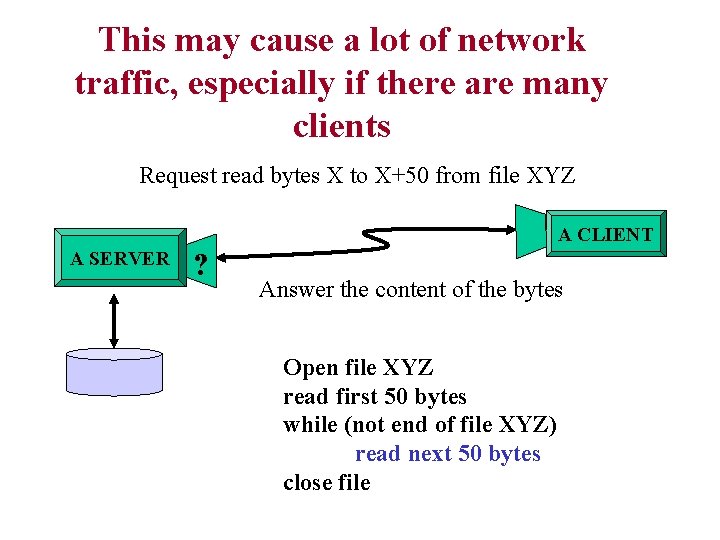
Servidores Con o sin Estado • ¿ Qué es el Estado ? – El “estado” es la información que los servidores mantienen acerca de la interacción que se lleva a cabo con los clientes. • ¿ Para qué ? – Generalmente se hace más eficiente el comporatamiento de los servidores con información. Información muy breve mantenida en el servidor puede hacer más chicos los mensajes o permite producir respuestas más rápido. • ¿ Y entonces por qué se evita a veces ? – Es fuente de errores: mensajes del cliente pueden perderse, duplicarse llegar en desorden. El cliente puede caerse y rebootear, con lo cual la información que tiene el servidor de él es errónea y también sus respuestas
Un ejemplo del servidor de Archivos El servidor espera que un cliente se conecte por la red. El cleinte puede mandar 2 tipos de requerimientos: leer o escribir datos en un archivo. El servidor realiza la operación y retorna el resultado al cliente. • Situación sin guardar información acerca del estado: – Para leer, el cliente debe siempre especificar: nombre de archivo, posición en el archivo desde dónde debe extraer los datos y el número de bytes a leer. – Para escribir debe especificar el nombre completo del archivo, el lugar donde quiere escribir y los datos que quiere escribir
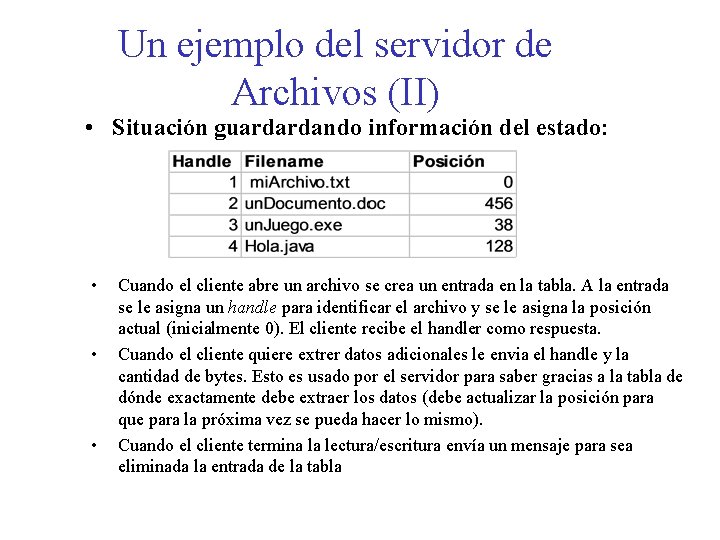
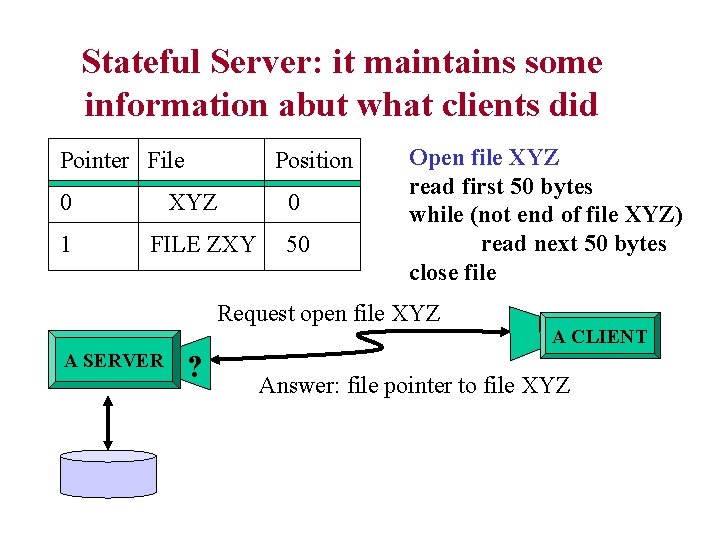
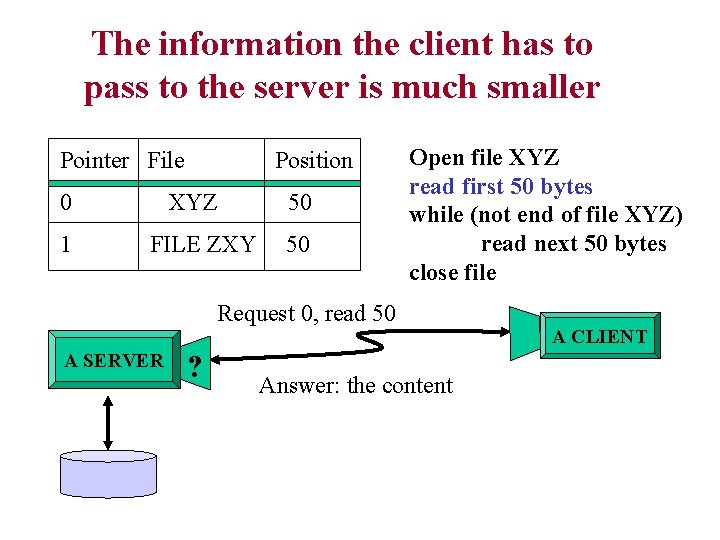
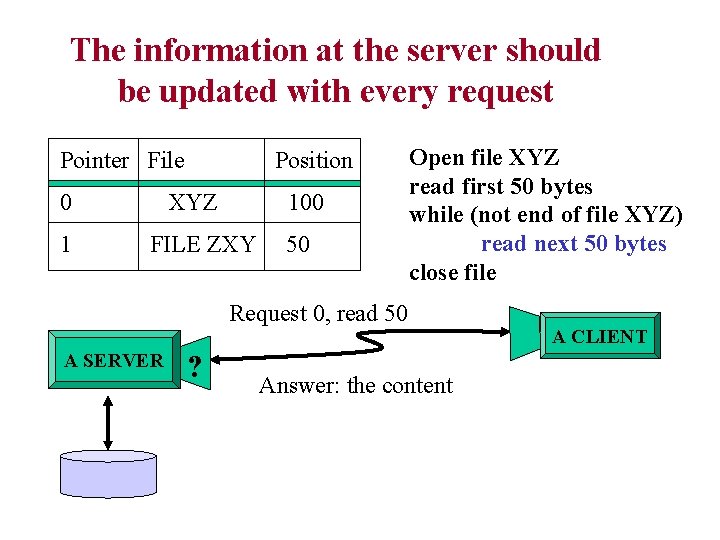
Un ejemplo del servidor de Archivos (II) • Situación guardardando información del estado: • • • Cuando el cliente abre un archivo se crea un entrada en la tabla. A la entrada se le asigna un handle para identificar el archivo y se le asigna la posición actual (inicialmente 0). El cliente recibe el handler como respuesta. Cuando el cliente quiere extrer datos adicionales le envia el handle y la cantidad de bytes. Esto es usado por el servidor para saber gracias a la tabla de dónde exactamente debe extraer los datos (debe actualizar la posición para que para la próxima vez se pueda hacer lo mismo). Cuando el cliente termina la lectura/escritura envía un mensaje para sea eliminada la entrada de la tabla
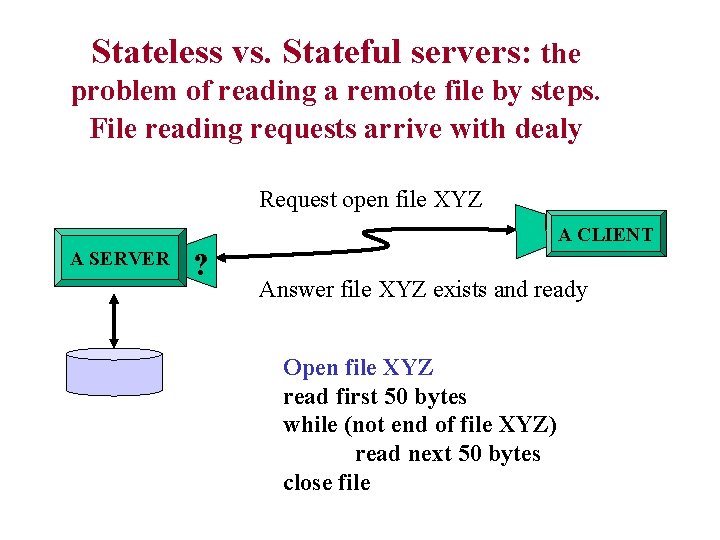
Stateless vs. Stateful servers: the problem of reading a remote file by steps. File reading requests arrive with dealy Request open file XYZ A CLIENT A SERVER ? Answer file XYZ exists and ready Open file XYZ read first 50 bytes while (not end of file XYZ) read next 50 bytes close file
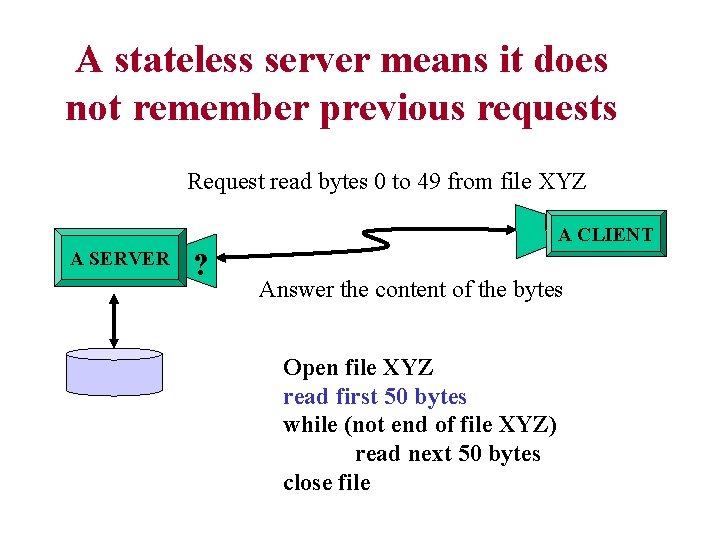
A stateless server means it does not remember previous requests Request read bytes 0 to 49 from file XYZ A CLIENT A SERVER ? Answer the content of the bytes Open file XYZ read first 50 bytes while (not end of file XYZ) read next 50 bytes close file
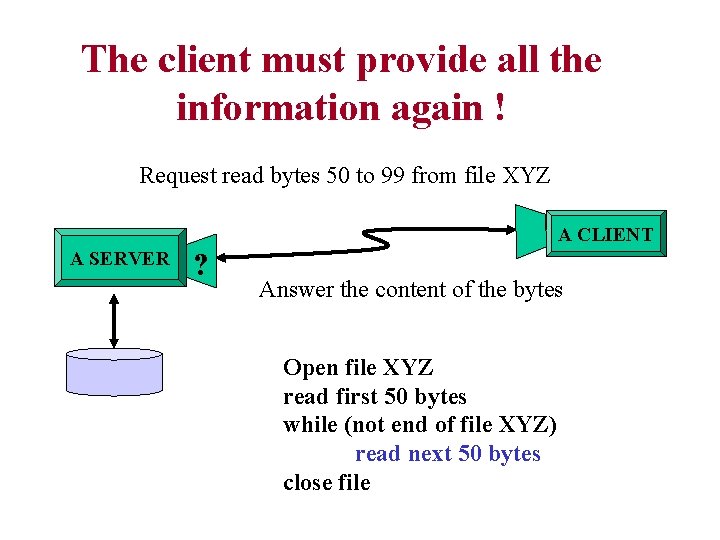
The client must provide all the information again ! Request read bytes 50 to 99 from file XYZ A CLIENT A SERVER ? Answer the content of the bytes Open file XYZ read first 50 bytes while (not end of file XYZ) read next 50 bytes close file
This may cause a lot of network traffic, especially if there are many clients Request read bytes X to X+50 from file XYZ A CLIENT A SERVER ? Answer the content of the bytes Open file XYZ read first 50 bytes while (not end of file XYZ) read next 50 bytes close file
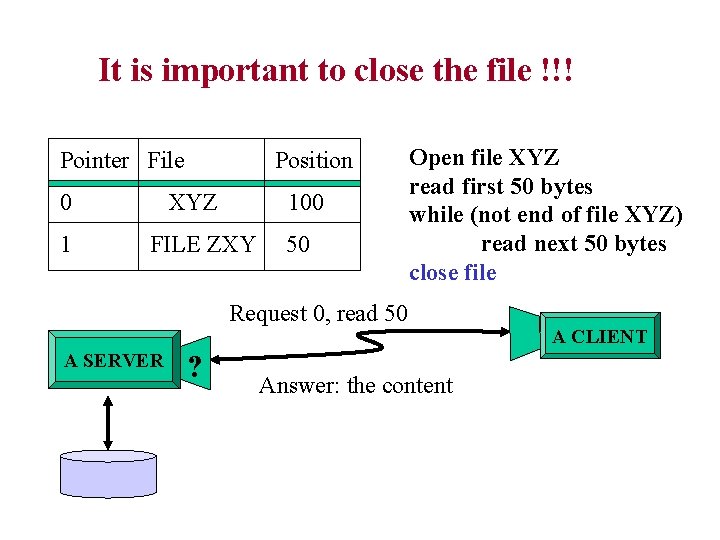
Stateful Server: it maintains some information abut what clients did Pointer File 0 1 Position XYZ FILE ZXY 0 50 Open file XYZ read first 50 bytes while (not end of file XYZ) read next 50 bytes close file Request open file XYZ A SERVER ? A CLIENT Answer: file pointer to file XYZ
The information the client has to pass to the server is much smaller Pointer File 0 1 Position XYZ FILE ZXY 50 50 Open file XYZ read first 50 bytes while (not end of file XYZ) read next 50 bytes close file Request 0, read 50 A SERVER ? Answer: the content A CLIENT
The information at the server should be updated with every request Pointer File 0 1 Position XYZ 100 FILE ZXY 50 Open file XYZ read first 50 bytes while (not end of file XYZ) read next 50 bytes close file Request 0, read 50 A SERVER ? Answer: the content A CLIENT
It is important to close the file !!! Pointer File 0 1 Position XYZ 100 FILE ZXY 50 Open file XYZ read first 50 bytes while (not end of file XYZ) read next 50 bytes close file Request 0, read 50 A SERVER ? Answer: the content A CLIENT
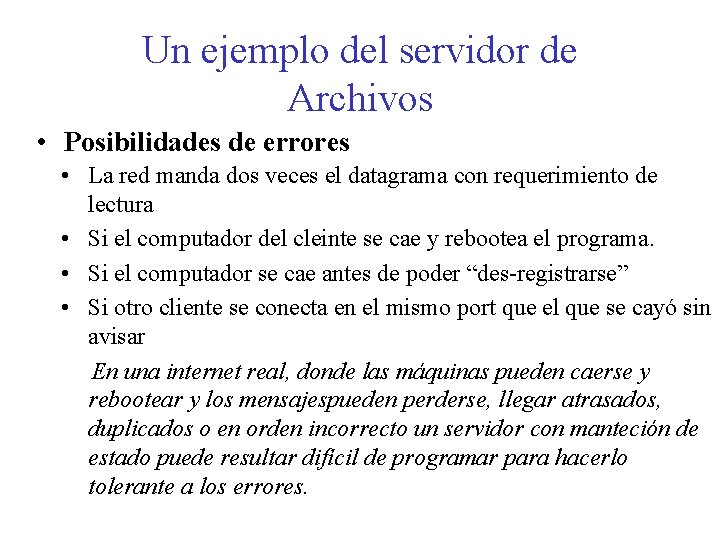
Un ejemplo del servidor de Archivos • Posibilidades de errores • La red manda dos veces el datagrama con requerimiento de lectura • Si el computador del cleinte se cae y rebootea el programa. • Si el computador se cae antes de poder “des-registrarse” • Si otro cliente se conecta en el mismo port que el que se cayó sin avisar En una internet real, donde las máquinas pueden caerse y rebootear y los mensajespueden perderse, llegar atrasados, duplicados o en orden incorrecto un servidor con manteción de estado puede resultar difícil de programar para hacerlo tolerante a los errores.
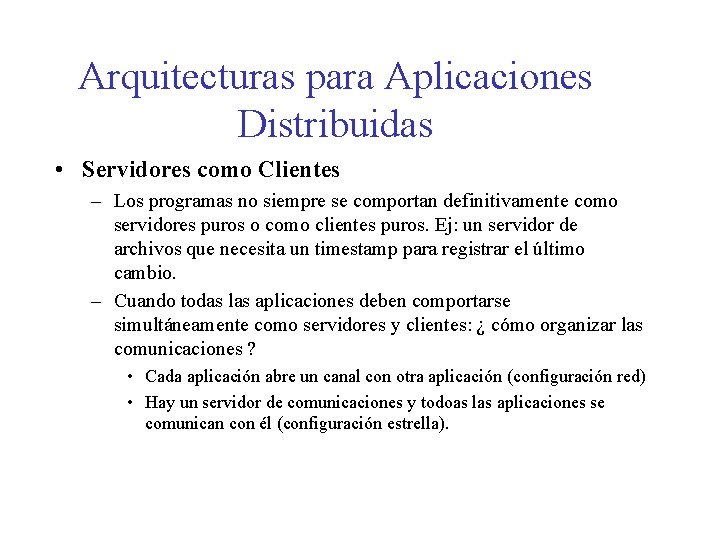
Arquitecturas para Aplicaciones Distribuidas • Servidores como Clientes – Los programas no siempre se comportan definitivamente como servidores puros o como clientes puros. Ej: un servidor de archivos que necesita un timestamp para registrar el último cambio. – Cuando todas las aplicaciones deben comportarse simultáneamente como servidores y clientes: ¿ cómo organizar las comunicaciones ? • Cada aplicación abre un canal con otra aplicación (configuración red) • Hay un servidor de comunicaciones y todoas las aplicaciones se comunican con él (configuración estrella).
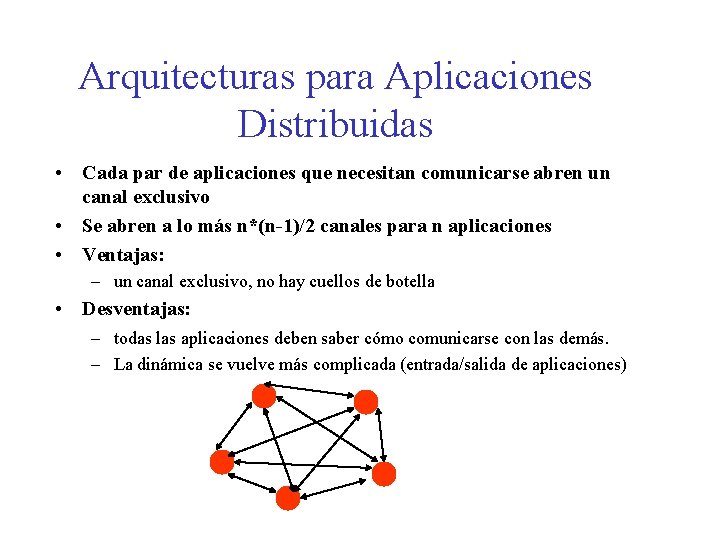
Arquitecturas para Aplicaciones Distribuidas • Cada par de aplicaciones que necesitan comunicarse abren un canal exclusivo • Se abren a lo más n*(n-1)/2 canales para n aplicaciones • Ventajas: – un canal exclusivo, no hay cuellos de botella • Desventajas: – todas las aplicaciones deben saber cómo comunicarse con las demás. – La dinámica se vuelve más complicada (entrada/salida de aplicaciones)
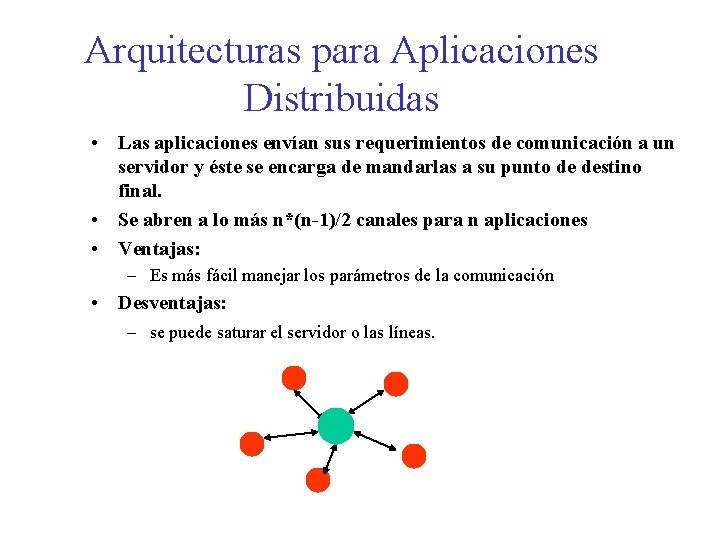
Arquitecturas para Aplicaciones Distribuidas • Las aplicaciones envían sus requerimientos de comunicación a un servidor y éste se encarga de mandarlas a su punto de destino final. • Se abren a lo más n*(n-1)/2 canales para n aplicaciones • Ventajas: – Es más fácil manejar los parámetros de la comunicación • Desventajas: – se puede saturar el servidor o las líneas.
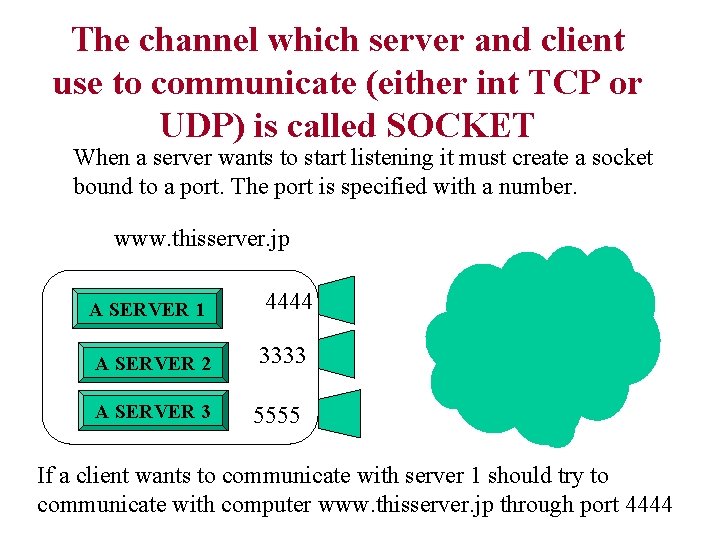
The channel which server and client use to communicate (either int TCP or UDP) is called SOCKET When a server wants to start listening it must create a socket bound to a port. The port is specified with a number. www. thisserver. jp A SERVER 1 4444 A SERVER 2 3333 A SERVER 3 5555 If a client wants to communicate with server 1 should try to communicate with computer www. thisserver. jp through port 4444
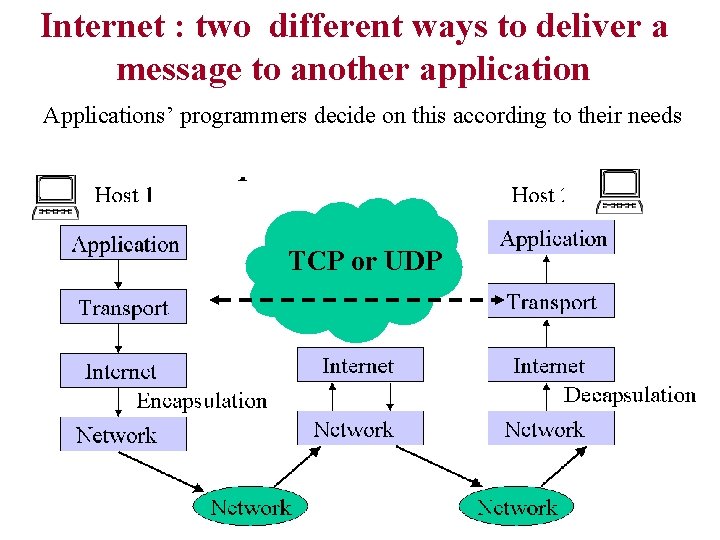
Internet : two different ways to deliver a message to another application Applications’ programmers decide on this according to their needs The UDP: User Defined Package: like writing a letter TCP or UDP
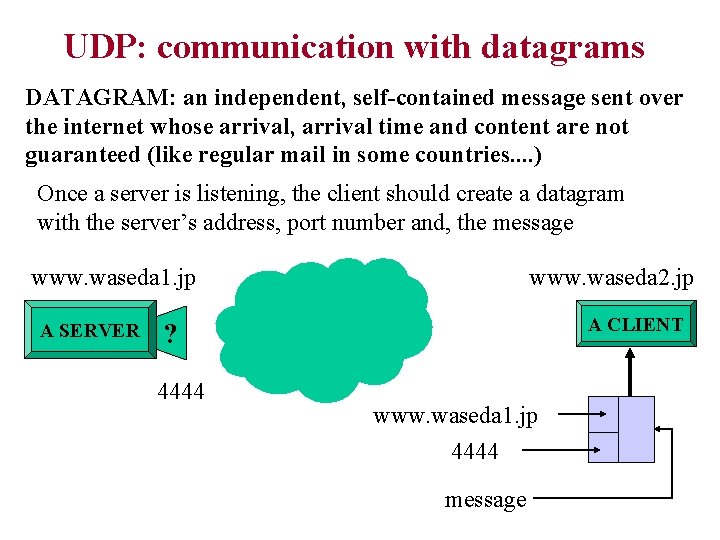
UDP: communication with datagrams DATAGRAM: an independent, self-contained message sent over the internet whose arrival, arrival time and content are not guaranteed (like regular mail in some countries. . ) Once a server is listening, the client should create a datagram with the server’s address, port number and, the message www. waseda 1. jp A SERVER www. waseda 2. jp A CLIENT ? 4444 www. waseda 1. jp 4444 message
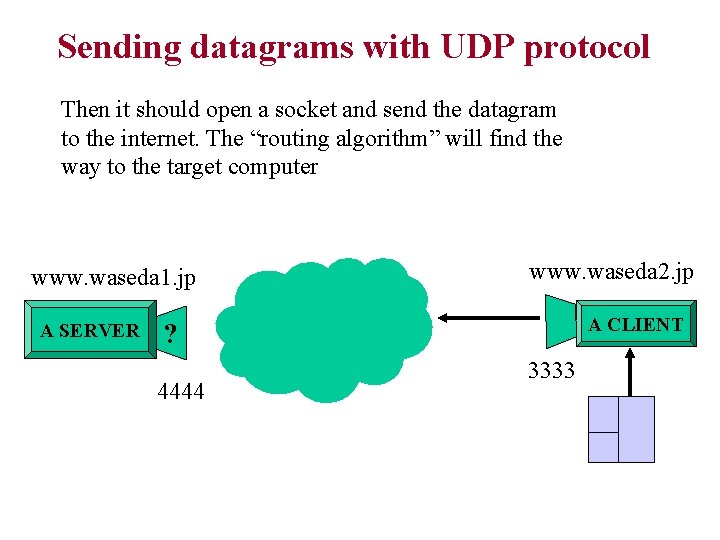
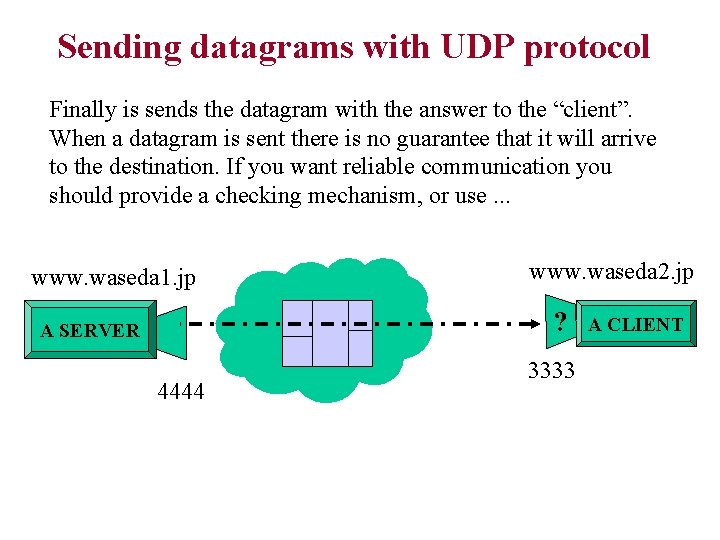
Sending datagrams with UDP protocol Then it should open a socket and send the datagram to the internet. The “routing algorithm” will find the way to the target computer www. waseda 1. jp A SERVER www. waseda 2. jp A CLIENT ? 4444 3333
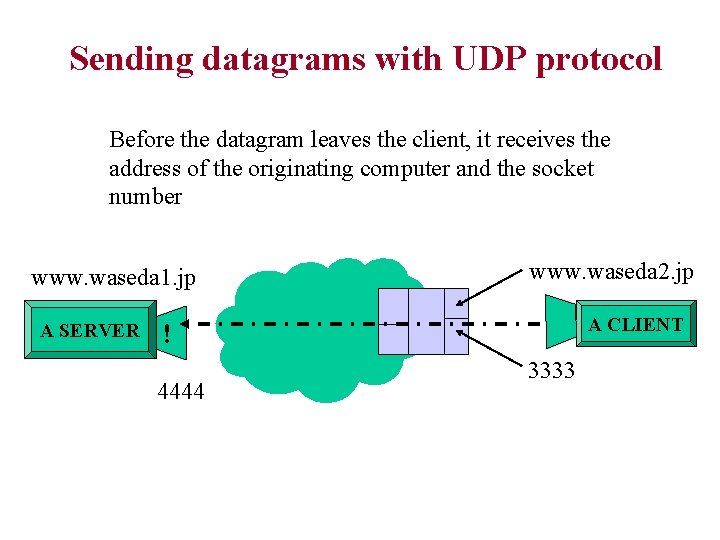
Sending datagrams with UDP protocol Before the datagram leaves the client, it receives the address of the originating computer and the socket number www. waseda 1. jp A SERVER www. waseda 2. jp A CLIENT ! 4444 3333
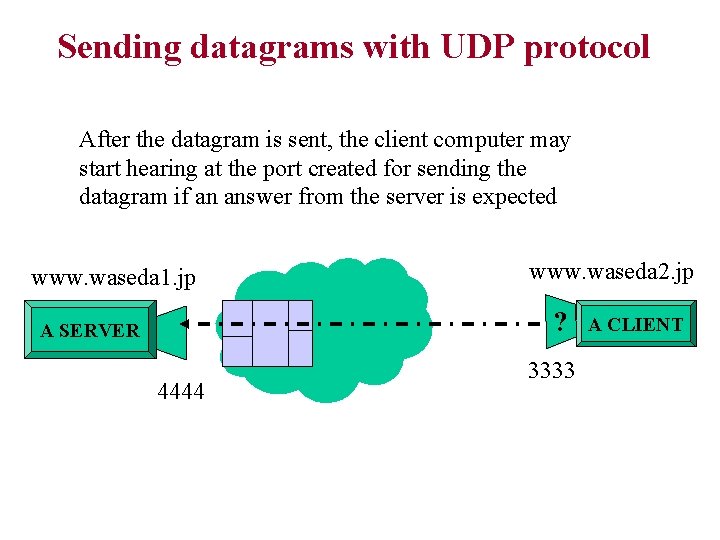
Sending datagrams with UDP protocol After the datagram is sent, the client computer may start hearing at the port created for sending the datagram if an answer from the server is expected www. waseda 1. jp www. waseda 2. jp ? A SERVER 4444 3333 A CLIENT
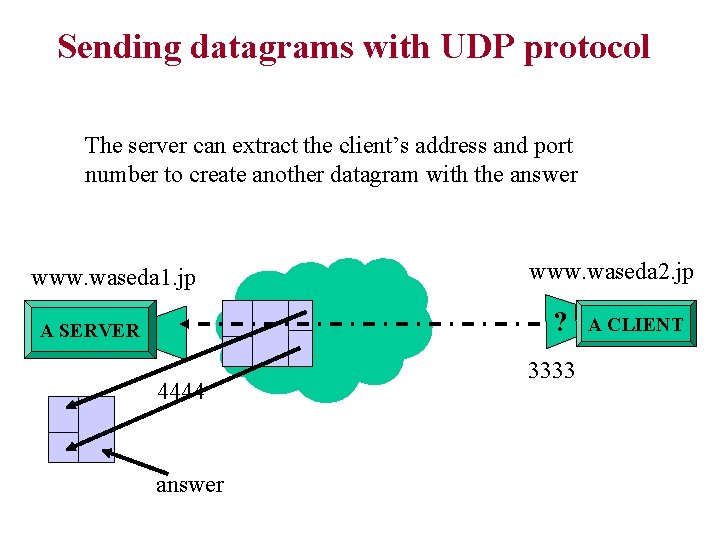
Sending datagrams with UDP protocol The server can extract the client’s address and port number to create another datagram with the answer www. waseda 1. jp www. waseda 2. jp ? A SERVER 4444 answer 3333 A CLIENT
Sending datagrams with UDP protocol Finally is sends the datagram with the answer to the “client”. When a datagram is sent there is no guarantee that it will arrive to the destination. If you want reliable communication you should provide a checking mechanism, or use. . . www. waseda 1. jp www. waseda 2. jp ? A SERVER 4444 3333 A CLIENT
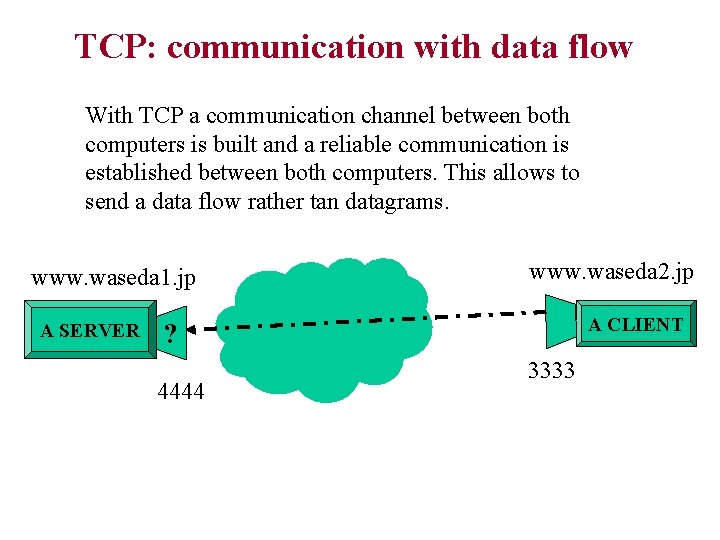
TCP: communication with data flow With TCP a communication channel between both computers is built and a reliable communication is established between both computers. This allows to send a data flow rather tan datagrams. www. waseda 1. jp A SERVER www. waseda 2. jp A CLIENT ? 4444 3333
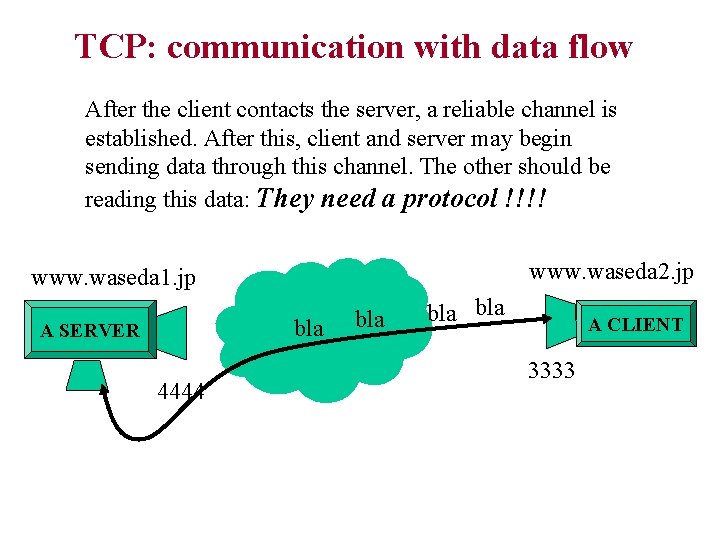
TCP: communication with data flow After the client contacts the server, a reliable channel is established. After this, client and server may begin sending data through this channel. The other should be reading this data: They need a protocol !!!! www. waseda 2. jp www. waseda 1. jp bla A SERVER 4444 bla bla A CLIENT 3333
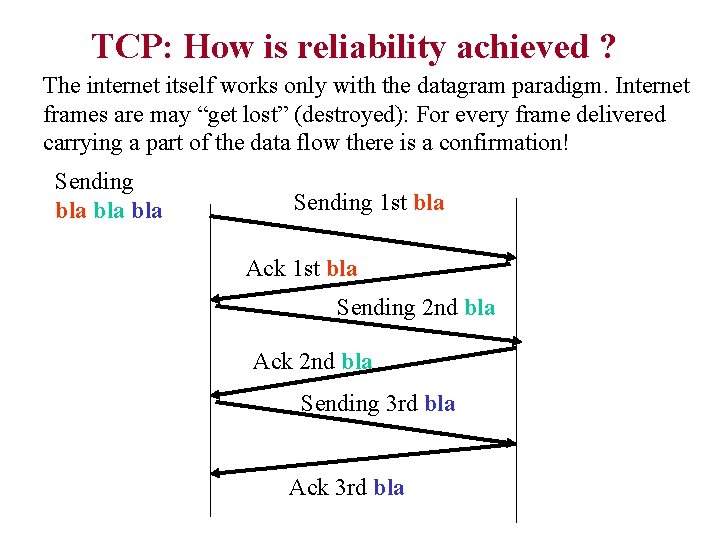
TCP: How is reliability achieved ? The internet itself works only with the datagram paradigm. Internet frames are may “get lost” (destroyed): For every frame delivered carrying a part of the data flow there is a confirmation! Sending bla bla Sending 1 st bla Ack 1 st bla Sending 2 nd bla Ack 2 nd bla Sending 3 rd bla Ack 3 rd bla
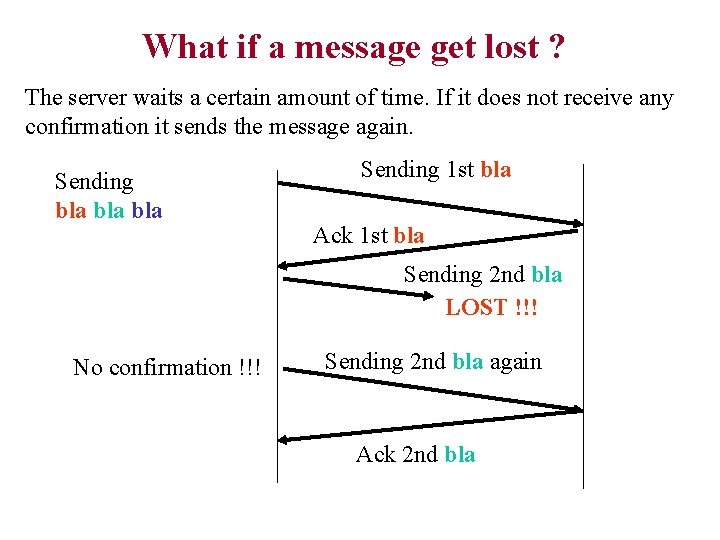
What if a message get lost ? The server waits a certain amount of time. If it does not receive any confirmation it sends the message again. Sending bla bla Sending 1 st bla Ack 1 st bla Sending 2 nd bla LOST !!! No confirmation !!! Sending 2 nd bla again Ack 2 nd bla
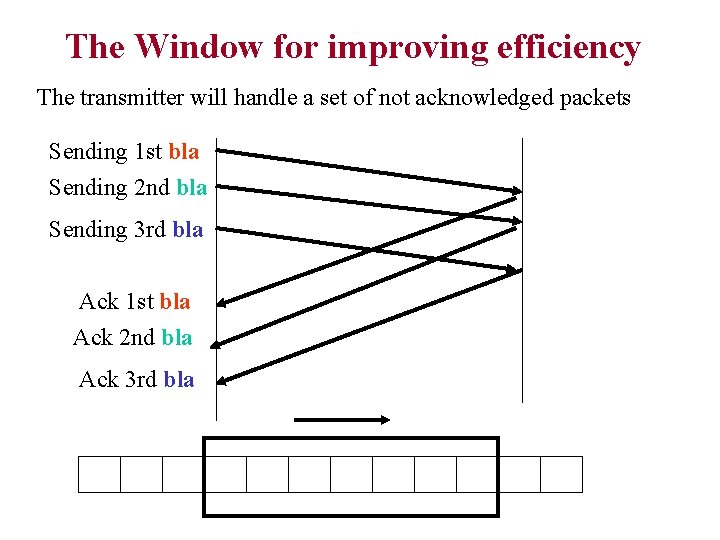
The Window for improving efficiency The transmitter will handle a set of not acknowledged packets Sending 1 st bla Sending 2 nd bla Sending 3 rd bla Ack 1 st bla Ack 2 nd bla Ack 3 rd bla
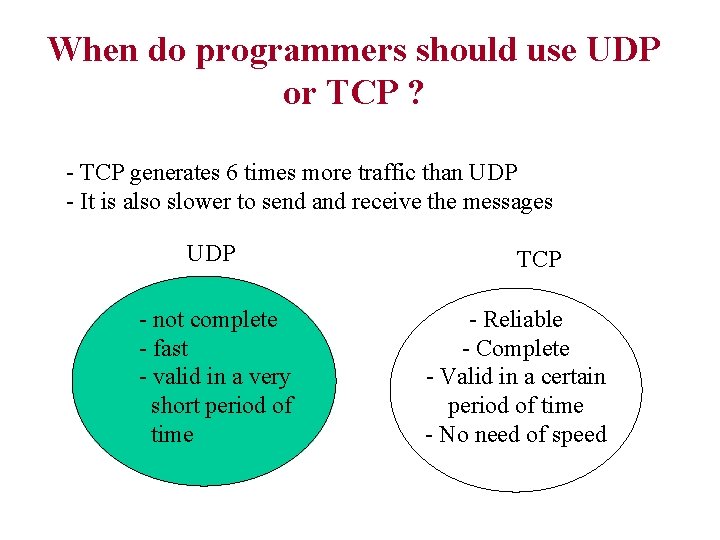
When do programmers should use UDP or TCP ? - TCP generates 6 times more traffic than UDP - It is also slower to send and receive the messages UDP - not complete - fast - valid in a very short period of time TCP - Reliable - Complete - Valid in a certain period of time - No need of speed
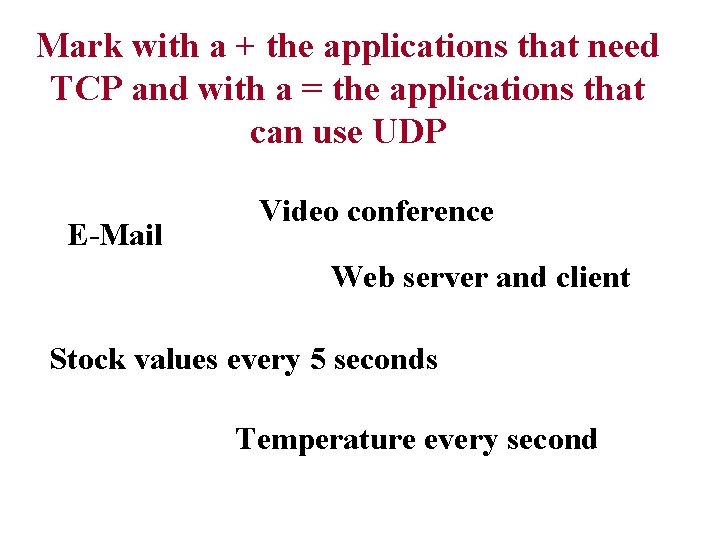
Mark with a + the applications that need TCP and with a = the applications that can use UDP E-Mail Video conference Web server and client Stock values every 5 seconds Temperature every second
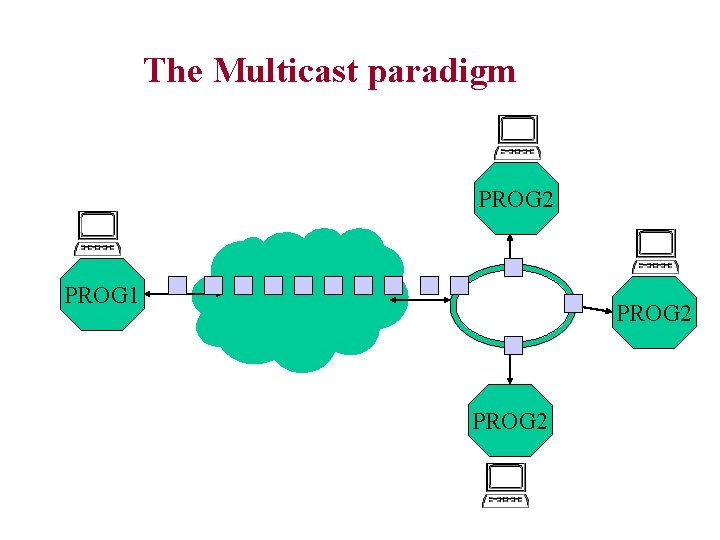
The Multicast paradigm PROG 2 PROG 1 PROG 2
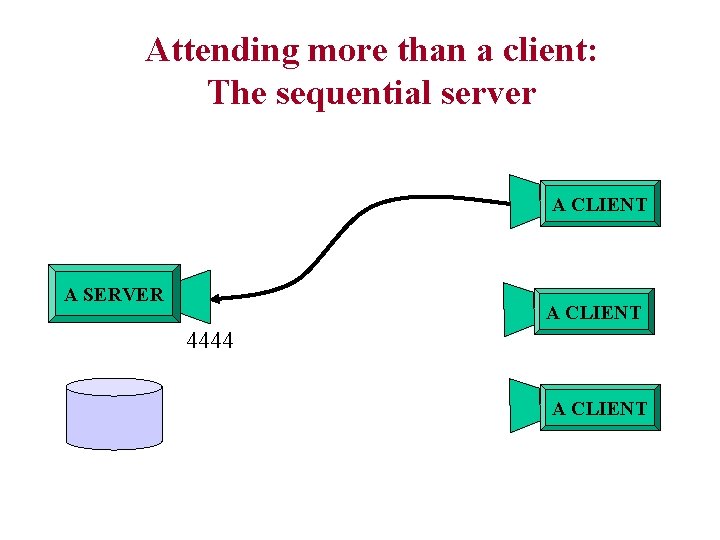
Attending more than a client: The sequential server A CLIENT A SERVER A CLIENT 4444 A CLIENT
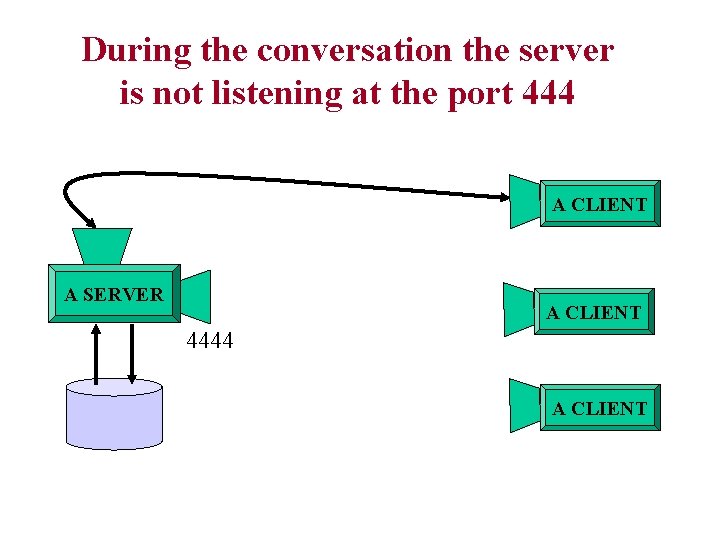
During the conversation the server is not listening at the port 444 A CLIENT A SERVER A CLIENT 4444 A CLIENT
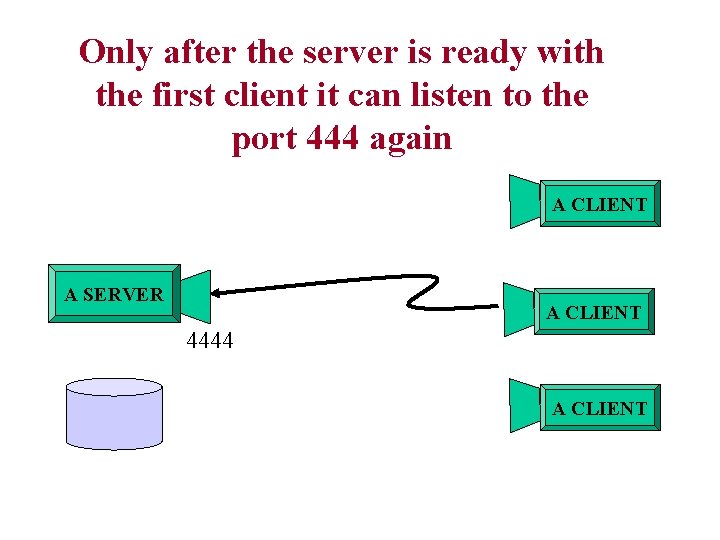
Only after the server is ready with the first client it can listen to the port 444 again A CLIENT A SERVER A CLIENT 4444 A CLIENT
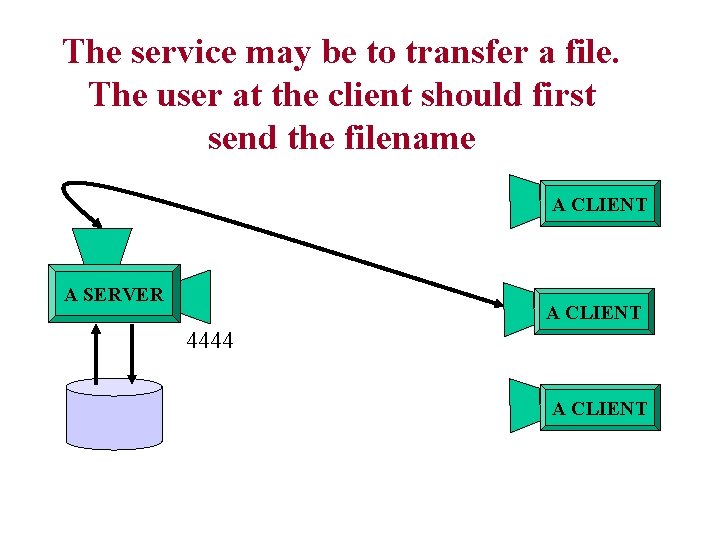
The service may be to transfer a file. The user at the client should first send the filename A CLIENT A SERVER A CLIENT 4444 A CLIENT
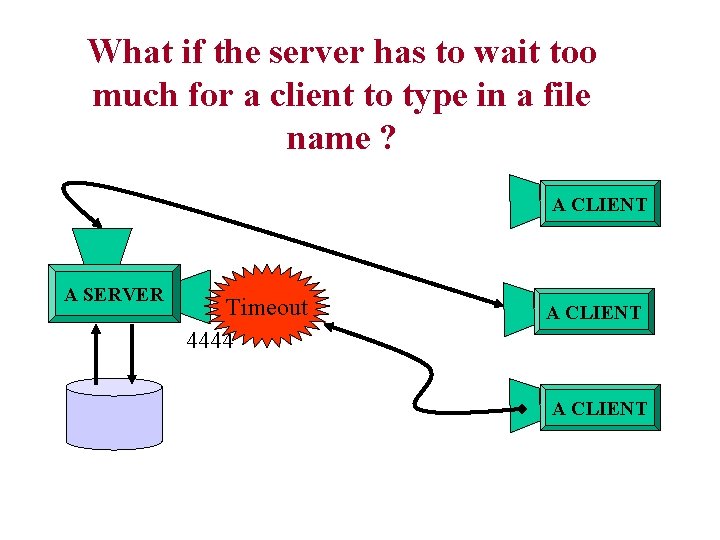
What if the server has to wait too much for a client to type in a file name ? A CLIENT A SERVER Timeout 4444 A CLIENT
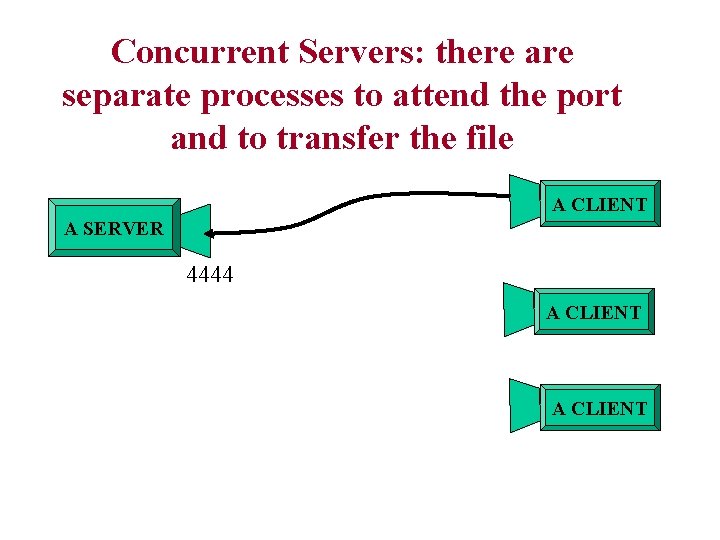
Concurrent Servers: there are separate processes to attend the port and to transfer the file A CLIENT A SERVER 4444 A CLIENT
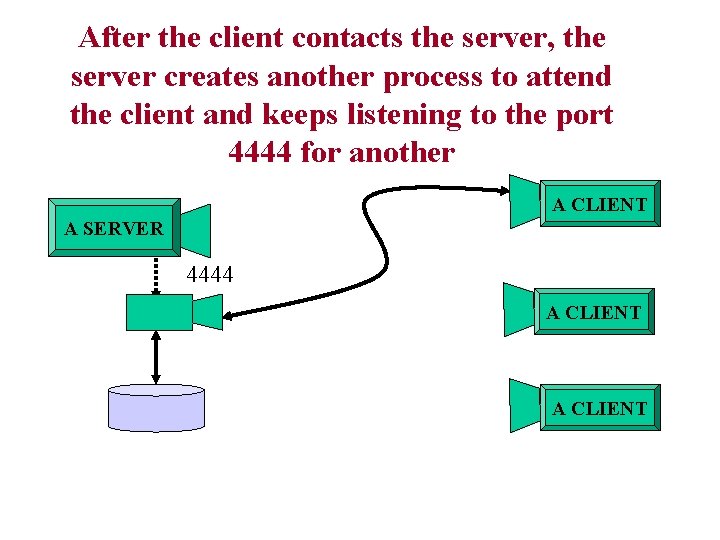
After the client contacts the server, the server creates another process to attend the client and keeps listening to the port 4444 for another A CLIENT A SERVER 4444 A CLIENT
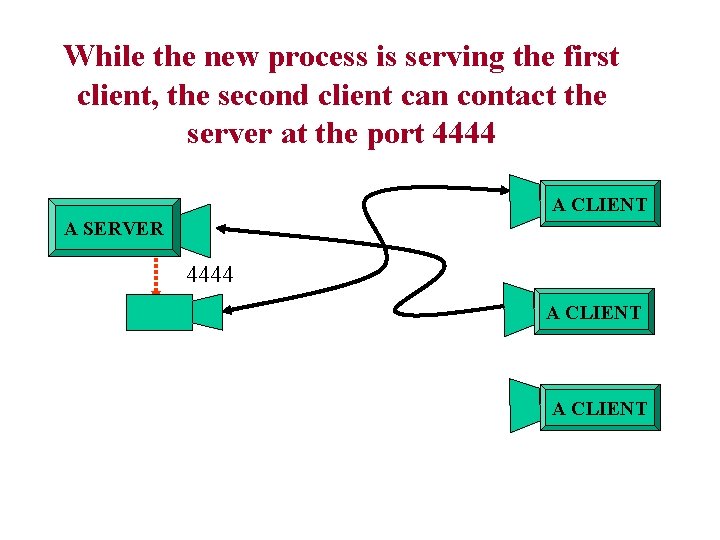
While the new process is serving the first client, the second client can contact the server at the port 4444 A CLIENT A SERVER 4444 A CLIENT
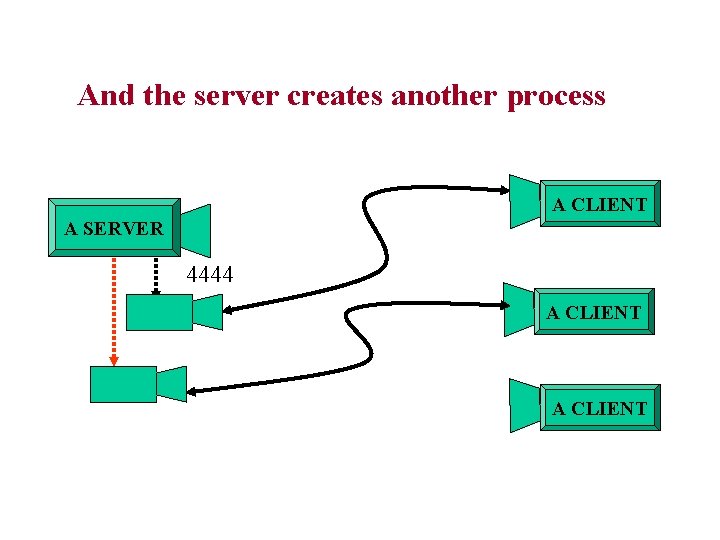
And the server creates another process A CLIENT A SERVER 4444 A CLIENT
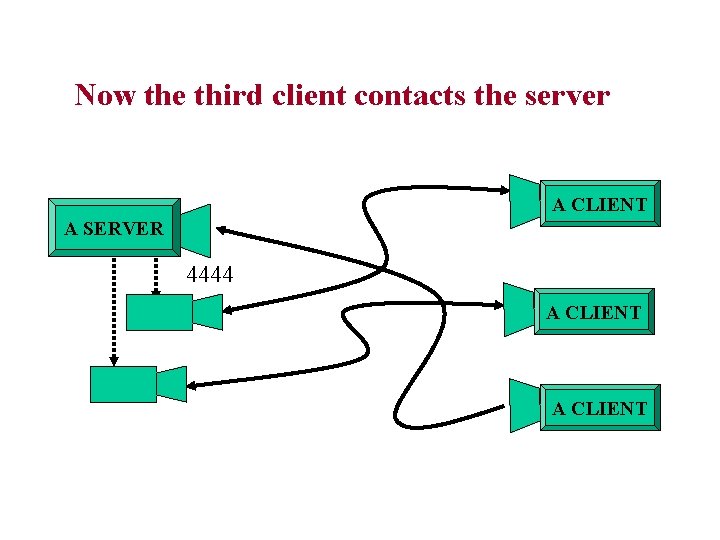
Now the third client contacts the server A CLIENT A SERVER 4444 A CLIENT
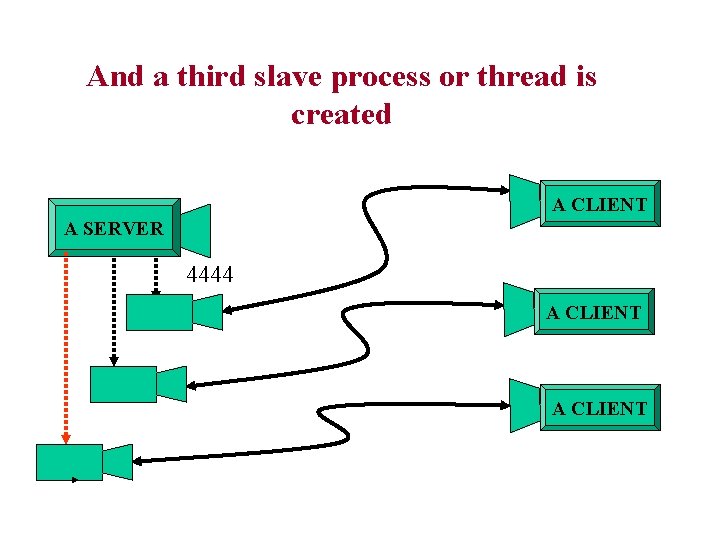
And a third slave process or thread is created A CLIENT A SERVER 4444 A CLIENT
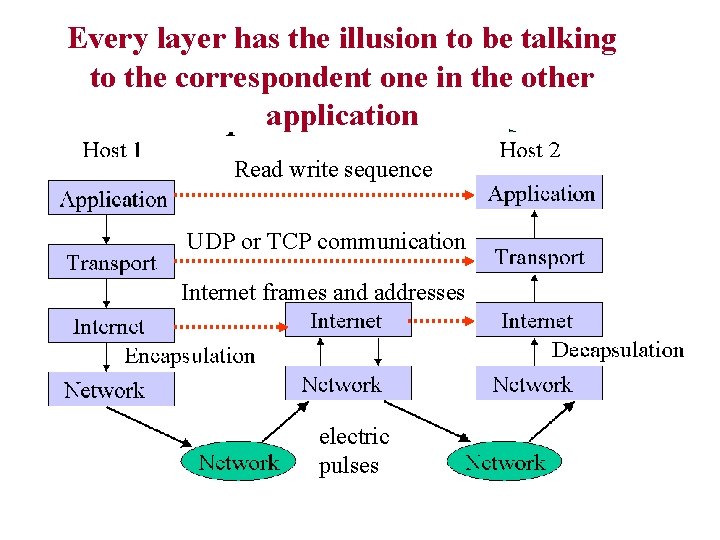
Every layer has the illusion to be talking to the correspondent one in the other application A CLIENT The UDP: User. Read Defined write Package: sequence like writing a letter A SERVER 4444 UDP or TCP communication A CLIENT Internet frames and addresses A CLIENT electric pulses
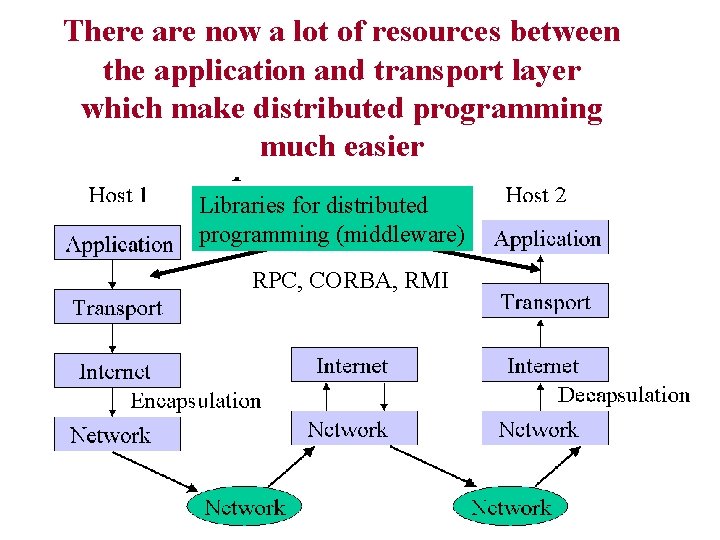
There are now a lot of resources between the application and transport layer which make distributed programming much easier Libraries for distributed programming (middleware) RPC, CORBA, RMI
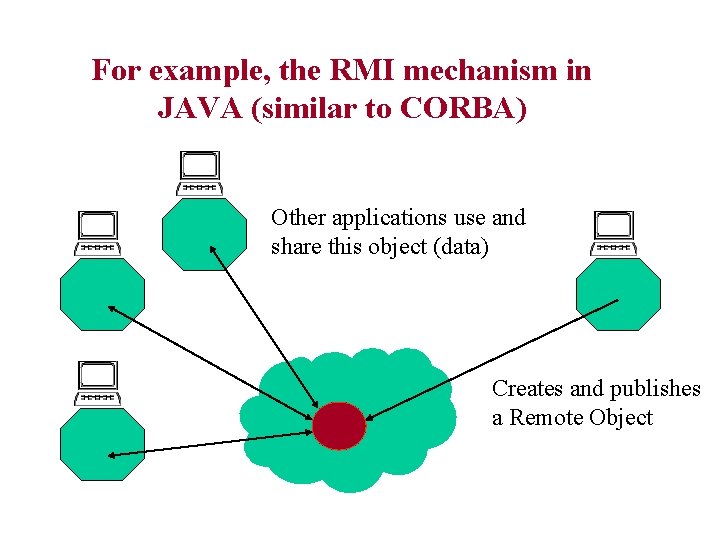
For example, the RMI mechanism in JAVA (similar to CORBA) Other applications use and share this object (data) Creates and publishes a Remote Object
2 - Inter. Networking con Java • ¿ Por qué JAVA ? – En este curso: Los programas son más simples => se peude usar más tiempo en explicar la lógica de los programas que para explicar las instrucciones del lenguaje. – En general: Java nace cuando la internet ya está madura (1993 -4) => nace “sabiendo” que existe TCP/IP y que la programación distribuida es importante, lo que se nota en el diseño. – Además de las típicas funcionalidades básicas de comunicación (comunicación por canales TCP y UDP) incorpora otras de alto nivel de abstracción: RMI, Applets, JDBL, URL • ¿ Siempre es mejor JAVA ? – No, Java es multiplataforma por lo tanto sólo puede hacer cosas que sean comúnes a todas las plataformas. – Con la estandarización de TCP/IP como red virtual para todos los equipos esto es cada vez menos importante. Aún así hay cosas: Nombres y ports sólo se pueden asociar en C ya que es exclusivo de UNIX.