
Protecting Your VMware VMs to Azure Using Microsoft









- Slides: 42
Protecting Your VMware VM’s to Azure Using Microsoft Azure Site Recovery Danny Newport / Stephane Budo INF 334 B
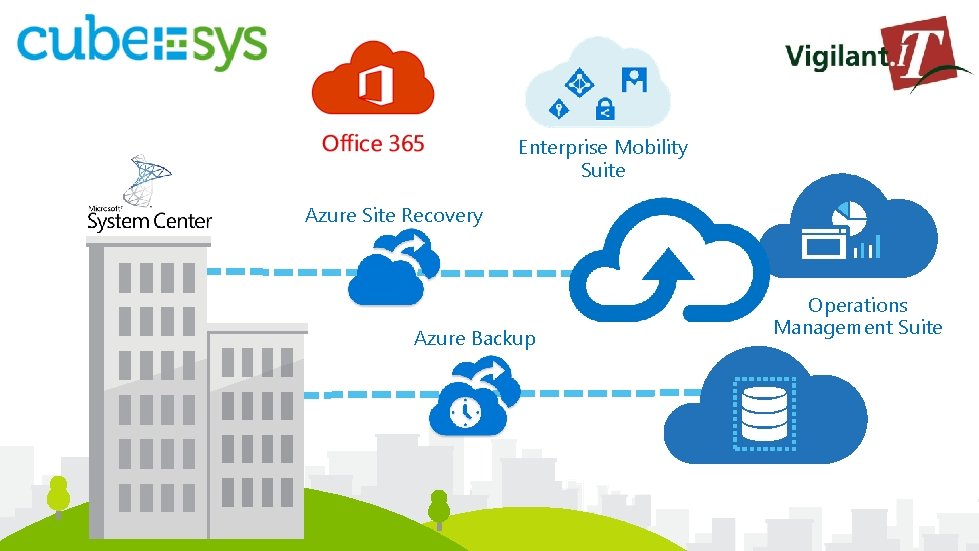
Enterprise Mobility Suite Azure Site Recovery Azure Backup Operations Management Suite
Agenda Power. Point Demo More Power. Point
Options for DR Don’t bother – it’s all just too hard (and expensive) Backups and offsite tape storage Redundant secondary DC Active / Active across DC’s with additional capacity Cloud based, capacity on demand, automated, PAYG
Common DR strategies Ostrich DR What disaster, I don’t see no disaster That sort of thing doesn’t happen here… Check box DR Phew! The CIO is off my back God I hope this works! <Insert prayer here> Plan B = seek. com. au Iron Mountain DR We have off-site tapes; I reckon I could get everything stood up in a week or 2 or 3 or 4…
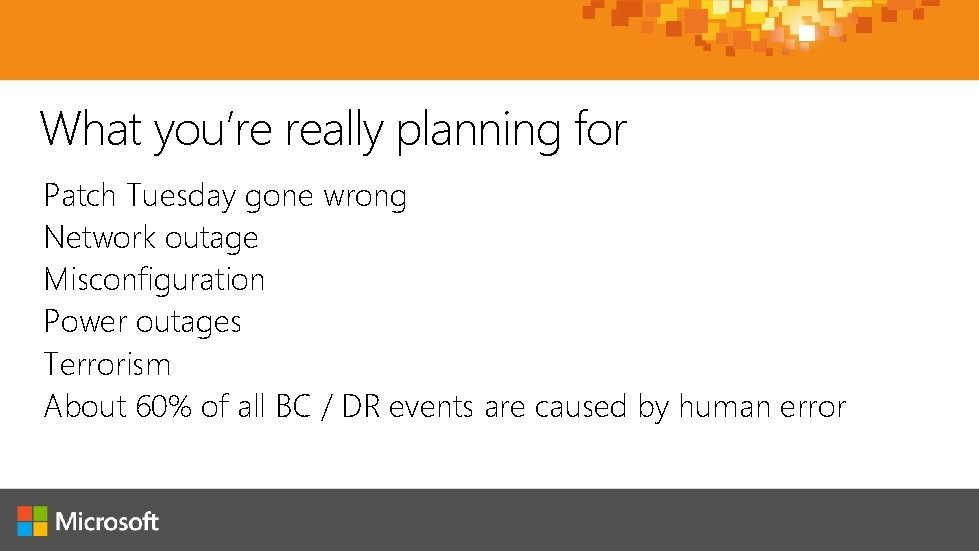
What you’re really planning for Patch Tuesday gone wrong Network outage Misconfiguration Power outages Terrorism About 60% of all BC / DR events are caused by human error
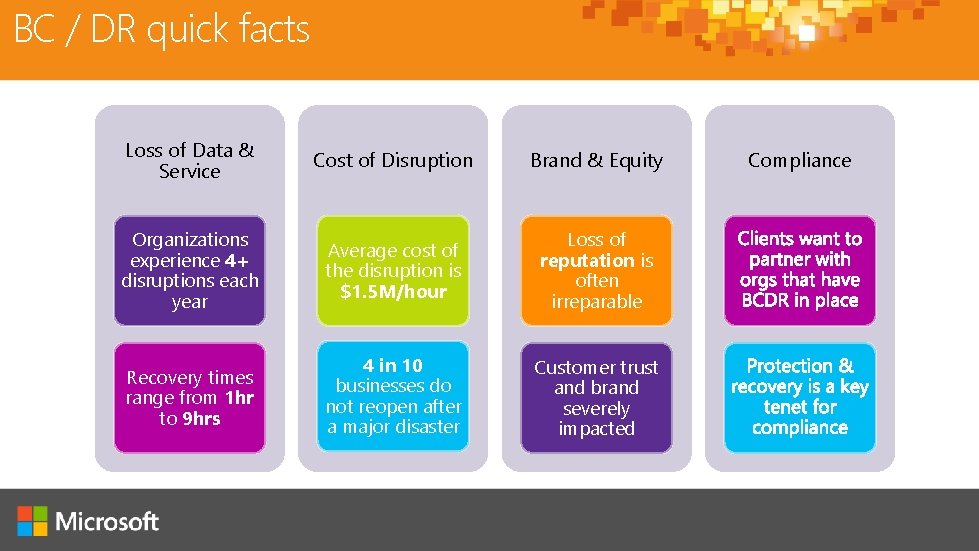
BC / DR quick facts Loss of Data & Service Cost of Disruption Brand & Equity Organizations experience 4+ disruptions each year Average cost of the disruption is $1. 5 M/hour Loss of reputation is often irreparable Recovery times range from 1 hr to 9 hrs 4 in 10 businesses do not reopen after a major disaster Customer trust and brand severely impacted Compliance
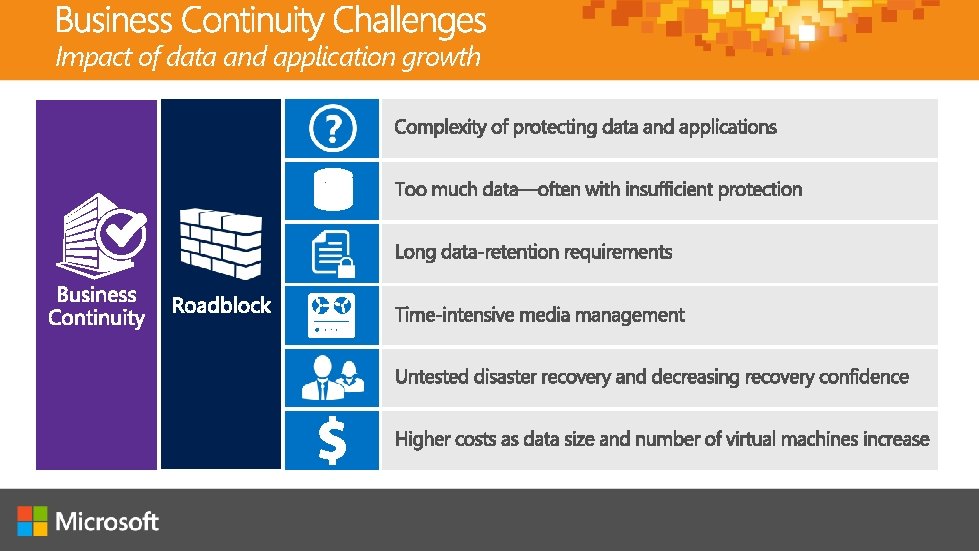
Impact of data and application growth
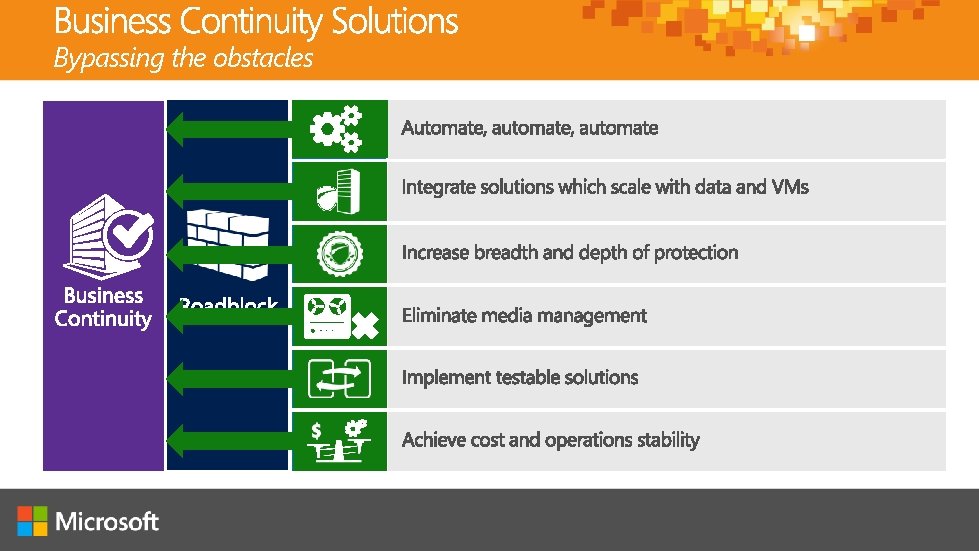
Bypassing the obstacles
What is Azure Site Recovery (ASR)? The Azure Site Recovery service contributes to a robust business continuity and disaster recovery (BCDR) solution that protects your on-premises physical servers and virtual machines by orchestrating and automating replication and failover to Azure, or to a secondary on-premises datacentre.
Features Cost effective Replicate to Azure Blob Storage and only pay for compute during test failovers or an actual DR recovery event Workload-aware replication for heterogeneous environments Seamless protection for VMware, Hyper-V, and physical machines Discovery of VMware v. Sphere ESXi virtual machines Support for VMware v. Center Server Protection for bare-metal and hosted server workloads Discovery based on IP address Continuous Data Protection (CDP) Near-zero Recovery Point Objective (RPO) and Recovery Time Objective (RTO) of minutes
Features Support for public Internet and private networks Replicate data with or without Azure Express. Route Workload-aware recovery with Recovery Plans Optimize RTO with Azure Automation Failback to on-premises VMware infrastructure Failback to physical server in the roadmap Health monitoring Event reporting and e-mail notifications
Key definitions RTO How long can I afford to have my systems offline for RPO How much data can I afford to lose in the process
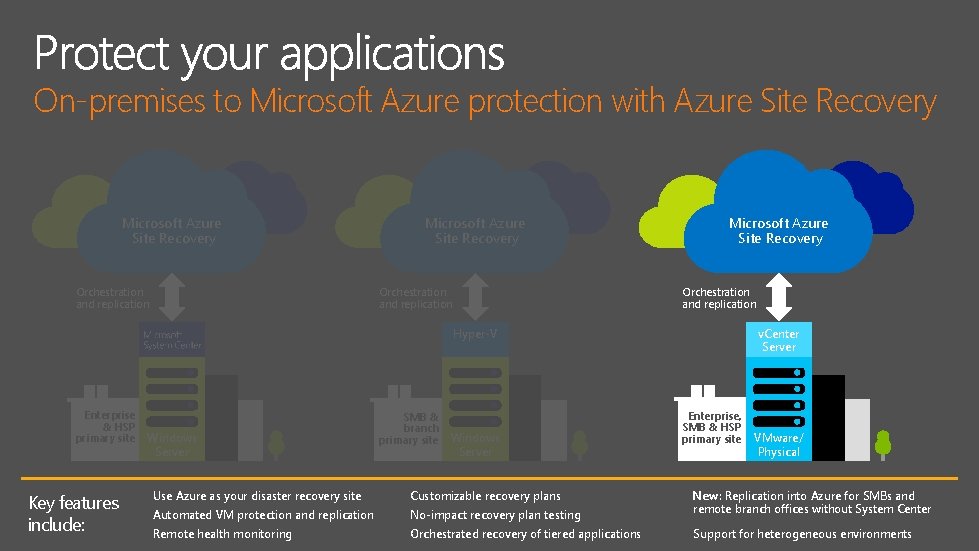
On-premises to Microsoft Azure protection with Azure Site Recovery Microsoft Azure Site Recovery Orchestration and replication v. Center Server Hyper-V Enterprise & HSP primary site Key features include: Windows Server SMB & branch primary site Windows Server Use Azure as your disaster recovery site Customizable recovery plans Automated VM protection and replication No-impact recovery plan testing Remote health monitoring Orchestrated recovery of tiered applications Enterprise, SMB & HSP primary site VMware/ Physical New: Replication into Azure for SMBs and remote branch offices without System Center Support for heterogeneous environments
On-premises to on-premises protection with Azure Site Recovery Microsoft Azure Site Recovery Communication channel Download ASR components Agent Replication and orchestration channel: guest-based Replication channel: host-based or SAN -based Windows Primary site Server Key features include: Recovery site Agent Windows Server VMware/ Primary Physical site Automated VM protection and replication Integration with available investments Remote health monitoring No-impact recovery plan testing Customizable recovery plans Orchestrated recovery of tiered applications Recovery site VMware Support for heterogeneous environments
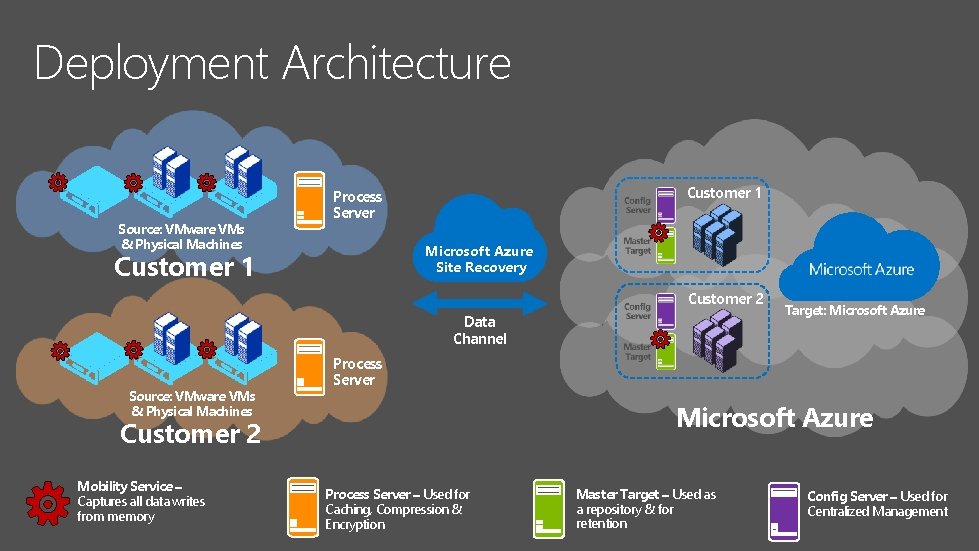
Deployment Architecture Source: VMware VMs & Physical Machines Customer 1 Process Server Microsoft Azure Site Recovery Customer 1 Customer 2 Data Channel Source: VMware VMs & Physical Machines Process Server Microsoft Azure Customer 2 Mobility Service – Captures all data writes from memory Target: Microsoft Azure Process Server – Used for Caching, Compression & Encryption Master Target – Used as a repository & for retention Config Server – Used for Centralized Management
Process Server – Used for Caching, Compression & Encryption Master Target – Used as a repository & for retention Config Server – Used for Centralized Management On-premises Deployed in customer’s Azure subscription Windows Server 2012 R 2 physical or virtual machine Sufficient resources in customer’s subscription Deploy the following in the same region Same network as source machines Azure virtual network Geo-redundant Azure Storage account VMware v. Sphere CLI 5. 5 for Azure Site Recovery vault automatic discovery of VMware v. Sphere ESXi VMs Standard A 3 Configuration Server Standard A 4, D 14 or DS 4 Master Target Servers
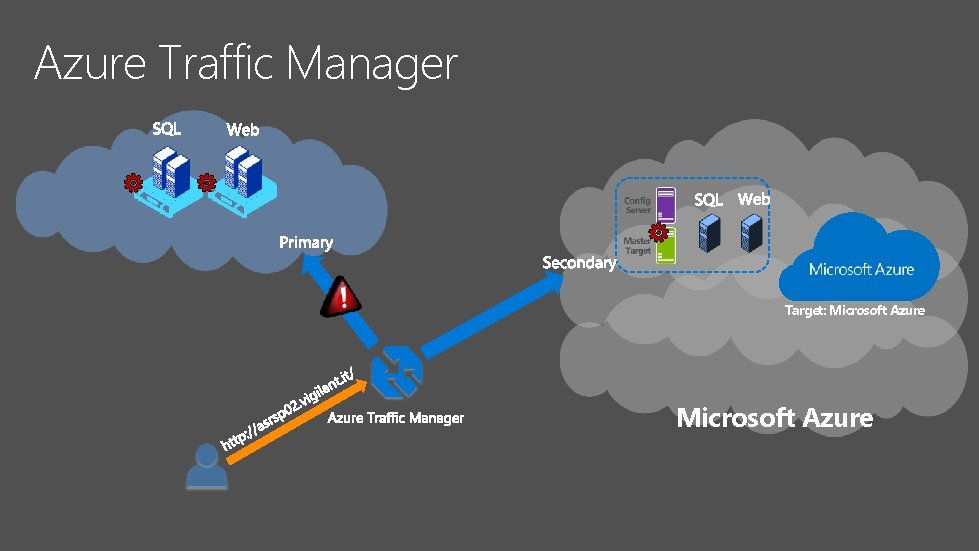
Azure Traffic Manager Target: Microsoft Azure
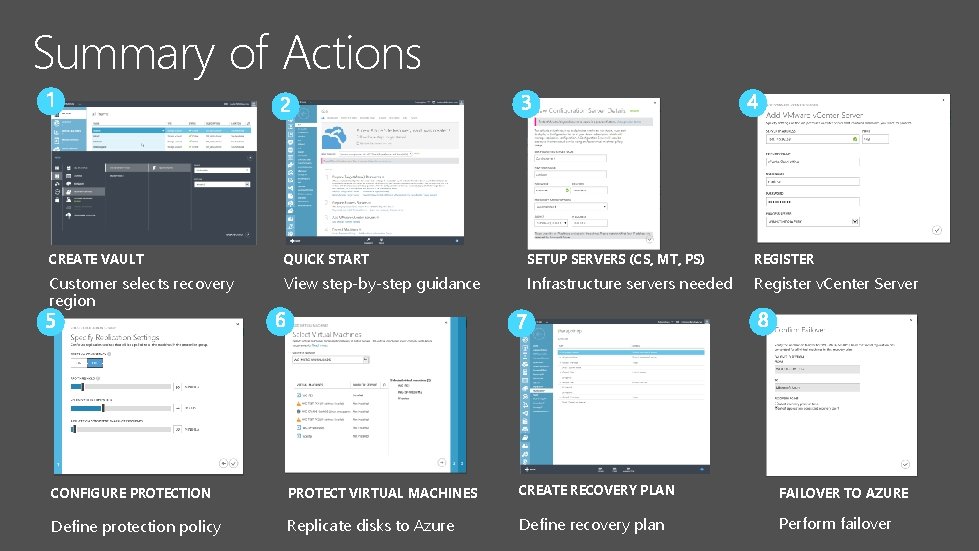
Summary of Actions CREATE VAULT QUICK START SETUP SERVERS (CS, MT, PS) REGISTER Customer selects recovery region View step-by-step guidance Infrastructure servers needed Register v. Center Server CONFIGURE PROTECTION PROTECT VIRTUAL MACHINES CREATE RECOVERY PLAN FAILOVER TO AZURE Define protection policy Replicate disks to Azure Define recovery plan Perform failover
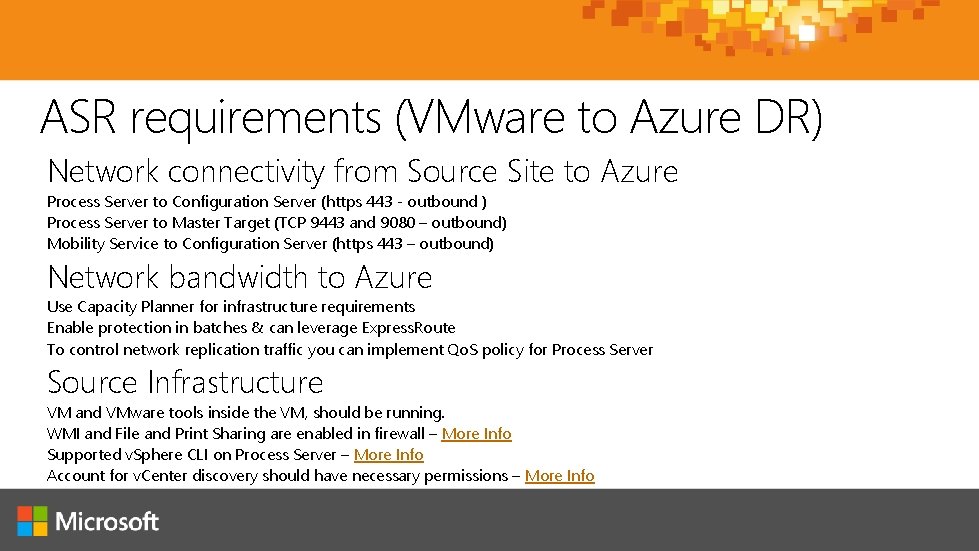
ASR requirements (VMware to Azure DR) § Network connectivity from Source Site to Azure Process Server to Configuration Server (https 443 - outbound ) Process Server to Master Target (TCP 9443 and 9080 – outbound) Mobility Service to Configuration Server (https 443 – outbound) § Network bandwidth to Azure Use Capacity Planner for infrastructure requirements Enable protection in batches & can leverage Express. Route To control network replication traffic you can implement Qo. S policy for Process Server § Source Infrastructure VM and VMware tools inside the VM, should be running. WMI and File and Print Sharing are enabled in firewall – More Info Supported v. Sphere CLI on Process Server – More Info Account for v. Center discovery should have necessary permissions – More Info
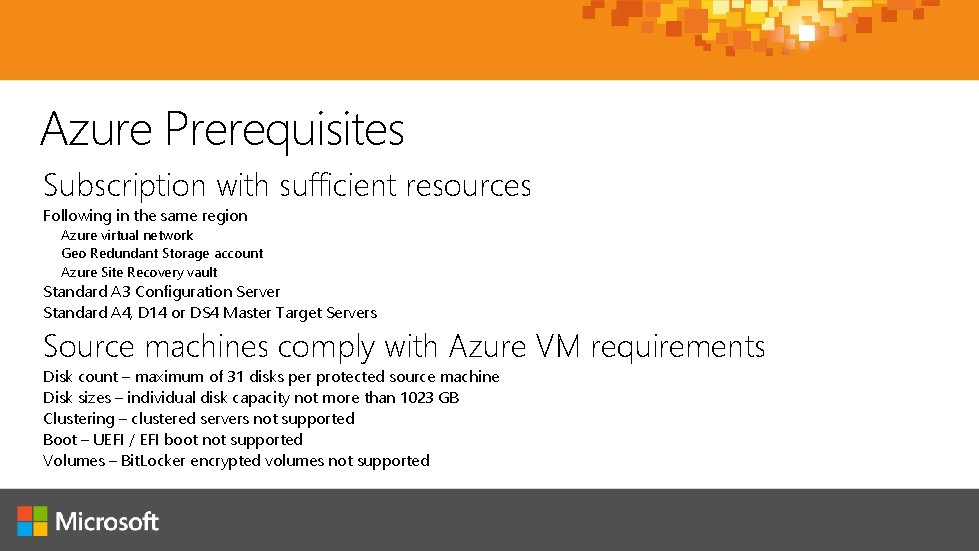
Azure Prerequisites Subscription with sufficient resources Following in the same region Azure virtual network Geo Redundant Storage account Azure Site Recovery vault Standard A 3 Configuration Server Standard A 4, D 14 or DS 4 Master Target Servers Source machines comply with Azure VM requirements Disk count – maximum of 31 disks per protected source machine Disk sizes – individual disk capacity not more than 1023 GB Clustering – clustered servers not supported Boot – UEFI / EFI boot not supported Volumes – Bit. Locker encrypted volumes not supported
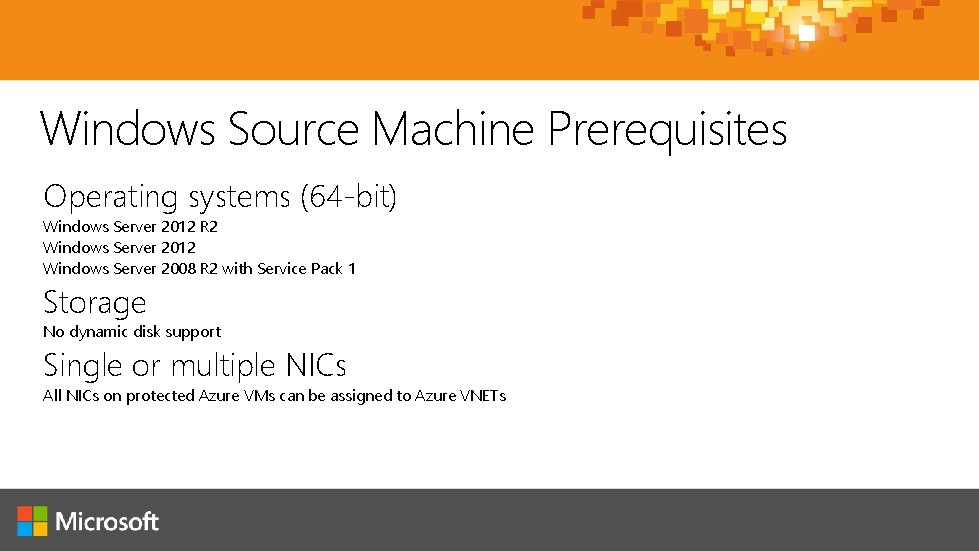
Windows Source Machine Prerequisites Operating systems (64 -bit) Windows Server 2012 R 2 Windows Server 2012 Windows Server 2008 R 2 with Service Pack 1 Storage No dynamic disk support Single or multiple NICs All NICs on protected Azure VMs can be assigned to Azure VNETs
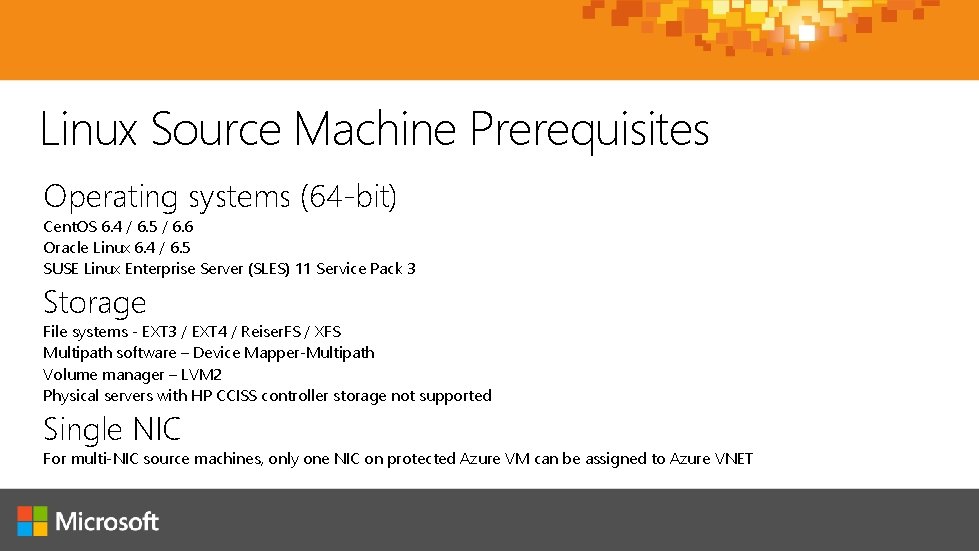
Linux Source Machine Prerequisites Operating systems (64 -bit) Cent. OS 6. 4 / 6. 5 / 6. 6 Oracle Linux 6. 4 / 6. 5 SUSE Linux Enterprise Server (SLES) 11 Service Pack 3 Storage File systems - EXT 3 / EXT 4 / Reiser. FS / XFS Multipath software – Device Mapper-Multipath Volume manager – LVM 2 Physical servers with HP CCISS controller storage not supported Single NIC For multi-NIC source machines, only one NIC on protected Azure VM can be assigned to Azure VNET
Common Source Machine Prerequisites Source machines turned on ASR-guest based replication requires running source machines Remote Desktop or Secure Shell enabled For connectivity to recovered Azure VMs
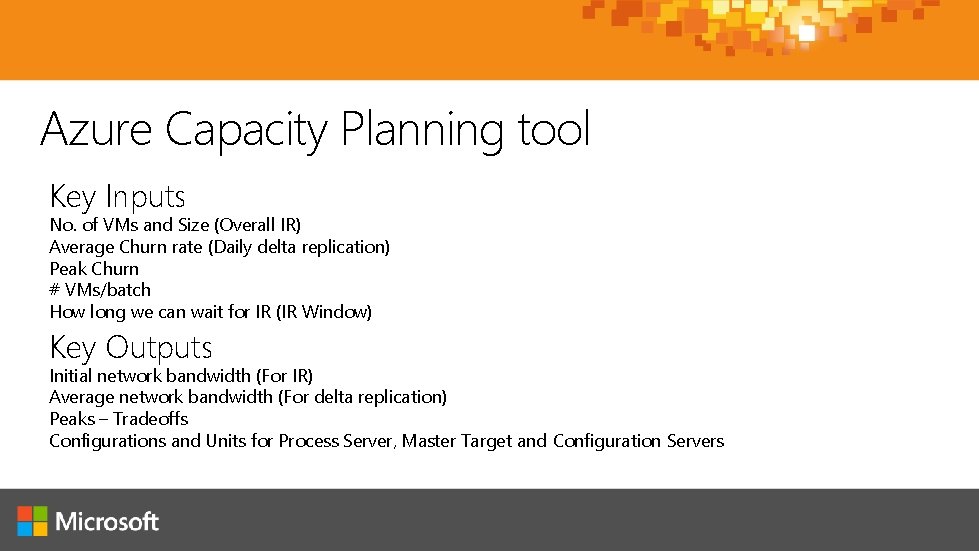
Azure Capacity Planning tool Key Inputs No. of VMs and Size (Overall IR) Average Churn rate (Daily delta replication) Peak Churn # VMs/batch How long we can wait for IR (IR Window) Key Outputs Initial network bandwidth (For IR) Average network bandwidth (For delta replication) Peaks – Tradeoffs Configurations and Units for Process Server, Master Target and Configuration Servers
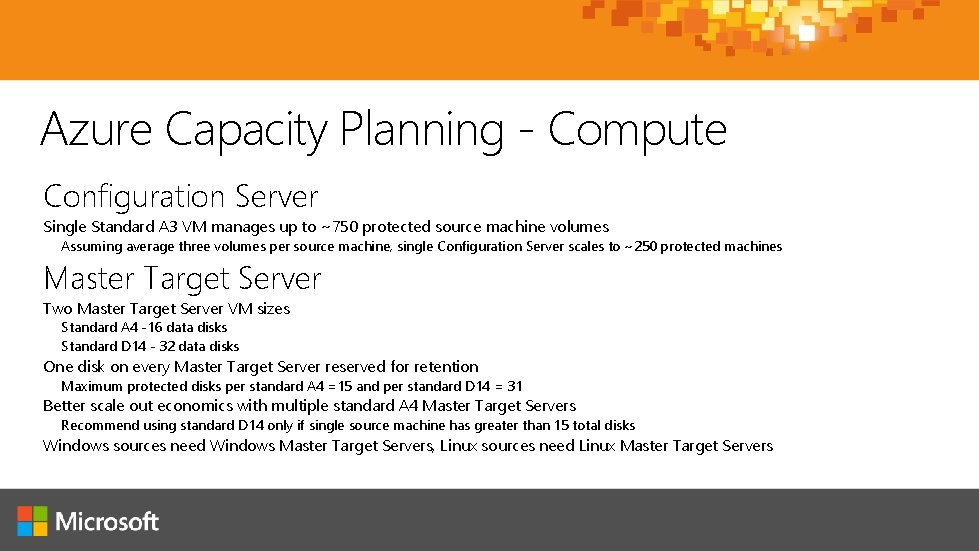
Azure Capacity Planning - Compute Configuration Server Single Standard A 3 VM manages up to ~750 protected source machine volumes Assuming average three volumes per source machine, single Configuration Server scales to ~250 protected machines Master Target Server Two Master Target Server VM sizes Standard A 4 -16 data disks Standard D 14 - 32 data disks One disk on every Master Target Server reserved for retention Maximum protected disks per standard A 4 =15 and per standard D 14 = 31 Better scale out economics with multiple standard A 4 Master Target Servers Recommend using standard D 14 only if single source machine has greater than 15 total disks Windows sources need Windows Master Target Servers, Linux sources need Linux Master Target Servers
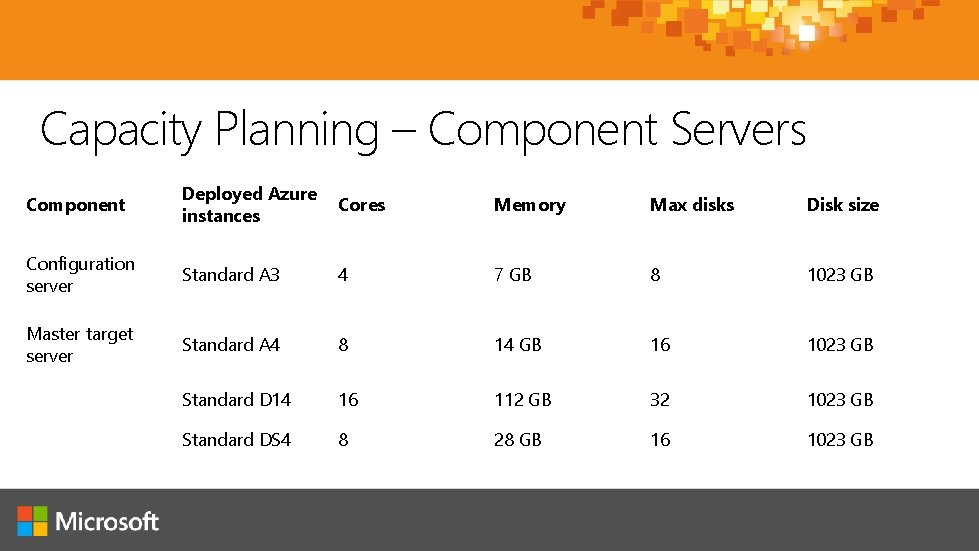
Capacity Planning – Component Servers Component Deployed Azure instances Cores Memory Max disks Disk size Configuration server Standard A 3 4 7 GB 8 1023 GB Master target server Standard A 4 8 14 GB 16 1023 GB Standard D 14 16 112 GB 32 1023 GB Standard DS 4 8 28 GB 16 1023 GB
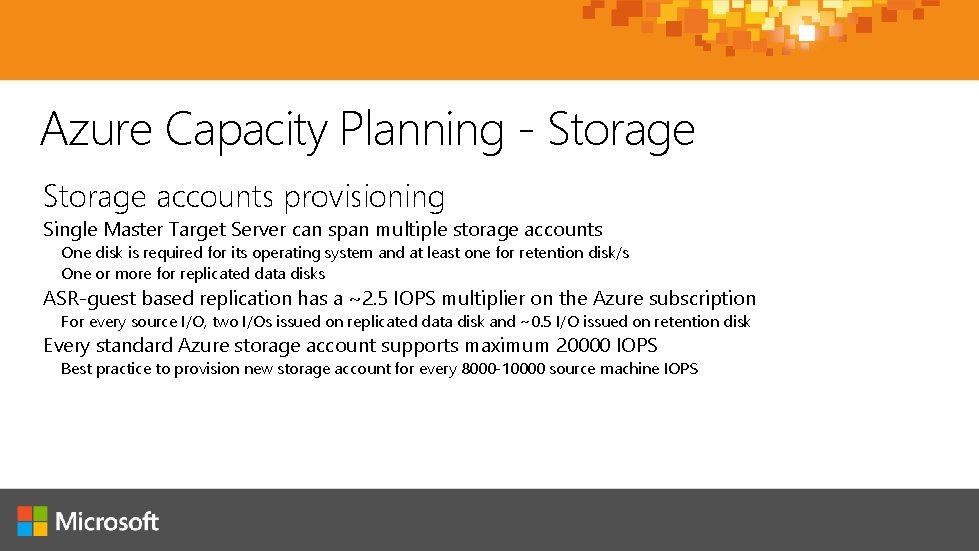
Azure Capacity Planning - Storage accounts provisioning Single Master Target Server can span multiple storage accounts One disk is required for its operating system and at least one for retention disk/s One or more for replicated data disks ASR-guest based replication has a ~2. 5 IOPS multiplier on the Azure subscription For every source I/O, two I/Os issued on replicated data disk and ~0. 5 I/O issued on retention disk Every standard Azure storage account supports maximum 20000 IOPS Best practice to provision new storage account for every 8000 -10000 source machine IOPS
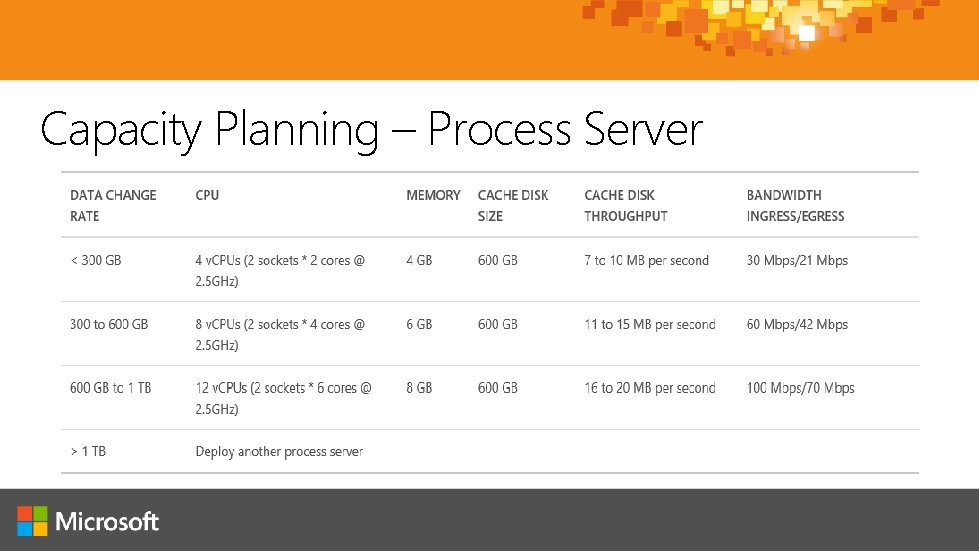
Capacity Planning – Process Server
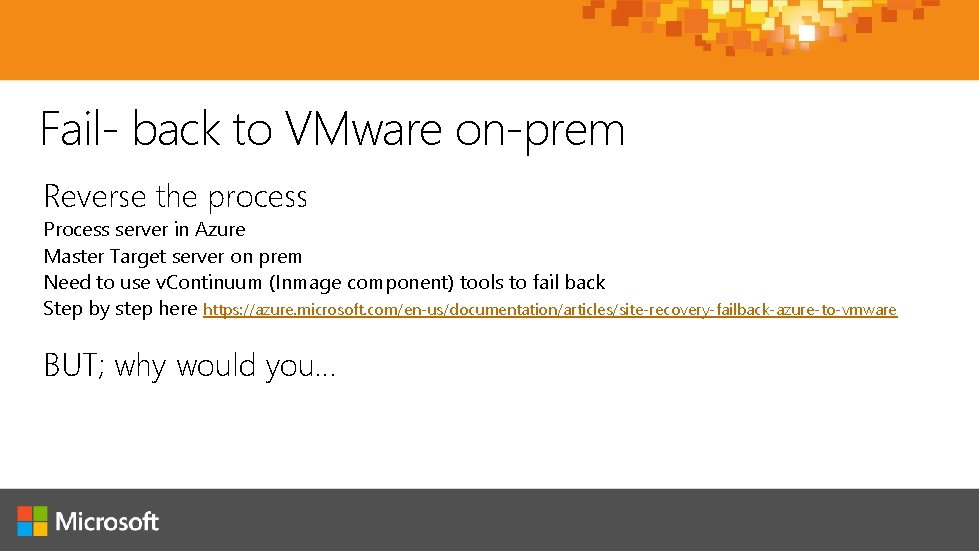
Fail- back to VMware on-prem Reverse the process Process server in Azure Master Target server on prem Need to use v. Continuum (Inmage component) tools to fail back Step by step here https: //azure. microsoft. com/en-us/documentation/articles/site-recovery-failback-azure-to-vmware BUT; why would you…
Migration to Azure with ASR Microsoft Migration Accelerator functionality now available in ASR All source types supported in ASR VMware v. Sphere ESXi VMs Hyper-V VMs Physical machines Amazon Web Services VMs Azure VMs cross-region Feedback incorporated from Migration Accelerator Preview Automated deployment of infrastructure components No inbound ports needed on-premises Enhanced push installation of mobility service to source machines Consistent, unified experience in Azure with ASR portal Security, scale, and quality improvements
ASR Resources Blog Pricing Guide Service Updates Documentation Center VMware to Azure - step by step User Voice
www. cubesys. com. au/ignite Danny Newport Stephane Budo
My Ignite
Continue your Ignite learning path Visit Microsoft Virtual Academy for free online training visit https: //www. microsoftvirtualacademy. com Visit Channel 9 to access a wide range of Microsoft training and event recordings https: //channel 9. msdn. com/ Head to the Tech. Net Eval Centre to download trials of the latest Microsoft products http: //Microsoft. com/en-us/evalcenter/
© 2015 Microsoft Corporation. All rights reserved. Microsoft, Windows and other product names are or may be registered trademarks and/or trademarks in the U. S. and/or other countries. MICROSOFT MAKES NO WARRANTIES, EXPRESS, IMPLIED OR STATUTORY, AS TO THE INFORMATION IN THIS PRESENTATION.