
Protecting Information Who We Are We are working
- Slides: 15
Protecting Information
Who We Are We are working on our Information Assurance MBA This is part of our curriculum; to present on information security as part of an outreach program to educate younger people in the community
Overview • Passwords tips • Phishing • Keeping your computer safe
Passwords • Question: – What percentage of students, grades 7 -12, share their passwords with someone else? • According to a study by Wired Safety. org, 66% of students, grades 7 -12, said they shared their password with someone else.
Password – Safety Tips • • • Use different passwords Use strong passwords Do not reveal to others Try not to write down passwords Do not type passwords on computers that you do not control • Never provide passwords over email or in response to an email request
Passwords Are Great, but… • While the use of different and strong passwords are great, they still may not be enough. • July 2012 – Yahoo hacked – 450, 000 passwords posted online • For increased security, the following can be used in addition to passwords: – Fingerprint reader – Retina Scanner – Voice recognition
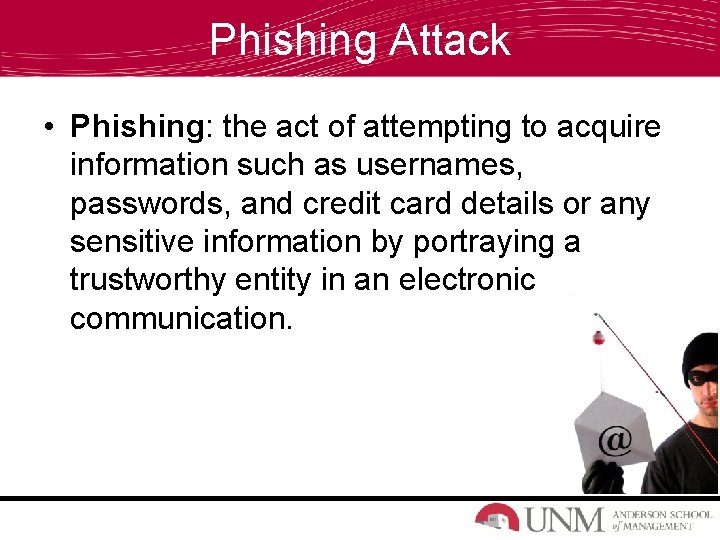
Phishing Attack • Phishing: the act of attempting to acquire information such as usernames, passwords, and credit card details or any sensitive information by portraying a trustworthy entity in an electronic communication.
Recent Phishing Attack NBC News reported, at the beginning of this year, a 14 -person gang of cybercriminals tricked an elderly woman into sending her bank account information by sending fake emails from her bank. They stole her life savings of $1. 6 million dollars.
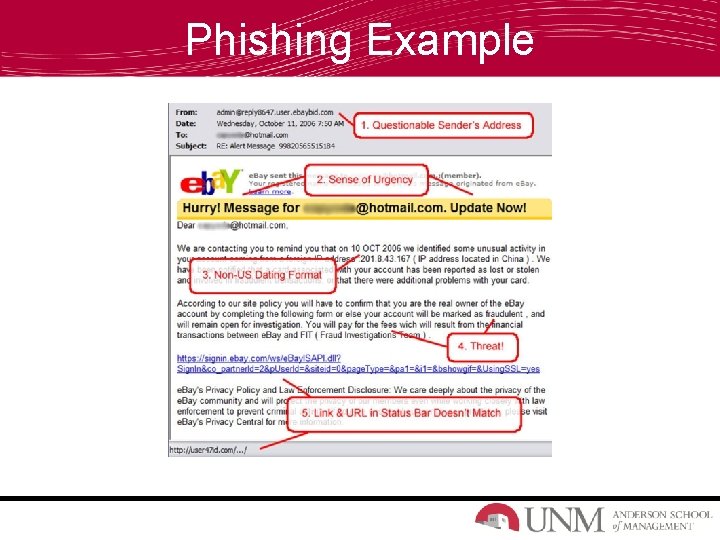
Recognizing Phishing Attacks • Unknown/questionable sender • Sense of urgency • Questionable subject line • Beware or links in email • Threats to shut down your account
Phishing Example
Keeping Your Computer Safe • Computer Virus: a program that spreads by first infecting files or the system areas of a computer or network router's hard drive and then making copies of itself. Summer 2012 http: //www. youtube. com/watch? v=Xi. E 57 d. Fo 0 m. A • Good Solutions? – Anti-virus software – Self-awareness
Anti-Virus Software • What is anti-virus software? – Protective software designed to defend your computer against malicious attacks, such as viruses. • Popular anti-virus software – Norton – Mc. Afee – Bitdefender – Avast
Online Searching Fact Most Dangerous Celebrity to Search in 2012? ? • According to CBS News, Emma Watson was named Mc. Afee's 2012 most dangerous celebrity to search for online. • Searching for Emma Watson pictures and downloads had a 12. 6% chance of landing on a website that poses online threats
Conclusion We live in a digital world that is becoming more reliant on the internet and everything that comes along with it each and every day. Without the knowledge of security threats and safe practices against these threats, our digital world is more dangerous and at risk.
Questions