
Prologue A Hola Want to know about Con
Prologue A: Hola! Want to know about ‘Con. Man’, the new interactive tool? ? B: Thanks, I had enough of this already. I came across enough cool ones in Dr. North’s class! A: Not the traditional, cumbersome, hard to manage, limited usage ones that can’t encapsulate all possible cases. B: Stop it! I love Dr. North. A: I thought you were interested in a more dynamic, initiated, flexile interface… B: Hmmph, you WIN!!! user-
Con. Man A Visual Programming Language for Interactive Graphics Paul E. Haeberli , Silicon Graphics, Inc. A presentation by Ajay Jampani
Motivation: why yet one more vis tool? ? • Static user-interface reflects developer's vision Non-user friendly at times • Users match a given toolkit to a particular task. E. g. UNIX pipe: ls || pg, an IPC Synergy: 2+2=5 rule in Sys Anal & Des • Same rule extended to visual tools. • User can use combinations to solve problems that the designers didn't envision
Introduction Con. Man? ? Huh? CONnection MANager: A High-level Visual Language (run on IRIS) A Graphical facility for connecting visually-oriented tools KEY: Disintegration into modular components, (a) Combined selectively depending on desired function Flexible, easy to develop (b) Users dynamically build, modify graphical applications Encourages exploration, acts as “pseudo-developer” (c) Uses a Data Flow Metaphor
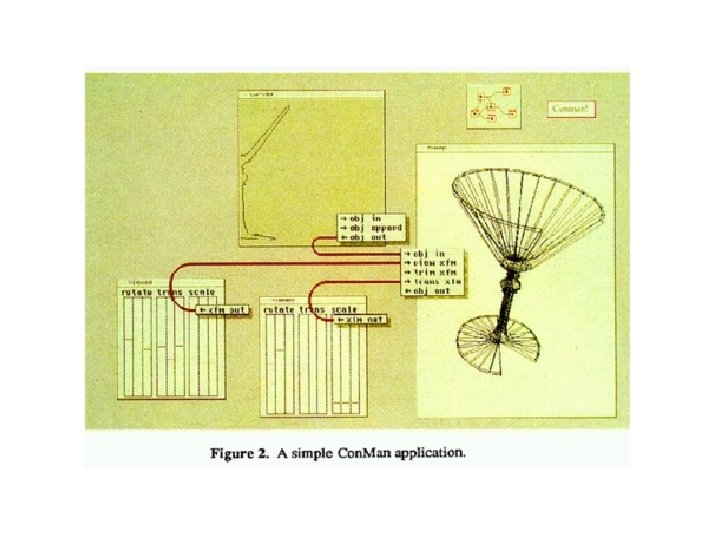

Example • Separate interaction frame per component • Extending: Connect interaction frames of the applications • Connection as easy as directing I/p and o/p s
Mechanics Basic unit: Component ( with code written in C lang. ) (a) Developer concentrates more on a single unit More efficient! (b) They can be combined to give better results Better component Œ effective applications! Con. Man: Basically a user ‘process’ running under window mgr Message Passing used to communicate
Why Visual Programming? Visual Programming • Describes any sys that lets user specify a prog using a 2 D notation (representation) • Easy to use and manipulate • User has more freedom • Effective Tailor made applications in less time • Easy to undo/redo, effects rendered instantly
An Example- AVS Why AVS (Advanced Visualization System)? Tools like AVS use a visual programming approach based on Haeberli's Con. Man, enabling people to link together various components to build powerful scientific / technical visual applications without going through the process of learning Some practical uses: Facilitates analysis and treatment of prostate cancer; can simulate placement of seeds within the patient's anatomy and vis results Data processing and Vis Networks etc
Features: Provides traditional plots and graphs, 3 D interactive rendering and volume visualization, simple interfaces Wide usage: Most Common application areas, wide range of functions supported (simple SQL to very complex db ops) Interoperability: Huge repository of user-contributed modules, various formats, Cross-pf visualization, Application deployment with no recompiling and no changes to app code;
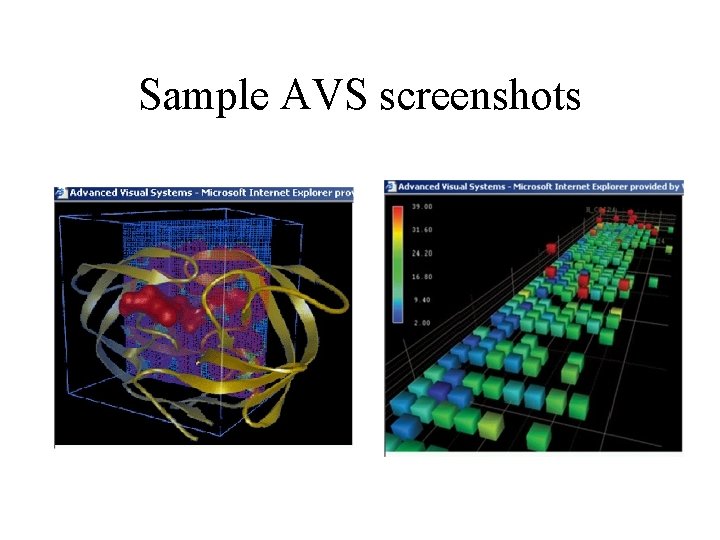
Sample AVS screenshots
Advantages • Wraps most frequently used vis techniques in intuitive, easy-to-learn "viewers" • Explore data immediately: no programming experience • Scales to very large data and very complex systems 0. 5 m modules/application Yet easy: Visual programming environment • Visual environment reduces error rate on user’s part • More interactive and modular applications
Disadvantages • Assumes user can handle tools provided to him effectively Inherent weaknesses of user reflected in his work • Difficult to build large scalable systems • But again, such tradeoff (Expressive Vs. Ready-made) benefits only some users, while others are left unsatisfied
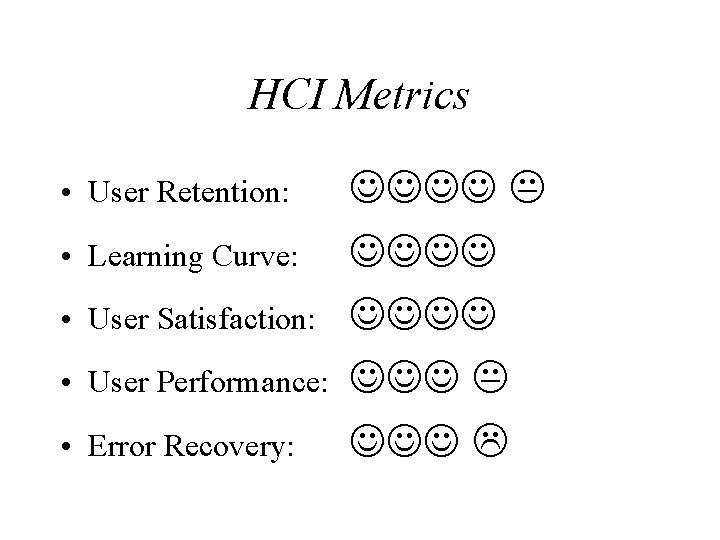
HCI Metrics • User Retention: • Learning Curve: • User Satisfaction: • User Performance: • Error Recovery:

QUESTIONS? COMMENTS? ? Call Toll Free 1 -800 -CALLAJAY
- Slides: 15