
Projection Matrices Ed Angel Professor of Computer Science
- Slides: 22
Projection Matrices Ed Angel Professor of Computer Science, Electrical and Computer Engineering, and Media Arts University of New Mexico Angel: Interactive Computer Graphics 5 © Addison Wesley 2009 1
Objectives • Derive the projection matrices used for standard Open. GL projections • Introduce oblique projections • Introduce projection normalization Angel: Interactive Computer Graphics 5 © Addison Wesley 2009 2
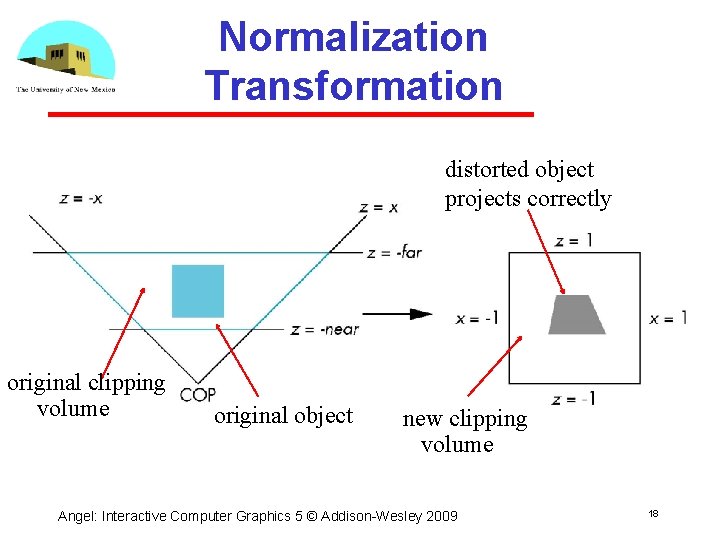
Normalization • Rather than derive a different projection matrix for each type of projection, we can convert all projections to orthogonal projections with the default view volume • This strategy allows us to use standard transformations in the pipeline and makes for efficient clipping Angel: Interactive Computer Graphics 5 © Addison Wesley 2009 3
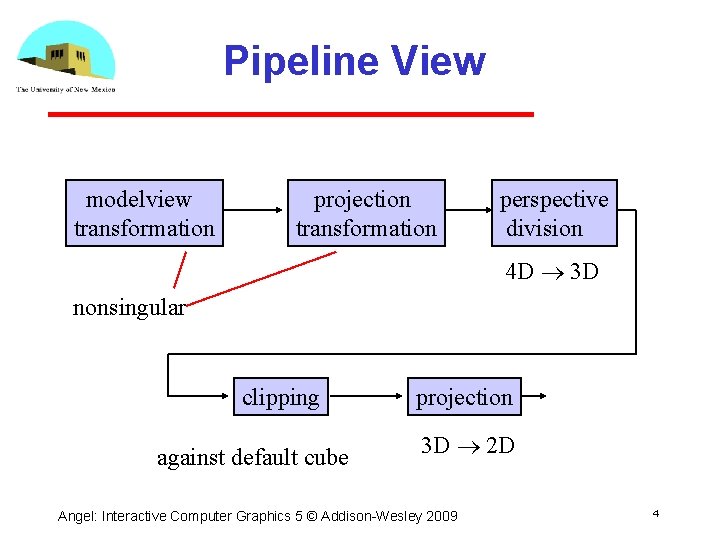
Pipeline View modelview transformation projection transformation perspective division 4 D 3 D nonsingular clipping against default cube projection 3 D 2 D Angel: Interactive Computer Graphics 5 © Addison Wesley 2009 4
Notes • We stay in four dimensional homogeneous coordinates through both the modelview and projection transformations Both these transformations are nonsingular Default to identity matrices (orthogonal view) • Normalization lets us clip against simple cube regardless of type of projection • Delay final projection until end Important for hidden surface removal to retain depth information as long as possible Angel: Interactive Computer Graphics 5 © Addison Wesley 2009 5
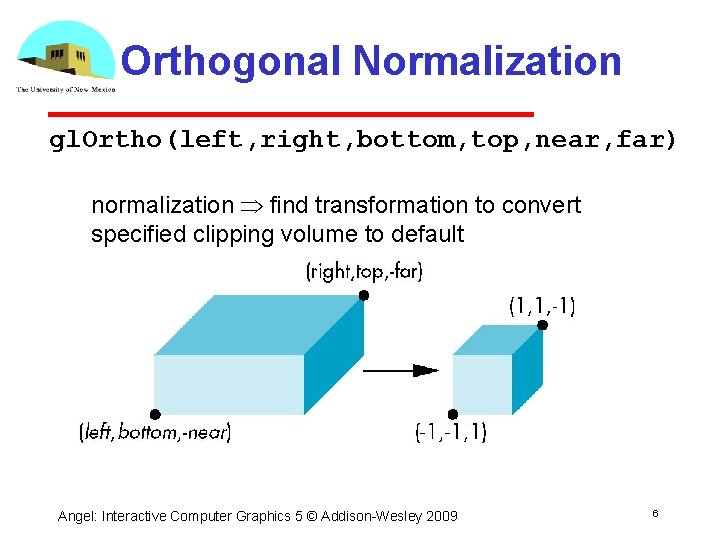
Orthogonal Normalization gl. Ortho(left, right, bottom, top, near, far) normalization find transformation to convert specified clipping volume to default Angel: Interactive Computer Graphics 5 © Addison Wesley 2009 6
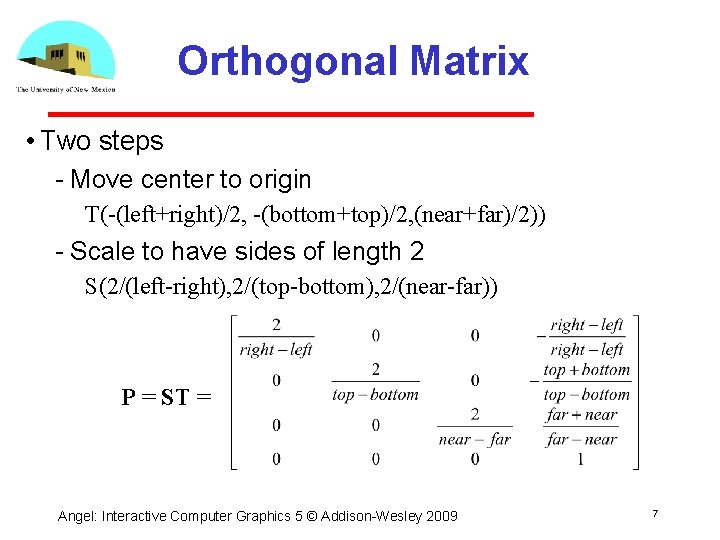
Orthogonal Matrix • Two steps Move center to origin T(-(left+right)/2, -(bottom+top)/2, (near+far)/2)) Scale to have sides of length 2 S(2/(left-right), 2/(top-bottom), 2/(near-far)) P = ST = Angel: Interactive Computer Graphics 5 © Addison Wesley 2009 7
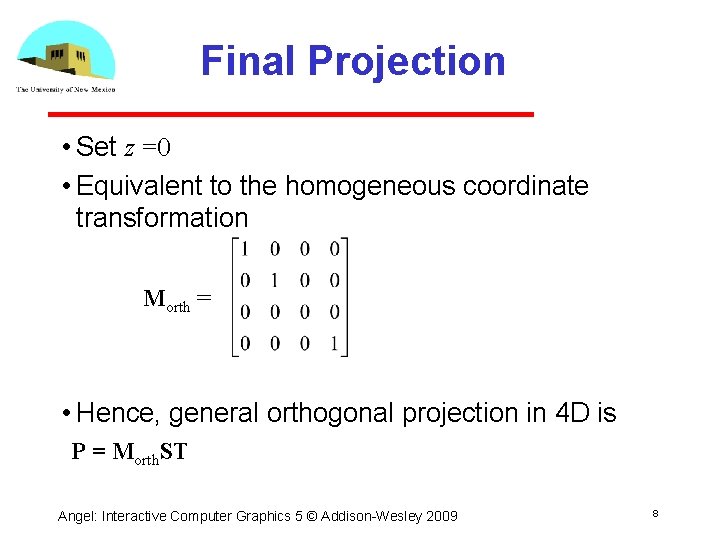
Final Projection • Set z =0 • Equivalent to the homogeneous coordinate transformation Morth = • Hence, general orthogonal projection in 4 D is P = Morth. ST Angel: Interactive Computer Graphics 5 © Addison Wesley 2009 8
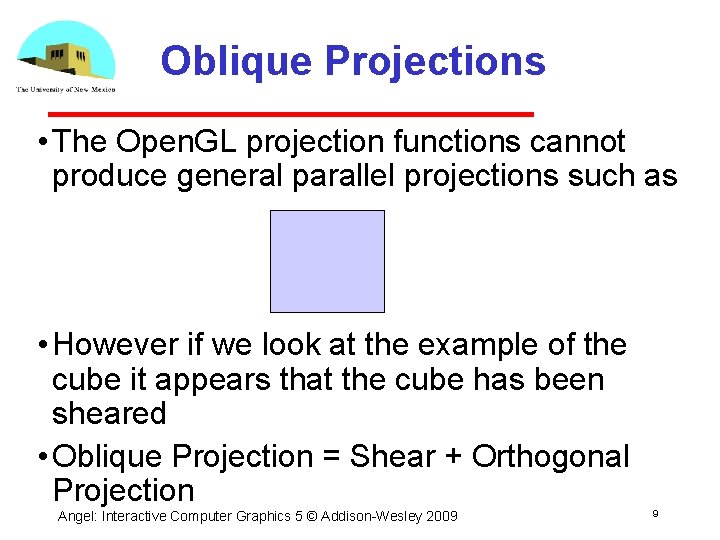
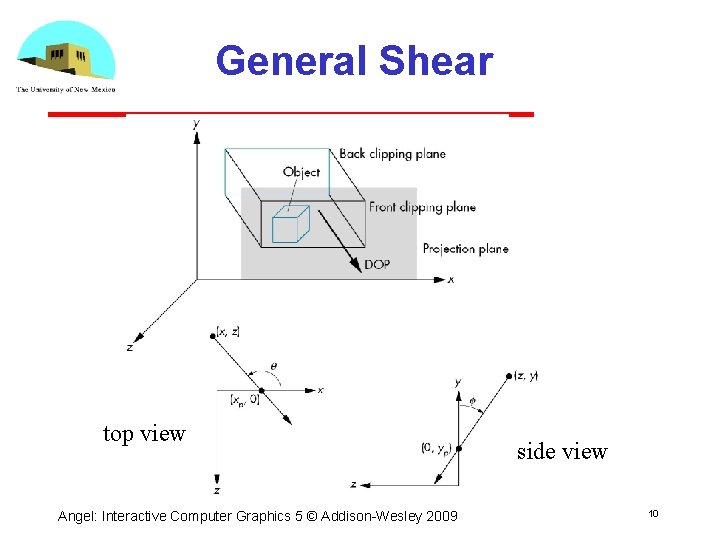
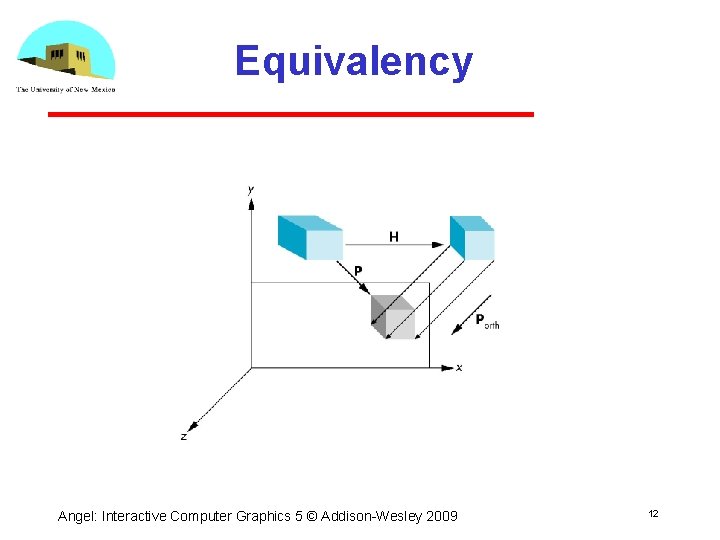
Oblique Projections • The Open. GL projection functions cannot produce general parallel projections such as • However if we look at the example of the cube it appears that the cube has been sheared • Oblique Projection = Shear + Orthogonal Projection Angel: Interactive Computer Graphics 5 © Addison Wesley 2009 9
General Shear top view Angel: Interactive Computer Graphics 5 © Addison Wesley 2009 side view 10
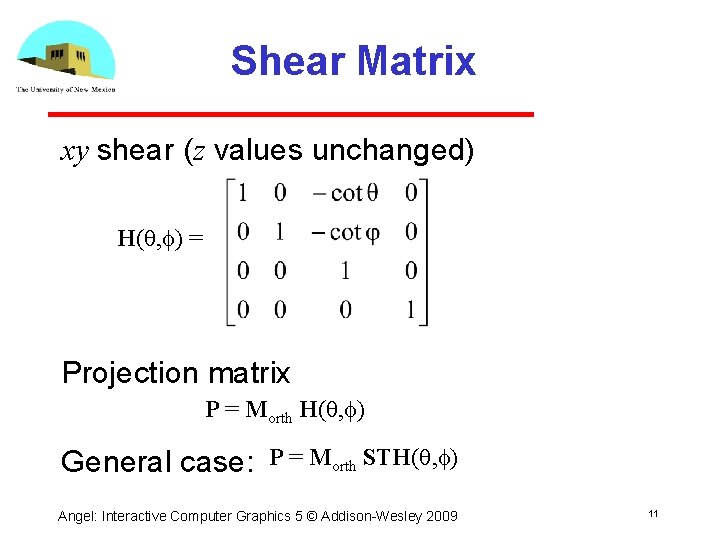
Shear Matrix xy shear (z values unchanged) H(q, f) = Projection matrix P = Morth H(q, f) General case: P = Morth STH(q, f) Angel: Interactive Computer Graphics 5 © Addison Wesley 2009 11
Equivalency Angel: Interactive Computer Graphics 5 © Addison Wesley 2009 12
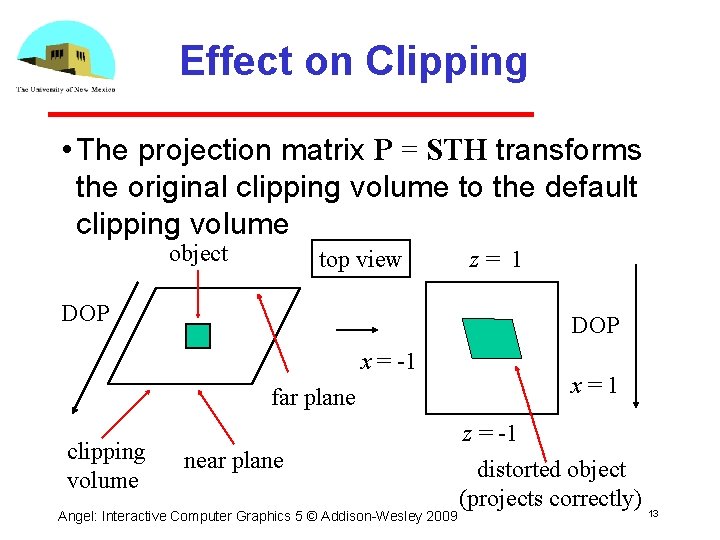
Effect on Clipping • The projection matrix P = STH transforms the original clipping volume to the default clipping volume object top view DOP x = -1 far plane clipping volume z= 1 near plane Angel: Interactive Computer Graphics 5 © Addison Wesley 2009 x=1 z = -1 distorted object (projects correctly) 13
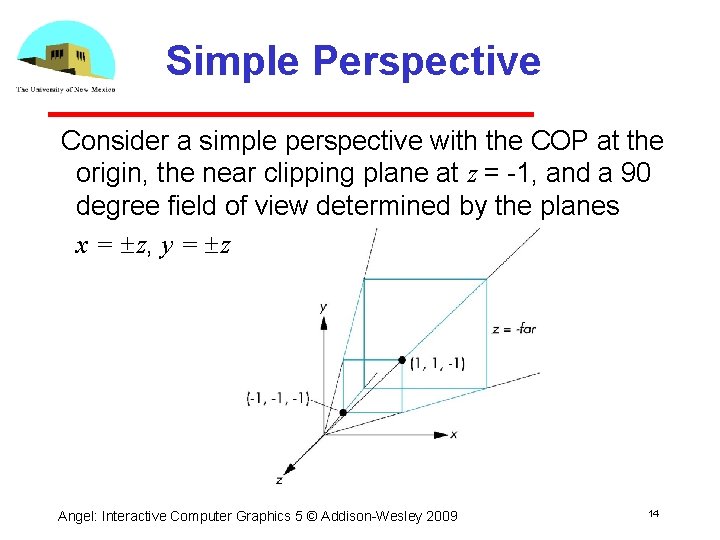
Simple Perspective Consider a simple perspective with the COP at the origin, the near clipping plane at z = 1, and a 90 degree field of view determined by the planes x = z, y = z Angel: Interactive Computer Graphics 5 © Addison Wesley 2009 14
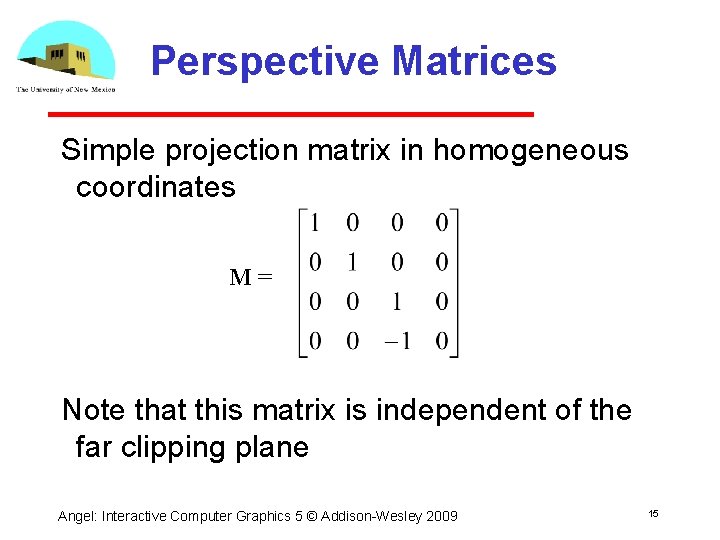
Perspective Matrices Simple projection matrix in homogeneous coordinates M= Note that this matrix is independent of the far clipping plane Angel: Interactive Computer Graphics 5 © Addison Wesley 2009 15
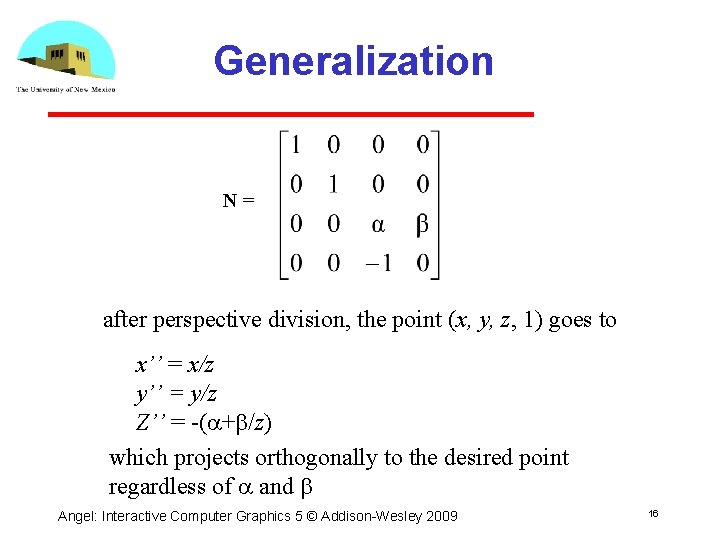
Generalization N= after perspective division, the point (x, y, z, 1) goes to x’’ = x/z y’’ = y/z Z’’ = -(a+b/z) which projects orthogonally to the desired point regardless of a and b Angel: Interactive Computer Graphics 5 © Addison Wesley 2009 16
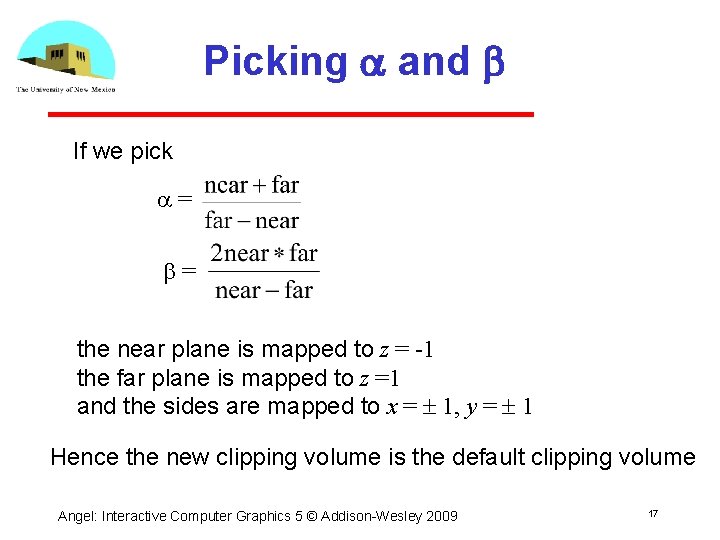
Picking a and b If we pick a= b= the near plane is mapped to z = -1 the far plane is mapped to z =1 and the sides are mapped to x = 1, y = 1 Hence the new clipping volume is the default clipping volume Angel: Interactive Computer Graphics 5 © Addison Wesley 2009 17
Normalization Transformation distorted object projects correctly original clipping volume original object new clipping volume Angel: Interactive Computer Graphics 5 © Addison Wesley 2009 18
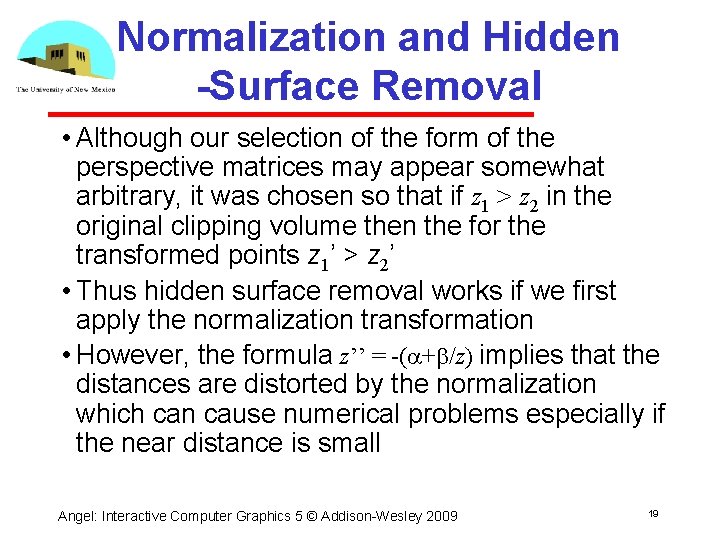
Normalization and Hidden -Surface Removal • Although our selection of the form of the perspective matrices may appear somewhat arbitrary, it was chosen so that if z 1 > z 2 in the original clipping volume then the for the transformed points z 1’ > z 2’ • Thus hidden surface removal works if we first apply the normalization transformation • However, the formula z’’ = -(a+b/z) implies that the distances are distorted by the normalization which can cause numerical problems especially if the near distance is small Angel: Interactive Computer Graphics 5 © Addison Wesley 2009 19
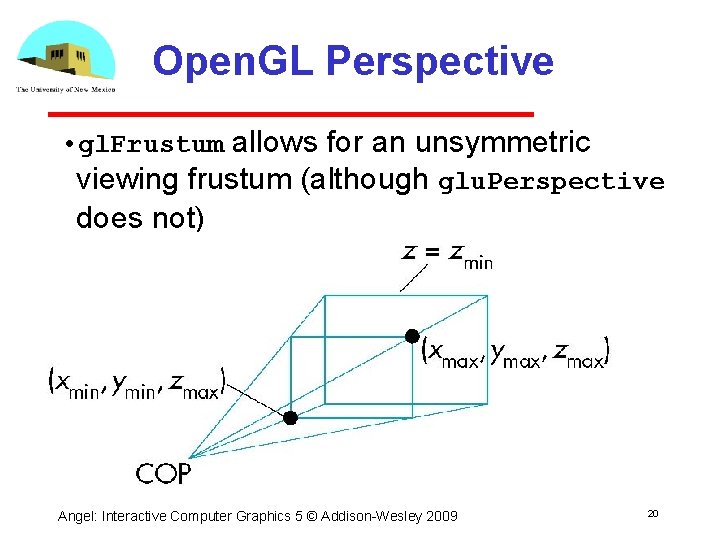
Open. GL Perspective • gl. Frustum allows for an unsymmetric viewing frustum (although glu. Perspective does not) Angel: Interactive Computer Graphics 5 © Addison Wesley 2009 20
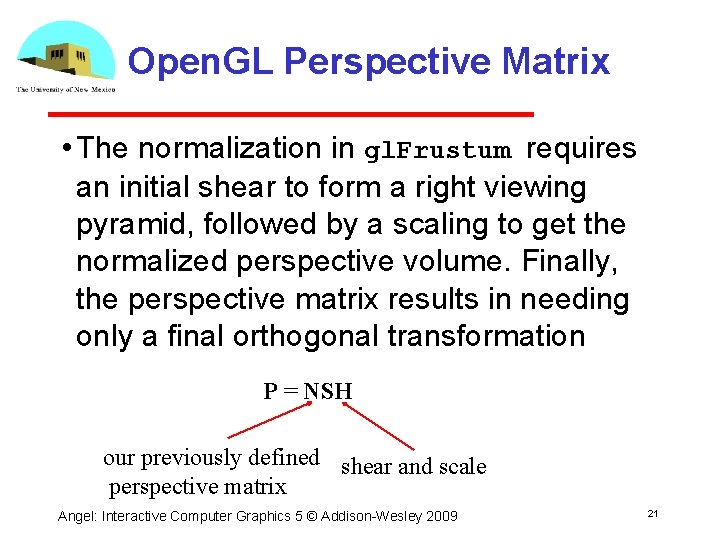
Open. GL Perspective Matrix • The normalization in gl. Frustum requires an initial shear to form a right viewing pyramid, followed by a scaling to get the normalized perspective volume. Finally, the perspective matrix results in needing only a final orthogonal transformation P = NSH our previously defined shear and scale perspective matrix Angel: Interactive Computer Graphics 5 © Addison Wesley 2009 21
Why do we do it this way? • Normalization allows for a single pipeline for both perspective and orthogonal viewing • We stay in four dimensional homogeneous coordinates as long as possible to retain three dimensional information needed for hidden surface removal and shading • We simplify clipping Angel: Interactive Computer Graphics 5 © Addison Wesley 2009 22