
Project Presentation Building the Human Computer Interface Diana
Project Presentation Building the Human - Computer Interface Diana Wong, Michiko Chand, Nino Ajami
Project Team • Diana Wong – Project Coordinator – Module Developer – Interface Designer • Michiko Chand – Requirements Analyst – Module Developer – System Integrator • Nino Ajami – Program Manager/ Evaluator – Module Developer – Database Administrator December 7, 2006 INFM 718 B Fall 2006
Introduction • Client – Merkle Inc, a Database Marketing company. – Has over 700+ employees. • System Overview – Merkle has 6 management groups. – Each group within Merkle has their own awards that are presented on different schedules. – Currently the process is managed by email. – At review time, it is very difficult to identify all the awards an employee have won. December 7, 2006 INFM 718 B Fall 2006

First Release Functional Requirements • • • Web enabled application with a database backend. Accepts nominations for different awards. Allows voting by the management group. Maintains historical nominations and winners. Allows reporting on historical data. Allows different groups within the company to have their own awards. • Identify winners. December 7, 2006 INFM 718 B Fall 2006
Prototype Summary • Prototype 1 – Ground Requirements. – Basic Visual Layout. – Usability and feel of system • Prototype 2 – – Connect to Database. Change in Nomination GUI. Change in Vote GUI Refinement • Prototype 3 – Historical Reports. – Introduction of Group Class. – Introduction of Time Period. December 7, 2006 INFM 718 B Fall 2006
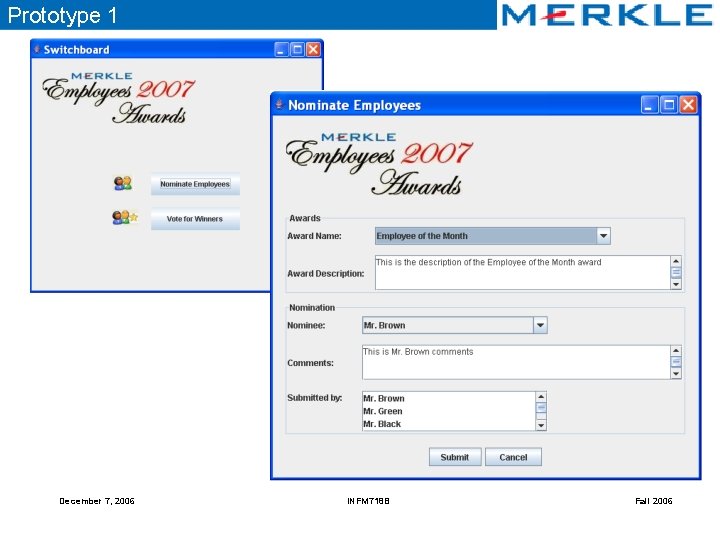
Prototype 1 December 7, 2006 INFM 718 B Fall 2006
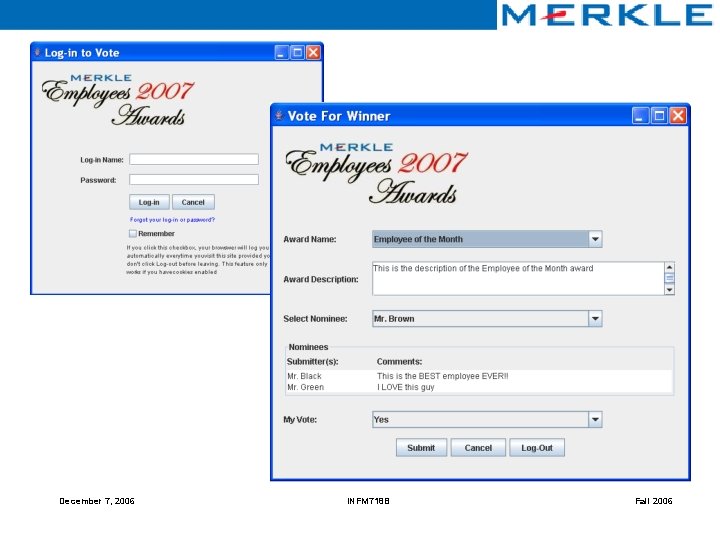
December 7, 2006 INFM 718 B Fall 2006
Prototype Summary • Prototype 1 – Ground Requirements. – Basic Visual Layout. – Usability and feel of system • Prototype 2 – – Connect to Database. Change in Nomination GUI. Change in Vote GUI Refinement • Prototype 3 – Historical Reports. – Introduction of Group Class. – Introduction of Time Period. December 7, 2006 INFM 718 B Fall 2006
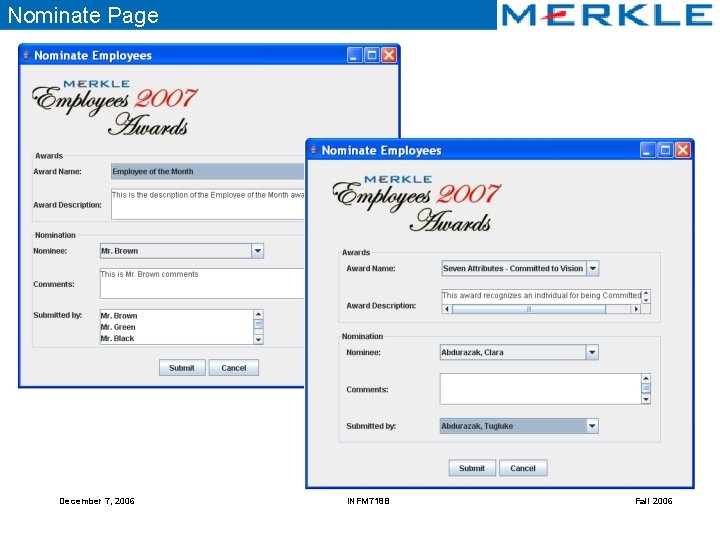
Nominate Page December 7, 2006 INFM 718 B Fall 2006
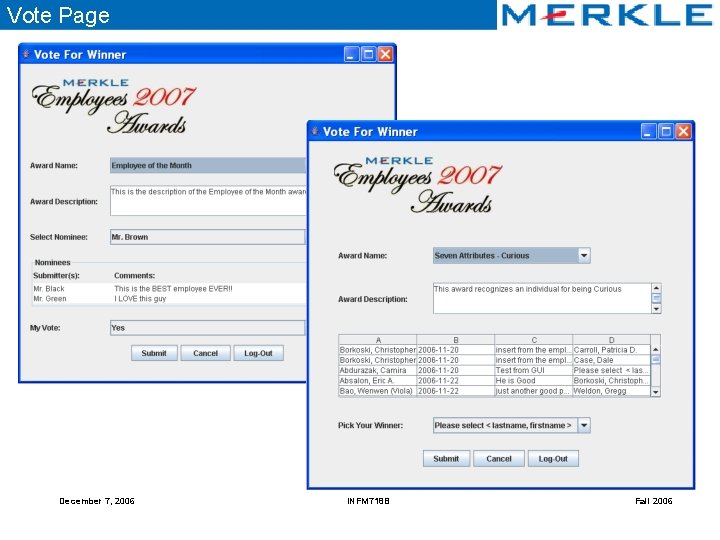
Vote Page December 7, 2006 INFM 718 B Fall 2006
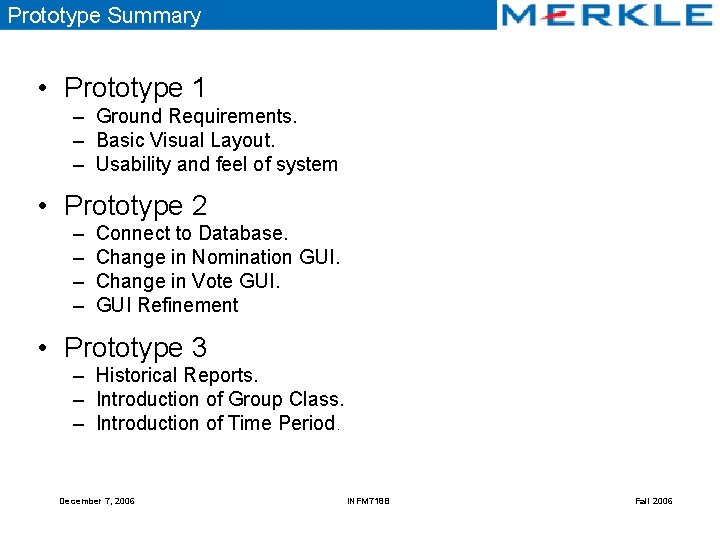
Prototype Summary • Prototype 1 – Ground Requirements. – Basic Visual Layout. – Usability and feel of system • Prototype 2 – – Connect to Database. Change in Nomination GUI. Change in Vote GUI Refinement • Prototype 3 – Historical Reports. – Introduction of Group Class. – Introduction of Time Period. December 7, 2006 INFM 718 B Fall 2006
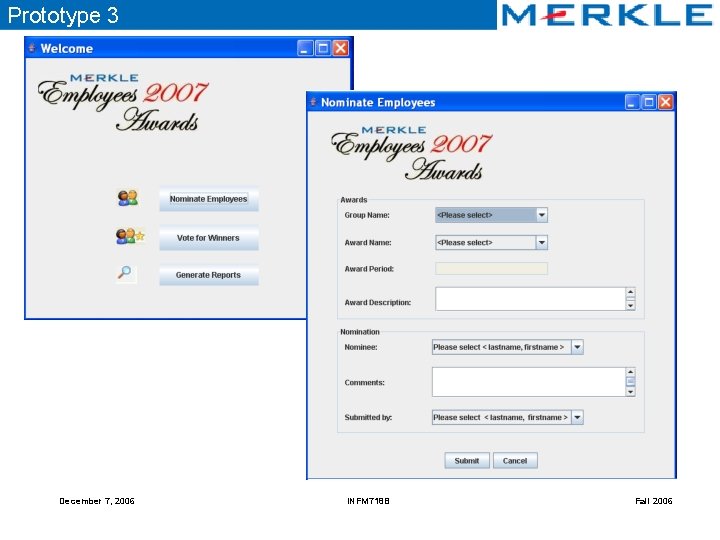
Prototype 3 December 7, 2006 INFM 718 B Fall 2006
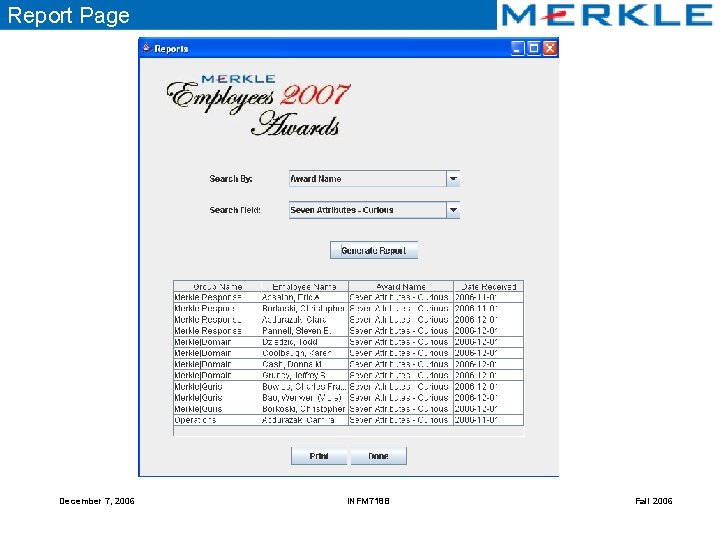
Report Page December 7, 2006 INFM 718 B Fall 2006
Lessons Learned – Interface Development • Swing as Prototyping Tool – Swing has incredible flexibility and control. – Large memory footprint – Swing has a steep learning curve for novices and it is also difficult to master. • Choice of Layout Manager – Grid. Bag. Layout versus Table. Layout • Usability Concerns – User interaction – Organization of information – Sizability (Maximize, Minimize) December 7, 2006 INFM 718 B Fall 2006
Lessons Learned – Rapid Prototyping • Essential methodology for user-centered design • Better visualization and communication • No surprises! Prototyping ensures meeting customer’s requirements. • Save time and resources. • Go for minimal functionality. • Be prepared to throw away. Common Problems: • Sometimes clients focus on the wrong things in a prototype which has too much detail. • Clients may get intimidated by an over developed prototype and not feel comfortable to comment on it. December 7, 2006 INFM 718 B Fall 2006
Suggestions for Course Improvement • • • Use of other rapid prototyping tool with visual modeling tool. Flexibility to define project but not specific to clients. Problem: Timeframe is insufficient to develop a usable prototype. More hands-on during class. December 7, 2006 INFM 718 B Fall 2006
Project Demonstration
- Slides: 17