
Project Plan Formal approved document to manage project


- Slides: 23
Project Plan Formal, approved document to manage project execution 1
Uses of the Project Plan • Guide project execution • Document project planning assumptions • Document project planning decisions • Facilitate communication among stakeholders • Provide a baseline for progress measurement and project control 2
Project Plan Development • Project plan uses output of other planning processes. INPUTS OUTPUTS 1. 2. 3. 4. 5. 1. Project plan 2. Supporting detail Other planning outputs Historical information Organisational policies Constraints Assumptions 3
Inputs • Other Planning Outputs – Scope Management (the limits of a subject or an activity) – Time Management (project schedule) – Cost Management (resource requirements) • Historical information – Current situation 4
Inputs • Organizational policies – Quality Management – process improvement goals – Personnel administration – performance reviews – Financial Controls – required expenditure reviews • Constraints – Factors that will limit the project (predefined budget, contractual provisions) • Assumptions – Factors, for the purpose of planning considered to be true. 5
Outputs • Project Plan – Formal, approved document to manage project execution – Project plan includes; • Objectives, Scope, Organisation and Responsibilities, A brief description of the project, Project Schedule, Project Deliverables and Quality Objectives, Dependencies, Plans of Support Activities, Project Facilities and Resourses, Risk Management, Process Options and Deviations, Stages and Objective of the each stage, Project Control, Quality Control, Project Effort Estimate, Project Cost Estimate. 6
Outputs • Supporting detail – Additional information generated during the process – Technical documentation – Documentation of relevant standarts 7
Project Plan (Standard) • Objectives – List of the objectives of the new system. For example: • To provide faster and more efficient services to the customers • To set-up an environment to facilitate the current and future e-commerce system requirements etc. . . 8
Project Plan • Current System • Definitions and Acronyms – Define and clarify the technical tems (Jargons) and abbriviations that you intend to use in. • Project scope – Project scope means the range or extent of the project. It helps to establish the boundaries of the Requested Systems 9
Project Plan • Project summary – Very brief descriptions of the project, how the project initiated, what are the recommended solution and the justification of the recommended solution by emphasising on the key benefits. (HINT: it is best to leave the Project summary as the last task of the report writing) 10
Project Plan • Project deliverables – A list of deliverables generated both during and on completion of the project. – For each deliverable, a description of its quality objectives. (For example, the system will meet the requirements specification as demonstrated by the output of the system test. . . ) – The amount of support to be allocated to the implemented system 11
Project Plan • Organisation and Responsibilities – The project manager identifies the required project team, and, taking the organisation’s resourse plan and the project skill requirements into account, assigns roles and responsibilities to named individuals. Note: Same person may have multiple roles on a project 12
Project Plan • Dependencies – Any dependencies outside of the project manager’s control. (For example, activities to be carried out by a client or subcontractor. ) – Internal dependencies must also be considered. (For example, if a needed source cannot become available until another project is completed. ) 13
Project Plan • Plans for support activities – Configuration Management (Physical System) – Project Training Plan – Quality Plan – Documentation Support • Project Control Plan (revised plan? meetings? ) 14
Project Plan • Project Facilities and Resources – Office space, office equipment, software product, other support tools – Planning for adequate computer sources (memory, disk, processor), taking into account the size of the software product, the project staffing levels, and past history of the similar projects 15
Project Plan • Project Schedule – A Gantt chart of activities, resources and assigned responsibilities allocated to them – Critical dependencies between the project groups must take into account. – Use of any project management software is recommended to produce project schedule. 16
Project Plan • Project Efford Estimate – Project efford in person days or person months – Effort to be broken-down by project stage – Information used to derive the efford estimate to be included (i. e. Estimated size of software work products). • Project Cost Estimate – Project cost is estimated. Costs to be itemized (labor, equipment. . . ) – Information used to derive the cost estimate to be included. 17
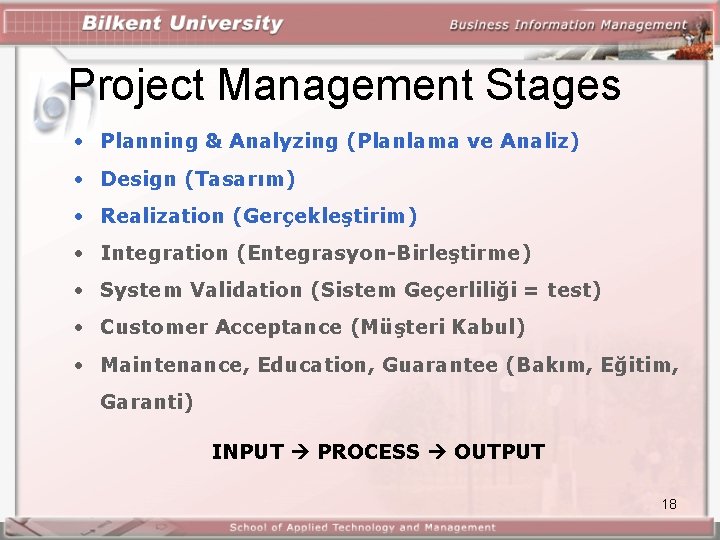
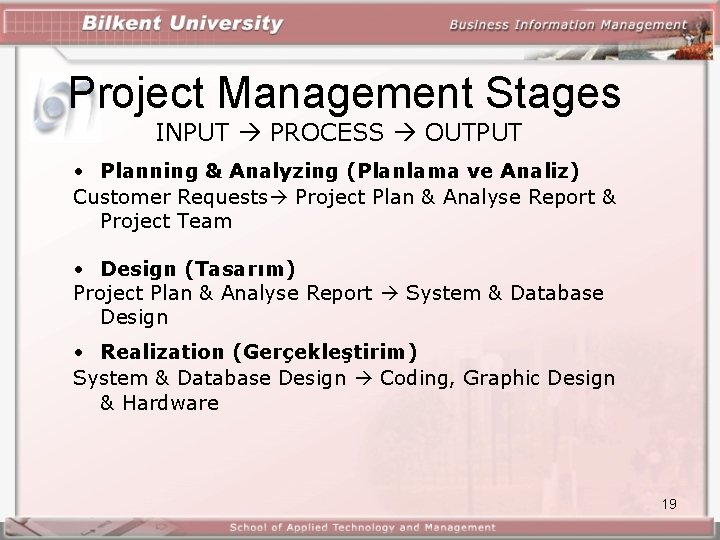
Project Management Stages • Planning & Analyzing (Planlama ve Analiz) • Design (Tasarım) • Realization (Gerçekleştirim) • Integration (Entegrasyon-Birleştirme) • System Validation (Sistem Geçerliliği = test) • Customer Acceptance (Müşteri Kabul) • Maintenance, Education, Guarantee (Bakım, Eğitim, Garanti) INPUT PROCESS OUTPUT 18
Project Management Stages INPUT PROCESS OUTPUT • Planning & Analyzing (Planlama ve Analiz) Customer Requests Project Plan & Analyse Report & Project Team • Design (Tasarım) Project Plan & Analyse Report System & Database Design • Realization (Gerçekleştirim) System & Database Design Coding, Graphic Design & Hardware 19
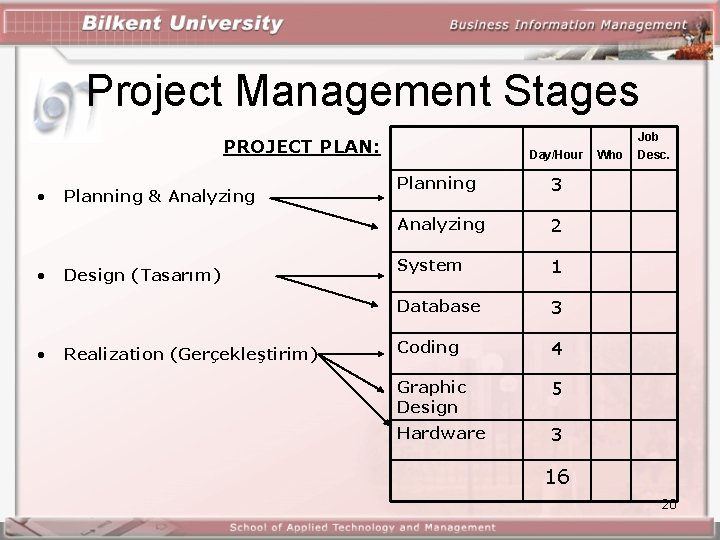
Project Management Stages PROJECT PLAN: • • • Planning & Analyzing Design (Tasarım) Realization (Gerçekleştirim) Day/Hour Planning 3 Analyzing 2 System 1 Database 3 Coding 4 Graphic Design 5 Hardware 3 Who Job Desc. 16 20
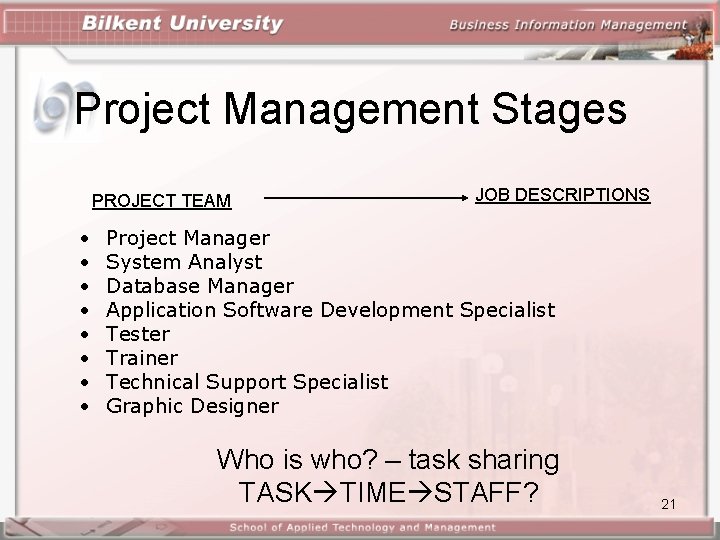
Project Management Stages PROJECT TEAM • • JOB DESCRIPTIONS Project Manager System Analyst Database Manager Application Software Development Specialist Tester Trainer Technical Support Specialist Graphic Designer Who is who? – task sharing TASK TIME STAFF? 21
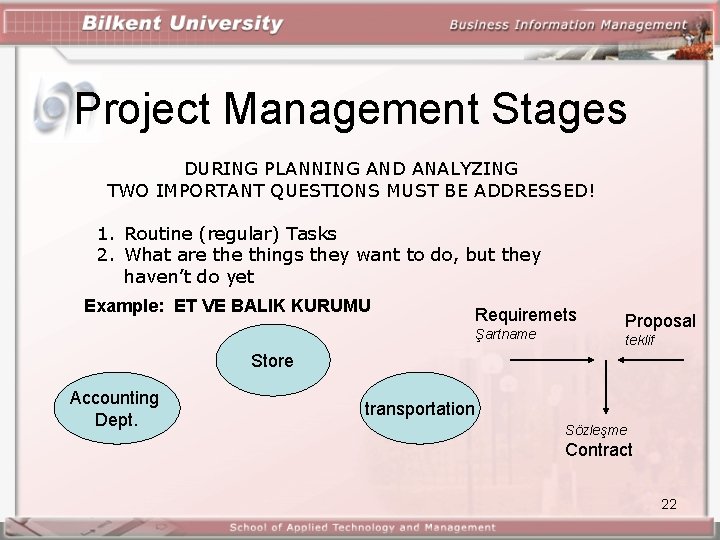
Project Management Stages DURING PLANNING AND ANALYZING TWO IMPORTANT QUESTIONS MUST BE ADDRESSED! 1. Routine (regular) Tasks 2. What are things they want to do, but they haven’t do yet Example: ET VE BALIK KURUMU Requiremets Şartname Proposal teklif Store Accounting Dept. transportation Sözleşme Contract 22
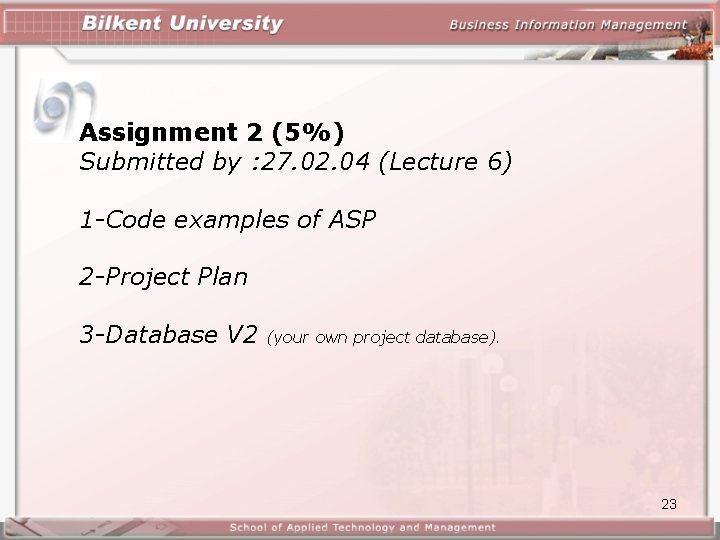
Assignment 2 (5%) Submitted by : 27. 02. 04 (Lecture 6) 1 -Code examples of ASP 2 -Project Plan 3 -Database V 2 (your own project database). 23