
Project Plan Development EM 4003 Class 5 Developing


- Slides: 27
Project Plan Development EM 4003 Class #5
Developing a Plan What steps are Important?
A Quote “I had six honest serving men who taught men all I know: their names were what and how and why, and when and where and who. ” Rudyard Kipling
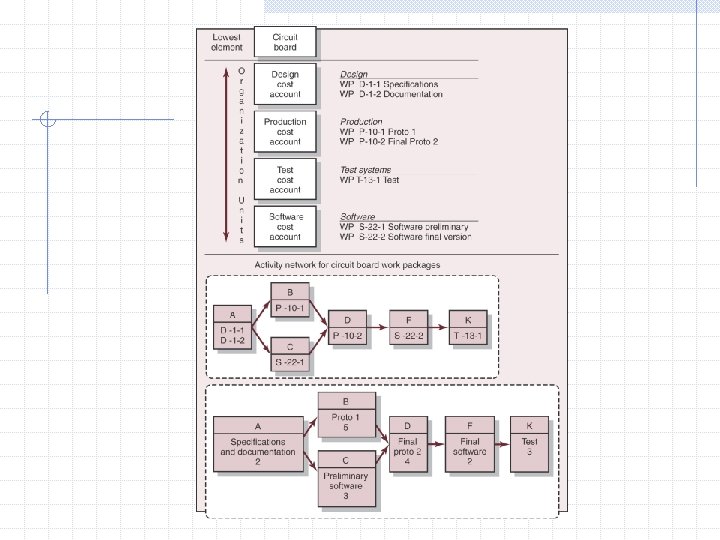
The Project Network Used to plan, schedule and monitor project progress Derived from WBS Is a graphic flow chart Framework in which decisions are made Nodes and arrows
Key Features Activities Sequence Interdependencies Logic Activity start / finish times Longest path – CRITICAL PATH
Is it worth it? Costs time and money Needs accuracy Valuable communication tool Easily updated using current software e. g. MS Project A way to bring the team together Supports decisions Minimizes surprises
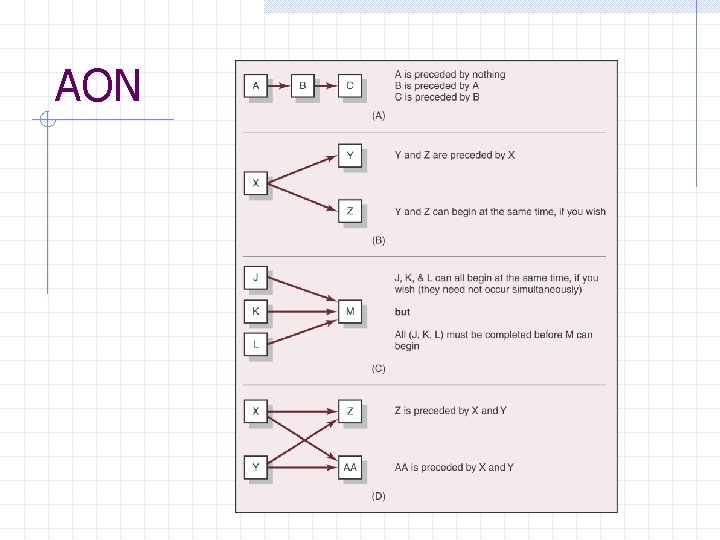
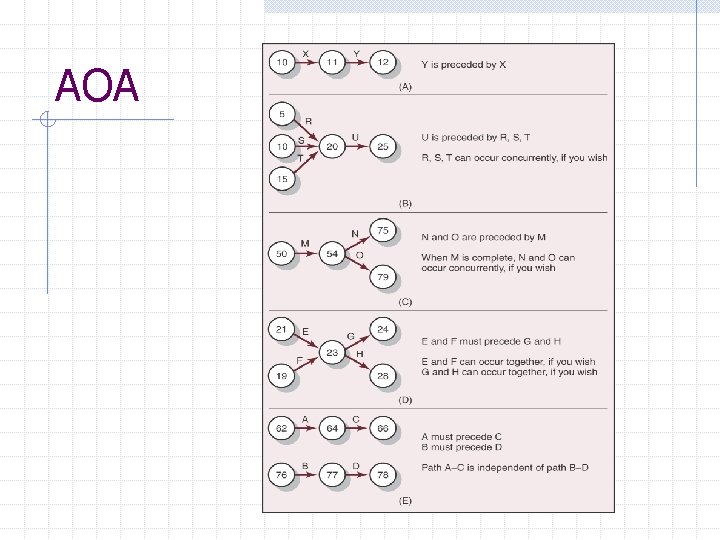
Terminology Need to be clear on what the terms mean 2 approaches to developing networks – Activity-On-Node (AON) or Activity-On. Arrow (AOA) AON most used
The Rules 1. Flow is LEFT to RIGHT 2. Activity can’t begin until all preceding connected activities have been completed 3. Arrows indicate precedence and flow and can cross 4. Each activity should have a unique ID number
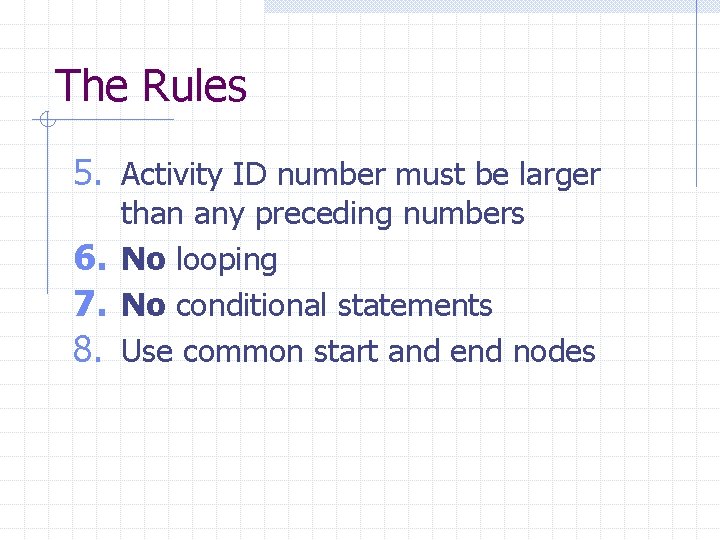
The Rules 5. Activity ID number must be larger than any preceding numbers 6. No looping 7. No conditional statements 8. Use common start and end nodes
AON
AOA
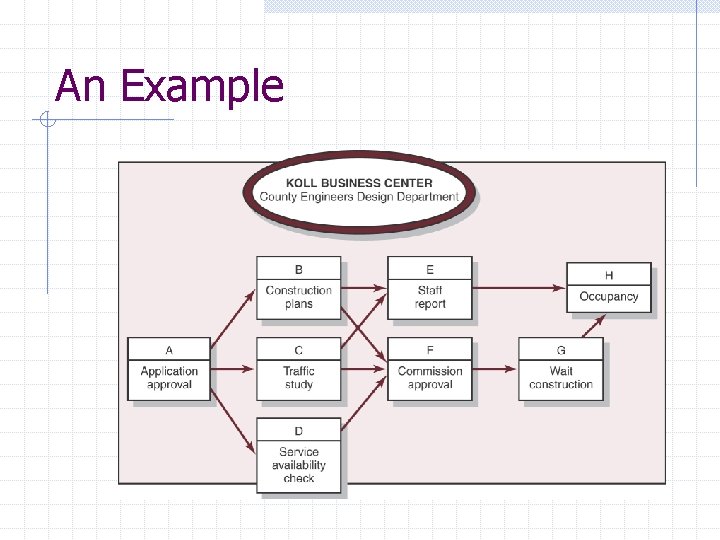
An Example
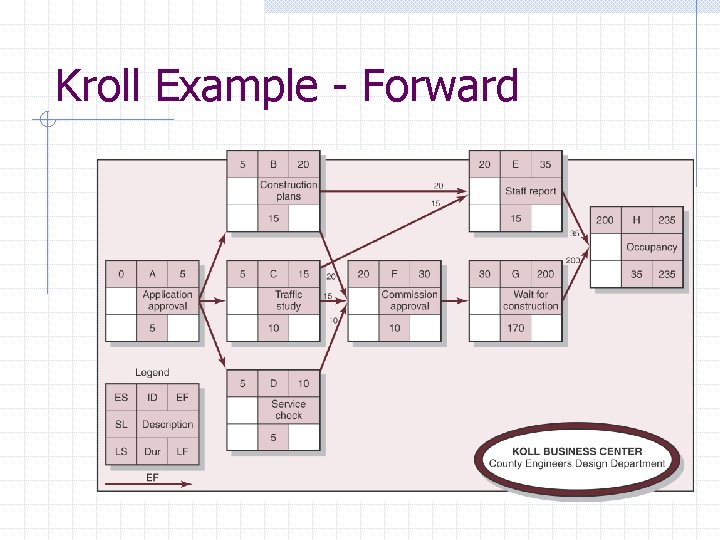
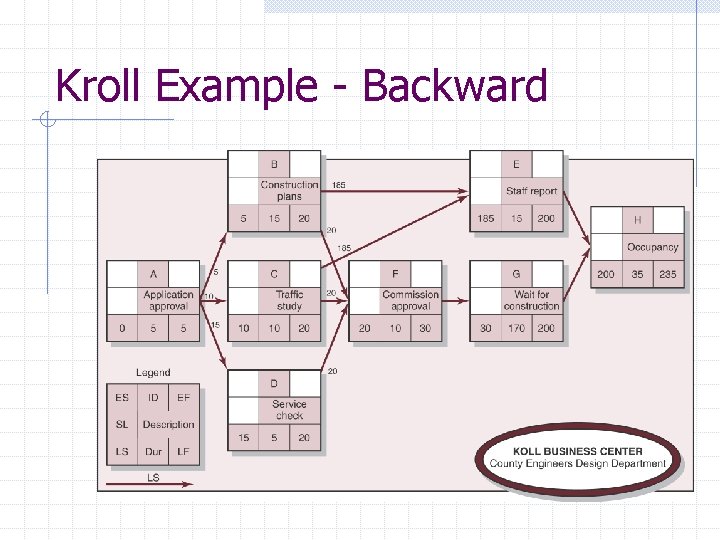
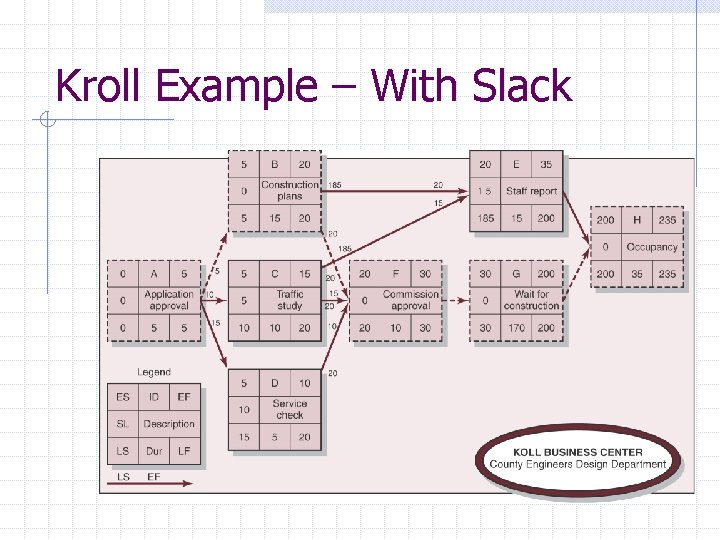
Network Computations TIME, TIME Complete Forward and Backward passes Forward – Earliest Times – ES, EF, TE Backward – Latest Times – LS, LF, SL
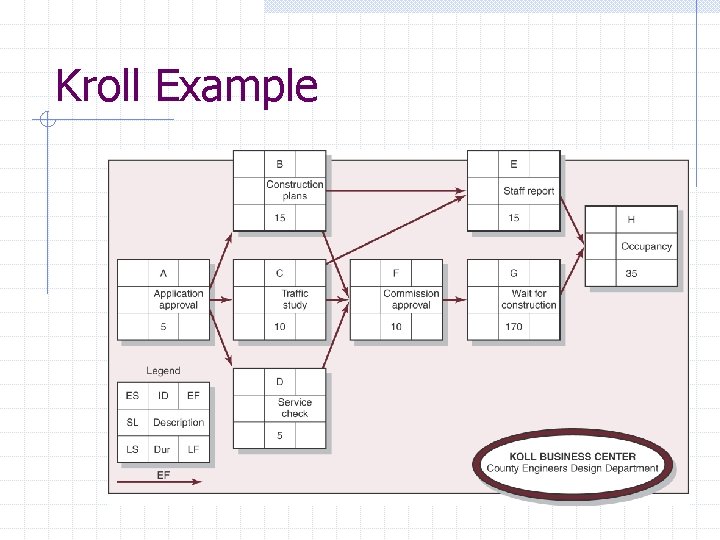
Kroll Example
Kroll Example - Forward
Kroll Example - Backward
Kroll Example – With Slack
Remember… Critical Path – path with the least slack, often zero Use slack wisely Leave activity number gaps Avoid ‘dangler’ paths Ask yourself ‘does it make sense? ’
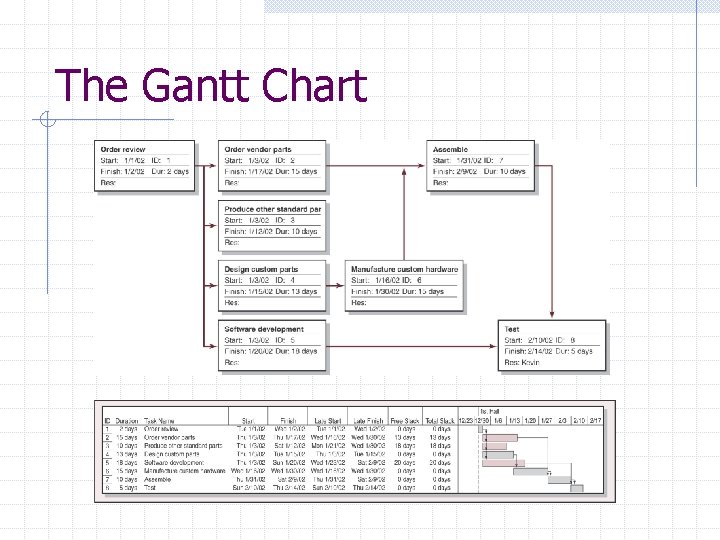
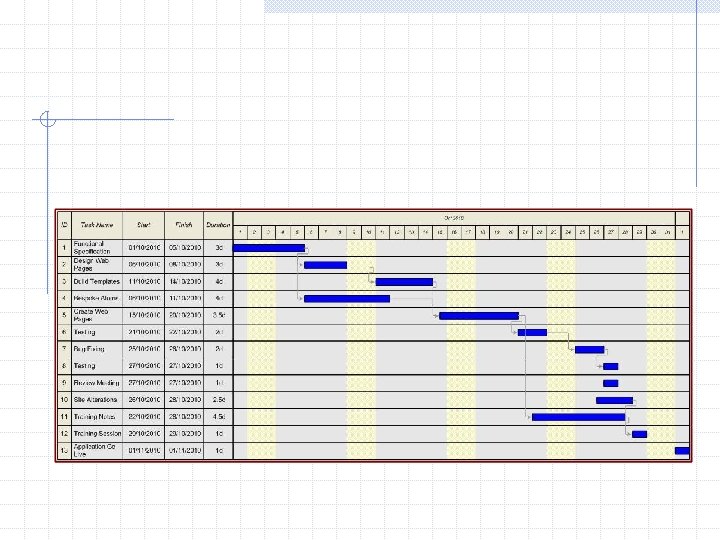
The Gantt Chart
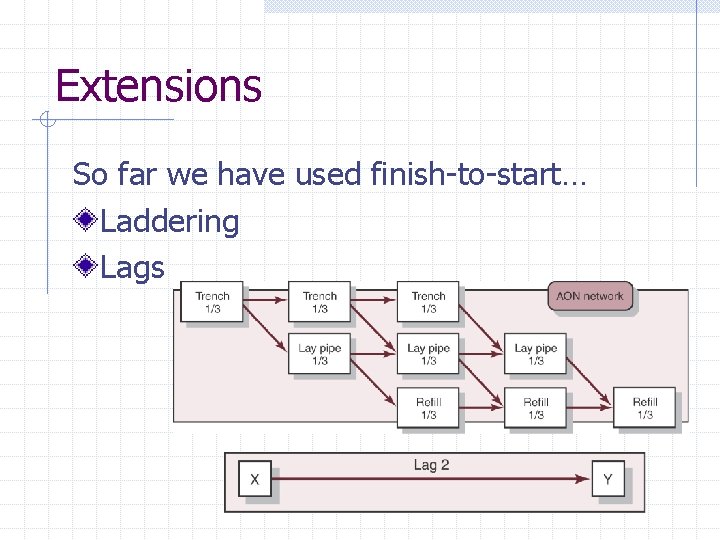
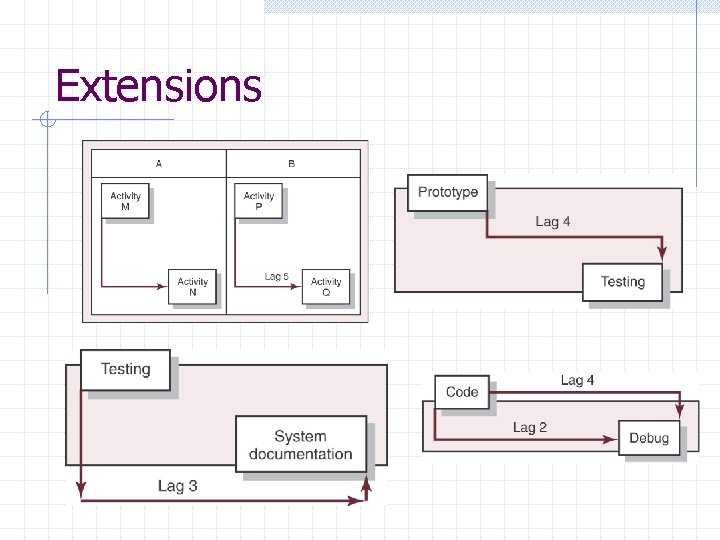
Extensions So far we have used finish-to-start… Laddering Lags
Extensions
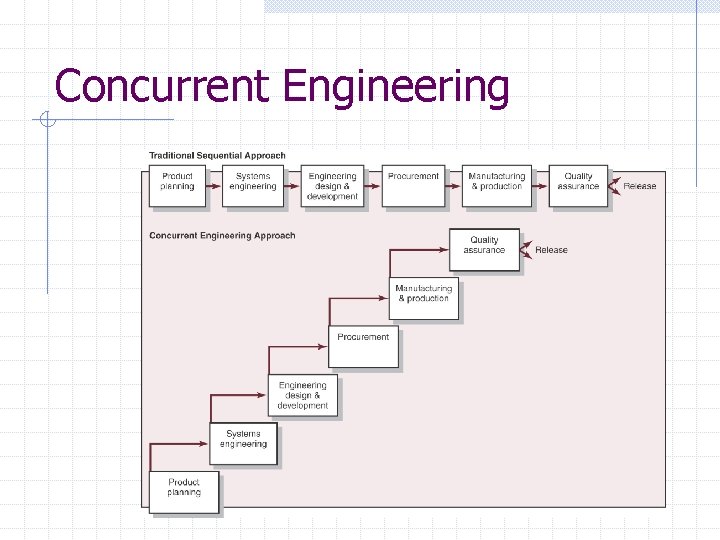
Concurrent Engineering
Tasks Read Chapter 6 Have a go at some exercises in the text book XThrill Task 2
Capital Industries
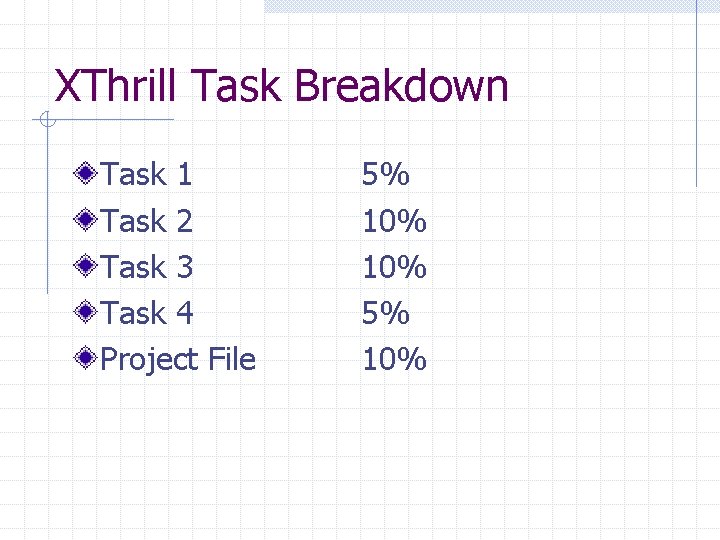
XThrill Task Breakdown Task 1 Task 2 Task 3 Task 4 Project File 5% 10%