
Project Management Skills Ahmad AlGhoul Learning Objectives Explain
Project Management Skills. Ahmad Al-Ghoul
Learning Objectives Explain and understand Task Types. Describe how to assign task timing. Discuss how to create Milestones. Discuss how to Use Recurring Tasks Explain how to use and Setting constraints and deadline dates. Understand how to Establishing Dependencies Among Tasks. Explain how to create dependencies types.
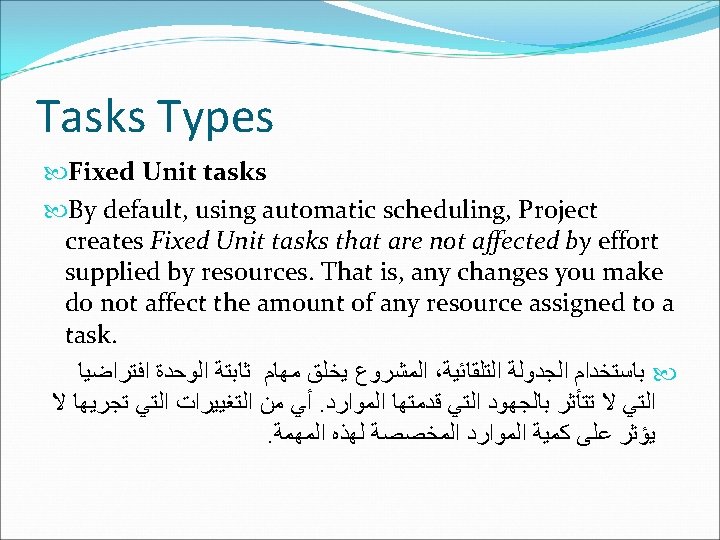
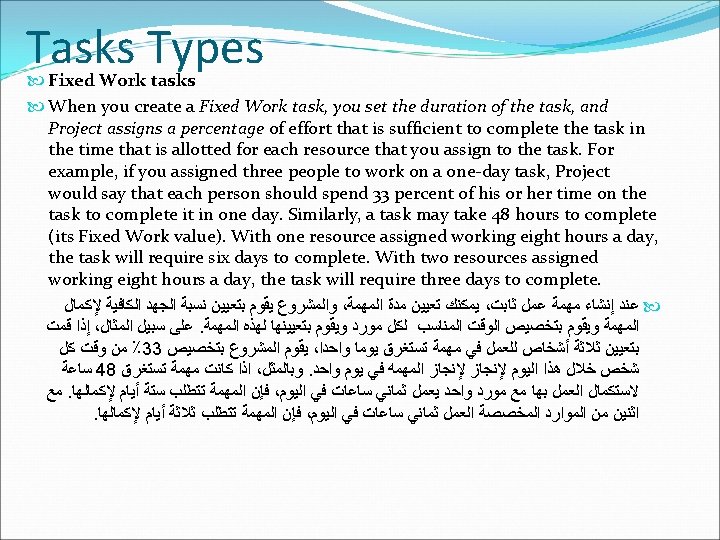

Tasks Types Every Fixed Work task you create in Project is effort-driven by default, and you cannot change that task type to not be effort-driven. For Fixed Duration and Fixed Unit tasks, you can tell Project to modify the percentage of total work that is allocated to each resource, based on the number of assigned resources, if the number of resources changes. In effect, you create an effort-driven task. The work that’s required to complete the task remains the same, but Project redistributes the work equally among all assigned resources. ﻭﺃﻨﺖ ﻻ ، ﻛﻞ ﻣﻬﻤﺔ ﻋﻤﻞ ﺛﺎﺑﺖ ﺗﻘﻮﻡ ﺑﺈﻧﺸﺎﺋﻬﺎ ﻓﻲ ﺍﻟﻤﺸﺮﻭﻉ ﻫﻲ ﺍﻓﺘﺮﺍﺿﻴﺎ ﻣﻬﻤﻪ ﻳﺤﺮﻛﻬﺎ ﺍﻟﺠﻬﺪ ﻟﻤﻬﺎﻡ ﺍﻟﺰﻣﻦ ﺍﻟﺜﺎﺑﺖ ﻭﻣﻬﺎﻡ ﺍﻟﻮﺣﺪﺍﺕ ﺍﻟﺜﺎﺑﺘﺔ ﻳﻤﻜﻦ. ﺗﺴﺘﻄﻴﻊ ﺗﻐﻴﻴﺮ ﻫﺬﺍ ﺍﻟﻨﻮﻉ ﻟﻤﻬﻤﺔ ﻻ ﻳﺤﺮﻛﻬﺎ ﺍﻟﺠﻬﺪ ﺍﺳﺘﻨﺎﺩﺍ ﺇﻟﻰ ﻋﺪﺩ ، ﺃﻦ ﻳﻘﻮﻡ ﺍﻟﻤﺸﺮﻭﻉ ﺑﺘﻌﺪﻳﻞ ﻧﺴﺒﺔ ﻣﺠﻤﻮﻉ ﺍﻟﻌﻤﻞ ﺍﻟﺘﻲ ﺗﻢ ﺗﺨﺼﻴﺼﻬﺎ ﻟﻜﻞ ﻣﻮﺭﺩ . ﺇﺫﺍ ﺗﻢ ﺗﻐﻴﺮ ﺍﻟﻤﻮﺍﺭﺩ ، ﺍﻟﻤﻮﺍﺭﺩ ﺍﻟﻤﺨﺼﺼﺔ
Assigning Task Timing When you type a duration, Project uses the Change Highlighting feature to show you the other tasks in your project that are affected by the scheduling change you made. In this example, the task I changed — Acquire Materials — and the summary task, Phase One Testing, were both affected by the duration I entered. In particular, the finish dates of both tasks were changed by the duration I provided. ﻓﻲ. ﻭﻳﺴﺘﺨﺪﻡ ﺍﻟﻤﺸﺮﻭﻉ ﺗﻐﻴﻴﺮ ﻟﻮﻥ ﺍﻟﻤﻬﺎﻡ ﺍﻻﺧﺮﻯ ﺍﻟﺘﻲ ﺗﺘﺄﺜﺮ ﺑﺘﻐﻴﻴﺮ ﻣﺪﻩ ﺍﻟﻤﻬﻤﺔ ، ﻋﻨﺪ ﺗﻌﻴﻴﻦ ﺍﻟﻤﺪﺓ Phase ، –ﺗﻢ ﺗﻐﻴﻴﺮﻫﺎ ﻭﺍﻟﻤﻬﻤﺔ ﺍﻟﻤﻮﺟﺰﺓ Acquire Materials - ﻓﺈﻥ ﻣﺪﻩ ﺍﻟﻤﻬﻤﺔ ، ﻫﺬﺍ ﺍﻟﻤﺜﺎﻝ Acquire Materials ﻗﺪ ﺗﻢ ﺗﻐﻴﺮ ﻣﺪﺗﻬﺎ ﺑﻨﺎﺀﺍ ﻋﻠﻰ ﺗﻐﻴﺮ ﻣﺪﻩ ﺍﻟﻤﻬﻤﺔ ،One Testing
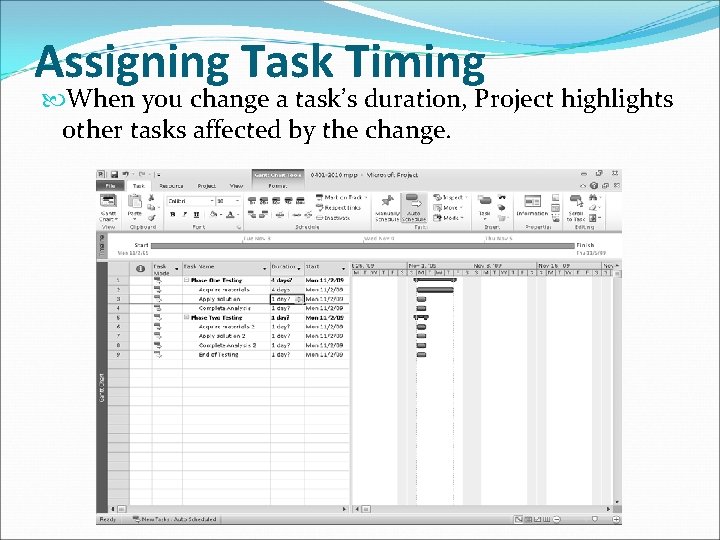
Assigning Task Timing When you change a task’s duration, Project highlights other tasks affected by the change.
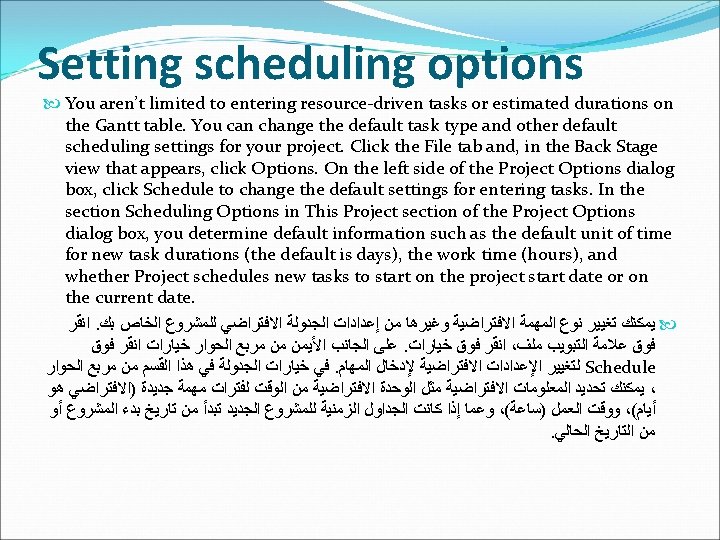

Setting scheduling options Use the Scheduling Options section in the Project Options dialog box to change Project’s default behavior when scheduling tasks.

Timing for summary tasks How do you assign durations for summary tasks? You don’t have to assign a duration to a summary task and, if you want your summary task to represent the total timing of its subtasks, then don’t enter a duration for a summary task. ﻛﻴﻒ ﻳﻤﻜﻨﻚ ﺗﻌﻴﻴﻦ ﻓﺘﺮﺍﺕ ﻟﻠﻤﻬﺎﻡ ﺍﻟﻤﻮﺟﺰﺓ؟ ﻻ ﻳﺠﺐ ﻋﻠﻴﻚ ﺗﻌﻴﻴﻦ ﻣﺪﺓ ﻟﻠﻤﻬﺎﻡ ﻓﻤﺪﻩ ﺍﻟﻤﻬﻤﺔ ﺍﻟﻤﻮﺟﺰﺓ ﻫﻲ ﻣﺠﻤﻮﻉ ﻣﺪﺩ ﺍﻟﻤﻬﺎﻡ ﺍﻟﺘﻔﺼﻴﻠﻴﺔ ﻟﻬﺬﻩ ، ﺍﻟﻤﻮﺟﺰﺓ . ﺍﻟﻤﻬﻤﺔ
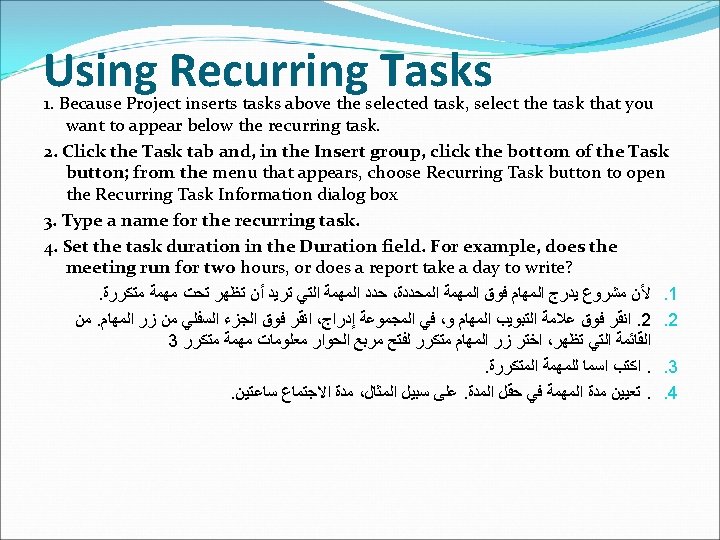
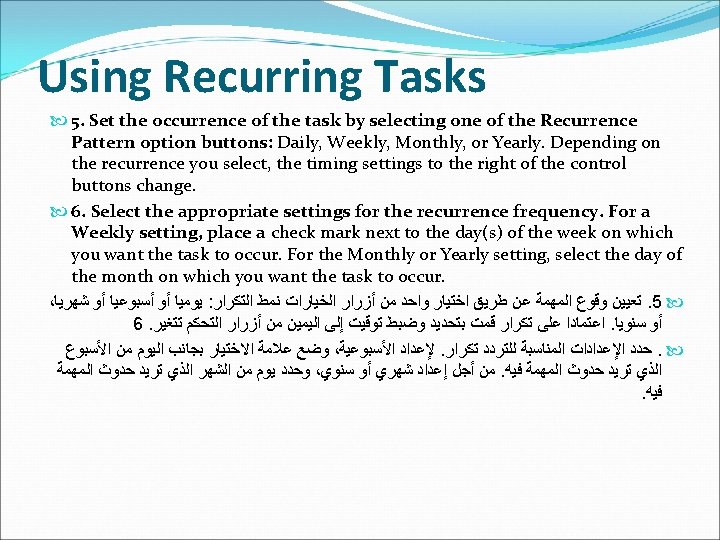
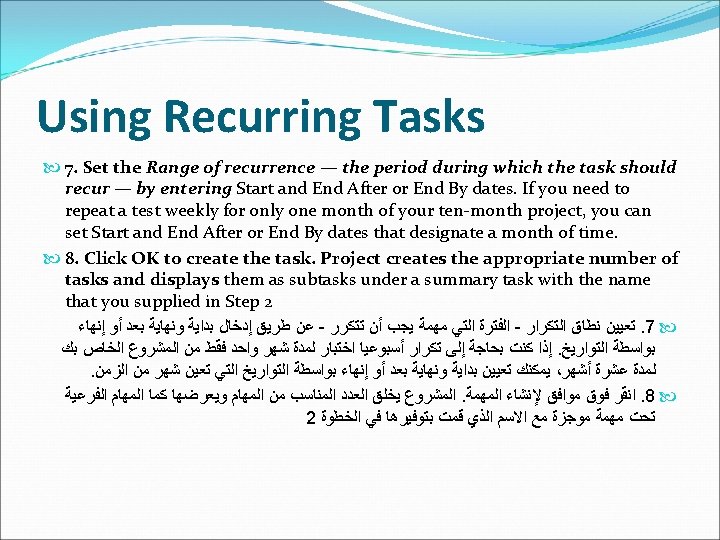
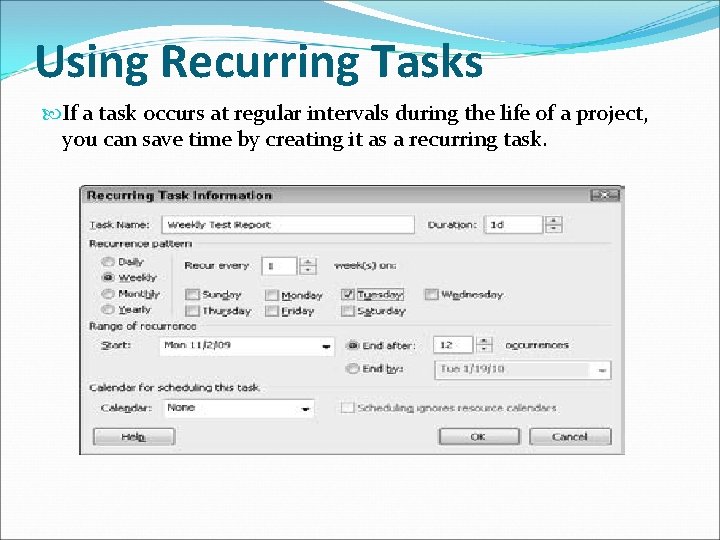
Using Recurring Tasks If a task occurs at regular intervals during the life of a project, you can save time by creating it as a recurring task.
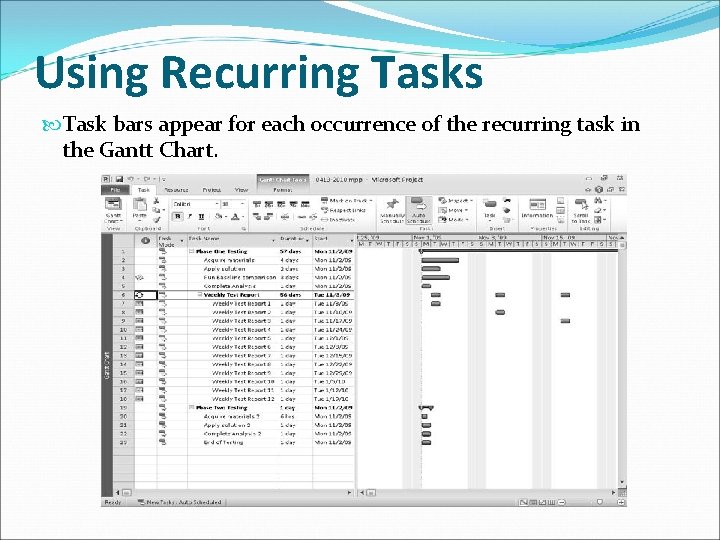
Using Recurring Tasks Task bars appear for each occurrence of the recurring task in the Gantt Chart.
Understanding constraints By default, Project sets all automatically scheduled tasks to start with an As Soon As Possible constraint. ﻣﺸﺮﻭﻉ ﻳﺤﺪﺩ ﻛﻞ ﻣﻦ ﺍﻟﻤﻬﺎﻡ ، ﺍﻓﺘﺮﺍﺿﻴﺎ Barring any dependency relationships with other tasks, the task would start on ﺿﻤﻦ ﻗﻴﺪ ﺍﻟﺒﺪﺀ automatically scheduled the first day of the project. You can set. ﻣﻊ ﺃﻘﺮﺏ ﻭﻗﺖ ﻣﻤﻜﻦ other constraints as follows: As : ﻳﻤﻜﻨﻚ ﺗﻌﻴﻴﻦ ﻗﻴﻮﺩ ﺃﺨﺮﻯ ﻋﻠﻰ ﺍﻟﻨﺤﻮ ﺍﻟﺘﺎﻟﻲ As Late As Possible: This constraint ﻫﺬﺍ ﺍﻟﻘﻴﺪ ﻳﺠﺒﺮ ﺍﻟﻤﻬﻤﺔ : Late As Possible forces a task to start on a date such ﻟﻠﺒﺪﺀ ﺿﻤﻦ ﺗﺎﺭﻳﺦ ﻣﺘﺄﺨﺮ ﻭﻟﻜﻦ ﻳﺠﺐ ﺃﻦ ﻧﻬﺎﻳﺘﻪ ﺗﺤﺪﺙ that its end occurs no later than the. ﻓﻲ ﻣﻮﻋﺪ ﻻ ﻳﺘﺠﺎﻭﺯ ﻧﻬﺎﻳﺔ ﺍﻟﻤﺸﺮﻭﻉ end of the project. Finish No Earlier Than/Finish No ﻫﺬﺍ ﺍﻟﻘﻴﺪ ﻳﺤﺪﺩ ﺍﻻﻧﺘﻬﺎﺀ ﻣﻦ ﻣﻬﻤﺔ : Later Than: This constraint sets the. ﻟﻴﺲ ﻗﺒﻞ ﺗﺎﺭﻳﺦ ﻣﻌﻴﻦ ﺍﻭ ﻟﻴﺲ ﺑﻌﺪ ﺗﺎﺭﻳﺦ ﻣﻌﻴﻦ completion of a task to fall no sooner ﻫﺬﺍ Must Finish On/Must Start On: than or later than a specific date. . ﺍﻟﻘﻴﺪ ﻳﺠﺒﺮ ﺍﻟﻤﻬﻤﺔ ﺍﻥ ﺗﺒﺪﺀ ﺍﻭ ﺗﻨﺘﻬﻲ ﺑﻤﻮﻋﺪ ﻣﻌﻴﻦ Must Finish On/Must Start On: This Start No Earlier Than/Start No Later constraint forces a task to finish or ﻫﺬﺍ ﺍﻟﻘﻴﺪ ﻳﺤﺪﺩ ﺍﻥ ﺍﻟﻤﻬﻤﺔ ﻳﺠﺐ ﺍﻥ ﺗﺒﺪﺀ : Than: start on a specific date. ﺑﺘﺎﺭﻳﺦ ﻣﻌﻴﻦ ﻭﻟﺒﺲ ﻗﺒﻞ ﻫﺬﺍ ﺍﻟﺘﺎﺭﻳﺦ ﺍﻭ ﻟﻴﺲ ﺑﻌﺪ ﻫﺬﺍ Start No Earlier Than/Start No Later. ﺍﻟﺘﺎﺭﻳﺦ Than: This constraint sets the start of a task to fall no sooner or later than a specific date.
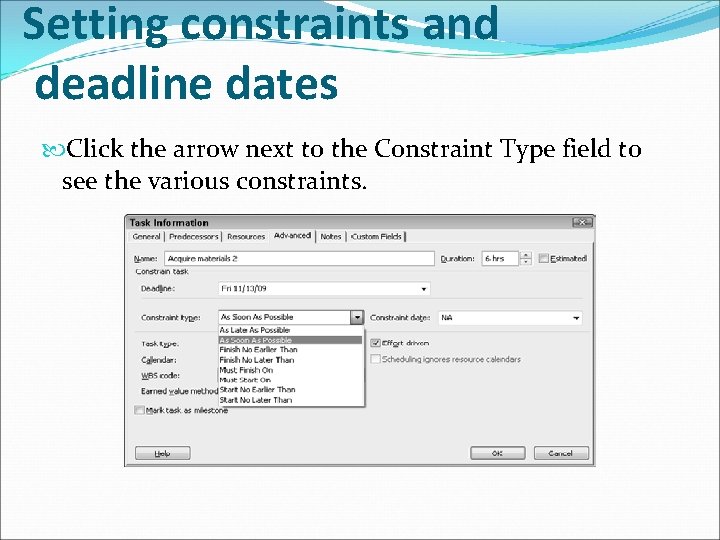
Setting constraints and deadline dates Click the arrow next to the Constraint Type field to see the various constraints.
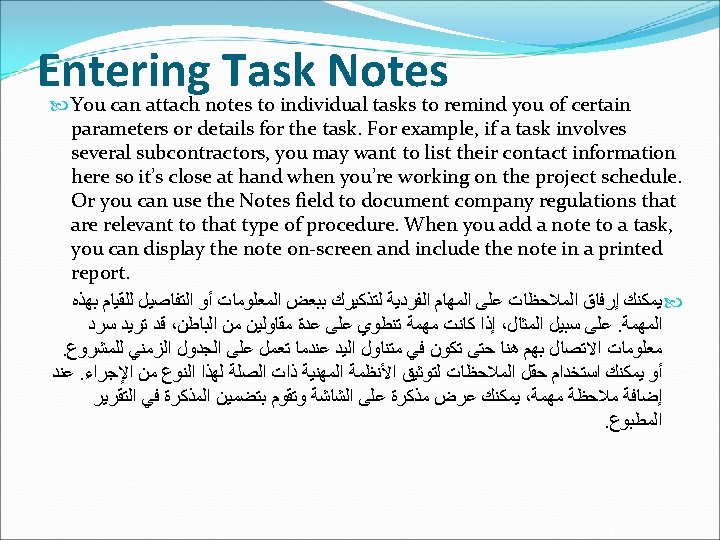
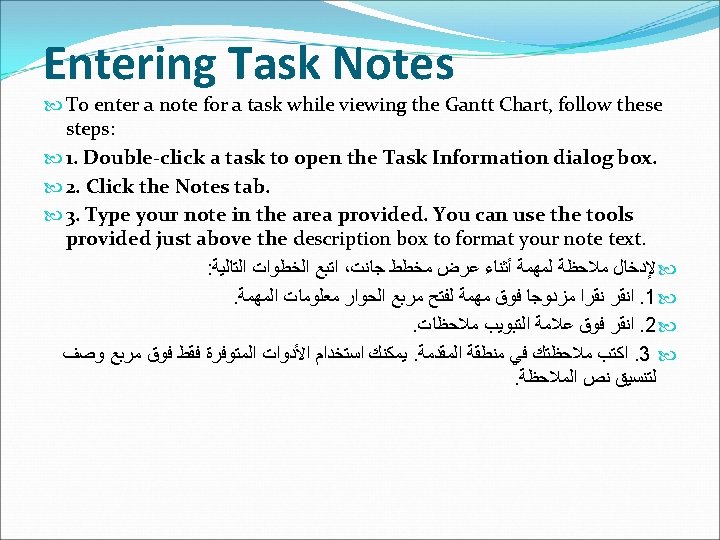
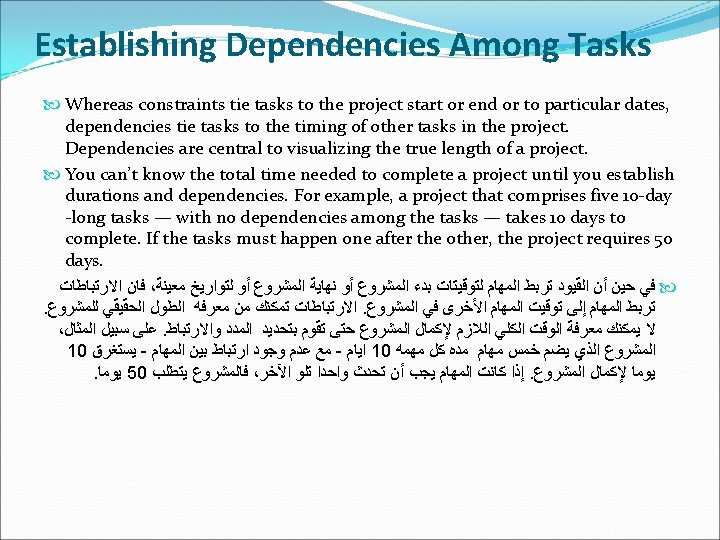
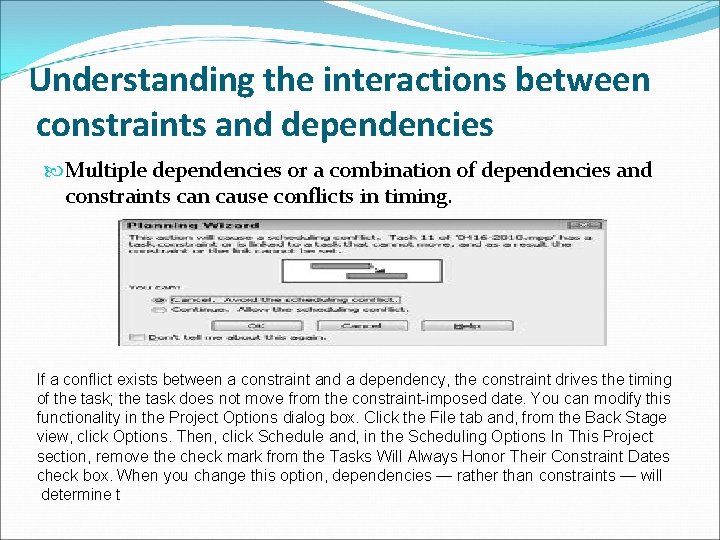
Understanding the interactions between constraints and dependencies Multiple dependencies or a combination of dependencies and constraints can cause conflicts in timing. If a conflict exists between a constraint and a dependency, the constraint drives the timing of the task; the task does not move from the constraint-imposed date. You can modify this functionality in the Project Options dialog box. Click the File tab and, from the Back Stage view, click Options. Then, click Schedule and, in the Scheduling Options In This Project section, remove the check mark from the Tasks Will Always Honor Their Constraint Dates check box. When you change this option, dependencies — rather than constraints — will determine t
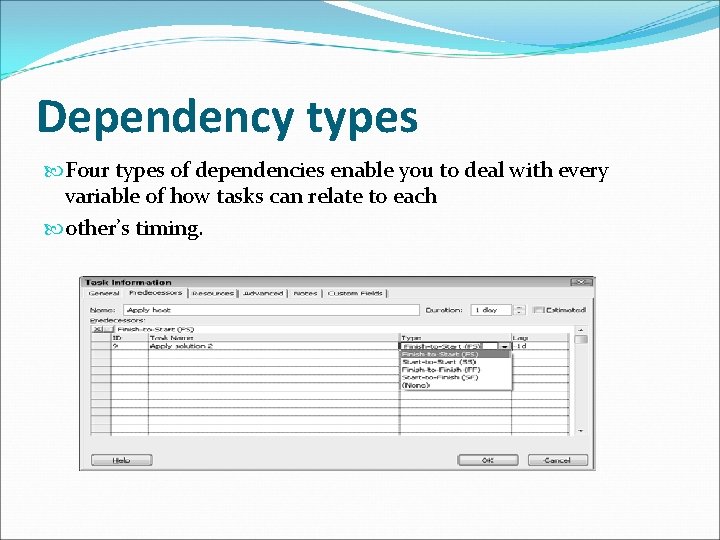
Dependency types Four types of dependencies enable you to deal with every variable of how tasks can relate to each other’s timing.
Start-to-Start (SS) In a start-to-start relationship, the successor can’t start until the predecessor starts. Consider the following examples: When you start getting results in an election, you can begin to compile them. When the drivers start their engines, the flagger can start the race. . ﻻ ﻳﻤﻜﻦ ﺑﺪﺀ ﺍﻟﻌﻼﻗﺔ ﺍﻟﻼﺣﻘﺔ ﺣﺘﻰ ﺗﺒﺪﺃ ﺍﻟﻌﻼﻗﺔ ﺍﻟﺴﺎﺑﻘﺔ ، ﻱ ﻋﻼﻗﺔ ﺑﺪﺍﻳﺔ ﺇﻟﻰ ﺑﺪﺍﻳﺔ ﻳﻤﻜﻨﻚ ﺃﻦ ﺗﺒﺪﺃ ﻓﻲ ، ﻋﻨﺪ ﺍﻟﺒﺪﺀ ﻓﻲ ﺍﻟﺤﺼﻮﻝ ﻋﻠﻰ ﺍﻟﻨﺘﺎﺋﺞ ﻓﻲ ﺍﻻﻧﺘﺨﺎﺑﺎﺕ : ﻣﺜﺎﻝ . ﺟﻤﻌﻬﺎ
Finish-to-Finish (FF) In the finish-to-finish dependency, the successor task can’t finish until the predecessor task finishes. Consider the following examples: You finish installing computers at the same time that you finish moving employees into the building so that the employees can begin using the computers right away. Two divisions must finish retooling their production lines on the same day so that the CEO can inspect the lines at the same time. . ﻓﺈﻥ ﺍﻟﻤﻬﻤﺔ ﺍﻟﻼﺣﻘﺔ ﻻ ﻳﻤﻜﻦ ﺇﻧﻬﺎﺋﻬﺎ ﺣﺘﻰ ﺍﻧﺘﻬﺎﺀ ﺍﻟﻤﻬﻤﺔ ﺍﻟﺴﺎﺑﻘﺔ ، ﻓﻲ ﺍﻟﻌﻼﻗﻪ ﺍﻟﻨﻬﺎﻳﺔ ﺇﻟﻰ ﺍﻟﻨﻬﺎﻳﺔ ﺍﻻﻧﺘﻬﺎﺀ ﻣﻦ ﺗﺜﺒﻴﺖ ﺃﺠﻬﺰﺓ ﺍﻟﻜﻤﺒﻴﻮﺗﺮ ﻓﻲ ﺍﻟﻮﻗﺖ ﻧﻔﺴﻪ ﻳﺠﺐ ﺍﻥ ﻳﻨﺘﻘﻞ ﺍﻟﻤﻮﻇﻔﻴﻦ ﻟﻠﻤﺒﻨﻰ ﺍﻟﺠﺪﻳﺪ : ﻣﺜﺎﻝ . ﺑﺤﻴﺚ ﻳﻤﻜﻦ ﻟﻠﻤﻮﻇﻔﻴﻦ ﺃﻦ ﻳﺴﺘﺨﺪﻣﻮﺍ ﺃﺠﻬﺰﺓ ﺍﻟﻜﻤﺒﻴﻮﺗﺮ ﻋﻠﻰ ﺍﻟﻔﻮﺭ
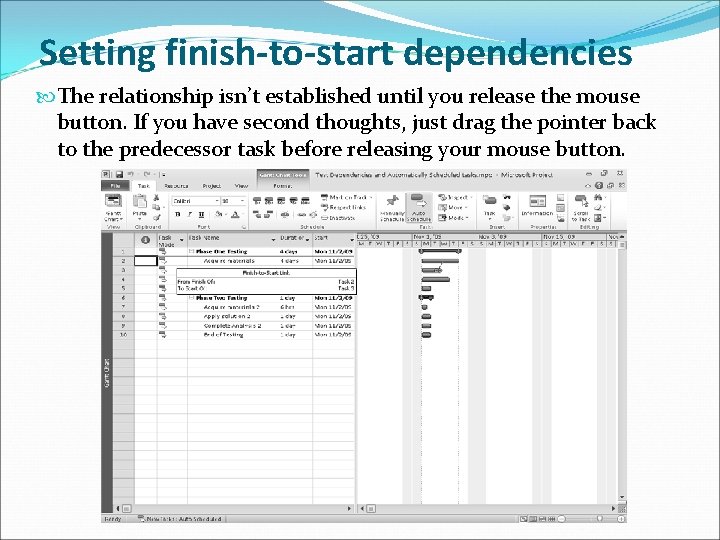
Setting finish-to-start dependencies The relationship isn’t established until you release the mouse button. If you have second thoughts, just drag the pointer back to the predecessor task before releasing your mouse button.
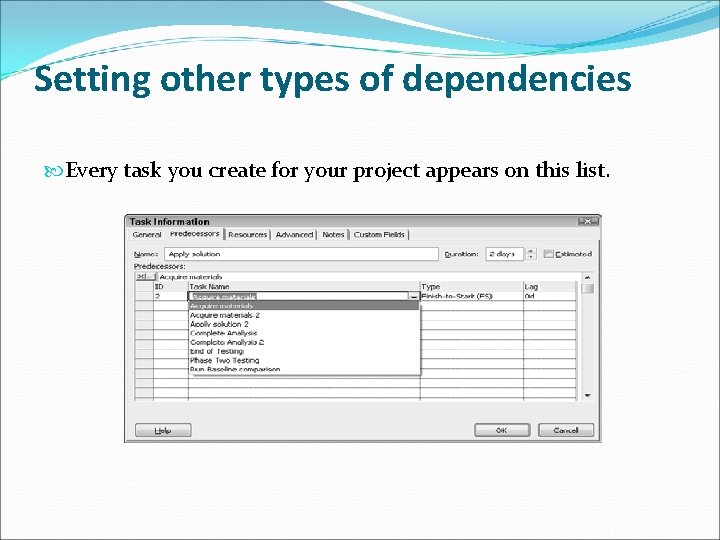
Setting other types of dependencies Every task you create for your project appears on this list.
- Slides: 42