
Project Management 3 Power Point presentation to accompany


- Slides: 103
Project Management 3 Power. Point presentation to accompany Heizer and Render Operations Management, Eleventh Edition Principles of Operations Management, Ninth Edition Power. Point slides by Jeff Heyl © 2014 Pearson Education, Inc. © 2014 Pearson Education, 3 -1
Outline ► Global Company Profile: Bechtel Group The Importance of Project Management ► Project Planning ► Project Scheduling ► Project Controlling ► © 2014 Pearson Education, Inc. 3 -2
Outline - Continued Project Management Techniques: PERT and CPM ► Determining the Project Schedule ► Variability in Activity Times ► Cost-Time Trade-offs and Project Crashing ► © 2014 Pearson Education, Inc. 3 -3
Outline - Continued A Critique of PERT and CPM ► Using Microsoft Project to Manage Projects ► © 2014 Pearson Education, Inc. 3 -4
Learning Objectives When you complete this chapter you should be able to: 1. Use a Gantt chart for scheduling 2. Draw AOA and AON networks 3. Complete forward and backward passes for a project 4. Determine a critical path © 2014 Pearson Education, Inc. 3 -5
Learning Objectives When you complete this chapter you should be able to: 5. Calculate the variance of activity times 6. Crash a project © 2014 Pearson Education, Inc. 3 -6
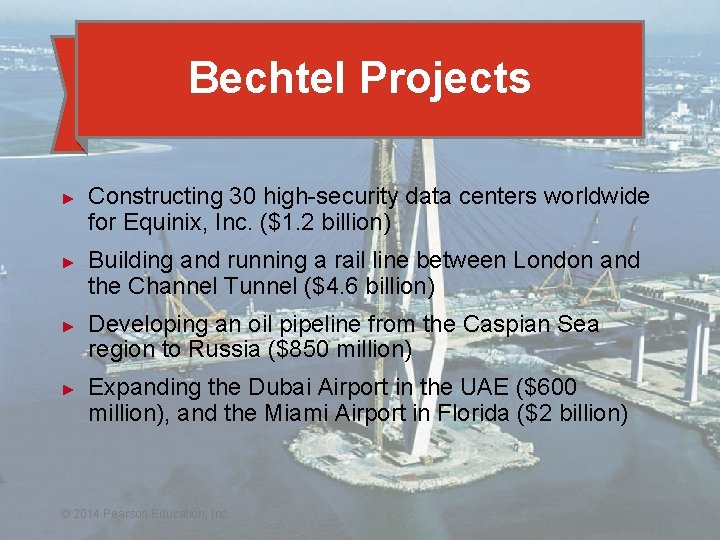
Bechtel Projects ► ► Constructing 30 high-security data centers worldwide for Equinix, Inc. ($1. 2 billion) Building and running a rail line between London and the Channel Tunnel ($4. 6 billion) Developing an oil pipeline from the Caspian Sea region to Russia ($850 million) Expanding the Dubai Airport in the UAE ($600 million), and the Miami Airport in Florida ($2 billion) © 2014 Pearson Education, Inc. © 2014 Pearson Education, 3 -7
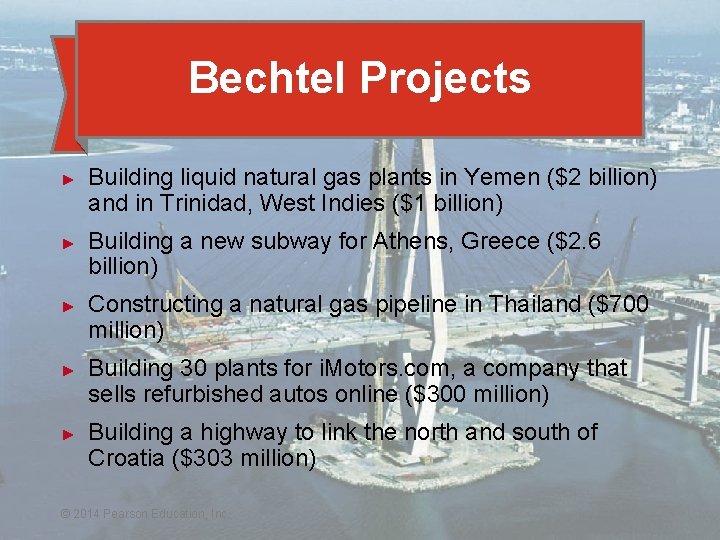
Bechtel Projects ► ► ► Building liquid natural gas plants in Yemen ($2 billion) and in Trinidad, West Indies ($1 billion) Building a new subway for Athens, Greece ($2. 6 billion) Constructing a natural gas pipeline in Thailand ($700 million) Building 30 plants for i. Motors. com, a company that sells refurbished autos online ($300 million) Building a highway to link the north and south of Croatia ($303 million) © 2014 Pearson Education, Inc. © 2014 Pearson Education, 3 -8
Importance of Project Management ► Bechtel Project Management ► ► ► International workforce, construction professionals, cooks, medical personnel, security Strategic value of time-based competition Quality mandate for continual improvement © 2014 Pearson Education, Inc. 3 -9
Project Characteristics ► ► ► Single unit Many related activities Difficult production planning and inventory control General purpose equipment High labor skills © 2014 Pearson Education, Inc. 3 - 10
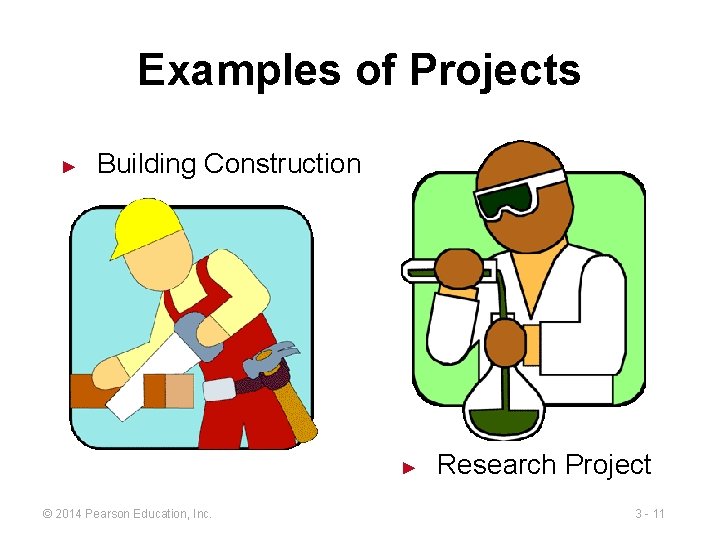
Examples of Projects ► Building Construction ► © 2014 Pearson Education, Inc. Research Project 3 - 11
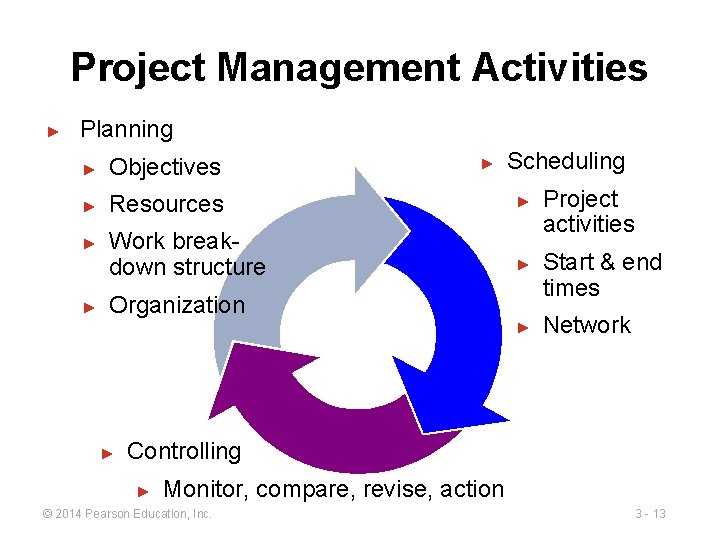
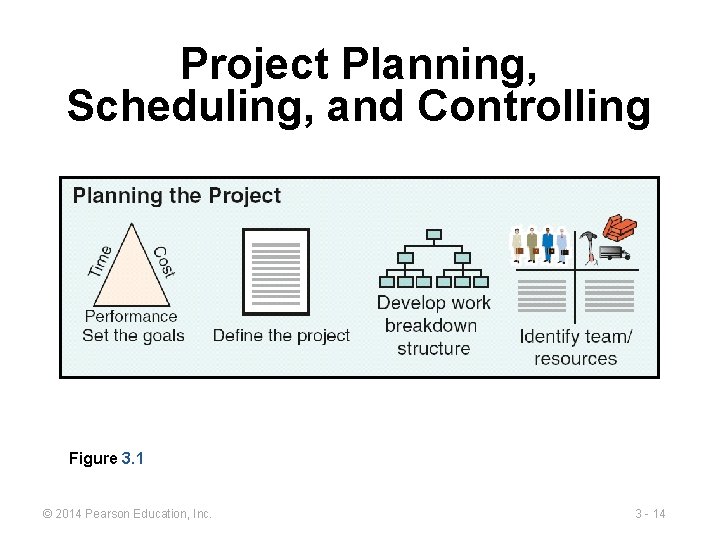
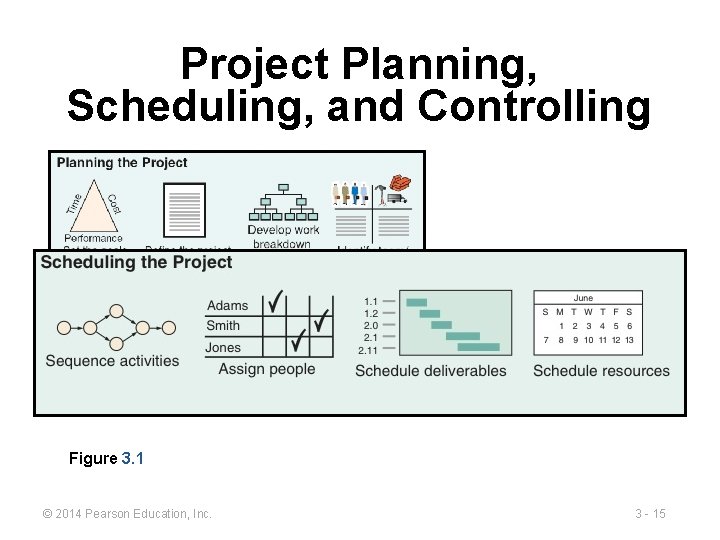
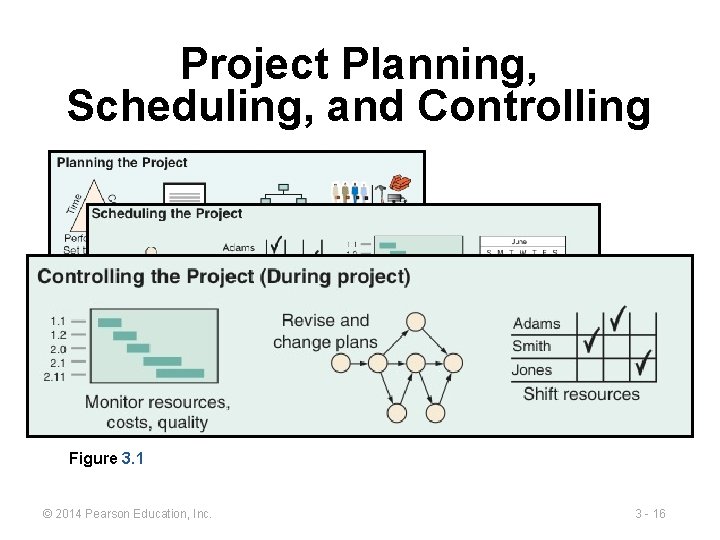
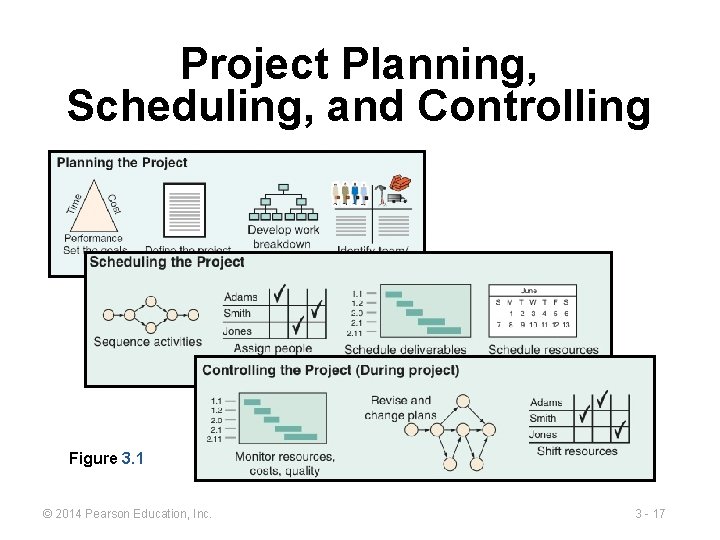
Management of Projects 1. Planning - goal setting, defining the project, team organization 2. Scheduling - relate people, money, and supplies to specific activities and activities to each other 3. Controlling - monitor resources, costs, quality, and budgets; revise plans and shift resources to meet time and cost demands © 2014 Pearson Education, Inc. 3 - 12
Project Management Activities ► Planning Scheduling ► Objectives ► Resources ► Work breakdown structure ► ► Organization ► ► Project activities Start & end times Network Controlling ► Monitor, compare, revise, action © 2014 Pearson Education, Inc. 3 - 13
Project Planning, Scheduling, and Controlling Figure 3. 1 © 2014 Pearson Education, Inc. 3 - 14
Project Planning, Scheduling, and Controlling Figure 3. 1 © 2014 Pearson Education, Inc. 3 - 15
Project Planning, Scheduling, and Controlling Figure 3. 1 © 2014 Pearson Education, Inc. 3 - 16
Project Planning, Scheduling, and Controlling Figure 3. 1 © 2014 Pearson Education, Inc. 3 - 17
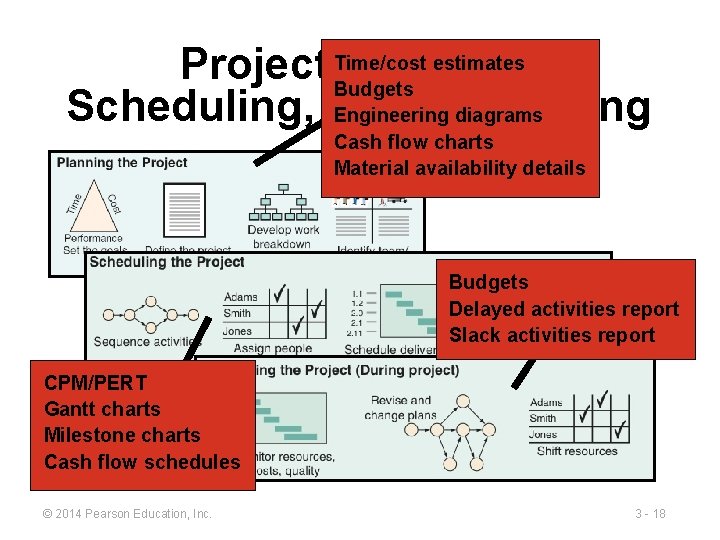
estimates Project Time/cost Planning, Budgets Scheduling, and Controlling Engineering diagrams Cash flow charts Material availability details Budgets Delayed activities report Slack activities report CPM/PERT Gantt charts Milestone charts Figure 3. 1 schedules Cash flow © 2014 Pearson Education, Inc. 3 - 18
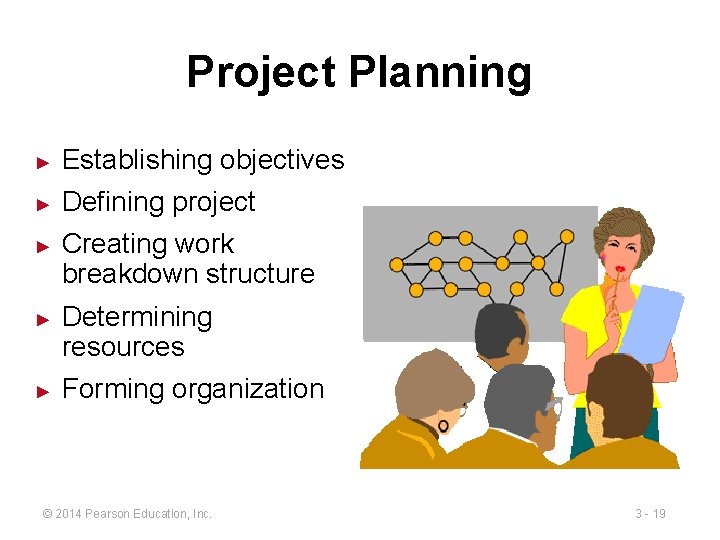
Project Planning ► Establishing objectives ► Defining project ► ► ► Creating work breakdown structure Determining resources Forming organization © 2014 Pearson Education, Inc. 3 - 19
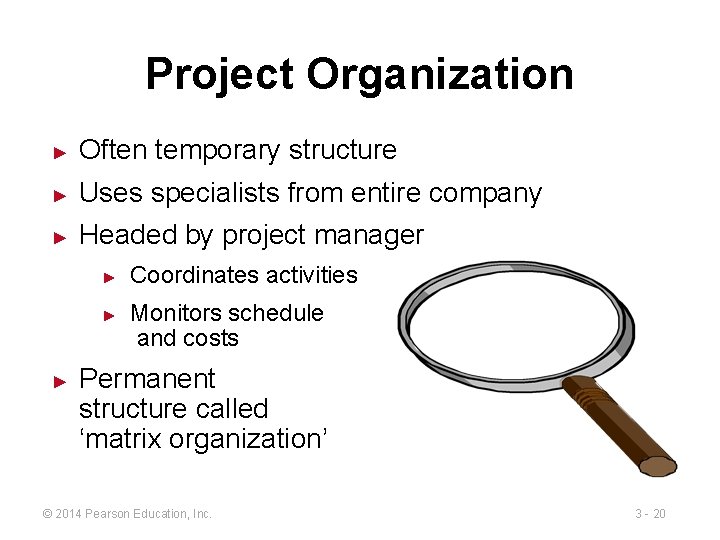
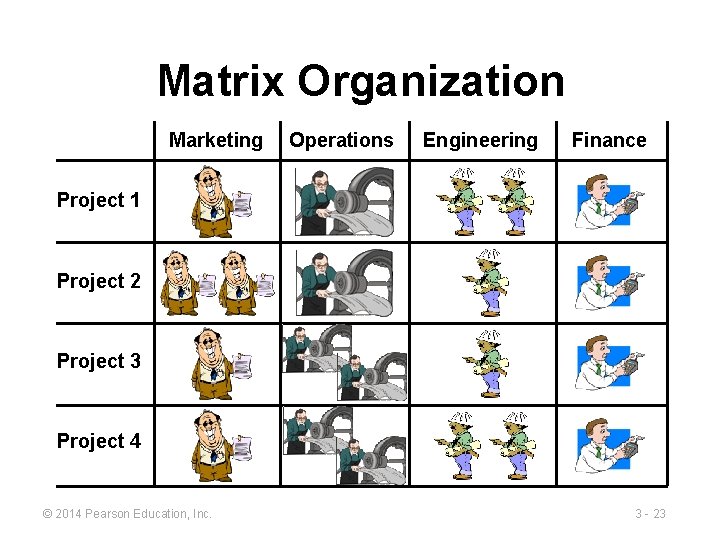
Project Organization ► Often temporary structure ► Uses specialists from entire company ► Headed by project manager ► ► ► Coordinates activities Monitors schedule and costs Permanent structure called ‘matrix organization’ © 2014 Pearson Education, Inc. 3 - 20
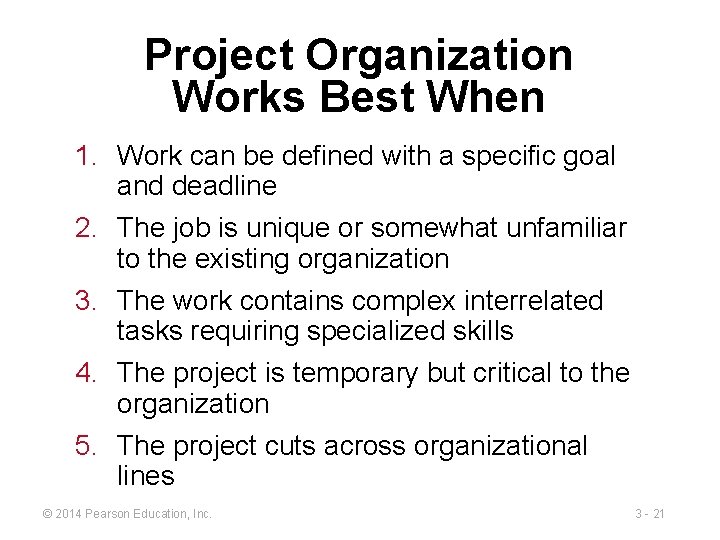
Project Organization Works Best When 1. Work can be defined with a specific goal and deadline 2. The job is unique or somewhat unfamiliar to the existing organization 3. The work contains complex interrelated tasks requiring specialized skills 4. The project is temporary but critical to the organization 5. The project cuts across organizational lines © 2014 Pearson Education, Inc. 3 - 21
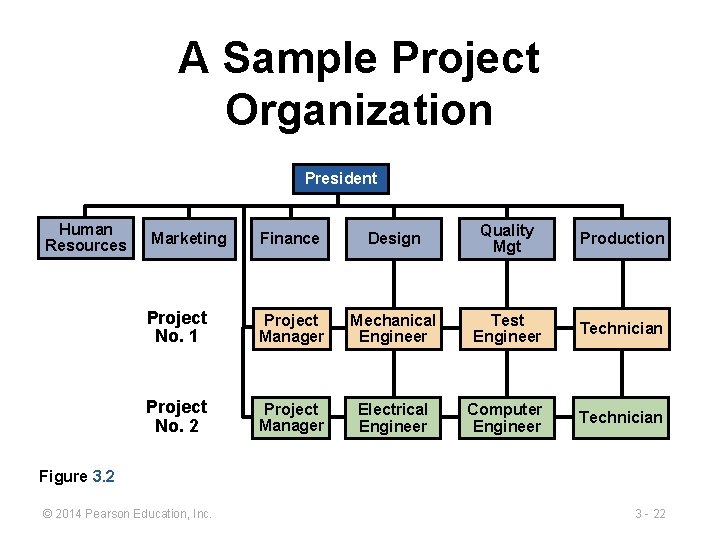
A Sample Project Organization President Human Resources Marketing Finance Design Quality Mgt Production Project No. 1 Project Manager Mechanical Engineer Test Engineer Technician Project No. 2 Project Manager Electrical Engineer Computer Engineer Technician Figure 3. 2 © 2014 Pearson Education, Inc. 3 - 22
Matrix Organization Marketing Operations Engineering Finance Project 1 Project 2 Project 3 Project 4 © 2014 Pearson Education, Inc. 3 - 23
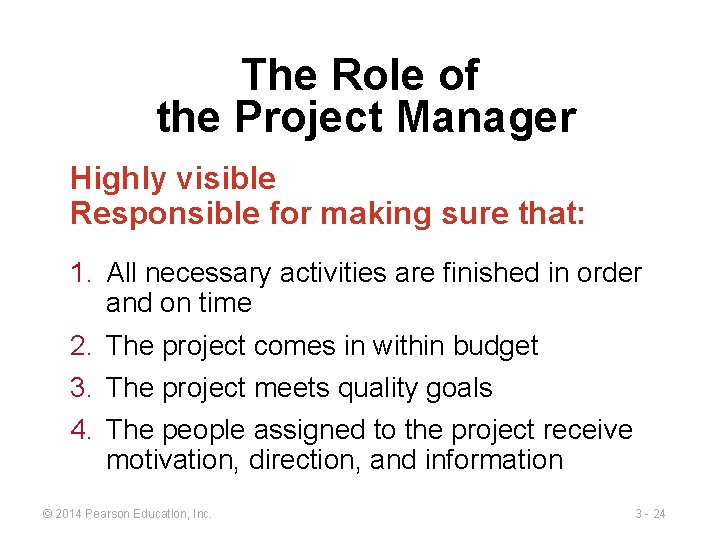
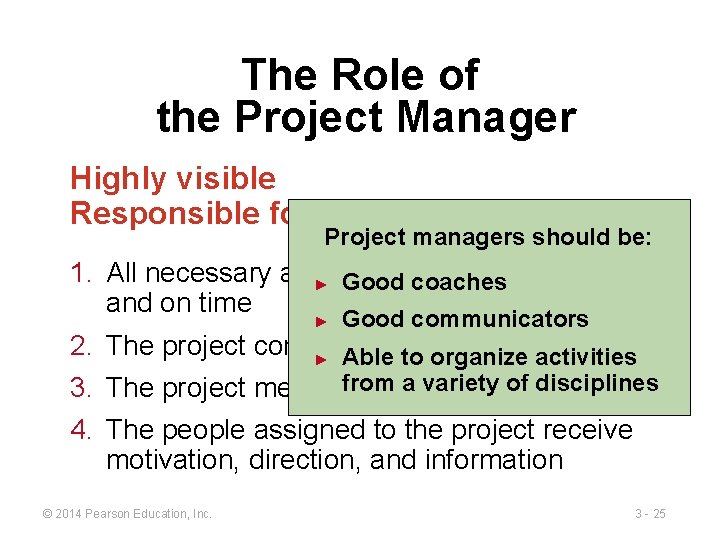
The Role of the Project Manager Highly visible Responsible for making sure that: 1. All necessary activities are finished in order and on time 2. The project comes in within budget 3. The project meets quality goals 4. The people assigned to the project receive motivation, direction, and information © 2014 Pearson Education, Inc. 3 - 24
The Role of the Project Manager Highly visible Responsible for making sure that: Project managers should be: 1. All necessary activities are finished in order ► Good coaches and on time ► Good communicators 2. The project comes in within budget ► Able to organize activities from a variety 3. The project meets quality goals of disciplines 4. The people assigned to the project receive motivation, direction, and information © 2014 Pearson Education, Inc. 3 - 25
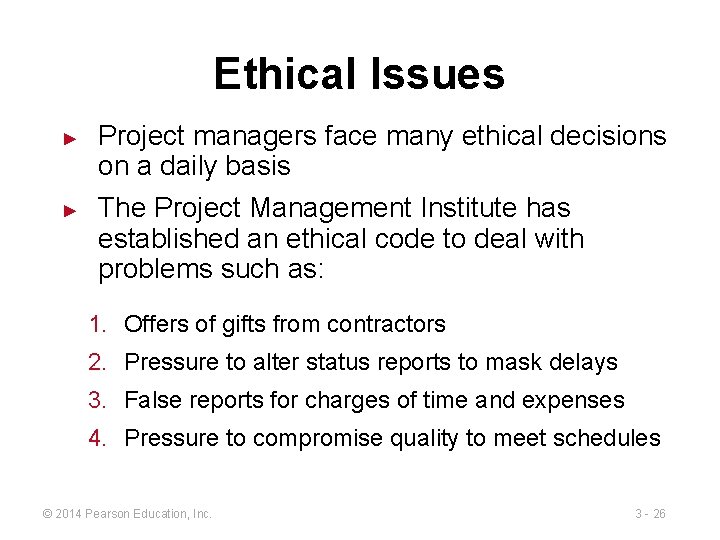
Ethical Issues ► ► Project managers face many ethical decisions on a daily basis The Project Management Institute has established an ethical code to deal with problems such as: 1. Offers of gifts from contractors 2. Pressure to alter status reports to mask delays 3. False reports for charges of time and expenses 4. Pressure to compromise quality to meet schedules © 2014 Pearson Education, Inc. 3 - 26
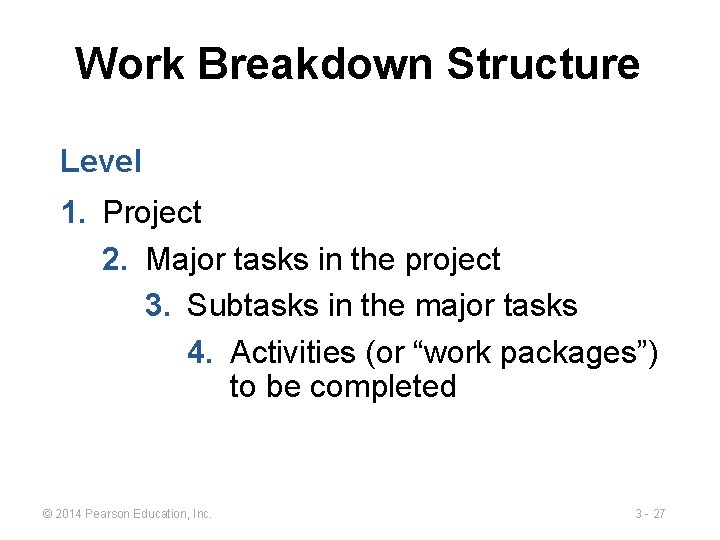
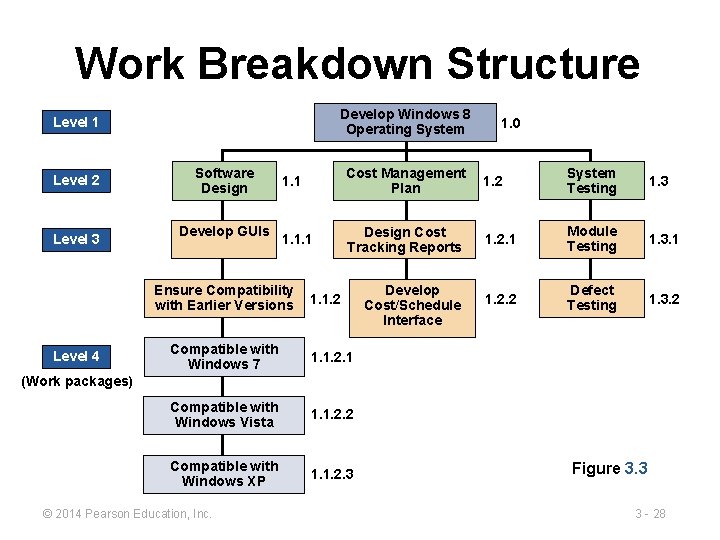
Work Breakdown Structure Level 1. Project 2. Major tasks in the project 3. Subtasks in the major tasks 4. Activities (or “work packages”) to be completed © 2014 Pearson Education, Inc. 3 - 27
Work Breakdown Structure Develop Windows 8 Operating System Level 1 Level 2 Level 3 Software Design Develop GUIs 1. 1 Cost Management Plan 1. 2 System Testing 1. 3 1. 1. 1 Design Cost Tracking Reports 1. 2. 1 Module Testing 1. 3. 1 Develop Cost/Schedule Interface 1. 2. 2 Defect Testing 1. 3. 2 Ensure Compatibility with Earlier Versions Level 4 1. 0 1. 1. 2 Compatible with Windows 7 1. 1. 2. 1 Compatible with Windows Vista 1. 1. 2. 2 Compatible with Windows XP 1. 1. 2. 3 (Work packages) © 2014 Pearson Education, Inc. Figure 3. 3 3 - 28
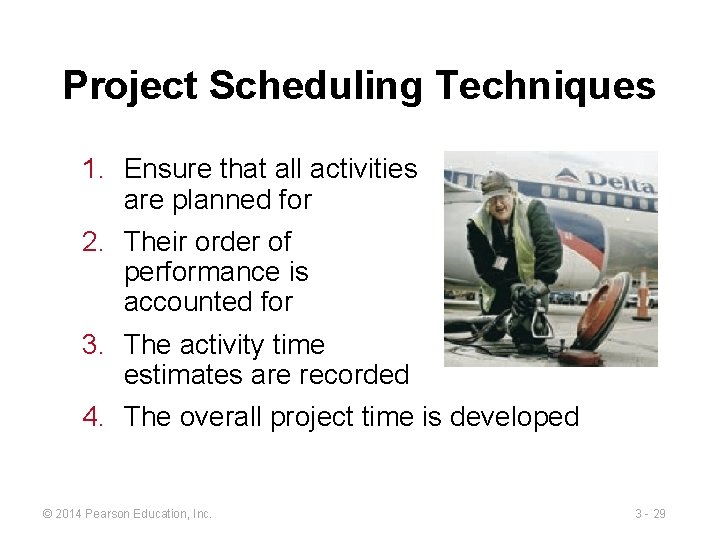
Project Scheduling Techniques 1. Ensure that all activities are planned for 2. Their order of performance is accounted for 3. The activity time estimates are recorded 4. The overall project time is developed © 2014 Pearson Education, Inc. 3 - 29
Purposes of Project Scheduling 1. Shows the relationship of each activity to others and to the whole project 2. Identifies the precedence relationships among activities 3. Encourages the setting of realistic time and cost estimates for each activity 4. Helps make better use of people, money, and material resources by identifying critical bottlenecks in the project © 2014 Pearson Education, Inc. 3 - 30
Project Management Techniques Gantt chart ► Critical Path Method (CPM) ► Program Evaluation and Review Technique (PERT) ► © 2014 Pearson Education, Inc. 3 - 31
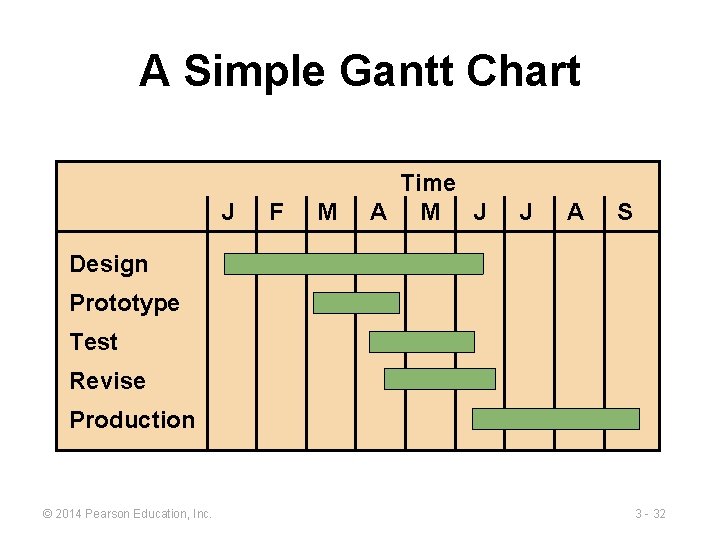
A Simple Gantt Chart J F M Time A M J J A S Design Prototype Test Revise Production © 2014 Pearson Education, Inc. 3 - 32
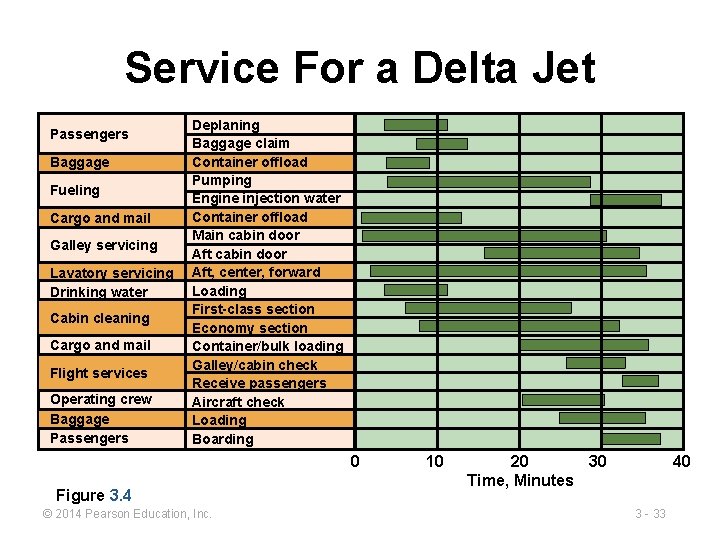
Service For a Delta Jet Passengers Baggage Fueling Cargo and mail Galley servicing Lavatory servicing Drinking water Cabin cleaning Cargo and mail Flight services Operating crew Baggage Passengers Deplaning Baggage claim Container offload Pumping Engine injection water Container offload Main cabin door Aft, center, forward Loading First-class section Economy section Container/bulk loading Galley/cabin check Receive passengers Aircraft check Loading Boarding 0 Figure 3. 4 © 2014 Pearson Education, Inc. 10 20 30 Time, Minutes 40 3 - 33
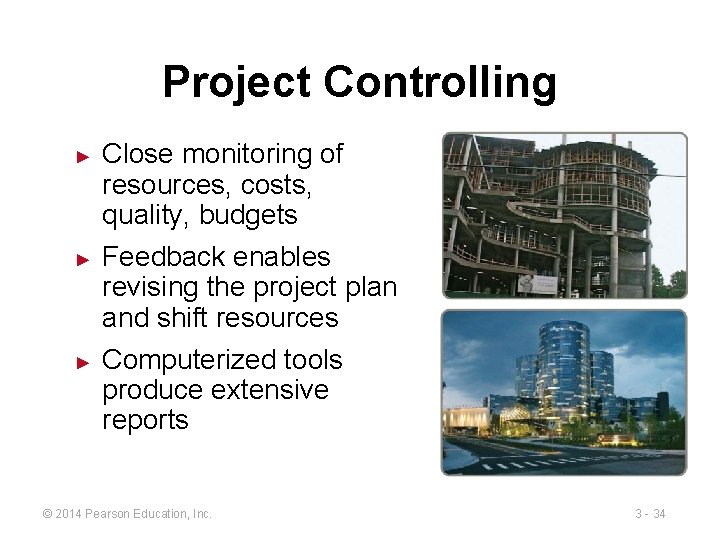
Project Controlling ► ► ► Close monitoring of resources, costs, quality, budgets Feedback enables revising the project plan and shift resources Computerized tools produce extensive reports © 2014 Pearson Education, Inc. 3 - 34
Project Management Software ► There are several popular packages for managing projects ► Primavera ► Mac. Project ► Mind. View ► HP Project ► Fast Track ► Microsoft Project © 2014 Pearson Education, Inc. © 2014 Pearson Education, 3 - 35
Project Control Reports ► Detailed cost breakdowns for each task ► Total program labor curves ► Cost distribution tables ► Functional cost and hour summaries ► Raw materials and expenditure forecasts ► Variance reports ► Time analysis reports ► Work status reports © 2014 Pearson Education, Inc. 3 - 36
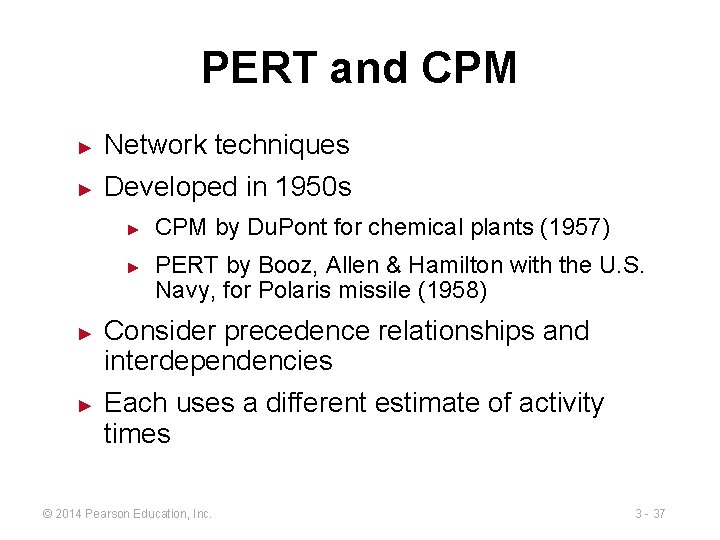
PERT and CPM ► Network techniques ► Developed in 1950 s ► ► CPM by Du. Pont for chemical plants (1957) PERT by Booz, Allen & Hamilton with the U. S. Navy, for Polaris missile (1958) Consider precedence relationships and interdependencies Each uses a different estimate of activity times © 2014 Pearson Education, Inc. 3 - 37
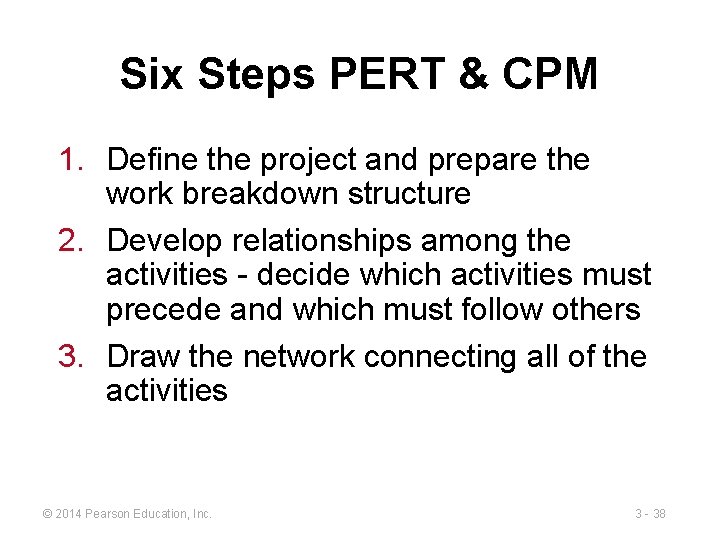
Six Steps PERT & CPM 1. Define the project and prepare the work breakdown structure 2. Develop relationships among the activities - decide which activities must precede and which must follow others 3. Draw the network connecting all of the activities © 2014 Pearson Education, Inc. 3 - 38
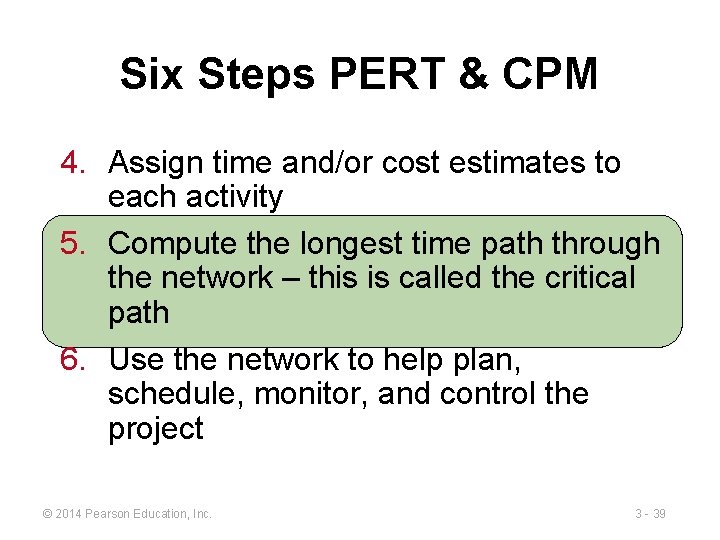
Six Steps PERT & CPM 4. Assign time and/or cost estimates to each activity 5. Compute the longest time path through the network – this is called the critical path 6. Use the network to help plan, schedule, monitor, and control the project © 2014 Pearson Education, Inc. 3 - 39
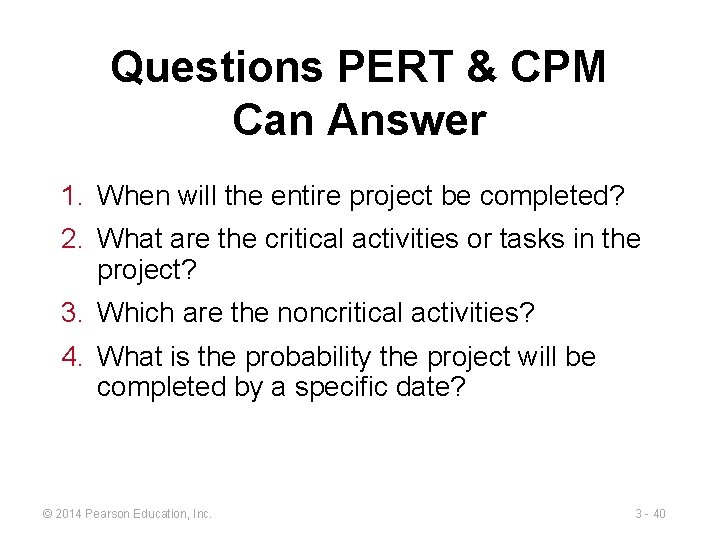
Questions PERT & CPM Can Answer 1. When will the entire project be completed? 2. What are the critical activities or tasks in the project? 3. Which are the noncritical activities? 4. What is the probability the project will be completed by a specific date? © 2014 Pearson Education, Inc. 3 - 40
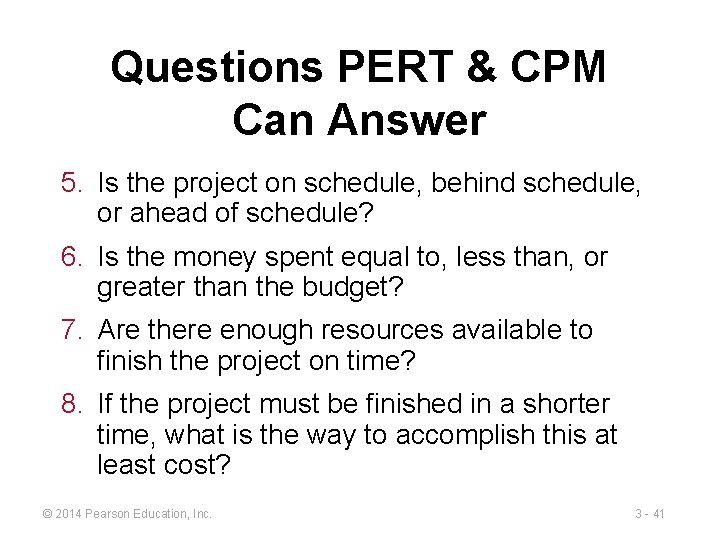
Questions PERT & CPM Can Answer 5. Is the project on schedule, behind schedule, or ahead of schedule? 6. Is the money spent equal to, less than, or greater than the budget? 7. Are there enough resources available to finish the project on time? 8. If the project must be finished in a shorter time, what is the way to accomplish this at least cost? © 2014 Pearson Education, Inc. 3 - 41
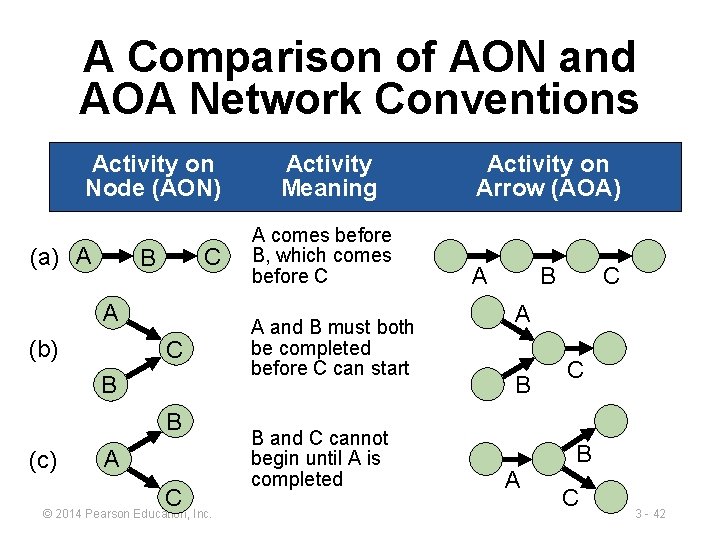
A Comparison of AON and AOA Network Conventions Activity on Node (AON) (a) A C B A (b) C B B (c) A C © 2014 Pearson Education, Inc. Activity Meaning A comes before B, which comes before C A and B must both be completed before C can start B and C cannot begin until A is completed Activity on Arrow (AOA) A B C A B A C B C 3 - 42
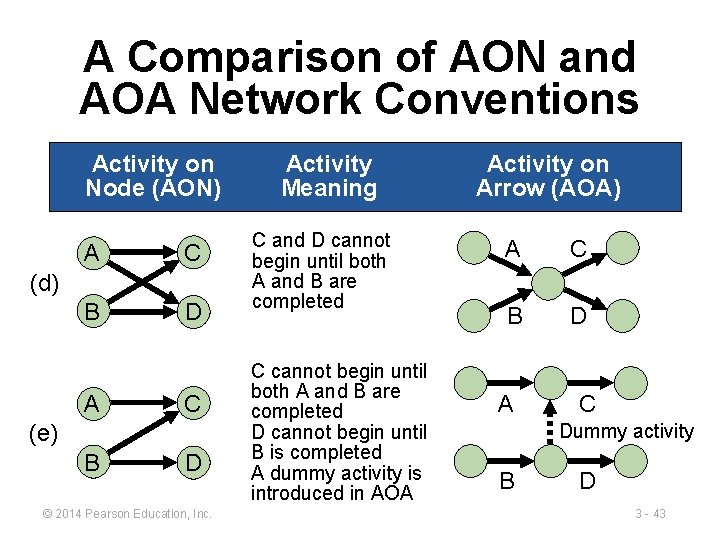
A Comparison of AON and AOA Network Conventions Activity on Node (AON) A C B D (d) A C (e) B D © 2014 Pearson Education, Inc. Activity Meaning C and D cannot begin until both A and B are completed C cannot begin until both A and B are completed D cannot begin until B is completed A dummy activity is introduced in AOA Activity on Arrow (AOA) A C B D A C Dummy activity B D 3 - 43
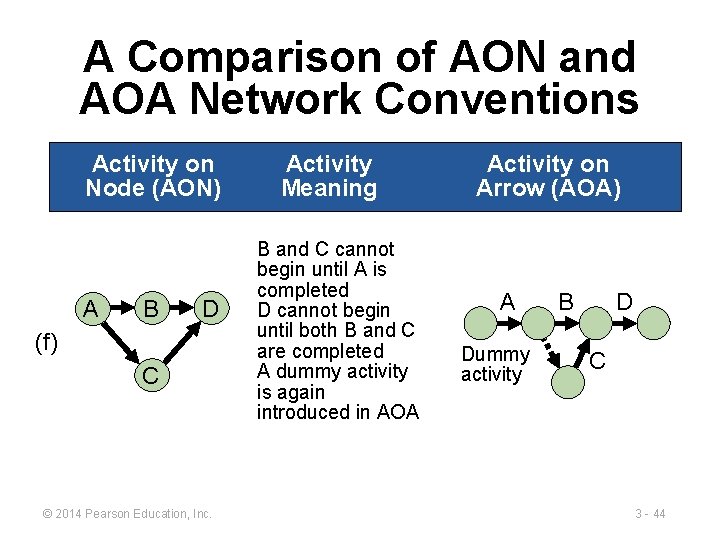
A Comparison of AON and AOA Network Conventions Activity on Node (AON) A B D (f) C © 2014 Pearson Education, Inc. Activity Meaning B and C cannot begin until A is completed D cannot begin until both B and C are completed A dummy activity is again introduced in AOA Activity on Arrow (AOA) A Dummy activity B D C 3 - 44
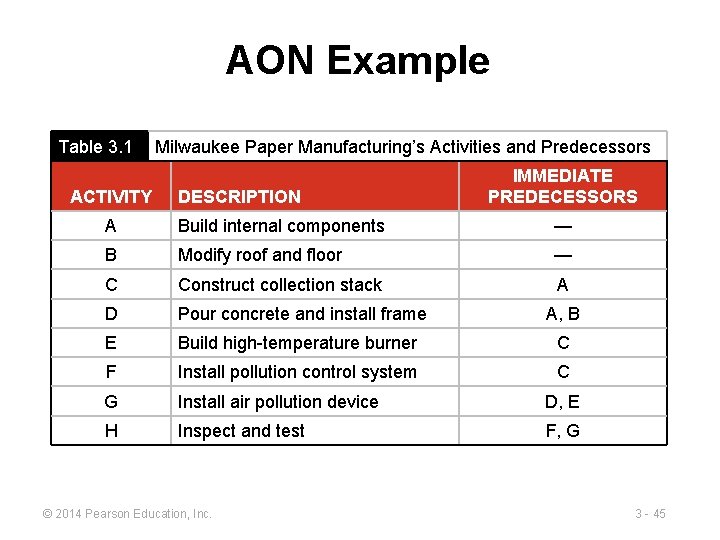
AON Example Table 3. 1 ACTIVITY Milwaukee Paper Manufacturing’s Activities and Predecessors DESCRIPTION IMMEDIATE PREDECESSORS A Build internal components — B Modify roof and floor — C Construct collection stack A D Pour concrete and install frame A, B E Build high-temperature burner C F Install pollution control system C G Install air pollution device D, E H Inspect and test F, G © 2014 Pearson Education, Inc. 3 - 45
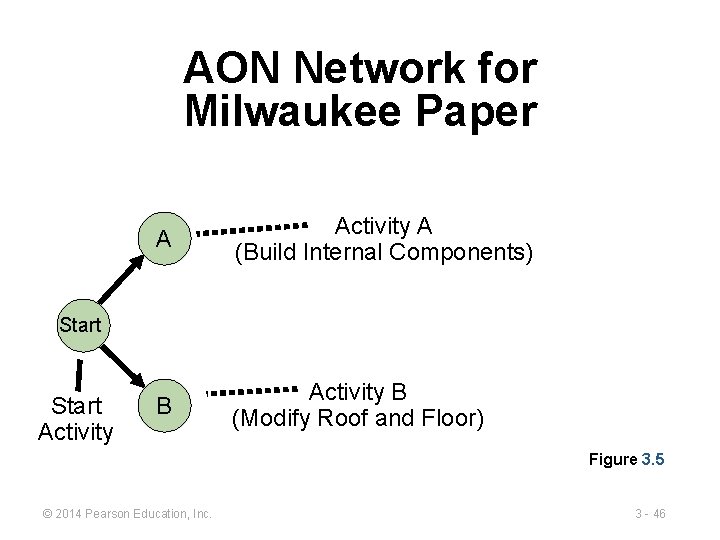
AON Network for Milwaukee Paper A Activity A (Build Internal Components) B Activity B (Modify Roof and Floor) Start Activity Figure 3. 5 © 2014 Pearson Education, Inc. 3 - 46
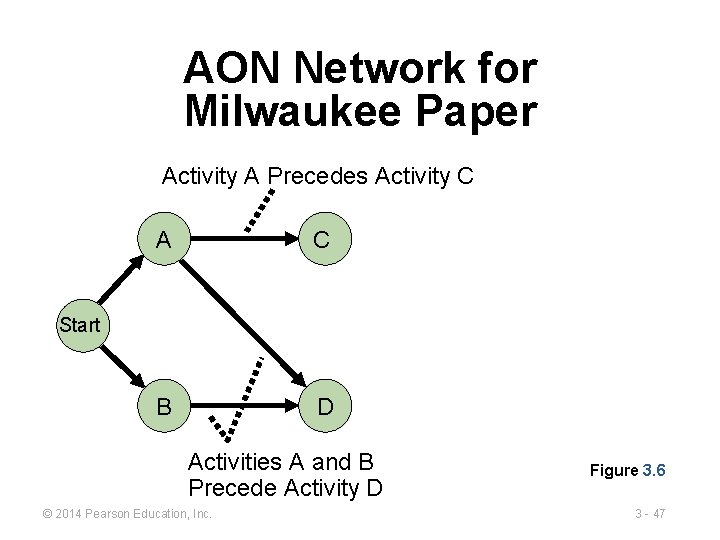
AON Network for Milwaukee Paper Activity A Precedes Activity C A C B D Start Activities A and B Precede Activity D © 2014 Pearson Education, Inc. Figure 3. 6 3 - 47
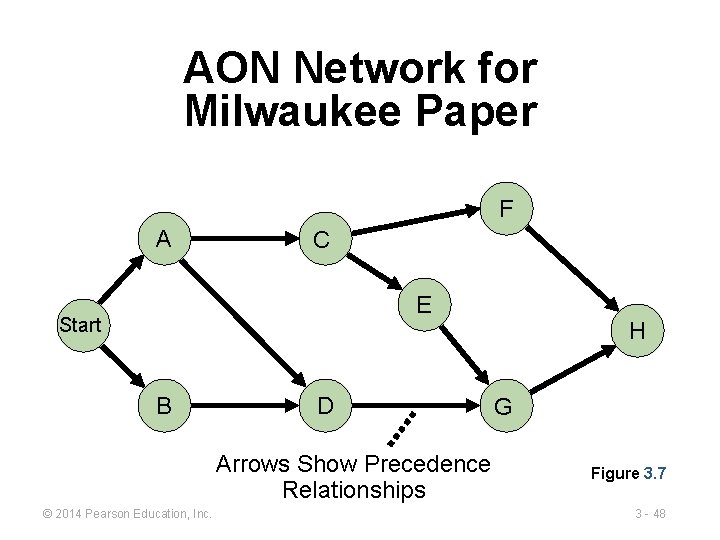
AON Network for Milwaukee Paper F A C E Start B D Arrows Show Precedence Relationships © 2014 Pearson Education, Inc. H G Figure 3. 7 3 - 48
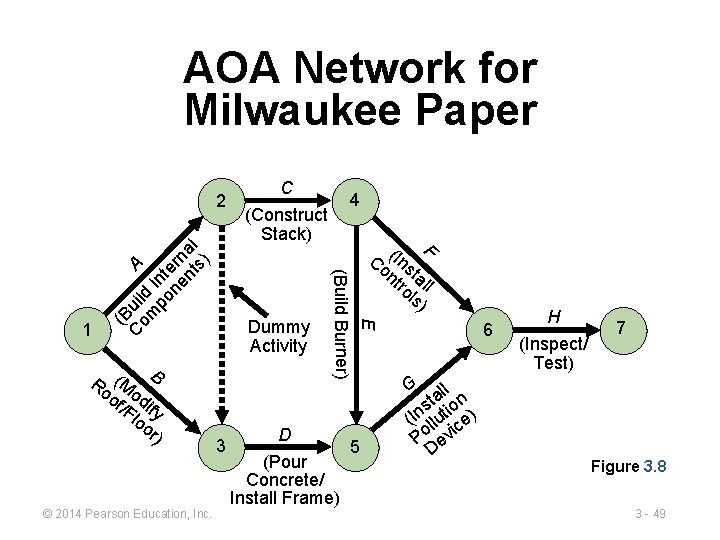
AOA Network for Milwaukee Paper © 2014 Pearson Education, Inc. (Construct Stack) Dummy Activity 3 4 D (Pour Concrete/ Install Frame) F Co (Ins nt tal ro l ls) E Ro (M B of odi /F fy lo or ) C (Build Burner) 1 (B C uil om d A po Inte ne rn nt al s) 2 5 6 H (Inspect/ Test) 7 G l al n t s io (In llut ce) i Po ev D Figure 3. 8 3 - 49
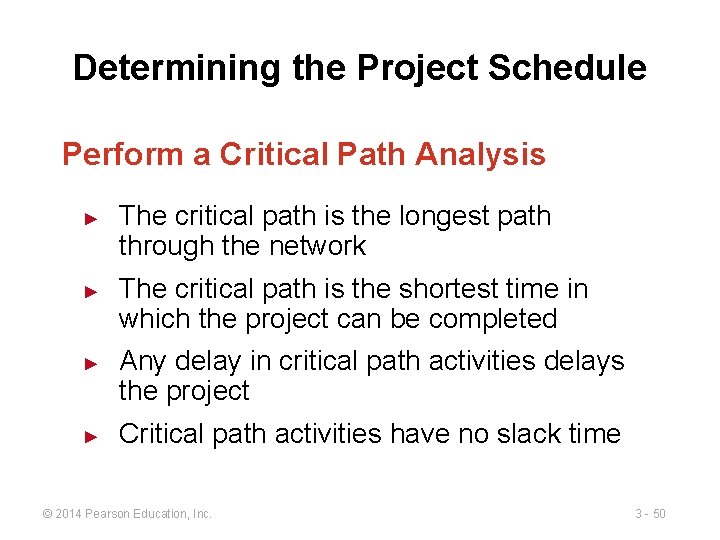
Determining the Project Schedule Perform a Critical Path Analysis ► ► The critical path is the longest path through the network The critical path is the shortest time in which the project can be completed Any delay in critical path activities delays the project Critical path activities have no slack time © 2014 Pearson Education, Inc. 3 - 50
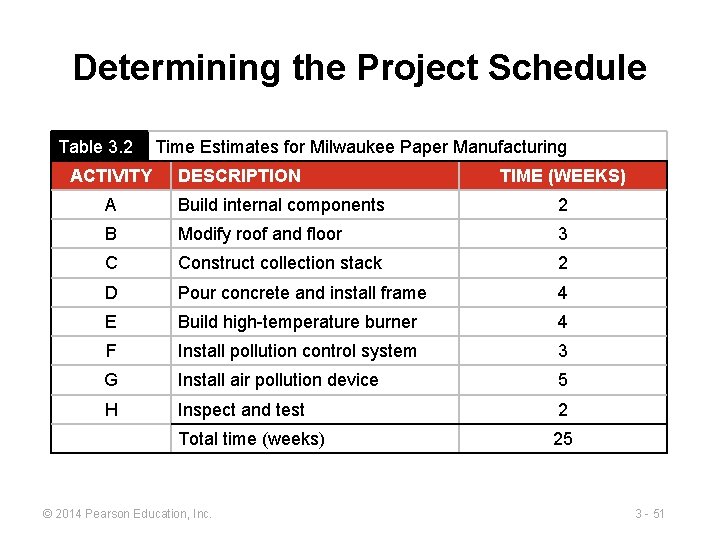
Determining the Project Schedule Table 3. 2 ACTIVITY Time Estimates for Milwaukee Paper Manufacturing DESCRIPTION TIME (WEEKS) A Build internal components 2 B Modify roof and floor 3 C Construct collection stack 2 D Pour concrete and install frame 4 E Build high-temperature burner 4 F Install pollution control system 3 G Install air pollution device 5 H Inspect and test 2 Total time (weeks) 25 © 2014 Pearson Education, Inc. 3 - 51
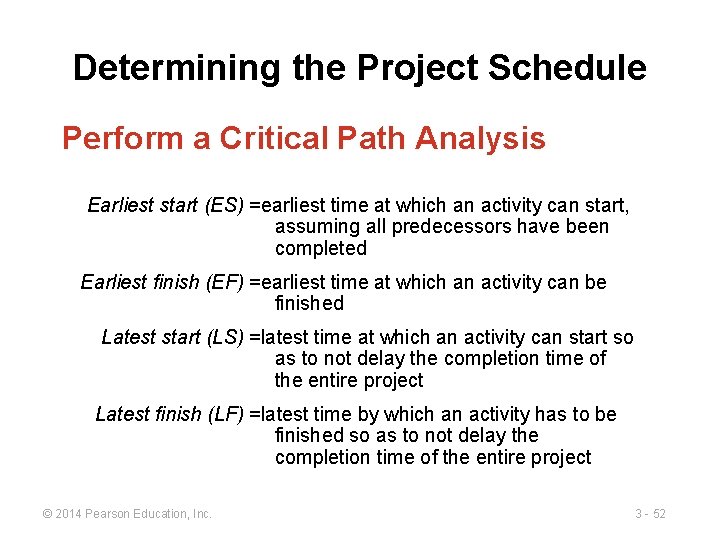
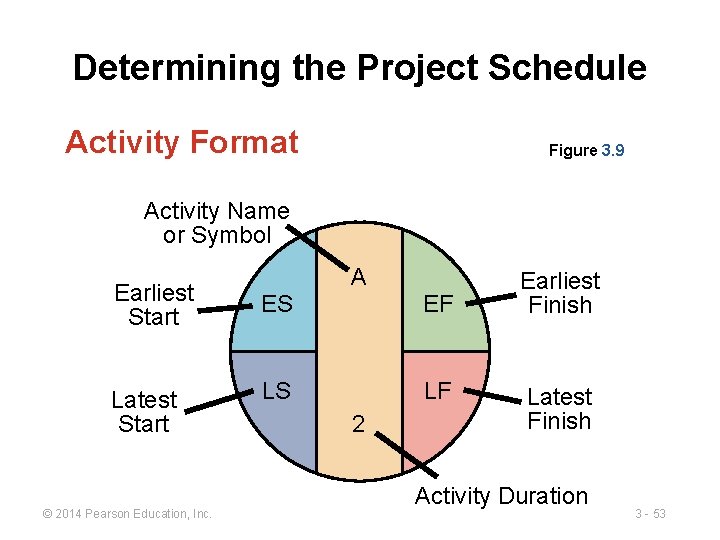
Determining the Project Schedule Perform a Critical Path Analysis Earliest start (ES) =earliest time at which an activity can start, assuming all predecessors have been completed Earliest finish (EF) =earliest time at which an activity can be finished Latest start (LS) =latest time at which an activity can start so as to not delay the completion time of the entire project Latest finish (LF) =latest time by which an activity has to be finished so as to not delay the completion time of the entire project © 2014 Pearson Education, Inc. 3 - 52
Determining the Project Schedule Activity Format Figure 3. 9 Activity Name or Symbol A Earliest Start ES EF Latest Start LS LF © 2014 Pearson Education, Inc. 2 Earliest Finish Latest Finish Activity Duration 3 - 53
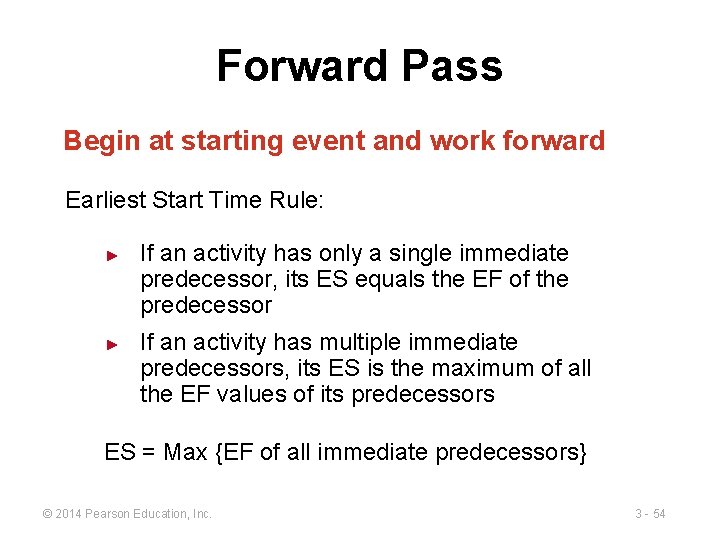
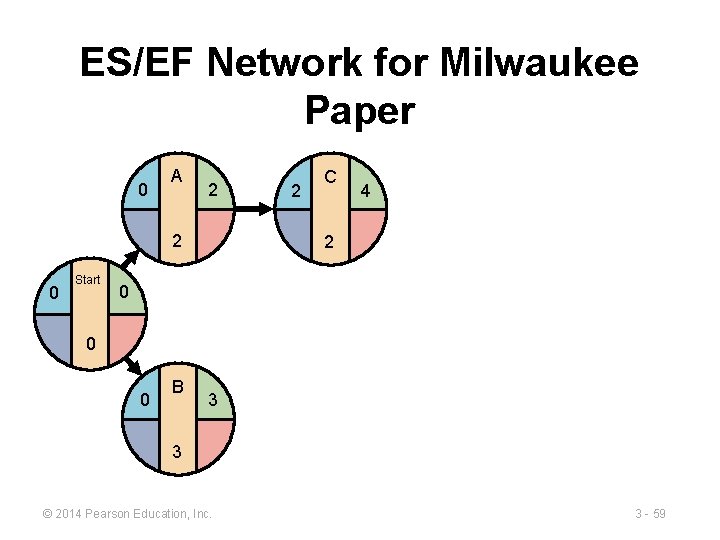
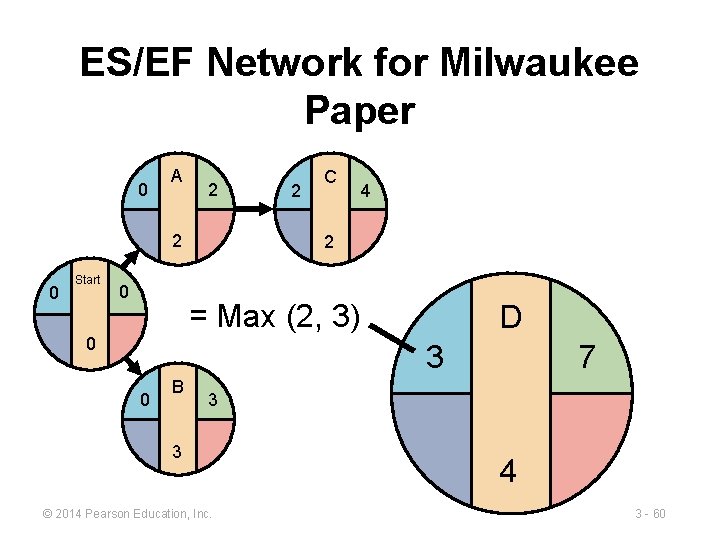
Forward Pass Begin at starting event and work forward Earliest Start Time Rule: ► ► If an activity has only a single immediate predecessor, its ES equals the EF of the predecessor If an activity has multiple immediate predecessors, its ES is the maximum of all the EF values of its predecessors ES = Max {EF of all immediate predecessors} © 2014 Pearson Education, Inc. 3 - 54
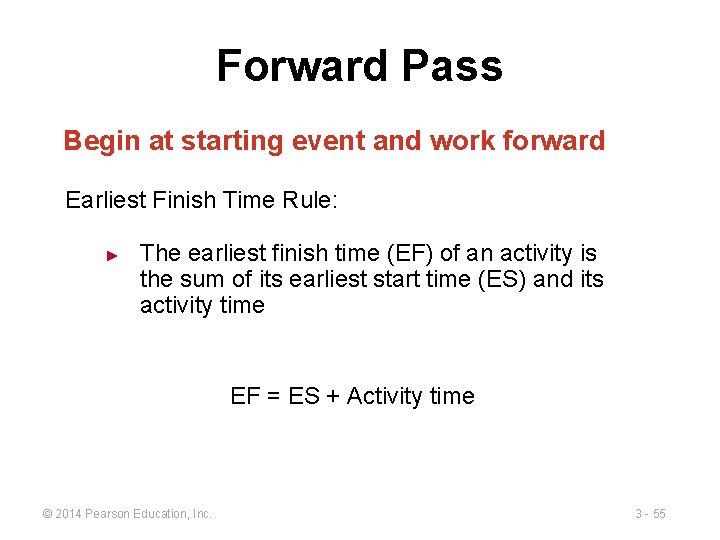
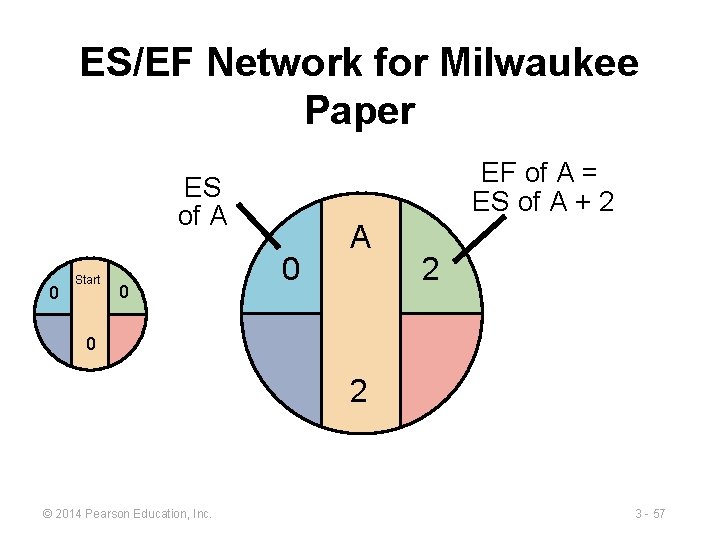
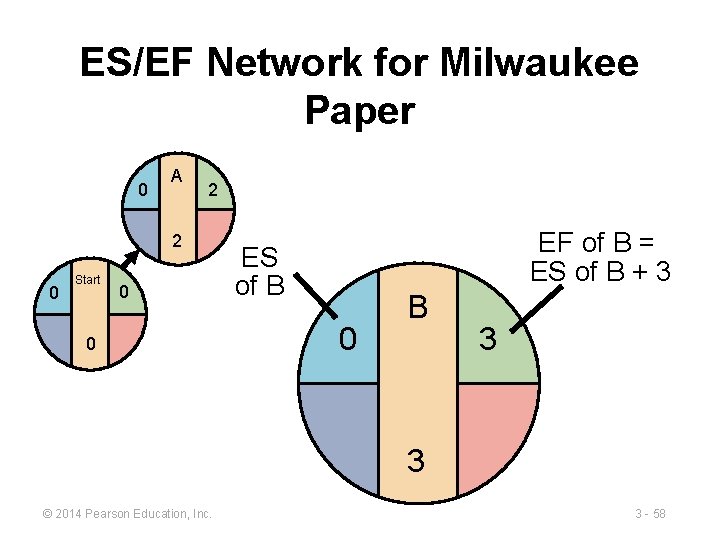
Forward Pass Begin at starting event and work forward Earliest Finish Time Rule: ► The earliest finish time (EF) of an activity is the sum of its earliest start time (ES) and its activity time EF = ES + Activity time © 2014 Pearson Education, Inc. 3 - 55
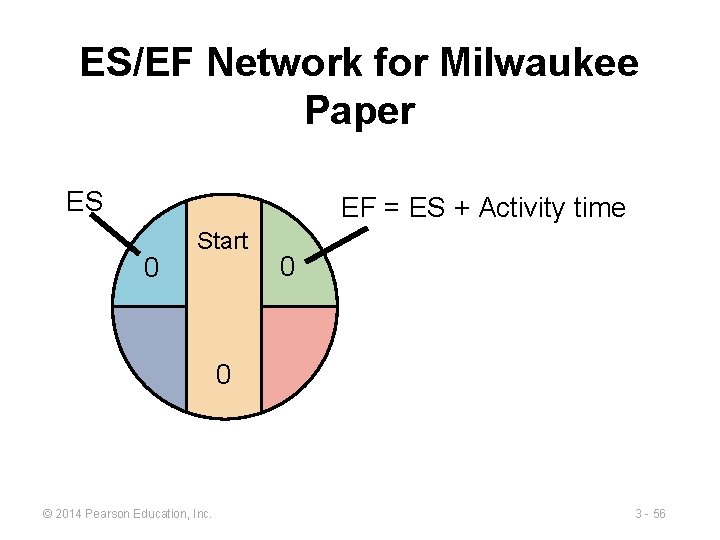
ES/EF Network for Milwaukee Paper ES EF = ES + Activity time 0 Start 0 0 © 2014 Pearson Education, Inc. 3 - 56
ES/EF Network for Milwaukee Paper EF of A = ES of A + 2 ES of A 0 Start 0 0 A 2 0 2 © 2014 Pearson Education, Inc. 3 - 57
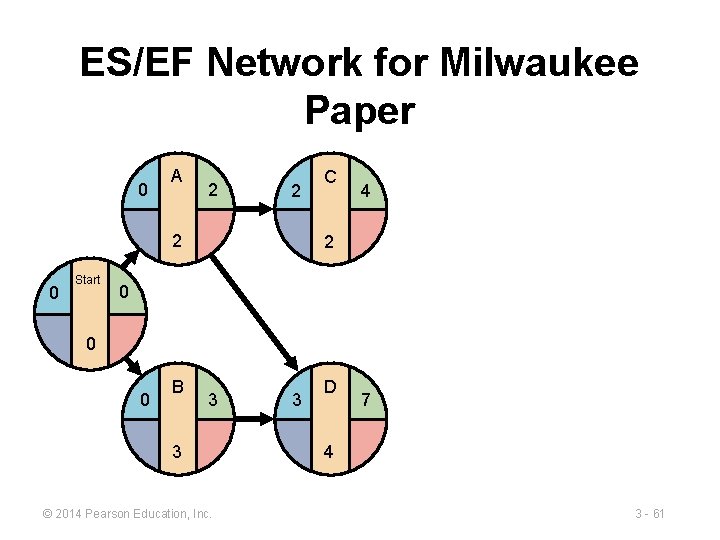
ES/EF Network for Milwaukee Paper 0 A 2 2 0 Start 0 0 EF of B = ES of B + 3 ES of B 0 B 3 3 © 2014 Pearson Education, Inc. 3 - 58
ES/EF Network for Milwaukee Paper 0 A 2 2 0 Start 2 C 4 2 0 0 0 B 3 3 © 2014 Pearson Education, Inc. 3 - 59
ES/EF Network for Milwaukee Paper 0 A 2 2 0 Start 0 2 C 4 2 = Max (2, 3) 0 D 3 0 B 7 3 3 © 2014 Pearson Education, Inc. 4 3 - 60
ES/EF Network for Milwaukee Paper 0 A 2 2 2 0 Start C 4 2 0 0 0 B 3 3 © 2014 Pearson Education, Inc. 3 D 7 4 3 - 61
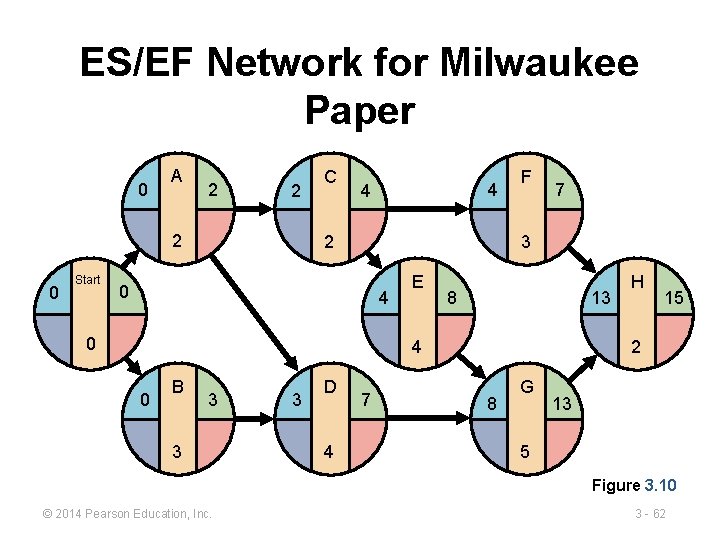
ES/EF Network for Milwaukee Paper 0 A 2 2 2 0 Start C 4 4 2 F 7 3 0 4 0 E 8 13 4 0 B 3 3 3 D 4 7 H 15 2 8 G 13 5 Figure 3. 10 © 2014 Pearson Education, Inc. 3 - 62
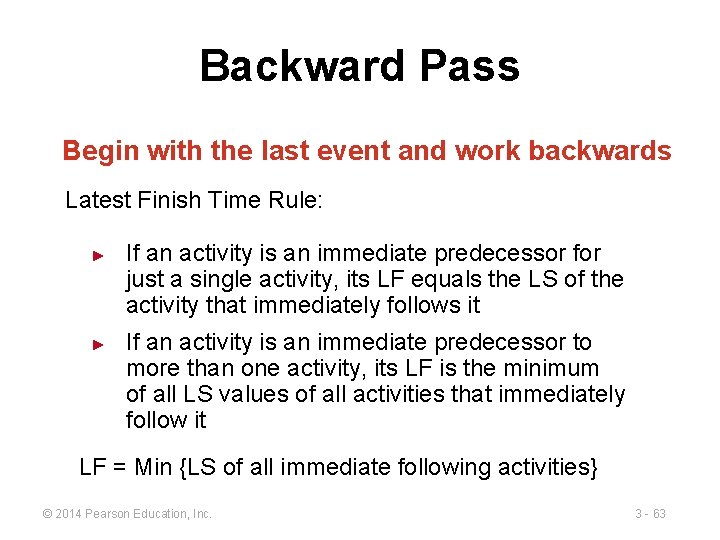
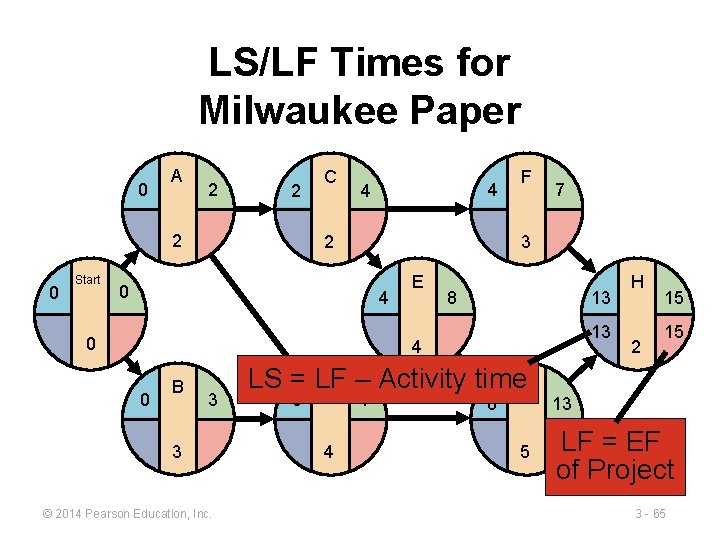
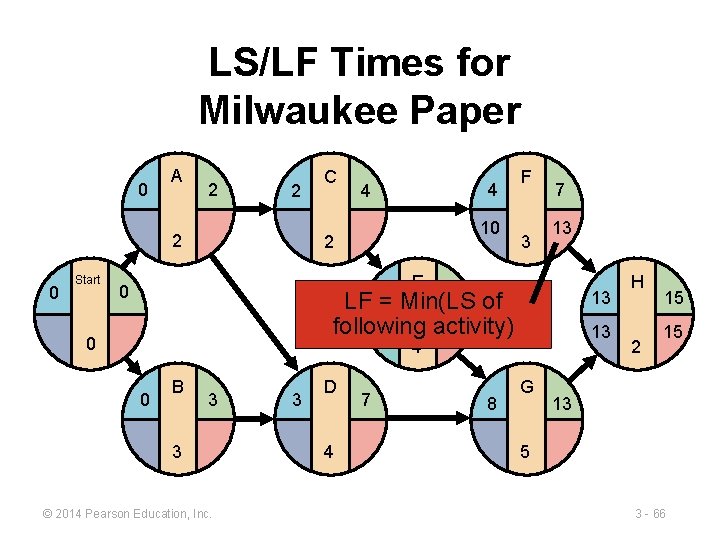
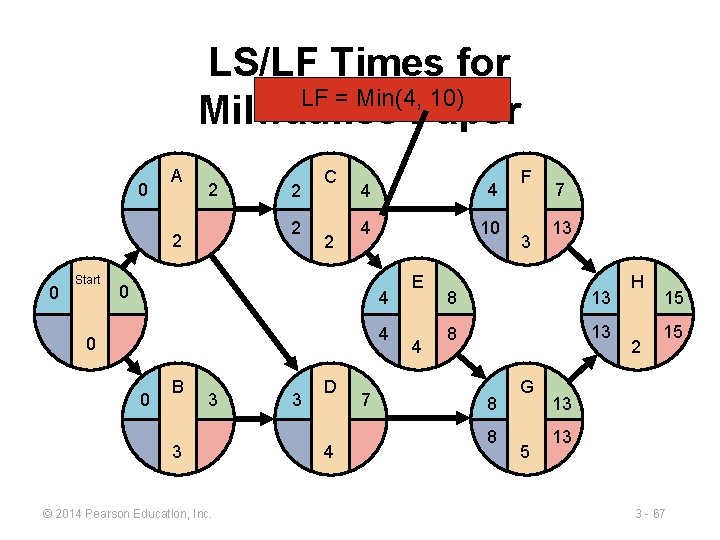
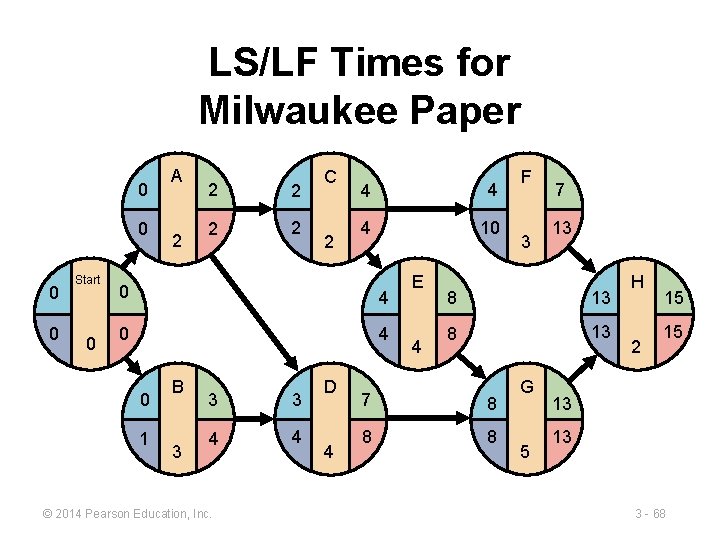
Backward Pass Begin with the last event and work backwards Latest Finish Time Rule: ► ► If an activity is an immediate predecessor for just a single activity, its LF equals the LS of the activity that immediately follows it If an activity is an immediate predecessor to more than one activity, its LF is the minimum of all LS values of all activities that immediately follow it LF = Min {LS of all immediate following activities} © 2014 Pearson Education, Inc. 3 - 63
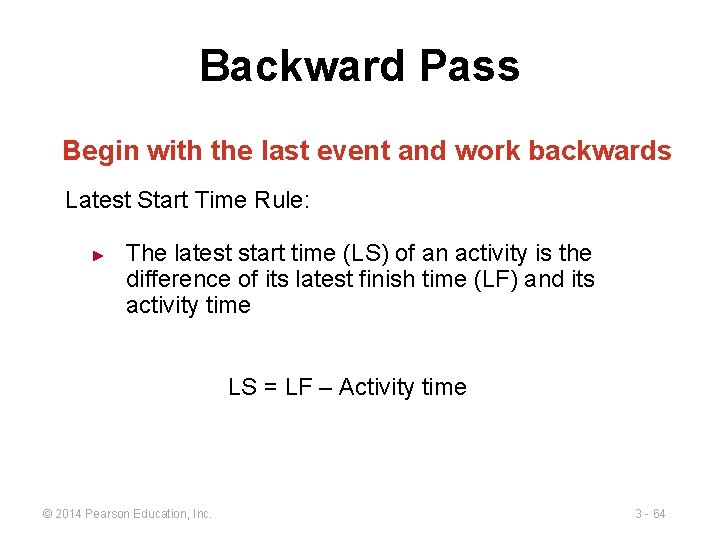
Backward Pass Begin with the last event and work backwards Latest Start Time Rule: ► The latest start time (LS) of an activity is the difference of its latest finish time (LF) and its activity time LS = LF – Activity time © 2014 Pearson Education, Inc. 3 - 64
LS/LF Times for Milwaukee Paper 0 A 2 2 2 0 Start C 4 4 2 F 7 3 0 4 0 E 8 13 13 4 0 B 3 3 © 2014 Pearson Education, Inc. LS = LF D – Activity time. G 3 7 4 8 5 H 2 15 15 13 LF = EF of Project 3 - 65
LS/LF Times for Milwaukee Paper 0 A 2 2 2 0 Start C 4 4 10 2 F 3 7 13 E 0 8 of LF 4= Min(LS following activity) 0 13 13 4 0 B 3 3 © 2014 Pearson Education, Inc. 3 D 4 7 8 G H 2 15 15 13 5 3 - 66
LS/LF Times for LF = Min(4, 10) Milwaukee Paper 0 A 2 2 2 0 Start 2 C 2 4 4 4 10 0 4 4 0 0 B 3 3 © 2014 Pearson Education, Inc. 3 D 4 7 E 4 F 3 7 13 8 8 G 5 H 2 15 15 13 13 3 - 67
LS/LF Times for Milwaukee Paper 0 0 Start 0 A 2 2 2 C 2 4 4 4 10 0 4 0 1 B 3 3 3 4 4 © 2014 Pearson Education, Inc. D 4 E 4 F 3 7 13 8 13 7 8 8 8 G 5 H 2 15 15 13 13 3 - 68
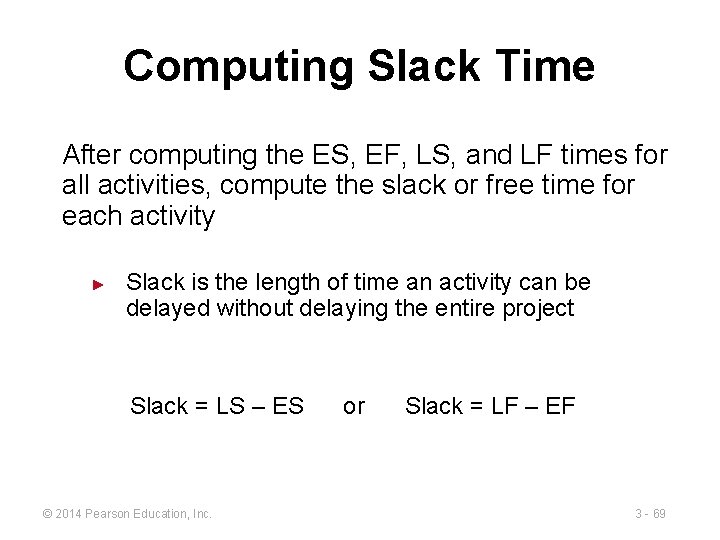
Computing Slack Time After computing the ES, EF, LS, and LF times for all activities, compute the slack or free time for each activity ► Slack is the length of time an activity can be delayed without delaying the entire project Slack = LS – ES © 2014 Pearson Education, Inc. or Slack = LF – EF 3 - 69
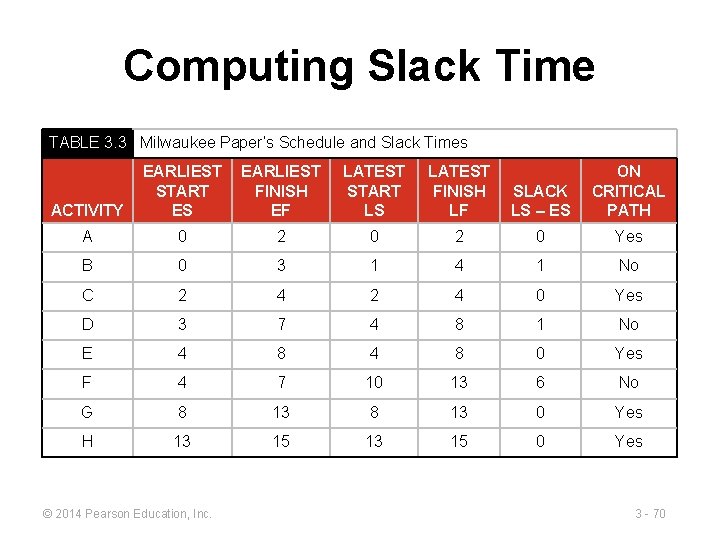
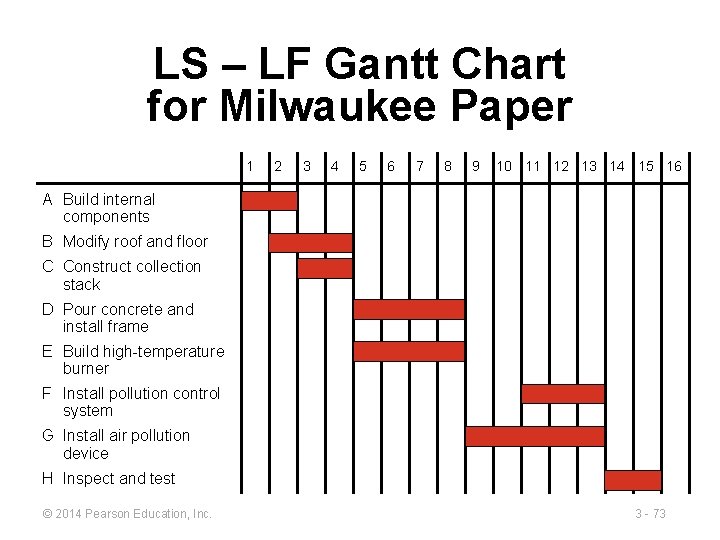
Computing Slack Time TABLE 3. 3 Milwaukee Paper’s Schedule and Slack Times ACTIVITY EARLIEST START ES EARLIEST FINISH EF LATEST START LS LATEST FINISH LF SLACK LS – ES ON CRITICAL PATH A 0 2 0 Yes B 0 3 1 4 1 No C 2 4 0 Yes D 3 7 4 8 1 No E 4 8 0 Yes F 4 7 10 13 6 No G 8 13 0 Yes H 13 15 0 Yes © 2014 Pearson Education, Inc. 3 - 70
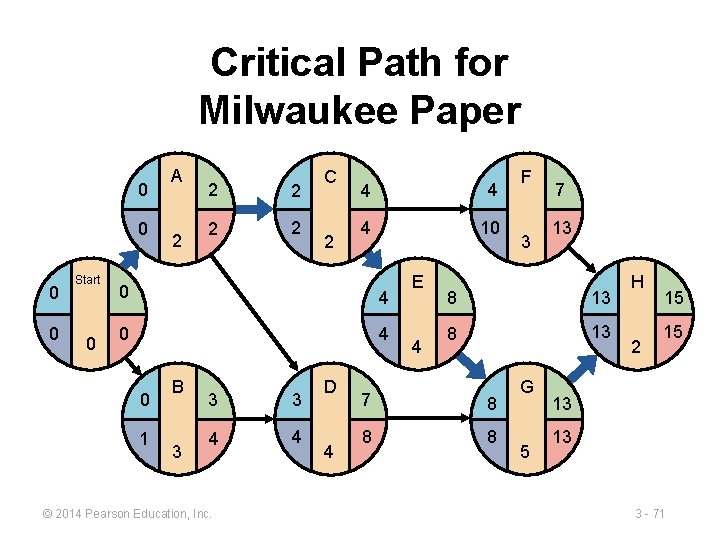
Critical Path for Milwaukee Paper 0 0 Start 0 A 2 2 2 C 2 4 4 4 10 0 4 0 1 B 3 3 3 4 4 © 2014 Pearson Education, Inc. D 4 E 4 F 3 7 13 8 13 7 8 8 8 G 5 H 2 15 15 13 13 3 - 71
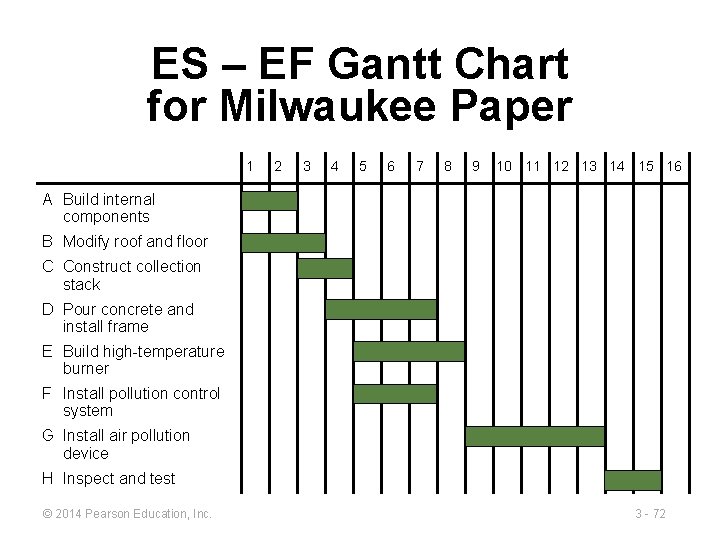
ES – EF Gantt Chart for Milwaukee Paper 1 2 3 4 5 6 7 8 9 10 11 12 13 14 15 16 A Build internal components B Modify roof and floor C Construct collection stack D Pour concrete and install frame E Build high-temperature burner F Install pollution control system G Install air pollution device H Inspect and test © 2014 Pearson Education, Inc. 3 - 72
LS – LF Gantt Chart for Milwaukee Paper 1 2 3 4 5 6 7 8 9 10 11 12 13 14 15 16 A Build internal components B Modify roof and floor C Construct collection stack D Pour concrete and install frame E Build high-temperature burner F Install pollution control system G Install air pollution device H Inspect and test © 2014 Pearson Education, Inc. 3 - 73
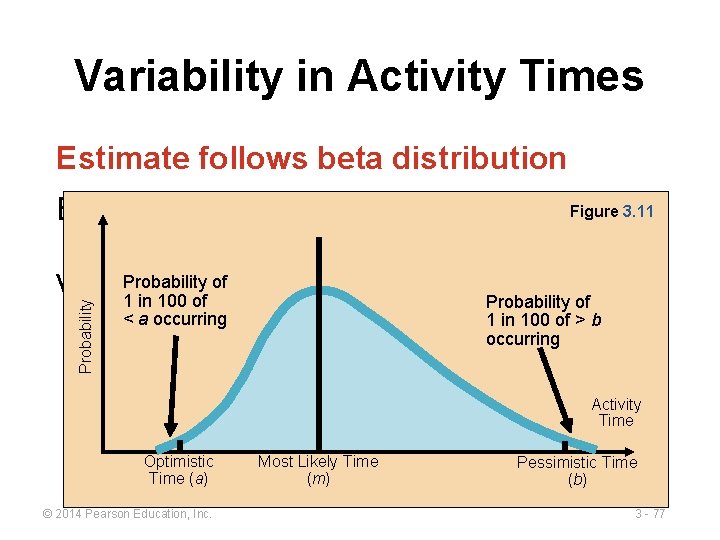
Variability in Activity Times CPM assumes we know a fixed time estimate for each activity and there is no variability in activity times ► PERT uses a probability distribution for activity times to allow for variability ► © 2014 Pearson Education, Inc. 3 - 74
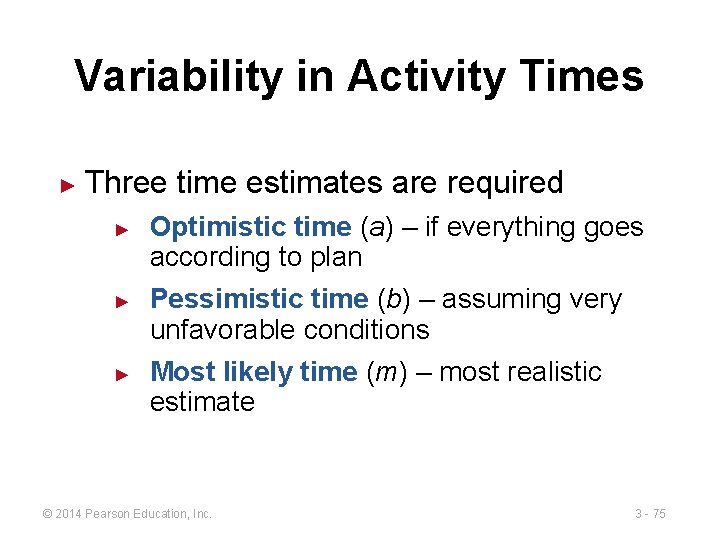
Variability in Activity Times ► Three time estimates are required ► ► ► Optimistic time (a) – if everything goes according to plan Pessimistic time (b) – assuming very unfavorable conditions Most likely time (m) – most realistic estimate © 2014 Pearson Education, Inc. 3 - 75
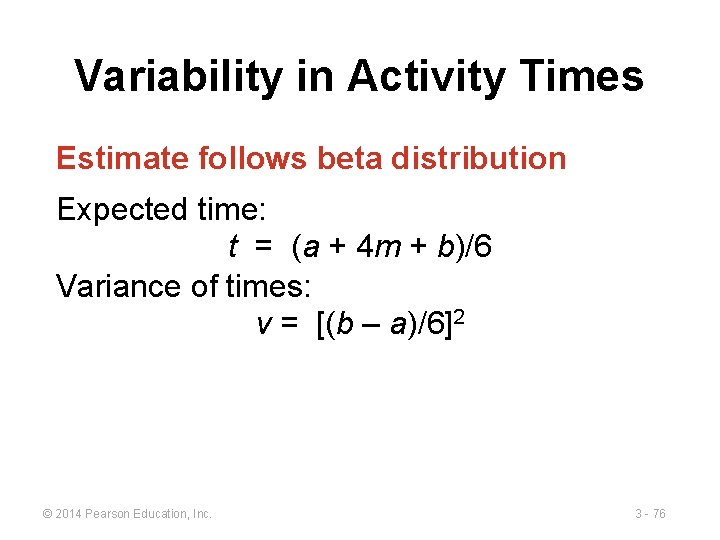
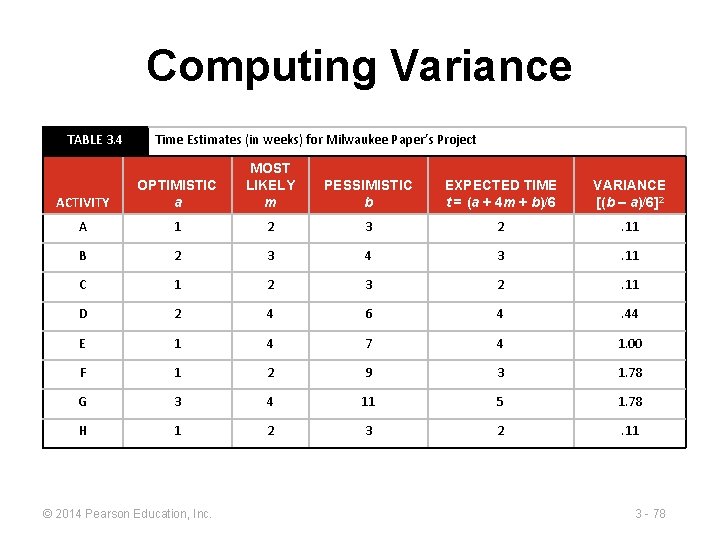
Variability in Activity Times Estimate follows beta distribution Expected time: t = (a + 4 m + b)/6 Variance of times: v = [(b – a)/6]2 © 2014 Pearson Education, Inc. 3 - 76
Variability in Activity Times Estimate follows beta distribution Probability Figure 3. 11 Expected time: t = (a + 4 m + b)/6 Probability oftimes: Variance of 1 in 100 of Probability of < a occurring v = [(b − a)/6]2 1 in 100 of > b occurring Activity Time Optimistic Time (a) © 2014 Pearson Education, Inc. Most Likely Time (m) Pessimistic Time (b) 3 - 77
Computing Variance TABLE 3. 4 Time Estimates (in weeks) for Milwaukee Paper’s Project ACTIVITY OPTIMISTIC a MOST LIKELY m PESSIMISTIC b EXPECTED TIME t = (a + 4 m + b)/6 VARIANCE [(b – a)/6]2 A 1 2 3 2 . 11 B 2 3 4 3 . 11 C 1 2 3 2 . 11 D 2 4 6 4 . 44 E 1 4 7 4 1. 00 F 1 2 9 3 1. 78 G 3 4 11 5 1. 78 H 1 2 3 2 . 11 © 2014 Pearson Education, Inc. 3 - 78
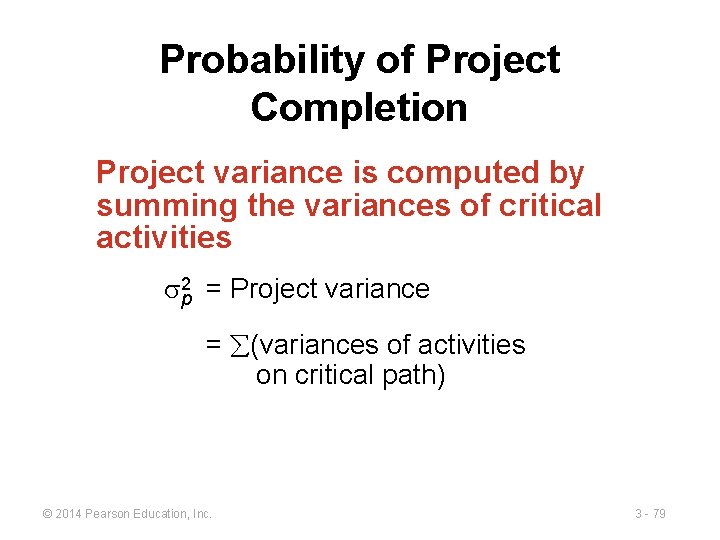
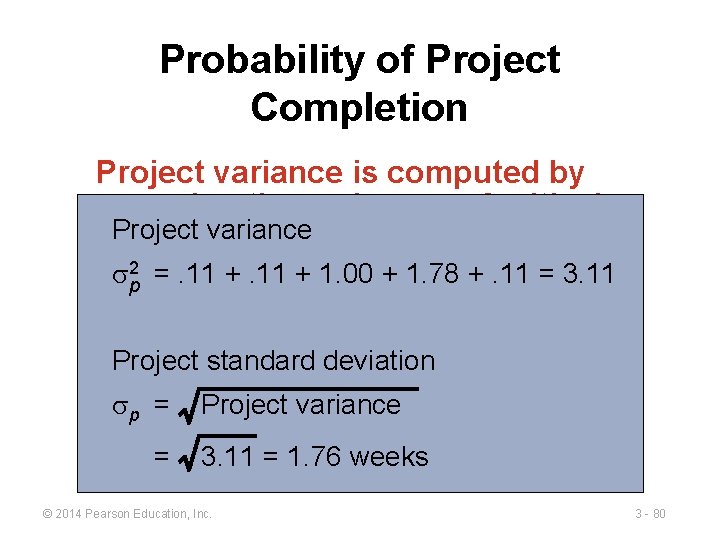
Probability of Project Completion Project variance is computed by summing the variances of critical activities sp 2 = Project variance = (variances of activities on critical path) © 2014 Pearson Education, Inc. 3 - 79
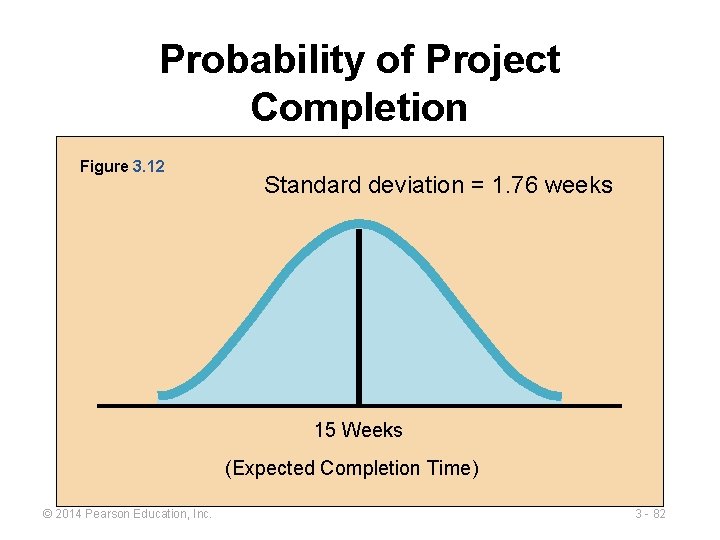
Probability of Project Completion Project variance is computed by summing the variances of critical Project variance activities s 2 p =. 11 + 1. 00 + 1. 78 +. 11 = 3. 11 Project standard deviation sp = = Project variance 3. 11 = 1. 76 weeks © 2014 Pearson Education, Inc. 3 - 80
Probability of Project Completion PERT makes two more assumptions: ► ► Total project completion times follow a normal probability distribution Activity times are statistically independent © 2014 Pearson Education, Inc. 3 - 81
Probability of Project Completion Figure 3. 12 Standard deviation = 1. 76 weeks 15 Weeks (Expected Completion Time) © 2014 Pearson Education, Inc. 3 - 82
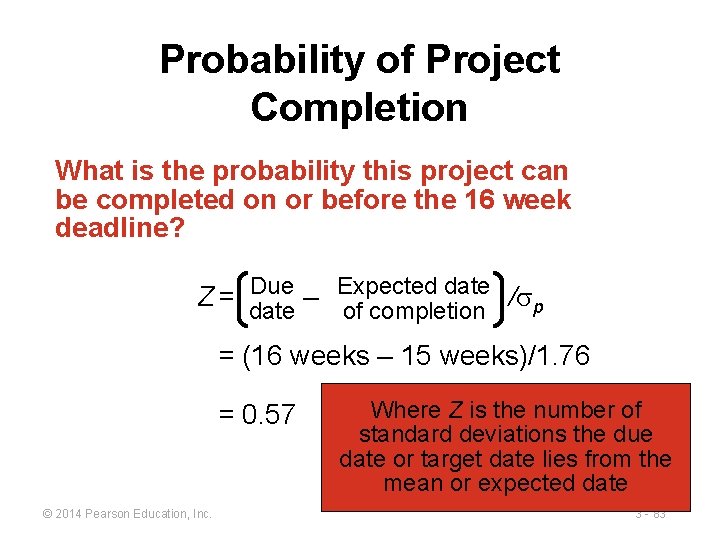
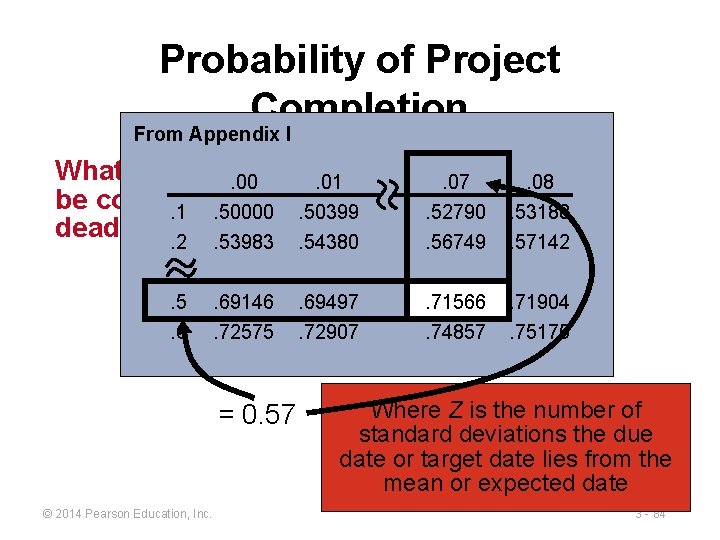
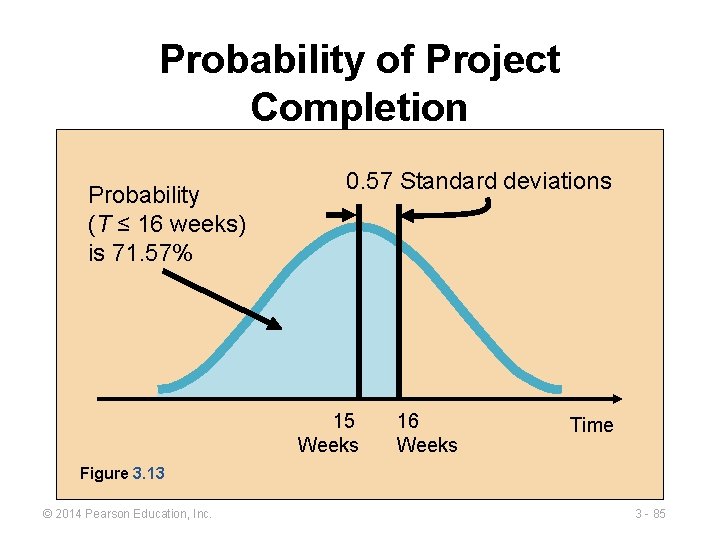
Probability of Project Completion What is the probability this project can be completed on or before the 16 week deadline? Due – Expected date /s Z = date p of completion = (16 weeks – 15 weeks)/1. 76 = 0. 57 © 2014 Pearson Education, Inc. Where Z is the number of standard deviations the due date or target date lies from the mean or expected date 3 - 83
Probability of Project Completion From Appendix I What is the probability can. 00. 01 this project. 07. 08 be completed on or before the 16 week. 1. 50000. 50399. 52790. 53188 deadline? . 2. 53983. 54380. 56749. 57142. 5. 6 due − expected date /s Z. 69146 = date. 69497. 71566. 71904 p of completion. 72575 . 74857 . 75175 = (16 wks − 15 wks)/1. 76 = 0. 57 © 2014 Pearson Education, Inc. . 72907 Where Z is the number of standard deviations the due date or target date lies from the mean or expected date 3 - 84
Probability of Project Completion Probability (T ≤ 16 weeks) is 71. 57% 0. 57 Standard deviations 15 Weeks 16 Weeks Time Figure 3. 13 © 2014 Pearson Education, Inc. 3 - 85
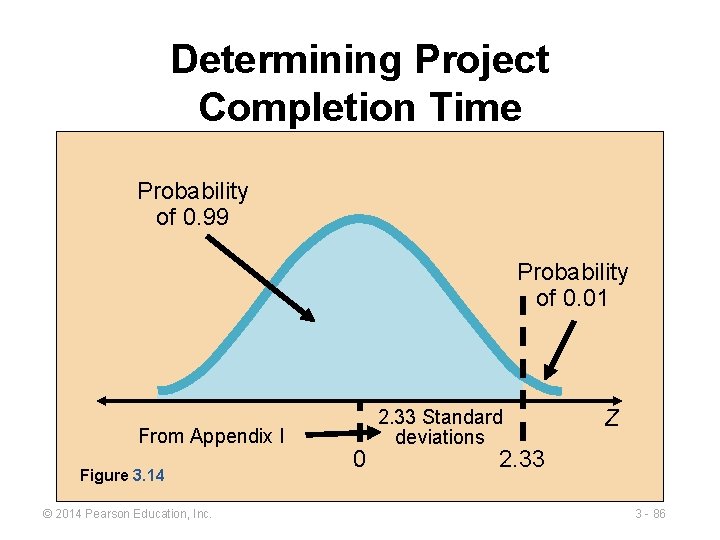
Determining Project Completion Time Probability of 0. 99 Probability of 0. 01 From Appendix I Figure 3. 14 © 2014 Pearson Education, Inc. 0 2. 33 Standard deviations Z 2. 33 3 - 86
Variability of Completion Time for Noncritical Paths Variability of times for activities on noncritical paths must be considered when finding the probability of finishing in a specified time ► Variation in noncritical activity may cause change in critical path ► © 2014 Pearson Education, Inc. 3 - 87
What Project Management Has Provided So Far 1. The project’s expected completion time is 15 weeks 2. There is a 71. 57% chance the equipment will be in place by the 16 week deadline 3. Five activities (A, C, E, G, and H) are on the critical path 4. Three activities (B, D, F) are not on the critical path and have slack time 5. A detailed schedule is available © 2014 Pearson Education, Inc. 3 - 88
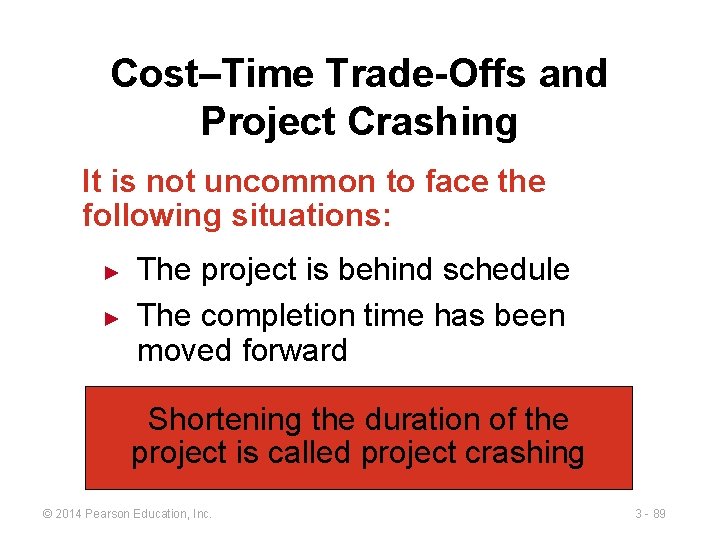
Cost–Time Trade-Offs and Project Crashing It is not uncommon to face the following situations: ► ► The project is behind schedule The completion time has been moved forward Shortening the duration of the project is called project crashing © 2014 Pearson Education, Inc. 3 - 89
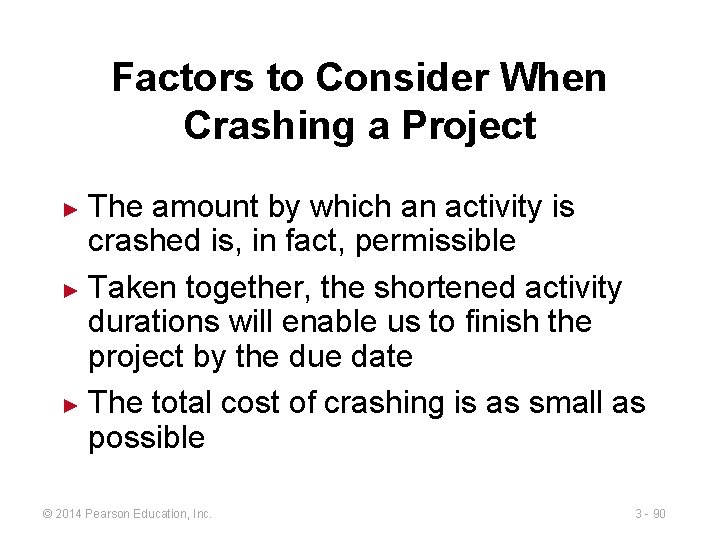
Factors to Consider When Crashing a Project The amount by which an activity is crashed is, in fact, permissible ► Taken together, the shortened activity durations will enable us to finish the project by the due date ► The total cost of crashing is as small as possible ► © 2014 Pearson Education, Inc. 3 - 90
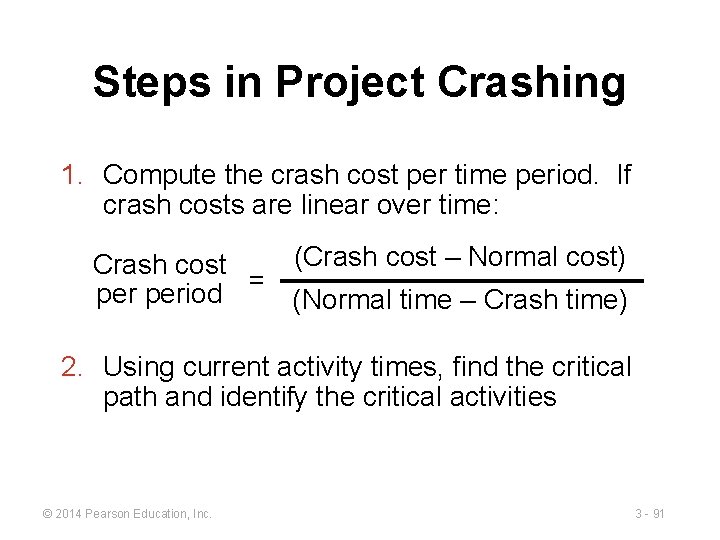
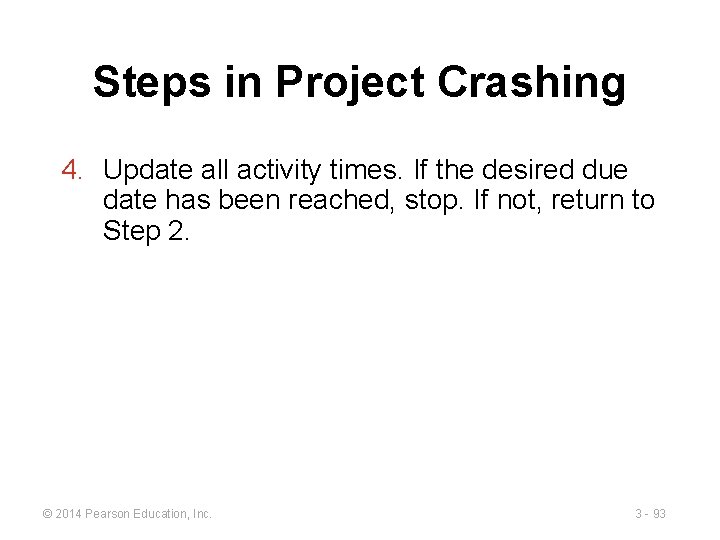
Steps in Project Crashing 1. Compute the crash cost per time period. If crash costs are linear over time: (Crash cost – Normal cost) Crash cost period = (Normal time – Crash time) 2. Using current activity times, find the critical path and identify the critical activities © 2014 Pearson Education, Inc. 3 - 91
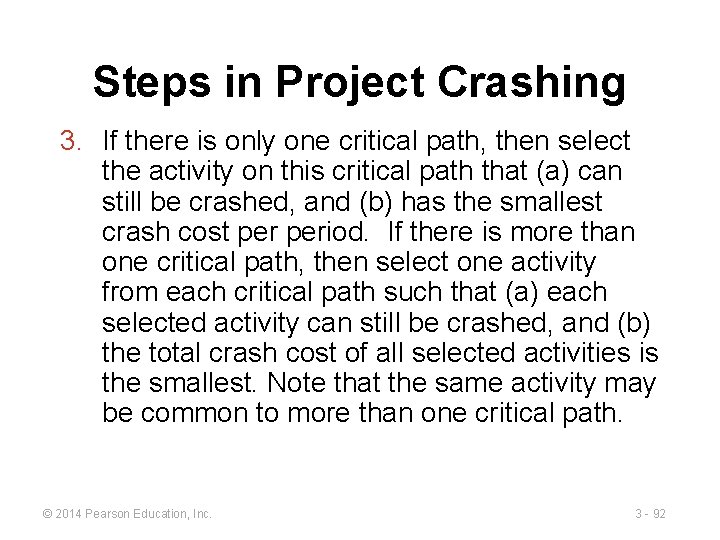
Steps in Project Crashing 3. If there is only one critical path, then select the activity on this critical path that (a) can still be crashed, and (b) has the smallest crash cost period. If there is more than one critical path, then select one activity from each critical path such that (a) each selected activity can still be crashed, and (b) the total crash cost of all selected activities is the smallest. Note that the same activity may be common to more than one critical path. © 2014 Pearson Education, Inc. 3 - 92
Steps in Project Crashing 4. Update all activity times. If the desired due date has been reached, stop. If not, return to Step 2. © 2014 Pearson Education, Inc. 3 - 93
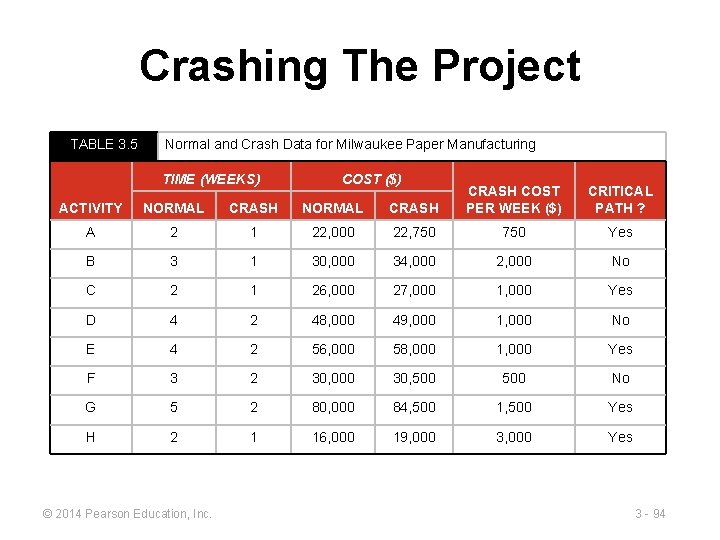
Crashing The Project TABLE 3. 5 Normal and Crash Data for Milwaukee Paper Manufacturing TIME (WEEKS) COST ($) ACTIVITY NORMAL CRASH COST PER WEEK ($) A 2 1 22, 000 22, 750 Yes B 3 1 30, 000 34, 000 2, 000 No C 2 1 26, 000 27, 000 1, 000 Yes D 4 2 48, 000 49, 000 1, 000 No E 4 2 56, 000 58, 000 1, 000 Yes F 3 2 30, 000 30, 500 No G 5 2 80, 000 84, 500 1, 500 Yes H 2 1 16, 000 19, 000 3, 000 Yes © 2014 Pearson Education, Inc. CRITICAL PATH ? 3 - 94
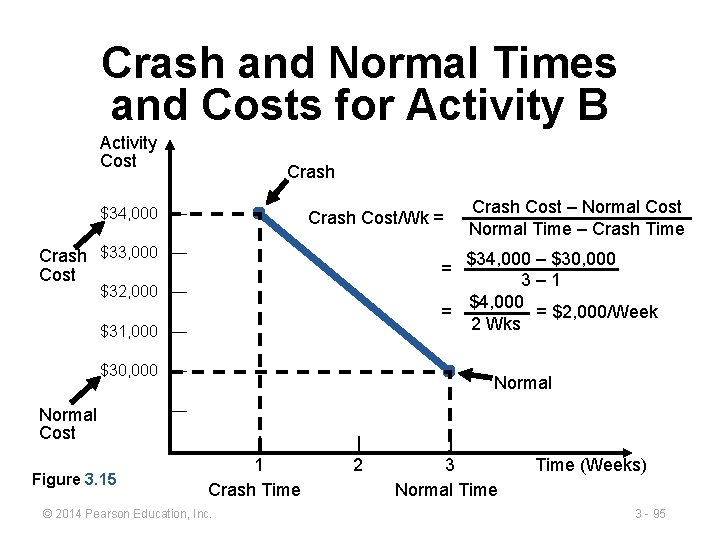
Crash and Normal Times and Costs for Activity B Activity Cost Crash $34, 000 — Crash Cost/Wk = Crash $33, 000 — Cost $34, 000 – $30, 000 3– 1 $4, 000 = = $2, 000/Week 2 Wks = $32, 000 — $31, 000 — $30, 000 — Normal Cost Figure 3. 15 Crash Cost – Normal Cost Normal Time – Crash Time Normal — | 1 Crash Time © 2014 Pearson Education, Inc. | 2 | 3 Normal Time (Weeks) 3 - 95
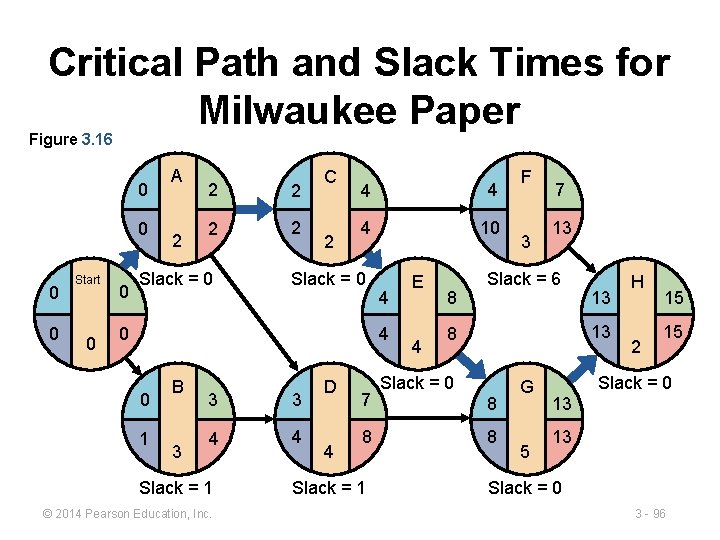
Critical Path and Slack Times for Milwaukee Paper Figure 3. 16 0 0 Start 0 0 A 2 2 2 Slack = 0 C 2 4 4 4 10 Slack = 0 0 4 4 0 1 B 3 3 3 4 4 Slack = 1 © 2014 Pearson Education, Inc. D 4 7 8 Slack = 1 E 4 8 F 3 7 13 Slack = 6 13 13 8 Slack = 0 8 8 G 5 H 2 15 15 Slack = 0 13 13 Slack = 0 3 - 96
Advantages of PERT/CPM 1. Especially useful when scheduling and controlling large projects 2. Straightforward concept and not mathematically complex 3. Graphical networks help highlight relationships among project activities 4. Critical path and slack time analyses help pinpoint activities that need to be closely watched © 2014 Pearson Education, Inc. 3 - 97
Advantages of PERT/CPM 5. Project documentation and graphics point out who is responsible for various activities 6. Applicable to a wide variety of projects 7. Useful in monitoring not only schedules but costs as well © 2014 Pearson Education, Inc. 3 - 98
Limitations of PERT/CPM 1. Project activities have to be clearly defined, independent, and stable in their relationships 2. Precedence relationships must be specified and networked together 3. Time estimates tend to be subjective and are subject to fudging by managers 4. There is an inherent danger of too much emphasis being placed on the longest, or critical, path © 2014 Pearson Education, Inc. 3 - 99
Using Microsoft Project Program 3. 1 © 2014 Pearson Education, Inc. 3 - 100
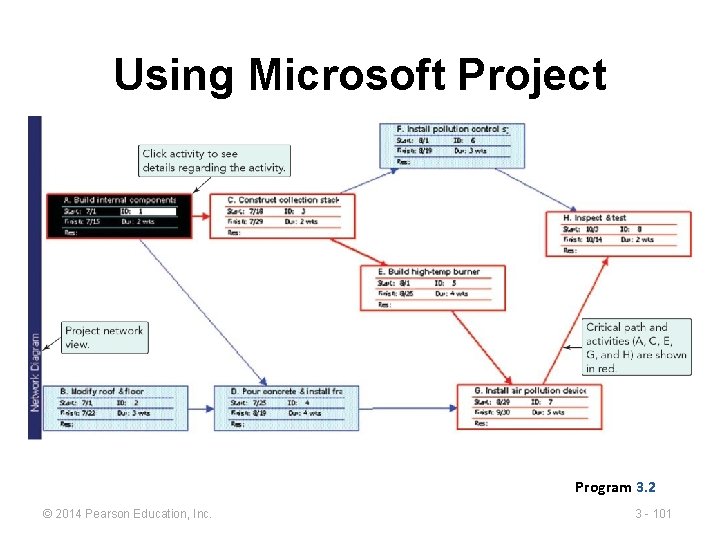
Using Microsoft Project Program 3. 2 © 2014 Pearson Education, Inc. 3 - 101
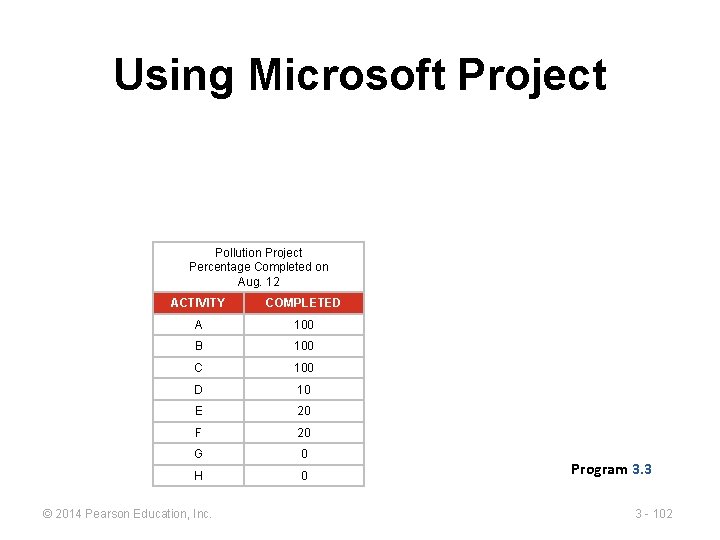
Using Microsoft Project Pollution Project Percentage Completed on Aug. 12 ACTIVITY COMPLETED A 100 B 100 C 100 D 10 E 20 F 20 G 0 H 0 © 2014 Pearson Education, Inc. Program 3. 3 3 - 102
All rights reserved. No part of this publication may be reproduced, stored in a retrieval system, or transmitted, in any form or by any means, electronic, mechanical, photocopying, recording, or otherwise, without the prior written permission of the publisher. Printed in the United States of America. © 2014 Pearson Education, Inc. 3 - 103