
Project Deliverables This week Sequence diagrams User interface
Project Deliverables • This week – – Sequence diagram(s) User interface design (mock-up) State machine diagram for the user interface Revised specification • Next week – Test plan

Implementation Class Skeletons

Class Skeletons • This is the start of the coding phase of system development • Skeletons can be written in the target programming language or pseudo-code – The decision really depends on • Knowing (or not knowing) the target language • Knowing (or not knowing) who will do the programming
Class Skeletons • They’re really just a formal structure for documentation purposes placed on top of the code you are writing – – Written by the designer Provide original designer’s insights/motivations Useful when the designer isn’t the programmer Most useful when the designer isn’t the maintainer • Individual project managers may have their personal style preferences – Style should be consistent across all programmers on the project
Class Skeletons • Should consist of at least these sections: – Roles – Information maintenance – Attributes – Constructors/destructors – Methods
Roles • Behavior of the class within a specified context • In a particular situation, what does the class provide? – May partition the class into functionalities that can be designed or maintained independently
Information Maintenance • Specifies when objects of a particular class type are created and deleted – Not all classes/instances will be used throughout the entire execution of the system • Note that this information comes from the Sequence Diagram – This section is especially important for resource management
Attributes • Declaration of member variables – Brief statement of what the variable will be used for – If the variable represents a measured value, specify the units of the measurement – If the variable stores information in a specific format, specify it – If the variable has a “legal” range of values, specify it – If the variable has dependencies on other variables, specify them • Two explicit sections – Instance variables • Hold data specific to an instance of the class • Non-static member variables – Class variables • Hold data common to all instances of the class • Static member variables – Group all variables of a given type together to improve readability
Constructors/Destructors • If multiple constructors are provided they should be grouped together – Specify the types of initializations or default assumptions made by each constructor • If a destructor/finalizer is provided it should be right after the constructors – Specify any clean-up activity performed
Methods • Three distinct groups – Public – those available to the outside world – Private – those available internally (helper methods) – Protected – language dependent – Grouping by access will make the code more readable for anyone not involved in the original coding • Two distinct sub-groups within each group – Non-static member functions – Static member functions – Again, grouping leads to readability
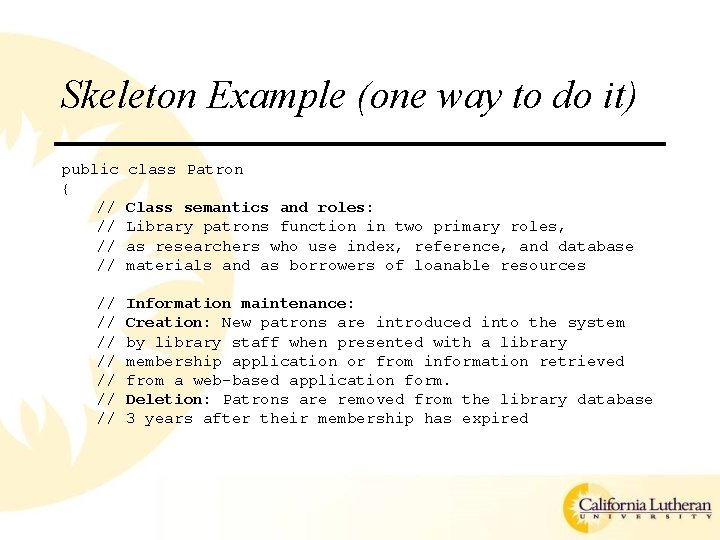
Skeleton Example (one way to do it) public { // // // class Patron Class semantics and roles: Library patrons function in two primary roles, as researchers who use index, reference, and database materials and as borrowers of loanable resources Information maintenance: Creation: New patrons are introduced into the system by library staff when presented with a library membership application or from information retrieved from a web-based application form. Deletion: Patrons are removed from the library database 3 years after their membership has expired
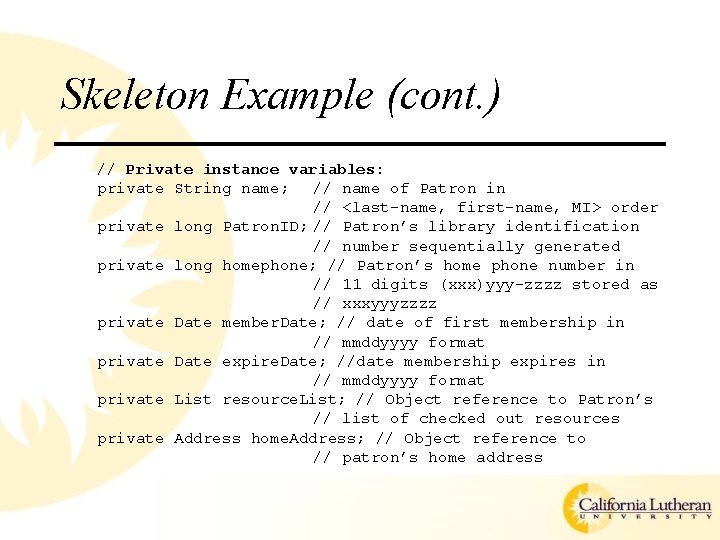
Skeleton Example (cont. ) // Private instance variables: private String name; // name of Patron in // <last-name, first-name, MI> order private long Patron. ID; // Patron’s library identification // number sequentially generated private long homephone; // Patron’s home phone number in // 11 digits (xxx)yyy-zzzz stored as // xxxyyyzzzz private Date member. Date; // date of first membership in // mmddyyyy format private Date expire. Date; //date membership expires in // mmddyyyy format private List resource. List; // Object reference to Patron’s // list of checked out resources private Address home. Address; // Object reference to // patron’s home address
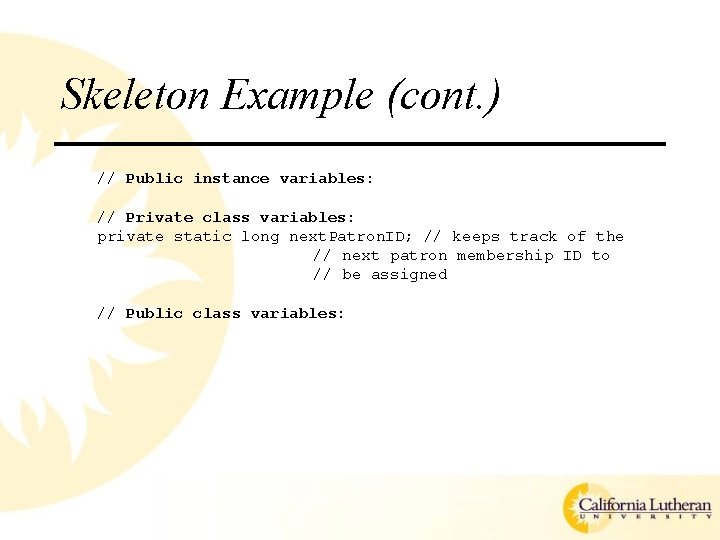
Skeleton Example (cont. ) // Public instance variables: // Private class variables: private static long next. Patron. ID; // keeps track of the // next patron membership ID to // be assigned // Public class variables:
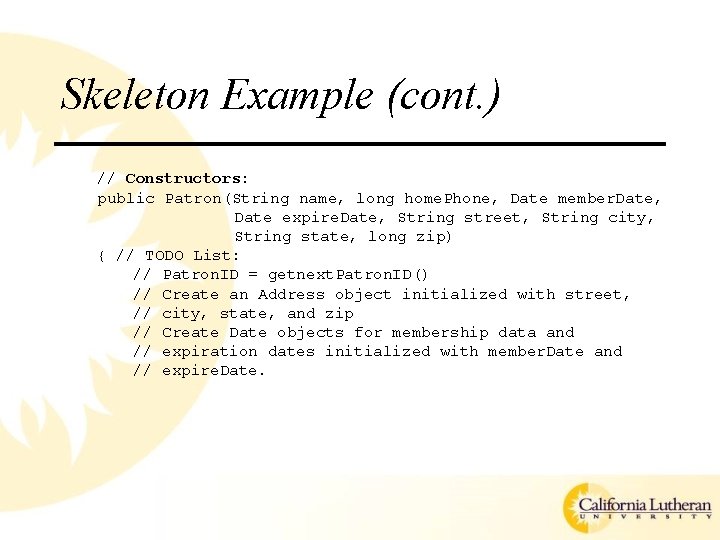
Skeleton Example (cont. ) // Constructors: public Patron(String name, long home. Phone, Date member. Date, Date expire. Date, String street, String city, String state, long zip) { // TODO List: // Patron. ID = getnext. Patron. ID() // Create an Address object initialized with street, // city, state, and zip // Create Date objects for membership data and // expiration dates initialized with member. Date and // expire. Date.
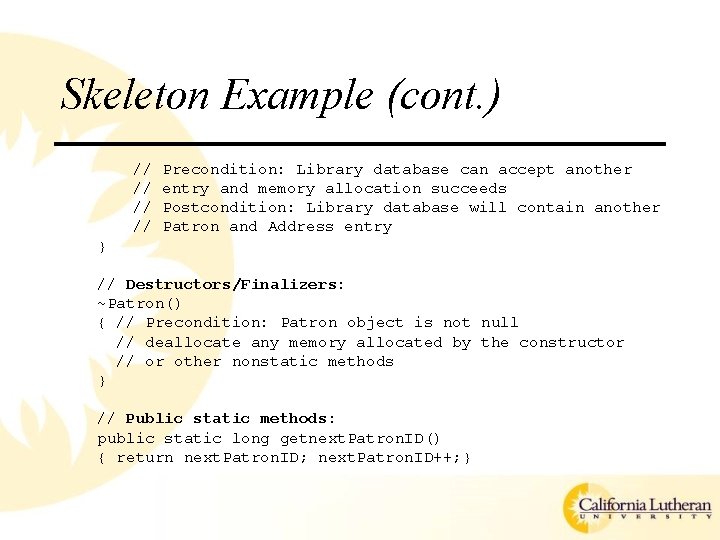
Skeleton Example (cont. ) // // Precondition: Library database can accept another entry and memory allocation succeeds Postcondition: Library database will contain another Patron and Address entry } // Destructors/Finalizers: ~Patron() { // Precondition: Patron object is not null // deallocate any memory allocated by the constructor // or other nonstatic methods } // Public static methods: public static long getnext. Patron. ID() { return next. Patron. ID; next. Patron. ID++; }
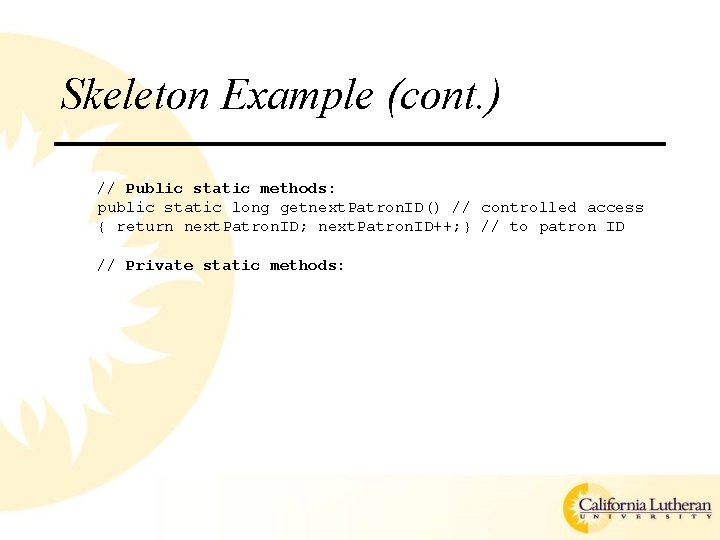
Skeleton Example (cont. ) // Public static methods: public static long getnext. Patron. ID() // controlled access { return next. Patron. ID; next. Patron. ID++; } // to patron ID // Private static methods:
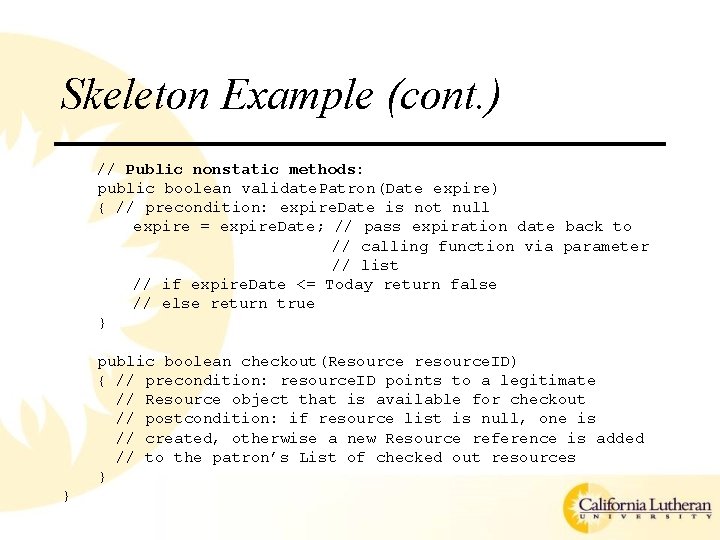
Skeleton Example (cont. ) // Public nonstatic methods: public boolean validate. Patron(Date expire) { // precondition: expire. Date is not null expire = expire. Date; // pass expiration date back to // calling function via parameter // list // if expire. Date <= Today return false // else return true } public boolean checkout(Resource resource. ID) { // precondition: resource. ID points to a legitimate // Resource object that is available for checkout // postcondition: if resource list is null, one is // created, otherwise a new Resource reference is added // to the patron’s List of checked out resources } }
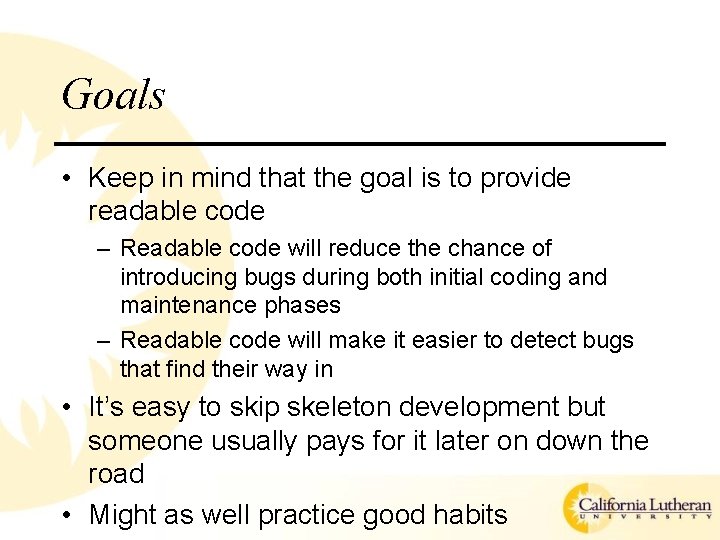
Goals • Keep in mind that the goal is to provide readable code – Readable code will reduce the chance of introducing bugs during both initial coding and maintenance phases – Readable code will make it easier to detect bugs that find their way in • It’s easy to skip skeleton development but someone usually pays for it later on down the road • Might as well practice good habits
End Notes • Much of the “style” presented is my own preference – you may or may not agree with it • The key is to develop a style and stick with it – No matter who’s style you follow, you should (must? ) provide the information – CONSISTENCY COUNTS • IF you know the target programming language you may use it for developing skeletons – If using Java then you may as well use javadoc style – doxygen is an open source version for various languages • Those teams with multiple programmers have an inherent checks-and-balances system with respect to style • Those teams with a single programmer must use other team members (non-programmers) to perform the stylistic checks-and -balances
Where Does This Get Us? • We’ve started the process of writing code • We’ve started the process of documenting the code

Implementation
Implementation • It’s time to start turning out code! • In doing so, a couple of issues arise – Configuration management – Coding
Configuration Management • Goals of configuration management (CM) – – Identify change Control change Ensure proper implementation of change Report change • In this context “change” refers to alterations in the original, agreed upon specification • Another goal of CM is to track progress (which is another form of change) • The two are separated because “change” is much more difficult to deal with than is “progress”
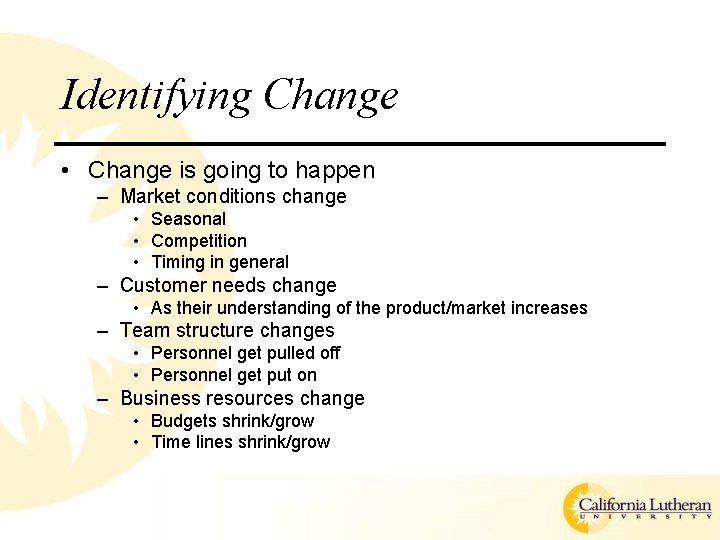
Identifying Change • Change is going to happen – Market conditions change • Seasonal • Competition • Timing in general – Customer needs change • As their understanding of the product/market increases – Team structure changes • Personnel get pulled off • Personnel get put on – Business resources change • Budgets shrink/grow • Time lines shrink/grow
Controlling Change • Given that change is going to happen, we’d like to make it as painless as possible • Uncontrolled change has the potential to sink a project • Controlling change requires both manual and automated systems working together
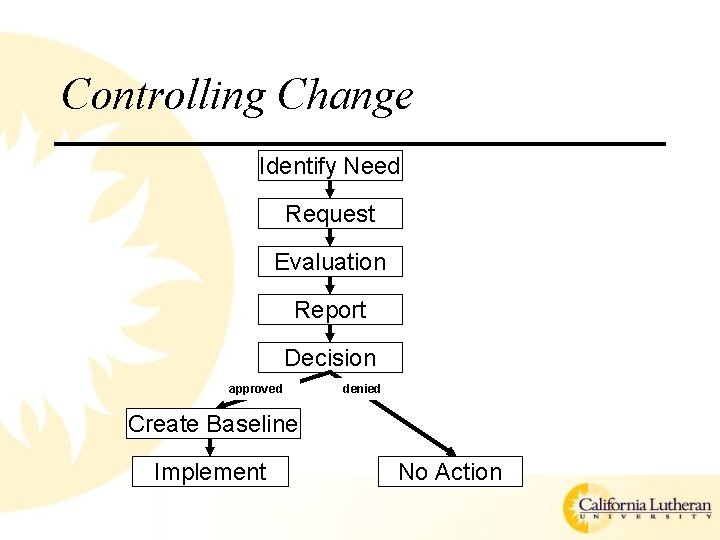
Controlling Change Identify Need Request Evaluation Report Decision approved denied Create Baseline Implement No Action
Proper Implementation • Once the change is approved, the implementation must follow all software engineering practices – Formal design and review procedures – Formal system test procedures (regression testing)
Report Change • After implementation, the change procedure must be audited – Did the change request pass all proper channels? – Were proper S/W engineering practices adhered too?
Tracking Progress • Status reporting • Baseline generation
Status Reporting • Regularly submitted reports – What happened? – Who did it? – When did it happen? – What else was/will be affected? • Reports may be written (classical S/W engineering) or oral (agile methods)
Baseline Generation • When you have a working (albeit incomplete) system you should make a copy and hide it away in a safe, dark corner where no one can get at it • This way any progress or change that goes awry can be easily rolled back
Configuration Management Tools • Various semi-automated tools exist for aiding in the performance of all of the aforementioned tasks – – – The provide mechanisms for Version identification Version control Auditing Reporting • But, the tools are only useful when used properly!
Configuration Management Tools • Computer Associates All. Fusion (used to be CCC/Harvest? ) • Rational (IBM) Clear. Case • Open source Concurrent Versions System (CVS) • Serena Change. Man (used to be Merant PVCS? ) • Source. Forge • Microsoft Visual Source. Safe • Sub. Version • Perforce
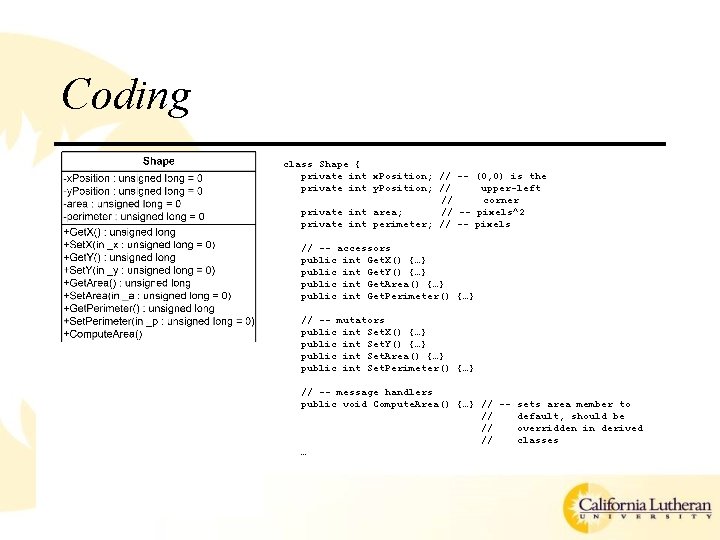
Coding class Shape { private int x. Position; // -- (0, 0) is the private int y. Position; // upper-left // corner private int area; // -- pixels^2 private int perimeter; // -- pixels // -- accessors public int Get. X() {…} public int Get. Y() {…} public int Get. Area() {…} public int Get. Perimeter() {…} // -- mutators public int Set. X() {…} public int Set. Y() {…} public int Set. Area() {…} public int Set. Perimeter() {…} // -- message handlers public void Compute. Area() {…} // -- sets area member to // default, should be // overridden in derived // classes …
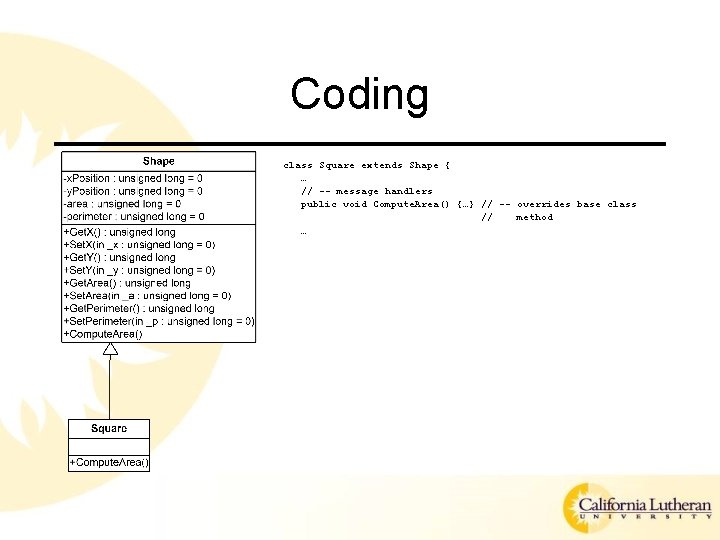
Coding class Square extends Shape { … // -- message handlers public void Compute. Area() {…} // -- overrides base class // method …
Big Bang Method • Code all the modules individually • Integration happens when all module coding is complete • Basic recipe for disaster • Essentially how beginning programmers do things – Because that’s how they’re taught
Top-Down Method • Start by defining the “architecture” defining modules – Corresponds to the “product design” items we studied – The “main” function • Provide “stub” or “dummy” classes and methods for all other functionality • Fill in details with a “refinement” approach • A good approach when the details of the design are not fully worked out – Allows you to get something running while design is ongoing
Bottom-Up Method • Start with the detailed classes and methods • Work your way up to the architecture • A question arises… – How do you test the detailed classes and methods? – Answer: You create test drivers for each class/module. • A good approach when the details are critical and require a lot of testing prior to product release • Also a good approach when you have nervous designers…like me
Top-Down/Bottom-Up Method • Top-Down and Bottom-Up are both Incremental approaches – Contrary to the Big-Bang Method • Thus, they are compatible with one another • In practice, a combination of the two approaches is applied • Results in the Threads method
Threads Method • Define a minimal set of modules required to perform a system function – May correspond to a Use Case • As one thread is completed it can… – go to the customer for feedback – go into testing • …while the next one is being developed
Implementation Plan • The most important thing is to have a plan! – Plan for coding – Plan for unit testing – Plan for integration – Plan for integrated testing
Programming Style • Very subjective topic • Goals are – Simplicity – Readability • General rule – Consistency – Uniformity These will not only support implementation, but maintenance
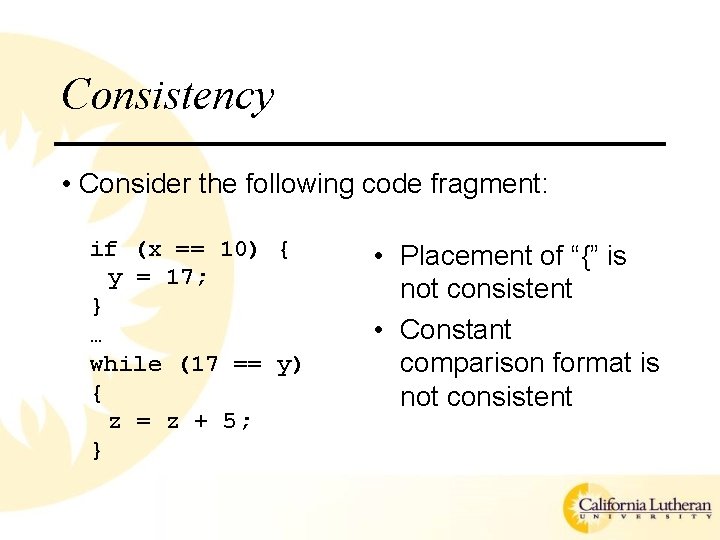
Consistency • Consider the following code fragment: if (x == 10) { y = 17; } … while (17 == y) { z = z + 5; } • Placement of “{” is not consistent • Constant comparison format is not consistent
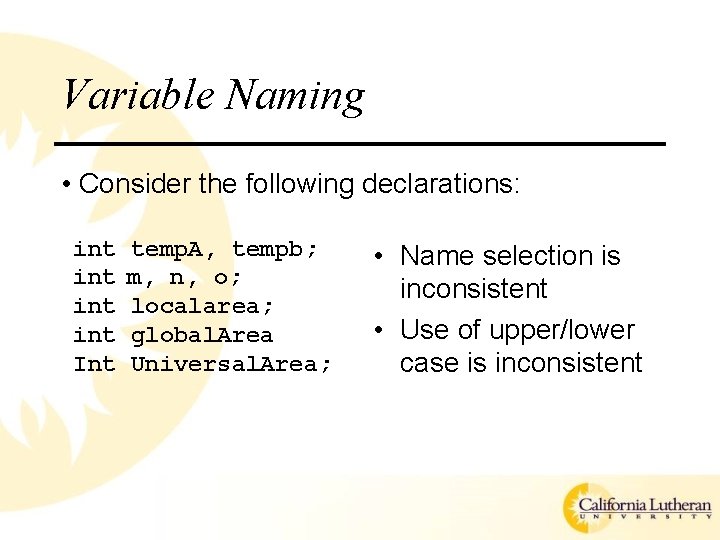
Variable Naming • Consider the following declarations: int int Int temp. A, tempb; m, n, o; localarea; global. Area Universal. Area; • Name selection is inconsistent • Use of upper/lower case is inconsistent
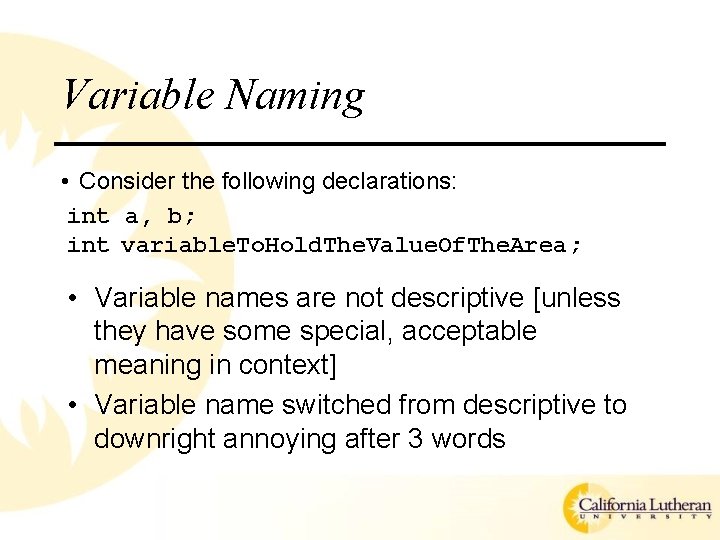
Variable Naming • Consider the following declarations: int a, b; int variable. To. Hold. The. Value. Of. The. Area; • Variable names are not descriptive [unless they have some special, acceptable meaning in context] • Variable name switched from descriptive to downright annoying after 3 words
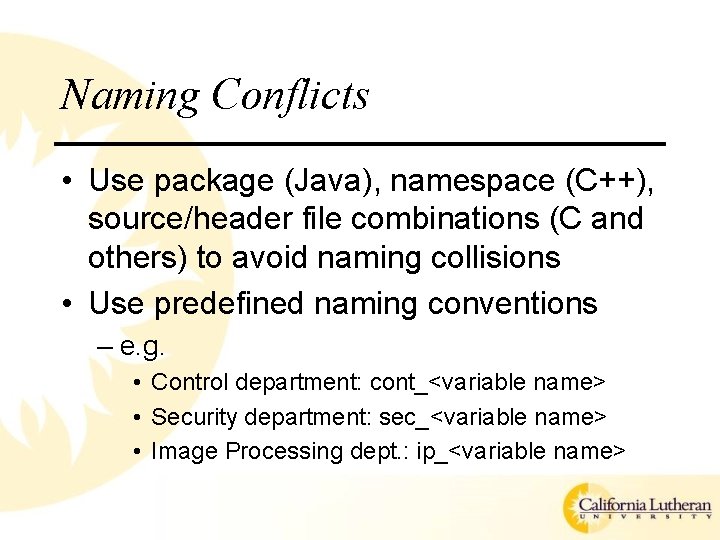
Naming Conflicts • Use package (Java), namespace (C++), source/header file combinations (C and others) to avoid naming collisions • Use predefined naming conventions – e. g. • Control department: cont_<variable name> • Security department: sec_<variable name> • Image Processing dept. : ip_<variable name>
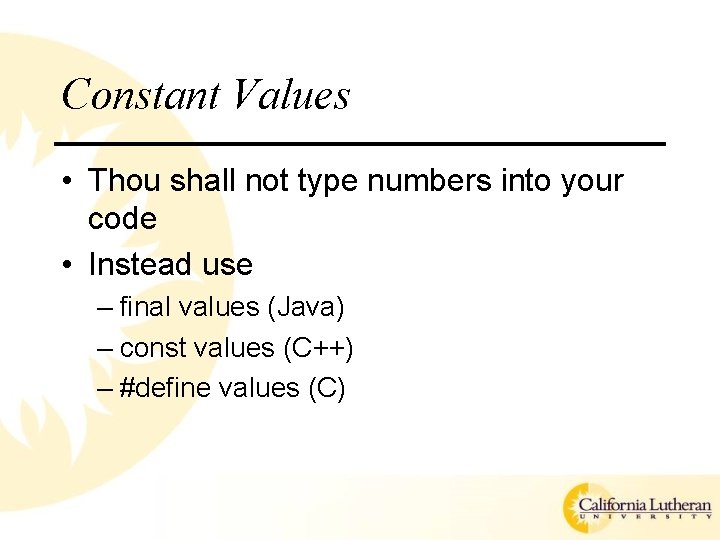
Constant Values • Thou shall not type numbers into your code • Instead use – final values (Java) – const values (C++) – #define values (C)
Side Effects • If functions (methods) must modify values outside their “immediate scope” (i. e. global values), make the situation clear through documentation • If functions (methods) modify their parameters (pass by reference) make the situation clear through documentation – This is especially important in Java (use of Object class and type casting)
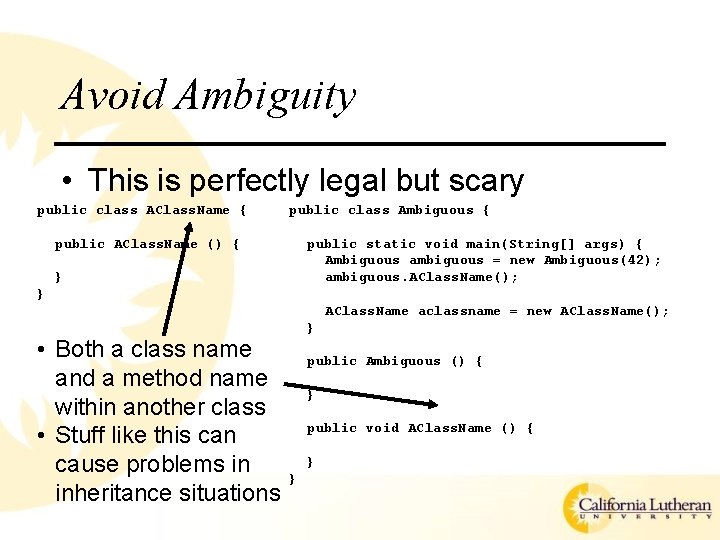
Avoid Ambiguity • This is perfectly legal but scary public class AClass. Name { public class Ambiguous { public AClass. Name () { public static void main(String[] args) { Ambiguous ambiguous = new Ambiguous(42); ambiguous. AClass. Name(); } } AClass. Name aclassname = new AClass. Name(); • Both a class name and a method name within another class • Stuff like this can cause problems in inheritance situations } public Ambiguous () { } public void AClass. Name () { } }

Coding Standards • Coding standards are created to ensure consistency – Although we may feel that they’re created to make some meddling micro-manager feel important • Define them! (they may be defined for you) – Make sure they are • Useful • Easily adhered to • Stick to them! • Many IDE’s will define standards for you – These are usually customizable

Design Patterns
Design Patterns • Revolves around the “principle of best practices” – i. e. figure out how to do it right then continue doing it that way • Three basic categories identified – Creational – object creation as opposed to construction • Factory, Singleton…revolve around “get. Instance()”-like methods – Structural – groups of objects (aggregation/composition) • Adapter, Façade…revolve around wrapping objects within other objects and interfaces – Behavioral – flow control and communication among objects • Iterator, Visitor…revolve around traversing through sets of objects and passing information between objects
Basic Layout • Pattern-name – So that you can talk about it without doing a lot of hand waving (design at a high level of abstraction) • Problem – Describe the problem that this pattern is addressing (solving…we hope) • Solution – Describe how this pattern addresses (solves) the specified problem • Consequences – Trade-offs (pros and cons) involved in utilizing this pattern

References
References • Various books on this topic – Effective C++ – More Effective C++ – Effective STL • All by Scott Meyers – – Applying UML and Patterns – Craig Larman Large-Scale C++ Software Design – John Lakos The Mythical Man-Month – Frederick P. Brooks, Jr. Design Patterns: Elements of Reusable Object-Oriented Software – Gang of Four – etc.
Looking Forward • This is week eight, meaning we have three more meetings – Week 9 (next week) will be open consulting – Week 10 will be formal design review/presentation/demonstration – Week 11 final exam, project documentation turned in
- Slides: 56