
PROJECT CONVERSION Converting HYPACK Data Files and Project
- Slides: 7
PROJECT CONVERSION Converting HYPACK® Data Files and Project Files to a new Geodetic Basis Projects: SAMPLE_PC_NAD 83 SAMPLE_PC_UTM 3/2/2021 2006 HYPACK® Training Seminar 1
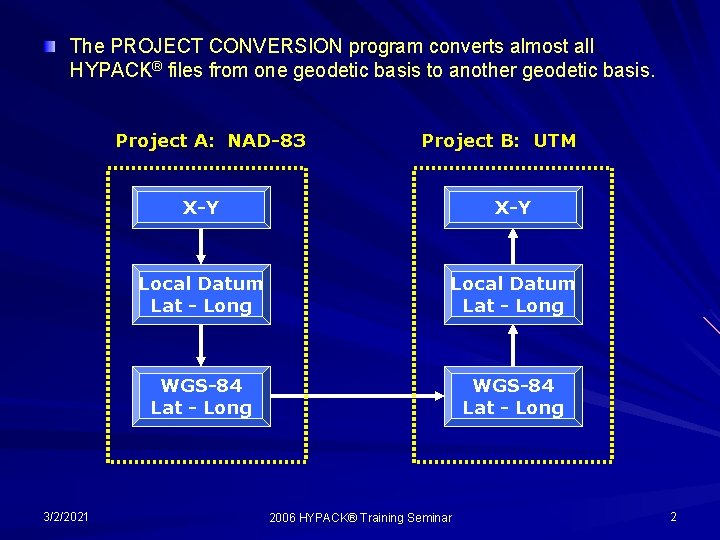
The PROJECT CONVERSION program converts almost all HYPACK® files from one geodetic basis to another geodetic basis. Project A: NAD-83 3/2/2021 Project B: UTM X-Y Local Datum Lat - Long WGS-84 Lat - Long 2006 HYPACK® Training Seminar 2
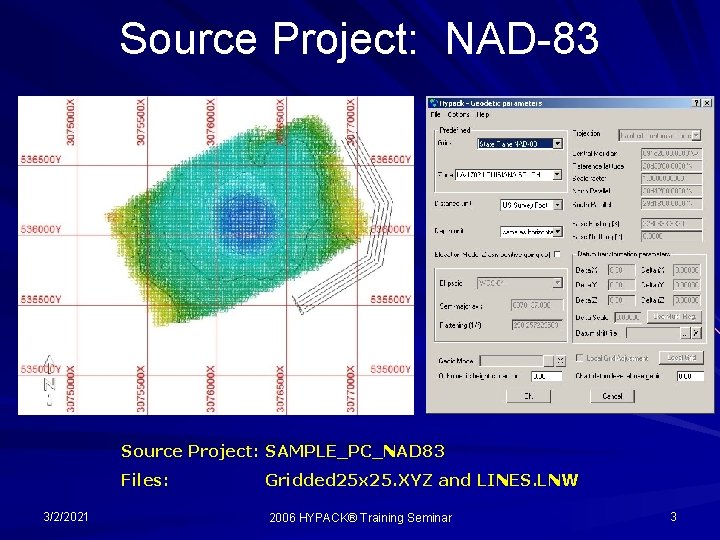
Source Project: NAD-83 Source Project: SAMPLE_PC_NAD 83 Files: 3/2/2021 Gridded 25 x 25. XYZ and LINES. LNW 2006 HYPACK® Training Seminar 3
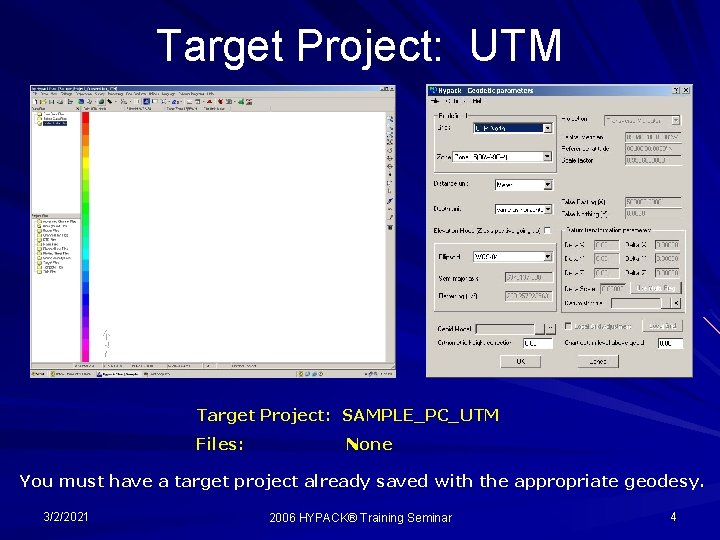
Target Project: UTM Target Project: SAMPLE_PC_UTM Files: None You must have a target project already saved with the appropriate geodesy. 3/2/2021 2006 HYPACK® Training Seminar 4
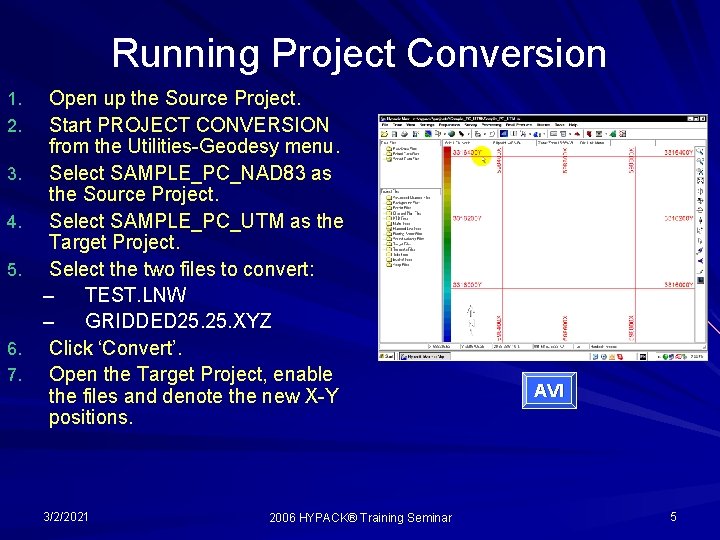
Running Project Conversion 1. 2. 3. 4. 5. 6. 7. Open up the Source Project. Start PROJECT CONVERSION from the Utilities-Geodesy menu. Select SAMPLE_PC_NAD 83 as the Source Project. Select SAMPLE_PC_UTM as the Target Project. Select the two files to convert: – TEST. LNW – GRIDDED 25. XYZ Click ‘Convert’. Open the Target Project, enable the files and denote the new X-Y positions. 3/2/2021 2006 HYPACK® Training Seminar AVI 5
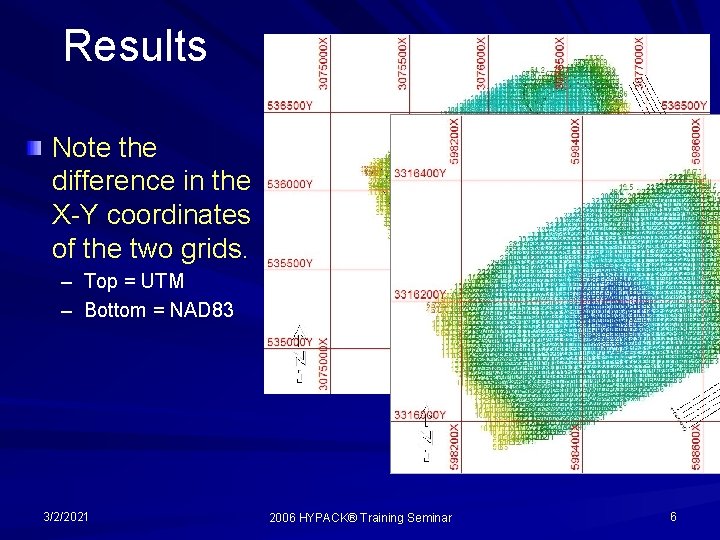
Results Note the difference in the X-Y coordinates of the two grids. – Top = UTM – Bottom = NAD 83 3/2/2021 2006 HYPACK® Training Seminar 6
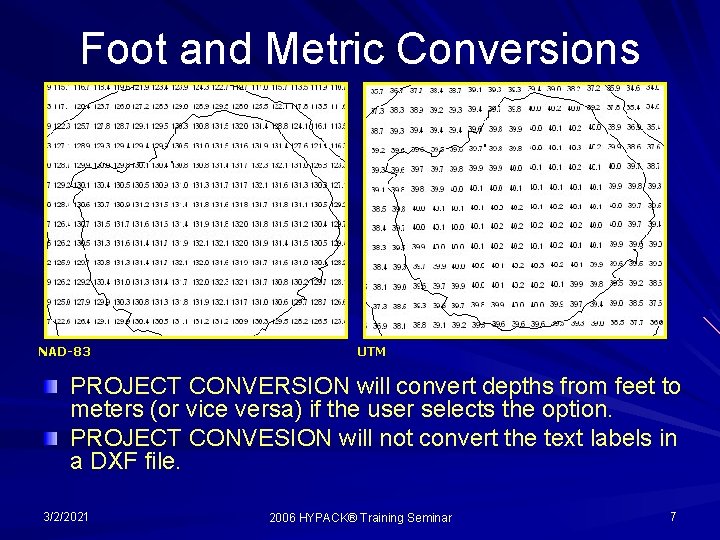
Foot and Metric Conversions NAD-83 UTM PROJECT CONVERSION will convert depths from feet to meters (or vice versa) if the user selects the option. PROJECT CONVESION will not convert the text labels in a DXF file. 3/2/2021 2006 HYPACK® Training Seminar 7