
Project Board Training ANR MP Kit Alviz and
Project Board Training (ANR M+P) Kit Alviz and Chris Hanson, Program Planning and Evaluation Kim Ingram, Academic Human Resources David White, Affirmative Action Jon Wilson and Bryon Noel, Web Applications Team Mark Lagrimini, Vice Provost November 7, 2019 from 1 -2 PM Training will be recorded and posted on Project Board Help
Desired Outcomes Participants will have: • Understanding of Project Board’s purpose and why it was built • Understanding of the structure of Project Board • Experience with key elements in Project Board • Understanding of who to contact for technical assistance
Agenda 1. Welcome by Mark Lagrimini (5 m) 2. Examples of how year 1 PB data used (5 m) 3. Overview of changes to AE/M/P and Project Board (5 m) 4. Clientele Groups (5 m) 5. Projects & Activities (25 m) 6. Themes (10 m) 7. Wrap up (5 m) 8. Technical assistance hour (60 m)
Project Board Purpose New system that aims to reduce duplicative data entry efforts and make data accessible for multiple purposes. Replaced DANRIS-X, CASA, and Academic Online Program Review. Designed to manage information for the following purposes: v. Academic Merit and Promotion v. Accountability v. Advocacy Efforts
Overview of Changes to Annual Evaluation • Annual Evaluation significantly streamlined • Progress against goals table, sabbatical leave and report if applicable, work plan if applicable, and goals for coming year (not done in Project Board) • Programmatic themes narratives with outcomes/impacts (copy/paste text between MS Word and Project Board) • Reporting checklist replaces: • Project and activities tables • Publication lists
Overview of Changes to Merit/Promotion • Merit and Promotion packages • Themes/Program Summary Narrative are generally the same but with more content guidance. Copy/paste between MS Word and Project Board and/or use the dossier export. • Project and activities tables are optional; this section is now less prescriptive. Tables can be replaced with “supporting documentation” (e. g. , enhanced CV with links and paragraph descriptions). Dossier export will still provide tables if you choose to continue table approach. • Projects and Extension Activities/Contacts are still required in Project Board for organizational reporting.
Timeline Academics with ANR merit/promotion processes: ØProject Board is open all year and records information for multiple years ØNovember: Begin compiling AE/M/P packages ØFebruary 1, 2020: Due date in Project Board Academics with campus merit/promotion have a different timeline
How NIFA Uses Reporting Data v. Annual budget requests and Office of Management & Budget inquiries v. NIFA budget explanatory notes/USDA Annual Performance Report v. Congressional inquiries v. Secretary’s travel and speaking engagements v. Audits and oversight inquiries v. Other USDA departmental inquiries v. Scientific emphasis area evaluations
UC ANR Uses of Project Board information ØUC ANR's federal plan and report of work (almost $8. 5 million) included information from themes, projects, activities/contacts, FTE, publications, and statewide program information ØUC ANR's contributions to the UC annual accountability report, sustainability report, and Office of the President budget reports ØProgram planning & resource allocation (to replace Taxonomy and Personnel System) ØLegislative/External Requests ØCompliance with federal requirements to maintain funding levels (multistate!)
Year 1 Recap 94% of academics with ANR M+P participated in Project Board by entering data in at least one required field 91% of CE Specialists with participated in Project Board by entering data in at least one required field 78% of academics with ANR M+P reported theme narratives, where outcomes are communicated 75% of CE Specialists with campus M+P reported theme narratives, where outcomes are communicated Blog post: https: //ucanr. edu/sites/Project. Board. Help/? blogpost=29332&blogasset=97443
Ad Hoc Queries of Project Board FFY 18 activities/projects data and resulting FFY 18 public value stories (includes academic outcomes reported in themes) have been data mined for: • Wildfire Work Group to identify projects and potential collaborators • Senior leadership to identify collaborations with other UC campuses • Strategic Communications to identify impact stories and numbers to put on “impact bars, ” “hero tiles, ” and “focus area” webpages. • NRCS grant reports by Wendy Powers
Year 1 Feedback ANR M+P (32 respondents) • 13 respondents mentioned that activities and/or projects in Project Board were helpful or relevant for them. • Nine respondents indicated that themes were helpful; one person said it was helpful to report outcomes as a narrative rather than as numbers in the previous system and another said they liked how themes remain constant year to year. • Eight people indicated that Project Board was cumbersome or took a lot of time to complete. In contrast, four people indicated that Project Board reduces redundancy and saves time. • Seven people said the system was user-friendly, whereas five people said Project Board was not user friendly. • Interfolio comments • Nine survey respondents indicated the system was easy or worked well. • Seven respondents indicated that logging in was challenging. Similarly, two people mentioned confusion logging in related to the UC ANR and dossier versions of Interfolio.
System Highlights • Designed with academic and administrative input with iterative testing • Modern user experience; more dynamic than old system • “What’s Happening in Cooperative Extension” search tool – more functionalities coming soon • Civil rights compliance reporting is integrated with Extension Activity reporting • Ongoing improvements to Interfolio and dossier exports • Archive button clarified – Archive/Delete

Content, Tips, Hands On
Ground Rules §Stay on topic/scenarios. §Respect different learning styles/speeds. §Focus on technical and content questions today. Questions and concerns about policy/requirements, email us! §Consider of the pro’s and con’s of an iterative and participatory approach – tooltips and help text can be improved!
Logging on Widget on ANR Portal – top right side Supported Browsers: • Chrome, Firefox, Safari, Microsoft Edge • Internet Explorer is EXCLUDED
Tips Important: Project Board compiles ongoing information; do not delete items from last year. Dossier exports will allow you to export one year at a time, and in the future, will allow you to export multiyear dossiers, similar to campus systems.
Clientele Groups
CASA to Project Board Changes ØProject Board allows for academic titles other than CE Advisors to now report Extension Activities, clientele contacts, and participate in Civil Rights Compliance analysis (ANR Public Value) ØImported from CASA into new demographic categories (ethnicity total; new race category for Native Hawaiian or Other Pacific Islander). Requires review and cleanup! ØCASA was a static model. Project Board much more dynamic/flexible. ØClientele groups “belong” to individuals rather than to a county – share via screenshots
Civil Rights Compliance Resources Project Board Help: v. Establishing baseline v. Templates for collecting self-reported demographic information and NEW: tally sheets for group estimates v. Supervisor instructions v. Statewide Program instructions (important: Project Board system and self-identify templates do not replace any existing Statewide Program reporting systems, procedures, and forms!)
Civil Rights Compliance Reminders • Annual parity analysis includes: a) individual academic data in Project Board and b) county data for statewide program. • Clientele contacts don’t need to be reported in Project Board if already reported in a statewide program online system (4 h. Online, VMS, PEARS, WEBNEERS). • Statewide program data is not “brought into” Project Board. Affirmative Action Office receives multiple spreadsheets from programs and from Project Board to conduct his analysis. • New for FFY 18 – Affirmative Action Office sends emails to academics if in or out of compliance. N/A = no email FFY 18.
Civil Rights Compliance – Lessons Learned • Delete clientele group(s) that you are on longer serving or add a compliance note for FFY 19 about why that group is not active; otherwise that group will be considered out of compliance. • Do not report your contact numbers in the Clientele Group screen. Report baseline here. Report your contact numbers as part of Extension Activities. • If you have an organization clientele group type, you must report contacts against it by creating an Extension Activity – many had 0 org contacts. • Update your actual clientele group names & sources to reflect lumping. • System is still “rolling over” to FFY 19 – your patience please Hands on – Open one of your clientele groups, review/revise baseline data and source, start typing in Compliance Notes for FFY 19
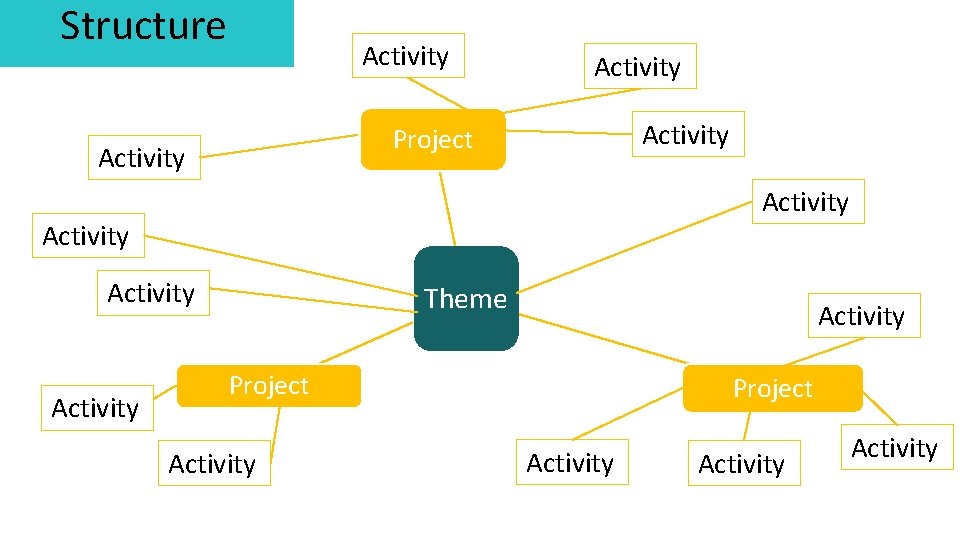
Structure Activity Project Activity Activity Theme Activity Project Activity
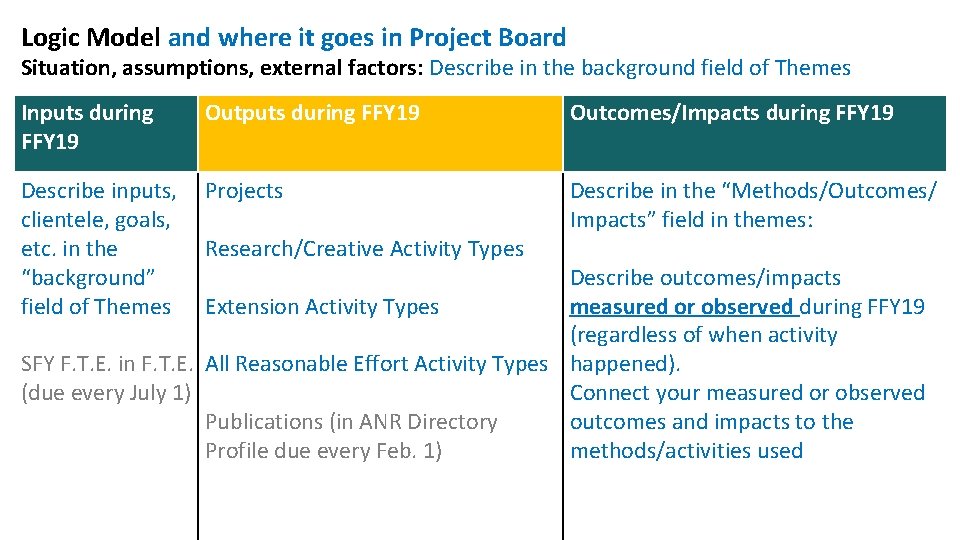
Logic Model and where it goes in Project Board Situation, assumptions, external factors: Describe in the background field of Themes Inputs during FFY 19 Outputs during FFY 19 Describe inputs, Projects clientele, goals, etc. in the Research/Creative Activity Types “background” field of Themes Extension Activity Types Outcomes/Impacts during FFY 19 Describe in the “Methods/Outcomes/ Impacts” field in themes: Describe outcomes/impacts measured or observed during FFY 19 (regardless of when activity SFY F. T. E. in F. T. E. All Reasonable Effort Activity Types happened). (due every July 1) Connect your measured or observed Publications (in ANR Directory outcomes and impacts to the Profile due every Feb. 1) methods/activities used
Projects
Projects act as a virtual file folder to which you can link several Extension and Research/Creative activities. Projects entered into Project Board populate the "Project Summary Table" in the dossier export. See emailed technical tips and User Manual Hands on – Add a new or revise a project.
Activities
University/Public Service and Evidence of Prof. Competence *Changes to AE and M+P to reduce efforts -No longer required for AE -For M+P packages, replaced with “supporting documentation” approach - can do activity tables or something else Bottomline – Reporting these activity types are now optional in Project Board. For your use only. See emailed technical tips and User Manual
Extension and Research/Creative Activities *Changes to AE and M+P to reduce efforts -No longer required to be listed in AE -For M+P packages, replaced with “supporting documentation” approach - can do activity tables or something else Bottomline – These are still required in Project Board for organizational reporting and accountability, regardless of changes to AE/M/P. Encourage lumping! See emailed technical tips and User Manual
Extension and Research/Creative Activities Important: -Extension Activity tables, civil rights compliance, and organizational reporting, you should create/copy new activities for FFY 19. -Report contacts for civil rights compliance using Extension Activities! See emailed technical tips and User Manual Hands on – Add a new Meeting Organized activity (make sure you get to the Clientele Group selection and attendance part at the very bottom)
A. R. E Activities -Always report A. R. E. (Extension Activity type) in Project Board for civil rights compliance; this is not captured anywhere else -Report and qualitatively describe A. R. E. conducted by you and staff/volunteers -Important - Establish A. R. E. for each clientele group that is out of parity by reporting at least 3 of the 4 A. R. E. activity types in Project Board. Tag each A. R. E. activity to a clientele group. Hands on – Add a new Personal Letters A. R. E. activity (make sure you get to the Clientele Group selection part at the very bottom)
Themes Changes: • M+P has more guidance on content, but as it related to programmatic themes and outcomes/impacts, it is generally the same. • AE – copy/paste theme narratives into Project Board section of Annual Evaluation document (or vice versa).
Themes The year that an outcome is measured/observed is when you should report it; regardless of when the project/activity happened Bottomline: In Project Board, every year update theme narratives with new outcomes/impacts measured or observed during that FFY (organizational reporting requirement). Hands on: Revise one of your existing themes’ methods/outcomes/impacts section
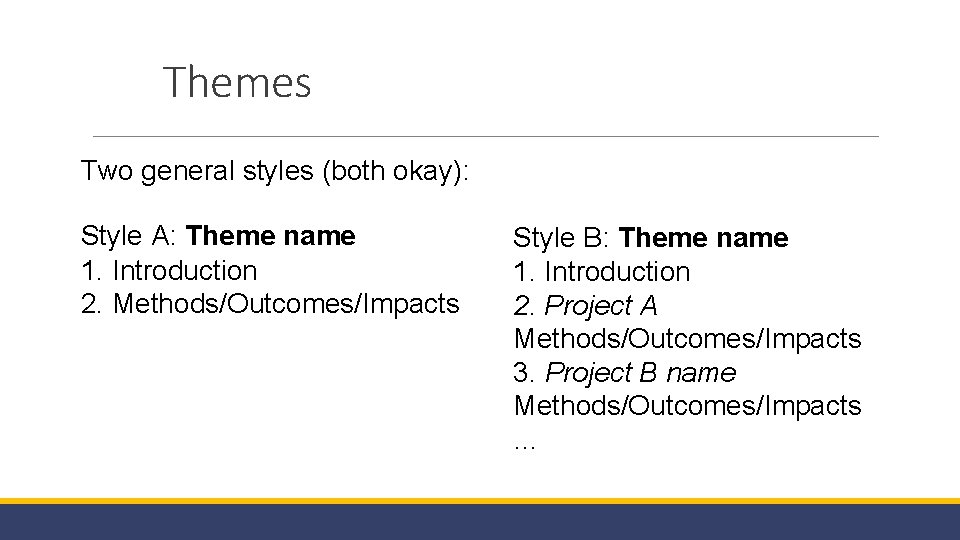
Themes Two general styles (both okay): Style A: Theme name 1. Introduction 2. Methods/Outcomes/Impacts Style B: Theme name 1. Introduction 2. Project A Methods/Outcomes/Impacts 3. Project B name Methods/Outcomes/Impacts …
Publications
Publications are entered into your ANR Portal Profile – Bibliography, also due by February 1, 2020 (11: 59 PM). Bibliography training on November 18 th from 3 -4 PM Zoom Meeting Link: https: //ucanr. zoom. us/j/5109870027
FTE
FTE Reporting • Full Time Equivalent (FTE) call for reporting went out in June 2019, due July 1, 2019. Next due date is July 1, 2020 • No need to update for Feb. 1, 2020 due date • Due date differs and state fiscal year used because this information is used for resource planning purposes
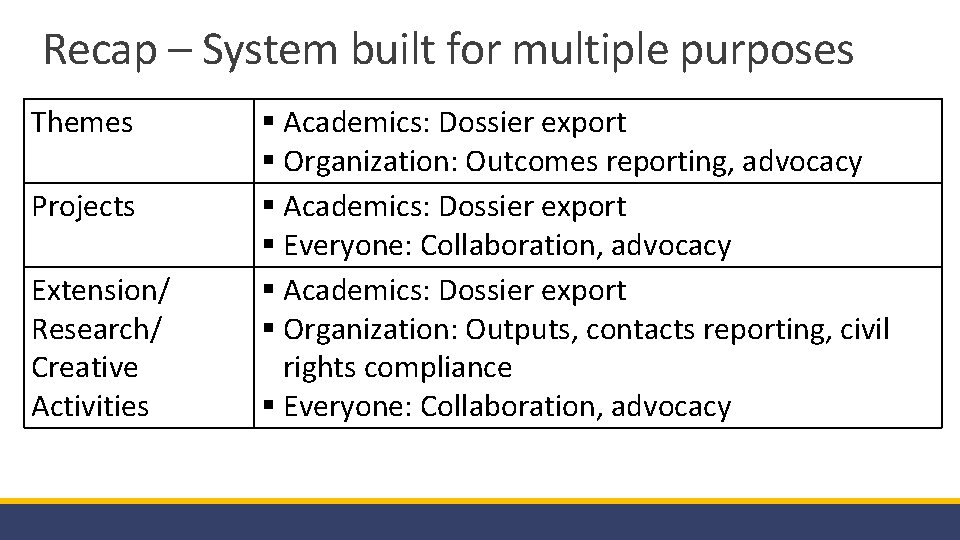
Recap – System built for multiple purposes Themes Projects Extension/ Research/ Creative Activities § Academics: Dossier export § Organization: Outcomes reporting, advocacy § Academics: Dossier export § Everyone: Collaboration, advocacy § Academics: Dossier export § Organization: Outputs, contacts reporting, civil rights compliance § Everyone: Collaboration, advocacy
Next Steps – Priorities for SFY 20 q. Continue “rollover to FFY 19” – clientele group compliance status, dossier export, AE/M/P actions q. Continue modifications to Project Board to reflect changes to AE/M/P guidelines q. Explore tool: Ability to search by academic name, project fields, multiple keyword searches q. General maintenance (reduce repetitive logins) q. Increase user efficiency (more time stamps, adding emeriti to ANR collaborator search, additional ways to report attendance without demographics) q. Increase retrievals and enhance dashboards for administrators q. Limited budget and resources, but continue to submit issues/bugs!
Annual County Reports v. FFY 18 county reports provided by Program Planning & Evaluation (PPE) in December 2019 v. Includes Project Board and Statewide Program data for all academics/programs assigned to county v By the numbers include outputs, reach, and volunteer hours v. Public Value pages include outcome stories bulleted by condition change v. FFY 19 county reports hopefully distributed Nov. 2020 (CDs indicated that they may be used in January and June for meetings with county)
Reflection 1. Complete the anonymous poll 2. Unmute and share or use chatbox to describe what you liked about today’s training and could be improved. 3. Technical assistance hour begins at 2 PM
Contact Information ØHelp site: http: //ucanr. edu/sites/Project. Board. Help/ ØGeneral Project Board and Program Planning and Evaluation questions: Kit Alviz (kit. alviz@ucop. edu) or Chris Hanson (christopher. hanson@ucop. edu) ØAnnual Evaluation, Merit, or Promotion Dossier/Academic Human Resource questions: Kim Ingram (kcingram@ucanr. edu) ØCivil Rights Compliance/Affirmative Action questions: David White (dewhite@ucanr. edu)
Technical Assistance Hour Use chatbox or unmute to use your microphone
- Slides: 44