
Project 3 Dragonfly Spawn Overview Goal is to






- Slides: 23
Project 3 Dragonfly Spawn
Overview • Goal is to build a game from scratch using your own Dragonfly game engine • Objectives – Build a game of your own creation – Go through (an abbreviated) game development process – Re-enforce your knowledge of game engines by using one you built – Become a better programmer – Potential portfolio piece / job interview topic • You know all aspects (process, engine, game code)!
Dragonfly Spawn (1 of 3) Plan: Friday, September 28 th, 11: 59 pm Alpha: Thursday, October 4 th, 11: 59 pm Final playable: Tuesday, October 9 th, 11: 59 pm Presentation: Thursday, October 11 th, 1: 00 pm • All work to original, playable, balanced game • Milestones are intended to have you work towards final game • All parts graded separately, but combined to provide single grade
Dragonfly Spawn (2 of 3) • Work in teams for this project! – Team size is 2 (not 1, not 3) 2! – Form team on your own (quickly!) • Can partition development work as you see fit – But recommendation is equal participation in all phases of project – E. g. Both brainstorm idea, design game, write plan, design code, implement classes … • Ideally, team has full knowledge of all parts of process and development
Dragonfly Spawn (3 of 3) • Development in C++, using your game engine – Pick “best” one of two built – If needed, can merge best implementations of parts of each (e. g. Log. Manager from 1, Resource Manager from 2) • Under exceptional circumstances, you may use Project 1 Dragonfly – Only if features needed (but can design game around) – Or if neither Project 2 b complete • Note, you do not want to spend time fixing/debugging your engine! – There is too much to do for Project 3!
Plan (1 of 3) • Create plan for your game – End result is short document – In less than 1 week! • • Description of game Technical challenges Significant artistic aspects (Sprites or other) Mini-milestones needed to complete – (Major milestones are set for you)
Plan (2 of 3) • Game Name - a catchy, descriptive name for your game. • Team - names and email of both team members. Include team name! • Genre - brief, one sentence/phrase of game genre. • Game Description - short, one paragraph description of game. • Technical Features - list of specific, significant technical features game will include. • Artistic Assets - list of significant artistic assets in game. Sizes and frames of animation should be estimated. – Note, emphasis should not be on “art”!
Plan (3 of 3) • Implementation Plan – short description of how you will implement technical features. – If re-use code/art from elsewhere, clearly indicate and attribute. • Distribution of Work - broadly, what team member is responsible for what aspects of project. – I. e. assign a name next to tasks! – Joint responsibility can be indicated, if appropriate. – Remember, despite distribution, everyone should understand help (as appropriate) with all parts of game! • Schedule - milestones to be met for your game development. – Major milestones (plan, alpha, final) are fixed, but smaller milestones should be specified, appropriate for your project
Suggested Plan for Your Plan • • Form team (today!) Brainstorm (tomorrow or wednesday!) Make design decisions Partition work Write Exchange writing Edit! Combine Turn in (Friday!)
Alpha • Due about 1 week after Plan • All required features implemented – May not be working entirely correctly • Game code tested to eliminate critical gameplay flaws – Minor glitches/bugs present • Compile cleanly, runnable – May have separate programs for separate parts (e. g. some code illustrating weapons, other code bad guys) • Not yet balanced, nor levels designed • Placeholder assets ok (e. g. simple square for Sprite)
Final • All content complete – design, code and art. • Tested thoroughly for bugs, both major and minor – No visual and gameplay glitches – Don’t underestimate time for this final polish! • Code should compile cleanly and be easily runnable • Upon game startup instructions how to play • Gameplay balanced – Appropriate difficulty for beginners and/or early gameplay – Increased difficulty as game progresses • Clear ending condition, with ability to exit easily and cleanly
“Design” Document • All details in your Plan • Updated to reflect game as actually built – E. g. functionality and milestones updated – E. g. Work responsibilities updated • Major deviations from original plan noted, explained (if needed)
Promotional Materials • Materials for Web page / Portfolio • Image - create/select representative image (scaled to 200 x 150 pixels) – Screenshot, logo or some other graphic • Description - title, development team and short (100 word) description – Should include game features, can include significant technical features • Video – Short (1 -2 minute) video illustrating gameplay – Can provide music sound-track or voice narration – Won’t turnin video, but give link (e. g. You. Tube) • May use materials during your presentation, as appropriate
Advice • Know the limits of your engine • Work on mechanics first – Decide on “unit height” early through testing critical for Sprites, but also speed, balance, etc. • Design software classes • Use iterative development (upcoming topic) – Should always have build that compiles, plays • Concentrate on core, then required, then desired (if time)
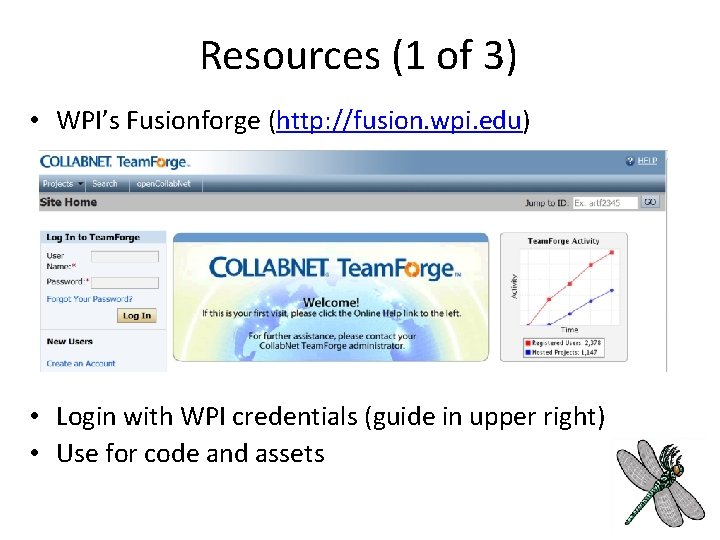
Resources (1 of 3) • WPI’s Fusionforge (http: //fusion. wpi. edu) • Login with WPI credentials (guide in upper right) • Use for code and assets
Resources (2 of 3) • Video Capture Windows Camtasia • Video Capture Linux xvidcap
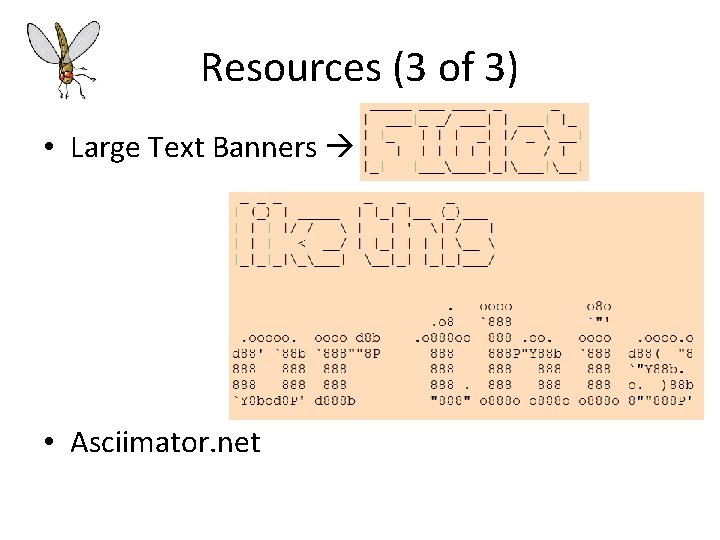
Resources (3 of 3) • Large Text Banners • Asciimator. net
Hand In • Plan – Document (Word, PDF or Text) • Alpha – Source code package • Final – Source code, promotional materials, … • (Detail “final” on slides, but see Web page for other deliverables for Plan, Alpha)
FINAL Hand In (1 of 3) • Source code package – All code necessary to build your game engine, including. h files. – A Makefile or project file for building your game engine. • A game code package – All code necessary to build your game. • Note! Make sure your code is well-structured and commented – Any other support files, including. h files. – A Makefile or project file for building your game.
FINAL Hand In (2 of 3) • A README file explaining: platform, files, code structure, how to compile, and anything else needed to understand (and grade) your game. • A VIDEO file providing a link to an online (e. g. You. Tube) video of your project. • A DESIGN document – Details from PLAN but updated – Word, PDF or text
FINAL Hand In (3 of 3) • When ready, upload (Win. SCP) to CCC machine mkdir lastname-proj 3 -final cp * lastname-proj 3 -final tar czvf proj 1 -lastname. tgz lastname-proj 3 -final • Submit your assignment (proj 1 -lastname. tgz): /cs/bin/turnin submit imgd 3000 project 3 final proj 3 -final-lastname. tgz • Verify /cs/bin/turnin verify imgd 3000 project 3 final • Help at – http: //www. cs. wpi. edu/Resources/turnin. html • Due at midnight (11: 59 pm)
Presentation • Present game in class • Intro – Introduce team – High concept of game – Summary of major features core ideas • Most time spent demonstrating game! – Highlighting technical aspects needed as show them • Both team members should talk – Arrange in advance who says what • Bring laptop/ test on podium computer ahead of time! – Embarrassing things can happen when you don't try out! • Total time 5 minutes (final exam last) – Plan accordingly • Practice! Many times content, timing and transitions down
Grading • • Plan Alpha Final Playable Design Presentation Promo (See Rubric online) 10% 25% 40% 10% 5%