
Project 1 Test Descriptions System Calls Used Notes
- Slides: 5
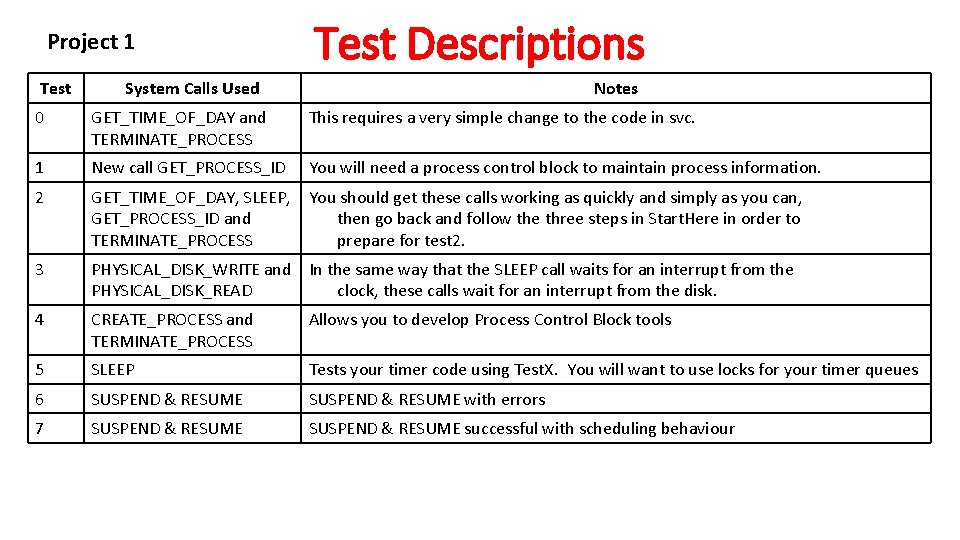
Project 1 Test Descriptions System Calls Used Notes 0 GET_TIME_OF_DAY and TERMINATE_PROCESS This requires a very simple change to the code in svc. 1 New call GET_PROCESS_ID You will need a process control block to maintain process information. 2 GET_TIME_OF_DAY, SLEEP, You should get these calls working as quickly and simply as you can, GET_PROCESS_ID and then go back and follow the three steps in Start. Here in order to TERMINATE_PROCESS prepare for test 2. 3 PHYSICAL_DISK_WRITE and In the same way that the SLEEP call waits for an interrupt from the PHYSICAL_DISK_READ clock, these calls wait for an interrupt from the disk. 4 CREATE_PROCESS and TERMINATE_PROCESS Allows you to develop Process Control Block tools 5 SLEEP Tests your timer code using Test. X. You will want to use locks for your timer queues 6 SUSPEND & RESUME with errors 7 SUSPEND & RESUME successful with scheduling behaviour
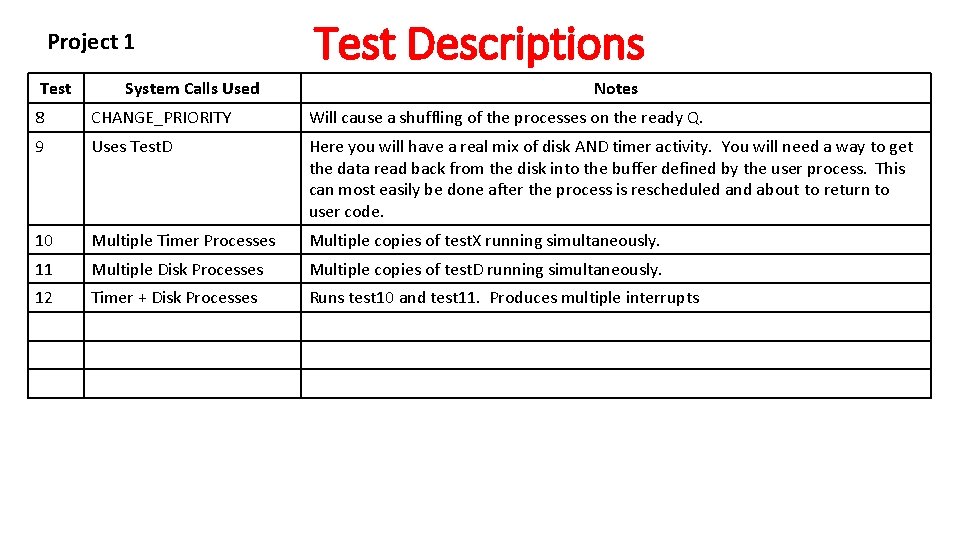
Project 1 Test System Calls Used Test Descriptions Notes 8 CHANGE_PRIORITY Will cause a shuffling of the processes on the ready Q. 9 Uses Test. D Here you will have a real mix of disk AND timer activity. You will need a way to get the data read back from the disk into the buffer defined by the user process. This can most easily be done after the process is rescheduled and about to return to user code. 10 Multiple Timer Processes Multiple copies of test. X running simultaneously. 11 Multiple Disk Processes Multiple copies of test. D running simultaneously. 12 Timer + Disk Processes Runs test 10 and test 11. Produces multiple interrupts
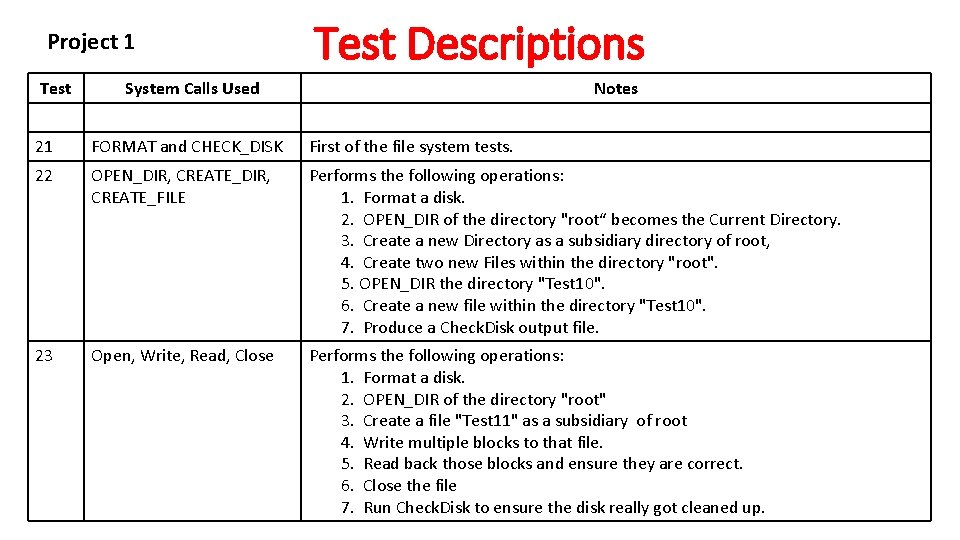
Project 1 Test Descriptions System Calls Used Notes 21 FORMAT and CHECK_DISK First of the file system tests. 22 OPEN_DIR, CREATE_FILE Performs the following operations: 1. Format a disk. 2. OPEN_DIR of the directory "root“ becomes the Current Directory. 3. Create a new Directory as a subsidiary directory of root, 4. Create two new Files within the directory "root". 5. OPEN_DIR the directory "Test 10". 6. Create a new file within the directory "Test 10". 7. Produce a Check. Disk output file. 23 Open, Write, Read, Close Performs the following operations: 1. Format a disk. 2. OPEN_DIR of the directory "root" 3. Create a file "Test 11" as a subsidiary of root 4. Write multiple blocks to that file. 5. Read back those blocks and ensure they are correct. 6. Close the file 7. Run Check. Disk to ensure the disk really got cleaned up.
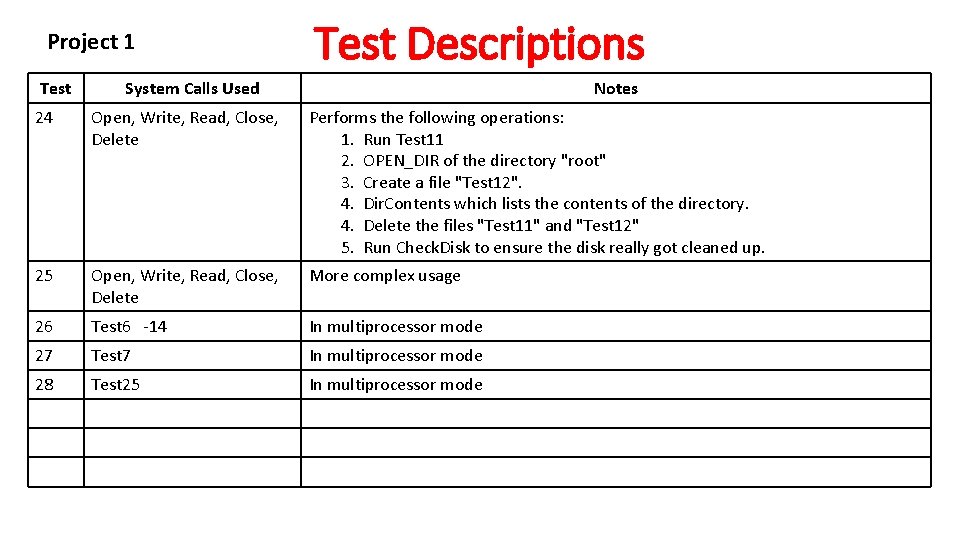
Project 1 Test Descriptions System Calls Used Notes 24 Open, Write, Read, Close, Delete Performs the following operations: 1. Run Test 11 2. OPEN_DIR of the directory "root" 3. Create a file "Test 12". 4. Dir. Contents which lists the contents of the directory. 4. Delete the files "Test 11" and "Test 12" 5. Run Check. Disk to ensure the disk really got cleaned up. 25 Open, Write, Read, Close, Delete More complex usage 26 Test 6 -14 In multiprocessor mode 27 Test 7 In multiprocessor mode 28 Test 25 In multiprocessor mode
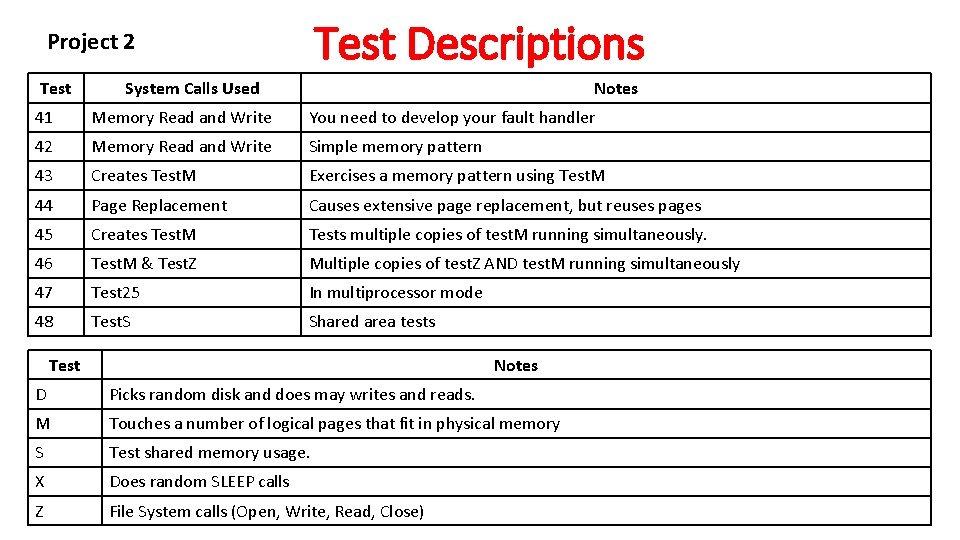
Test Descriptions Project 2 Test System Calls Used Notes 41 Memory Read and Write You need to develop your fault handler 42 Memory Read and Write Simple memory pattern 43 Creates Test. M Exercises a memory pattern using Test. M 44 Page Replacement Causes extensive page replacement, but reuses pages 45 Creates Test. M Tests multiple copies of test. M running simultaneously. 46 Test. M & Test. Z Multiple copies of test. Z AND test. M running simultaneously 47 Test 25 In multiprocessor mode 48 Test. S Shared area tests Test Notes D Picks random disk and does may writes and reads. M Touches a number of logical pages that fit in physical memory S Test shared memory usage. X Does random SLEEP calls Z File System calls (Open, Write, Read, Close)