
Project 1 Guide System Analysis Design Seminar 2


- Slides: 56
Project 1 Guide System Analysis & Design Seminar 2 - Second Semester 1435/1436 – 2014/2015 Presented by: Dr. Souad Larabi Marie-Sainre GP 1 head committee L. Mashael Daouis Clinic member L. Hend Albassam Clinic member L. Abeer Adrees Clinic member L. Malak Bagais Clinic member 12/20/2021 1
Plan • • • Introduction System Analysis & Design Object Oriented analysis Structured Analysis Database Web Development 12/20/2021 2
Introduction • After Literature Review and Background phases • System analysis & design phase Ø User & System requirements ØStructured Approach Ø Object Oriented Approach Ø Design approach 12/20/2021 3
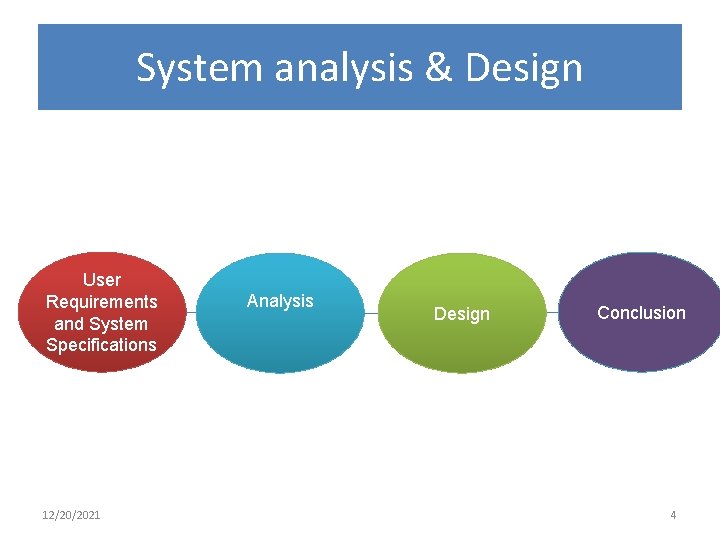
System analysis & Design User Requirements and System Specifications 12/20/2021 Analysis Design Conclusion 4
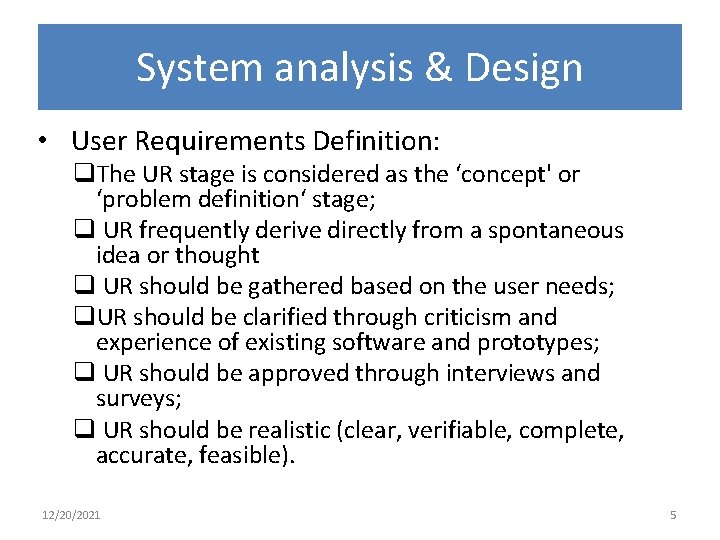
System analysis & Design • User Requirements Definition: q. The UR stage is considered as the ‘concept' or ‘problem definition‘ stage; q UR frequently derive directly from a spontaneous idea or thought q UR should be gathered based on the user needs; q. UR should be clarified through criticism and experience of existing software and prototypes; q UR should be approved through interviews and surveys; q UR should be realistic (clear, verifiable, complete, accurate, feasible). 12/20/2021 5
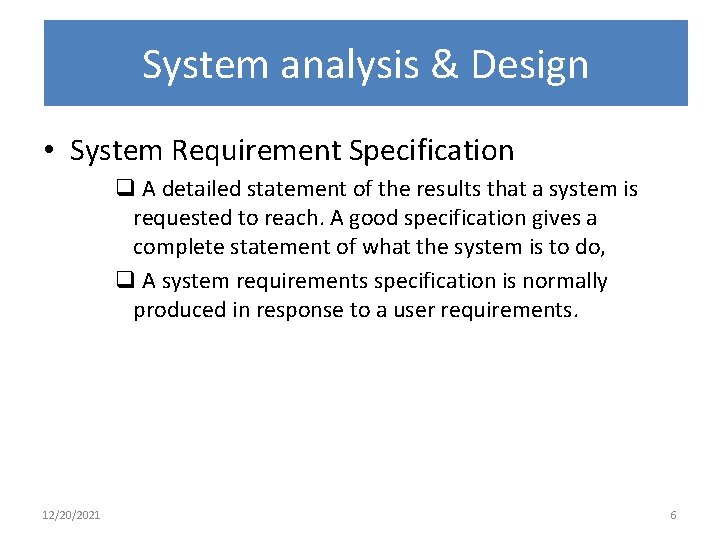
System analysis & Design • System Requirement Specification q A detailed statement of the results that a system is requested to reach. A good specification gives a complete statement of what the system is to do, q A system requirements specification is normally produced in response to a user requirements. 12/20/2021 6
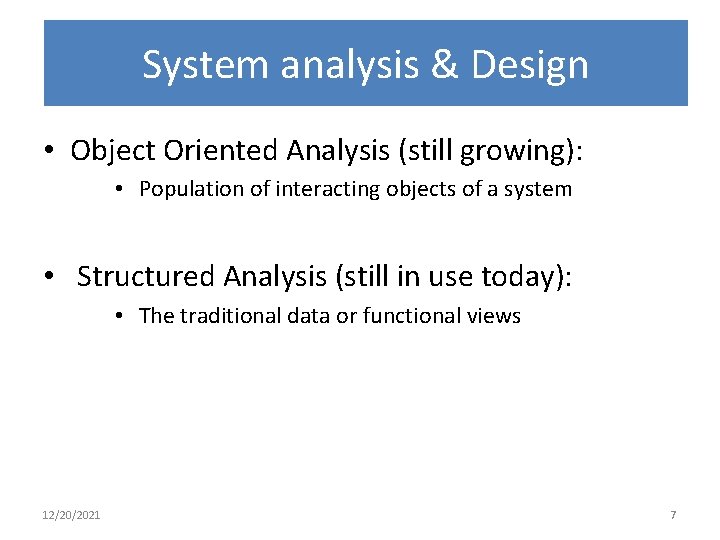
System analysis & Design • Object Oriented Analysis (still growing): • Population of interacting objects of a system • Structured Analysis (still in use today): • The traditional data or functional views 12/20/2021 7
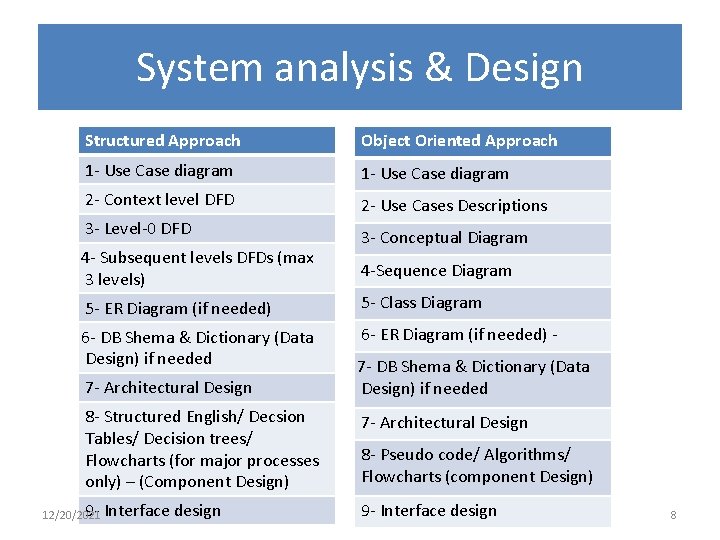
System analysis & Design Structured Approach Object Oriented Approach 1 - Use Case diagram 2 - Context level DFD 2 - Use Cases Descriptions 3 - Level-0 DFD 4 - Subsequent levels DFDs (max 3 levels) 3 - Conceptual Diagram 4 -Sequence Diagram 5 - ER Diagram (if needed) 5 - Class Diagram 6 - DB Shema & Dictionary (Data Design) if needed 6 - ER Diagram (if needed) - 7 - Architectural Design 8 - Structured English/ Decsion Tables/ Decision trees/ Flowcharts (for major processes only) – (Component Design) 9 - Interface 12/20/2021 design 7 - DB Shema & Dictionary (Data Design) if needed 7 - Architectural Design 8 - Pseudo code/ Algorithms/ Flowcharts (component Design) 9 - Interface design 8
Object Oriented Analysis 12/20/2021 9
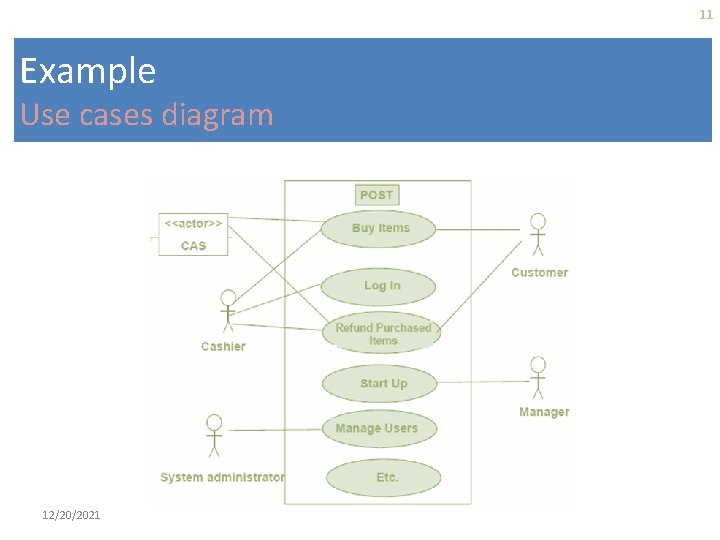
Use Case Diagram It describes the main system functions from the standpoint of an external observer. Used during requirements elicitation to represent external behavior. It emphasize on what the system does rather than how it. It is created during the early stages of a project – during the analysis phase rather than during the design phase. It provides a high-level view of what the system does and who uses it. It provides the basis for determining the user interfaces (UIs) to the system 12/20/2021 10
11 Example Use cases diagram 12/20/2021
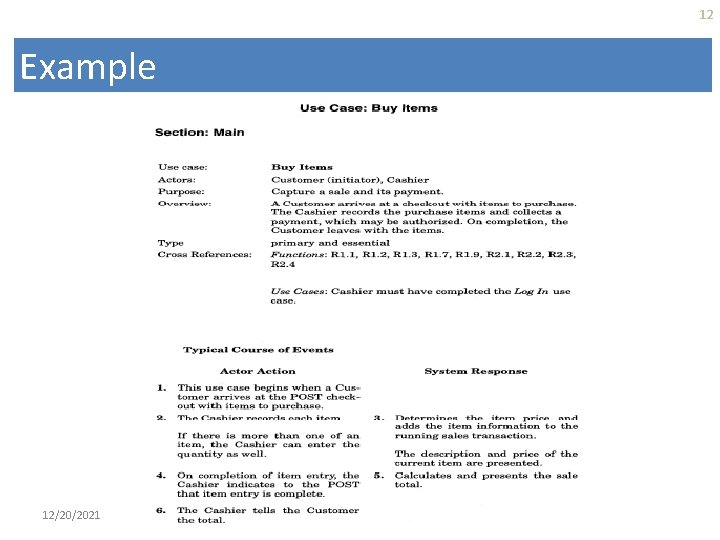
12 Example 12/20/2021
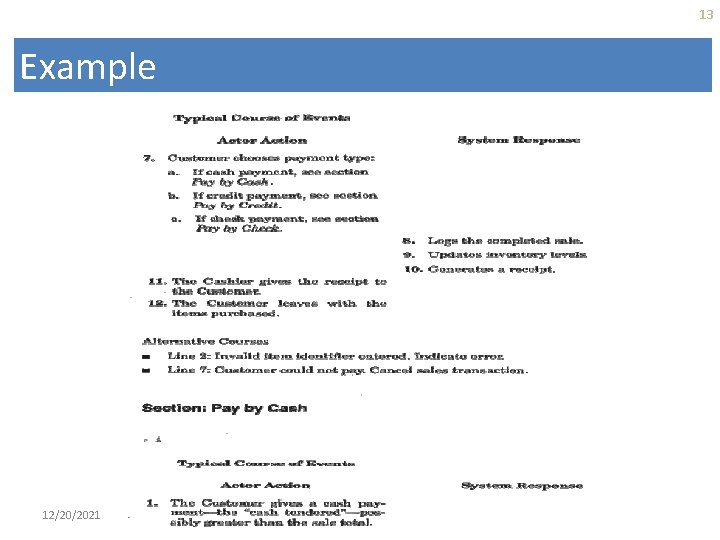
13 Example 12/20/2021
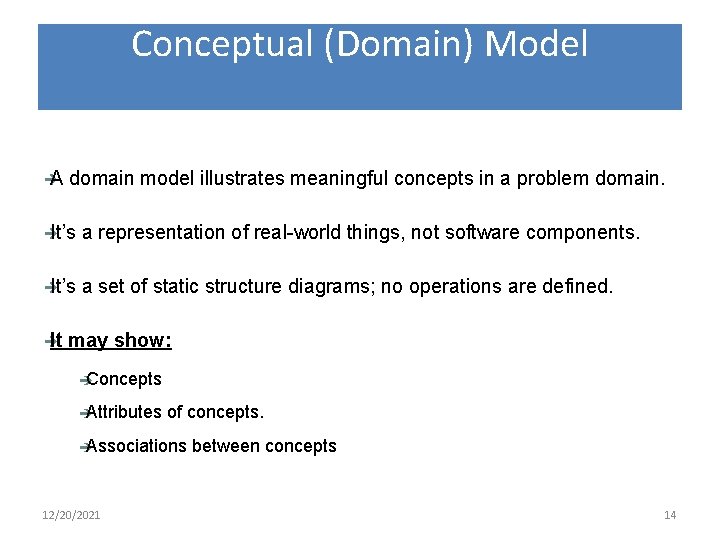
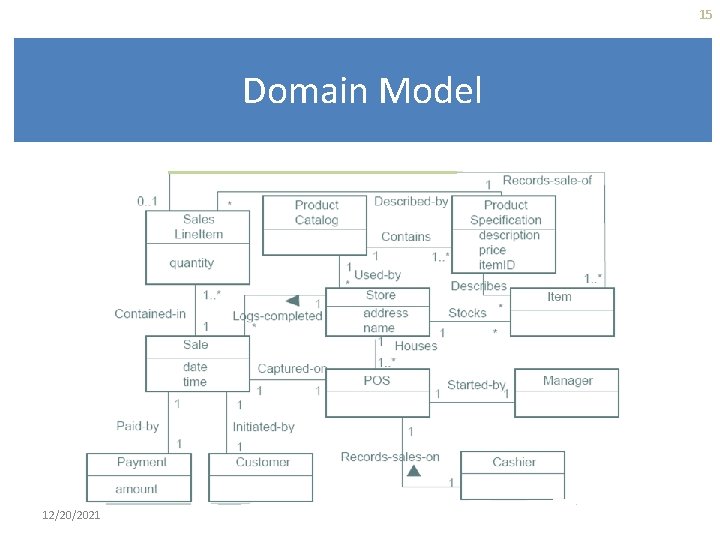
Conceptual (Domain) Model A domain model illustrates meaningful concepts in a problem domain. It’s a representation of real-world things, not software components. It’s a set of static structure diagrams; no operations are defined. It may show: Concepts Attributes of concepts. Associations 12/20/2021 between concepts 14
15 Domain Model 12/20/2021
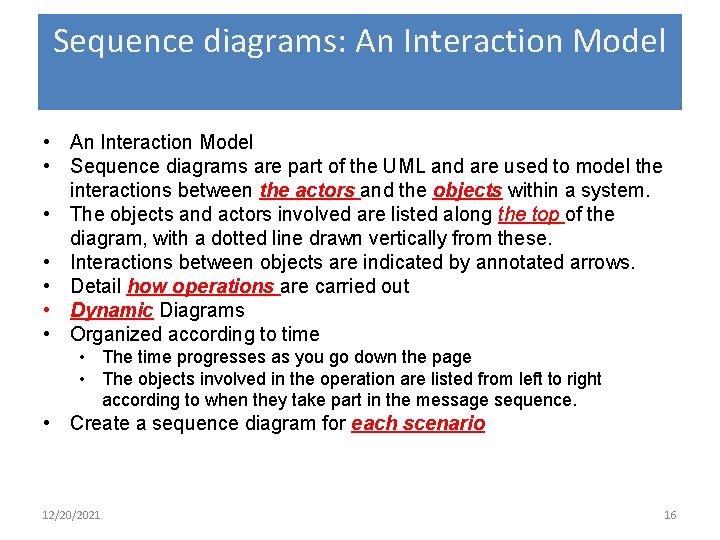
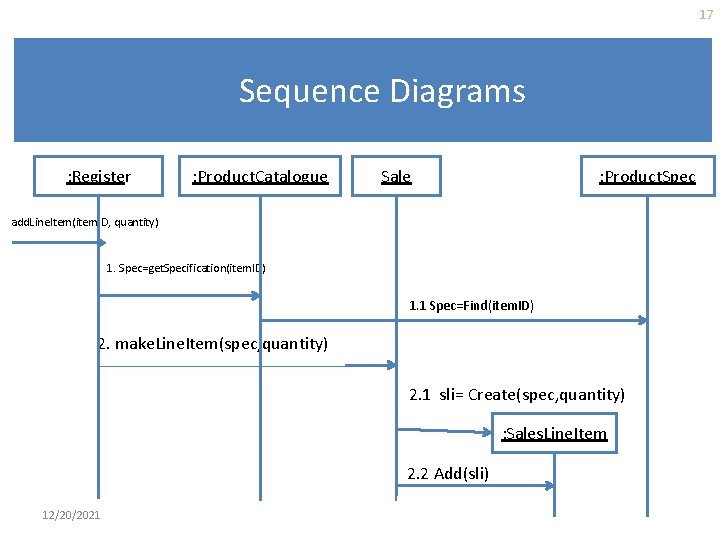
Sequence diagrams: An Interaction Model • Sequence diagrams are part of the UML and are used to model the interactions between the actors and the objects within a system. • The objects and actors involved are listed along the top of the diagram, with a dotted line drawn vertically from these. • Interactions between objects are indicated by annotated arrows. • Detail how operations are carried out • Dynamic Diagrams • Organized according to time • The time progresses as you go down the page • The objects involved in the operation are listed from left to right according to when they take part in the message sequence. • Create a sequence diagram for each scenario 12/20/2021 16
17 Sequence Diagrams : Register : Product. Catalogue : Product. Spec Sale add. Line. Item(item. ID, quantity) 1. Spec=get. Specification(item. ID) 1. 1 Spec=Find(item. ID) 2. make. Line. Item(spec, quantity) 2. 1 sli= Create(spec, quantity) : Sales. Line. Item 2. 2 Add(sli) 12/20/2021
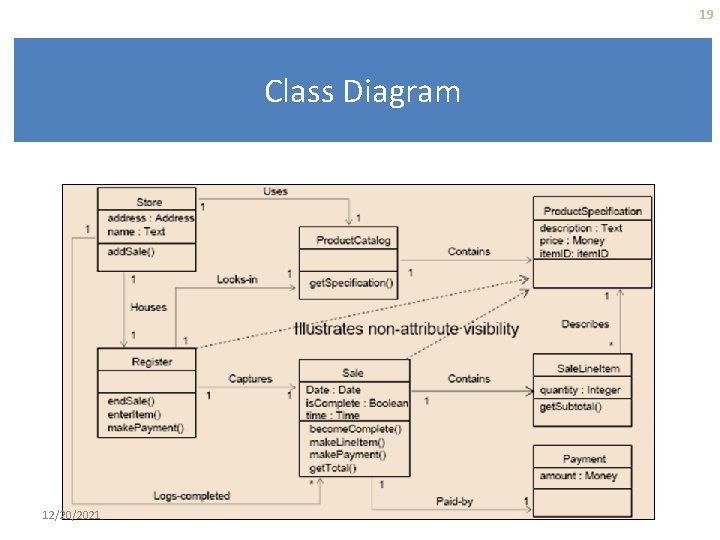
Class Diagram A class diagram shows the existence of classes and their relationships in the logical view of a system. UML modeling elements in class diagrams: § Classes and their structure and behavior. § Association, aggregation, dependency, and inheritance relationships. § Multiplicity and navigation indicators. § Role names. 12/20/2021 18
19 Class Diagram 12/20/2021
Structured Analysis 12/20/2021 20
System Analysis • Basic principle: problem partition • Partition with regard to what – Object - Object Oriented analysis – Function - Structural analysis • Data Flow Modeling (DFD) 12/20/2021 21
Data Flow Modeling • Widely used; focuses on functions performed in the system • Uses data flow diagrams (DFDs) and functional decomposition in modeling 12/20/2021 22
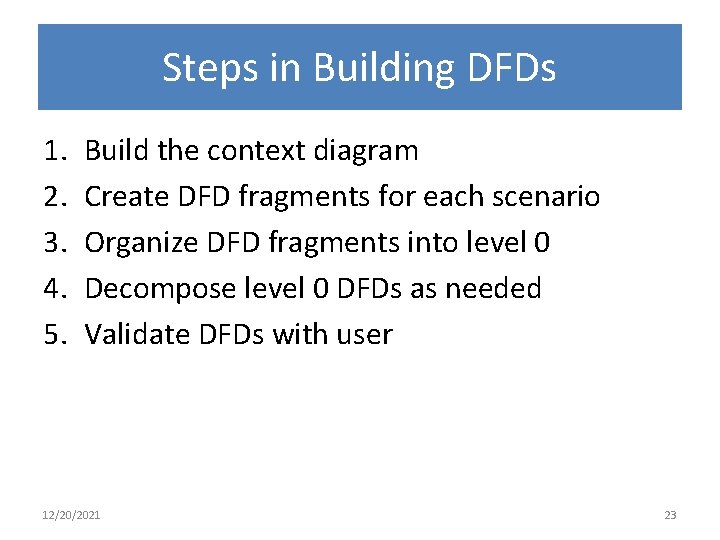
Steps in Building DFDs 1. 2. 3. 4. 5. Build the context diagram Create DFD fragments for each scenario Organize DFD fragments into level 0 Decompose level 0 DFDs as needed Validate DFDs with user 12/20/2021 23
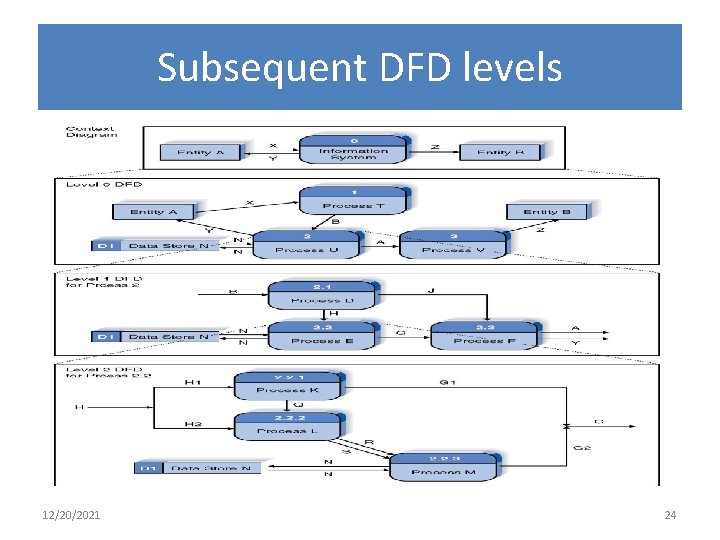
Subsequent DFD levels 12/20/2021 24
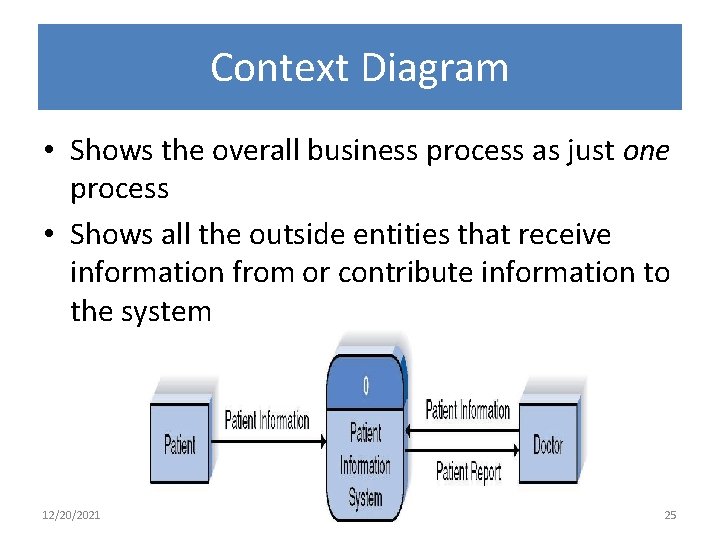
Context Diagram • Shows the overall business process as just one process • Shows all the outside entities that receive information from or contribute information to the system 12/20/2021 25
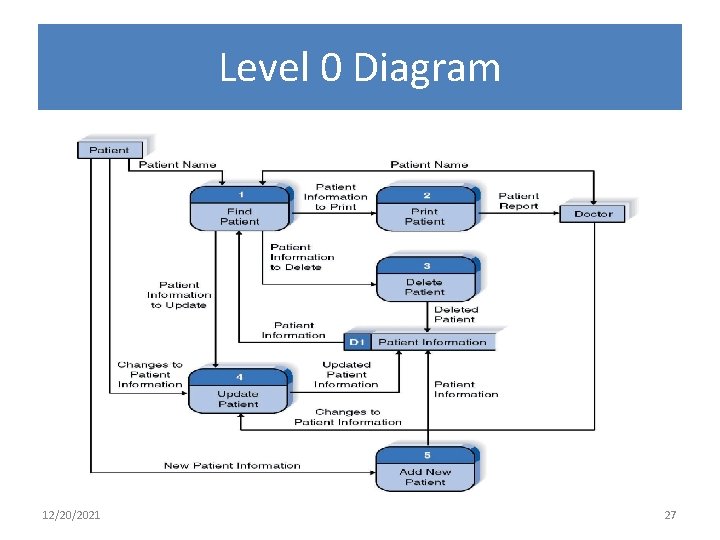
Level 0 Diagram • Shows all the processes that comprise the overall system • Shows how information moves from and to each process • Adds data stores 12/20/2021 26
Level 0 Diagram 12/20/2021 27
Level 1 Diagrams • Shows all the processes that comprise a single process on the level 0 diagram • Shows how information moves from and to each of these processes • Level 1 diagrams may not be needed for all level 0 processes 12/20/2021 28
Level 2 Diagrams • Shows all processes that comprise a single process on the level 1 diagram • Level 2 diagrams may not be needed for all level 1 processes • Correctly numbering each process helps the user understand where the process fits into the overall system 12/20/2021 29
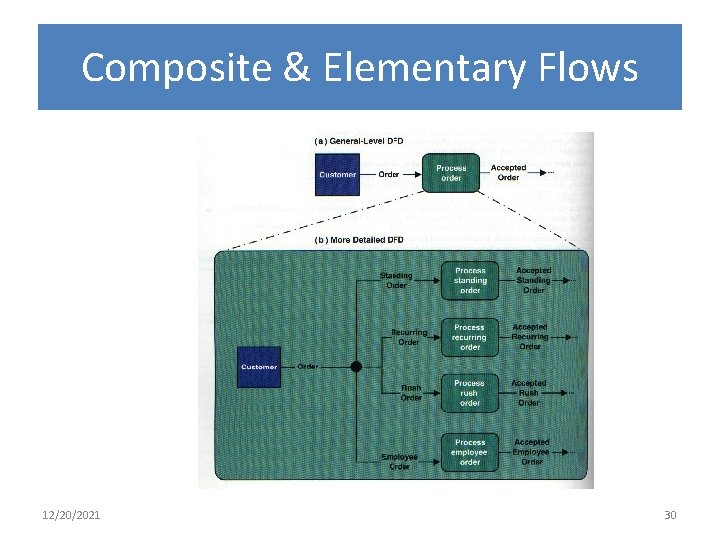
Composite & Elementary Flows 12/20/2021 30
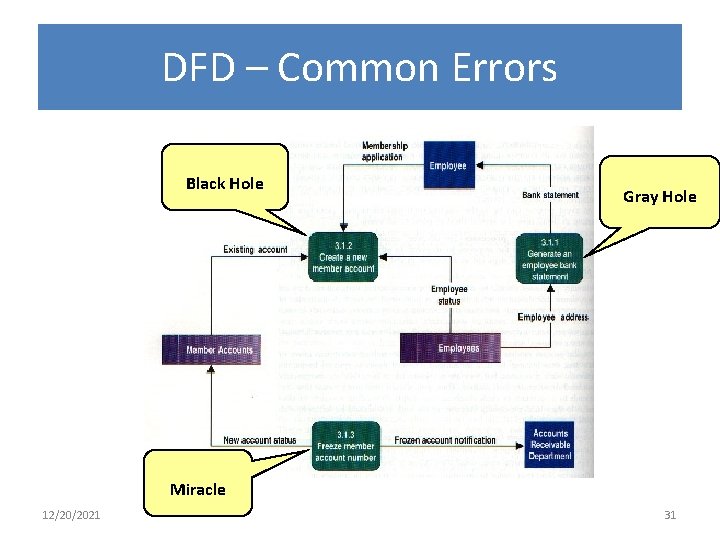
DFD – Common Errors Black Hole Gray Hole Miracle 12/20/2021 31
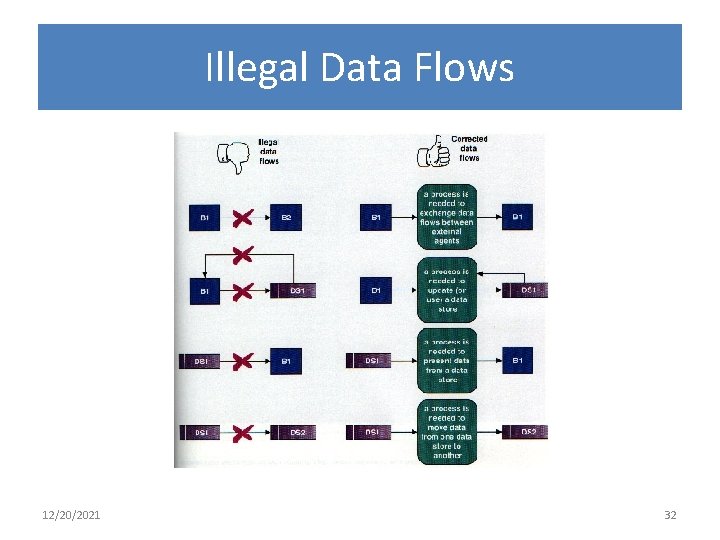
Illegal Data Flows 12/20/2021 32
DFD drawing – common errors Unlabeled data flows Missing data flows Extraneous data flows Consistency not maintained during refinement • Missing processes • Too detailed or too abstract • • 12/20/2021 33
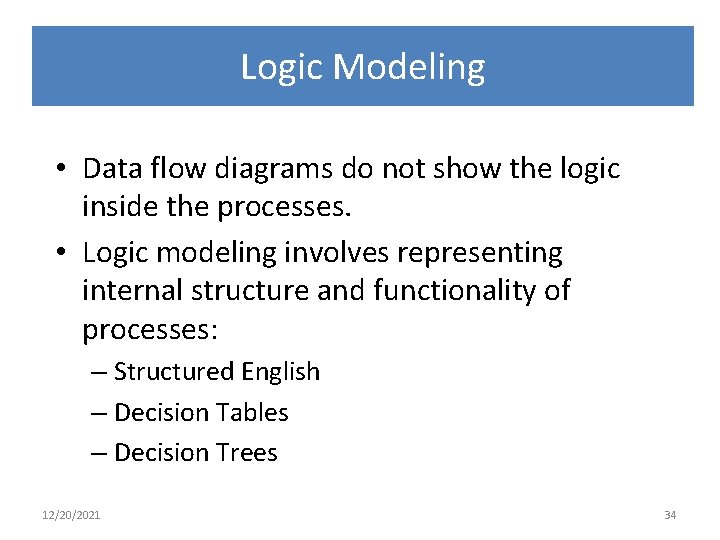
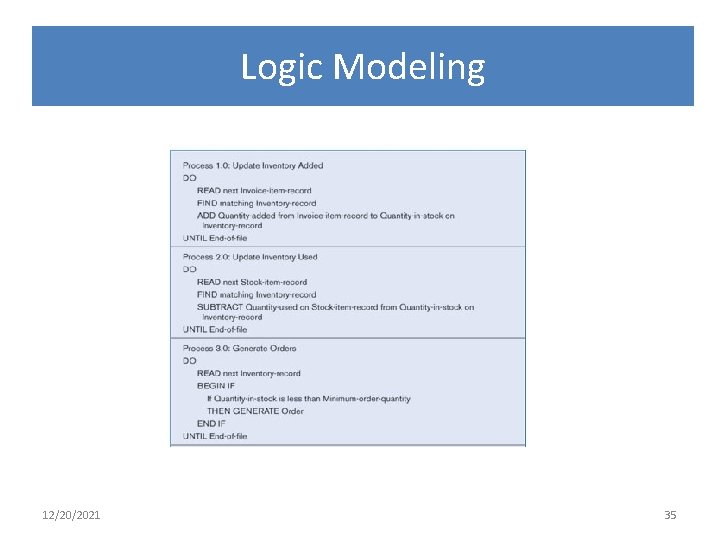
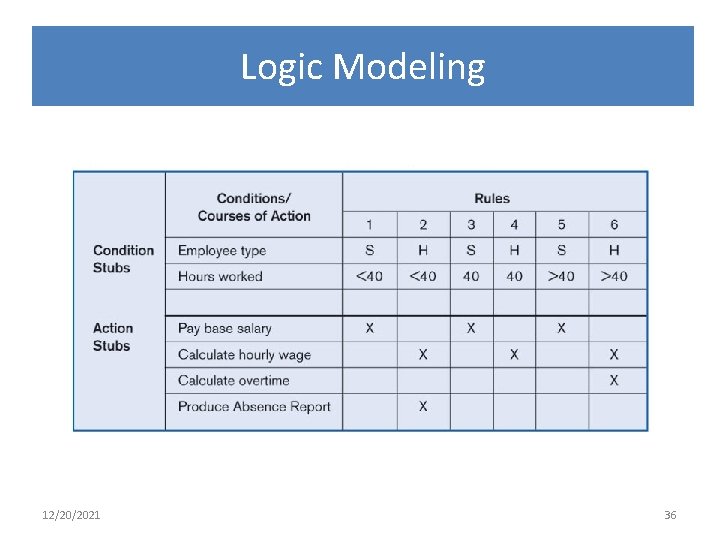
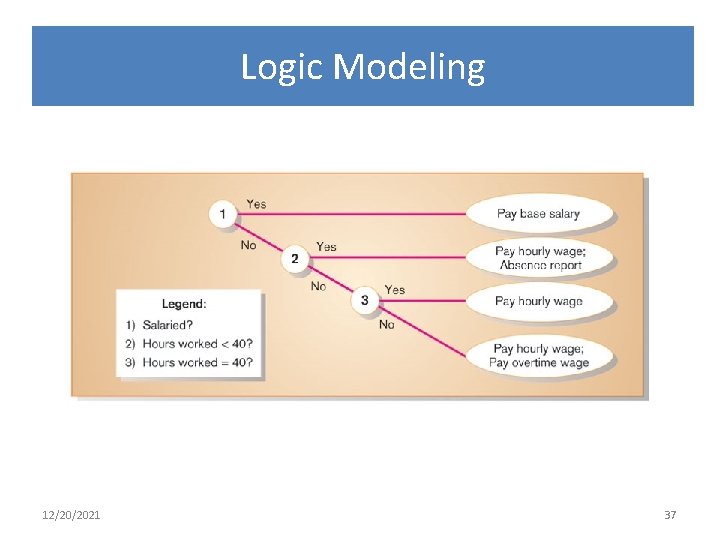
Logic Modeling • Data flow diagrams do not show the logic inside the processes. • Logic modeling involves representing internal structure and functionality of processes: – Structured English – Decision Tables – Decision Trees 12/20/2021 34
Logic Modeling 12/20/2021 35
Logic Modeling 12/20/2021 36
Logic Modeling 12/20/2021 37
Database 12/20/2021 38
12/20/2021 39
Weak Entity 12/20/2021 40
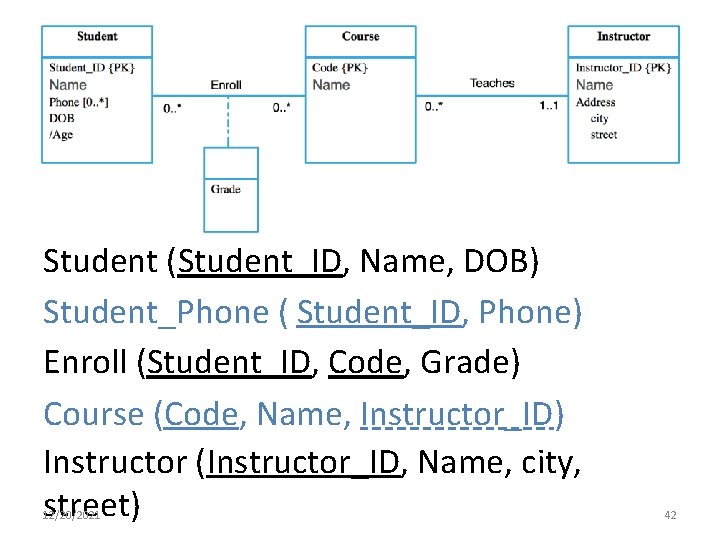
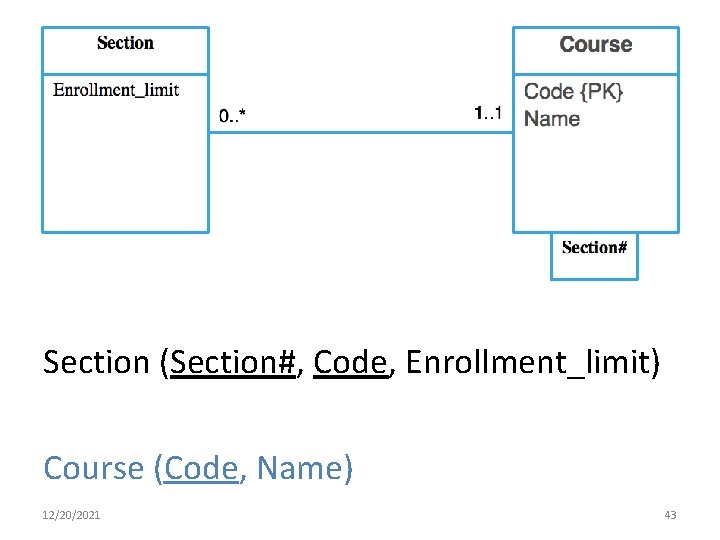
DB SCHEMA How to derive a set of relations from a conceptual data model. 12/20/2021 41
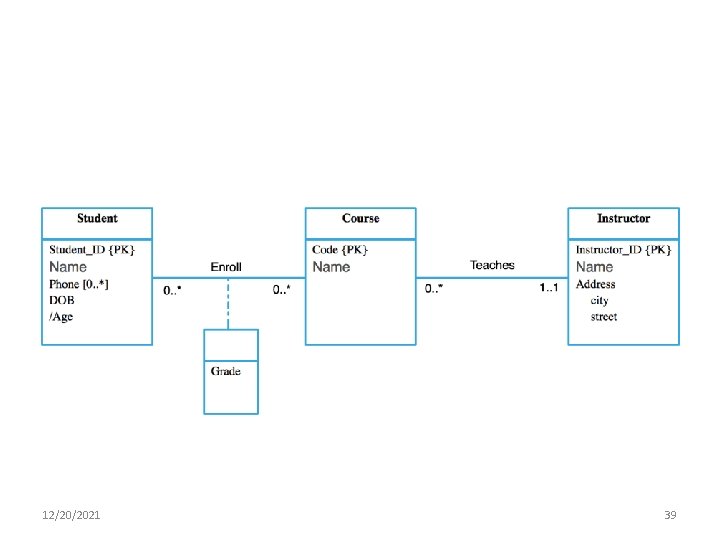
Student (Student_ID, Name, DOB) Student_Phone ( Student_ID, Phone) Enroll (Student_ID, Code, Grade) Course (Code, Name, Instructor_ID) Instructor (Instructor_ID, Name, city, street) 12/20/2021 42
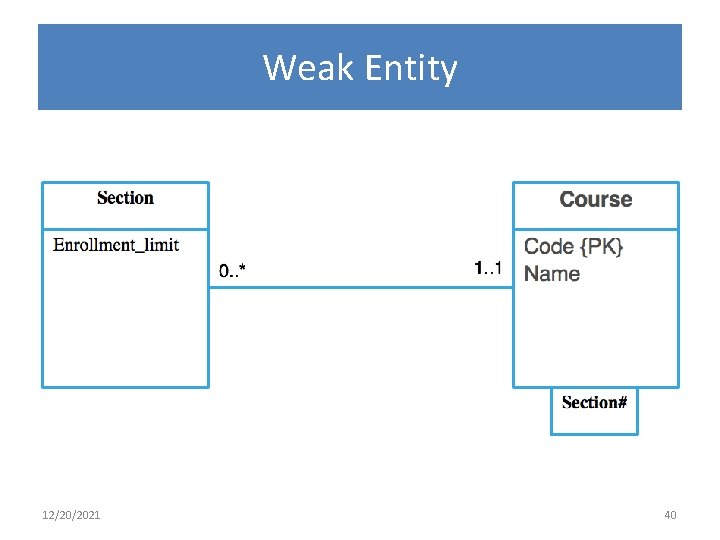
Section (Section#, Code, Enrollment_limit) Course (Code, Name) 12/20/2021 43
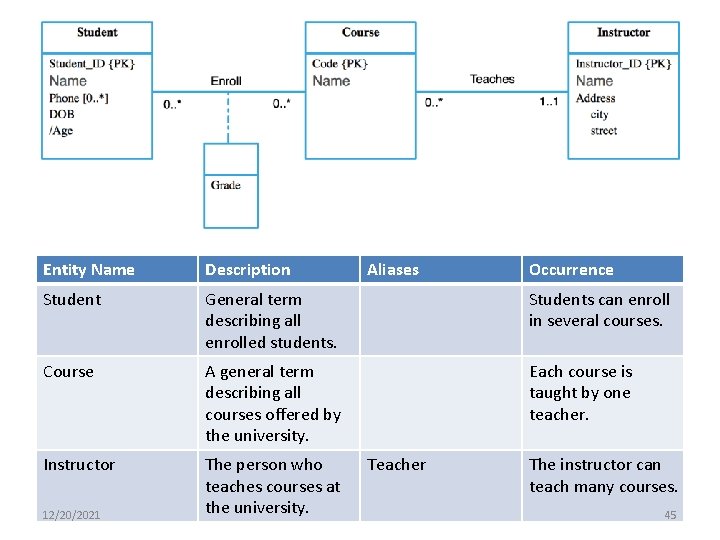
DB DICTIONARY Entity dictionary 12/20/2021 44
Entity Name Description Student General term describing all enrolled students. Students can enroll in several courses. Course A general term describing all courses offered by the university. Each course is taught by one teacher. Instructor The person who teaches courses at the university. 12/20/2021 Aliases Teacher Occurrence The instructor can teach many courses. 45
DB DICTIONARY Relationships dictionary 12/20/2021 46
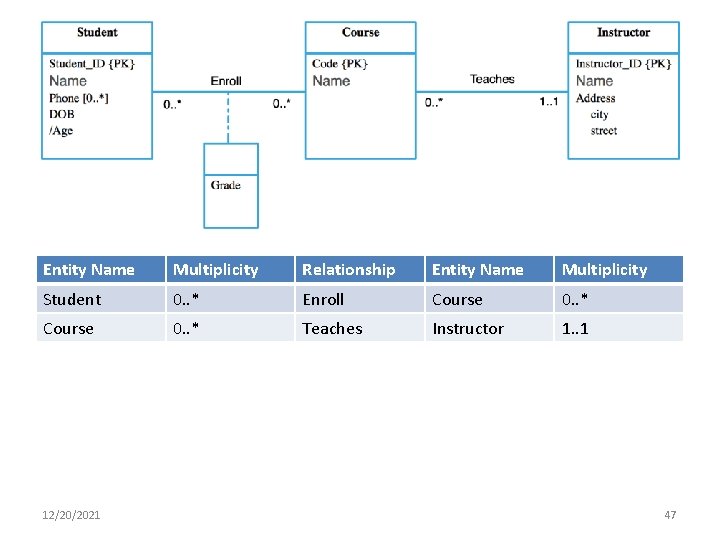
Entity Name Multiplicity Relationship Entity Name Multiplicity Student 0. . * Enroll Course 0. . * Teaches Instructor 1. . 1 12/20/2021 47
DB DICTIONARY Attributes dictionary 12/20/2021 48
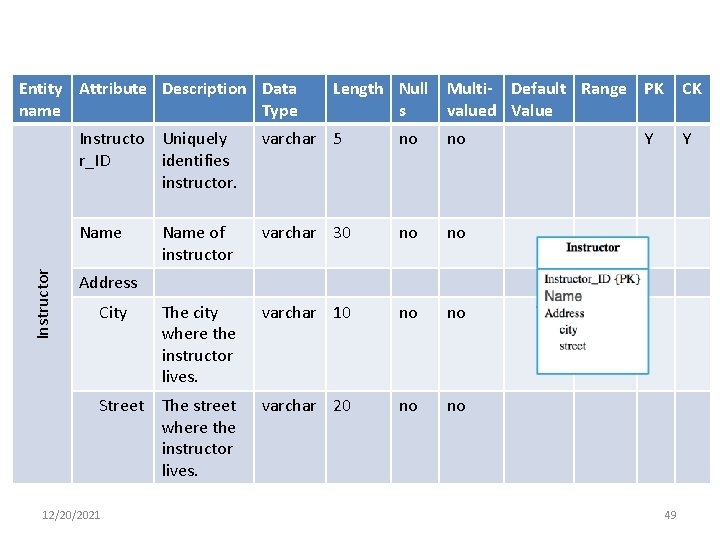
Instructor Entity Attribute Description Data name Type Length Null Multi- Default Range PK s valued Value Instructo Uniquely r_ID identifies instructor. varchar 5 no no Name of instructor varchar 30 no no The city where the instructor lives. varchar 10 no no Street The street where the instructor lives. varchar 20 no no CK Y Y Address City 12/20/2021 49
Web Development 12/20/2021 50
How to Choose a Programming Language Figure out what works for the team. Find out what works in context. Consider ease of learning. Evaluate the availability of tools for the potential computer programming languages. • Look at cross-platform ability. • Determine the ease of server-side and client -side scripting. • • 12/20/2021 51
Popular Web Programming Language Server-side: • PHP with My. SQL • ASP. NET with SQL Server Express • Python with My. SQL • Java Servlets with JDBC (support different DBs) – Java Hosting Servers are different from Regular web Hosting. • You should check that the hosting server support Java 12/20/2021 52
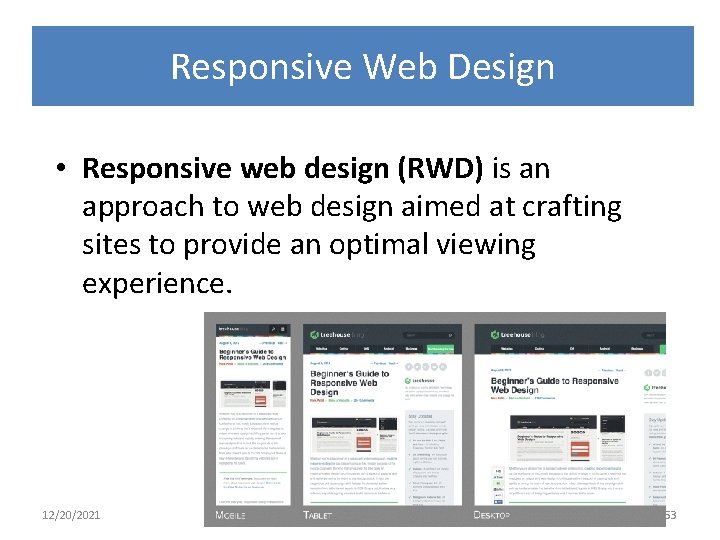
Responsive Web Design • Responsive web design (RWD) is an approach to web design aimed at crafting sites to provide an optimal viewing experience. 12/20/2021 53
Responsive Web Design • How to achieve? • Use responsive templates • Use framework (e. g. Bootstrap and Foundation) • Built it: – Media queries – Fluid Grids – Fluid Media 12/20/2021 54
12/20/2021 55
References • Guide to the User Requirements Definition phase, ESA PSS-0502 Issue 1 Revision 1 March 1995 • Modern Systems Analysis and Design by Jeffrey A. Hoffer, Joey George, Joe A. Valacich • http: //en. wikipedia. org/wiki/Responsive_web_design • http: //learn. shayhowe. com/advanced-html-css/responsiveweb-design/ 12/20/2021 56