
Programming with Open GL Part 1 Background Ed
Programming with Open. GL Part 1: Background Ed Angel Professor of Computer Science, Electrical and Computer Engineering, and Media Arts University of New Mexico Angel: Interactive Computer Graphics 5 E © Addison-Wesley 2009 1
Objectives • Development of the Open. GL API • Open. GL Architecture Open. GL as a state machine • Functions Types Formats • Simple program Angel: Interactive Computer Graphics 5 E © Addison-Wesley 2009 2
Early History of APIs • IFIPS (1973) formed two committees to come up with a standard graphics API Graphical Kernel System (GKS) • 2 D but contained good workstation model Core • Both 2 D and 3 D GKS adopted as IS 0 and later ANSI standard (1980 s) • GKS not easily extended to 3 D (GKS 3 D) Far behind hardware development Angel: Interactive Computer Graphics 5 E © Addison-Wesley 2009 3
PHIGS and X • Programmers Hierarchical Graphics System (PHIGS) Arose from CAD community Database model with retained graphics (structures) • X Window System DEC/MIT effort Client server architecture with graphics • PEX combined the two Not easy to use (all the defects of each) Angel: Interactive Computer Graphics 5 E © Addison-Wesley 2009 4
SGI and GL • Silicon Graphics (SGI) revolutionized the graphics workstation by implementing the pipeline in hardware (1982) • To access the system, application programmers used a library called GL • With GL, it was relatively simple to program three dimensional interactive applications Angel: Interactive Computer Graphics 5 E © Addison-Wesley 2009 5
Open. GL The success of GL lead to Open. GL (1992), a platform independent API that was Easy to use Close enough to the hardware to get excellent performance Focus on rendering Omitted windowing and input to avoid window system dependencies Angel: Interactive Computer Graphics 5 E © Addison-Wesley 2009 6
Open. GL Evolution • Originally controlled by an Architectural Review Board (ARB) Members included SGI, Microsoft, Nvidia, HP, 3 DLabs, IBM, ……. Relatively stable (present version 2. 1) • Evolution reflects new hardware capabilities – 3 D texture mapping and texture objects – Vertex programs Allows for platform specific features through extensions ARB replaced by Kronos Angel: Interactive Computer Graphics 5 E © Addison-Wesley 2009 7
Open. GL Libraries • Open. GL core library Open. GL 32 on Windows GL on most unix/linux systems (lib. GL. a) • Open. GL Utility Library (GLU) Provides functionality in Open. GL core but avoids having to rewrite code • Links with window system GLX for X window systems WGL for Windows AGL for Macintosh Angel: Interactive Computer Graphics 5 E © Addison-Wesley 2009 8
GLUT • Open. GL Utility Toolkit (GLUT) Provides functionality common to all window systems • • Open a window Get input from mouse and keyboard Menus Event driven Code is portable but GLUT lacks the functionality of a good toolkit for a specific platform • No slide bars Angel: Interactive Computer Graphics 5 E © Addison-Wesley 2009 9
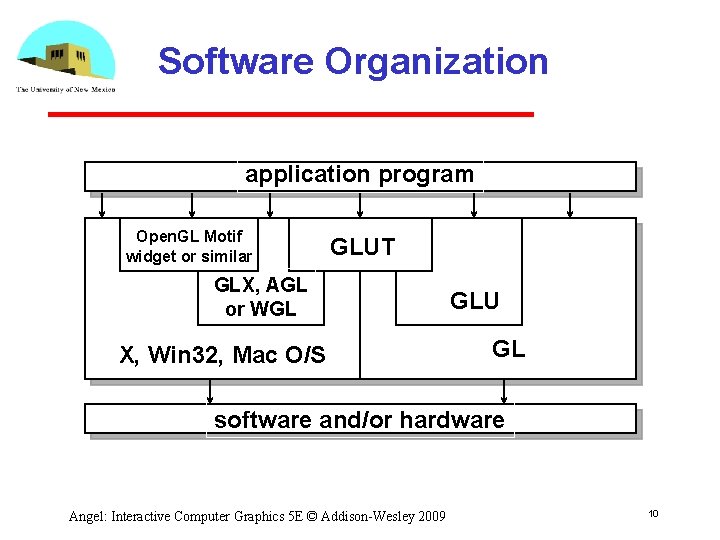
Software Organization application program Open. GL Motif widget or similar GLUT GLX, AGL or WGL X, Win 32, Mac O/S GLU GL software and/or hardware Angel: Interactive Computer Graphics 5 E © Addison-Wesley 2009 10
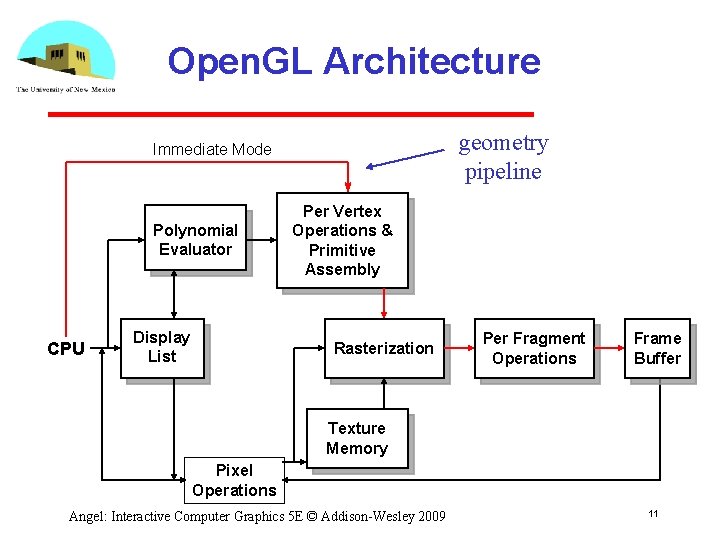
Open. GL Architecture geometry pipeline Immediate Mode Polynomial Evaluator CPU Display List Per Vertex Operations & Primitive Assembly Rasterization Per Fragment Operations Frame Buffer Texture Memory Pixel Operations Angel: Interactive Computer Graphics 5 E © Addison-Wesley 2009 11
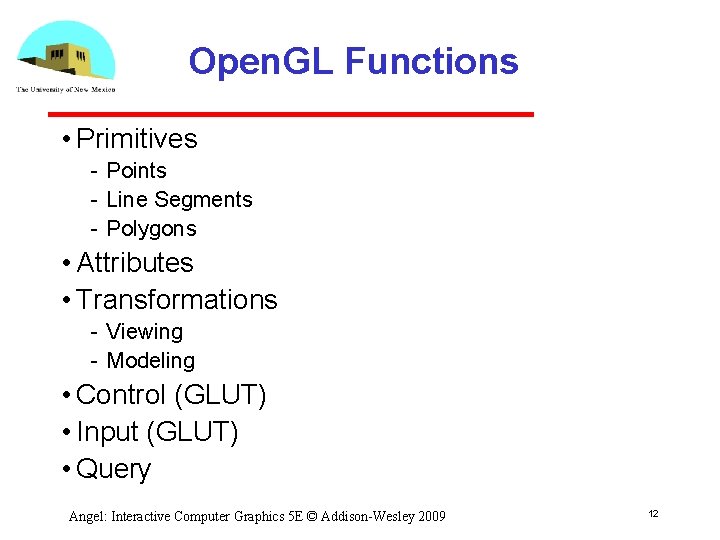
Open. GL Functions • Primitives Points Line Segments Polygons • Attributes • Transformations Viewing Modeling • Control (GLUT) • Input (GLUT) • Query Angel: Interactive Computer Graphics 5 E © Addison-Wesley 2009 12
Open. GL State • Open. GL is a state machine • Open. GL functions are of two types Primitive generating • Can cause output if primitive is visible • How vertices are processed and appearance of primitive are controlled by the state State changing • Transformation functions • Attribute functions Angel: Interactive Computer Graphics 5 E © Addison-Wesley 2009 13
Lack of Object Orientation • Open. GL is not object oriented so that there are multiple functions for a given logical function gl. Vertex 3 f gl. Vertex 2 i gl. Vertex 3 dv • Underlying storage mode is the same • Easy to create overloaded functions in C++ but issue is efficiency Angel: Interactive Computer Graphics 5 E © Addison-Wesley 2009 14
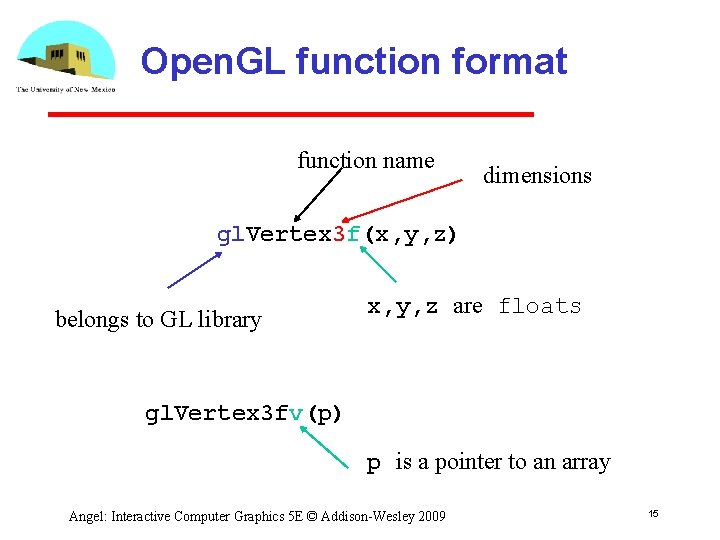
Open. GL function format function name dimensions gl. Vertex 3 f(x, y, z) belongs to GL library x, y, z are floats gl. Vertex 3 fv(p) p is a pointer to an array Angel: Interactive Computer Graphics 5 E © Addison-Wesley 2009 15
Open. GL #defines • Most constants are defined in the include files gl. h, glu. h and glut. h Note #include <GL/glut. h> should automatically include the others Examples gl. Begin(GL_POLYGON) gl. Clear(GL_COLOR_BUFFER_BIT) • include files also define Open. GL data types: GLfloat, GLdouble, …. Angel: Interactive Computer Graphics 5 E © Addison-Wesley 2009 16
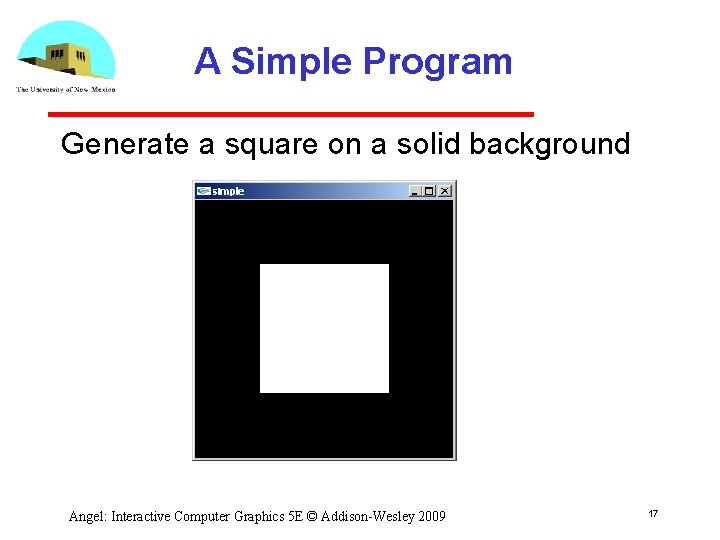
A Simple Program Generate a square on a solid background Angel: Interactive Computer Graphics 5 E © Addison-Wesley 2009 17
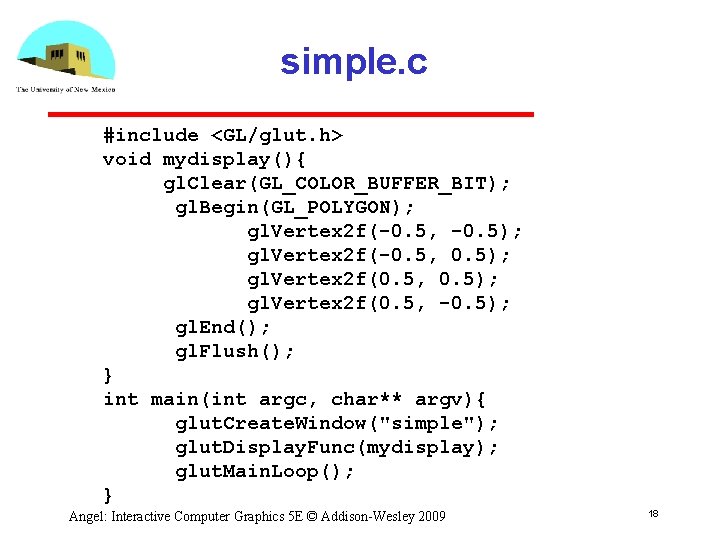
simple. c #include <GL/glut. h> void mydisplay(){ gl. Clear(GL_COLOR_BUFFER_BIT); gl. Begin(GL_POLYGON); gl. Vertex 2 f(-0. 5, -0. 5); gl. Vertex 2 f(-0. 5, 0. 5); gl. Vertex 2 f(0. 5, -0. 5); gl. End(); gl. Flush(); } int main(int argc, char** argv){ glut. Create. Window("simple"); glut. Display. Func(mydisplay); glut. Main. Loop(); } Angel: Interactive Computer Graphics 5 E © Addison-Wesley 2009 18
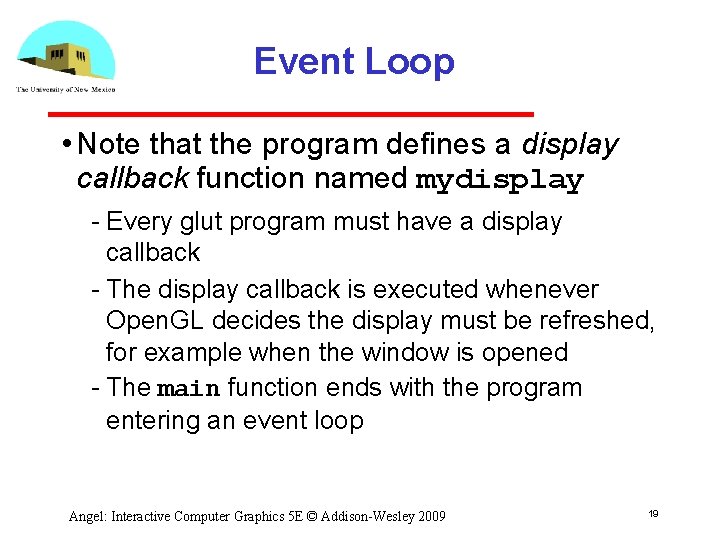
Event Loop • Note that the program defines a display callback function named mydisplay Every glut program must have a display callback The display callback is executed whenever Open. GL decides the display must be refreshed, for example when the window is opened The main function ends with the program entering an event loop Angel: Interactive Computer Graphics 5 E © Addison-Wesley 2009 19
Defaults • simple. c is too simple • Makes heavy use of state variable default values for Viewing Colors Window parameters • Next version will make the defaults more explicit Angel: Interactive Computer Graphics 5 E © Addison-Wesley 2009 20
Notes on compilation • See website and ftp for examples • Unix/linux Include files usually in …/include/GL Compile with –lglut –lglu –lgl loader flags May have to add –L flag for X libraries Mesa implementation included with most linux distributions Check web for latest versions of Mesa and glut Angel: Interactive Computer Graphics 5 E © Addison-Wesley 2009 21
Compilation on Windows • Visual C++ Get glut. h, glut 32. lib and glut 32. dll from web Create a console application Add opengl 32. lib, glut 32. lib to project settings (under link tab) • Borland C similar • Cygwin (linux under Windows) Can use gcc and similar makefile to linux Use –lopengl 32 –lglut 32 flags Angel: Interactive Computer Graphics 5 E © Addison-Wesley 2009 22
- Slides: 22