
Programming with Android Widgets and Events Luca Bedogni
Programming with Android: Widgets and Events Luca Bedogni Marco Di Felice Dipartimento di Scienze dell’Informazione Università di Bologna
Outline What is a Widget? Widget: Text. View and Edit. Text Widget: Button and Compound. Button Widget: Image. View Widget: Checked. Text. View Event Management: Event Handlers Event Management: Event Listeners Luca Bedogni, Marco Di Felice - Programming with Android – Resources 2
Android: Where are we now … Android Applications’ anatomy: Ø Activities Ø Intents Ø Layouts Ø Views Application Components (screens) Communication between components Placement of the elements on the screen … … Elements to be placed! Widget Pre-defined, common-used View objects … Luca Bedogni, Marco Di Felice - Programming with Android – Resources 3
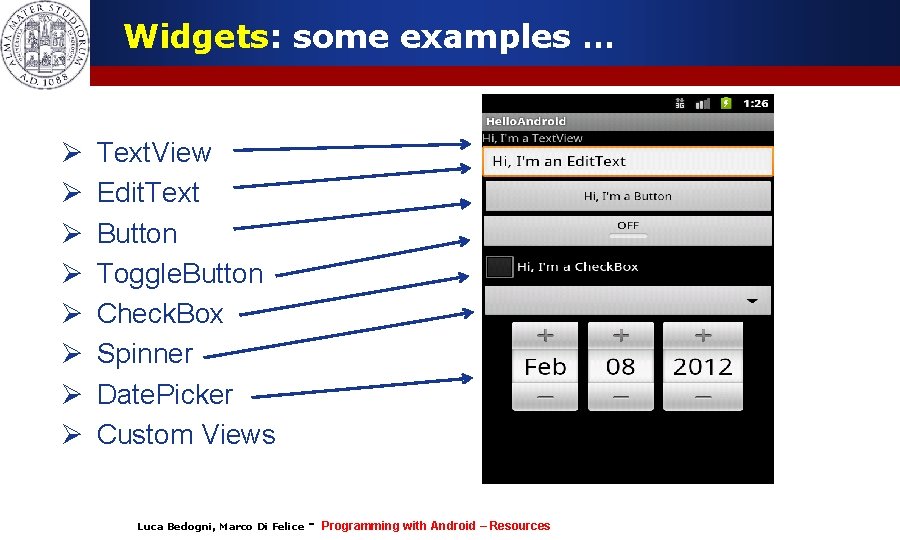
Widgets: some examples … Ø Ø Ø Ø Text. View Edit. Text Button Toggle. Button Check. Box Spinner Date. Picker Custom Views Luca Bedogni, Marco Di Felice - Programming with Android – Resources 4
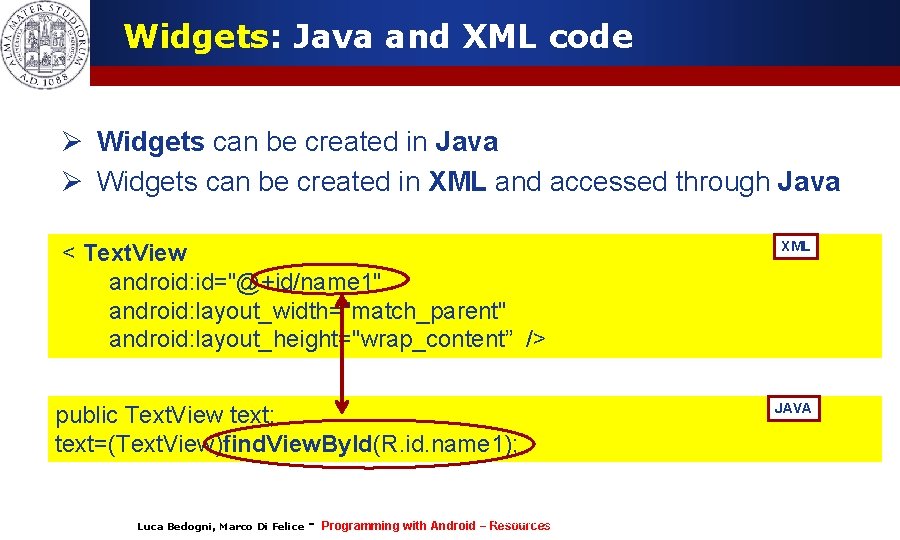
Widgets: Java and XML code Ø Widgets can be created in Java Ø Widgets can be created in XML and accessed through Java XML < Text. View android: id="@+id/name 1" android: layout_width="match_parent" android: layout_height="wrap_content” /> JAVA public Text. View text; text=(Text. View)find. View. By. Id(R. id. name 1); Luca Bedogni, Marco Di Felice - Luca Bedogni 2012 Programming with Android (c) – Resources 5
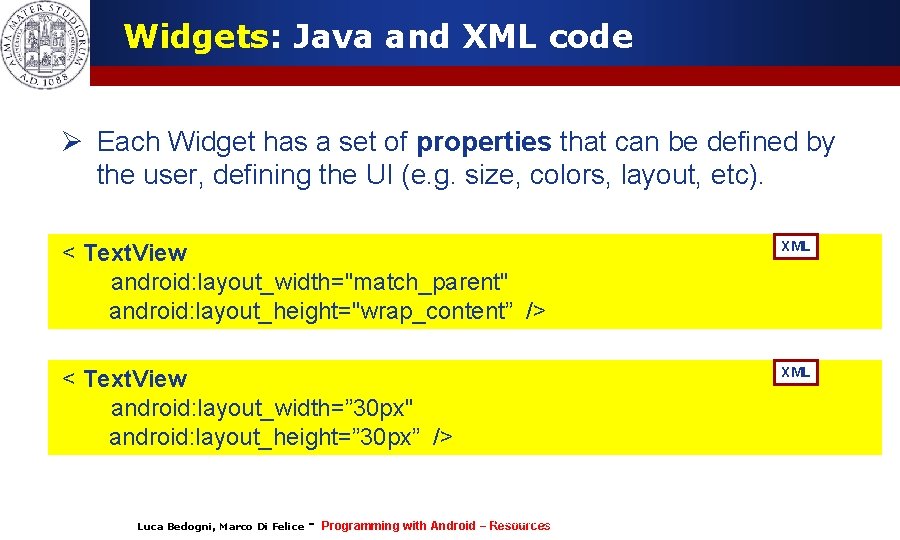
Widgets: Java and XML code Ø Each Widget has a set of properties that can be defined by the user, defining the UI (e. g. size, colors, layout, etc). < Text. View android: layout_width="match_parent" android: layout_height="wrap_content” /> XML < Text. View android: layout_width=” 30 px" android: layout_height=” 30 px” /> XML Luca Bedogni, Marco Di Felice - Luca Bedogni 2012 Programming with Android (c) – Resources 6
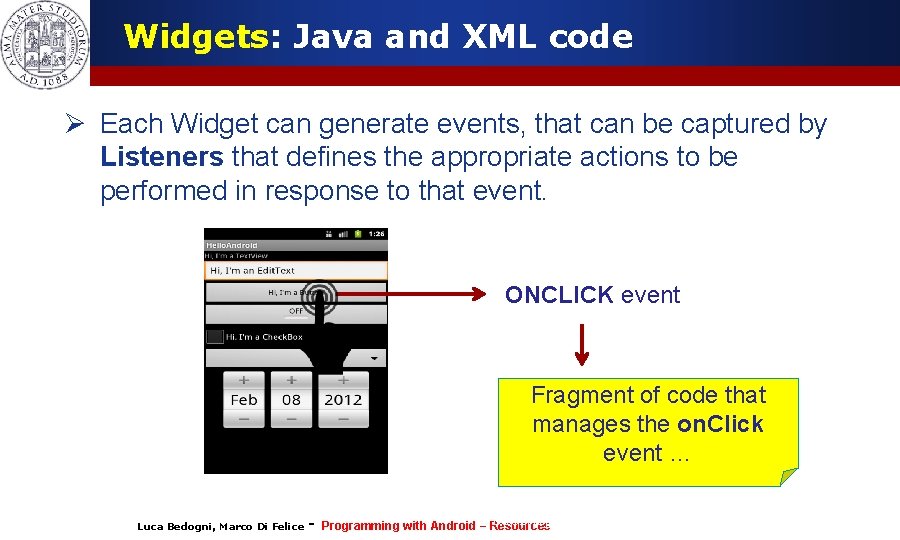
Widgets: Java and XML code Ø Each Widget can generate events, that can be captured by Listeners that defines the appropriate actions to be performed in response to that event. ONCLICK event Fragment of code that manages the on. Click event … Luca Bedogni, Marco Di Felice - Luca Bedogni 2012 Programming with Android (c) – Resources 7

Widgets: Java and XML code Ø Each Widget can have a focus and a visibility, based on the user’s interaction. Ø The user can force a focus to a specific component through the request. Focus() method. Ø The user can modify the visibility of a specific component through the set. Visibility(int) method. Luca Bedogni, Marco Di Felice - Luca Bedogni 2012 Programming with Android (c) – Resources 8
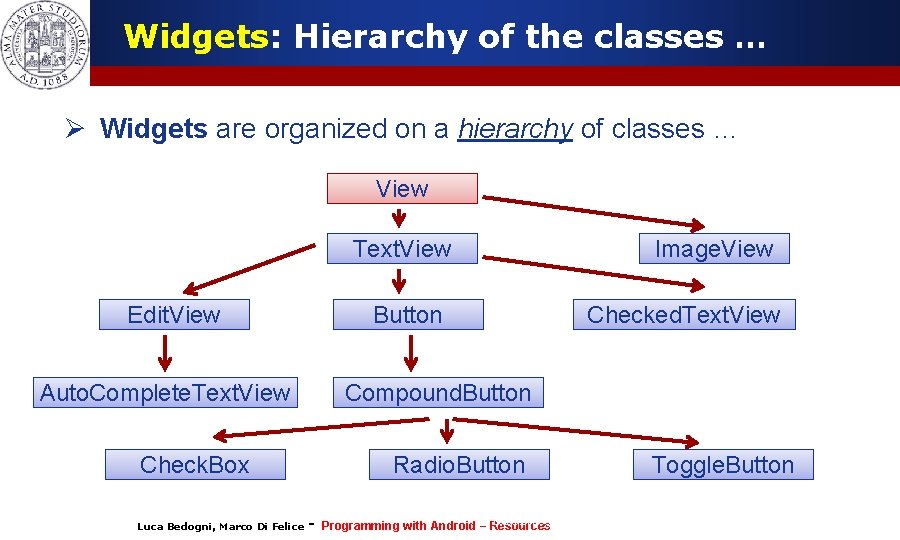
Widgets: Hierarchy of the classes … Ø Widgets are organized on a hierarchy of classes … View Text. View Edit. View Button Auto. Complete. Text. View Checked. Text. View Compound. Button Check. Box Luca Bedogni, Marco Di Felice Image. View Radio. Button - Luca Bedogni 2012 Programming with Android (c) – Resources Toggle. Button 9
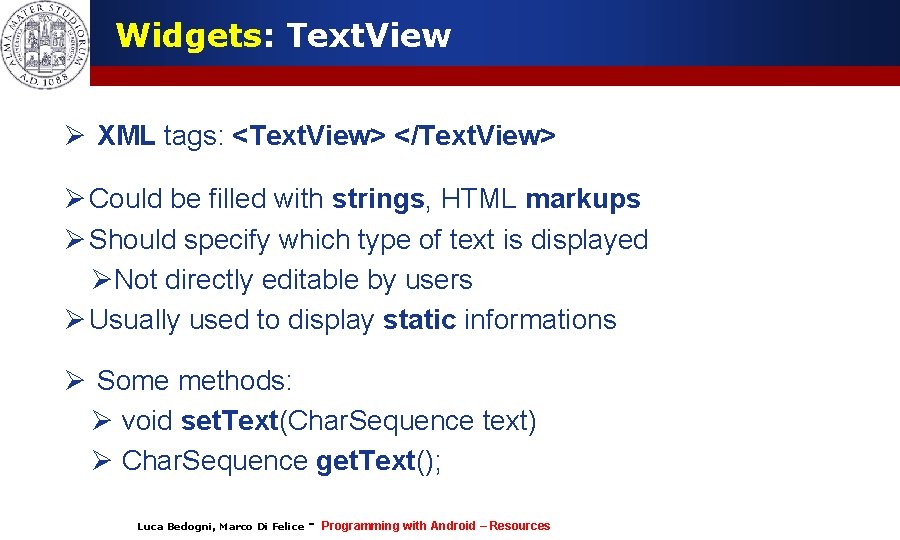
Widgets: Text. View Ø XML tags: <Text. View> </Text. View> Ø Could be filled with strings, HTML markups Ø Should specify which type of text is displayed ØNot directly editable by users Ø Usually used to display static informations Ø Some methods: Ø void set. Text(Char. Sequence text) Ø Char. Sequence get. Text(); Luca Bedogni, Marco Di Felice - Programming with Android – Resources 10
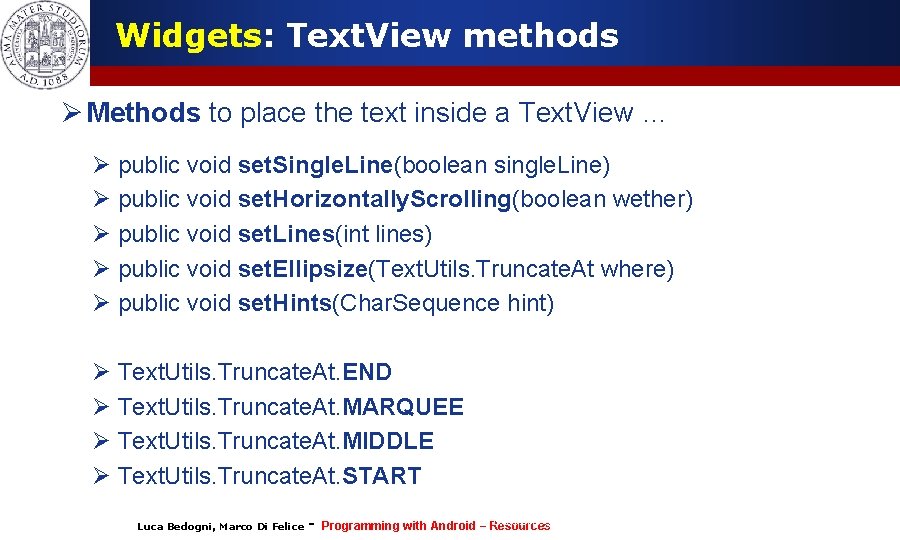
Widgets: Text. View methods Ø Methods to place the text inside a Text. View … Ø public void set. Single. Line(boolean single. Line) Ø public void set. Horizontally. Scrolling(boolean wether) Ø public void set. Lines(int lines) Ø public void set. Ellipsize(Text. Utils. Truncate. At where) Ø public void set. Hints(Char. Sequence hint) Ø Text. Utils. Truncate. At. END Ø Text. Utils. Truncate. At. MARQUEE Ø Text. Utils. Truncate. At. MIDDLE Ø Text. Utils. Truncate. At. START Luca Bedogni, Marco Di Felice - Luca Bedogni 2012 Programming with Android (c) – Resources 11
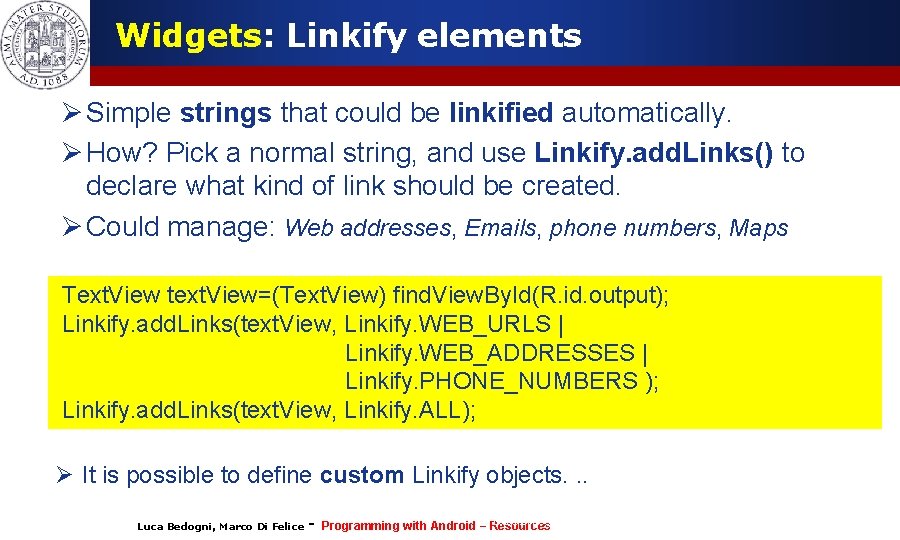
Widgets: Linkify elements Ø Simple strings that could be linkified automatically. Ø How? Pick a normal string, and use Linkify. add. Links() to declare what kind of link should be created. Ø Could manage: Web addresses, Emails, phone numbers, Maps Text. View text. View=(Text. View) find. View. By. Id(R. id. output); Linkify. add. Links(text. View, Linkify. WEB_URLS | Linkify. WEB_ADDRESSES | Linkify. PHONE_NUMBERS ); Linkify. add. Links(text. View, Linkify. ALL); Ø It is possible to define custom Linkify objects. . . Luca Bedogni, Marco Di Felice - Luca Bedogni 2012 Programming with Android (c) – Resources 12
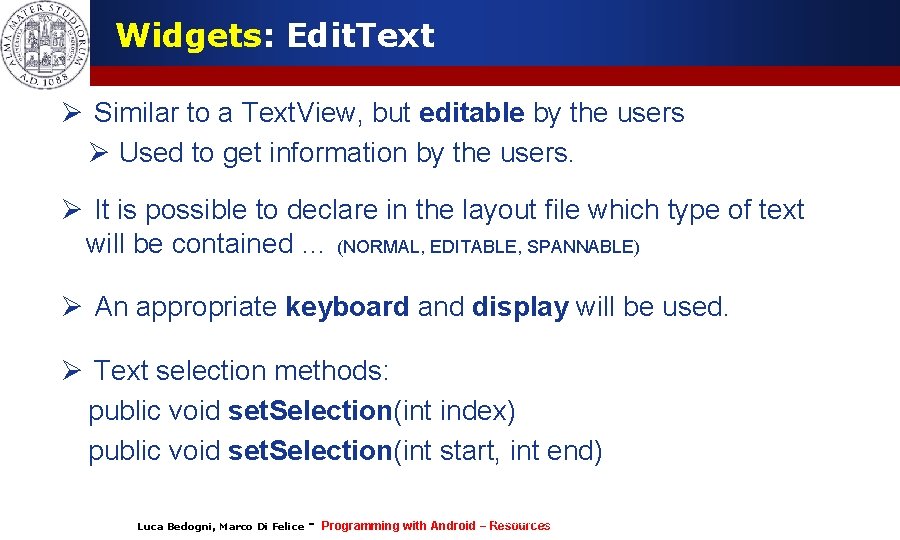
Widgets: Edit. Text Ø Similar to a Text. View, but editable by the users Ø Used to get information by the users. Ø It is possible to declare in the layout file which type of text will be contained … (NORMAL, EDITABLE, SPANNABLE) Ø An appropriate keyboard and display will be used. Ø Text selection methods: public void set. Selection(int index) public void set. Selection(int start, int end) Luca Bedogni, Marco Di Felice - Luca Bedogni 2012 Programming with Android (c) – Resources 13
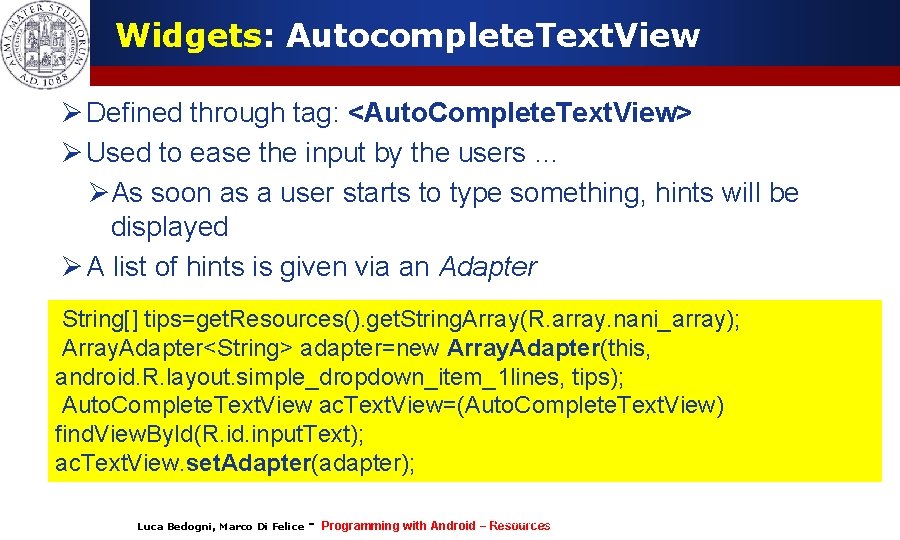
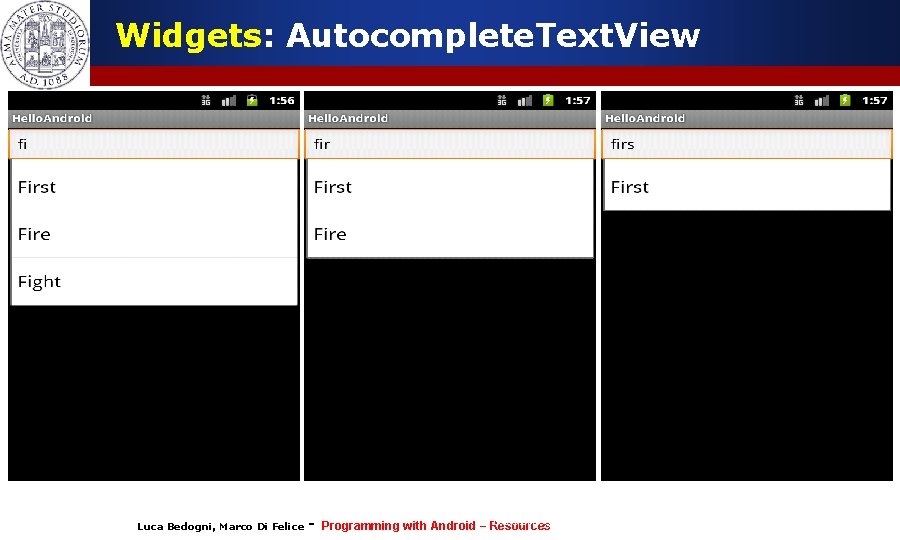
Widgets: Autocomplete. Text. View Ø Defined through tag: <Auto. Complete. Text. View> Ø Used to ease the input by the users … ØAs soon as a user starts to type something, hints will be displayed Ø A list of hints is given via an Adapter String[] tips=get. Resources(). get. String. Array(R. array. nani_array); Array. Adapter<String> adapter=new Array. Adapter(this, android. R. layout. simple_dropdown_item_1 lines, tips); Auto. Complete. Text. View ac. Text. View=(Auto. Complete. Text. View) find. View. By. Id(R. id. input. Text); ac. Text. View. set. Adapter(adapter); Luca Bedogni, Marco Di Felice - Luca Bedogni 2012 Programming with Android (c) – Resources 14
Widgets: Autocomplete. Text. View Luca Bedogni, Marco Di Felice - Luca Bedogni 2012 Programming with Android (c) – Resources 15
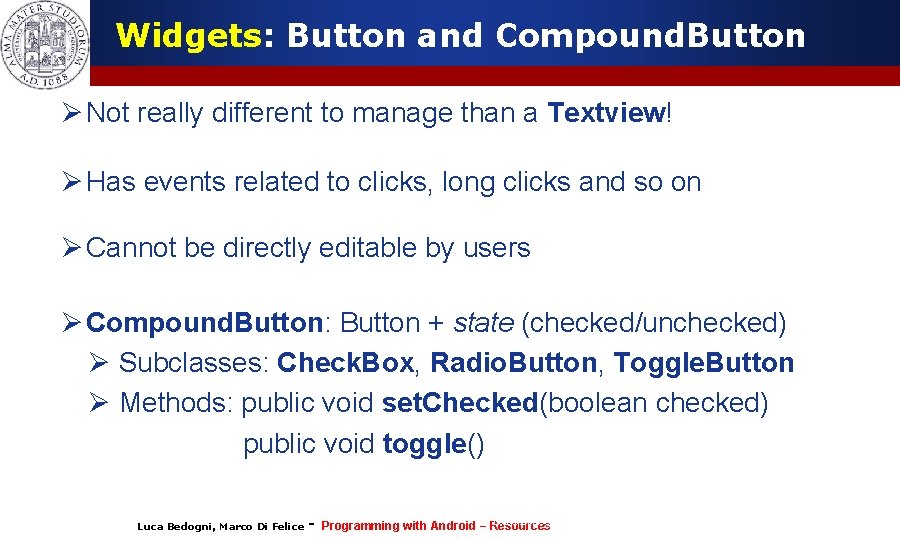
Widgets: Button and Compound. Button Ø Not really different to manage than a Textview! Ø Has events related to clicks, long clicks and so on Ø Cannot be directly editable by users Ø Compound. Button: Button + state (checked/unchecked) Ø Subclasses: Check. Box, Radio. Button, Toggle. Button Ø Methods: public void set. Checked(boolean checked) public void toggle() Luca Bedogni, Marco Di Felice - Luca Bedogni 2012 Programming with Android (c) – Resources 16
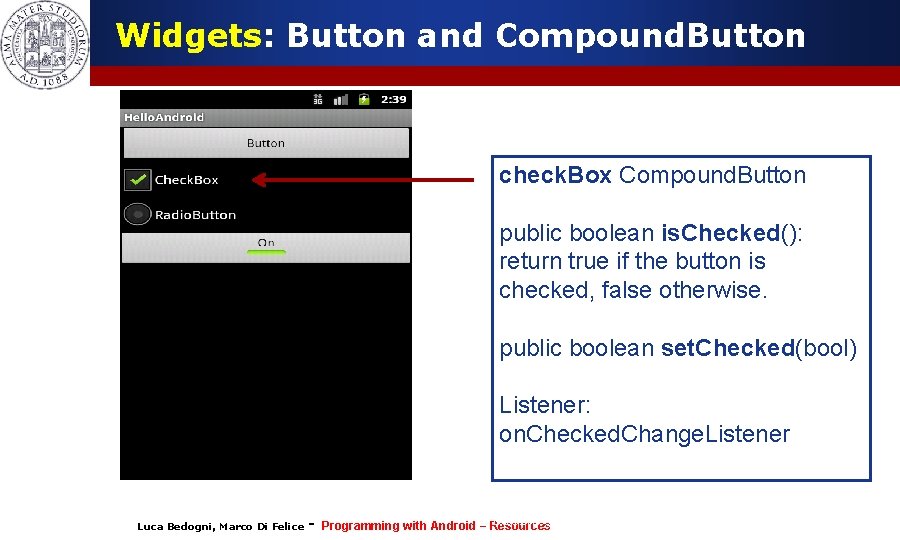
Widgets: Button and Compound. Button check. Box Compound. Button public boolean is. Checked(): return true if the button is checked, false otherwise. public boolean set. Checked(bool) Listener: on. Checked. Change. Listener Luca Bedogni, Marco Di Felice - Luca Bedogni 2012 Programming with Android (c) – Resources 17

Widgets: Button and Compound. Button radio. Button Compound. Button Define multiple (mutual-exclusive) options through a <Radio. Group> </Radio. Group> tag. Only one button can be checked within the same Radio. Group. Listener: On. Checked. Change. Listener Luca Bedogni, Marco Di Felice - Luca Bedogni 2012 Programming with Android (c) – Resources 18
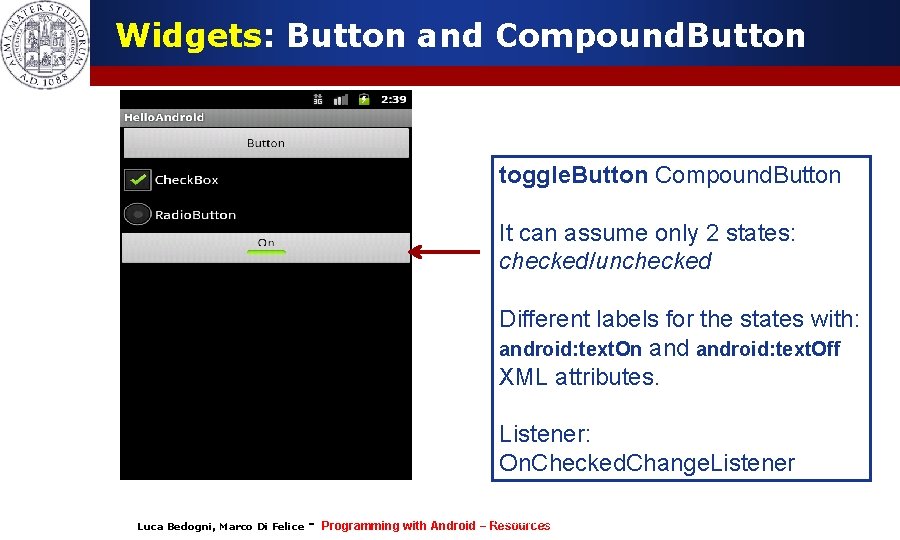
Widgets: Button and Compound. Button toggle. Button Compound. Button It can assume only 2 states: checked/unchecked Different labels for the states with: android: text. On android: text. Off XML attributes. Listener: On. Checked. Change. Listener Luca Bedogni, Marco Di Felice - Luca Bedogni 2012 Programming with Android (c) – Resources 19
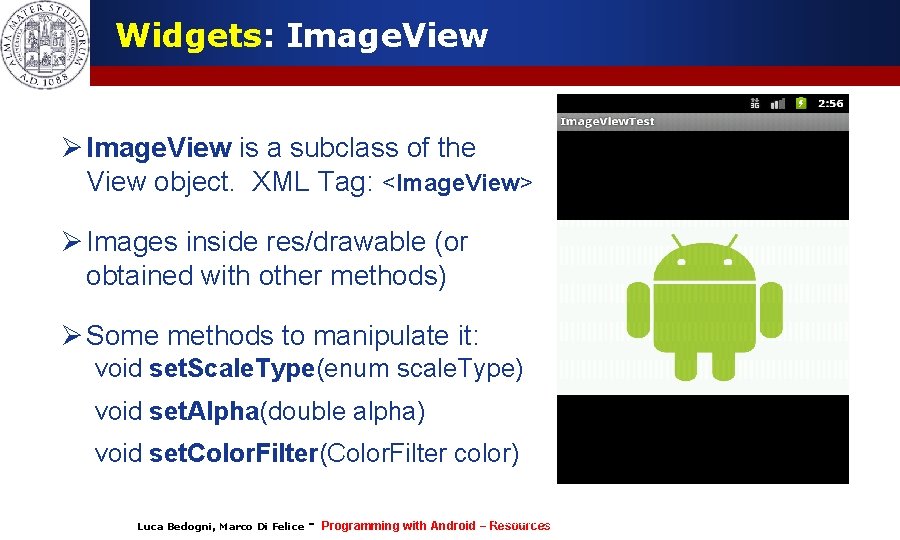
Widgets: Image. View Ø Image. View is a subclass of the View object. XML Tag: <Image. View> Ø Images inside res/drawable (or obtained with other methods) Ø Some methods to manipulate it: void set. Scale. Type(enum scale. Type) void set. Alpha(double alpha) void set. Color. Filter(Color. Filter color) Luca Bedogni, Marco Di Felice - Luca Bedogni 2012 Programming with Android (c) – Resources 20
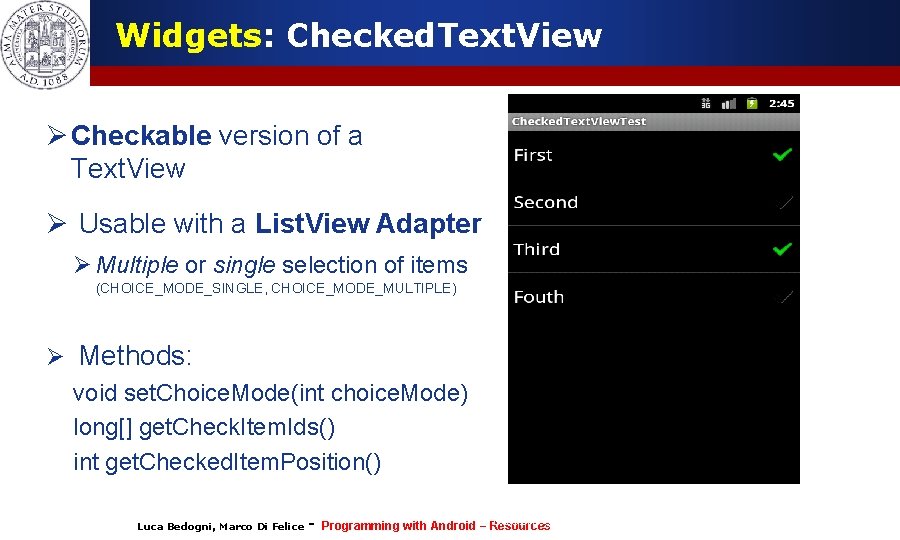
Widgets: Checked. Text. View Ø Checkable version of a Text. View Ø Usable with a List. View Adapter Ø Multiple or single selection of items (CHOICE_MODE_SINGLE, CHOICE_MODE_MULTIPLE) Ø Methods: void set. Choice. Mode(int choice. Mode) long[] get. Check. Item. Ids() int get. Checked. Item. Position() Luca Bedogni, Marco Di Felice - Luca Bedogni 2012 Programming with Android (c) – Resources 21
Widgets: Other elements … See the official documentation for the complete list: Ø Ø Analog. Clock Widget Digital. Clock Widget Data. Picker Widget …. … … Ø As an alternative, it is possible to create custom View … Ø Ad hoc components, code reuse … Luca Bedogni, Marco Di Felice - Luca Bedogni 2012 Programming with Android (c) – Resources 22
Views and Events Ø The users interacts with the Views … Ø … Upon certain action, an appropriate event will be fired Ø Reacting to this events makes the activity interactive Ø Events for click, long click, gestures, focus, external events … Ø PROBLEM: How to handle these events? Luca Bedogni, Marco Di Felice - Luca Bedogni 2012 Programming with Android (c) – Resources 23
Views and Events Ø Two ways to handle the View events: 1. Events Handlers. Some Views have callback methods to handle specific events. when a Button is touched on. Touch. Event() called Es. boolean on. Key. Down(int keycode, Key. Event event) boolean on. Key. Up(int keycode, Key. Event event) boolean on. Key. Multiple (int keycode, Key. Event event) …. Luca Bedogni, Marco Di Felice - Luca Bedogni 2012 Programming with Android (c) – Resources 24

Views and Events 1. Events Listeners. Ø A View class contain a collection of nested interfaces (listeners). Ø Each interface handles a single type of events… Ø Each interface contains a single callback method … 1. This method is called in occurrence of the event of the View. Luca Bedogni, Marco Di Felice - Luca Bedogni 2012 Programming with Android (c) – Resources 25
Views and Events: Action. Listener Some Action. Listeners: Ø On. Click. Listener method: on. Click() Ø On. Long. Click. Listener method: on. Long. Click() Ø On. Focus. Change. Listener method: on. Focus. Change() Ø On. Key. Listener method: on. Key() Luca Bedogni, Marco Di Felice - Luca Bedogni 2012 Programming with Android (c) – Resources 26
Views and Events: Action. Listener More Action. Listener: Ø On. Checked. Change. Listener method: on. Checked. Changed() Ø On. Touch. Listener method: on. Touch() Ø On. Create. Context. Menu. Listener method: on. Create. Context. Menu() Luca Bedogni, Marco Di Felice - Programming with Android – Resources 27
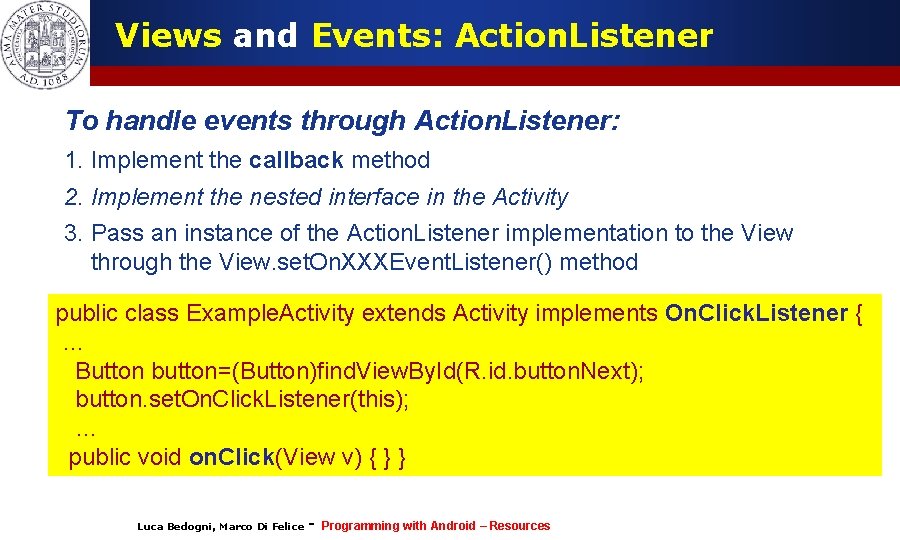
Views and Events: Action. Listener To handle events through Action. Listener: 1. Implement the callback method 2. Implement the nested interface in the Activity Button = (Button)find. View. By. Id(R. id. btn); 3. btn Pass an instance of the Action. Listener implementation to the View through the View. set. On. XXXEvent. Listener() method btn. set. On. Click. Listener(new On. Click. Listener() { public class Example. Activity extends Activity implements On. Click. Listener { @Override … public voidbutton=(Button)find. View. By. Id(R. id. button. Next); on. Click(View view) { Button button. set. On. Click. Listener(this); // Event management … public void on. Click(View v) { } }); Luca Bedogni, Marco Di Felice - Programming with Android – Resources 28
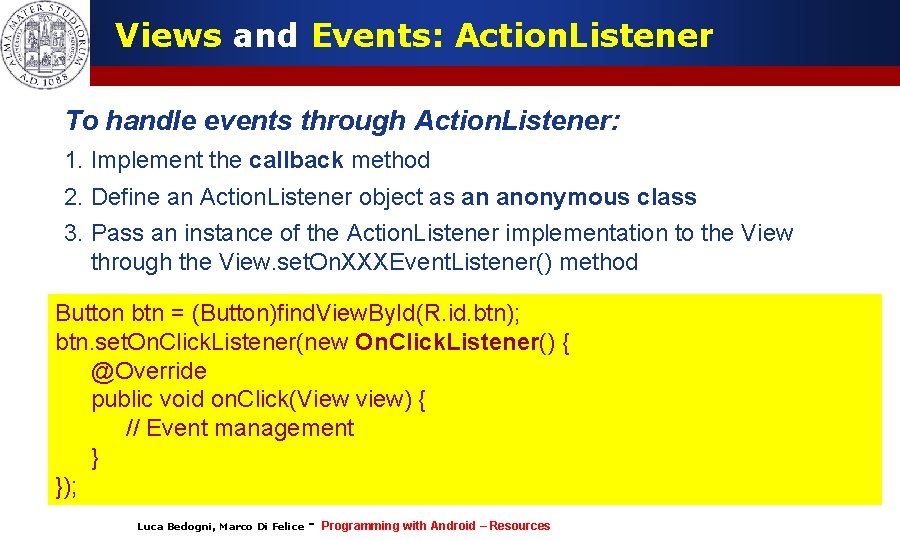
Views and Events: Action. Listener To handle events through Action. Listener: 1. Implement the callback method 2. Define an Action. Listener object as an anonymous class Button = (Button)find. View. By. Id(R. id. btn); 3. btn Pass an instance of the Action. Listener implementation to the View through the View. set. On. XXXEvent. Listener() method btn. set. On. Click. Listener(new On. Click. Listener() { Button btn = (Button)find. View. By. Id(R. id. btn); @Override btn. set. On. Click. Listener(new On. Click. Listener() { public void on. Click(View view) { @Override public void on. Click(View view) { // Event management } } }); (c) Luca Bedogni 2012 }); Luca Bedogni, Marco Di Felice - Programming with Android – Resources 29
Views and Events: Action. Listener Ø Possible to perform some events in the code Ø Tipically in the form perform. Something() Ø Used to simulate an event, and/or to debug the Listener of the event. Ø The corresponding listener (if set) will be fired … (c) Luca Bedogni 2012 Luca Bedogni, Marco Di Felice – Events and Widgets 30
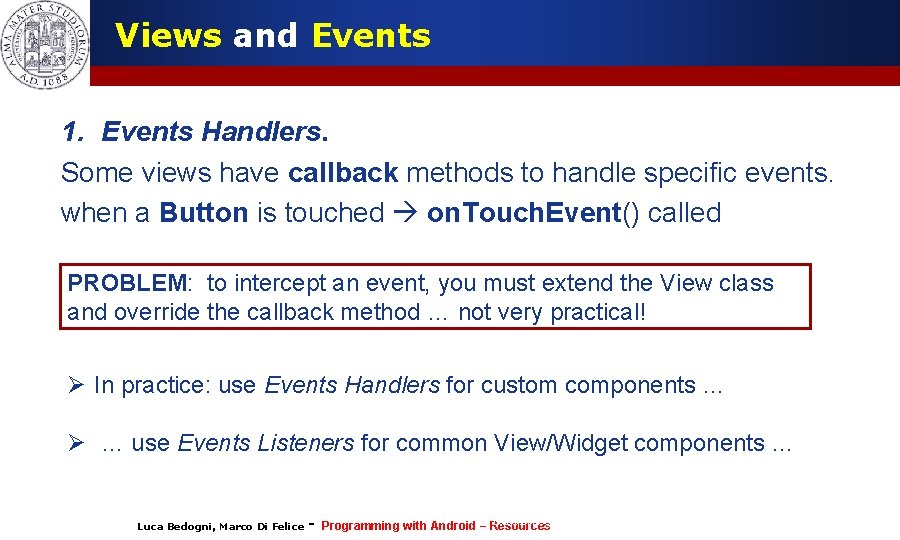
Views and Events 1. Events Handlers. Some views have callback methods to handle specific events. when a Button is touched on. Touch. Event() called PROBLEM: to intercept an event, you must extend the View class and override the callback method … not very practical! Ø In practice: use Events Handlers for custom components … Ø … use Events Listeners for common View/Widget components … Luca Bedogni, Marco Di Felice - Luca Bedogni 2012 Programming with Android (c) – Resources 31
- Slides: 31