
Programming Week 9 LBSC 690 Information Technology Outline
Programming Week 9 LBSC 690 Information Technology
Outline • Programming • Javascript • Project description presentations • (if time allows) Finishing up databases
Software • Software models aspects of reality – Input and output represent the state of the world – Software describes how the two are related • Examples – Ballistic computations – Google – Microsoft Word
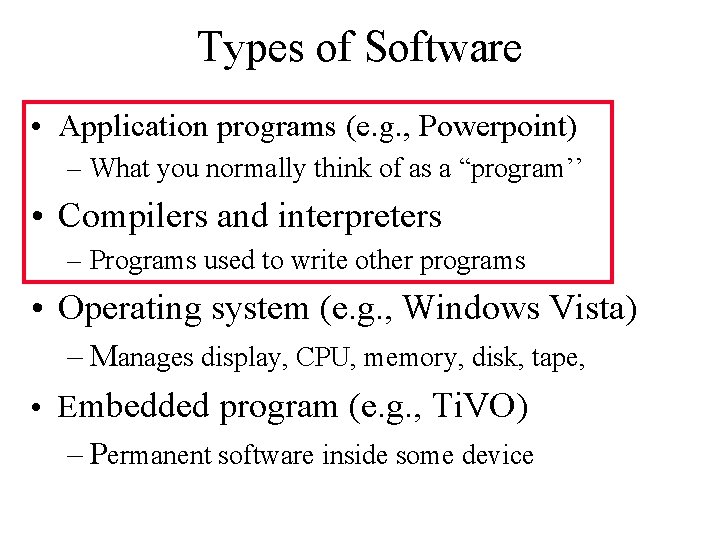
Types of Software • Application programs (e. g. , Powerpoint) – What you normally think of as a “program’’ • Compilers and interpreters – Programs used to write other programs • Operating system (e. g. , Windows Vista) – Manages display, CPU, memory, disk, tape, • Embedded program (e. g. , Ti. VO) – Permanent software inside some device

Programming Languages • Used to specify every detail of the model • Special purpose – Able to specify an entire class of models • Spreadsheets (Excel, . . . ) • Databases (Access, Oracle, . . . ) • General purpose – Able to specify any possible model • Java. Script, Java, Perl, C, C++, . . .
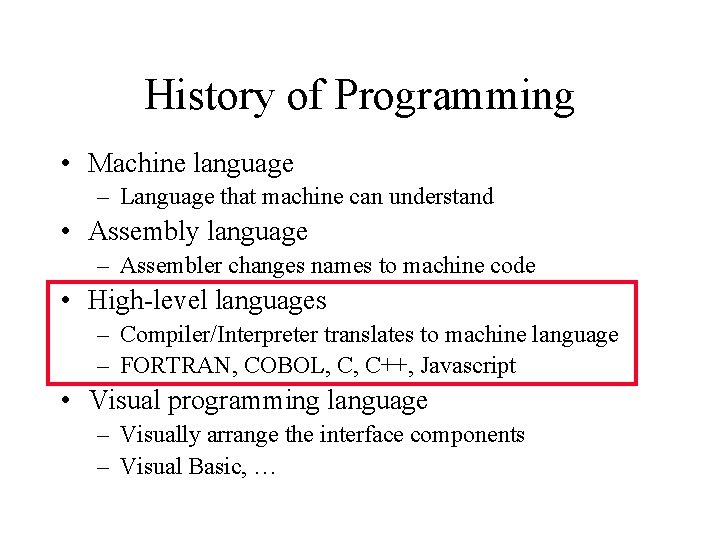
History of Programming • Machine language – Language that machine can understand • Assembly language – Assembler changes names to machine code • High-level languages – Compiler/Interpreter translates to machine language – FORTRAN, COBOL, C, C++, Javascript • Visual programming language – Visually arrange the interface components – Visual Basic, …
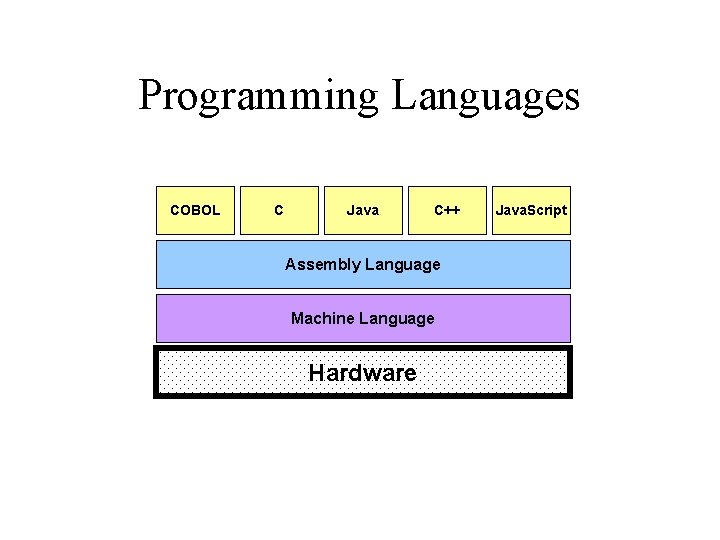
Programming Languages COBOL C Java C++ Assembly Language Machine Language Hardware Java. Script
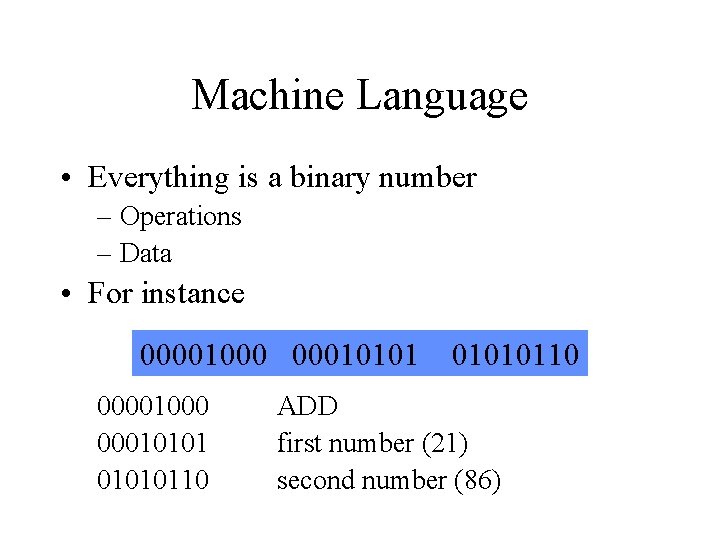
Machine Language • Everything is a binary number – Operations – Data • For instance 00001000 0001010110 ADD first number (21) second number (86)
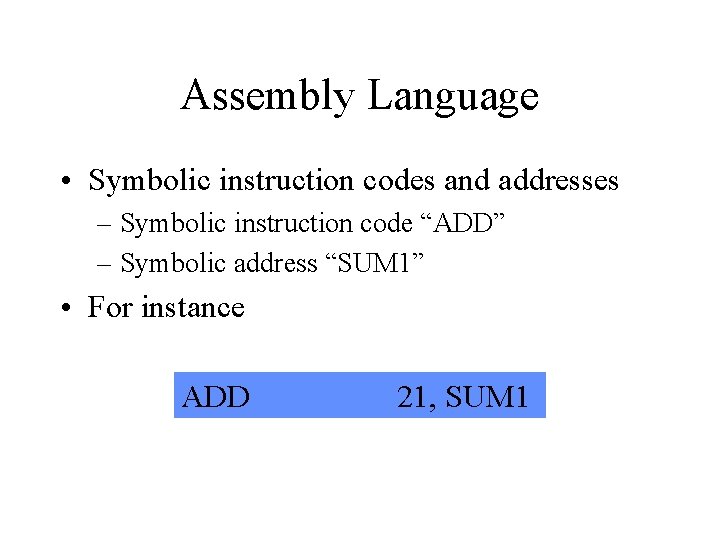
Assembly Language • Symbolic instruction codes and addresses – Symbolic instruction code “ADD” – Symbolic address “SUM 1” • For instance ADD 21, SUM 1
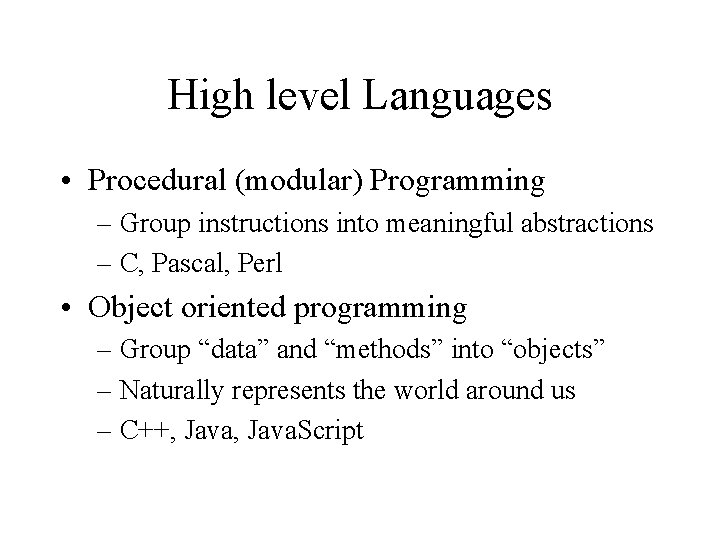
High level Languages • Procedural (modular) Programming – Group instructions into meaningful abstractions – C, Pascal, Perl • Object oriented programming – Group “data” and “methods” into “objects” – Naturally represents the world around us – C++, Java. Script
![Programming for the Web • PHP [Server side] – Forms encode field values into](http://slidetodoc.com/presentation_image_h2/58298f802228e4d4a79e95565a4686d7/image-11.jpg "Programming for the Web • PHP [Server side] – Forms encode field values into")
Programming for the Web • PHP [Server side] – Forms encode field values into a URL – Web server passes field values to a PHP program – Program generates a Web page as a response • Java. Script [Client-side, interpreted] – Human-readable “source code” sent to the browser – Web browser runs the program • Java applets [Client-side, compiled] – Machine-readable “bytecode” sent to browser – Web browser runs the program

Variables • Data types – Boolean: – Number: – String: true, false 5, 9, 3. 1415926 “Hello World” • A “variable” holds a value of a specific data type – Represented as symbols: x, celsius • In Java. Script, var “declares” a variable var b = true; create a boolean b and set it to true var n = 1; create a number n and set it to 1 var s = “hello”; create a string s and set it to “hello”
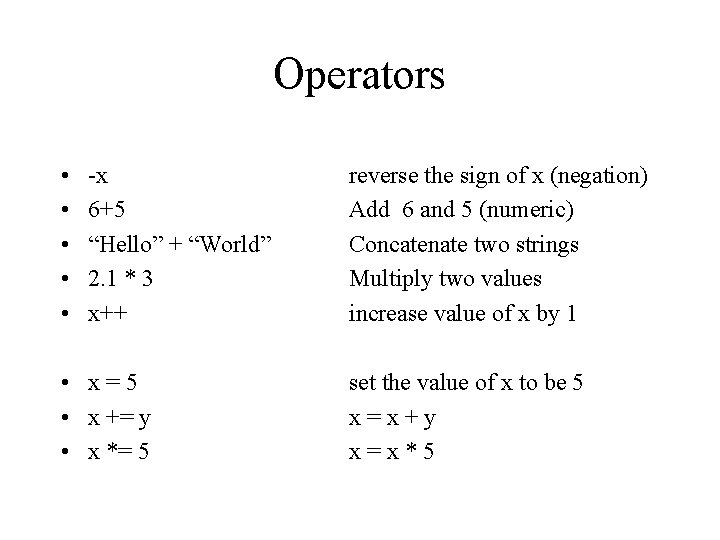
Operators • • • -x 6+5 “Hello” + “World” 2. 1 * 3 x++ • x=5 • x += y • x *= 5 reverse the sign of x (negation) Add 6 and 5 (numeric) Concatenate two strings Multiply two values increase value of x by 1 set the value of x to be 5 x=x+y x=x*5
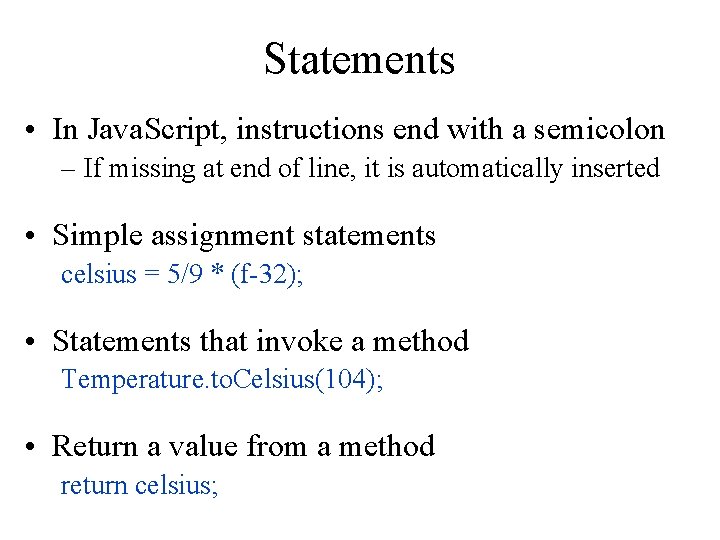
Statements • In Java. Script, instructions end with a semicolon – If missing at end of line, it is automatically inserted • Simple assignment statements celsius = 5/9 * (f-32); • Statements that invoke a method Temperature. to. Celsius(104); • Return a value from a method return celsius;
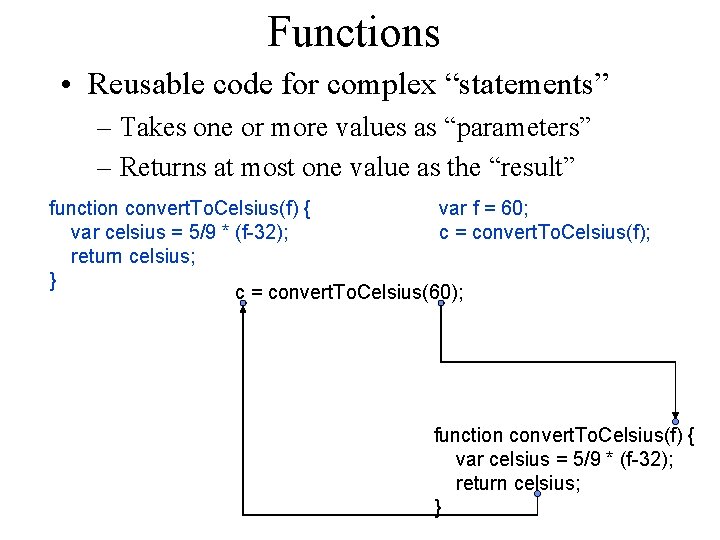
Functions • Reusable code for complex “statements” – Takes one or more values as “parameters” – Returns at most one value as the “result” function convert. To. Celsius(f) { var f = 60; var celsius = 5/9 * (f-32); c = convert. To. Celsius(f); return celsius; } c = convert. To. Celsius(60); function convert. To. Celsius(f) { var celsius = 5/9 * (f-32); return celsius; }
Algorithms • A sequence of well-defined instructions designed to accomplish a certain task • Derived from the name of the Persian mathematician Al-Khwarizmi
Basic Control Structures • Sequential – Perform instructions one after another • Conditional – Perform instructions contingent on something • Repetition – Repeat instructions until a condition is met Not much different from cooking recipes!
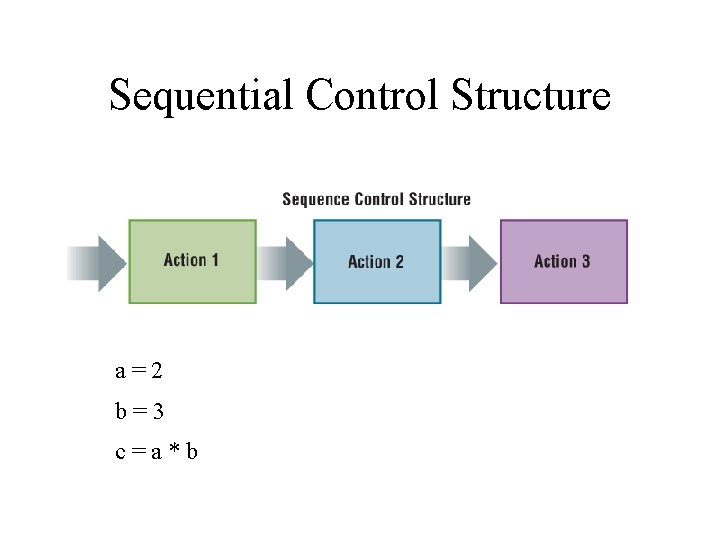
Sequential Control Structure a=2 b=3 c=a*b
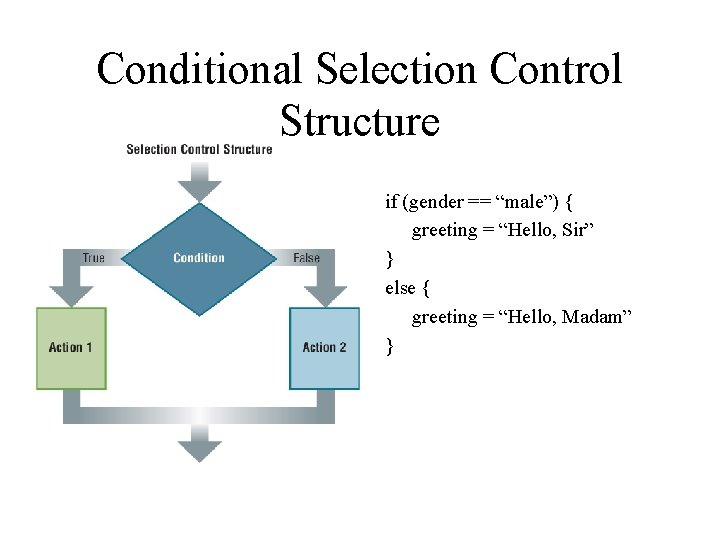
Conditional Selection Control Structure if (gender == “male”) { greeting = “Hello, Sir” } else { greeting = “Hello, Madam” }
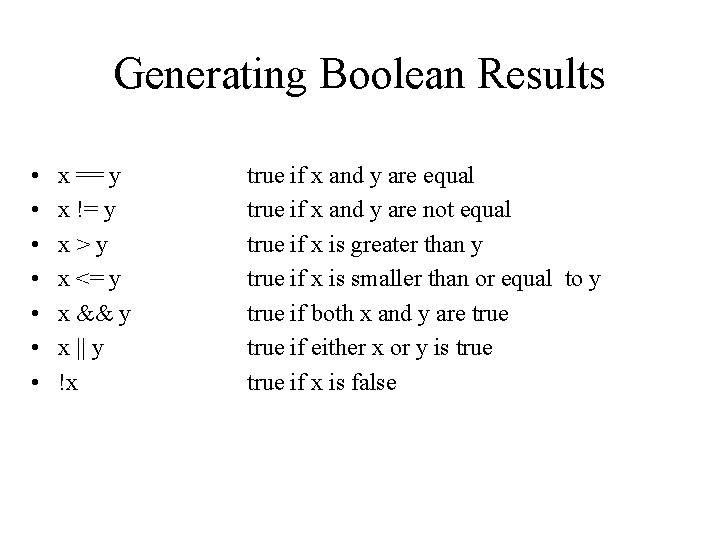
Generating Boolean Results • • x == y x != y x>y x <= y x && y x || y !x true if x and y are equal true if x and y are not equal true if x is greater than y true if x is smaller than or equal to y true if both x and y are true if either x or y is true if x is false
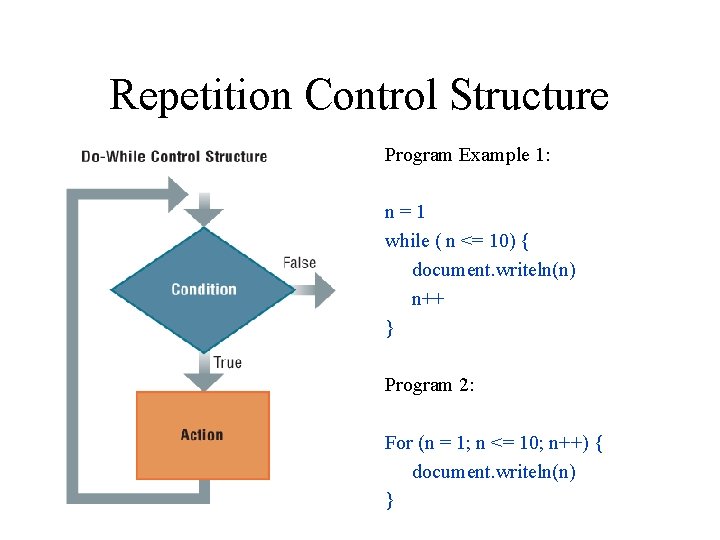
Repetition Control Structure Program Example 1: n=1 while ( n <= 10) { document. writeln(n) n++ } Program 2: For (n = 1; n <= 10; n++) { document. writeln(n) }
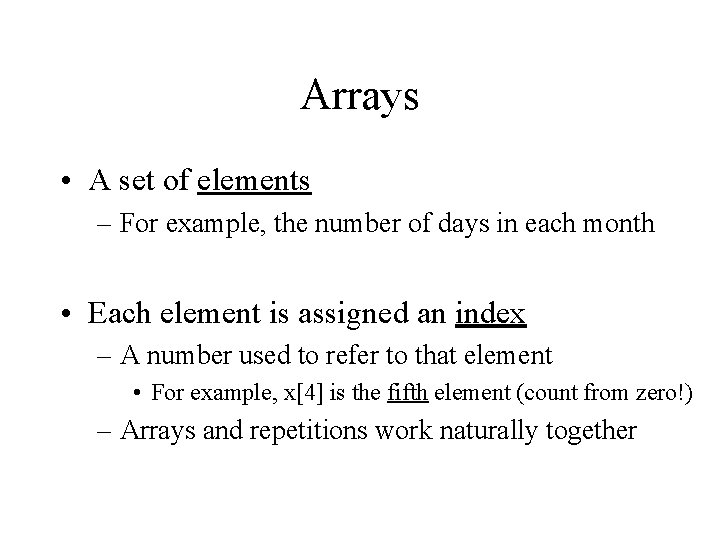
Arrays • A set of elements – For example, the number of days in each month • Each element is assigned an index – A number used to refer to that element • For example, x[4] is the fifth element (count from zero!) – Arrays and repetitions work naturally together
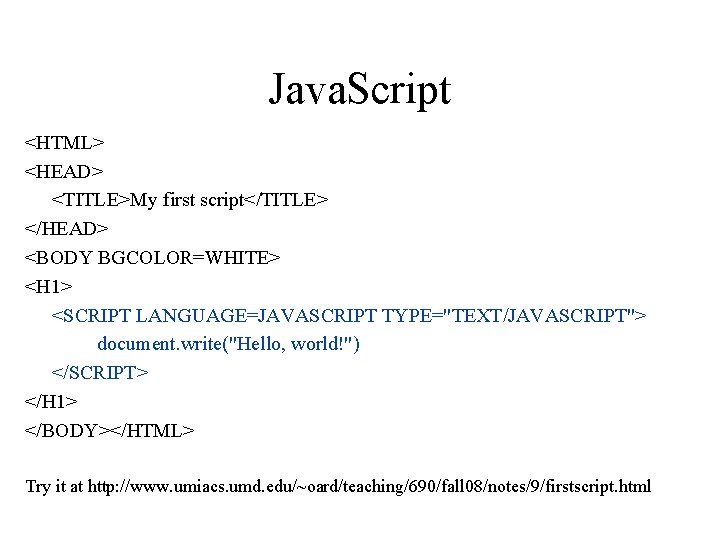
Java. Script <HTML> <HEAD> <TITLE>My first script</TITLE> </HEAD> <BODY BGCOLOR=WHITE> <H 1> <SCRIPT LANGUAGE=JAVASCRIPT TYPE="TEXT/JAVASCRIPT"> document. write("Hello, world!") </SCRIPT> </H 1> </BODY></HTML> Try it at http: //www. umiacs. umd. edu/~oard/teaching/690/fall 08/notes/9/firstscript. html
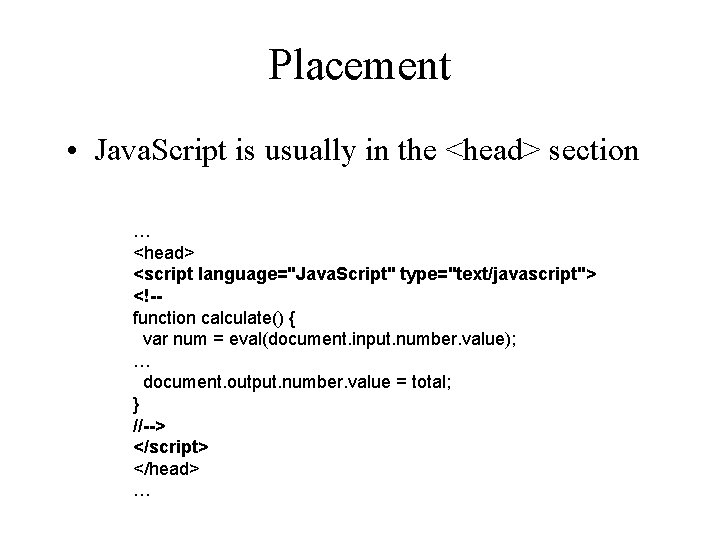
Placement • Java. Script is usually in the <head> section … <head> <script language="Java. Script" type="text/javascript"> <!-function calculate() { var num = eval(document. input. number. value); … document. output. number. value = total; } //--> </script> </head> …
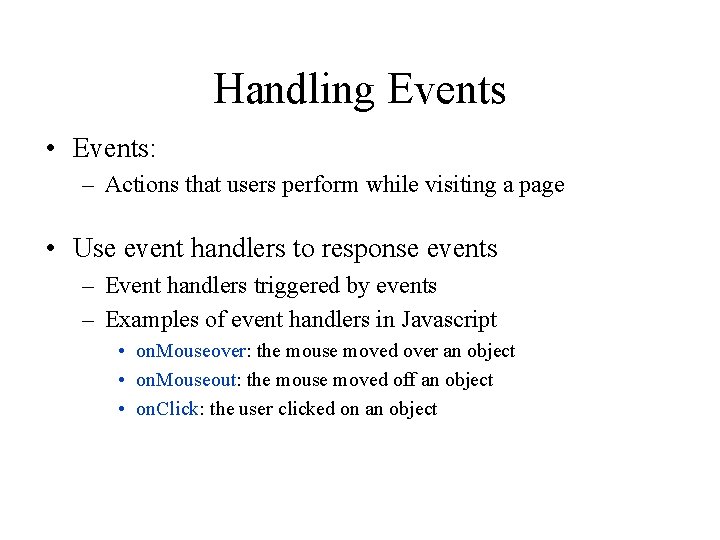
Handling Events • Events: – Actions that users perform while visiting a page • Use event handlers to response events – Event handlers triggered by events – Examples of event handlers in Javascript • on. Mouseover: the mouse moved over an object • on. Mouseout: the mouse moved off an object • on. Click: the user clicked on an object
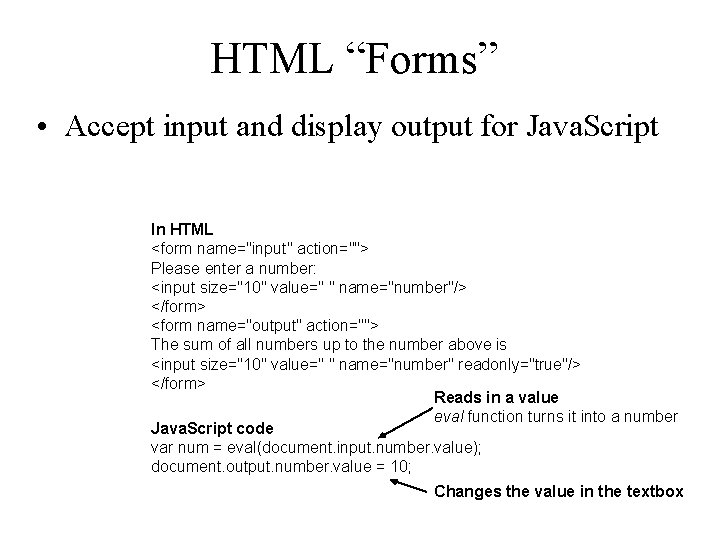
HTML “Forms” • Accept input and display output for Java. Script In HTML <form name="input" action=""> Please enter a number: <input size="10" value=" " name="number"/> </form> <form name="output" action=""> The sum of all numbers up to the number above is <input size="10" value=" " name="number" readonly="true"/> </form> Reads in a value eval function turns it into a number Java. Script code var num = eval(document. input. number. value); document. output. number. value = 10; Changes the value in the textbox
Hands On: Adopt a Java. Script Program • Launch a Web browser – http: //www. umiacs. umd. edu/~oard/teaching/690/fall 08/hw/hw 5/selector. htm • See how it behaves if you are 13 (or 65) • View source and read the program • Save a local copy • Make some changes and see how it works
Programming Tips • Attention to detail! – Careful where you place that comma, semi-colon, etc. • Write a little bit of code at a time – Add some functionality, make sure it works, move on – Don’t try to write a large program all at once • Debug by viewing the “state” of your program – Print values of variables using document. write – Is the value what you expected?
Java. Script Resources • Google “javascript” – Tutorials: to learn to write programs – Code: to do things you want to do • Engineering and Physical Sciences Library
Term Project • Goal is to learn some things deeply – By doing something real • At least two key technologies – Web, database, programming, synchronized media • 4 -minute overview talk next week – 3 slides (goals, mockup, scope) • 12 -minute presentation in final class session – Written report due by email 2 days later
Some Details About Access • Joins are automatic if field names are same – Otherwise, drag a line between the fields • Sort order is easy to specify – Use the menu • Queries form the basis for reports – Reports give good control over layout – Use the report wizard - the formats are complex • Forms manage input better than raw tables – Invalid data can be identified when input – Graphics can be incorporated
Databases in the Real World • Some typical database applications: – Banking (e. g. , saving/checking accounts) – Trading (e. g. , stocks) – Airline reservations • Characteristics: – Lots of data – Lots of concurrent access – Must have fast access – “Mission critical”
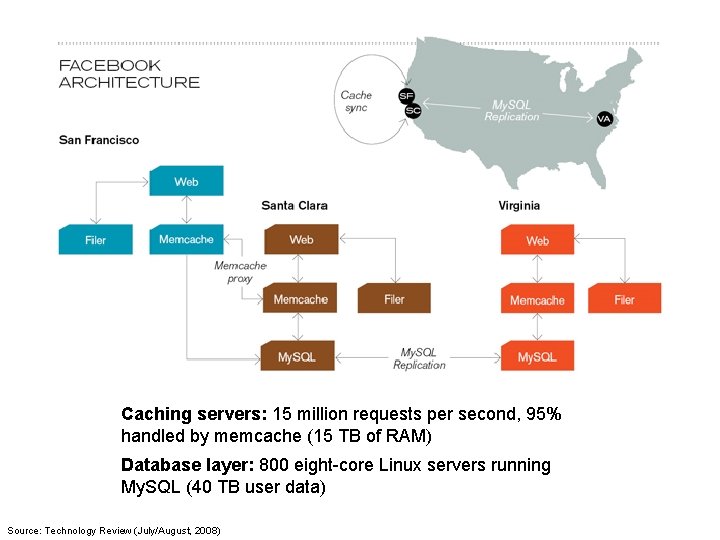
Caching servers: 15 million requests per second, 95% handled by memcache (15 TB of RAM) Database layer: 800 eight-core Linux servers running My. SQL (40 TB user data) Source: Technology Review (July/August, 2008)
Database Integrity • Registrar database must be internally consistent – Enrolled students must have an entry in student table – Courses must have a name • What happens: – When a student withdraws from the university? – When a course is taken off the books?
Integrity Constraints • Conditions that must always be true – Specified when the database is designed – Checked when the database is modified • RDBMS ensures integrity constraints are respected – So database contents remain faithful to real world – Helps avoid data entry errors
Referential Integrity • Foreign key values must exist in other table – If not, those records cannot be joined • Can be enforced when data is added – Associate a primary key with each foreign key • Helps avoid erroneous data – Only need to ensure data quality for primary keys
Concurrency • Thought experiment: You and your project partner are editing the same file… – Scenario 1: you both save it at the same time – Scenario 2: you save first, but before it’s done saving, your partner saves Whose changes survive? A) Yours B) Partner’s C) neither D) both E) ? ? ?
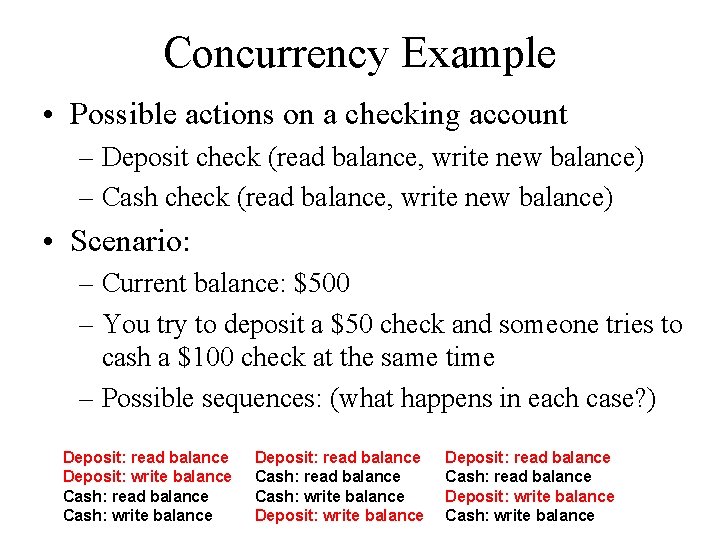
Concurrency Example • Possible actions on a checking account – Deposit check (read balance, write new balance) – Cash check (read balance, write new balance) • Scenario: – Current balance: $500 – You try to deposit a $50 check and someone tries to cash a $100 check at the same time – Possible sequences: (what happens in each case? ) Deposit: read balance Deposit: write balance Cash: read balance Cash: write balance Deposit: read balance Cash: read balance Deposit: write balance Cash: write balance
Database Transactions • Transaction: sequence of grouped database actions – e. g. , transfer $500 from checking to savings • “ACID” properties – Atomicity • All-or-nothing – Consistency • Each transaction must take the DB between consistent states. – Isolation: • Concurrent transactions must appear to run in isolation – Durability • Results of transactions must survive even if systems crash
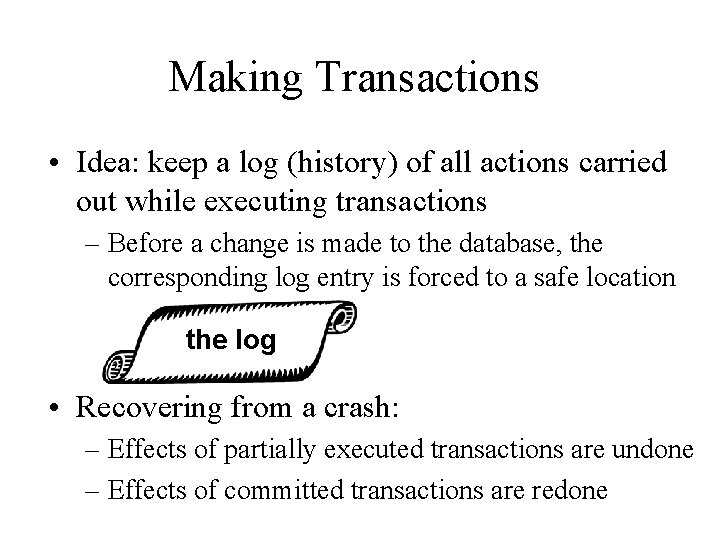
Making Transactions • Idea: keep a log (history) of all actions carried out while executing transactions – Before a change is made to the database, the corresponding log entry is forced to a safe location the log • Recovering from a crash: – Effects of partially executed transactions are undone – Effects of committed transactions are redone
Before You Go On a sheet of paper, answer the following (ungraded) question (no names, please): What was the muddiest point in today’s class?
Before You Go! • On a sheet of paper (no names), answer the following question: What was the muddiest point in today’s class?
- Slides: 42