
Programming Part I In this section of notes
- Slides: 63
Programming: Part I In this section of notes you will learn about how to write simple programs using JES. James Tam
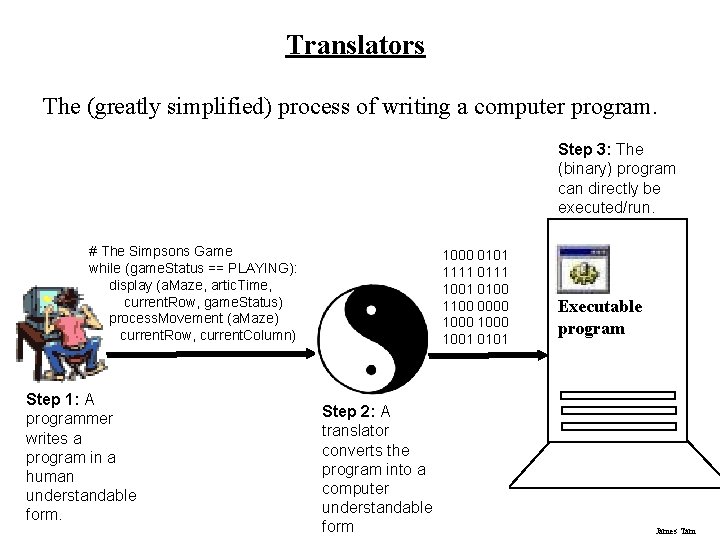
Translators The (greatly simplified) process of writing a computer program. Step 3: The (binary) program can directly be executed/run. # The Simpsons Game while (game. Status == PLAYING): display (a. Maze, artic. Time, current. Row, game. Status) process. Movement (a. Maze) current. Row, current. Column) Step 1: A programmer writes a program in a human understandable form. 1000 0101 1111 0111 1001 0100 1100 0000 1000 1001 0101 Step 2: A translator converts the program into a computer understandable form Executable program James Tam
What Your Will Be Writing/Translating Your Programs With In This Class Writing programs this semester: • Programming language: Python (actually it’s a modified version of Python called JPython or the JES version of the Python programming language ) - Starting tutorial: http: //docs. python. org/tutorial/ - Online documentation: http: //www. python. org/doc/) - My old CPSC 217 notes: http: //pages. cpsc. ucalgary. ca/~tamj/2008/217 W/index. html • Software to write/translate your Python programs: JES - Quick introduction: http: //www. cs. ucr. edu/~titus/Jes. Intro. pdf James Tam
Where You Can Run JES Lab computers: • JES is installed and running on all the computers in both 203 labs Installing on your own computer (Windows, Mac, Linux)1: • http: //coweb. cc. gatech. edu/media. Comp-plan/94 OR • http: //www. cc. gatech. edu/classes/AY 2006/cs 1315_summer/software. html 1 Java is needed run JES so if you don’t have it installed then you should download it as well James Tam
Resources My completed example programs can be found on the course web page under the following link: http: //pages. cpsc. ucalgary. ca/~tamj/203/topics/programming. html: James Tam
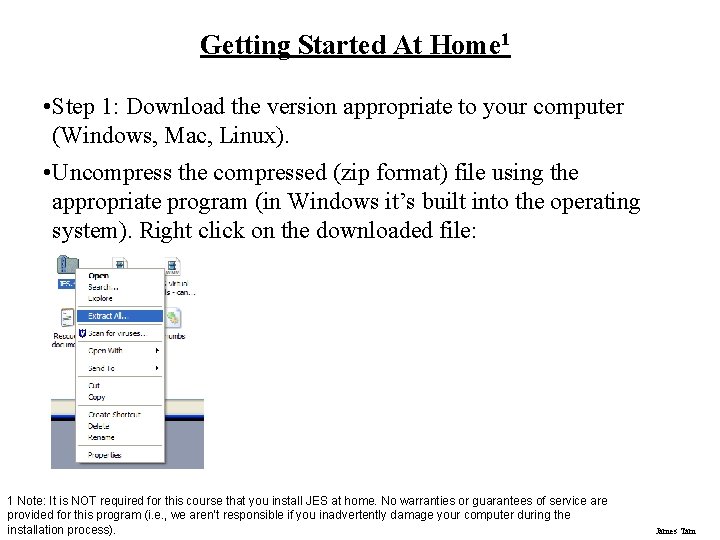
Getting Started At Home 1 • Step 1: Download the version appropriate to your computer (Windows, Mac, Linux). • Uncompress the compressed (zip format) file using the appropriate program (in Windows it’s built into the operating system). Right click on the downloaded file: 1 Note: It is NOT required for this course that you install JES at home. No warranties or guarantees of service are provided for this program (i. e. , we aren’t responsible if you inadvertently damage your computer during the installation process). James Tam
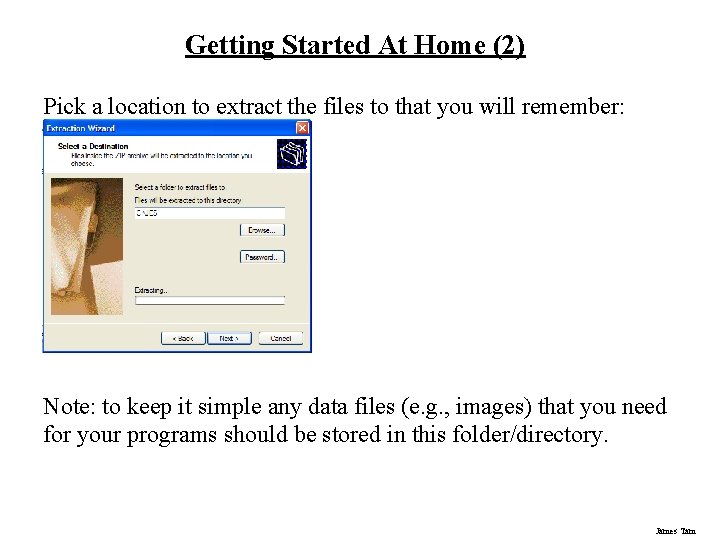
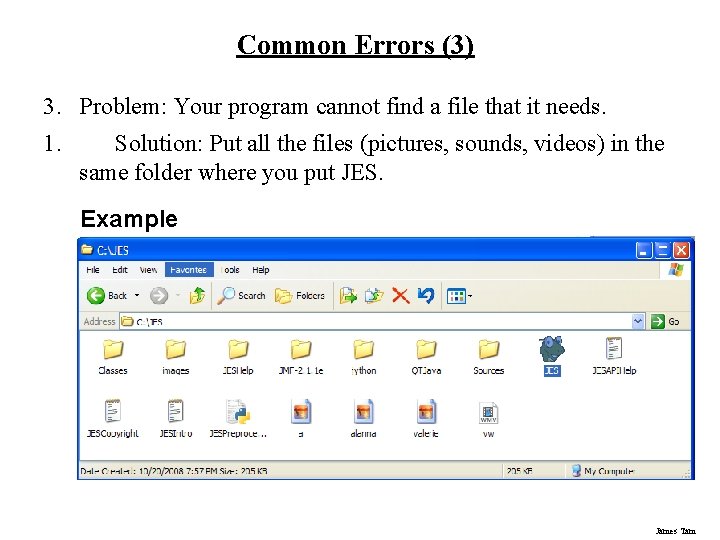
Getting Started At Home (2) Pick a location to extract the files to that you will remember: Note: to keep it simple any data files (e. g. , images) that you need for your programs should be stored in this folder/directory. James Tam
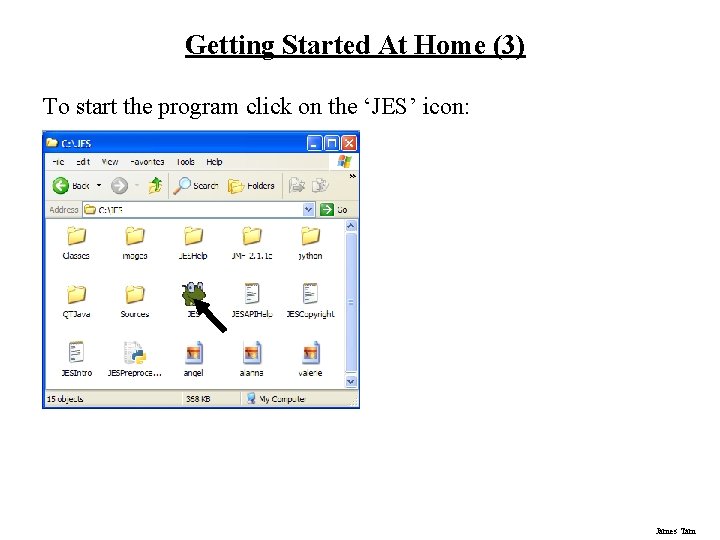
Getting Started At Home (3) To start the program click on the ‘JES’ icon: James Tam
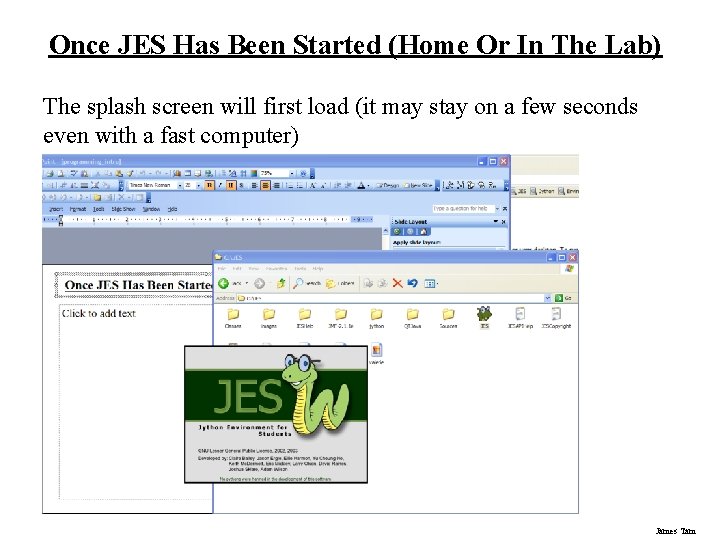
Once JES Has Been Started (Home Or In The Lab) The splash screen will first load (it may stay on a few seconds even with a fast computer) James Tam
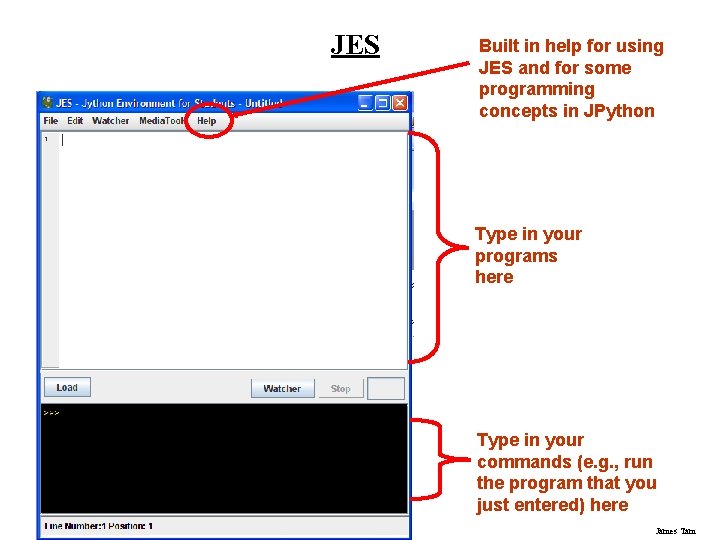
JES Built in help for using JES and for some programming concepts in JPython Type in your programs here Type in your commands (e. g. , run the program that you just entered) here James Tam
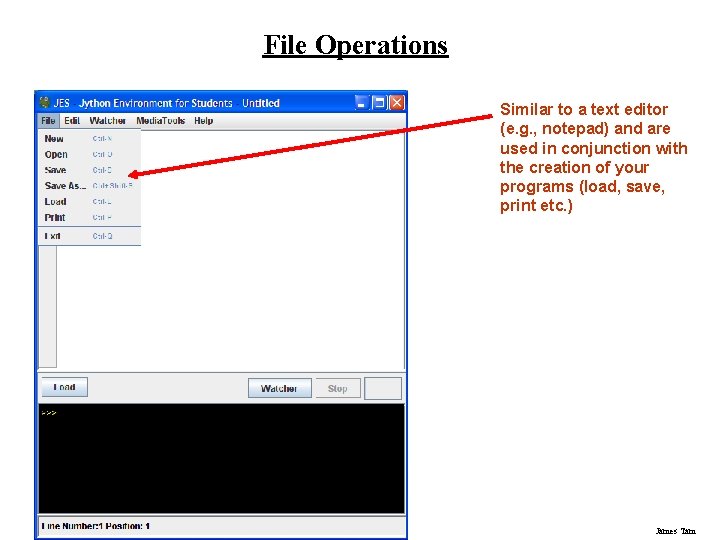
File Operations Similar to a text editor (e. g. , notepad) and are used in conjunction with the creation of your programs (load, save, print etc. ) James Tam
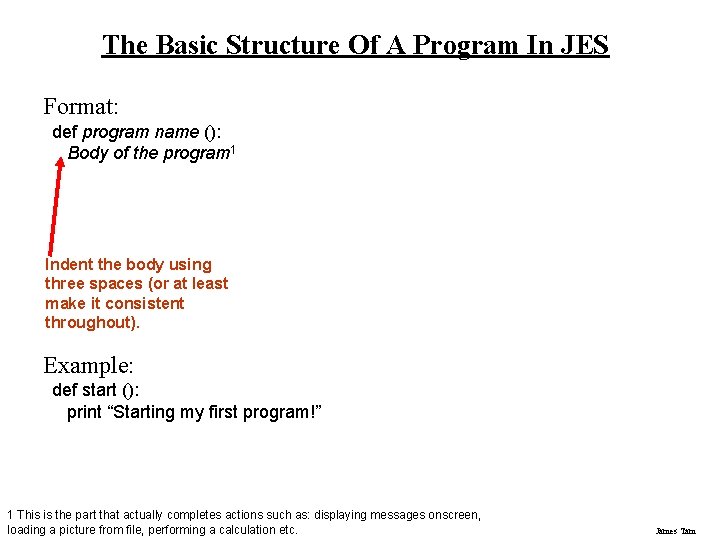
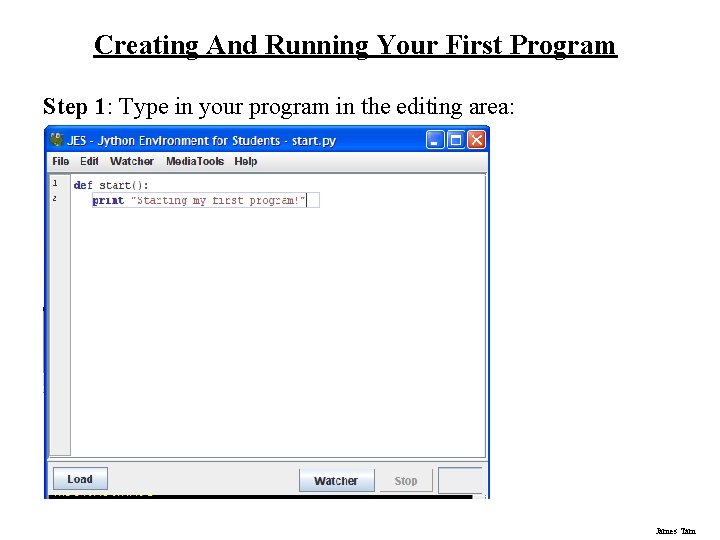
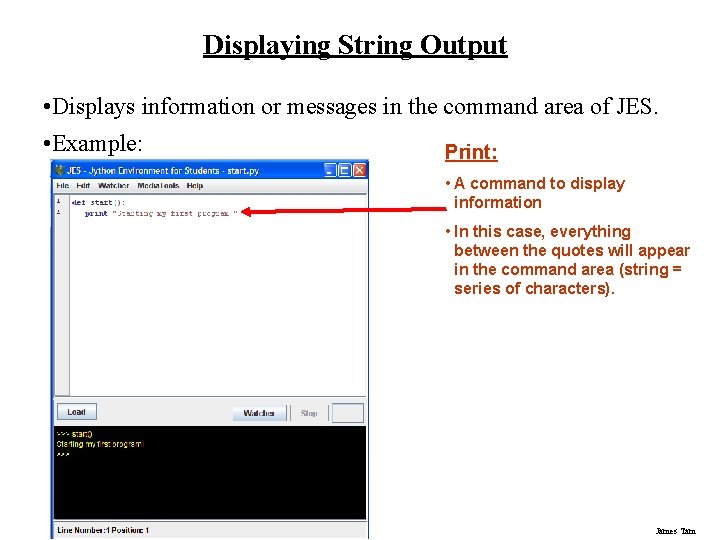
The Basic Structure Of A Program In JES Format: def program name (): Body of the program 1 Indent the body using three spaces (or at least make it consistent throughout). Example: def start (): print “Starting my first program!” 1 This is the part that actually completes actions such as: displaying messages onscreen, loading a picture from file, performing a calculation etc. James Tam
Creating And Running Your First Program Step 1: Type in your program in the editing area: James Tam
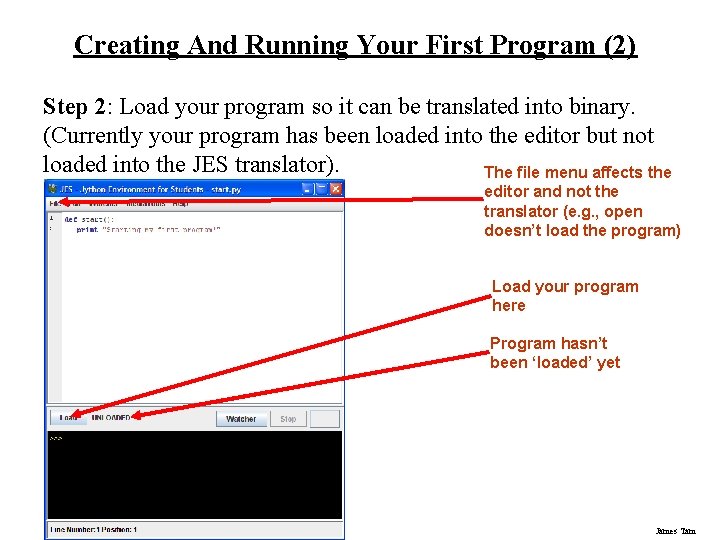
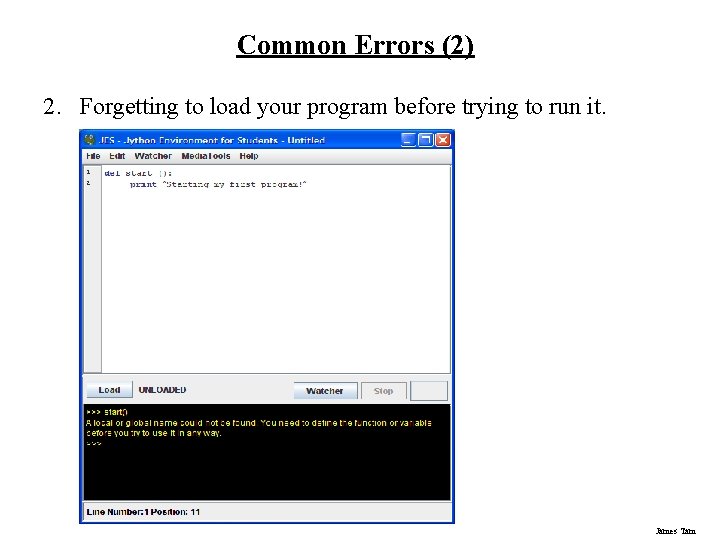
Creating And Running Your First Program (2) Step 2: Load your program so it can be translated into binary. (Currently your program has been loaded into the editor but not loaded into the JES translator). The file menu affects the editor and not the translator (e. g. , open doesn’t load the program) Load your program here Program hasn’t been ‘loaded’ yet James Tam
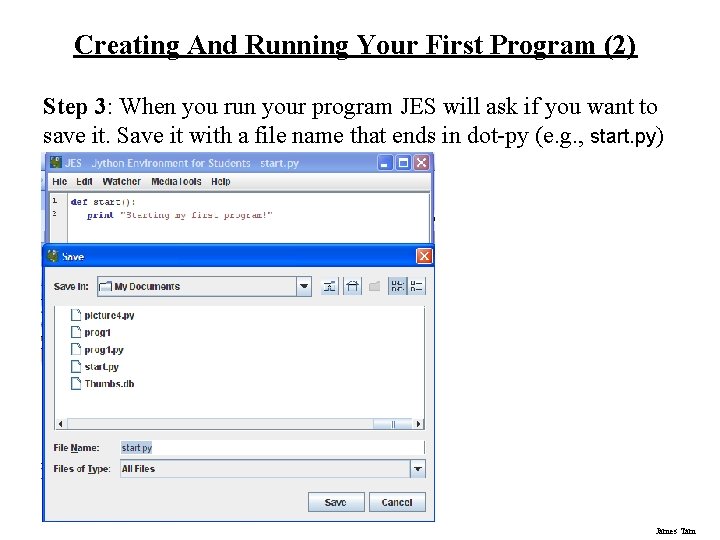
Creating And Running Your First Program (2) Step 3: When you run your program JES will ask if you want to save it. Save it with a file name that ends in dot-py (e. g. , start. py) James Tam
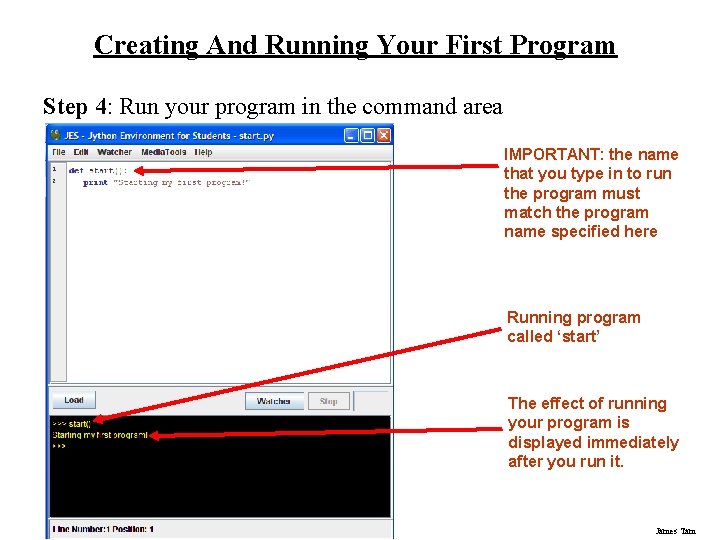
Creating And Running Your First Program Step 4: Run your program in the command area IMPORTANT: the name that you type in to run the program must match the program name specified here Running program called ‘start’ The effect of running your program is displayed immediately after you run it. James Tam
Storing Information • When writing a program there will sometimes be a need to store information e. g. , to perform a calculation. • Information is stored in a computer program by using a variable. James Tam
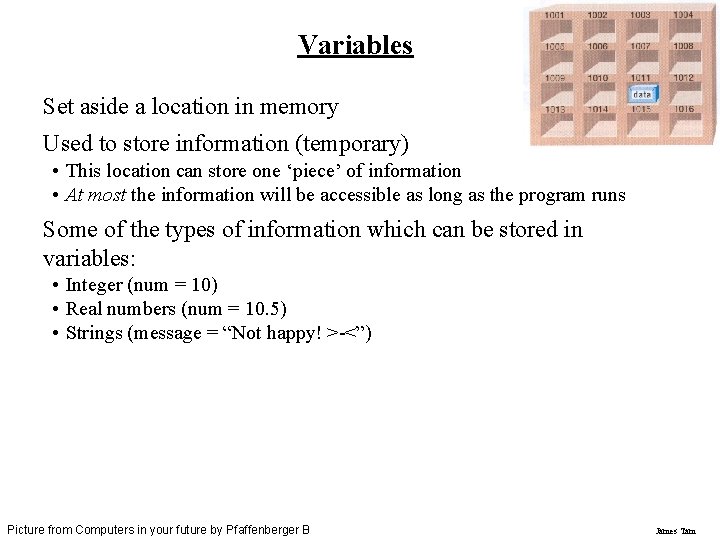
Variables Set aside a location in memory Used to store information (temporary) • This location can store one ‘piece’ of information • At most the information will be accessible as long as the program runs Some of the types of information which can be stored in variables: • Integer (num = 10) • Real numbers (num = 10. 5) • Strings (message = “Not happy! >-<”) Picture from Computers in your future by Pfaffenberger B James Tam
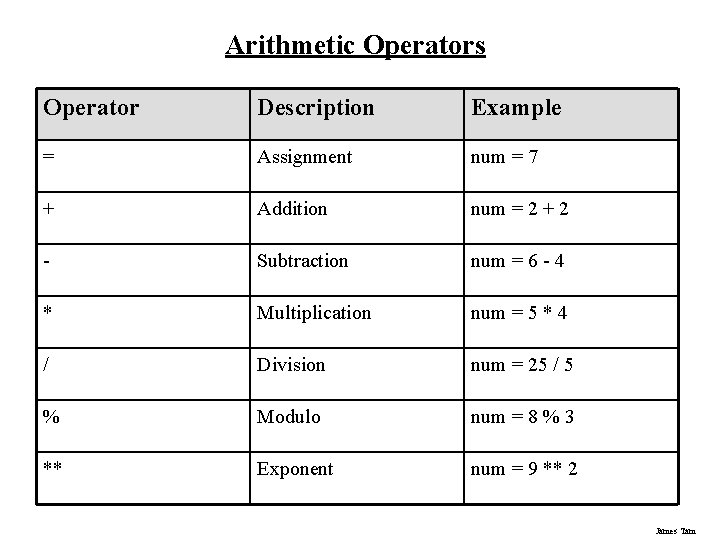
Arithmetic Operators Operator Description Example = Assignment num = 7 + Addition num = 2 + 2 - Subtraction num = 6 - 4 * Multiplication num = 5 * 4 / Division num = 25 / 5 % Modulo num = 8 % 3 ** Exponent num = 9 ** 2 James Tam
Displaying Output • When there’s a need to display information onscreen: • Status messages or instructions • Contents of variables James Tam
Displaying String Output • Displays information or messages in the command area of JES. • Example: Print: • A command to display information • In this case, everything between the quotes will appear in the command area (string = series of characters). James Tam
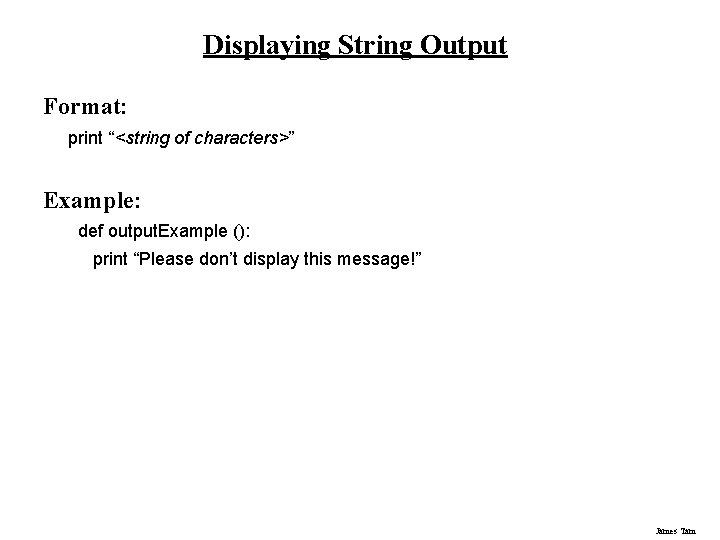
Displaying String Output Format: print “<string of characters>” Example: def output. Example (): print “Please don’t display this message!” James Tam
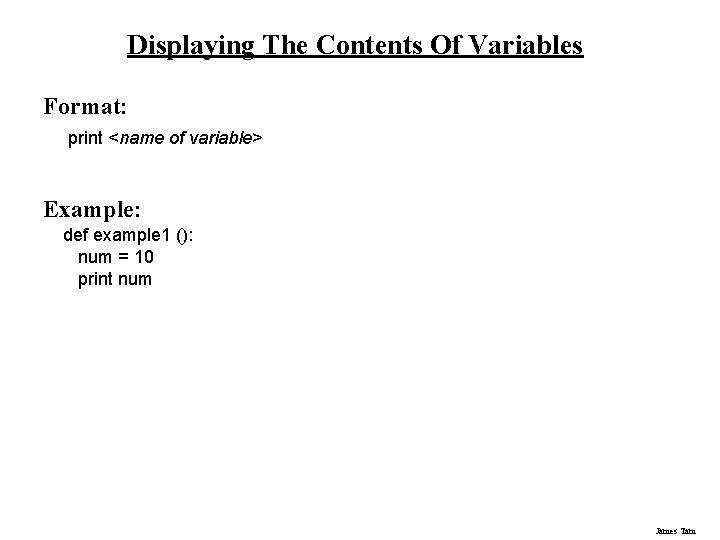
Displaying The Contents Of Variables Format: print <name of variable> Example: def example 1 (): num = 10 print num James Tam
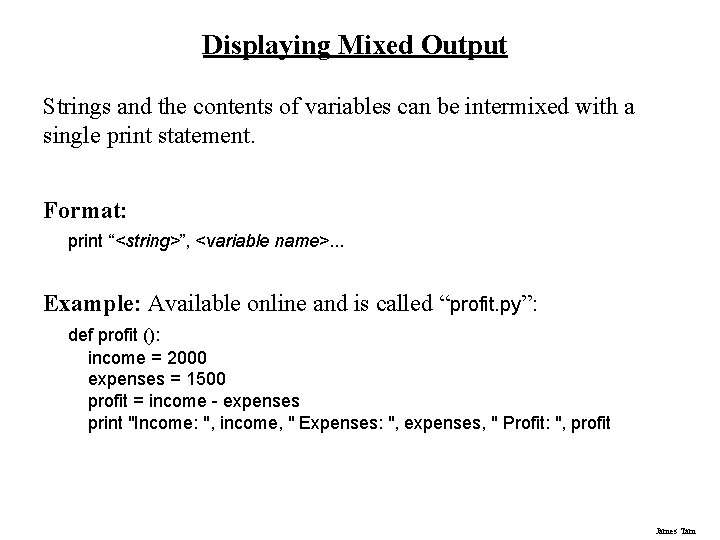
Displaying Mixed Output Strings and the contents of variables can be intermixed with a single print statement. Format: print “<string>”, <variable name>. . . Example: Available online and is called “profit. py”: def profit (): income = 2000 expenses = 1500 profit = income - expenses print "Income: ", income, " Expenses: ", expenses, " Profit: ", profit James Tam
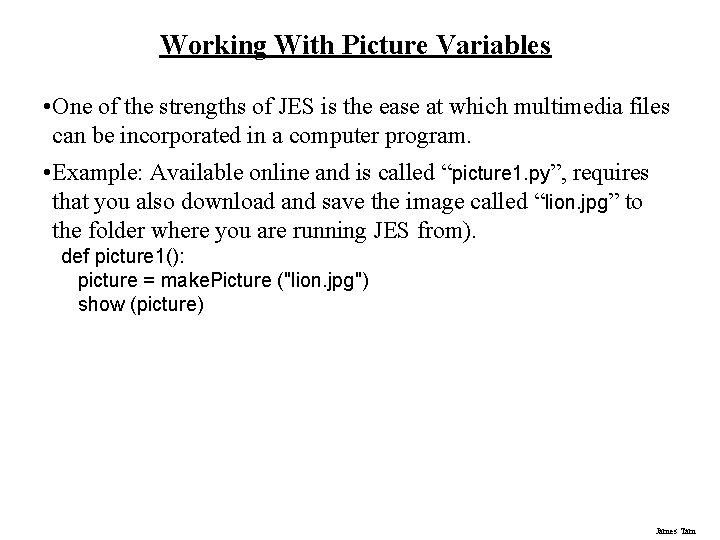
Working With Picture Variables • One of the strengths of JES is the ease at which multimedia files can be incorporated in a computer program. • Example: Available online and is called “picture 1. py”, requires that you also download and save the image called “lion. jpg” to the folder where you are running JES from). def picture 1(): picture = make. Picture ("lion. jpg") show (picture) James Tam
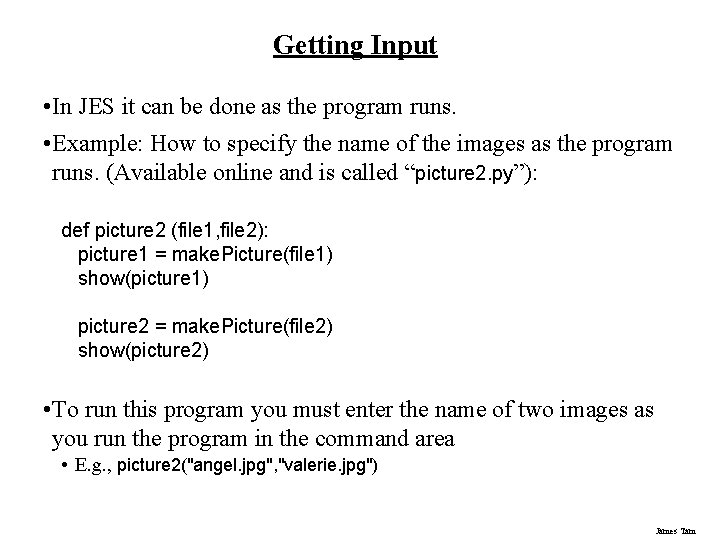
Getting Input • In JES it can be done as the program runs. • Example: How to specify the name of the images as the program runs. (Available online and is called “picture 2. py”): def picture 2 (file 1, file 2): picture 1 = make. Picture(file 1) show(picture 1) picture 2 = make. Picture(file 2) show(picture 2) • To run this program you must enter the name of two images as you run the program in the command area • E. g. , picture 2("angel. jpg", "valerie. jpg") James Tam
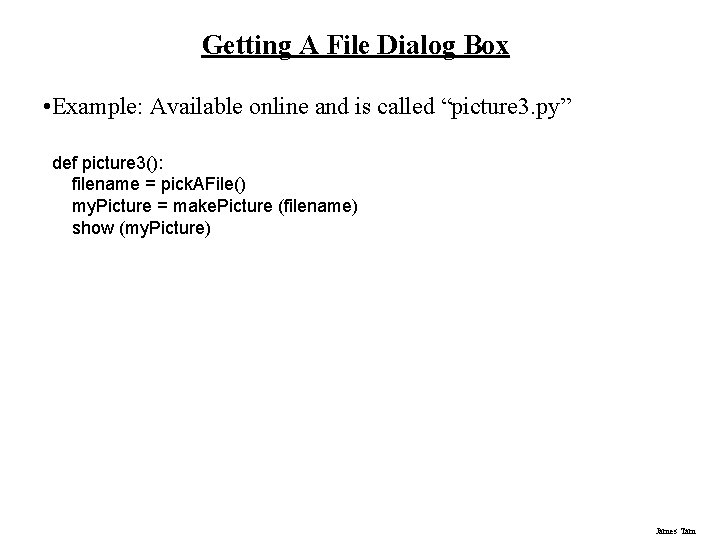
Getting A File Dialog Box • Example: Available online and is called “picture 3. py” def picture 3(): filename = pick. AFile() my. Picture = make. Picture (filename) show (my. Picture) James Tam
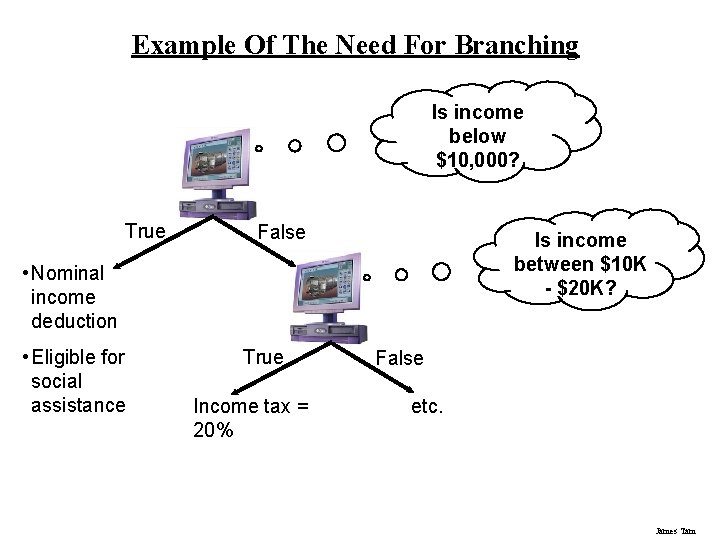
What To Do If A Program Needs To Choose Among Alternatives? • Employ branching/decision-making • Each alternative involves asking a true/false (Boolean) question • The answer to the question determines how the program reacts James Tam
Example Of The Need For Branching Is income below $10, 000? True False Is income between $10 K - $20 K? • Nominal income deduction • Eligible for social assistance True Income tax = 20% False etc. James Tam
Some Types Of Branching Mechanisms In JES • If-else • Compound decision making • Nested decision making James Tam
If To be used when a true/false question (Boolean expression) is asked and: • The program reacts one way if the question evaluates to true • Example: If person is a senior citizen then give a 25% discount. James Tam
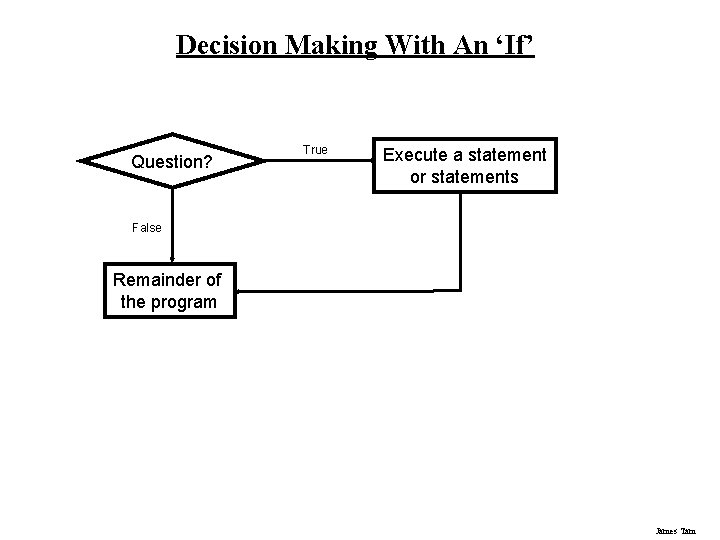
Decision Making With An ‘If’ Question? True Execute a statement or statements False Remainder of the program James Tam
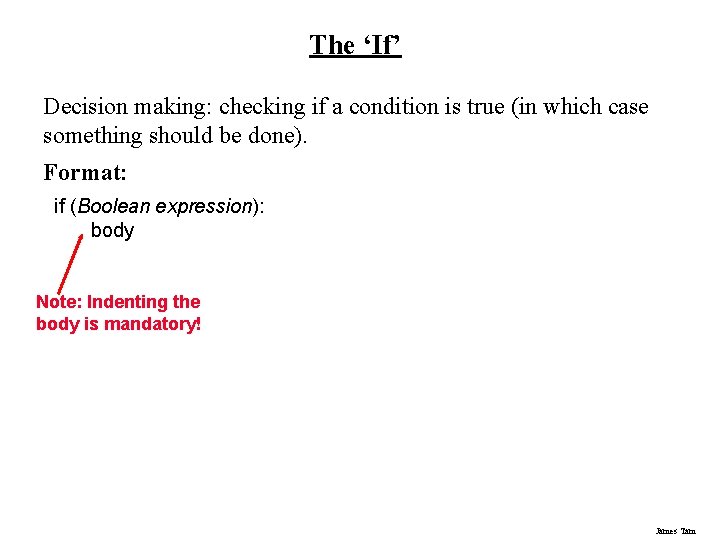
The ‘If’ Decision making: checking if a condition is true (in which case something should be done). Format: if (Boolean expression): body Note: Indenting the body is mandatory! James Tam
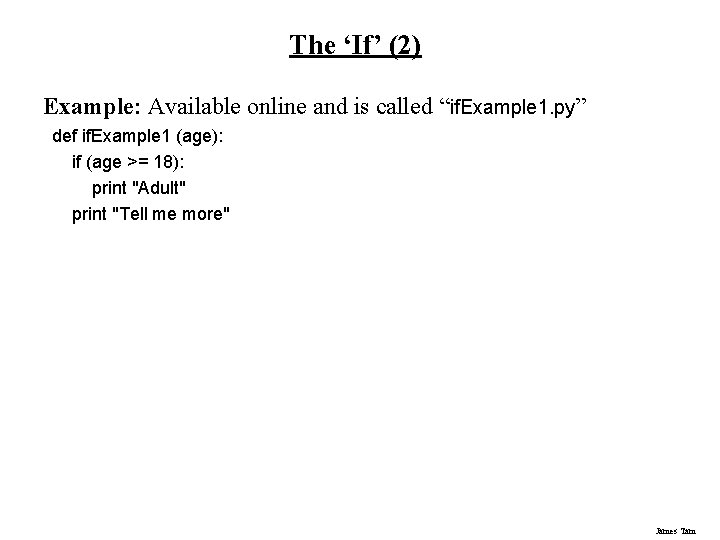
The ‘If’ (2) Example: Available online and is called “if. Example 1. py” def if. Example 1 (age): if (age >= 18): print "Adult" print "Tell me more" James Tam
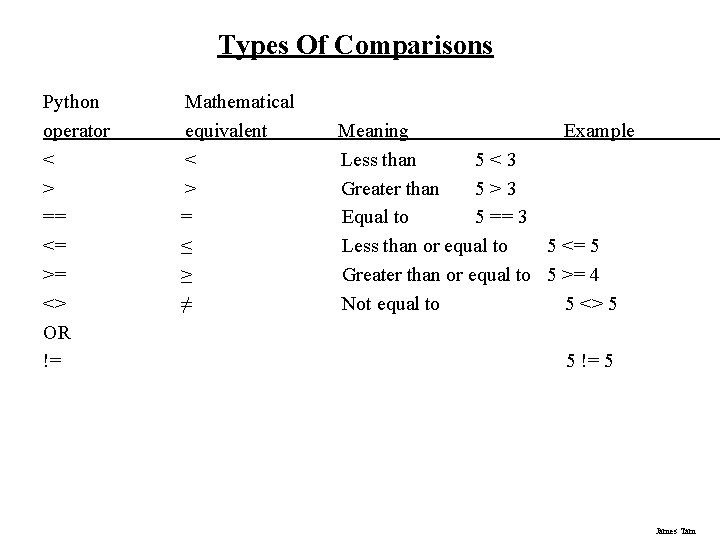
Types Of Comparisons Python operator < > == <= >= <> OR != Mathematical equivalent < > = ≤ ≥ ≠ Meaning Example Less than 5<3 Greater than 5>3 Equal to 5 == 3 Less than or equal to 5 <= 5 Greater than or equal to 5 >= 4 Not equal to 5 <> 5 5 != 5 James Tam
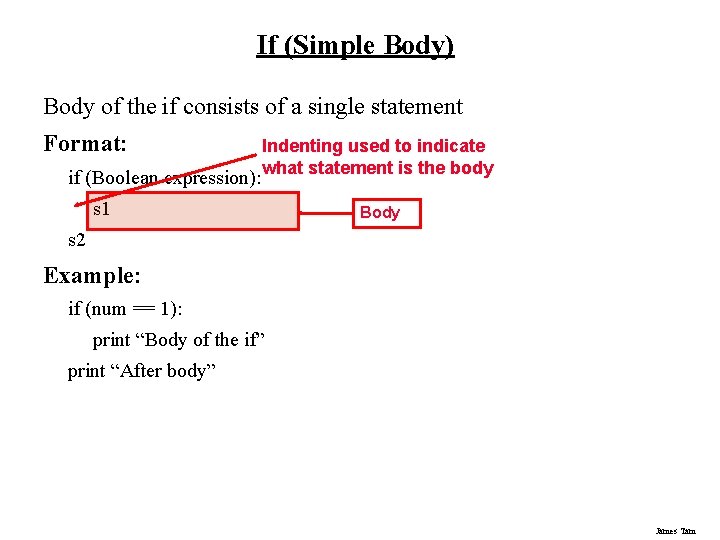
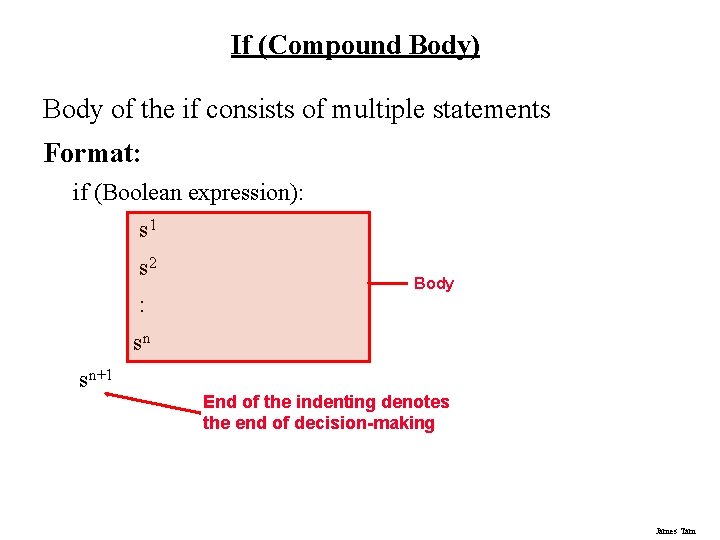
If (Simple Body) Body of the if consists of a single statement Format: if (Boolean expression): Indenting used to indicate what statement is the body s 1 Body s 2 Example: if (num == 1): print “Body of the if” print “After body” James Tam
If (Compound Body) Body of the if consists of multiple statements Format: if (Boolean expression): s 1 s 2 : Body sn sn+1 End of the indenting denotes the end of decision-making James Tam
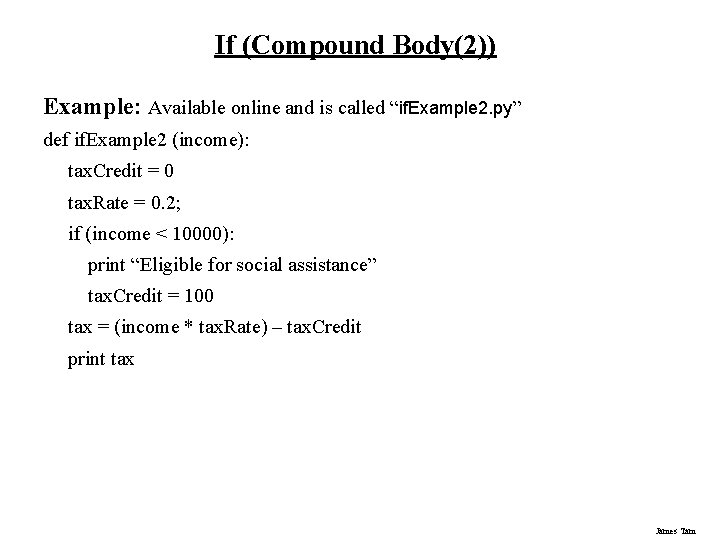
If (Compound Body(2)) Example: Available online and is called “if. Example 2. py” def if. Example 2 (income): tax. Credit = 0 tax. Rate = 0. 2; if (income < 10000): print “Eligible for social assistance” tax. Credit = 100 tax = (income * tax. Rate) – tax. Credit print tax James Tam
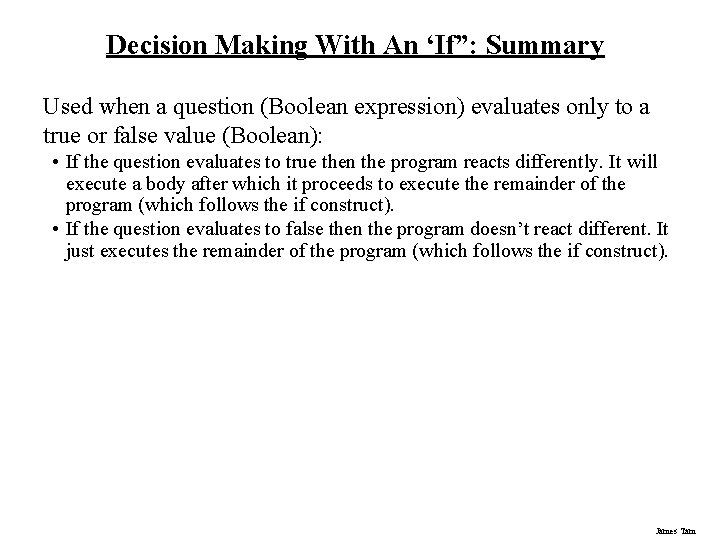
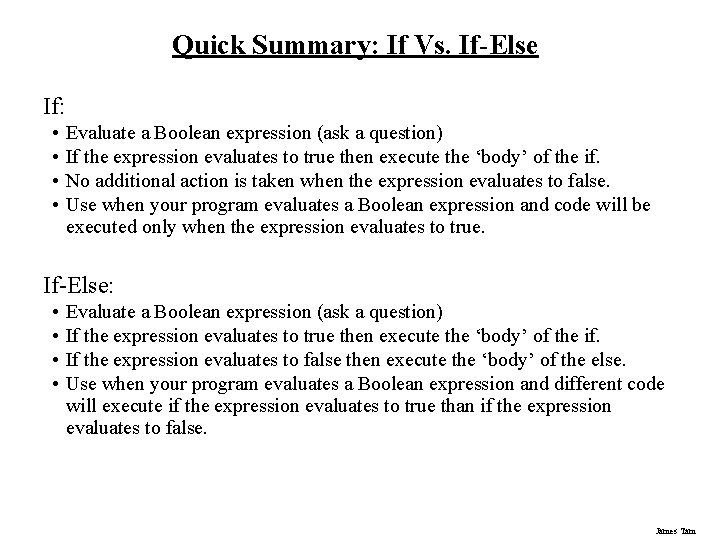
Decision Making With An ‘If”: Summary Used when a question (Boolean expression) evaluates only to a true or false value (Boolean): • If the question evaluates to true then the program reacts differently. It will execute a body after which it proceeds to execute the remainder of the program (which follows the if construct). • If the question evaluates to false then the program doesn’t react different. It just executes the remainder of the program (which follows the if construct). James Tam
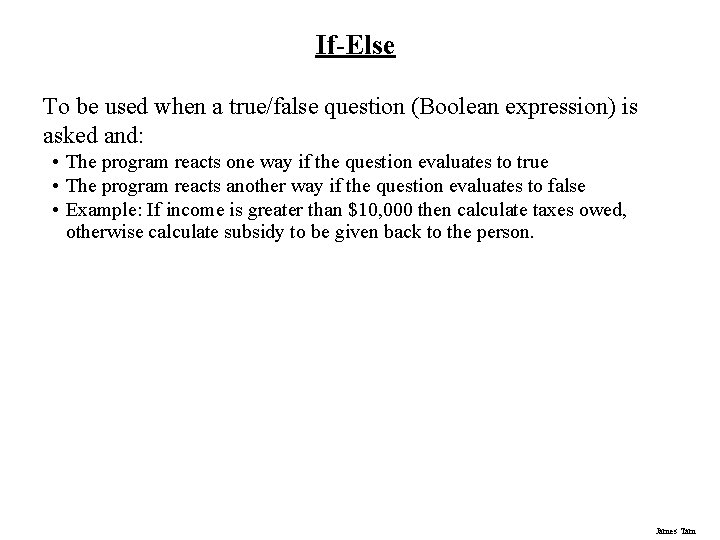
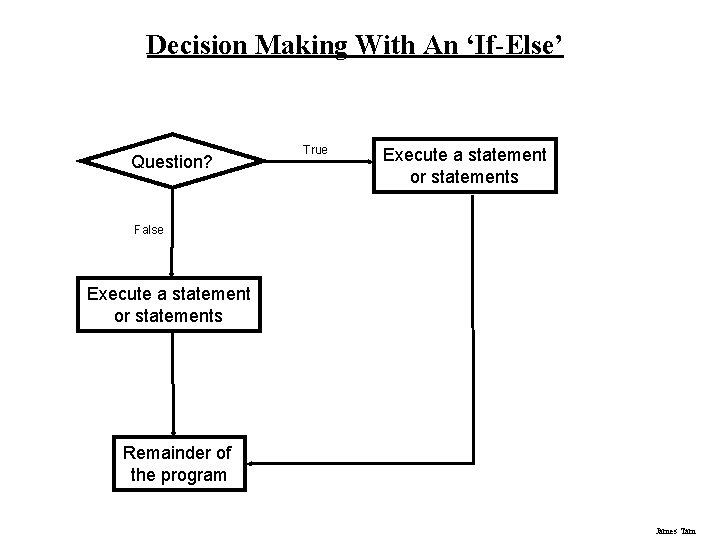
If-Else To be used when a true/false question (Boolean expression) is asked and: • The program reacts one way if the question evaluates to true • The program reacts another way if the question evaluates to false • Example: If income is greater than $10, 000 then calculate taxes owed, otherwise calculate subsidy to be given back to the person. James Tam
Decision Making With An ‘If-Else’ Question? True Execute a statement or statements False Execute a statement or statements Remainder of the program James Tam
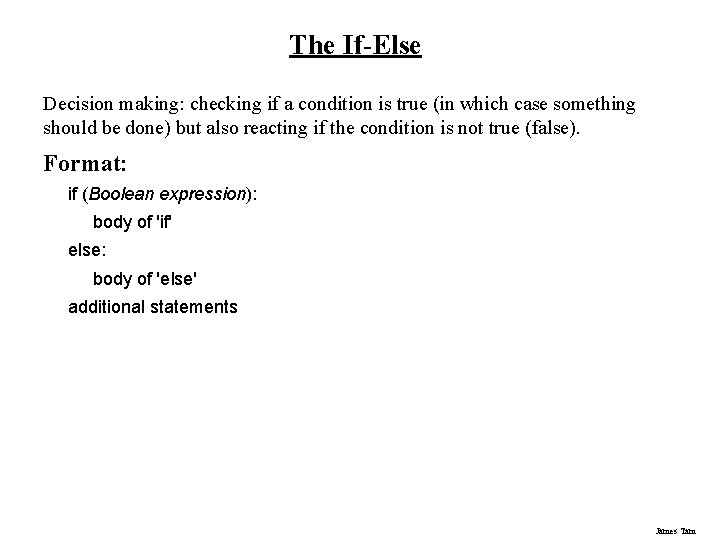
The If-Else Decision making: checking if a condition is true (in which case something should be done) but also reacting if the condition is not true (false). Format: if (Boolean expression): body of 'if' else: body of 'else' additional statements James Tam
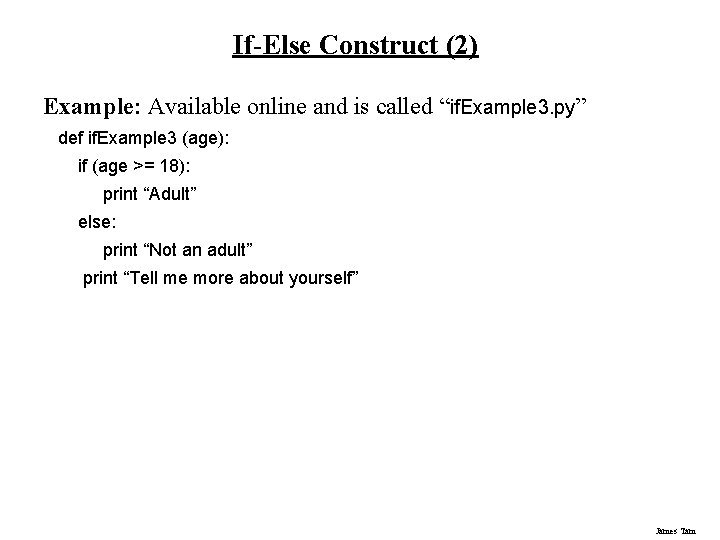
If-Else Construct (2) Example: Available online and is called “if. Example 3. py” def if. Example 3 (age): if (age >= 18): print “Adult” else: print “Not an adult” print “Tell me more about yourself” James Tam
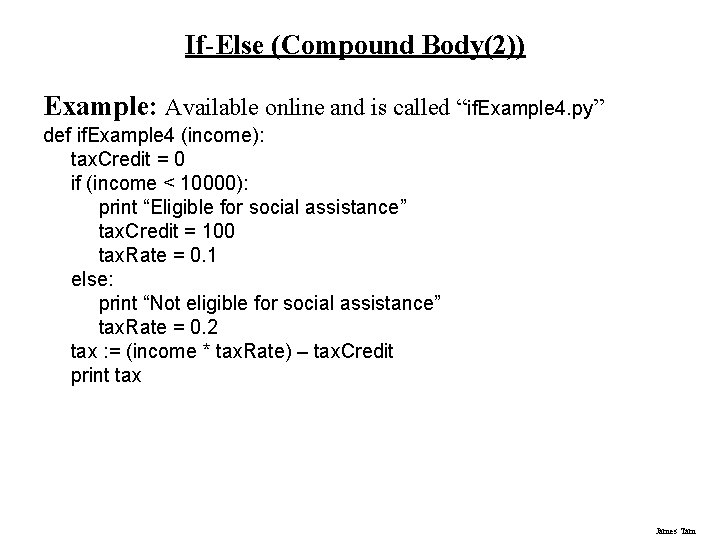
If-Else (Compound Body(2)) Example: Available online and is called “if. Example 4. py” def if. Example 4 (income): tax. Credit = 0 if (income < 10000): print “Eligible for social assistance” tax. Credit = 100 tax. Rate = 0. 1 else: print “Not eligible for social assistance” tax. Rate = 0. 2 tax : = (income * tax. Rate) – tax. Credit print tax James Tam
Quick Summary: If Vs. If-Else If: • • Evaluate a Boolean expression (ask a question) If the expression evaluates to true then execute the ‘body’ of the if. No additional action is taken when the expression evaluates to false. Use when your program evaluates a Boolean expression and code will be executed only when the expression evaluates to true. If-Else: • • Evaluate a Boolean expression (ask a question) If the expression evaluates to true then execute the ‘body’ of the if. If the expression evaluates to false then execute the ‘body’ of the else. Use when your program evaluates a Boolean expression and different code will execute if the expression evaluates to true than if the expression evaluates to false. James Tam
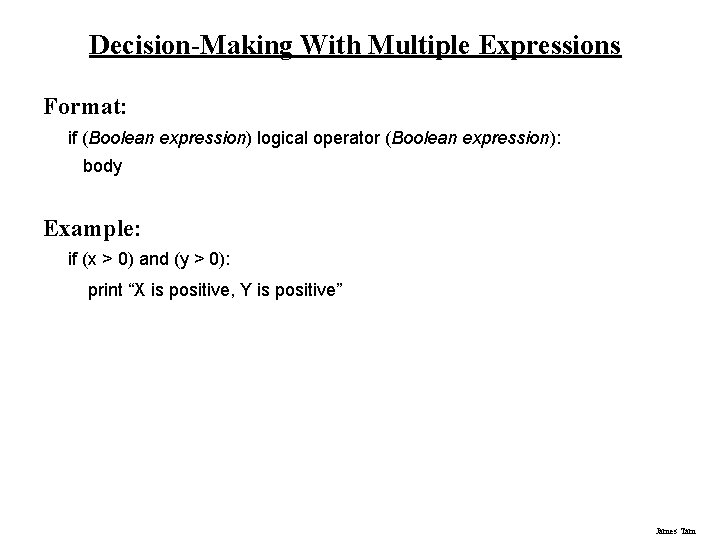
Decision-Making With Multiple Expressions Format: if (Boolean expression) logical operator (Boolean expression): body Example: if (x > 0) and (y > 0): print “X is positive, Y is positive” James Tam
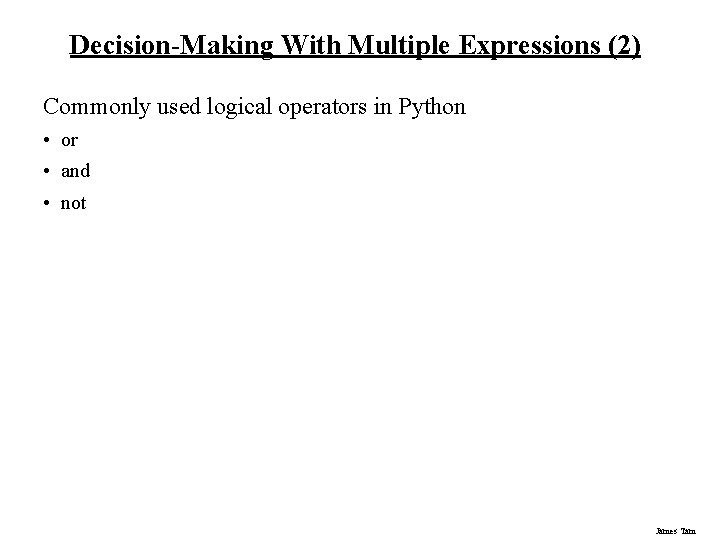
Decision-Making With Multiple Expressions (2) Commonly used logical operators in Python • or • and • not James Tam
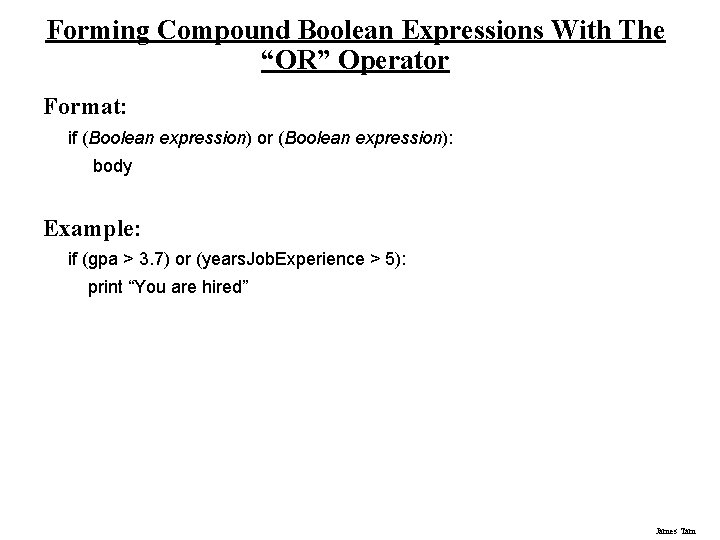
Forming Compound Boolean Expressions With The “OR” Operator Format: if (Boolean expression) or (Boolean expression): body Example: if (gpa > 3. 7) or (years. Job. Experience > 5): print “You are hired” James Tam
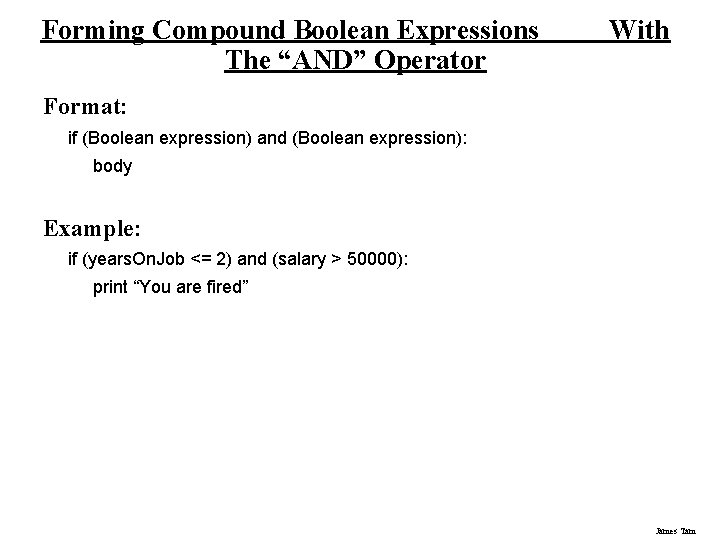
Forming Compound Boolean Expressions The “AND” Operator With Format: if (Boolean expression) and (Boolean expression): body Example: if (years. On. Job <= 2) and (salary > 50000): print “You are fired” James Tam
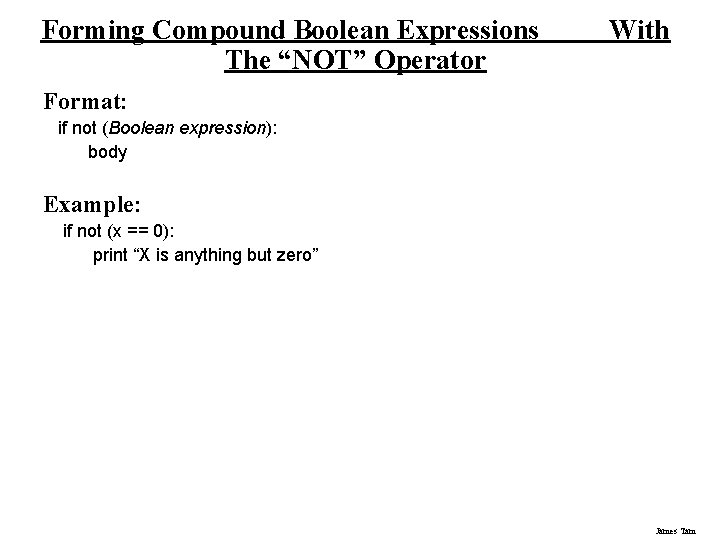
Forming Compound Boolean Expressions The “NOT” Operator With Format: if not (Boolean expression): body Example: if not (x == 0): print “X is anything but zero” James Tam
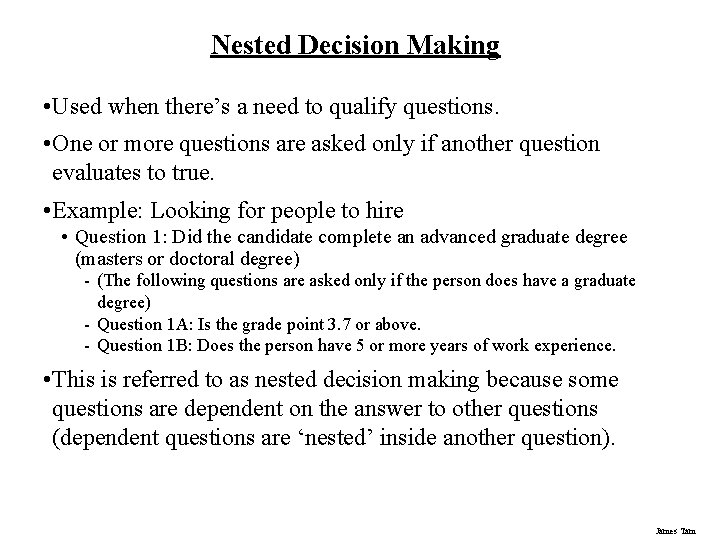
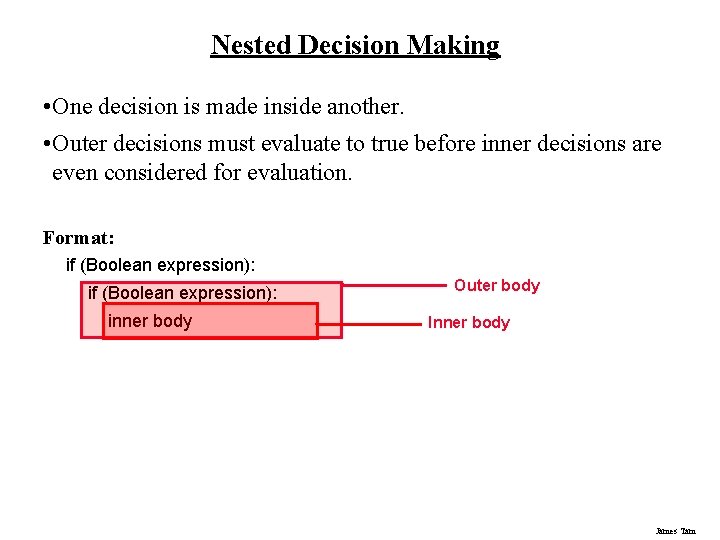
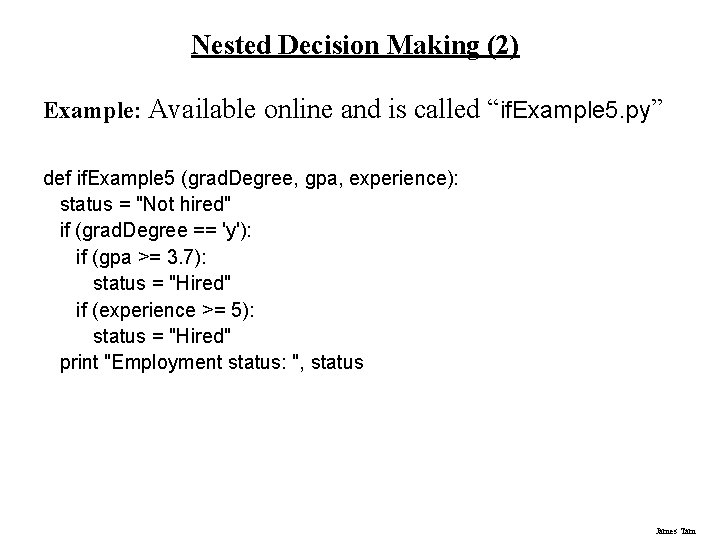
Nested Decision Making • Used when there’s a need to qualify questions. • One or more questions are asked only if another question evaluates to true. • Example: Looking for people to hire • Question 1: Did the candidate complete an advanced graduate degree (masters or doctoral degree) - (The following questions are asked only if the person does have a graduate degree) - Question 1 A: Is the grade point 3. 7 or above. - Question 1 B: Does the person have 5 or more years of work experience. • This is referred to as nested decision making because some questions are dependent on the answer to other questions (dependent questions are ‘nested’ inside another question). James Tam
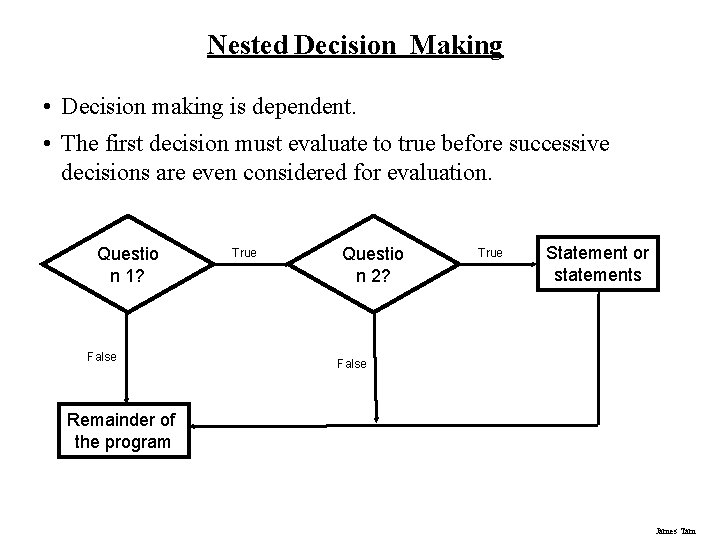
Nested Decision Making • Decision making is dependent. • The first decision must evaluate to true before successive decisions are even considered for evaluation. Questio n 1? False True Questio n 2? True Statement or statements False Remainder of the program James Tam
Nested Decision Making • One decision is made inside another. • Outer decisions must evaluate to true before inner decisions are even considered for evaluation. Format: if (Boolean expression): inner body Outer body Inner body James Tam
Nested Decision Making (2) Example: Available online and is called “if. Example 5. py” def if. Example 5 (grad. Degree, gpa, experience): status = "Not hired" if (grad. Degree == 'y'): if (gpa >= 3. 7): status = "Hired" if (experience >= 5): status = "Hired" print "Employment status: ", status James Tam
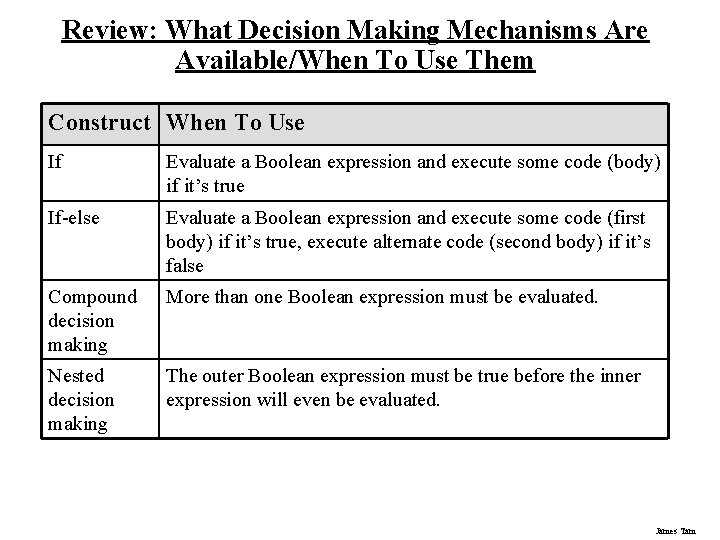
Review: What Decision Making Mechanisms Are Available/When To Use Them Construct When To Use If Evaluate a Boolean expression and execute some code (body) if it’s true If-else Evaluate a Boolean expression and execute some code (first body) if it’s true, execute alternate code (second body) if it’s false Compound decision making More than one Boolean expression must be evaluated. Nested decision making The outer Boolean expression must be true before the inner expression will even be evaluated. James Tam
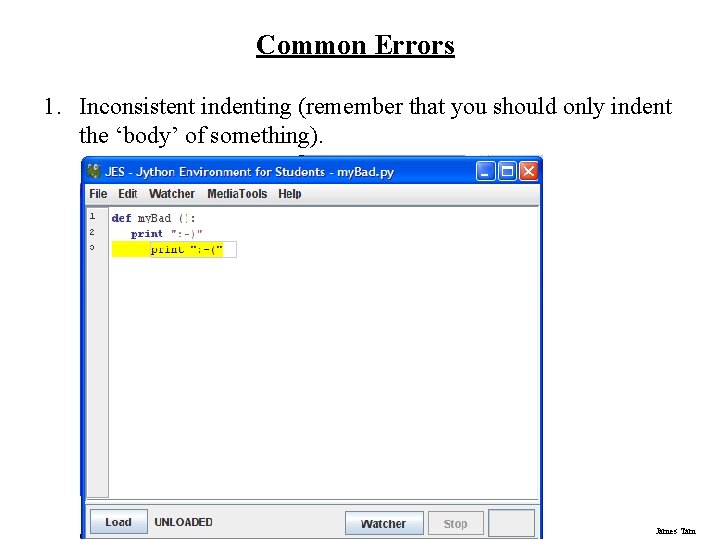
Common Errors 1. Inconsistent indenting (remember that you should only indent the ‘body’ of something). James Tam
Common Errors (2) 2. Forgetting to load your program before trying to run it. James Tam
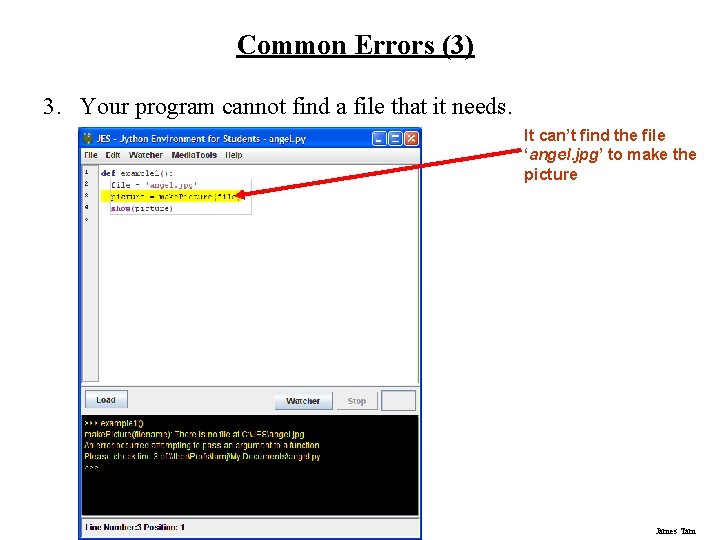
Common Errors (3) 3. Your program cannot find a file that it needs. It can’t find the file ‘angel. jpg’ to make the picture James Tam
Common Errors (3) 3. Problem: Your program cannot find a file that it needs. 1. Solution: Put all the files (pictures, sounds, videos) in the same folder where you put JES. Example James Tam
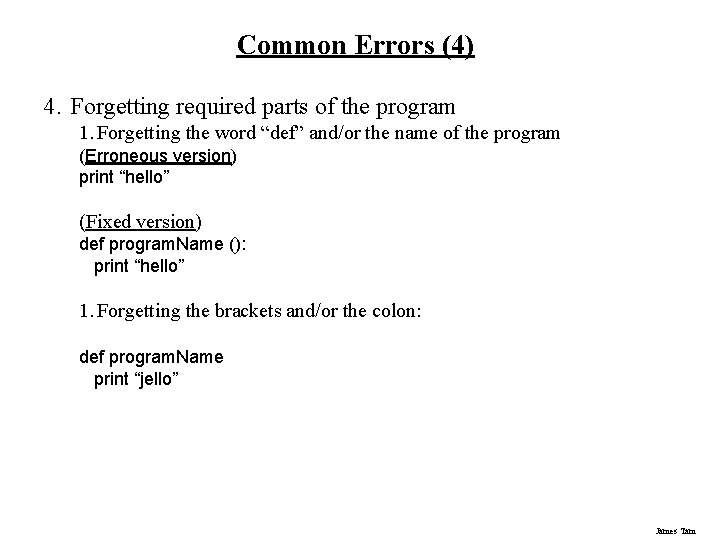
Common Errors (4) 4. Forgetting required parts of the program 1. Forgetting the word “def” and/or the name of the program (Erroneous version) print “hello” (Fixed version) def program. Name (): print “hello” 1. Forgetting the brackets and/or the colon: def program. Name print “jello” James Tam
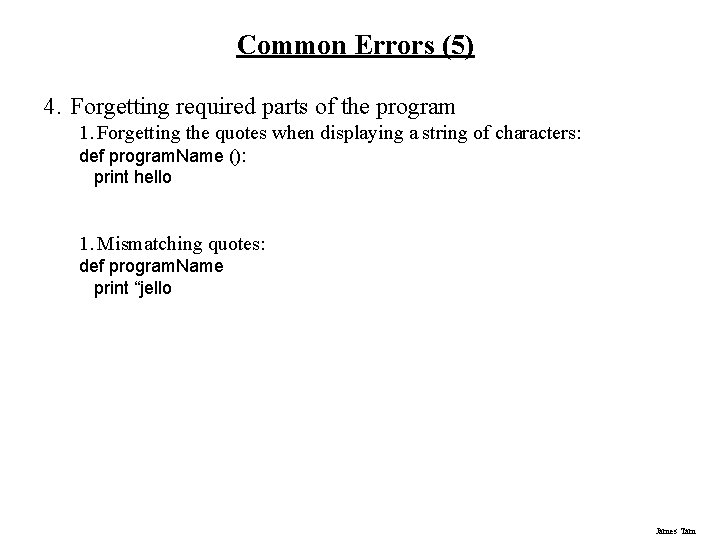
Common Errors (5) 4. Forgetting required parts of the program 1. Forgetting the quotes when displaying a string of characters: def program. Name (): print hello 1. Mismatching quotes: def program. Name print “jello James Tam
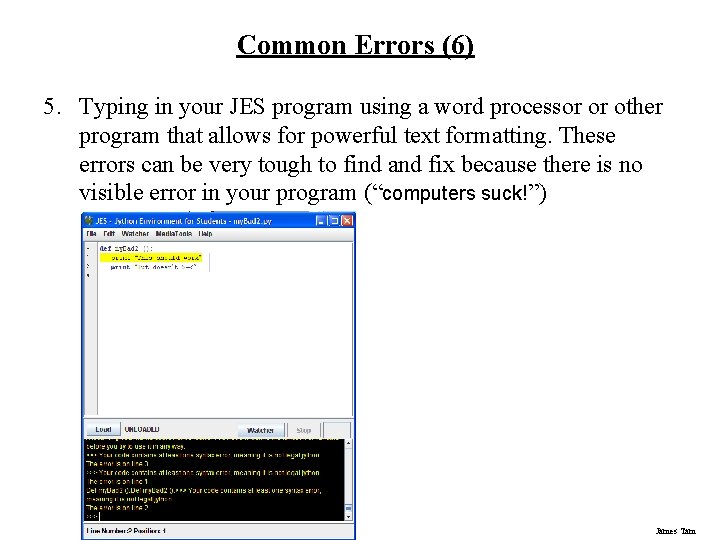
Common Errors (6) 5. Typing in your JES program using a word processor or other program that allows for powerful text formatting. These errors can be very tough to find and fix because there is no visible error in your program (“computers suck!”) James Tam
You Should Now Know • How to create and run a program using JES • How the print statement displays information • What are variables and how to use them in a program • How to load and display images in a program • How to get input as a program runs • The way in which decision making works with computer programs • How to write and trace (determine the execution and output of) programs that employ: if, else-if, compound decision making and nested decision making mechanisms James Tam