
Programming Logic ProblemSolving and Control Structures By Faith
Programming Logic Problem-Solving and Control Structures By Faith Brenner 1
Goals of Session • By participating in this lesson, the students will be able to: – Identify common flowcharting symbols – Differentiate between the 3 main control structures given case scenarios or pseudocode – Identify the flowcharting symbols used for each type of control structure 2
Control Structures • The basic building blocks of all computer programs are control structures. In this lesson, we will discuss the 3 types of control structures – sequential, selection, and repetition in terms of real life activities. We will also look at a tool that can be used to develop the logic of a problem solution – flowcharting. With flowcharting, will discuss how control structures are represented graphically. 3
Problem-Solving • Everything we do can be broken down into a series of small steps to accomplish a task. – To successfully complete a task - steps must be completed in the right order – Steps have a certain flow. They can: • go in a sequence (sequence control structure) • be skipped, depending on the context or situation (decision or selection control structure) • be repeated (repetition control structure) 4
Problem-Solving – Food for Thought • If we were making a cake, would it come out right if we put all of the ingredients in cake pan and then put it in the oven to bake before we actually measured and mixed all of the ingredients together? • PROBABLY NOT! • The steps must be in executed in the proper logical order and all steps must be completed so that we get the expected results. 5
Problem-Solving Practice planning out an activity: Think about how you would go about making a sandwich (step by step). • Write down all of the steps you can think of in the process of making a sandwich. 6
Graphical Representation of a Process • In the exercise you just did, you described a task using words (those dreaded “word problems”). This is called pseudocode. • For some tasks, it is easier to see how the process is carried out using symbols to graphically represent the process, called a flowchart. • A flowchart uses basic symbols to represent different types of steps. 7
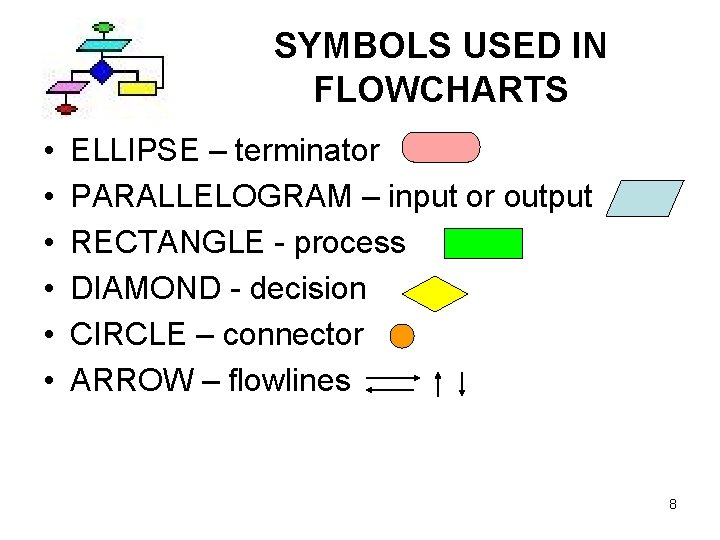
SYMBOLS USED IN FLOWCHARTS • • • ELLIPSE – terminator PARALLELOGRAM – input or output RECTANGLE - process DIAMOND - decision CIRCLE – connector ARROW – flowlines 8
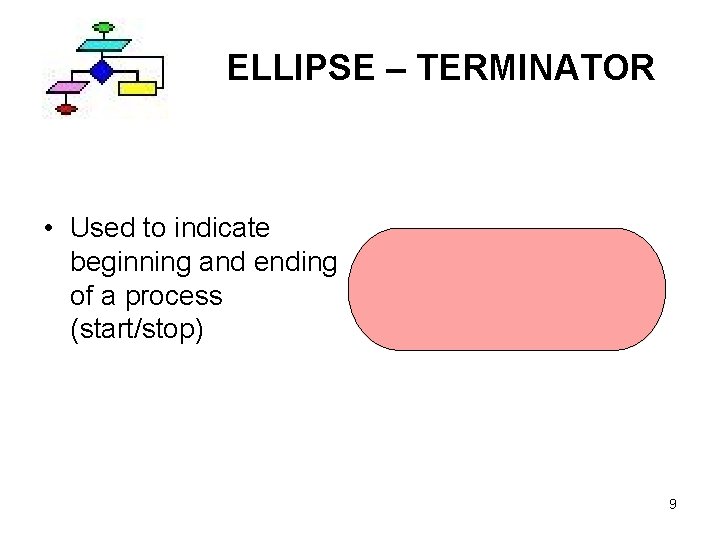
ELLIPSE – TERMINATOR • Used to indicate beginning and ending of a process (start/stop) 9
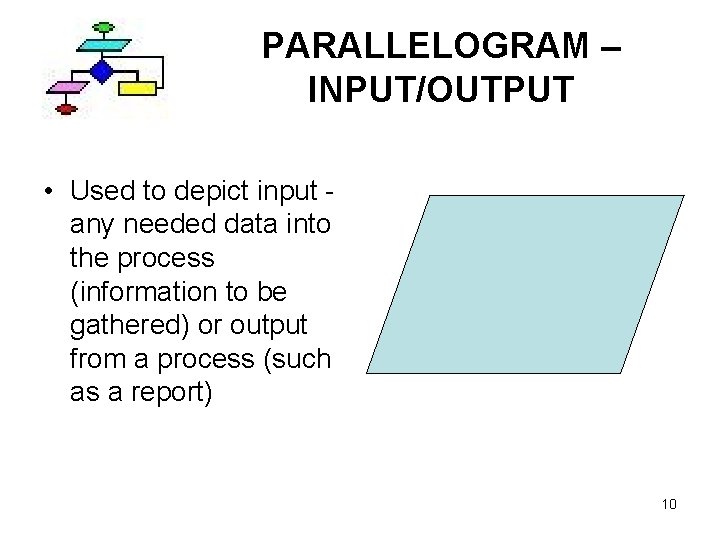
PARALLELOGRAM – INPUT/OUTPUT • Used to depict input any needed data into the process (information to be gathered) or output from a process (such as a report) 10
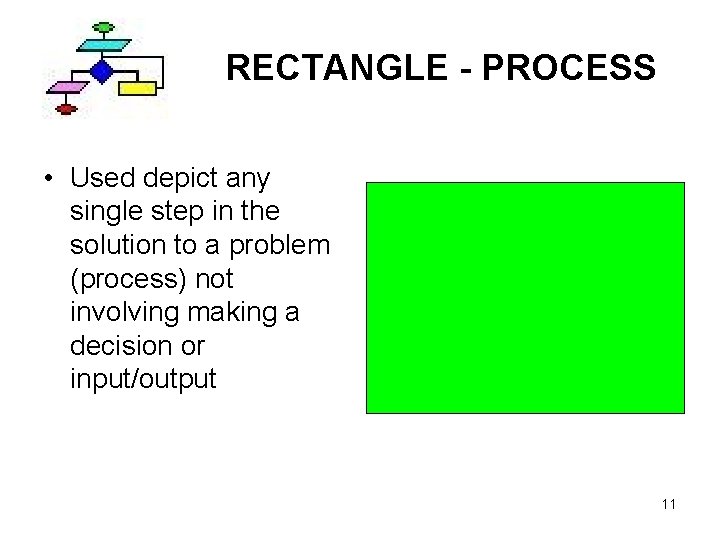
RECTANGLE - PROCESS • Used depict any single step in the solution to a problem (process) not involving making a decision or input/output 11

DIAMOND - DECISION • Depicts a decision being made and the alternate logic paths to be followed as a result of that decision • There is one entrance into a decision symbol and at least two exists from it • It contains the condition or questions that must result in a yes/no, true/false response (called a Boolean response) 12
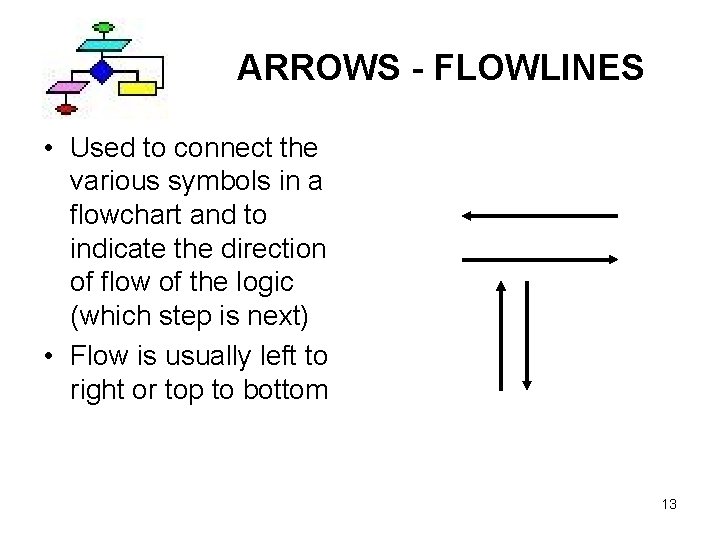
ARROWS - FLOWLINES • Used to connect the various symbols in a flowchart and to indicate the direction of flow of the logic (which step is next) • Flow is usually left to right or top to bottom 13
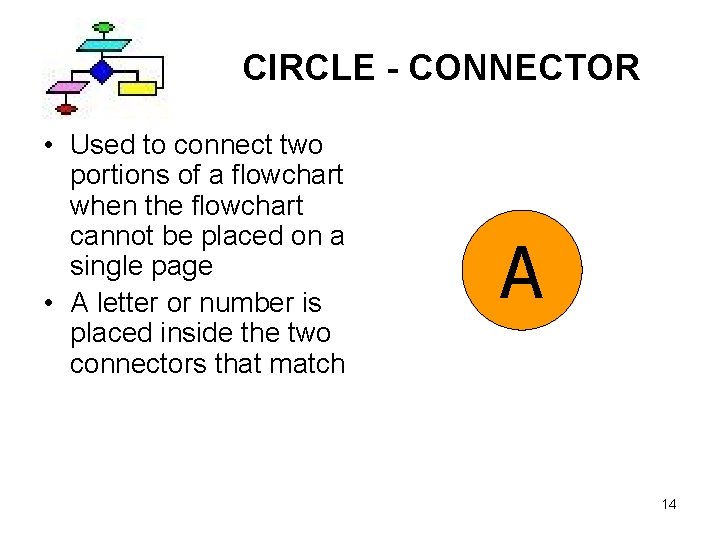
CIRCLE - CONNECTOR • Used to connect two portions of a flowchart when the flowchart cannot be placed on a single page • A letter or number is placed inside the two connectors that match A 14
QUICK CHECK IDENTIFY THE SYMBOLS • Click on the link below to complete a matching task with the flowcharting symbols. You will be asked to match the definition or function with the flowcharting symbol. To match, drag the words with your mouse over the symbol and drop it onto the symbol. Click the “check” button to check your work. • Matching Game 15
Quick Review • The small steps in any process have a certain flow to be accomplished in a specific order. (sequence). • Steps can: • go in a sequence • be skipped, depending on the context or situation • be repeated • The flow of the steps is called a control structure 16
PROCESS CONTROL STRUCTURES There are 3 main control structures: • SEQUENCE • REPETITION (LOOP OR ITERATION) • DECISION (SELECTION) – Special selection - CASE SELECTION 17
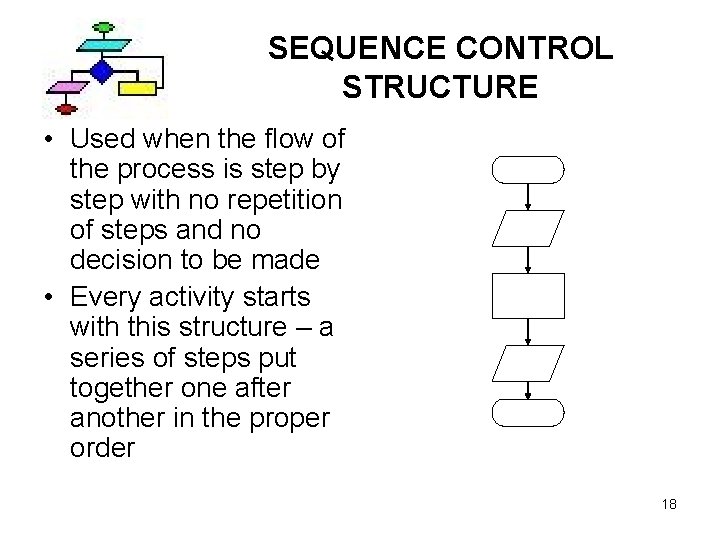
SEQUENCE CONTROL STRUCTURE • Used when the flow of the process is step by step with no repetition of steps and no decision to be made • Every activity starts with this structure – a series of steps put together one after another in the proper order 18
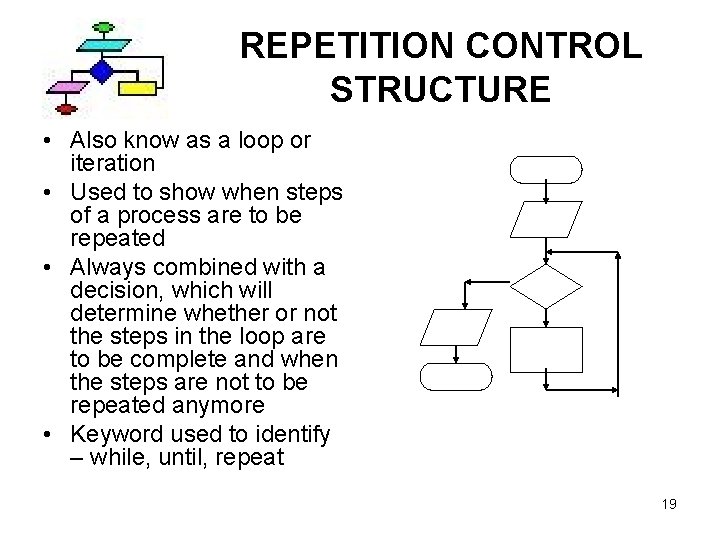
REPETITION CONTROL STRUCTURE • Also know as a loop or iteration • Used to show when steps of a process are to be repeated • Always combined with a decision, which will determine whether or not the steps in the loop are to be complete and when the steps are not to be repeated anymore • Keyword used to identify – while, until, repeat 19
REPETITION CONTROL STRUCTURE (con’t) • This consists of completing the same steps over and over (repeating) until a certain condition is met. The condition might be a certain number of times the task is to be repeated or it might be something that is repeat until something occurs. • Examples: Step – repeat 10 times; or Step – repeat until you reach the other side of the room. • This structure is also sometimes called a loop because as you repeat the steps involve in the activity, it is like you are temporarily ‘caught in a loop’. 20
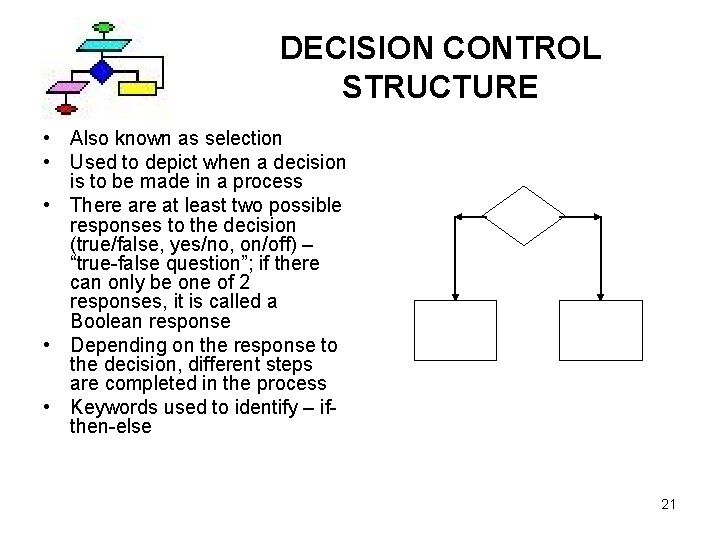
DECISION CONTROL STRUCTURE • Also known as selection • Used to depict when a decision is to be made in a process • There at least two possible responses to the decision (true/false, yes/no, on/off) – “true-false question”; if there can only be one of 2 responses, it is called a Boolean response • Depending on the response to the decision, different steps are completed in the process • Keywords used to identify – ifthen-else 21
DECISION CONTROL STRUCTURE • Example: If it is raining, use your umbrella, otherwise, wear your sunglasses. This is how we would say it in pseudocode. Decision: “Is it raining? ”; Response “yes” – task: use your umbrella; Response “no” – task: wear your sunglasses. Depending upon the response, would complete only one of the two tasks, not both. 22
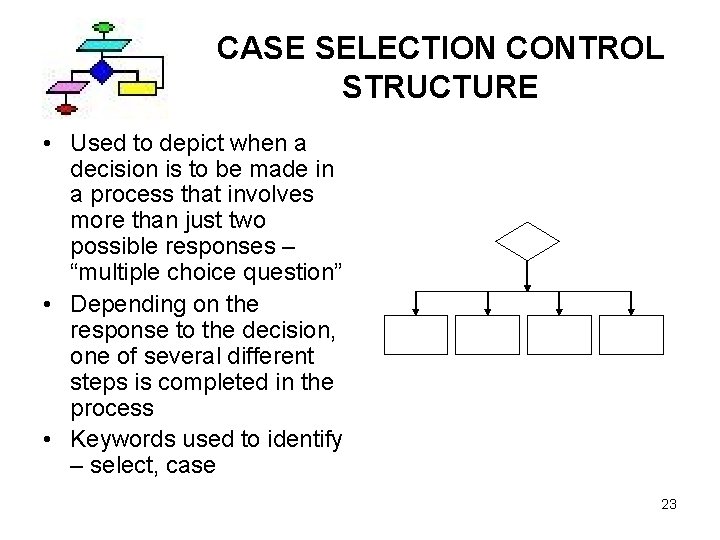
CASE SELECTION CONTROL STRUCTURE • Used to depict when a decision is to be made in a process that involves more than just two possible responses – “multiple choice question” • Depending on the response to the decision, one of several different steps is completed in the process • Keywords used to identify – select, case 23
Test Your Understanding Scenario: If I need to walk across a room in straight line, where there is nothing in my path, which control structure would I use to map out the tasks involved to accomplish this? A – Sequence B – Selection/Decision C – Repetition/Loop D – Both A and C E – I don’t know 24
Correct! Walking across a room in a straight line does not require a decision/selection because only one path is required. Each step, one after the other is a sequence. However when that sequence repeats itself over and over again, this can represent a repetition structure also. Next Slide 25
Try again! Walking across a room in a straight line does not require a decision/selection because only one path is required. Each step, one after the other is a sequence. However, when that sequence repeats itself over and over again, this can represent a repetition structure also. Go Back 26
Test Your Understanding Scenario: I am driving and I come to a fork in the road. I need to either turn right or left. My directions say to go north at the fork. If I was driving east, which way should I turn? A – Sequence B – Selection/Decision C – Repetition/Loop D – Both A and C E – I don’t know 27
Correct! Walking across a room in a straight line does not require a decision/selection because only one path is required. Each step, one after the other is a sequence. However when that sequence repeats itself over and over again, this can represent a repetition structure also. Next Slide 28
Try again! Walking across a room in a straight line does not require a decision/selection because only one path is required. Each step, one after the other is a sequence. However, when that sequence repeats itself over and over again, this can represent a repetition structure also. Go Back 29
Test Your Understanding Given the following pseudocode, what is the control structure? Code: Move the bricks from the yard into the building until there are no more bricks in the yard. A – Sequence B – Selection/Decision C – Repetition/Loop D – Both B and C E – I don’t know 30
Correct! Walking across a room in a straight line does not require a decision/selection because only one path is required. Each step, one after the other is a sequence. However when that sequence repeats itself over and over again, this can represent a repetition structure also. Next Slide 31
Try again! Walking across a room in a straight line does not require a decision/selection because only one path is required. Each step, one after the other is a sequence. However, when that sequence repeats itself over and over again, this can represent a repetition structure also. Go Back 32
Test Your Understanding Given the following pseudocode, what is the control structure? Code: If the peaches are on sale, buy them. Otherwise, buy some apples. A – Sequence B – Selection/Decision C – Repetition/Loop D – Both B and C E – I don’t know 33
Correct! Walking across a room in a straight line does not require a decision/selection because only one path is required. Each step, one after the other is a sequence. However when that sequence repeats itself over and over again, this can represent a repetition structure also. Next Slide 34
Try again! Walking across a room in a straight line does not require a decision/selection because only one path is required. Each step, one after the other is a sequence. However, when that sequence repeats itself over and over again, this can represent a repetition structure also. Go Back 35
Test Your Understanding Given the following pseudocode, what is the control structure? Code: Do while there is some sandwich left: Take a bite of the sandwich, chew, and swallow. A – Sequence B – Selection/Decision C – Repetition/Loop D – Both A and C E – I don’t know 36
Correct! Walking across a room in a straight line does not require a decision/selection because only one path is required. Each step, one after the other is a sequence. However when that sequence repeats itself over and over again, this can represent a repetition structure also. Next Slide 37
Try again! Walking across a room in a straight line does not require a decision/selection because only one path is required. Each step, one after the other is a sequence. However, when that sequence repeats itself over and over again, this can represent a repetition structure also. Go Back 38
Test Your Understanding Given the following pseudocode, what is the control structure? Code: Put the key in the keyhole, turn the key clockwise, turn the doorknob clockwise, open the door. A – Sequence B – Selection/Decision C – Repetition/Loop D – Both B and C E – I don’t know 39
Correct! Walking across a room in a straight line does not require a decision/selection because only one path is required. Each step, one after the other is a sequence. However when that sequence repeats itself over and over again, this can represent a repetition structure also. Next Slide 40
Try again! Walking across a room in a straight line does not require a decision/selection because only one path is required. Each step, one after the other is a sequence. However, when that sequence repeats itself over and over again, this can represent a repetition structure also. Go Back 41
Test Your Understanding Given the following pseudocode, what is the control structure? Code: If your shoes are worn out, buy new ones, otherwise wear the old ones. A – Sequence B – Selection/Decision C – Repetition/Loop D – Both B and C E – I don’t know 42
Correct! Walking across a room in a straight line does not require a decision/selection because only one path is required. Each step, one after the other is a sequence. However when that sequence repeats itself over and over again, this can represent a repetition structure also. Next Slide 43
Try again! Walking across a room in a straight line does not require a decision/selection because only one path is required. Each step, one after the other is a sequence. However, when that sequence repeats itself over and over again, this can represent a repetition structure also. Go Back 44
Test Your Understanding Given the following pseudocode, what is the control structure? Code: If the glass is empty, fill it. Otherwise, drink your beverage. A – Sequence B – Selection/Decision C – Repetition/Loop D – Both B and C E – I don’t know 45
Correct! Walking across a room in a straight line does not require a decision/selection because only one path is required. Each step, one after the other is a sequence. However when that sequence repeats itself over and over again, this can represent a repetition structure also. Next Slide 46
Try again! Walking across a room in a straight line does not require a decision/selection because only one path is required. Each step, one after the other is a sequence. However, when that sequence repeats itself over and over again, this can represent a repetition structure also. Go Back 47
Test Your Understanding Given the following pseudocode, what is the control structure? Code: Shampoo your hair, rinse, and repeat 2 times. A – Sequence B – Selection/Decision C – Repetition/Loop D – Both A and C E – I don’t know 48
Correct! Walking across a room in a straight line does not require a decision/selection because only one path is required. Each step, one after the other is a sequence. However when that sequence repeats itself over and over again, this can represent a repetition structure also. Next Slide 49
Try again! Walking across a room in a straight line does not require a decision/selection because only one path is required. Each step, one after the other is a sequence. However, when that sequence repeats itself over and over again, this can represent a repetition structure also. Go Back 50
Discussion Forum • A discussion forum has been created in Web. CT to help you apply the concepts in this learning module. Go to the “Discussions” link in Web. CT and click on the discussion topic “Problem-Solving and Control Structures” to complete this activity. Follow the discussion instructions carefully. 51
Self-Assessment • You may check your understanding of the concepts presented in this lesson and unit by taking the “Self-Assessment”, which are study guides to help direct you attention to important concepts from this unit. This will open in a separate browser window. You must fill in the name box in order before you click “check your work” for the self-grading to work properly. Click this link to start. • Self-Assessment 52
Summary • Hopefully you now have a better grasp of the basic building blocks for developing a computer program and how these same building blocks are used by us everyday to complete all of our activities. • In order for us to program a computer to do something for us, first we have to understand all of the steps that are needed to accomplish that task. Then we need to order those steps in such a way that the computer can carry out each step in the defined order so that it actually does what it is supposed to do. • The control structures we have discussed help us accomplish this in a structured way that the computer can understand. 53
QUESTIONS? 54
- Slides: 54