
Programming in Python Python An opensourced programming language
![Python: Functions • Default-value arguments: def reset(lis, default_val=None): None del lis[: ] if default_val](https://slidetodoc.com/presentation_image_h2/51fef8b9dc35cc456e1d2015dfea3945/image-15.jpg "Python: Functions • Default-value arguments: def reset(lis, default_val=None): None del lis[: ] if default_val")
![Python: List Comprehensions letters = [] for letter in 'human': letters. append(letter) letters =](https://slidetodoc.com/presentation_image_h2/51fef8b9dc35cc456e1d2015dfea3945/image-18.jpg "Python: List Comprehensions letters = [] for letter in 'human': letters. append(letter) letters =")
![Map, Filter, Reduce: Examples product = 1 li = [1, 2, 3, 4] for](https://slidetodoc.com/presentation_image_h2/51fef8b9dc35cc456e1d2015dfea3945/image-21.jpg "Map, Filter, Reduce: Examples product = 1 li = [1, 2, 3, 4] for")
- Slides: 30
Programming in Python
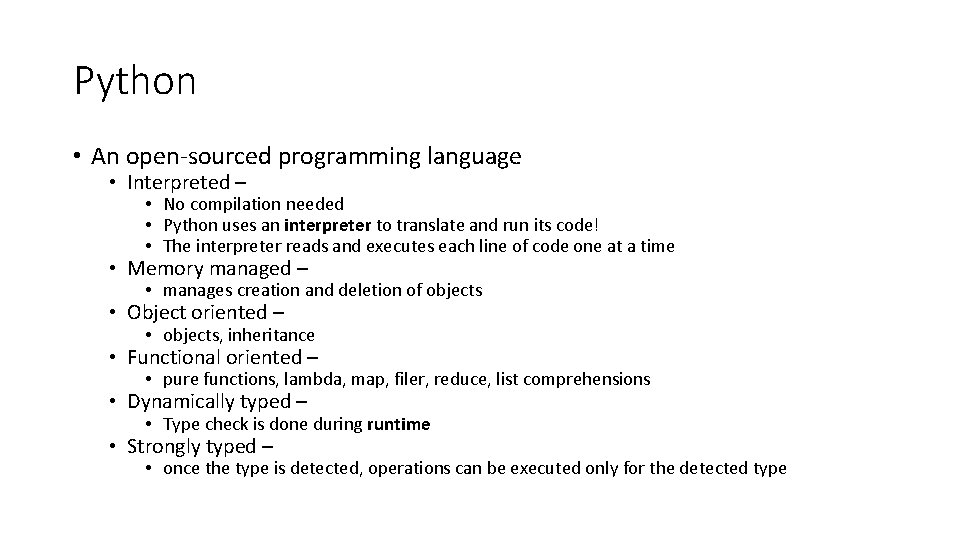
Python • An open-sourced programming language • Interpreted – • No compilation needed • Python uses an interpreter to translate and run its code! • The interpreter reads and executes each line of code one at a time • Memory managed – • manages creation and deletion of objects • Object oriented – • objects, inheritance • Functional oriented – • pure functions, lambda, map, filer, reduce, list comprehensions • Dynamically typed – • Type check is done during runtime • Strongly typed – • once the type is detected, operations can be executed only for the detected type
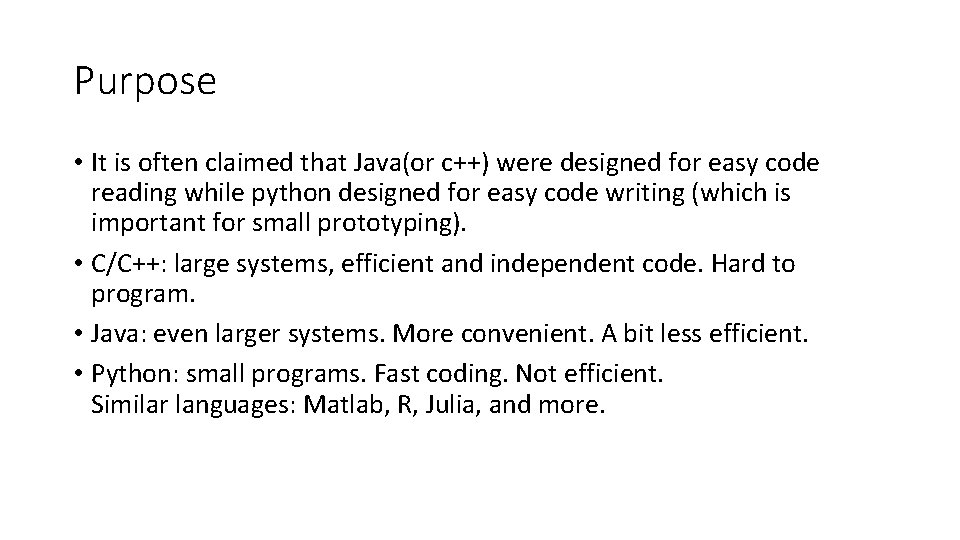
Purpose • It is often claimed that Java(or c++) were designed for easy code reading while python designed for easy code writing (which is important for small prototyping). • C/C++: large systems, efficient and independent code. Hard to program. • Java: even larger systems. More convenient. A bit less efficient. • Python: small programs. Fast coding. Not efficient. Similar languages: Matlab, R, Julia, and more.
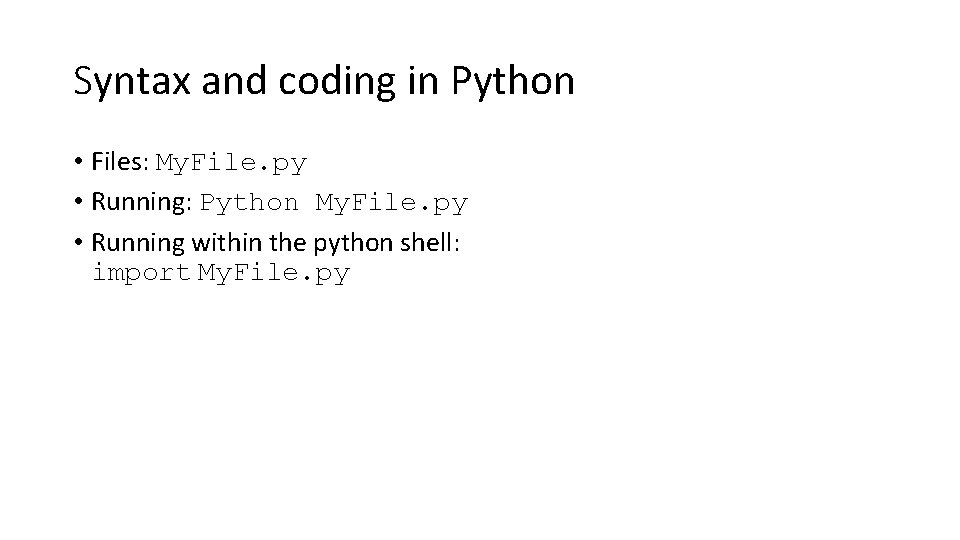
Syntax and coding in Python • Files: My. File. py • Running: Python My. File. py • Running within the python shell: import My. File. py
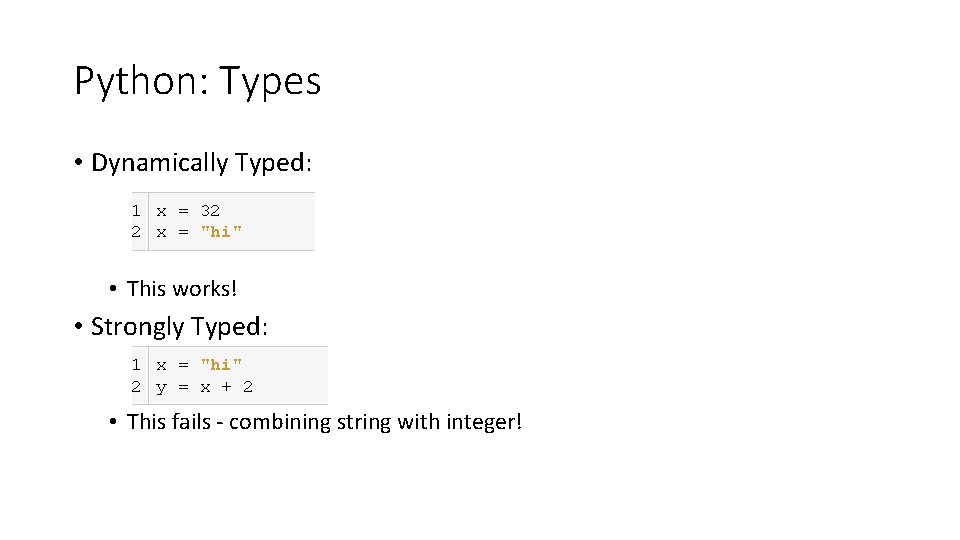
Python: Types • Dynamically Typed: 1 x = 32 2 x = "hi" • This works! • Strongly Typed: 1 x = "hi" 2 y = x + 2 • This fails - combining string with integer!
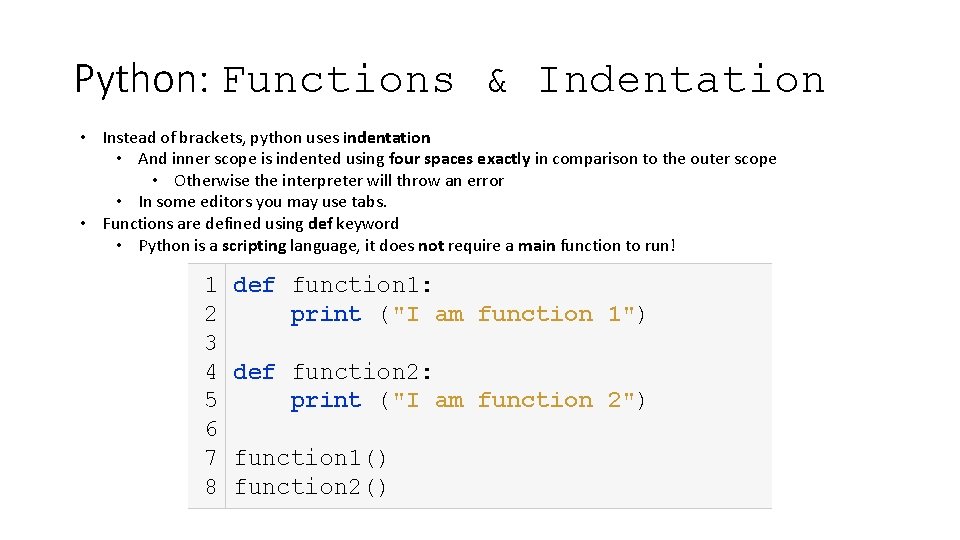
Python: Functions & Indentation • Instead of brackets, python uses indentation • And inner scope is indented using four spaces exactly in comparison to the outer scope • Otherwise the interpreter will throw an error • In some editors you may use tabs. • Functions are defined using def keyword • Python is a scripting language, it does not require a main function to run! 1 2 3 4 5 6 7 8 def function 1: print ("I am function 1") def function 2: print ("I am function 2") function 1() function 2()
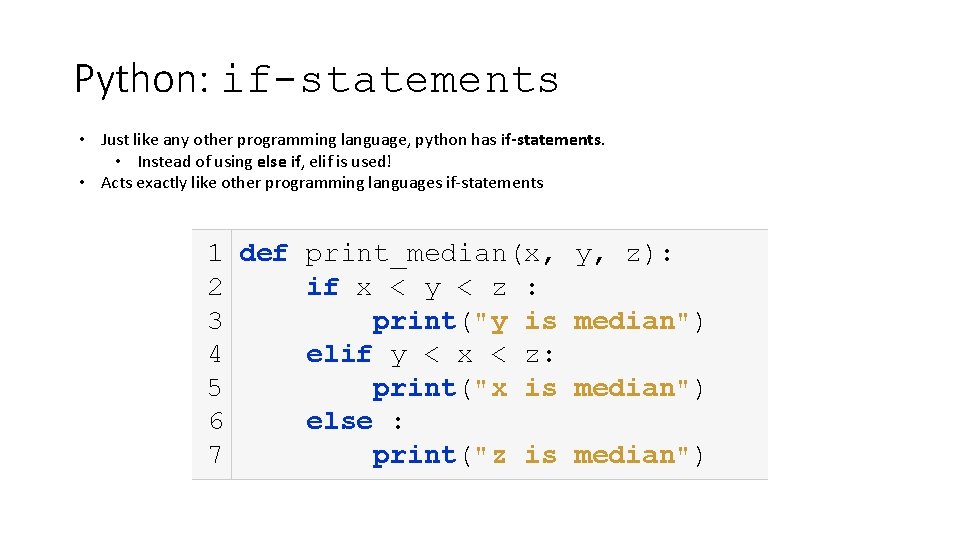
Python: if-statements • Just like any other programming language, python has if-statements. • Instead of using else if, elif is used! • Acts exactly like other programming languages if-statements 1 def print_median(x, 2 if x < y < z : 3 print("y is 4 elif y < x < z: 5 print("x is 6 else : 7 print("z is y, z): median")
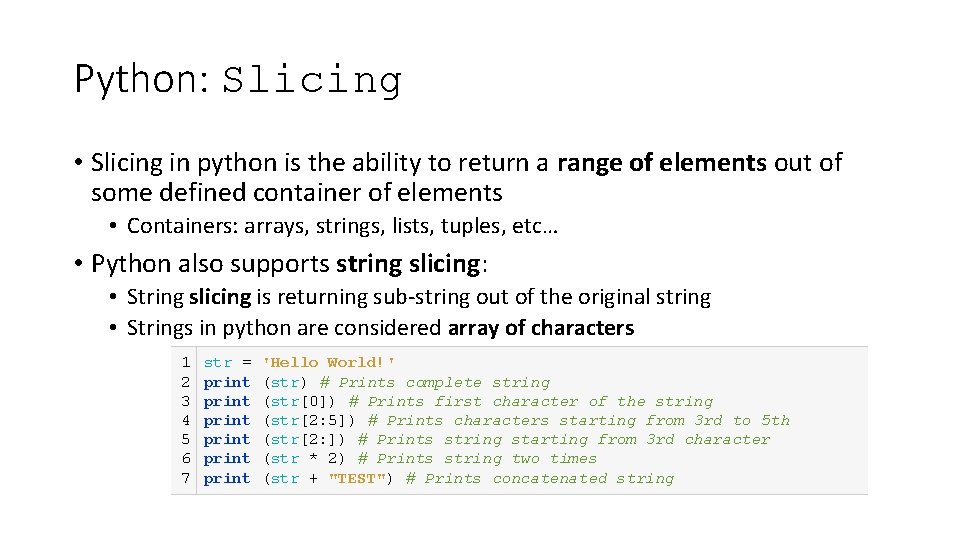
Python: Slicing • Slicing in python is the ability to return a range of elements out of some defined container of elements • Containers: arrays, strings, lists, tuples, etc… • Python also supports string slicing: • String slicing is returning sub-string out of the original string • Strings in python are considered array of characters 1 2 3 4 5 6 7 str = print print 'Hello World!' (str) # Prints complete string (str[0]) # Prints first character of the string (str[2: 5]) # Prints characters starting from 3 rd to 5 th (str[2: ]) # Prints string starting from 3 rd character (str * 2) # Prints string two times (str + "TEST") # Prints concatenated string
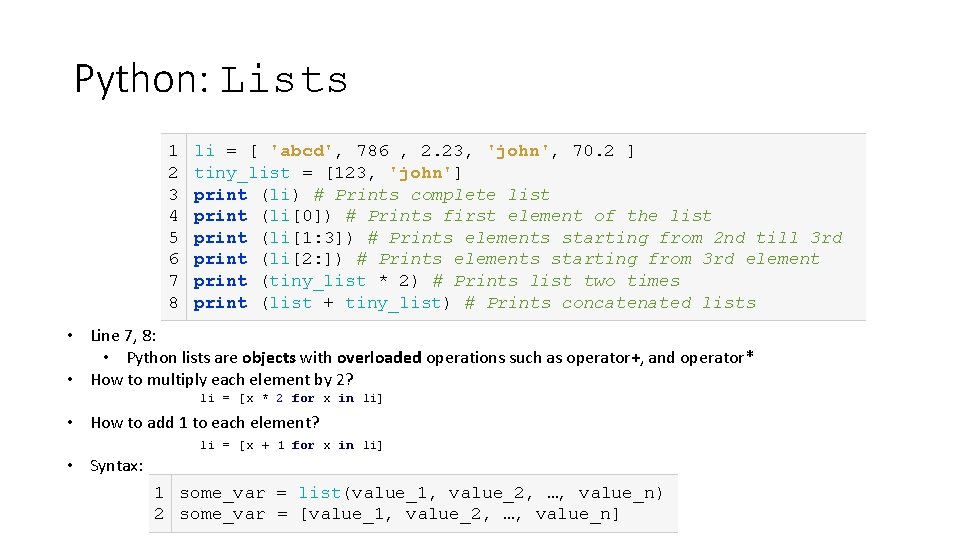
Python: Lists 1 2 3 4 5 6 7 8 li = [ 'abcd', 786 , 2. 23, 'john', 70. 2 ] tiny_list = [123, 'john'] print (li) # Prints complete list print (li[0]) # Prints first element of the list print (li[1: 3]) # Prints elements starting from 2 nd till 3 rd print (li[2: ]) # Prints elements starting from 3 rd element print (tiny_list * 2) # Prints list two times print (list + tiny_list) # Prints concatenated lists • Line 7, 8: • Python lists are objects with overloaded operations such as operator+, and operator* • How to multiply each element by 2? li = [x * 2 for x in li] • How to add 1 to each element? li = [x + 1 for x in li] • Syntax: 1 some_var = list(value_1, value_2, …, value_n) 2 some_var = [value_1, value_2, …, value_n]
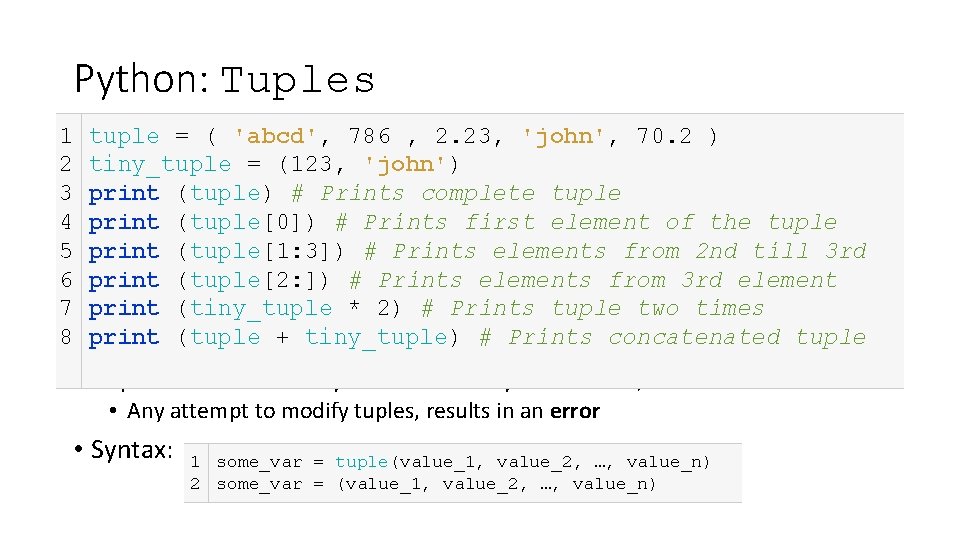
Python: Tuples 1 2 3 4 5 6 7 8 tuple = ( 'abcd', 786 , 2. 23, 'john', 70. 2 ) tiny_tuple = (123, 'john') print (tuple) # Prints complete tuple print (tuple[0]) # Prints first element of the tuple print (tuple[1: 3]) # Prints elements from 2 nd till 3 rd print (tuple[2: ]) # Prints elements from 3 rd element print (tiny_tuple * 2) # Prints tuple two times print (tuple + tiny_tuple) # Prints concatenated tuple • Tuples behave exactly like lists – only difference, immutable! • Any attempt to modify tuples, results in an error • Syntax: 1 some_var = tuple(value_1, value_2, …, value_n) 2 some_var = (value_1, value_2, …, value_n)
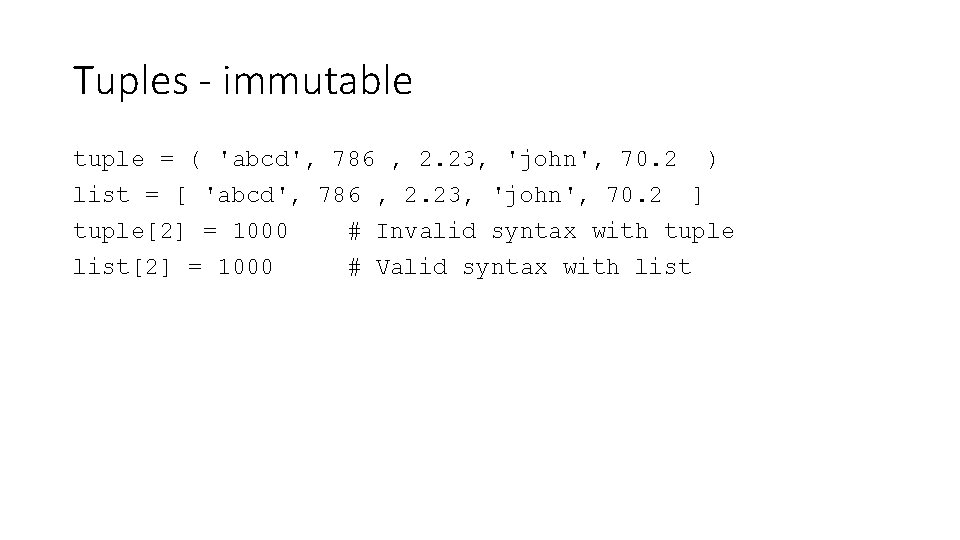
Tuples - immutable tuple = ( 'abcd', 786 , 2. 23, 'john', 70. 2 ) list = [ 'abcd', 786 , 2. 23, 'john', 70. 2 ] tuple[2] = 1000 # Invalid syntax with tuple list[2] = 1000 # Valid syntax with list
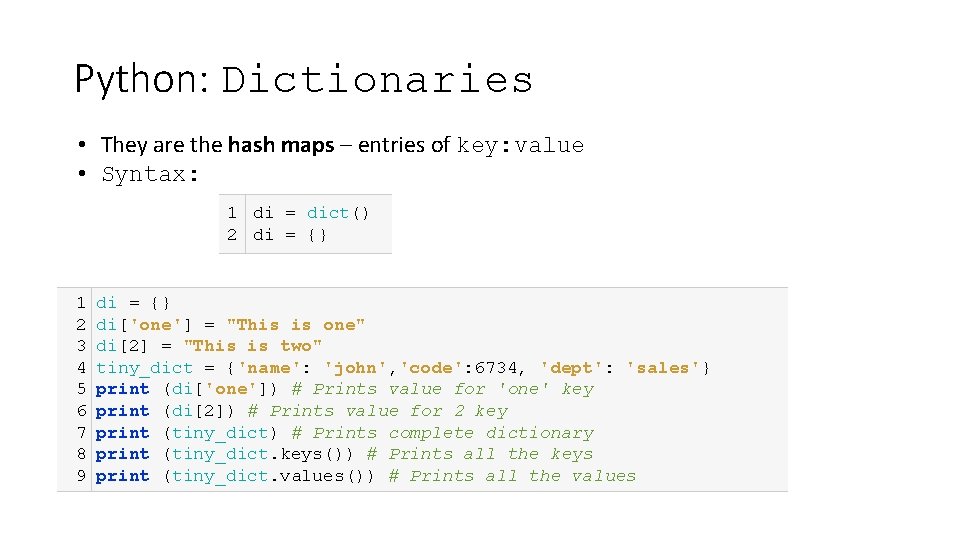
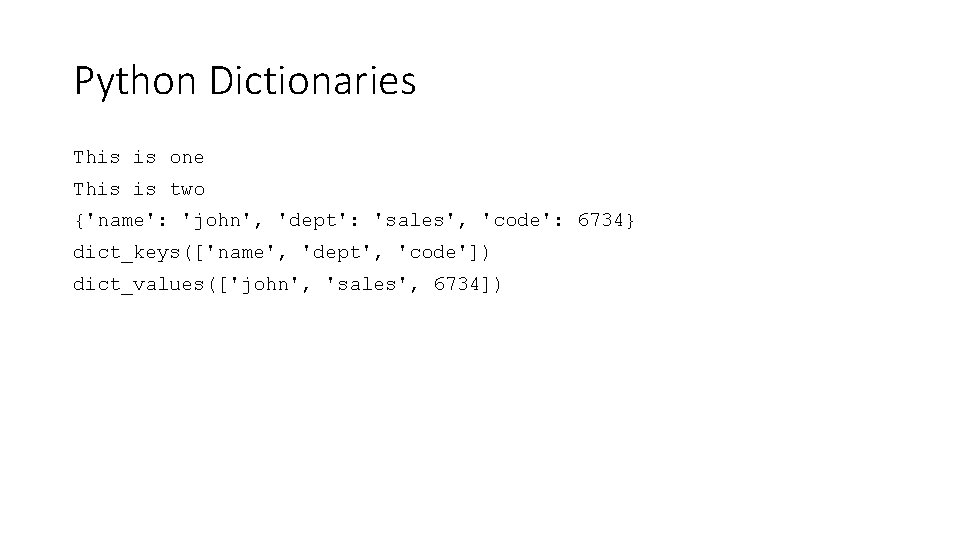
Python: Dictionaries • They are the hash maps – entries of key: value • Syntax: 1 di = dict() 2 di = {} 1 2 3 4 5 6 7 8 9 di = {} di['one'] = "This is one" di[2] = "This is two" tiny_dict = {'name': 'john', 'code': 6734, 'dept': 'sales'} print (di['one']) # Prints value for 'one' key print (di[2]) # Prints value for 2 key print (tiny_dict) # Prints complete dictionary print (tiny_dict. keys()) # Prints all the keys print (tiny_dict. values()) # Prints all the values
Python Dictionaries This is one This is two {'name': 'john', 'dept': 'sales', 'code': 6734} dict_keys(['name', 'dept', 'code']) dict_values(['john', 'sales', 6734])
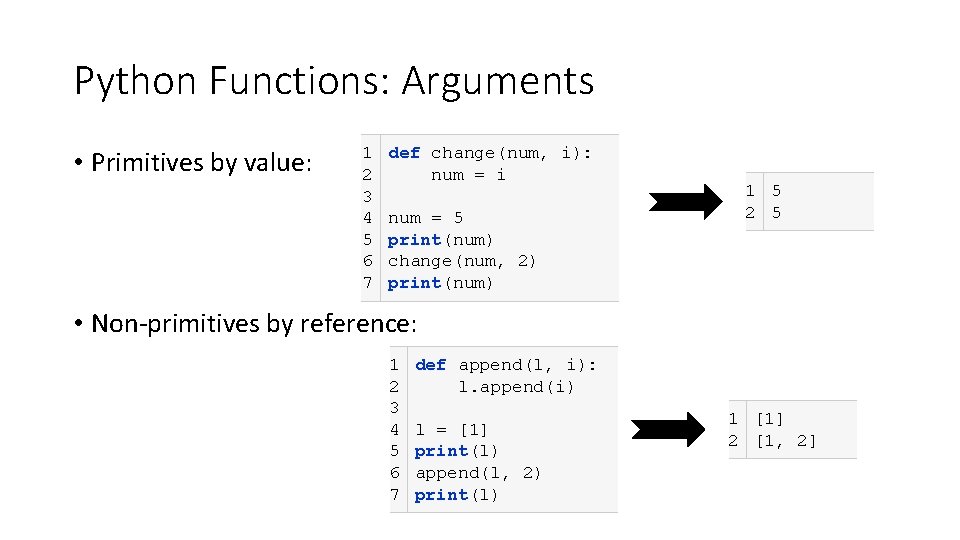
Python Functions: Arguments • Primitives by value: 1 2 3 4 5 6 7 def change(num, i): num = i num = 5 print(num) change(num, 2) print(num) 1 5 2 5 • Non-primitives by reference: 1 2 3 4 5 6 7 def append(l, i): l. append(i) l = [1] print(l) append(l, 2) print(l) 1 [1] 2 [1, 2]
Python: Functions • Default-value arguments: def reset(lis, default_val=None): None del lis[: ] if default_val is not None: lis. append(default_val) li = [5] print('original list: ', li) reset(li, 2) print('reset default 2: ', li) reset(li) print('reset no default: ', li) original list: [5] reset default 2: [2] reset no default: []
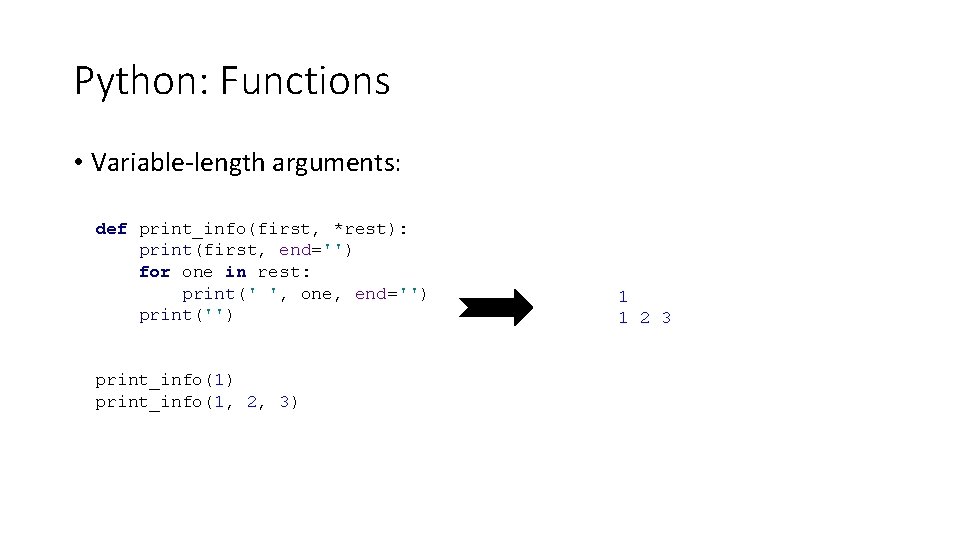
Python: Functions • Variable-length arguments: def print_info(first, *rest): *rest print(first, end='') for one in rest: print(' ', one, end='') print('') print_info(1, 2, 3) 1 1 2 3
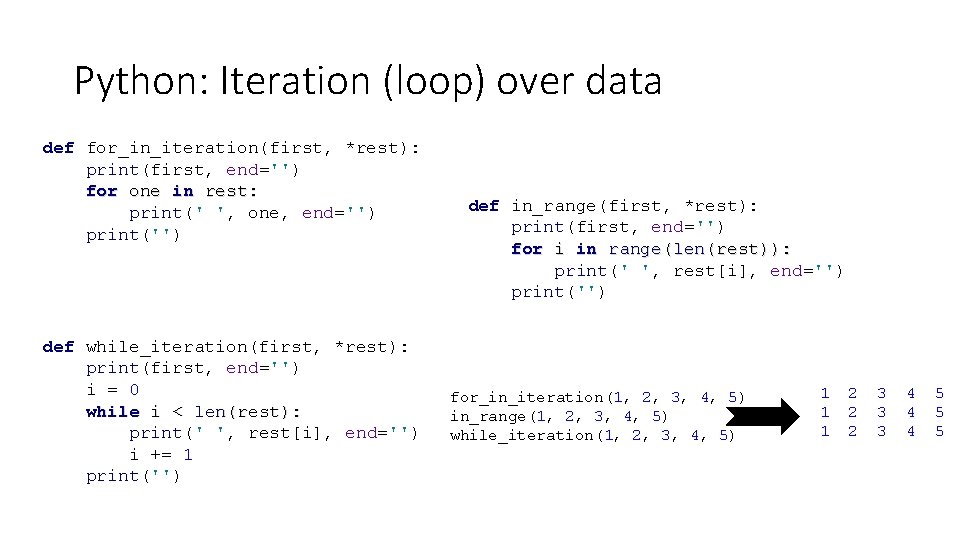
Python: Iteration (loop) over data def for_in_iteration(first, *rest): print(first, end='') for one in rest: print(' ', one, end='') print('') def while_iteration(first, *rest): print(first, end='') i = 0 while i < len(rest): print(' ', rest[i], end='') i += 1 print('') def in_range(first, *rest): print(first, end='') for i in range(len(rest)): print(' ', rest[i], end='') print('') for_in_iteration(1, 2, 3, 4, 5) in_range(1, 2, 3, 4, 5) while_iteration(1, 2, 3, 4, 5) 1 1 1 2 2 2 3 3 3 4 4 4 5 5 5
Python: List Comprehensions letters = [] for letter in 'human': letters. append(letter) letters = [letter for letter in 'human'] print(letters) nums = [] for x in range(20): if x % 2 == 0: nums. append(x) print(nums) li = [] for i in range(10): if i % 2 == 0: li. append('even') else: li. append('odd') print(li) nums = [x for x in range(20) if x % 2 == 0] print(nums) li = ["even" if i % 2 == 0 else "odd" for i in range(10)] print(li)
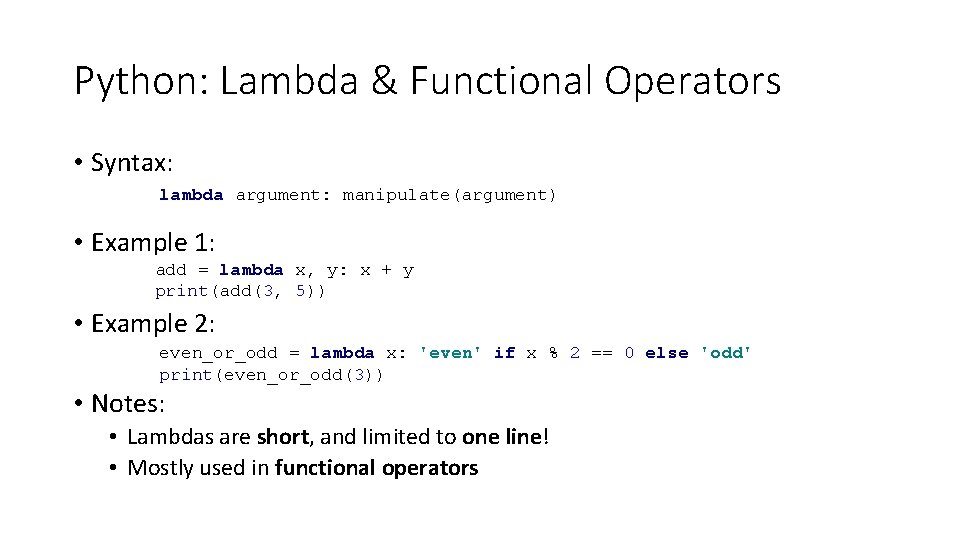
Python: Lambda & Functional Operators • Syntax: lambda argument: manipulate(argument) • Example 1: add = lambda x, y: x + y print(add(3, 5)) • Example 2: even_or_odd = lambda x: 'even' if x % 2 == 0 else 'odd' print(even_or_odd(3)) • Notes: • Lambdas are short, and limited to one line! • Mostly used in functional operators
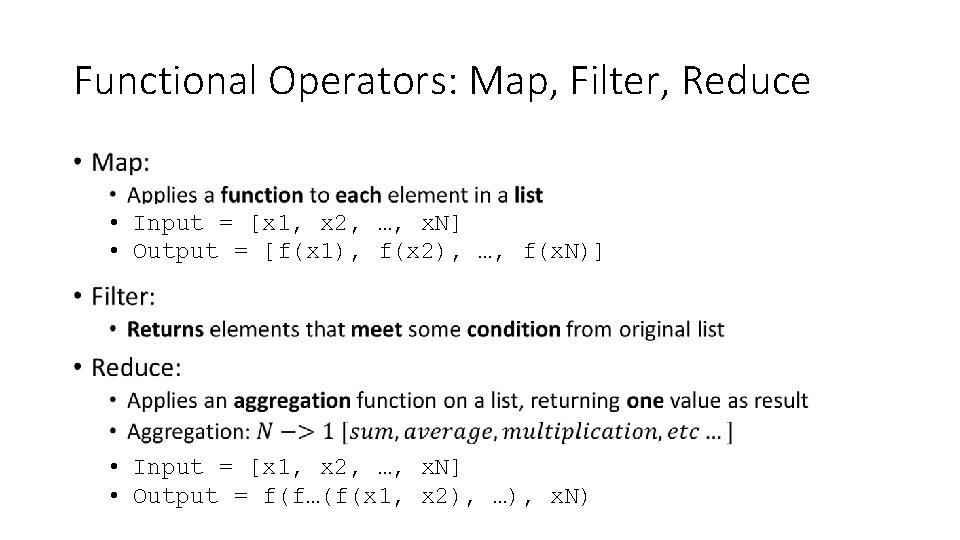
Functional Operators: Map, Filter, Reduce • • Input = [x 1, x 2, …, x. N] • Output = [f(x 1), f(x 2), …, f(x. N)] • Input = [x 1, x 2, …, x. N] • Output = f(f…(f(x 1, x 2), …), x. N)
Map, Filter, Reduce: Examples product = 1 li = [1, 2, 3, 4] for num in li: product = product * num items = [1, 2, 3, 4, 5] squared = [] for i in items: squared. append(i**2) li = [1, 2, 3] odd_values = [] for x in li: if x % 2 != 0: odd_values. append( x) from functools import reduce li = [1, 2, 3, 4] product = reduce(lambda x, y: x * y, li) reduce li = [1, 2, 3, 4, 5] squared = list(map(lambda x: x ** 2, li)) map li = [1, 2, 3] odd_values = list(filter(lambda x: x % 2 != 0, li)) filter
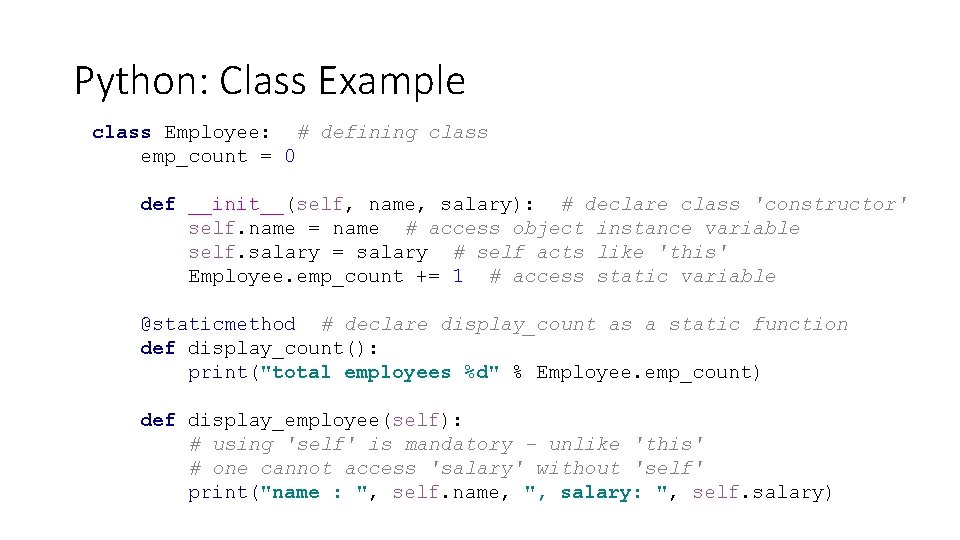
Python: Class Example class Employee: # defining class emp_count = 0 def __init__(self, name, salary): # declare class 'constructor' self. name = name # access object instance variable self. salary = salary # self acts like 'this' Employee. emp_count += 1 # access static variable @staticmethod # declare display_count as a static function def display_count(): print("total employees %d" % Employee. emp_count) def display_employee(self): # using 'self' is mandatory - unlike 'this' # one cannot access 'salary' without 'self' print("name : ", self. name, ", salary: ", self. salary)
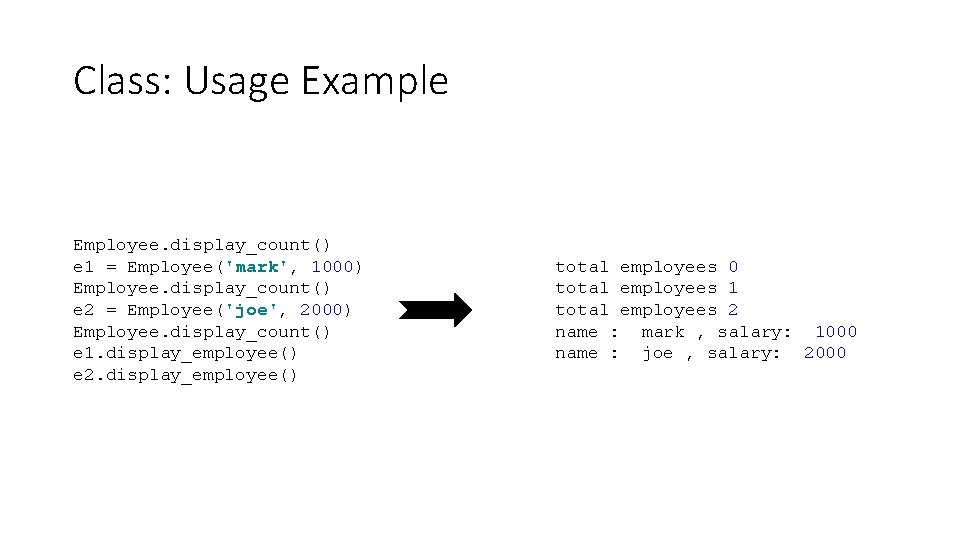
Class: Usage Example Employee. display_count() e 1 = Employee('mark', 1000) Employee. display_count() e 2 = Employee('joe', 2000) Employee. display_count() e 1. display_employee() e 2. display_employee() total employees 0 total employees 1 total employees 2 name : mark , salary: 1000 name : joe , salary: 2000
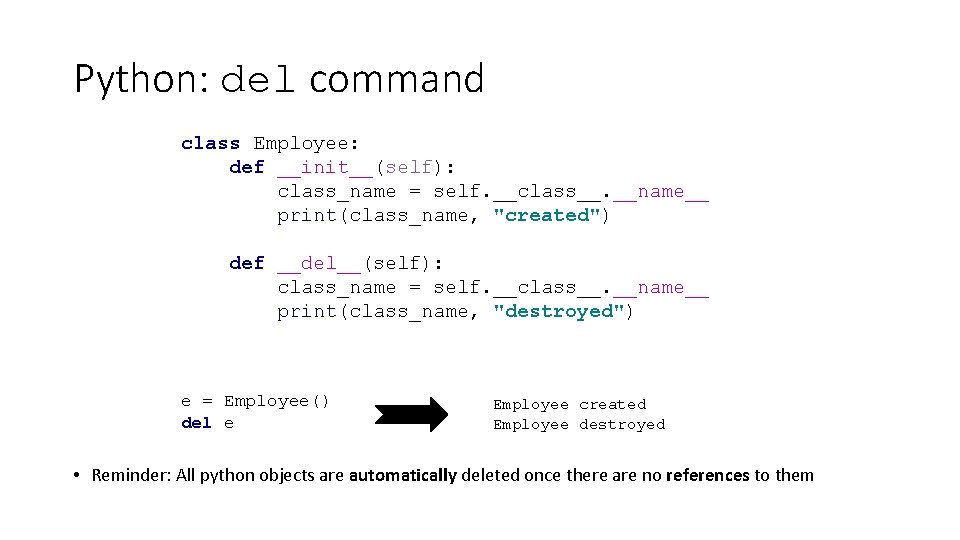
Python: del command class Employee: def __init__(self): class_name = self. __class__. __name__ print(class_name, "created") def __del__(self): class_name = self. __class__. __name__ print(class_name, "destroyed") e = Employee() del e Employee created Employee destroyed • Reminder: All python objects are automatically deleted once there are no references to them
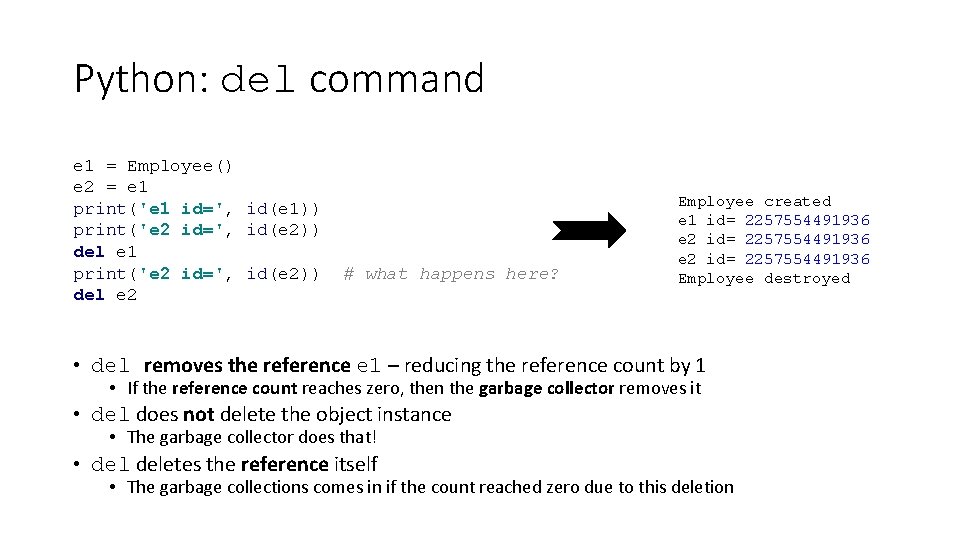
Python: del command e 1 = Employee() e 2 = e 1 print('e 1 id=', id(e 1)) print('e 2 id=', id(e 2)) del e 1 print('e 2 id=', id(e 2)) del e 2 # what happens here? Employee created e 1 id= 2257554491936 e 2 id= 2257554491936 Employee destroyed • del removes the reference e 1 – reducing the reference count by 1 • If the reference count reaches zero, then the garbage collector removes it • del does not delete the object instance • The garbage collector does that! • deletes the reference itself • The garbage collections comes in if the count reached zero due to this deletion
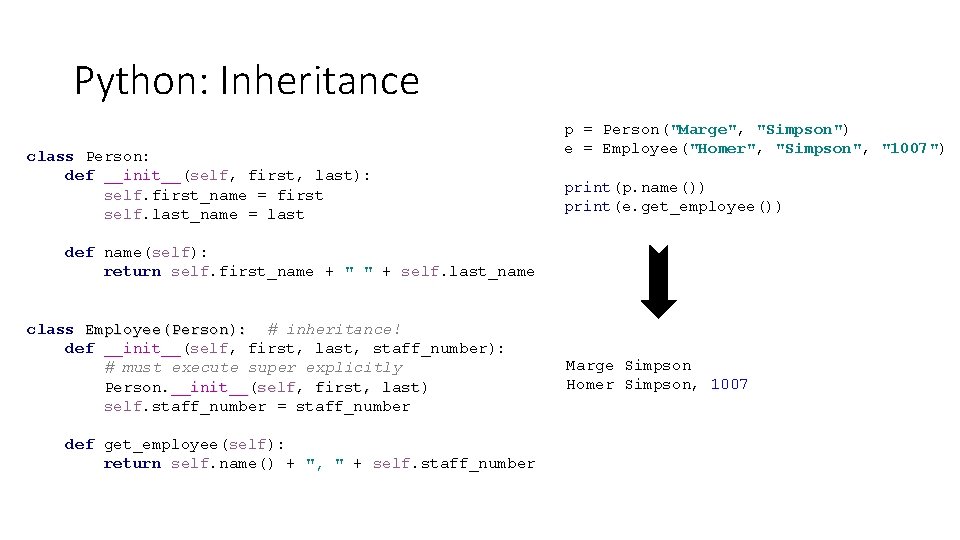
Python: Inheritance class Person: def __init__(self, first, last): self. first_name = first self. last_name = last p = Person("Marge", "Simpson") e = Employee("Homer", "Simpson", "1007") print(p. name()) print(e. get_employee()) def name(self): return self. first_name + " " + self. last_name class Employee(Person): # inheritance! def __init__(self, first, last, staff_number): # must execute super explicitly Person. __init__(self, first, last) self. staff_number = staff_number def get_employee(self): return self. name() + ", " + self. staff_number Marge Simpson Homer Simpson, 1007
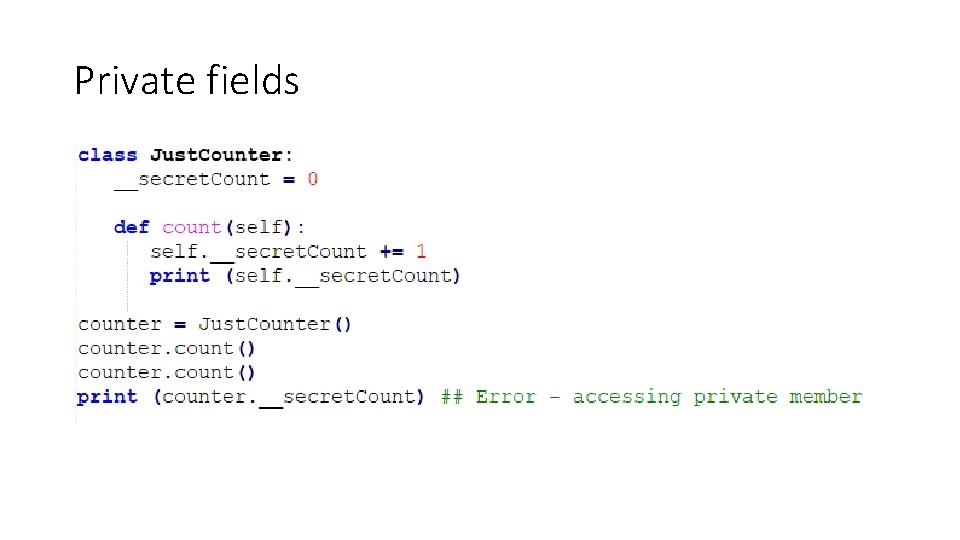
Private fields
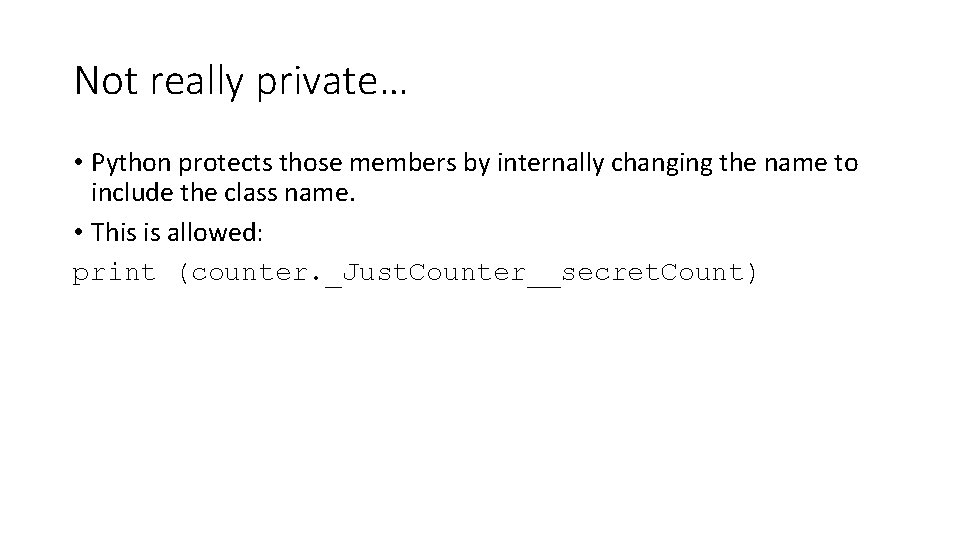
Not really private… • Python protects those members by internally changing the name to include the class name. • This is allowed: print (counter. _Just. Counter__secret. Count)
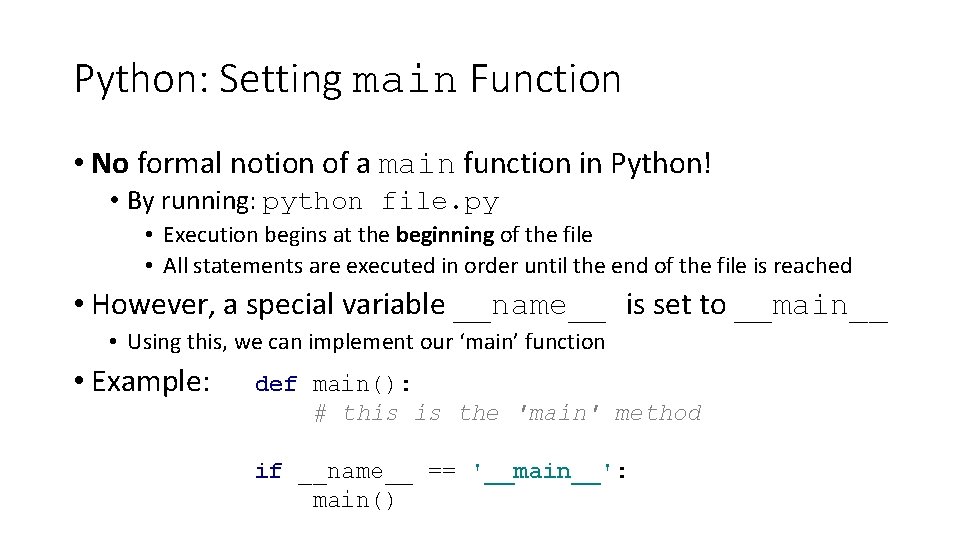
Python: Setting main Function • No formal notion of a main function in Python! • By running: python file. py • Execution begins at the beginning of the file • All statements are executed in order until the end of the file is reached • However, a special variable __name__ is set to __main__ • Using this, we can implement our ‘main’ function • Example: def main(): # this is the 'main' method if __name__ == '__main__': main()
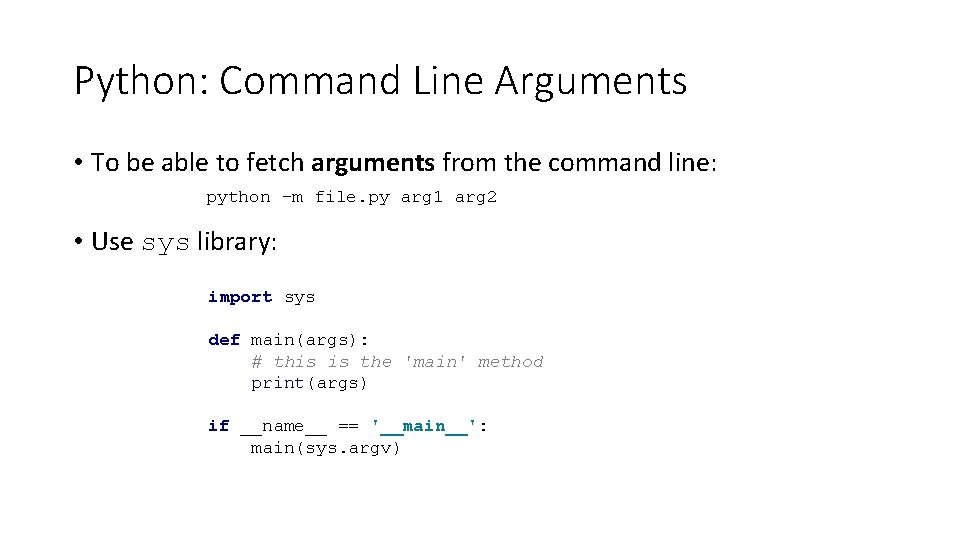
Python: Command Line Arguments • To be able to fetch arguments from the command line: python -m file. py arg 1 arg 2 • Use sys library: import sys def main(args): # this is the 'main' method print(args) if __name__ == '__main__': main(sys. argv)