
Programming in Alice What is Alice A modern
- Slides: 23
Programming in Alice
What is Alice • A modern programming tool – purpose of tool, learn how to program, write algorithms – 3 -D graphics – 3 -D models of objects • Animation – Objects can be made to move around virtual world (a simulation or a video game. • Alice is free. • Alice is written in Java – www. alice. org
Memory Management • Alice automatically manages memory • But, writing and testing an animation is an intense load on the computing system – a crash can occur. • Best solution: • Alice (the program) reminds you every so often so save your work • save your programs often! • if working in lab when you logout the computer is wiped -> save to your account or to a backup system such as a memory stick
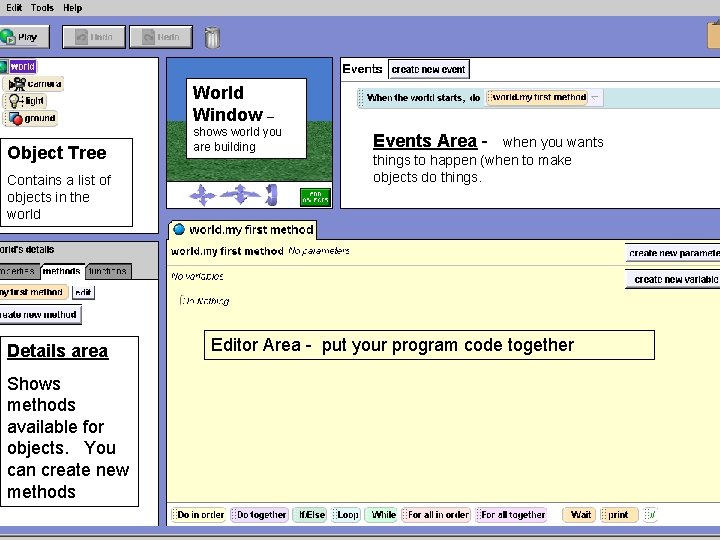
World Window – Object Tree Contains a list of objects in the world Details area Shows methods available for objects. You can create new methods shows world you are building Events Area - when you wants things to happen (when to make objects do things. Editor Area - put your program code together
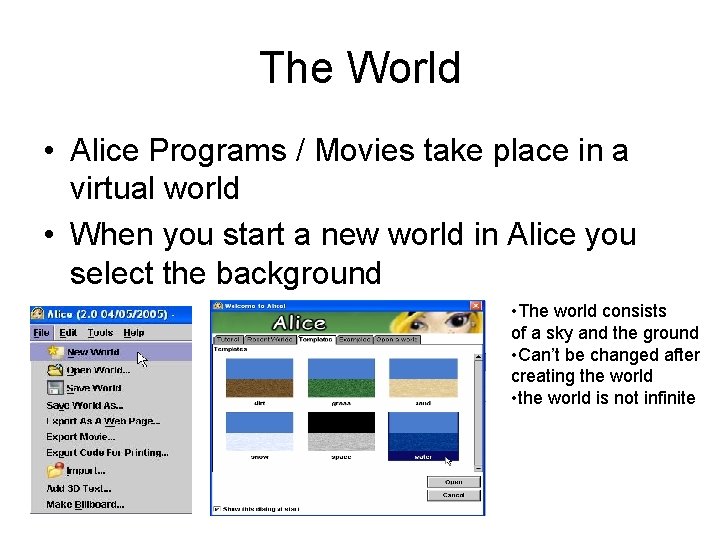
The World • Alice Programs / Movies take place in a virtual world • When you start a new world in Alice you select the background • The world consists of a sky and the ground • Can’t be changed after creating the world • the world is not infinite
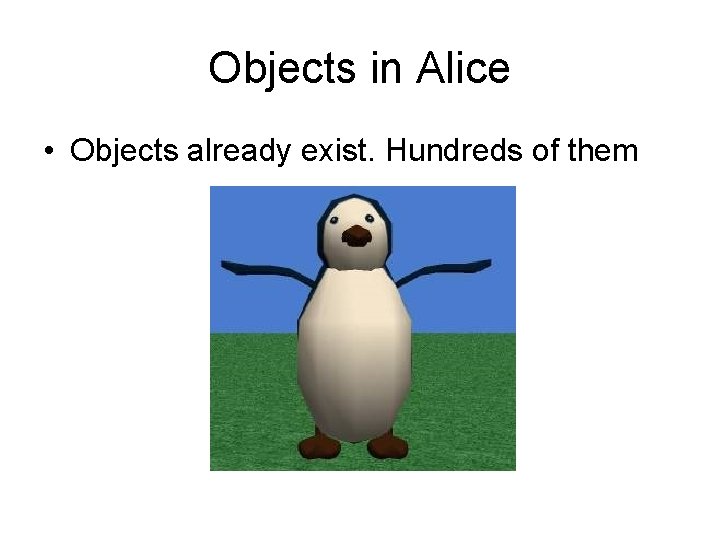
Objects in Alice • Objects already exist. Hundreds of them
Objects • What is an object? – collection of data and operations in which data can be accessed and modified. Objects have two things: State & Behavior State - has a name, has properties-width, height, color, location, age, id# Behavior - associated actions it can perform • tasks it can carry out – things it knows how to do ((barking, fetching, wagging tail).
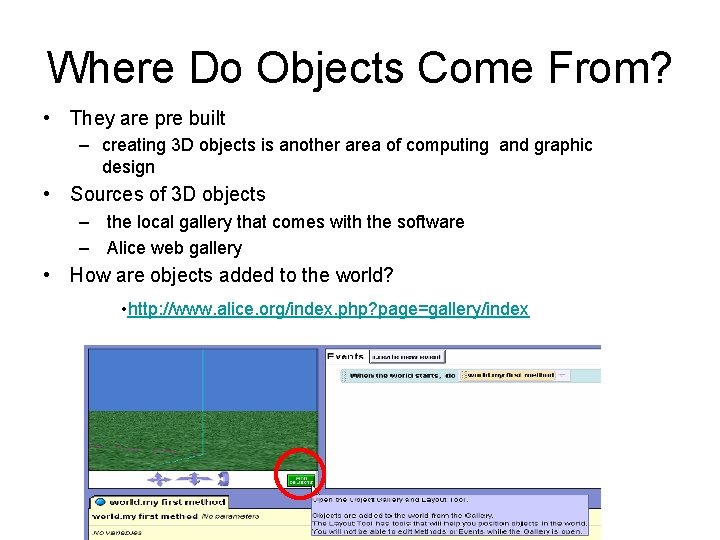
Where Do Objects Come From? • They are pre built – creating 3 D objects is another area of computing and graphic design • Sources of 3 D objects – the local gallery that comes with the software – Alice web gallery • How are objects added to the world? • http: //www. alice. org/index. php? page=gallery/index
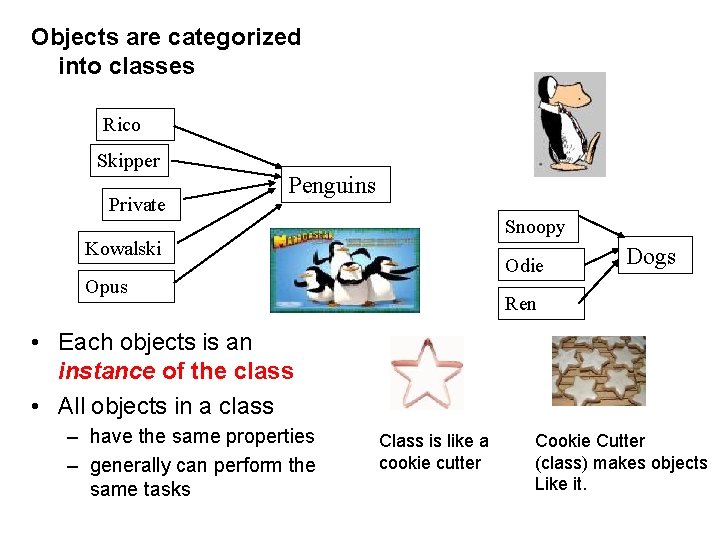
Objects are categorized into classes Rico Skipper Private Penguins Snoopy Kowalski Odie Opus Dogs Ren • Each objects is an instance of the class • All objects in a class – have the same properties – generally can perform the same tasks Class is like a cookie cutter Cookie Cutter (class) makes objects Like it.
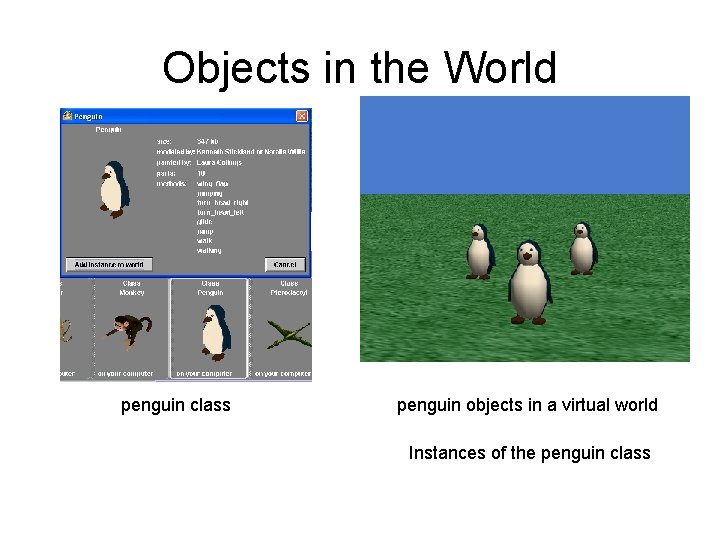
Classes & Objects • Class - a template that describes the state and behavior associated objects (instances) of that class. • Instance - the actual object created at runtime. Lassie would an instance of the dog class. • instantiate - to create an object from a class
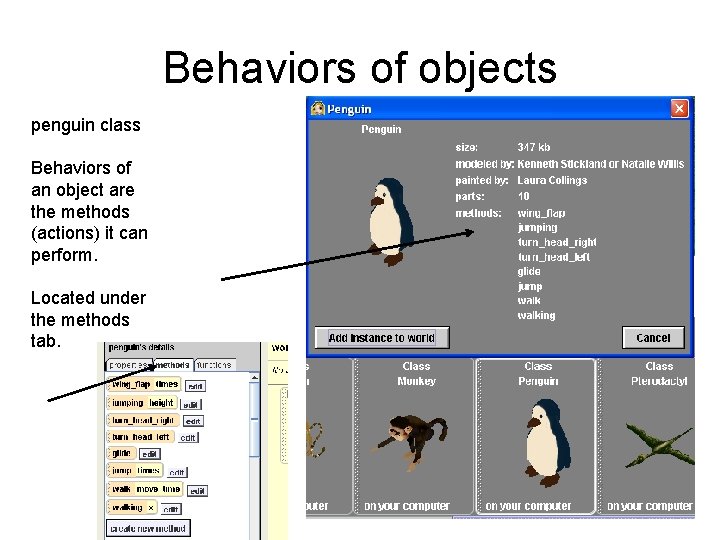
Behaviors of objects penguin class Behaviors of an object are the methods (actions) it can perform. Located under the methods tab.
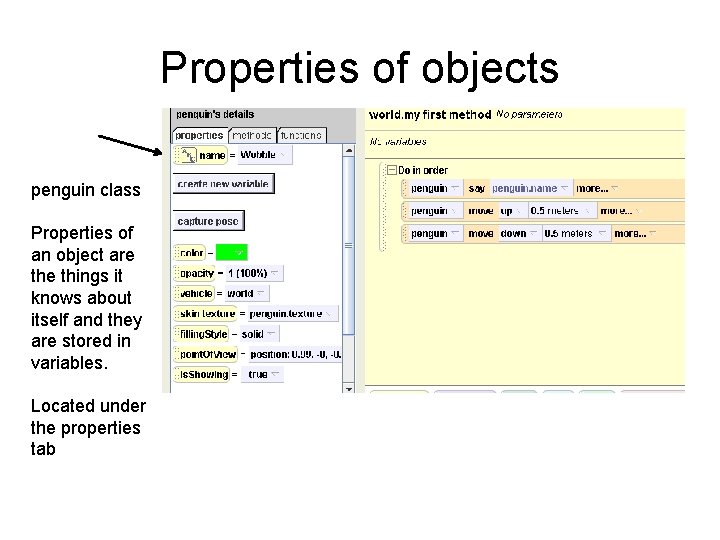
Properties of objects penguin class Properties of an object are things it knows about itself and they are stored in variables. Located under the properties tab
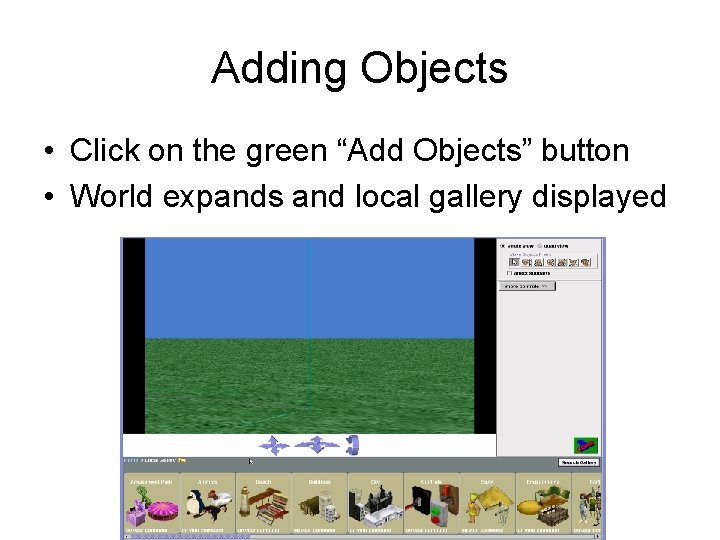
Adding Objects • Click on the green “Add Objects” button • World expands and local gallery displayed
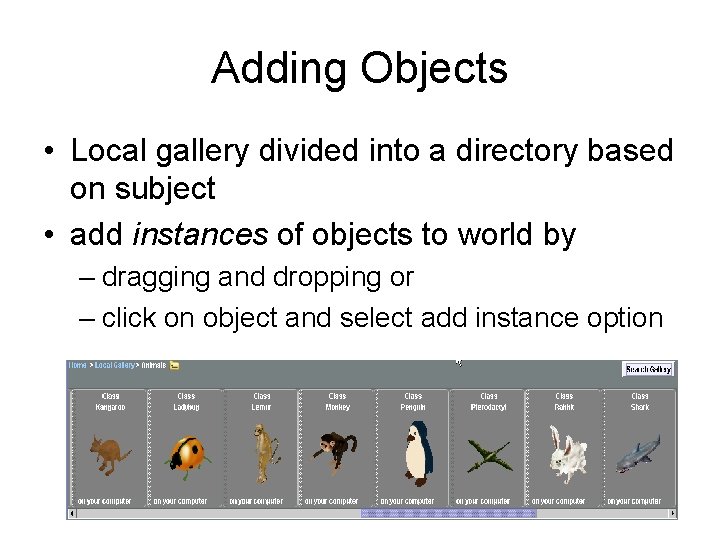
Adding Objects • Local gallery divided into a directory based on subject • add instances of objects to world by – dragging and dropping or – click on object and select add instance option
Objects in the World penguin class penguin objects in a virtual world Instances of the penguin class
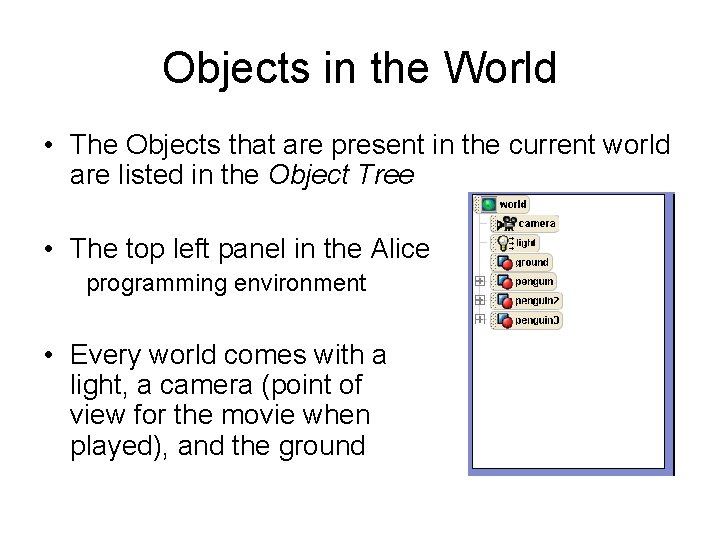
Objects in the World • The Objects that are present in the current world are listed in the Object Tree • The top left panel in the Alice programming environment • Every world comes with a light, a camera (point of view for the movie when played), and the ground
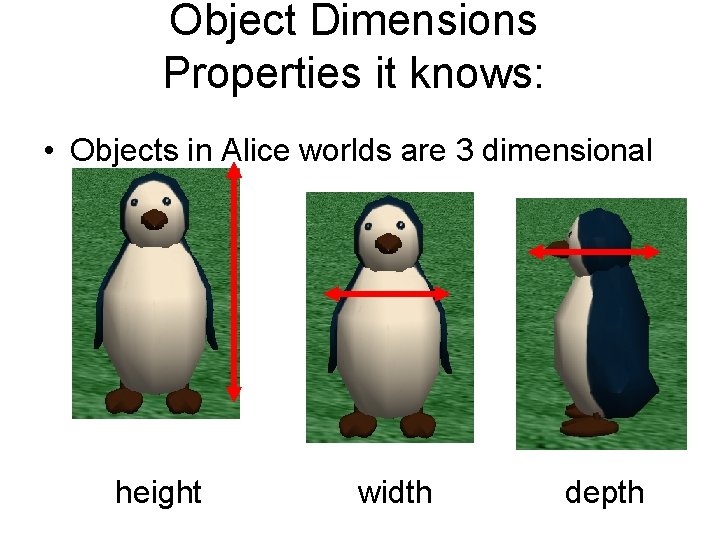
Object Dimensions Properties it knows: • Objects in Alice worlds are 3 dimensional height width depth
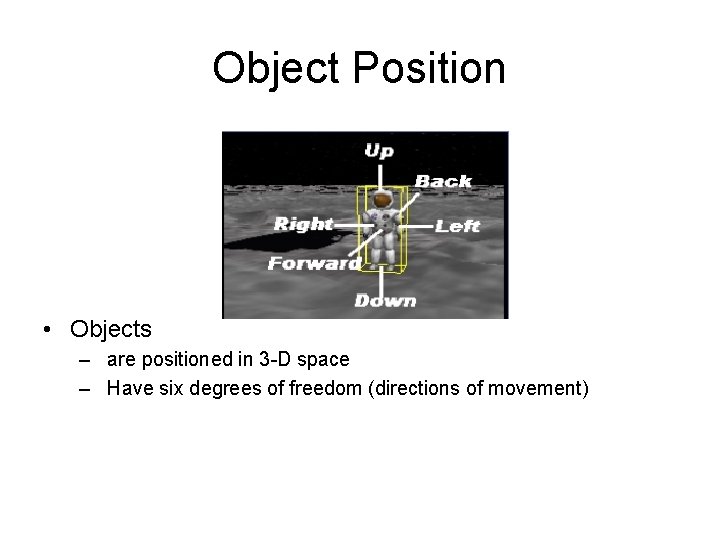
Object Position • Objects – are positioned in 3 -D space – Have six degrees of freedom (directions of movement)
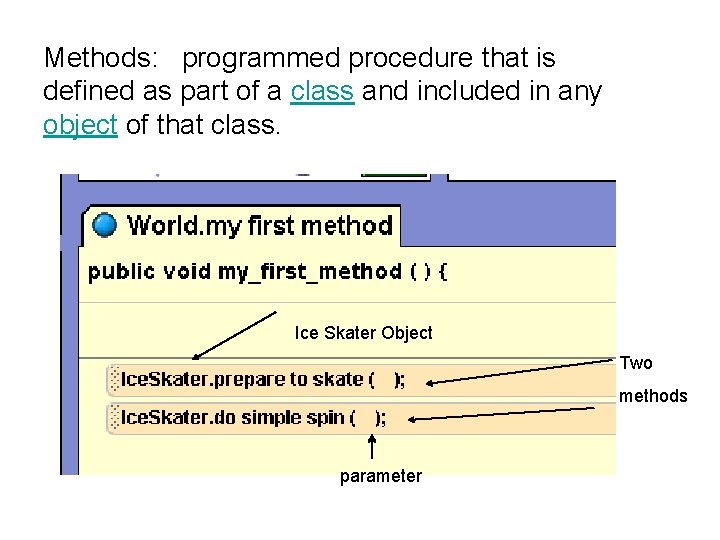
Methods: programmed procedure that is defined as part of a class and included in any object of that class. Ice Skater Object Two methods parameter
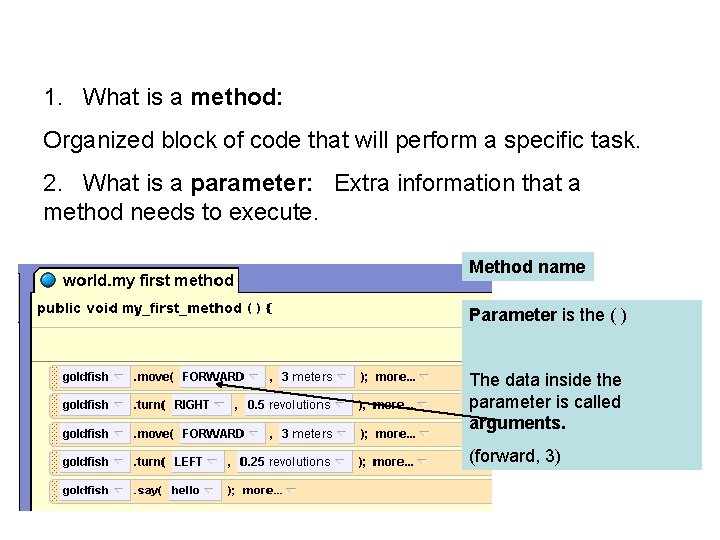
1. What is a method: Organized block of code that will perform a specific task. 2. What is a parameter: Extra information that a method needs to execute. Method name Parameter is the ( ) The data inside the parameter is called arguments. (forward, 3)
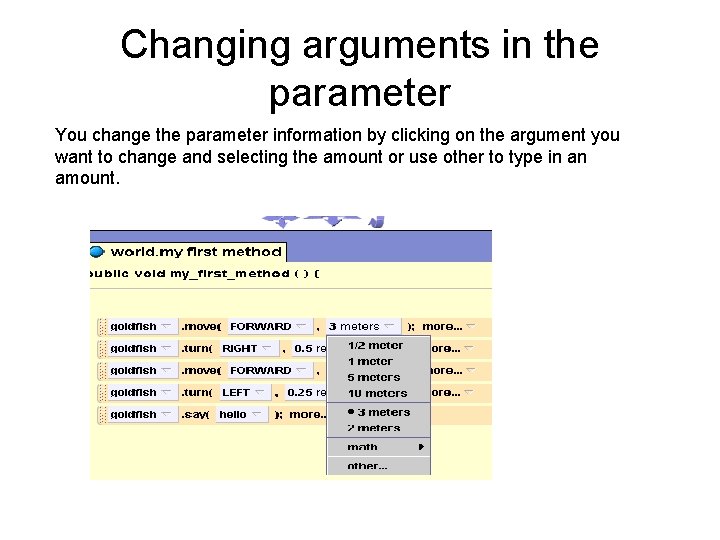
Changing arguments in the parameter You change the parameter information by clicking on the argument you want to change and selecting the amount or use other to type in an amount.
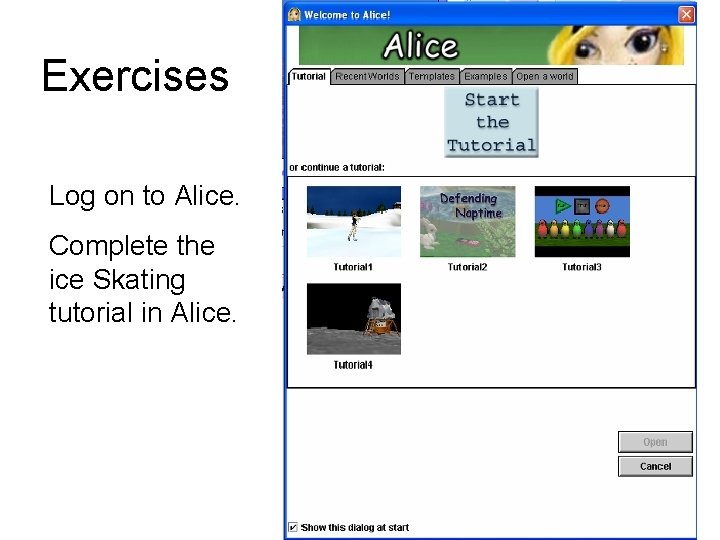
Exercises Log on to Alice. Complete the ice Skating tutorial in Alice.
Complete Sequential Program • Complete the program Maze Sequential Programming.