
PROGRAMMING II Vladimir Viies Lembit Jrimgi Risto Heinsaar

PROGRAMMING II Vladimir Viies, Lembit Jürimägi, Risto Heinsaar vladimir. viies@gmail. com Tallinn 2018
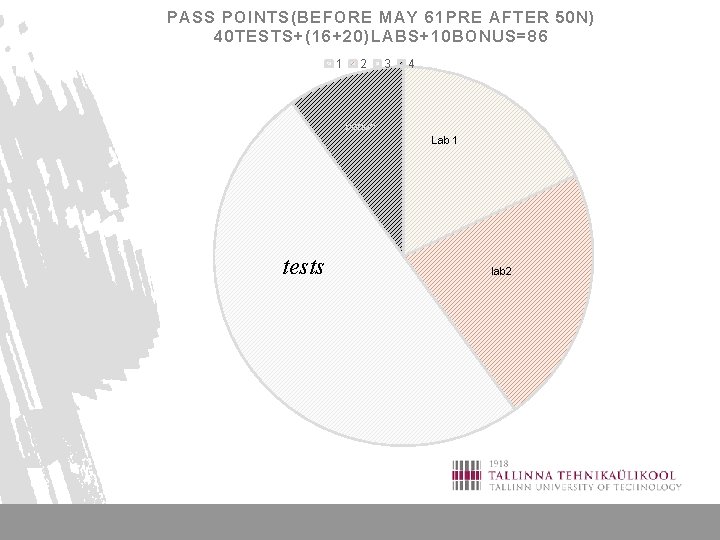
PASS POINTS(BEFORE MAY 61 PRE AFTER 50 N) 40 TESTS+(16+20)LABS+10 BONUS=86 1 2 3 4 bonus Lab 1 tests lab 2
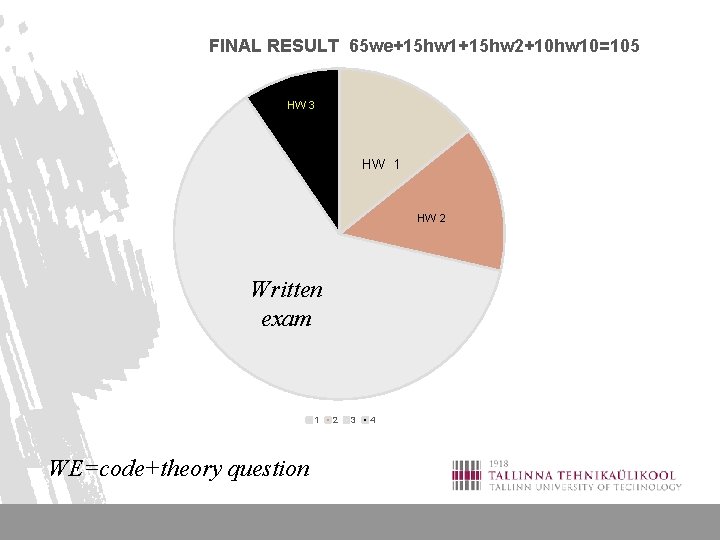
FINAL RESULT 65 we+15 hw 1+15 hw 2+10 hw 10=105 HW 3 HW 1 HW 2 Written exam 1 WE=code+theory question 2 3 4
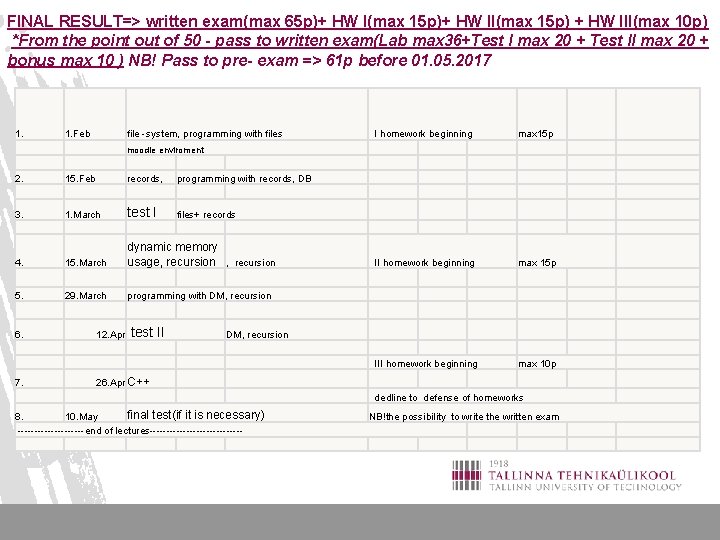
FINAL RESULT=> written exam(max 65 p)+ HW I(max 15 p)+ HW II(max 15 p) + HW III(max 10 p) *From the point out of 50 - pass to written exam(Lab max 36+Test I max 20 + Test II max 20 + bonus max 10 ) NB! Pass to pre- exam => 61 p before 01. 05. 2017 1. Feb file -system, programming with files I homework beginning max 15 p III homework beginning max 10 p moodle enviroment 2. 15. Feb records, programming with records, DB 3. 1. March test I files+ records 4. 15. March dynamic memory usage, recursion 5. 29. March programming with DM, recursion 6. 7. 12. Apr test II DM, recursion 26. Apr C++ dedline to defense of homeworks final test(if it is necessary) 8. 10. May ----------end of lectures-------------- NB!the possibility to write the written exam
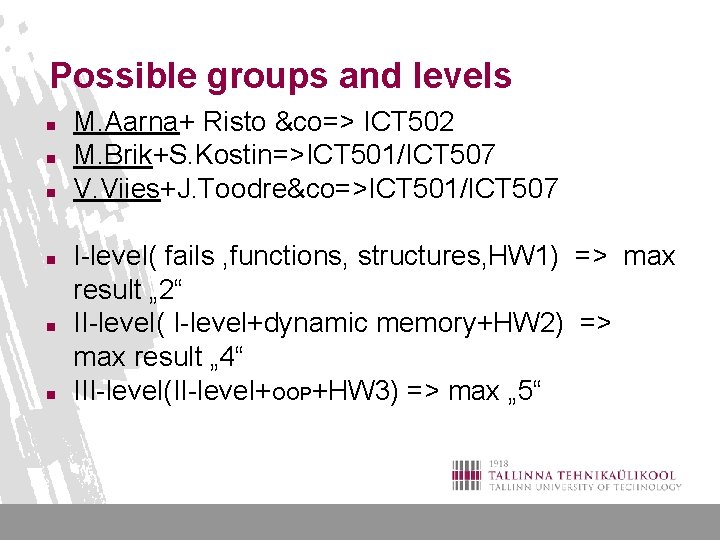
Possible groups and levels n n n M. Aarna+ Risto &co=> ICT 502 M. Brik+S. Kostin=>ICT 501/ICT 507 V. Viies+J. Toodre&co=>ICT 501/ICT 507 I-level( fails , functions, structures, HW 1) => max result „ 2“ II-level( I-level+dynamic memory+HW 2) => max result „ 4“ III-level(II-level+OOP+HW 3) => max „ 5“
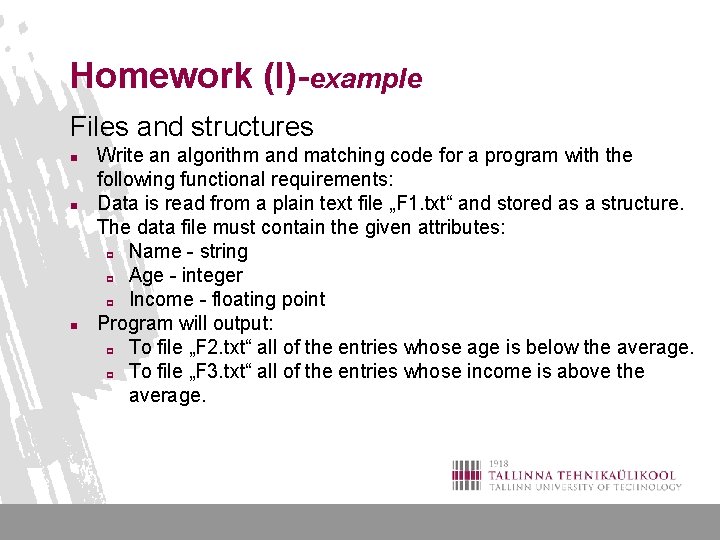
Homework (I)-example Files and structures n n n Write an algorithm and matching code for a program with the following functional requirements: Data is read from a plain text file „F 1. txt“ and stored as a structure. The data file must contain the given attributes: p Name - string p Age - integer p Income - floating point Program will output: p To file „F 2. txt“ all of the entries whose age is below the average. p To file „F 3. txt“ all of the entries whose income is above the average.
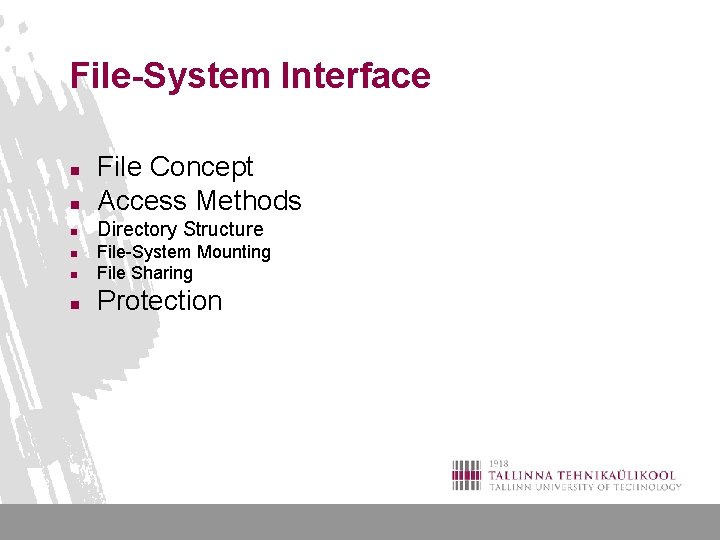
File-System Interface n File Concept Access Methods n Directory Structure n n File-System Mounting File Sharing n Protection n
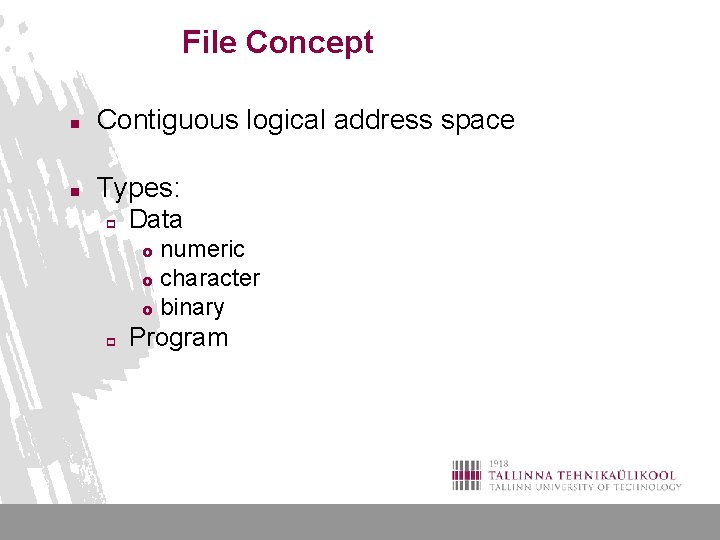
File Concept n Contiguous logical address space n Types: p Data numeric £ character £ binary £ p Program
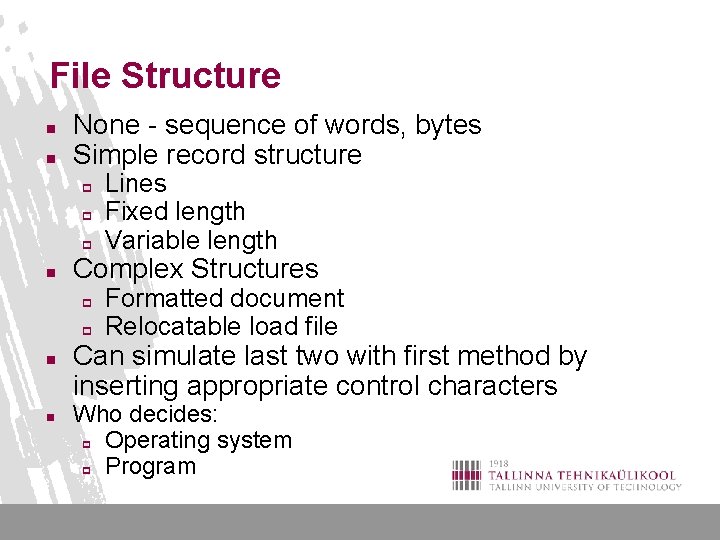
File Structure n n None - sequence of words, bytes Simple record structure p p p n Complex Structures p p n n Lines Fixed length Variable length Formatted document Relocatable load file Can simulate last two with first method by inserting appropriate control characters Who decides: p Operating system p Program
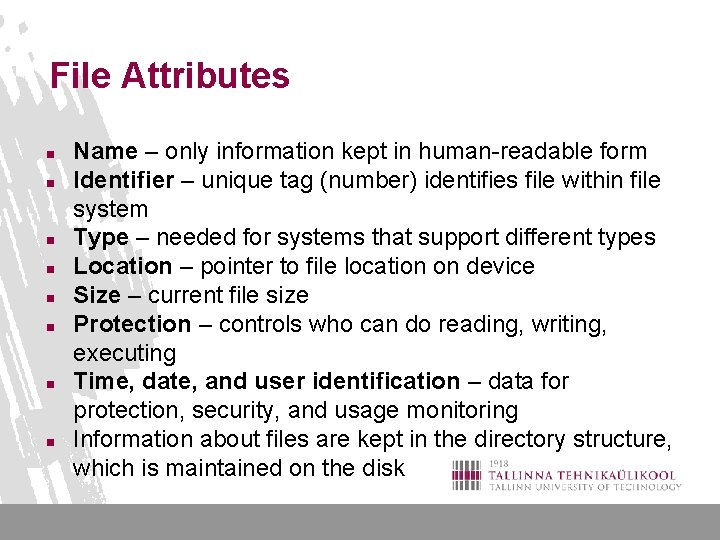
File Attributes n n n n Name – only information kept in human-readable form Identifier – unique tag (number) identifies file within file system Type – needed for systems that support different types Location – pointer to file location on device Size – current file size Protection – controls who can do reading, writing, executing Time, date, and user identification – data for protection, security, and usage monitoring Information about files are kept in the directory structure, which is maintained on the disk
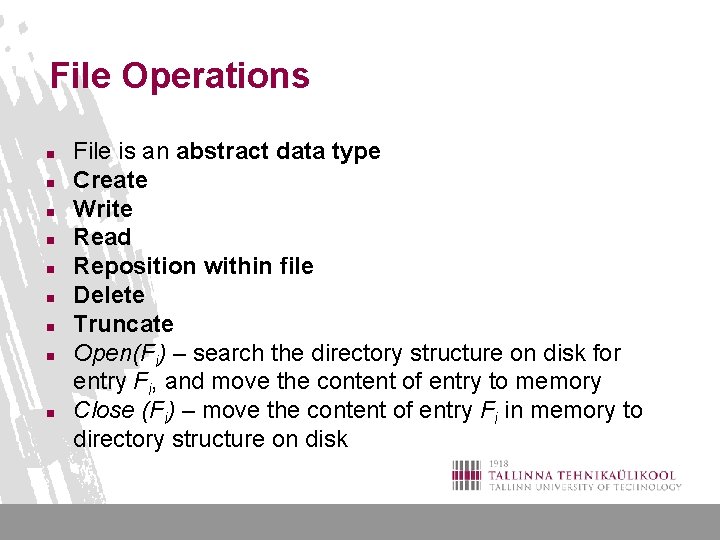
File Operations n n n n n File is an abstract data type Create Write Read Reposition within file Delete Truncate Open(Fi) – search the directory structure on disk for entry Fi, and move the content of entry to memory Close (Fi) – move the content of entry Fi in memory to directory structure on disk
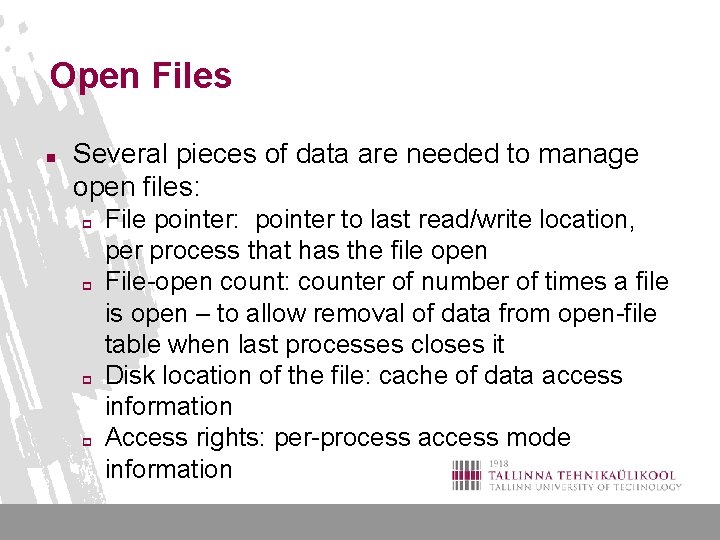
Open Files n Several pieces of data are needed to manage open files: p p File pointer: pointer to last read/write location, per process that has the file open File-open count: counter of number of times a file is open – to allow removal of data from open-file table when last processes closes it Disk location of the file: cache of data access information Access rights: per-process access mode information
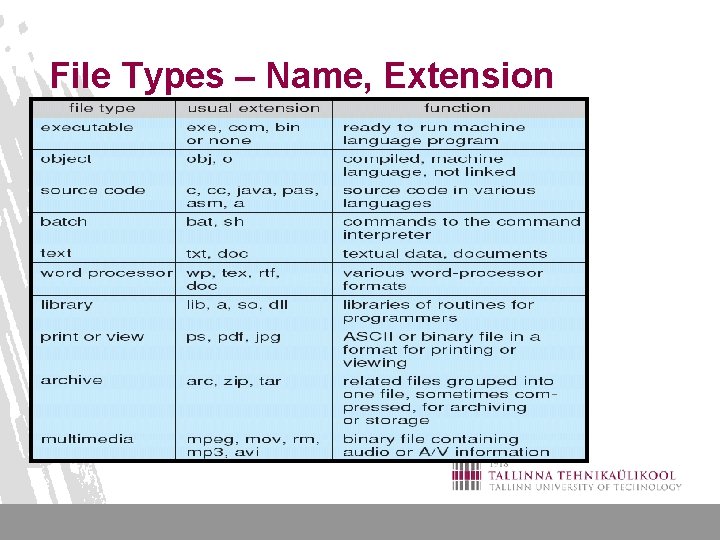
File Types – Name, Extension
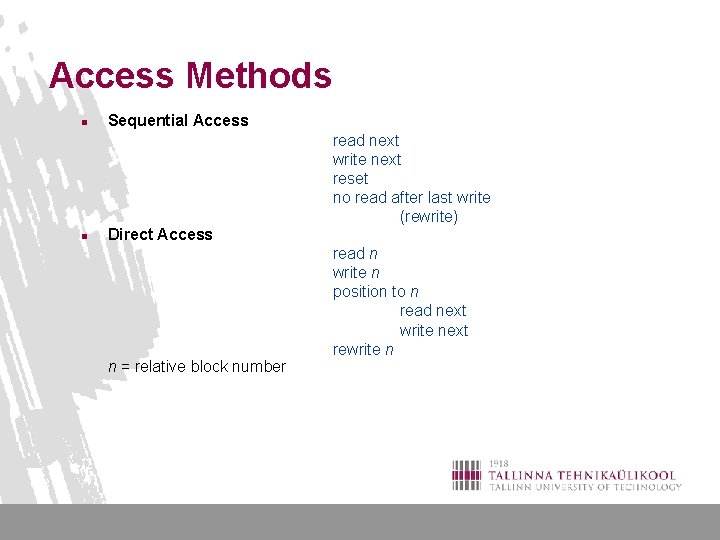
Access Methods n n Sequential Access Direct Access n = relative block number read next write next reset no read after last write (rewrite) read n write n position to n read next write next rewrite n
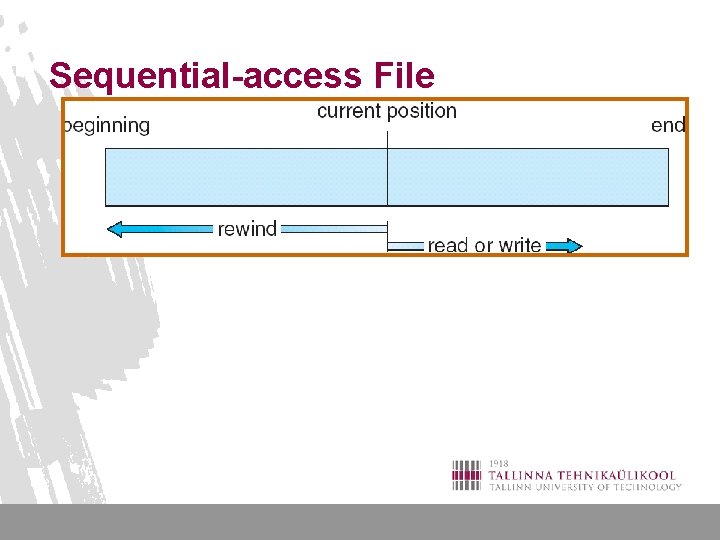
Sequential-access File
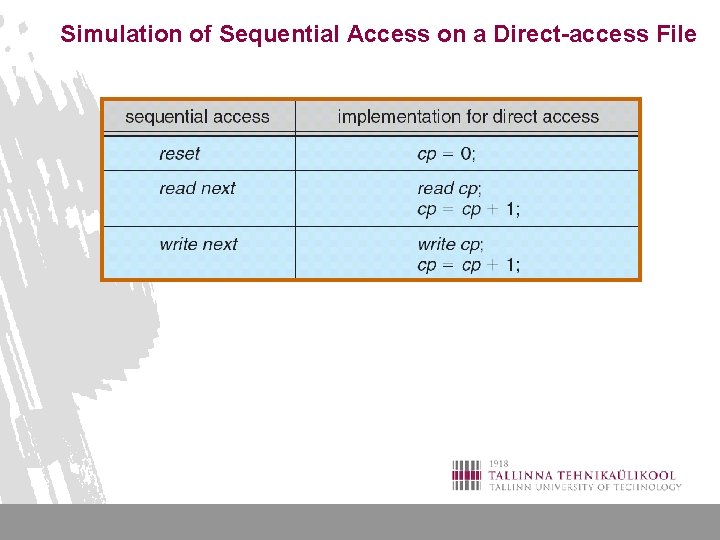
Simulation of Sequential Access on a Direct-access File
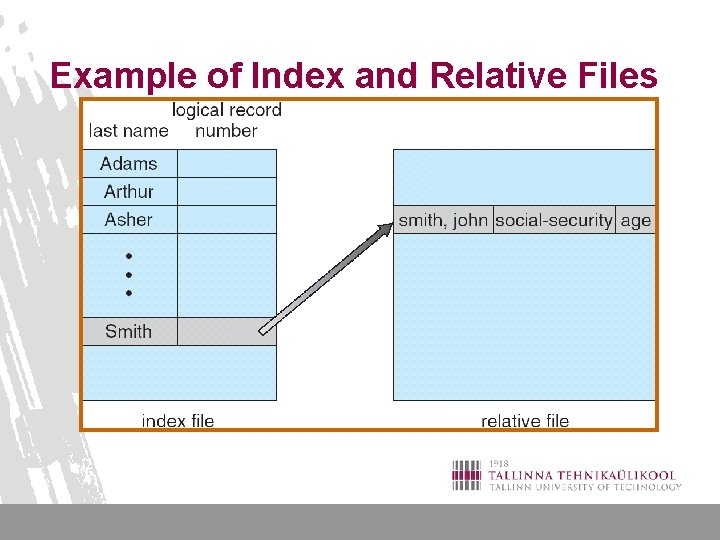
Example of Index and Relative Files
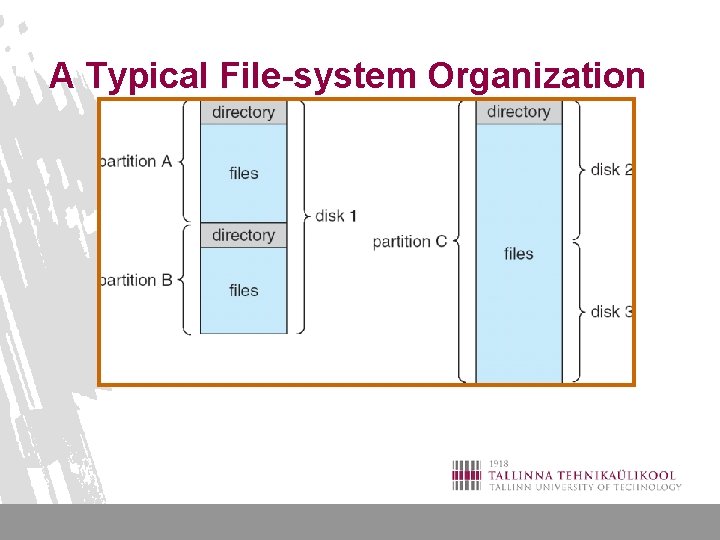
A Typical File-system Organization
Operations Performed on Directory n n n Search for a file Create a file Delete a file List a directory Rename a file Traverse the file system
Organize the Directory (Logically) to Obtain n n Efficiency – locating a file quickly Naming – convenient to users p p n Two users can have same name for different files The same file can have several different names Grouping – logical grouping of files by properties, (e. g. , all Java programs, all games, …)
Protection n File owner/creator should be able to control: p p n what can be done by whom Types of access p p p Read Write Execute Append Delete List
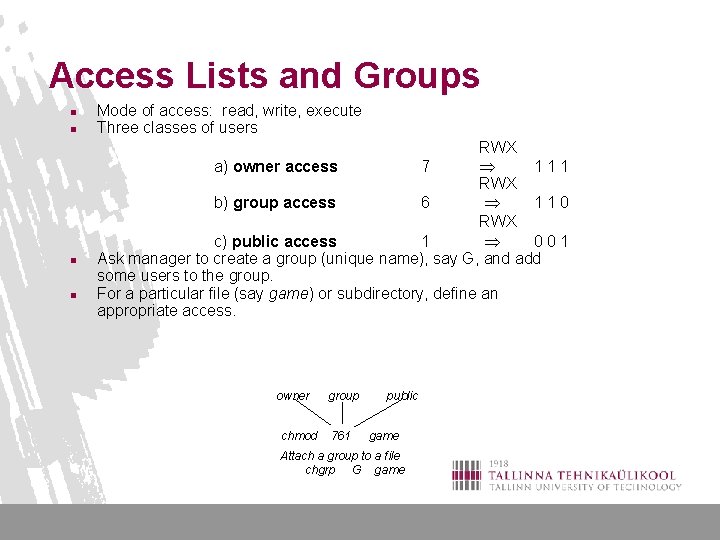
Access Lists and Groups n n Mode of access: read, write, execute Three classes of users RWX a) owner access 7 111 RWX b) group access 6 110 RWX c) public access 1 001 Ask manager to create a group (unique name), say G, and add some users to the group. For a particular file (say game) or subdirectory, define an appropriate access. owner chmod group 761 public game Attach a group to a file chgrp G game

End of file system
File handling n n n File handling is done by the operating system. Various system calls are needed to access files and the specifics of these depend from OS to OS. C hides these specifics from the programmer by wrapping the functionality into several functions that all use a pointer to a FILE structure. This ensures that the program code is platform independent, even thought the implementation is not. IAG 0582 24
Accessing files n n n Files are an external resource. In the case of such resources it is necessary to explicitly set up a connection to the resource. This means: 1. 2. 3. opening the connection; doing something via the connection (like read or write); shutting down the connection after you're done. IAG 0582 25
Opening a file n n Function fopen() is used for opening a file. It requires 2 parameters, the name or path to the file and access mode, which specifies whether the file is opened for reading ("r"), writing ("w") or appending ("a") data. The function returns a pointer to FILE structure that is used by all subsequent calls to that file. If the function fails (for example, when reading from a file that doesn't exist or trying to create a file with the same name as an existing folder) NULL pointer is returned instead. IAG 0582 26
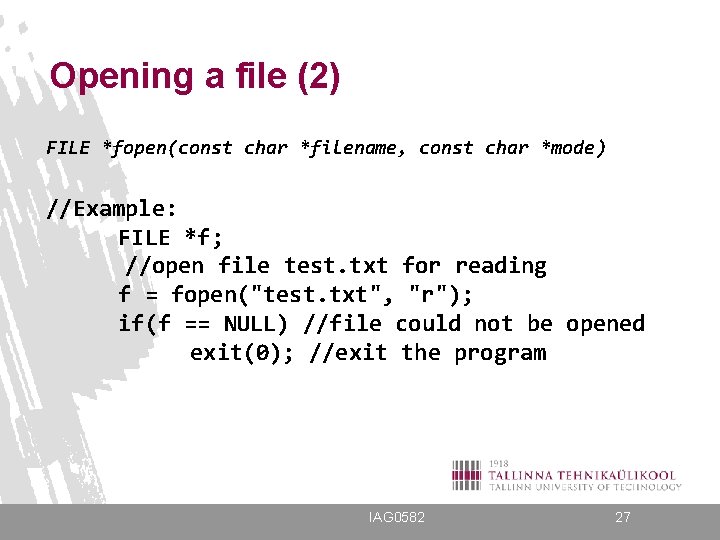
Opening a file (2) FILE *fopen(const char *filename, const char *mode) //Example: FILE *f; //open file test. txt for reading f = fopen("test. txt", "r"); if(f == NULL) //file could not be opened exit(0); //exit the program IAG 0582 27
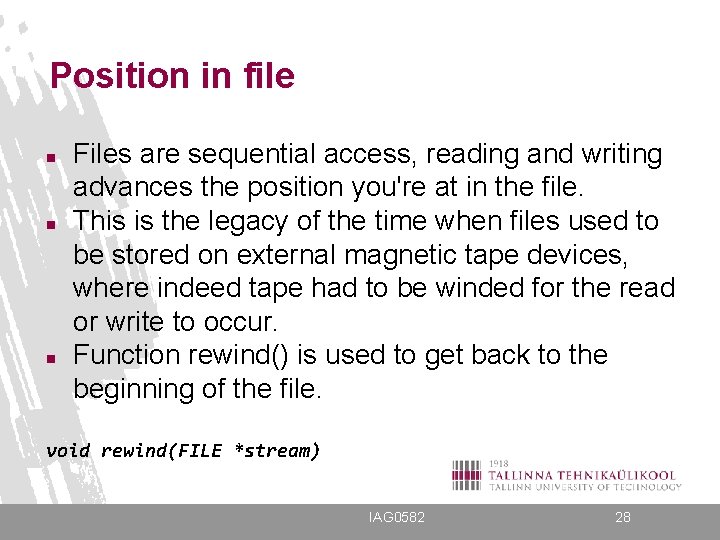
Position in file n n n Files are sequential access, reading and writing advances the position you're at in the file. This is the legacy of the time when files used to be stored on external magnetic tape devices, where indeed tape had to be winded for the read or write to occur. Function rewind() is used to get back to the beginning of the file. void rewind(FILE *stream) IAG 0582 28
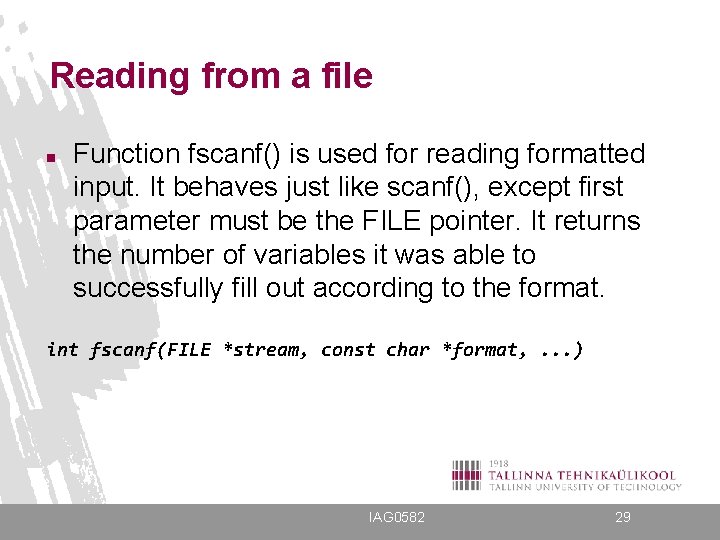
Reading from a file n Function fscanf() is used for reading formatted input. It behaves just like scanf(), except first parameter must be the FILE pointer. It returns the number of variables it was able to successfully fill out according to the format. int fscanf(FILE *stream, const char *format, . . . ) IAG 0582 29
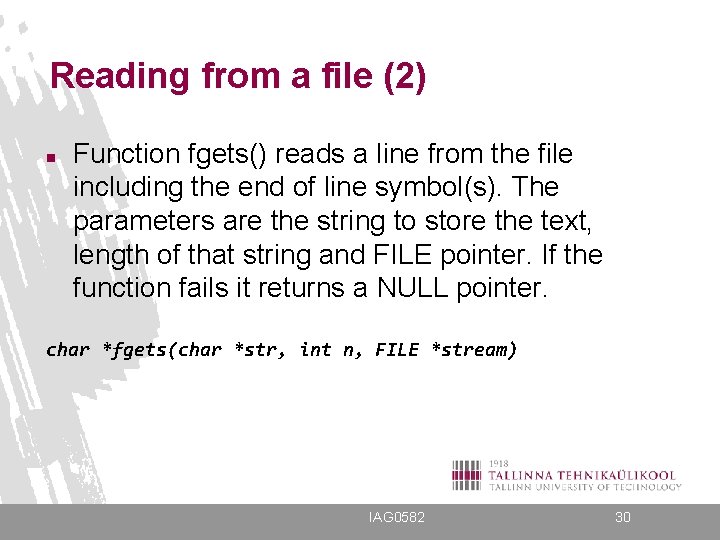
Reading from a file (2) n Function fgets() reads a line from the file including the end of line symbol(s). The parameters are the string to store the text, length of that string and FILE pointer. If the function fails it returns a NULL pointer. char *fgets(char *str, int n, FILE *stream) IAG 0582 30
![Reading from a file (3) //Example: int x; //define some variables char buf[200]; FILE](http://slidetodoc.com/presentation_image_h2/5b1ad62423f71dea7e7f3015b154a04c/image-31.jpg "Reading from a file (3) //Example: int x; //define some variables char buf[200]; FILE")
Reading from a file (3) //Example: int x; //define some variables char buf[200]; FILE *f = fopen("test. txt", "r"); //open for reading if(f != NULL){ //if succesful if (fscanf(f, "%d", &x) == 1) //if read succeeded printf("%dn", x); //then print else if (!feof(f)){ //else if not yet fileend fgets(buf, 200, f); //read to buffer printf(buf); //print that } fclose(f); //close file } IAG 0582 31
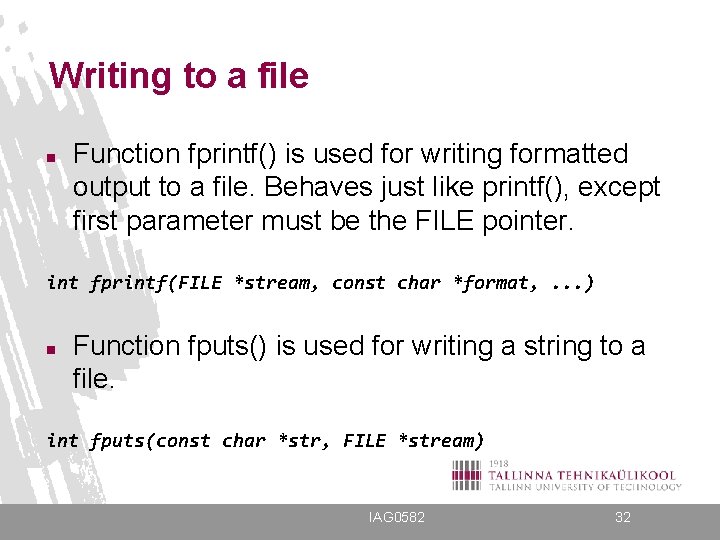
Writing to a file n Function fprintf() is used for writing formatted output to a file. Behaves just like printf(), except first parameter must be the FILE pointer. int fprintf(FILE *stream, const char *format, . . . ) n Function fputs() is used for writing a string to a file. int fputs(const char *str, FILE *stream) IAG 0582 32
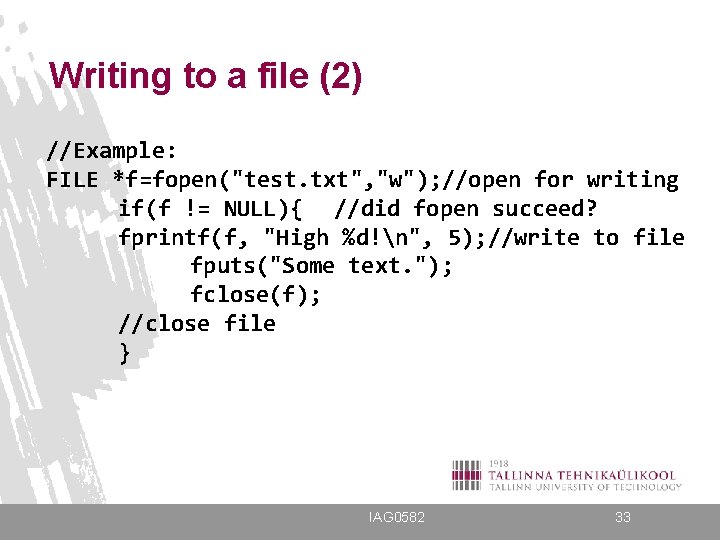
Writing to a file (2) //Example: FILE *f=fopen("test. txt", "w"); //open for writing if(f != NULL){ //did fopen succeed? fprintf(f, "High %d!n", 5); //write to file fputs("Some text. "); fclose(f); //close file } IAG 0582 33
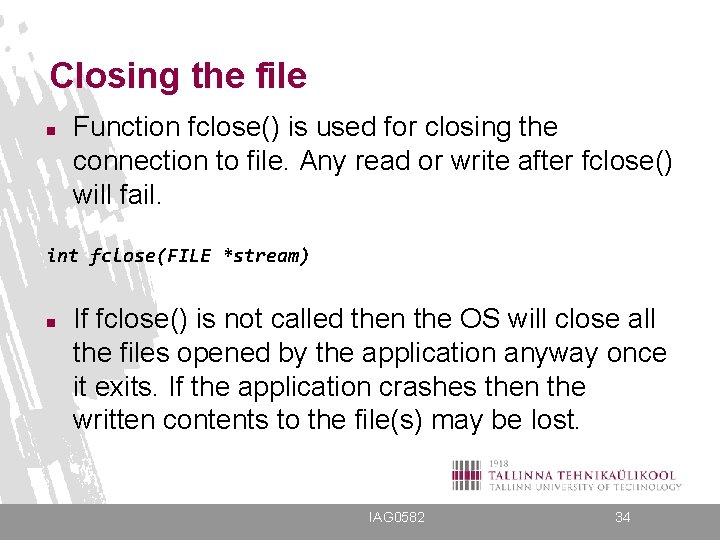
Closing the file n Function fclose() is used for closing the connection to file. Any read or write after fclose() will fail. int fclose(FILE *stream) n If fclose() is not called then the OS will close all the files opened by the application anyway once it exits. If the application crashes then the written contents to the file(s) may be lost. IAG 0582 34
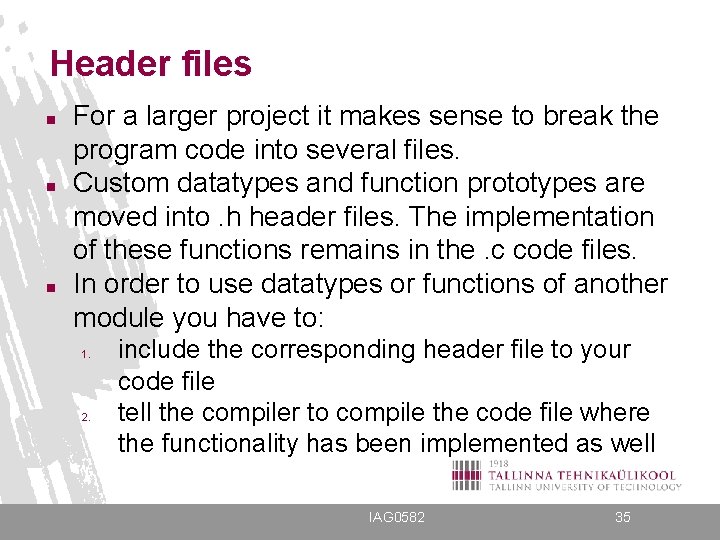
Header files n n n For a larger project it makes sense to break the program code into several files. Custom datatypes and function prototypes are moved into. h header files. The implementation of these functions remains in the. c code files. In order to use datatypes or functions of another module you have to: 1. 2. include the corresponding header file to your code file tell the compiler to compile the code file where the functionality has been implemented as well IAG 0582 35
![Header files (2) tst. h typedef struct typename{ int a; float b; char s[10];](http://slidetodoc.com/presentation_image_h2/5b1ad62423f71dea7e7f3015b154a04c/image-36.jpg "Header files (2) tst. h typedef struct typename{ int a; float b; char s[10];")
Header files (2) tst. h typedef struct typename{ int a; float b; char s[10]; } test_struct; void print. All(int n, struct typename *M); tst. c #include <stdio. h> #include "tst. h" void print. All(int n, struct typename *M){ int i; for(i = 0; i < n; i++) printf("%sn", M[i]. s); } IAG 0582 36
![Header files (3) main. c #include "tst. h" int main(void){ test_struct M[2] = {12,](http://slidetodoc.com/presentation_image_h2/5b1ad62423f71dea7e7f3015b154a04c/image-37.jpg "Header files (3) main. c #include \"tst. h\" int main(void){ test_struct M[2] = {12,")
Header files (3) main. c #include "tst. h" int main(void){ test_struct M[2] = {12, 3. 7, "Thomas", 14, 4. 4, "Matthew"}; print. All(2, M); } Compiling: gcc main. c tst. c -o test -Wall Running: . /test IAG 0582 37
Shell sort algorithm (1) (has less exchanges, presumes that data is partially sorted)
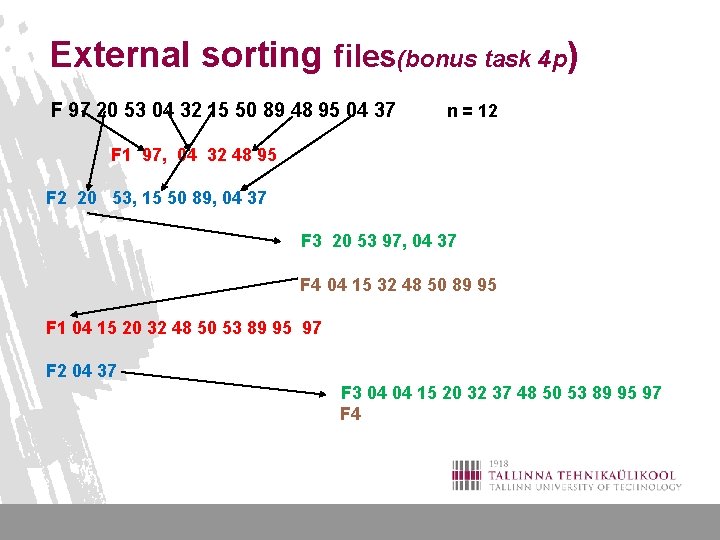
External sorting files(bonus task 4 p) F 97 20 53 04 32 15 50 89 48 95 04 37 n = 12 F 1 97, 04 32 48 95 F 2 20 53, 15 50 89, 04 37 F 3 20 53 97, 04 37 F 4 04 15 32 48 50 89 95 F 1 04 15 20 32 48 50 53 89 95 97 F 2 04 37 F 3 04 04 15 20 32 37 48 50 53 89 95 97 F 4
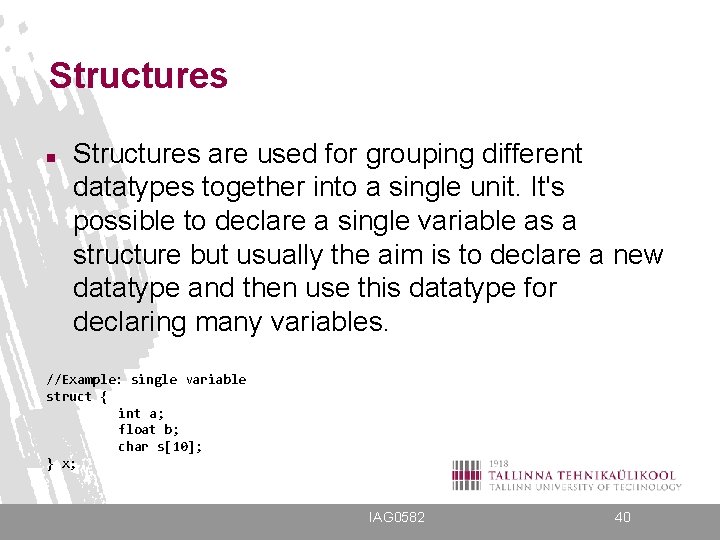
Structures n Structures are used for grouping different datatypes together into a single unit. It's possible to declare a single variable as a structure but usually the aim is to declare a new datatype and then use this datatype for declaring many variables. //Example: single variable struct { int a; float b; char s[10]; } x; IAG 0582 40
![Structures (2) //Example: datatype struct typename{ int a; float b; char s[10]; } ;](http://slidetodoc.com/presentation_image_h2/5b1ad62423f71dea7e7f3015b154a04c/image-41.jpg "Structures (2) //Example: datatype struct typename{ int a; float b; char s[10]; } ;")
Structures (2) //Example: datatype struct typename{ int a; float b; char s[10]; } ; //defining variables of type "struct typename" struct typename x; struct typename M[20]; IAG 0582 41
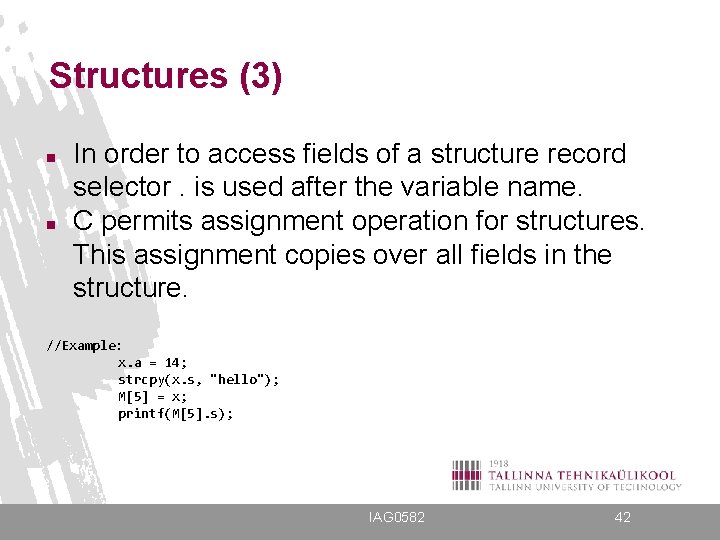
Structures (3) n n In order to access fields of a structure record selector. is used after the variable name. C permits assignment operation for structures. This assignment copies over all fields in the structure. //Example: x. a = 14; strcpy(x. s, "hello"); M[5] = x; printf(M[5]. s); IAG 0582 42
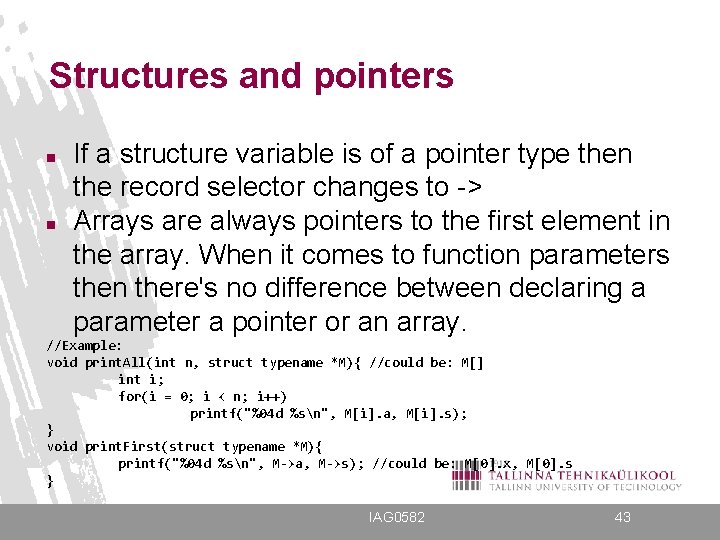
Structures and pointers n n If a structure variable is of a pointer type then the record selector changes to -> Arrays are always pointers to the first element in the array. When it comes to function parameters then there's no difference between declaring a parameter a pointer or an array. //Example: void print. All(int n, struct typename *M){ //could be: M[] int i; for(i = 0; i < n; i++) printf("%04 d %sn", M[i]. a, M[i]. s); } void print. First(struct typename *M){ printf("%04 d %sn", M->a, M->s); //could be: M[0]. x, M[0]. s } IAG 0582 43
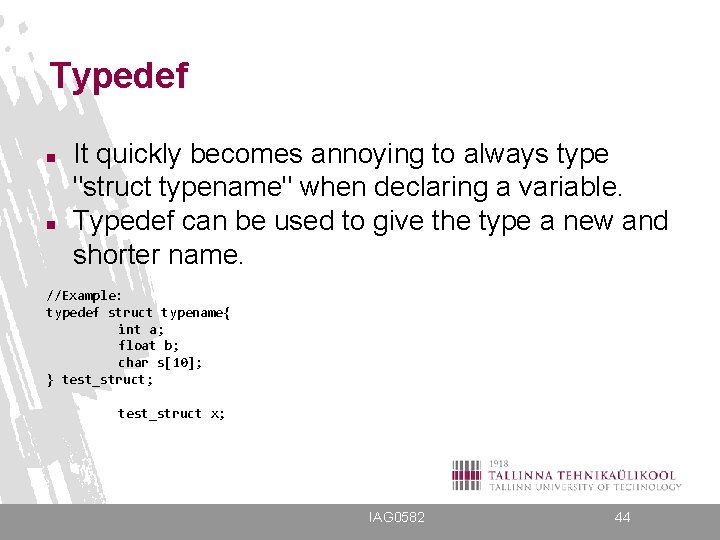
Typedef n n It quickly becomes annoying to always type "struct typename" when declaring a variable. Typedef can be used to give the type a new and shorter name. //Example: typedef struct typename{ int a; float b; char s[10]; } test_struct; test_struct x; IAG 0582 44
- Slides: 44