
Programming Hardware and Software COMP 104 Lecture 2
- Slides: 17
Programming Hardware and Software
COMP 104 Lecture 2 / Slide 2 Hardware and Software l Why should we bother with hardware, while we are having a programming (software) class? n software “drives” hardware n having some understanding on h/w helps us produce more efficient programs
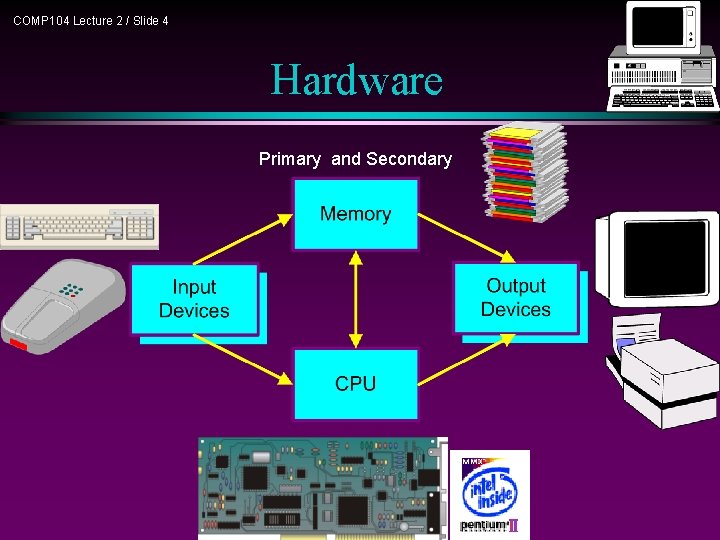
COMP 104 Lecture 2 / Slide 3 Hardware l Four components of a computer system: n CPU - central processing unit – Makes decisions, performs computations, and delegates input/output requests n Memory – Stores information n Input devices – Gets information from the user to the computer n Output devices – Sends information from computer to the user
COMP 104 Lecture 2 / Slide 4 Hardware Primary and Secondary
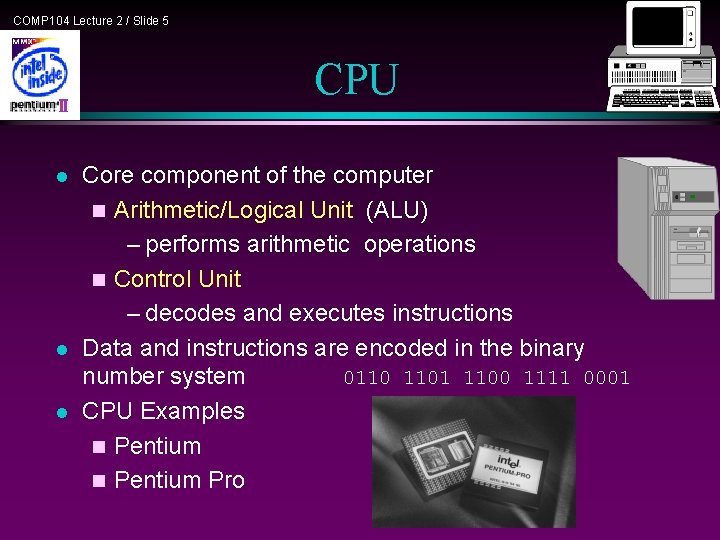
COMP 104 Lecture 2 / Slide 5 CPU l l l Core component of the computer n Arithmetic/Logical Unit (ALU) – performs arithmetic operations n Control Unit – decodes and executes instructions Data and instructions are encoded in the binary number system 0110 1101 1100 1111 0001 CPU Examples n Pentium Pro
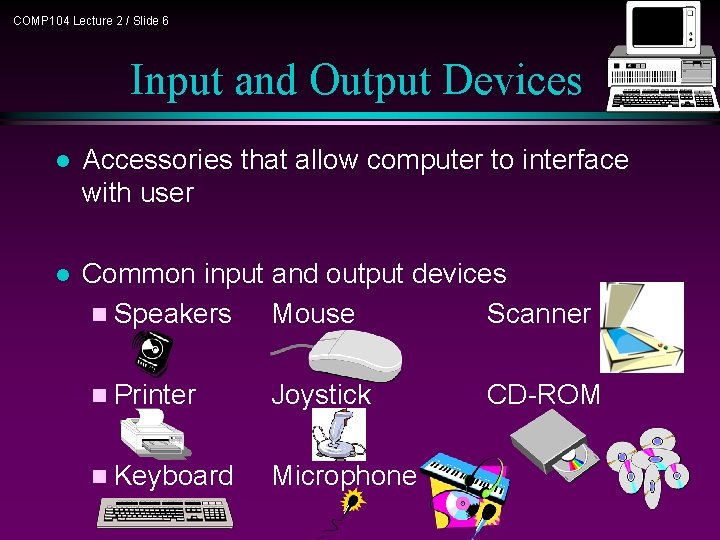
COMP 104 Lecture 2 / Slide 6 Input and Output Devices l Accessories that allow computer to interface with user l Common input and output devices n Speakers Mouse Scanner n Printer Joystick n Keyboard Microphone CD-ROM
COMP 104 Lecture 2 / Slide 7 Memory l Secondary Memory relatively stable storage (e. g. CD) n slower retrieval time n often allows sequential access only n l Primary Memory main memory in a computer n aka random access memory, or RAM n faster (random) access with – transistor technology – address location n
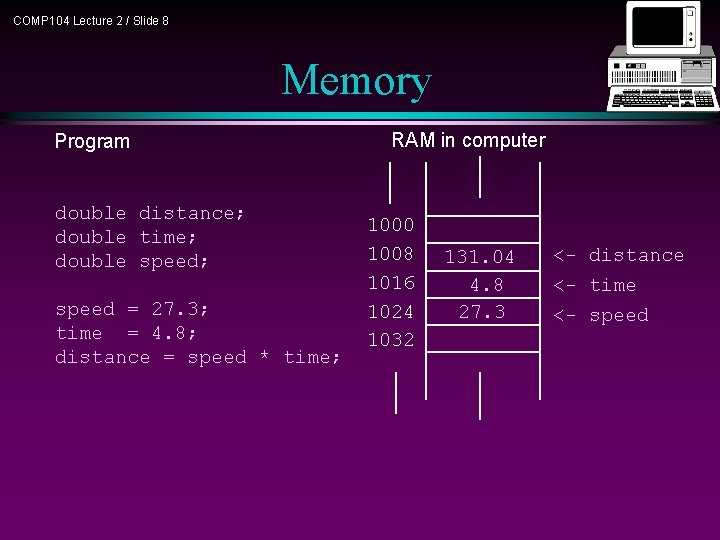
COMP 104 Lecture 2 / Slide 8 Memory Program double distance; double time; double speed; speed = 27. 3; time = 4. 8; distance = speed * time; RAM in computer 1000 1008 1016 1024 1032 131. 04 4. 8 27. 3 <- distance <- time <- speed
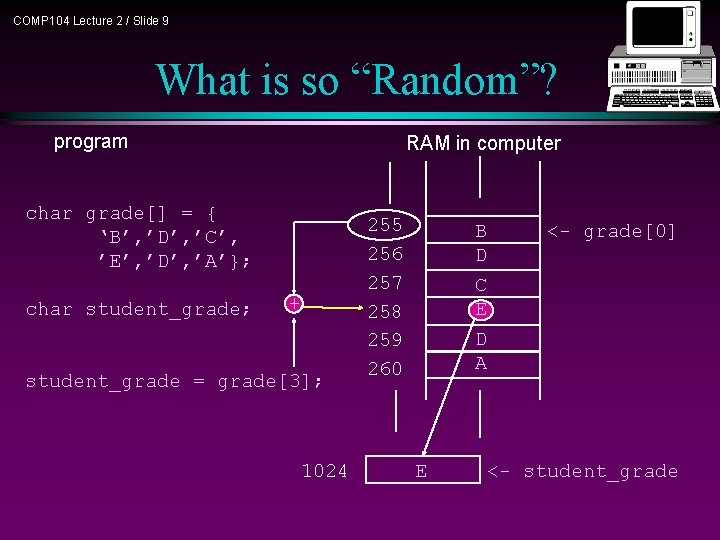
COMP 104 Lecture 2 / Slide 9 What is so “Random”? program RAM in computer char grade[] = { ‘B’, ’D’, ’C’, ’E’, ’D’, ’A’}; char student_grade; + student_grade = grade[3]; 1024 255 256 257 258 259 260 B D <- grade[0] C E D A E <- student_grade
COMP 104 Lecture 2 / Slide 10 Software l l Application software n Programs designed to perform specific tasks and are easy to use System software n Programs that support the execution and development of other programs n Two major types – Operating systems – Translation systems (compilers & linkers)
COMP 104 Lecture 2 / Slide 11 Application Software l l Application software has made using computers easy and popular Common application software: n Microsoft Word, Word. Perfect n Power. Point n Netscape, IE n Photo. Shop, Photo-Paint n Quick Time
COMP 104 Lecture 2 / Slide 12 Operating System l l Controls and manages the computing resources Examples n l MSDOS, Windows, Unix Important services that an operating system provides: n n n File system Memory management Commands to manipulate the file system Input and output on a variety of devices Window management
COMP 104 Lecture 2 / Slide 13 Translation System l l l Set of programs used to develop software Types of translators: n Compiler n Linker Examples n Microsoft Visual C++, Borland C++, g++
COMP 104 Lecture 2 / Slide 14 Software Development l Major activities n Editing (to write the program) n Compiling (creates. obj file) n Linking with compiled files (creates. exe file) – Object files – Library modules n Loading and executing n Testing the program
Integrated Development Environments COMP 104 Lecture 2 / Slide 15 l Combine all of the capabilities that a programmer would want while developing software (VC++) n Editor n Compiler n Linker n Loader n Debugger n Viewer
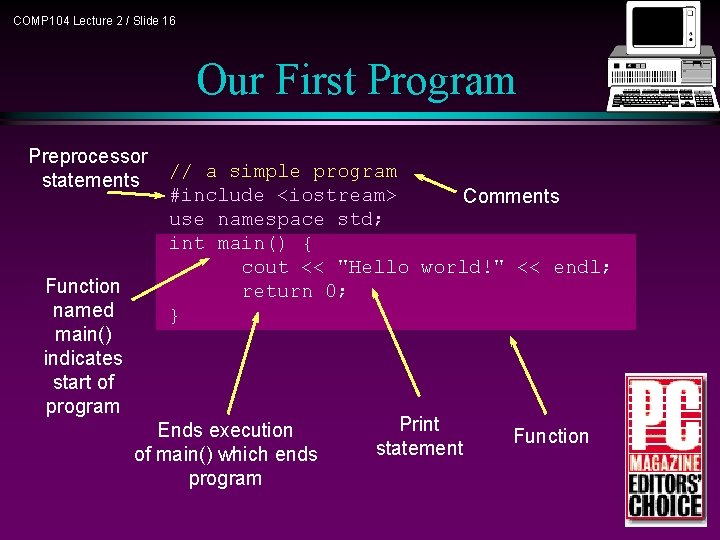
COMP 104 Lecture 2 / Slide 16 Our First Program Preprocessor statements Function named main() indicates start of program // a simple program #include <iostream> Comments use namespace std; int main() { cout << "Hello world!" << endl; return 0; } Ends execution of main() which ends program Print statement Function
COMP 104 Lecture 2 / Slide 17 Summary