
Programming Fundamentals I COSC 1336 Lecture 8 prepared
![Declare/Create Two-dimensional Arrays // Declare array ref var data. Type[][] ref. Var; // Create](https://slidetodoc.com/presentation_image_h/f7bf157ec2761a47719c407b718981f1/image-8.jpg "Declare/Create Two-dimensional Arrays // Declare array ref var data. Type[][] ref. Var; // Create")
![Declaring Variables of Twodimensional Arrays and Creating Two-dimensional Arrays int[][] matrix = new int[10];](https://slidetodoc.com/presentation_image_h/f7bf157ec2761a47719c407b718981f1/image-9.jpg "Declaring Variables of Twodimensional Arrays and Creating Two-dimensional Arrays int[][] matrix = new int[10];")
![Two-dimensional Array Illustration matrix. length =? array. length=? matrix[0]. length=? array[0]. length=? 12/7/2020 COSC-1336,](https://slidetodoc.com/presentation_image_h/f7bf157ec2761a47719c407b718981f1/image-10.jpg "Two-dimensional Array Illustration matrix. length =? array. length=? matrix[0]. length=? array[0]. length=? 12/7/2020 COSC-1336,")
![Lengths of Two-dimensional Arrays int[][] x = new int[3][4]; 12/7/2020 COSC-1336, Lecture 8 12](https://slidetodoc.com/presentation_image_h/f7bf157ec2761a47719c407b718981f1/image-12.jpg "Lengths of Two-dimensional Arrays int[][] x = new int[3][4]; 12/7/2020 COSC-1336, Lecture 8 12")
![Lengths of Two-dimensional Arrays (cont. ) int[][] array = { {1, 2, 3}, {4,](https://slidetodoc.com/presentation_image_h/f7bf157ec2761a47719c407b718981f1/image-13.jpg "Lengths of Two-dimensional Arrays (cont. ) int[][] array = { {1, 2, 3}, {4,")

![Summing elements by column for (int column = 0; column < matrix[0]. length; column++){](https://slidetodoc.com/presentation_image_h/f7bf157ec2761a47719c407b718981f1/image-21.jpg "Summing elements by column for (int column = 0; column < matrix[0]. length; column++){")
![is. Valid() method with 3 parameters /** Check whether grid[i][j] is valid in the](https://slidetodoc.com/presentation_image_h/f7bf157ec2761a47719c407b718981f1/image-32.jpg "is. Valid() method with 3 parameters /** Check whether grid[i][j] is valid in the")
![is. Valid() method with 3 parameters (cont. ) // Check whether grid[i][j] is valid](https://slidetodoc.com/presentation_image_h/f7bf157ec2761a47719c407b718981f1/image-33.jpg "is. Valid() method with 3 parameters (cont. ) // Check whether grid[i][j] is valid")
- Slides: 43
Programming Fundamentals I (COSC 1336), Lecture 8 (prepared after Chapter 7 of Liang’s 2011 textbook) Stefan Andrei 12/7/2020 COSC-1336, Lecture 8 1
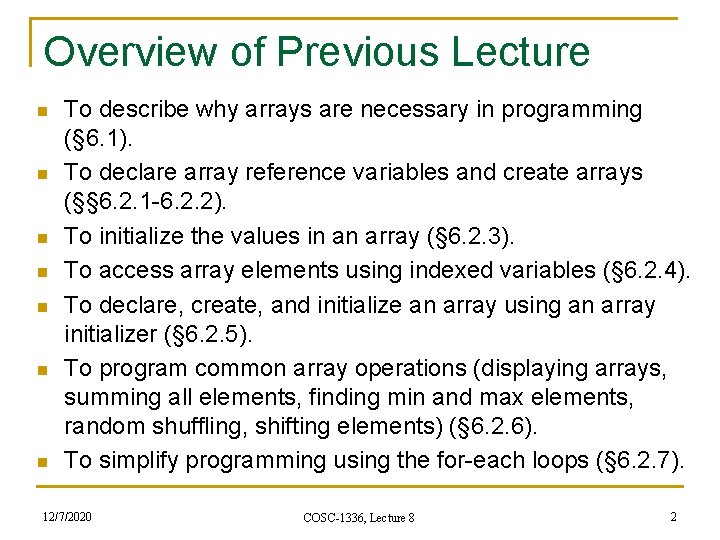
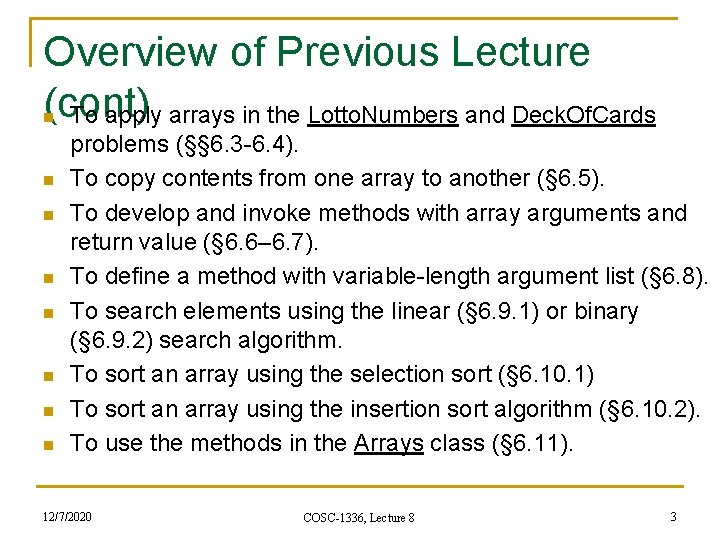
Overview of Previous Lecture n n n n To describe why arrays are necessary in programming (§ 6. 1). To declare array reference variables and create arrays (§§ 6. 2. 1 -6. 2. 2). To initialize the values in an array (§ 6. 2. 3). To access array elements using indexed variables (§ 6. 2. 4). To declare, create, and initialize an array using an array initializer (§ 6. 2. 5). To program common array operations (displaying arrays, summing all elements, finding min and max elements, random shuffling, shifting elements) (§ 6. 2. 6). To simplify programming using the for-each loops (§ 6. 2. 7). 12/7/2020 COSC-1336, Lecture 8 2
Overview of Previous Lecture (cont) To apply arrays in the Lotto. Numbers and Deck. Of. Cards n n n n problems (§§ 6. 3 -6. 4). To copy contents from one array to another (§ 6. 5). To develop and invoke methods with array arguments and return value (§ 6. 6– 6. 7). To define a method with variable-length argument list (§ 6. 8). To search elements using the linear (§ 6. 9. 1) or binary (§ 6. 9. 2) search algorithm. To sort an array using the selection sort (§ 6. 10. 1) To sort an array using the insertion sort algorithm (§ 6. 10. 2). To use the methods in the Arrays class (§ 6. 11). 12/7/2020 COSC-1336, Lecture 8 3
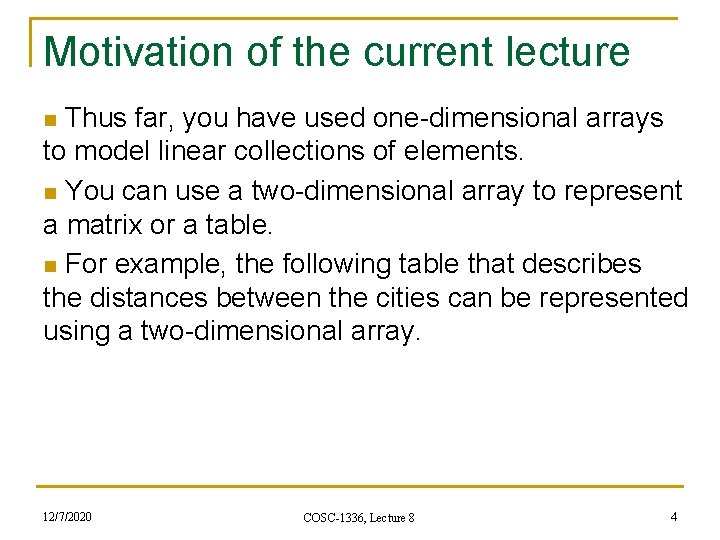
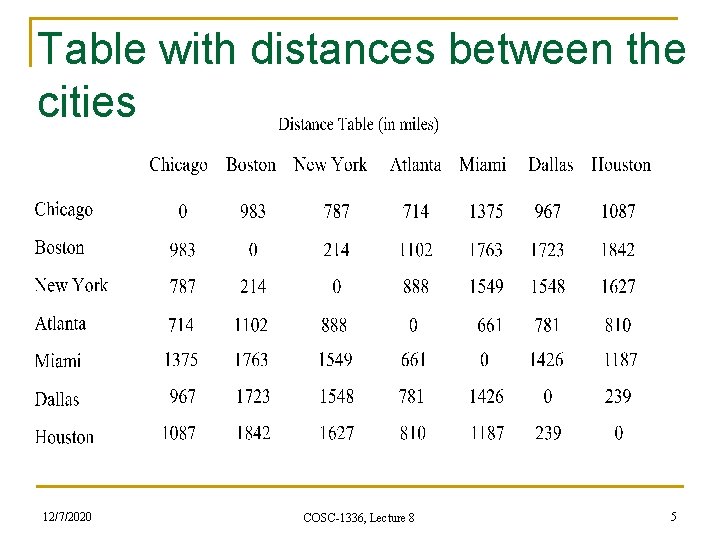
Motivation of the current lecture n Thus far, you have used one-dimensional arrays to model linear collections of elements. n You can use a two-dimensional array to represent a matrix or a table. n For example, the following table that describes the distances between the cities can be represented using a two-dimensional array. 12/7/2020 COSC-1336, Lecture 8 4
Table with distances between the cities 12/7/2020 COSC-1336, Lecture 8 5
Overview of This Lecture n n To give examples of representing data using twodimensional arrays (§ 7. 1). To declare variables for two-dimensional arrays, create arrays, and access array elements in a twodimensional array using row and column indexes (§ 7. 2). To program common operations for two-dimensional arrays (displaying arrays, summing all elements, finding min and max elements, and random shuffling) (§ 7. 3). To pass two-dimensional arrays to methods (§ 7. 4). 12/7/2020 COSC-1336, Lecture 8 6
Overview of This Lecture (cont. ) n n To write a program for grading multiple-choice questions using two-dimensional arrays (§ 7. 5). To solve the closest-pair problem using twodimensional arrays (§ 7. 6). To check a Sudoku solution using two-dimensional arrays (§ 7. 7). To use multidimensional arrays (§ 7. 8). 12/7/2020 COSC-1336, Lecture 8 7
Declare/Create Two-dimensional Arrays // Declare array ref var data. Type[][] ref. Var; // Create array and assign its reference to variable ref. Var = new data. Type[10]; // Combine declaration and creation in one statement data. Type[][] ref. Var = new data. Type[10]; // Alternative syntax data. Type ref. Var[][] = new data. Type[10]; 12/7/2020 COSC-1336, Lecture 8 8
Declaring Variables of Twodimensional Arrays and Creating Two-dimensional Arrays int[][] matrix = new int[10]; or int matrix[][] = new int[10]; matrix[0][0] = 3; for (int i = 0; i < matrix. length; i++) for (int j = 0; j < matrix[i]. length; j++) matrix[i][j] = (int)(Math. random() * 1000); double[][] x; 12/7/2020 COSC-1336, Lecture 8 9
Two-dimensional Array Illustration matrix. length =? array. length=? matrix[0]. length=? array[0]. length=? 12/7/2020 COSC-1336, Lecture 8 10
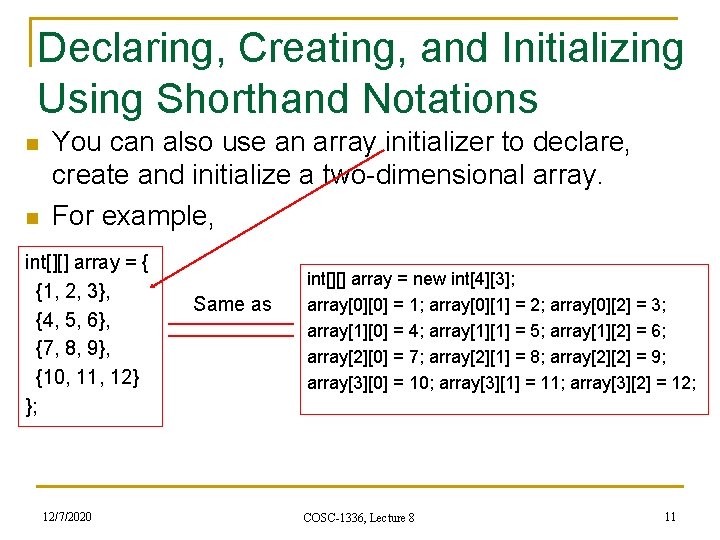
Declaring, Creating, and Initializing Using Shorthand Notations n n You can also use an array initializer to declare, create and initialize a two-dimensional array. For example, int[][] array = { {1, 2, 3}, {4, 5, 6}, {7, 8, 9}, {10, 11, 12} }; 12/7/2020 Same as int[][] array = new int[4][3]; array[0][0] = 1; array[0][1] = 2; array[0][2] = 3; array[1][0] = 4; array[1][1] = 5; array[1][2] = 6; array[2][0] = 7; array[2][1] = 8; array[2][2] = 9; array[3][0] = 10; array[3][1] = 11; array[3][2] = 12; COSC-1336, Lecture 8 11
Lengths of Two-dimensional Arrays int[][] x = new int[3][4]; 12/7/2020 COSC-1336, Lecture 8 12
Lengths of Two-dimensional Arrays (cont. ) int[][] array = { {1, 2, 3}, {4, 5, 6}, {7, 8, 9}, {10, 11, 12} }; array. length array[0]. length array[1]. length array[2]. length array[3]. length array[4]. length = ? 12/7/2020 COSC-1336, Lecture 8 13
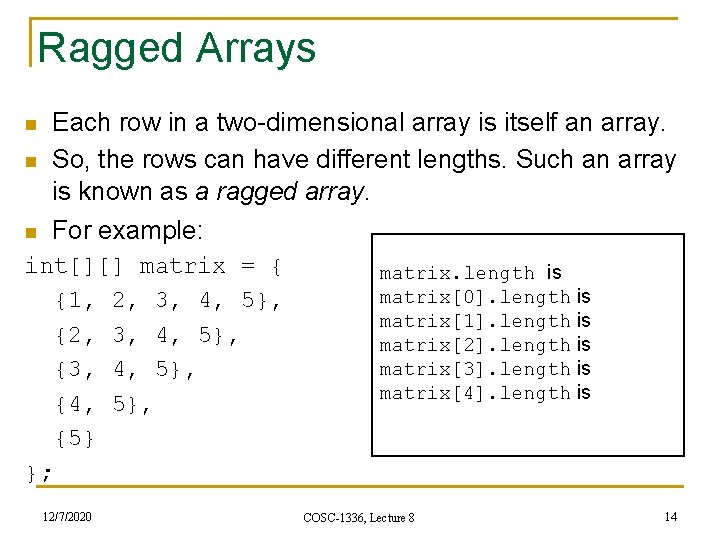
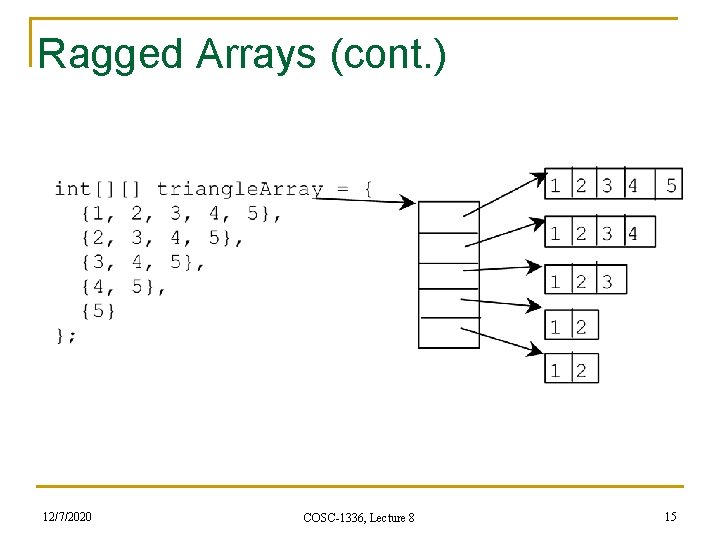
Ragged Arrays n Each row in a two-dimensional array is itself an array. So, the rows can have different lengths. Such an array is known as a ragged array. n For example: n int[][] matrix = { {1, 2, 3, 4, 5}, {3, 4, 5}, {5} }; 12/7/2020 matrix. length is matrix[0]. length is matrix[1]. length is matrix[2]. length is matrix[3]. length is matrix[4]. length is COSC-1336, Lecture 8 14
Ragged Arrays (cont. ) 12/7/2020 COSC-1336, Lecture 8 15
Processing Two-Dimensional See the examples in the text. Arrays 1. (Initializing arrays with input values) 2. (Printing arrays) 3. (Summing all elements) 4. (Summing all elements by column) 5. (Which row has the largest sum) 6. (Finding the smallest index of the largest element) 7. (Random shuffling) 12/7/2020 COSC-1336, Lecture 8 16
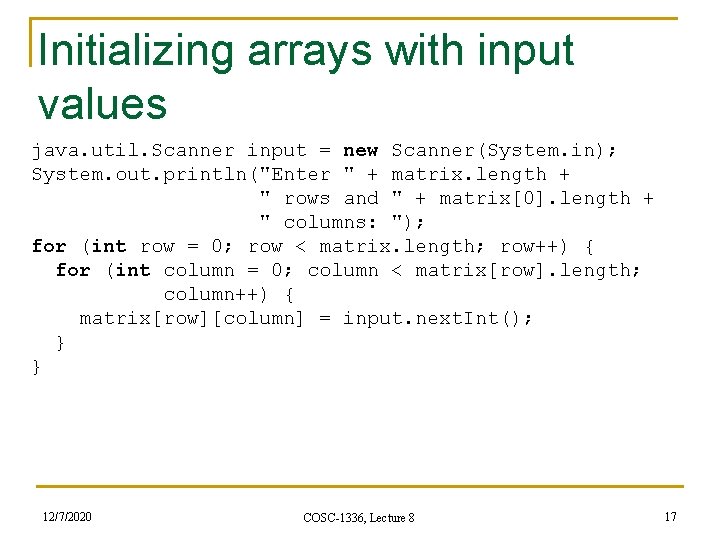
Initializing arrays with input values java. util. Scanner input = new Scanner(System. in); System. out. println("Enter " + matrix. length + " rows and " + matrix[0]. length + " columns: "); for (int row = 0; row < matrix. length; row++) { for (int column = 0; column < matrix[row]. length; column++) { matrix[row][column] = input. next. Int(); } } 12/7/2020 COSC-1336, Lecture 8 17
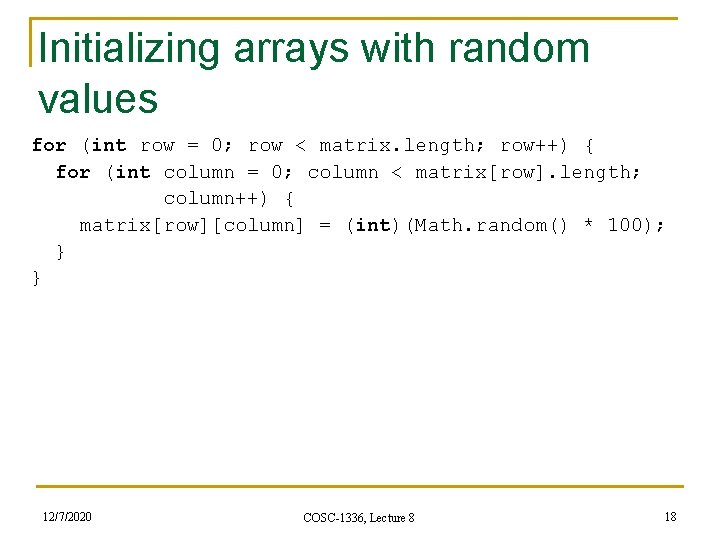
Initializing arrays with random values for (int row = 0; row < matrix. length; row++) { for (int column = 0; column < matrix[row]. length; column++) { matrix[row][column] = (int)(Math. random() * 100); } } 12/7/2020 COSC-1336, Lecture 8 18
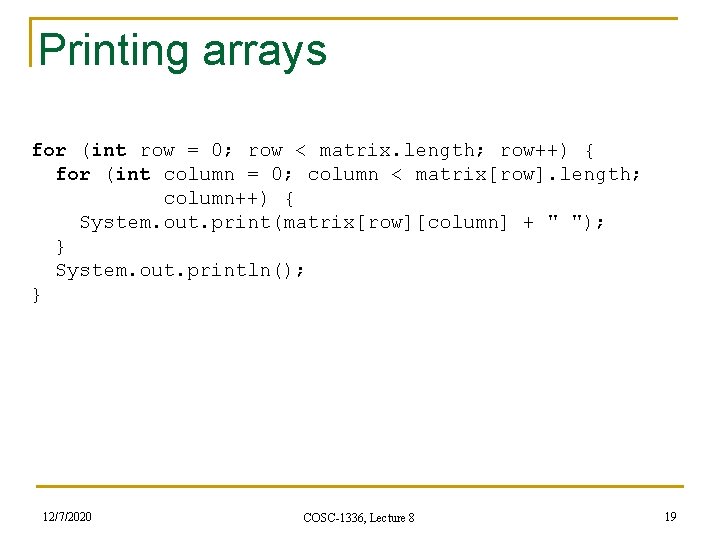
Printing arrays for (int row = 0; row < matrix. length; row++) { for (int column = 0; column < matrix[row]. length; column++) { System. out. print(matrix[row][column] + " "); } System. out. println(); } 12/7/2020 COSC-1336, Lecture 8 19
Summing all elements int total = 0; for (int row = 0; row < matrix. length; row++) { for (int column = 0; column < matrix[row]. length; column++) { total += matrix[row][column]; } } 12/7/2020 COSC-1336, Lecture 8 20
Summing elements by column for (int column = 0; column < matrix[0]. length; column++){ int total = 0; for (int row = 0; row < matrix. length; row++) total += matrix[row][column]; System. out. println("Sum for column " + column + " is " + total); } 12/7/2020 COSC-1336, Lecture 8 21
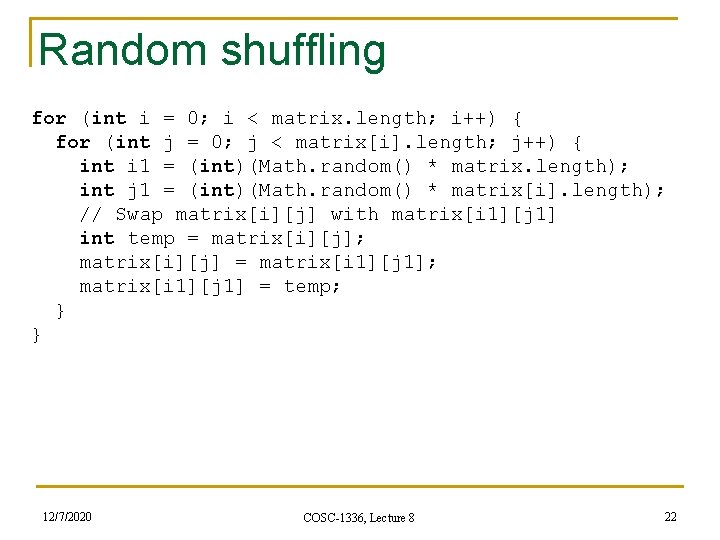
Random shuffling for (int i = 0; i < matrix. length; i++) { for (int j = 0; j < matrix[i]. length; j++) { int i 1 = (int)(Math. random() * matrix. length); int j 1 = (int)(Math. random() * matrix[i]. length); // Swap matrix[i][j] with matrix[i 1][j 1] int temp = matrix[i][j]; matrix[i][j] = matrix[i 1][j 1]; matrix[i 1][j 1] = temp; } } 12/7/2020 COSC-1336, Lecture 8 22
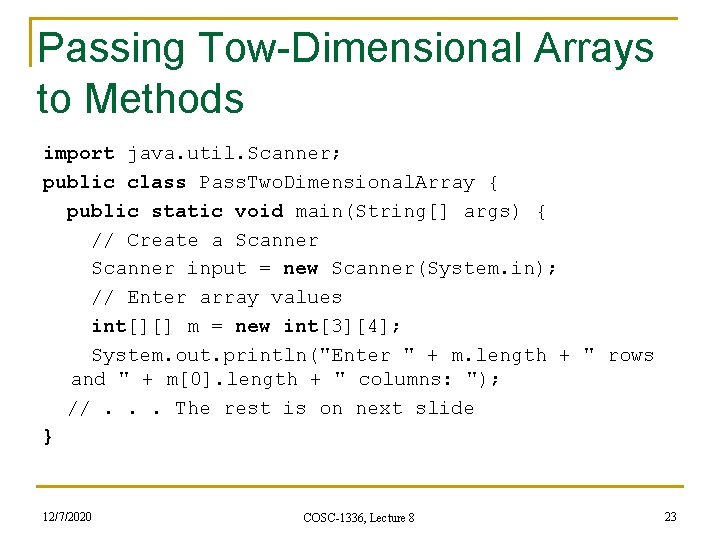
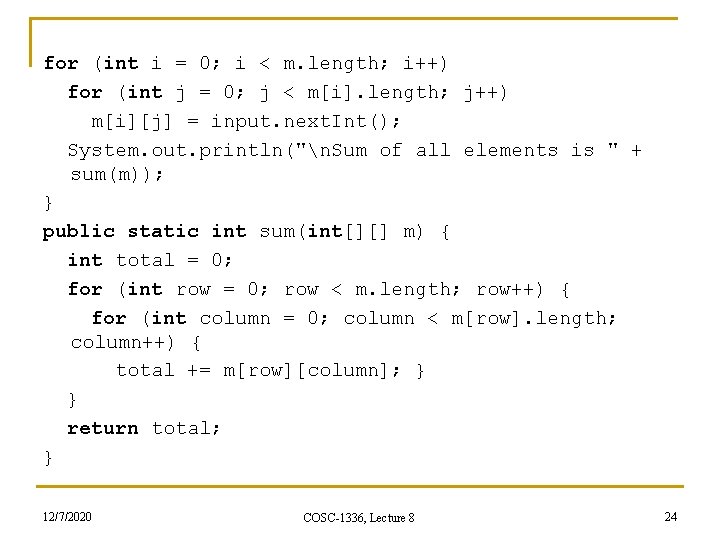
Passing Tow-Dimensional Arrays to Methods import java. util. Scanner; public class Pass. Two. Dimensional. Array { public static void main(String[] args) { // Create a Scanner input = new Scanner(System. in); // Enter array values int[][] m = new int[3][4]; System. out. println("Enter " + m. length + " rows and " + m[0]. length + " columns: "); //. . . The rest is on next slide } 12/7/2020 COSC-1336, Lecture 8 23
for (int i = 0; i < m. length; i++) for (int j = 0; j < m[i]. length; j++) m[i][j] = input. next. Int(); System. out. println("n. Sum of all elements is " + sum(m)); } public static int sum(int[][] m) { int total = 0; for (int row = 0; row < m. length; row++) { for (int column = 0; column < m[row]. length; column++) { total += m[row][column]; } } return total; } 12/7/2020 COSC-1336, Lecture 8 24
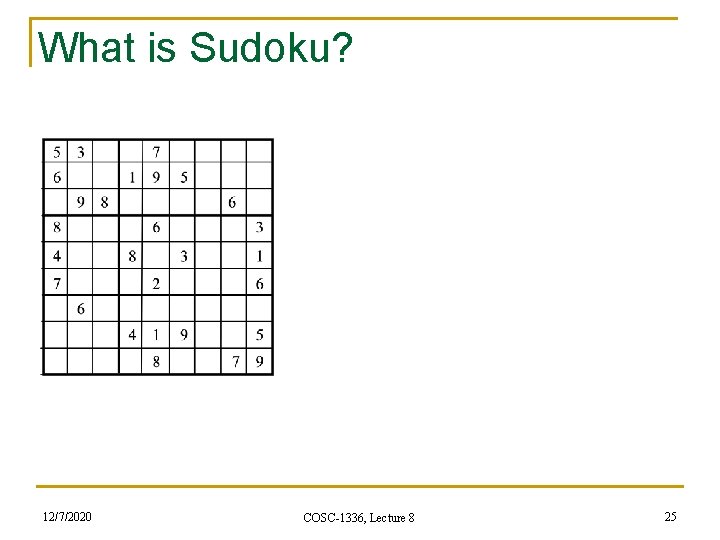
What is Sudoku? 12/7/2020 COSC-1336, Lecture 8 25
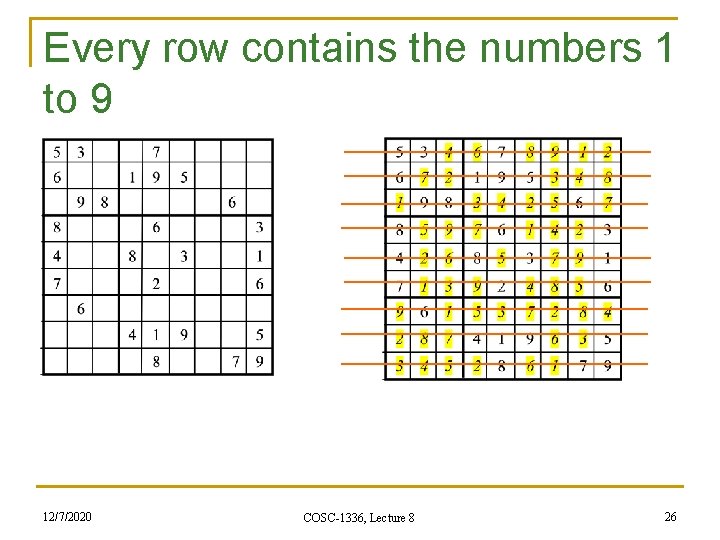
Every row contains the numbers 1 to 9 12/7/2020 COSC-1336, Lecture 8 26
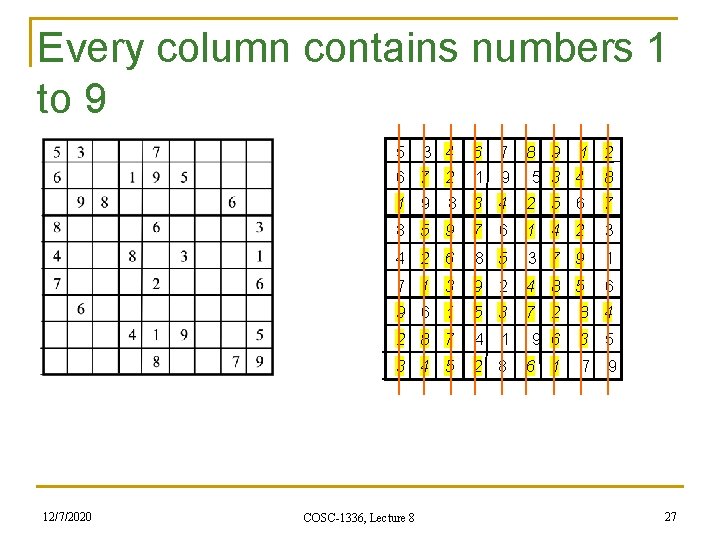
Every column contains numbers 1 to 9 5 3 4 6 7 8 9 1 2 6 7 2 1 9 5 3 4 1 9 8 3 4 8 5 9 8 2 5 6 7 7 6 1 4 2 3 4 2 6 8 5 3 7 9 1 7 1 3 9 2 4 8 5 6 9 6 1 7 2 8 4 2 8 7 4 1 9 6 3 5 3 4 5 12/7/2020 COSC-1336, Lecture 8 5 3 2 8 6 1 7 9 27
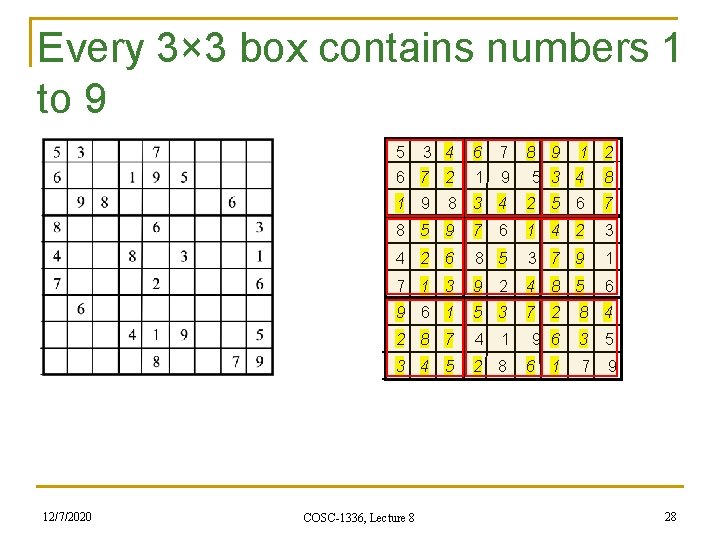
Every 3× 3 box contains numbers 1 to 9 5 3 4 6 7 8 9 1 2 6 7 2 1 9 5 3 4 1 9 8 3 4 8 5 9 8 2 5 6 7 7 6 1 4 2 3 4 2 6 8 5 3 7 9 1 7 1 3 9 2 4 8 5 6 9 6 1 7 2 8 4 2 8 7 4 1 9 6 3 5 3 4 5 12/7/2020 COSC-1336, Lecture 8 5 3 2 8 6 1 7 9 28
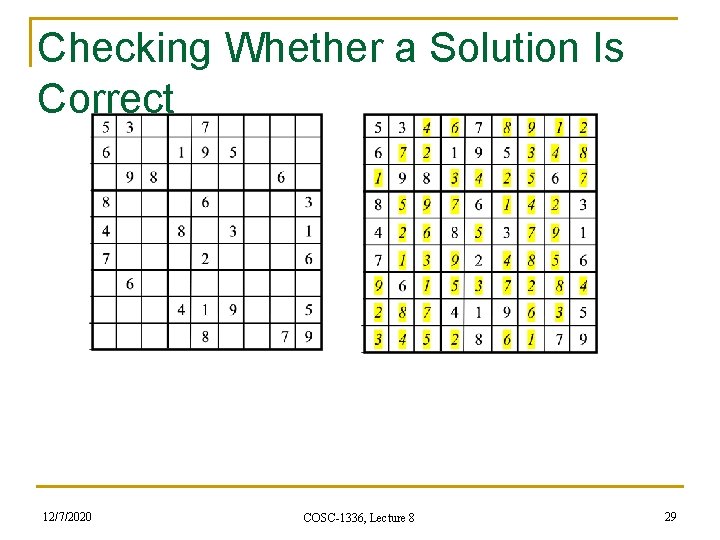
Checking Whether a Solution Is Correct 12/7/2020 COSC-1336, Lecture 8 29
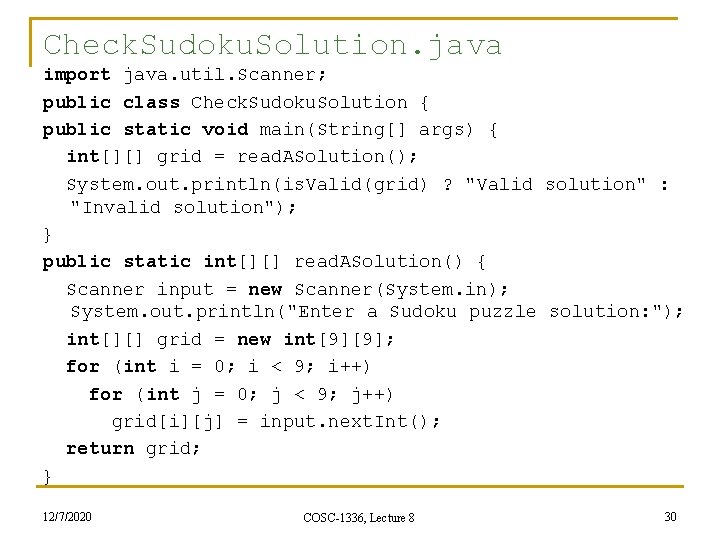
Check. Sudoku. Solution. java import java. util. Scanner; public class Check. Sudoku. Solution { public static void main(String[] args) { int[][] grid = read. ASolution(); System. out. println(is. Valid(grid) ? "Valid solution" : "Invalid solution"); } public static int[][] read. ASolution() { Scanner input = new Scanner(System. in); System. out. println("Enter a Sudoku puzzle solution: "); int[][] grid = new int[9][9]; for (int i = 0; i < 9; i++) for (int j = 0; j < 9; j++) grid[i][j] = input. next. Int(); return grid; } 12/7/2020 COSC-1336, Lecture 8 30
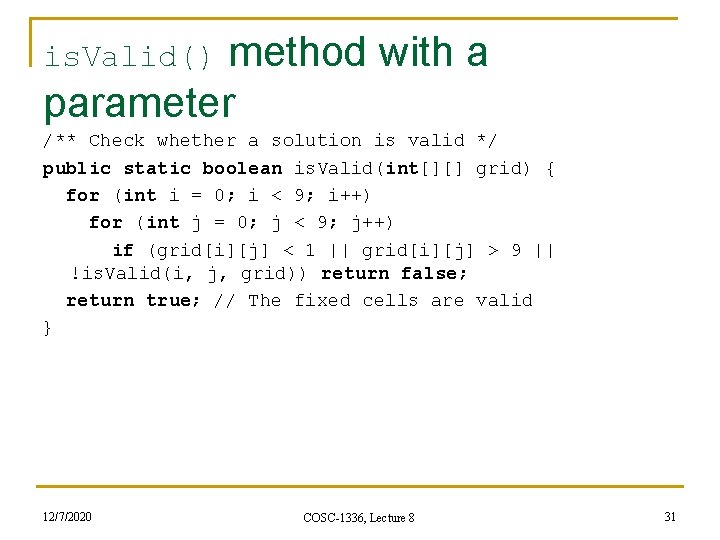
is. Valid() method with a parameter /** Check whether a solution is valid */ public static boolean is. Valid(int[][] grid) { for (int i = 0; i < 9; i++) for (int j = 0; j < 9; j++) if (grid[i][j] < 1 || grid[i][j] > 9 || !is. Valid(i, j, grid)) return false; return true; // The fixed cells are valid } 12/7/2020 COSC-1336, Lecture 8 31
is. Valid() method with 3 parameters /** Check whether grid[i][j] is valid in the grid */ public static boolean is. Valid(int i, int j, int[][] grid) { // Check whether grid[i][j] is valid at the i's row for (int column = 0; column < 9; column++) if (column != j && grid[i][column] == grid[i][j]) return false; // Check whether grid[i][j] is valid at the j's column for (int row = 0; row < 9; row++) if (row != i && grid[row][j] == grid[i][j]) return false; // the rest of is. Valid() method is on next slide 12/7/2020 COSC-1336, Lecture 8 32
is. Valid() method with 3 parameters (cont. ) // Check whether grid[i][j] is valid in the 3 by 3 box for (int row = (i / 3) * 3; row < (i / 3) * 3 + 3; row++) for (int col = (j / 3) * 3; col < (j / 3) * 3 + 3; col++) if (row!= i && col != j && grid[row][col] == grid[i][j]) return false; return true; // The current value at grid[i][j] is valid } } 12/7/2020 COSC-1336, Lecture 8 33
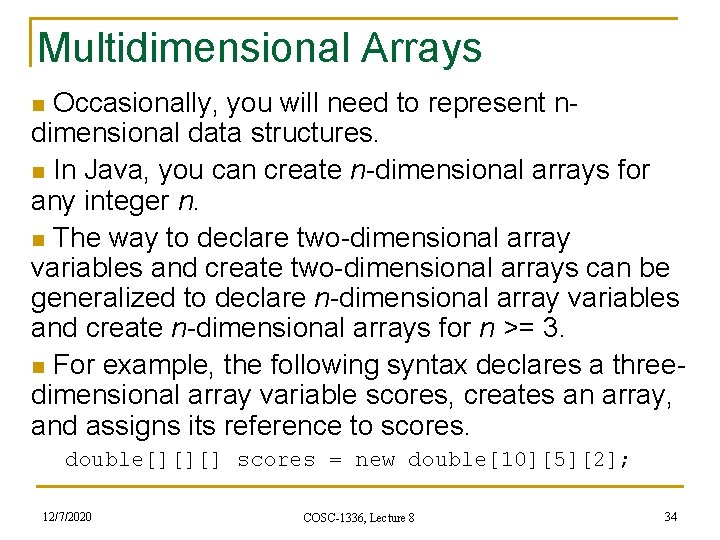
Multidimensional Arrays n Occasionally, you will need to represent n- dimensional data structures. n In Java, you can create n-dimensional arrays for any integer n. n The way to declare two-dimensional array variables and create two-dimensional arrays can be generalized to declare n-dimensional array variables and create n-dimensional arrays for n >= 3. n For example, the following syntax declares a threedimensional array variable scores, creates an array, and assigns its reference to scores. double[][][] scores = new double[10][5][2]; 12/7/2020 COSC-1336, Lecture 8 34
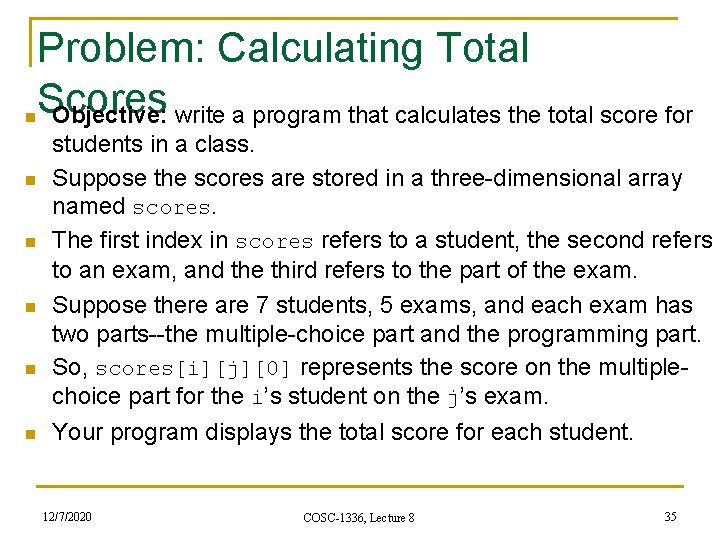
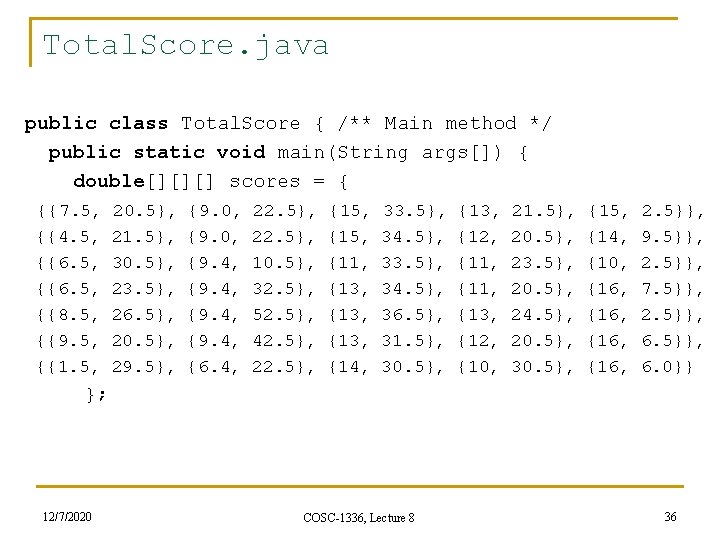
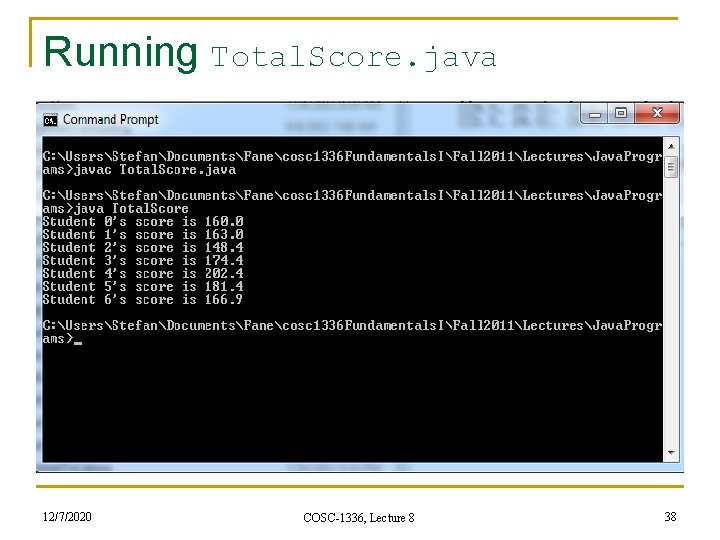
Problem: Calculating Total Scores Objective: write a program that calculates the total score for n n n students in a class. Suppose the scores are stored in a three-dimensional array named scores. The first index in scores refers to a student, the second refers to an exam, and the third refers to the part of the exam. Suppose there are 7 students, 5 exams, and each exam has two parts--the multiple-choice part and the programming part. So, scores[i][j][0] represents the score on the multiplechoice part for the i’s student on the j’s exam. Your program displays the total score for each student. 12/7/2020 COSC-1336, Lecture 8 35
Total. Score. java public class Total. Score { /** Main method */ public static void main(String args[]) { double[][][] scores = { {{7. 5, {{4. 5, {{6. 5, {{8. 5, {{9. 5, {{1. 5, 20. 5}, 21. 5}, 30. 5}, 23. 5}, 26. 5}, 20. 5}, 29. 5}, {9. 0, {9. 4, {6. 4, 22. 5}, 10. 5}, 32. 5}, 52. 5}, 42. 5}, 22. 5}, {15, {11, {13, {14, 33. 5}, 34. 5}, 36. 5}, 31. 5}, 30. 5}, {13, {12, {11, {13, {12, {10, 21. 5}, 20. 5}, 23. 5}, 20. 5}, 24. 5}, 20. 5}, 30. 5}, {15, {14, {10, {16, 2. 5}}, 9. 5}}, 2. 5}}, 7. 5}}, 2. 5}}, 6. 0}} }; 12/7/2020 COSC-1336, Lecture 8 36
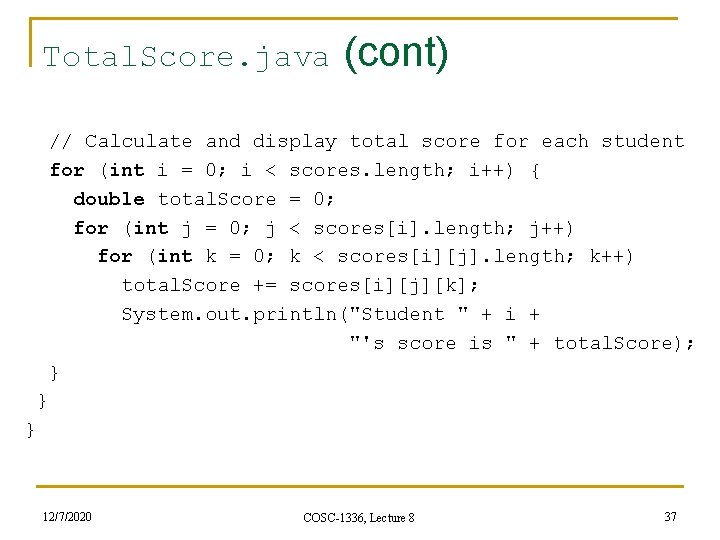
Total. Score. java (cont) // Calculate and display total score for each student for (int i = 0; i < scores. length; i++) { double total. Score = 0; for (int j = 0; j < scores[i]. length; j++) for (int k = 0; k < scores[i][j]. length; k++) total. Score += scores[i][j][k]; System. out. println("Student " + i + "'s score is " + total. Score); } } } 12/7/2020 COSC-1336, Lecture 8 37
Running Total. Score. java 12/7/2020 COSC-1336, Lecture 8 38
Summary n n To give examples of representing data using twodimensional arrays (§ 7. 1). To declare variables for two-dimensional arrays, create arrays, and access array elements in a twodimensional array using row and column indexes (§ 7. 2). To program common operations for two-dimensional arrays (displaying arrays, summing all elements, finding min and max elements, and random shuffling) (§ 7. 3). To pass two-dimensional arrays to methods (§ 7. 4). 12/7/2020 COSC-1336, Lecture 8 39
Summary (cont. ) n n To write a program for grading multiple-choice questions using two-dimensional arrays (§ 7. 5). To solve the closest-pair problem using twodimensional arrays (§ 7. 6). To check a Sudoku solution using two-dimensional arrays (§ 7. 7). To use multidimensional arrays (§ 7. 8). 12/7/2020 COSC-1336, Lecture 8 40
Reading suggestions n From [Liang: Introduction to Java programming: Eight Edition, 2011 Pearson Education, 0132130807] q Chapter 7 (Multidimensional Arrays) 12/7/2020 COSC-1336, Lecture 8 41
Coming up next n From [Liang: Introduction to Java programming: Eight Edition, 2011 Pearson Education, 0132130807] q 12/7/2020 Chapter 8 (Objects and Classes) COSC-1336, Lecture 8 42
Thank you for your attention! Questions? 12/7/2020 COSC-1336, Lecture 8 43