
Programming and Problem Solving With Java Chapter 6
Programming and Problem Solving With Java Chapter 6 Using Classes: Dates and I/O Streams Date, Date. Format, Gregorian. Calendar Classes Reading from Keyboard with Input Stream Using Streams to Read and Write Text Files Database Management Systems Programming and Problem Solving With Java Copyright 1999, James M. Slack
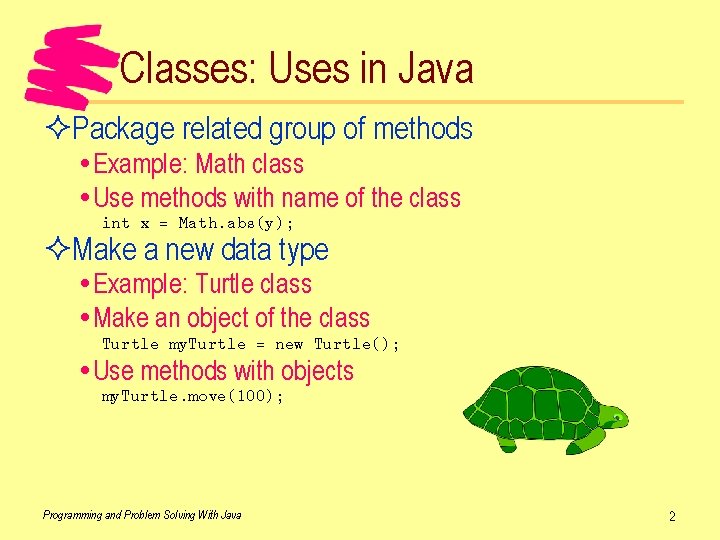
Classes: Uses in Java ²Package related group of methods Example: Math class Use methods with name of the class int x = Math. abs(y); ²Make a new data type Example: Turtle class Make an object of the class Turtle my. Turtle = new Turtle(); Use methods with objects my. Turtle. move(100); Programming and Problem Solving With Java 2
Classes: Why Use? ²Make Java extensible Can add new features to the language Can build on existing features, or start from scratch ²Example: String class String not primitive in Java Works almost like a primitive type ²Many standard classes Dates Files Applets Threads Programming and Problem Solving With Java User Interface Exceptions Networking Databases Data storage Electronic Random numbers commerce 3
Classes: Why Use? ²Classes form basis of program development ²Given problem, Java programmer should Look for classes appropriate to the problem domain If there are no existing classes • Extend existing classes, or • Write new classes from scratch ²Classes are essence of object-oriented programming Programming and Problem Solving With Java 4
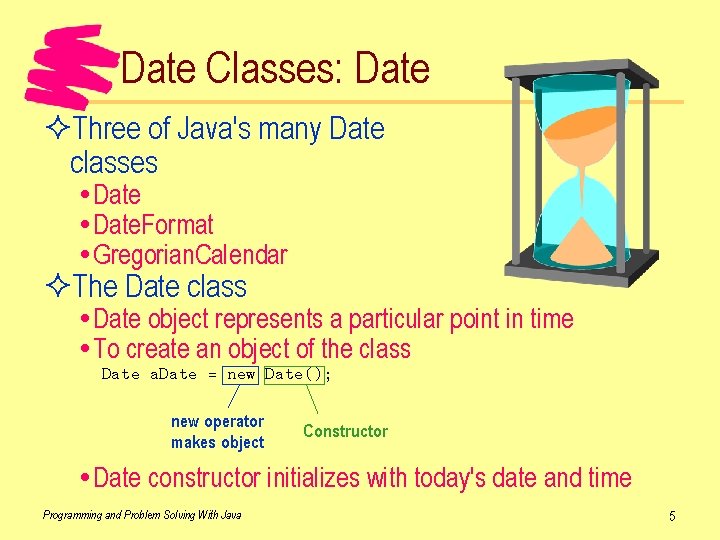
Date Classes: Date ²Three of Java's many Date classes Date. Format Gregorian. Calendar ²The Date class Date object represents a particular point in time To create an object of the class Date a. Date = new Date(); new operator makes object Constructor Date constructor initializes with today's date and time Programming and Problem Solving With Java 5
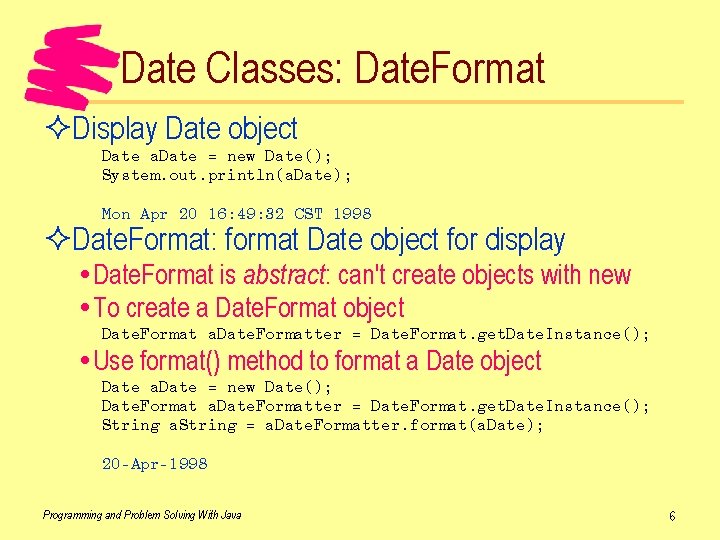
Date Classes: Date. Format ²Display Date object Date a. Date = new Date(); System. out. println(a. Date); Mon Apr 20 16: 49: 32 CST 1998 ²Date. Format: format Date object for display Date. Format is abstract: can't create objects with new To create a Date. Format object Date. Format a. Date. Formatter = Date. Format. get. Date. Instance(); Use format() method to format a Date object Date a. Date = new Date(); Date. Format a. Date. Formatter = Date. Format. get. Date. Instance(); String a. String = a. Date. Formatter. format(a. Date); 20 -Apr-1998 Programming and Problem Solving With Java 6

Date Classes: Date. Format ²Four date formats Specify format in Date. Format. get. Date. Instance() Date a. Date = new Date(); Date. Format a. Date. Formatter = Date. Format. get. Date. Instance(Date. Format. FULL); String a. String = a. Date. Formatter. format(a. Date); Monday, April 20, 1998 ²Can specify locale in Date. Format. get. Date. Instance() Date. Format a. Date. Formatter = Date. Format. get. Date. Instance(Locale. FRANCE); Programming and Problem Solving With Java 7
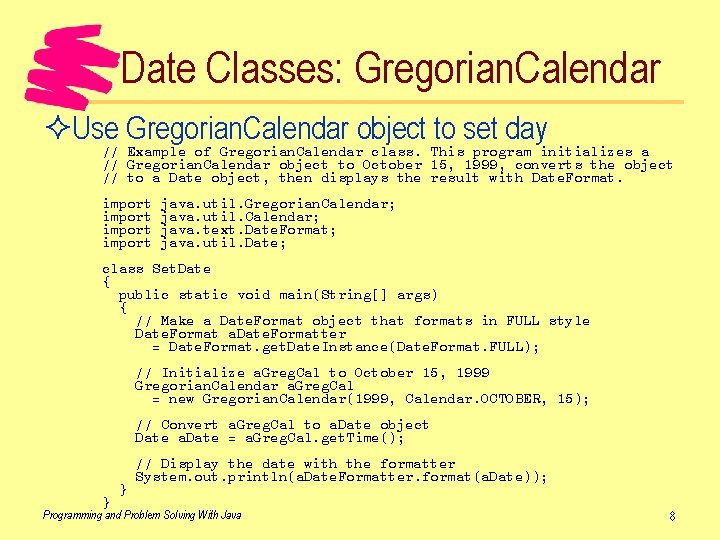
Date Classes: Gregorian. Calendar ²Use Gregorian. Calendar object to set day // Example of Gregorian. Calendar class. This program initializes a // Gregorian. Calendar object to October 15, 1999, converts the object // to a Date object, then displays the result with Date. Format. import java. util. Gregorian. Calendar; java. util. Calendar; java. text. Date. Format; java. util. Date; class Set. Date { public static void main(String[] args) { // Make a Date. Format object that formats in FULL style Date. Format a. Date. Formatter = Date. Format. get. Date. Instance(Date. Format. FULL); // Initialize a. Greg. Cal to October 15, 1999 Gregorian. Calendar a. Greg. Cal = new Gregorian. Calendar(1999, Calendar. OCTOBER, 15); // Convert a. Greg. Cal to a. Date object Date a. Date = a. Greg. Cal. get. Time(); } } // Display the date with the formatter System. out. println(a. Date. Formatter. format(a. Date)); Programming and Problem Solving With Java 8
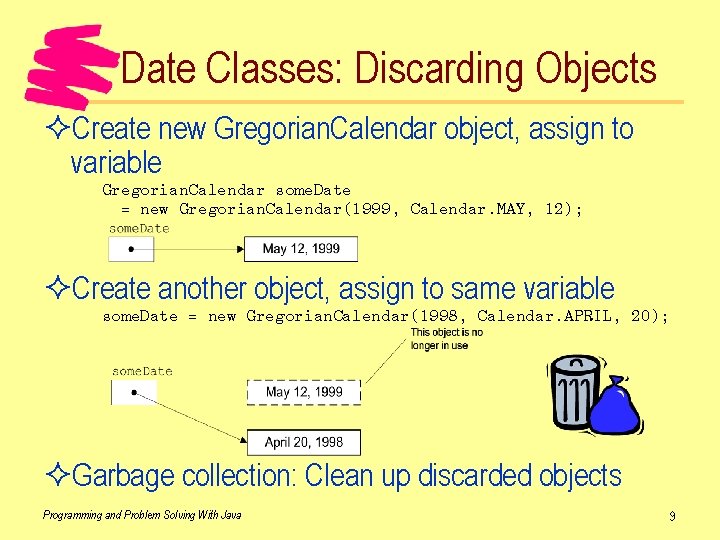
Date Classes: Discarding Objects ²Create new Gregorian. Calendar object, assign to variable Gregorian. Calendar some. Date = new Gregorian. Calendar(1999, Calendar. MAY, 12); ²Create another object, assign to same variable some. Date = new Gregorian. Calendar(1998, Calendar. APRIL, 20); ²Garbage collection: Clean up discarded objects Programming and Problem Solving With Java 9
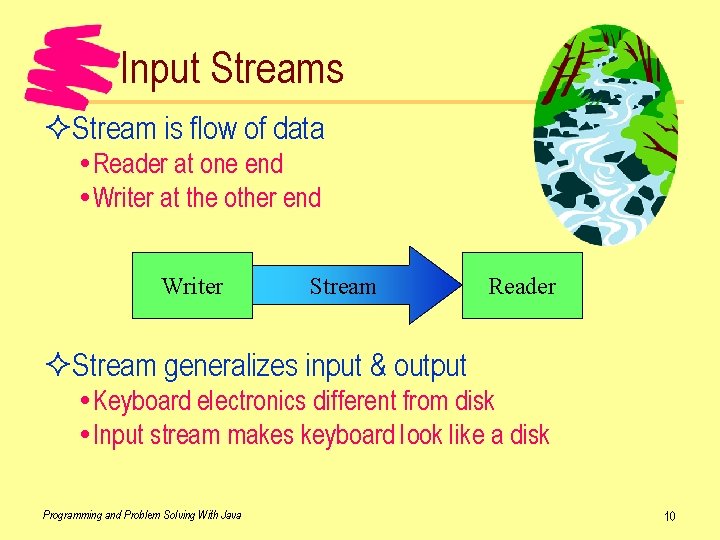
Input Streams ²Stream is flow of data Reader at one end Writer at the other end Writer Stream Reader ²Stream generalizes input & output Keyboard electronics different from disk Input stream makes keyboard look like a disk Programming and Problem Solving With Java 10
Input Streams: Keyboard Class ²Have been using Keyboard class for reading int num = Keyboard. read. Int("Enter number: "); What's The System. . in the Keyboard class stream! hiding? Programming and Problem Solving With Java 11
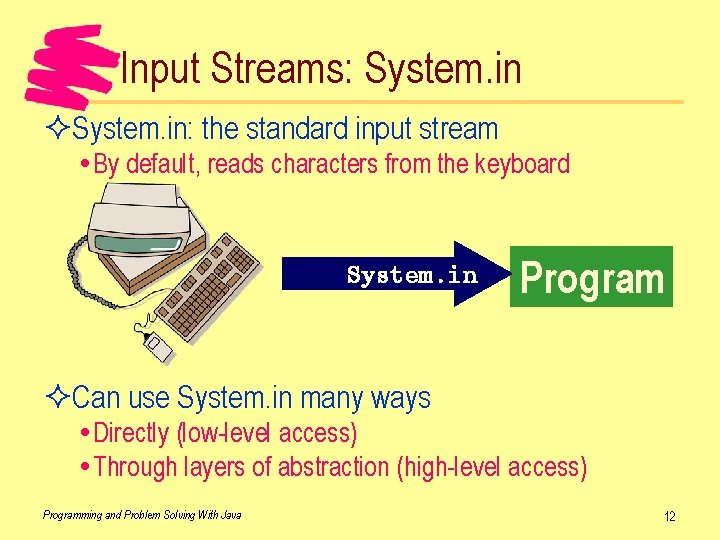
Input Streams: System. in ²System. in: the standard input stream By default, reads characters from the keyboard System. in Program ²Can use System. in many ways Directly (low-level access) Through layers of abstraction (high-level access) Programming and Problem Solving With Java 12
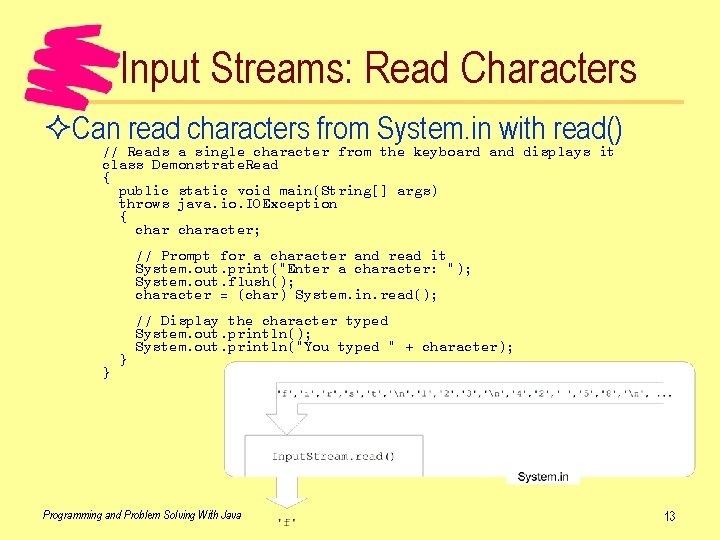
Input Streams: Read Characters ²Can read characters from System. in with read() // Reads a single character from the keyboard and displays it class Demonstrate. Read { public static void main(String[] args) throws java. io. IOException { character; // Prompt for a character and read it System. out. print("Enter a character: "); System. out. flush(); character = (char) System. in. read(); } } // Display the character typed System. out. println(); System. out. println("You typed " + character); Programming and Problem Solving With Java 13
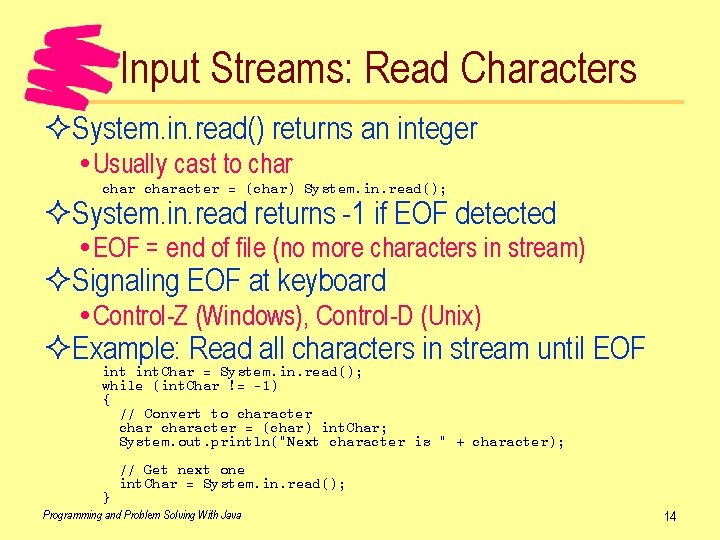
Input Streams: Read Characters ²System. in. read() returns an integer Usually cast to character = (char) System. in. read(); ²System. in. read returns -1 if EOF detected EOF = end of file (no more characters in stream) ²Signaling EOF at keyboard Control-Z (Windows), Control-D (Unix) ²Example: Read all characters in stream until EOF int. Char = System. in. read(); while (int. Char != -1) { // Convert to character = (char) int. Char; System. out. println("Next character is " + character); } // Get next one int. Char = System. in. read(); Programming and Problem Solving With Java 14
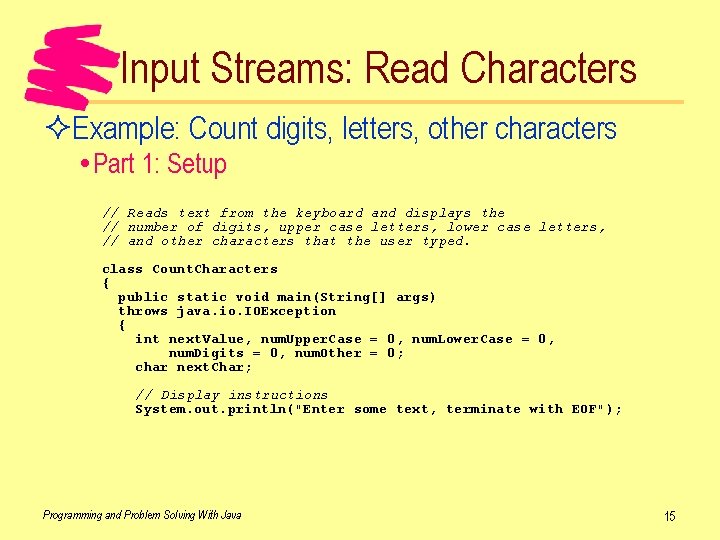
Input Streams: Read Characters ²Example: Count digits, letters, other characters Part 1: Setup // Reads text from the keyboard and displays the // number of digits, upper case letters, lower case letters, // and other characters that the user typed. class Count. Characters { public static void main(String[] args) throws java. io. IOException { int next. Value, num. Upper. Case = 0, num. Lower. Case = 0, num. Digits = 0, num. Other = 0; char next. Char; // Display instructions System. out. println("Enter some text, terminate with EOF"); Programming and Problem Solving With Java 15
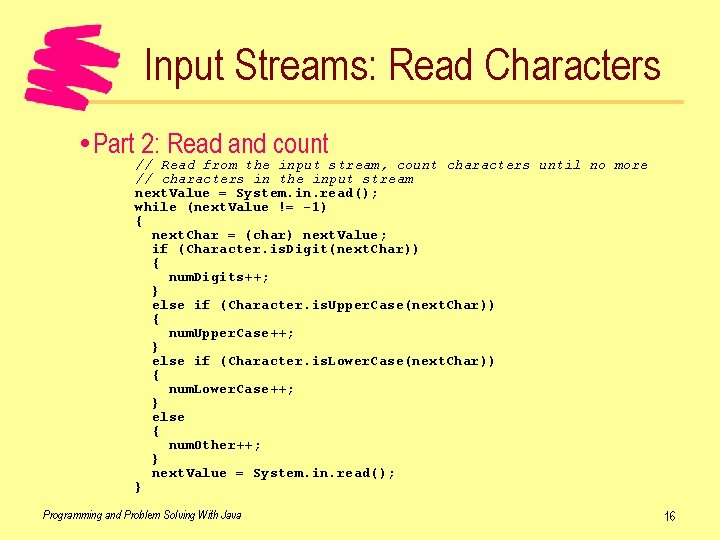
Input Streams: Read Characters Part 2: Read and count // Read from the input stream, count characters until no more // characters in the input stream next. Value = System. in. read(); while (next. Value != -1) { next. Char = (char) next. Value; if (Character. is. Digit(next. Char)) { num. Digits++; } else if (Character. is. Upper. Case(next. Char)) { num. Upper. Case++; } else if (Character. is. Lower. Case(next. Char)) { num. Lower. Case++; } else { num. Other++; } next. Value = System. in. read(); } Programming and Problem Solving With Java 16
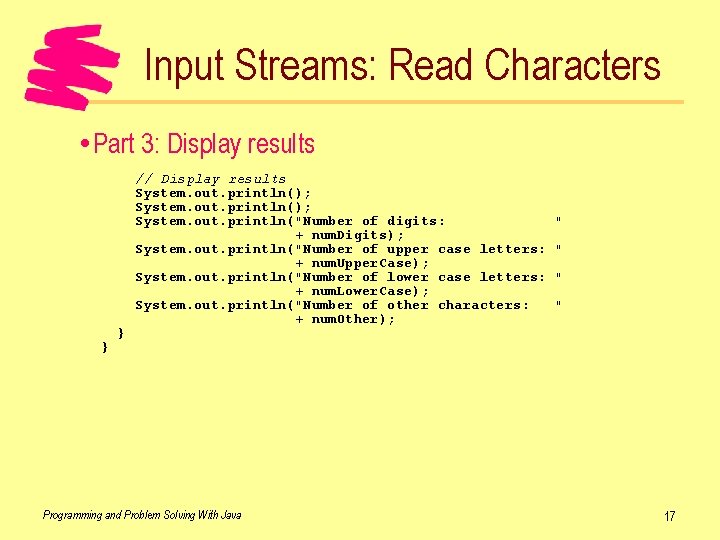
Input Streams: Read Characters Part 3: Display results } } // Display results System. out. println(); System. out. println("Number of digits: + num. Digits); System. out. println("Number of upper case letters: + num. Upper. Case); System. out. println("Number of lower case letters: + num. Lower. Case); System. out. println("Number of other characters: + num. Other); Programming and Problem Solving With Java " " 17
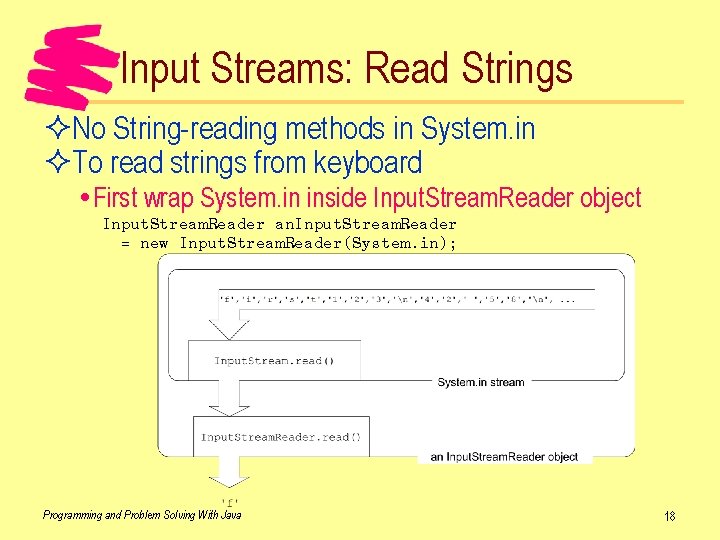
Input Streams: Read Strings ²No String-reading methods in System. in ²To read strings from keyboard First wrap System. in inside Input. Stream. Reader object Input. Stream. Reader an. Input. Stream. Reader = new Input. Stream. Reader(System. in); Programming and Problem Solving With Java 18
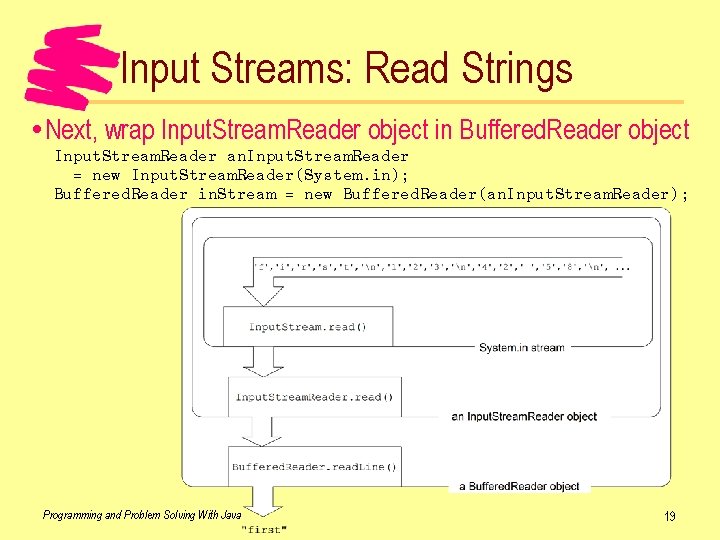
Input Streams: Read Strings Next, wrap Input. Stream. Reader object in Buffered. Reader object Input. Stream. Reader an. Input. Stream. Reader = new Input. Stream. Reader(System. in); Buffered. Reader in. Stream = new Buffered. Reader(an. Input. Stream. Reader); Programming and Problem Solving With Java 19
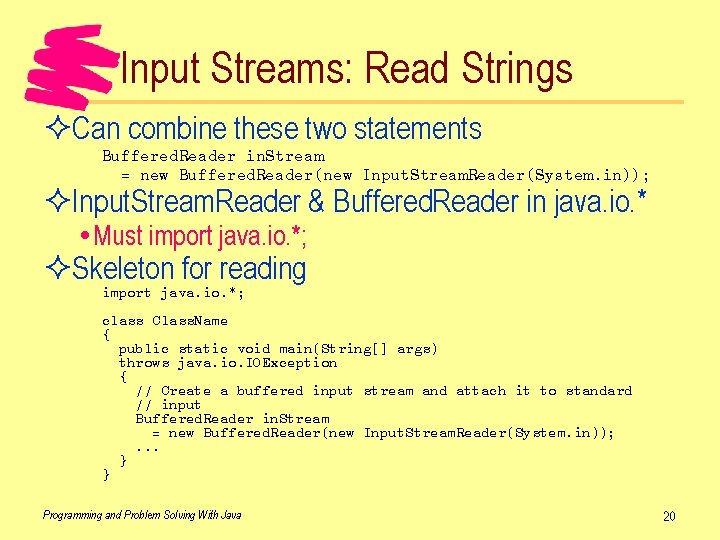
Input Streams: Read Strings ²Can combine these two statements Buffered. Reader in. Stream = new Buffered. Reader(new Input. Stream. Reader(System. in)); ²Input. Stream. Reader & Buffered. Reader in java. io. * Must import java. io. *; ²Skeleton for reading import java. io. *; class Class. Name { public static void main(String[] args) throws java. io. IOException { // Create a buffered input stream and attach it to standard // input Buffered. Reader in. Stream = new Buffered. Reader(new Input. Stream. Reader(System. in)); . . . } } Programming and Problem Solving With Java 20
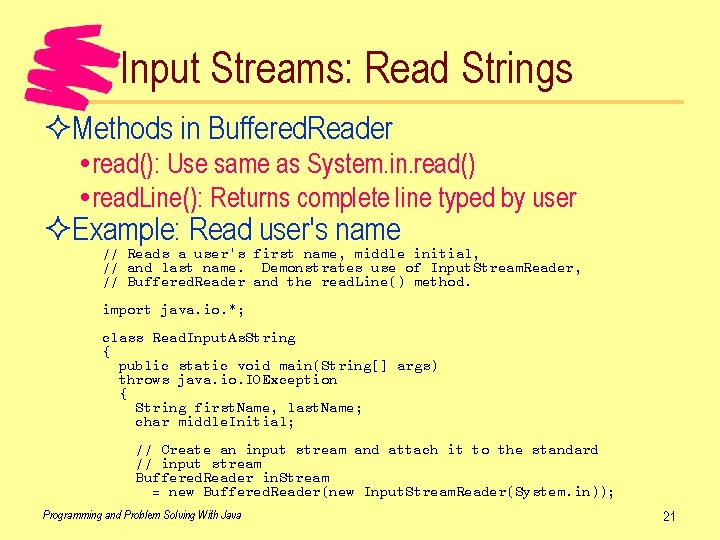
Input Streams: Read Strings ²Methods in Buffered. Reader read(): Use same as System. in. read() read. Line(): Returns complete line typed by user ²Example: Read user's name // Reads a user's first name, middle initial, // and last name. Demonstrates use of Input. Stream. Reader, // Buffered. Reader and the read. Line() method. import java. io. *; class Read. Input. As. String { public static void main(String[] args) throws java. io. IOException { String first. Name, last. Name; char middle. Initial; // Create an input stream and attach it to the standard // input stream Buffered. Reader in. Stream = new Buffered. Reader(new Input. Stream. Reader(System. in)); Programming and Problem Solving With Java 21
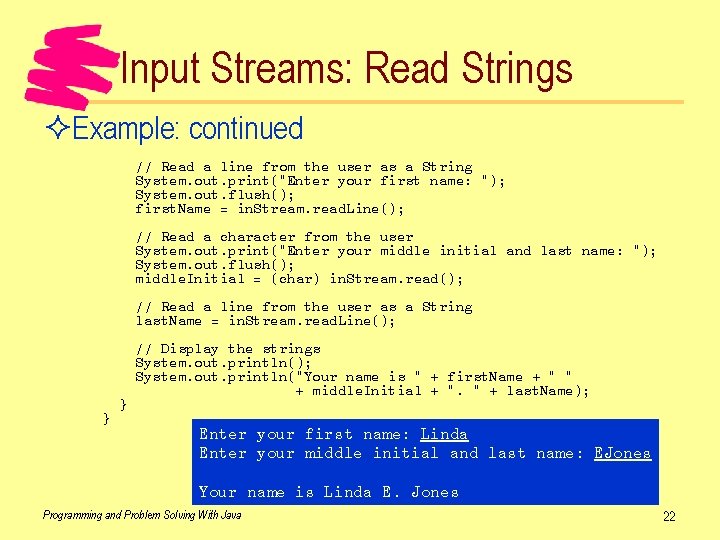
Input Streams: Read Strings ²Example: continued // Read a line from the user as a String System. out. print("Enter your first name: "); System. out. flush(); first. Name = in. Stream. read. Line(); // Read a character from the user System. out. print("Enter your middle initial and last name: "); System. out. flush(); middle. Initial = (char) in. Stream. read(); // Read a line from the user as a String last. Name = in. Stream. read. Line(); } } // Display the strings System. out. println(); System. out. println("Your name is " + first. Name + " " + middle. Initial + ". " + last. Name); Enter your first name: Linda Enter your middle initial and last name: EJones Your name is Linda E. Jones Programming and Problem Solving With Java 22
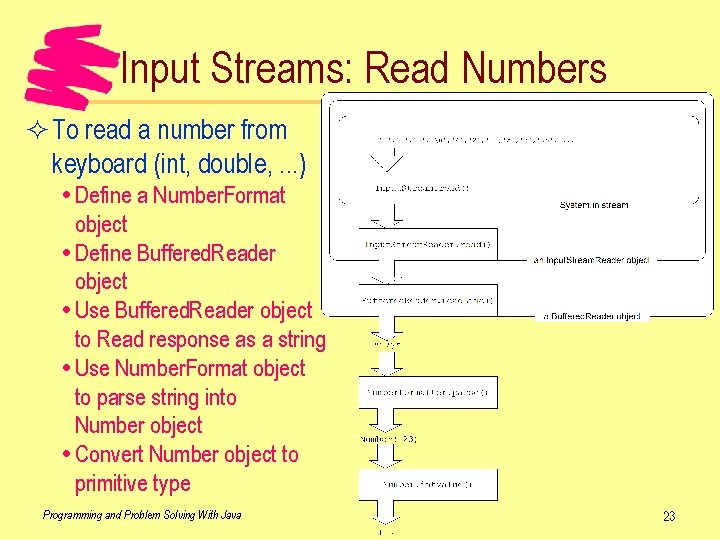
Input Streams: Read Numbers ² To read a number from keyboard (int, double, . . . ) Define a Number. Format object Define Buffered. Reader object Use Buffered. Reader object to Read response as a string Use Number. Format object to parse string into Number object Convert Number object to primitive type Programming and Problem Solving With Java 23
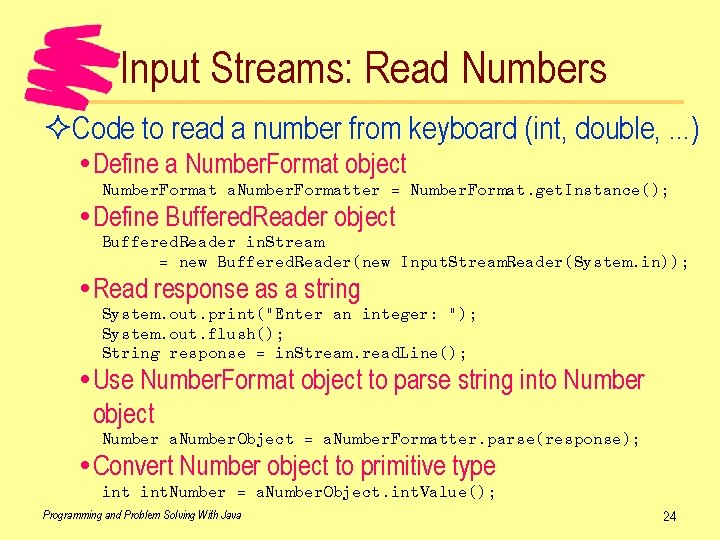
Input Streams: Read Numbers ²Code to read a number from keyboard (int, double, . . . ) Define a Number. Format object Number. Format a. Number. Formatter = Number. Format. get. Instance(); Define Buffered. Reader object Buffered. Reader in. Stream = new Buffered. Reader(new Input. Stream. Reader(System. in)); Read response as a string System. out. print("Enter an integer: "); System. out. flush(); String response = in. Stream. read. Line(); Use Number. Format object to parse string into Number object Number a. Number. Object = a. Number. Formatter. parse(response); Convert Number object to primitive type int. Number = a. Number. Object. int. Value(); Programming and Problem Solving With Java 24
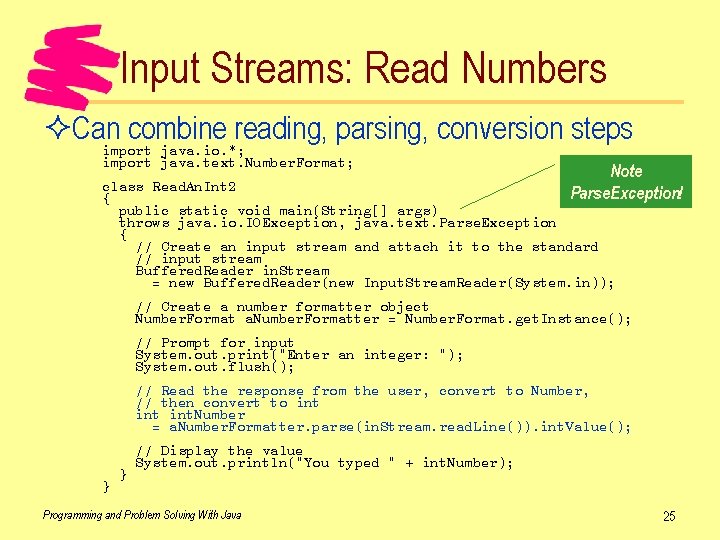
Input Streams: Read Numbers ²Can combine reading, parsing, conversion steps import java. io. *; import java. text. Number. Format; Note class Read. An. Int 2 Parse. Exception! { public static void main(String[] args) throws java. io. IOException, java. text. Parse. Exception { // Create an input stream and attach it to the standard // input stream Buffered. Reader in. Stream = new Buffered. Reader(new Input. Stream. Reader(System. in)); // Create a number formatter object Number. Format a. Number. Formatter = Number. Format. get. Instance(); // Prompt for input System. out. print("Enter an integer: "); System. out. flush(); // Read the response from the user, convert to Number, // then convert to int int. Number = a. Number. Formatter. parse(in. Stream. read. Line()). int. Value(); } } // Display the value System. out. println("You typed " + int. Number); Programming and Problem Solving With Java 25
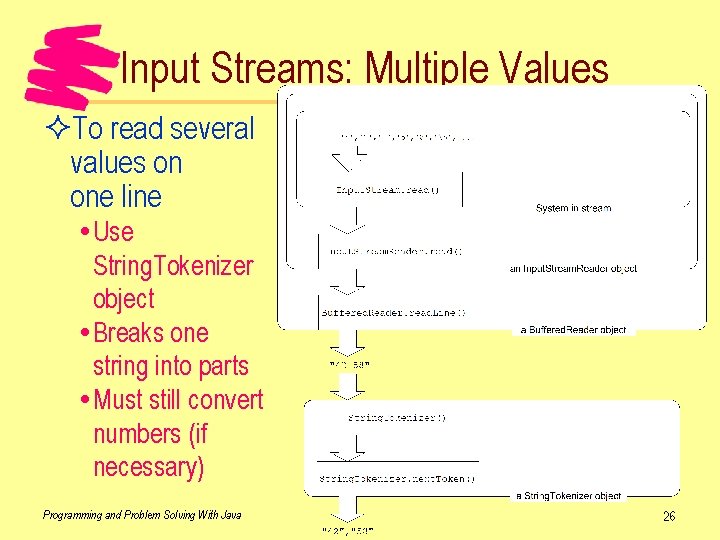
Input Streams: Multiple Values ²To read several values on one line Use String. Tokenizer object Breaks one string into parts Must still convert numbers (if necessary) Programming and Problem Solving With Java 26
Input Streams: Multiple Values ²How to use String. Tokenizer Get string to break apart somehow Initialize object with string to break apart String. Tokenizer tokenizer = new String. Tokenizer("42 58"); Use next. Token() method to get parts String token; token = tokenizer. next. Token(); System. out. println(token); // Displays 42 token = tokenizer. next. Token(); System. out. println(token); // Displays 58 ²Can use has. More. Tokens() method to find last one String. Tokenizer tokenizer = new String. Tokenizer("42 58"); while (tokenizer. has. More. Tokens()) { System. out. println(tokenizer. next. Token()); } Programming and Problem Solving With Java 27
Text Files ²Text file File that is human-readable with simple tools (type, more, edit, . . . ) Variable-length lines Each line terminated by end-of-line marker Example: Java source file ²Easy to read and write text files Use same classes and methods as System. in and System. in Advantage of "streams" approach to I/O Programming and Problem Solving With Java 28
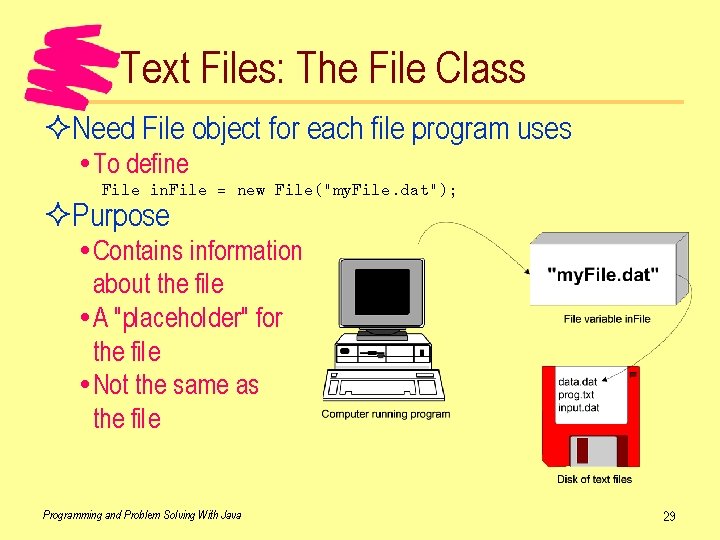
Text Files: The File Class ²Need File object for each file program uses To define File in. File = new File("my. File. dat"); ²Purpose Contains information about the file A "placeholder" for the file Not the same as the file Programming and Problem Solving With Java 29
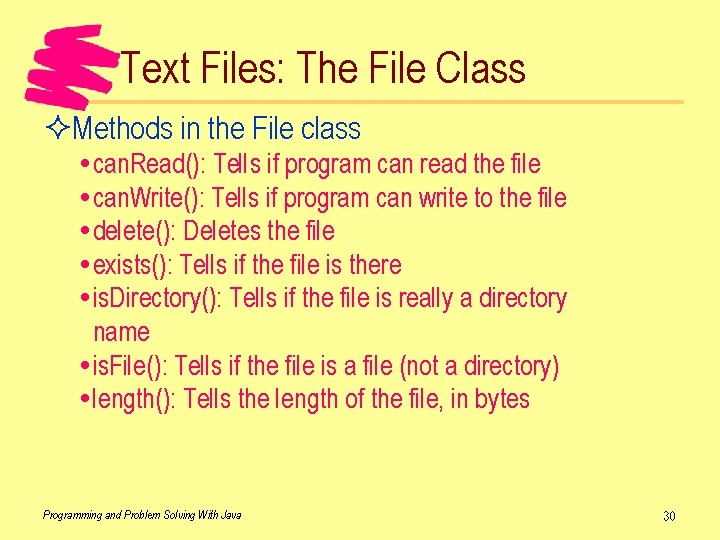
Text Files: The File Class ²Methods in the File class can. Read(): Tells if program can read the file can. Write(): Tells if program can write to the file delete(): Deletes the file exists(): Tells if the file is there is. Directory(): Tells if the file is really a directory name is. File(): Tells if the file is a file (not a directory) length(): Tells the length of the file, in bytes Programming and Problem Solving With Java 30
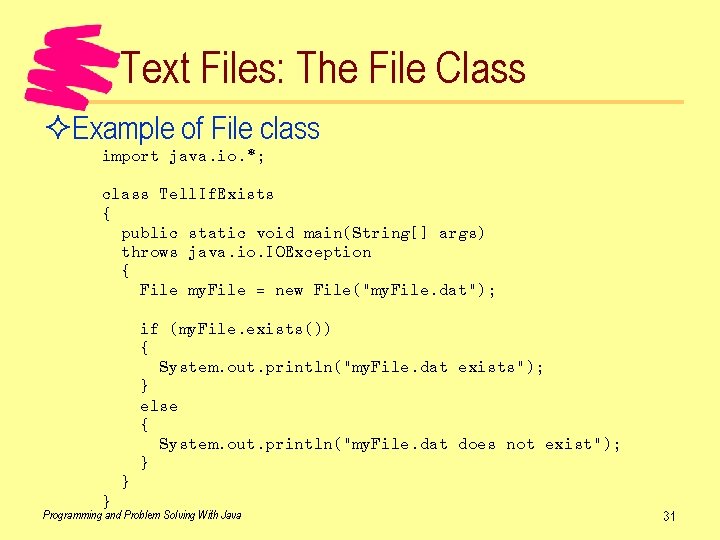
Text Files: The File Class ²Example of File class import java. io. *; class Tell. If. Exists { public static void main(String[] args) throws java. io. IOException { File my. File = new File("my. File. dat"); if (my. File. exists()) { System. out. println("my. File. dat exists"); } else { System. out. println("my. File. dat does not exist"); } } } Programming and Problem Solving With Java 31
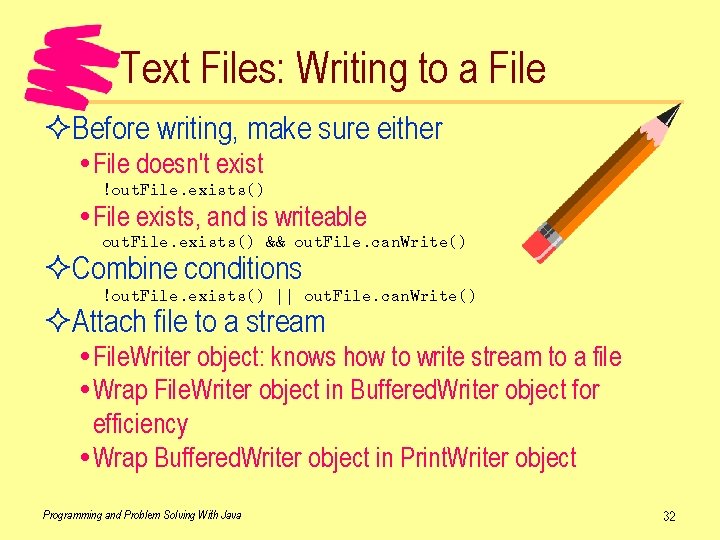
Text Files: Writing to a File ²Before writing, make sure either File doesn't exist !out. File. exists() File exists, and is writeable out. File. exists() && out. File. can. Write() ²Combine conditions !out. File. exists() || out. File. can. Write() ²Attach file to a stream File. Writer object: knows how to write stream to a file Wrap File. Writer object in Buffered. Writer object for efficiency Wrap Buffered. Writer object in Print. Writer object Programming and Problem Solving With Java 32
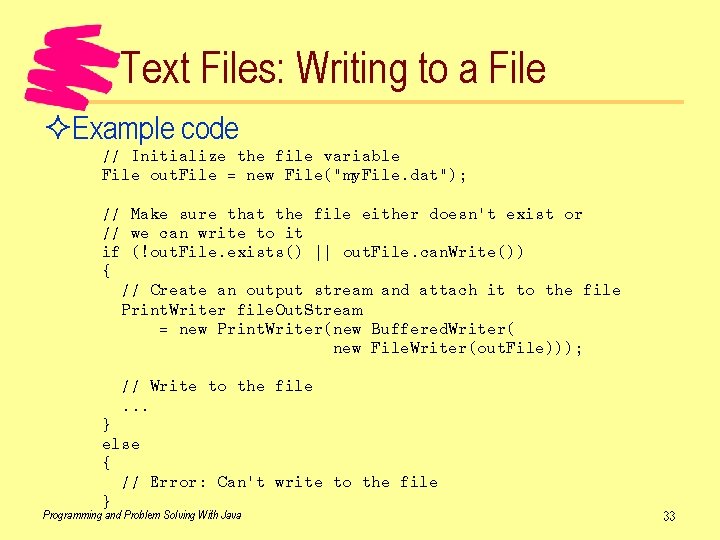
Text Files: Writing to a File ²Example code // Initialize the file variable File out. File = new File("my. File. dat"); // Make sure that the file either doesn't exist or // we can write to it if (!out. File. exists() || out. File. can. Write()) { // Create an output stream and attach it to the file Print. Writer file. Out. Stream = new Print. Writer(new Buffered. Writer( new File. Writer(out. File))); // Write to the file. . . } else { // Error: Can't write to the file } Programming and Problem Solving With Java 33
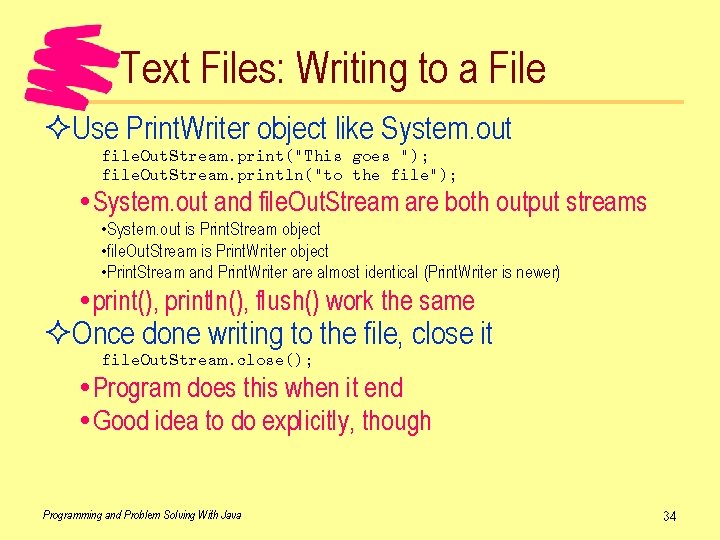
Text Files: Writing to a File ²Use Print. Writer object like System. out file. Out. Stream. print("This goes "); file. Out. Stream. println("to the file"); System. out and file. Out. Stream are both output streams • System. out is Print. Stream object • file. Out. Stream is Print. Writer object • Print. Stream and Print. Writer are almost identical (Print. Writer is newer) print(), println(), flush() work the same ²Once done writing to the file, close it file. Out. Stream. close(); Program does this when it end Good idea to do explicitly, though Programming and Problem Solving With Java 34
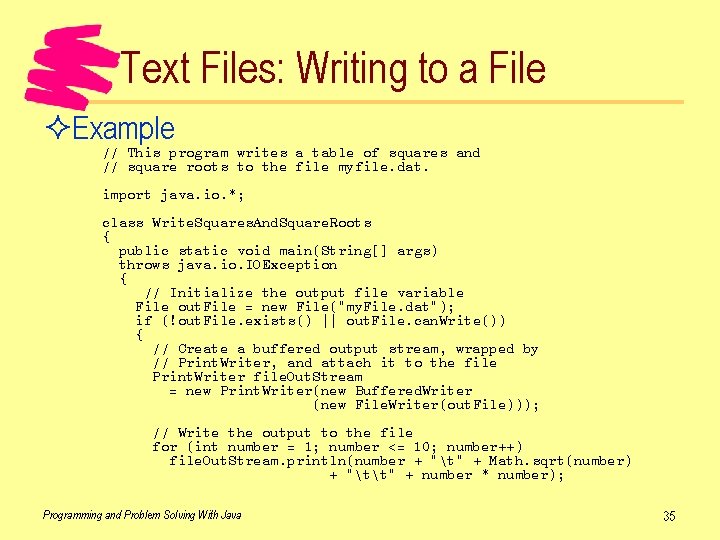
Text Files: Writing to a File ²Example // This program writes a table of squares and // square roots to the file myfile. dat. import java. io. *; class Write. Squares. And. Square. Roots { public static void main(String[] args) throws java. io. IOException { // Initialize the output file variable File out. File = new File("my. File. dat"); if (!out. File. exists() || out. File. can. Write()) { // Create a buffered output stream, wrapped by // Print. Writer, and attach it to the file Print. Writer file. Out. Stream = new Print. Writer(new Buffered. Writer (new File. Writer(out. File))); // Write the output to the file for (int number = 1; number <= 10; number++) file. Out. Stream. println(number + "t" + Math. sqrt(number) + "tt" + number * number); Programming and Problem Solving With Java 35
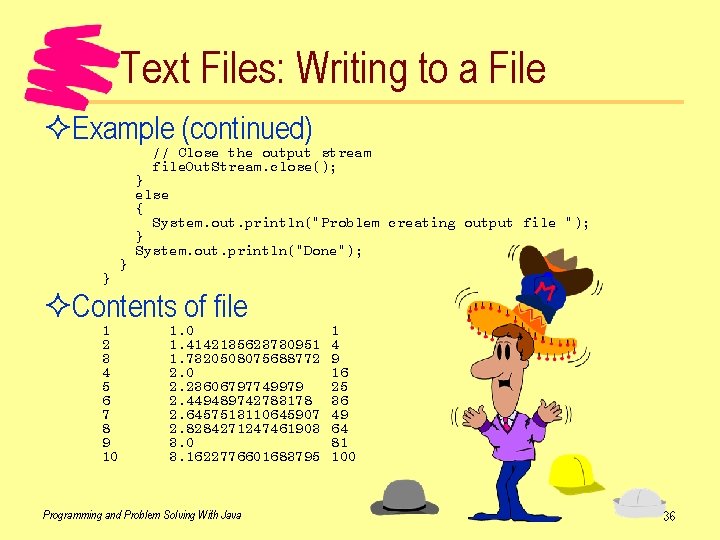
Text Files: Writing to a File ²Example (continued) // Close the output stream file. Out. Stream. close(); } } } else { System. out. println("Problem creating output file "); } System. out. println("Done"); ²Contents of file 1 2 3 4 5 6 7 8 9 10 1. 4142135623730951 1. 7320508075688772 2. 0 2. 23606797749979 2. 449489742783178 2. 6457513110645907 2. 8284271247461903 3. 0 3. 1622776601683795 Programming and Problem Solving With Java 1 4 9 16 25 36 49 64 81 100 36
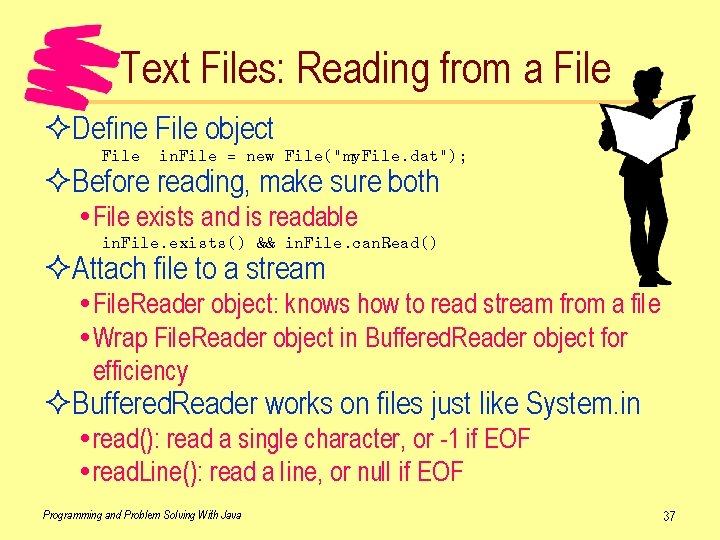
Text Files: Reading from a File ²Define File object File in. File = new File("my. File. dat"); ²Before reading, make sure both File exists and is readable in. File. exists() && in. File. can. Read() ²Attach file to a stream File. Reader object: knows how to read stream from a file Wrap File. Reader object in Buffered. Reader object for efficiency ²Buffered. Reader works on files just like System. in read(): read a single character, or -1 if EOF read. Line(): read a line, or null if EOF Programming and Problem Solving With Java 37
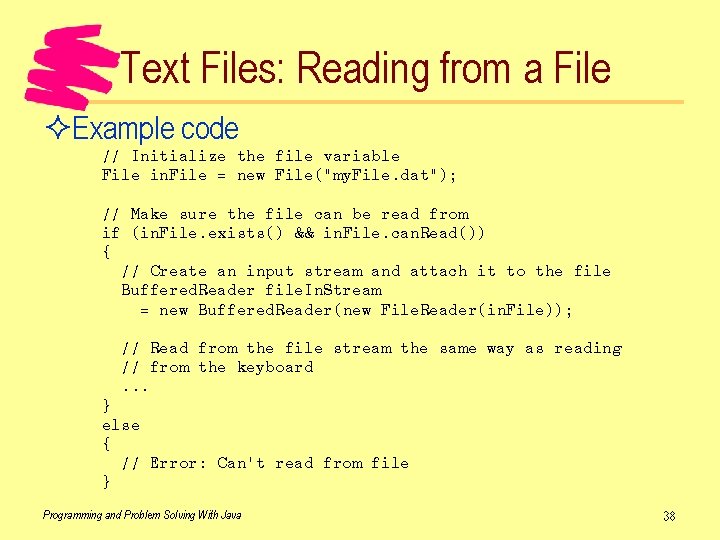
Text Files: Reading from a File ²Example code // Initialize the file variable File in. File = new File("my. File. dat"); // Make sure the file can be read from if (in. File. exists() && in. File. can. Read()) { // Create an input stream and attach it to the file Buffered. Reader file. In. Stream = new Buffered. Reader(new File. Reader(in. File)); // Read from the file stream the same way as reading // from the keyboard. . . } else { // Error: Can't read from file } Programming and Problem Solving With Java 38
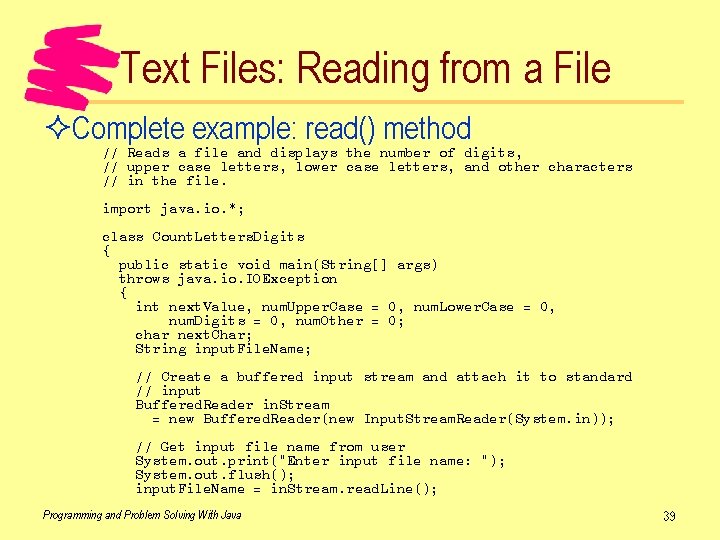
Text Files: Reading from a File ²Complete example: read() method // Reads a file and displays the number of digits, // upper case letters, lower case letters, and other characters // in the file. import java. io. *; class Count. Letters. Digits { public static void main(String[] args) throws java. io. IOException { int next. Value, num. Upper. Case = 0, num. Lower. Case = 0, num. Digits = 0, num. Other = 0; char next. Char; String input. File. Name; // Create a buffered input stream and attach it to standard // input Buffered. Reader in. Stream = new Buffered. Reader(new Input. Stream. Reader(System. in)); // Get input file name from user System. out. print("Enter input file name: "); System. out. flush(); input. File. Name = in. Stream. read. Line(); Programming and Problem Solving With Java 39
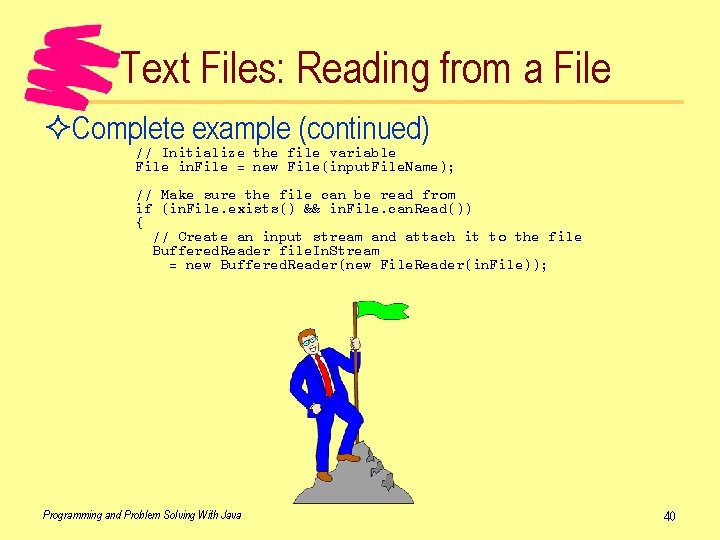
Text Files: Reading from a File ²Complete example (continued) // Initialize the file variable File in. File = new File(input. File. Name); // Make sure the file can be read from if (in. File. exists() && in. File. can. Read()) { // Create an input stream and attach it to the file Buffered. Reader file. In. Stream = new Buffered. Reader(new File. Reader(in. File)); Programming and Problem Solving With Java 40
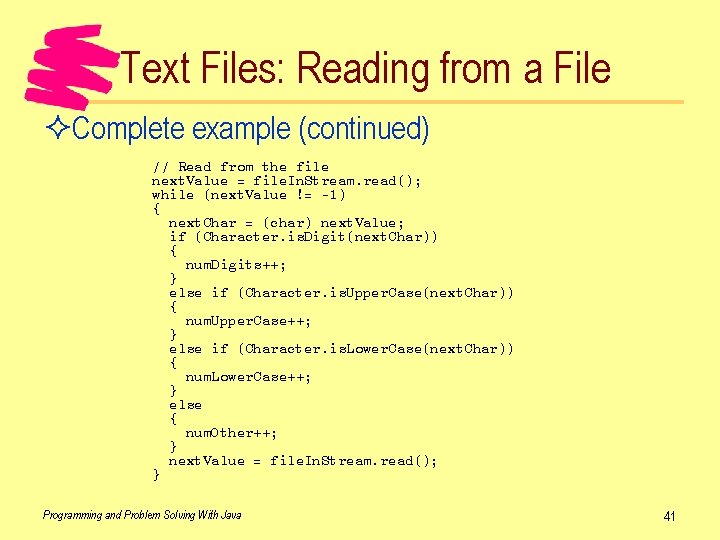
Text Files: Reading from a File ²Complete example (continued) // Read from the file next. Value = file. In. Stream. read(); while (next. Value != -1) { next. Char = (char) next. Value; if (Character. is. Digit(next. Char)) { num. Digits++; } else if (Character. is. Upper. Case(next. Char)) { num. Upper. Case++; } else if (Character. is. Lower. Case(next. Char)) { num. Lower. Case++; } else { num. Other++; } next. Value = file. In. Stream. read(); } Programming and Problem Solving With Java 41
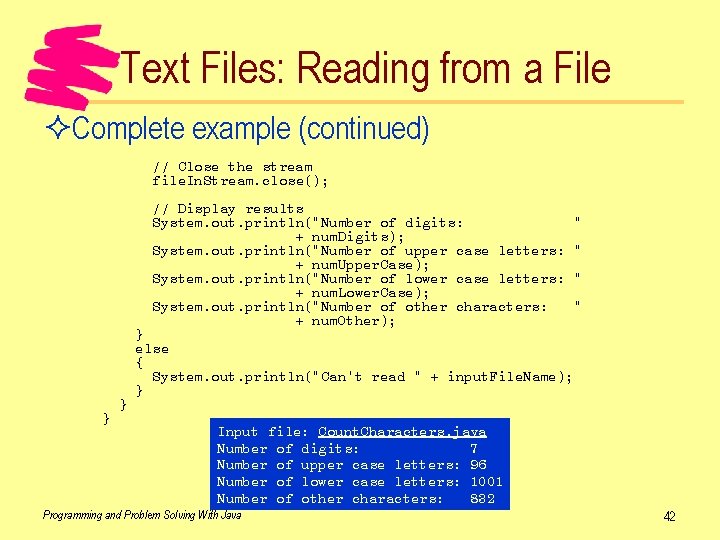
Text Files: Reading from a File ²Complete example (continued) // Close the stream file. In. Stream. close(); // Display results System. out. println("Number of digits: + num. Digits); System. out. println("Number of upper case letters: + num. Upper. Case); System. out. println("Number of lower case letters: + num. Lower. Case); System. out. println("Number of other characters: + num. Other); } } " " } else { System. out. println("Can't read " + input. File. Name); } Input file: Count. Characters. java Number of digits: 7 Number of upper case letters: 96 Number of lower case letters: 1001 Number of other characters: 832 Programming and Problem Solving With Java 42
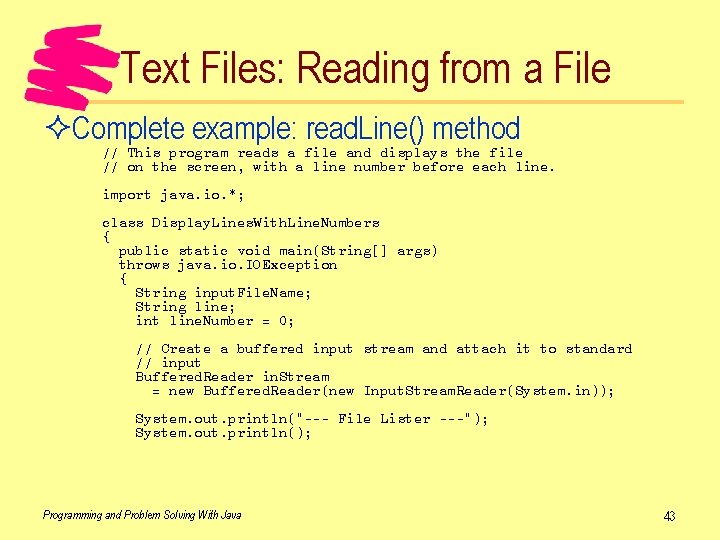
Text Files: Reading from a File ²Complete example: read. Line() method // This program reads a file and displays the file // on the screen, with a line number before each line. import java. io. *; class Display. Lines. With. Line. Numbers { public static void main(String[] args) throws java. io. IOException { String input. File. Name; String line; int line. Number = 0; // Create a buffered input stream and attach it to standard // input Buffered. Reader in. Stream = new Buffered. Reader(new Input. Stream. Reader(System. in)); System. out. println("--- File Lister ---"); System. out. println(); Programming and Problem Solving With Java 43
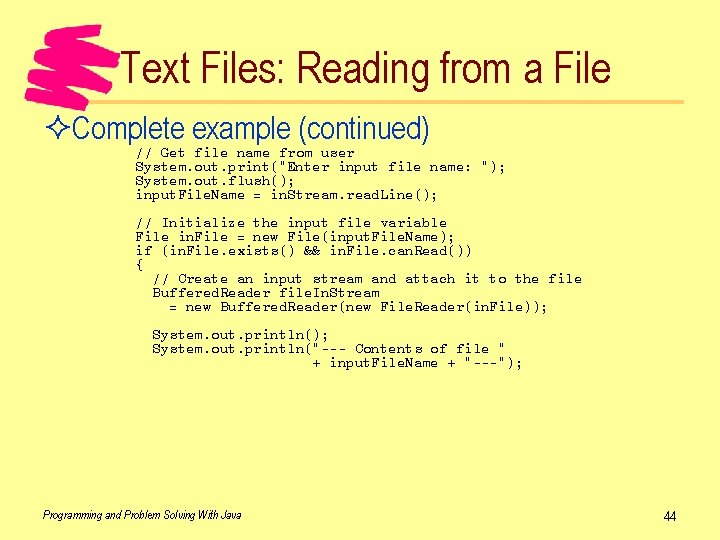
Text Files: Reading from a File ²Complete example (continued) // Get file name from user System. out. print("Enter input file name: "); System. out. flush(); input. File. Name = in. Stream. read. Line(); // Initialize the input file variable File in. File = new File(input. File. Name); if (in. File. exists() && in. File. can. Read()) { // Create an input stream and attach it to the file Buffered. Reader file. In. Stream = new Buffered. Reader(new File. Reader(in. File)); System. out. println("--- Contents of file " + input. File. Name + "---"); Programming and Problem Solving With Java 44
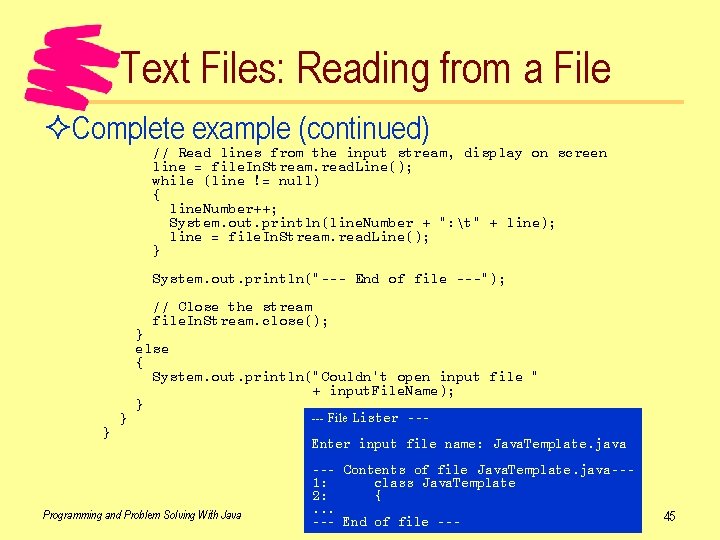
Text Files: Reading from a File ²Complete example (continued) // Read lines from the input stream, display on screen line = file. In. Stream. read. Line(); while (line != null) { line. Number++; System. out. println(line. Number + ": t" + line); line = file. In. Stream. read. Line(); } System. out. println("--- End of file ---"); // Close the stream file. In. Stream. close(); } } } else { System. out. println("Couldn't open input file " + input. File. Name); } Programming and Problem Solving With Java --- File Lister --- Enter input file name: Java. Template. java --- Contents of file Java. Template. java--1: class Java. Template 2: {. . . --- End of file --- 45
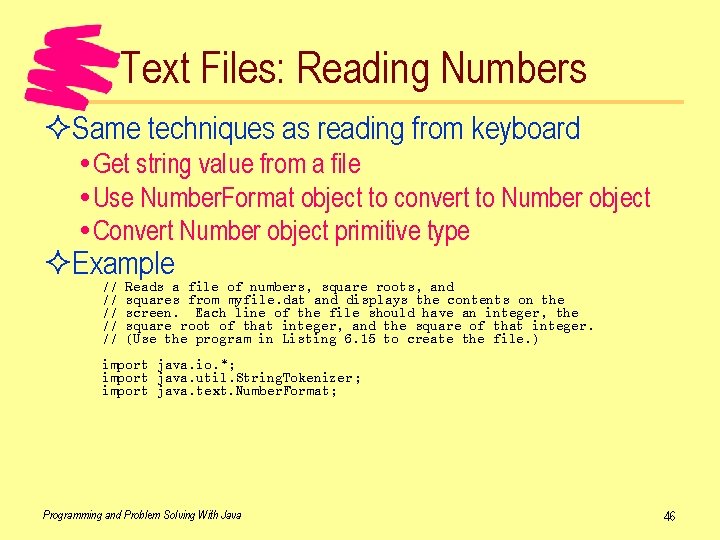
Text Files: Reading Numbers ²Same techniques as reading from keyboard Get string value from a file Use Number. Format object to convert to Number object Convert Number object primitive type ²Example // // // Reads a file of numbers, square roots, and squares from myfile. dat and displays the contents on the screen. Each line of the file should have an integer, the square root of that integer, and the square of that integer. (Use the program in Listing 6. 15 to create the file. ) import java. io. *; import java. util. String. Tokenizer; import java. text. Number. Format; Programming and Problem Solving With Java 46
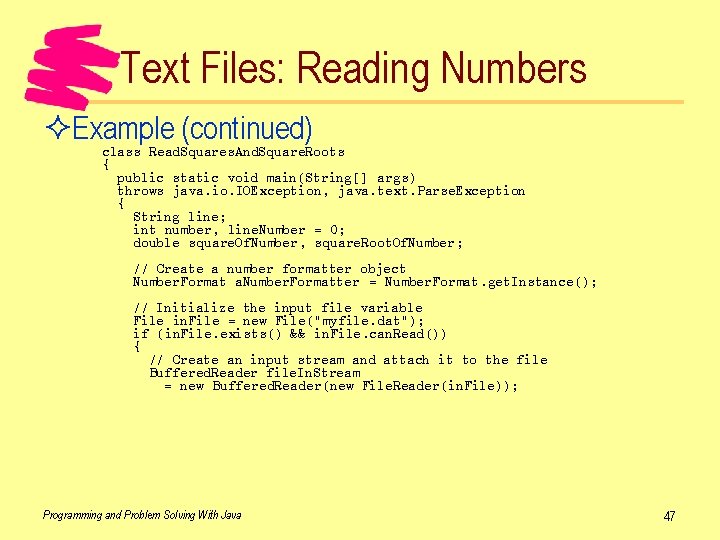
Text Files: Reading Numbers ²Example (continued) class Read. Squares. And. Square. Roots { public static void main(String[] args) throws java. io. IOException, java. text. Parse. Exception { String line; int number, line. Number = 0; double square. Of. Number, square. Root. Of. Number; // Create a number formatter object Number. Format a. Number. Formatter = Number. Format. get. Instance(); // Initialize the input file variable File in. File = new File("myfile. dat"); if (in. File. exists() && in. File. can. Read()) { // Create an input stream and attach it to the file Buffered. Reader file. In. Stream = new Buffered. Reader(new File. Reader(in. File)); Programming and Problem Solving With Java 47
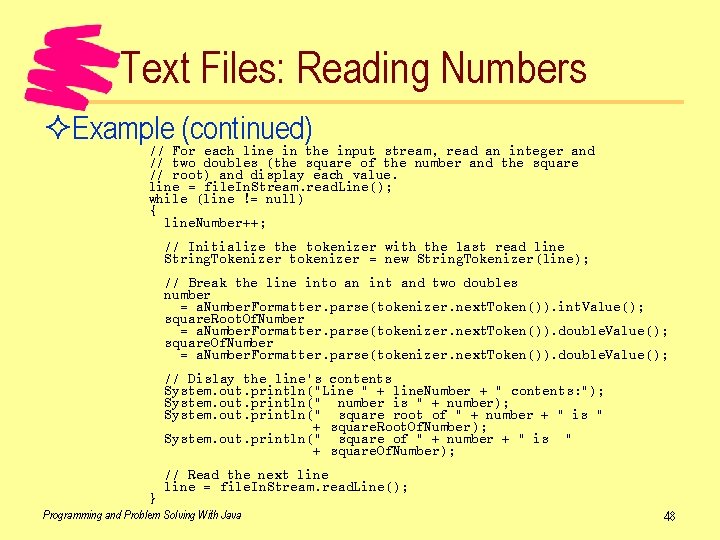
Text Files: Reading Numbers ²Example (continued) // For each line in the input stream, read an integer and // two doubles (the square of the number and the square // root) and display each value. line = file. In. Stream. read. Line(); while (line != null) { line. Number++; // Initialize the tokenizer with the last read line String. Tokenizer tokenizer = new String. Tokenizer(line); // Break the line into an int and two doubles number = a. Number. Formatter. parse(tokenizer. next. Token()). int. Value(); square. Root. Of. Number = a. Number. Formatter. parse(tokenizer. next. Token()). double. Value(); square. Of. Number = a. Number. Formatter. parse(tokenizer. next. Token()). double. Value(); // Dislay the line's contents System. out. println("Line " + line. Number + " contents: "); System. out. println(" number is " + number); System. out. println(" square root of " + number + " is " + square. Root. Of. Number); System. out. println(" square of " + number + " is " + square. Of. Number); } // Read the next line = file. In. Stream. read. Line(); Programming and Problem Solving With Java 48
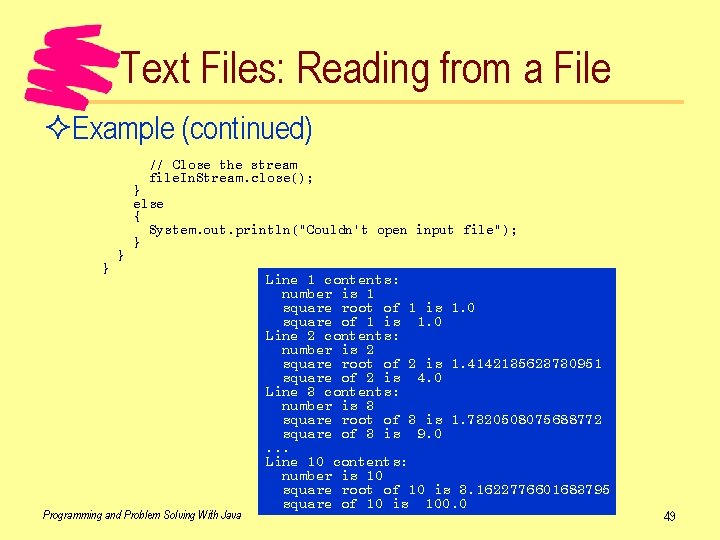
Text Files: Reading from a File ²Example (continued) // Close the stream file. In. Stream. close(); } } } else { System. out. println("Couldn't open input file"); } Programming and Problem Solving With Java Line 1 contents: number is 1 square root of 1 is 1. 0 square of 1 is 1. 0 Line 2 contents: number is 2 square root of 2 is 1. 4142135623730951 square of 2 is 4. 0 Line 3 contents: number is 3 square root of 3 is 1. 7320508075688772 square of 3 is 9. 0. . . Line 10 contents: number is 10 square root of 10 is 3. 1622776601683795 square of 10 is 100. 0 49
Text Files: Reading from a File ²Example: Count characters, lines, words To count characters: increment for each Buffered. Read. read() To count lines: increment for each 'n' Counting words is trickier ²Incremental design and development Get easy parts written and tested first Add other features one at a time to the working framework Advantage: bug is most likely in most recently added part of program Programming and Problem Solving With Java 50
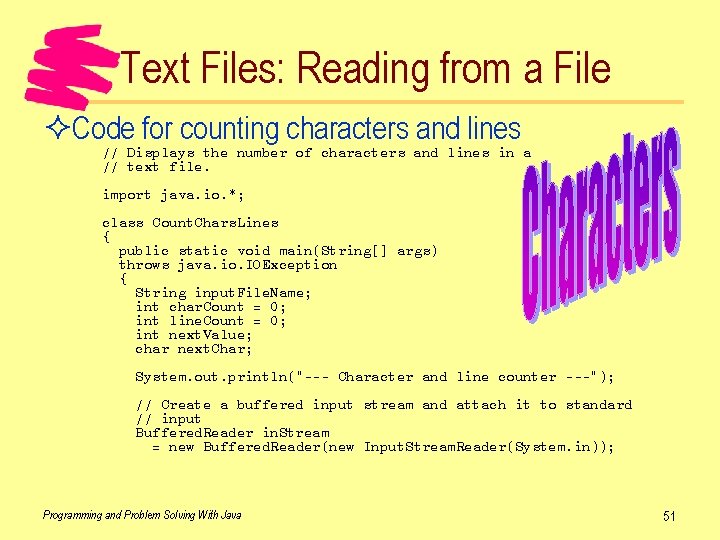
Text Files: Reading from a File ²Code for counting characters and lines // Displays the number of characters and lines in a // text file. import java. io. *; class Count. Chars. Lines { public static void main(String[] args) throws java. io. IOException { String input. File. Name; int char. Count = 0; int line. Count = 0; int next. Value; char next. Char; System. out. println("--- Character and line counter ---"); // Create a buffered input stream and attach it to standard // input Buffered. Reader in. Stream = new Buffered. Reader(new Input. Stream. Reader(System. in)); Programming and Problem Solving With Java 51
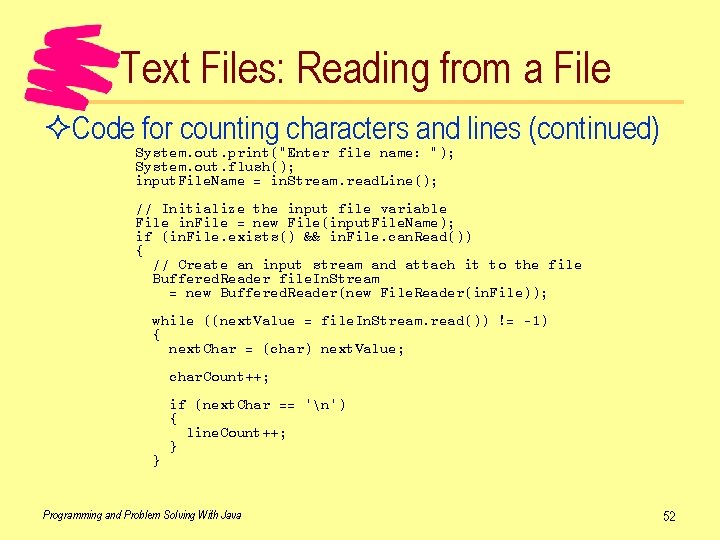
Text Files: Reading from a File ²Code for counting characters and lines (continued) System. out. print("Enter file name: "); System. out. flush(); input. File. Name = in. Stream. read. Line(); // Initialize the input file variable File in. File = new File(input. File. Name); if (in. File. exists() && in. File. can. Read()) { // Create an input stream and attach it to the file Buffered. Reader file. In. Stream = new Buffered. Reader(new File. Reader(in. File)); while ((next. Value = file. In. Stream. read()) != -1) { next. Char = (char) next. Value; char. Count++; } if (next. Char == 'n') { line. Count++; } Programming and Problem Solving With Java 52
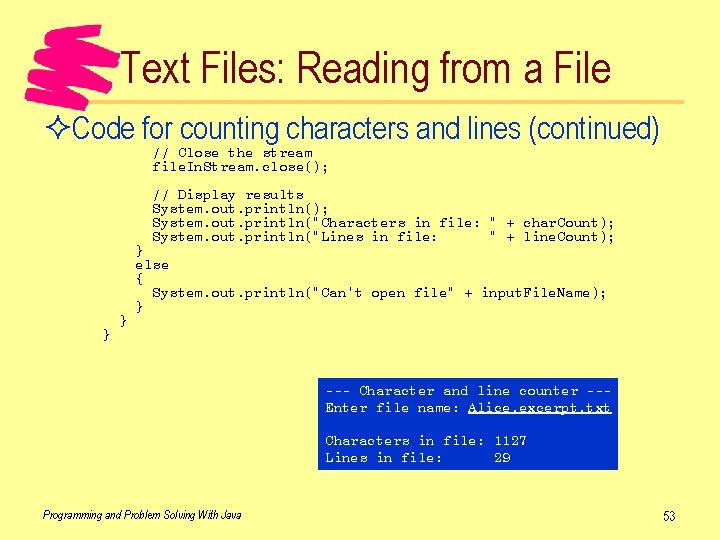
Text Files: Reading from a File ²Code for counting characters and lines (continued) // Close the stream file. In. Stream. close(); // Display results System. out. println(); System. out. println("Characters in file: " + char. Count); System. out. println("Lines in file: " + line. Count); } } } else { System. out. println("Can't open file" + input. File. Name); } --- Character and line counter --Enter file name: Alice. excerpt. txt Characters in file: 1127 Lines in file: 29 Programming and Problem Solving With Java 53
Text Files: Reading from a File ²Word counting "Word": continguous sequence of characters separated by white space ²Add word counting: approach 1 Count spaces Problem: may be more than one space between words ²Add word counting: approach 2 Count transitions from non-word to word (word beginnings) Must keep track of program state: in a word or not Programming and Problem Solving With Java 54
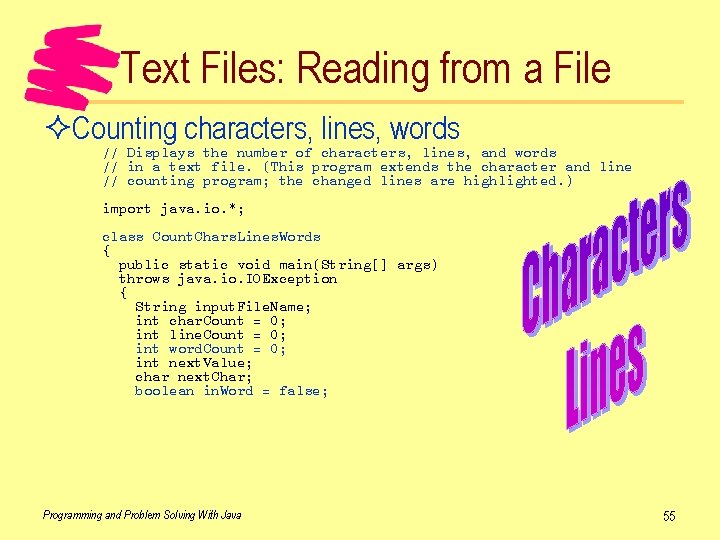
Text Files: Reading from a File ²Counting characters, lines, words // Displays the number of characters, lines, and words // in a text file. (This program extends the character and line // counting program; the changed lines are highlighted. ) import java. io. *; class Count. Chars. Lines. Words { public static void main(String[] args) throws java. io. IOException { String input. File. Name; int char. Count = 0; int line. Count = 0; int word. Count = 0; int next. Value; char next. Char; boolean in. Word = false; Programming and Problem Solving With Java 55
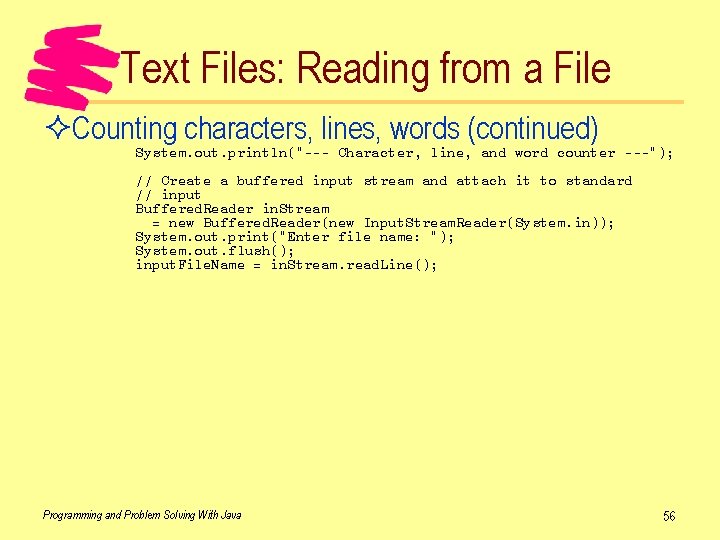
Text Files: Reading from a File ²Counting characters, lines, words (continued) System. out. println("--- Character, line, and word counter ---"); // Create a buffered input stream and attach it to standard // input Buffered. Reader in. Stream = new Buffered. Reader(new Input. Stream. Reader(System. in)); System. out. print("Enter file name: "); System. out. flush(); input. File. Name = in. Stream. read. Line(); Programming and Problem Solving With Java 56
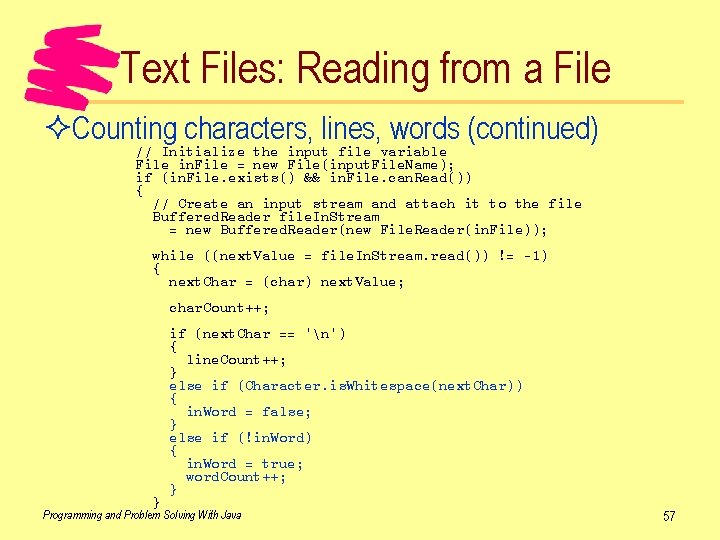
Text Files: Reading from a File ²Counting characters, lines, words (continued) // Initialize the input file variable File in. File = new File(input. File. Name); if (in. File. exists() && in. File. can. Read()) { // Create an input stream and attach it to the file Buffered. Reader file. In. Stream = new Buffered. Reader(new File. Reader(in. File)); while ((next. Value = file. In. Stream. read()) != -1) { next. Char = (char) next. Value; char. Count++; } if (next. Char == 'n') { line. Count++; } else if (Character. is. Whitespace(next. Char)) { in. Word = false; } else if (!in. Word) { in. Word = true; word. Count++; } Programming and Problem Solving With Java 57
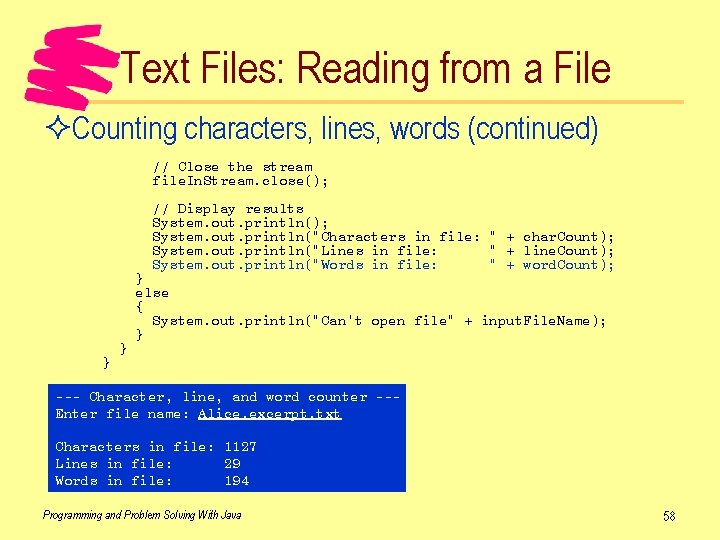
Text Files: Reading from a File ²Counting characters, lines, words (continued) // Close the stream file. In. Stream. close(); // Display results System. out. println(); System. out. println("Characters in file: " + char. Count); System. out. println("Lines in file: " + line. Count); System. out. println("Words in file: " + word. Count); } } } else { System. out. println("Can't open file" + input. File. Name); } --- Character, line, and word counter --Enter file name: Alice. excerpt. txt Characters in file: 1127 Lines in file: 29 Words in file: 194 Programming and Problem Solving With Java 58
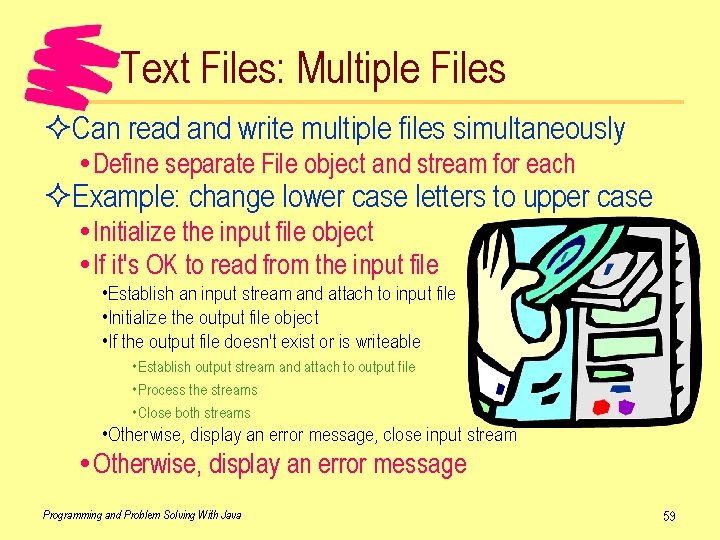
Text Files: Multiple Files ²Can read and write multiple files simultaneously Define separate File object and stream for each ²Example: change lower case letters to upper case Initialize the input file object If it's OK to read from the input file • Establish an input stream and attach to input file • Initialize the output file object • If the output file doesn't exist or is writeable • Establish output stream and attach to output file • Process the streams • Close both streams • Otherwise, display an error message, close input stream Otherwise, display an error message Programming and Problem Solving With Java 59
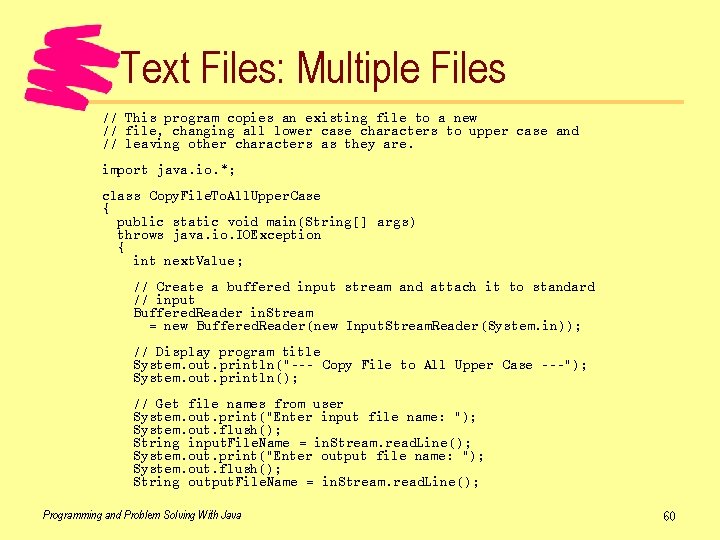
Text Files: Multiple Files // This program copies an existing file to a new // file, changing all lower case characters to upper case and // leaving other characters as they are. import java. io. *; class Copy. File. To. All. Upper. Case { public static void main(String[] args) throws java. io. IOException { int next. Value; // Create a buffered input stream and attach it to standard // input Buffered. Reader in. Stream = new Buffered. Reader(new Input. Stream. Reader(System. in)); // Display program title System. out. println("--- Copy File to All Upper Case ---"); System. out. println(); // Get file names from user System. out. print("Enter input file name: "); System. out. flush(); String input. File. Name = in. Stream. read. Line(); System. out. print("Enter output file name: "); System. out. flush(); String output. File. Name = in. Stream. read. Line(); Programming and Problem Solving With Java 60
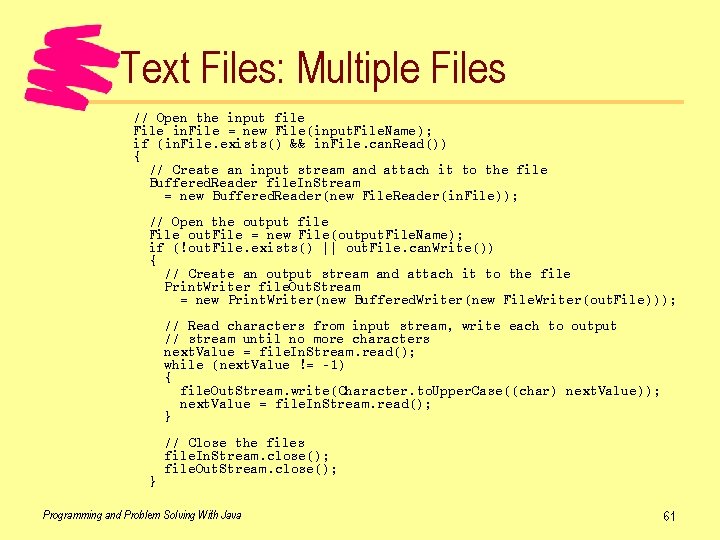
Text Files: Multiple Files // Open the input file File in. File = new File(input. File. Name); if (in. File. exists() && in. File. can. Read()) { // Create an input stream and attach it to the file Buffered. Reader file. In. Stream = new Buffered. Reader(new File. Reader(in. File)); // Open the output file File out. File = new File(output. File. Name); if (!out. File. exists() || out. File. can. Write()) { // Create an output stream and attach it to the file Print. Writer file. Out. Stream = new Print. Writer(new Buffered. Writer(new File. Writer(out. File))); // Read characters from input stream, write each to output // stream until no more characters next. Value = file. In. Stream. read(); while (next. Value != -1) { file. Out. Stream. write(Character. to. Upper. Case((char) next. Value)); next. Value = file. In. Stream. read(); } } // Close the files file. In. Stream. close(); file. Out. Stream. close(); Programming and Problem Solving With Java 61
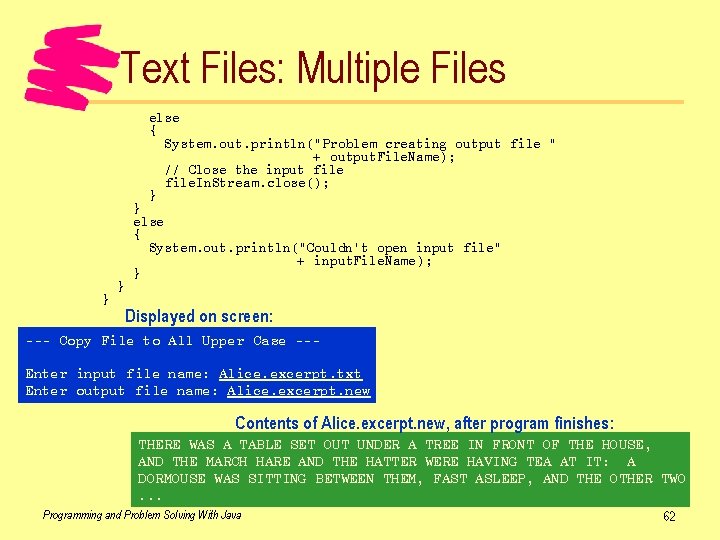
Text Files: Multiple Files else { System. out. println("Problem creating output file " + output. File. Name); // Close the input file. In. Stream. close(); } } else { System. out. println("Couldn't open input file" + input. File. Name); } Displayed on screen: --- Copy File to All Upper Case --Enter input file name: Alice. excerpt. txt Enter output file name: Alice. excerpt. new Contents of Alice. excerpt. new, after program finishes: THERE WAS A TABLE SET OUT UNDER A TREE IN FRONT OF THE HOUSE, AND THE MARCH HARE AND THE HATTER WERE HAVING TEA AT IT: A DORMOUSE WAS SITTING BETWEEN THEM, FAST ASLEEP, AND THE OTHER TWO. . . Programming and Problem Solving With Java 62
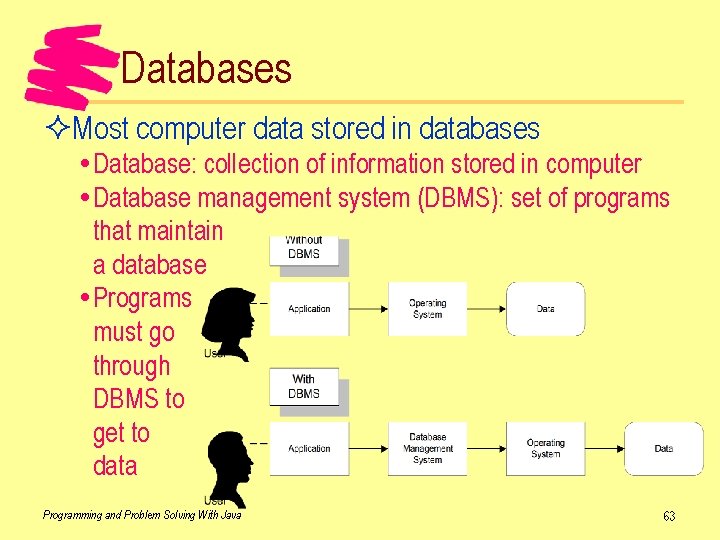
Databases ²Most computer data stored in databases Database: collection of information stored in computer Database management system (DBMS): set of programs that maintain a database Programs must go through DBMS to get to data Programming and Problem Solving With Java 63
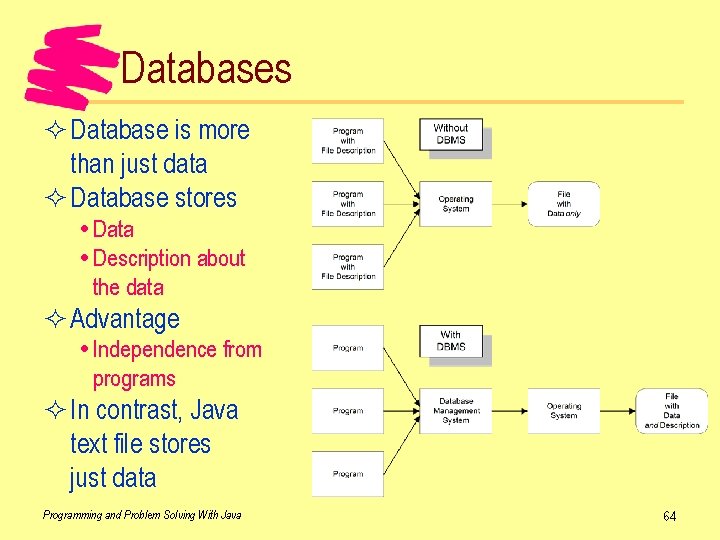
Databases ² Database is more than just data ² Database stores Data Description about the data ² Advantage Independence from programs ² In contrast, Java text file stores just data Programming and Problem Solving With Java 64
Databases ²Database systems reduce redundancy Each piece of information stored once Less chance of inconsistent data Less work to update the data -- change it once Saves storage space ²Many programs can share the same information Concurrency control: part of database system that lets more than one program use same data at once ²Query system lets users get to data Ordinary users can use -- don't need programmer Can write and execute queries quickly Programming and Problem Solving With Java 65
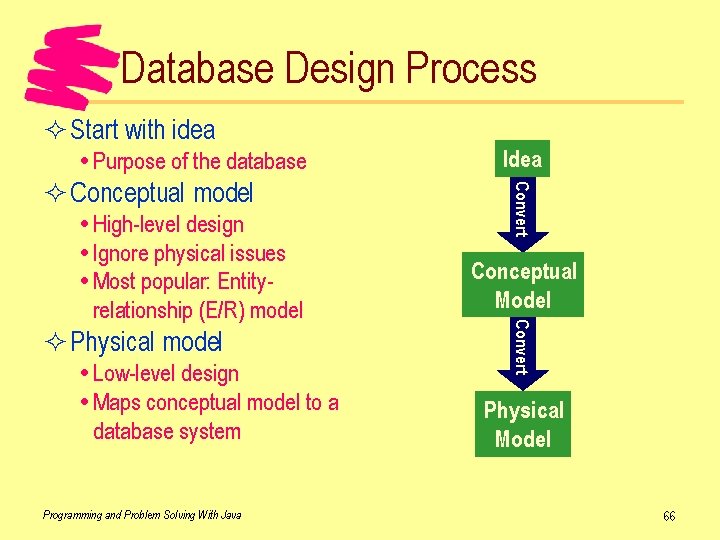
Database Design Process ² Start with idea Purpose of the database ² Physical model Low-level design Maps conceptual model to a database system Programming and Problem Solving With Java Conceptual Model Convert High-level design Ignore physical issues Most popular: Entityrelationship (E/R) model Convert ² Conceptual model Idea Physical Model 66
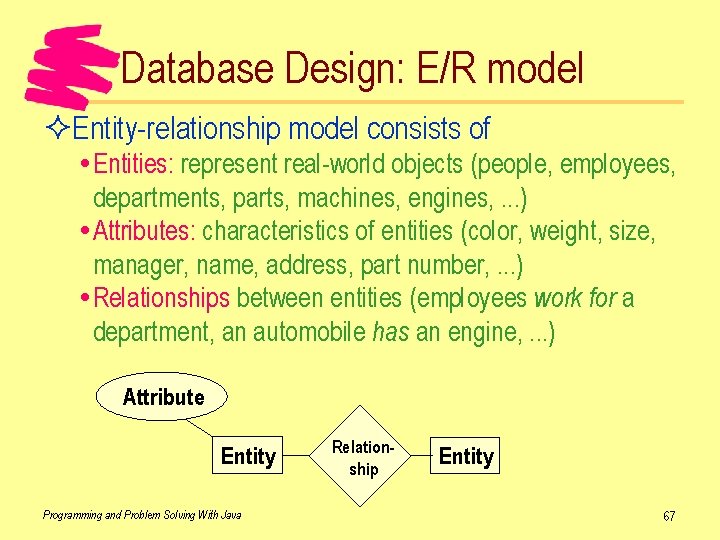
Database Design: E/R model ²Entity-relationship model consists of Entities: represent real-world objects (people, employees, departments, parts, machines, engines, . . . ) Attributes: characteristics of entities (color, weight, size, manager, name, address, part number, . . . ) Relationships between entities (employees work for a department, an automobile has an engine, . . . ) Attribute Entity Programming and Problem Solving With Java Relationship Entity 67
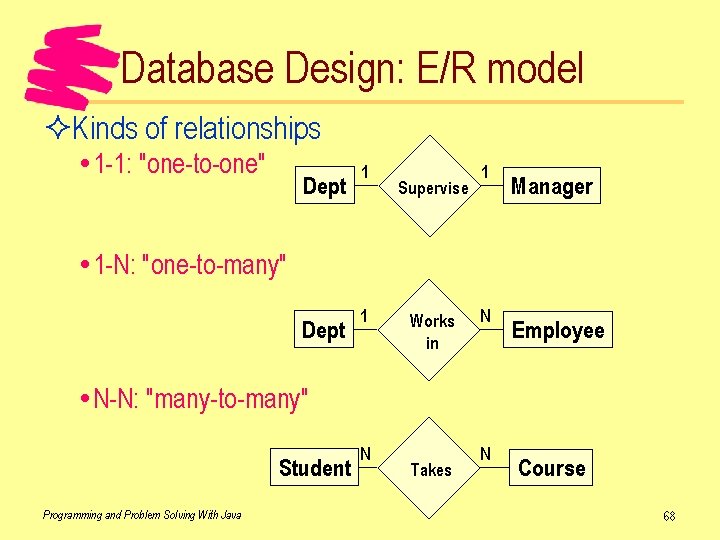
Database Design: E/R model ²Kinds of relationships 1 -1: "one-to-one" Dept 1 Supervise 1 Manager 1 -N: "one-to-many" Dept 1 Works in N Employee N-N: "many-to-many" Student Programming and Problem Solving With Java N Takes N Course 68
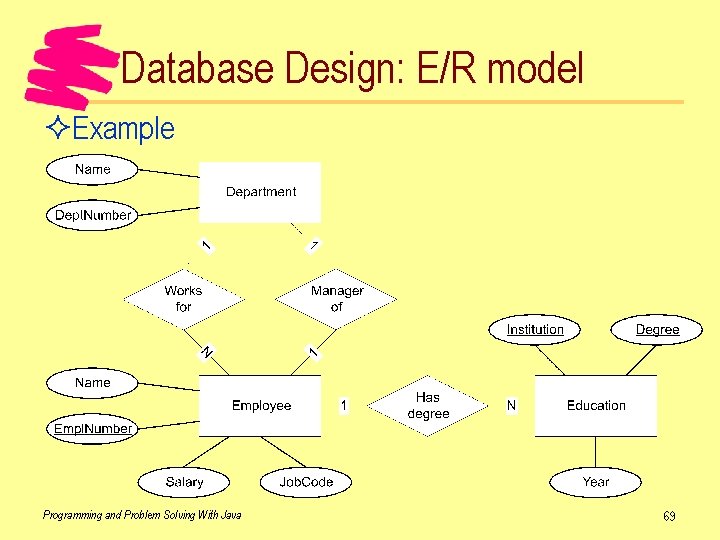
Database Design: E/R model ²Example Programming and Problem Solving With Java 69
Database Models ²Database model: way the database is organized ²Major database models Hierarchic (old model) Network (old model) Relational (most popular) Object (the future? ) ²Schema vs. instance Schema is the layout of the database (like a class in Java) Instance is the data in the database (like an instance of an object in Java) Programming and Problem Solving With Java 70
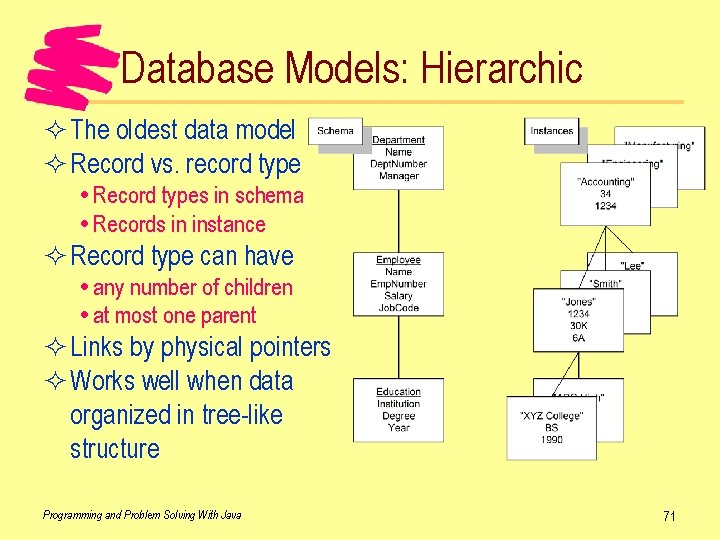
Database Models: Hierarchic ² The oldest data model ² Record vs. record type Record types in schema Records in instance ² Record type can have any number of children at most one parent ² Links by physical pointers ² Works well when data organized in tree-like structure Programming and Problem Solving With Java 71
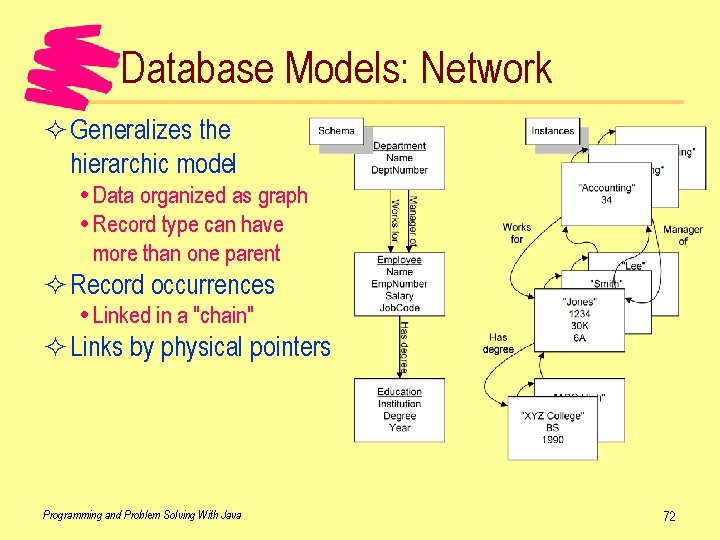
Database Models: Network ² Generalizes the hierarchic model Data organized as graph Record type can have more than one parent ² Record occurrences Linked in a "chain" ² Links by physical pointers Programming and Problem Solving With Java 72
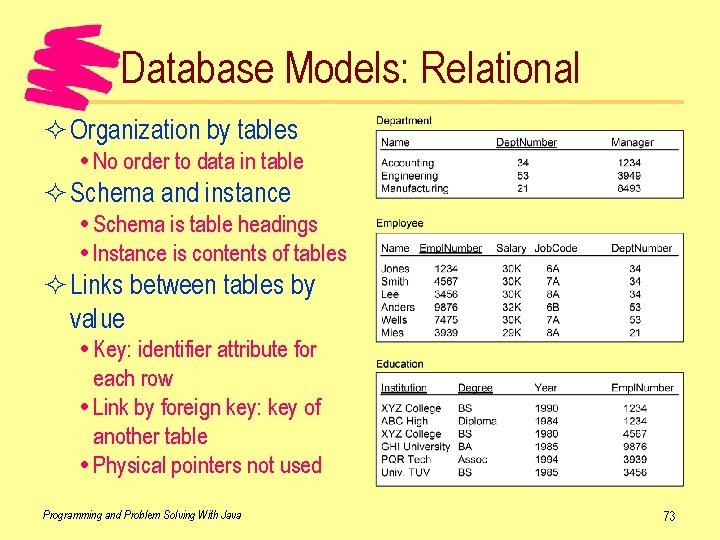
Database Models: Relational ² Organization by tables No order to data in table ² Schema and instance Schema is table headings Instance is contents of tables ² Links between tables by value Key: identifier attribute for each row Link by foreign key: key of another table Physical pointers not used Programming and Problem Solving With Java 73
Database Models: Object ²Object databases are still new May be the future of all databases More likely, relational and object databases will be used ²Based on object-oriented programming languages (Smalltalk, Java, C++) ²Database structure is the class structure in a language Very natural way to store data from OO language Easier to use than translating to another model ²Still many problems to be worked out Efficiency, ability to query easily, reliability, . . . Programming and Problem Solving With Java 74
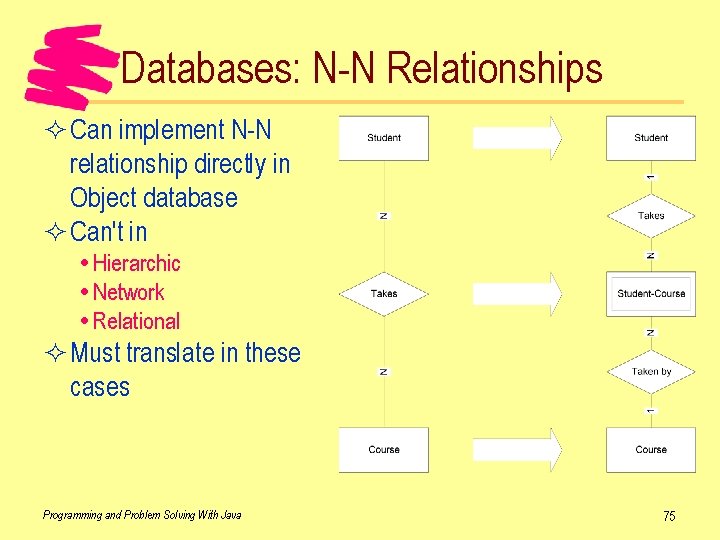
Databases: N-N Relationships ² Can implement N-N relationship directly in Object database ² Can't in Hierarchic Network Relational ² Must translate in these cases Programming and Problem Solving With Java 75
Relational Database Design ²Start with E/R model Convert N-N relationships to 2 1 -N relationships Each entity becomes a relation (table) Each attribute becomes an attribute (column header) For each 1 -N relationship • Put foreign key of "1 -side" relation in "N-side" relation For each 1 -1 relationship, either • Merge the two relations • Treat as 1 -N ²Next, check the normal form of each relation Programming and Problem Solving With Java 76
Relational Database Design ²Normal form Indicates possible amount of redundant data Higher normal form is better (less redundancy) ²First normal form Each attribute is atomic (can't divide it) ²Second normal form Key may be two or more attributes Each attribute must depend fully on the key (not just part of it) ²Third normal form Attributes depend just on the key attribute Programming and Problem Solving With Java 77
Database Query Languages ²Query language High-level way to get to the data without programming Allows users to check the data easily ²SQL (structured query language) User interface: text Like a programming language (has syntax) Declarative (state what you want, not how to get it) ²QBE (query by example) User interface: graphical Very easy to use (no syntax, just click and drag) Also declarative Programming and Problem Solving With Java 78
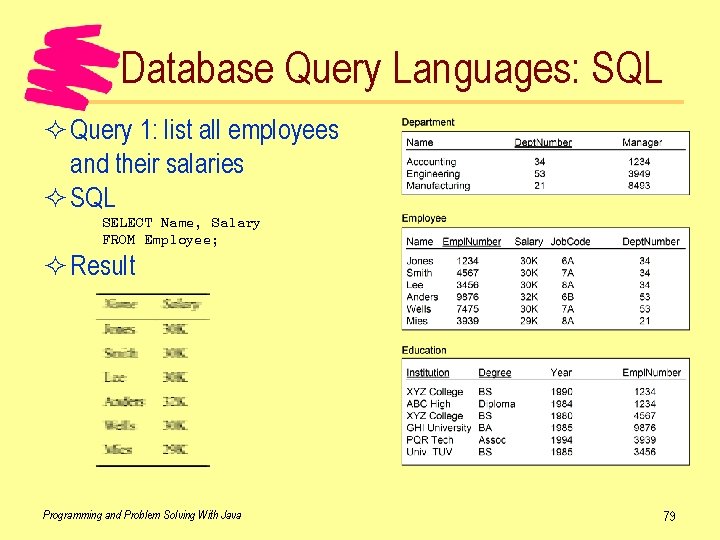
Database Query Languages: SQL ² Query 1: list all employees and their salaries ² SQL SELECT Name, Salary FROM Employee; ² Result Programming and Problem Solving With Java 79
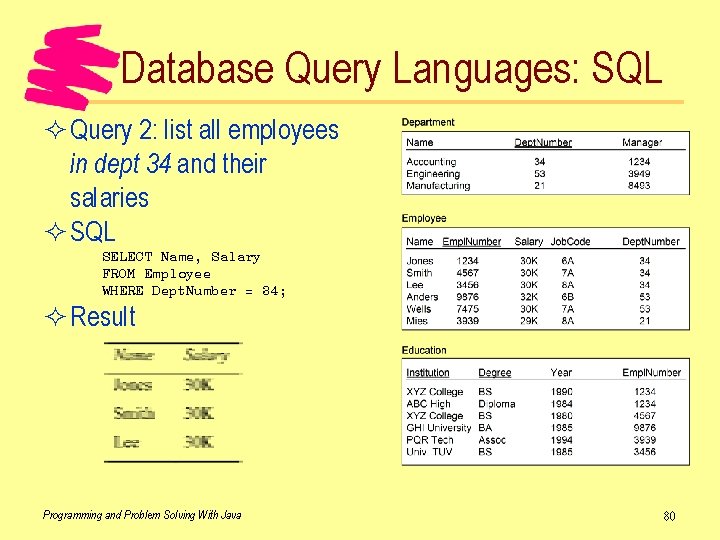
Database Query Languages: SQL ² Query 2: list all employees in dept 34 and their salaries ² SQL SELECT Name, Salary FROM Employee WHERE Dept. Number = 34; ² Result Programming and Problem Solving With Java 80
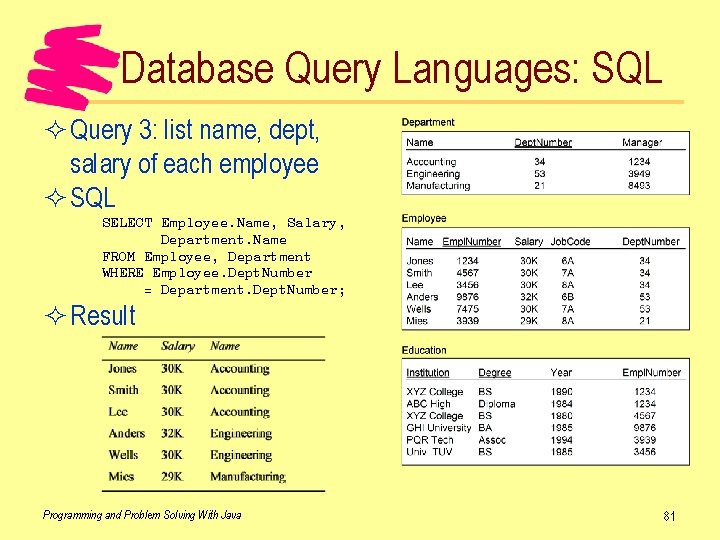
Database Query Languages: SQL ² Query 3: list name, dept, salary of each employee ² SQL SELECT Employee. Name, Salary, Department. Name FROM Employee, Department WHERE Employee. Dept. Number = Department. Dept. Number; ² Result Programming and Problem Solving With Java 81
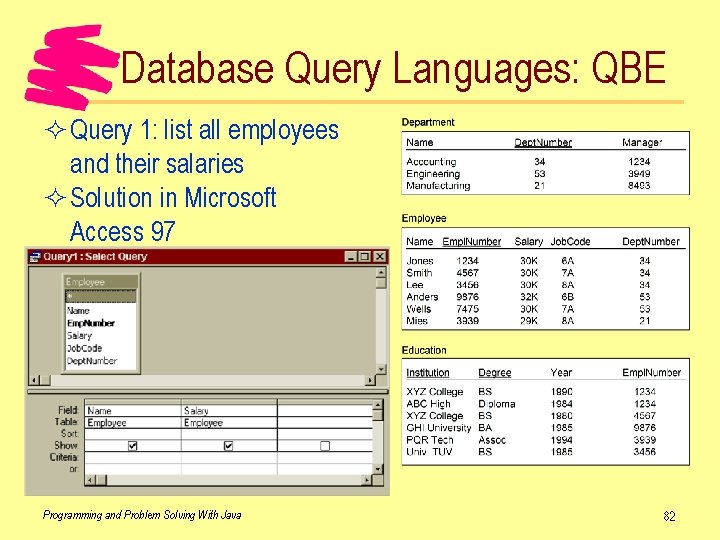
Database Query Languages: QBE ² Query 1: list all employees and their salaries ² Solution in Microsoft Access 97 Programming and Problem Solving With Java 82
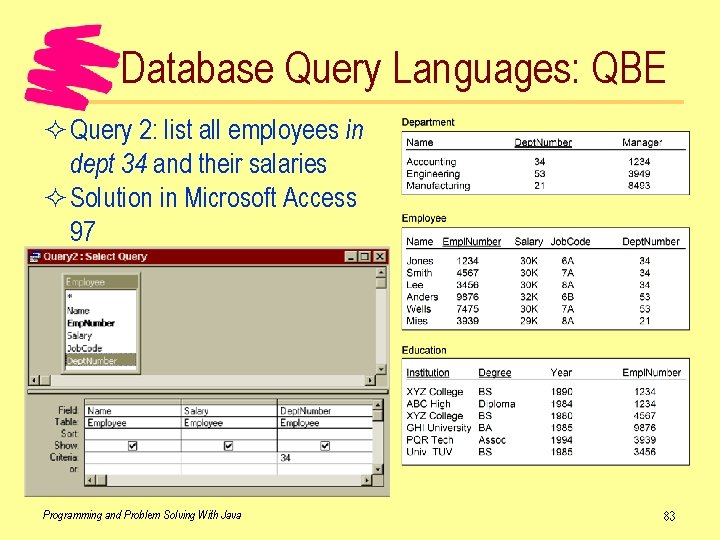
Database Query Languages: QBE ² Query 2: list all employees in dept 34 and their salaries ² Solution in Microsoft Access 97 Programming and Problem Solving With Java 83
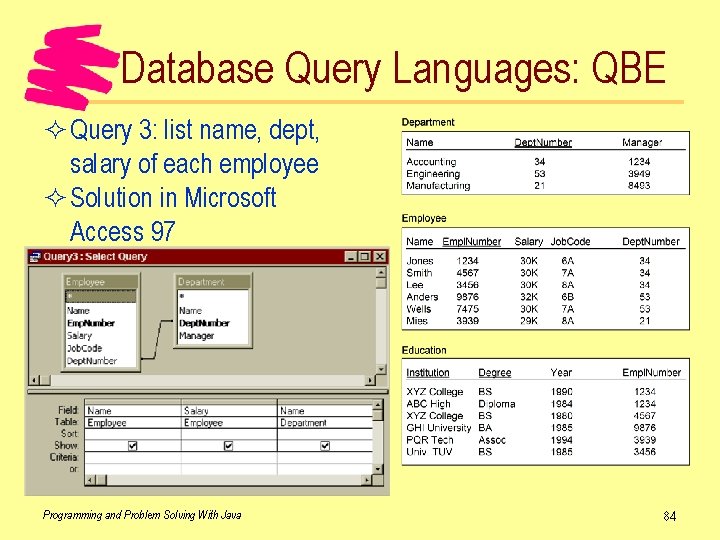
Database Query Languages: QBE ² Query 3: list name, dept, salary of each employee ² Solution in Microsoft Access 97 Programming and Problem Solving With Java 84
- Slides: 84