
Programming and Data Structures Debasis Samanta Computer Science
Programming and Data Structures Debasis Samanta Computer Science & Engineering Indian Institute of Technology Kharagpur Spring-2017

Lecture #07 Memory Allocation Techniques CS 11001 : Programming and Data Structures 2 Lecture #07: © DSamanta
Today’s discussion… *Static Memory Allocation *Dynamic Memory Allocation *Functions in C for Memory Allocation CS 11001 : Programming and Data Structures 3 Lecture #07: © DSamanta
Memory Allocation CS 11001 : Programming and Data Structures 4 Lecture #07: © DSamanta

Why Memory Allocation? • C language allows constants and variables to be processed • All such variables should be maintained in primary memory at the time of execution. • This needs that memory should be allocated to all variables. • There are two ways to allocate memory for data in C • Static allocation • At the time of writing your program, you specify the memory requirement • Dynamic allocation • Allocate memory during run time as and when require CS 11001 : Programming and Data Structures 5 Lecture #07: © DSamanta
Static Memory Allocation CS 11001 : Programming and Data Structures 6 Lecture #07: © DSamanta
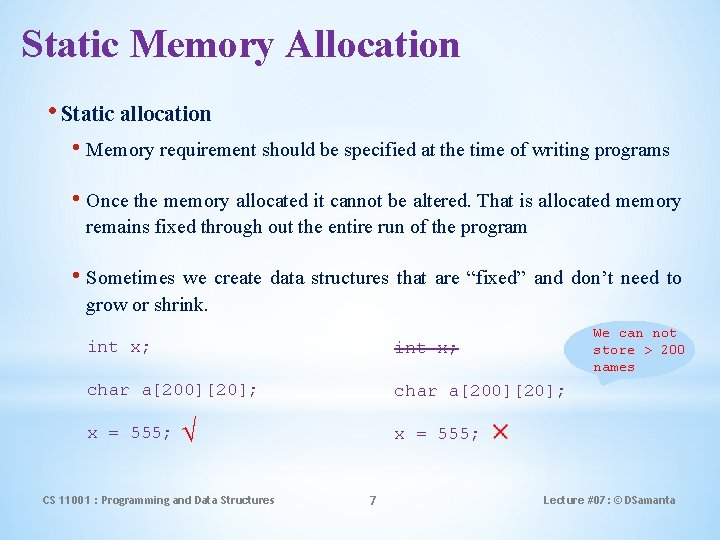
Static Memory Allocation • Static allocation • Memory requirement should be specified at the time of writing programs • Once the memory allocated it cannot be altered. That is allocated memory remains fixed through out the entire run of the program • Sometimes we create data structures that are “fixed” and don’t need to grow or shrink. We can not store > 200 names int x; char a[200][20]; x = 555; √ CS 11001 : Programming and Data Structures x = 555; 7 Lecture #07: © DSamanta
Static Allocation: Pros and Cons • Done at compile time. • Global variables: variables declared “ahead of time, ” such as fixed arrays. • Lifetime • Entire runtime of program. • Advantage • Efficient execution time. • Disadvantage • If we declare more static data space than we need, we waste space. • If we declare less static space than we need, we are out of luck. CS 11001 : Programming and Data Structures 8 Lecture #07: © DSamanta
Dynamic Memory Allocation CS 11001 : Programming and Data Structures 9 Lecture #07: © DSamanta
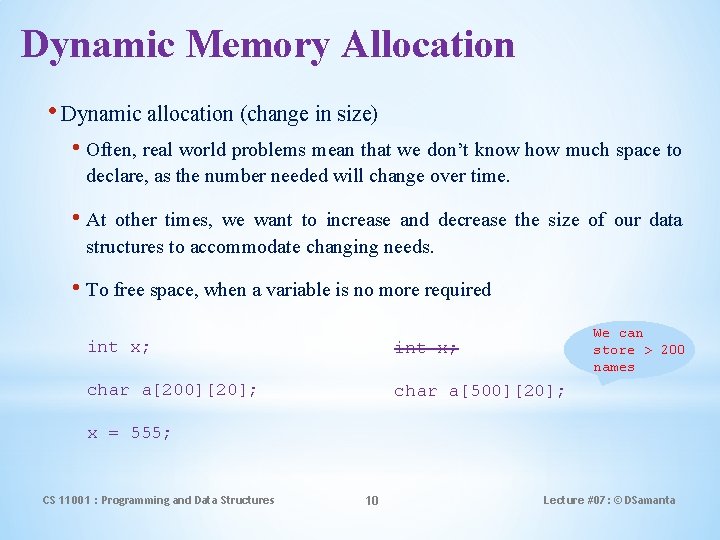
Dynamic Memory Allocation • Dynamic allocation (change in size) • Often, real world problems mean that we don’t know how much space to declare, as the number needed will change over time. • At other times, we want to increase and decrease the size of our data structures to accommodate changing needs. • To free space, when a variable is no more required We can store > 200 names int x; char a[200][20]; char a[500][20]; x = 555; CS 11001 : Programming and Data Structures 10 Lecture #07: © DSamanta
Dynamic Allocation: Pros and Cons • Done at run time. • Data structures can grow and shrink to fit changing data requirements. • We can allocate (create) additional storage whenever we need them. • We can de-allocate (free/delete) dynamic space whenever we are done with them. • Advantage: • We can always have exactly the amount of space required - no more, no less. CS 11001 : Programming and Data Structures 11 Lecture #07: © DSamanta
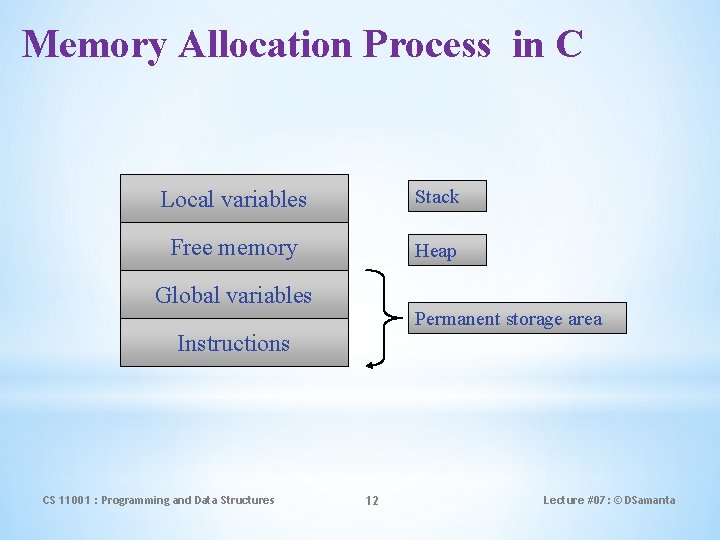
Memory Allocation Process in C Local variables Stack Free memory Heap Global variables Permanent storage area Instructions CS 11001 : Programming and Data Structures 12 Lecture #07: © DSamanta
Memory Allocation Process in C • The program instructions and the global variables are stored in a region known as permanent storage area. • The local variables are stored in another area called stack. • The memory space available for dynamic allocation during execution of the program is called heap. • This region is initially kept free. • The size of the heap keeps changing as a program runs. CS 11001 : Programming and Data Structures 13 Lecture #07: © DSamanta
Dynamic Memory Allocation • Many a time, we face situations where data is dynamic in nature. • Amount of data cannot be predicted beforehand. • Number of data item keeps changing during program execution. • Such situations can be handled more easily and effectively using dynamic memory management techniques. • C language requires the number of elements in an array to be specified at compile time. • Often leads to wastage or memory space or program failure. • Dynamic Memory Allocation • Memory space required can be specified at the time of execution. • C supports allocating and freeing memory dynamically using library routines. CS 11001 : Programming and Data Structures 14 Lecture #07: © DSamanta
Memory Allocation Functions • malloc() • Allocates requested number of bytes and returns a pointer to the first byte of the allocated space. • calloc() • Allocates space for an array of elements, initializes them to zero and then returns a pointer to the memory. • free() • Frees previously allocated space. • realloc() • Modifies the size of previously allocated space. CS 11001 : Programming and Data Structures 15 Lecture #07: © DSamanta
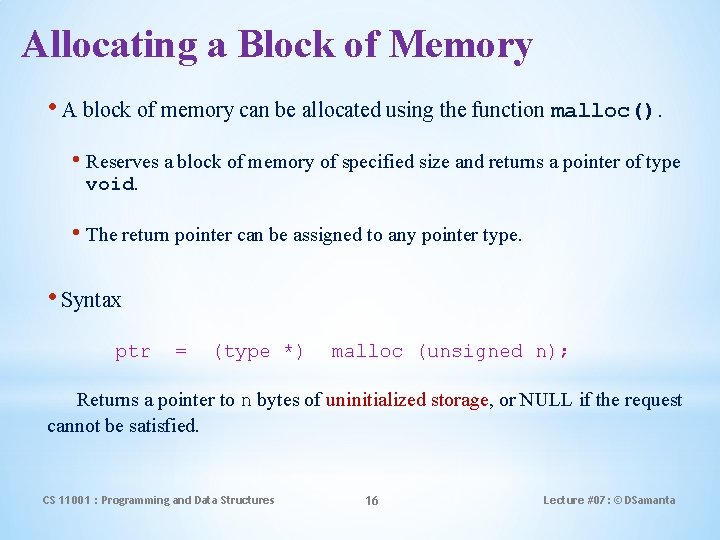
Allocating a Block of Memory • A block of memory can be allocated using the function malloc(). • Reserves a block of memory of specified size and returns a pointer of type void. • The return pointer can be assigned to any pointer type. • Syntax ptr = (type *) malloc (unsigned n); Returns a pointer to n bytes of uninitialized storage, or NULL if the request cannot be satisfied. CS 11001 : Programming and Data Structures 16 Lecture #07: © DSamanta
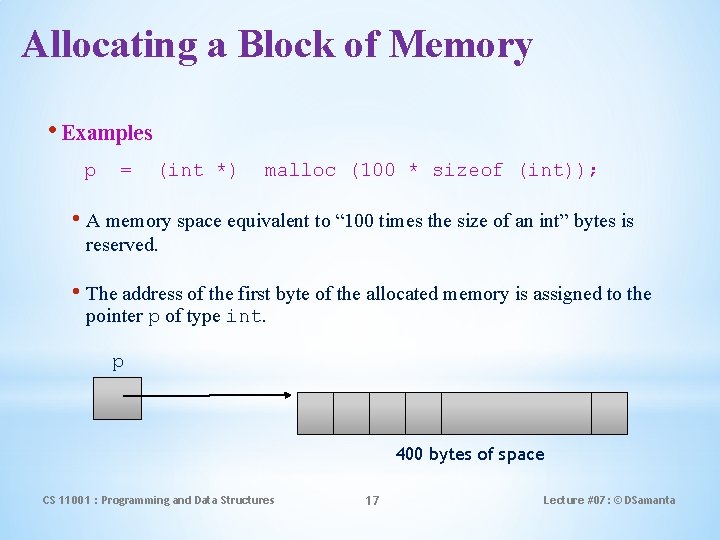
Allocating a Block of Memory • Examples p = (int *) malloc (100 * sizeof (int)); • A memory space equivalent to “ 100 times the size of an int” bytes is reserved. • The address of the first byte of the allocated memory is assigned to the pointer p of type int. p 400 bytes of space CS 11001 : Programming and Data Structures 17 Lecture #07: © DSamanta
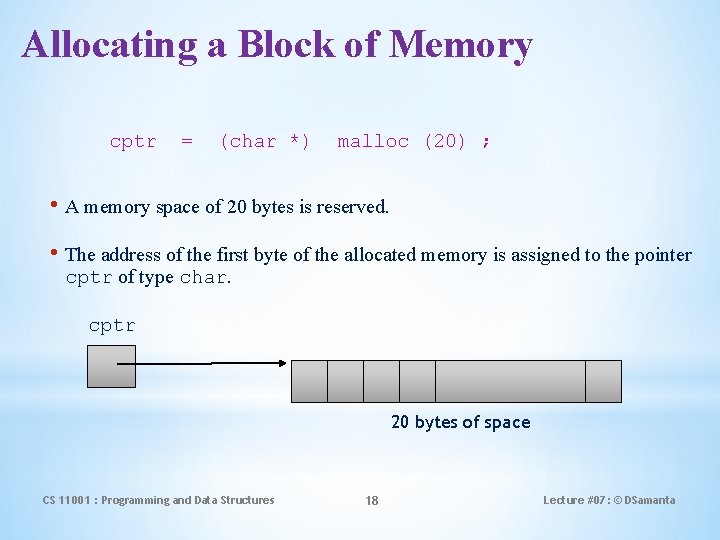
Allocating a Block of Memory cptr = (char *) malloc (20) ; • A memory space of 20 bytes is reserved. • The address of the first byte of the allocated memory is assigned to the pointer cptr of type char. cptr 20 bytes of space CS 11001 : Programming and Data Structures 18 Lecture #07: © DSamanta
Points to Note • malloc() always allocates a block of contiguous bytes. • The allocation can fail if sufficient contiguous memory space is not available. • If it fails, malloc() returns NULL. CS 11001 : Programming and Data Structures 19 Lecture #07: © DSamanta
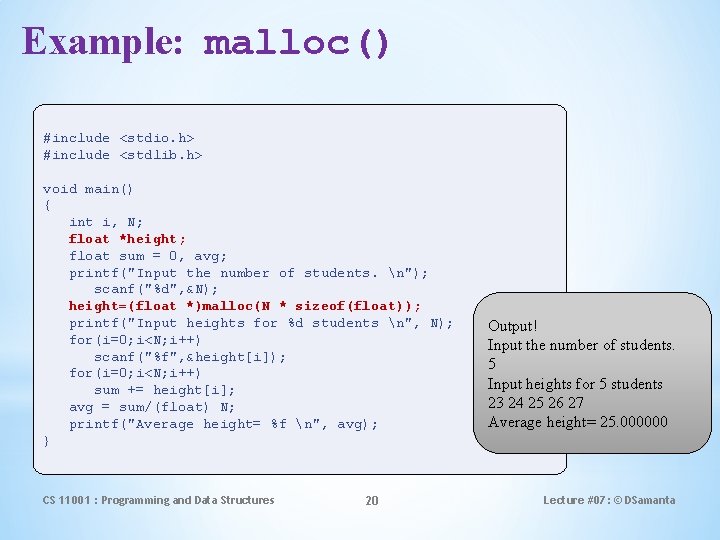
Example: malloc() #include <stdio. h> #include <stdlib. h> void main() { int i, N; float *height; float sum = 0, avg; printf("Input the number of students. n"); scanf("%d", &N); height=(float *)malloc(N * sizeof(float)); printf("Input heights for %d students n", N); for(i=0; i<N; i++) scanf("%f", &height[i]); for(i=0; i<N; i++) sum += height[i]; avg = sum/(float) N; printf("Average height= %f n", avg); } CS 11001 : Programming and Data Structures 20 Output! Input the number of students. 5 Input heights for 5 students 23 24 25 26 27 Average height= 25. 000000 Lecture #07: © DSamanta
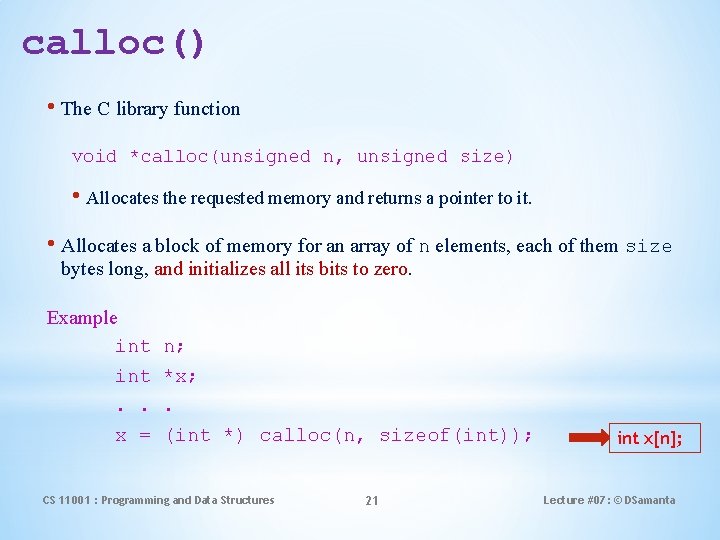
calloc() • The C library function void *calloc(unsigned n, unsigned size) • Allocates the requested memory and returns a pointer to it. • Allocates a block of memory for an array of n elements, each of them size bytes long, and initializes all its bits to zero. Example int. . x = n; *x; . (int *) calloc(n, sizeof(int)); CS 11001 : Programming and Data Structures 21 int x[n]; Lecture #07: © DSamanta
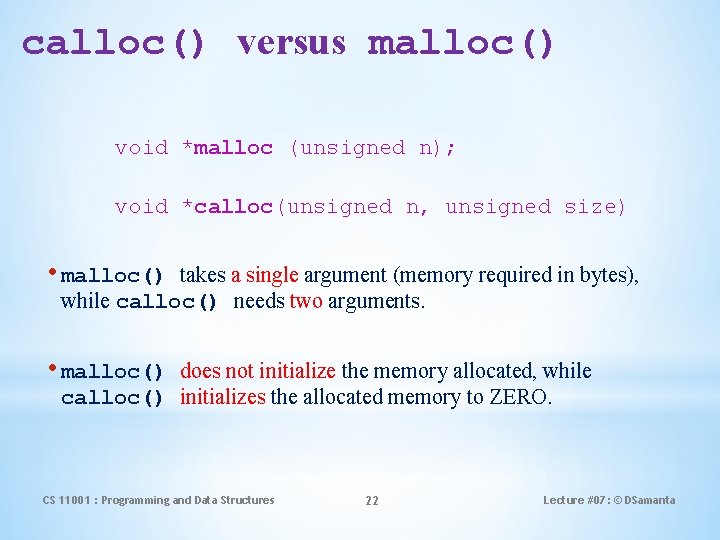
calloc() versus malloc() void *malloc (unsigned n); void *calloc(unsigned n, unsigned size) • malloc() takes a single argument (memory required in bytes), while calloc() needs two arguments. • malloc() does not initialize the memory allocated, while calloc() initializes the allocated memory to ZERO. CS 11001 : Programming and Data Structures 22 Lecture #07: © DSamanta
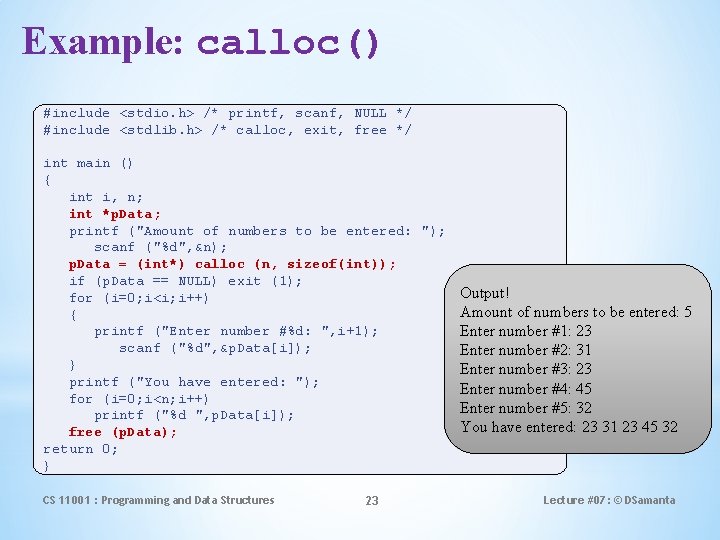
Example: calloc() #include <stdio. h> /* printf, scanf, NULL */ #include <stdlib. h> /* calloc, exit, free */ int main () { int i, n; int *p. Data; printf ("Amount of numbers to be entered: "); scanf ("%d", &n); p. Data = (int*) calloc (n, sizeof(int)); if (p. Data == NULL) exit (1); Output! for (i=0; i<i; i++) Amount of numbers to be entered: 5 { printf ("Enter number #%d: ", i+1); Enter number #1: 23 scanf ("%d", &p. Data[i]); Enter number #2: 31 } Enter number #3: 23 printf ("You have entered: "); Enter number #4: 45 for (i=0; i<n; i++) Enter number #5: 32 printf ("%d ", p. Data[i]); You have entered: 23 31 23 45 32 free (p. Data); return 0; } CS 11001 : Programming and Data Structures 23 Lecture #07: © DSamanta
Releasing the Used Space • When we no longer need the data stored in a block of memory, we may release the block for future use. • How? • By using the free() function. • Syntax free (ptr) ; where ptr is a pointer to a memory block which has been already created using malloc() or calloc() or realloc() ; CS 11001 : Programming and Data Structures 24 Lecture #07: © DSamanta
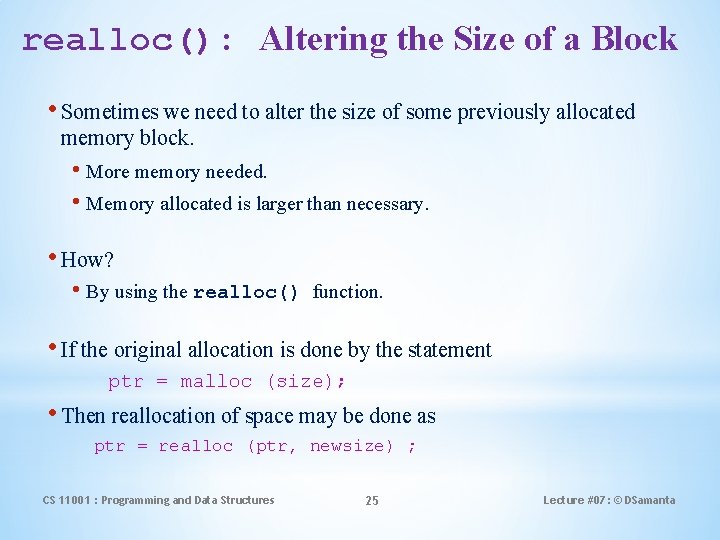
realloc(): Altering the Size of a Block • Sometimes we need to alter the size of some previously allocated memory block. • More memory needed. • Memory allocated is larger than necessary. • How? • By using the realloc() function. • If the original allocation is done by the statement ptr = malloc (size); • Then reallocation of space may be done as ptr = realloc (ptr, newsize) ; CS 11001 : Programming and Data Structures 25 Lecture #07: © DSamanta
realloc(): Altering the Size of a Block • The new memory block may or may not begin at the same place as the old one. • If it does not find space, it will create it in an entirely different region and move the contents of the old block into the new block. • The function guarantees that the old data remains intact. • If it is unable to allocate, it returns NULL. But, it does not free the original block. CS 11001 : Programming and Data Structures 26 Lecture #07: © DSamanta

Example: realloc() #include <stdio. h> #include <stdlib. h> int main(void) { int *pa, *pb, n; /* allocate an array of 10 int */ pa = (int *)malloc(10 * sizeof (int)); if(pa) { printf("%u bytes allocated. Storing integers: ", 10*sizeof(int)); for(n = 0; n < 10; ++n) printf("%d ", pa[n] = n); } // reallocate array to a larger size pb = (int *)realloc(pa, 1000000 * sizeof(int)); if(pb) { printf("n%u bytes are allocated, after the first 10 integers are: ", 1000000*sizeof(int)); for(n = 0; n < 10; ++n) printf("%d ", pb[n]); // show the array free(pb); } else { // if realloc failed, the original pointer needs to be freed free(pa); } Output! return 0; 40 bytes allocated. Storing ints: 0 1 2 3 4 5 6 7 } 89 4000000 bytes allocated, first 10 ints are: 0 1 2 3 4 5 6 7 8 9 CS 11001 : Programming and Data Structures 27 Lecture #07: © DSamanta
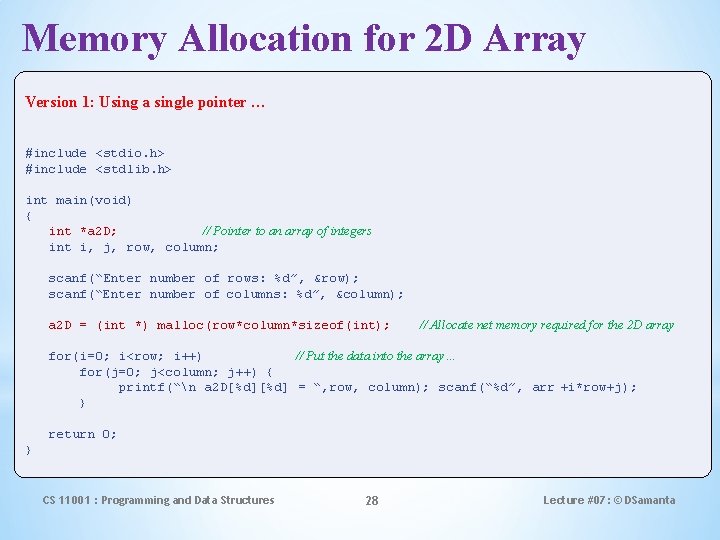
Memory Allocation for 2 D Array Version 1: Using a single pointer … #include <stdio. h> #include <stdlib. h> int main(void) { int *a 2 D; // Pointer to an array of integers int i, j, row, column; scanf(“Enter number of rows: %d”, &row); scanf(“Enter number of columns: %d”, &column); a 2 D = (int *) malloc(row*column*sizeof(int); // Allocate net memory required for the 2 D array for(i=0; i<row; i++) // Put the data into the array… for(j=0; j<column; j++) { printf(“n a 2 D[%d] = “, row, column); scanf(“%d”, arr +i*row+j); } return 0; } CS 11001 : Programming and Data Structures 28 Lecture #07: © DSamanta
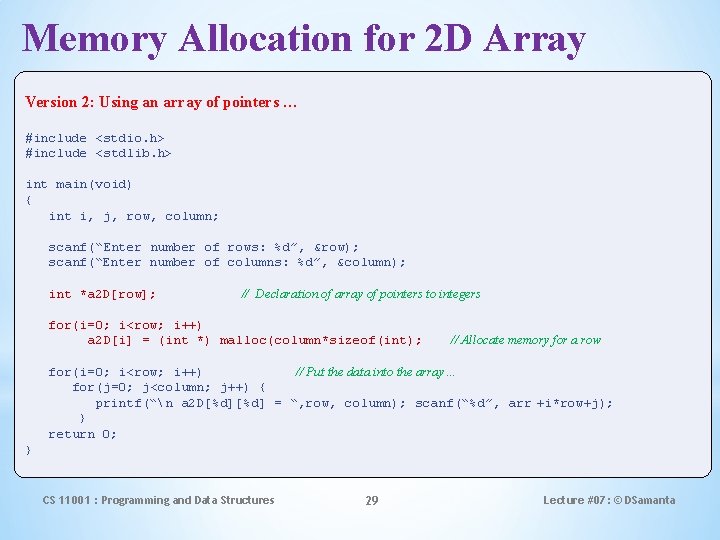
Memory Allocation for 2 D Array Version 2: Using an array of pointers … #include <stdio. h> #include <stdlib. h> int main(void) { int i, j, row, column; scanf(“Enter number of rows: %d”, &row); scanf(“Enter number of columns: %d”, &column); int *a 2 D[row]; // Declaration of array of pointers to integers for(i=0; i<row; i++) a 2 D[i] = (int *) malloc(column*sizeof(int); // Allocate memory for a row for(i=0; i<row; i++) // Put the data into the array… for(j=0; j<column; j++) { printf(“n a 2 D[%d] = “, row, column); scanf(“%d”, arr +i*row+j); } return 0; } CS 11001 : Programming and Data Structures 29 Lecture #07: © DSamanta
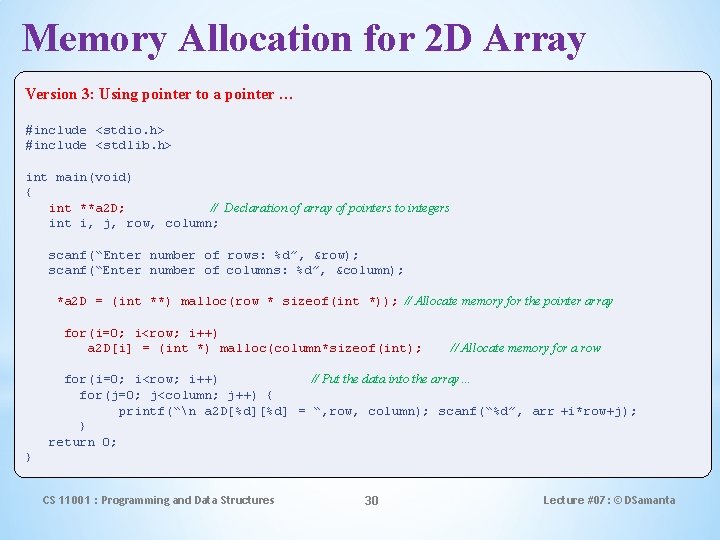
Memory Allocation for 2 D Array Version 3: Using pointer to a pointer … #include <stdio. h> #include <stdlib. h> int main(void) { int **a 2 D; // Declaration of array of pointers to integers int i, j, row, column; scanf(“Enter number of rows: %d”, &row); scanf(“Enter number of columns: %d”, &column); *a 2 D = (int **) malloc(row * sizeof(int *)); // Allocate memory for the pointer array for(i=0; i<row; i++) a 2 D[i] = (int *) malloc(column*sizeof(int); // Allocate memory for a row for(i=0; i<row; i++) // Put the data into the array… for(j=0; j<column; j++) { printf(“n a 2 D[%d] = “, row, column); scanf(“%d”, arr +i*row+j); } return 0; } CS 11001 : Programming and Data Structures 30 Lecture #07: © DSamanta

Any question? You may post your question(s) at the “Discussion Forum” maintained in the course Web page. CS 11001 : Programming and Data Structures 31 Lecture #07: © DSamanta
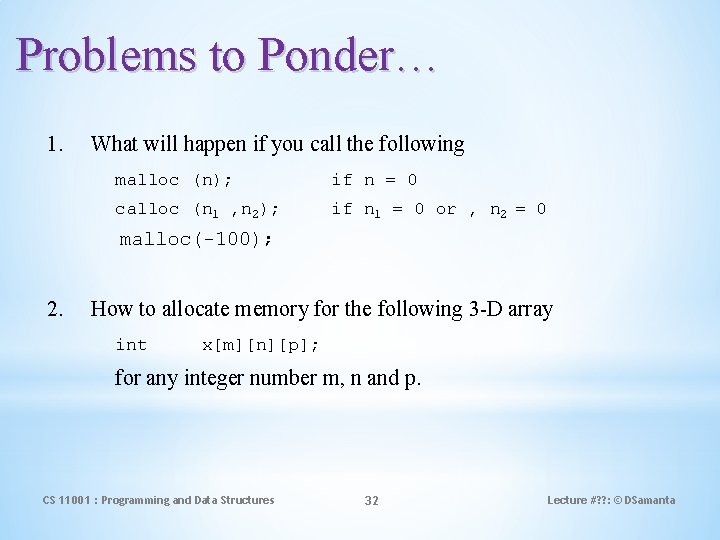
Problems to Ponder… 1. What will happen if you call the following malloc (n); if n = 0 calloc (n 1 , n 2); if n 1 = 0 or , n 2 = 0 malloc(-100); 2. How to allocate memory for the following 3 -D array int x[m][n][p]; for any integer number m, n and p. CS 11001 : Programming and Data Structures 32 Lecture #? ? : © DSamanta
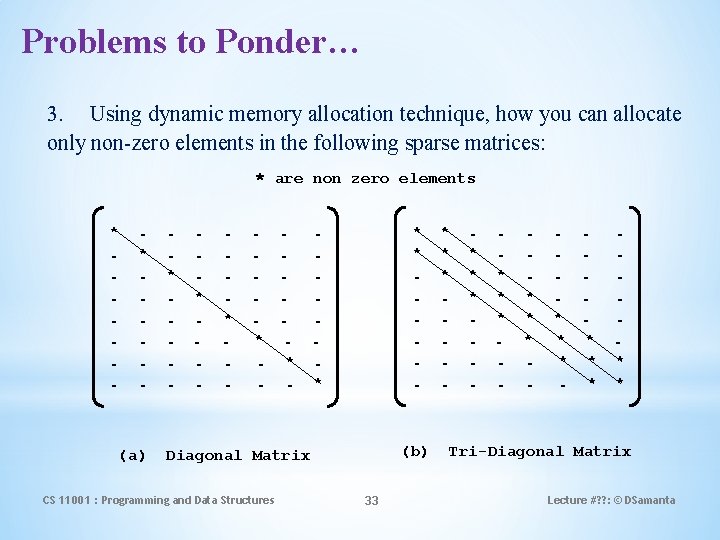
Problems to Ponder… 3. Using dynamic memory allocation technique, how you can allocate only non-zero elements in the following sparse matrices: * are non zero elements * - (a) * - * - * - * (b) Diagonal Matrix CS 11001 : Programming and Data Structures 33 * * * - * * * - * * * Tri-Diagonal Matrix Lecture #? ? : © DSamanta
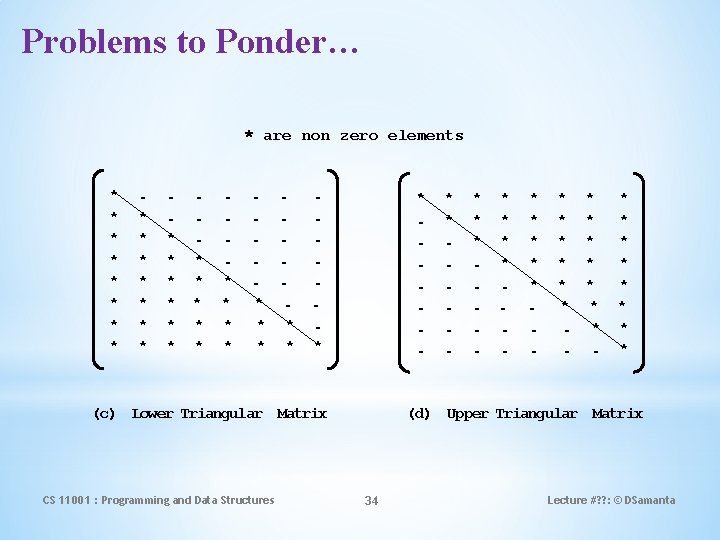
Problems to Ponder… * are non zero elements * * * * * * * * * * - (c) Lower Triangular Matrix CS 11001 : Programming and Data Structures * * - * * * * * * - * * * (d) Upper Triangular Matrix 34 Lecture #? ? : © DSamanta
- Slides: 34