
Program Program is a collection of instructions that


![Flow chart Start Read a, b, c D=b*b-4*a*c no If D>=0 yes Root 1=[-b+sqrt(D)]/(2*a)](https://slidetodoc.com/presentation_image_h/16109de6d9f97b6af38e2a05e7bf8bda/image-53.jpg "Flow chart Start Read a, b, c D=b*b-4*a*c no If D>=0 yes Root 1=[-b+sqrt(D)]/(2*a)")
- Slides: 94
Program • Program is a collection of instructions that will perform some task. Noornilo Nafees 1
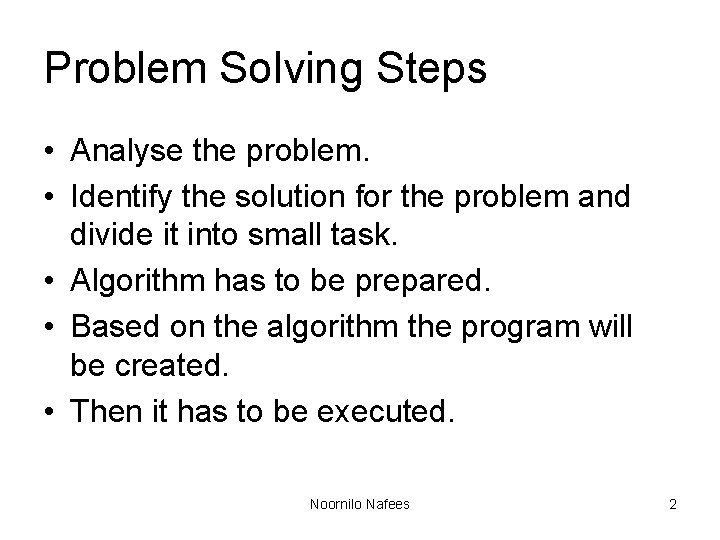
Problem Solving Steps • Analyse the problem. • Identify the solution for the problem and divide it into small task. • Algorithm has to be prepared. • Based on the algorithm the program will be created. • Then it has to be executed. Noornilo Nafees 2
Program Development Cycle Methodologies • Program planning method • Waterfall method etc, . Noornilo Nafees 3
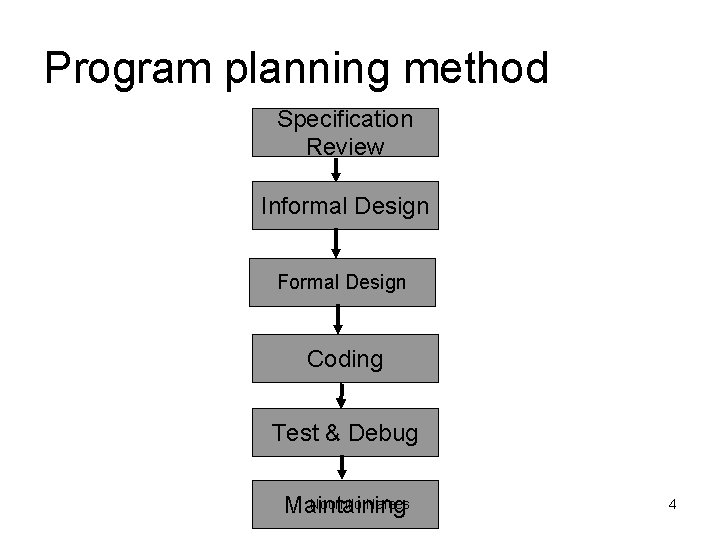
Program planning method Specification Review Informal Design Formal Design Coding Test & Debug Noornilo Nafees Maintaining 4
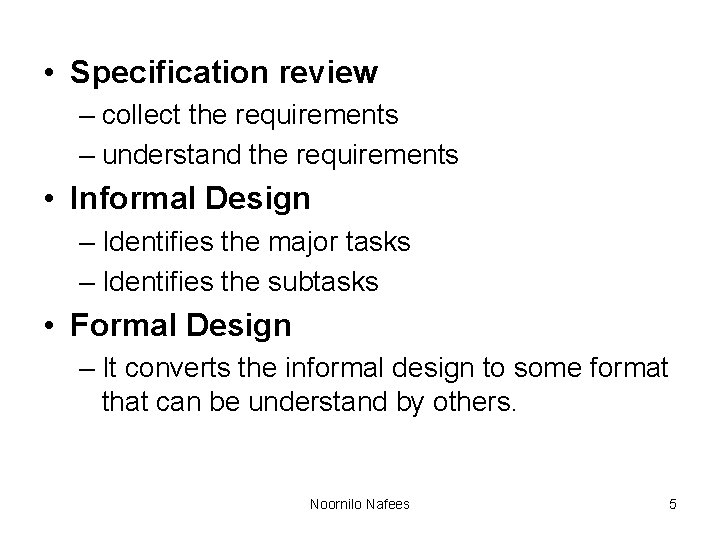
• Specification review – collect the requirements – understand the requirements • Informal Design – Identifies the major tasks – Identifies the subtasks • Formal Design – It converts the informal design to some format that can be understand by others. Noornilo Nafees 5
• Coding – It converts the Design into Programs. – It translate these programs to machine language. • Test & Debug – It use sample data to test whether it works properly. – It also eliminate the errors. Noornilo Nafees 6
• Maintaining – It Modifies the programs if necessary. Noornilo Nafees 7
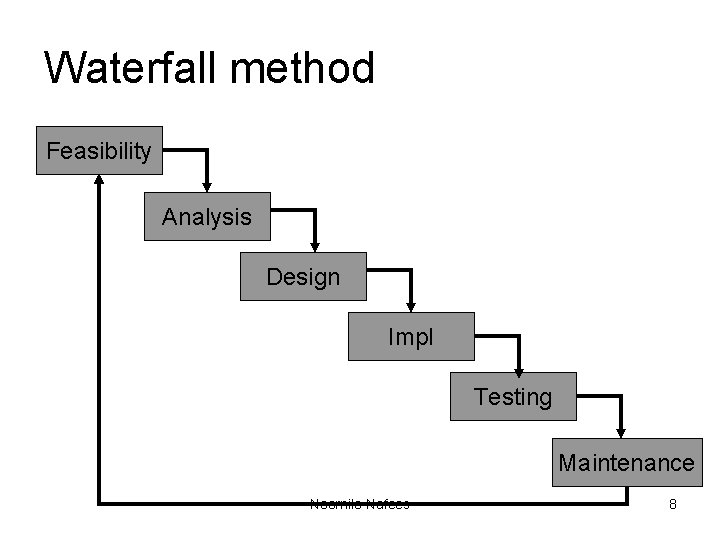
Waterfall method Feasibility Analysis Design Impl Testing Maintenance Noornilo Nafees 8
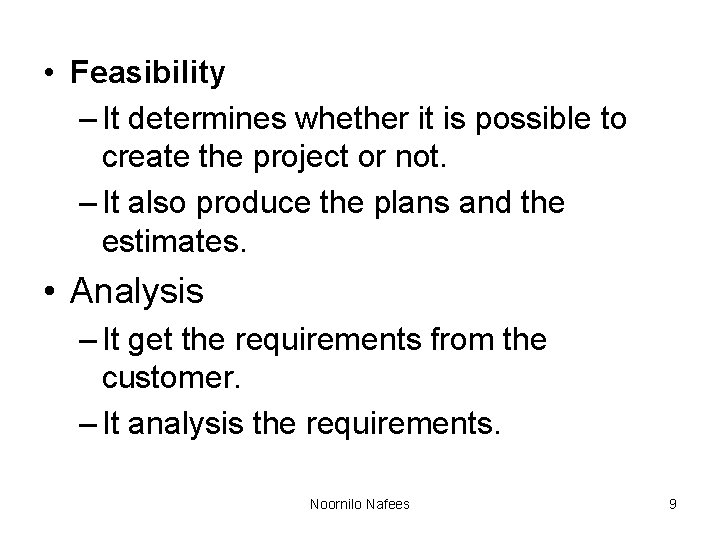
• Feasibility – It determines whether it is possible to create the project or not. – It also produce the plans and the estimates. • Analysis – It get the requirements from the customer. – It analysis the requirements. Noornilo Nafees 9
• Design – It is the process of designing how the requirements to be implemented. • Implementation – It converts the designs into code. – After coding it use language translators to compile the code. Noornilo Nafees 10
• Testing – Here the modules are integrated together. – Then the project is tested and find whether it meets the customer/user requirements. • Maintenance – It make modifications based on the customer feedbacks. Noornilo Nafees 11
Algorithm • An algorithm is a well organized, pre arranged and defined textual computational module that receives some values or set of values as IP & provides a single or a set of values as OP. • It helps the programmer in breaking down the solution of a problem into a number of sequential steps. Noornilo Nafees 12
Characteristics • The steps in the algorithm must be unambiguous. • It should be written in sequence. • Ensure that the algorithm will terminate. • It should conclude after a finite number of steps. Noornilo Nafees 13
Factors used to judge the algorithm • • Time Memory Accuracy Sequence etc, . Noornilo Nafees 14
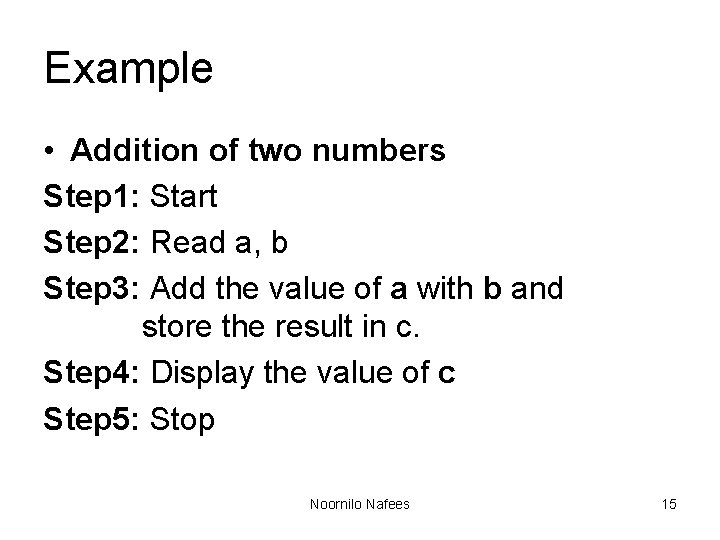
Example • Addition of two numbers Step 1: Start Step 2: Read a, b Step 3: Add the value of a with b and store the result in c. Step 4: Display the value of c Step 5: Stop Noornilo Nafees 15
Pseudocode • Pseudo means imitates and code means instruction. • It is formal design tool. • It is also called Program Design Language. Noornilo Nafees 16
Keywords • READ, GET • PRINT, DISPLAY • COMPUTE, CALCULATE Noornilo Nafees 17
Guideline for writing Pseudocode • • Steps should be understandable Capitalize the keyword. Indent to show hierarchy. End multiple line structure etc, . Noornilo Nafees 18
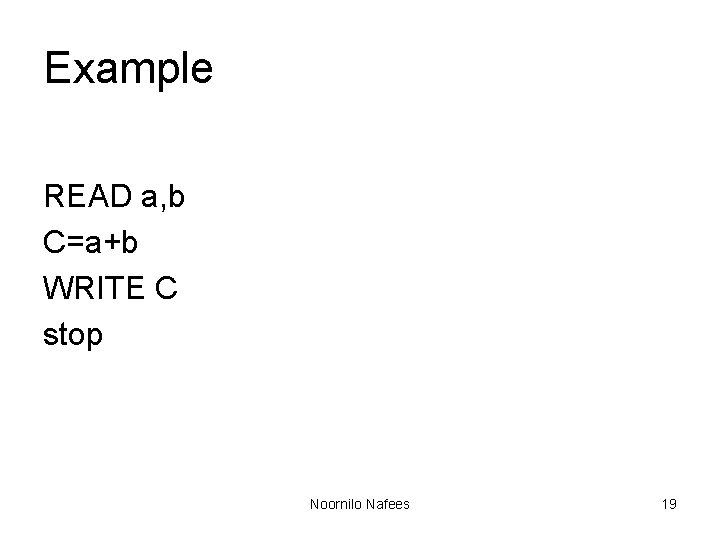
Example READ a, b C=a+b WRITE C stop Noornilo Nafees 19
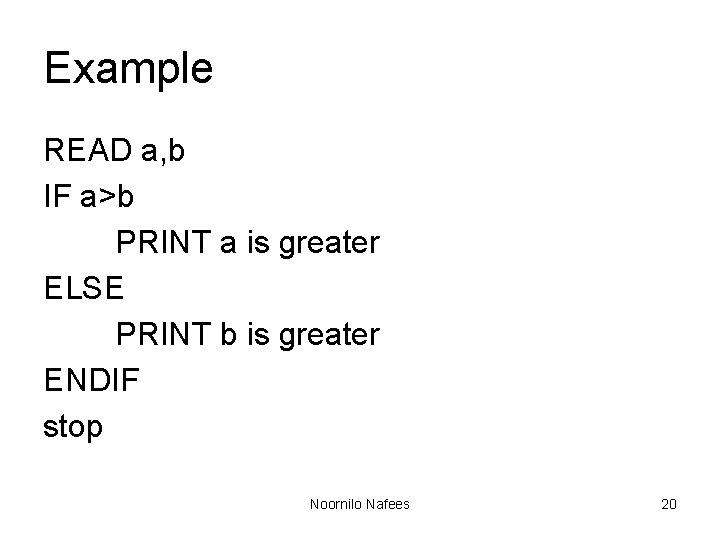
Example READ a, b IF a>b PRINT a is greater ELSE PRINT b is greater ENDIF stop Noornilo Nafees 20
Advantage & Disadvantage • It can be easily modified • It can be understood easily • Compare to flowchart it is difficult to understand the program logic. Noornilo Nafees 21
Flowcharts • It is the pictorial representation of the process. • It describes the sequence & flow of control & information in a process • It uses different symbols for depicting different activities Noornilo Nafees 22
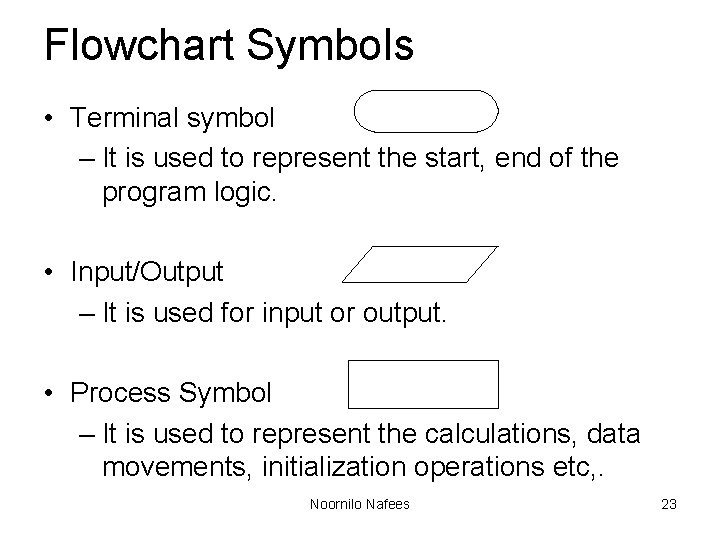
Flowchart Symbols • Terminal symbol – It is used to represent the start, end of the program logic. • Input/Output – It is used for input or output. • Process Symbol – It is used to represent the calculations, data movements, initialization operations etc, . Noornilo Nafees 23
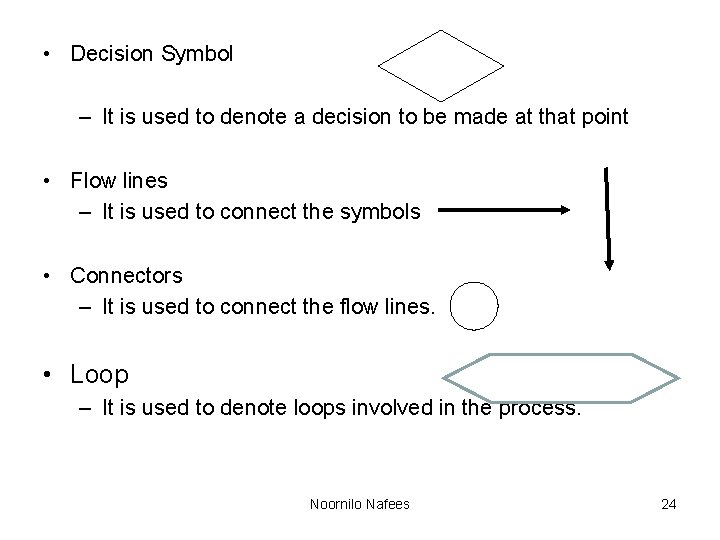
• Decision Symbol – It is used to denote a decision to be made at that point • Flow lines – It is used to connect the symbols • Connectors – It is used to connect the flow lines. • Loop – It is used to denote loops involved in the process. Noornilo Nafees 24
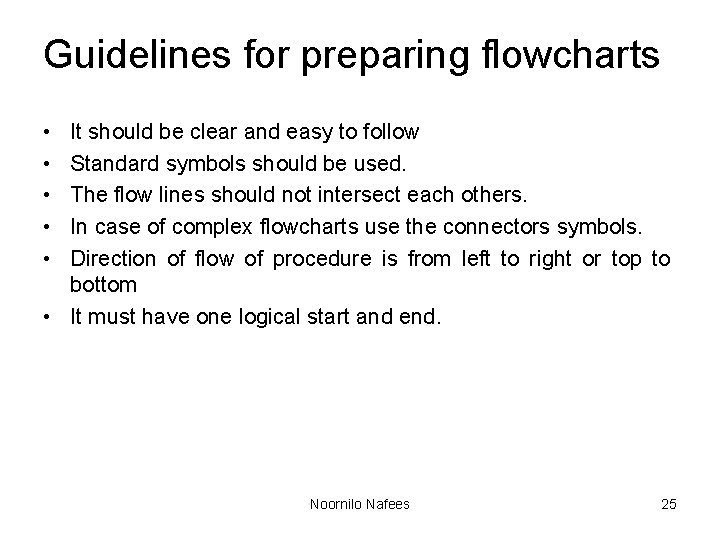
Guidelines for preparing flowcharts • • • It should be clear and easy to follow Standard symbols should be used. The flow lines should not intersect each others. In case of complex flowcharts use the connectors symbols. Direction of flow of procedure is from left to right or top to bottom • It must have one logical start and end. Noornilo Nafees 25
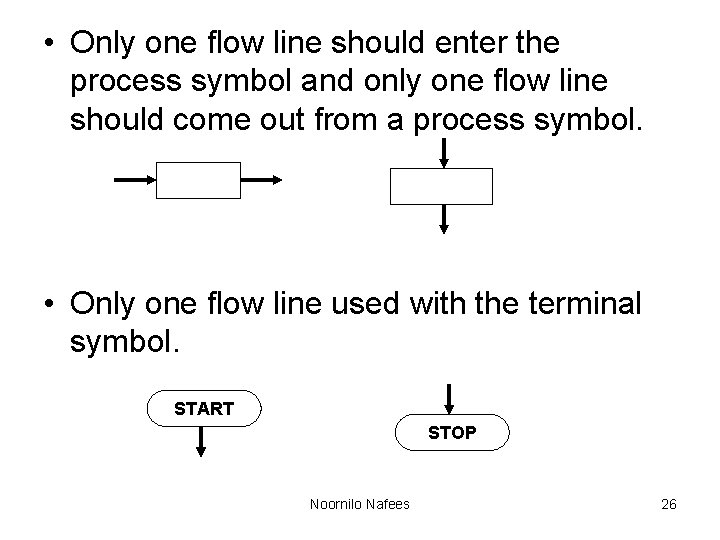
• Only one flow line should enter the process symbol and only one flow line should come out from a process symbol. • Only one flow line used with the terminal symbol. START STOP Noornilo Nafees 26
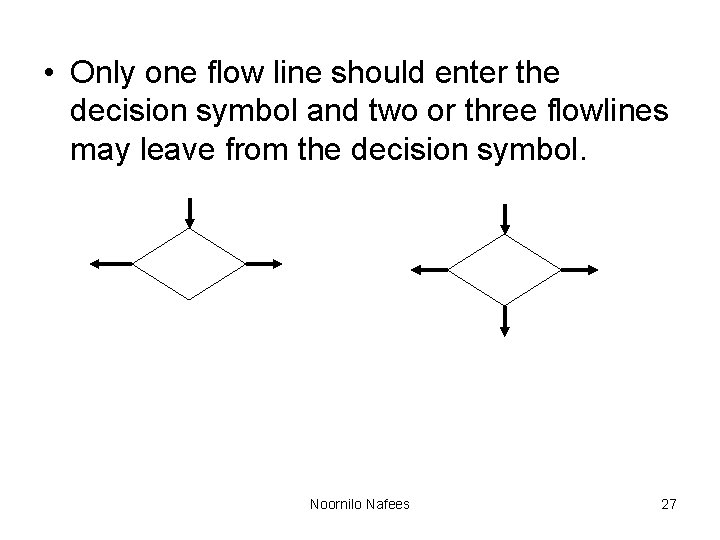
• Only one flow line should enter the decision symbol and two or three flowlines may leave from the decision symbol. Noornilo Nafees 27
Benefits of Flowcharts • • Makes Logic Clear Communication Effective Analysis Proper Documentation Efficient Coding Proper Debugging Efficient Program Maintenance Noornilo Nafees 28
Limits of Flowcharts • It is difficult to use flowcharts for large program • Difficult to modify • Cost etc, . Noornilo Nafees 29
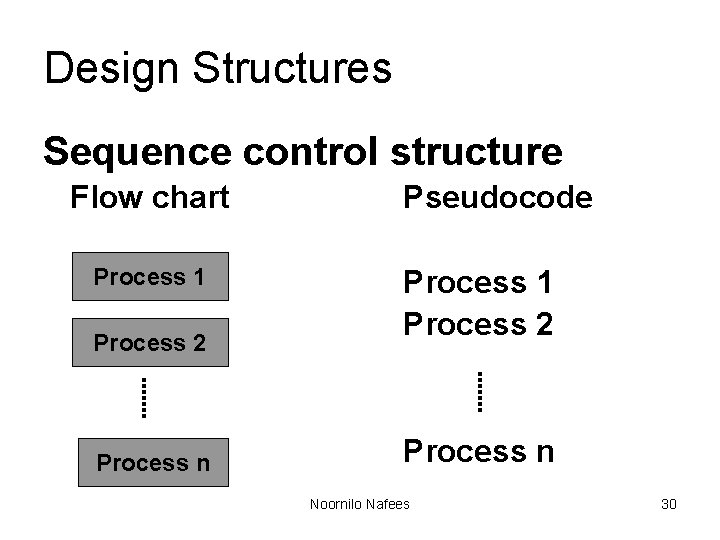
Design Structures Sequence control structure Flow chart Process 1 Process 2 Process n Pseudocode Process 1 Process 2 Process n Noornilo Nafees 30
Design Structures Sequence control structure • The instructions are computed in sequence i. e. it performs instruction one after another. • It uses top-down approach. Noornilo Nafees 31
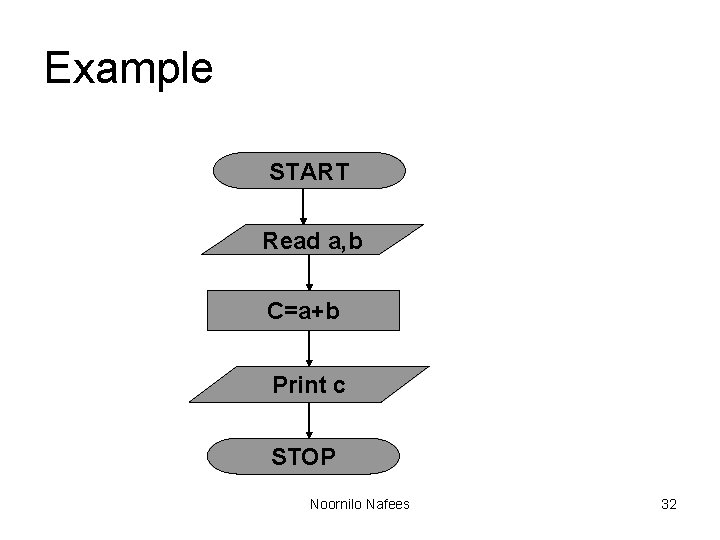
Example START Read a, b C=a+b Print c STOP Noornilo Nafees 32
SELECTION CONTROL STRUCTURE • It is used for making decisions. • It allows the program to make a choice from alternative paths. • IF …THEN… ELSE • CASE etc. , Noornilo Nafees 33
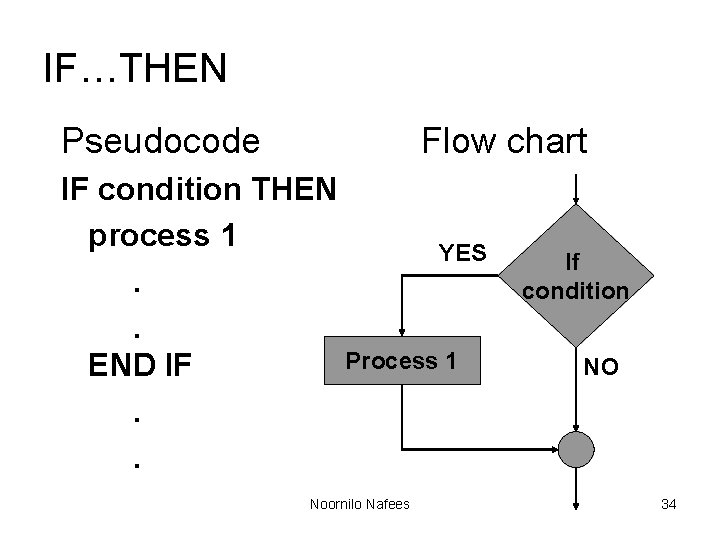
IF…THEN Pseudocode Flow chart IF condition THEN process 1 YES. . Process 1 END IF. . Noornilo Nafees If condition NO 34
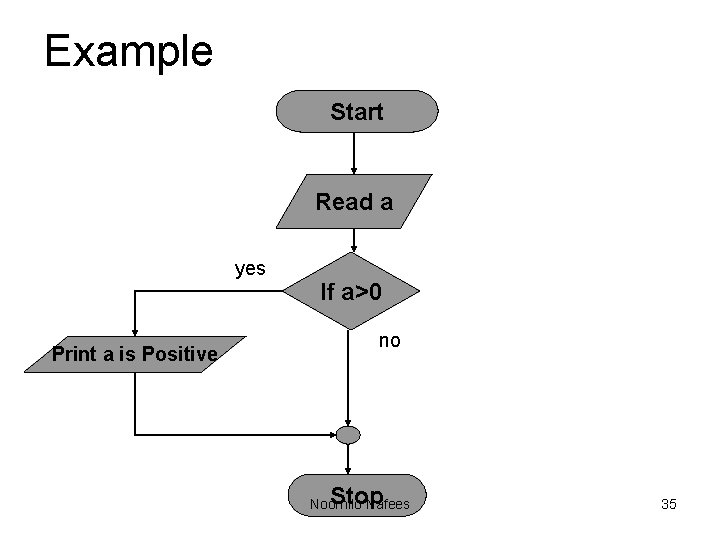
Example Start Read a yes Print a is Positive If a>0 no Stop Noornilo Nafees 35
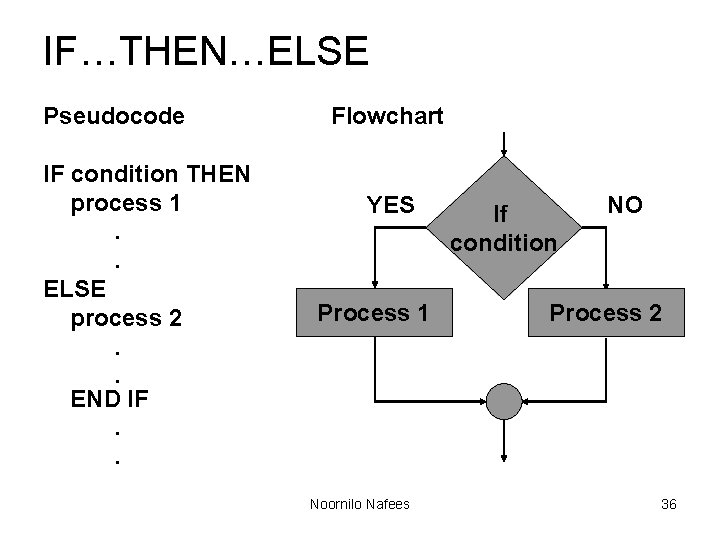
IF…THEN…ELSE Pseudocode IF condition THEN process 1. . ELSE process 2. . END IF. . Flowchart YES Process 1 Noornilo Nafees If condition NO Process 2 36
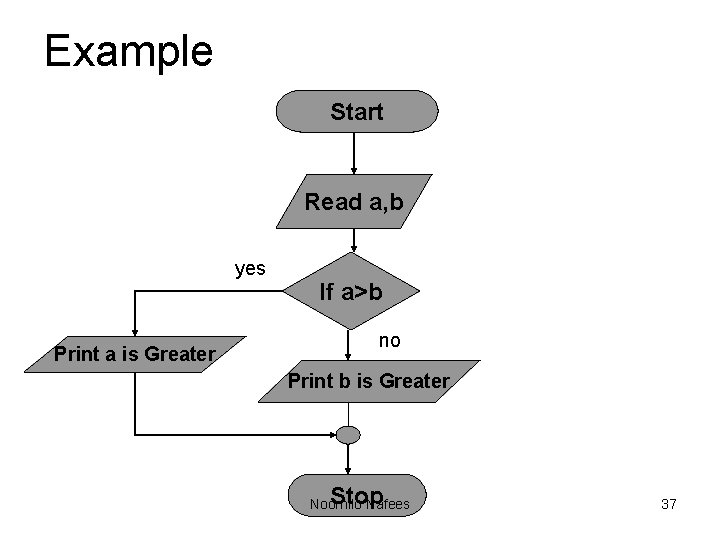
Example Start Read a, b yes Print a is Greater If a>b no Print b is Greater Stop Noornilo Nafees 37
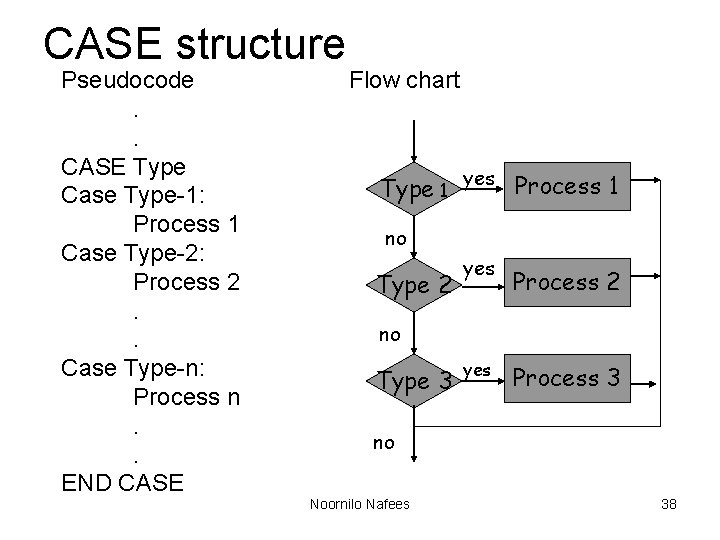
CASE structure Pseudocode. . CASE Type Case Type-1: Process 1 Case Type-2: Process 2. . Case Type-n: Process n. . END CASE Flow chart Type 1 yes Process 1 no Type 2 yes Process 2 no Type 3 yes Process 3 no Noornilo Nafees 38
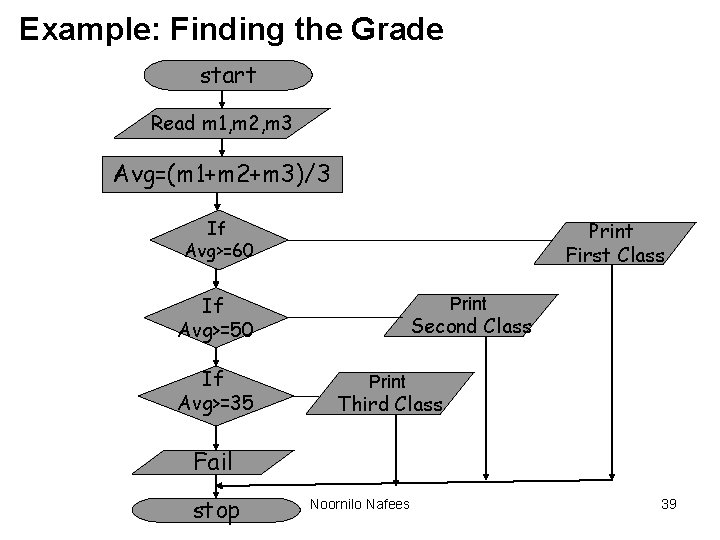
Example: Finding the Grade start Read m 1, m 2, m 3 Avg=(m 1+m 2+m 3)/3 If Avg>=60 Print First Class If Avg>=50 If Avg>=35 Print Second Class Print Third Class Fail stop Noornilo Nafees 39
Looping control structure • It is used to execute some instructions several time based on some condition. • WHILE loop • Do…WHILE loop etc. , Noornilo Nafees 40
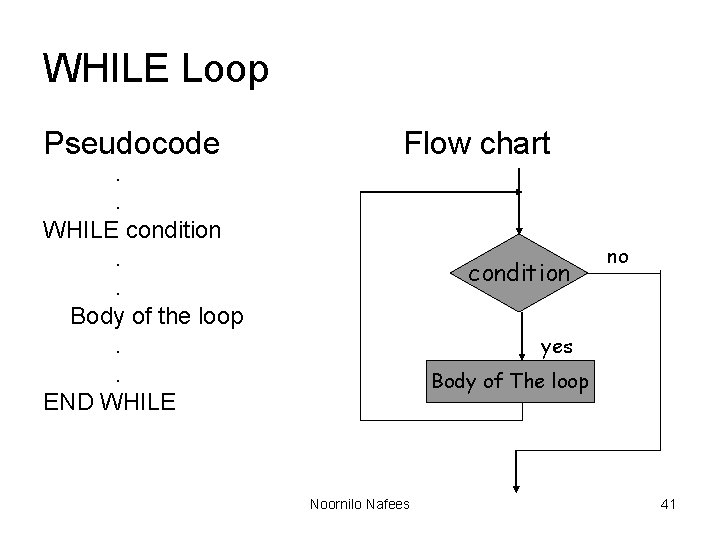
WHILE Loop Pseudocode Flow chart . . WHILE condition. . Body of the loop. . END WHILE condition no yes Body of The loop Noornilo Nafees 41
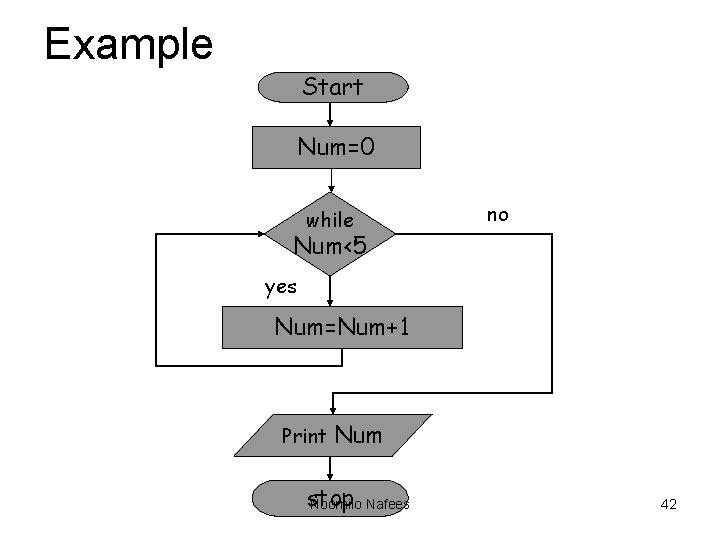
Example Start Num=0 while no Num<5 yes Num=Num+1 Print Num stop Noornilo Nafees 42
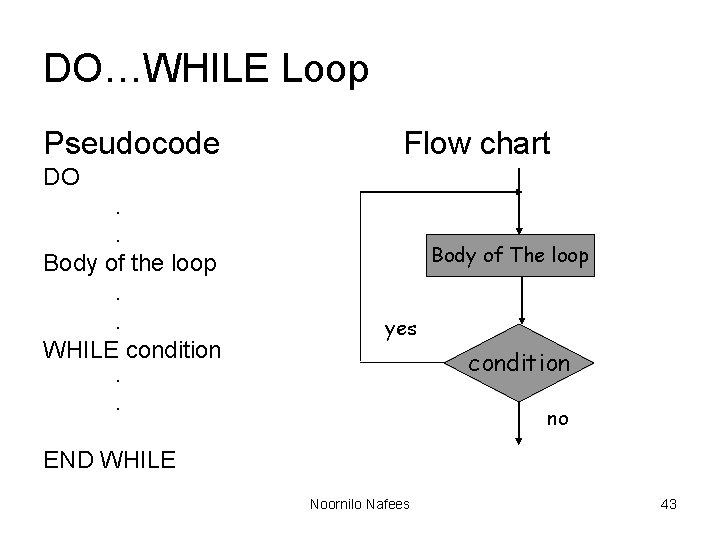
DO…WHILE Loop Pseudocode Flow chart DO. . Body of the loop. . WHILE condition Body of The loop yes condition . . no END WHILE Noornilo Nafees 43
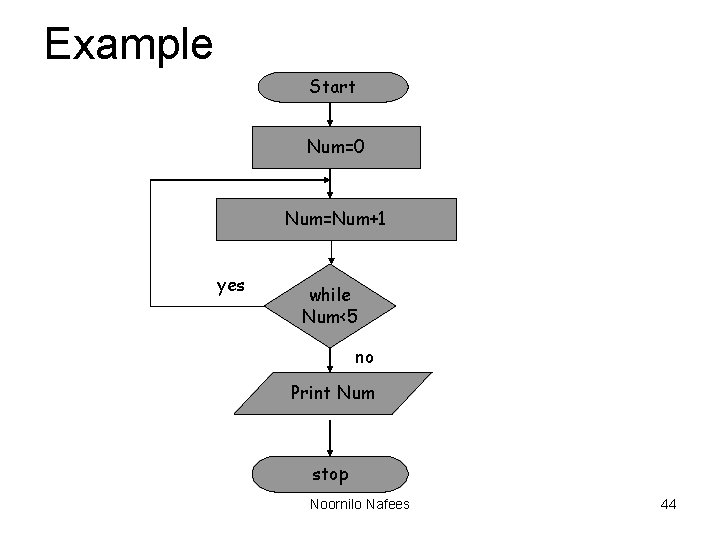
Example Start Num=0 Num=Num+1 yes while Num<5 no Print Num stop Noornilo Nafees 44
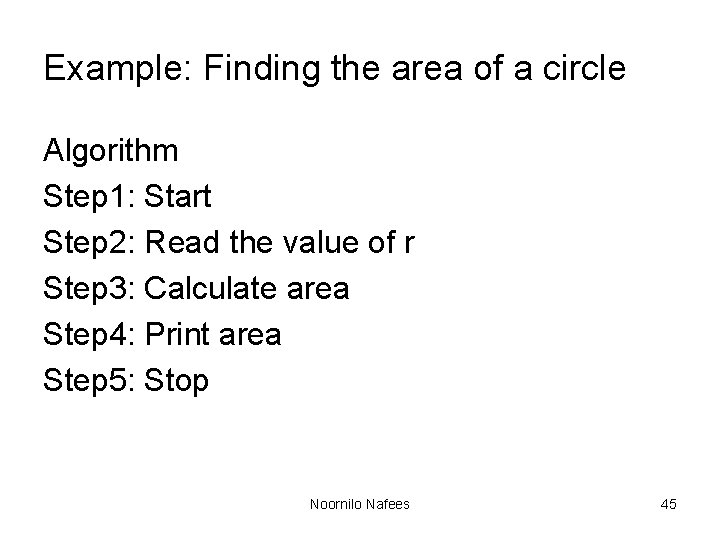
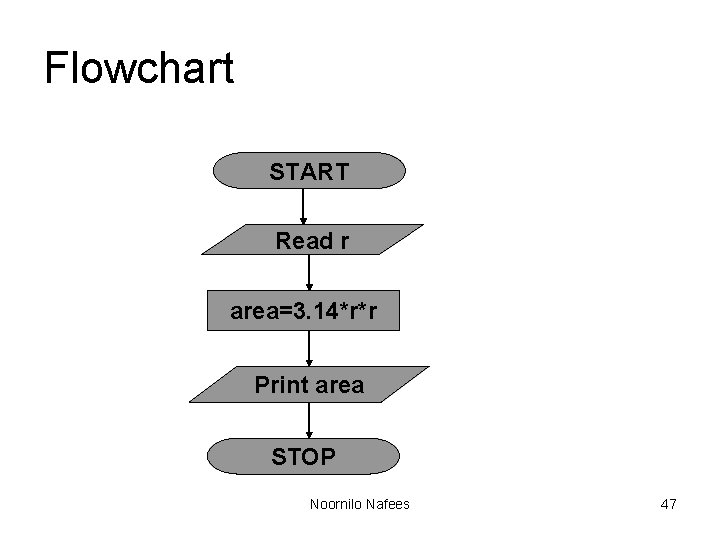
Example: Finding the area of a circle Algorithm Step 1: Start Step 2: Read the value of r Step 3: Calculate area Step 4: Print area Step 5: Stop Noornilo Nafees 45
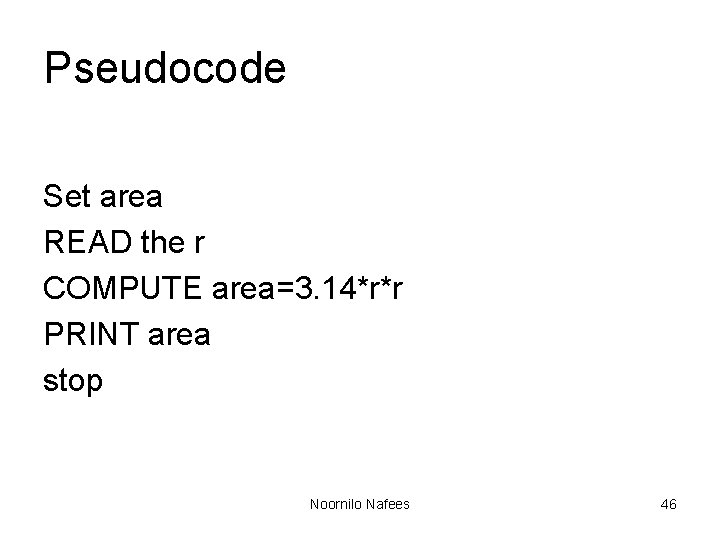
Pseudocode Set area READ the r COMPUTE area=3. 14*r*r PRINT area stop Noornilo Nafees 46
Flowchart START Read r area=3. 14*r*r Print area STOP Noornilo Nafees 47
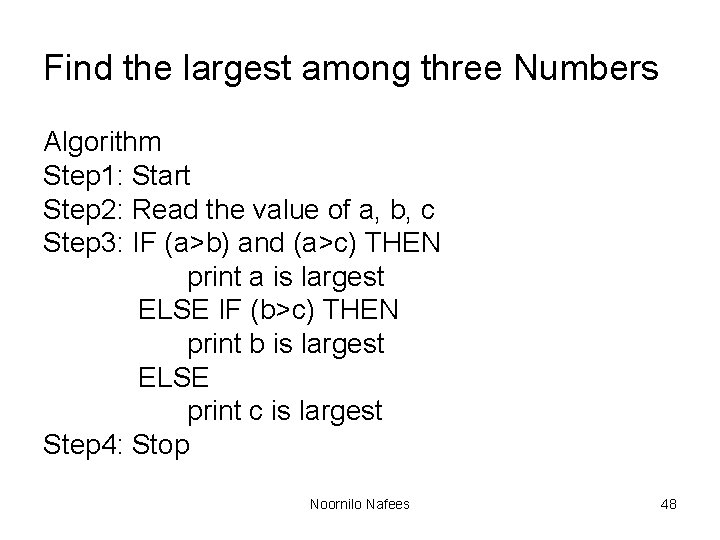
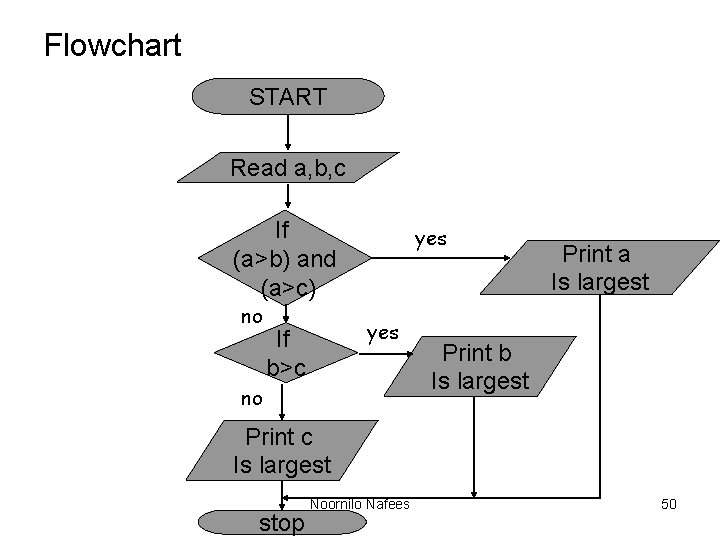
Find the largest among three Numbers Algorithm Step 1: Start Step 2: Read the value of a, b, c Step 3: IF (a>b) and (a>c) THEN print a is largest ELSE IF (b>c) THEN print b is largest ELSE print c is largest Step 4: Stop Noornilo Nafees 48
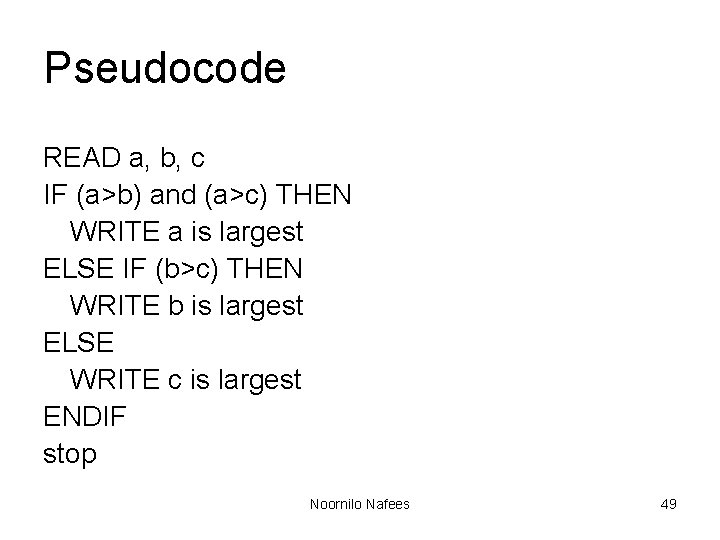
Pseudocode READ a, b, c IF (a>b) and (a>c) THEN WRITE a is largest ELSE IF (b>c) THEN WRITE b is largest ELSE WRITE c is largest ENDIF stop Noornilo Nafees 49
Flowchart START Read a, b, c If (a>b) and (a>c) no yes If b>c no Print a Is largest Print b Is largest Print c Is largest stop Noornilo Nafees 50
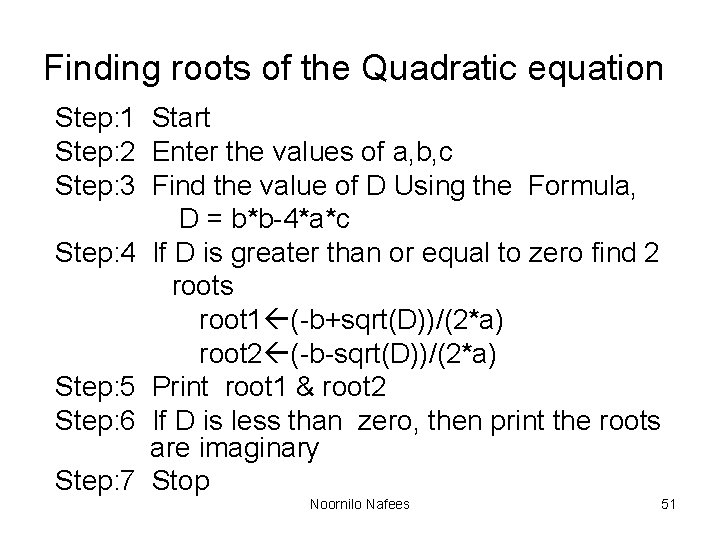
Finding roots of the Quadratic equation Step: 1 Start Step: 2 Enter the values of a, b, c Step: 3 Find the value of D Using the Formula, D = b*b-4*a*c Step: 4 If D is greater than or equal to zero find 2 roots root 1 (-b+sqrt(D))/(2*a) root 2 (-b-sqrt(D))/(2*a) Step: 5 Print root 1 & root 2 Step: 6 If D is less than zero, then print the roots are imaginary Step: 7 Stop Noornilo Nafees 51
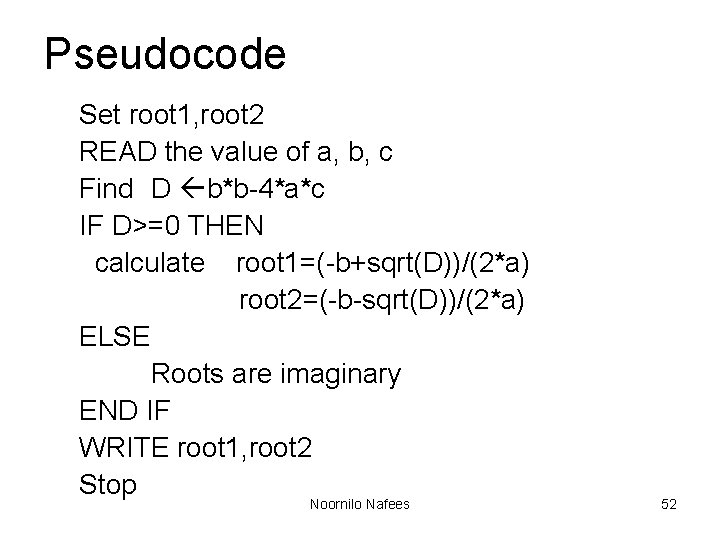
Pseudocode Set root 1, root 2 READ the value of a, b, c Find D b*b-4*a*c IF D>=0 THEN calculate root 1=(-b+sqrt(D))/(2*a) root 2=(-b-sqrt(D))/(2*a) ELSE Roots are imaginary END IF WRITE root 1, root 2 Stop Noornilo Nafees 52
Flow chart Start Read a, b, c D=b*b-4*a*c no If D>=0 yes Root 1=[-b+sqrt(D)]/(2*a) Root 2=[-b+sqrt(D)]/(2*a) Print roots are imaginary Print root 1, root 2 Noornilo Nafees Stop 53
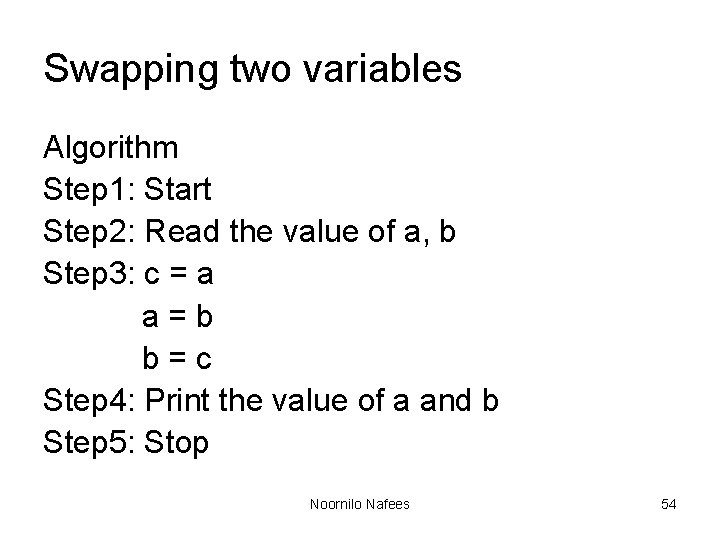
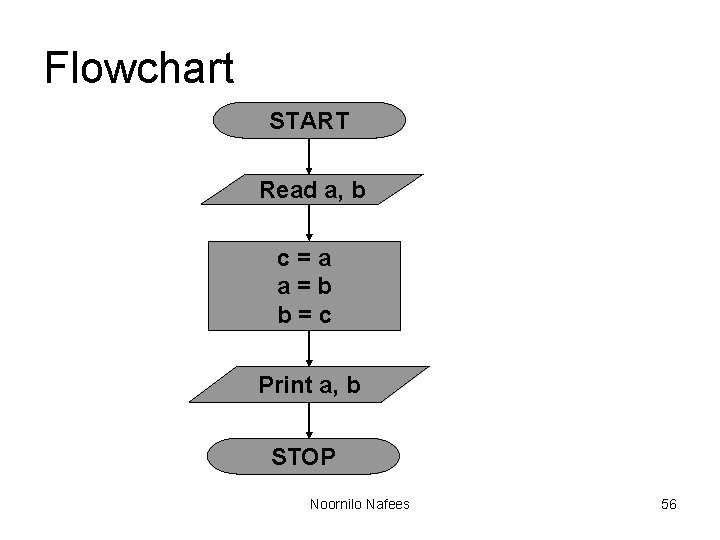
Swapping two variables Algorithm Step 1: Start Step 2: Read the value of a, b Step 3: c = a a=b b=c Step 4: Print the value of a and b Step 5: Stop Noornilo Nafees 54
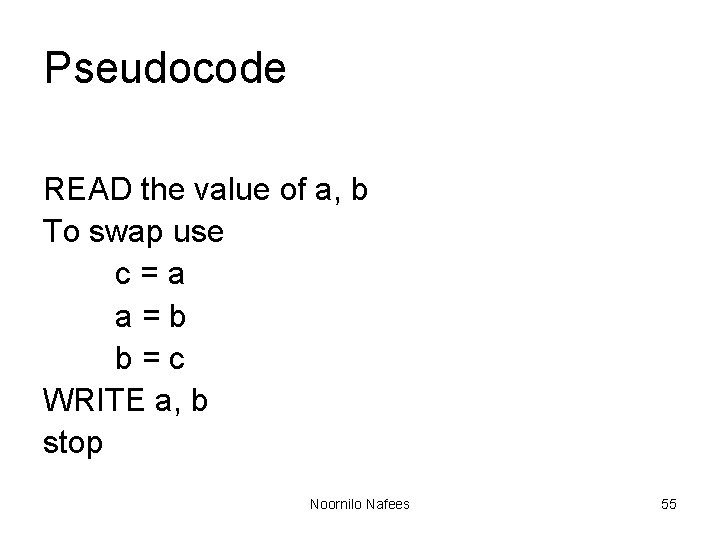
Pseudocode READ the value of a, b To swap use c=a a=b b=c WRITE a, b stop Noornilo Nafees 55
Flowchart START Read a, b c=a a=b b=c Print a, b STOP Noornilo Nafees 56
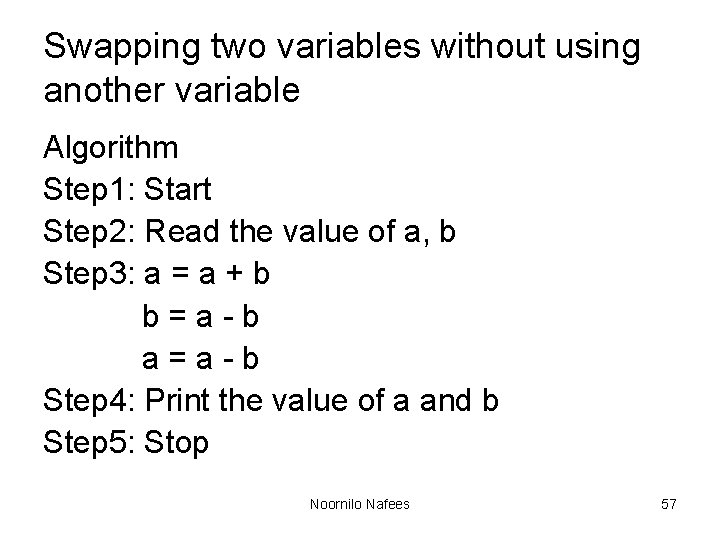
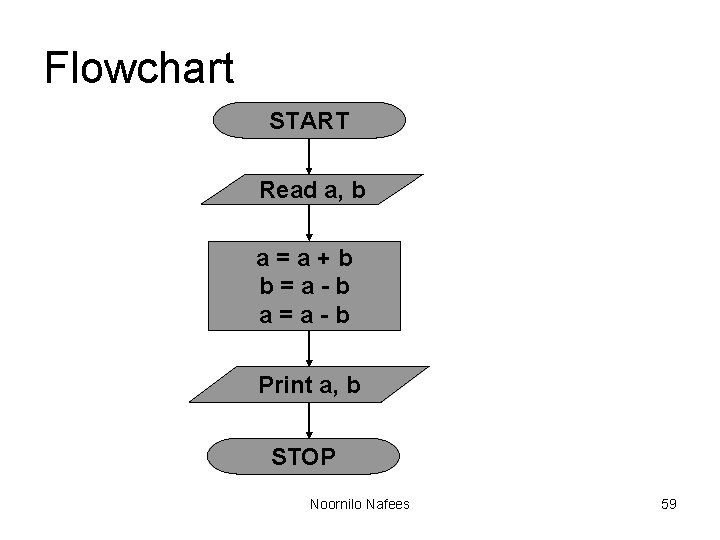
Swapping two variables without using another variable Algorithm Step 1: Start Step 2: Read the value of a, b Step 3: a = a + b b=a-b a=a-b Step 4: Print the value of a and b Step 5: Stop Noornilo Nafees 57
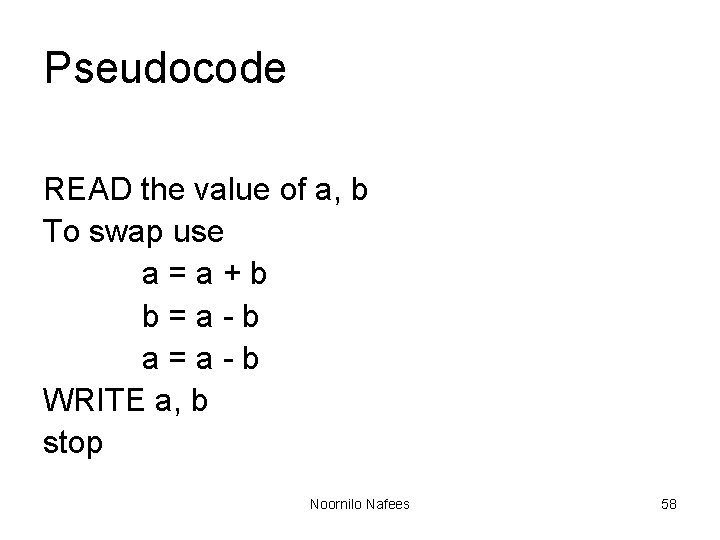
Pseudocode READ the value of a, b To swap use a=a+b b=a-b a=a-b WRITE a, b stop Noornilo Nafees 58
Flowchart START Read a, b a=a+b b=a-b a=a-b Print a, b STOP Noornilo Nafees 59
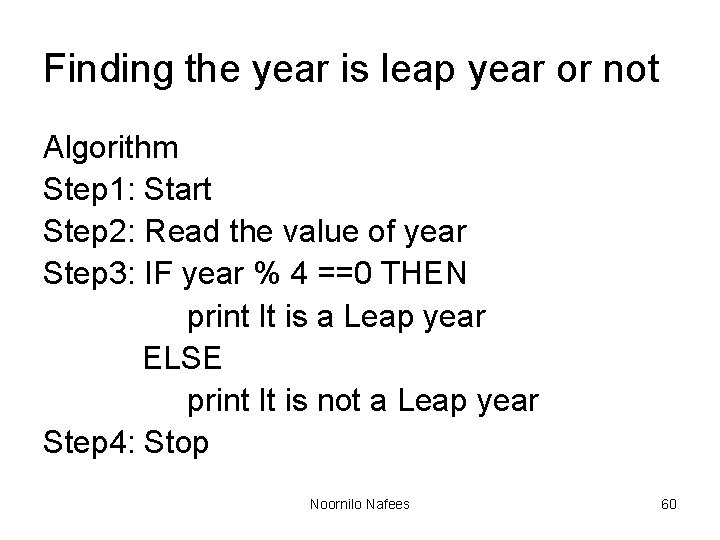
Finding the year is leap year or not Algorithm Step 1: Start Step 2: Read the value of year Step 3: IF year % 4 ==0 THEN print It is a Leap year ELSE print It is not a Leap year Step 4: Stop Noornilo Nafees 60
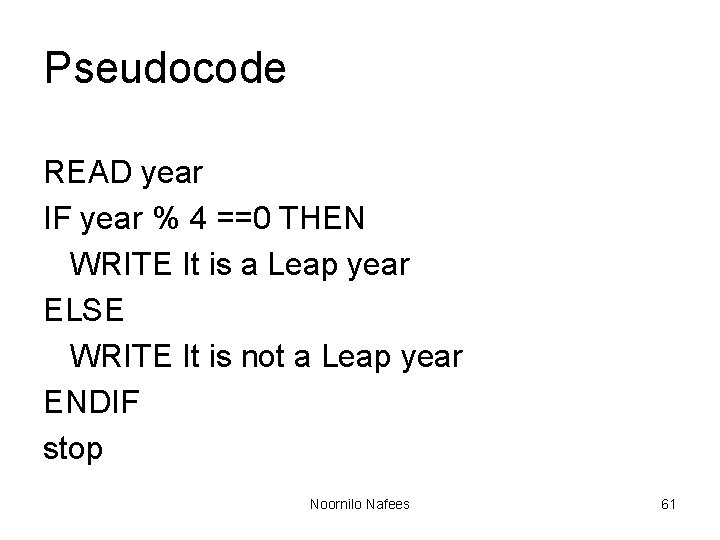
Pseudocode READ year IF year % 4 ==0 THEN WRITE It is a Leap year ELSE WRITE It is not a Leap year ENDIF stop Noornilo Nafees 61
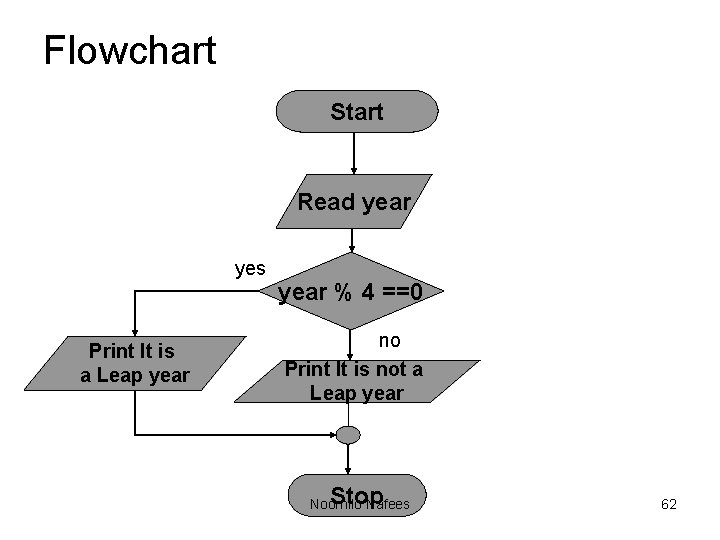
Flowchart Start Read year yes Print It is a Leap year % 4 ==0 no Print It is not a Leap year Stop Noornilo Nafees 62
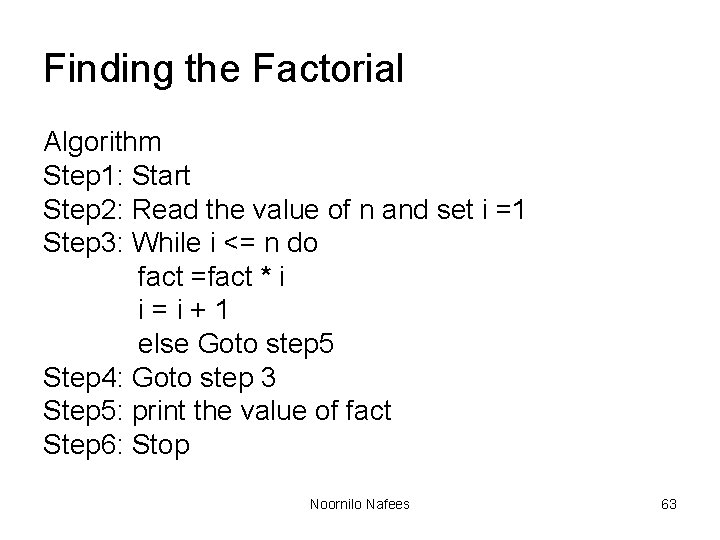
Finding the Factorial Algorithm Step 1: Start Step 2: Read the value of n and set i =1 Step 3: While i <= n do fact =fact * i i=i+1 else Goto step 5 Step 4: Goto step 3 Step 5: print the value of fact Step 6: Stop Noornilo Nafees 63
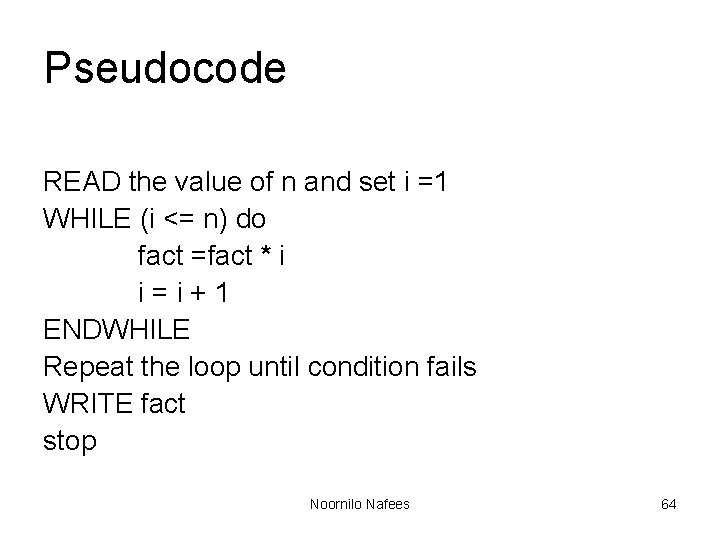
Pseudocode READ the value of n and set i =1 WHILE (i <= n) do fact =fact * i i=i+1 ENDWHILE Repeat the loop until condition fails WRITE fact stop Noornilo Nafees 64
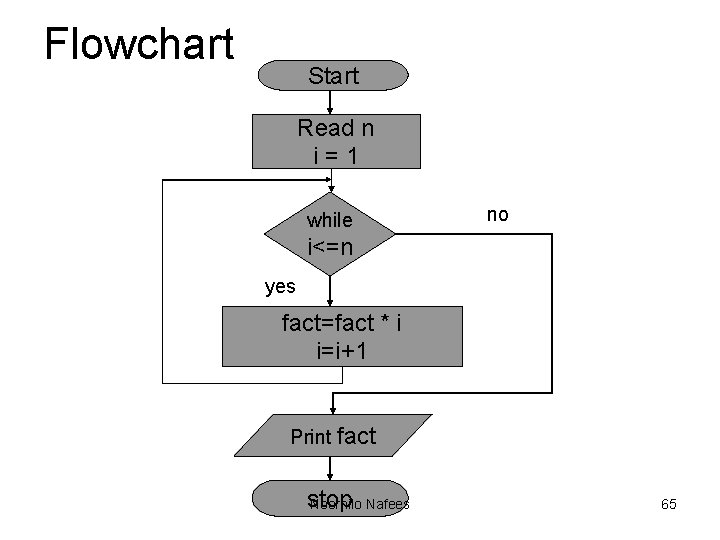
Flowchart Start Read n i=1 while no i<=n yes fact=fact * i i=i+1 Print fact stop Noornilo Nafees 65
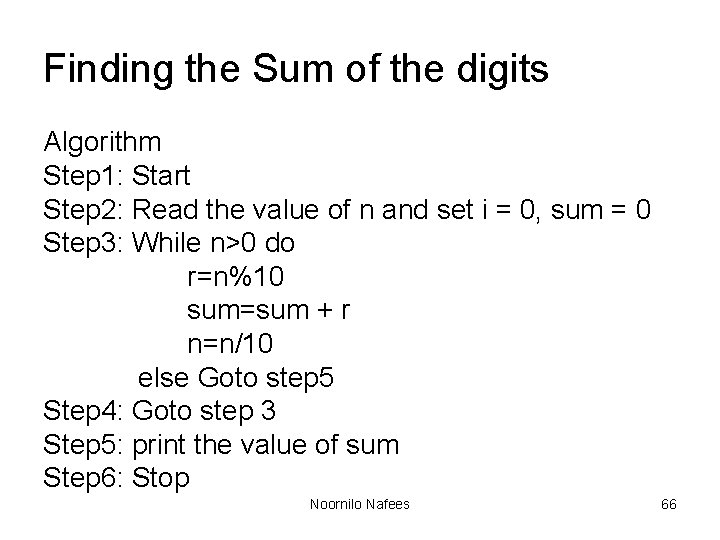
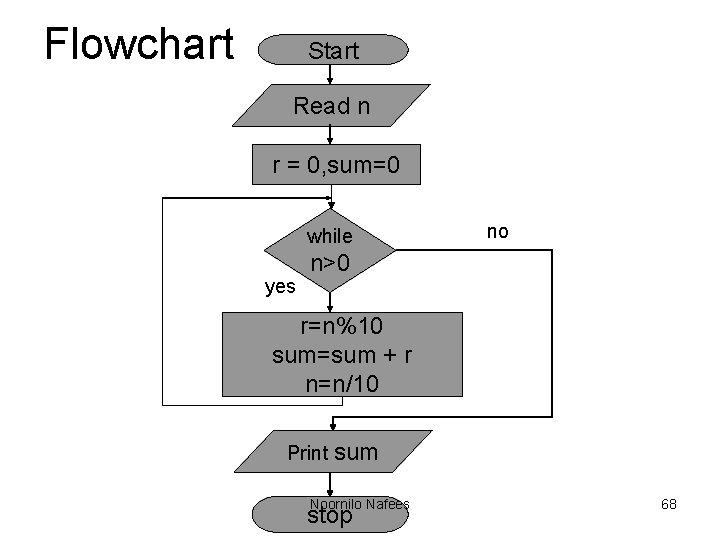
Finding the Sum of the digits Algorithm Step 1: Start Step 2: Read the value of n and set i = 0, sum = 0 Step 3: While n>0 do r=n%10 sum=sum + r n=n/10 else Goto step 5 Step 4: Goto step 3 Step 5: print the value of sum Step 6: Stop Noornilo Nafees 66
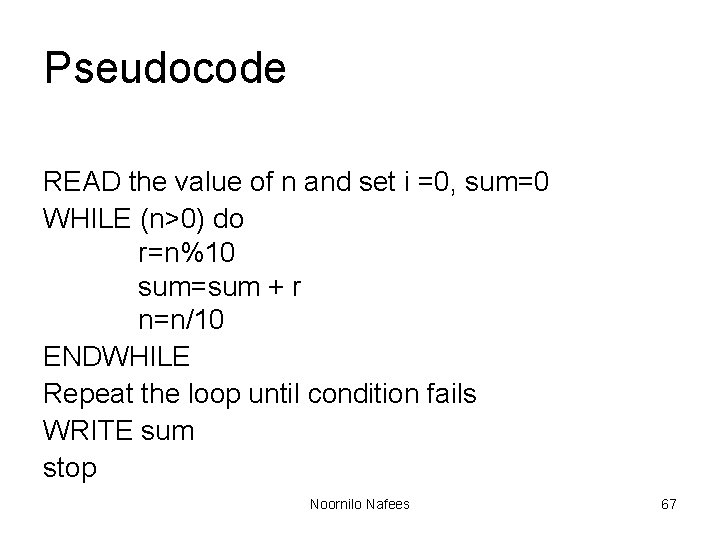
Pseudocode READ the value of n and set i =0, sum=0 WHILE (n>0) do r=n%10 sum=sum + r n=n/10 ENDWHILE Repeat the loop until condition fails WRITE sum stop Noornilo Nafees 67
Flowchart Start Read n r = 0, sum=0 while yes no n>0 r=n%10 sum=sum + r n=n/10 Print sum Noornilo Nafees stop 68
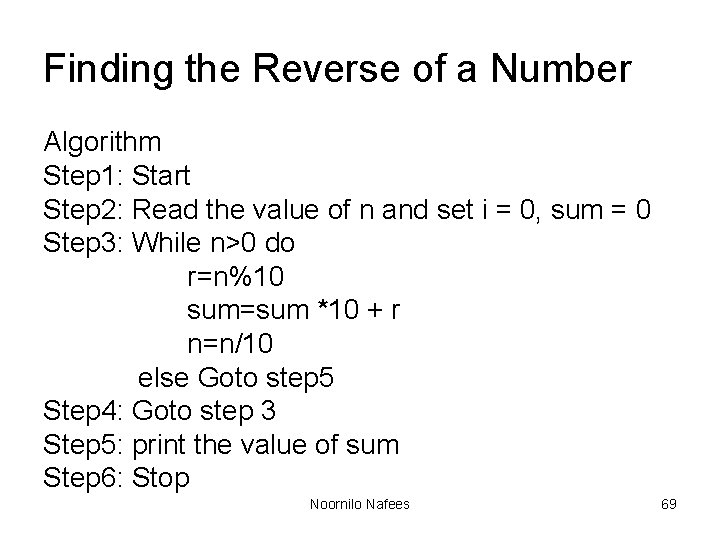
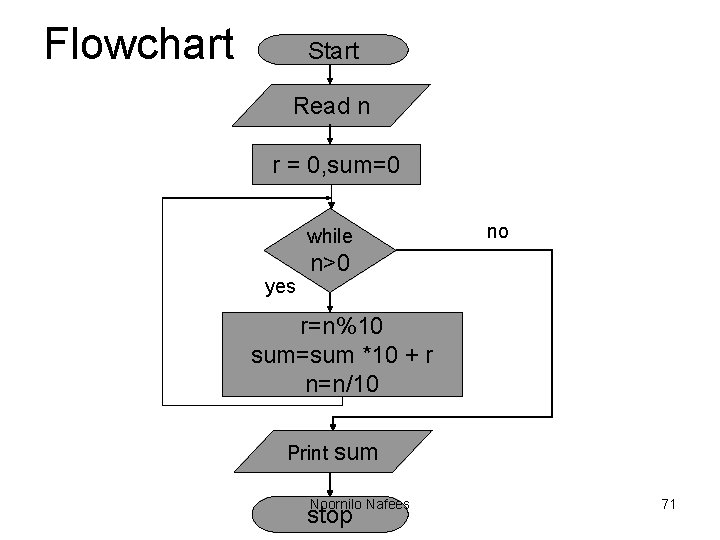
Finding the Reverse of a Number Algorithm Step 1: Start Step 2: Read the value of n and set i = 0, sum = 0 Step 3: While n>0 do r=n%10 sum=sum *10 + r n=n/10 else Goto step 5 Step 4: Goto step 3 Step 5: print the value of sum Step 6: Stop Noornilo Nafees 69
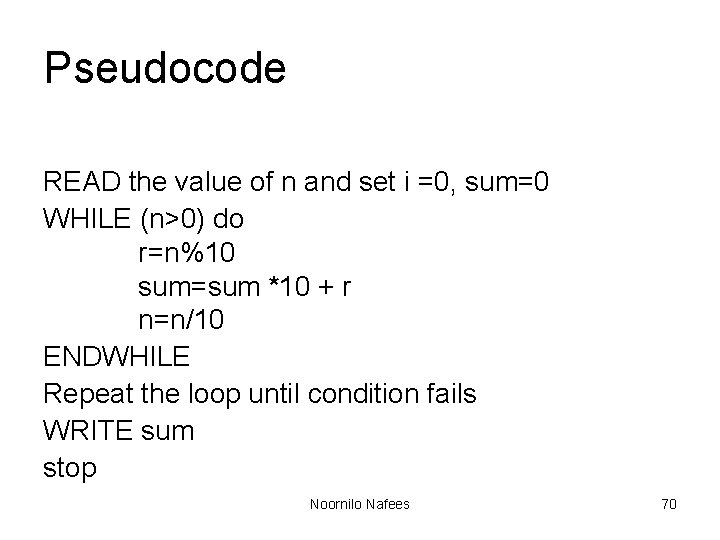
Pseudocode READ the value of n and set i =0, sum=0 WHILE (n>0) do r=n%10 sum=sum *10 + r n=n/10 ENDWHILE Repeat the loop until condition fails WRITE sum stop Noornilo Nafees 70
Flowchart Start Read n r = 0, sum=0 while yes no n>0 r=n%10 sum=sum *10 + r n=n/10 Print sum Noornilo Nafees stop 71
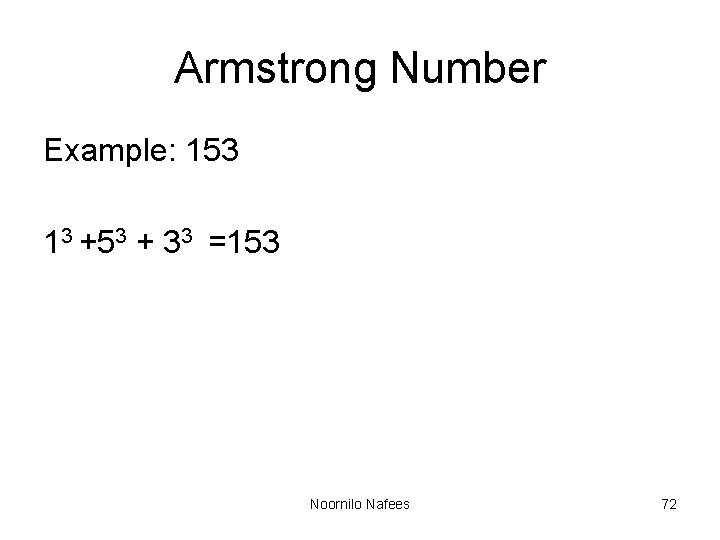
Armstrong Number Example: 153 13 +53 + 33 =153 Noornilo Nafees 72
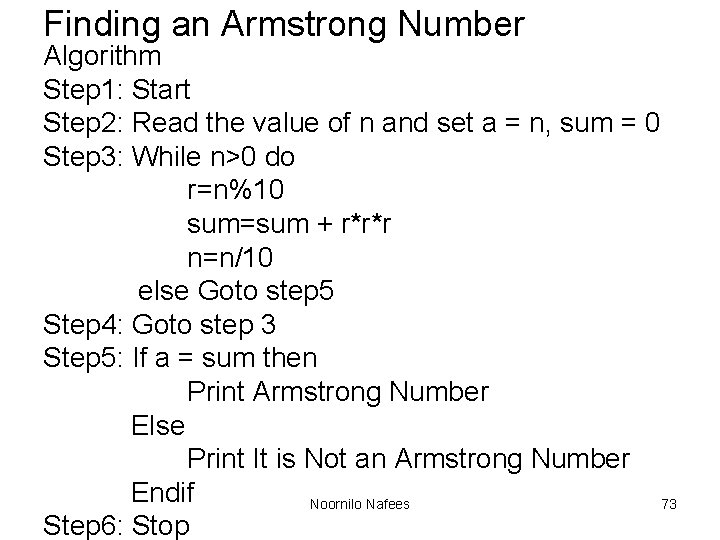
Finding an Armstrong Number Algorithm Step 1: Start Step 2: Read the value of n and set a = n, sum = 0 Step 3: While n>0 do r=n%10 sum=sum + r*r*r n=n/10 else Goto step 5 Step 4: Goto step 3 Step 5: If a = sum then Print Armstrong Number Else Print It is Not an Armstrong Number Endif Noornilo Nafees 73 Step 6: Stop
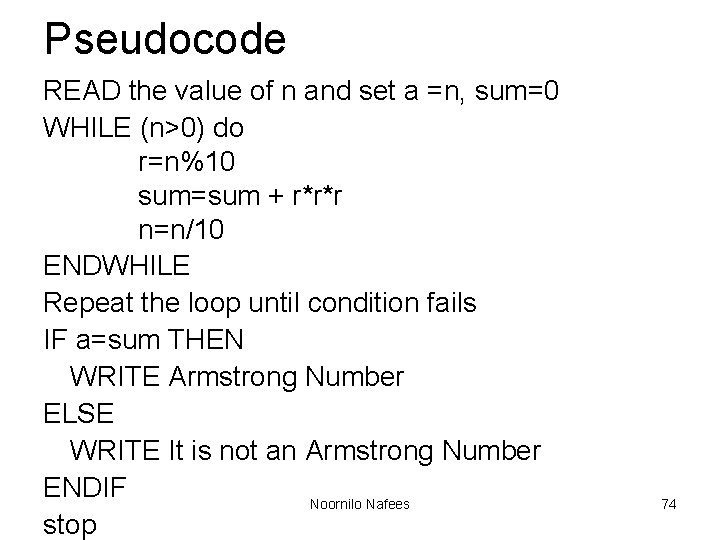
Pseudocode READ the value of n and set a =n, sum=0 WHILE (n>0) do r=n%10 sum=sum + r*r*r n=n/10 ENDWHILE Repeat the loop until condition fails IF a=sum THEN WRITE Armstrong Number ELSE WRITE It is not an Armstrong Number ENDIF Noornilo Nafees stop 74
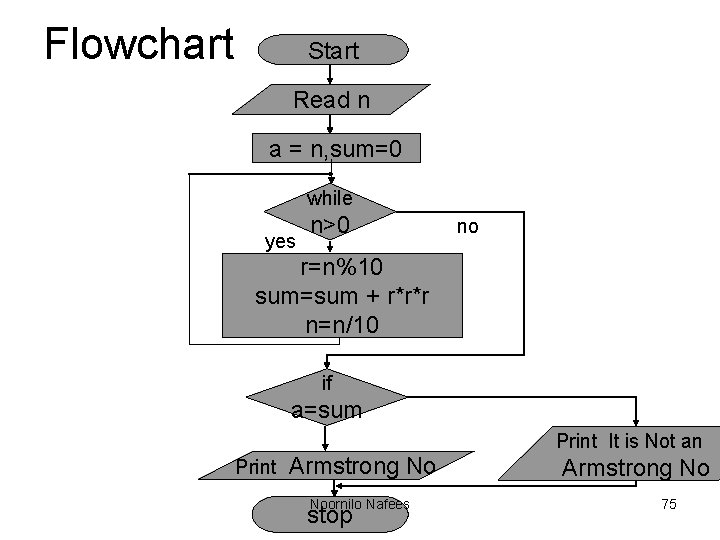
Flowchart Start Read n a = n, sum=0 while yes n>0 no r=n%10 sum=sum + r*r*r n=n/10 if a=sum Print It is Not an Print Armstrong No Noornilo Nafees stop Armstrong No 75
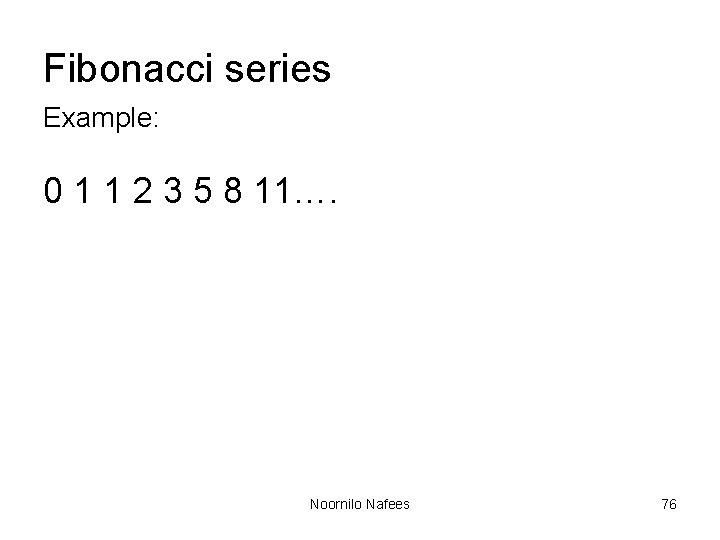
Fibonacci series Example: 0 1 1 2 3 5 8 11…. Noornilo Nafees 76
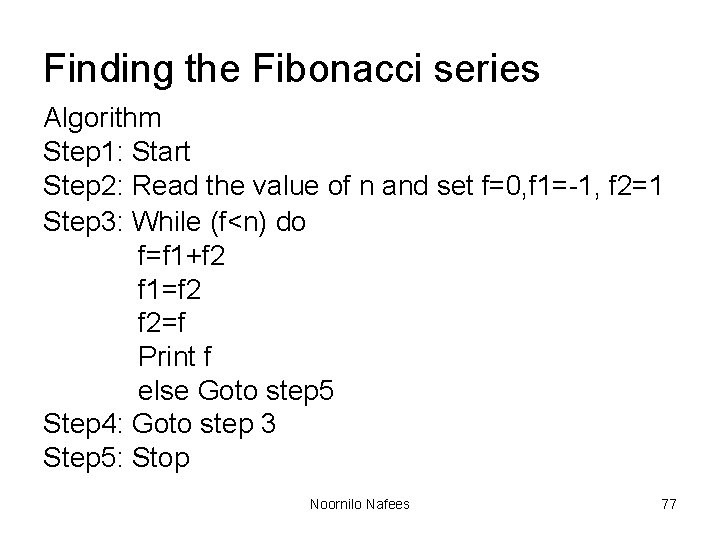
Finding the Fibonacci series Algorithm Step 1: Start Step 2: Read the value of n and set f=0, f 1=-1, f 2=1 Step 3: While (f<n) do f=f 1+f 2 f 1=f 2 f 2=f Print f else Goto step 5 Step 4: Goto step 3 Step 5: Stop Noornilo Nafees 77
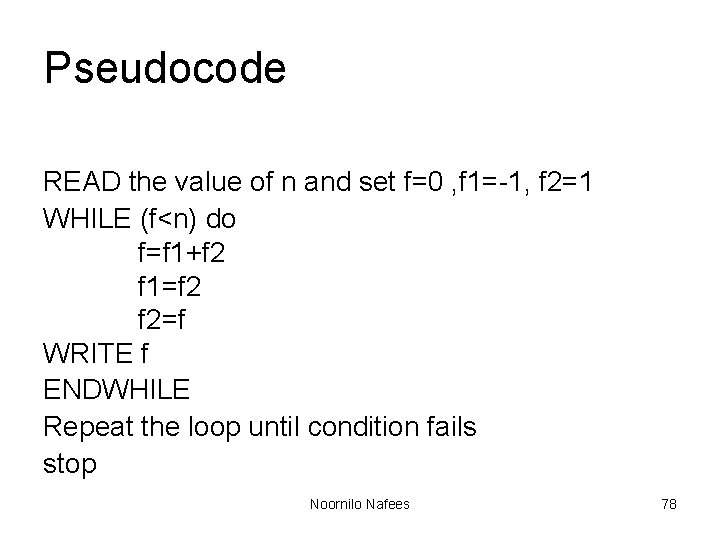
Pseudocode READ the value of n and set f=0 , f 1=-1, f 2=1 WHILE (f<n) do f=f 1+f 2 f 1=f 2 f 2=f WRITE f ENDWHILE Repeat the loop until condition fails stop Noornilo Nafees 78
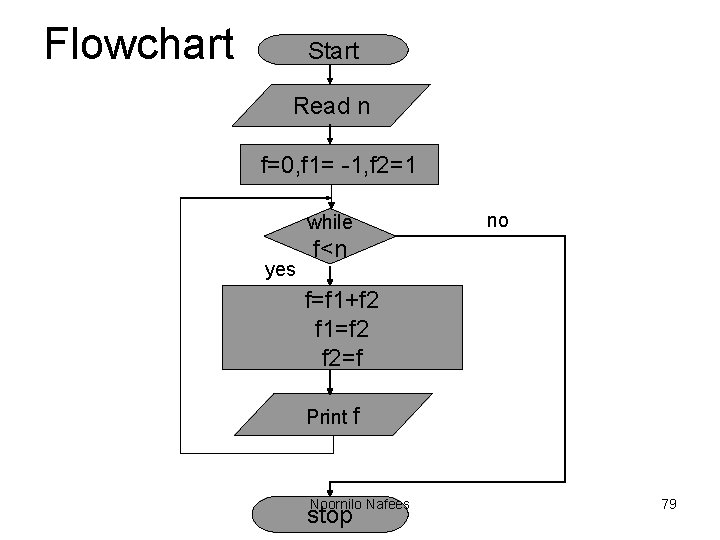
Flowchart Start Read n f=0, f 1= -1, f 2=1 while yes no f<n f=f 1+f 2 f 1=f 2 f 2=f Print f Noornilo Nafees stop 79
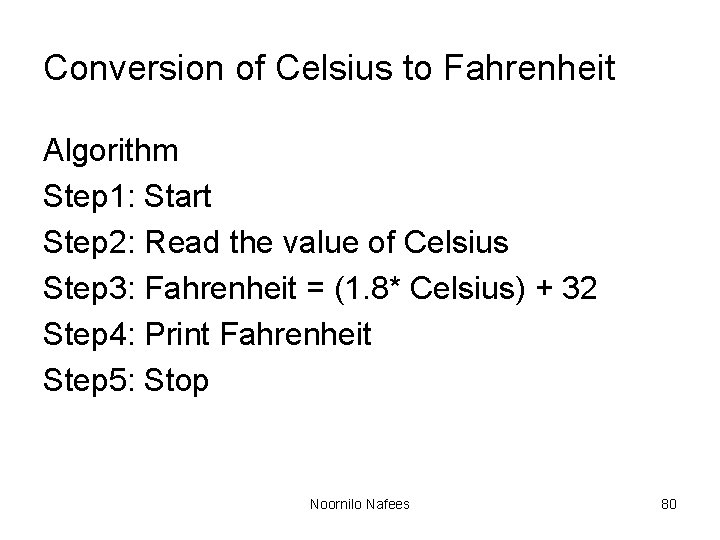
Conversion of Celsius to Fahrenheit Algorithm Step 1: Start Step 2: Read the value of Celsius Step 3: Fahrenheit = (1. 8* Celsius) + 32 Step 4: Print Fahrenheit Step 5: Stop Noornilo Nafees 80
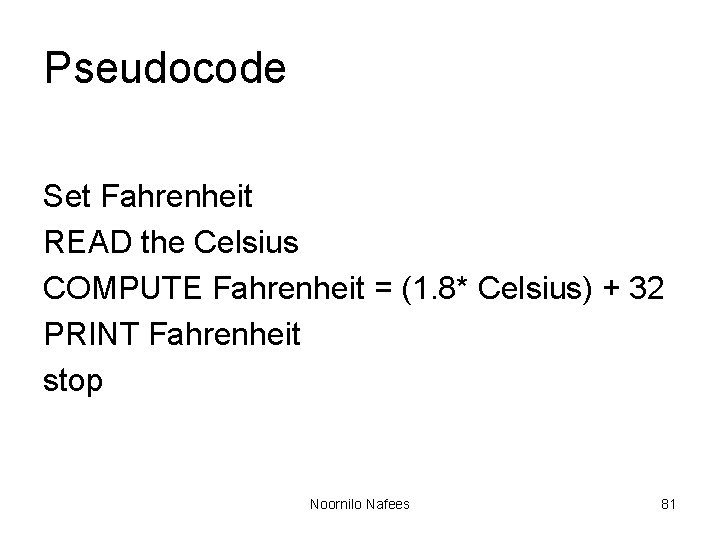
Pseudocode Set Fahrenheit READ the Celsius COMPUTE Fahrenheit = (1. 8* Celsius) + 32 PRINT Fahrenheit stop Noornilo Nafees 81
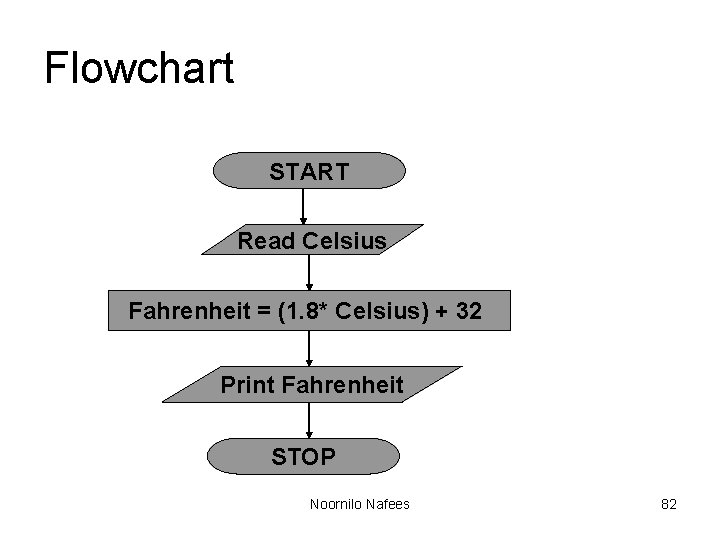
Flowchart START Read Celsius Fahrenheit = (1. 8* Celsius) + 32 Print Fahrenheit STOP Noornilo Nafees 82
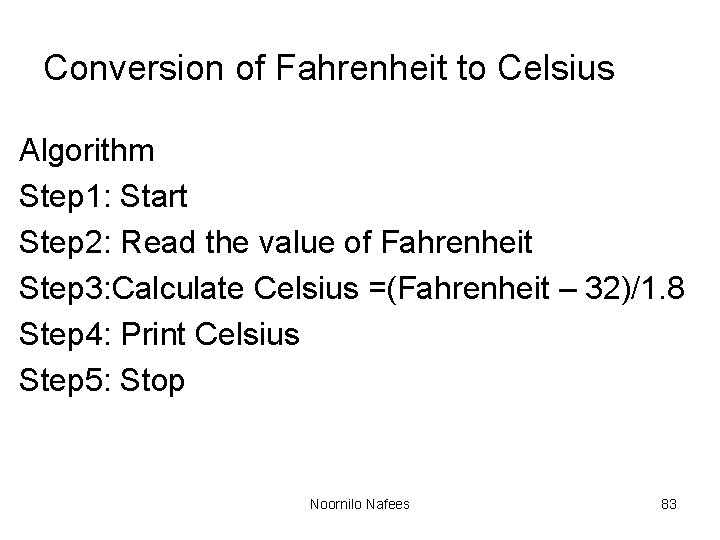
Conversion of Fahrenheit to Celsius Algorithm Step 1: Start Step 2: Read the value of Fahrenheit Step 3: Calculate Celsius =(Fahrenheit – 32)/1. 8 Step 4: Print Celsius Step 5: Stop Noornilo Nafees 83
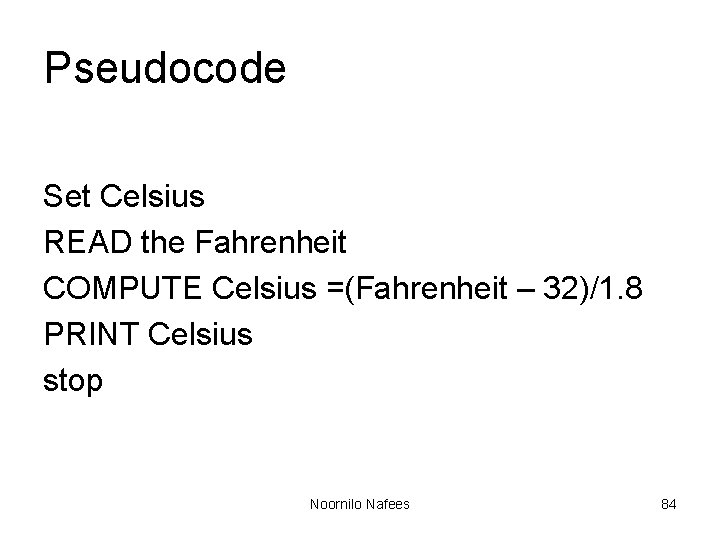
Pseudocode Set Celsius READ the Fahrenheit COMPUTE Celsius =(Fahrenheit – 32)/1. 8 PRINT Celsius stop Noornilo Nafees 84
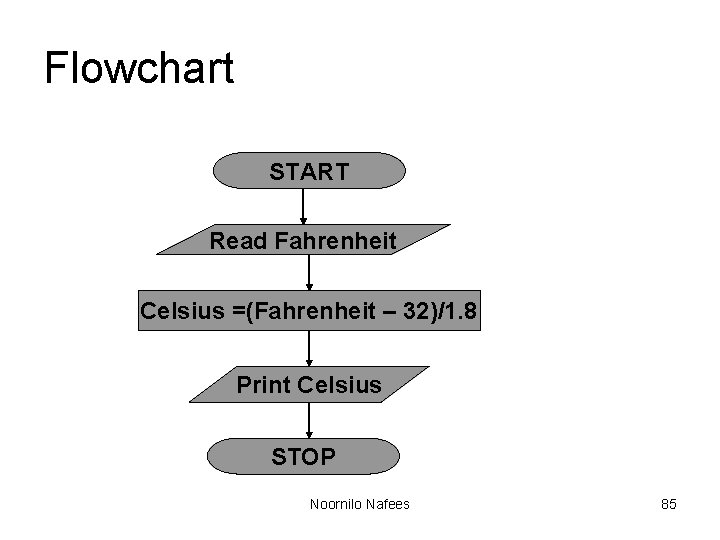
Flowchart START Read Fahrenheit Celsius =(Fahrenheit – 32)/1. 8 Print Celsius STOP Noornilo Nafees 85
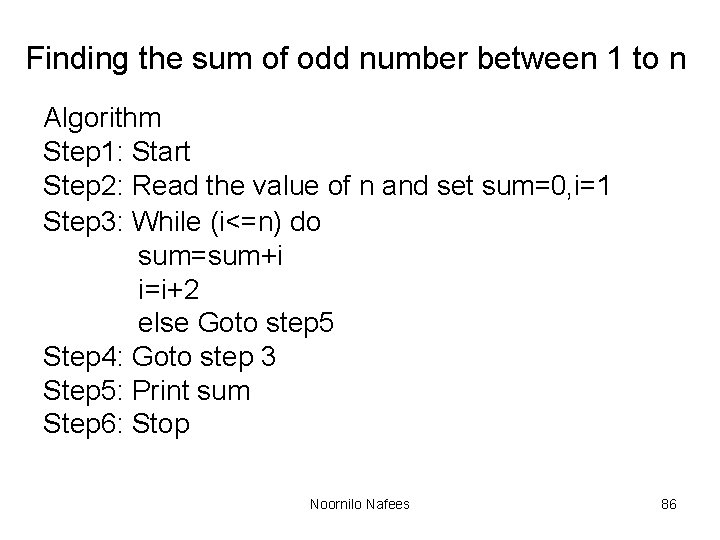
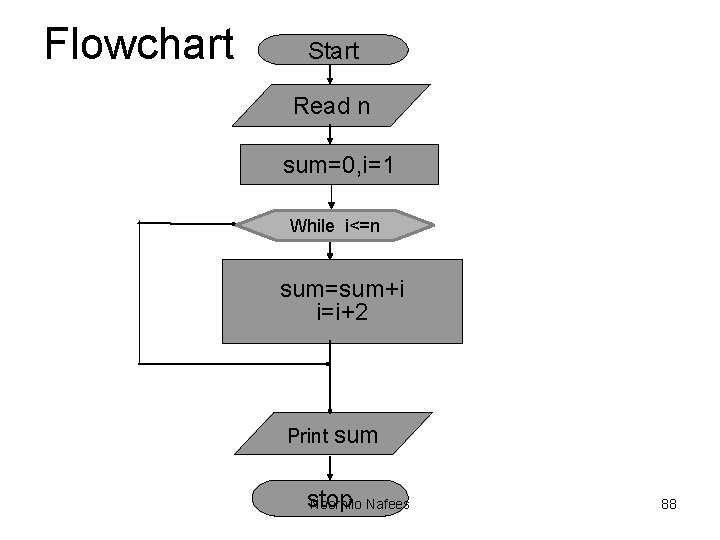
Finding the sum of odd number between 1 to n Algorithm Step 1: Start Step 2: Read the value of n and set sum=0, i=1 Step 3: While (i<=n) do sum=sum+i i=i+2 else Goto step 5 Step 4: Goto step 3 Step 5: Print sum Step 6: Stop Noornilo Nafees 86
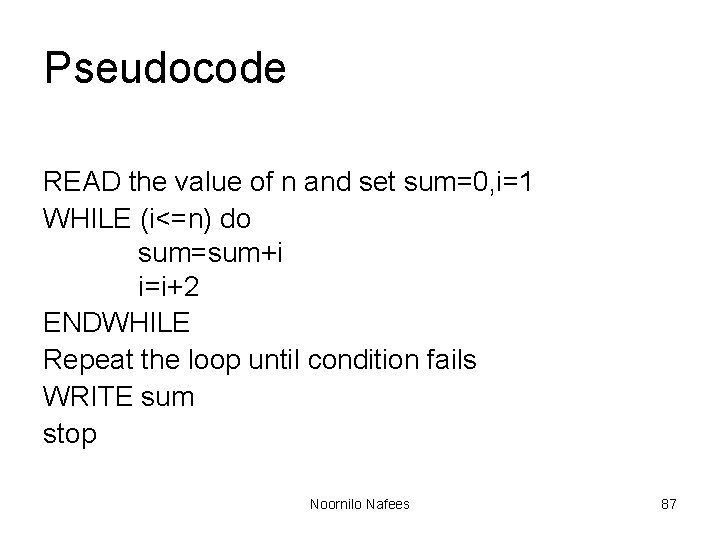
Pseudocode READ the value of n and set sum=0, i=1 WHILE (i<=n) do sum=sum+i i=i+2 ENDWHILE Repeat the loop until condition fails WRITE sum stop Noornilo Nafees 87
Flowchart Start Read n sum=0, i=1 While i<=n sum=sum+i i=i+2 Print sum stop Noornilo Nafees 88
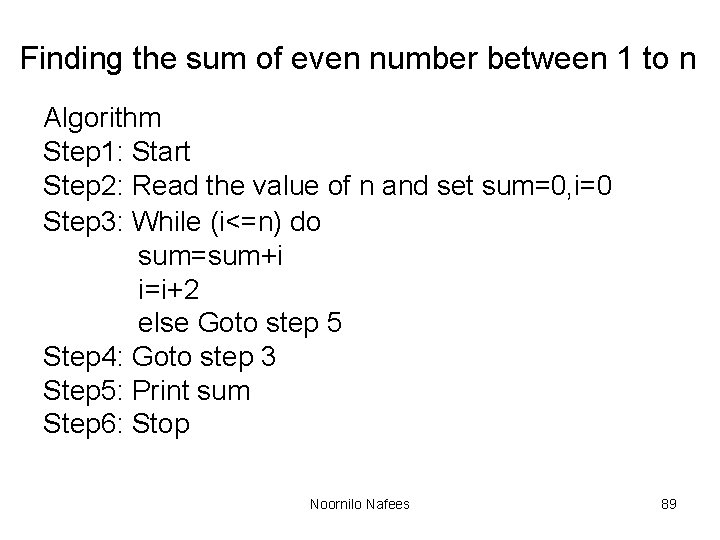
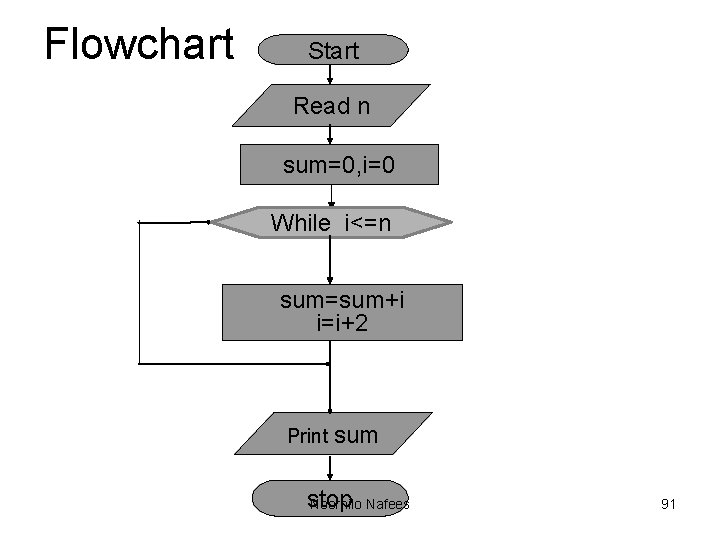
Finding the sum of even number between 1 to n Algorithm Step 1: Start Step 2: Read the value of n and set sum=0, i=0 Step 3: While (i<=n) do sum=sum+i i=i+2 else Goto step 5 Step 4: Goto step 3 Step 5: Print sum Step 6: Stop Noornilo Nafees 89
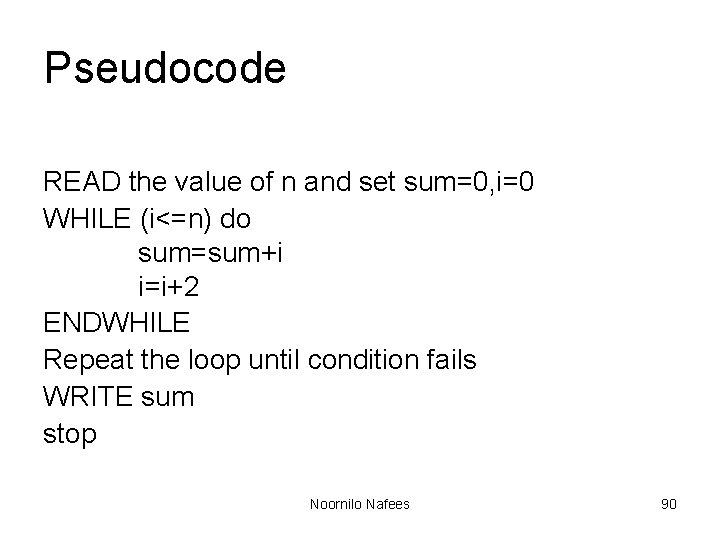
Pseudocode READ the value of n and set sum=0, i=0 WHILE (i<=n) do sum=sum+i i=i+2 ENDWHILE Repeat the loop until condition fails WRITE sum stop Noornilo Nafees 90
Flowchart Start Read n sum=0, i=0 While i<=n sum=sum+i i=i+2 Print sum stop Noornilo Nafees 91
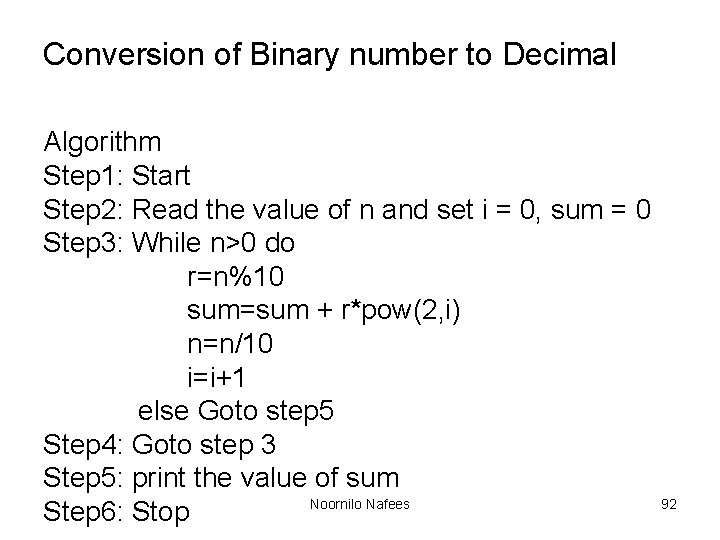
Conversion of Binary number to Decimal Algorithm Step 1: Start Step 2: Read the value of n and set i = 0, sum = 0 Step 3: While n>0 do r=n%10 sum=sum + r*pow(2, i) n=n/10 i=i+1 else Goto step 5 Step 4: Goto step 3 Step 5: print the value of sum Noornilo Nafees Step 6: Stop 92
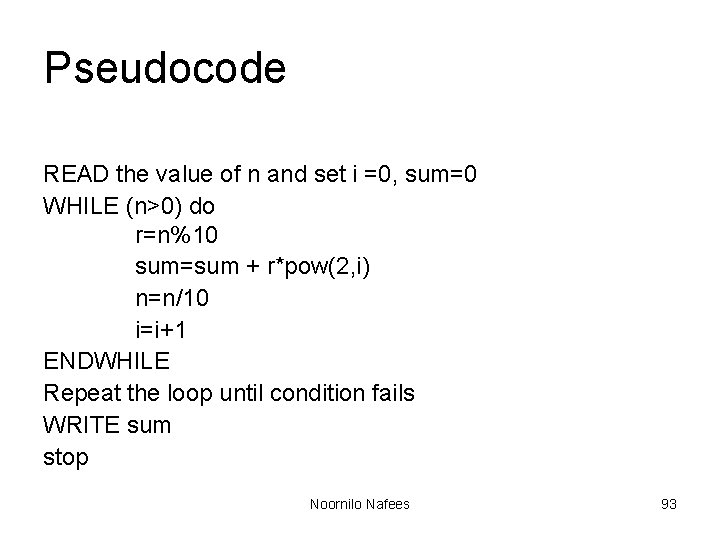
Pseudocode READ the value of n and set i =0, sum=0 WHILE (n>0) do r=n%10 sum=sum + r*pow(2, i) n=n/10 i=i+1 ENDWHILE Repeat the loop until condition fails WRITE sum stop Noornilo Nafees 93
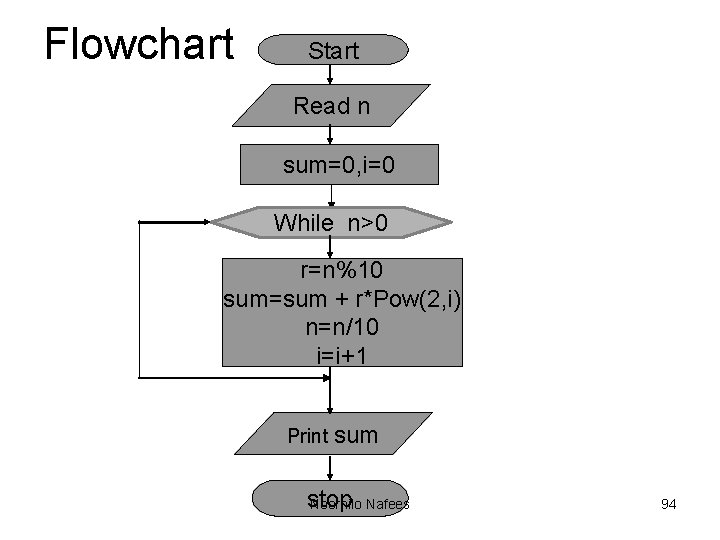
Flowchart Start Read n sum=0, i=0 While n>0 r=n%10 sum=sum + r*Pow(2, i) n=n/10 i=i+1 Print sum stop Noornilo Nafees 94