
Program Planning and Design Important stages before actual
Program Planning and Design Important stages before actual program is written 1

Steps to Problem-solving l Analyze the problem and develop specifications l Design solutions l Code the program with documentation l Test the program l Validate the program 2
Algorithm l Definition 1: The sequence of steps required to solve a problem l Definition 2: A definite list of well-defined instructions for completing a task; that given an initial state, will proceed through a well-defined series of successive states, eventually terminating in an end-state. 3
Presentation of Algorithms l Structure Chart: l Structure of modules needed to solve a problem. l Pseudo-codes: l Semiformal, English-like list of steps of the algorithm. l Flow-charts: l Graphical/schematic representation of an algorithm. 4
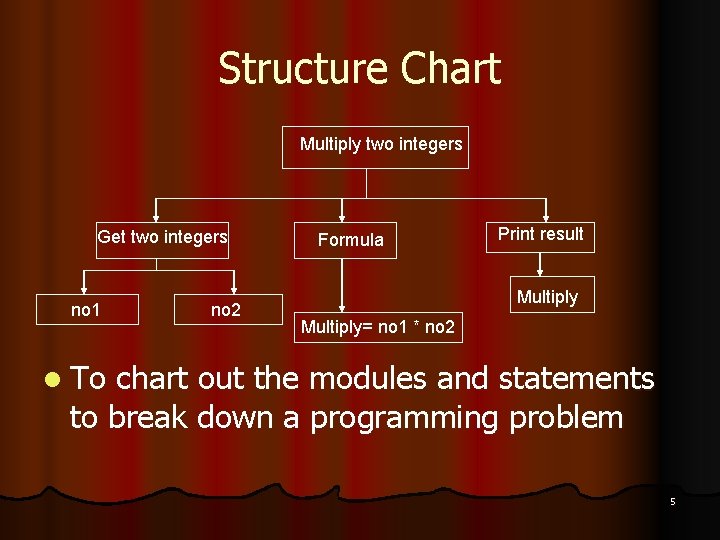
Structure Chart Multiply two integers Get two integers no 1 no 2 Formula Print result Multiply= no 1 * no 2 l To chart out the modules and statements to break down a programming problem 5
Pseudo-code l Semi-formal, English-like description of logic of the algorithm l Helps programmer to “think out” the program l Advantage: l Simple l Easy to understand 6
Example of Pseudo-code: To calculate Sales Amount: 1. First get user to enter quantity 2. Get the price of the product 3. Calculate amount = price * quantity 4. Display the amount 7
Example of Pseudo-code: l Write an algorithm of a program that will accept four marks and determine a student’s final grade and indicate whether it is passing or failing. The passing mark is 50. The final grade is calculated as the average of four marks. Pseudo-code: l l l Input a set of 4 marks Calculate their average by summing and dividing by 4 If average is below 50 Print “FAIL” else Print “PASS” 8
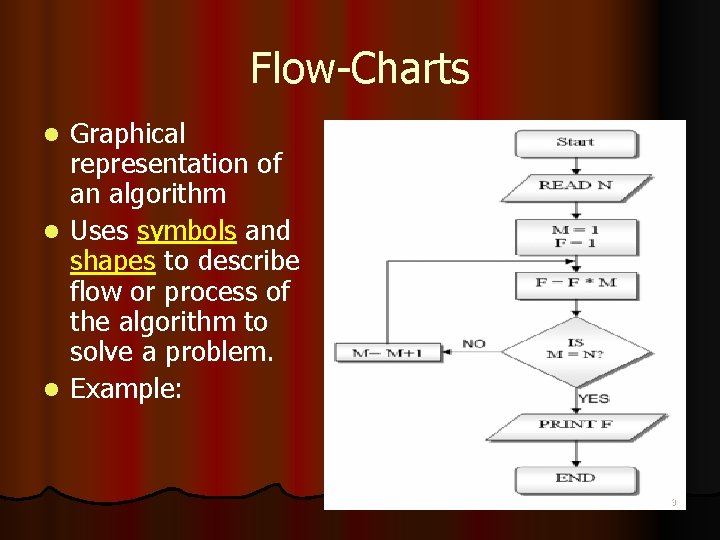
Flow-Charts Graphical representation of an algorithm l Uses symbols and shapes to describe flow or process of the algorithm to solve a problem. l Example: l 9
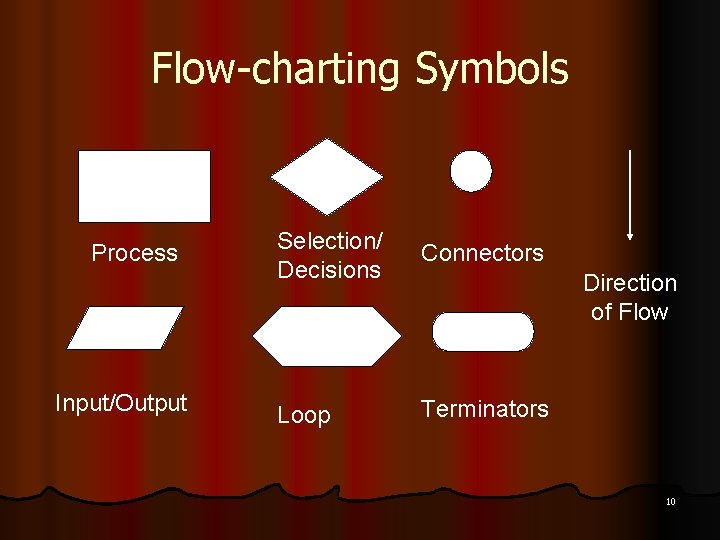
Flow-charting Symbols Process Input/Output Selection/ Decisions Connectors Loop Terminators Direction of Flow 10
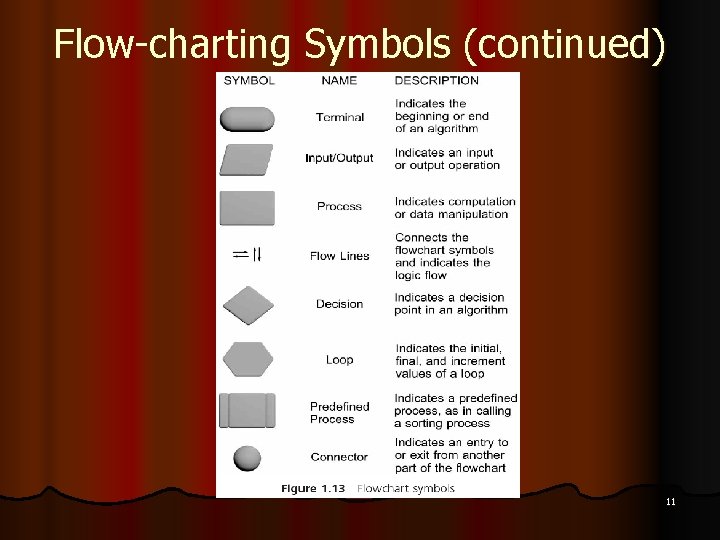
Flow-charting Symbols (continued) 11
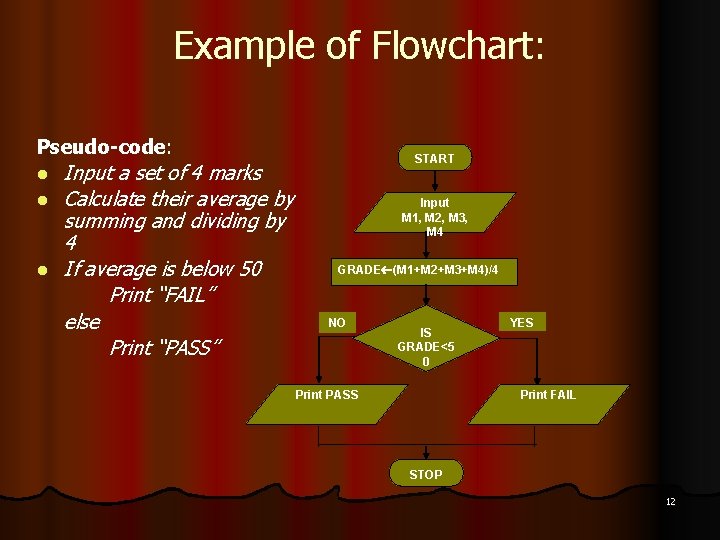
Example of Flowchart: Pseudo-code: l l l Input a set of 4 marks Calculate their average by summing and dividing by 4 If average is below 50 Print “FAIL” else Print “PASS” START Input M 1, M 2, M 3, M 4 GRADE (M 1+M 2+M 3+M 4)/4 NO IS GRADE<5 0 Print PASS YES Print FAIL STOP 12
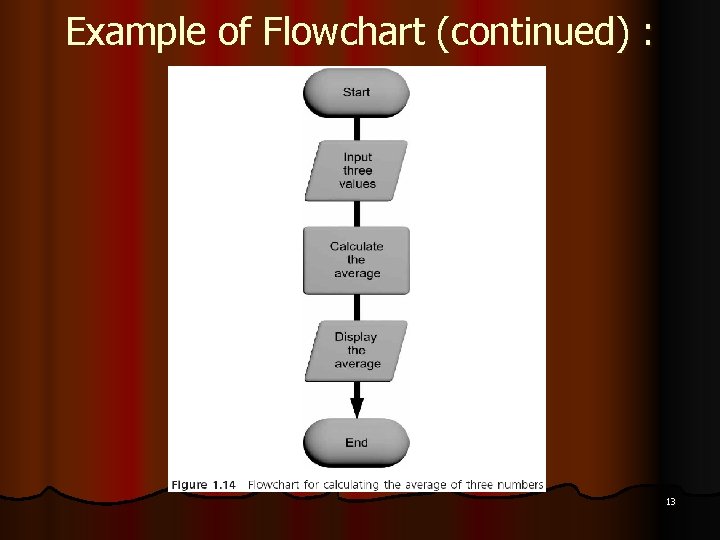
Example of Flowchart (continued) : 13
Debugging l. A process to remove error l Error = bug, the first computer “bug” is a bug found on a printer l 4 kinds of errors : l Syntax error l Run-time error l Undetected error l Logic/semantic error 14
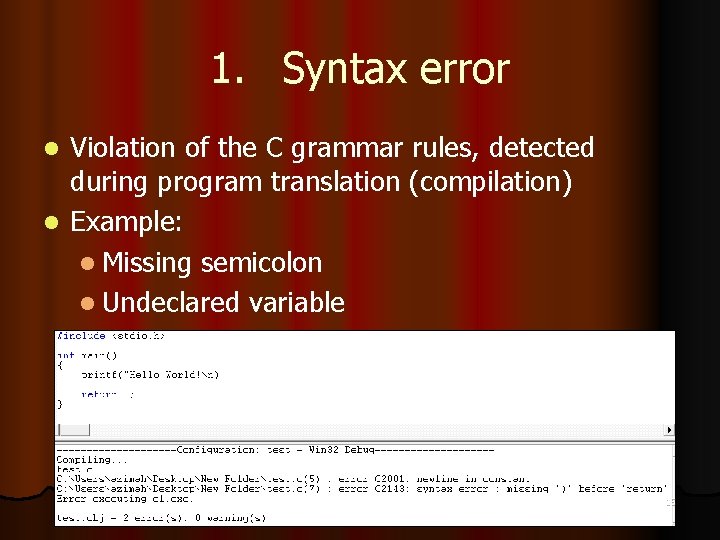
1. Syntax error Violation of the C grammar rules, detected during program translation (compilation) l Example: l Missing semicolon l Undeclared variable l 15
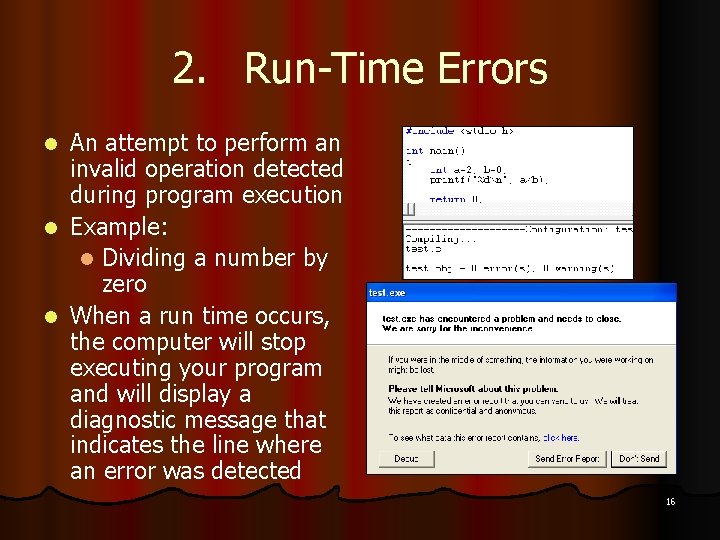
2. Run-Time Errors An attempt to perform an invalid operation detected during program execution l Example: l Dividing a number by zero l When a run time occurs, the computer will stop executing your program and will display a diagnostic message that indicates the line where an error was detected l 16
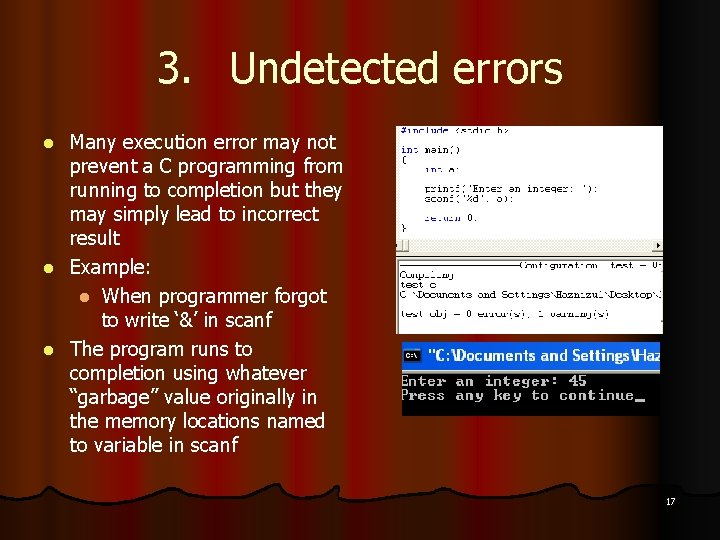
3. Undetected errors Many execution error may not prevent a C programming from running to completion but they may simply lead to incorrect result l Example: l When programmer forgot to write ‘&’ in scanf l The program runs to completion using whatever “garbage” value originally in the memory locations named to variable in scanf l 17
4. Logic Errors l An error caused by following an incorrect algorithm l Usually do not cause run-time errors and do not display error messages, they are difficult to detect 18
- Slides: 18