
Program Management Portal Pg MP Catalog and the
- Slides: 20
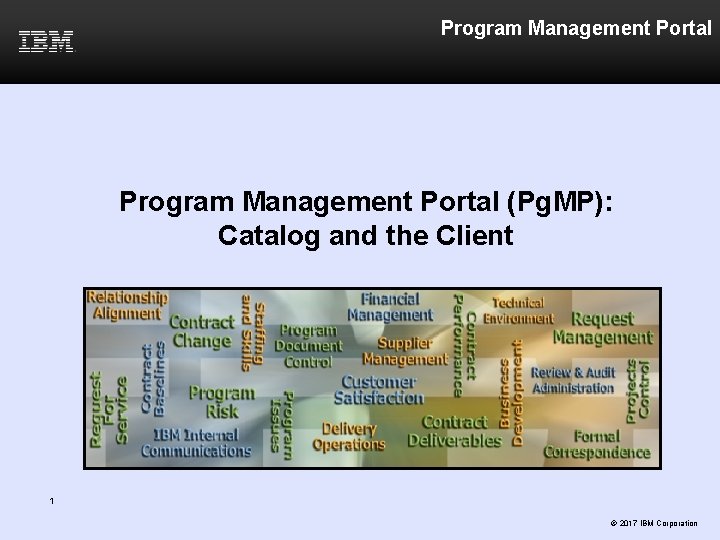
Program Management Portal (Pg. MP): Catalog and the Client 1 © 2017 IBM Corporation
Learning Objectives 1) Introduction to Catalog 2) Client Catalog-only Roles 3) Catalog Requests 4) Searches and Filters 5) Catalog List 6) Service Products 7) Catalog Request Summary 8) Catalog-only Request 9) Catalog Request Change (CRC) 10) Catalog tab in PCRs 11) Additional Support 2
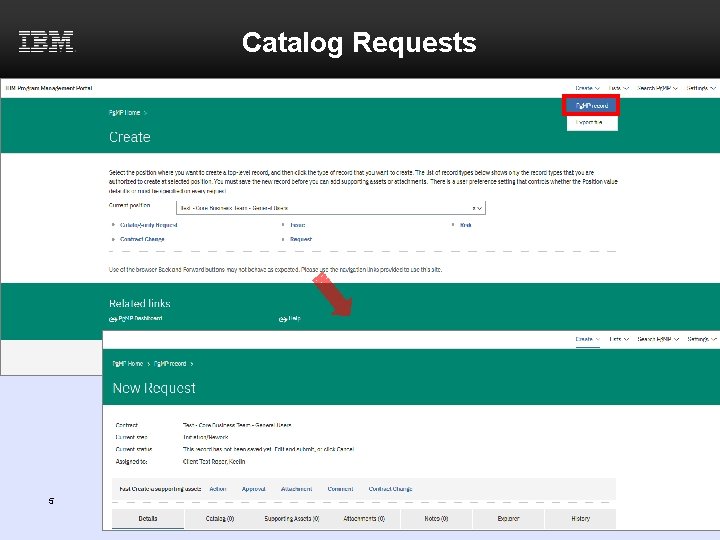
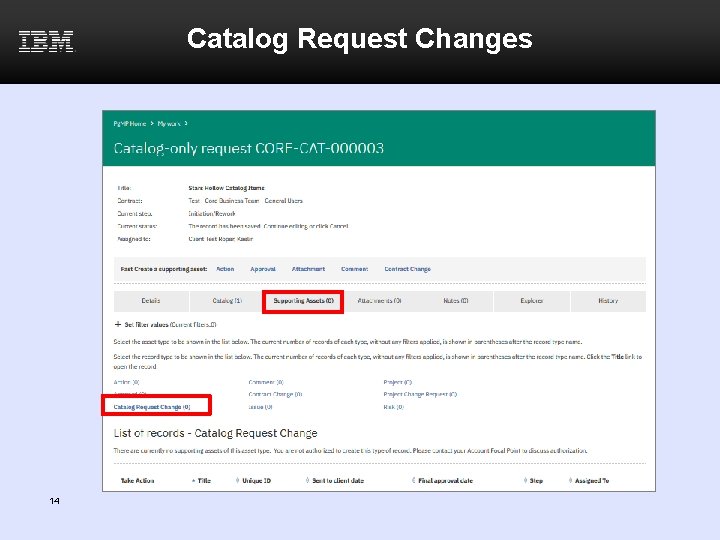
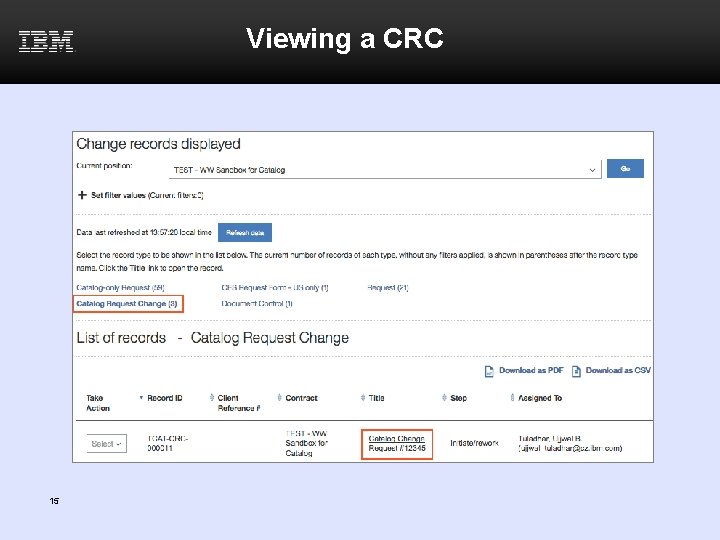
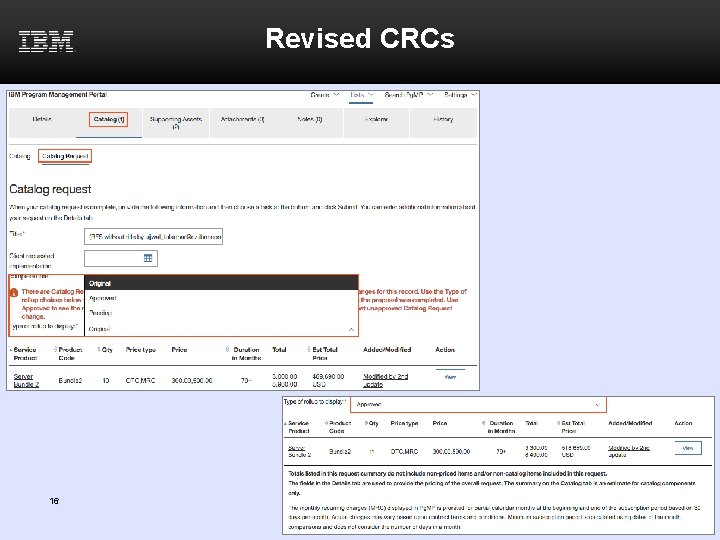
Introduction to Catalog • Optional feature to add a list of products or services to Pg. MP that can be selected for a Catalog Request – Request can be created by a Client Requestor or by an IBM RFS Manager on behalf of the Client • Provides detailed information about products or services including estimated price and delivery time • Provides suggested related products for services or products chosen in the Catalog List • Provides the ability to update requests through a Catalog Request Change (CRC) 3
Client Catalog-only Roles In Release 16. 1 four new “Catalog-only” client roles are added. These new roles listed below are used in Catalog Only Request workflows. 1. Client Catalog-Only Requestor 2. Client Catalog-Only Approver 3. Client Catalog-Only Budget Approver 4. Client Catalog-Only Focal Point These new roles allow clients to assign a different set of people to work on Catalog-only Requests vs. RFS. 4
Catalog Requests 5
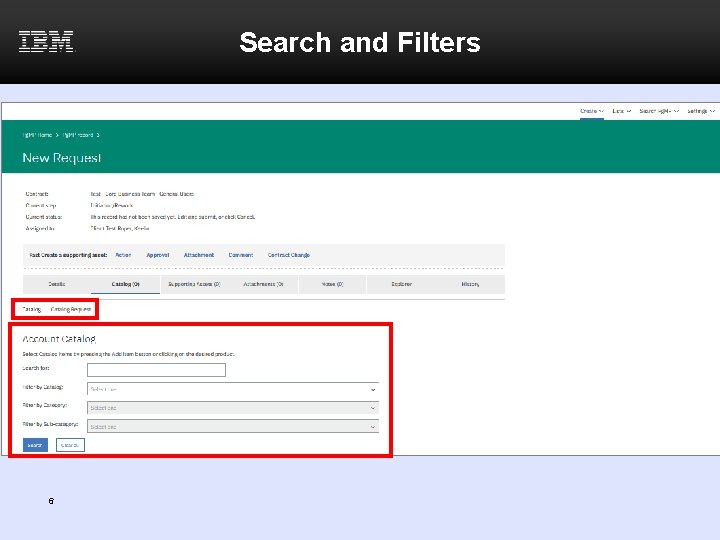
Search and Filters 6
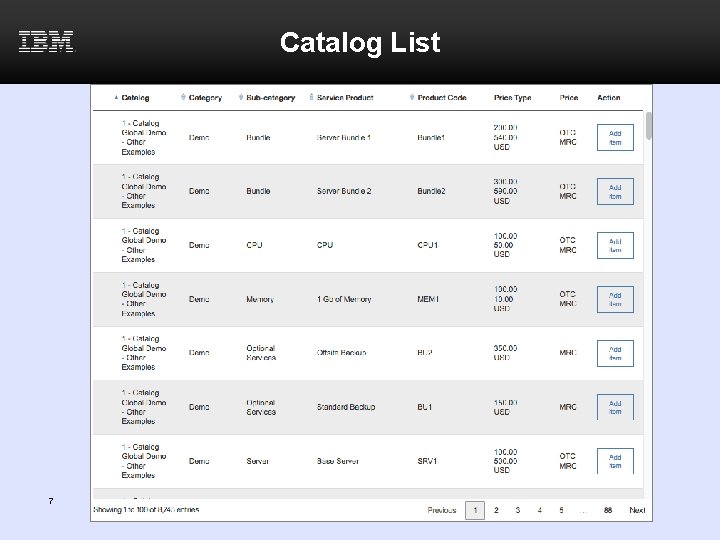
Catalog List 7
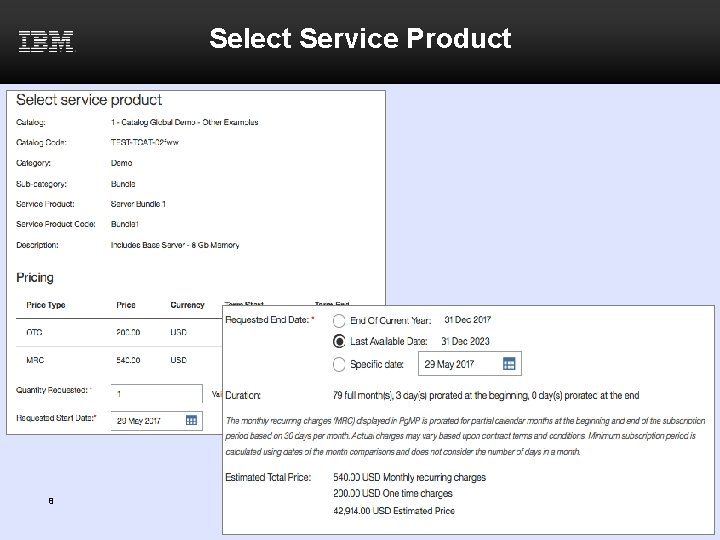
Select Service Product 8
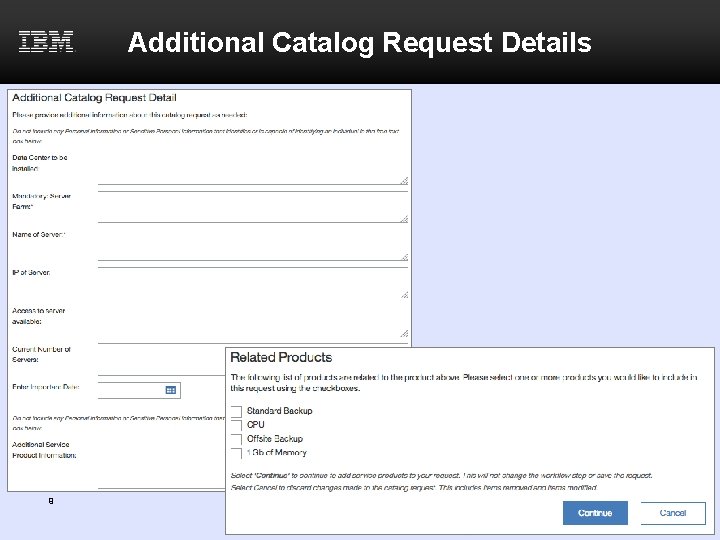
Additional Catalog Request Details 9
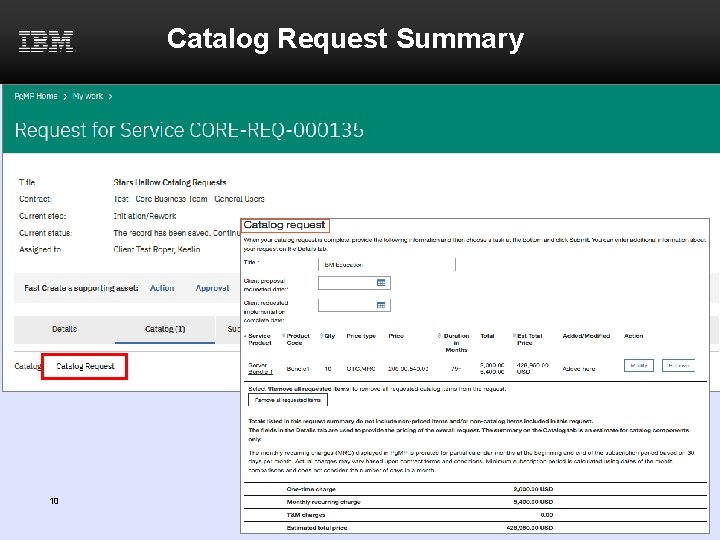
Catalog Request Summary 10
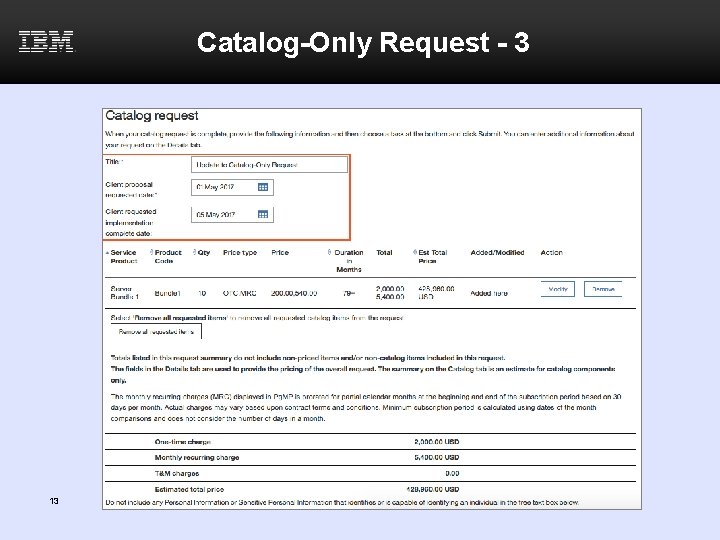
Catalog-only Request - 1 • Catalog-only Requests provide an easier way to submit requests that consist solely of priced Catalog items • Features of Catalog-only record type – Combines Qualification and Price Calculation Steps – Opens to the Catalog tab up until Implementation – Requires input only on the Catalog tab up until implementation for most requests – Mandatory fields are captured in the Catalog Request tab, while others are defaulted or delayed until Implementation – Opens to the Details tab when request moves to Implementation step – Automatically fills in Estimated Total Contract Price if the currency of the Catalog requests match – The Submit button and list of tasks are available at the bottom of the Catalog Request sub-tab – Path to change Catalog-only record type into a Firm-RFS 11
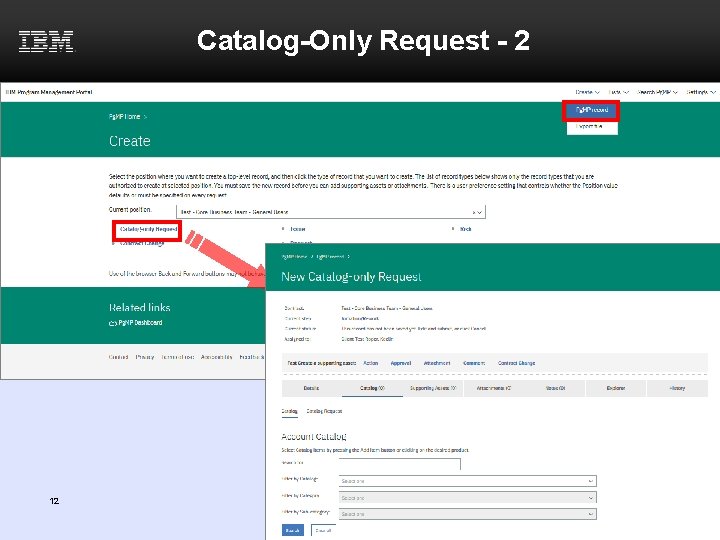
Catalog-Only Request - 2 12
Catalog-Only Request - 3 13
Catalog Request Changes 14
Viewing a CRC 15
Revised CRCs 16
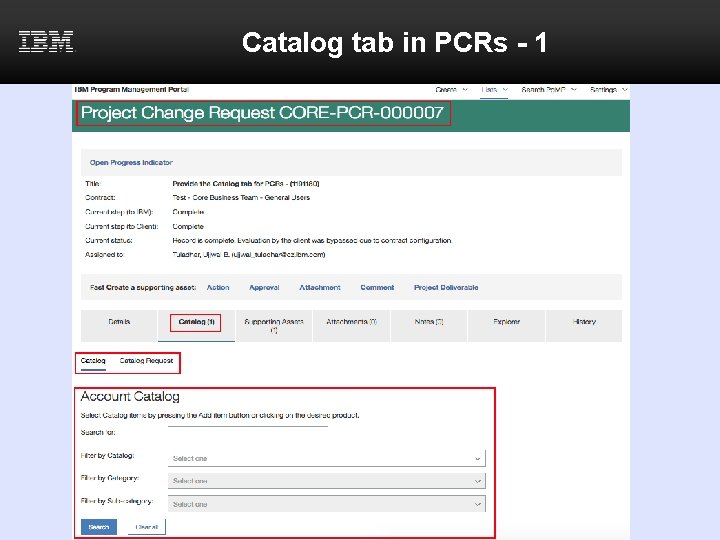
Catalog tab in PCRs - 1
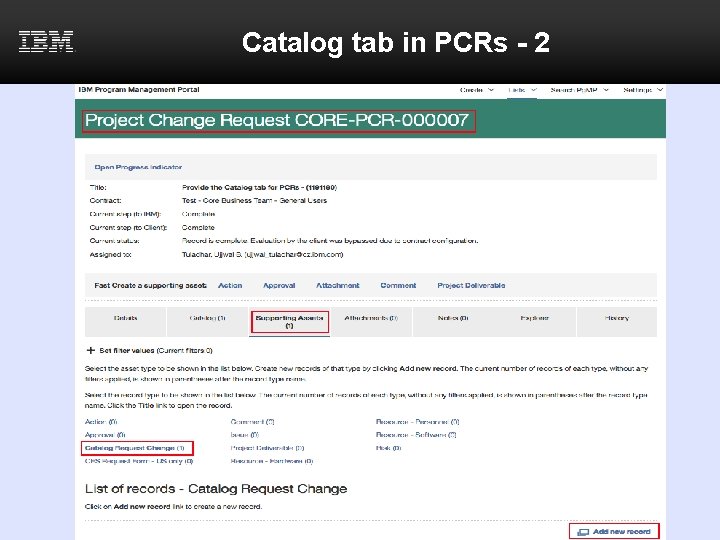
Catalog tab in PCRs - 2
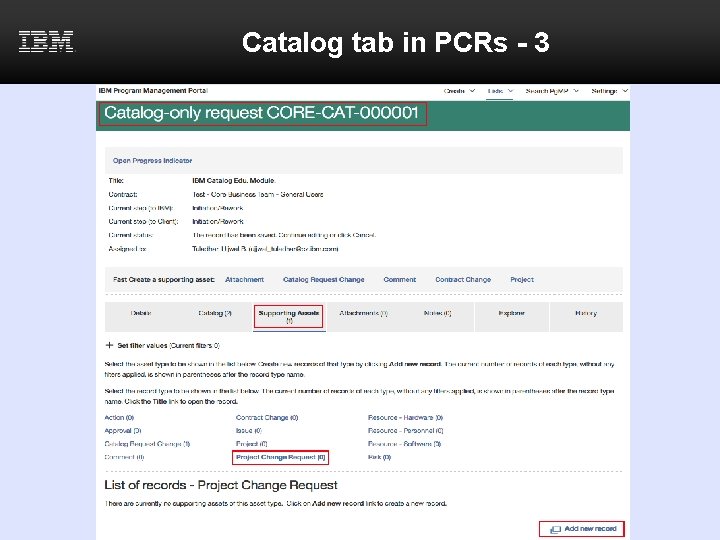
Catalog tab in PCRs - 3
Additional Support • For any additional questions on or issues with the Pg. MP Catalog functionality contact your IBM Account Focal Point • For additional information on Pg. MP, as well as links to Pg. MP education view the Client User Guide 20