
Production continued Storyboards Production Process Continued STORYBOARDING PreProduction
* Production continued + Storyboards
Production Process Continued: STORYBOARDING *
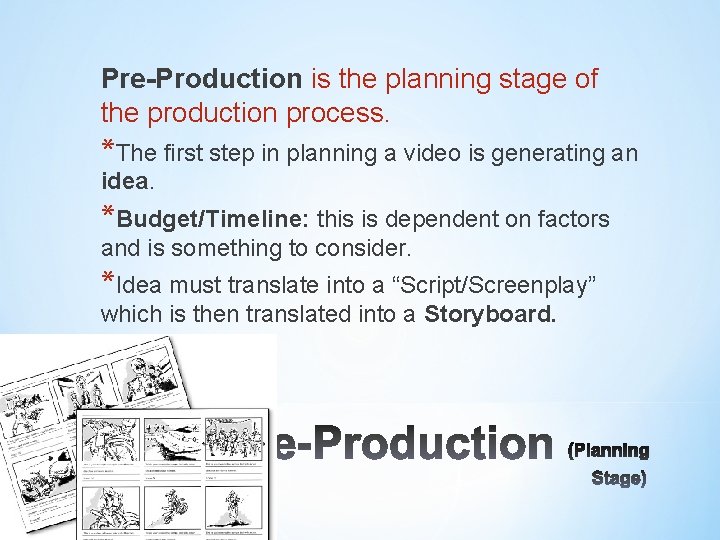
Pre-Production is the planning stage of the production process. *The first step in planning a video is generating an idea. *Budget/Timeline: this is dependent on factors and is something to consider. *Idea must translate into a “Script/Screenplay” which is then translated into a Storyboard. *

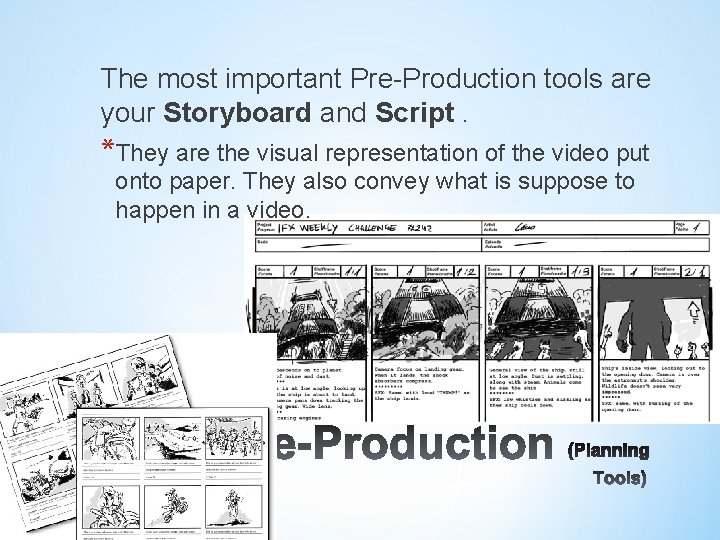
The most important Pre-Production tools are your Storyboard and Script. *They are the visual representation of the video put onto paper. They also convey what is suppose to happen in a video. *
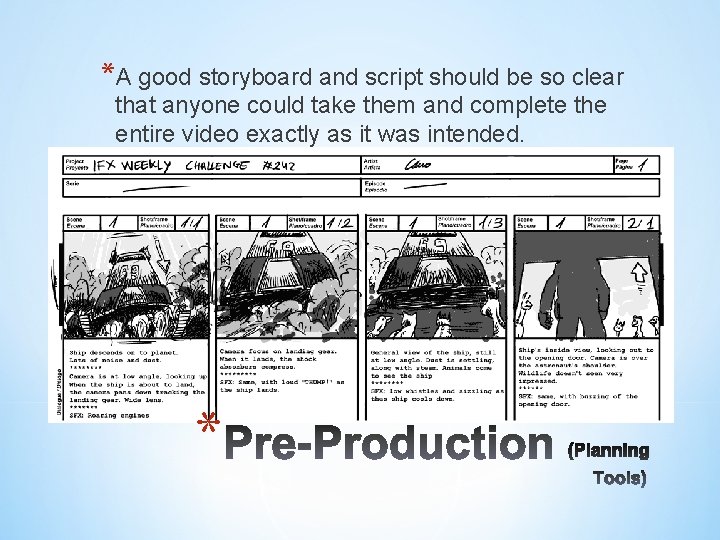
*A good storyboard and script should be so clear that anyone could take them and complete the entire video exactly as it was intended. *
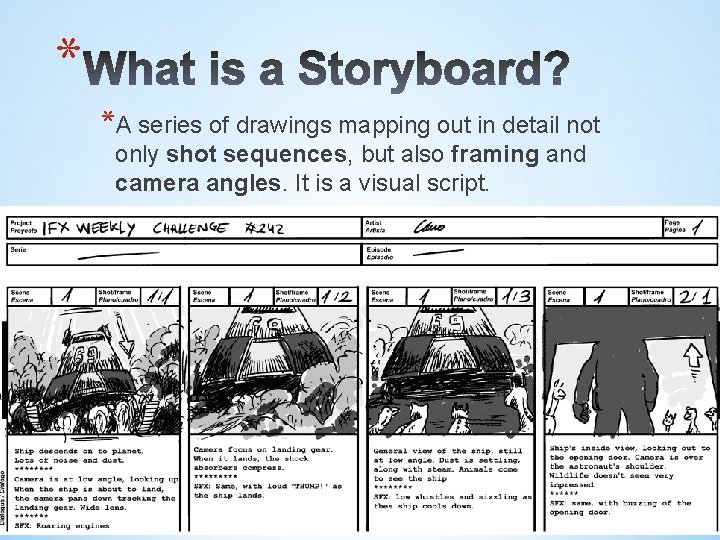
* *A series of drawings mapping out in detail not only shot sequences, but also framing and camera angles. It is a visual script.
* *They are a process tool. *They communicate the goal of the video. *Used to foresee problems before shooting begins. *Allows you to work faster when you are in the production and post production stage.


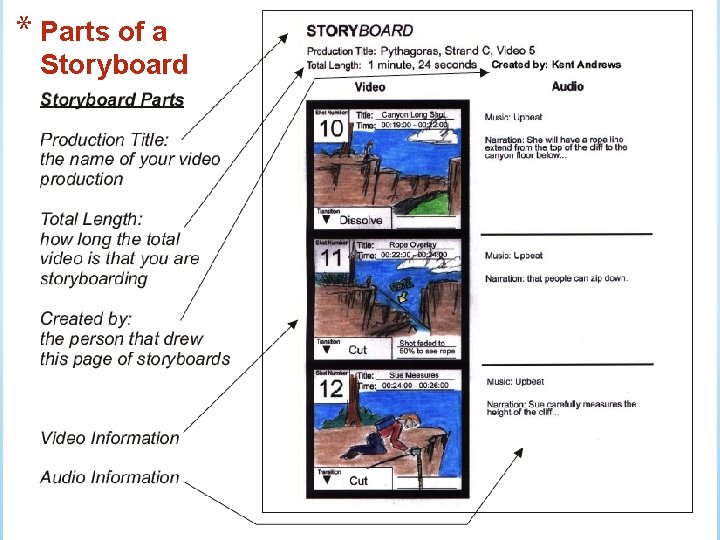
* Parts of a Storyboard
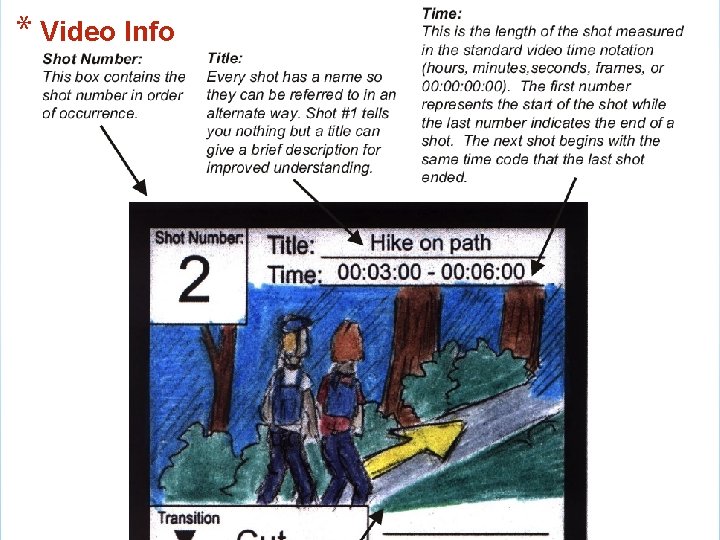
* Video Info
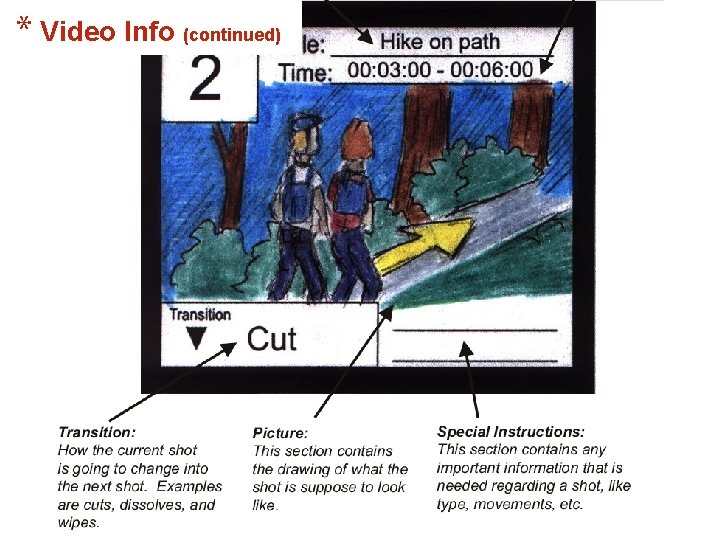
* Video Info (continued)
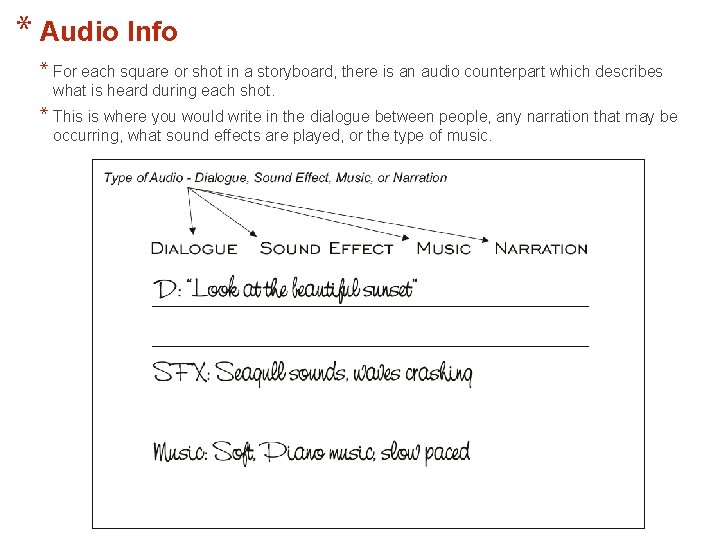
* Audio Info * For each square or shot in a storyboard, there is an audio counterpart which describes what is heard during each shot. * This is where you would write in the dialogue between people, any narration that may be occurring, what sound effects are played, or the type of music.
* When Creating a Storyboard: * Use a pencil to draw your sketches. * Don’t use stick figure drawings. * Note any dialogue or action for the shot. * Number and time your storyboards. * Note location, camera movements and angles. * Note any transitions in and out of shots.
* Master Shot Sequence & Storyboard: *A master shot is a film recording of an entire dramatized scene, from start to finish, from an angle that keeps all the players in view. It is often a long shot and can sometimes perform a double function as an establishing shot.
* Shot Sequence & Storyboard: *In television and film, the director and director of photography must organize a shot list detailing the scenes that need to be recorded (with reference to the storyboard). Generally, because of large budgets and time constraints, a movie can not be shot in sequence, that is, one scene after the other. As a result, the director must establish a shot list and shot description explaining what shots need to be taped when (the storyboard). This will then be pieced together and edited to make to become the final movie.
* Master Shot Sequence & Storyboard: *Usually, the master shot is the first shot checked off during the shooting of a scene—it is the foundation of what is called camera coverage, other shots reveal different aspects of the action, groupings of two or three of the actors at crucial moments, close-ups of individuals or objects, cut-in or insert shots of various props, and so on. View example below: *(Master Shot– student sample 0: 02: 46) http: //www. youtube. com/watch? v=ynn 9 Qchq. IDg&NR=1 &feature=endscreen *ACTIVITY in group (20 -30 mins)
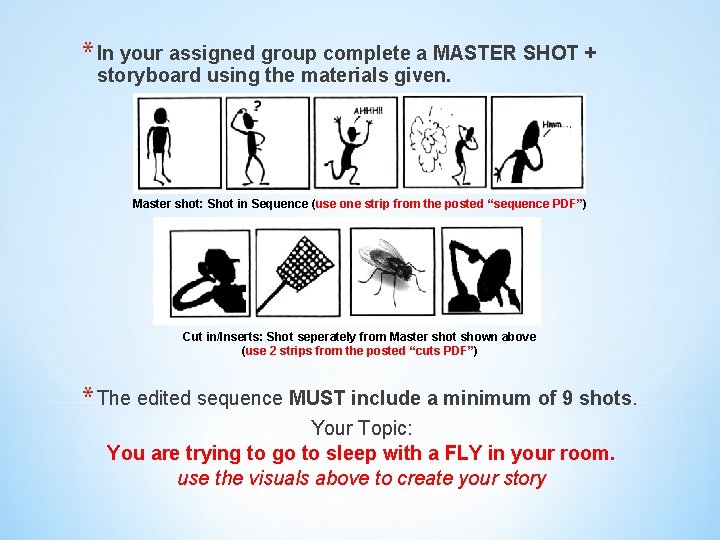
* In your assigned group complete a MASTER SHOT + storyboard using the materials given. Master shot: Shot in Sequence (use one strip from the posted “sequence PDF”) Cut in/Inserts: Shot seperately from Master shot shown above (use 2 strips from the posted “cuts PDF”) * The edited sequence MUST include a minimum of 9 shots. Your Topic: You are trying to go to sleep with a FLY in your room. use the visuals above to create your story
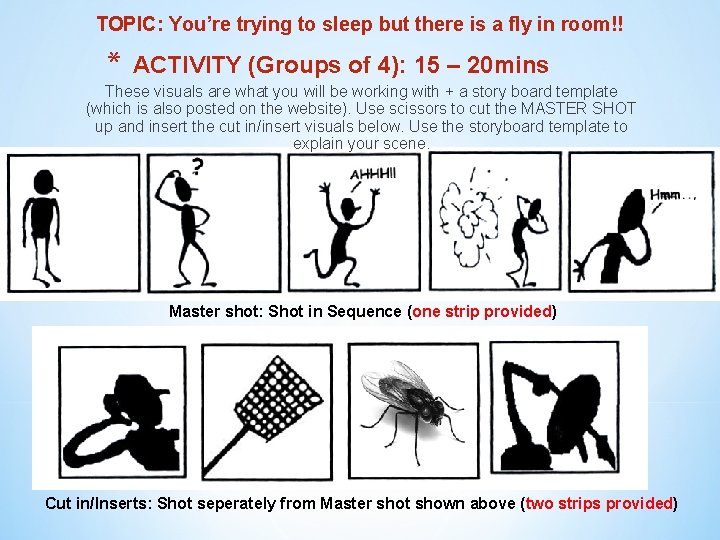
TOPIC: You’re trying to sleep but there is a fly in room!! * ACTIVITY (Groups of 4): 15 – 20 mins These visuals are what you will be working with + a story board template (which is also posted on the website). Use scissors to cut the MASTER SHOT up and insert the cut in/insert visuals below. Use the storyboard template to explain your scene. Master shot: Shot in Sequence (one strip provided) Cut in/Inserts: Shot seperately from Master shot shown above (two strips provided)
- Slides: 20