
Product Values PCs 2010 FUJITSU TECHNOLOGY SOLUTIONS Our

- Slides: 84
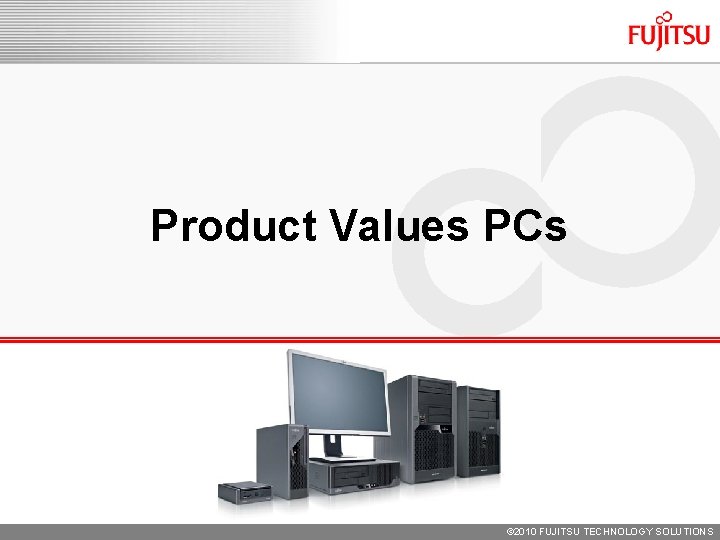
Product Values PCs © 2010 FUJITSU TECHNOLOGY SOLUTIONS
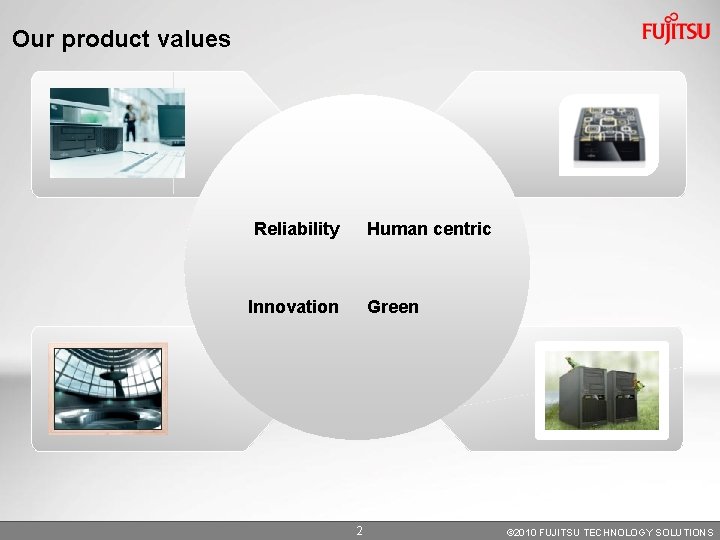
Our product values Reliability Human centric Innovation Green 2 © 2010 FUJITSU TECHNOLOGY SOLUTIONS
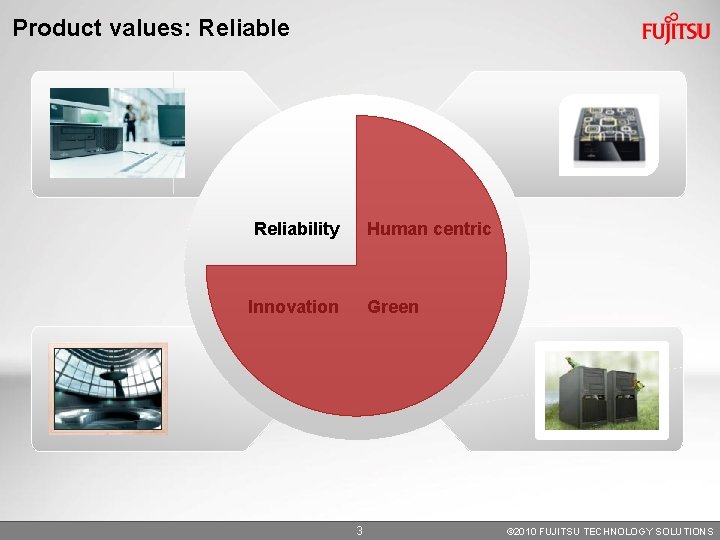
Product values: Reliable Reliability Human centric Innovation Green 3 © 2010 FUJITSU TECHNOLOGY SOLUTIONS
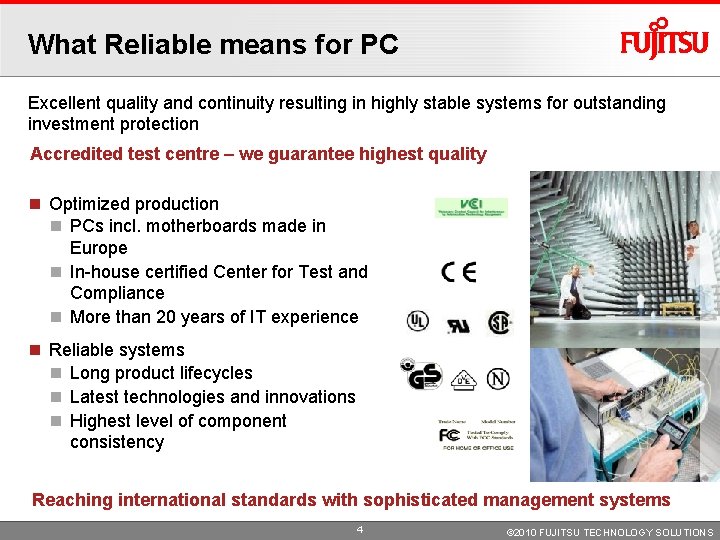
What Reliable means for PC Excellent quality and continuity resulting in highly stable systems for outstanding investment protection Accredited test centre – we guarantee highest quality Optimized production PCs incl. motherboards made in Europe In-house certified Center for Test and Compliance More than 20 years of IT experience Reliable systems Long product lifecycles Latest technologies and innovations Highest level of component consistency Reaching international standards with sophisticated management systems 4 © 2010 FUJITSU TECHNOLOGY SOLUTIONS
Local engineering and production 5 © 2010 FUJITSU TECHNOLOGY SOLUTIONS
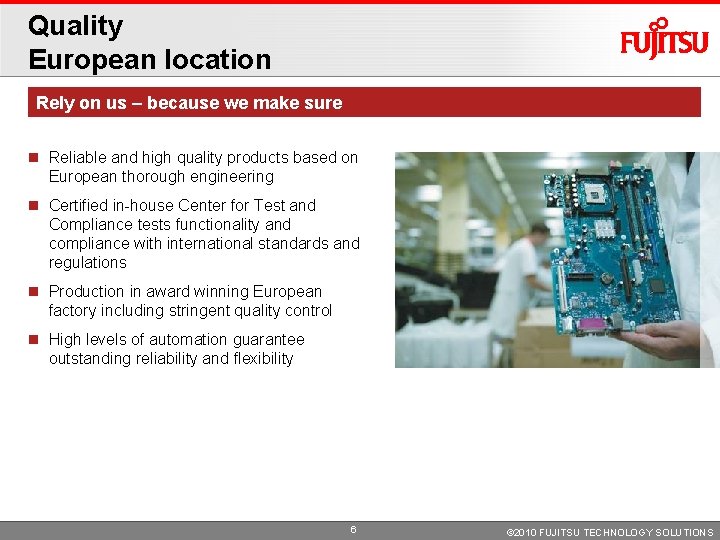
Quality European location Rely on us – because we make sure Reliable and high quality products based on European thorough engineering Certified in-house Center for Test and Compliance tests functionality and compliance with international standards and regulations Production in award winning European factory including stringent quality control High levels of automation guarantee outstanding reliability and flexibility 6 © 2010 FUJITSU TECHNOLOGY SOLUTIONS
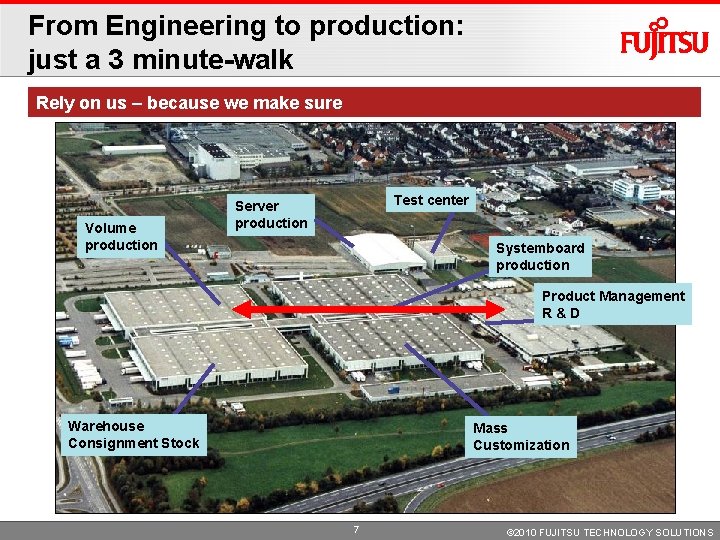
From Engineering to production: just a 3 minute-walk Rely on us – because we make sure Volume production Test center Server production Systemboard production Product Management R&D Warehouse Consignment Stock Mass Customization 7 © 2010 FUJITSU TECHNOLOGY SOLUTIONS
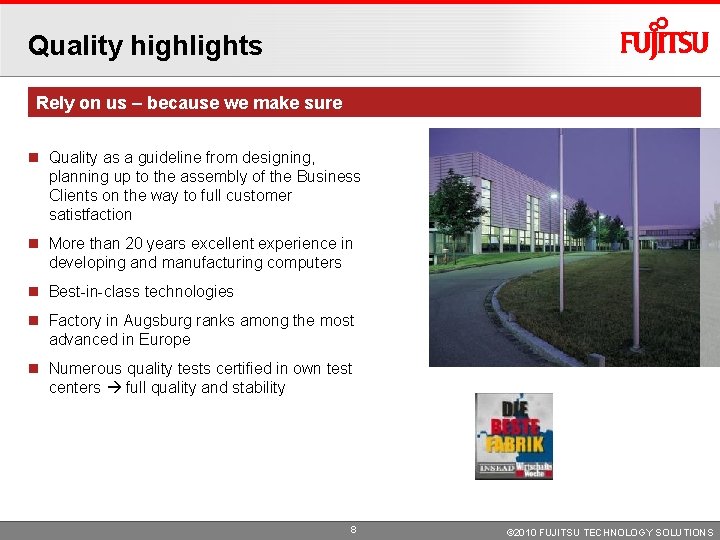
Quality highlights Rely on us – because we make sure Quality as a guideline from designing, planning up to the assembly of the Business Clients on the way to full customer satistfaction More than 20 years excellent experience in developing and manufacturing computers Best-in-class technologies Factory in Augsburg ranks among the most advanced in Europe Numerous quality tests certified in own test centers full quality and stability 8 © 2010 FUJITSU TECHNOLOGY SOLUTIONS
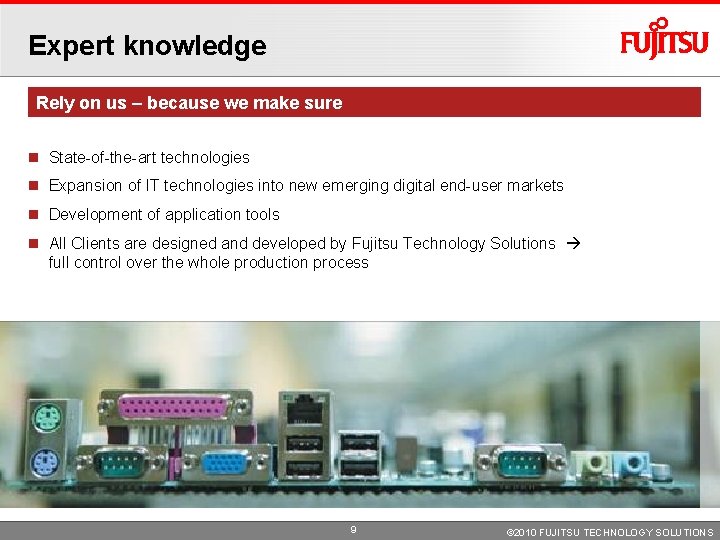
Expert knowledge Rely on us – because we make sure State-of-the-art technologies Expansion of IT technologies into new emerging digital end-user markets Development of application tools All Clients are designed and developed by Fujitsu Technology Solutions full control over the whole production process 9 © 2010 FUJITSU TECHNOLOGY SOLUTIONS
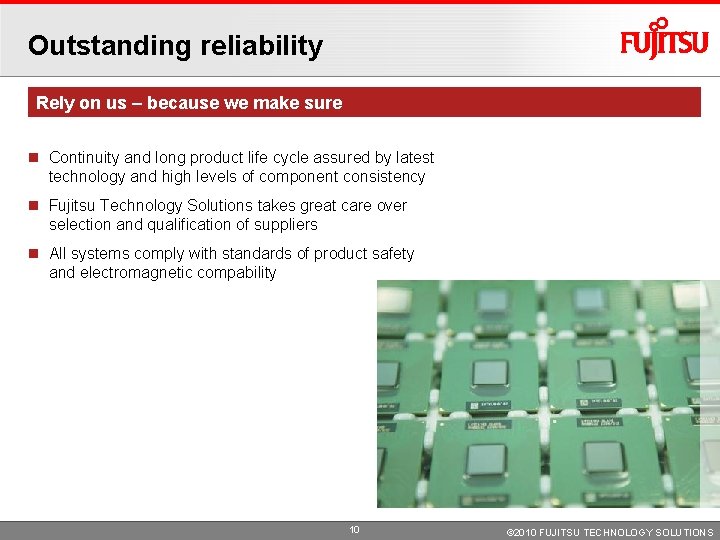
Outstanding reliability Rely on us – because we make sure Continuity and long product life cycle assured by latest technology and high levels of component consistency Fujitsu Technology Solutions takes great care over selection and qualification of suppliers All systems comply with standards of product safety and electromagnetic compability 10 © 2010 FUJITSU TECHNOLOGY SOLUTIONS
System quality 11 © 2010 FUJITSU TECHNOLOGY SOLUTIONS
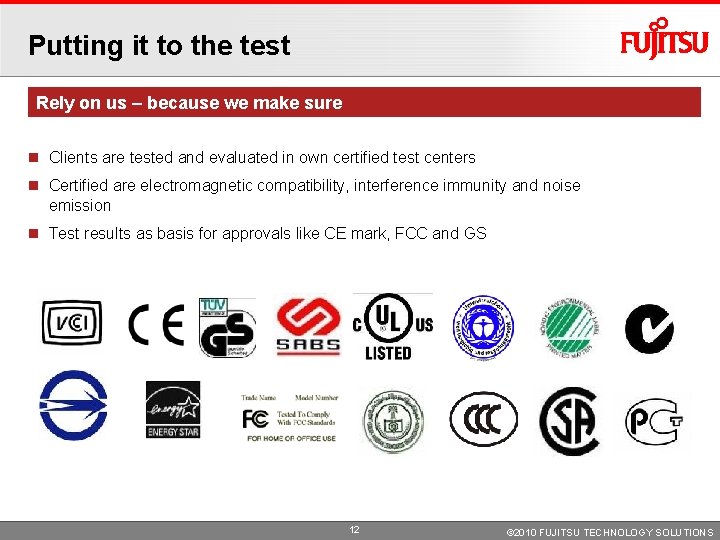
Putting it to the test Rely on us – because we make sure Clients are tested and evaluated in own certified test centers Certified are electromagnetic compatibility, interference immunity and noise emission Test results as basis for approvals like CE mark, FCC and GS 12 © 2010 FUJITSU TECHNOLOGY SOLUTIONS
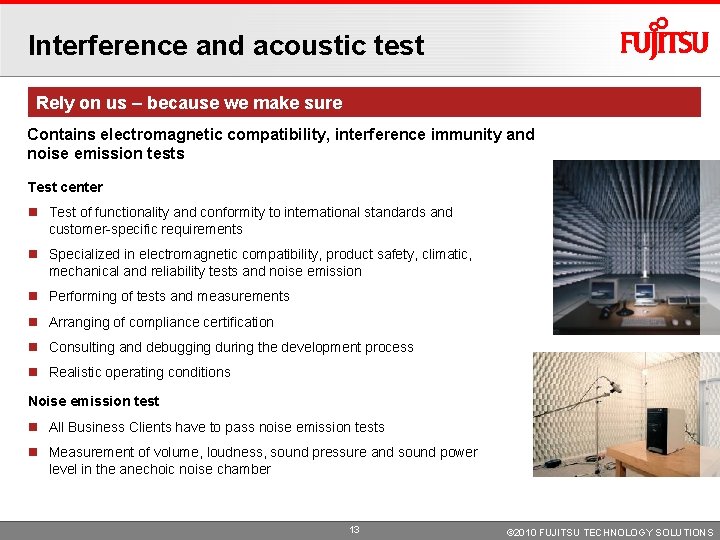
Interference and acoustic test Rely on us – because we make sure Contains electromagnetic compatibility, interference immunity and noise emission tests Test center Test of functionality and conformity to international standards and customer-specific requirements Specialized in electromagnetic compatibility, product safety, climatic, mechanical and reliability tests and noise emission Performing of tests and measurements Arranging of compliance certification Consulting and debugging during the development process Realistic operating conditions Noise emission test All Business Clients have to pass noise emission tests Measurement of volume, loudness, sound pressure and sound power level in the anechoic noise chamber 13 © 2010 FUJITSU TECHNOLOGY SOLUTIONS
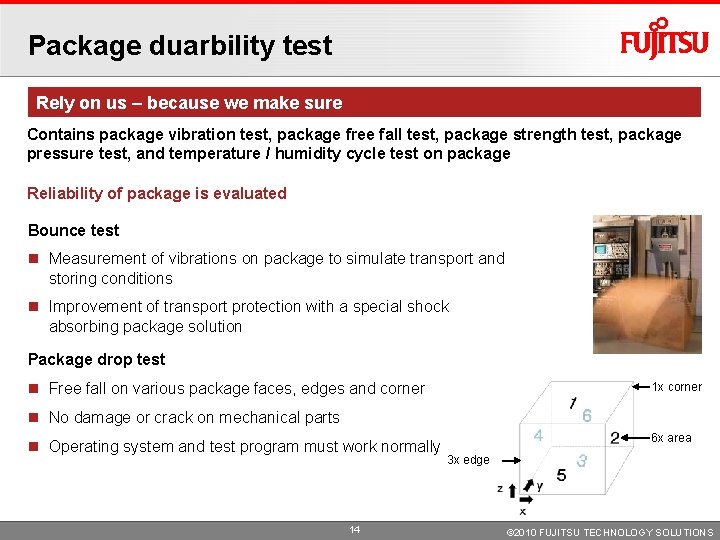
Package duarbility test Rely on us – because we make sure Contains package vibration test, package free fall test, package strength test, package pressure test, and temperature / humidity cycle test on package Reliability of package is evaluated Bounce test Measurement of vibrations on package to simulate transport and storing conditions Improvement of transport protection with a special shock absorbing package solution Package drop test Free fall on various package faces, edges and corner 1 x corner No damage or crack on mechanical parts Operating system and test program must work normally 14 6 x area 3 x edge © 2010 FUJITSU TECHNOLOGY SOLUTIONS
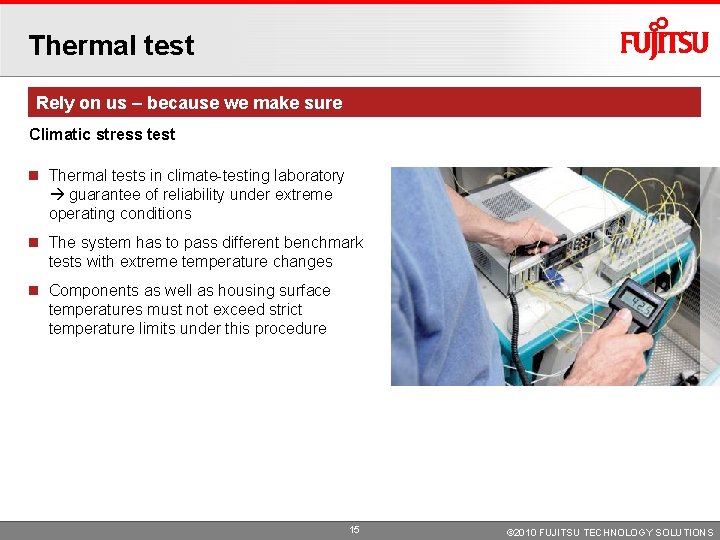
Thermal test Rely on us – because we make sure Climatic stress test Thermal tests in climate-testing laboratory guarantee of reliability under extreme operating conditions The system has to pass different benchmark tests with extreme temperature changes Components as well as housing surface temperatures must not exceed strict temperature limits under this procedure 15 © 2010 FUJITSU TECHNOLOGY SOLUTIONS
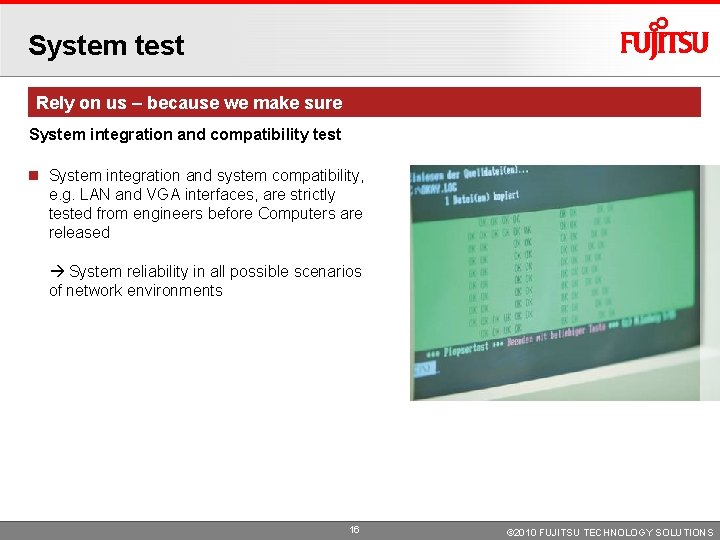
System test Rely on us – because we make sure System integration and compatibility test System integration and system compatibility, e. g. LAN and VGA interfaces, are strictly tested from engineers before Computers are released System reliability in all possible scenarios of network environments 16 © 2010 FUJITSU TECHNOLOGY SOLUTIONS
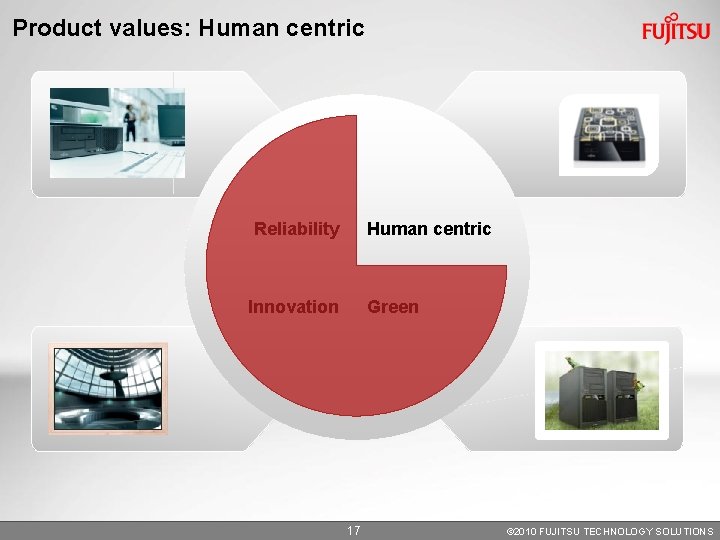
Product values: Human centric Reliability Human centric Innovation Green 17 © 2010 FUJITSU TECHNOLOGY SOLUTIONS
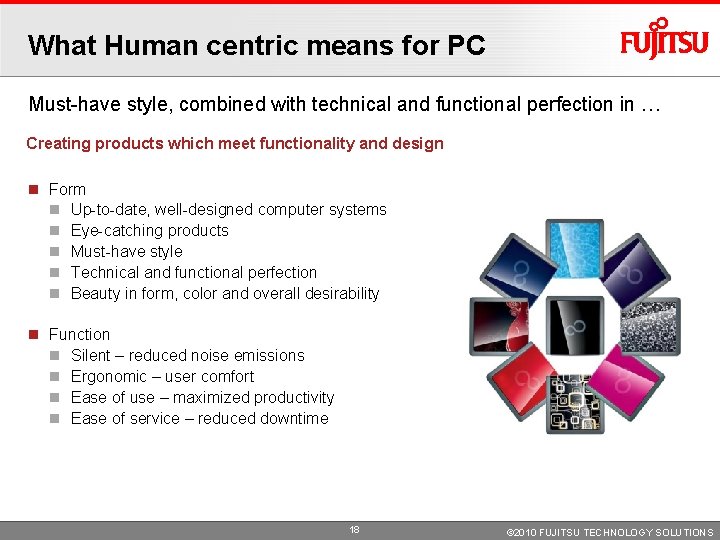
What Human centric means for PC Must-have style, combined with technical and functional perfection in … Creating products which meet functionality and design Form Up-to-date, well-designed computer systems Eye-catching products Must-have style Technical and functional perfection Beauty in form, color and overall desirability Function Silent – reduced noise emissions Ergonomic – user comfort Ease of use – maximized productivity Ease of service – reduced downtime 18 © 2010 FUJITSU TECHNOLOGY SOLUTIONS
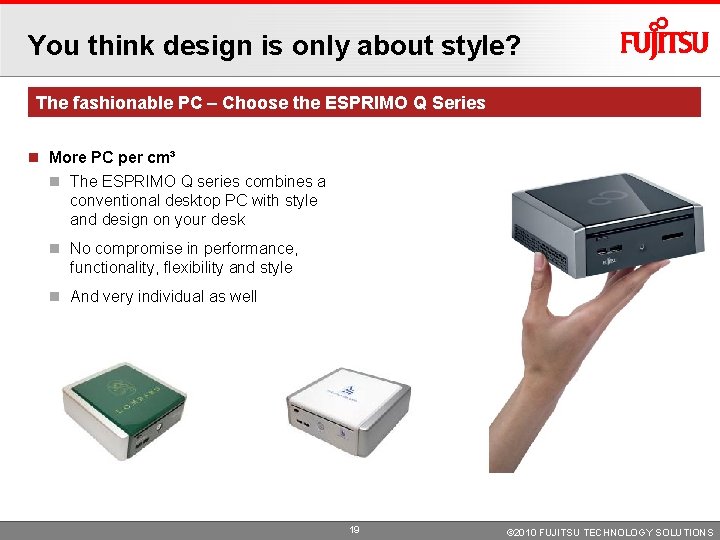
You think design is only about style? The fashionable PC – Choose the ESPRIMO Q Series More PC per cm³ The ESPRIMO Q series combines a conventional desktop PC with style and design on your desk No compromise in performance, functionality, flexibility and style And very individual as well 19 © 2010 FUJITSU TECHNOLOGY SOLUTIONS
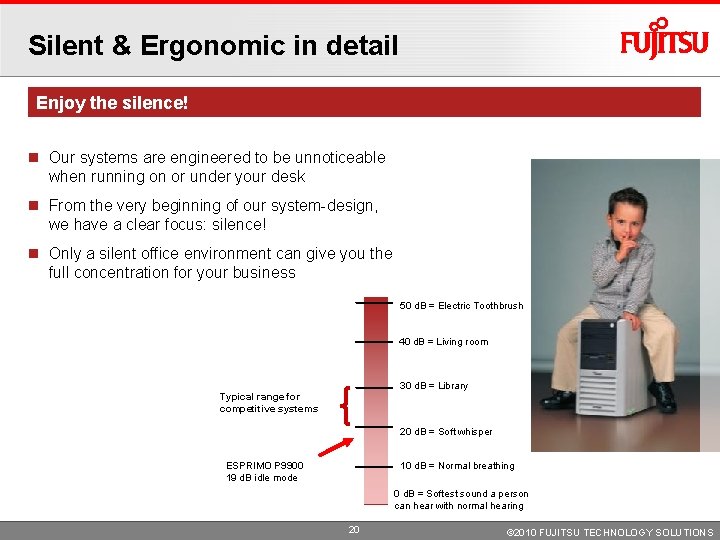
Silent & Ergonomic in detail Enjoy the silence! Our systems are engineered to be unnoticeable when running on or under your desk From the very beginning of our system-design, we have a clear focus: silence! Only a silent office environment can give you the full concentration for your business 50 d. B = Electric Toothbrush 40 d. B = Living room 30 d. B = Library Typical range for competitive systems 20 d. B = Soft whisper ESPRIMO P 9900 19 d. B idle mode 10 d. B = Normal breathing 0 d. B = Softest sound a person can hear with normal hearing 20 © 2010 FUJITSU TECHNOLOGY SOLUTIONS
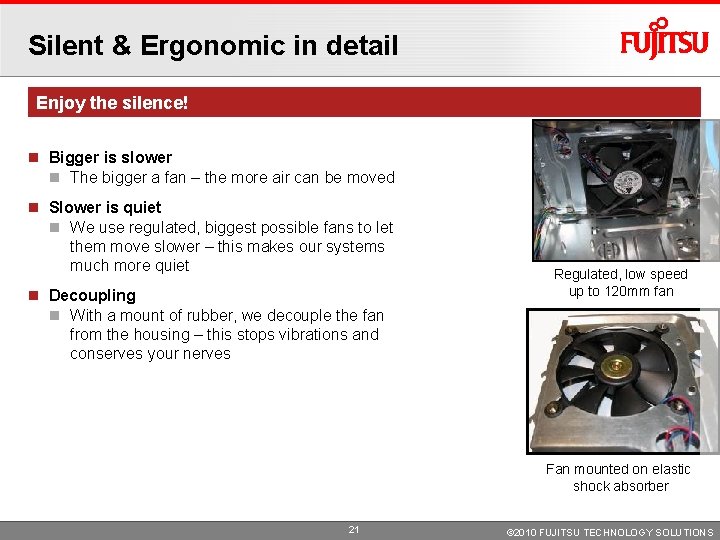
Silent & Ergonomic in detail Enjoy the silence! Bigger is slower The bigger a fan – the more air can be moved Slower is quiet We use regulated, biggest possible fans to let them move slower – this makes our systems much more quiet Decoupling With a mount of rubber, we decouple the fan from the housing – this stops vibrations and conserves your nerves Regulated, low speed up to 120 mm fan Fan mounted on elastic shock absorber 21 © 2010 FUJITSU TECHNOLOGY SOLUTIONS
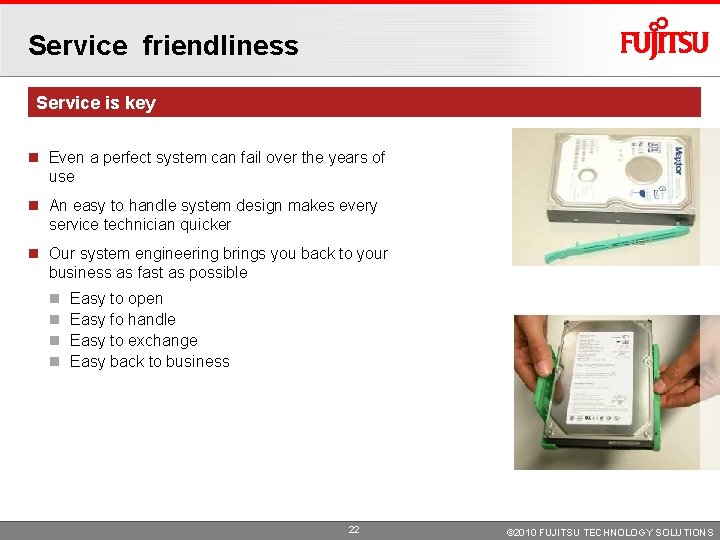
Service friendliness Service is key Even a perfect system can fail over the years of use An easy to handle system design makes every service technician quicker Our system engineering brings you back to your business as fast as possible Easy to open Easy fo handle Easy to exchange Easy back to business 22 © 2010 FUJITSU TECHNOLOGY SOLUTIONS
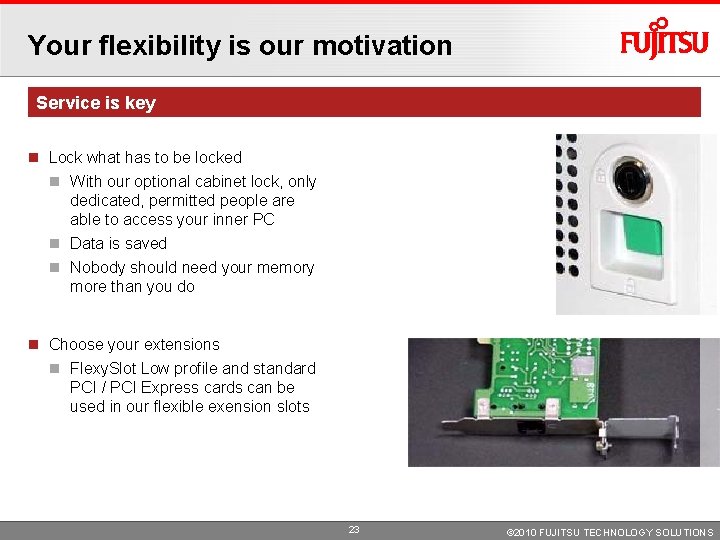
Your flexibility is our motivation Service is key Lock what has to be locked With our optional cabinet lock, only dedicated, permitted people are able to access your inner PC Data is saved Nobody should need your memory more than you do Choose your extensions Flexy. Slot Low profile and standard PCI / PCI Express cards can be used in our flexible exension slots 23 © 2010 FUJITSU TECHNOLOGY SOLUTIONS
Product values: Green Reliable Human centric Innovative Green 24 © 2010 FUJITSU TECHNOLOGY SOLUTIONS
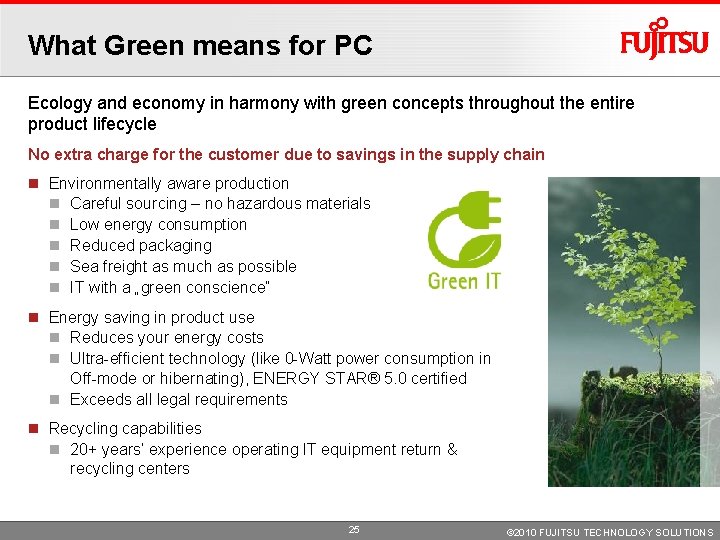
What Green means for PC Ecology and economy in harmony with green concepts throughout the entire product lifecycle No extra charge for the customer due to savings in the supply chain Environmentally aware production Careful sourcing – no hazardous materials Low energy consumption Reduced packaging Sea freight as much as possible IT with a „green conscience“ Energy saving in product use Reduces your energy costs Ultra-efficient technology (like 0 -Watt power consumption in Off-mode or hibernating), ENERGY STAR® 5. 0 certified Exceeds all legal requirements Recycling capabilities 20+ years‘ experience operating IT equipment return & recycling centers 25 © 2010 FUJITSU TECHNOLOGY SOLUTIONS
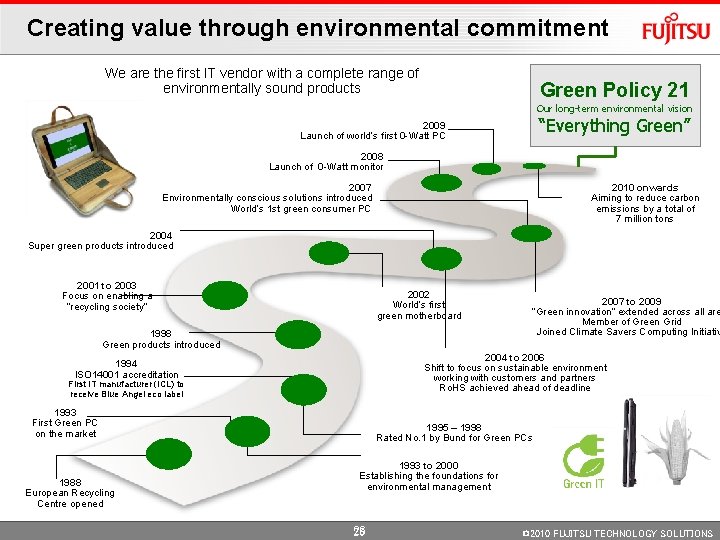
Creating value through environmental commitment We are the first IT vendor with a complete range of environmentally sound products Green Policy 21 Our long-term environmental vision “Everything Green” 2009 Launch of world’s first 0 -Watt PC 2008 Launch of 0 -Watt monitor 2007 Environmentally conscious solutions introduced World’s 1 st green consumer PC 2010 onwards Aiming to reduce carbon emissions by a total of 7 million tons 2004 Super green products introduced 2001 to 2003 Focus on enabling a “recycling society” 2002 World’s first green motherboard 1998 Green products introduced 2004 to 2006 Shift to focus on sustainable environment working with customers and partners Ro. HS achieved ahead of deadline 1994 ISO 14001 accreditation First IT manufacturer (ICL) to receive Blue Angel eco label 1993 First Green PC on the market 1988 European Recycling Centre opened 2007 to 2009 “Green innovation” extended across all are Member of Green Grid Joined Climate Savers Computing Initiativ 1995 – 1998 Rated No. 1 by Bund for Green PCs 1993 to 2000 Establishing the foundations for environmental management 26 © 2010 FUJITSU TECHNOLOGY SOLUTIONS
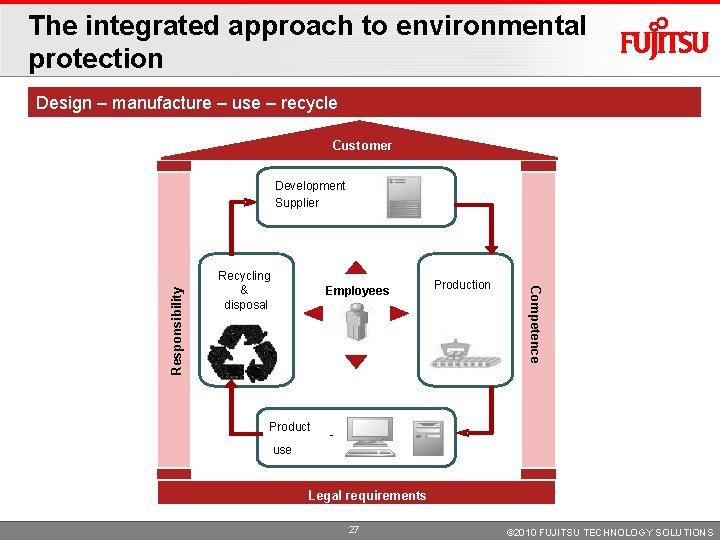
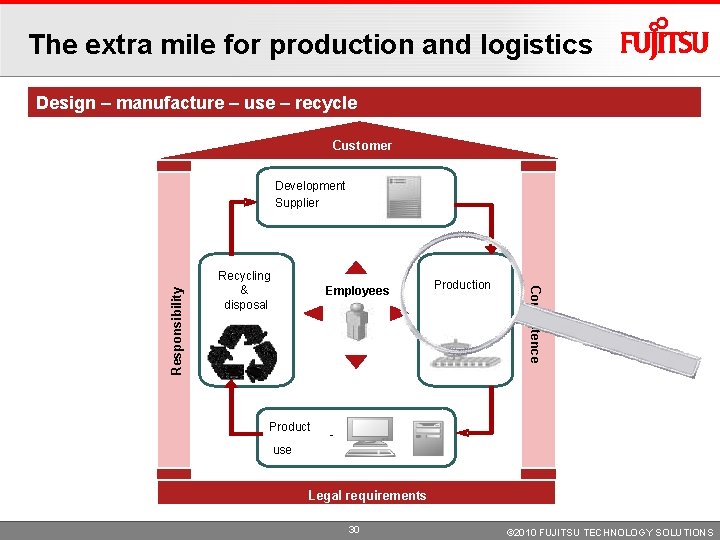
The integrated approach to environmental protection Design – manufacture – use – recycle Customer Recycling&& Entsorgung disposal Employees Production Kompetenz Competence Verantwortlichkeit Responsibility Development Supplier - use requirements Rechtliche Legal Anforderungen 27 © 2010 FUJITSU TECHNOLOGY SOLUTIONS
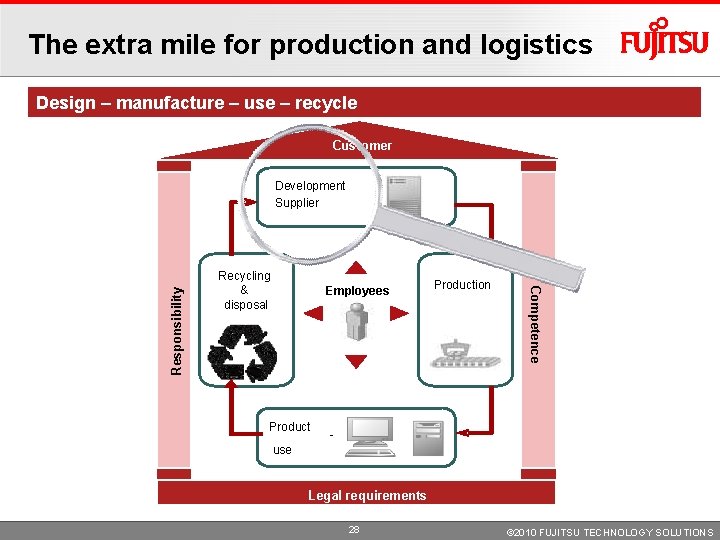
The extra mile for production and logistics Design – manufacture – use – recycle Customer Recycling&& Entsorgung disposal Employees Production Kompetenz Competence Verantwortlichkeit Responsibility Development Supplier - use requirements Rechtliche Legal Anforderungen 28 © 2010 FUJITSU TECHNOLOGY SOLUTIONS
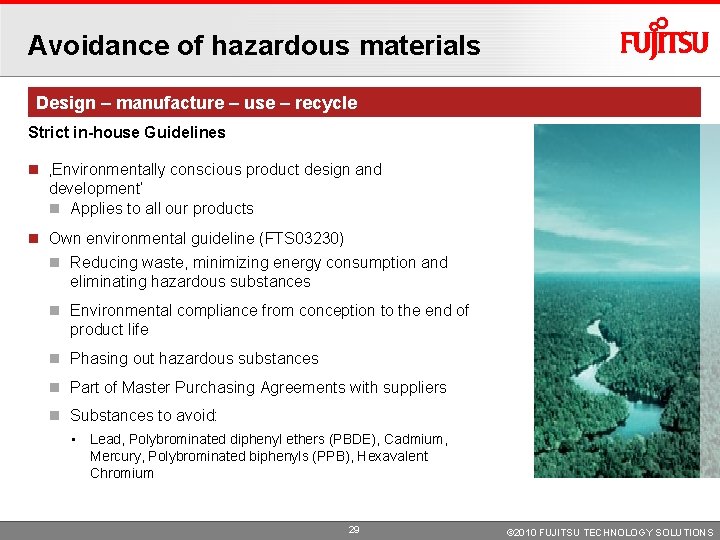
Avoidance of hazardous materials Design – manufacture – use – recycle Strict in-house Guidelines ‚Environmentally conscious product design and development‘ Applies to all our products Own environmental guideline (FTS 03230) Reducing waste, minimizing energy consumption and eliminating hazardous substances Environmental compliance from conception to the end of product life Phasing out hazardous substances Part of Master Purchasing Agreements with suppliers Substances to avoid: • Lead, Polybrominated diphenyl ethers (PBDE), Cadmium, Mercury, Polybrominated biphenyls (PPB), Hexavalent Chromium 29 © 2010 FUJITSU TECHNOLOGY SOLUTIONS
The extra mile for production and logistics Design – manufacture – use – recycle Customer Recycling&& Entsorgung disposal Employees Production Kompetenz Competence Verantwortlichkeit Responsibility Development Supplier - use requirements Rechtliche Legal Anforderungen 30 © 2010 FUJITSU TECHNOLOGY SOLUTIONS
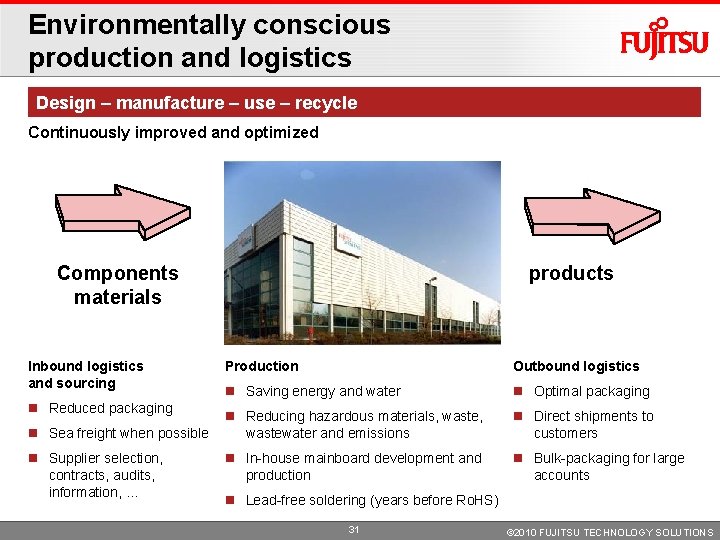
Environmentally conscious production and logistics Design – manufacture – use – recycle Continuously improved and optimized products Components materials Inbound logistics and sourcing Reduced packaging Sea freight when possible Supplier selection, contracts, audits, information, … Production Outbound logistics Saving energy and water Optimal packaging Reducing hazardous materials, wastewater and emissions Direct shipments to customers In-house mainboard development and production Bulk-packaging for large accounts Lead-free soldering (years before Ro. HS) 31 © 2010 FUJITSU TECHNOLOGY SOLUTIONS
Green successes: Achievements Design – manufacture – use – recycle Mainboard soldering process N 2 atmosphere No oxidization or washing Saves annually 850, 000 liters of water Reduced lead in mainboards 22 tons a year since introduction of Ro. HS Transportation 30 tons waste a year with batch deliveries and reusable packaging Documentation from print to electronic 500 tons of printed paper year 32 © 2010 FUJITSU TECHNOLOGY SOLUTIONS
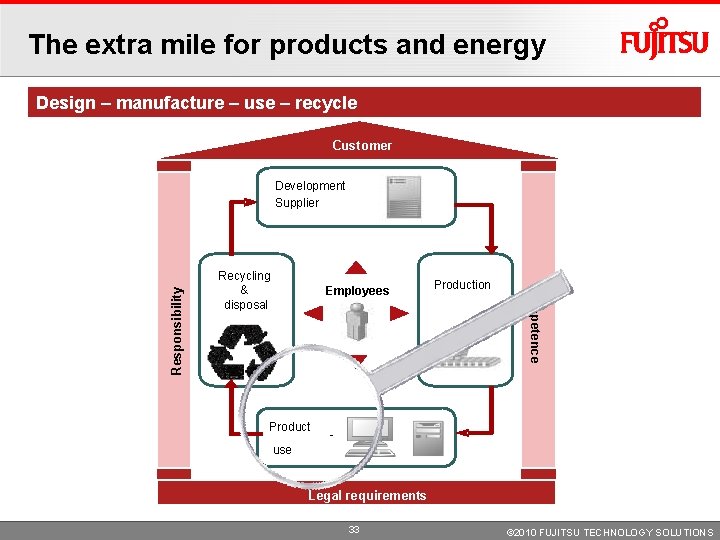
The extra mile for products and energy Design – manufacture – use – recycle Customer Recycling&& Entsorgung disposal Employees Production Kompetenz Competence Verantwortlichkeit Responsibility Development Supplier - use requirements Rechtliche Legal Anforderungen 33 © 2010 FUJITSU TECHNOLOGY SOLUTIONS
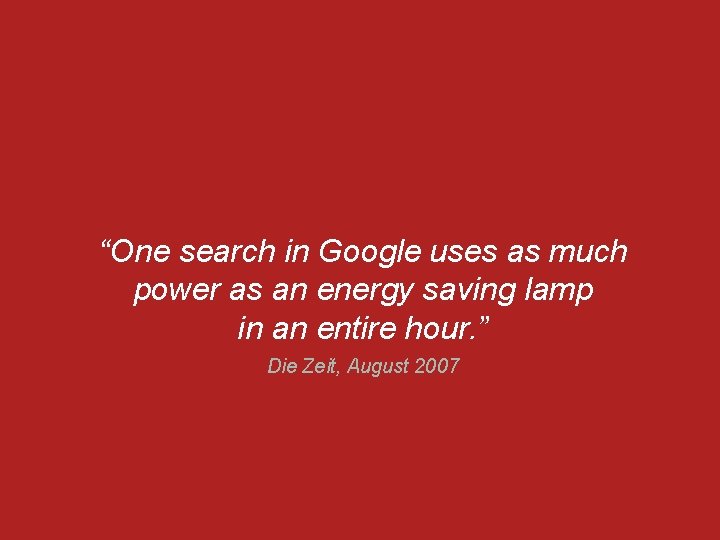
“One search in Google uses as much power as an energy saving lamp in an entire hour. ” Die Zeit, August 2007 © 2010 FUJITSU TECHNOLOGY SOLUTIONS
“ 2% of the world's CO 2 emissions result from IT That corresponds to the CO 2 emission of all the planes in the world. ” Simon Mingay, Gartner © 2010 FUJITSU TECHNOLOGY SOLUTIONS
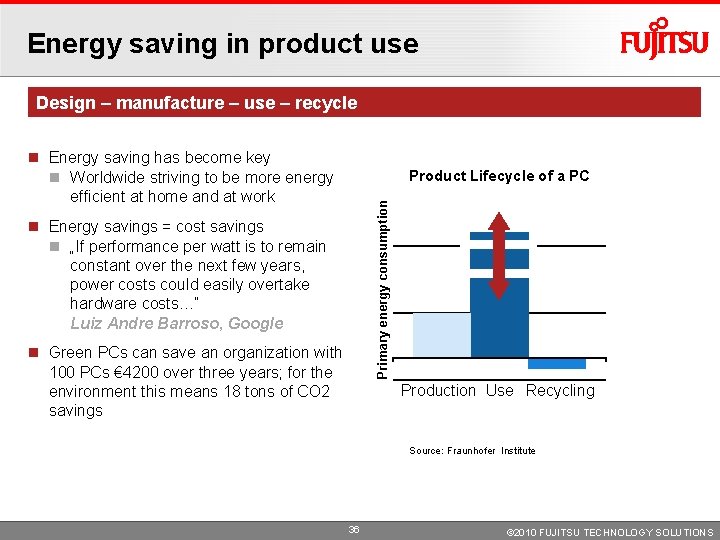
Energy saving in product use Design – manufacture – use – recycle Energy saving has become key Worldwide striving to be more energy efficient at home and at work Primary energy consumption Product Lifecycle of a PC Energy savings = cost savings „If performance per watt is to remain constant over the next few years, power costs could easily overtake hardware costs…“ Luiz Andre Barroso, Google Green PCs can save an organization with 100 PCs € 4200 over three years; for the environment this means 18 tons of CO 2 savings Production Use Recycling Source: Fraunhofer Institute 36 © 2010 FUJITSU TECHNOLOGY SOLUTIONS
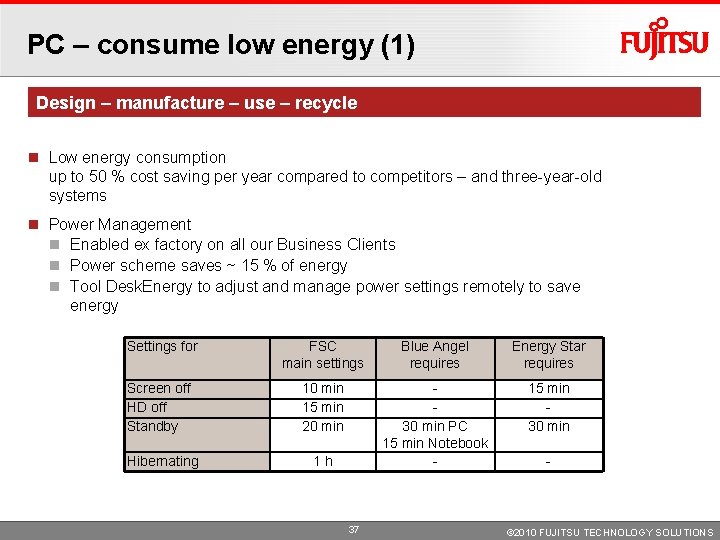
PC – consume low energy (1) Design – manufacture – use – recycle Low energy consumption up to 50 % cost saving per year compared to competitors – and three-year-old systems Power Management Enabled ex factory on all our Business Clients Power scheme saves ~ 15 % of energy Tool Desk. Energy to adjust and manage power settings remotely to save energy Settings for FSC main settings Blue Angel requires Energy Star requires Screen off HD off Standby 10 min 15 min 20 min 15 min 30 min Hibernating 1 h 30 min PC 15 min Notebook - 37 - © 2010 FUJITSU TECHNOLOGY SOLUTIONS
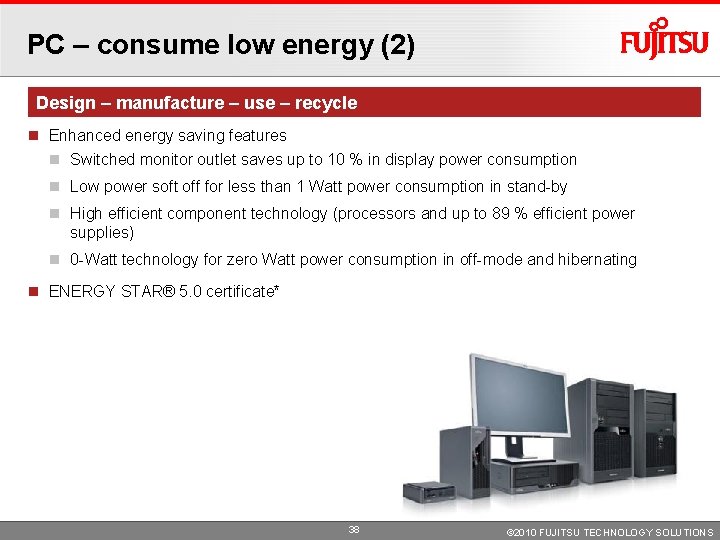
PC – consume low energy (2) Design – manufacture – use – recycle Enhanced energy saving features Switched monitor outlet saves up to 10 % in display power consumption Low power soft off for less than 1 Watt power consumption in stand-by High efficient component technology (processors and up to 89 % efficient power supplies) 0 -Watt technology for zero Watt power consumption in off-mode and hibernating ENERGY STAR® 5. 0 certificate* 38 © 2010 FUJITSU TECHNOLOGY SOLUTIONS
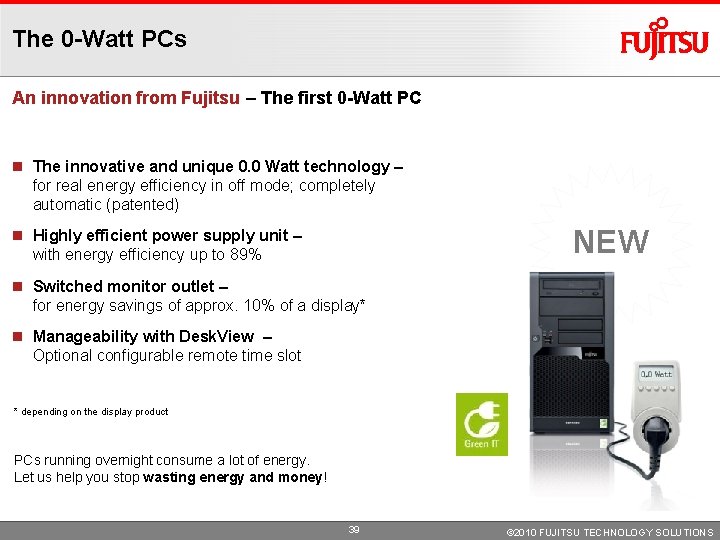
The 0 -Watt PCs An innovation from Fujitsu – The first 0 -Watt PC The innovative and unique 0. 0 Watt technology – for real energy efficiency in off mode; completely automatic (patented) NEW Highly efficient power supply unit – with energy efficiency up to 89% Switched monitor outlet – for energy savings of approx. 10% of a display* Manageability with Desk. View – Optional configurable remote time slot * depending on the display product PCs running overnight consume a lot of energy. Let us help you stop wasting energy and money! 39 © 2010 FUJITSU TECHNOLOGY SOLUTIONS
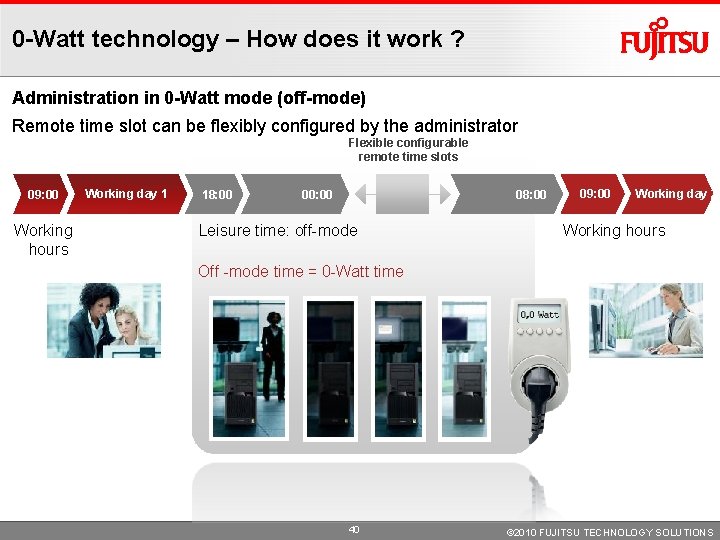
0 -Watt technology – How does it work ? Administration in 0 -Watt mode (off-mode) Remote time slot can be flexibly configured by the administrator Flexible configurable remote time slots 09: 00 Working hours Working day 1 18: 00 00: 00 08: 00 Leisure time: off-mode 09: 00 Working day 2 Working hours Off -mode time = 0 -Watt time 40 © 2010 FUJITSU TECHNOLOGY SOLUTIONS
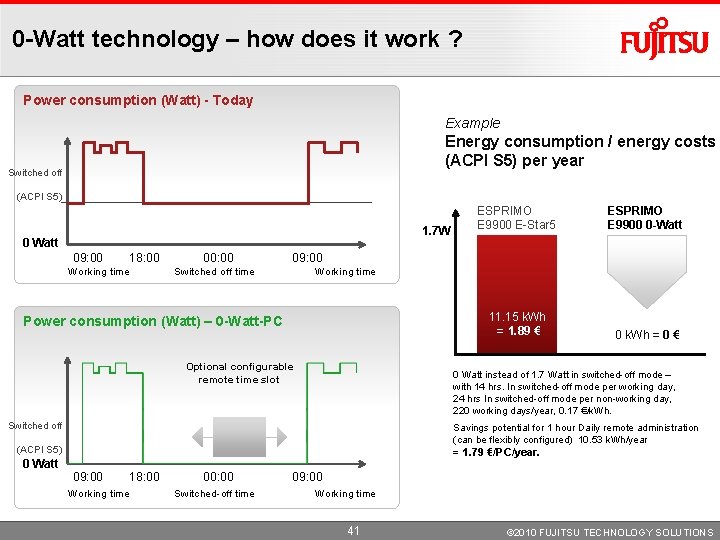
0 -Watt technology – how does it work ? Power consumption (Watt) - Today Example Energy consumption / energy costs (ACPI S 5) per year Switched off (ACPI S 5) 1. 7 W 0 Watt 09: 00 18: 00 Working time 00: 00 ESPRIMO E 9900 0 -Watt 11. 15 k. Wh = 1. 89 € 0 k. Wh = 0 € 09: 00 Switched off time Working time Power consumption (Watt) – 0 -Watt-PC Optional configurable remote time slot 0 Watt instead of 1. 7 Watt in switched-off mode – with 14 hrs. In switched-off mode per working day, 24 hrs In switched-off mode per non-working day, 220 working days/year, 0. 17 €/k. Wh. Switched off Savings potential for 1 hour Daily remote administration (can be flexibly configured) 10. 53 k. Wh/year (ACPI S 5) 0 Watt ESPRIMO E 9900 E-Star 5 = 1. 79 €/PC/year. 09: 00 18: 00 Working time 00: 00 Switched-off time 09: 00 Working time 41 © 2010 FUJITSU TECHNOLOGY SOLUTIONS
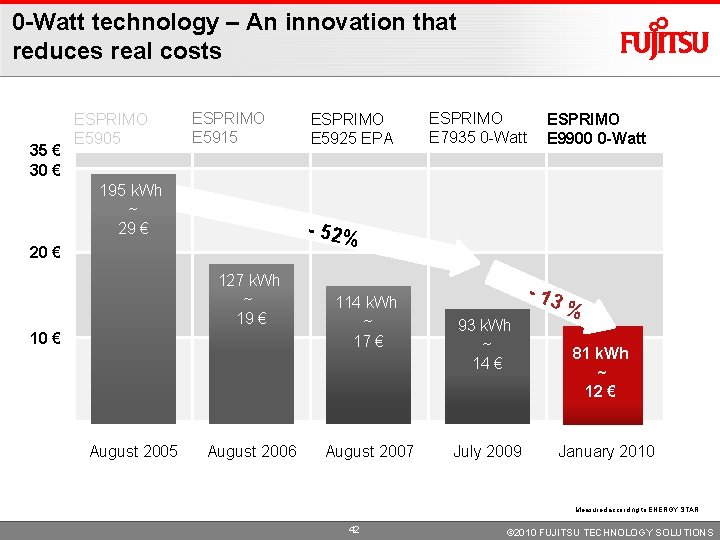
0 -Watt technology – An innovation that reduces real costs 35 € 30 € ESPRIMO E 5905 ESPRIMO E 5915 195 k. Wh ~ 29 € ESPRIMO E 7935 0 -Watt ESPRIMO E 9900 0 -Watt - 52% 20 € 127 k. Wh ~ 19 € 10 € August 2005 ESPRIMO E 5925 EPA August 2006 114 k. Wh ~ 17 € August 2007 - 13 93 k. Wh ~ 14 € July 2009 % 81 k. Wh ~ 12 € January 2010 Measured according to ENERGY STAR 42 © 2010 FUJITSU TECHNOLOGY SOLUTIONS
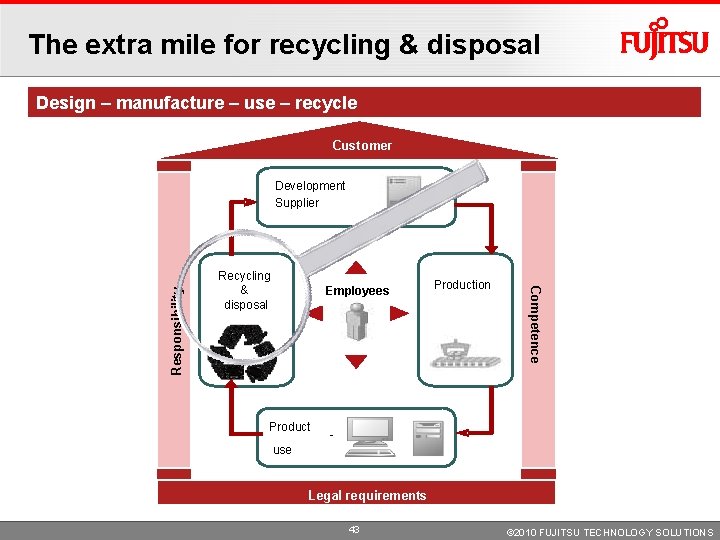
The extra mile for recycling & disposal Design – manufacture – use – recycle Customer Recycling&& Entsorgung disposal Employees Production Kompetenz Competence Verantwortlichkeit Responsibility Development Supplier - use requirements Rechtliche Legal Anforderungen 43 © 2010 FUJITSU TECHNOLOGY SOLUTIONS
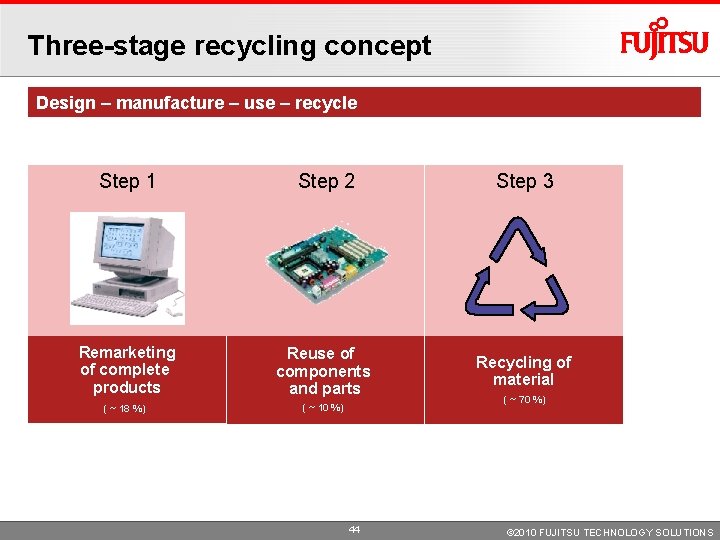
Three-stage recycling concept Design – manufacture – use – recycle Step 1 Step 2 Step 3 Remarketing of complete products Reuse of components and parts Recycling of material ( ~ 18 %) ( ~ 10 %) 44 ( ~ 70 %) © 2010 FUJITSU TECHNOLOGY SOLUTIONS
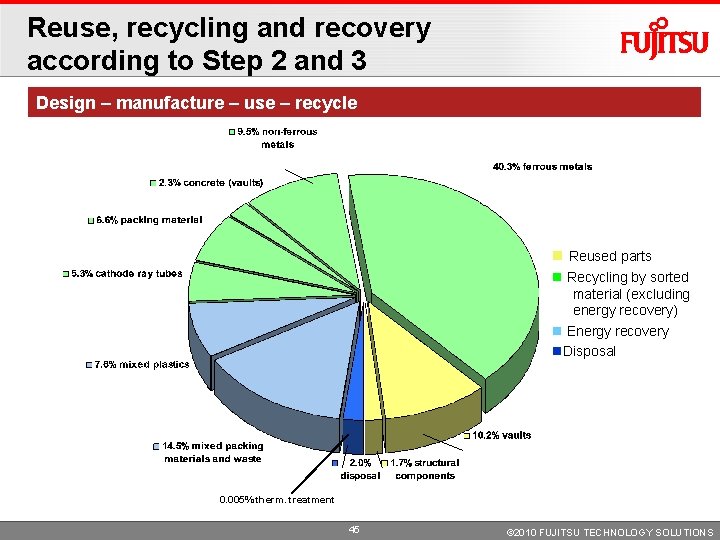
Reuse, recycling and recovery according to Step 2 and 3 Design – manufacture – use – recycle Reused parts Recycling by sorted material (excluding energy recovery) Energy recovery Disposal 0. 005% therm. treatment 45 © 2010 FUJITSU TECHNOLOGY SOLUTIONS
Proudct values: Innovative Reliability Human centric Innovation Green 46 © 2010 FUJITSU TECHNOLOGY SOLUTIONS
What Innovative means for PC System concepts that fit the way people work – with total security and flexibility for complex infrastructures Reducing the TCO due to enhanced IT features Manageability Reduction in total cost of ownership (TCO) with a comprehensive set of system management features Security Prevent unauthorized eavesdropping on your business intelligence and keep your secrets guarded Customizing Freedom of choice with tailored systems. Perfect fit to specific requirements and your personal infrastructure 47 © 2010 FUJITSU TECHNOLOGY SOLUTIONS
Manageability with the Desk. View Family Discover – Heal – Protect Manageability 48 © 2010 FUJITSU TECHNOLOGY SOLUTIONS
We manage your pre-installation more easily – Desk. View Load Discover – Heal – Protect Install FTS handles hardware dependencies no driver evaluation no hard-ware freezing Only one image for all configurations Deploy and Drop-shipment to end-user possible no rollout center lower Do. A rates Manage the assets Automated pre-staging for further processing in existing infrastructure 49 © 2010 FUJITSU TECHNOLOGY SOLUTIONS
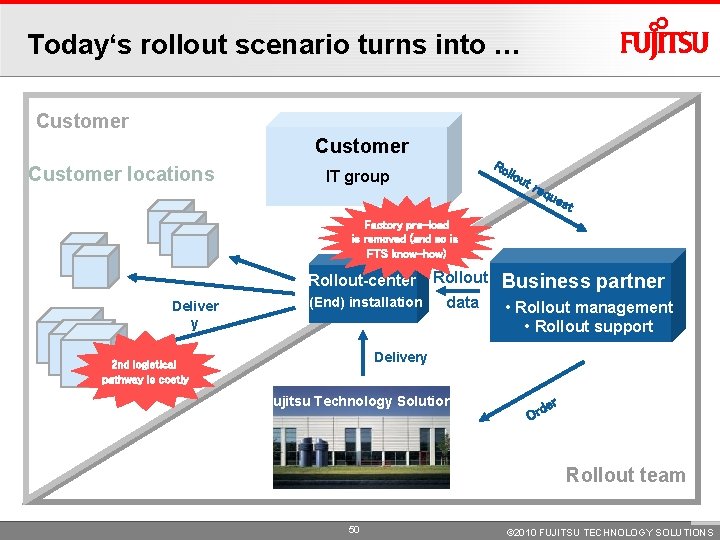
Today‘s rollout scenario turns into … Customer locations Ro llo IT group ut req ues t Factory pre-load is removed (and so is FTS know-how) Deliver y Rollout-center Rollout (End) installation data Business partner • Rollout management • Rollout support Delivery 2 nd logistical pathway is costly Fujitsu Technology Solutions r de Or Rollout team 50 © 2010 FUJITSU TECHNOLOGY SOLUTIONS
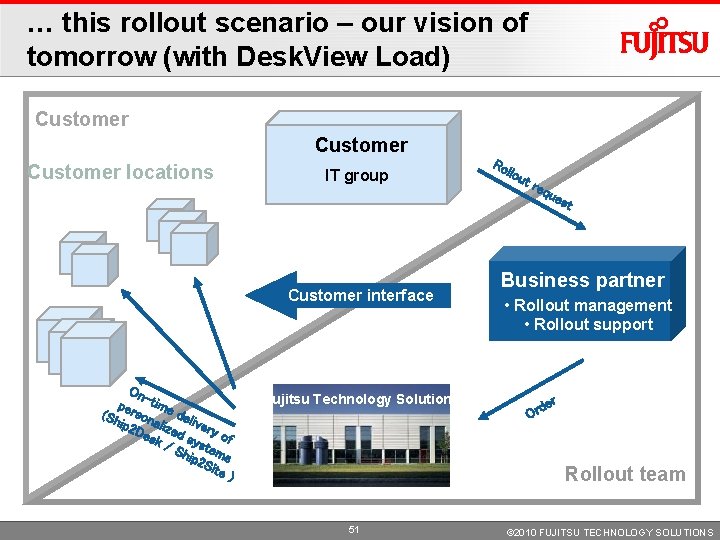
… this rollout scenario – our vision of tomorrow (with Desk. View Load) Customer locations IT group Customer interface On per -time d (Sh son ip 2 aliz eliver e y De sk d sys of /S t hip ems 2 Si te ) Fujitsu Technology Solutions Ro llo ut req ues t Business partner • Rollout management • Rollout support Or r de Rollout team 51 © 2010 FUJITSU TECHNOLOGY SOLUTIONS
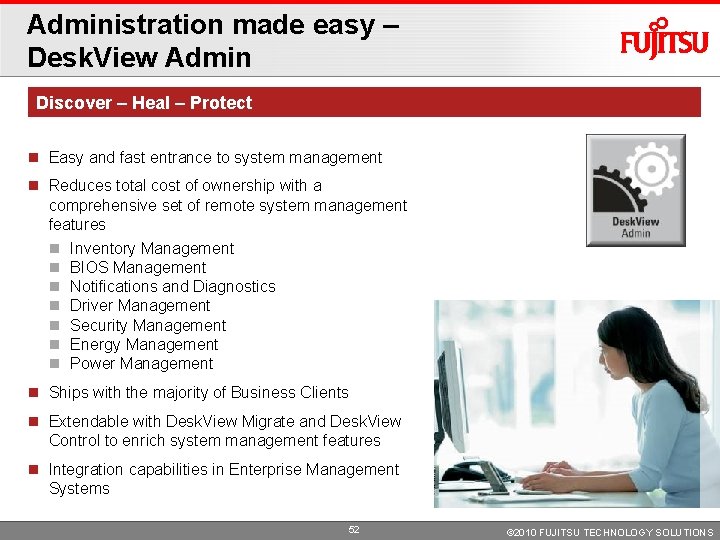
Administration made easy – Desk. View Admin Discover – Heal – Protect Easy and fast entrance to system management Reduces total cost of ownership with a comprehensive set of remote system management features Inventory Management BIOS Management Notifications and Diagnostics Driver Management Security Management Energy Management Power Management Ships with the majority of Business Clients Extendable with Desk. View Migrate and Desk. View Control to enrich system management features Integration capabilities in Enterprise Management Systems 52 © 2010 FUJITSU TECHNOLOGY SOLUTIONS
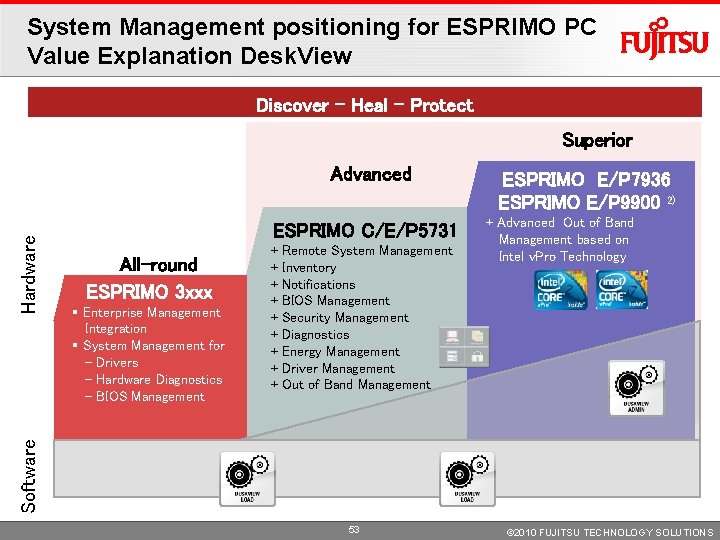
System Management positioning for ESPRIMO PC Value Explanation Desk. View Discover – Heal – Protect Superior ESPRIMO C/E/P 5731 All-round ESPRIMO 3 xxx § Enterprise Management Integration § System Management for - Drivers - Hardware Diagnostics - BIOS Management + + + + + Remote System Management Inventory Notifications BIOS Management Security Management Diagnostics Energy Management Driver Management Out of Band Management ESPRIMO E/P 7936 ESPRIMO E/P 9900 2) + Advanced Out of Band Management based on Intel v. Pro Technology Software Hardware Advanced 53 © 2010 FUJITSU TECHNOLOGY SOLUTIONS
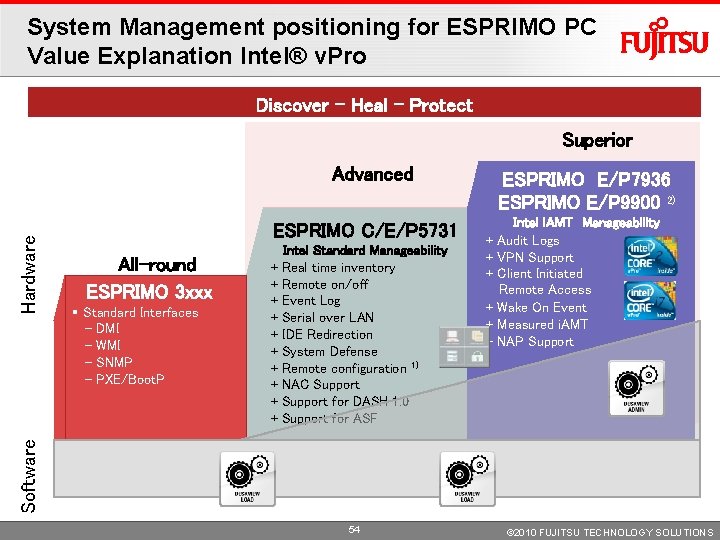
System Management positioning for ESPRIMO PC Value Explanation Intel® v. Pro Discover – Heal – Protect Superior ESPRIMO C/E/P 5731 All-round ESPRIMO 3 xxx § Standard Interfaces - DMI - WMI - SNMP - PXE/Boot. P + + + + + Intel Standard Manageability Real time inventory Remote on/off Event Log Serial over LAN IDE Redirection System Defense Remote configuration 1) NAC Support for DASH 1. 0 Support for ASF ESPRIMO E/P 7936 ESPRIMO E/P 9900 2) + + + Intel i. AMT Manageability Audit Logs VPN Support Client Initiated Remote Access Wake On Event Measured i. AMT NAP Support Software Hardware Advanced 54 © 2010 FUJITSU TECHNOLOGY SOLUTIONS
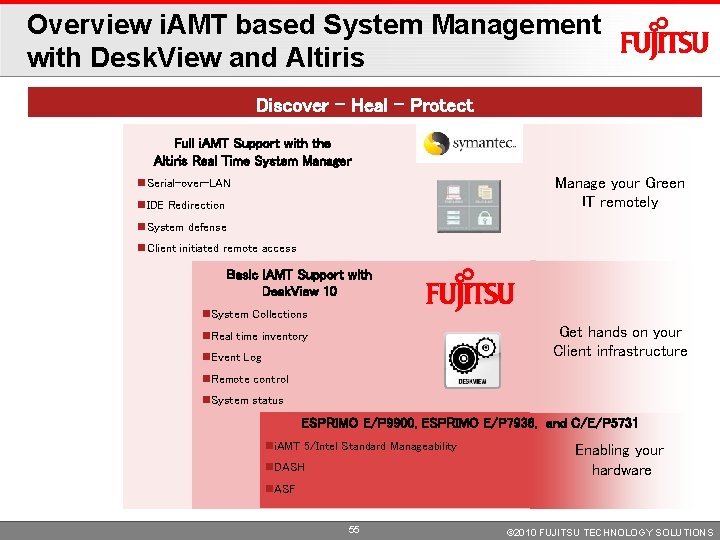
Overview i. AMT based System Management with Desk. View and Altiris Discover – Heal – Protect Full i. AMT Support with the Altiris Real Time System Manager Manage your Green IT remotely Serial-over-LAN IDE Redirection System defense Client initiated remote access Basic i. AMT Support with Desk. View 10 System Collections Get hands on your Client infrastructure Real time inventory Event Log Remote control System status ESPRIMO E/P 9900, ESPRIMO E/P 7936, and C/E/P 5731 i. AMT 5/Intel Standard Manageability DASH Enabling your hardware ASF 55 © 2010 FUJITSU TECHNOLOGY SOLUTIONS
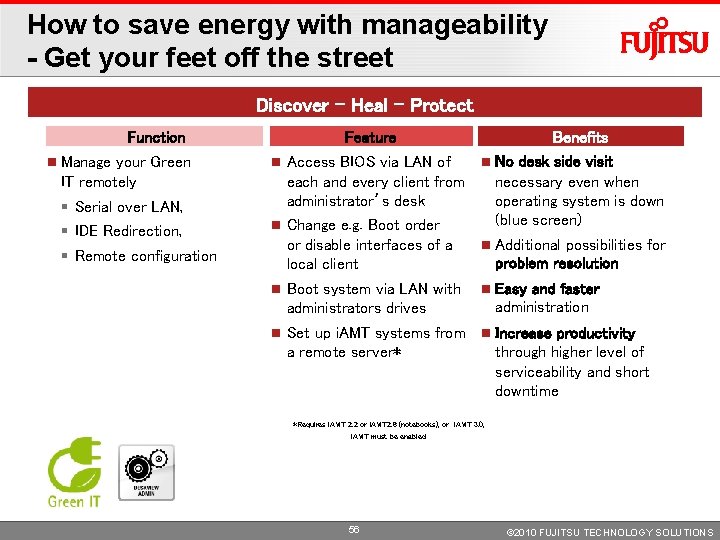
How to save energy with manageability - Get your feet off the street Discover – Heal – Protect Function Manage your Green IT remotely Feature Access BIOS via LAN of each and every client from administrator’s desk Change e. g. Boot order or disable interfaces of a local client § Serial over LAN, § IDE Redirection, § Remote configuration Benefits No desk side visit necessary even when operating system is down (blue screen) Additional possibilities for problem resolution Easy and faster administration Boot system via LAN with administrators drives Set up i. AMT systems from Increase productivity a remote server* through higher level of serviceability and short downtime *Requires i. AMT 2. 2 or i. AMT 2. 6 (notebooks), or i. AMT 3. 0, i. AMT must be enabled 56 © 2010 FUJITSU TECHNOLOGY SOLUTIONS
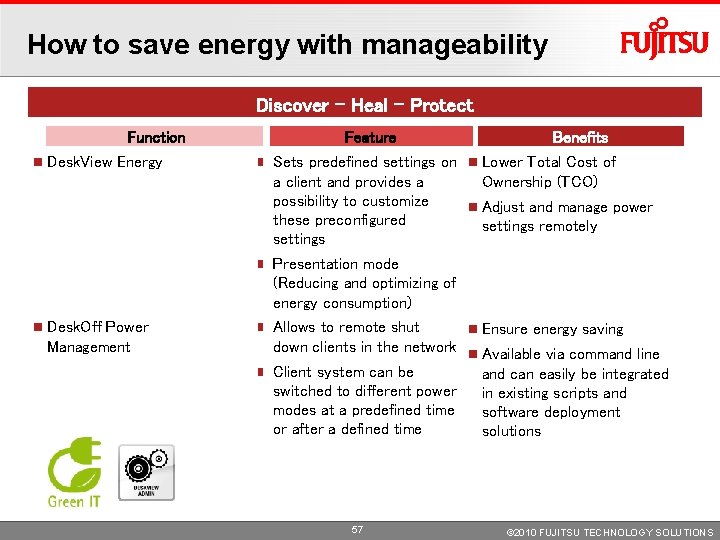
How to save energy with manageability Discover – Heal – Protect Function Desk. View Energy Desk. Off Power Management Feature Benefits Sets predefined settings on Lower Total Cost of a client and provides a Ownership (TCO) possibility to customize Adjust and manage power these preconfigured settings remotely settings Presentation mode (Reducing and optimizing of energy consumption) Allows to remote shut Ensure energy saving down clients in the network Available via command line Client system can be and can easily be integrated switched to different power in existing scripts and modes at a predefined time software deployment or after a defined time solutions 57 © 2010 FUJITSU TECHNOLOGY SOLUTIONS
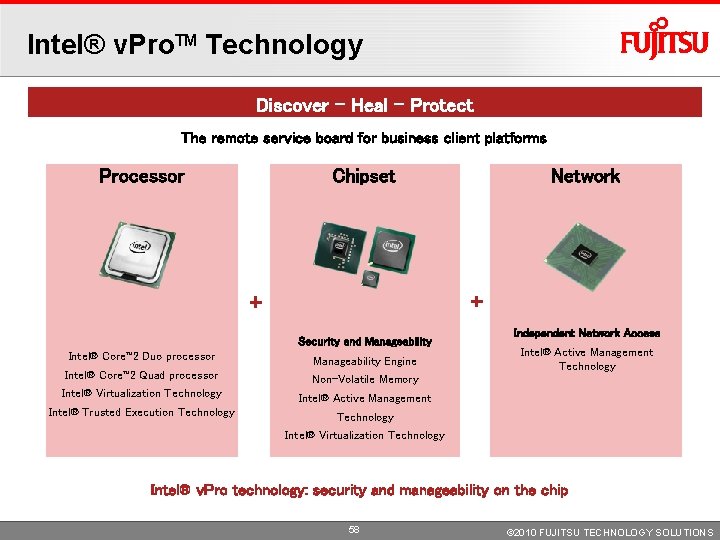
Intel® v. Pro. TM Technology Discover – Heal – Protect The remote service board for business client platforms Processor Chipset Network + + Security and Manageability Intel® Core™ 2 Duo processor Manageability Engine Intel® Core™ 2 Quad processor Non-Volatile Memory Intel® Virtualization Technology Intel® Active Management Intel® Trusted Execution Technology Independent Network Access Intel® Active Management Technology Intel® Virtualization Technology Intel® v. Pro technology: security and manageability on the chip 58 © 2010 FUJITSU TECHNOLOGY SOLUTIONS
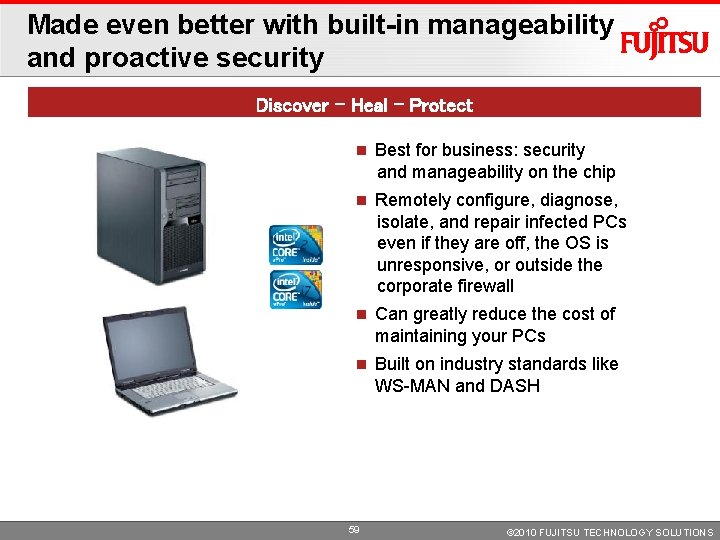
Made even better with built-in manageability and proactive security Discover – Heal – Protect Best for business: security and manageability on the chip Remotely configure, diagnose, isolate, and repair infected PCs even if they are off, the OS is unresponsive, or outside the corporate firewall Can greatly reduce the cost of maintaining your PCs Built on industry standards like WS-MAN and DASH 59 © 2010 FUJITSU TECHNOLOGY SOLUTIONS
Security 60 © 2010 FUJITSU TECHNOLOGY SOLUTIONS
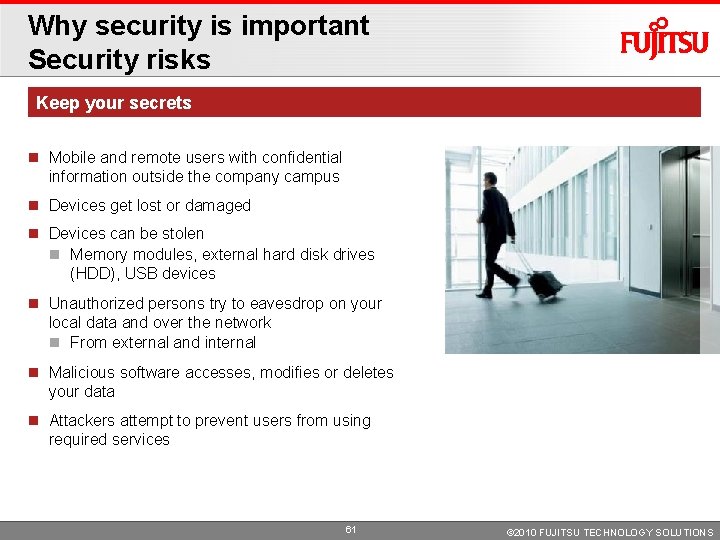
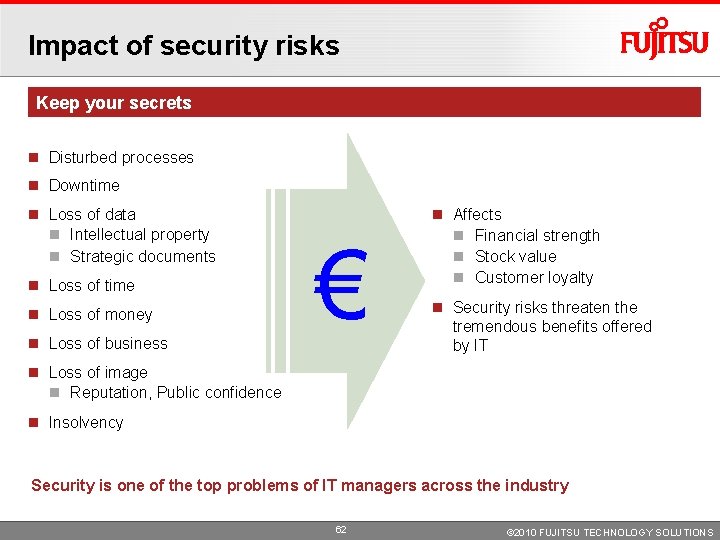
Why security is important Security risks Keep your secrets Mobile and remote users with confidential information outside the company campus Devices get lost or damaged Devices can be stolen Memory modules, external hard disk drives (HDD), USB devices Unauthorized persons try to eavesdrop on your local data and over the network From external and internal Malicious software accesses, modifies or deletes your data Attackers attempt to prevent users from using required services 61 © 2010 FUJITSU TECHNOLOGY SOLUTIONS
Impact of security risks Keep your secrets Disturbed processes Downtime Loss of data Intellectual property Strategic documents Loss of time Loss of money Loss of business € Affects Financial strength Stock value Customer loyalty Security risks threaten the tremendous benefits offered by IT Loss of image Reputation, Public confidence Insolvency Security is one of the top problems of IT managers across the industry 62 © 2010 FUJITSU TECHNOLOGY SOLUTIONS
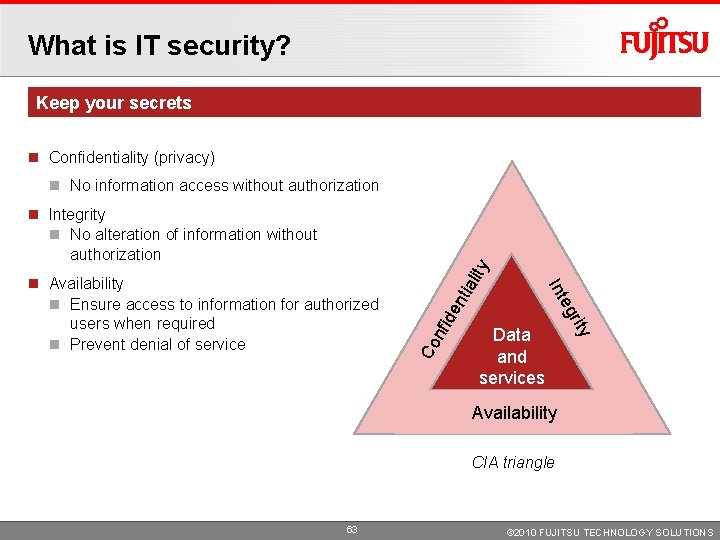
What is IT security? Keep your secrets Confidentiality (privacy) No information access without authorization de nti a Co nfi ty Data and services ri eg Int Availability Ensure access to information for authorized users when required Prevent denial of service lity Integrity No alteration of information without authorization Availability CIA triangle 63 © 2010 FUJITSU TECHNOLOGY SOLUTIONS
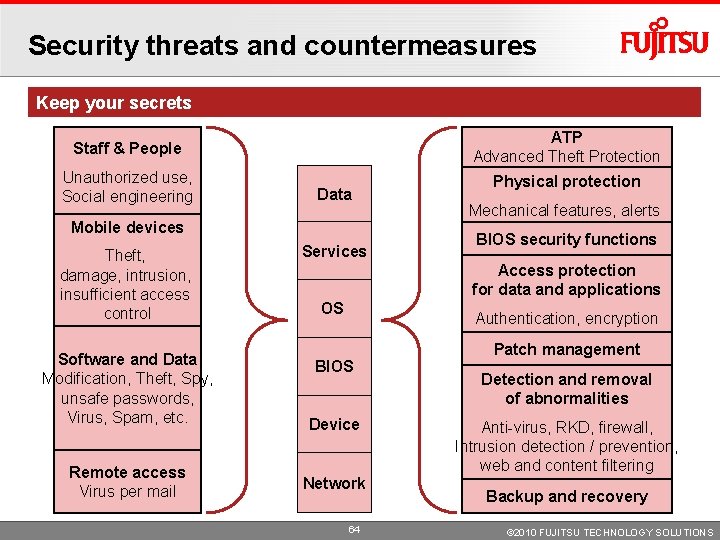
Security threats and countermeasures Keep your secrets ATP Advanced Theft Protection Staff & People Unauthorized use, Social engineering Data Mobile devices Theft, damage, intrusion, insufficient access control Software and Data Modification, Theft, Spy, unsafe passwords, Virus, Spam, etc. Remote access Virus per mail Services Physical protection Mechanical features, alerts BIOS security functions Access protection for data and applications OS Authentication, encryption BIOS Device Network 64 Patch management Detection and removal of abnormalities Anti-virus, RKD, firewall, Intrusion detection / prevention, web and content filtering Backup and recovery © 2010 FUJITSU TECHNOLOGY SOLUTIONS
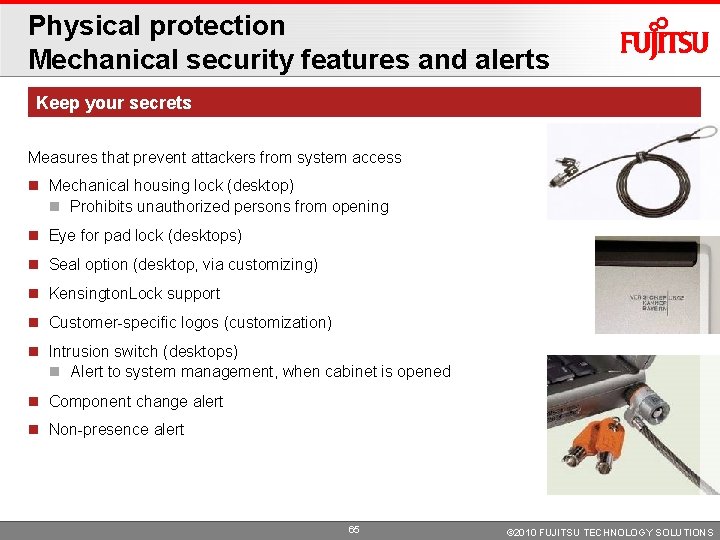
Physical protection Mechanical security features and alerts Keep your secrets Measures that prevent attackers from system access Mechanical housing lock (desktop) Prohibits unauthorized persons from opening Eye for pad lock (desktops) Seal option (desktop, via customizing) Kensington. Lock support Customer-specific logos (customization) Intrusion switch (desktops) Alert to system management, when cabinet is opened Component change alert Non-presence alert 65 © 2010 FUJITSU TECHNOLOGY SOLUTIONS
BIOS Security functions Hard disk password Keep your secrets Featured in all Business Clients – ex factory Protects all data stored on hard disk from unauthorized access Set or change hard disk drive password via BIOS Setup Utility Independent from OS Stored in hard disk drives‘ firmware and moves with hard disk drive Only entering the correct password unlocks hard disk drive (even in another desktop PC) Hard disk drive passwords cannot be removed by reformatting it Each hard disk drive may have a separate password Power down required after 3 unsuccessful attempts Protect your hard disk drive from unauthorized access 66 © 2010 FUJITSU TECHNOLOGY SOLUTIONS
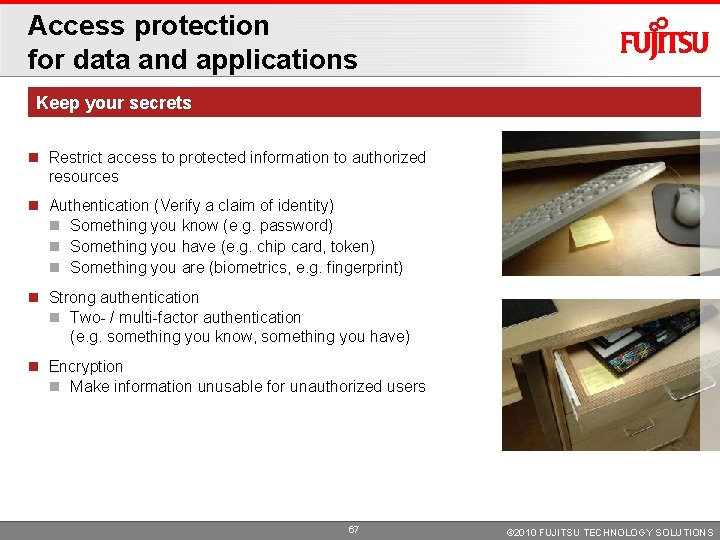
Access protection for data and applications Keep your secrets Restrict access to protected information to authorized resources Authentication (Verify a claim of identity) Something you know (e. g. password) Something you have (e. g. chip card, token) Something you are (biometrics, e. g. fingerprint) Strong authentication Two- / multi-factor authentication (e. g. something you know, something you have) Encryption Make information unusable for unauthorized users 67 © 2010 FUJITSU TECHNOLOGY SOLUTIONS
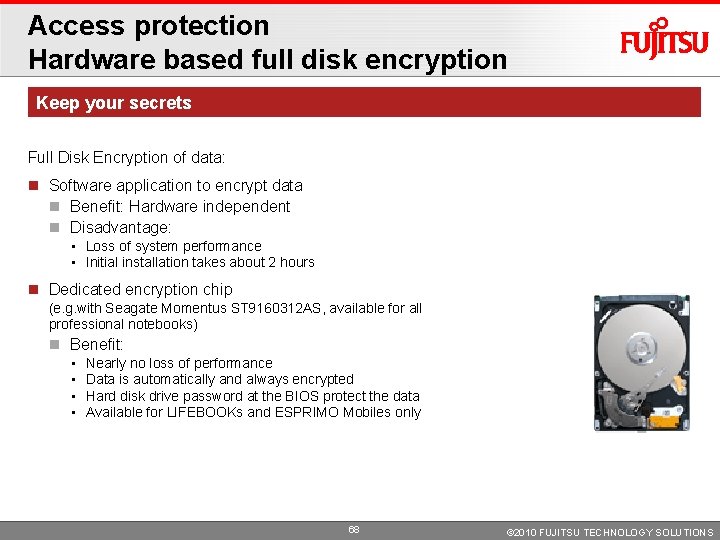
Access protection Hardware based full disk encryption Keep your secrets Full Disk Encryption of data: Software application to encrypt data Benefit: Hardware independent Disadvantage: • Loss of system performance • Initial installation takes about 2 hours Dedicated encryption chip (e. g. with Seagate Momentus ST 9160312 AS, available for all professional notebooks) Benefit: • • Nearly no loss of performance Data is automatically and always encrypted Hard disk drive password at the BIOS protect the data Available for LIFEBOOKs and ESPRIMO Mobiles only 68 © 2010 FUJITSU TECHNOLOGY SOLUTIONS
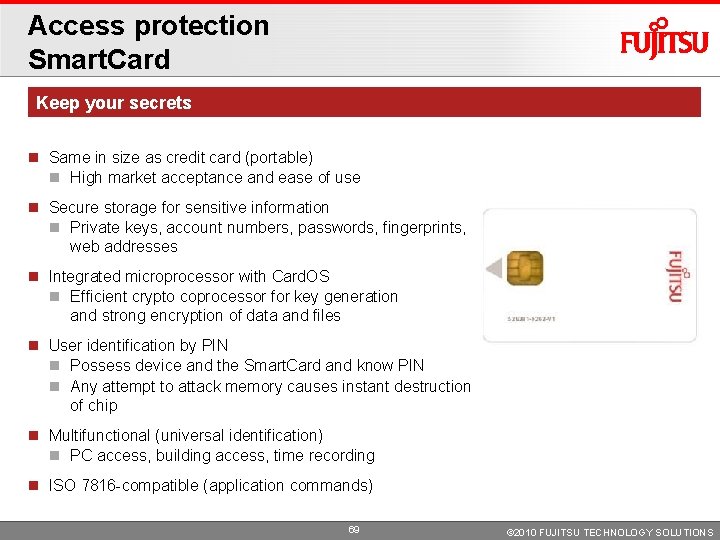
Access protection Smart. Card Keep your secrets Same in size as credit card (portable) High market acceptance and ease of use Secure storage for sensitive information Private keys, account numbers, passwords, fingerprints, web addresses Integrated microprocessor with Card. OS Efficient crypto coprocessor for key generation and strong encryption of data and files User identification by PIN Possess device and the Smart. Card and know PIN Any attempt to attack memory causes instant destruction of chip Multifunctional (universal identification) PC access, building access, time recording ISO 7816 -compatible (application commands) 69 © 2010 FUJITSU TECHNOLOGY SOLUTIONS
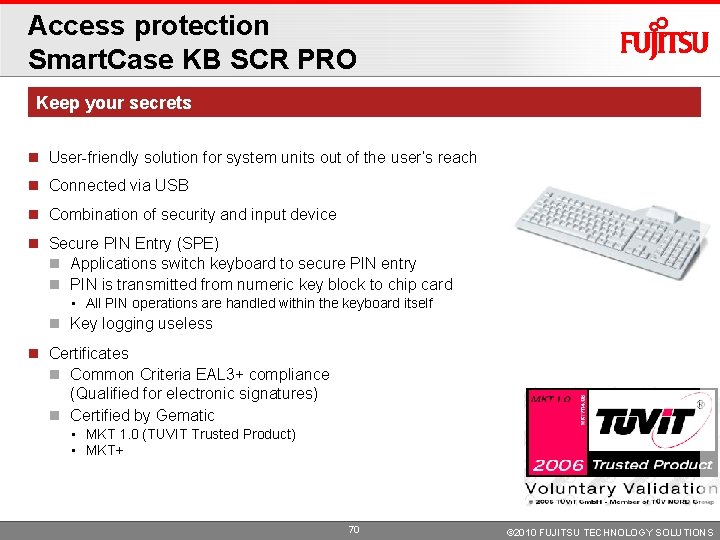
Access protection Smart. Case KB SCR PRO Keep your secrets User-friendly solution for system units out of the user‘s reach Connected via USB Combination of security and input device Secure PIN Entry (SPE) Applications switch keyboard to secure PIN entry PIN is transmitted from numeric key block to chip card • All PIN operations are handled within the keyboard itself Key logging useless Certificates Common Criteria EAL 3+ compliance (Qualified for electronic signatures) Certified by Gematic • MKT 1. 0 (TUVIT Trusted Product) • MKT+ 70 © 2010 FUJITSU TECHNOLOGY SOLUTIONS
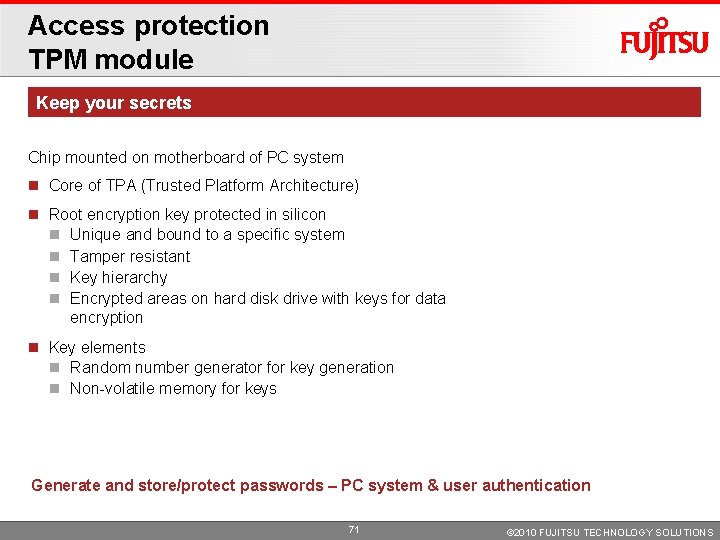
Access protection TPM module Keep your secrets Chip mounted on motherboard of PC system Core of TPA (Trusted Platform Architecture) Root encryption key protected in silicon Unique and bound to a specific system Tamper resistant Key hierarchy Encrypted areas on hard disk drive with keys for data encryption Key elements Random number generator for key generation Non-volatile memory for keys Generate and store/protect passwords – PC system & user authentication 71 © 2010 FUJITSU TECHNOLOGY SOLUTIONS
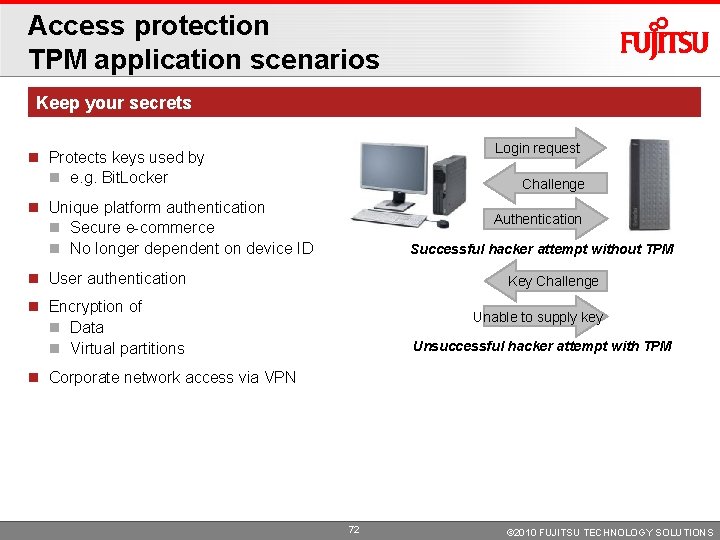
Access protection TPM application scenarios Keep your secrets Login request Protects keys used by e. g. Bit. Locker Challenge Unique platform authentication Secure e-commerce No longer dependent on device ID Authentication Successful hacker attempt without TPM User authentication Key Challenge Encryption of Data Virtual partitions Unable to supply key Unsuccessful hacker attempt with TPM Corporate network access via VPN 72 © 2010 FUJITSU TECHNOLOGY SOLUTIONS
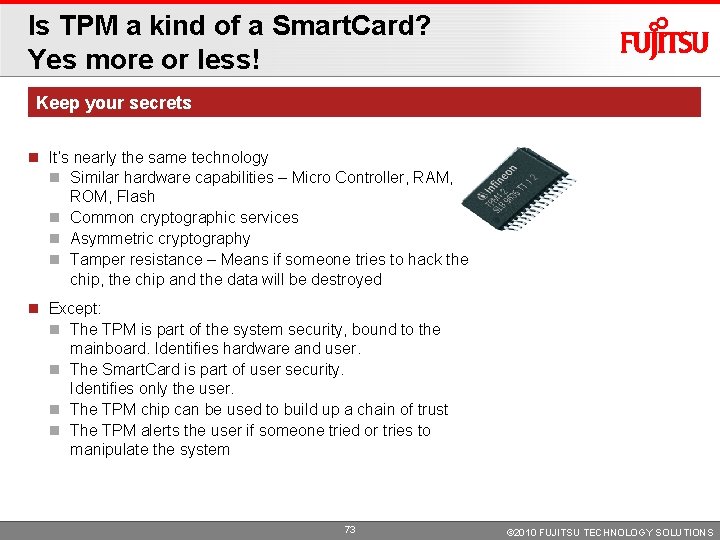
Is TPM a kind of a Smart. Card? Yes more or less! Keep your secrets It‘s nearly the same technology Similar hardware capabilities – Micro Controller, RAM, ROM, Flash Common cryptographic services Asymmetric cryptography Tamper resistance – Means if someone tries to hack the chip, the chip and the data will be destroyed Except: The TPM is part of the system security, bound to the mainboard. Identifies hardware and user. The Smart. Card is part of user security. Identifies only the user. The TPM chip can be used to build up a chain of trust The TPM alerts the user if someone tried or tries to manipulate the system 73 © 2010 FUJITSU TECHNOLOGY SOLUTIONS
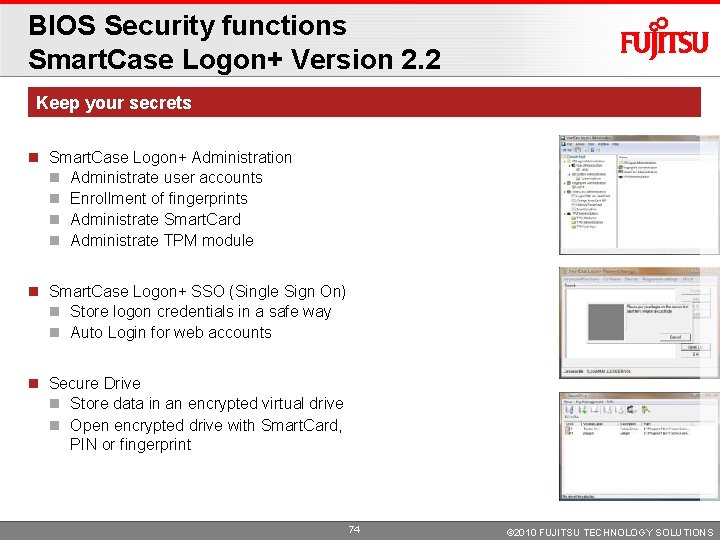
BIOS Security functions Smart. Case Logon+ Version 2. 2 Keep your secrets Smart. Case Logon+ Administration Administrate user accounts Enrollment of fingerprints Administrate Smart. Card Administrate TPM module Smart. Case Logon+ SSO (Single Sign On) Store logon credentials in a safe way Auto Login for web accounts Secure Drive Store data in an encrypted virtual drive Open encrypted drive with Smart. Card, PIN or fingerprint 74 © 2010 FUJITSU TECHNOLOGY SOLUTIONS
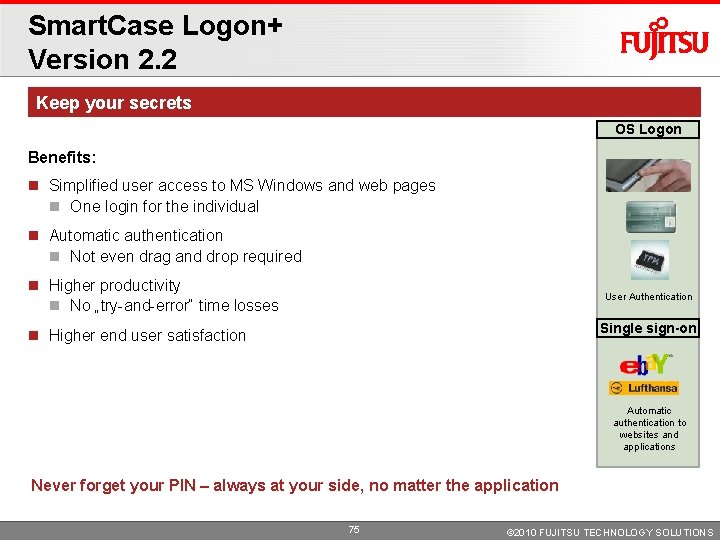
Smart. Case Logon+ Version 2. 2 Keep your secrets OS Logon Benefits: Simplified user access to MS Windows and web pages One login for the individual Automatic authentication Not even drag and drop required Higher productivity No „try-and-error“ time losses User Authentication Single sign-on Higher end user satisfaction Automatic authentication to websites and applications Never forget your PIN – always at your side, no matter the application 75 © 2010 FUJITSU TECHNOLOGY SOLUTIONS
Customizing 76 © 2010 FUJITSU TECHNOLOGY SOLUTIONS
You are looking for … Make it different Delivery of technically identical systems Simplifies network installation Better system maintenance Ready-to-run systems Reduces installation time and cost Integration of customer specific components Eliminates modifications at customer site Individual solutions One order code for the complete system during lifecycle End-to-end project support Highest product continuity and lifecycle extension through sophisticated lifecycle management Shipment according to customer specific roll-out requirements 77 © 2010 FUJITSU TECHNOLOGY SOLUTIONS
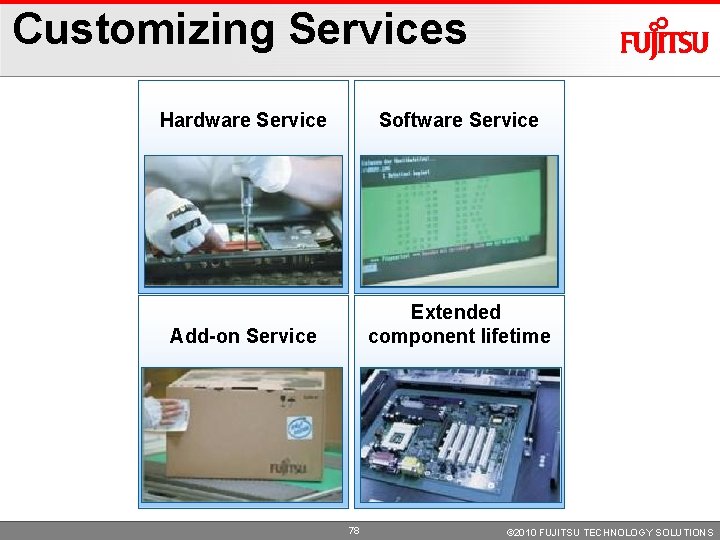
Customizing Services Hardware Service Software Service Add-on Service Extended component lifetime 78 © 2010 FUJITSU TECHNOLOGY SOLUTIONS
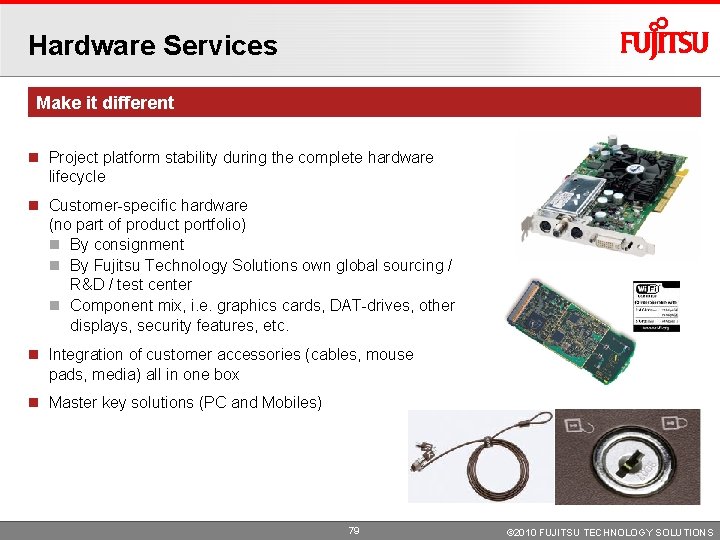
Hardware Services Make it different Project platform stability during the complete hardware lifecycle Customer-specific hardware (no part of product portfolio) By consignment By Fujitsu Technology Solutions own global sourcing / R&D / test center Component mix, i. e. graphics cards, DAT-drives, other displays, security features, etc. Integration of customer accessories (cables, mouse pads, media) all in one box Master key solutions (PC and Mobiles) 79 © 2010 FUJITSU TECHNOLOGY SOLUTIONS
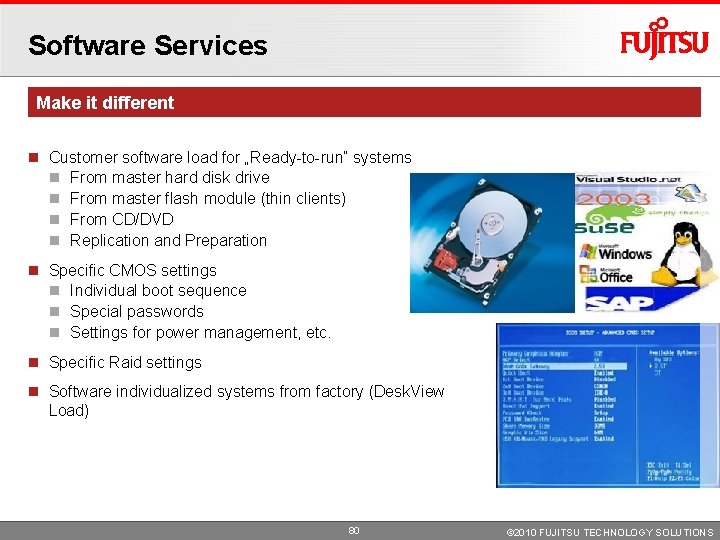
Software Services Make it different Customer software load for „Ready-to-run“ systems From master hard disk drive From master flash module (thin clients) From CD/DVD Replication and Preparation Specific CMOS settings Individual boot sequence Special passwords Settings for power management, etc. Specific Raid settings Software individualized systems from factory (Desk. View Load) 80 © 2010 FUJITSU TECHNOLOGY SOLUTIONS
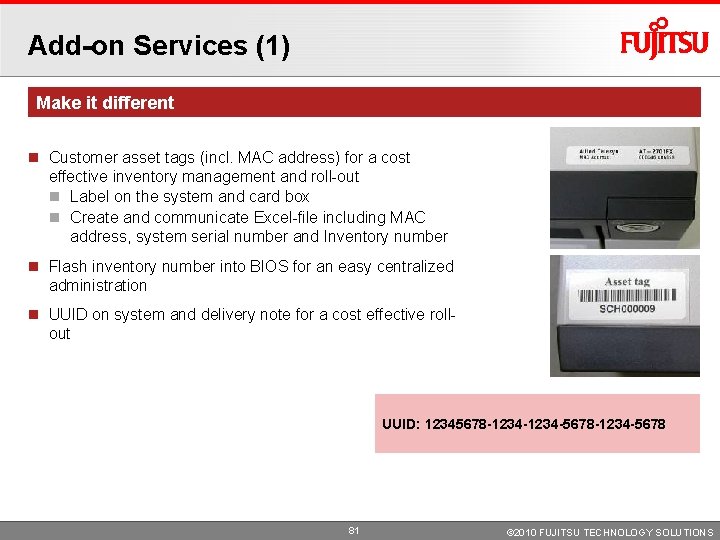
Add-on Services (1) Make it different Customer asset tags (incl. MAC address) for a cost effective inventory management and roll-out Label on the system and card box Create and communicate Excel-file including MAC address, system serial number and Inventory number Flash inventory number into BIOS for an easy centralized administration UUID on system and delivery note for a cost effective rollout UUID: 12345678 -1234 -5678 -1234 -5678 81 © 2010 FUJITSU TECHNOLOGY SOLUTIONS
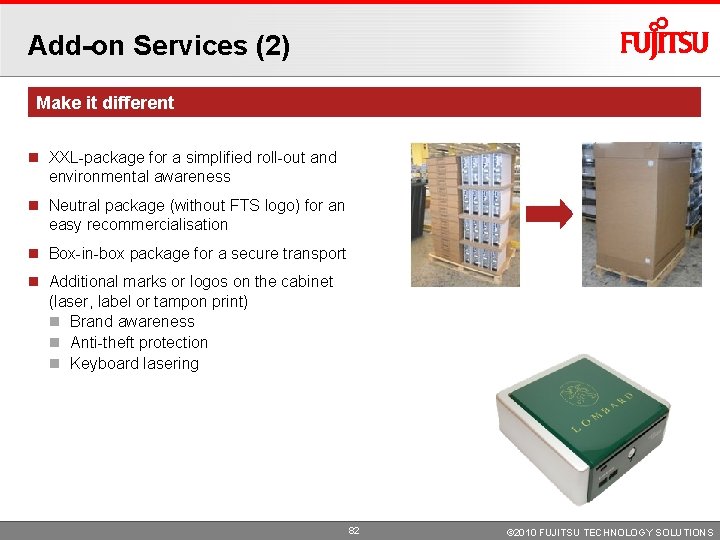
Add-on Services (2) Make it different XXL-package for a simplified roll-out and environmental awareness Neutral package (without FTS logo) for an easy recommercialisation Box-in-box package for a secure transport Additional marks or logos on the cabinet (laser, label or tampon print) Brand awareness Anti-theft protection Keyboard lasering 82 © 2010 FUJITSU TECHNOLOGY SOLUTIONS
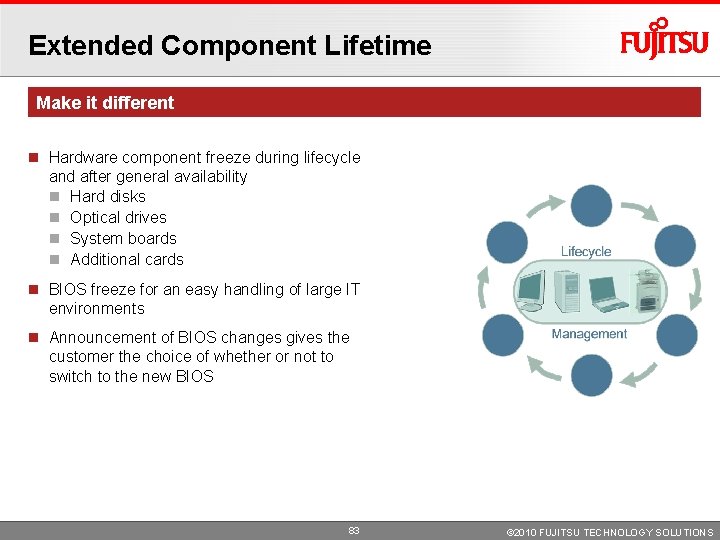
Extended Component Lifetime Make it different Hardware component freeze during lifecycle and after general availability Hard disks Optical drives System boards Additional cards BIOS freeze for an easy handling of large IT environments Announcement of BIOS changes gives the customer the choice of whether or not to switch to the new BIOS 83 © 2010 FUJITSU TECHNOLOGY SOLUTIONS