
Product Evaluation Sensors Overview Objectives Background Information Materials

Product Evaluation (Sensors)
Overview • Objectives • Background Information • Materials • Procedure • Report • Closing
Objective • Create code for a pre-designed robot and test it against the EG standards for accuracy and precision • Emphasize the importance of product evaluation • Utilize sensors to demonstrate differences between hardcoding and sensors coding
Background Information Design Analysis • Engineers perform prototype testing • Look for improvement suggestions • Continuously improves product quality • Tests are performed to a company standard • If the standard is met, the product is acceptable • If standard not met, product may be redesigned or withdrawn

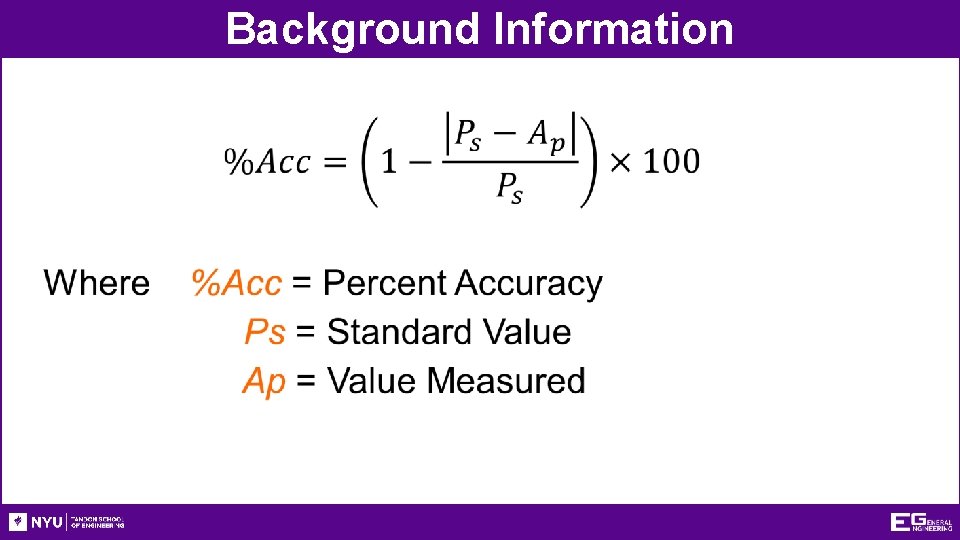
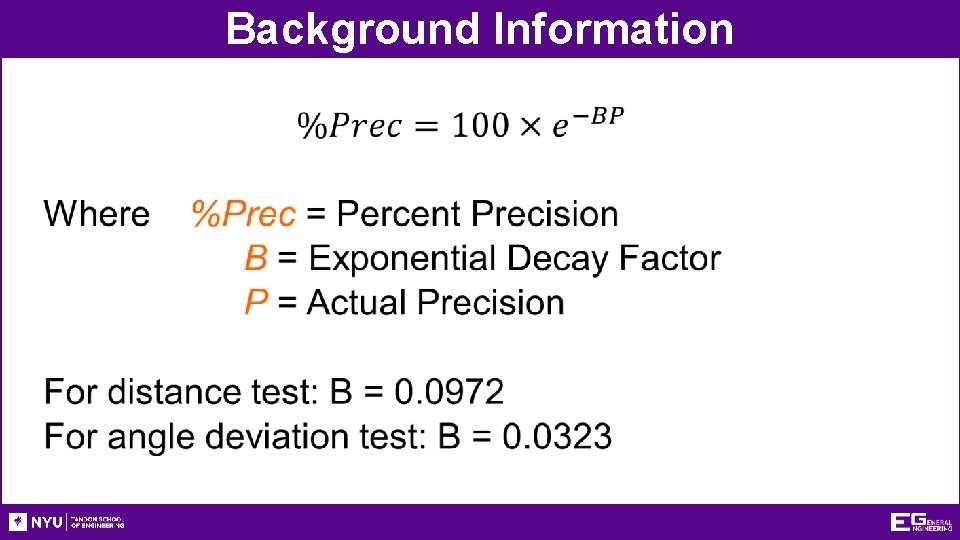
Background Information • Accuracy • Comparison of the average of the results to the standard • Precision • Repeatability of the results • How close are the results to each other?
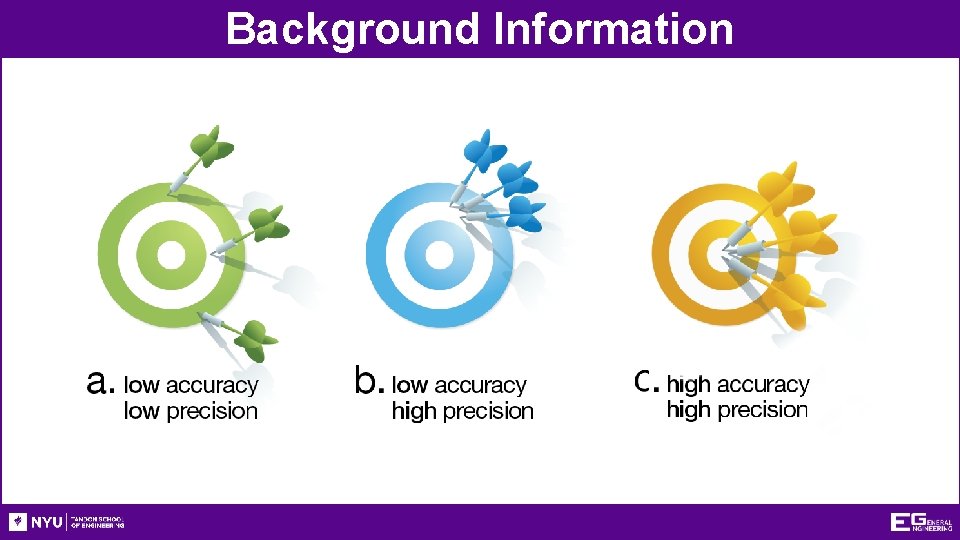
Background Information
Background Information •
Background Information •
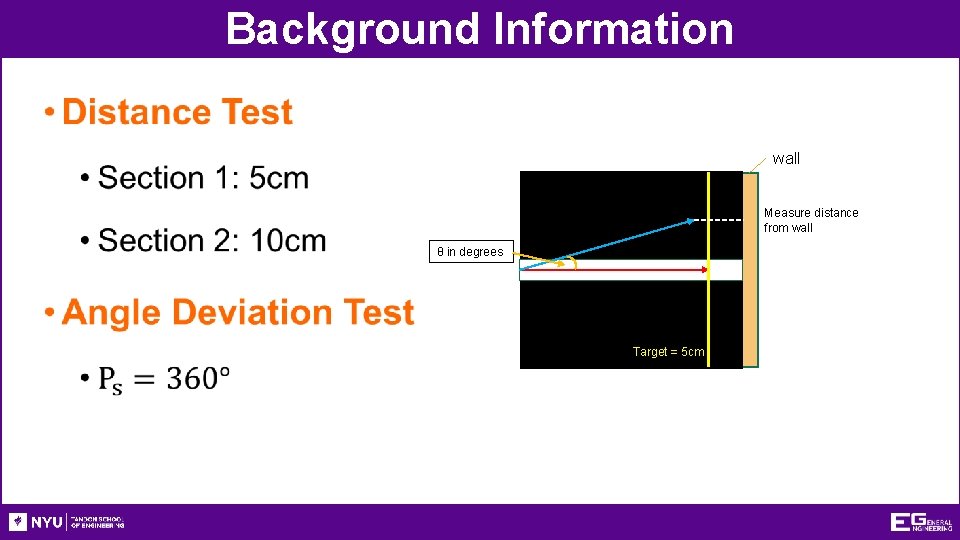
Background Information • wall Measure distance from wall θ in degrees Target = 5 cm
Background Information Quality Improvement • Analyzing the design • Testing the design • Through physical or mathematical modeling or computer modeling • Does the robot perform to standard? • If no, what can be done to improve its functionality? • If yes, what can be done to improve its performance beyond the standard?
Background Information Reverse Engineering • Understanding how a product functions • Disassembly of said product • Noting the key components • Carried out in both software and hardware fields
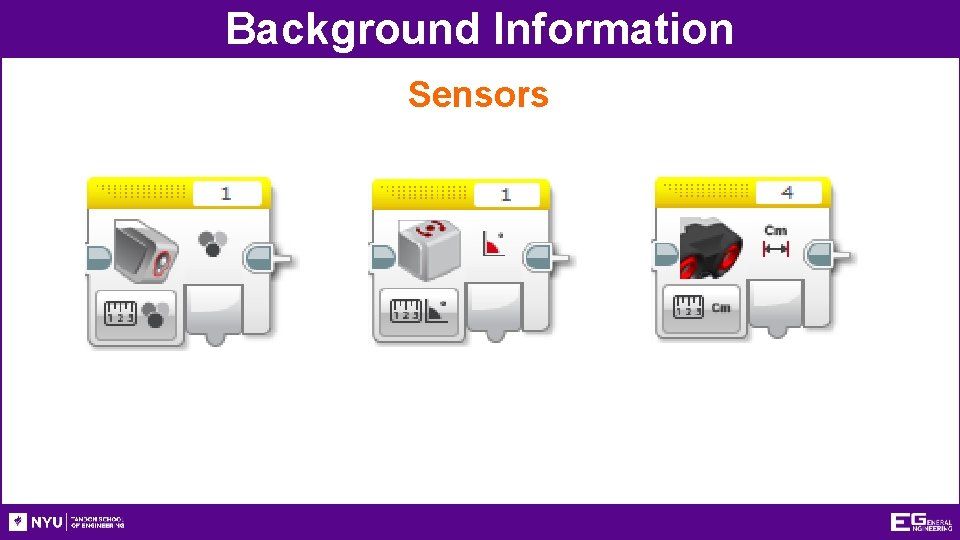
Background Information Sensors • Evaluates the robot’s surroundings • Creates inputs to control loops and switches • Three sensors used in this lab • Light sensor (measures light properties) • Gyro sensor (measures orientation) • Ultrasonic sensor (measures distance)
Background Information Sensors
Background Information • Switches perform different actions depending on the input • “If-else” statements • Loops continuously loop sections of code repeatedly until the end statement occurs • Set amount of time, distance from wall, etc.
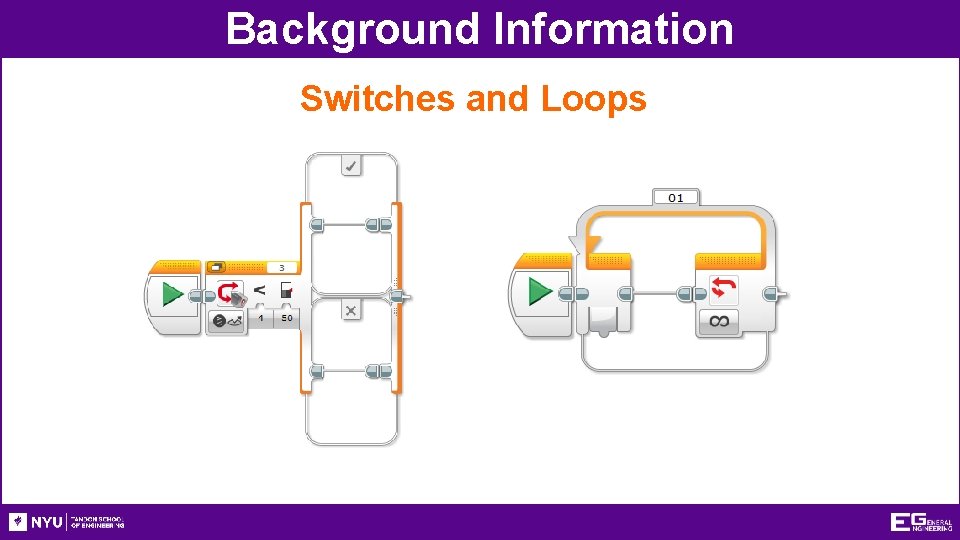
Background Information Switches and Loops
Background Information • Ports 1, 2, 3, and 4 are for sensors and other inputs • Ports A, B, C, and D are for motors and other outputs • Port View displays sensor readings in real-time on the EV 3 brick • Ex. information for light intensity must be determined using port view to make the line-following code
Materials • Mindstorms Kit • Computer with Mindstorms Software • Protractor and Ruler • Mini-Course
Procedure - Overview • Fix faults in robot designs • Program robot to perform four tests • Sections 1 & 2 without sensors • Sections 1 & 2 with sensors • Determine if robot meets the 80% EG Standard • Reverse engineer the robot’s code and make quality improvements
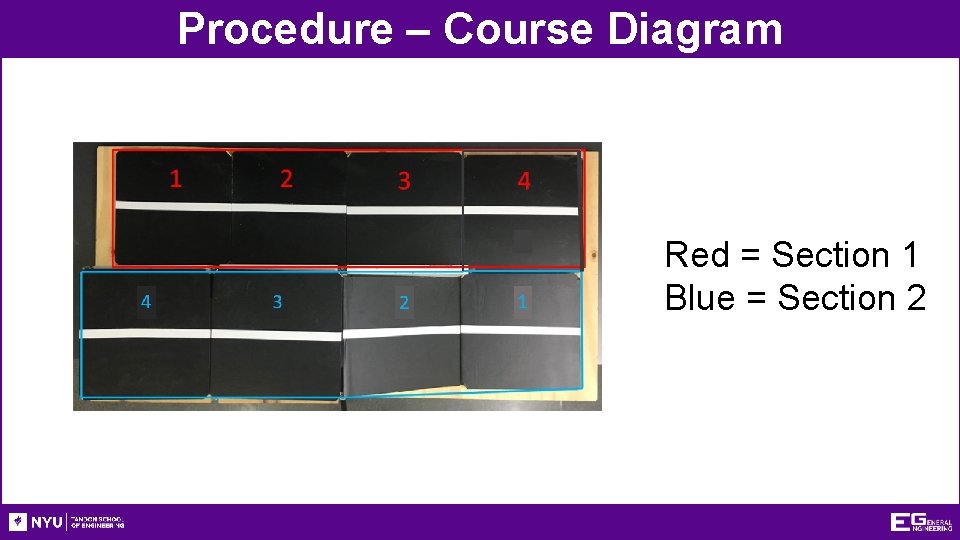
Procedure – Course Diagram Red = Section 1 Blue = Section 2
Procedure - Hardcoding • Build assigned robot according to instructions • Spend 15 minutes practicing on mini-course with robot and modify any faults in the robot design • Create distance/angle test program without sensors following the manual instructions • Download program to EV 3 • Test different setting values to find optimal settings (10 min) • Rotations, time, power, etc. • Conduct four trials once ideal settings are found • Distance & Angle Deviation results are recorded simultaneously in the Datasheet template • Take screenshots of the first two lines of code • Section 1 and Section 2
Procedure – Sensors Coding • Assess data collected any observations • Consider how it works • What can the sensors on the robot accomplish that hardcoding can’t? • Make necessary adjustments by adding sensors to the code following the manual’s instructions • Find optimal values for sensors (10 min) • Retest using modified code and record data into Datasheet • Take screenshots of the final two lines of code • Section 1 and Section 2
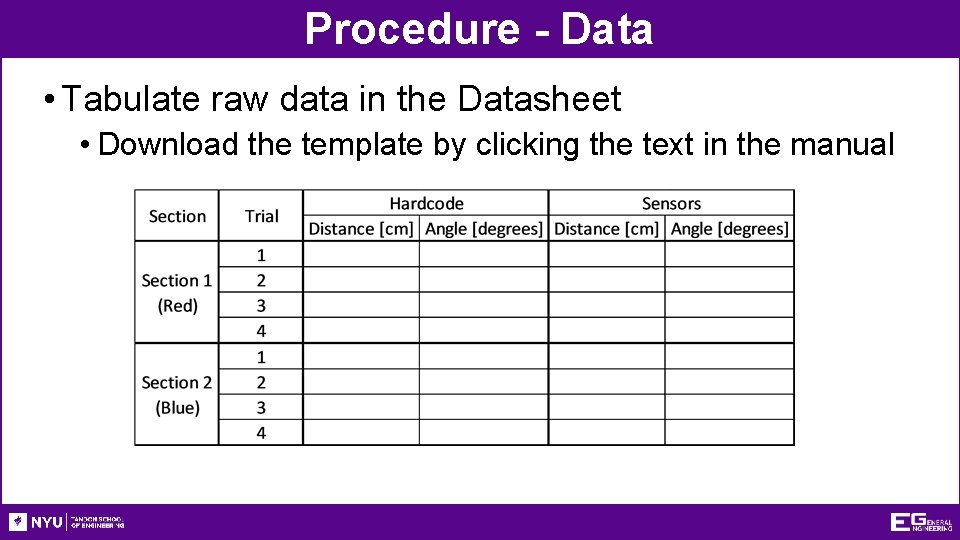
Procedure - Data • Tabulate raw data in the Datasheet • Download the template by clicking the text in the manual
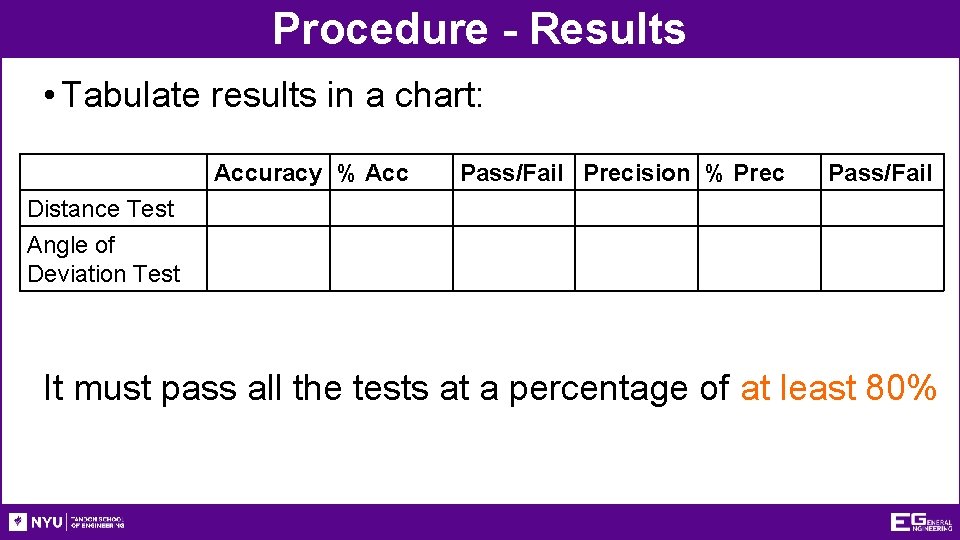
Procedure - Results • Tabulate results in a chart: Accuracy % Acc Pass/Fail Precision % Prec Pass/Fail Distance Test Angle of Deviation Test It must pass all the tests at a percentage of at least 80%
Report • Individual lab report • Title page • Discussion topics in the manual • MUST include spreadsheet with test results, standard, average, accuracy, and precision
Presentation • Team presentation • Follow “Assignment” guidelines on EG Manual • Include photos of robot • Include screenshots of all code
Closing • Share tasks – each team member should take a turn building the code • Have all original data signed by a TA • Remember to submit all work electronically • Return all unused materials to TAs

Product Evaluation & Quality Improvement QUESTIONS?
- Slides: 27