
Processing the image with Python Basics Python is
Processing the image with Python
Basics • Python is a programming language • Open. CV is a library used to process the image • Tasks • Capture images from the webcam • Analyze the image to determine color (or other features) • Based on the color to control the robotic arm to carry out different operations • Example if the object is blue then pick it up and put on the right hand side • If the object is red then pick it up and put on the left hand side
Python • Start a command prompt by “CMD” • Start Python programming environment by “idle”
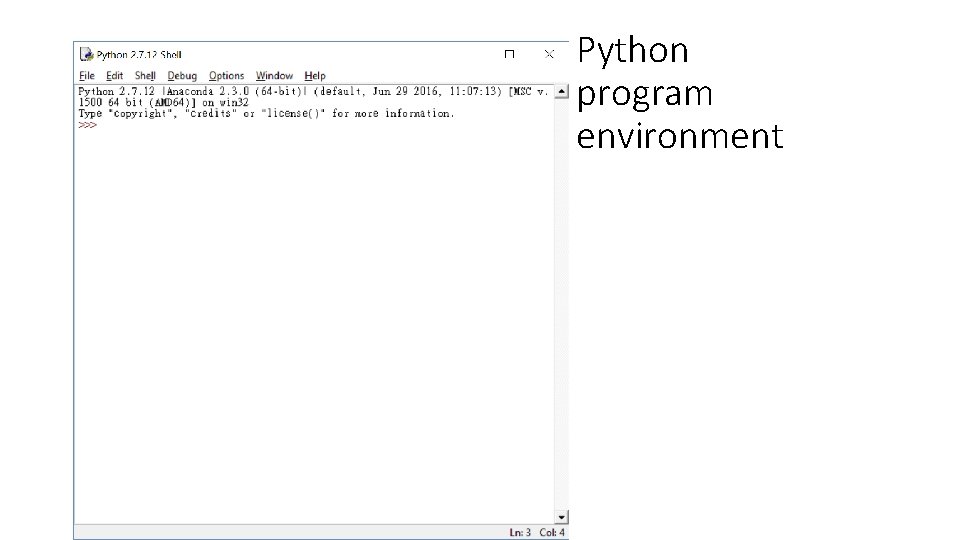
Python program environment
Test the program to capture images from Webcam • To capture images from webcam and other image processing functions need to include the opencv • Import cv 2 • Go to the ftp site and download the sample programs • Under File -> New File • Paste the file • Run the program by pressing F 5 or under Run -> run module
Image format • An image is composed with many elements called pixels • An Iphone 7 has 12 MP (Mega Pixel) • Each pixel uses 3 components to represent the color • Using RED, GREEN, BLUE • Other format is available HSV • H-hue • S – saturation • V – value
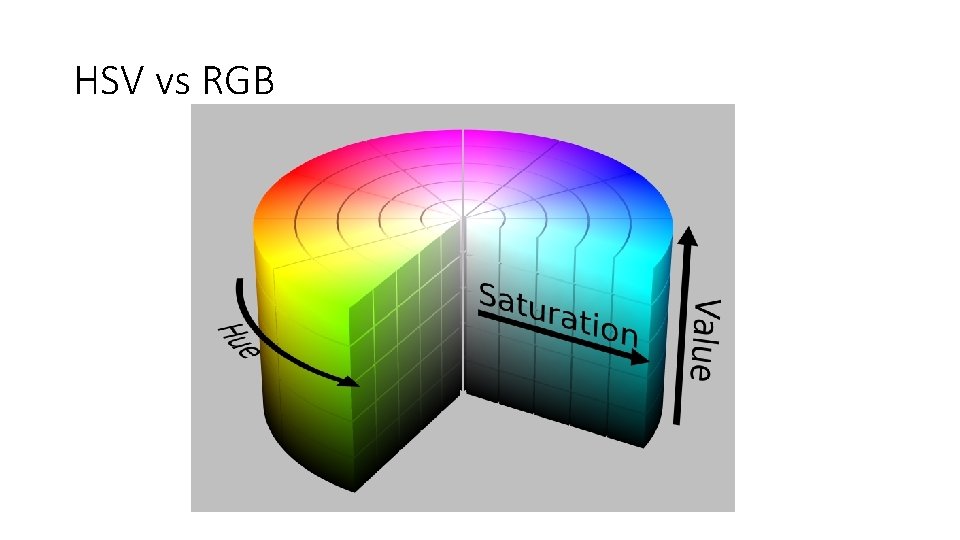
HSV vs RGB
Communicating with Arduino • The Python program will send signal to Arduino so that the arm will perform the action • It is also by serial communication • Need to import serial • Use the COM with the same number as the Arduino • Write – to send • Read – to receive
Exercise • Try to send the character ‘ 0’ to the arm • In the arm side, open the gripper after receiving the ‘ 0’ then send back the message “OK”
Put things together • If input object is Blue then send ‘B’ to arm • If input object is Red then send ‘R’ to arm • In the arm side, set the arm to a start position • If receive a ‘B’ then pick up the object and turn left (turn right for ‘R’) and put down the object • Go back to the starting position and send back “OK” to notebook • wait for the next signal
- Slides: 10