
Processing DemandDriven Acquisition DDA Purchase Requests with ILLiad




- Slides: 72
Processing Demand-Driven Acquisition (DDA) Purchase Requests with ILLiad Michael Doran Systems Librarian University of Texas at Arlington doran@uta. edu
“Demand-Driven Acquisitions” (DDA) aka “Patron-Driven Acquisitions” (PDA) Acquisition of what? Monographs Because? Blah, blah… pay for only what is needed… blah, blah… more efficient use of dwindling budgets… blah, blah
Once you… • Chose a DDA vendor • Sign a contract • Develop a DDA profile The DDA vendor will start supplying you with files of…
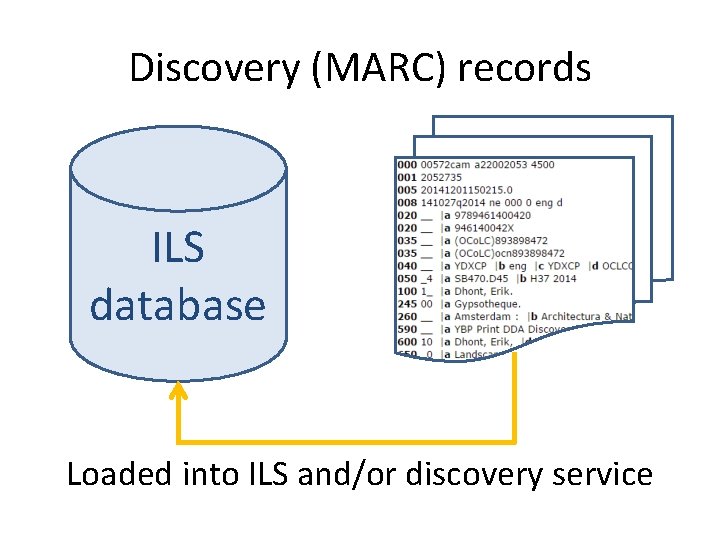
Discovery (MARC) records ILS database Loaded into ILS and/or discovery service
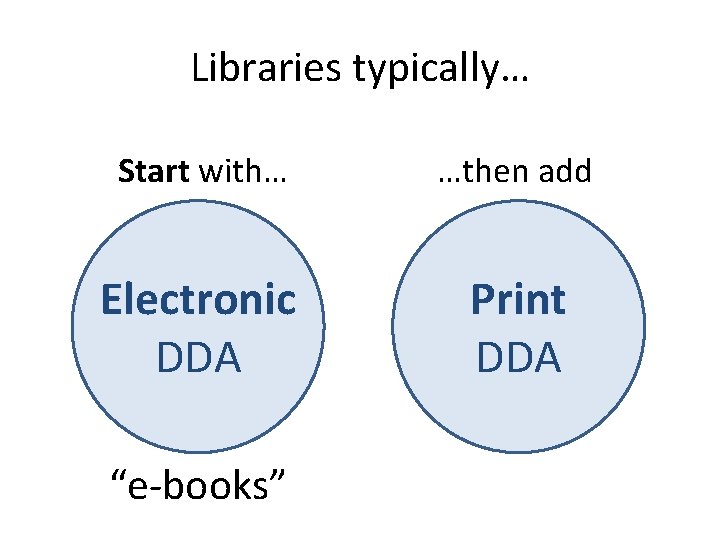
Libraries typically… Start with… …then add Electronic DDA Print DDA “e. Books” “e-books”
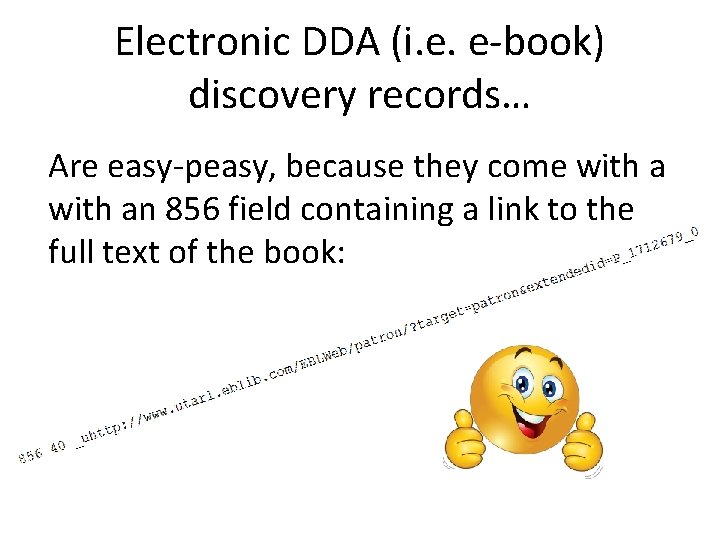
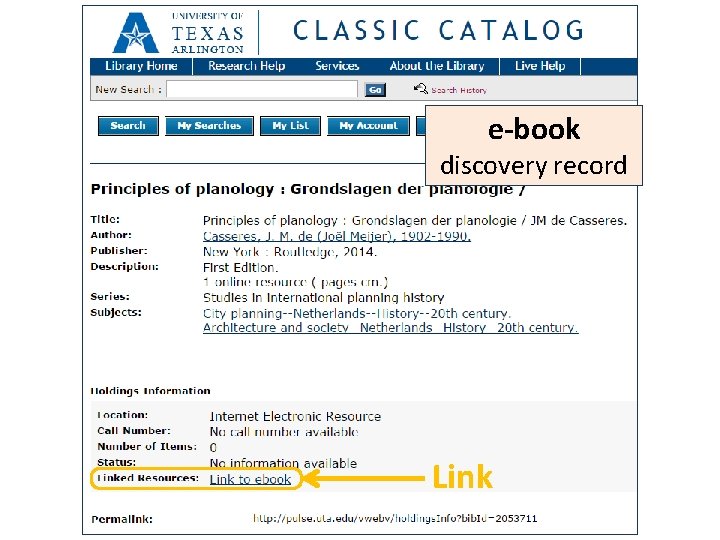
Electronic DDA (i. e. e-book) discovery records… Are easy-peasy, because they come with an 856 field containing a link to the full text of the book:
e-book discovery record Link
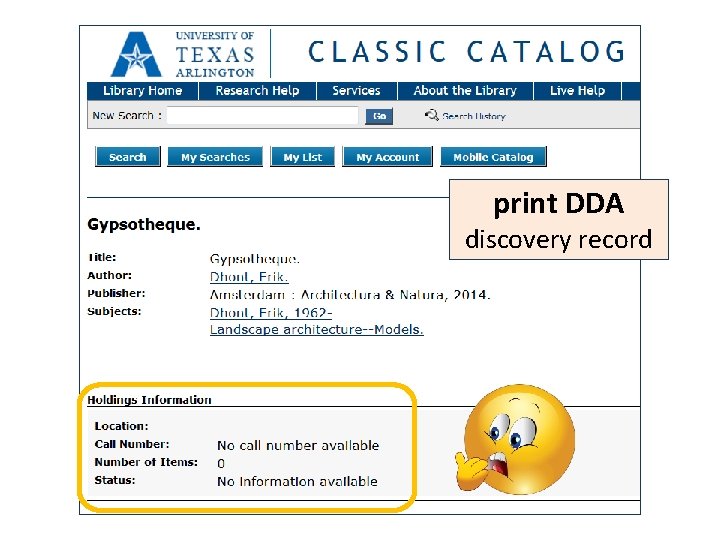
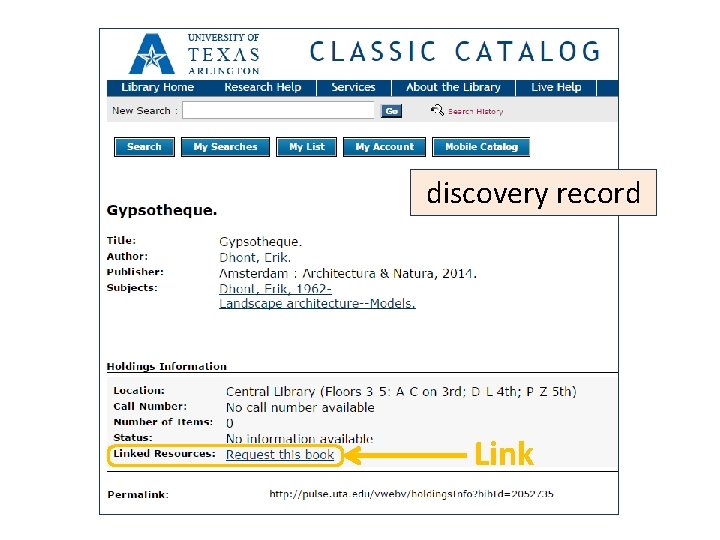
Print DDA discovery records …on the other hand, have a missing link in terms of providing a way for patrons to request (the purchase of) the book. If a print discovery record is loaded “as is” into your ILS, you would get something like this:
print DDA discovery record
Now what?
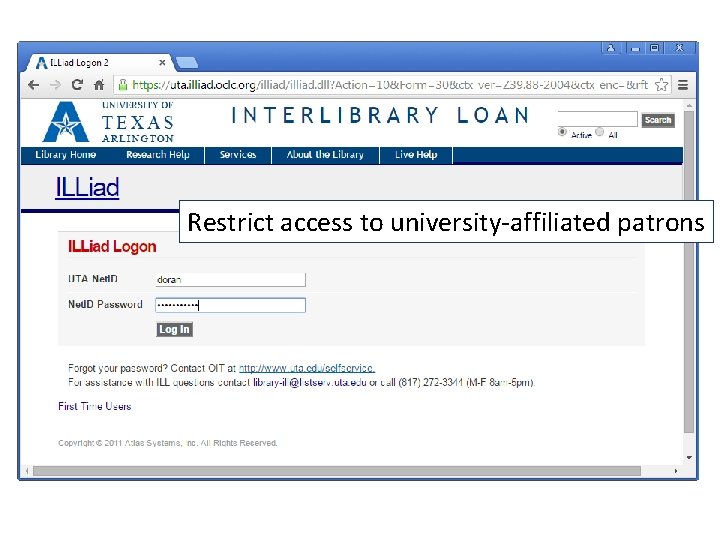
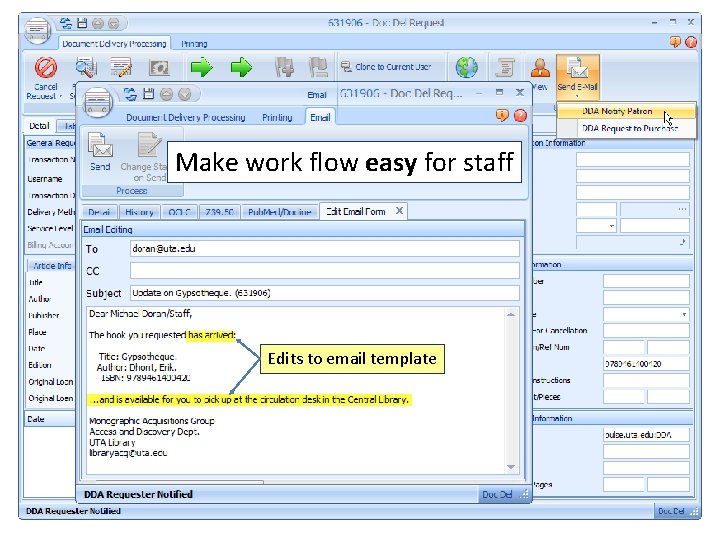
Requirements • An online (purchase) request form • Restrict access to university-affiliated patrons • Make requesting easy for patrons • Make work flow easy for staff
Why don’t we use ILLiad? Hat tip to Heather Scalf
First… the “What” (later comes the “How & Why”)
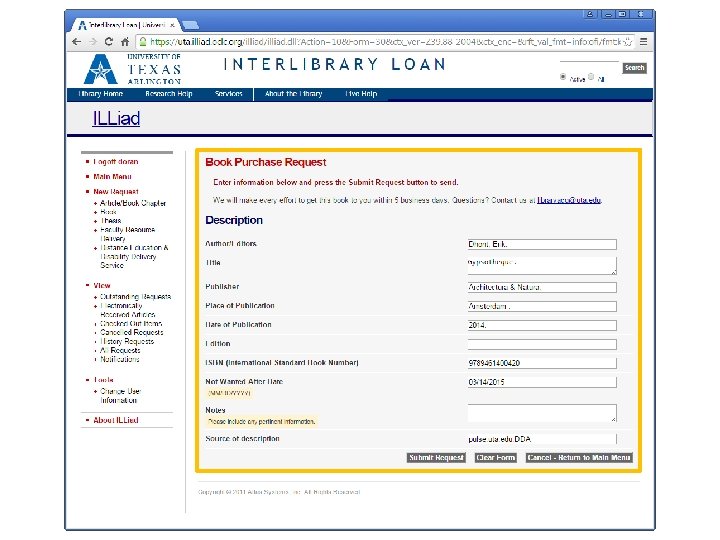
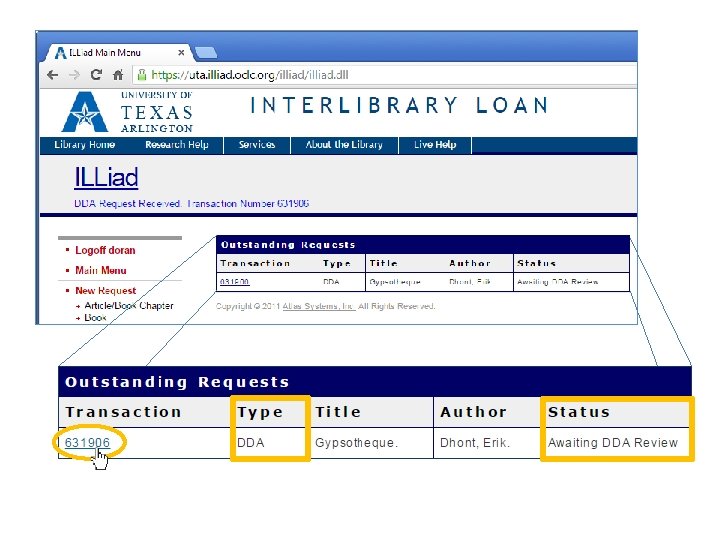
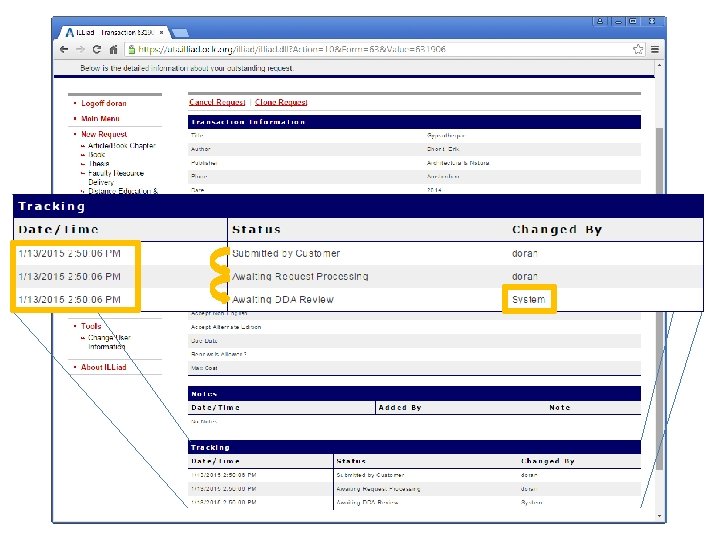
Patron’s perspective
discovery record Link
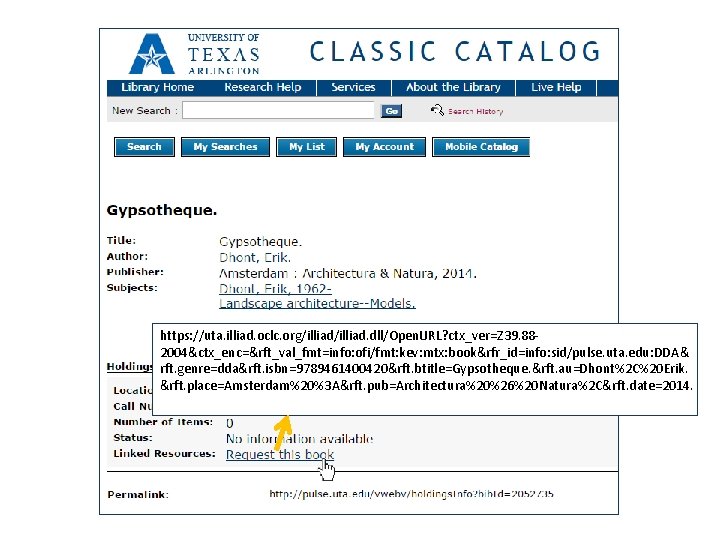
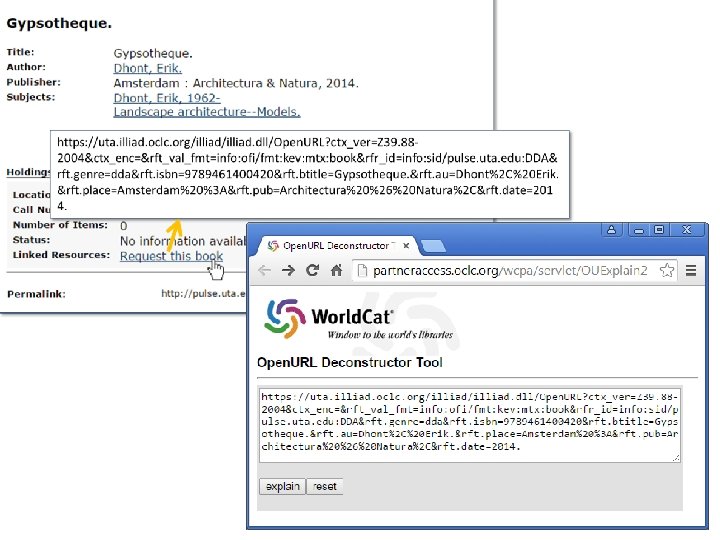
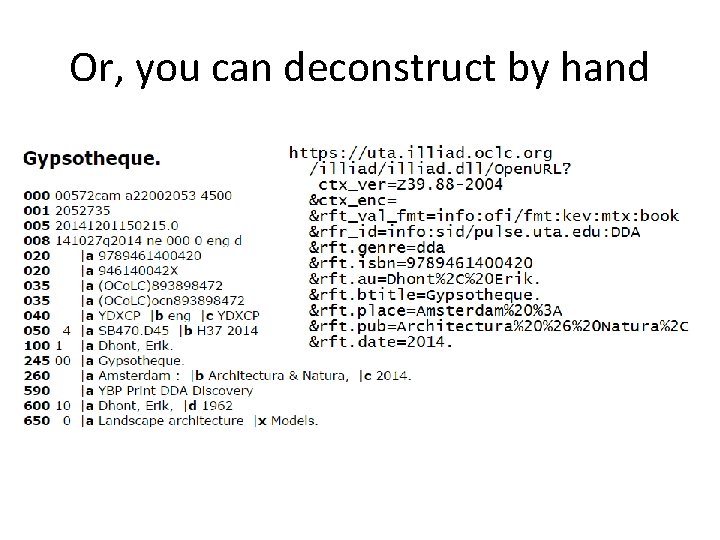
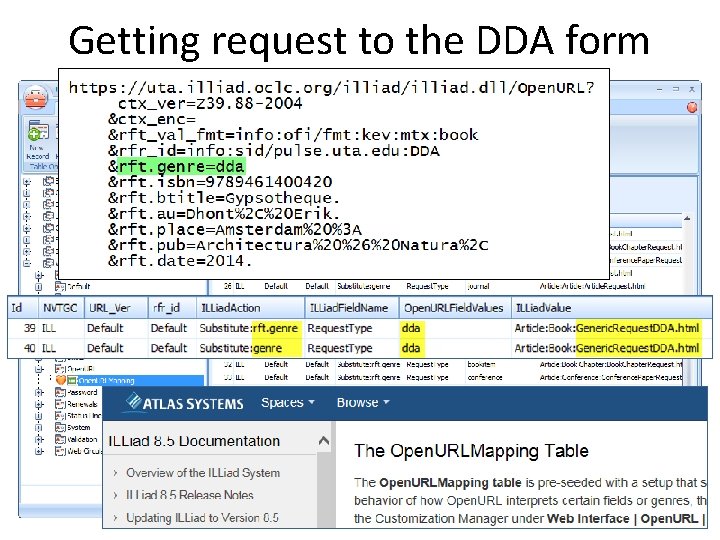
https: //uta. illiad. oclc. org/illiad. dll/Open. URL? ctx_ver=Z 39. 882004&ctx_enc=&rft_val_fmt=info: ofi/fmt: kev: mtx: book&rfr_id=info: sid/pulse. uta. edu: DDA& rft. genre=dda&rft. isbn=9789461400420&rft. btitle=Gypsotheque. &rft. au=Dhont%2 C%20 Erik. &rft. place=Amsterdam%20%3 A&rft. pub=Architectura%20%26%20 Natura%2 C&rft. date=2014.
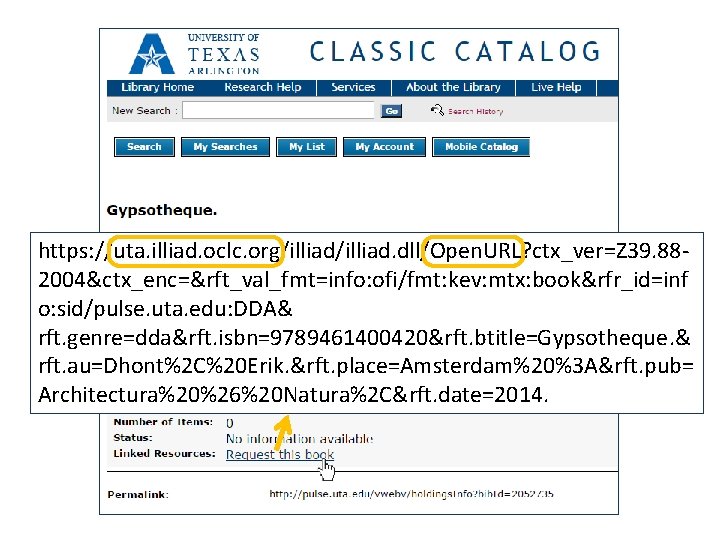
https: //uta. illiad. oclc. org/illiad. dll/Open. URL? ctx_ver=Z 39. 882004&ctx_enc=&rft_val_fmt=info: ofi/fmt: kev: mtx: book&rfr_id=inf o: sid/pulse. uta. edu: DDA& rft. genre=dda&rft. isbn=9789461400420&rft. btitle=Gypsotheque. & rft. au=Dhont%2 C%20 Erik. &rft. place=Amsterdam%20%3 A&rft. pub= Architectura%20%26%20 Natura%2 C&rft. date=2014.
Restrict access to university-affiliated patrons
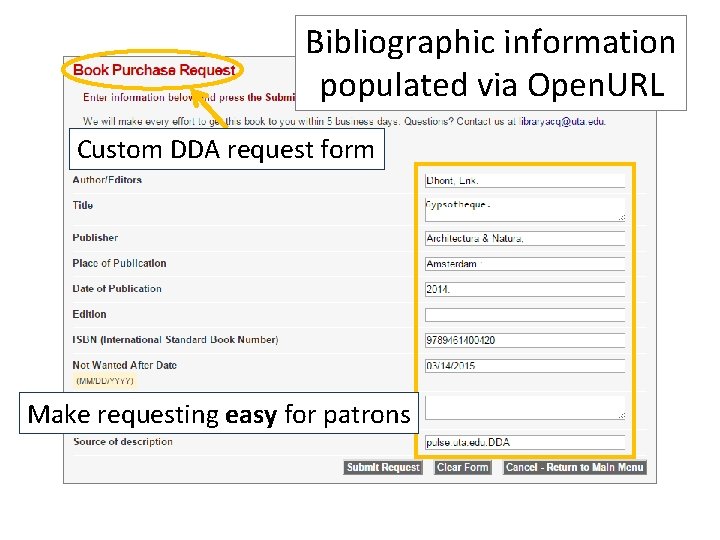
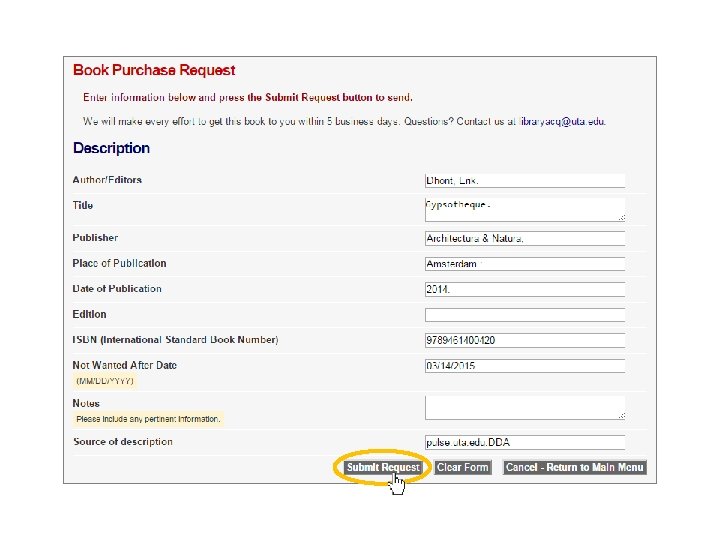
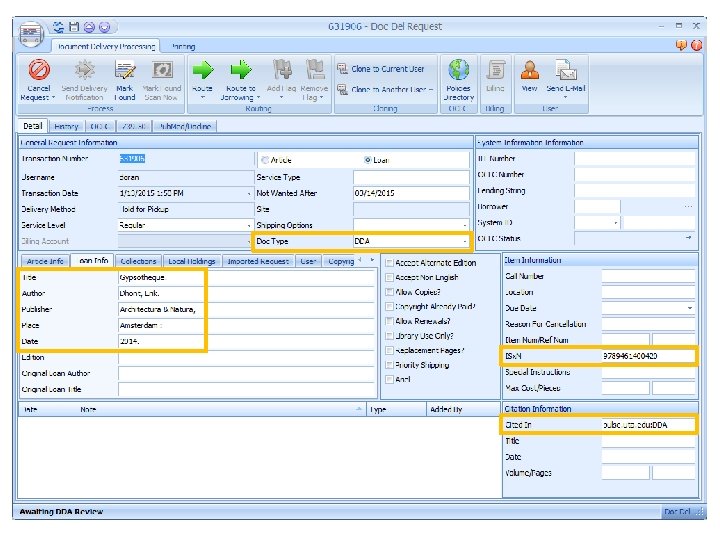
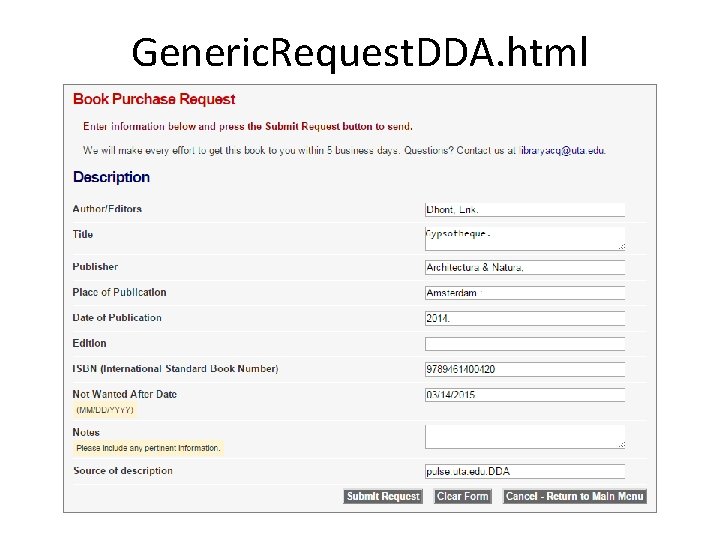
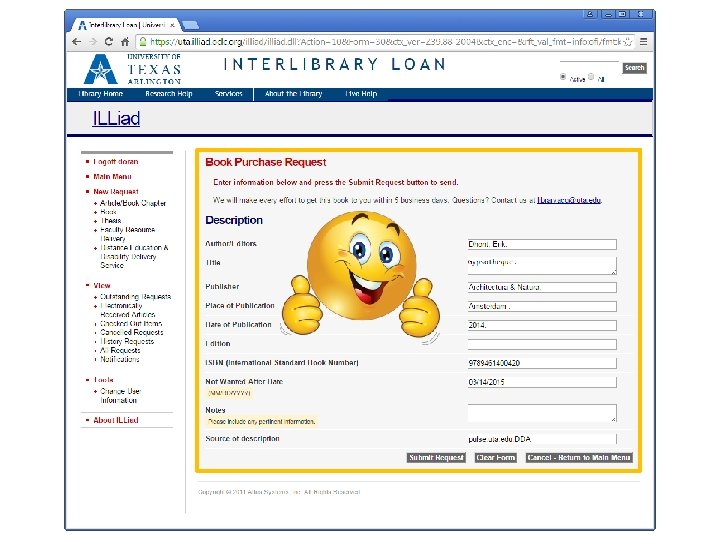
Bibliographic information populated via Open. URL Custom DDA request form Make requesting easy for patrons
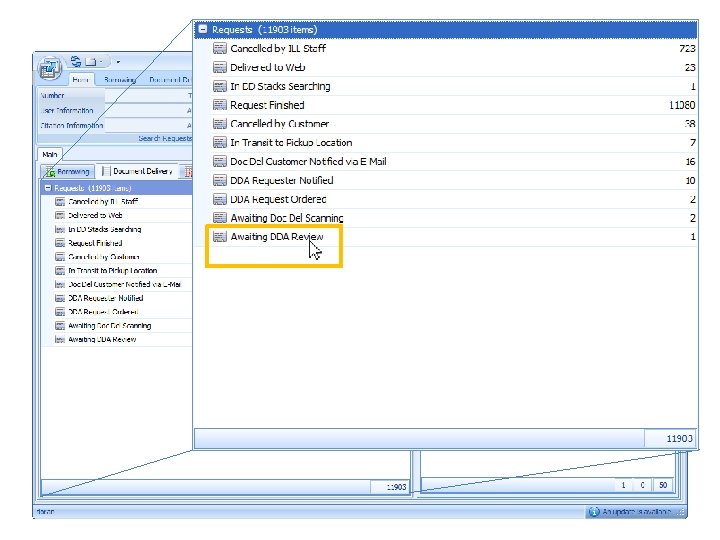
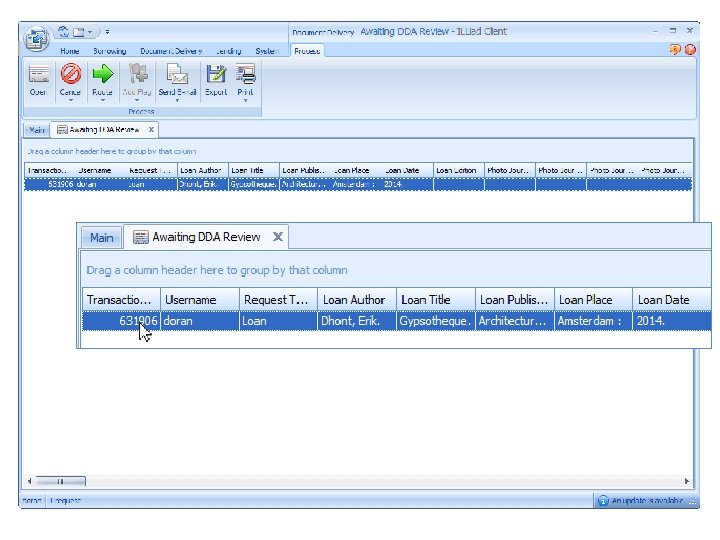
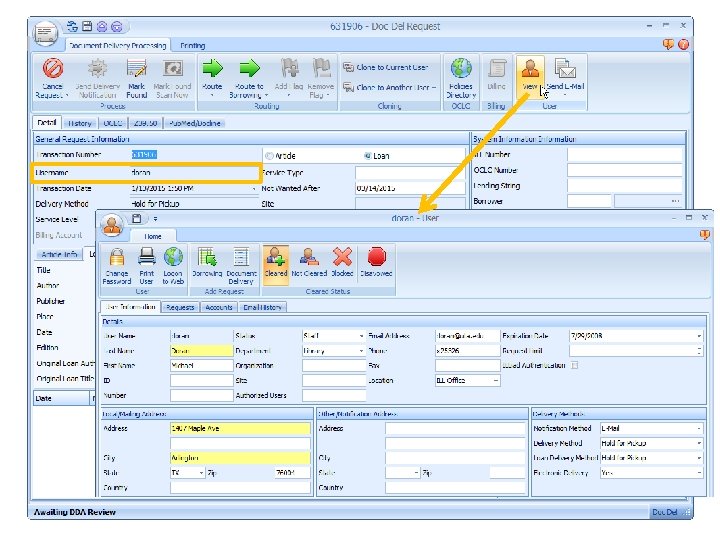
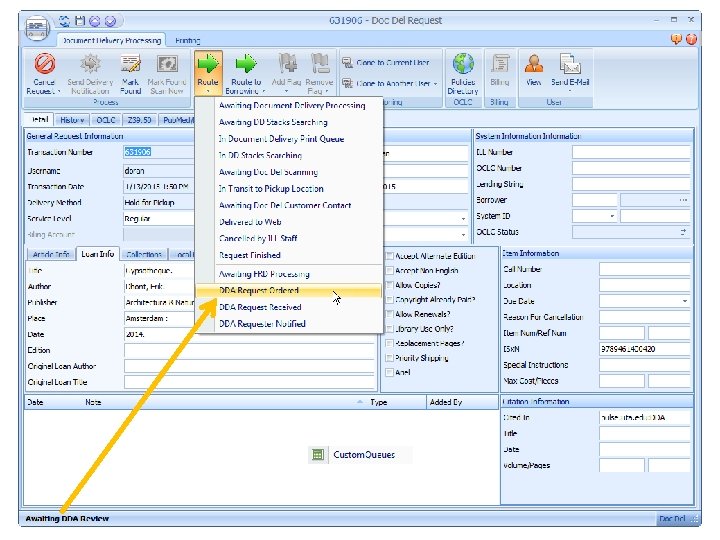
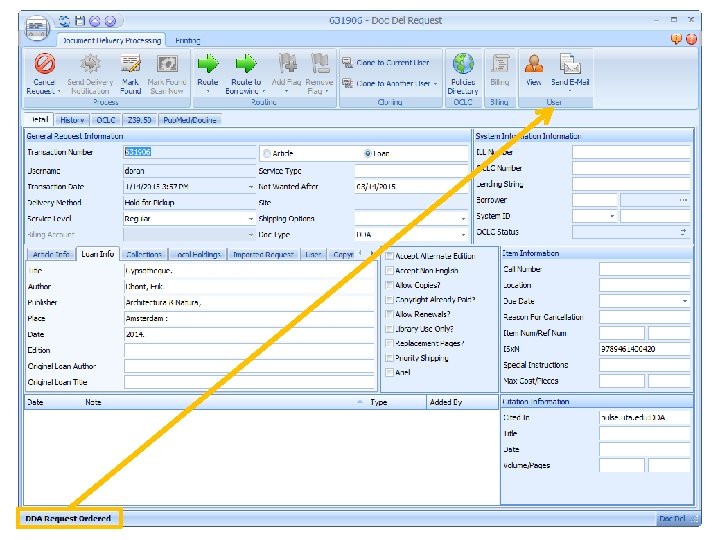
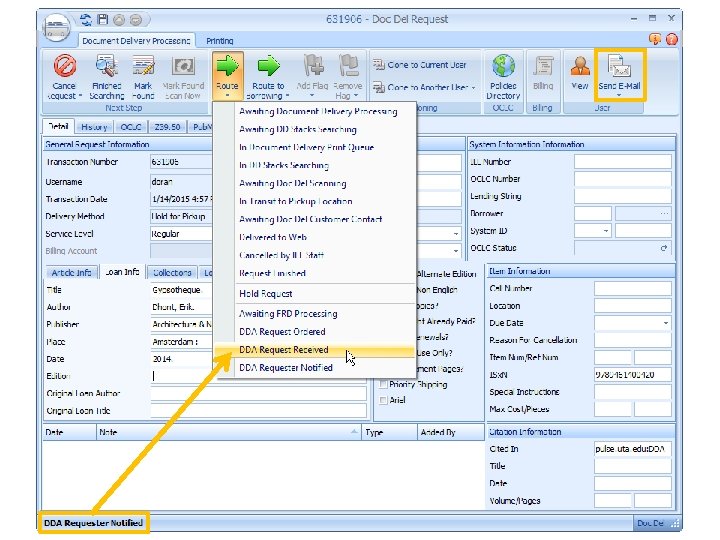
Staff perspective
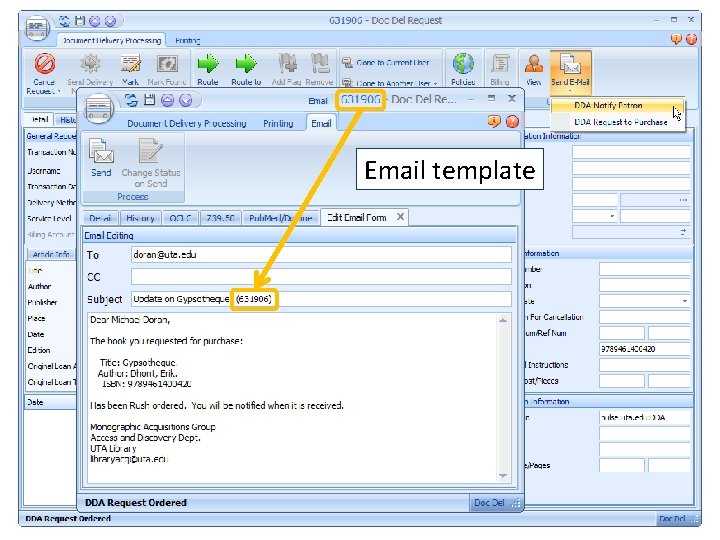
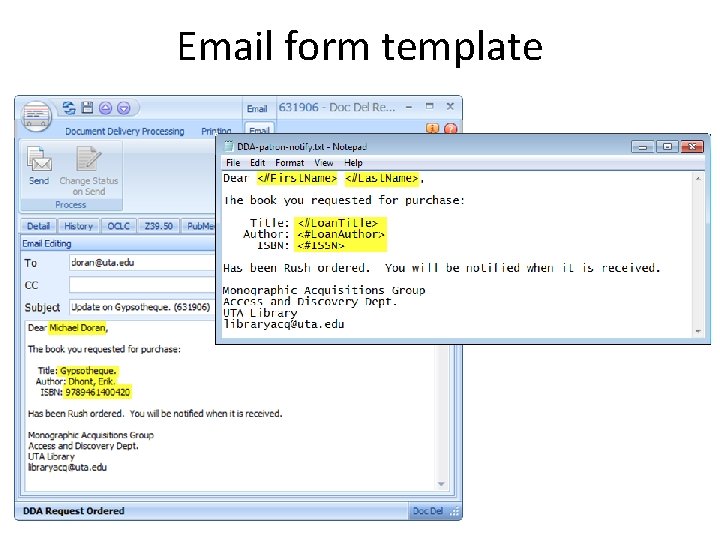
Email template
Library Acquisitions University of Texas at Arlington 702 Planetarium Place Arlington, Texas 76019 Book arrives!
Make work flow easy for staff Edits to email template
Now… the “How & Why”
Open. URL is “the Magic” that: • Takes the user to your ILLiad instance • Contains a switch that allows routing to a custom DDA form within ILLiad • Populates the custom ILLiad form with the book’s bibliographic information • Lets you know where the data came from To do this, your print DDA discovery records must have Open. URLs
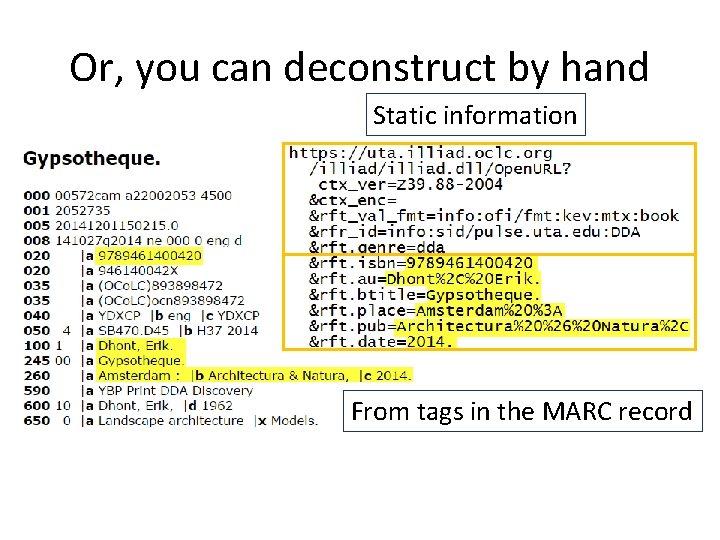
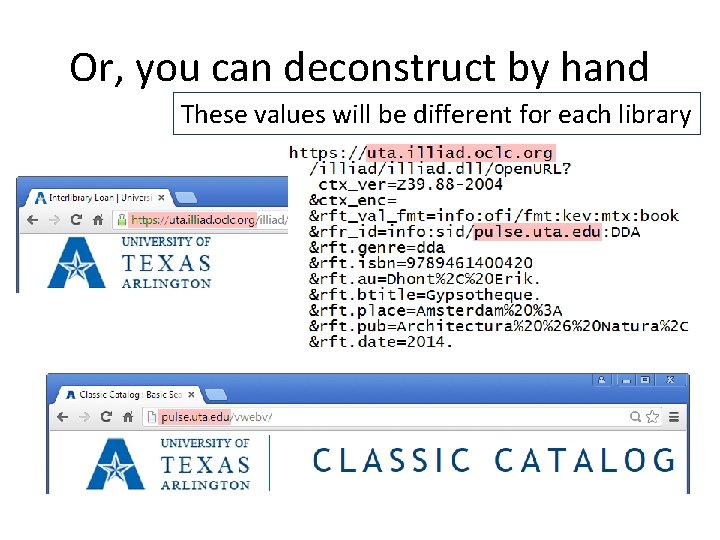
Or, you can deconstruct by hand
Or, you can deconstruct by hand Static information From tags in the MARC record
Or, you can deconstruct by hand These values will be different for each library
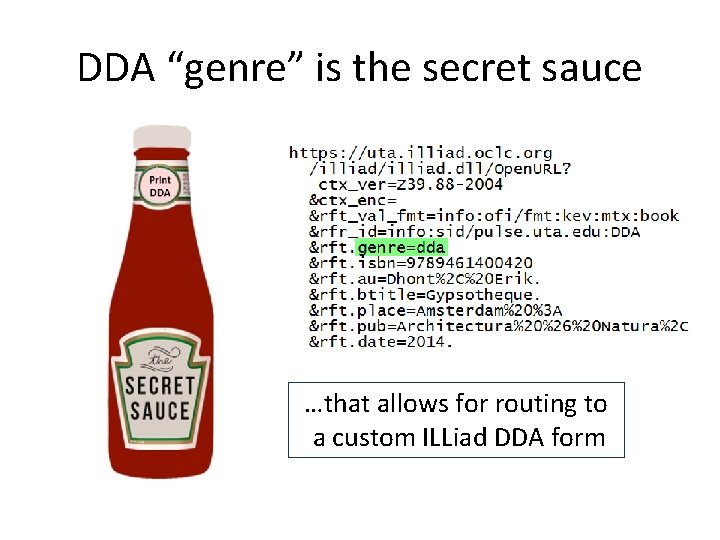
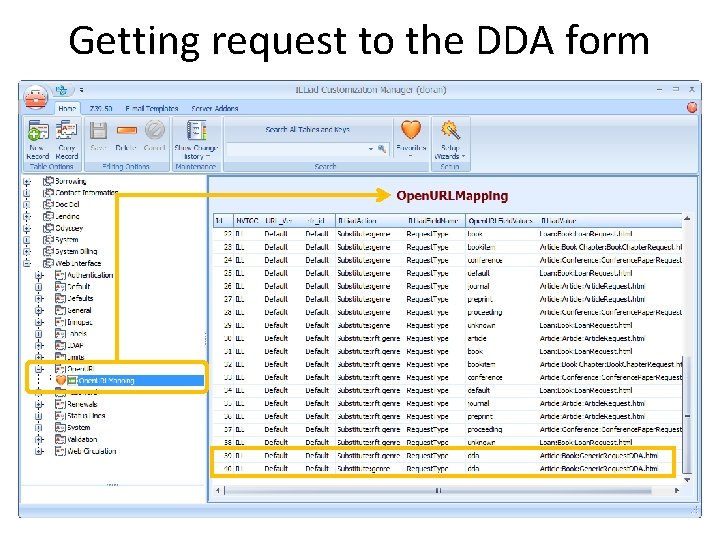
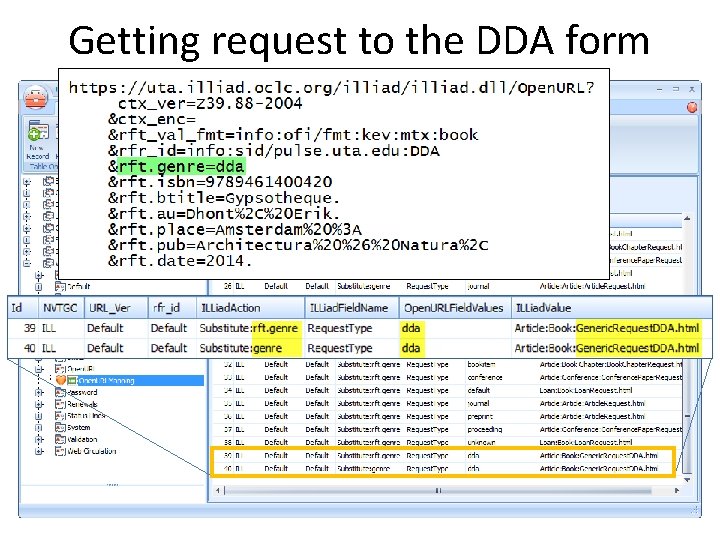
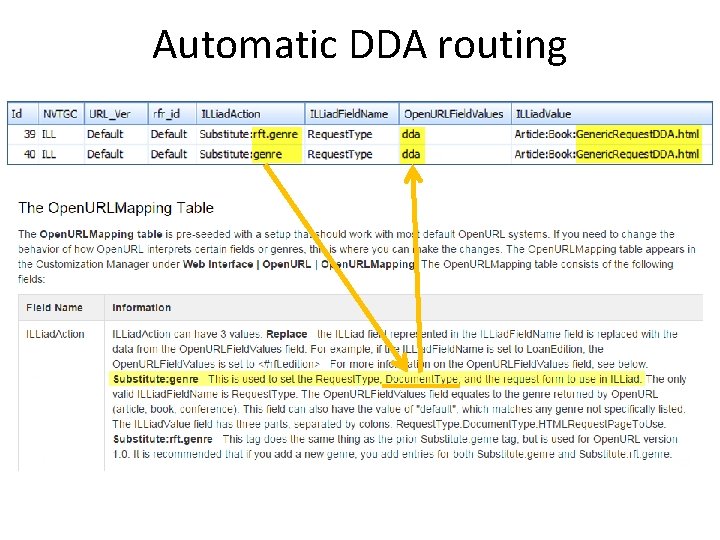
DDA “genre” is the secret sauce …that allows for routing to a custom ILLiad DDA form
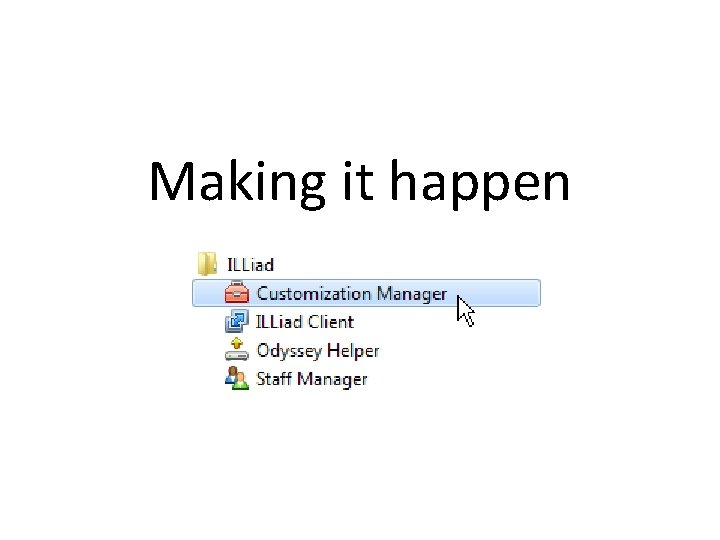
Making it happen
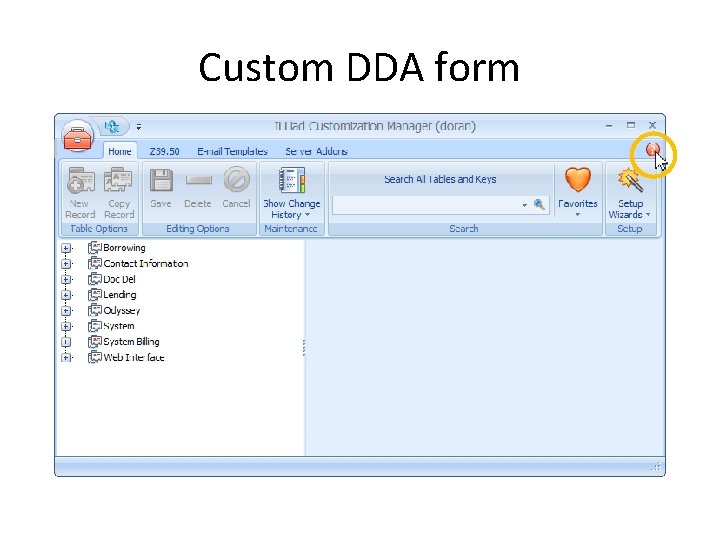
Custom DDA form
Custom form
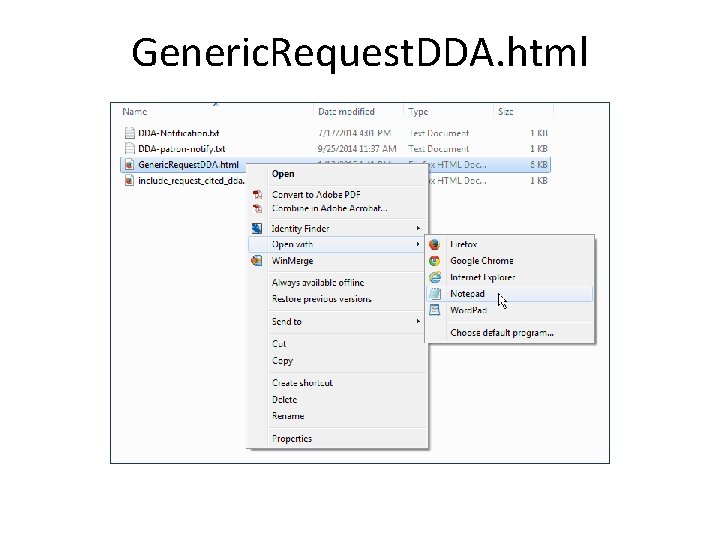
Generic. Request. DDA. html
Generic. Request. DDA. html
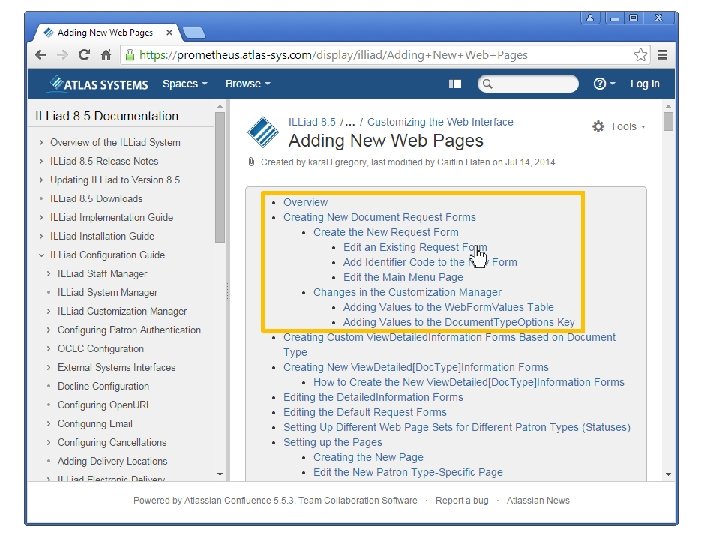
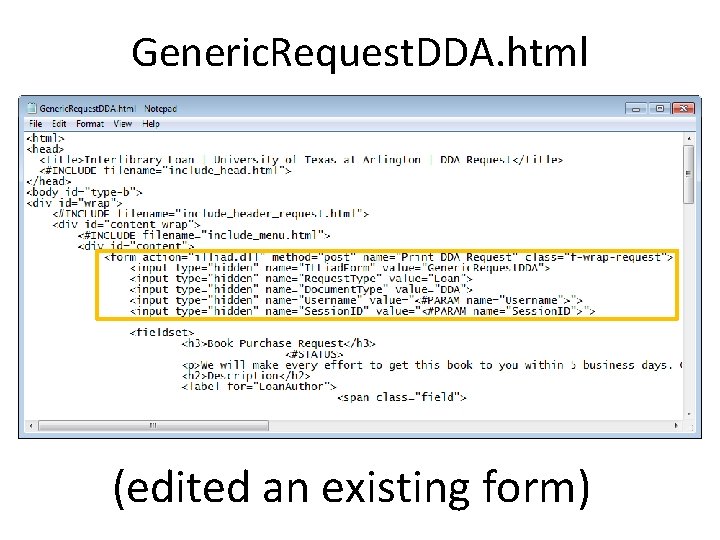
Generic. Request. DDA. html (edited an existing form)
Getting request to the DDA form
Getting request to the DDA form
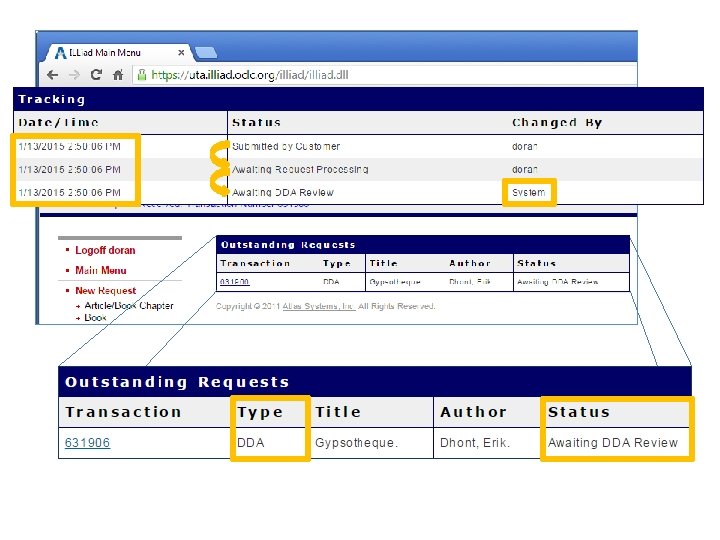
Getting request to the DDA form
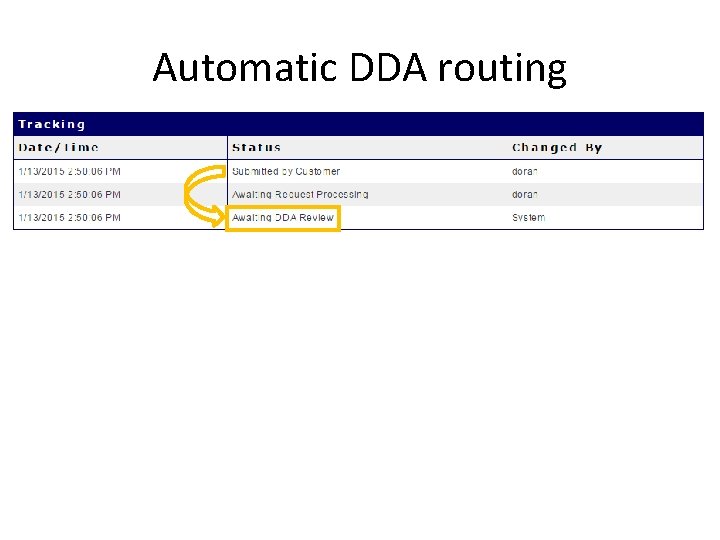
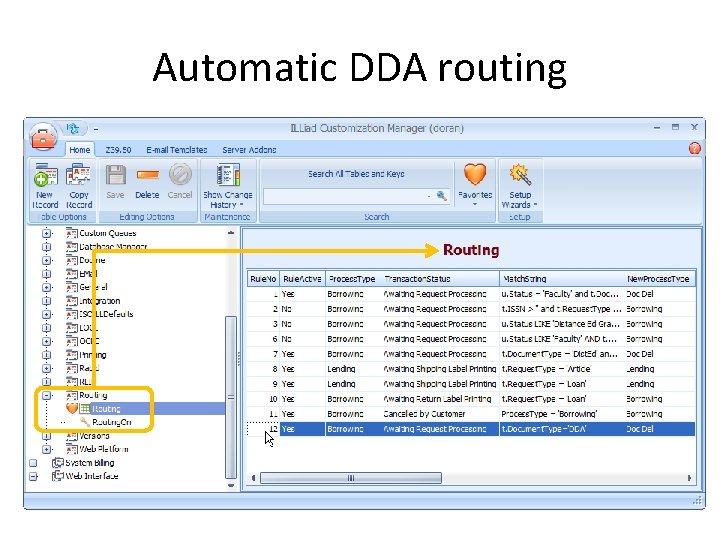
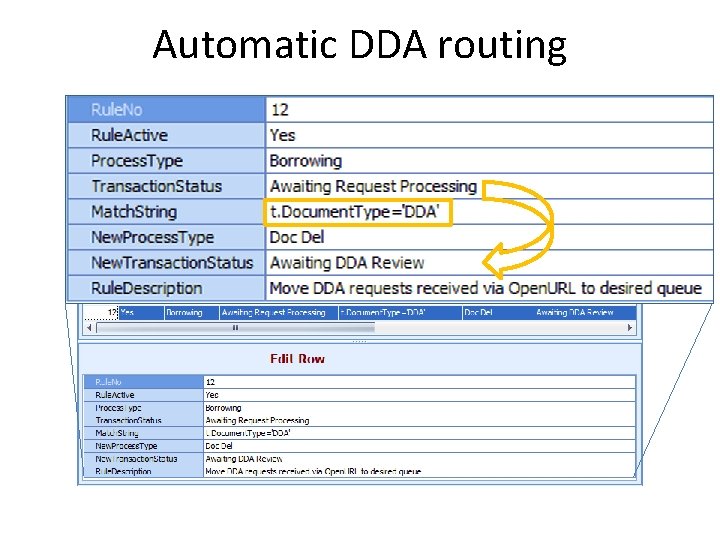
Automatic DDA routing
Automatic DDA routing
Automatic DDA routing
Automatic DDA routing
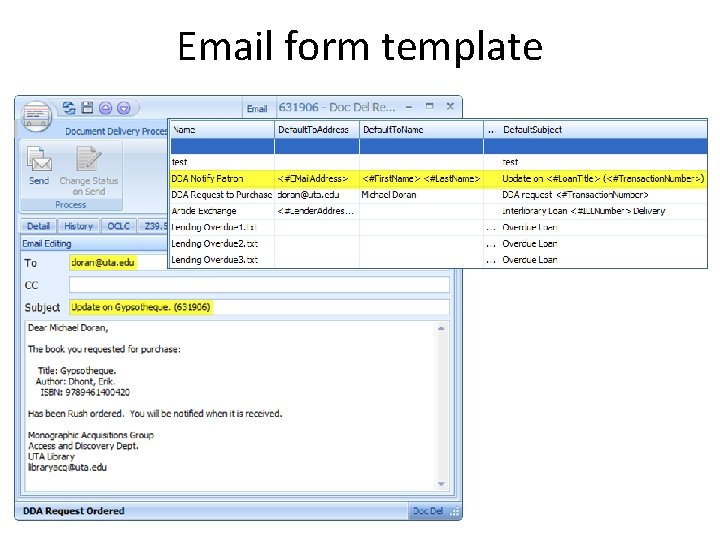
Email form template
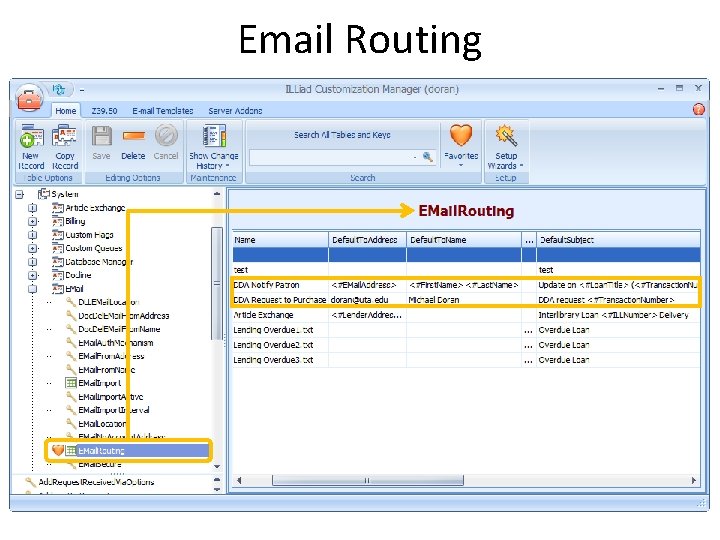
Email Routing
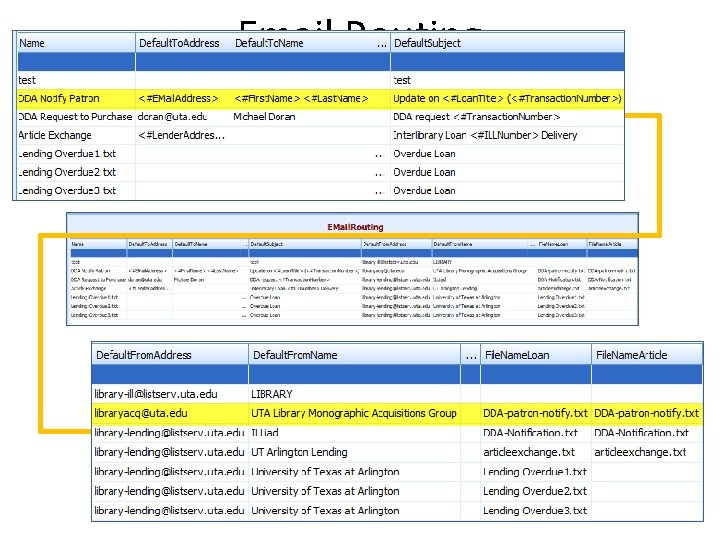
Email Routing
Email form template
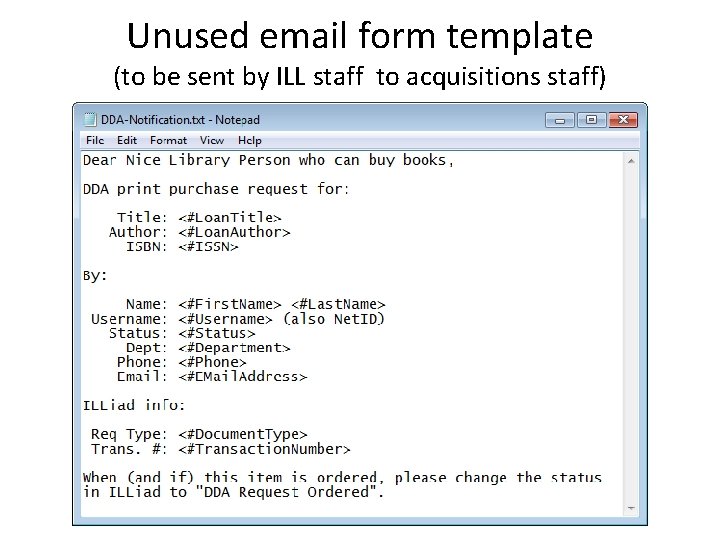
Unused email form template (to be sent by ILL staff to acquisitions staff)
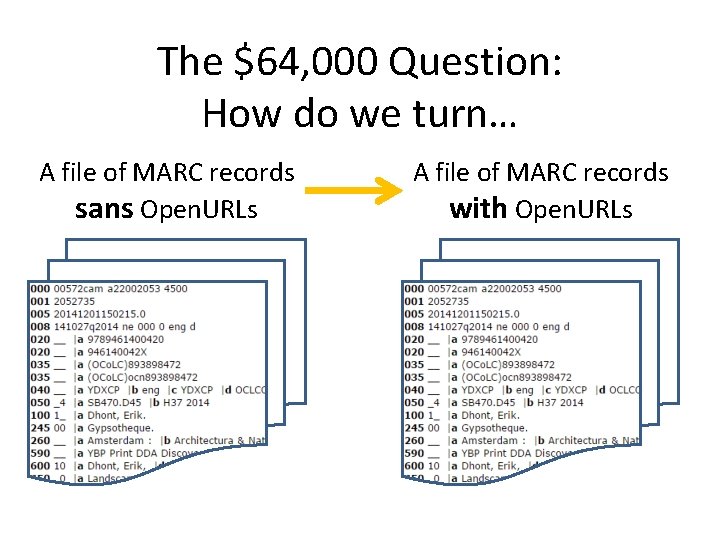
The $64, 000 Question: How do we turn… A file of MARC records sans Open. URLs A file of MARC records with Open. URLs
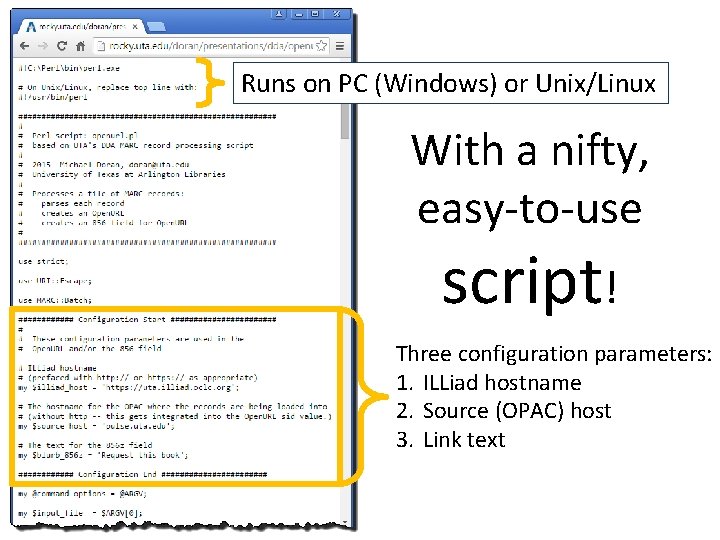
Runs on PC (Windows) or Unix/Linux With a nifty, easy-to-use script! Three configuration parameters: 1. ILLiad hostname 2. Source (OPAC) host 3. Link text
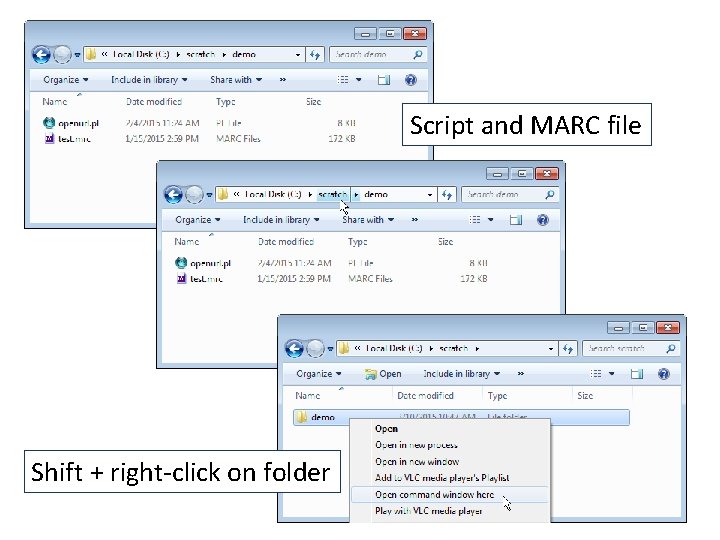
Script and MARC file Shift + right-click on folder
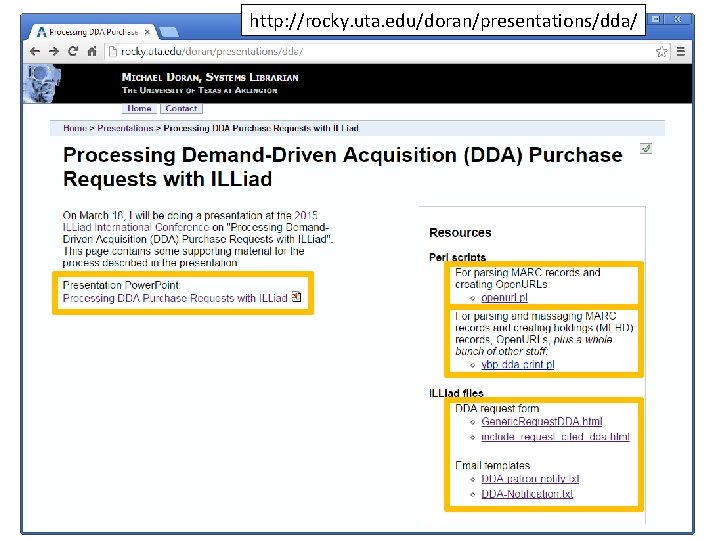
http: //rocky. uta. edu/doran/presentations/dda/
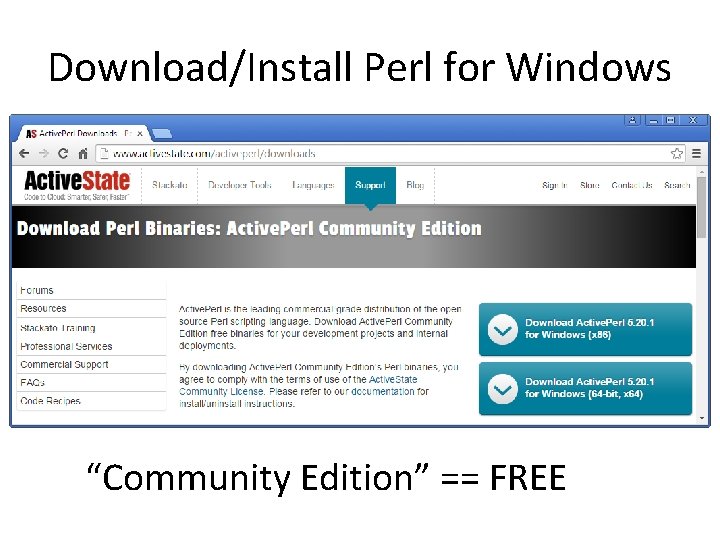
Download/Install Perl for Windows “Community Edition” == FREE
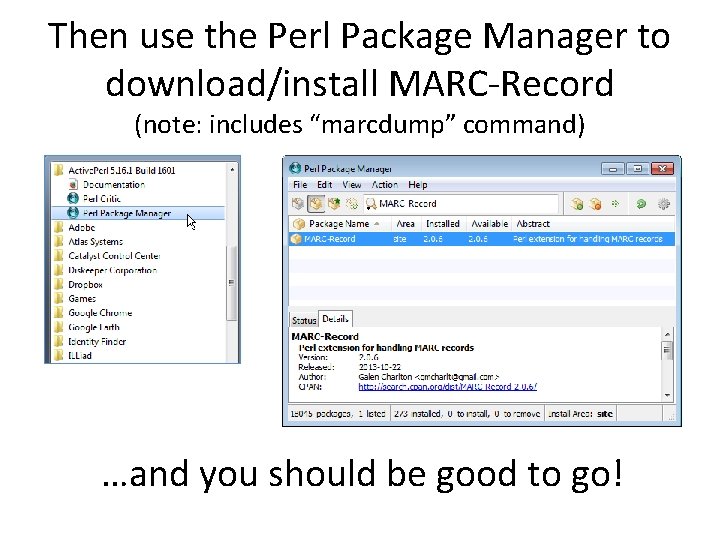
Then use the Perl Package Manager to download/install MARC-Record (note: includes “marcdump” command) …and you should be good to go!
Questions? For any you think of later, contact: Michael Doran doran@uta. edu