
Processes n Process a program in execution process
- Slides: 19
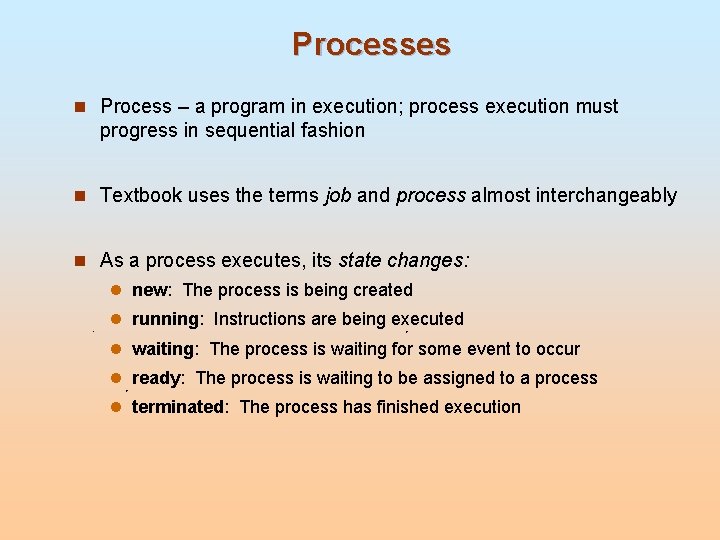
Processes n Process – a program in execution; process execution must progress in sequential fashion n Textbook uses the terms job and process almost interchangeably n As a process executes, its state changes: l new: The process is being created l running: Instructions are being executed l waiting: The process is waiting for some event to occur l ready: The process is waiting to be assigned to a process l terminated: The process has finished execution
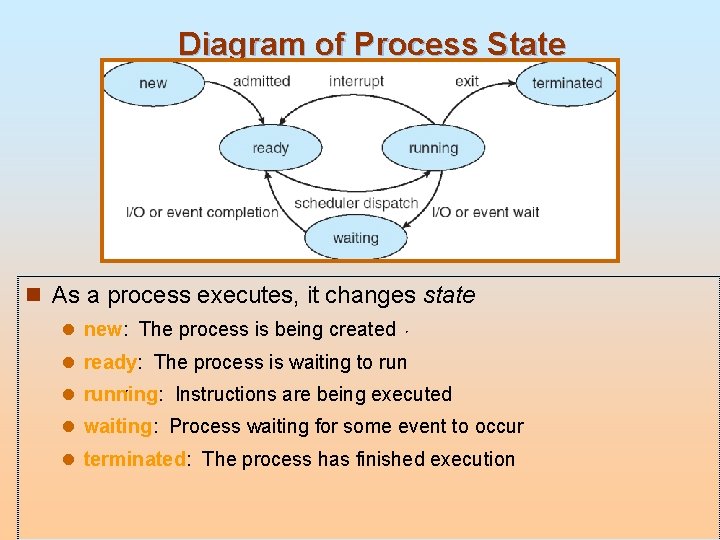
Diagram of Process State n As a process executes, it changes state l new: The process is being created l ready: The process is waiting to run l running: Instructions are being executed l waiting: Process waiting for some event to occur l terminated: The process has finished execution
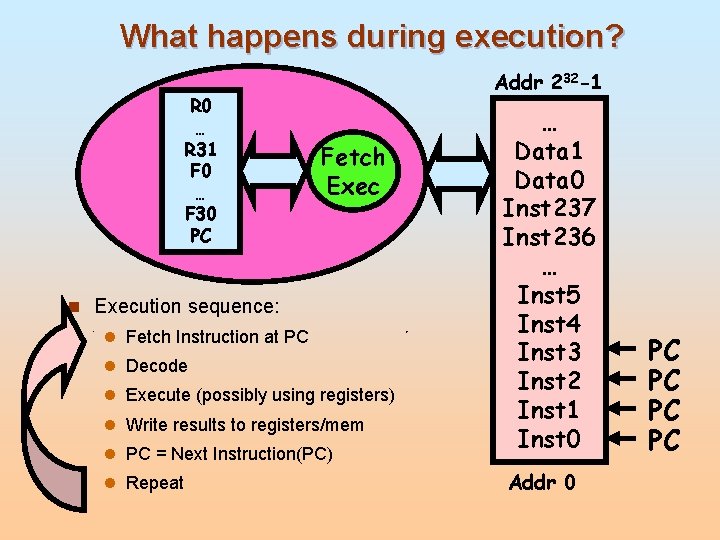
What happens during execution? R 0 … R 31 F 0 … F 30 PC Addr 232 -1 Fetch Exec n Execution sequence: l Fetch Instruction at PC l Decode l Execute (possibly using registers) l Write results to registers/mem l PC = Next Instruction(PC) l Repeat … Data 1 Data 0 Inst 237 Inst 236 … Inst 5 Inst 4 Inst 3 Inst 2 Inst 1 Inst 0 Addr 0 PC PC
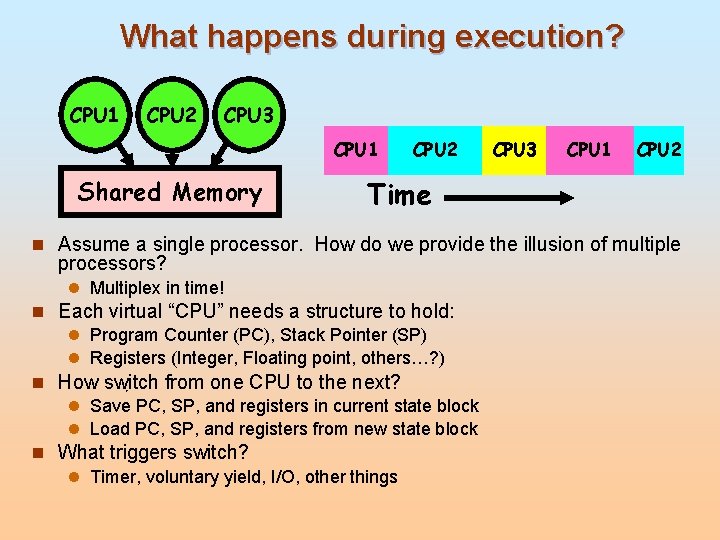
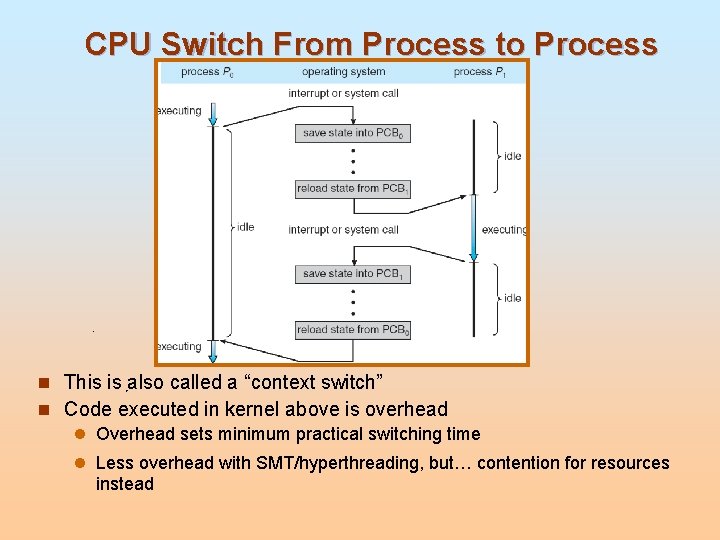
What happens during execution? CPU 1 CPU 2 CPU 3 CPU 1 Shared Memory CPU 2 CPU 3 CPU 1 CPU 2 Time n Assume a single processor. How do we provide the illusion of multiple processors? l Multiplex in time! n Each virtual “CPU” needs a structure to hold: l Program Counter (PC), Stack Pointer (SP) l Registers (Integer, Floating point, others…? ) n How switch from one CPU to the next? l Save PC, SP, and registers in current state block l Load PC, SP, and registers from new state block n What triggers switch? l Timer, voluntary yield, I/O, other things
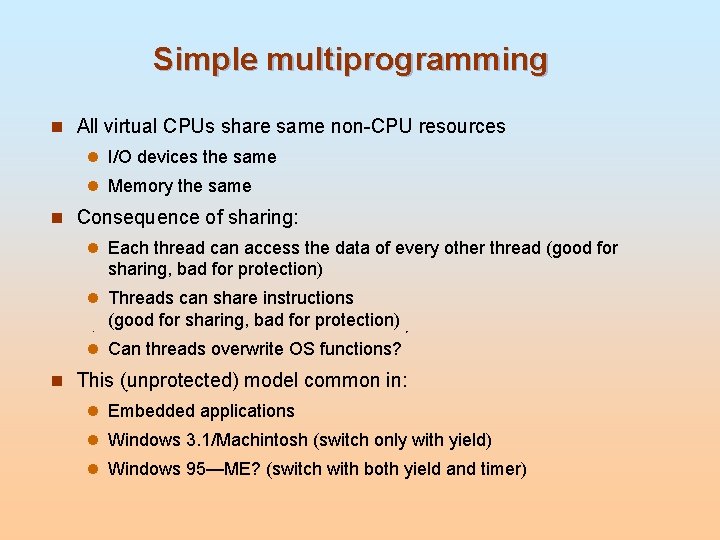
Simple multiprogramming n All virtual CPUs share same non-CPU resources l I/O devices the same l Memory the same n Consequence of sharing: l Each thread can access the data of every other thread (good for sharing, bad for protection) l Threads can share instructions (good for sharing, bad for protection) l Can threads overwrite OS functions? n This (unprotected) model common in: l Embedded applications l Windows 3. 1/Machintosh (switch only with yield) l Windows 95—ME? (switch with both yield and timer)
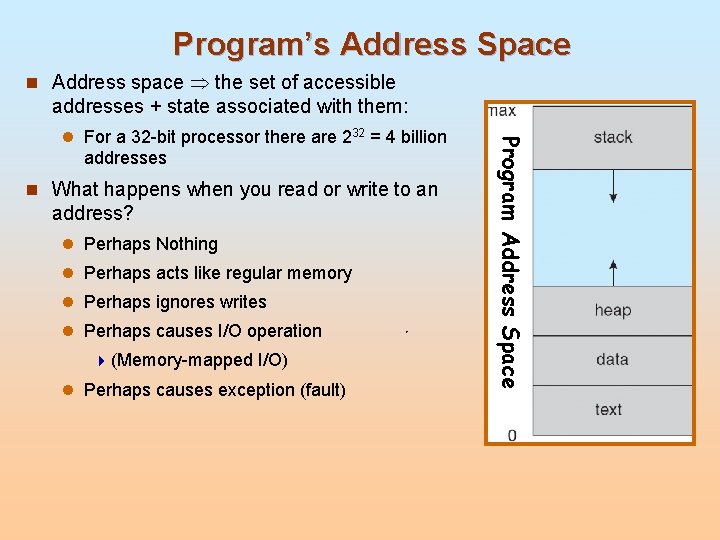
Program’s Address Space n Address space the set of accessible addresses + state associated with them: n What happens when you read or write to an address? l Perhaps Nothing l Perhaps acts like regular memory l Perhaps ignores writes l Perhaps causes I/O operation 4 (Memory-mapped I/O) l Perhaps causes exception (fault) Program Address Space l For a 32 -bit processor there are 232 = 4 billion addresses
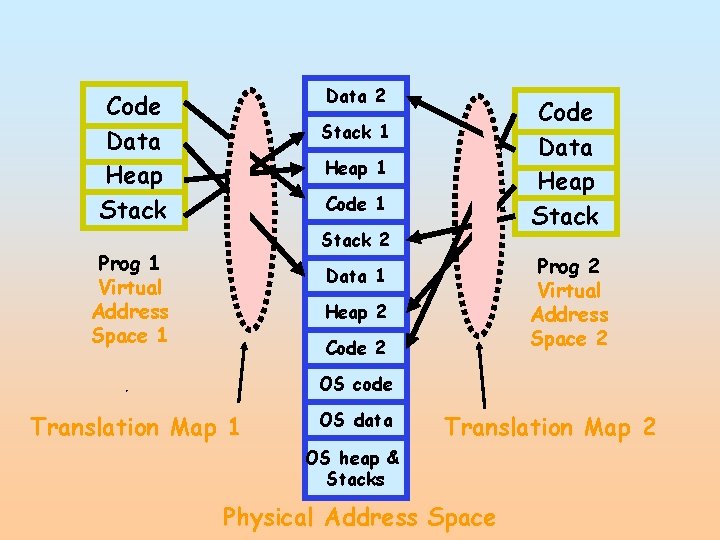
Data 2 Code Data Heap Stack 1 Heap 1 Code 1 Stack 2 Prog 1 Virtual Address Space 1 Prog 2 Virtual Address Space 2 Data 1 Heap 2 Code 2 OS code Translation Map 1 OS data Translation Map 2 OS heap & Stacks Physical Address Space
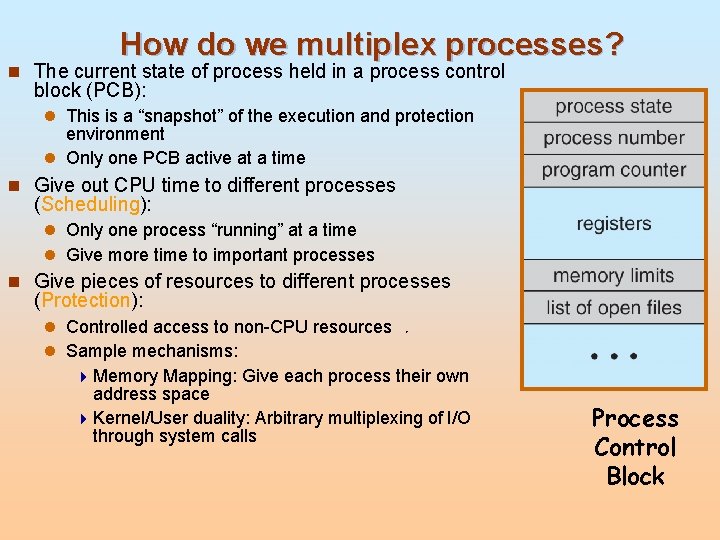
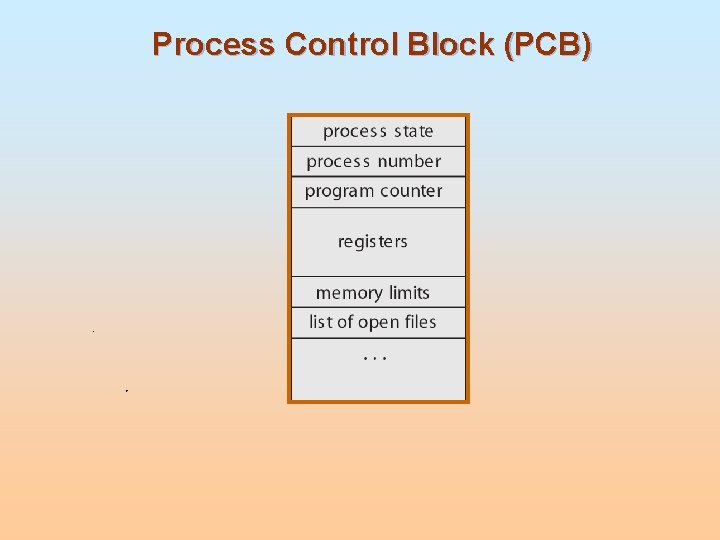
How do we multiplex processes? n The current state of process held in a process control block (PCB): l This is a “snapshot” of the execution and protection environment l Only one PCB active at a time n Give out CPU time to different processes (Scheduling): l Only one process “running” at a time l Give more time to important processes n Give pieces of resources to different processes (Protection): l Controlled access to non-CPU resources l Sample mechanisms: 4 Memory Mapping: Give each process their own address space 4 Kernel/User duality: Arbitrary multiplexing of I/O through system calls Process Control Block
Process Control Block (PCB)
CPU Switch From Process to Process n This is also called a “context switch” n Code executed in kernel above is overhead l Overhead sets minimum practical switching time l Less overhead with SMT/hyperthreading, but… contention for resources instead
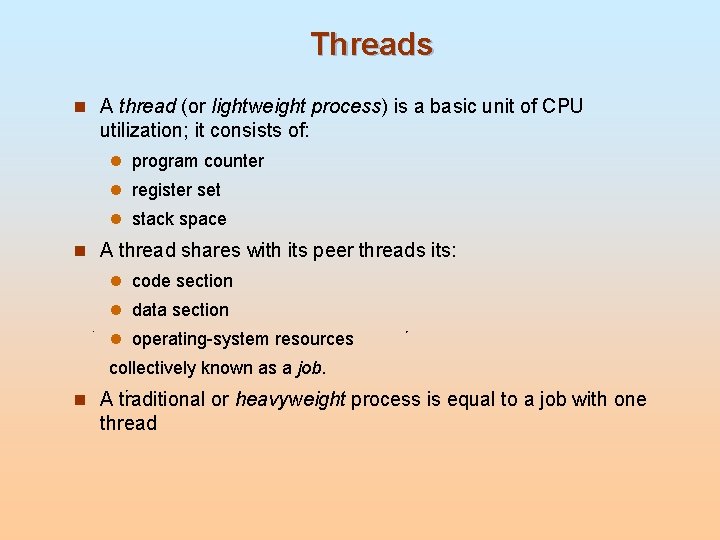
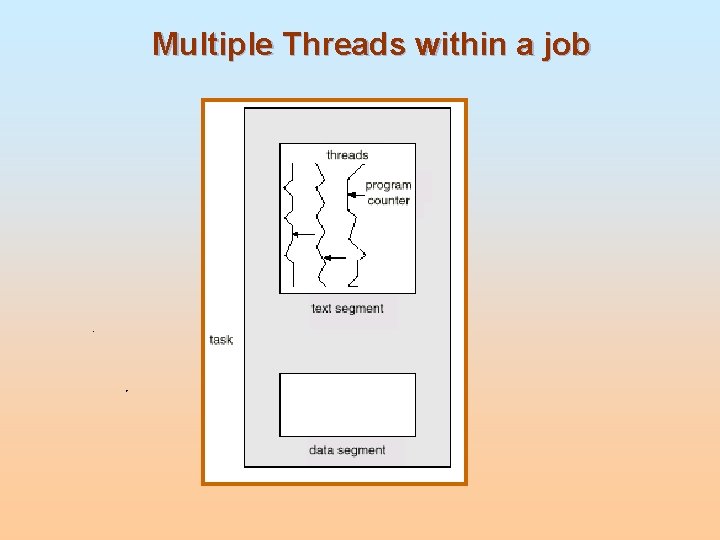
Threads n A thread (or lightweight process) is a basic unit of CPU utilization; it consists of: l program counter l register set l stack space n A thread shares with its peer threads its: l code section l data section l operating-system resources collectively known as a job. n A traditional or heavyweight process is equal to a job with one thread
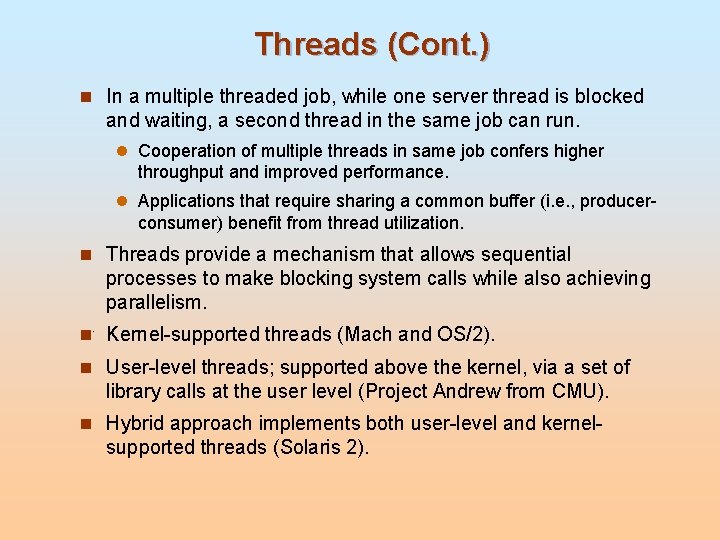
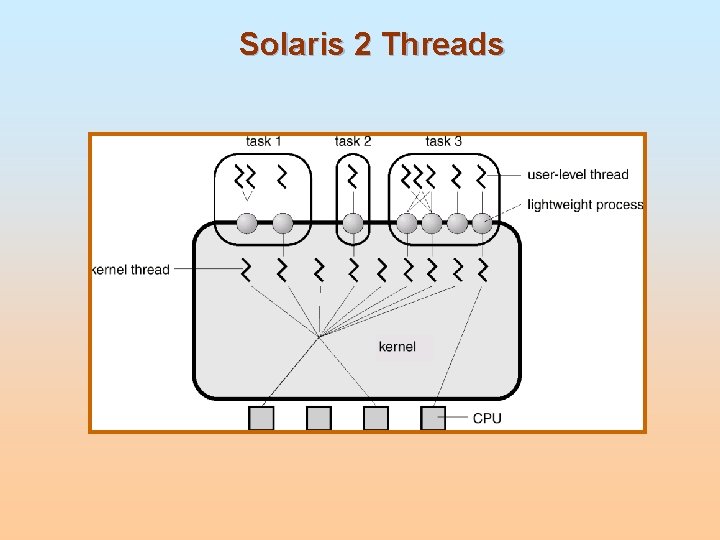
Threads (Cont. ) n In a multiple threaded job, while one server thread is blocked and waiting, a second thread in the same job can run. l Cooperation of multiple threads in same job confers higher throughput and improved performance. l Applications that require sharing a common buffer (i. e. , producerconsumer) benefit from thread utilization. n Threads provide a mechanism that allows sequential processes to make blocking system calls while also achieving parallelism. n Kernel-supported threads (Mach and OS/2). n User-level threads; supported above the kernel, via a set of library calls at the user level (Project Andrew from CMU). n Hybrid approach implements both user-level and kernel- supported threads (Solaris 2).
Multiple Threads within a job
Solaris 2 Threads