
Process Builder Web Application No 1 2 Windows
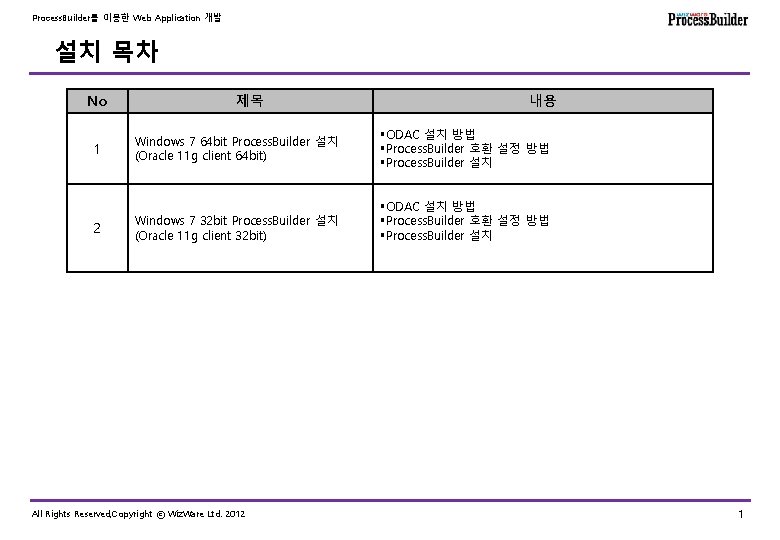
Process. Builder를 이용한 Web Application 개발 설치 목차 No 1 2 제목 Windows 7 64 bit Process. Builder 설치 (Oracle 11 g client 64 bit) Windows 7 32 bit Process. Builder 설치 (Oracle 11 g client 32 bit) All Rights Reserved, Copyright ⓒ Wiz. Ware Ltd. 2012 내용 §ODAC 설치 방법 §Process. Builder 호환 설정 방법 §Process. Builder 설치 1
Process. Builder를 이용한 Web Application 개발 Windows 7 64 bit Process. Builder 설치 § Windows 7 64 bit Process. Builder 설치 * Odac 설치 방법 * Process. Builder 호환 설정 방법 * Process. Builder 설치 All Rights Reserved, Copyright ⓒ Wiz. Ware Ltd. 2012 2
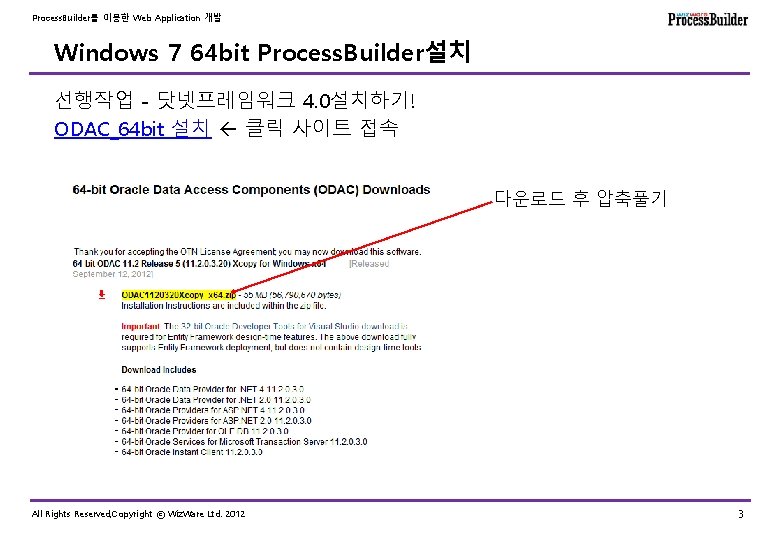
Process. Builder를 이용한 Web Application 개발 Windows 7 64 bit Process. Builder설치 선행작업 - 닷넷프레임워크 4. 0설치하기! ODAC_64 bit 설치 클릭 사이트 접속 다운로드 후 압축풀기 All Rights Reserved, Copyright ⓒ Wiz. Ware Ltd. 2012 3
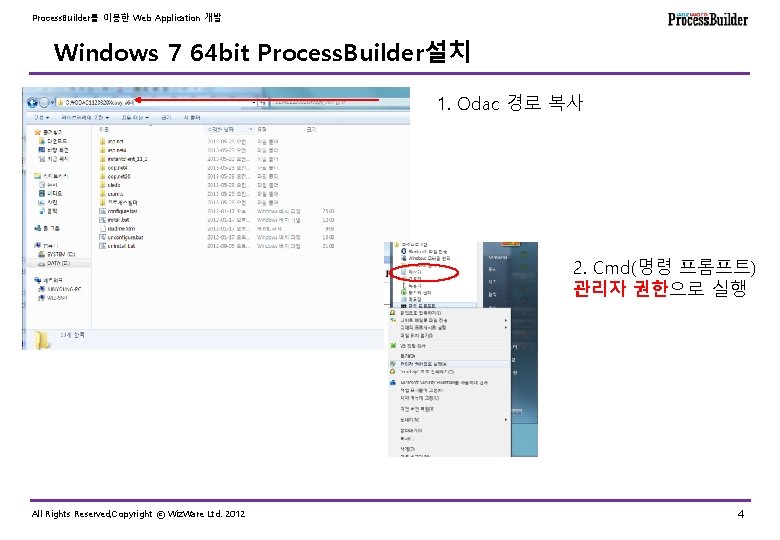
Process. Builder를 이용한 Web Application 개발 Windows 7 64 bit Process. Builder설치 1. Odac 경로 복사 2. Cmd(명령 프롬프트) 관리자 권한으로 실행 All Rights Reserved, Copyright ⓒ Wiz. Ware Ltd. 2012 4
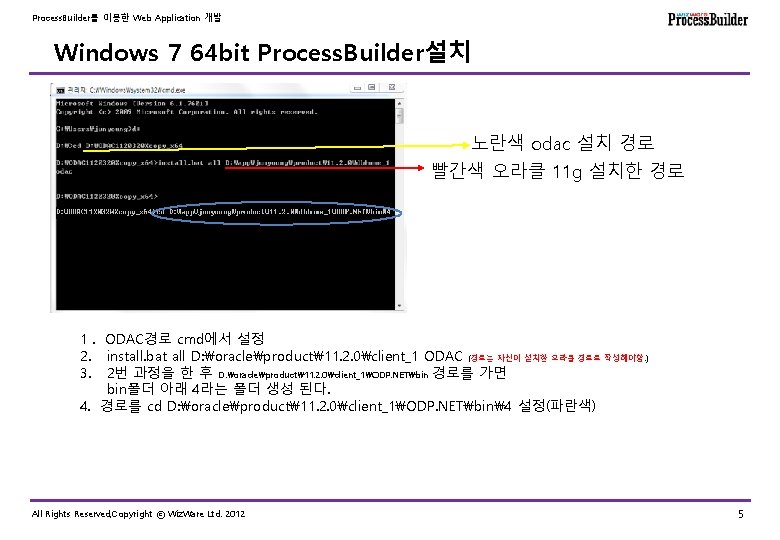
Process. Builder를 이용한 Web Application 개발 Windows 7 64 bit Process. Builder설치 노란색 odac 설치 경로 빨간색 오라클 11 g 설치한 경로 1. ODAC경로 cmd에서 설정 2. install. bat all D: oracleproduct11. 2. 0client_1 ODAC (경로는 자신이 설치한 오라클 경로로 작성해야함. ) 3. 2번 과정을 한 후 D: oracleproduct11. 2. 0client_1ODP. NETbin 경로를 가면 bin폴더 아래 4라는 폴더 생성 된다. 4. 경로를 cd D: oracleproduct11. 2. 0client_1ODP. NETbin4 설정(파란색) All Rights Reserved, Copyright ⓒ Wiz. Ware Ltd. 2012 5
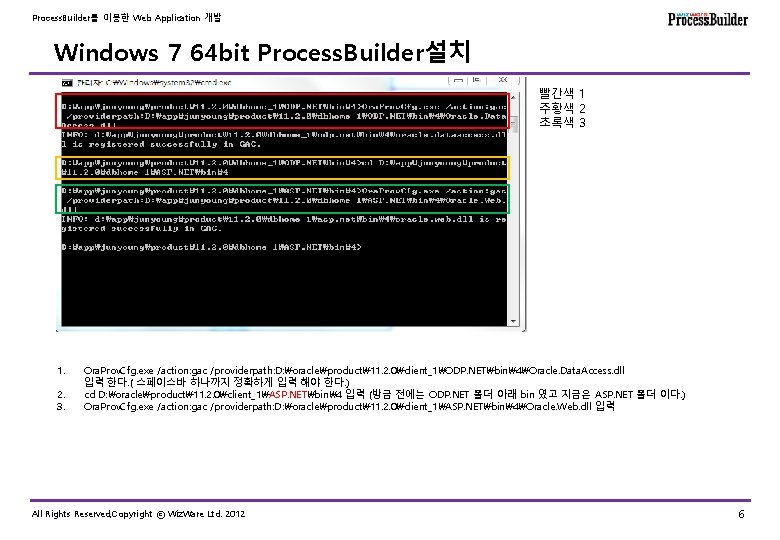
Process. Builder를 이용한 Web Application 개발 Windows 7 64 bit Process. Builder설치 빨간색 1 주황색 2 초록색 3 1. 2. 3. Ora. Prov. Cfg. exe /action: gac /providerpath: D: oracleproduct11. 2. 0client_1ODP. NETbin4Oracle. Data. Access. dll 입력 한다. ( 스페이스바 하나까지 정확하게 입력 해야 한다. ) cd D: oracleproduct11. 2. 0client_1ASP. NETbin4 입력 (방금 전에는 ODP. NET 폴더 아래 bin 였고 지금은 ASP. NET 폴더 이다. ) Ora. Prov. Cfg. exe /action: gac /providerpath: D: oracleproduct11. 2. 0client_1ASP. NETbin4Oracle. Web. dll 입력 All Rights Reserved, Copyright ⓒ Wiz. Ware Ltd. 2012 6
Process. Builder를 이용한 Web Application 개발 Windows 7 64 bit Process. Builder설치 환경변수등록 PATH = %ORACLE_HOME%bin (기존 PATH변수에 추가) ORACLE_HOME = D: oracleproduct11. 2. 0client_1 TNS_ADMIN = %ORACLE_HOME%networkadmin 폴더에 tnsnames. ora 파일을 복사한다. tnsnames. ora 내용 PBOUTDB = ( DESCRIPTION = (ADDRESS_LIST = (ADDRESS = (PROTOCOL = TCP)(HOST = 211. 235. 228. 59)(PORT = 1521))) (CONNECT_DATA = (SERVICE_NAME = ORCL)) ) All Rights Reserved, Copyright ⓒ Wiz. Ware Ltd. 2012 7
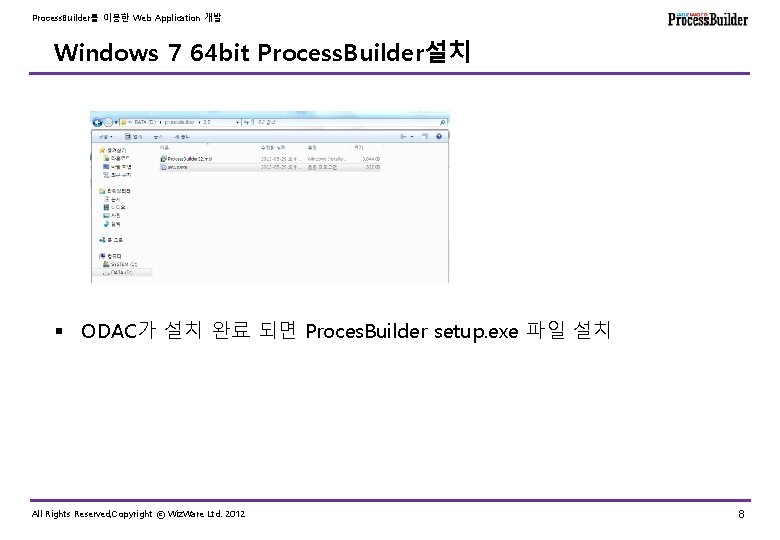
Process. Builder를 이용한 Web Application 개발 Windows 7 64 bit Process. Builder설치 § ODAC가 설치 완료 되면 Proces. Builder setup. exe 파일 설치 All Rights Reserved, Copyright ⓒ Wiz. Ware Ltd. 2012 8
Process. Builder를 이용한 Web Application 개발 Windows 7 32 bit Process. Builder설치 § Windows 7 32 bit Process. Builder설치 * ODAC 설치 방법 All Rights Reserved, Copyright ⓒ Wiz. Ware Ltd. 2012 9
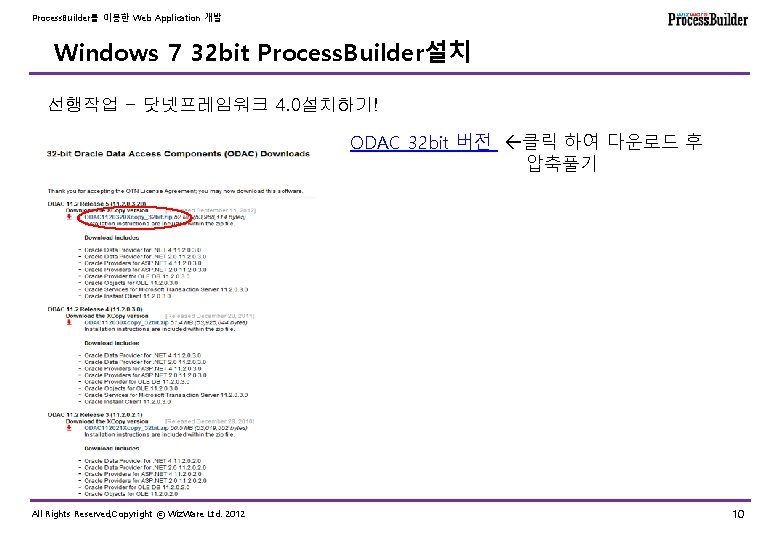
Process. Builder를 이용한 Web Application 개발 Windows 7 32 bit Process. Builder설치 선행작업 - 닷넷프레임워크 4. 0설치하기! ODAC_32 bit 버전 클릭 하여 다운로드 후 압축풀기 All Rights Reserved, Copyright ⓒ Wiz. Ware Ltd. 2012 10
Process. Builder를 이용한 Web Application 개발 Windows 7 32 bit Process. Builder설치 § 나머지 과정은 64비트 설치와 동일함. 64비트 설치순서 참고할 것. All Rights Reserved, Copyright ⓒ Wiz. Ware Ltd. 2012 11
- Slides: 11