
Problem Solving and Control Statements ForNext Repetition Statement
Problem Solving and Control Statements
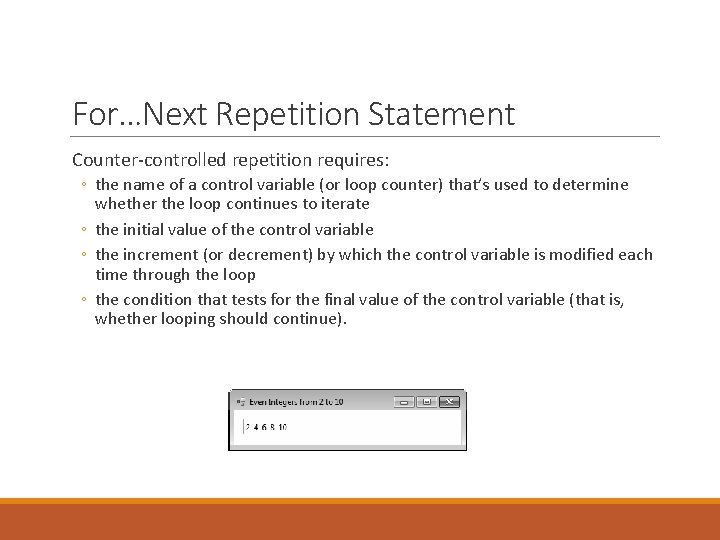
For…Next Repetition Statement Counter-controlled repetition requires: ◦ the name of a control variable (or loop counter) that’s used to determine whether the loop continues to iterate ◦ the initial value of the control variable ◦ the increment (or decrement) by which the control variable is modified each time through the loop ◦ the condition that tests for the final value of the control variable (that is, whether looping should continue).
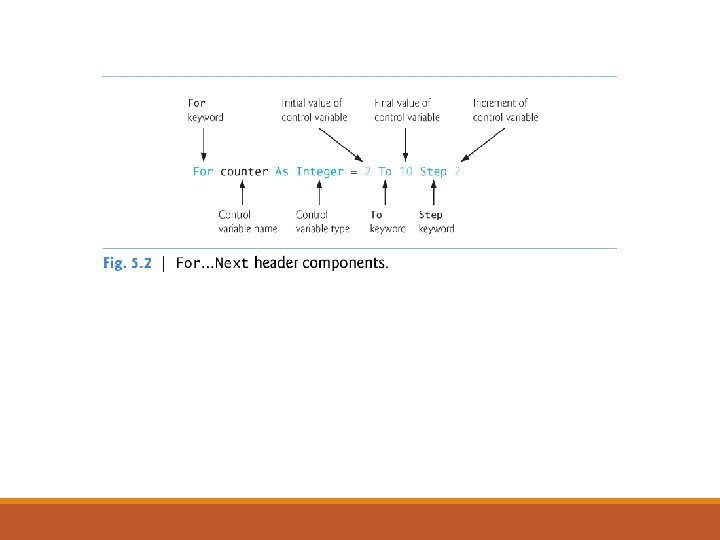
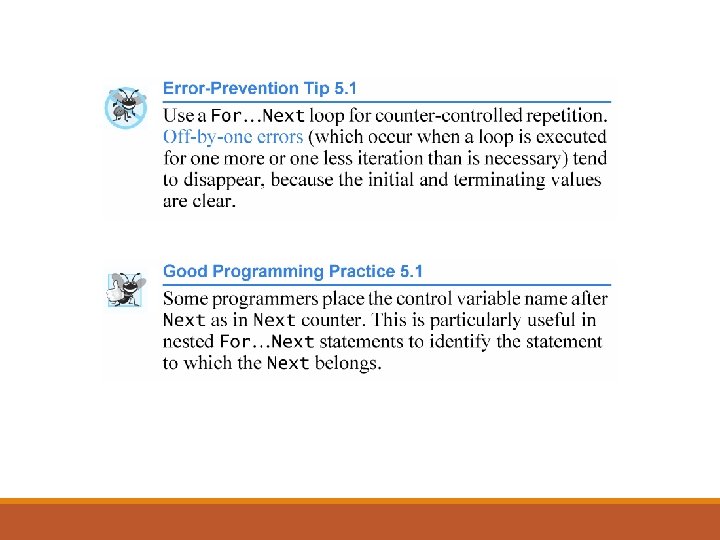
Examples Using the For…Next Statement The following examples demonstrate different ways of varying the control variable in a For…Next statement. In each case, we write the appropriate For…Next header using local type inference. ◦ Vary the control variable from 1 to 100 in increments of 1. ◦ For i = 1 To 100 or For i = 1 To 100 Step 1 ◦ Vary the control variable from 100 to 1 in decrements of 1. ◦ For i = 100 To 1 Step -1
Using Exit to Terminate Repetition Statements There are many forms of the Exit statement, designed to terminate different types of repetition statements. When the Exit Do statement executes in a Do While…Loop, Do…Loop While, Do Until…Loop or Do…Loop Until statement, the program terminates that repetition statement and continues execution with the first statement after the repetition statement. Similarly, the Exit For statement and the Exit While statement cause immediate exit from For…Next and While…End While loops, respectively. The Exit Select statement causes immediate exit from a Select…Case statement.
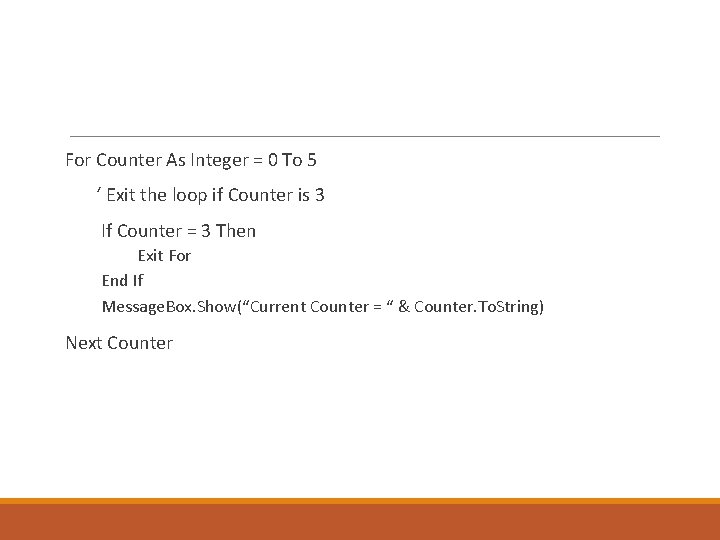
For Counter As Integer = 0 To 5 ‘ Exit the loop if Counter is 3 If Counter = 3 Then Exit For End If Message. Box. Show(“Current Counter = “ & Counter. To. String) Next Counter
Using Continue in Repetition Statements A Continue statement terminates only the current iteration of a repetition statement and continues execution with the next iteration of the loop. The Continue Do statement can be executed in a Do While…Loop, Do…Loop While, Do Until…Loop or Do…Loop Until statement. Similarly, the Continue For statement and Continue While statement can be used in For…Next and While…End While statements, respectively.
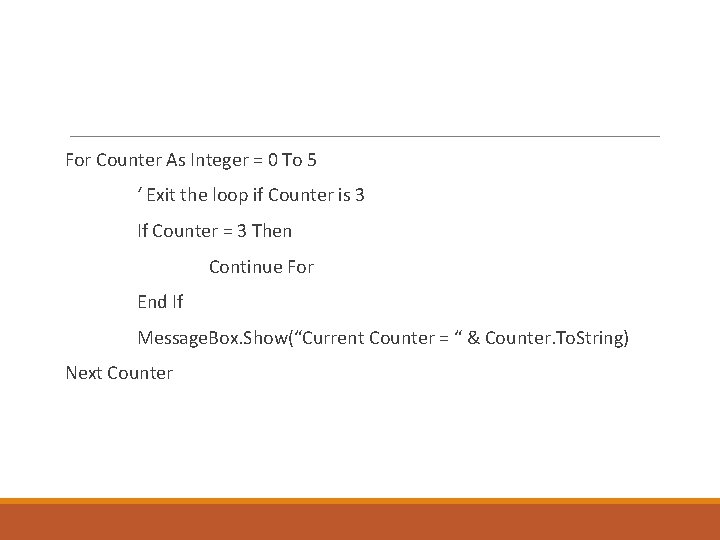
For Counter As Integer = 0 To 5 ‘ Exit the loop if Counter is 3 If Counter = 3 Then Continue For End If Message. Box. Show(“Current Counter = “ & Counter. To. String) Next Counter
Select…Case Multiple-Selection Statement Occasionally, an algorithm contains a series of decisions that test a variable or expression separately for each value that the variable or expression might assume. The algorithm takes different actions based on those values. The Select…Case multiple-selection statement handles such decision making.
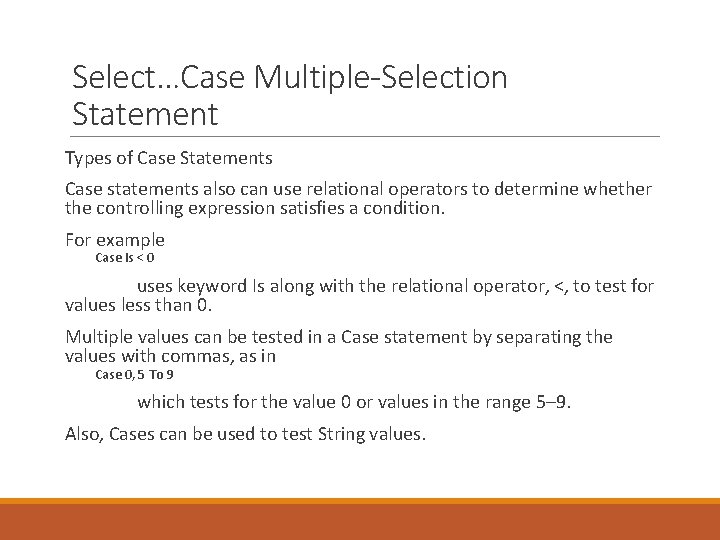
Select…Case Multiple-Selection Statement Types of Case Statements Case statements also can use relational operators to determine whether the controlling expression satisfies a condition. For example Case Is < 0 uses keyword Is along with the relational operator, <, to test for values less than 0. Multiple values can be tested in a Case statement by separating the values with commas, as in Case 0, 5 To 9 which tests for the value 0 or values in the range 5– 9. Also, Cases can be used to test String values.
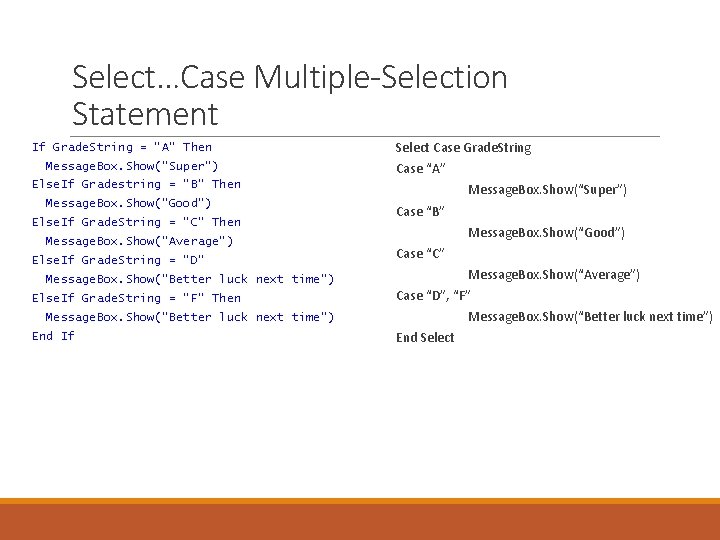
Select…Case Multiple-Selection Statement If Grade. String = “A” Then Message. Box. Show(“Super”) Select Case Grade. String Case “A” Else. If Gradestring = “B” Then Message. Box. Show(“Good”) Else. If Grade. String = “C” Then Message. Box. Show(“Average”) Else. If Grade. String = “D” Message. Box. Show(“Super”) Case “B” Message. Box. Show(“Good”) Case “C” Message. Box. Show(“Average”) Message. Box. Show(“Better luck next time”) Else. If Grade. String = “F” Then Case “D”, “F” Message. Box. Show(“Better luck next time”) End If End Select
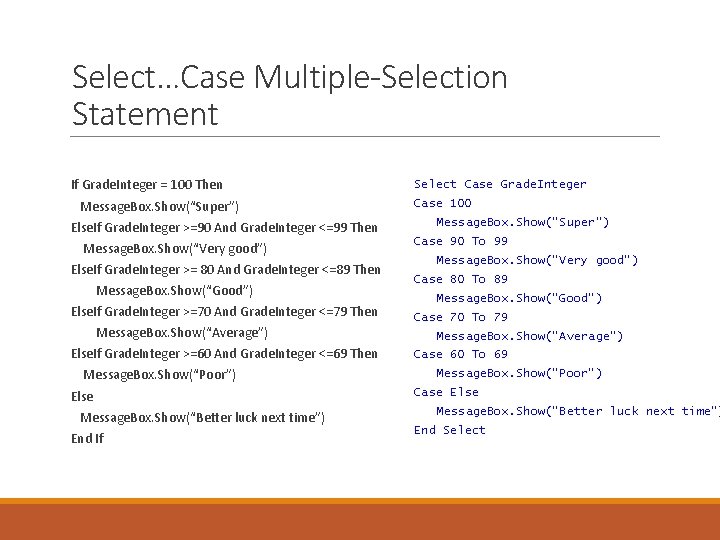
Select…Case Multiple-Selection Statement If Grade. Integer = 100 Then Message. Box. Show(“Super”) Else. If Grade. Integer >=90 And Grade. Integer <=99 Then Message. Box. Show(“Very good”) Else. If Grade. Integer >= 80 And Grade. Integer <=89 Then Message. Box. Show(“Good”) Else. If Grade. Integer >=70 And Grade. Integer <=79 Then Message. Box. Show(“Average”) Else. If Grade. Integer >=60 And Grade. Integer <=69 Then Message. Box. Show(“Poor”) Else Message. Box. Show(“Better luck next time”) End If Select Case Grade. Integer Case 100 Message. Box. Show(“Super”) Case 90 To 99 Message. Box. Show(“Very good”) Case 80 To 89 Message. Box. Show(“Good”) Case 70 To 79 Message. Box. Show(“Average”) Case 60 To 69 Message. Box. Show(“Poor”) Case Else Message. Box. Show(“Better luck next time”) End Select
Logical Operators To make a decision that relied on the evaluation of multiple conditions, we performed these tests in separate statements or in nested If…Then or If…Then…Else statements. To handle multiple conditions more efficiently, the logical operators can be used to form complex conditions by combining simple ones. Logical operators are And, Or, And. Also, Or. Else, Xor and Not.
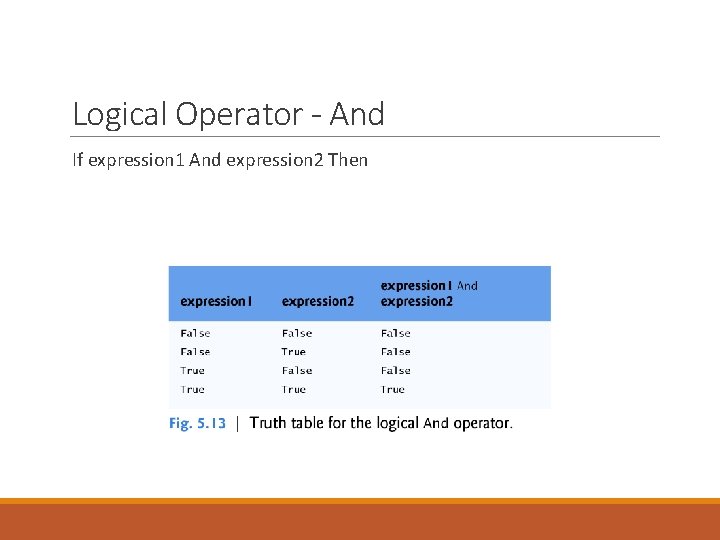
Logical Operator - And If expression 1 And expression 2 Then
Logical Operators Logical And Operator Suppose we wish to ensure that two conditions are both True in a program before a certain path of execution is chosen. In such a case, we can use the logical And operator as follows: If gender = "F" And age >= 65 Then senior. Females += 1 End If This If…Then statement contains two simple conditions. The readability can be improved by adding redundant parentheses: (gender = "F") And (age >= 65)
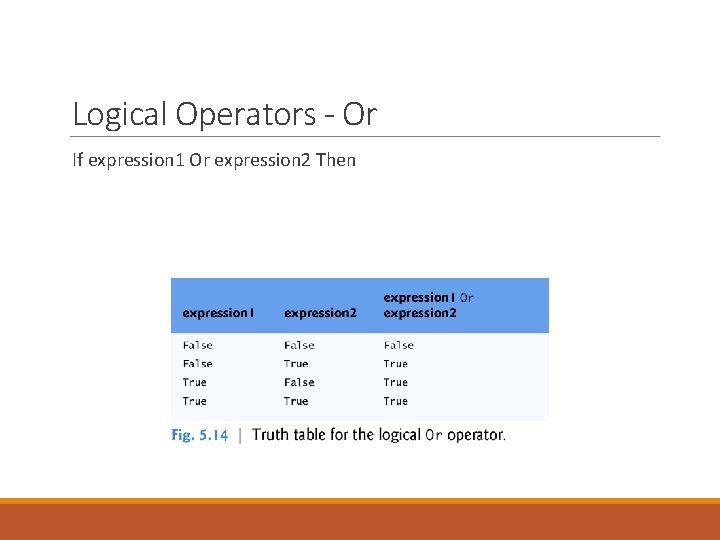
Logical Operators - Or If expression 1 Or expression 2 Then
Logical Operators Logical Or Operator (Also Called the Logical Inclusive Or Operator) Now let’s consider the Or operator. Suppose we wish to ensure that either or both of two conditions are True before we choose a certain path of execution. We use the Or operator as in the following program segment: ◦ If (semester. Average >= 90 Or final. Exam >= 90) Then result. Label. Text = "Student grade is A" End If This statement also contains two simple conditions.
Logical Operators Logical And. Also and Or. Else Operators The logical AND operator with short-circuit evaluation (And. Also) and the logical inclusive OR operator with short-circuit evaluation (Or. Else) are similar to the And and Or operators, respectively, with one exception—an expression containing And. Also or Or. Else operators is evaluated only until its truth or falsity is known.
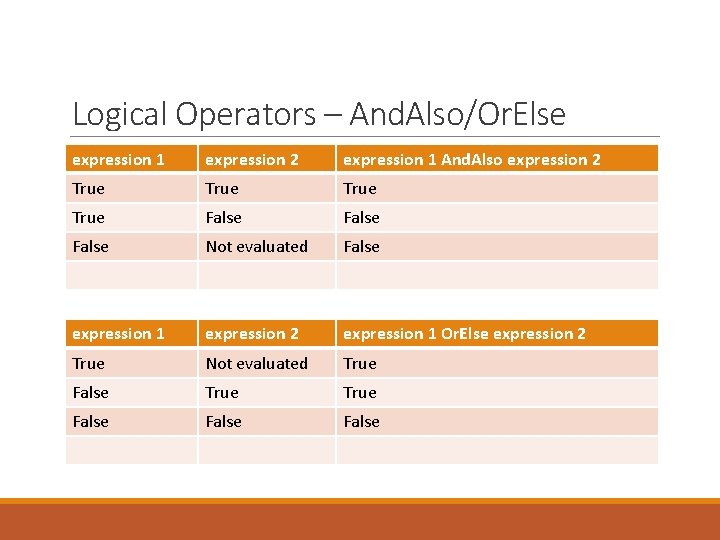
Logical Operators – And. Also/Or. Else expression 1 expression 2 expression 1 And. Also expression 2 True False Not evaluated False expression 1 expression 2 expression 1 Or. Else expression 2 True Not evaluated True False False
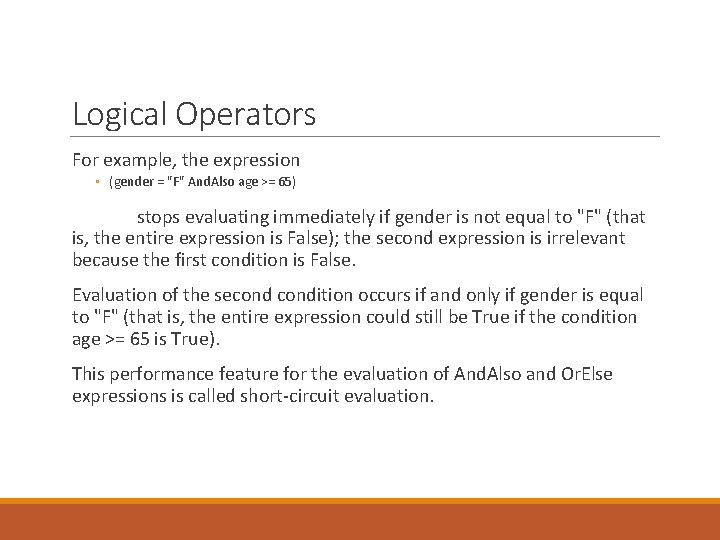
Logical Operators For example, the expression ◦ (gender = "F" And. Also age >= 65) stops evaluating immediately if gender is not equal to "F" (that is, the entire expression is False); the second expression is irrelevant because the first condition is False. Evaluation of the secondition occurs if and only if gender is equal to "F" (that is, the entire expression could still be True if the condition age >= 65 is True). This performance feature for the evaluation of And. Also and Or. Else expressions is called short-circuit evaluation.
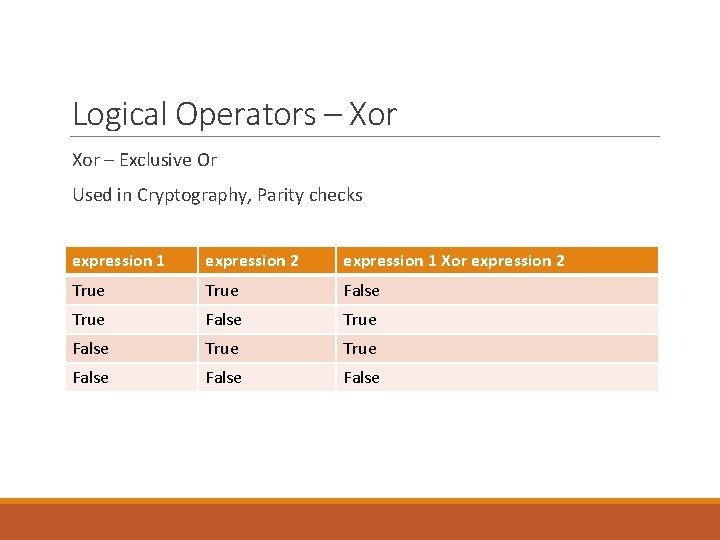
Logical Operators – Xor – Exclusive Or Used in Cryptography, Parity checks expression 1 expression 2 expression 1 Xor expression 2 True False True False
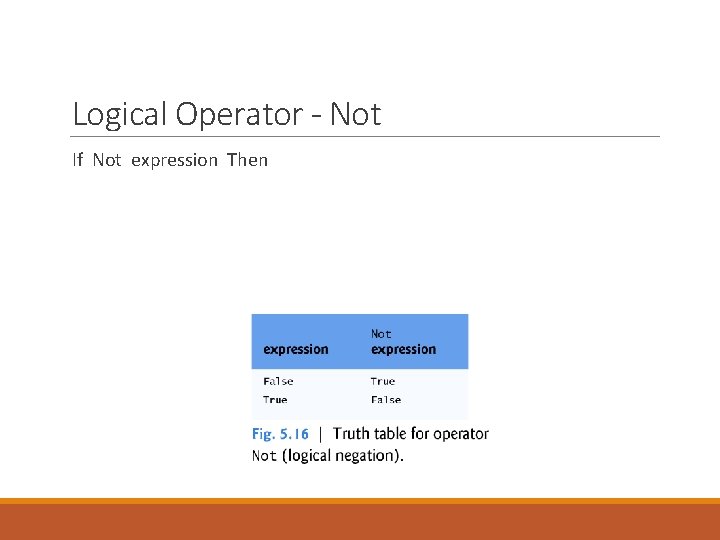
Logical Operator - Not If Not expression Then
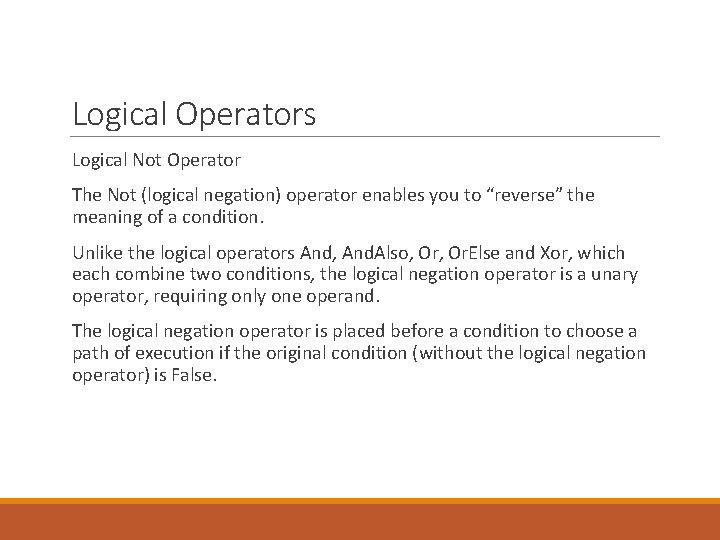
Logical Operators Logical Not Operator The Not (logical negation) operator enables you to “reverse” the meaning of a condition. Unlike the logical operators And, And. Also, Or. Else and Xor, which each combine two conditions, the logical negation operator is a unary operator, requiring only one operand. The logical negation operator is placed before a condition to choose a path of execution if the original condition (without the logical negation operator) is False.
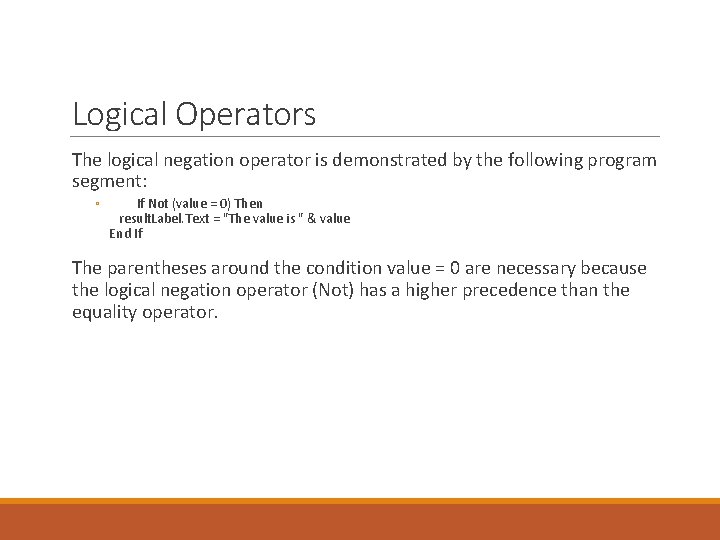
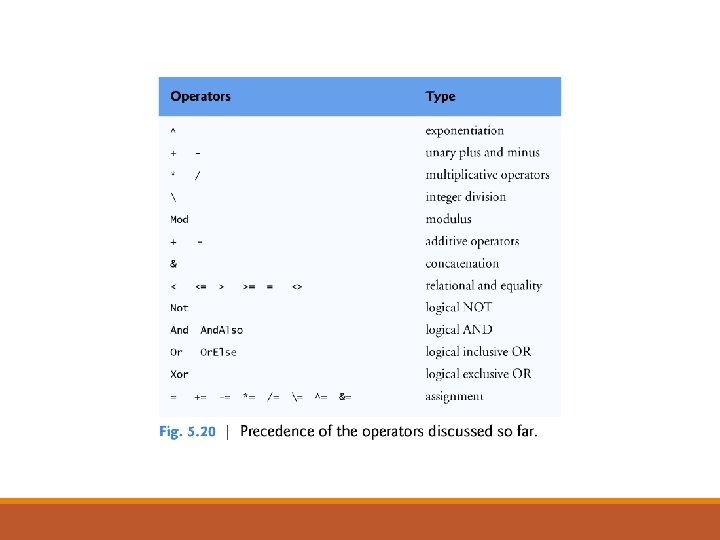
Logical Operators The logical negation operator is demonstrated by the following program segment: ◦ If Not (value = 0) Then result. Label. Text = "The value is " & value End If The parentheses around the condition value = 0 are necessary because the logical negation operator (Not) has a higher precedence than the equality operator.
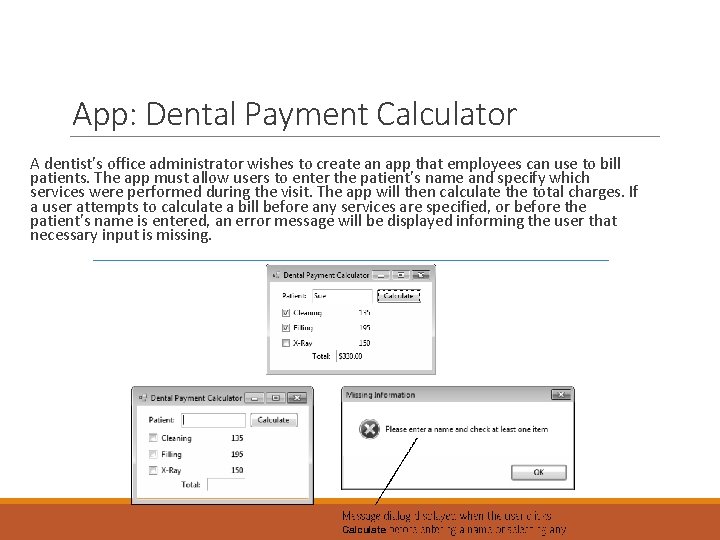
App: Dental Payment Calculator A dentist’s office administrator wishes to create an app that employees can use to bill patients. The app must allow users to enter the patient’s name and specify which services were performed during the visit. The app will then calculate the total charges. If a user attempts to calculate a bill before any services are specified, or before the patient’s name is entered, an error message will be displayed informing the user that necessary input is missing.
- Slides: 27