
Problem Solving 6 GUIs and Event Handling ICS201
Problem Solving 6 GUIs and Event Handling ICS-201 Introduction to Computing II Semester 071
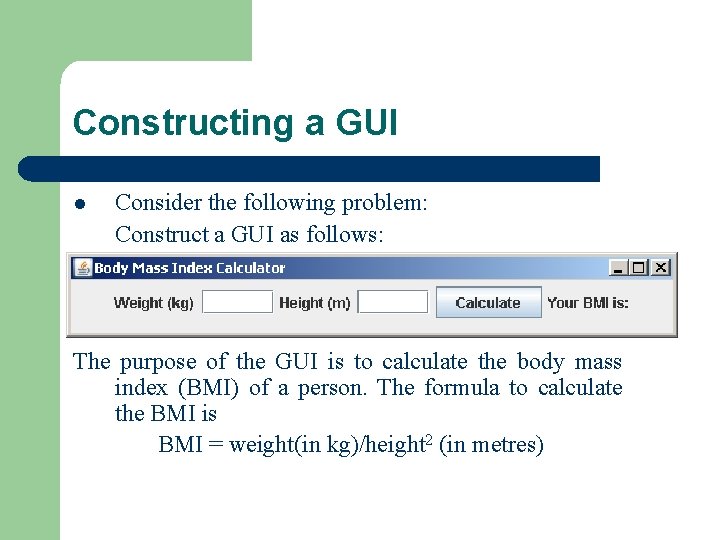
Constructing a GUI l Consider the following problem: Construct a GUI as follows: The purpose of the GUI is to calculate the body mass index (BMI) of a person. The formula to calculate the BMI is BMI = weight(in kg)/height 2 (in metres)
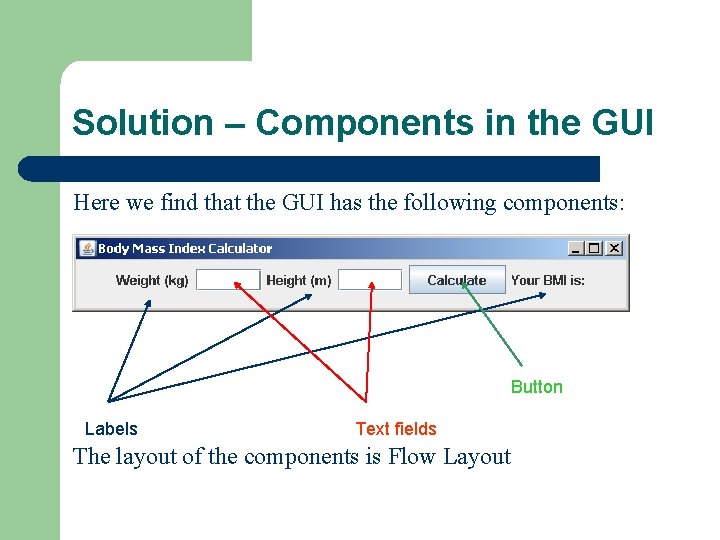
Solution – Components in the GUI Here we find that the GUI has the following components: Button Labels Text fields The layout of the components is Flow Layout
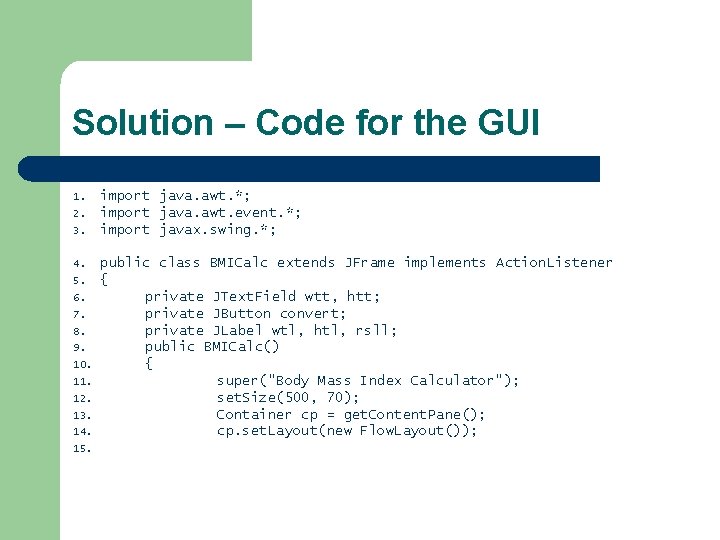
Solution – Code for the GUI 1. 2. 3. 4. 5. 6. 7. 8. 9. 10. 11. 12. 13. 14. 15. import java. awt. *; import java. awt. event. *; import javax. swing. *; public class BMICalc extends JFrame implements Action. Listener { private JText. Field wtt, htt; private JButton convert; private JLabel wtl, htl, rsll; public BMICalc() { super("Body Mass Index Calculator"); set. Size(500, 70); Container cp = get. Content. Pane(); cp. set. Layout(new Flow. Layout());
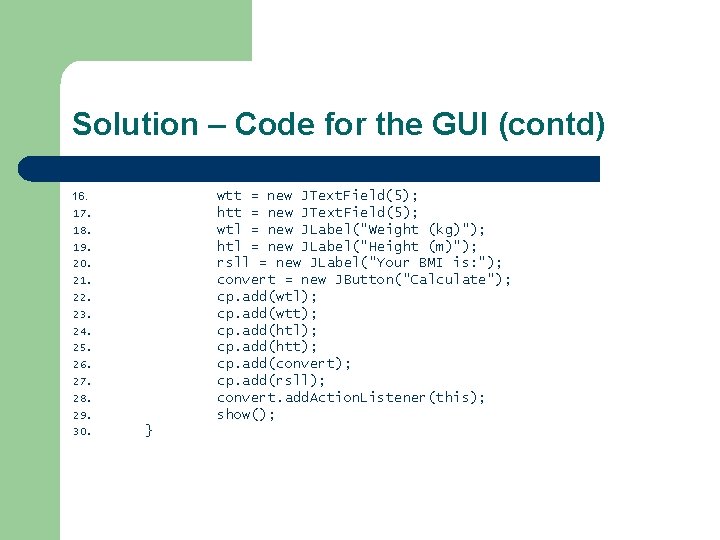
Solution – Code for the GUI (contd) wtt = new JText. Field(5); htt = new JText. Field(5); wtl = new JLabel("Weight (kg)"); htl = new JLabel("Height (m)"); rsll = new JLabel("Your BMI is: "); convert = new JButton("Calculate"); cp. add(wtl); cp. add(wtt); cp. add(htl); cp. add(htt); cp. add(convert); cp. add(rsll); convert. add. Action. Listener(this); show(); 16. 17. 18. 19. 20. 21. 22. 23. 24. 25. 26. 27. 28. 29. 30. }
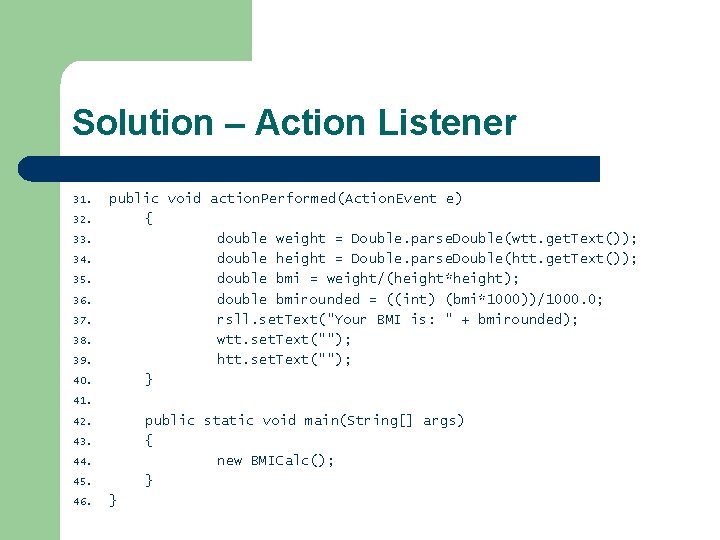
Solution – Action Listener 31. 32. 33. 34. 35. 36. 37. 38. 39. 40. public void action. Performed(Action. Event e) { double weight = Double. parse. Double(wtt. get. Text()); double height = Double. parse. Double(htt. get. Text()); double bmi = weight/(height*height); double bmirounded = ((int) (bmi*1000))/1000. 0; rsll. set. Text("Your BMI is: " + bmirounded); wtt. set. Text(""); htt. set. Text(""); } 41. public static void main(String[] args) { new BMICalc(); } 42. 43. 44. 45. 46. }
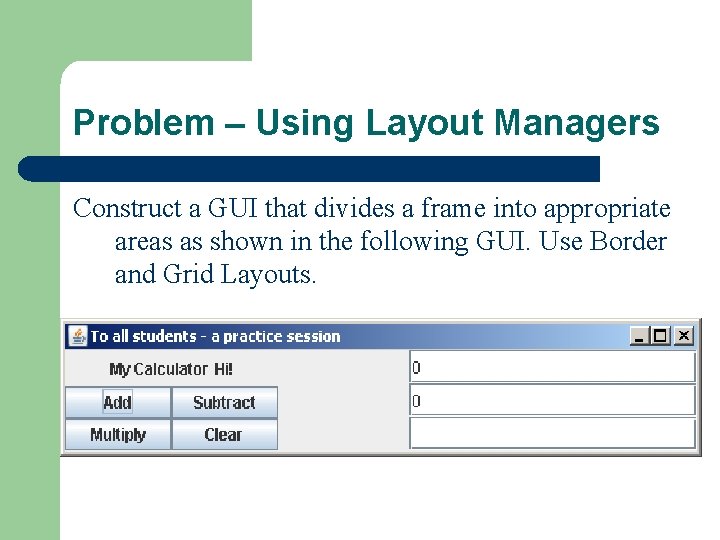
Problem – Using Layout Managers Construct a GUI that divides a frame into appropriate areas as shown in the following GUI. Use Border and Grid Layouts.
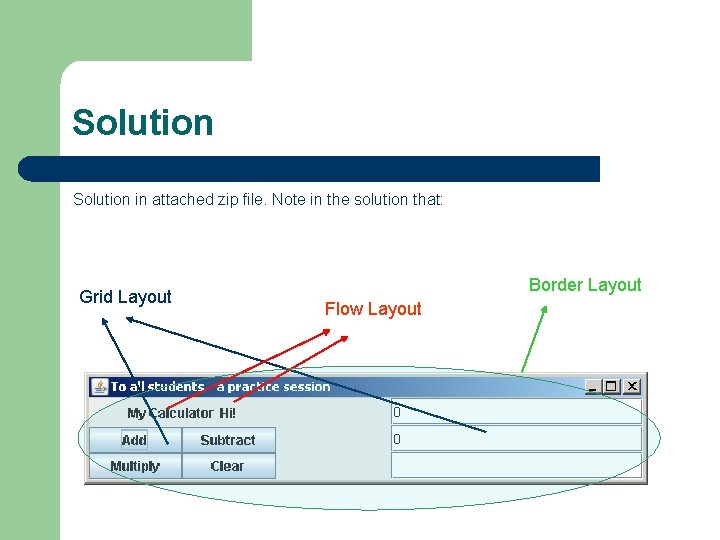
Solution in attached zip file. Note in the solution that: Grid Layout Border Layout Flow Layout
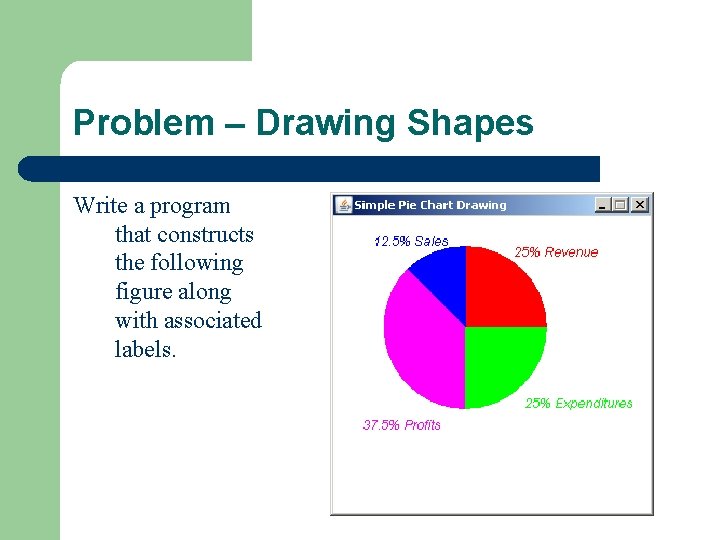
Problem – Drawing Shapes Write a program that constructs the following figure along with associated labels.
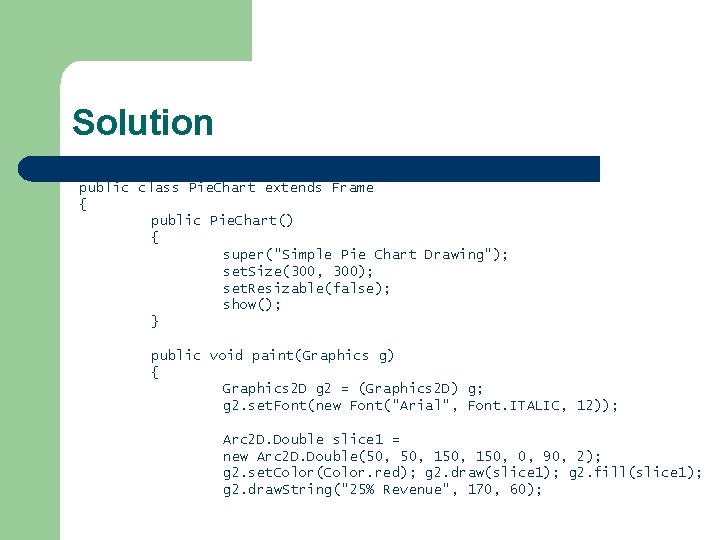
Solution public class Pie. Chart extends Frame { public Pie. Chart() { super("Simple Pie Chart Drawing"); set. Size(300, 300); set. Resizable(false); show(); } public void paint(Graphics g) { Graphics 2 D g 2 = (Graphics 2 D) g; g 2. set. Font(new Font("Arial", Font. ITALIC, 12)); Arc 2 D. Double slice 1 = new Arc 2 D. Double(50, 150, 0, 90, 2); g 2. set. Color(Color. red); g 2. draw(slice 1); g 2. fill(slice 1); g 2. draw. String("25% Revenue", 170, 60);
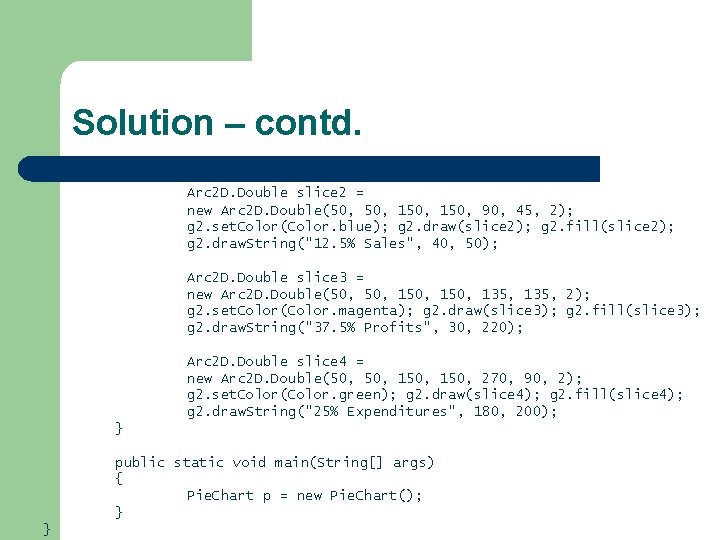
Solution – contd. Arc 2 D. Double slice 2 = new Arc 2 D. Double(50, 150, 90, 45, 2); g 2. set. Color(Color. blue); g 2. draw(slice 2); g 2. fill(slice 2); g 2. draw. String("12. 5% Sales", 40, 50); Arc 2 D. Double slice 3 = new Arc 2 D. Double(50, 150, 135, 2); g 2. set. Color(Color. magenta); g 2. draw(slice 3); g 2. fill(slice 3); g 2. draw. String("37. 5% Profits", 30, 220); Arc 2 D. Double slice 4 = new Arc 2 D. Double(50, 150, 270, 90, 2); g 2. set. Color(Color. green); g 2. draw(slice 4); g 2. fill(slice 4); g 2. draw. String("25% Expenditures", 180, 200); } public static void main(String[] args) { Pie. Chart p = new Pie. Chart(); } }
- Slides: 11