
Pro Safe Layer 3 Switching Demetrios Coulis demetrios
- Slides: 17
Pro. Safe Layer 3 Switching Demetrios Coulis demetrios. coulis@netgear. com Product Line Manager NETGEAR
Agenda » » » What is Layer 2 switching? What is Layer 3 switching? Difference between Layer 2, Smart and Layer 3 management Why do I need Layer 3? When/how to up sell the customer ©. 1996 -2004 NETGEAR ®. All rights reserved 2
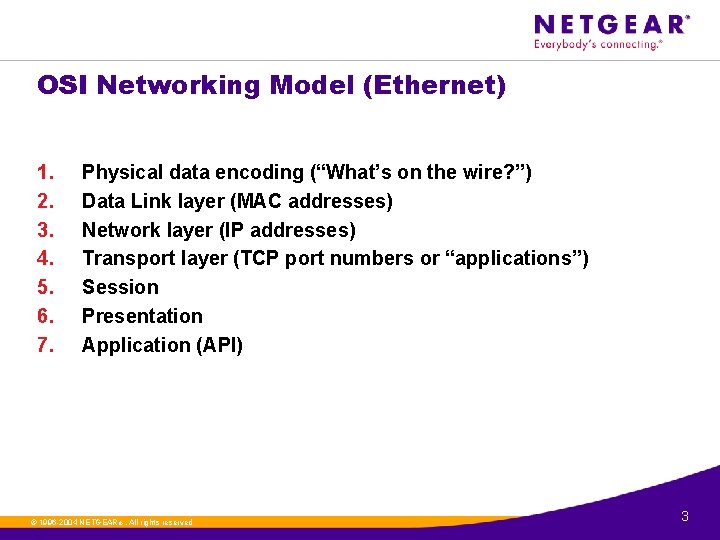
OSI Networking Model (Ethernet) 1. 2. 3. 4. 5. 6. 7. Physical data encoding (“What’s on the wire? ”) Data Link layer (MAC addresses) Network layer (IP addresses) Transport layer (TCP port numbers or “applications”) Session Presentation Application (API) ©. 1996 -2004 NETGEAR ®. All rights reserved 3
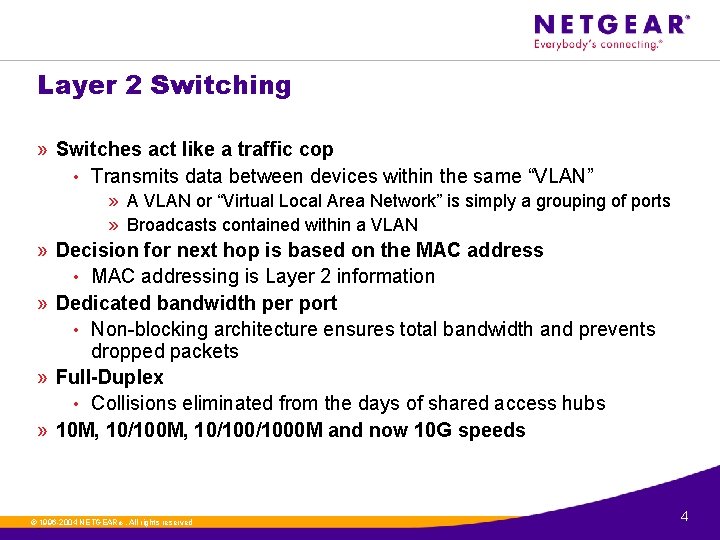
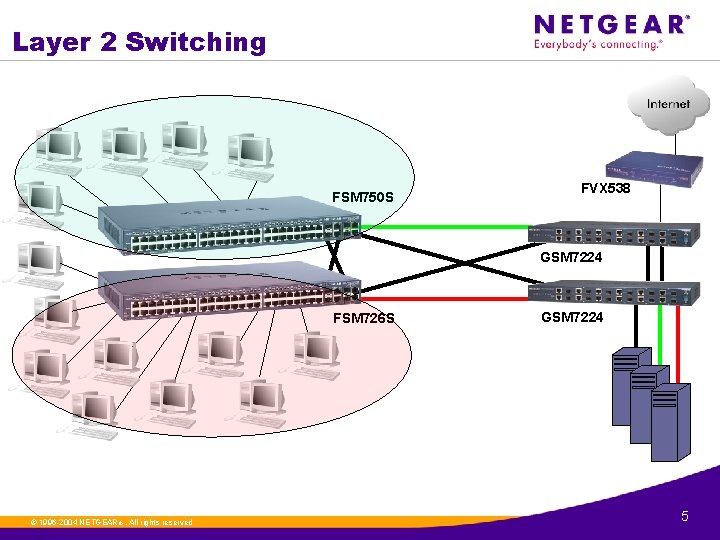
Layer 2 Switching » Switches act like a traffic cop • Transmits data between devices within the same “VLAN” » A VLAN or “Virtual Local Area Network” is simply a grouping of ports » Broadcasts contained within a VLAN » Decision for next hop is based on the MAC address • MAC addressing is Layer 2 information » Dedicated bandwidth per port • Non-blocking architecture ensures total bandwidth and prevents dropped packets » Full-Duplex • Collisions eliminated from the days of shared access hubs » 10 M, 10/100/1000 M and now 10 G speeds ©. 1996 -2004 NETGEAR ®. All rights reserved 4
Layer 2 Switching FSM 750 S FVX 538 GSM 7224 FSM 726 S ©. 1996 -2004 NETGEAR ®. All rights reserved GSM 7224 5
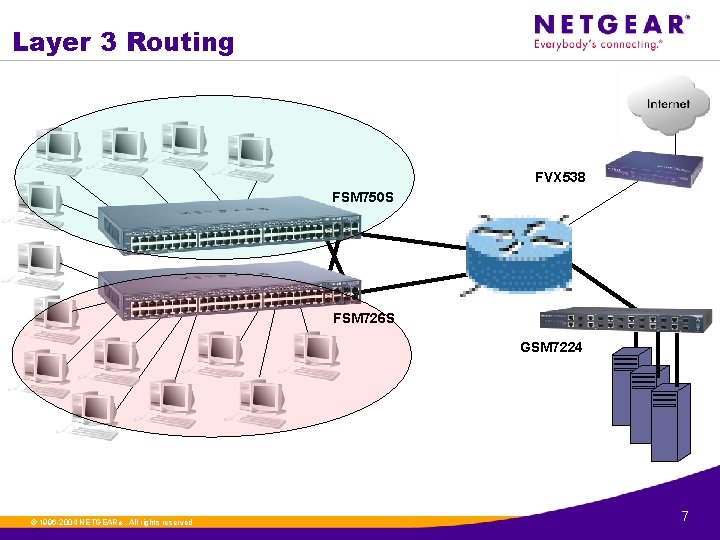
Layer 3 Routing » Routers “route” traffic between separate L 2 VLANs » VLANs are isolated broadcast domains • If you connect 2 together it becomes one large broadcast domain » VLAN can also be thought of as a “network” • A group of hosts that share the same network prefix (192. 168. 1. x) » Decision for next hop is based on the destination IP address • Remember: IP addressing is Layer 3 information » 10 M, 10/100 M and 10/1000 M speeds » This is the way it used to be done… • …. slowly… ©. 1996 -2004 NETGEAR ®. All rights reserved 6
Layer 3 Routing FVX 538 FSM 750 S FSM 726 S GSM 7224 ©. 1996 -2004 NETGEAR ®. All rights reserved 7
Layer 3 Switching » New technology – “Put’s the “Routing” into the switch” • Layer 3 look-ups are pushed into ASICs » ASICs = Application Specific Integrated Circuits » Layer 3 is no longer “slow” • End-users don’t have to pay a penalty for “routing” • The old adage “Switch when you can, Route when you must” no longer applies » Layer 3 switching occurs at “wire-speed” • As fast as the wire can theoretically transmit data » 10 M, 10/100/1000 M and 10 G speeds ©. 1996 -2004 NETGEAR ®. All rights reserved 8
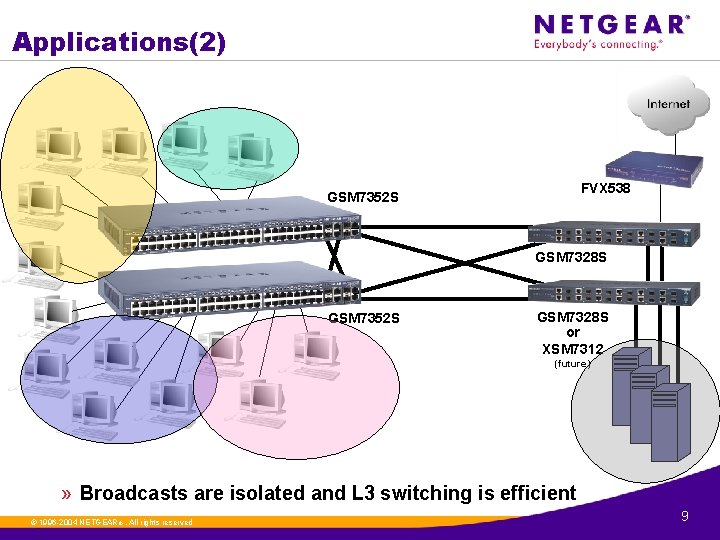
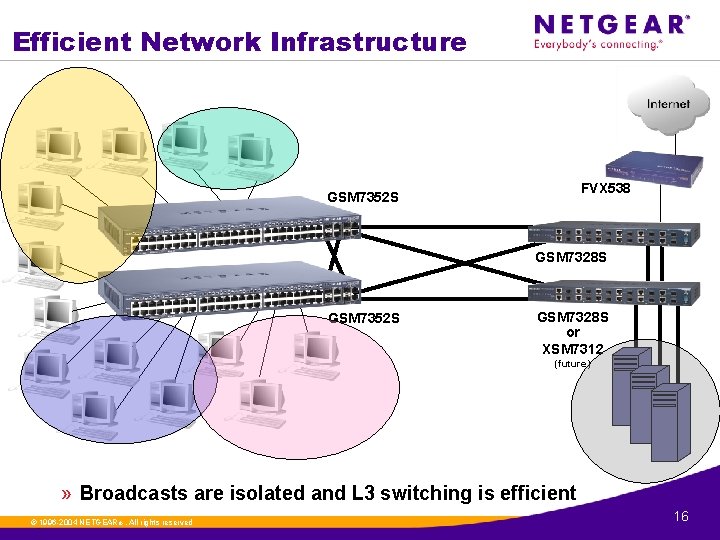
Applications(2) FVX 538 GSM 7352 S GSM 7328 S or XSM 7312 (future) » Broadcasts are isolated and L 3 switching is efficient ©. 1996 -2004 NETGEAR ®. All rights reserved 9
Unmanaged Switches » » » Use L 2 information (MAC addresses) Invisible to the network Simple to set up/use Most affordable Common for • Smaller networks • Edges of large networks • Small user groups • Conference rooms • Dorm rooms ©. 1996 -2004 NETGEAR ®. All rights reserved 10
L 2 Smart Switches » » Use L 2 information (MAC addresses) Smart Switch Discovery Tool assigns an IP address Accessable via WEB Graphical User interface Give an IT manager access • Observe network • Configure ports • Configure VLAN, trunks, priority, etc. » Easy to use » Can act as unmanaged » Used in networks >50 users ©. 1996 -2004 NETGEAR ®. All rights reserved 11
L 2 Managed Switches » Switch information only at Layer 2 (using MAC addresses) » Configurable via serial console port • Complete configuration, including IP address assignment » IP addressing gives access to Telnet, SSH, SNMP and WEB interfaces » Complete control over Layer 2 parameters » IT manager can • Observe network, including RMON (Remote Monitoring via SNMP) • Enable disable port-level parameters • Complete configuration fo VLANs, trunks, Quality of Service, etc. » Easy to use » Currently only stackable solution » Used in networks >50 users ©. 1996 -2004 NETGEAR ®. All rights reserved 12
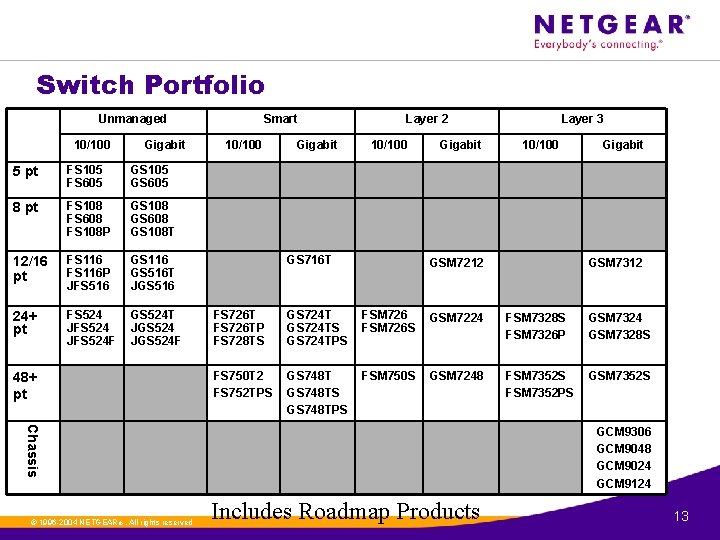
Switch Portfolio Unmanaged 10/100 Gigabit 5 pt FS 105 FS 605 GS 105 GS 605 8 pt FS 108 FS 608 FS 108 P GS 108 GS 608 GS 108 T 12/16 pt FS 116 P JFS 516 GS 116 GS 516 T JGS 516 24+ pt FS 524 JFS 524 F GS 524 T JGS 524 F 48+ pt Smart 10/100 Gigabit Layer 2 10/100 GS 716 T Gigabit 10/100 GSM 7212 Gigabit GSM 7312 FS 726 TP FS 728 TS GS 724 TS GS 724 TPS FSM 726 S GSM 7224 FSM 7328 S FSM 7326 P GSM 7324 GSM 7328 S FS 750 T 2 FS 752 TPS GS 748 TS GS 748 TPS FSM 750 S GSM 7248 FSM 7352 S FSM 7352 PS GSM 7352 S Chassis ©. 1996 -2004 NETGEAR ®. All rights reserved Layer 3 GCM 9306 GCM 9048 GCM 9024 GCM 9124 Includes Roadmap Products 13
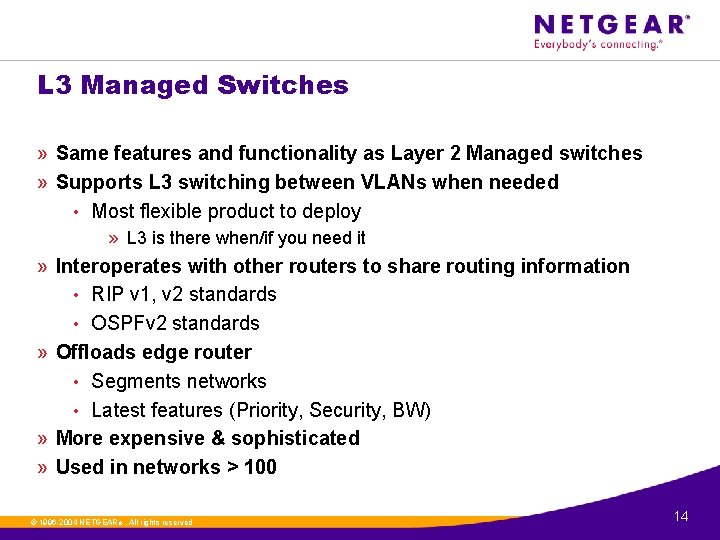
L 3 Managed Switches » Same features and functionality as Layer 2 Managed switches » Supports L 3 switching between VLANs when needed • Most flexible product to deploy » L 3 is there when/if you need it » Interoperates with other routers to share routing information • RIP v 1, v 2 standards • OSPFv 2 standards » Offloads edge router • Segments networks • Latest features (Priority, Security, BW) » More expensive & sophisticated » Used in networks > 100 ©. 1996 -2004 NETGEAR ®. All rights reserved 14
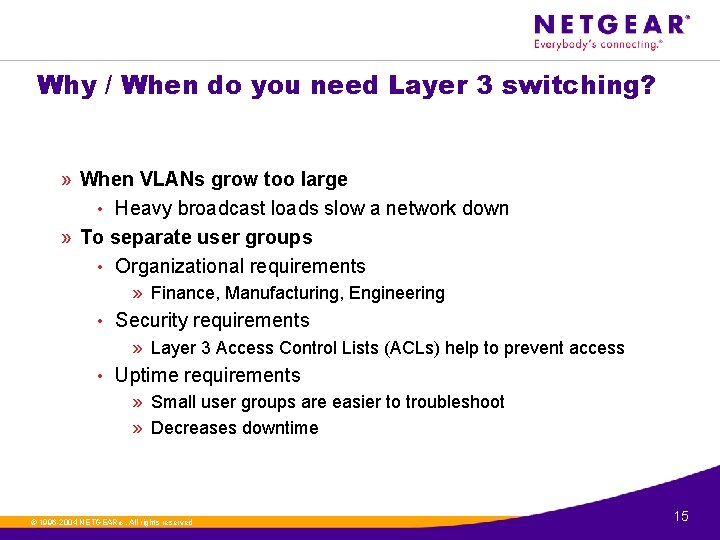
Why / When do you need Layer 3 switching? » When VLANs grow too large • Heavy broadcast loads slow a network down » To separate user groups • Organizational requirements » Finance, Manufacturing, Engineering • Security requirements » Layer 3 Access Control Lists (ACLs) help to prevent access • Uptime requirements » Small user groups are easier to troubleshoot » Decreases downtime ©. 1996 -2004 NETGEAR ®. All rights reserved 15
Efficient Network Infrastructure FVX 538 GSM 7352 S GSM 7328 S or XSM 7312 (future) » Broadcasts are isolated and L 3 switching is efficient ©. 1996 -2004 NETGEAR ®. All rights reserved 16
How do I sell Layer 3 switching? » When large “flat” VLANs grow too large and cause outages • Segmented Networks » Run faster » Less Congested » Down less frequently » To meet IT or organizational requirements • Functional segmentation • Security concerns • Uptime requirements and reliance on the network » Layer 3 switching can be sold into any size network • Generally can start as small as 50 -100 users • Can also integrate and interoperate in large “enterprise” networks already in place » Branch Office, Remote Office requirements ©. 1996 -2004 NETGEAR ®. All rights reserved 17