
PRINTERS Outline Introduction Connecting Printer to a PC


- Slides: 29
PRINTERS
Outline Introduction Connecting Printer to a PC Important factors to consider Printer Classification Commonly Used Printers and Technologies Future Technologies Summary
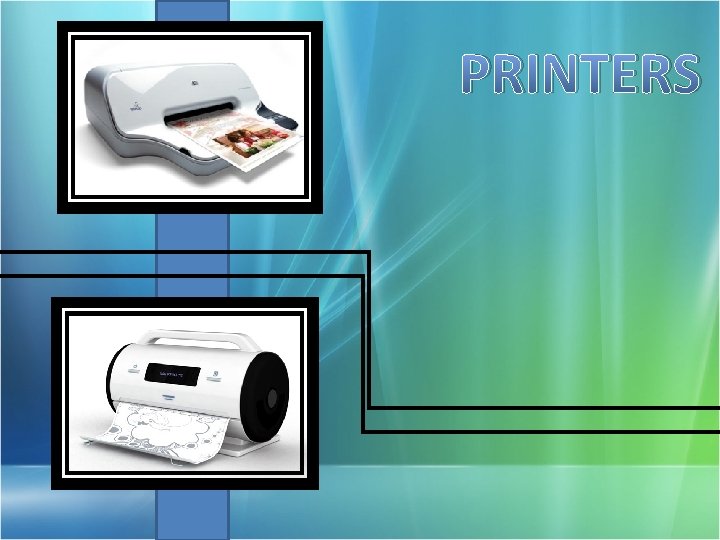
Introduction • Printer is an output device attached to your computer that produces printed copies on paper (hard copies).
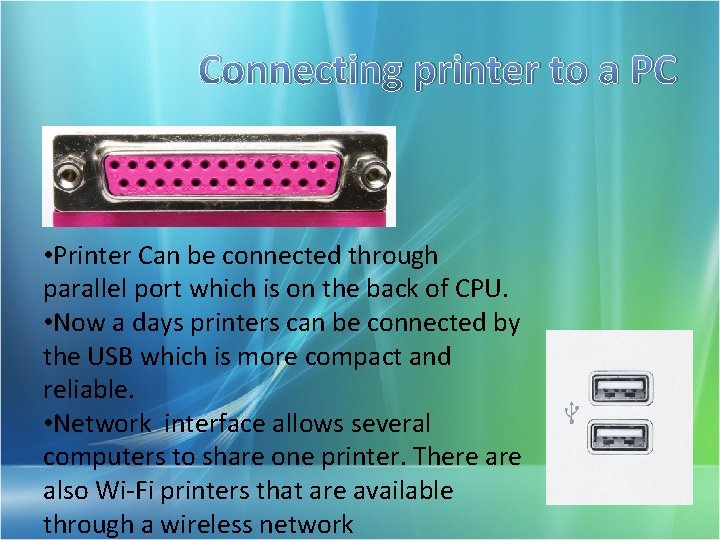
Connecting printer to a PC • Printer Can be connected through parallel port which is on the back of CPU. • Now a days printers can be connected by the USB which is more compact and reliable. • Network interface allows several computers to share one printer. There also Wi-Fi printers that are available through a wireless network
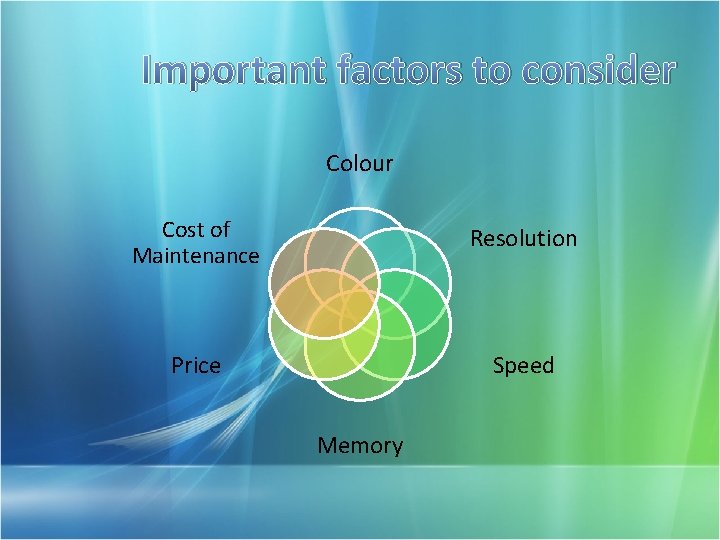
Important factors to consider Colour Cost of Maintenance Resolution Price Speed Memory
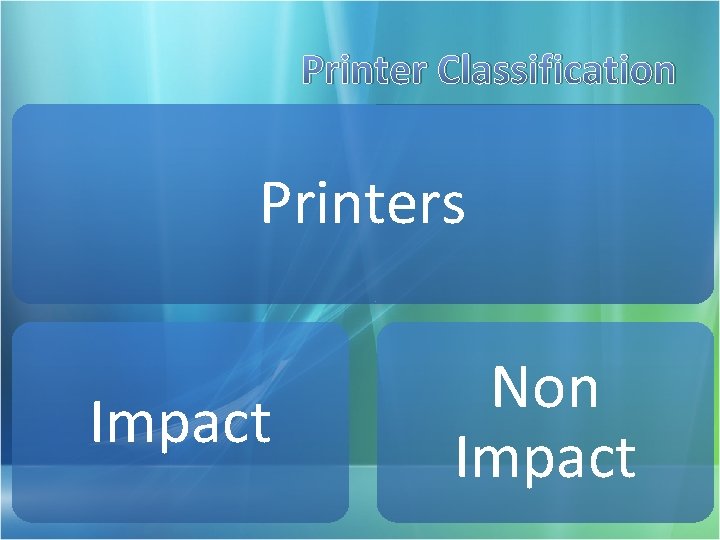
Printer Classification Printers Impact Non Impact
Impact Printer • Impact Printers use a print head containing a number of metal pins which strike an inked ribbon placed between the print head and the paper. • Dot-matrix printers, Daisy wheel printers, etc.
Non Impact Printer • Non-impact printers are much quieter than impact printers as their printing heads do not strike the paper. • Several different technologies have been used to provide a variety of printers. • Laser printers, Bubble-jet printers etc.
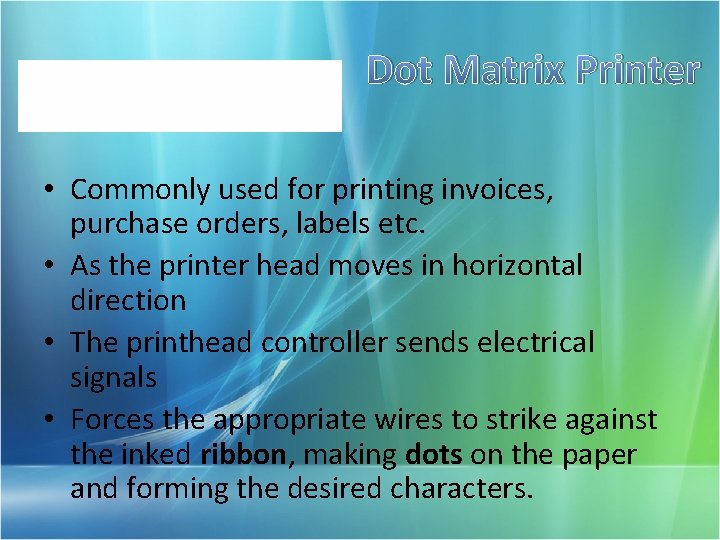
Dot Matrix Printer • Commonly used for printing invoices, purchase orders, labels etc. • As the printer head moves in horizontal direction • The printhead controller sends electrical signals • Forces the appropriate wires to strike against the inked ribbon, making dots on the paper and forming the desired characters.
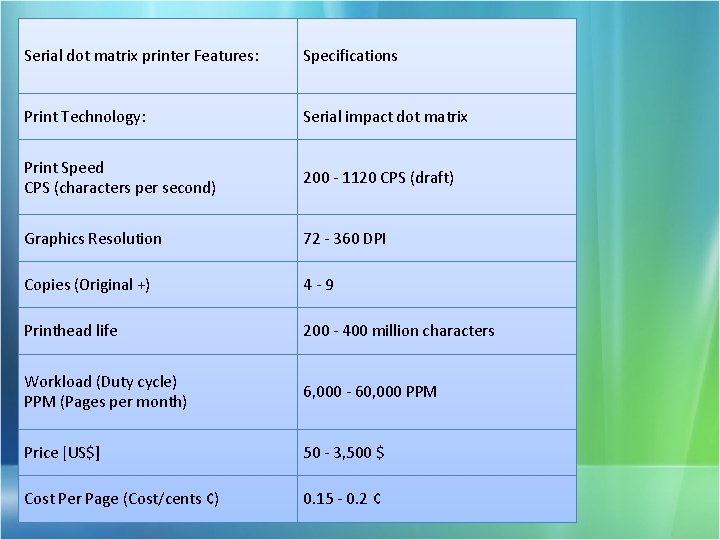
Serial dot matrix printer Features: Specifications Print Technology: Serial impact dot matrix Print Speed CPS (characters per second) 200 - 1120 CPS (draft) Graphics Resolution 72 - 360 DPI Copies (Original +) 4 -9 Printhead life 200 - 400 million characters Workload (Duty cycle) PPM (Pages per month) 6, 000 - 60, 000 PPM Price [US$] 50 - 3, 500 $ Cost Per Page (Cost/cents ¢) 0. 15 - 0. 2 ¢
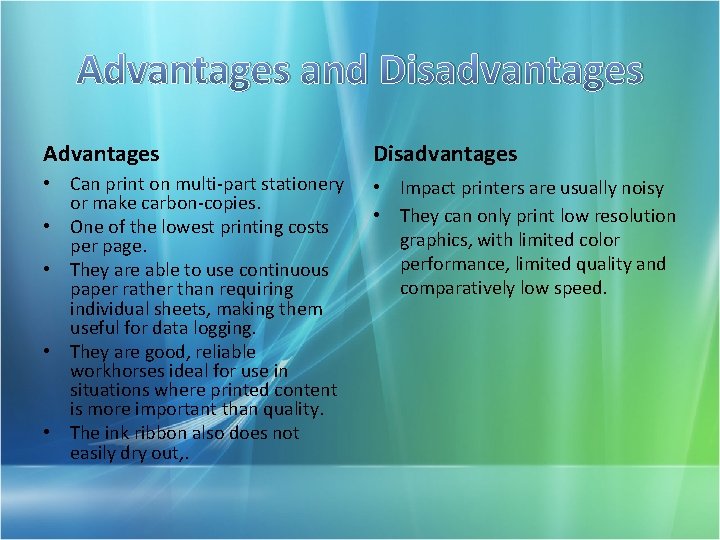
Advantages and Disadvantages Advantages Disadvantages • Can print on multi-part stationery or make carbon-copies. • One of the lowest printing costs per page. • They are able to use continuous paper rather than requiring individual sheets, making them useful for data logging. • They are good, reliable workhorses ideal for use in situations where printed content is more important than quality. • The ink ribbon also does not easily dry out, . • Impact printers are usually noisy • They can only print low resolution graphics, with limited color performance, limited quality and comparatively low speed.
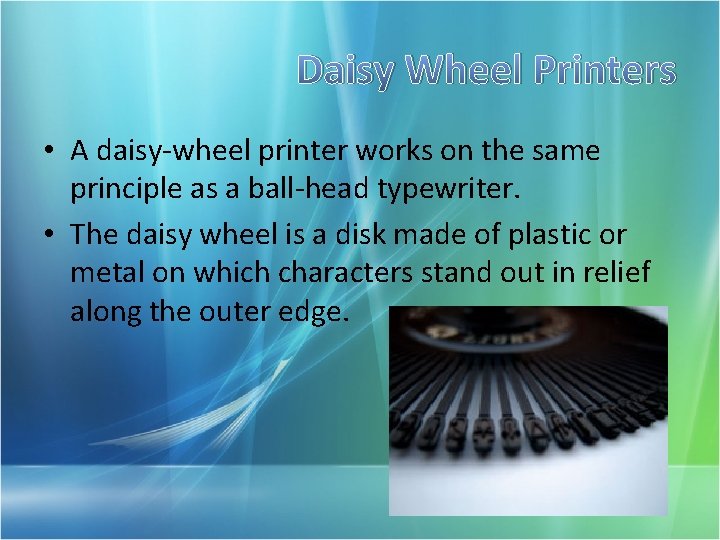
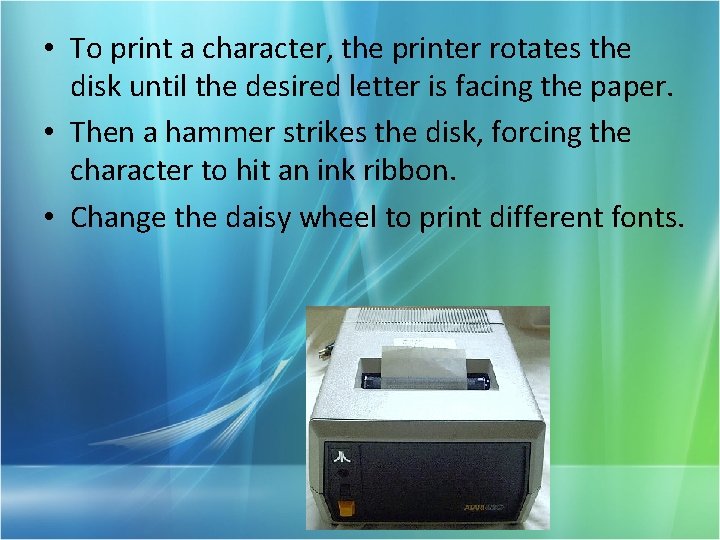
Daisy Wheel Printers • A daisy-wheel printer works on the same principle as a ball-head typewriter. • The daisy wheel is a disk made of plastic or metal on which characters stand out in relief along the outer edge.
• To print a character, the printer rotates the disk until the desired letter is facing the paper. • Then a hammer strikes the disk, forcing the character to hit an ink ribbon. • Change the daisy wheel to print different fonts.
INKJET printers and BUBBLEJET printers • The inkjet printer technology was originally invented by Canon • Today's printer heads are made up of several nozzles (up to 256), equivalent to several syringes, which are heated up to between 300 and 400°C several times per second. • Each nozzle produces a tiny bubble that ejects an extremely fine droplet. • The vacuum caused by the decrease in pressure creates a new bubble.
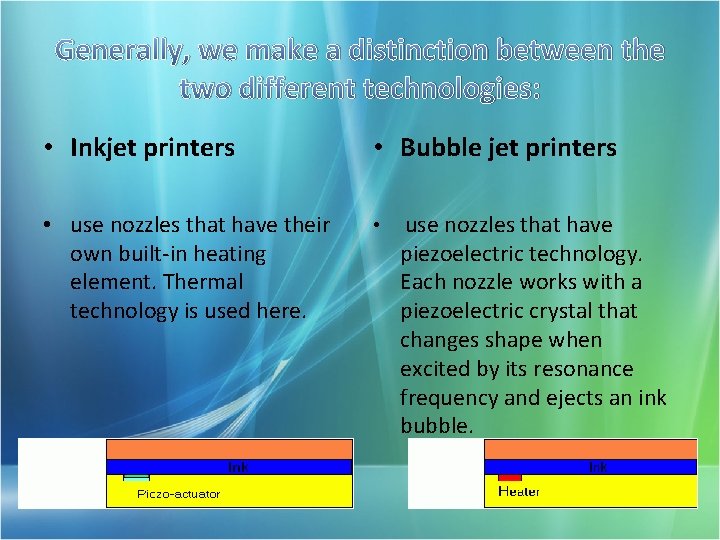
Generally, we make a distinction between the two different technologies: • Inkjet printers • Bubble jet printers • use nozzles that have their own built-in heating element. Thermal technology is used here. • use nozzles that have piezoelectric technology. Each nozzle works with a piezoelectric crystal that changes shape when excited by its resonance frequency and ejects an ink bubble.
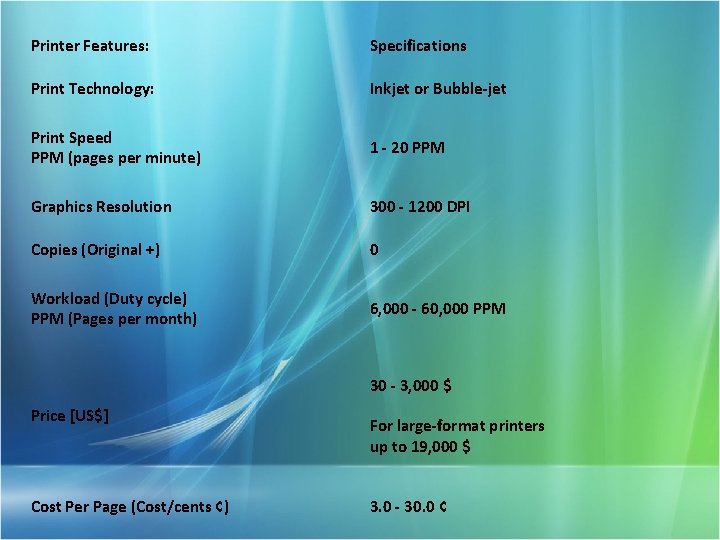
Printer Features: Specifications Print Technology: Inkjet or Bubble-jet Print Speed PPM (pages per minute) 1 - 20 PPM Graphics Resolution 300 - 1200 DPI Copies (Original +) 0 Workload (Duty cycle) PPM (Pages per month) 6, 000 - 60, 000 PPM 30 - 3, 000 $ Price [US$] Cost Per Page (Cost/cents ¢) For large-format printers up to 19, 000 $ 3. 0 - 30. 0 ¢
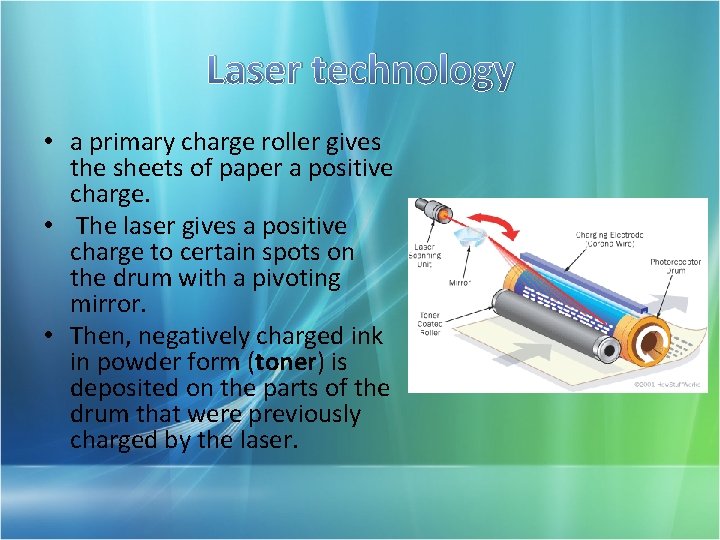
Laser printer • The laser printer produce quality print-outs at a high print speed. • Mostly used in professional and semi-professional settings because of their high cost. • Technology that is close to that used by photocopiers. • Mainly made up of an elecrostatically charge photosensitive drum that attracts the ink in order to make a shape that will be deposited on the sheet of paper.
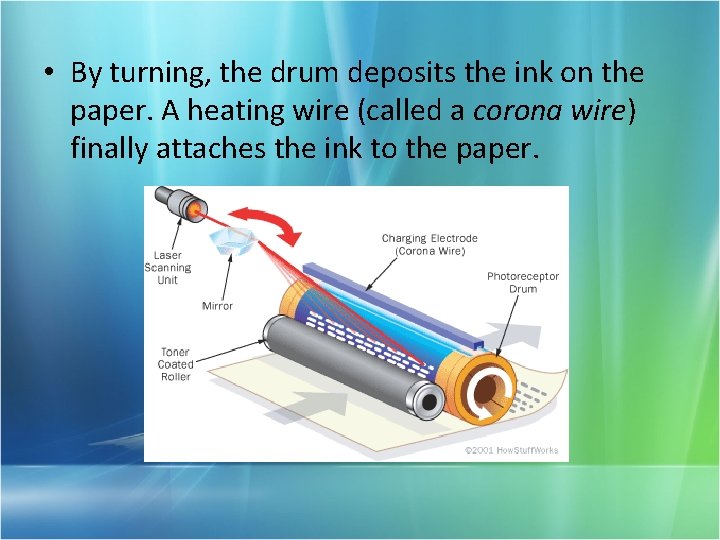
Laser technology • a primary charge roller gives the sheets of paper a positive charge. • The laser gives a positive charge to certain spots on the drum with a pivoting mirror. • Then, negatively charged ink in powder form (toner) is deposited on the parts of the drum that were previously charged by the laser.
• By turning, the drum deposits the ink on the paper. A heating wire (called a corona wire) finally attaches the ink to the paper.
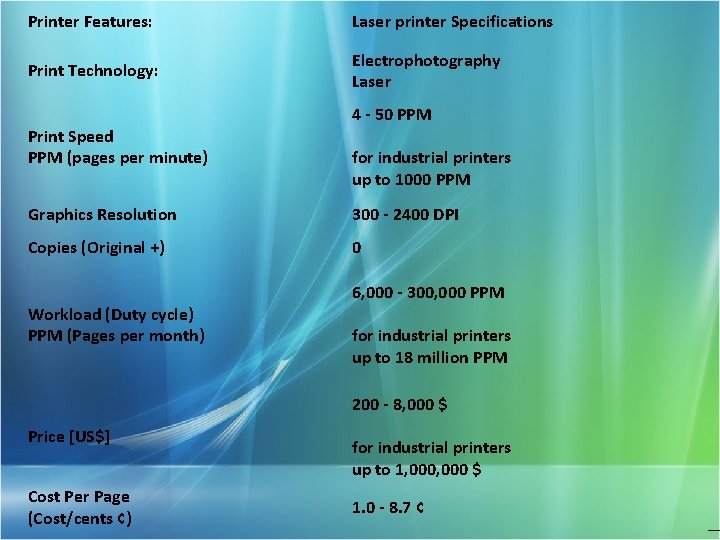
Printer Features: Laser printer Specifications Print Technology: Electrophotography Laser Print Speed PPM (pages per minute) 4 - 50 PPM for industrial printers up to 1000 PPM Graphics Resolution 300 - 2400 DPI Copies (Original +) 0 Workload (Duty cycle) PPM (Pages per month) 6, 000 - 300, 000 PPM for industrial printers up to 18 million PPM 200 - 8, 000 $ Price [US$] Cost Per Page (Cost/cents ¢) for industrial printers up to 1, 000 $ 1. 0 - 8. 7 ¢
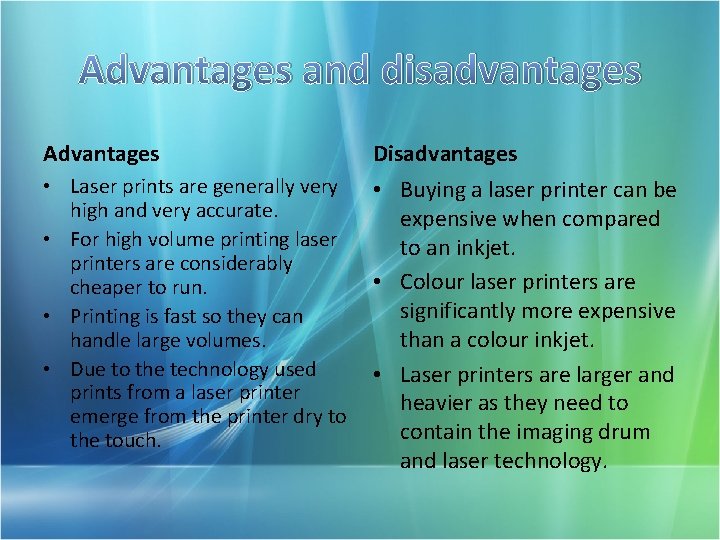
Advantages and disadvantages Advantages Disadvantages • Laser prints are generally very high and very accurate. • For high volume printing laser printers are considerably cheaper to run. • Printing is fast so they can handle large volumes. • Due to the technology used prints from a laser printer emerge from the printer dry to the touch. • Buying a laser printer can be expensive when compared to an inkjet. • Colour laser printers are significantly more expensive than a colour inkjet. • Laser printers are larger and heavier as they need to contain the imaging drum and laser technology.
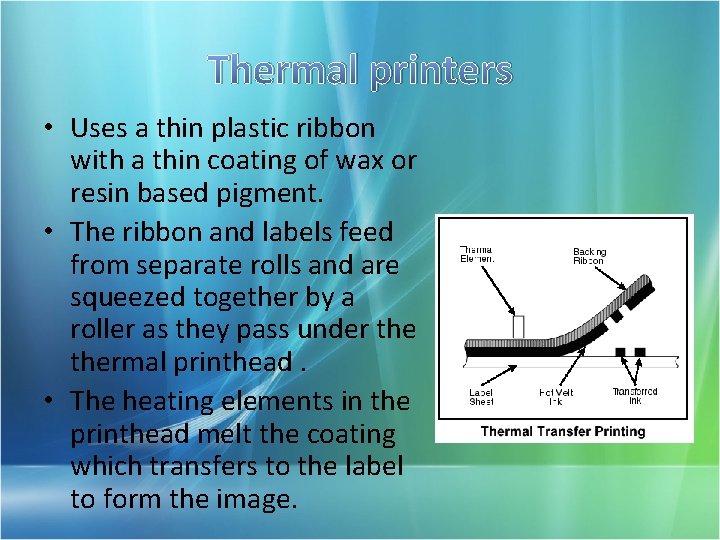
Thermal printers • Uses a thin plastic ribbon with a thin coating of wax or resin based pigment. • The ribbon and labels feed from separate rolls and are squeezed together by a roller as they pass under thermal printhead. • The heating elements in the printhead melt the coating which transfers to the label to form the image.
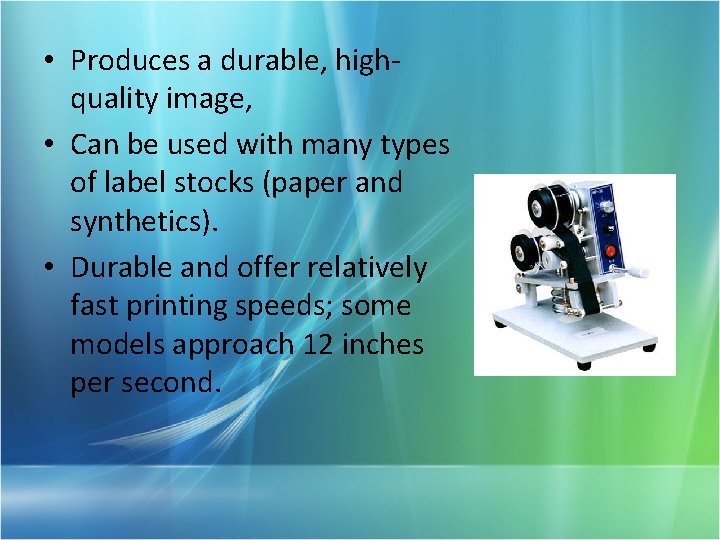
• Produces a durable, highquality image, • Can be used with many types of label stocks (paper and synthetics). • Durable and offer relatively fast printing speeds; some models approach 12 inches per second.
Future technologies • HP offers future printing technologies Printer makes 2, 600 pages per minute introducing a new ink-jet printer that prints thousands of pages per minute and ink that retains its shine even when exposed to extreme elements.
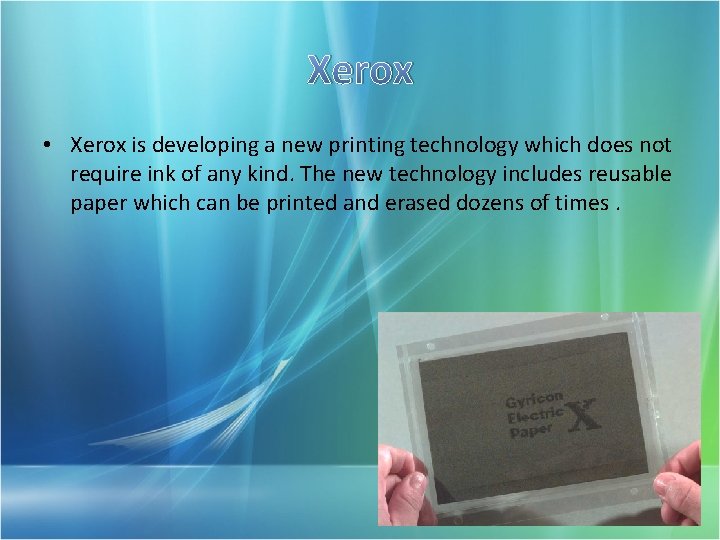
Xerox • Xerox is developing a new printing technology which does not require ink of any kind. The new technology includes reusable paper which can be printed and erased dozens of times.
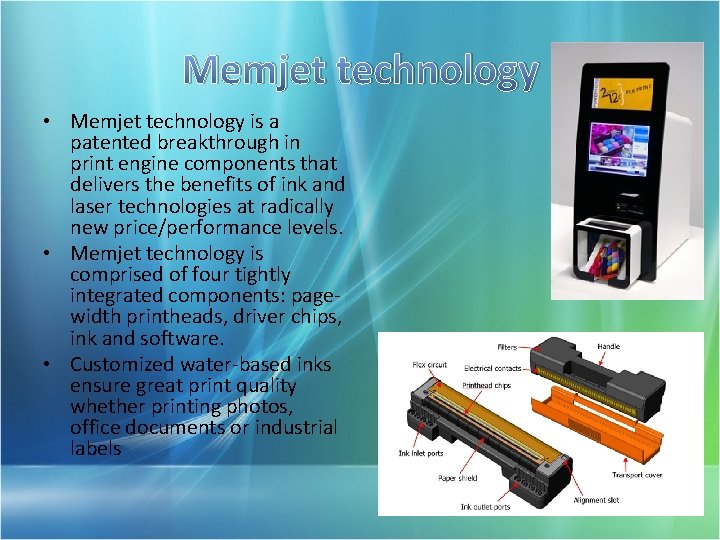
Memjet technology • Memjet technology is a patented breakthrough in print engine components that delivers the benefits of ink and laser technologies at radically new price/performance levels. • Memjet technology is comprised of four tightly integrated components: pagewidth printheads, driver chips, ink and software. • Customized water-based inks ensure great print quality whether printing photos, office documents or industrial labels
summary Introduction Connecting Printer to a PC Important factors to consider Printer Classification Commonly Used Printers and Technologies Future Technologies
Thank you !
Group members Thilina Gurugamage I. H Hasitha Dananjaya Ismail Jaleel C. D Gamage B. L. D Gamage