
Principles of OS 2 Lecture 2 Operating Systems
- Slides: 66
Principles of OS (2) Lecture 2: • Operating Systems History • Computer System and Operating System Structure • Computer Hardware Review • Operating System Concepts • OS System Calls • Interrupts • Different Types of I/O Processing for Programs • Process Abstraction • Hardware Protection 1
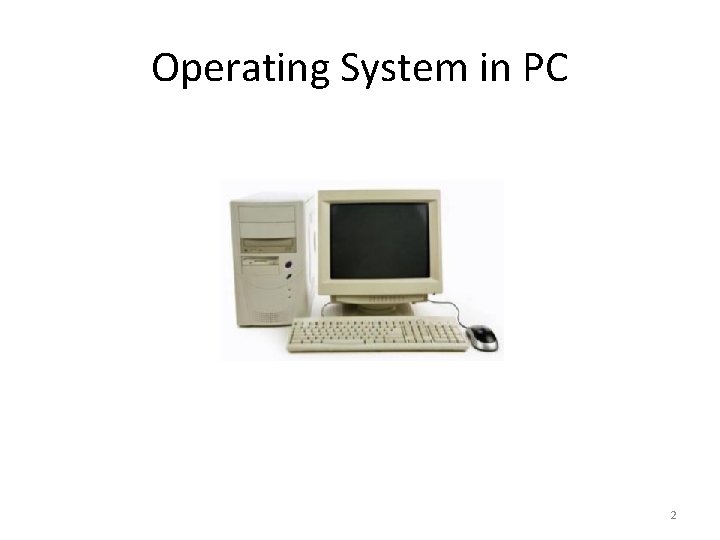
Operating System in PC 2
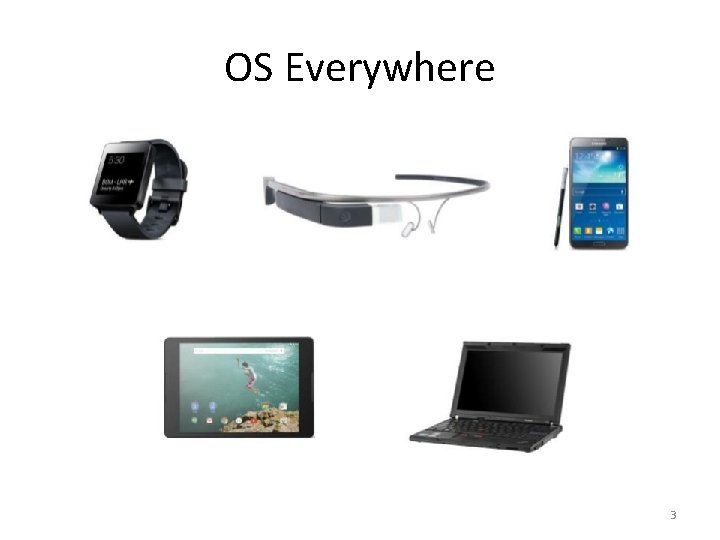
OS Everywhere 3
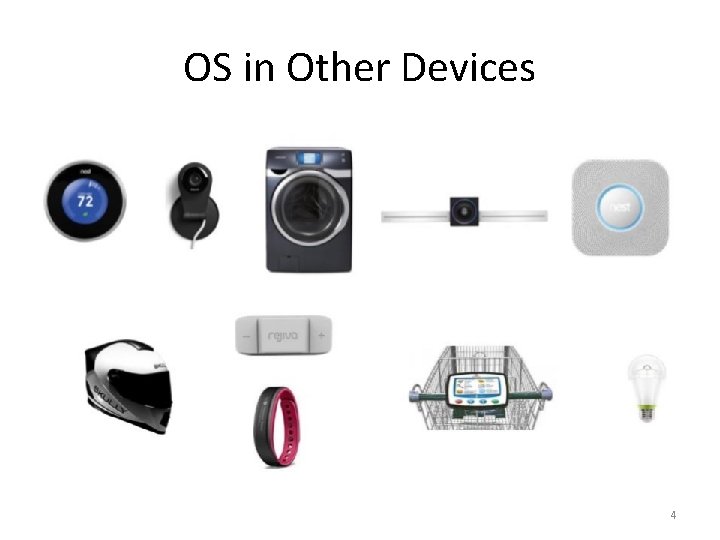
OS in Other Devices 4
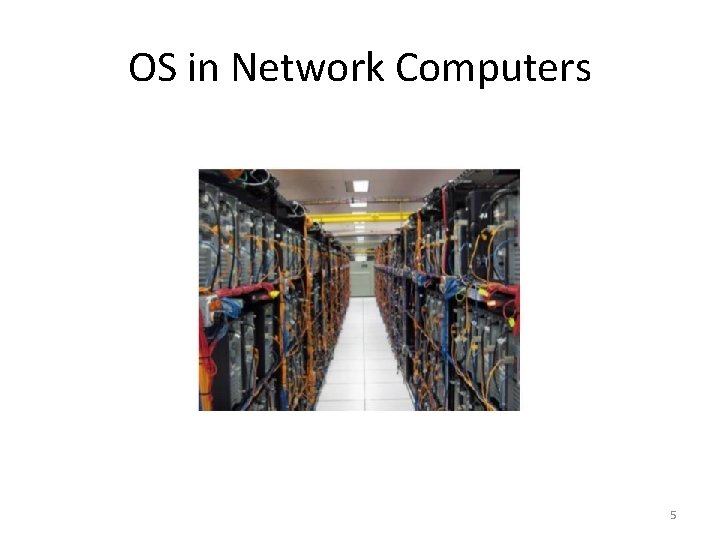
OS in Network Computers 5
History of Operating Systems (1) • First generation 1945 - 1955 – vacuum tubes, plug boards • Second generation 1955 - 1965 – transistors, batch systems • Third generation 1965 – 1980 – ICs and multiprogramming • Fourth generation 1980 – present – personal computers 6
History of Operating Systems (2) • • • Early Operating Systems Simple Batch Systems Multiprogrammed Batch Systems Time-sharing Systems Personal and Mobile Computer Systems 7
Early Systems -Bare Machine (1950 s) • Structure • Large machines run from console • Single user system • Programmer/User as operator • Paper tape or punched cards • Early software • Assemblers, compilers, linkers, loaders, device drivers, libraries of common subroutines. • Secure execution • Inefficient use of expensive resources • Low CPU utilization, high setup time. Note: Hardware – expensive ; Human – cheap 8
Batch Systems (1960’s) • Reduce setup time by batching jobs with similar requirements. • Hire an operator • User is NOT the operator • Automatic job sequencing • Forms a rudimentary OS. • Resident Monitor • Holds initial control, control transfers to job and then back to monitor. • Problem • Need to distinguish job from job and data from program. • Special cards indicate what to do. • User program prevented from performing I/O 9
Batch Systems (1960’s) • Solutions to speed up I/O: • Offline Processing • load jobs into memory from tapes, card reading and line printing are done offline. • User submits card deck • cards put on tape • tape processed by operator • output written to tape • tape printed on printer • Separate user from computer • Problems • Long turnaround time -up to 2 DAYS!!! • Low CPU utilization • I/O and CPU could not overlap; slow mechanical devices. 10
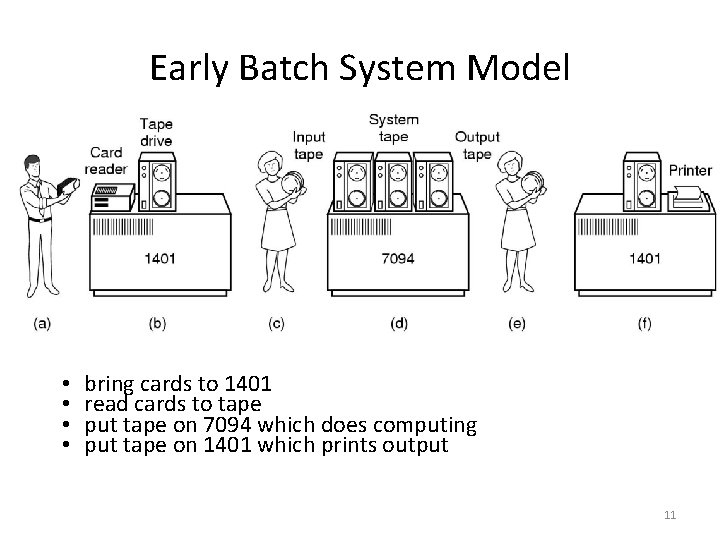
Early Batch System Model • • bring cards to 1401 read cards to tape put tape on 7094 which does computing put tape on 1401 which prints output 11
Batch Systems (1960’s) • Solutions to speed up I/O: • Spooling (Simultaneous Peripheral Operation On-Line) • Use disk (random access device) as large storage for reading as many input files as possible and storing output files until output devices are ready to accept them. • Allows overlap- I/O of one job with computation of another. • Introduces notion of a job pool that allows OS choose next job to run so as to increase CPU utilization. 12
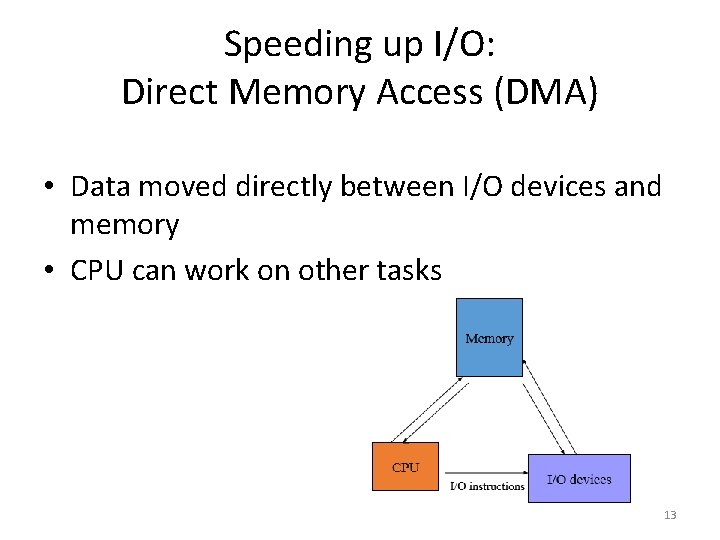
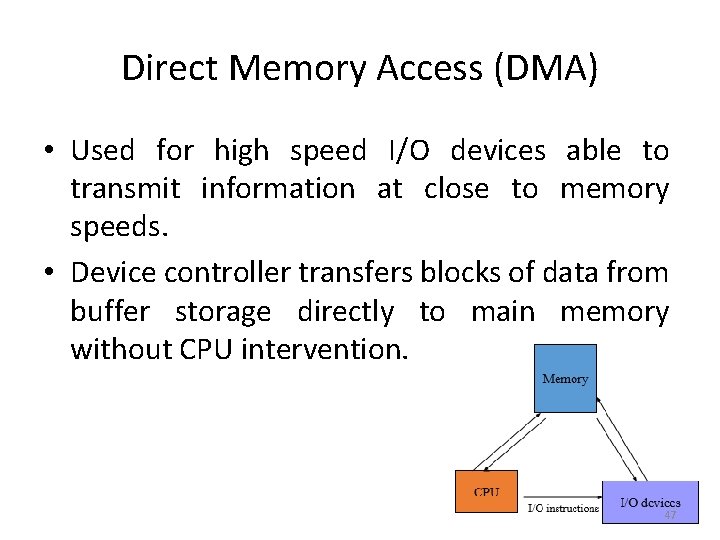
Speeding up I/O: Direct Memory Access (DMA) • Data moved directly between I/O devices and memory • CPU can work on other tasks 13
Batch Systems - I/O completion • How do we know that I/O is complete? • Polling: • Device sets a flag when it is busy. • Program tests the flag in a loop waiting for completion of I/O. • Interrupts: • On completion of I/O, device forces CPU to jump to a specific instruction address that contains the interrupt service routine. • After the interrupt has been processed, CPU returns to code it was executing prior to servicing the interrupt. 14
Multiprogramming • Use interrupts to run multiple programs simultaneously • When a program performs I/O, instead of polling, execute another program till interrupt is received. • Requires secure memory, I/O for each program. • Requires intervention if program indefinite loops. • Requires CPU scheduling to choose the next job to run. 15
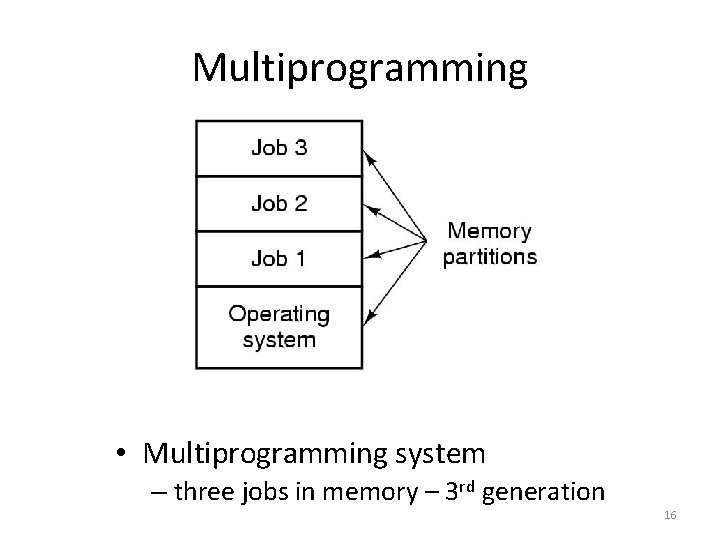
Multiprogramming • Multiprogramming system – three jobs in memory – 3 rd generation 16
Feature in 3 rd Generation • ability to read jobs from cards onto disk when brought into computer room. • Spooling: - whenever a running job finished, the OS could load a new job from the disk into the now-empty partition and run it. It was also used for output. - With spooling, the 1401 s were no longer needed and much carrying of tapes disappeared. 17
Timesharing • Programs queued for execution in FIFO order. • Like multiprogramming, but timer device interrupts after a quantum (time slice). • Interrupted program is returned to end of FIFO • Next program is taken from head of FIFO • Control card interpreter replaced by command language interpreter. Note: Hardware – getting cheaper; Human – getting expensive 18
Timesharing (cont. ) • Interactive (action/response) • when OS finishes execution of one command, it seeks the next control statement from user. • File systems • online filesystem is required for users to access data and code. • Virtual memory • Job is swapped in and out of memory to disk. 19
The Operating System Zoo • • Mainframe operating systems Server operating systems Multiprocessor operating systems Personal computer operating systems Real-time operating systems Embedded operating systems Smart card operating systems 20
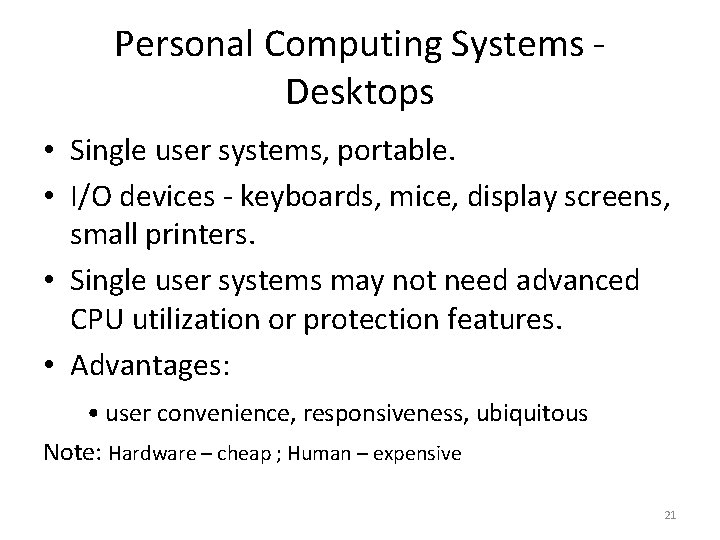
Personal Computing Systems Desktops • Single user systems, portable. • I/O devices - keyboards, mice, display screens, small printers. • Single user systems may not need advanced CPU utilization or protection features. • Advantages: • user convenience, responsiveness, ubiquitous Note: Hardware – cheap ; Human – expensive 21
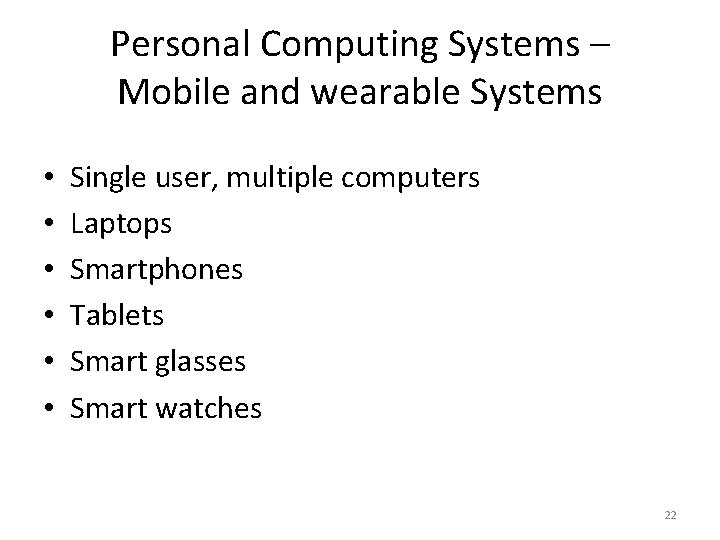
Personal Computing Systems – Mobile and wearable Systems • • • Single user, multiple computers Laptops Smartphones Tablets Smart glasses Smart watches 22
Computer System & OS Structures • • Computer System Organization Process abstraction and hardware protection System call and OS services Storage architecture OS organization OS tasks Virtual Machines 23
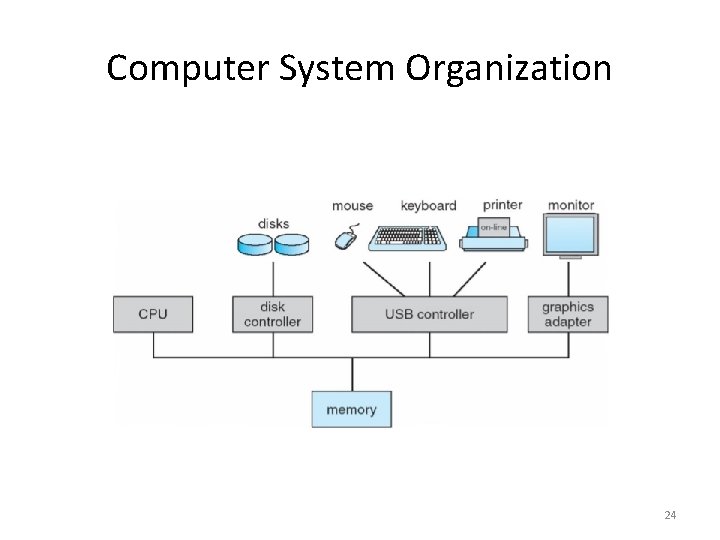
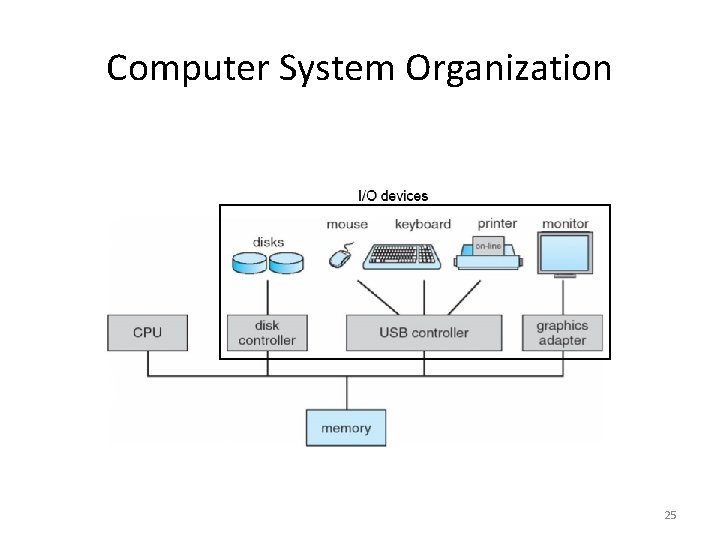
Computer System Organization 24
Computer System Organization 25
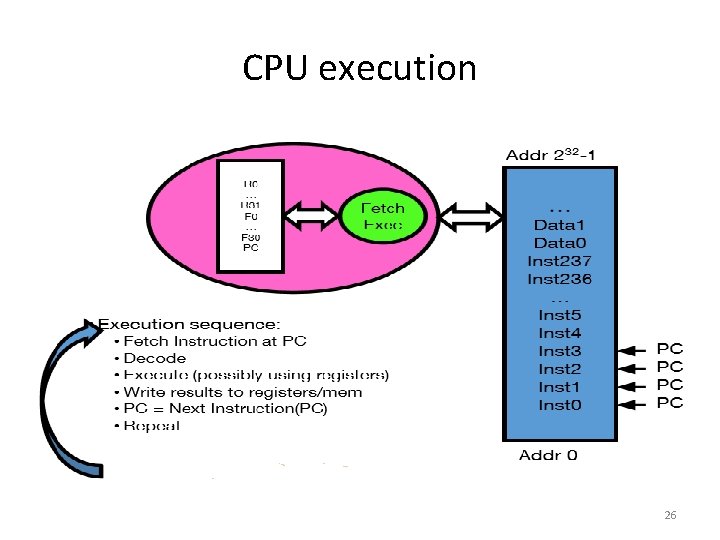
CPU execution 26
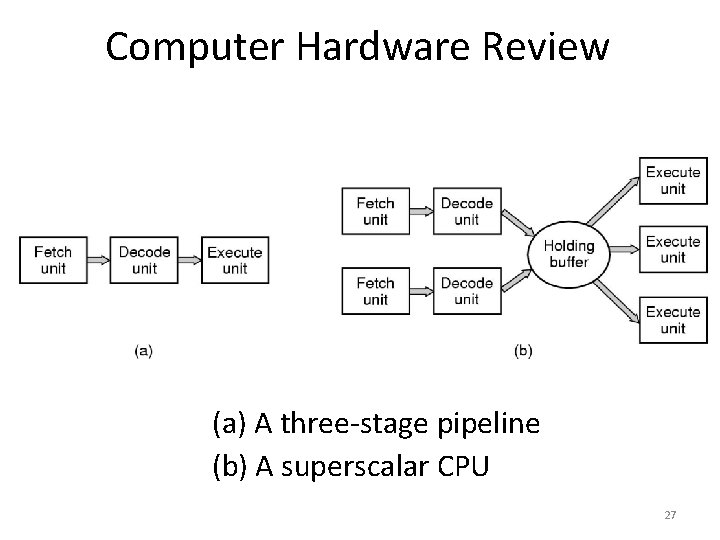
Computer Hardware Review (a) A three-stage pipeline (b) A superscalar CPU 27
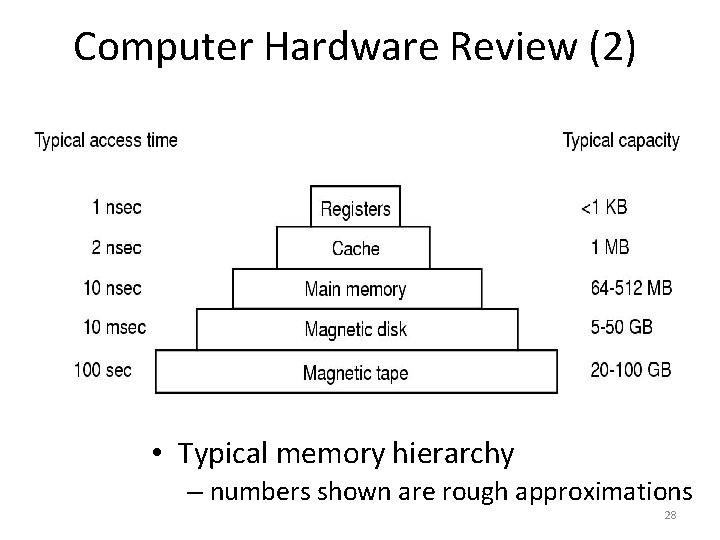
Computer Hardware Review (2) • Typical memory hierarchy – numbers shown are rough approximations 28
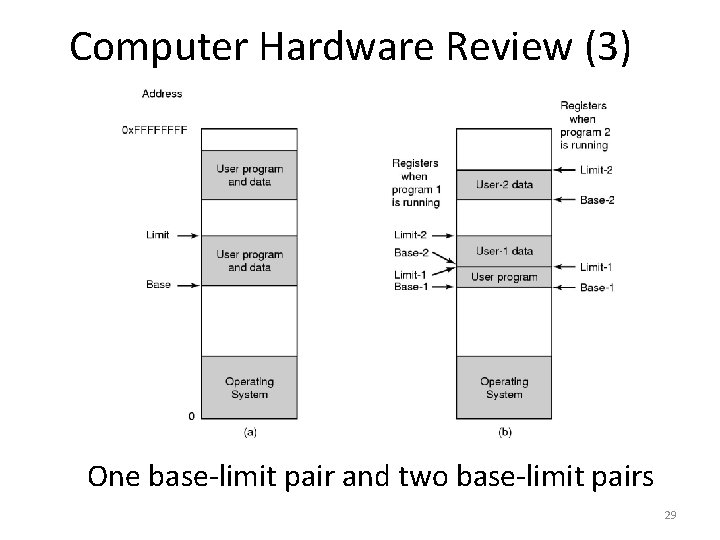
Computer Hardware Review (3) One base-limit pair and two base-limit pairs 29
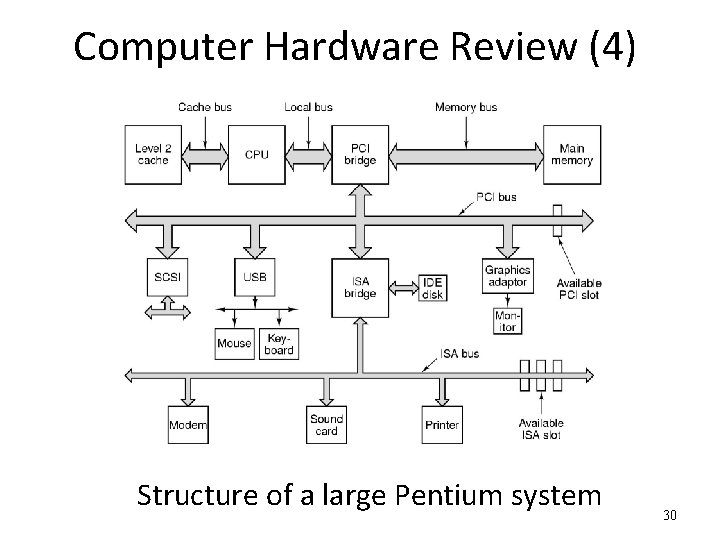
Computer Hardware Review (4) Structure of a large Pentium system 30
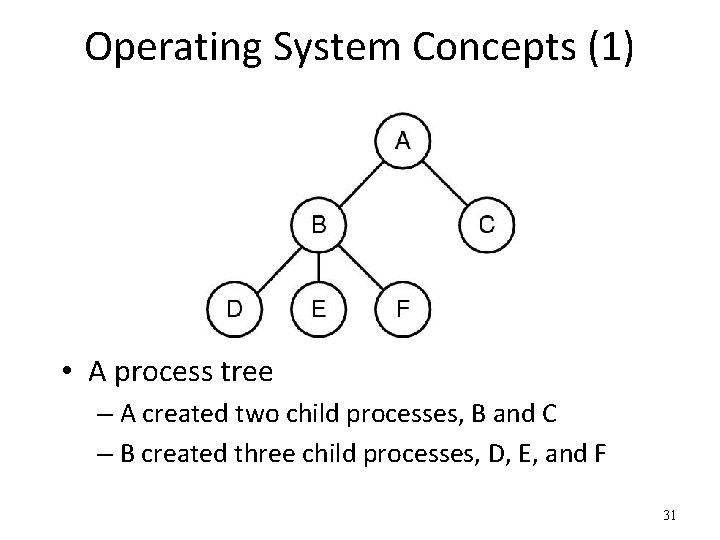
Operating System Concepts (1) • A process tree – A created two child processes, B and C – B created three child processes, D, E, and F 31
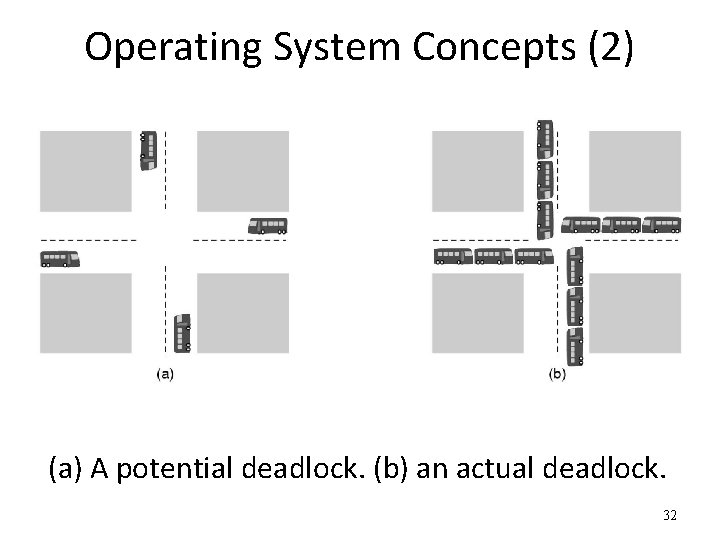
Operating System Concepts (2) (a) A potential deadlock. (b) an actual deadlock. 32
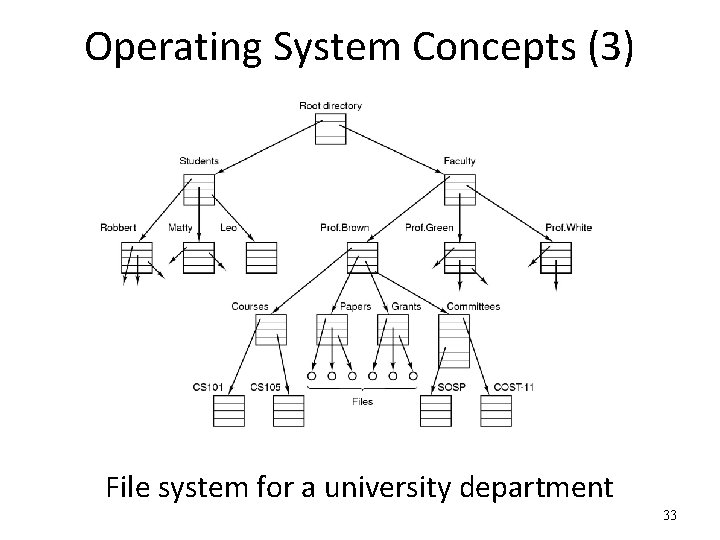
Operating System Concepts (3) File system for a university department 33
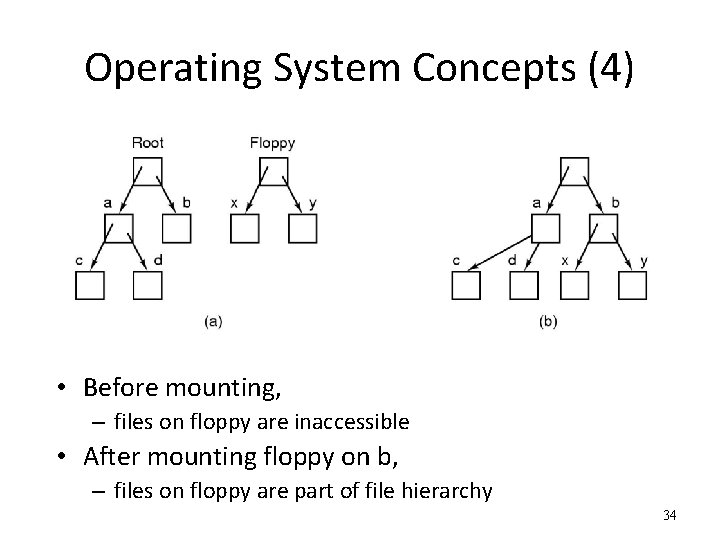
Operating System Concepts (4) • Before mounting, – files on floppy are inaccessible • After mounting floppy on b, – files on floppy are part of file hierarchy 34
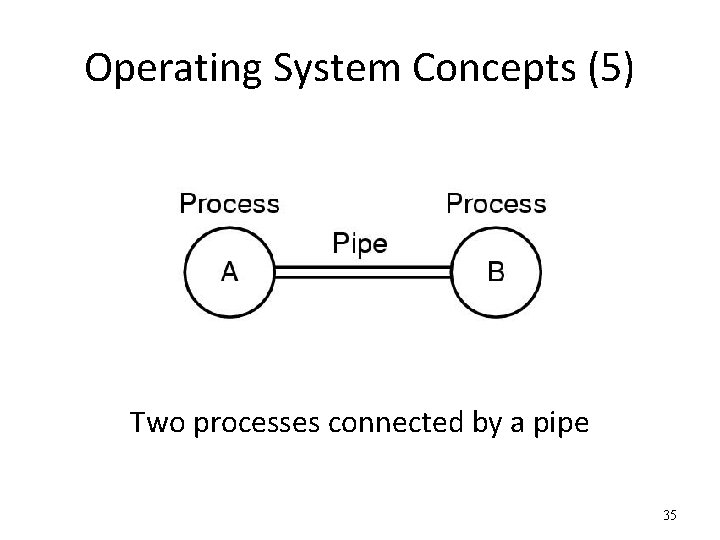
Operating System Concepts (5) Two processes connected by a pipe 35
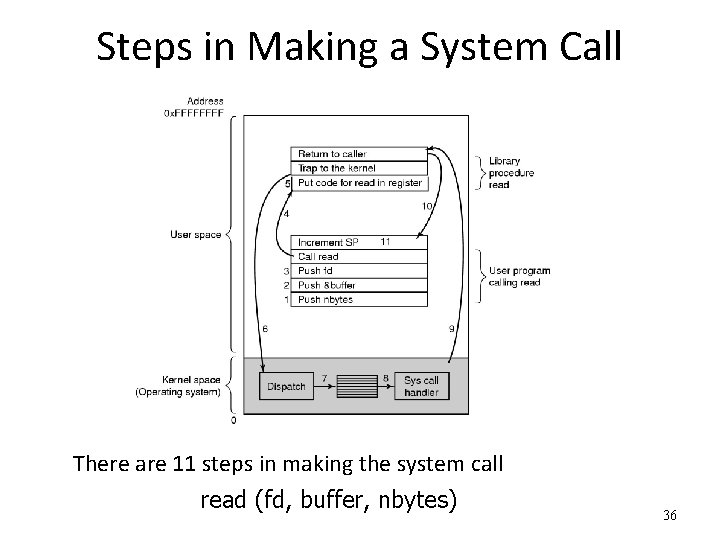
Steps in Making a System Call There are 11 steps in making the system call read (fd, buffer, nbytes) 36
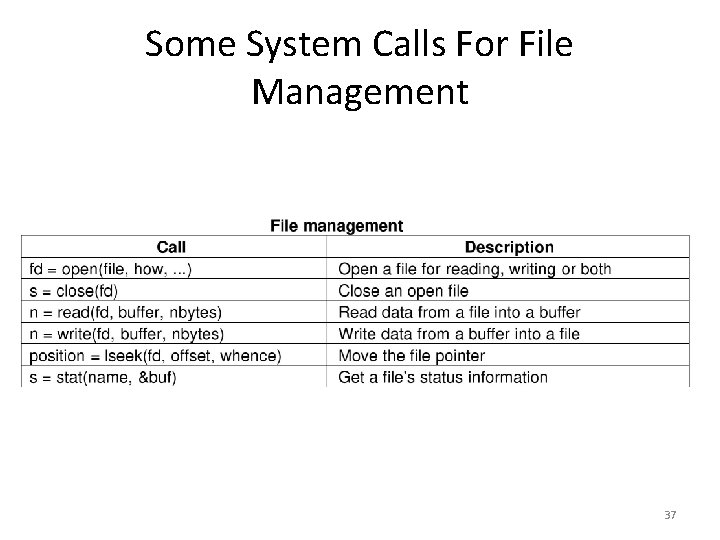
Some System Calls For File Management 37
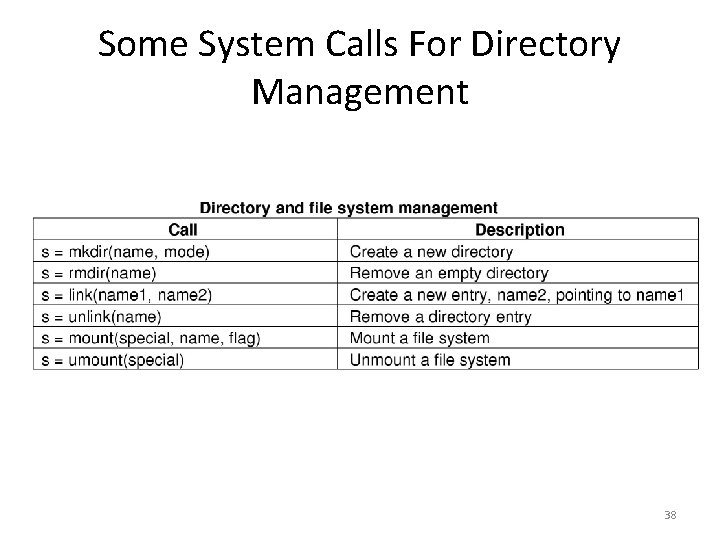
Some System Calls For Directory Management 38
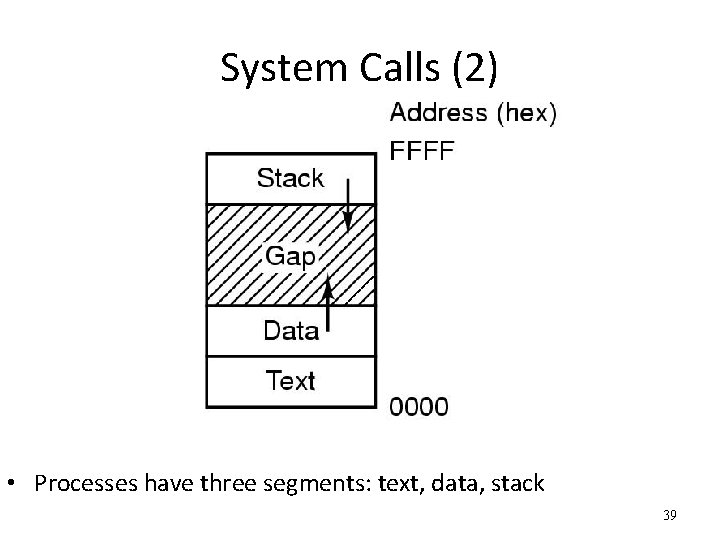
System Calls (2) • Processes have three segments: text, data, stack 39
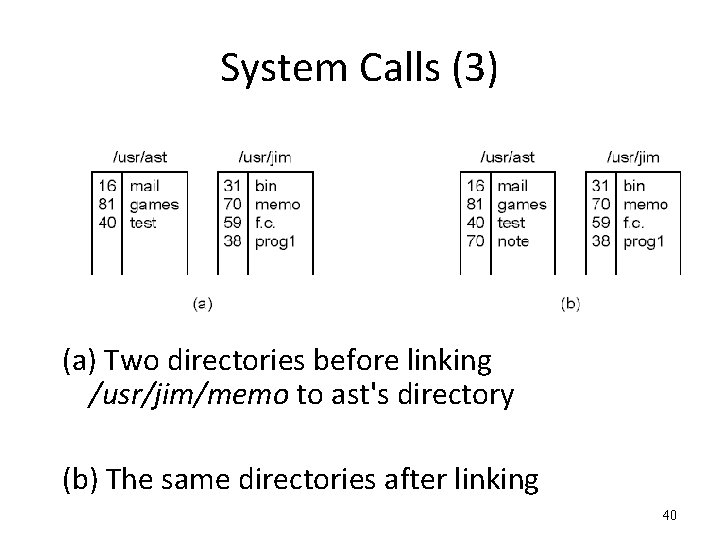
System Calls (3) (a) Two directories before linking /usr/jim/memo to ast's directory (b) The same directories after linking 40
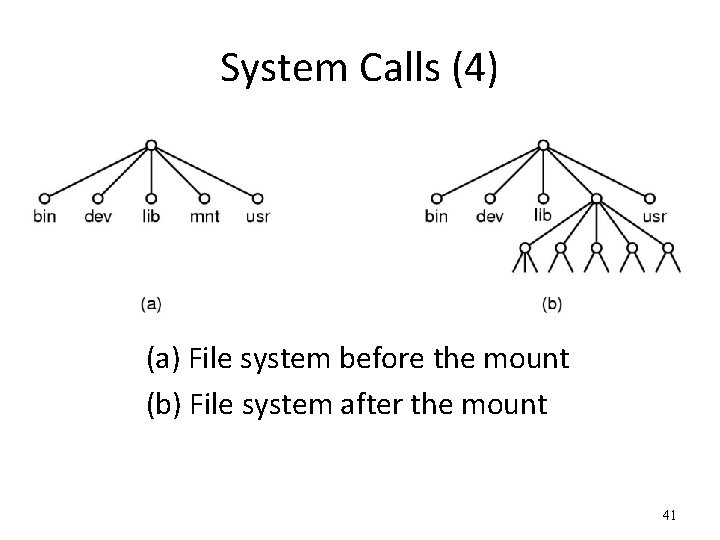
System Calls (4) (a) File system before the mount (b) File system after the mount 41
I/O Devices • I/O devices and the CPU execute concurrently. • Each device controller is in charge of a particular device type • Each device controller has a local buffer. I/O is from the device to local buffer of controller • CPU moves data from/to main memory to/from the local buffers • Device controller interrupts CPU on completion of I/O 42
Interrupts • Interrupt transfers control to the interrupt service routine • Interrupt Service Routine: Segments of code that determine action to be taken for interrupt. • Determining the type of interrupt • Polling: same interrupt handler called for all interrupts, which then polls all devices to figure out the reason for the interrupt • Interrupt Vector Table: different interrupt handlers will be executed for different interrupts 43
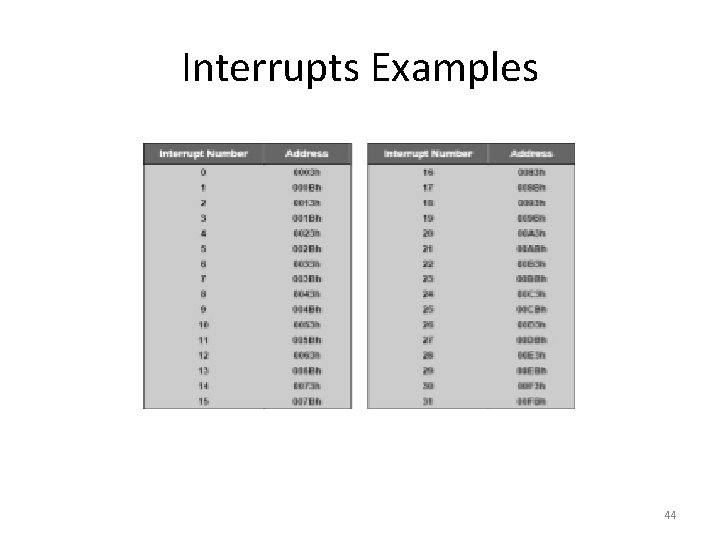
Interrupts Examples 44
Interrupt handling • OS preserves the state of the CPU: • stores registers and the program counter (address of interrupted instruction). • Incoming interrupts are disabled while another interrupt is being processed to prevent a lost interrupt. 45
Different Types of I/O Processing for Programs • Synchronous I/O: • After I/O is requested, wait until I/O is done. Program will be idle. • no simultaneous I/O processing, at most one outstanding I/O request at a time. • Asynchronous I/O: • After I/O is requested, control returns to user program without waiting for I/O completion. 46
Direct Memory Access (DMA) • Used for high speed I/O devices able to transmit information at close to memory speeds. • Device controller transfers blocks of data from buffer storage directly to main memory without CPU intervention. 47
Process Abstraction (1) • Process: - an instance of a program, running with limited rights 48
Process Abstraction (2) • Process: an instance of a program, running with limited rights – Thread: a sequence of instructions within a process • Potentially many threads per process (for now 1: 1) – Address space: set of rights of a process • Memory that the process can access • Other permissions the process has (e. g. , which system calls it can make, what files it can access) 49
Process Abstraction (3) • How to limit process rights? 50
Hardware Protection • • Dual Mode Operation Memory Protection CPU Protection I/O Protection 51
Should a process be able to execute any instructions? • No • Can alter system configuration • Can access unauthorized memory • Can access unauthorized I/O • etc. • How to prevent? 52
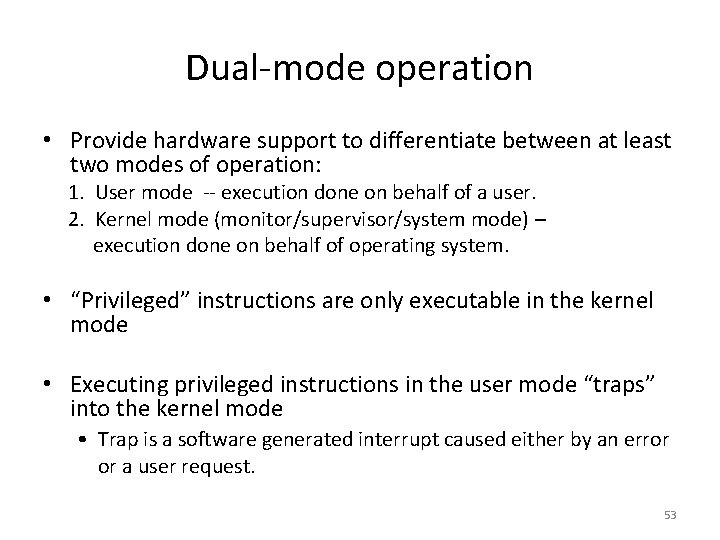
Dual-mode operation • Provide hardware support to differentiate between at least two modes of operation: 1. User mode -- execution done on behalf of a user. 2. Kernel mode (monitor/supervisor/system mode) – execution done on behalf of operating system. • “Privileged” instructions are only executable in the kernel mode • Executing privileged instructions in the user mode “traps” into the kernel mode • Trap is a software generated interrupt caused either by an error or a user request. 53
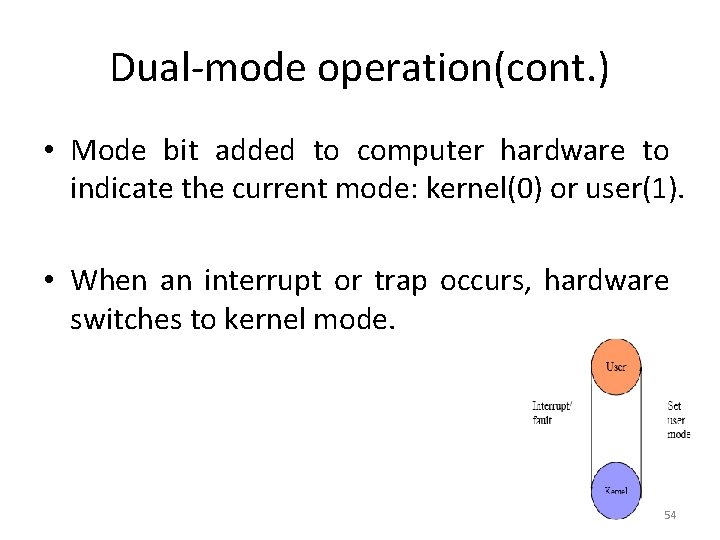
Dual-mode operation(cont. ) • Mode bit added to computer hardware to indicate the current mode: kernel(0) or user(1). • When an interrupt or trap occurs, hardware switches to kernel mode. 54
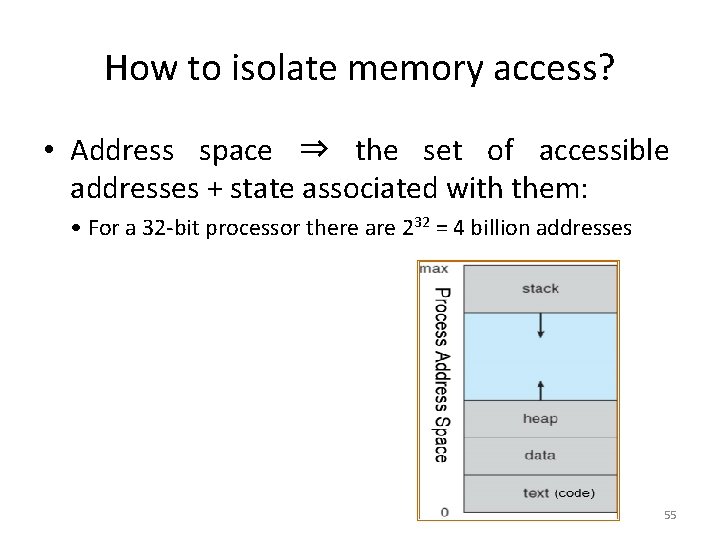
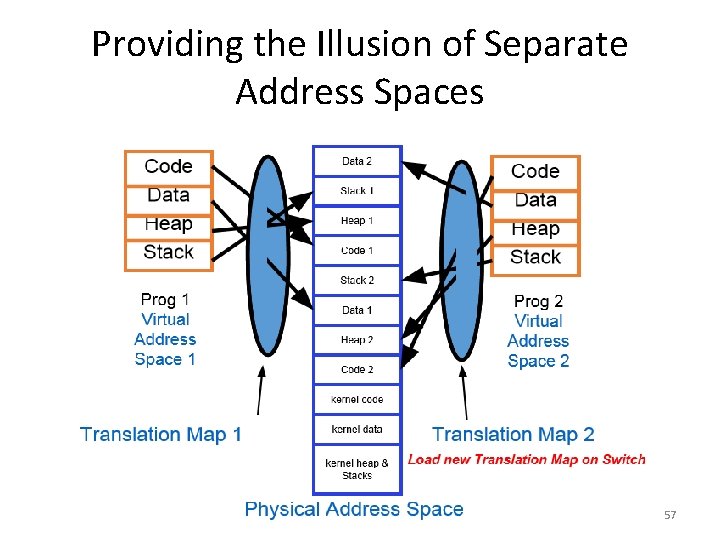
How to isolate memory access? • Address space ⇒ the set of accessible addresses + state associated with them: • For a 32 -bit processor there are 232 = 4 billion addresses 55
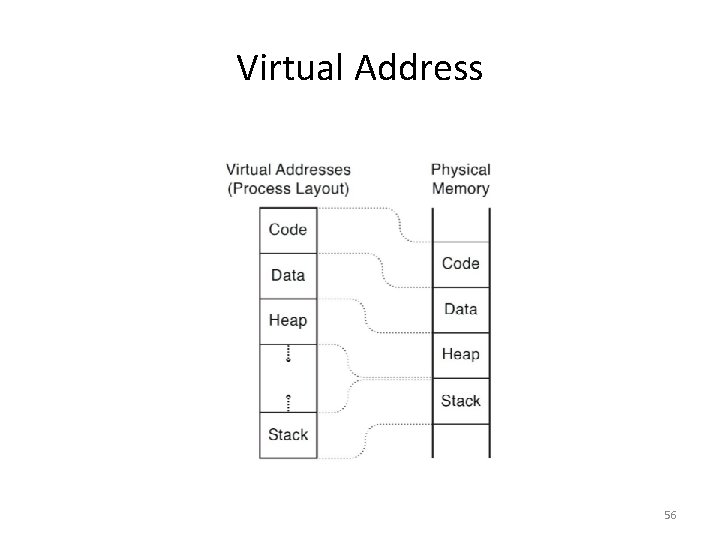
Virtual Address 56
Providing the Illusion of Separate Address Spaces 57
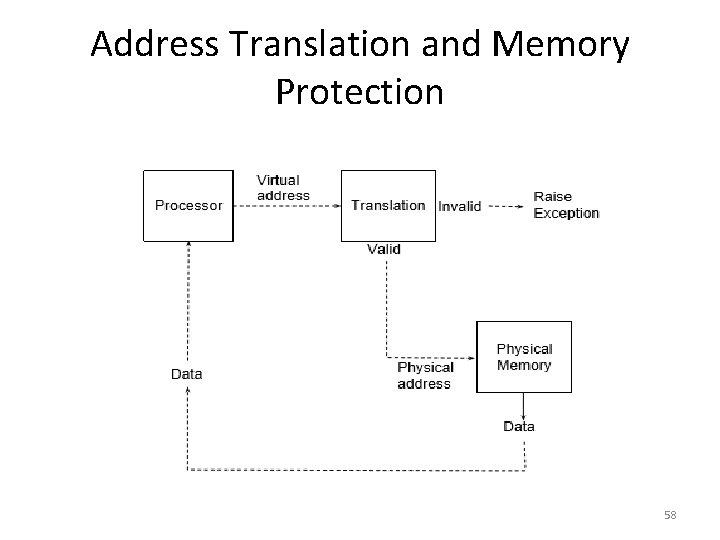
Address Translation and Memory Protection 58
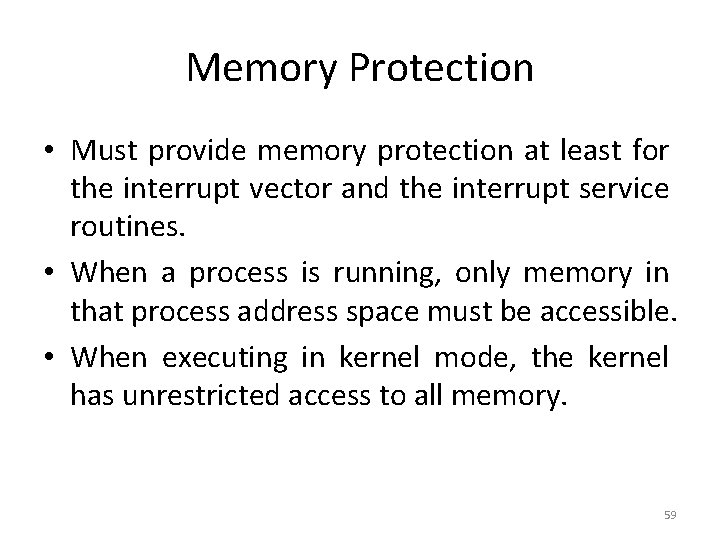
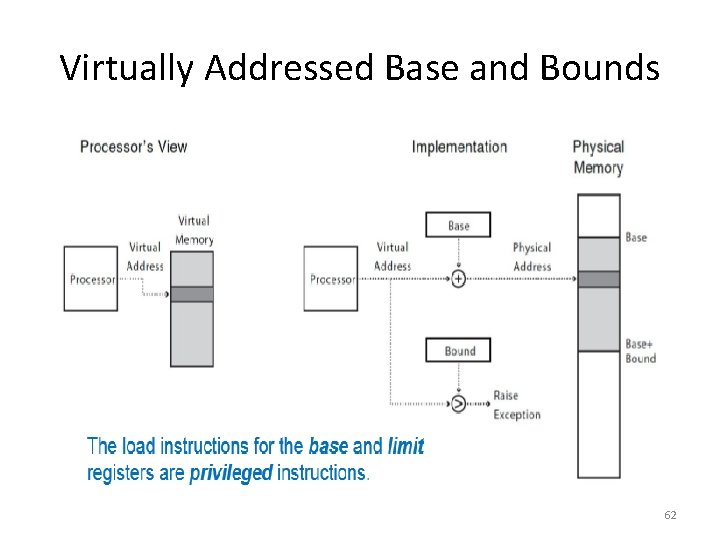
Memory Protection • Must provide memory protection at least for the interrupt vector and the interrupt service routines. • When a process is running, only memory in that process address space must be accessible. • When executing in kernel mode, the kernel has unrestricted access to all memory. 59
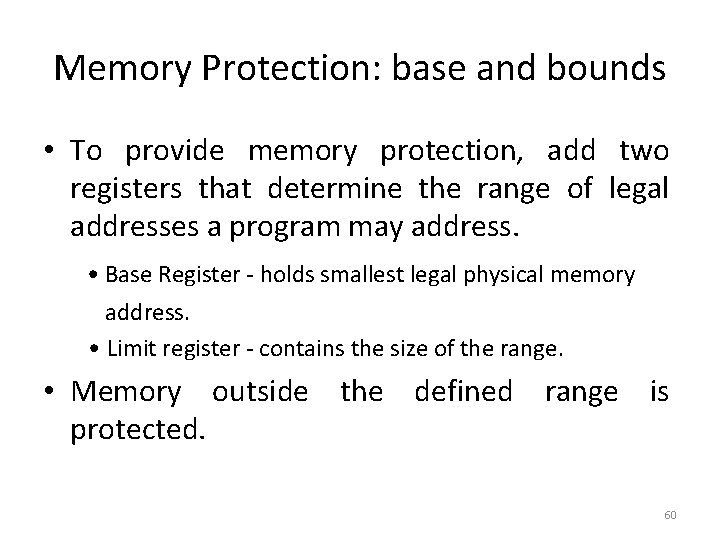
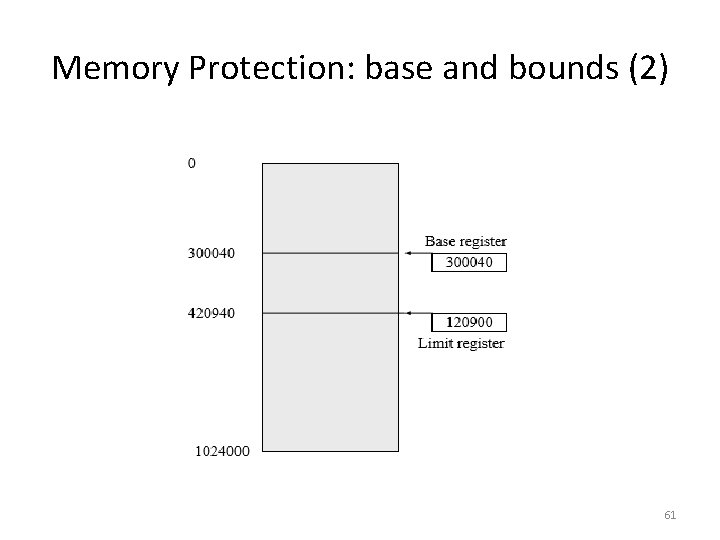
Memory Protection: base and bounds • To provide memory protection, add two registers that determine the range of legal addresses a program may address. • Base Register - holds smallest legal physical memory address. • Limit register - contains the size of the range. • Memory outside the defined range is protected. 60
Memory Protection: base and bounds (2) 61
Virtually Addressed Base and Bounds 62
CPU Protection (1) • How to prevent a process from executing indefinitely? 63
CPU Protection (2) • Timer - interrupts computer after specified period to ensure that OS maintains control. • Timer is decremented every clock tick. • When timer reaches a value of 0, an interrupt occurs. • Timer is commonly used to implement time sharing. • Timer is also used to compute the current time. • Load timer is a privileged instruction. 64
I/O Protection • All I/O instructions are privileged instructions. • Must ensure that a user program could never gain control of the computer in kernel mode, - for example; a user program that as part of its execution, stores a new address in the interrupt vector. 65
Question 1 • On early computers, every byte of data read or written was directly handled by the CPU (i. e. , there was no DMA). What implications does this organization have for multiprogramming? • Submission deadline 5 th Sept. , 2016 66