
Principles of Network Applications Some network apps v

- Slides: 33
Principles of Network Applications
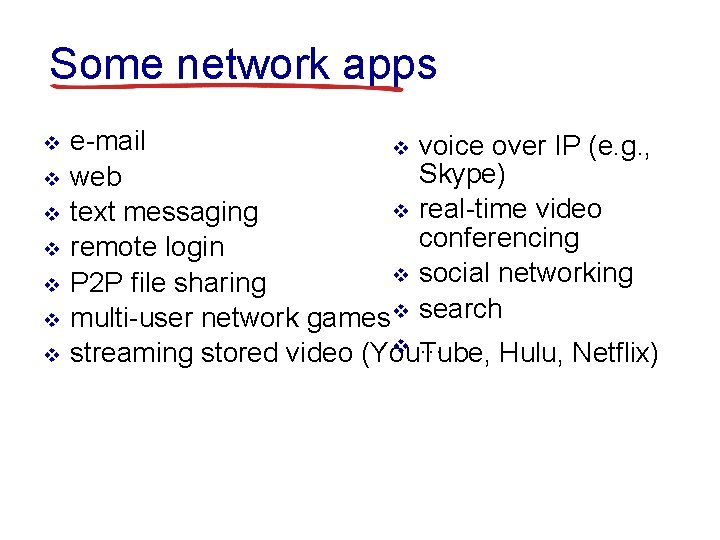
Some network apps v v v v e-mail v voice over IP (e. g. , Skype) web v real-time video text messaging conferencing remote login v social networking P 2 P file sharing multi-user network games v search v … streaming stored video (You. Tube, Hulu, Netflix)
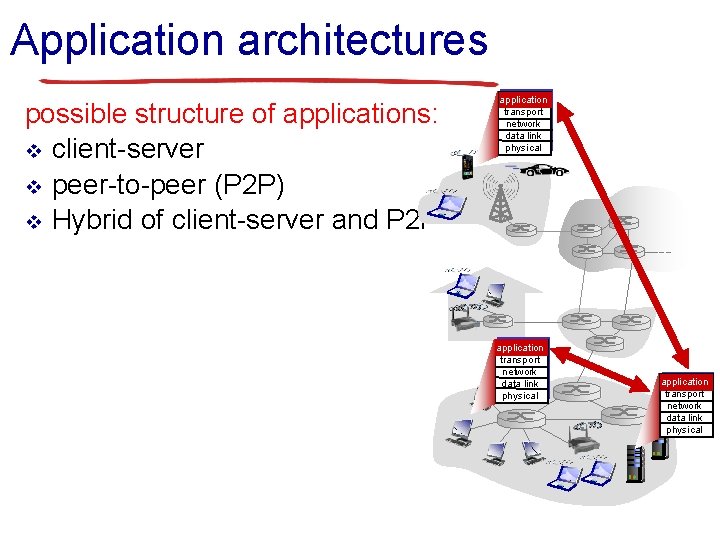
Application architectures possible structure of applications: v client-server v peer-to-peer (P 2 P) v Hybrid of client-server and P 2 P application transport network data link physical
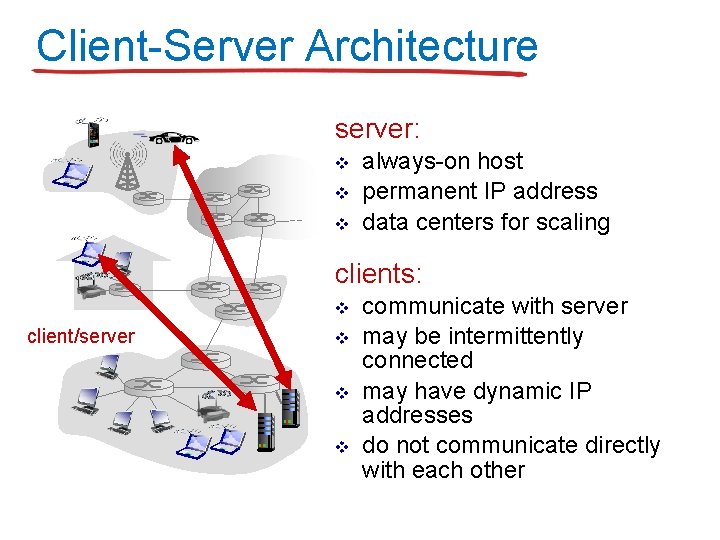
Client-Server Architecture server: v v v always-on host permanent IP address data centers for scaling clients: v client/server v v v communicate with server may be intermittently connected may have dynamic IP addresses do not communicate directly with each other
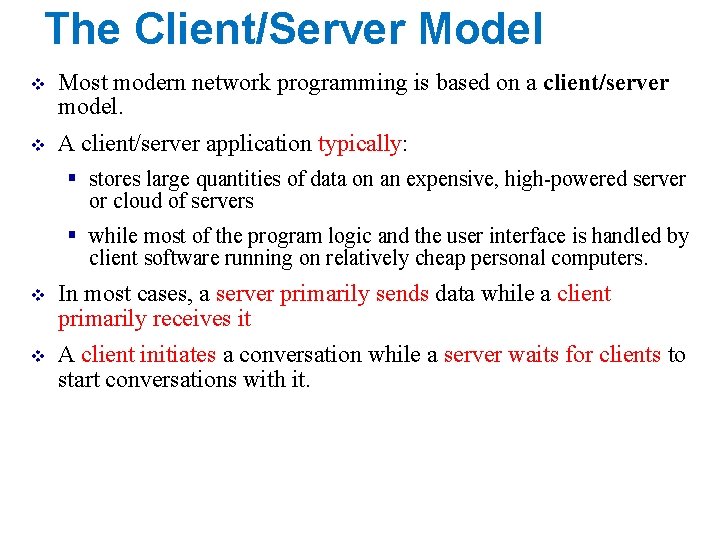
The Client/Server Model v Most modern network programming is based on a client/server model. v A client/server application typically: § stores large quantities of data on an expensive, high-powered server or cloud of servers § while most of the program logic and the user interface is handled by client software running on relatively cheap personal computers. v In most cases, a server primarily sends data while a client primarily receives it v A client initiates a conversation while a server waits for clients to start conversations with it.
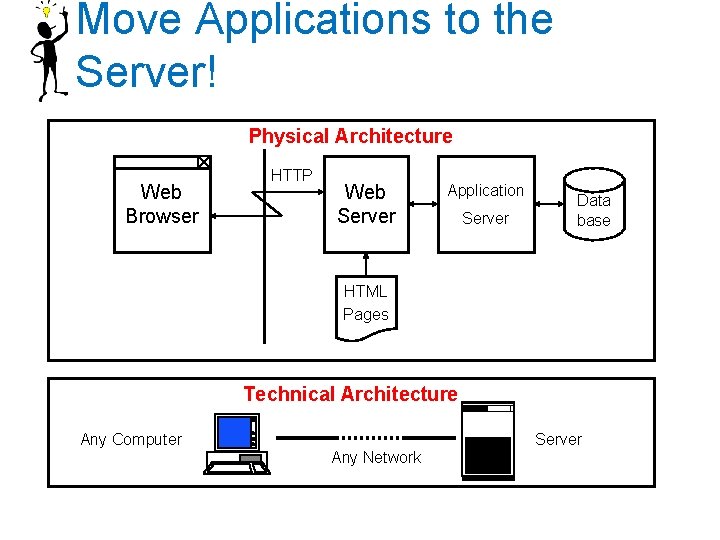
Move Applications to the Server! Physical Architecture Web Browser HTTP Web Server Application Server Data base HTML Pages Technical Architecture Any Computer Server Any Network
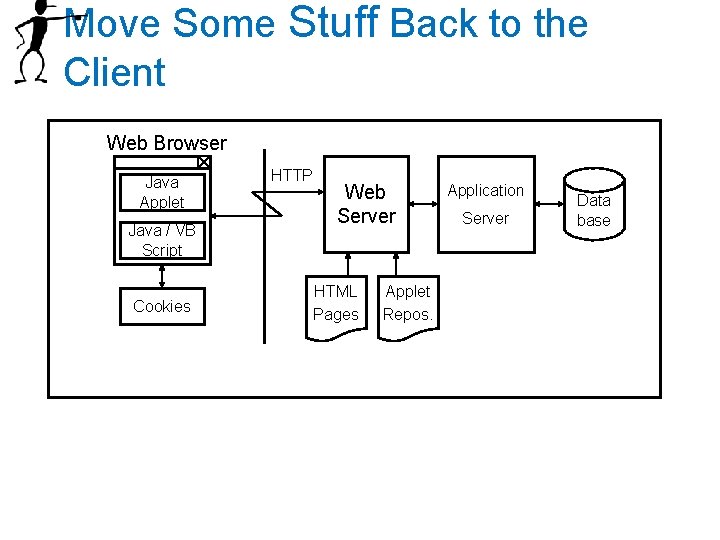
Move Some Stuff Back to the Client Web Browser Java Applet Java / VB Script Cookies HTTP Web Server HTML Pages Applet Repos. Application Server Data base
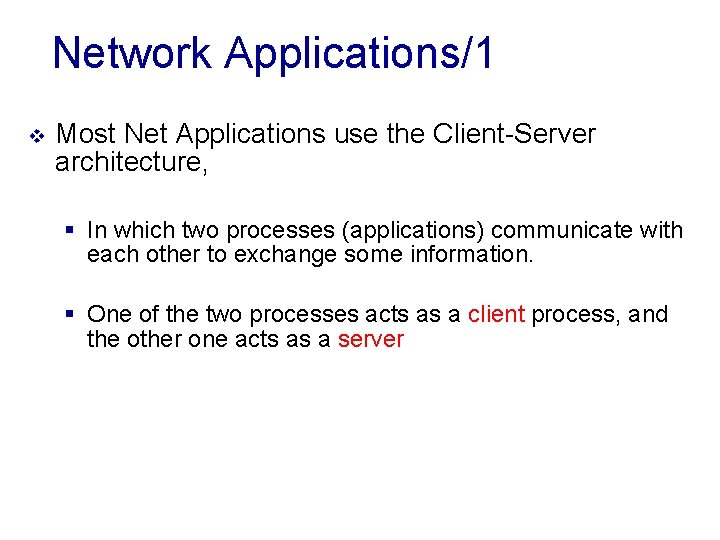
Network Applications/1 v Most Net Applications use the Client-Server architecture, § In which two processes (applications) communicate with each other to exchange some information. § One of the two processes acts as a client process, and the other one acts as a server
Network Applications/2 v Client Process § Typically makes a request for information. § After getting the response, it may terminate or may do some other processing (or even other requests). § Example: • Internet Browser works as a client application, • It sends a request to the Web Server to get one HTML webpage.
Network Applications/3 v Server Process § Takes/Receives a request from clients § When it gets a request from a client, the server process will • perform the required processing, • gather the requested information, and • send it to the requestor client. § Once done, it becomes ready to serve another client. § Server processes are always alert and ready to serve incoming requests.
Network Applications/4 v Example: § Web Server keeps waiting for requests from Internet Browsers § As soon as it gets any request from a browser, it picks up a requested HTML page and sends it back to that Browser. v Note that: § A client needs to know the address of the server: (IP and Port), but § The server does not need to know the address or even the existence of the client prior to the connection being established/requested. § Once a connection is established, • both sides (client & server know about each others) and can send and receive information back and forth between them.
Peer-To-Peer Model v Not all applications fit easily into a client/server model v For instance, § in networked games, it seems likely that both players will send data back and forth roughly equally (at least in a fair game) v These sorts of connections are called peer-to-peer § The telephone system is the classic example of a peer-to-peer network.
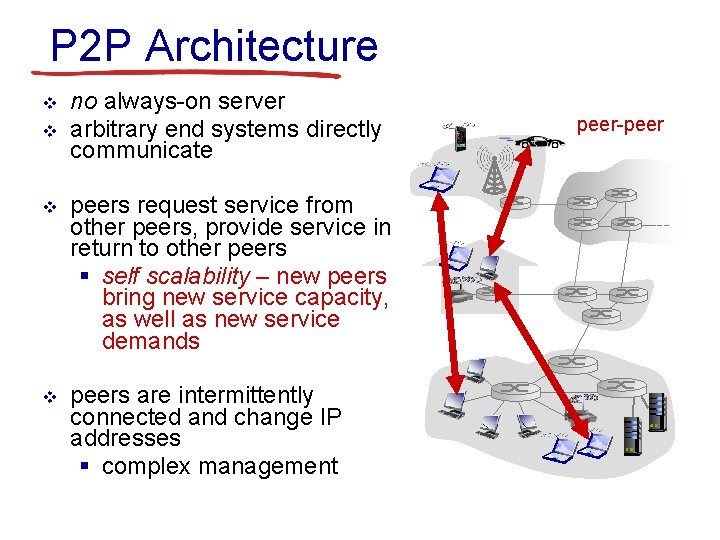
P 2 P Architecture v v no always-on server arbitrary end systems directly communicate v peers request service from other peers, provide service in return to other peers § self scalability – new peers bring new service capacity, as well as new service demands v peers are intermittently connected and change IP addresses § complex management peer-peer
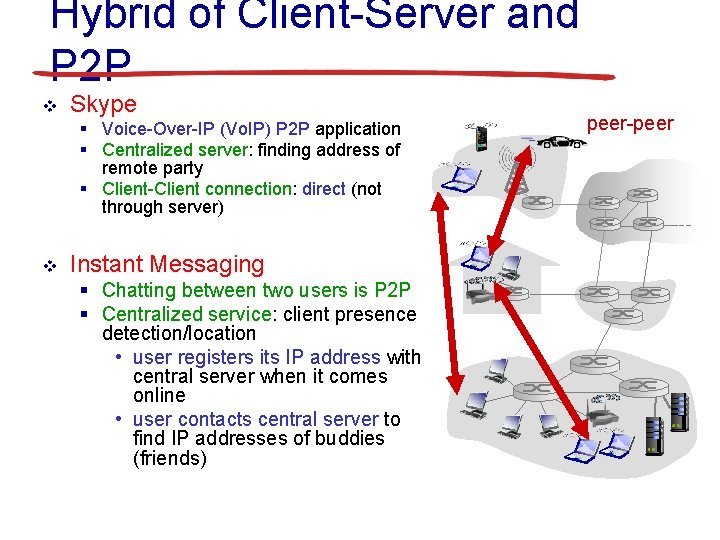
Hybrid of Client-Server and P 2 P v Skype § Voice-Over-IP (Vo. IP) P 2 P application § Centralized server: finding address of remote party § Client-Client connection: direct (not through server) v Instant Messaging § Chatting between two users is P 2 P § Centralized service: client presence detection/location • user registers its IP address with central server when it comes online • user contacts central server to find IP addresses of buddies (friends) peer-peer
Application Programs and User Interfaces v v v Most of the time, persistent data requires some sort of database Nowadays, most database users do not directly use a query language such as SQL An application program acts as the intermediary between users and the database (think of your student account on the JUST Univ. system) Applications split into § front-end § middle layer § backend Front-end: user interface § Forms § Graphical user interfaces § Many interfaces are Web-based Intro. to Server-Side Programming 15
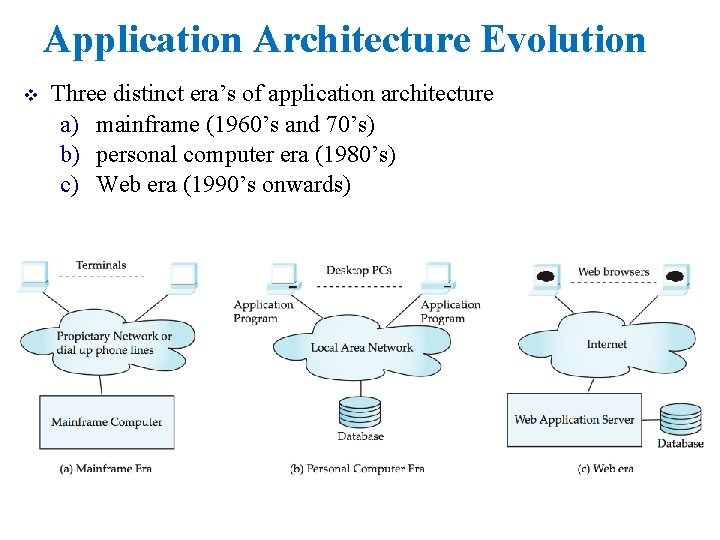
Application Architecture Evolution v Three distinct era’s of application architecture a) mainframe (1960’s and 70’s) b) personal computer era (1980’s) c) Web era (1990’s onwards)
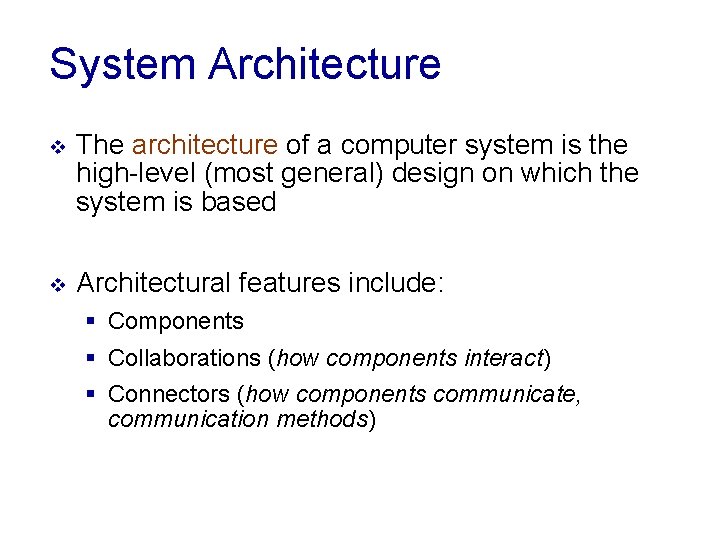
System Architecture v The architecture of a computer system is the high-level (most general) design on which the system is based v Architectural features include: § Components § Collaborations (how components interact) § Connectors (how components communicate, communication methods)
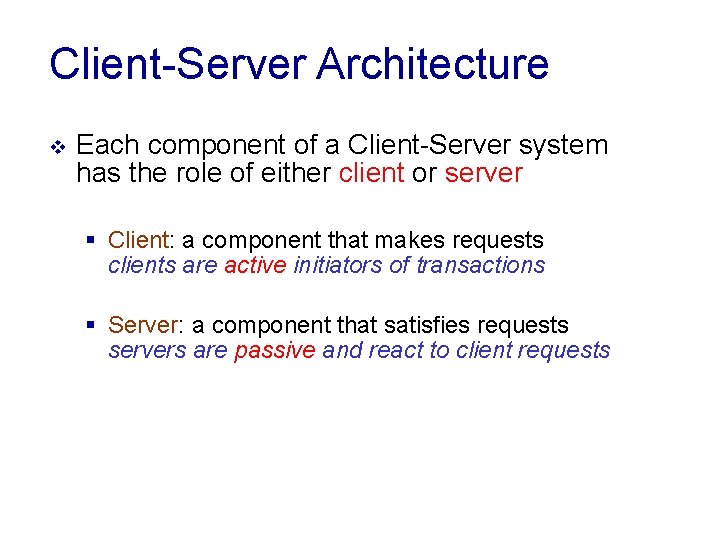
Client-Server Architecture v Each component of a Client-Server system has the role of either client or server § Client: a component that makes requests clients are active initiators of transactions § Server: a component that satisfies requests servers are passive and react to client requests
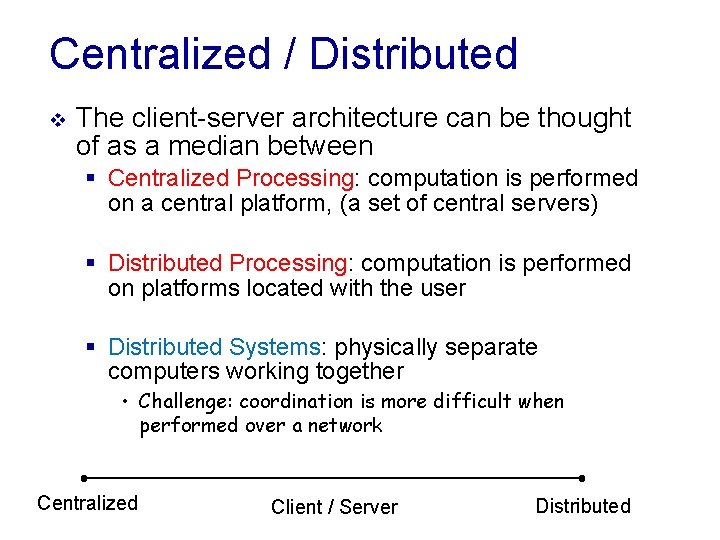
Centralized / Distributed v The client-server architecture can be thought of as a median between § Centralized Processing: computation is performed on a central platform, (a set of central servers) § Distributed Processing: computation is performed on platforms located with the user § Distributed Systems: physically separate computers working together • Challenge: coordination is more difficult when performed over a network Centralized Client / Server Distributed
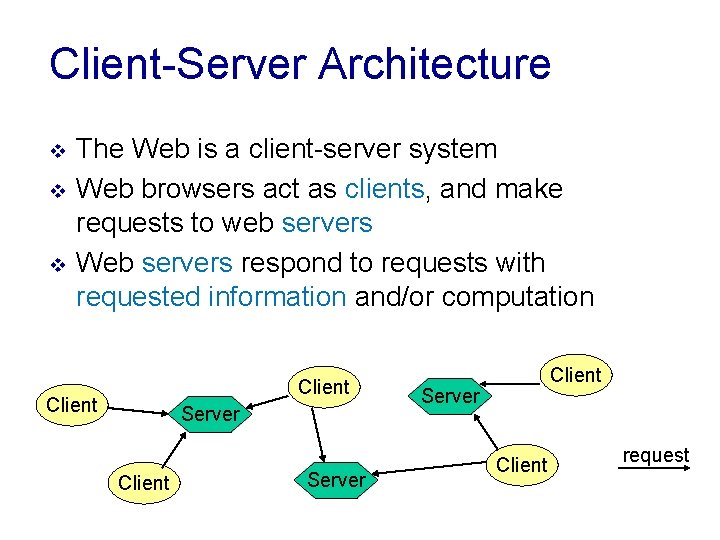
Client-Server Architecture v v v The Web is a client-server system Web browsers act as clients, and make requests to web servers Web servers respond to requests with requested information and/or computation Client Server Client request
Tiered Web Architectures v Web applications are usually implemented with: § 2 -tier, § 3 -tier, § or multitier (N-tier) architectures v Each tier is a platform (client or server) with a unique responsibility
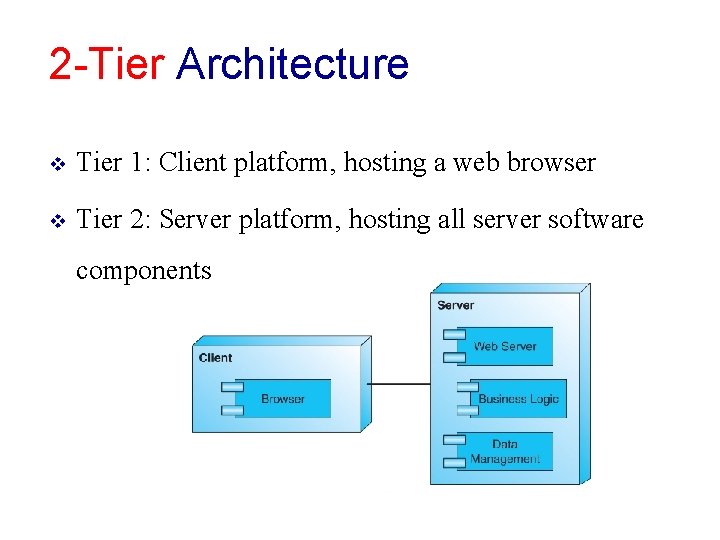
2 -Tier Architecture v Tier 1: Client platform, hosting a web browser v Tier 2: Server platform, hosting all server software components
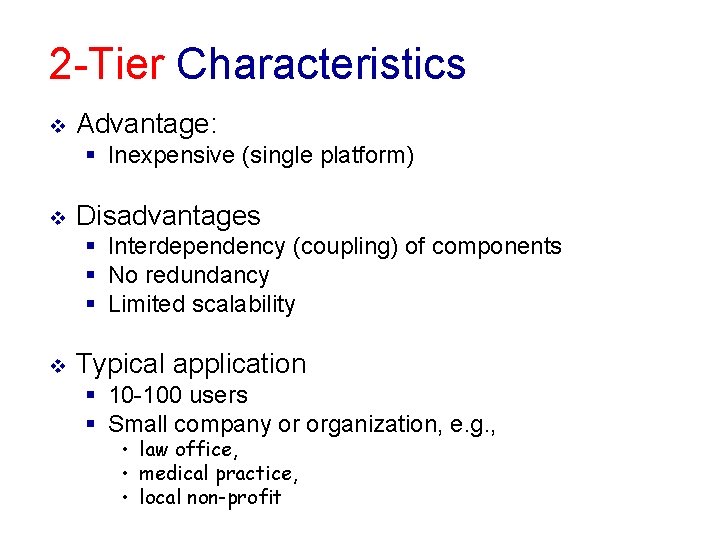
2 -Tier Characteristics v Advantage: § Inexpensive (single platform) v Disadvantages § Interdependency (coupling) of components § No redundancy § Limited scalability v Typical application § 10 -100 users § Small company or organization, e. g. , • law office, • medical practice, • local non-profit
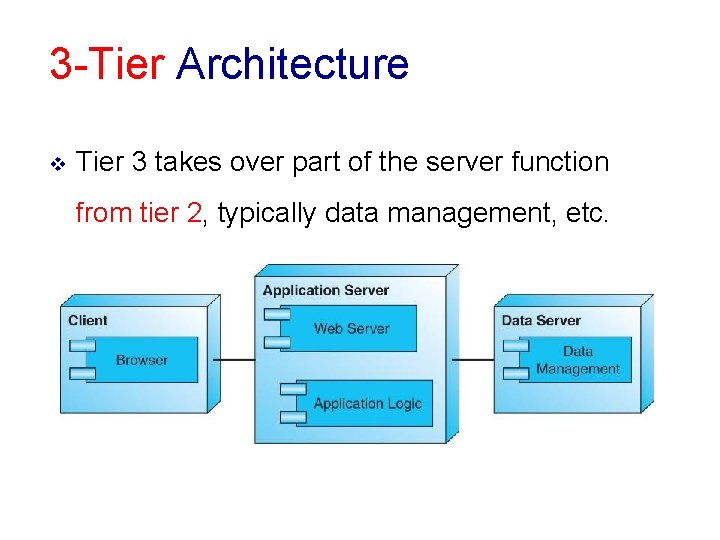
3 -Tier Architecture v Tier 3 takes over part of the server function from tier 2, typically data management, etc.
3 -Tier Characteristics v Advantages § Improved performance, from specialized hardware § Decreased coupling of software components § Improved scalability v Disadvantages § No redundancy v Typical Application § 100 -1000 users § Small business or regional organization, e. g. , • specialty retailer, • small college and universities
Multitier C/S Architecture v A multitier (N-tier) architecture is an expansion of the 3 -tier architecture, v The expansion can be in one of several different possible ways § Replication of the function of a tier § Specialization of function within a tier § Portal services, focusing on handling incoming web traffic
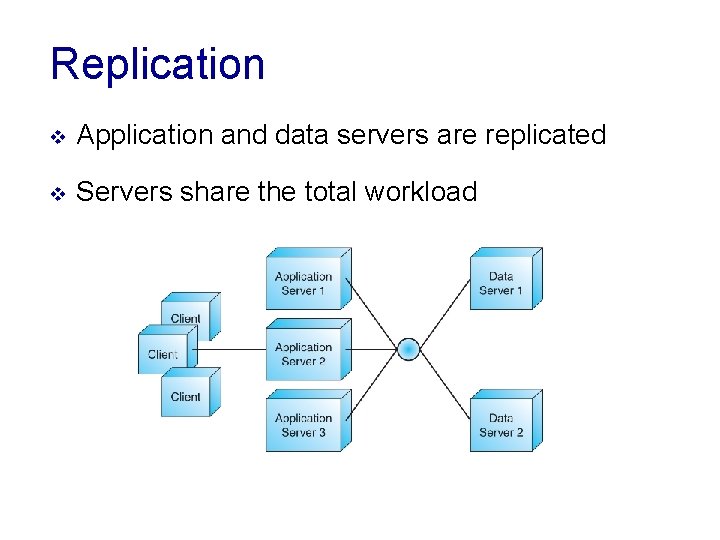
Replication v Application and data servers are replicated v Servers share the total workload
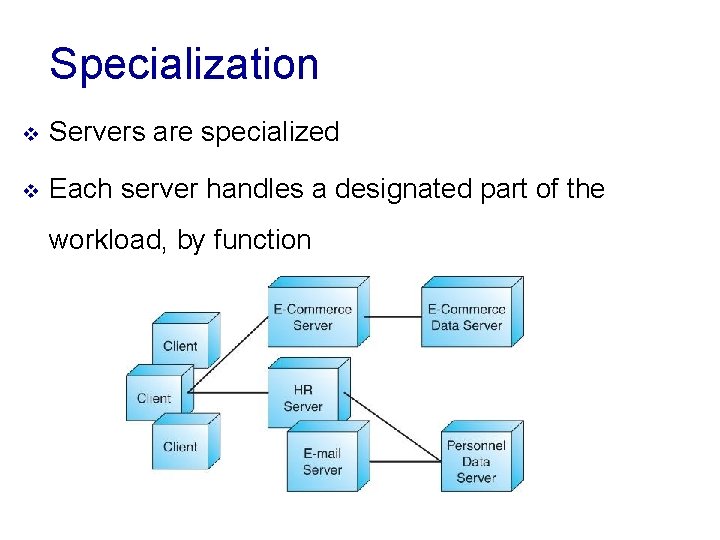
Specialization v Servers are specialized v Each server handles a designated part of the workload, by function
Portal Services v Portal servers handle incoming traffic, reducing application server load § e. g. , firewall, load balancer, transaction processing manager
Multi-Tier Characteristics v Advantages § § v Decoupling of software components Flexibility to add/remove platforms in response to load Scalability Redundancy Disadvantages § Higher costs (maintenance, design, electrical load, cooling) v Typical Application § 1000+ users § Large business or organization
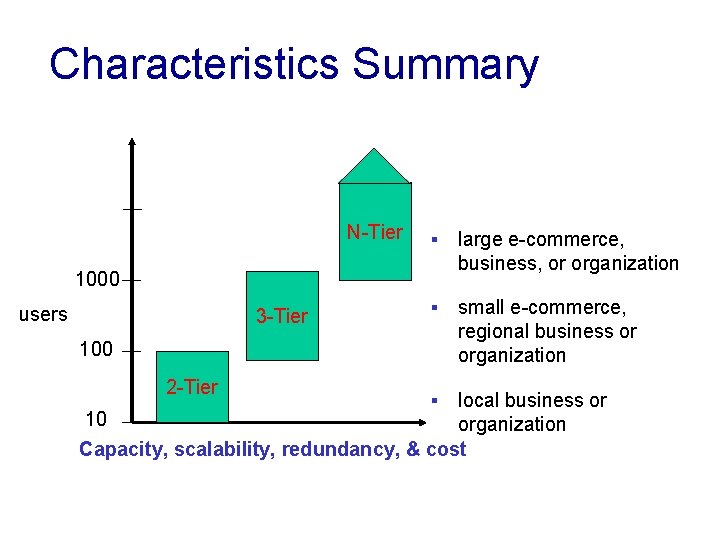
Characteristics Summary N-Tier § large e-commerce, business, or organization § small e-commerce, regional business or organization 1000 users 3 -Tier 100 2 -Tier local business or 10 organization Capacity, scalability, redundancy, & cost §
Summary 2 -Tier vs. 3 -Tier v 2 -Tier Architecture § The client directly interacts with the server. § This may have some security holes and performance problems. § For example: • • Internet Explorer and Web Server work on 2 -tier architecture Here security problems are resolved using: Secure Socket Layer (SSL) or the new version is Transport Layer Security (TLS) • i. e. HTTPS uses port # 443 (also called HTTP over TLS, HTTP over SSL, or HTTP Secure)
Summary 2 -Tier vs. 3 -Tier v 3 -Tier Architecture § In this architecture, one more software sits in between the client and the server. § This middle software is called ‘middleware’. v Middleware 1. Used to perform all the security checks and load balancing in case of heavy load. 2. For example: It may takes all the requests from the client § after performing the required authentication, it passes that request to the server. § Then the server does the required processing and sends the response back to the middleware and § finally the middleware passes this response back to the client. § If you want to implement a 3 -tier architecture, § then you can keep any middleware like Web Logic or Web. Sphere software in between your Web Server and Web Browser.