
Principles of Interaction Design principles can be used
Principles of Interaction Design principles can be used to guide design decisions • Design principles do not prescribe specific outcomes; they function within the context of a particular design project. • Design principles guide interaction designers and help them make decisions that are based on established criteria Copyright © 2008 Pearson Education, Inc. Publishing as Pearson Addison-Wesley 1 -9

Framework for Design Principles Copyright © 2008 Pearson Education, Inc. Publishing as Pearson Addison-Wesley 1 -10
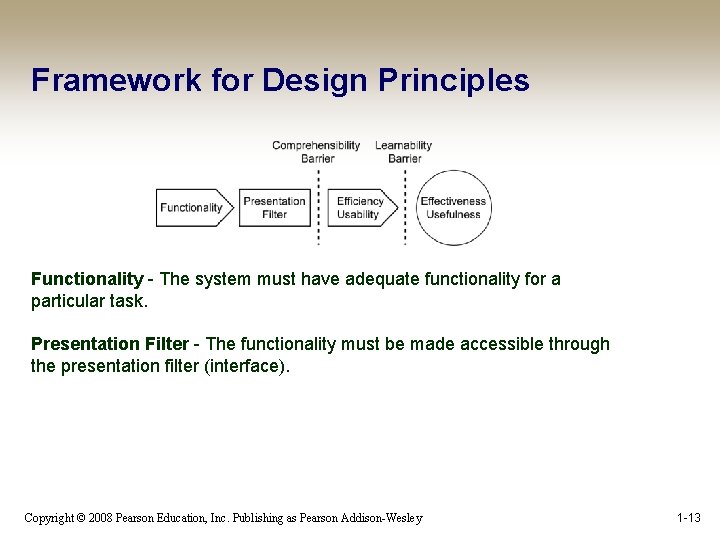
Framework for Design Principles Functionality - The system must have adequate functionality for a particular task. Presentation Filter - The functionality must be made accessible through the presentation filter (interface). Copyright © 2008 Pearson Education, Inc. Publishing as Pearson Addison-Wesley 1 -13
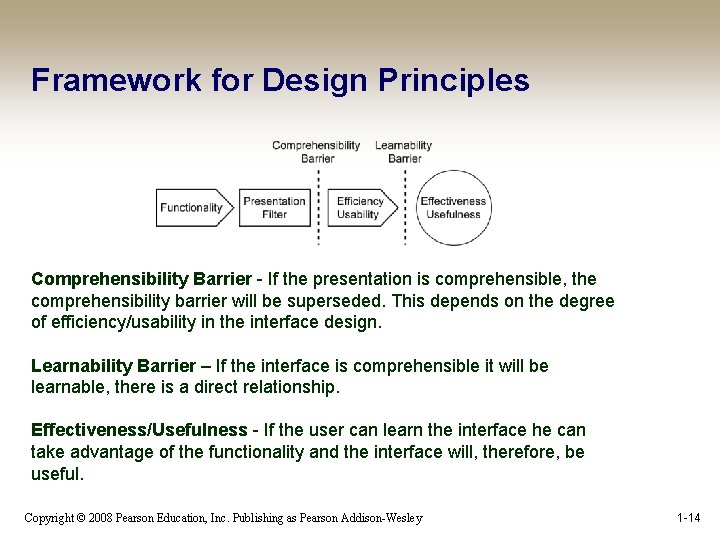
Framework for Design Principles Comprehensibility Barrier - If the presentation is comprehensible, the comprehensibility barrier will be superseded. This depends on the degree of efficiency/usability in the interface design. Learnability Barrier – If the interface is comprehensible it will be learnable, there is a direct relationship. Effectiveness/Usefulness - If the user can learn the interface he can take advantage of the functionality and the interface will, therefore, be useful. Copyright © 2008 Pearson Education, Inc. Publishing as Pearson Addison-Wesley 1 -14
Comprehensibilty An interface design that is easy to comprehend will be efficient and effective • If a user does not understand the interface it will be useless • A design’s comprehensibility is highly dependent on the way in which the interface communicates its functionality to the user Copyright © 2008 Pearson Education, Inc. Publishing as Pearson Addison-Wesley 1 -15
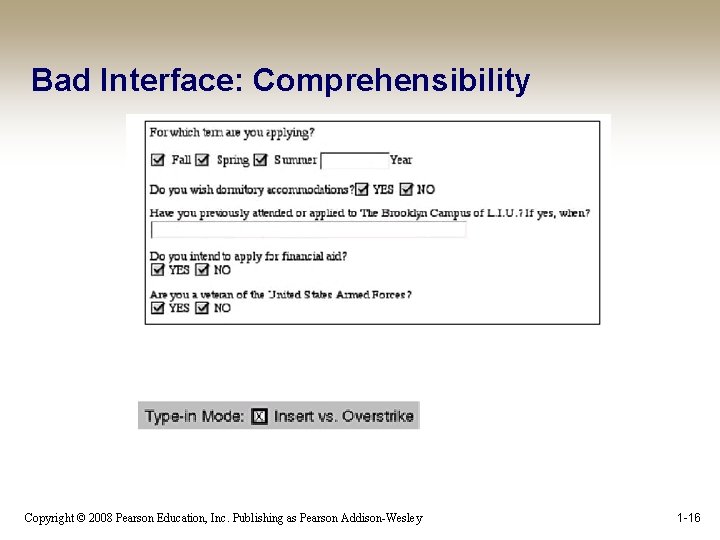
Bad Interface: Comprehensibility Copyright © 2008 Pearson Education, Inc. Publishing as Pearson Addison-Wesley 1 -16
Learnability An interface with high usability will be easier to learn • The learnability of a design is based on comprehensibility: if you can’t understand it, you can’t learn it Copyright © 2008 Pearson Education, Inc. Publishing as Pearson Addison-Wesley 1 -17
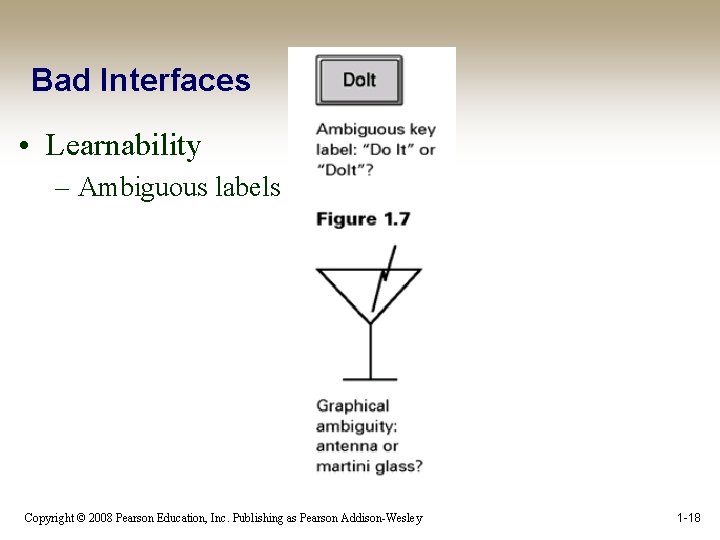
Bad Interfaces • Learnability – Ambiguous labels Copyright © 2008 Pearson Education, Inc. Publishing as Pearson Addison-Wesley 1 -18
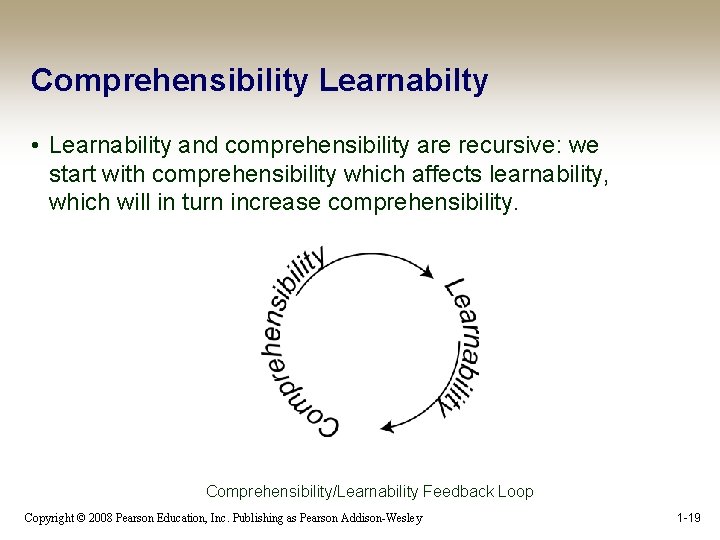
Comprehensibility Learnabilty • Learnability and comprehensibility are recursive: we start with comprehensibility which affects learnability, which will in turn increase comprehensibility. Comprehensibility/Learnability Feedback Loop Copyright © 2008 Pearson Education, Inc. Publishing as Pearson Addison-Wesley 1 -19
Principles of Interaction Design • Effectiveness/Usefulness – Utility – Safety – Flexibility – Stability • Efficiency/Usability – Simplicity – Memorability – Predictability – Visibility Copyright © 2008 Pearson Education, Inc. Publishing as Pearson Addison-Wesley 1 -20
Design Principle Categories • Effectiveness/Usefulness Effectiveness describes the usefulness of a design • The effectiveness goal stipulates that a design must fulfill the user’s needs by affording the required functionality Copyright © 2008 Pearson Education, Inc. Publishing as Pearson Addison-Wesley 1 -21
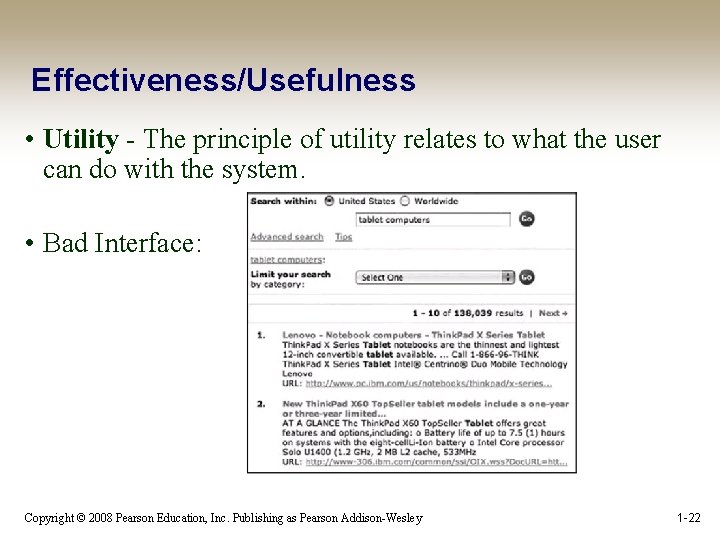
Effectiveness/Usefulness • Utility - The principle of utility relates to what the user can do with the system. • Bad Interface: Copyright © 2008 Pearson Education, Inc. Publishing as Pearson Addison-Wesley 1 -22
Effectiveness/Usefulness • Safety - If a design has a high degree of safety, it will prove more useful than a design that involves a high degree of risk. – Recovery - can be implemented in interaction designs by incorporating appropriate undo functionality and robust error recovery routines. A computer shall not harm your work or, through inaction, allow your work to come to harm. (Raskin, 2000) Copyright © 2008 Pearson Education, Inc. Publishing as Pearson Addison-Wesley 1 -23
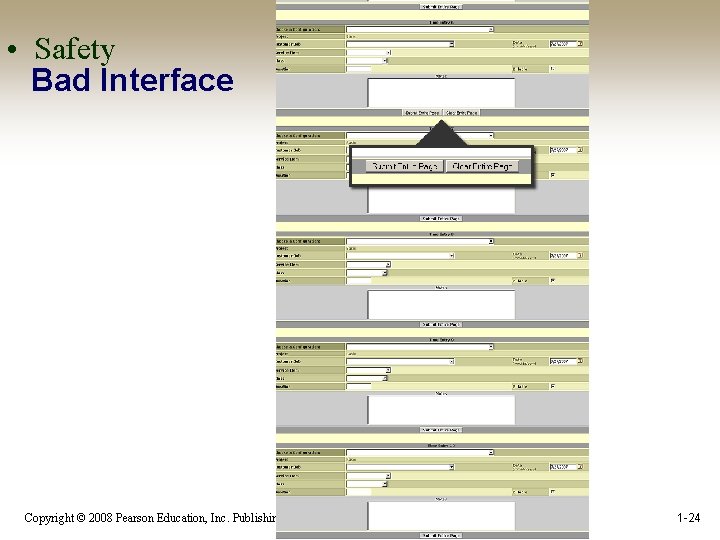
• Safety Bad Interface Copyright © 2008 Pearson Education, Inc. Publishing as Pearson Addison-Wesley 1 -24
Effectiveness/Usefulness • Flexibility - A tool that is flexible can be used in multiple environments and may address diverse needs – Customization - A tool would have greater flexibility if people were able to customize the interface according to their personal preferences Copyright © 2008 Pearson Education, Inc. Publishing as Pearson Addison-Wesley 1 -25
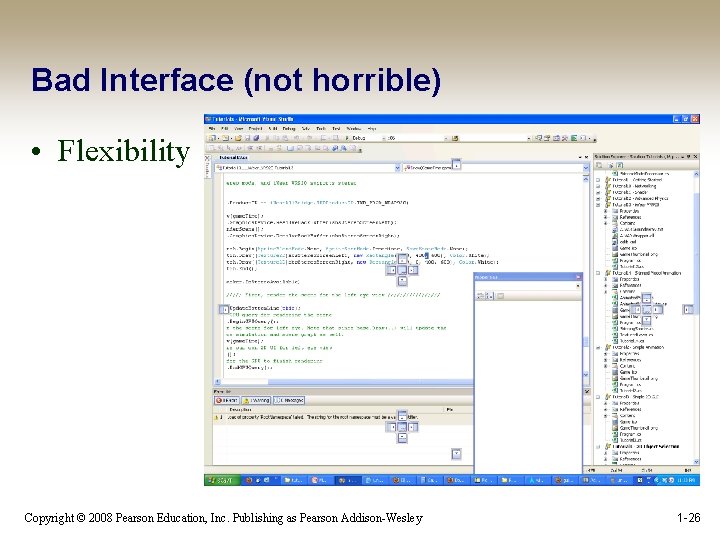
Bad Interface (not horrible) • Flexibility Copyright © 2008 Pearson Education, Inc. Publishing as Pearson Addison-Wesley 1 -26
Effectiveness/Usefulness • Stability - A stable system is a robust system. – A system that functions consistently well will be more useful than a system that crashes frequently Copyright © 2008 Pearson Education, Inc. Publishing as Pearson Addison-Wesley 1 -27
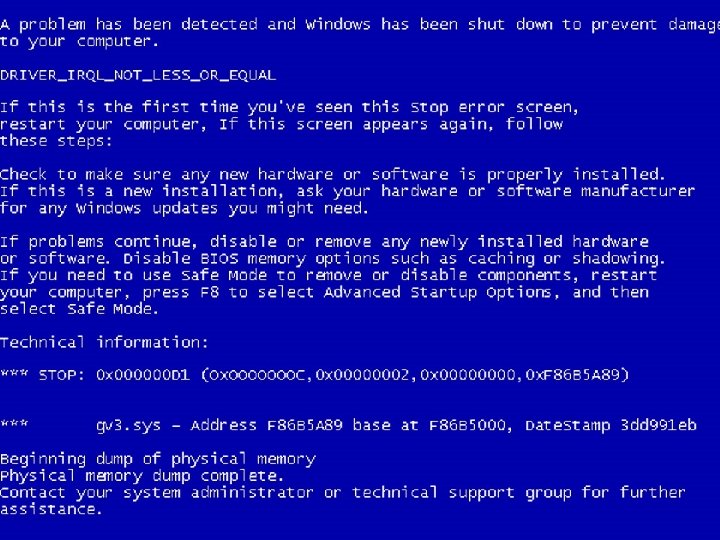
Copyright © 2008 Pearson Education, Inc. Publishing as Pearson Addison-Wesley 1 -28
Efficiency/Usability Efficiency describes the usability of a design • The efficiency goal stipulates that a design should enable a user to accomplish tasks in the easiest and quickest way possible without having to do overly complex or extraneous procedures or make a lot of errors. A computer shall not waste your time or require you to do more work than is strictly necessary. (Raskin, 2000) Copyright © 2008 Pearson Education, Inc. Publishing as Pearson Addison-Wesley 1 -29
Efficiency/Usability • Simplicity - If things are simple they will be easy to understand and, therefore, easy to learn and remember. – Ockham’s Razor - Pluralitas non est ponenda sine necessitate - pluralities should not be posited without necessity – 80/20 Rule - The 80/20 rule implies that 80% of an application’s usage involves 20% of its functionality – Satisficing - Combines the conflicting needs of finding the optimal solution that satisfies all the requirements and the need to settle on a solution that will be sufficient to proceed with the design Copyright © 2008 Pearson Education, Inc. Publishing as Pearson Addison-Wesley 1 -30
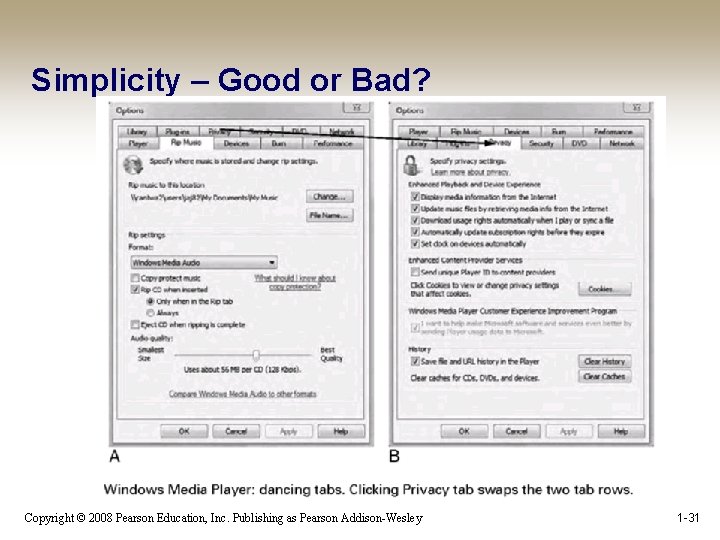
Simplicity – Good or Bad? Copyright © 2008 Pearson Education, Inc. Publishing as Pearson Addison-Wesley 1 -31
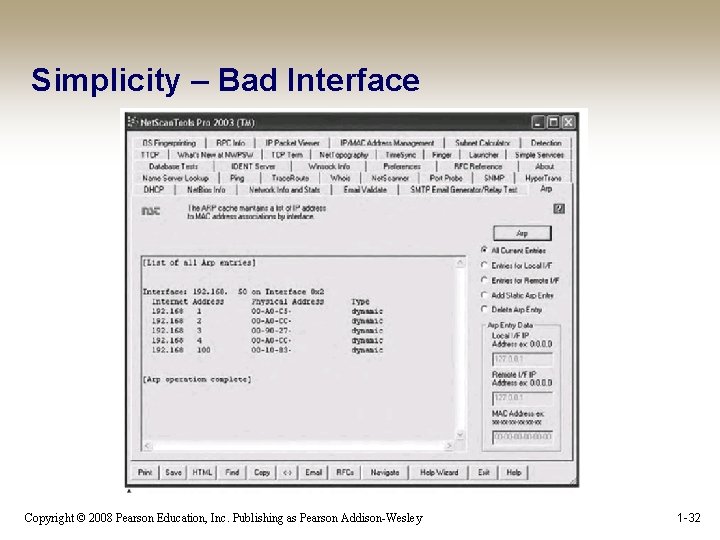
Simplicity – Bad Interface Copyright © 2008 Pearson Education, Inc. Publishing as Pearson Addison-Wesley 1 -32
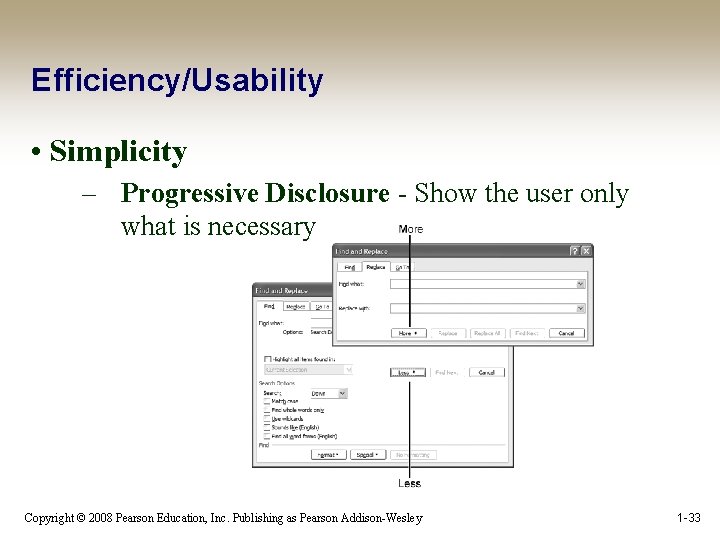
Efficiency/Usability • Simplicity – Progressive Disclosure - Show the user only what is necessary Copyright © 2008 Pearson Education, Inc. Publishing as Pearson Addison-Wesley 1 -33
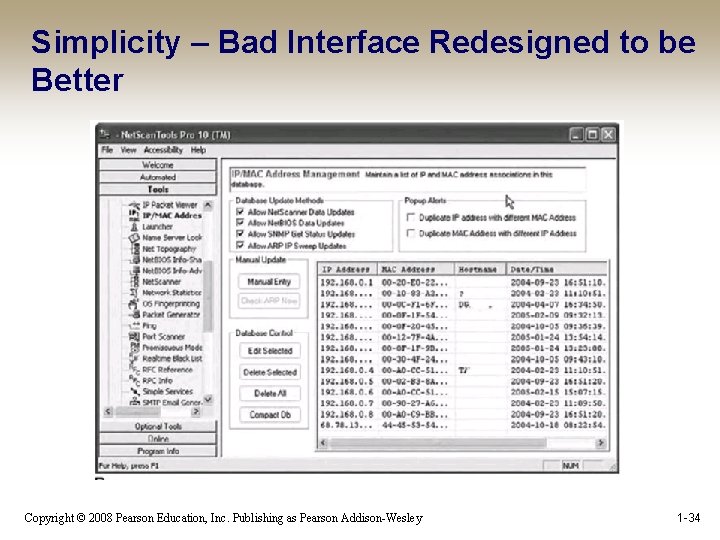
Simplicity – Bad Interface Redesigned to be Better Copyright © 2008 Pearson Education, Inc. Publishing as Pearson Addison-Wesley 1 -34
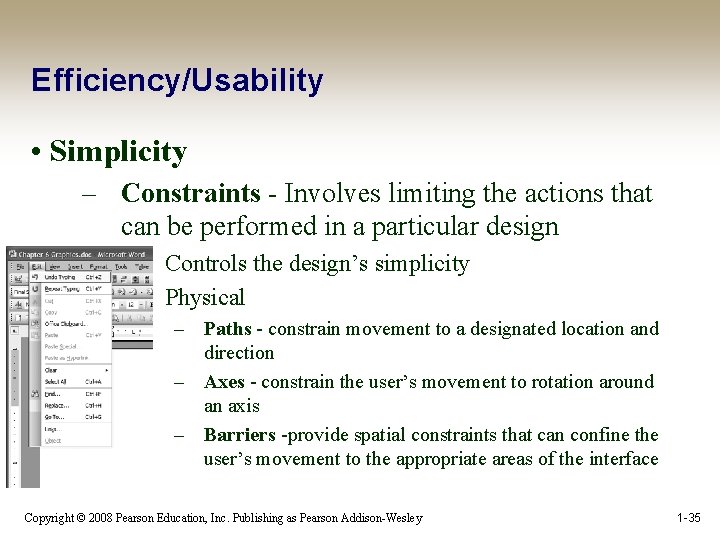
Efficiency/Usability • Simplicity – Constraints - Involves limiting the actions that can be performed in a particular design • • Controls the design’s simplicity Physical – Paths - constrain movement to a designated location and direction – Axes - constrain the user’s movement to rotation around an axis – Barriers -provide spatial constraints that can confine the user’s movement to the appropriate areas of the interface Copyright © 2008 Pearson Education, Inc. Publishing as Pearson Addison-Wesley 1 -35
Efficiency/Usability • Simplicity – Constraints • Psychological – Conventions - exploit learned behavior to influence a user’s actions – Mapping - can influence the way in which people perceive relationships between controls and effects – Symbols - can influence the way in which we interact with an interface by defining meaning and constraining our possible interpretations of interface elements Copyright © 2008 Pearson Education, Inc. Publishing as Pearson Addison-Wesley 1 -36
Simplicity? WORK, DAMMIT!! Copyright © 2008 Pearson Education, Inc. Publishing as Pearson Addison-Wesley 1 -37
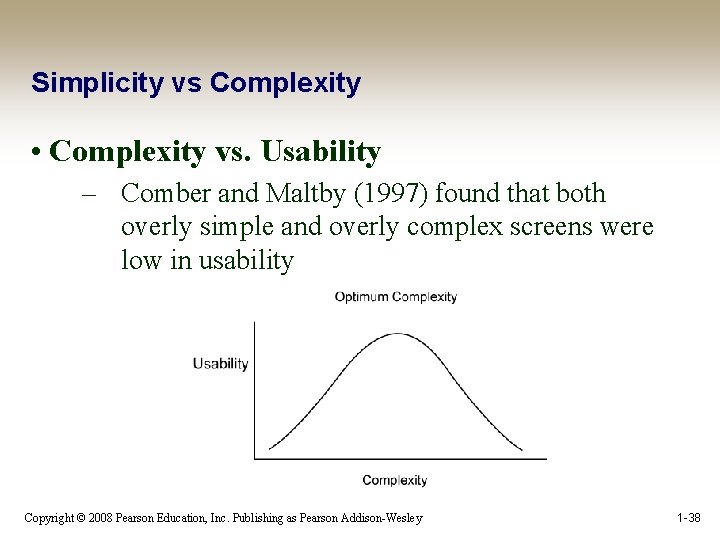
Simplicity vs Complexity • Complexity vs. Usability – Comber and Maltby (1997) found that both overly simple and overly complex screens were low in usability Copyright © 2008 Pearson Education, Inc. Publishing as Pearson Addison-Wesley 1 -38
Simplicity vs Complexity • Complexity vs. Usability – Comber and Maltby defined usability in terms of the following three components: • • • Effectiveness Learnability Attitude Copyright © 2008 Pearson Education, Inc. Publishing as Pearson Addison-Wesley 1 -39
Simplicity vs Complexity • Comber and Maltby found tradeoffs between usability and complexity: – – – As complexity decreased, predictability increased. As complexity decreased, it became harder to differentiate among screen objects; the screen became artificially regular. Decreased complexity meant that there were fewer ways to group objects. Excessive complexity made screens look artificially irregular. Increased complexity could occur from increased utility. Copyright © 2008 Pearson Education, Inc. Publishing as Pearson Addison-Wesley 1 -40
Efficiency/Usability • Memorability - Interfaces that have high memorability will be easier to learn and use – Many different parameters affect memorability: • • Location Logical Grouping Conventions Redundancy • Good or bad: Blender? Copyright © 2008 Pearson Education, Inc. Publishing as Pearson Addison-Wesley 1 -41
Efficiency/Usability • Predictability - Predictability involves a person’s expectations and his ability to determine the results of his actions ahead of time. – Consistency-Correctness • • Consistency reinforces our associations and, therefore, increases our ability to remember and predict outcomes and processes. Before we strive to be consistent, we must make sure we are correct Copyright © 2008 Pearson Education, Inc. Publishing as Pearson Addison-Wesley 1 -42
Efficiency/Usability • Predictability – Generalizabilty: can help us use the knowledge we gathered from previous experience and apply it to similar situations – Conventions: allow us to use our intuitions – Familiarity: familiar menu names and options help users locate objects and functions more easily – Location, Location: Not all areas on the screen are created equal Copyright © 2008 Pearson Education, Inc. Publishing as Pearson Addison-Wesley 1 -43
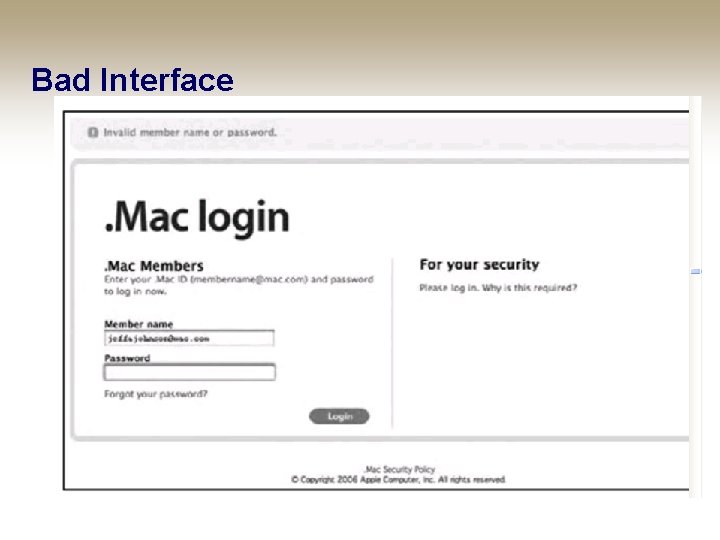
Bad Interface Copyright © 2008 Pearson Education, Inc. Publishing as Pearson Addison-Wesley 1 -44
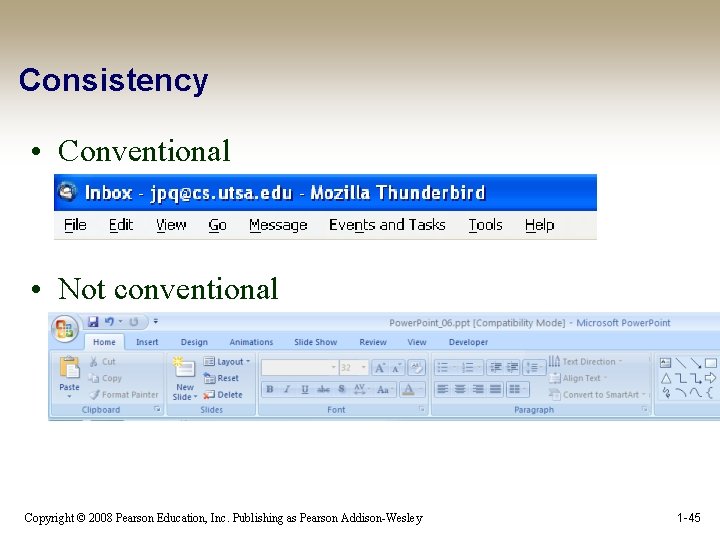
Consistency • Conventional • Not conventional Copyright © 2008 Pearson Education, Inc. Publishing as Pearson Addison-Wesley 1 -45
Efficiency/Usability • Predictability – Modes: Modes create instability in mental models because they change the way objects function – Blender? Copyright © 2008 Pearson Education, Inc. Publishing as Pearson Addison-Wesley 1 -46
Efficiency/Usability • Visibility - The principle of visibility involves making the user aware of the system’s components and processes, including all possible functionality and feedback from user actions. Show everything at once, and the result is chaos. Don’t show everything, and then stuff gets lost. (Norman, 1998, 74) Copyright © 2008 Pearson Education, Inc. Publishing as Pearson Addison-Wesley 1 -47
Efficiency/Usability The principles of progressive disclosure and simplicity should be used in conjunction with the principle of visibility to avoid overload • Visibility – Overload: Following the principle of visibility without also applying progressive disclosure can lead to visual overload • • Bad: http: //siphawaii. com/ Bad: http: //www. shmarketing. co. uk/ – Feedback: Direct Manipulation interfaces provide immediate visual feedback about user actions. It is the task of the interaction designer to decide what form that feedback takes Copyright © 2008 Pearson Education, Inc. Publishing as Pearson Addison-Wesley 1 -48
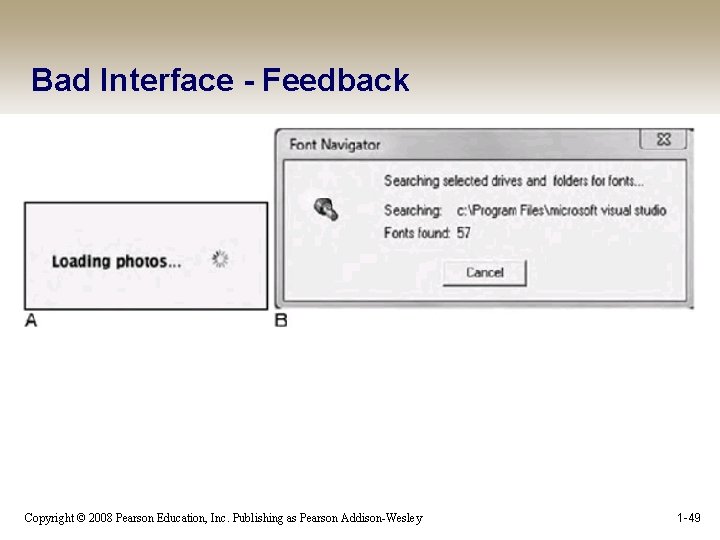
Bad Interface - Feedback Copyright © 2008 Pearson Education, Inc. Publishing as Pearson Addison-Wesley 1 -49
Efficiency/Usability • Visibility – Recognition/Recall: The principle of visibility is based on the fact that we are better at recognition than we are at recall – Orientation: People need to be able to orient themselves, especially in complex information spaces Copyright © 2008 Pearson Education, Inc. Publishing as Pearson Addison-Wesley 1 -50
Grouping • Low-level principles - used to make decisions about specific screen controls, menus and layouts Use visual cues to support the logical structure of the interface • Gestalt Principles of Perception – – Gestalt psychology strives to explain the factors involved in the way we group things At the heart of Gestalt psychology is the idea that we strive to find the simplest solutions to incomplete visual information Copyright © 2008 Pearson Education, Inc. Publishing as Pearson Addison-Wesley 1 -51
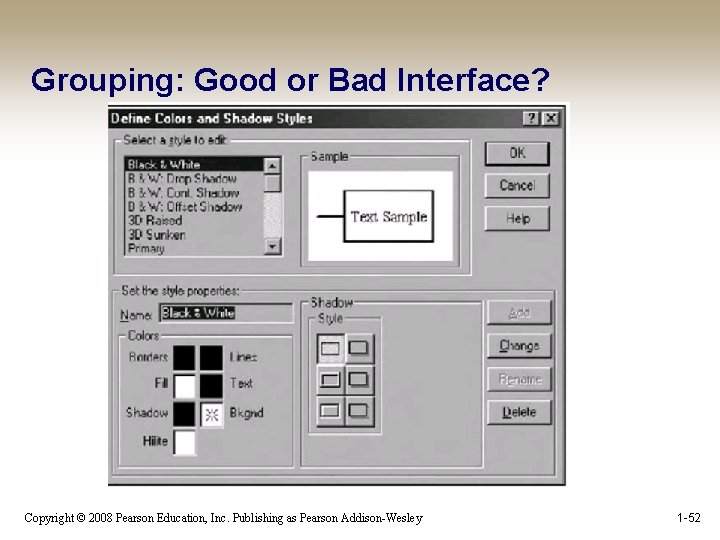
Grouping: Good or Bad Interface? Copyright © 2008 Pearson Education, Inc. Publishing as Pearson Addison-Wesley 1 -52
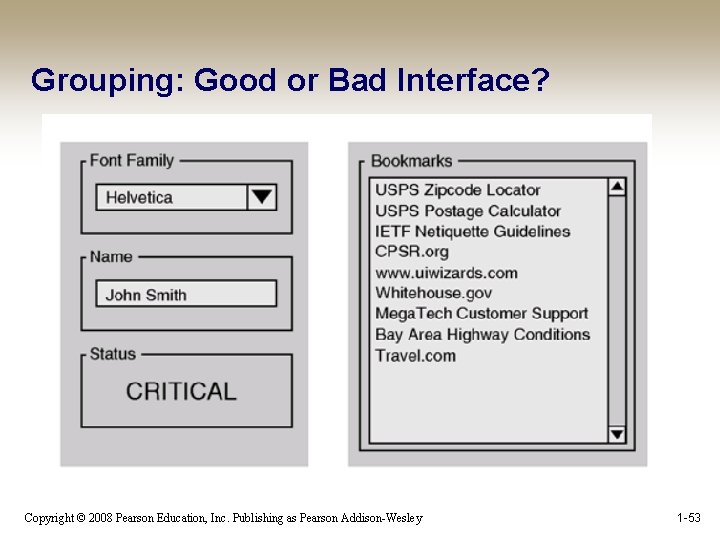
Grouping: Good or Bad Interface? Copyright © 2008 Pearson Education, Inc. Publishing as Pearson Addison-Wesley 1 -53
Gestalt Principles of Perception • The Gestalt Principles of Perception: – – – – – Proximity Similarity Common Fate Closure Good Continuity Area Symmetry Surroundedness Prägnanz Copyright © 2008 Pearson Education, Inc. Publishing as Pearson Addison-Wesley 1 -54
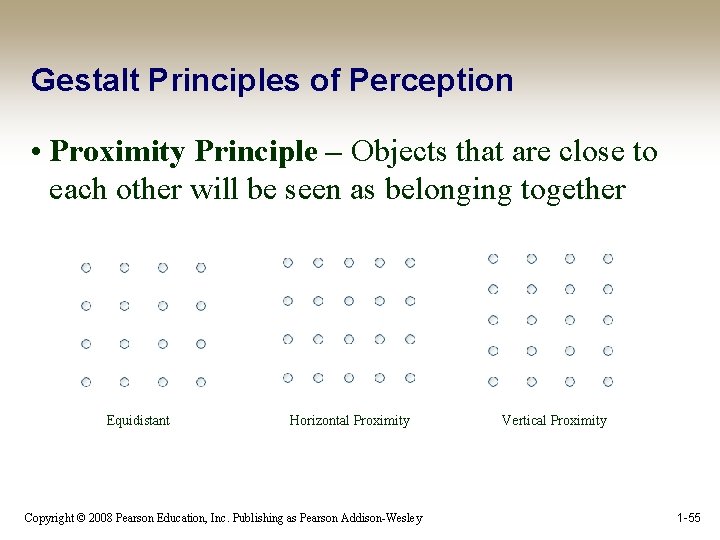
Gestalt Principles of Perception • Proximity Principle – Objects that are close to each other will be seen as belonging together Equidistant Horizontal Proximity Copyright © 2008 Pearson Education, Inc. Publishing as Pearson Addison-Wesley Vertical Proximity 1 -55
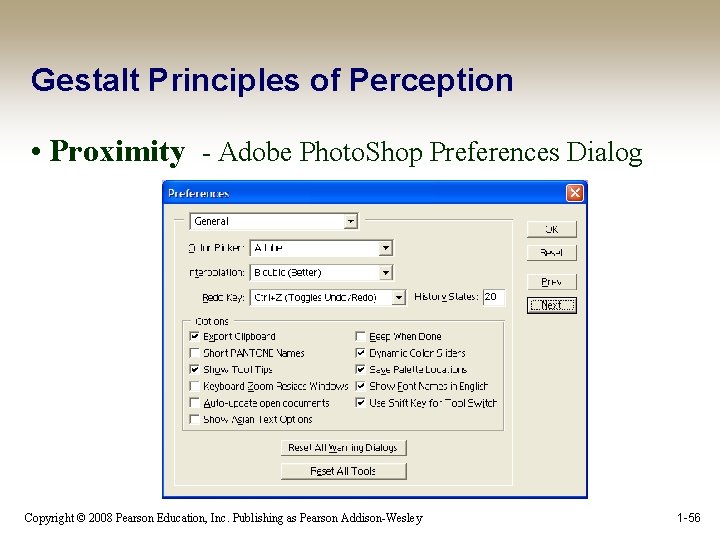
Gestalt Principles of Perception • Proximity - Adobe Photo. Shop Preferences Dialog Copyright © 2008 Pearson Education, Inc. Publishing as Pearson Addison-Wesley 1 -56
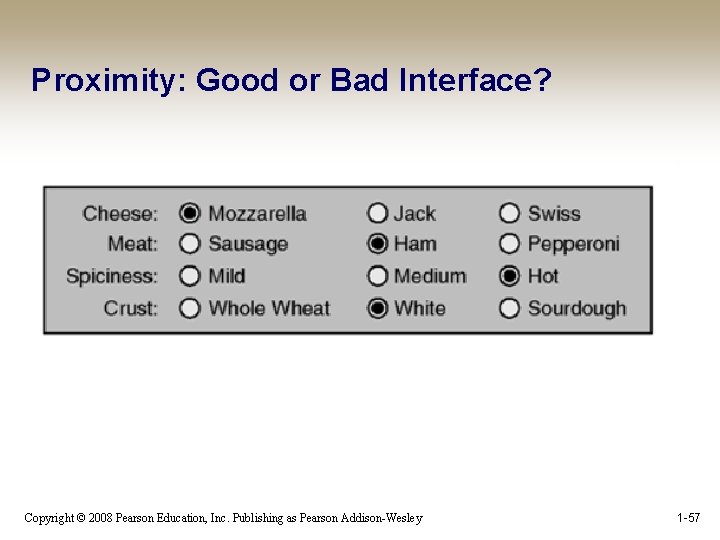
Proximity: Good or Bad Interface? Copyright © 2008 Pearson Education, Inc. Publishing as Pearson Addison-Wesley 1 -57
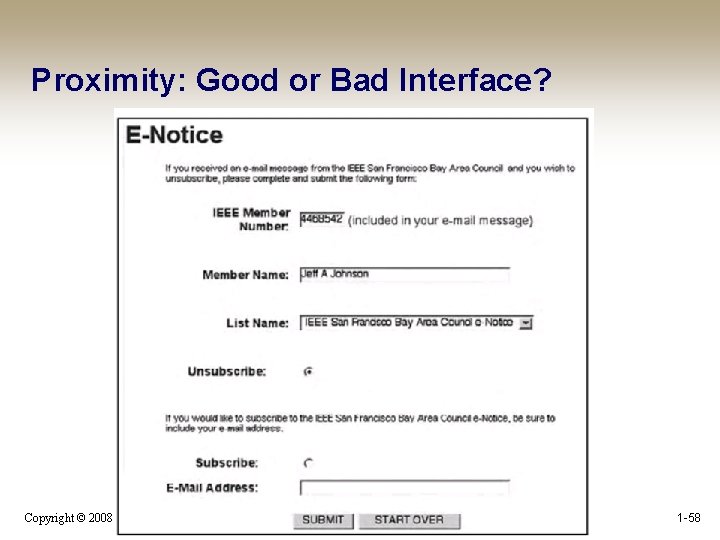
Proximity: Good or Bad Interface? Copyright © 2008 Pearson Education, Inc. Publishing as Pearson Addison-Wesley 1 -58
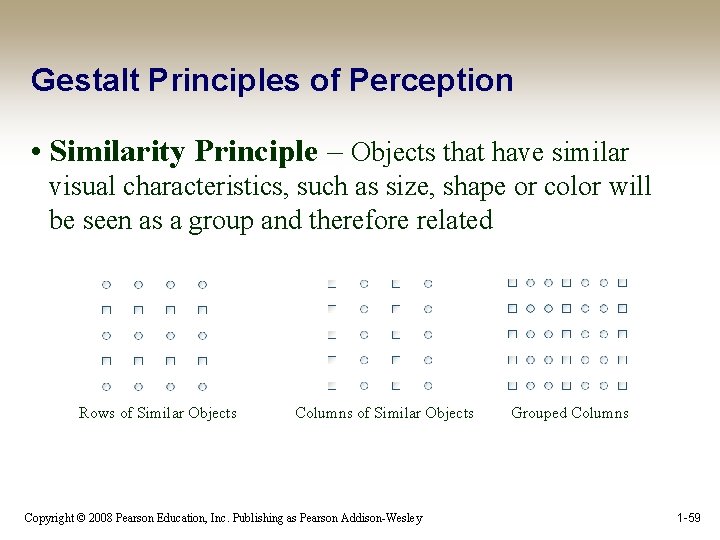
Gestalt Principles of Perception • Similarity Principle – Objects that have similar visual characteristics, such as size, shape or color will be seen as a group and therefore related Rows of Similar Objects Columns of Similar Objects Copyright © 2008 Pearson Education, Inc. Publishing as Pearson Addison-Wesley Grouped Columns 1 -59
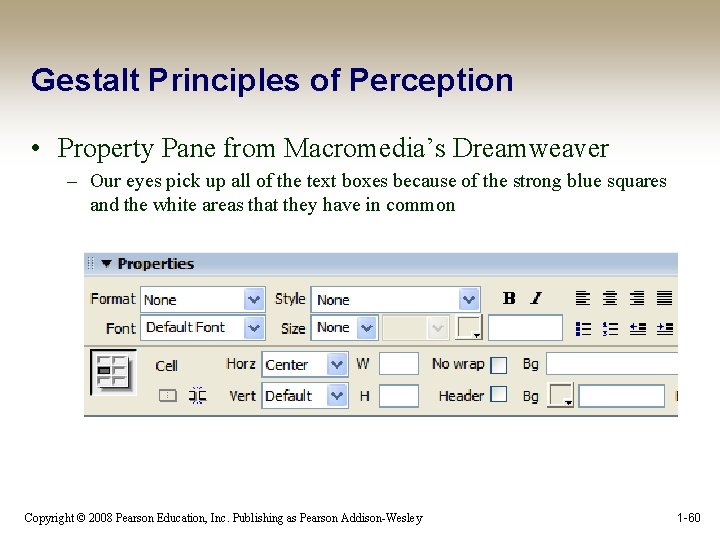
Gestalt Principles of Perception • Property Pane from Macromedia’s Dreamweaver – Our eyes pick up all of the text boxes because of the strong blue squares and the white areas that they have in common Copyright © 2008 Pearson Education, Inc. Publishing as Pearson Addison-Wesley 1 -60
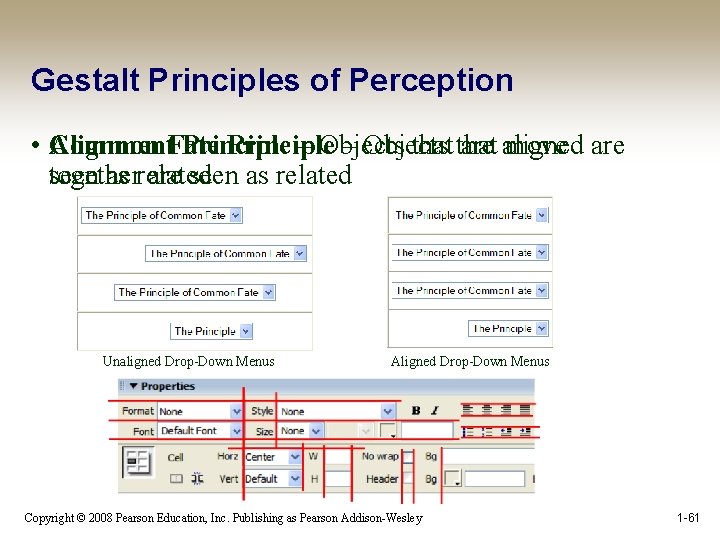
Gestalt Principles of Perception • Common Alignment. Fate Principle – Objects that are aligned move are together seen as related are seen as related Unaligned Drop-Down Menus Aligned Drop-Down Menus Copyright © 2008 Pearson Education, Inc. Publishing as Pearson Addison-Wesley 1 -61
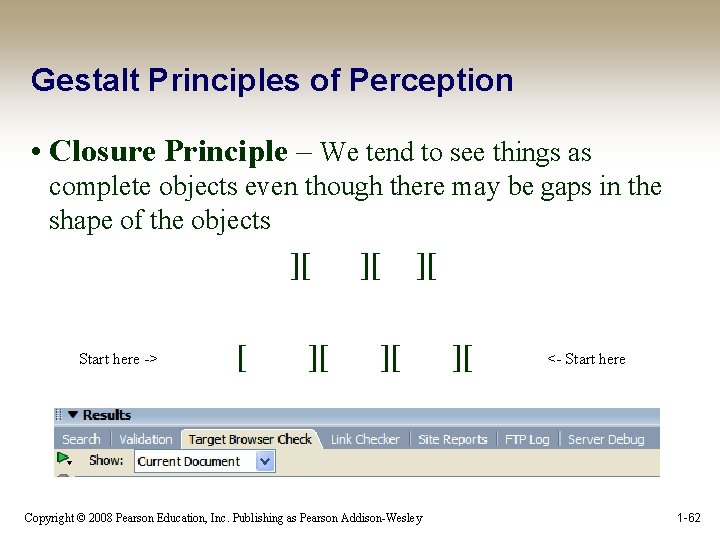
Gestalt Principles of Perception • Closure Principle – We tend to see things as complete objects even though there may be gaps in the shape of the objects ][ Start here -> [ ][ ][ Copyright © 2008 Pearson Education, Inc. Publishing as Pearson Addison-Wesley ][ <- Start here 1 -62
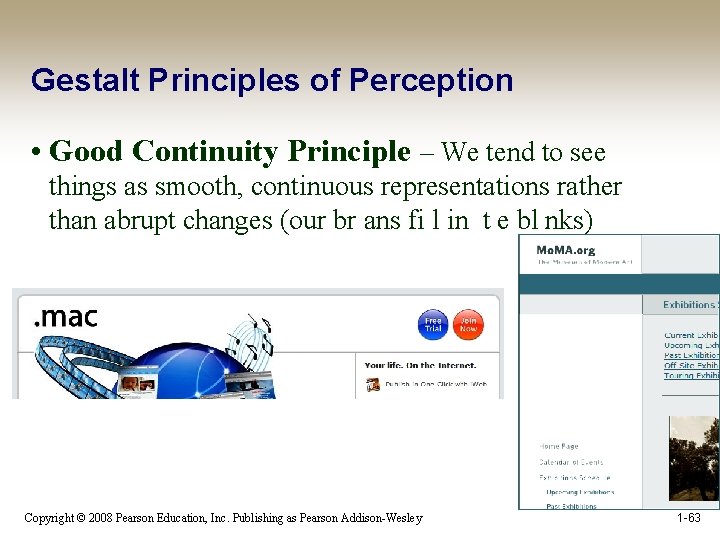
Gestalt Principles of Perception • Good Continuity Principle – We tend to see things as smooth, continuous representations rather than abrupt changes (our br ans fi l in t e bl nks) Copyright © 2008 Pearson Education, Inc. Publishing as Pearson Addison-Wesley 1 -63
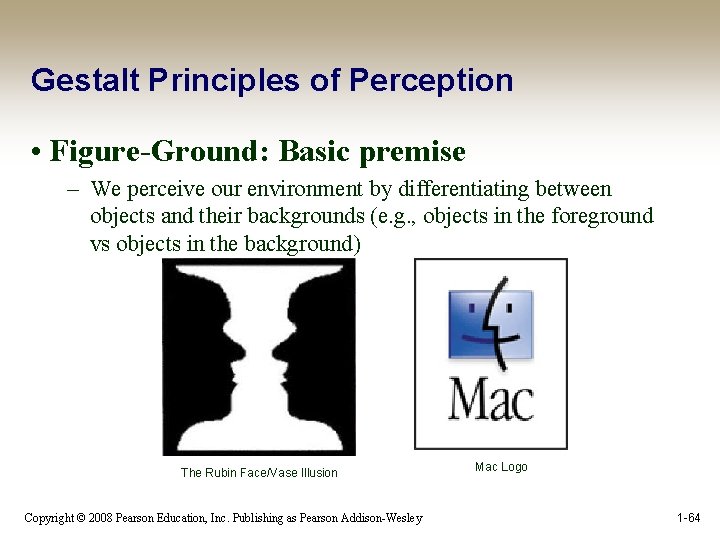
Gestalt Principles of Perception • Figure-Ground: Basic premise – We perceive our environment by differentiating between objects and their backgrounds (e. g. , objects in the foreground vs objects in the background) The Rubin Face/Vase Illusion Copyright © 2008 Pearson Education, Inc. Publishing as Pearson Addison-Wesley Mac Logo 1 -64
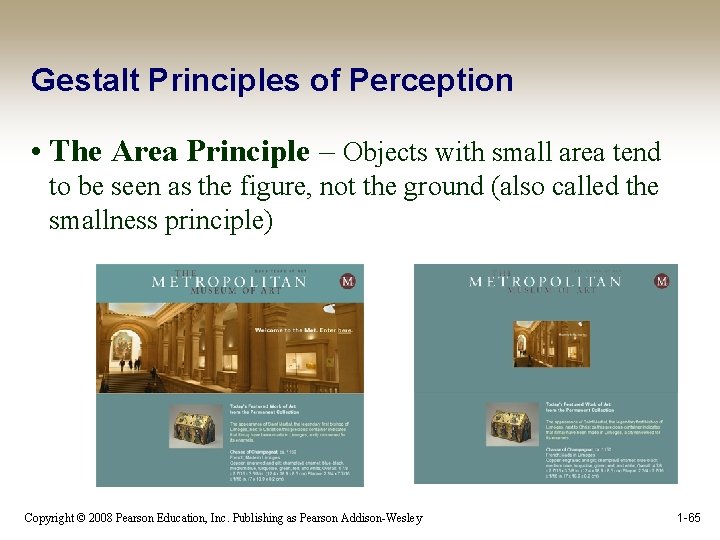
Gestalt Principles of Perception • The Area Principle – Objects with small area tend to be seen as the figure, not the ground (also called the smallness principle) Copyright © 2008 Pearson Education, Inc. Publishing as Pearson Addison-Wesley 1 -65
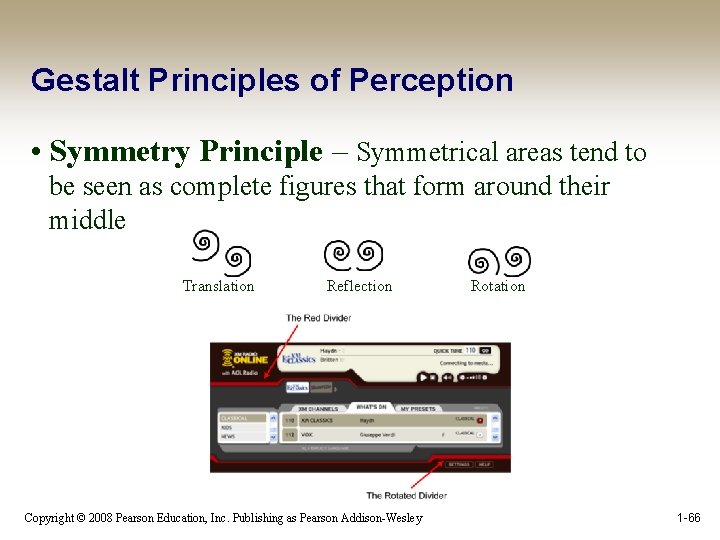
Gestalt Principles of Perception • Symmetry Principle – Symmetrical areas tend to be seen as complete figures that form around their middle Translation Reflection Copyright © 2008 Pearson Education, Inc. Publishing as Pearson Addison-Wesley Rotation 1 -66
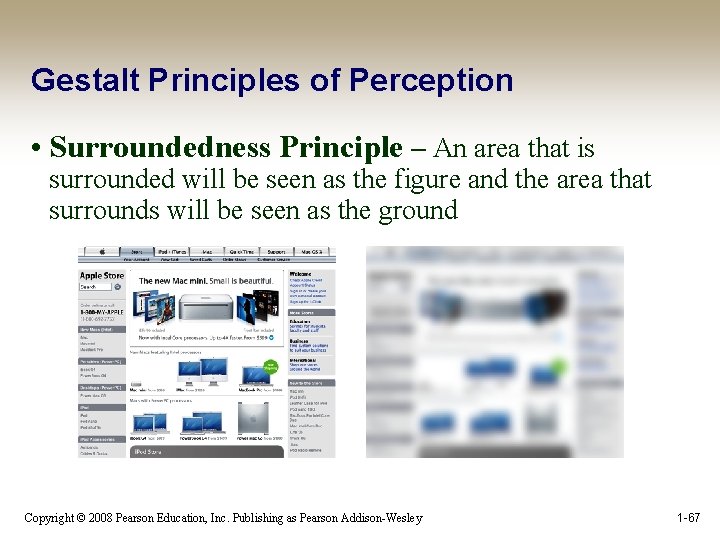
Gestalt Principles of Perception • Surroundedness Principle – An area that is surrounded will be seen as the figure and the area that surrounds will be seen as the ground Copyright © 2008 Pearson Education, Inc. Publishing as Pearson Addison-Wesley 1 -67
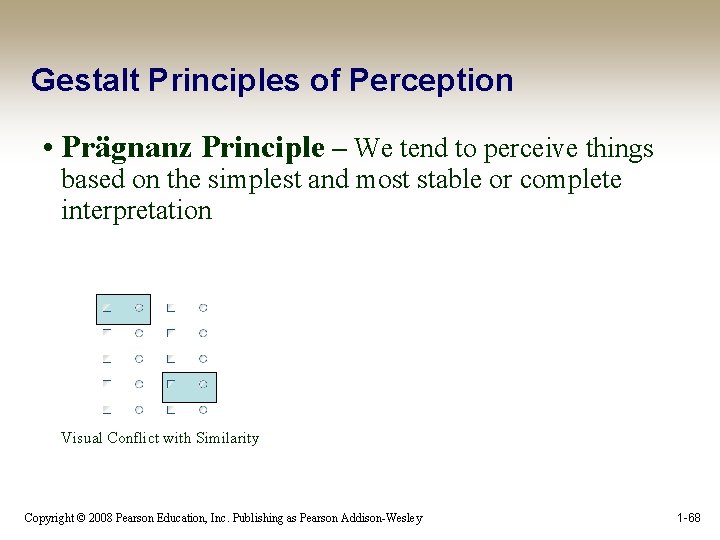
Gestalt Principles of Perception • Prägnanz Principle – We tend to perceive things based on the simplest and most stable or complete interpretation Visual Conflict with Similarity Copyright © 2008 Pearson Education, Inc. Publishing as Pearson Addison-Wesley 1 -68
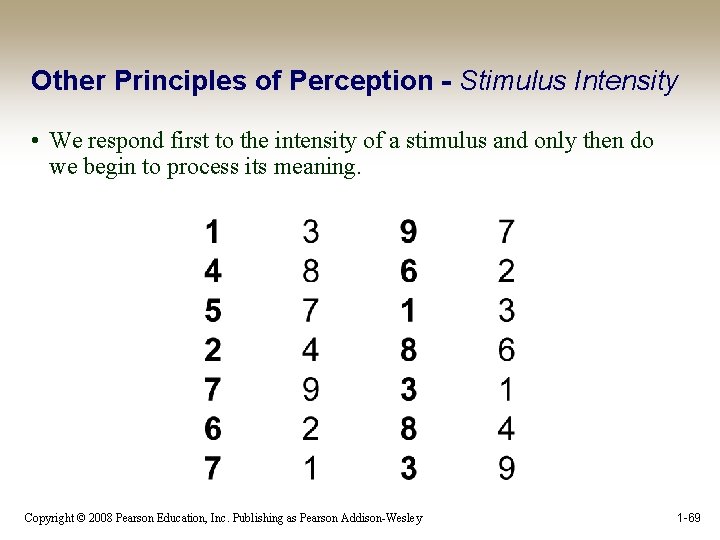
Other Principles of Perception - Stimulus Intensity • We respond first to the intensity of a stimulus and only then do we begin to process its meaning. Copyright © 2008 Pearson Education, Inc. Publishing as Pearson Addison-Wesley 1 -69
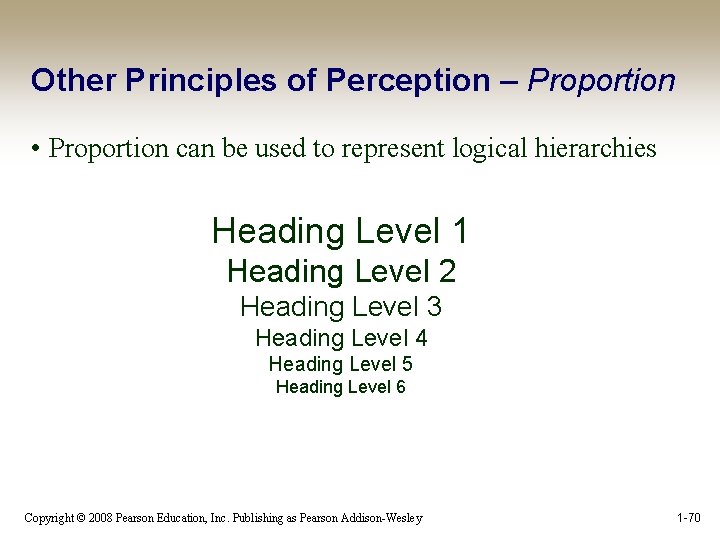
Other Principles of Perception – Proportion • Proportion can be used to represent logical hierarchies Heading Level 1 Heading Level 2 Heading Level 3 Heading Level 4 Heading Level 5 Heading Level 6 Copyright © 2008 Pearson Education, Inc. Publishing as Pearson Addison-Wesley 1 -70
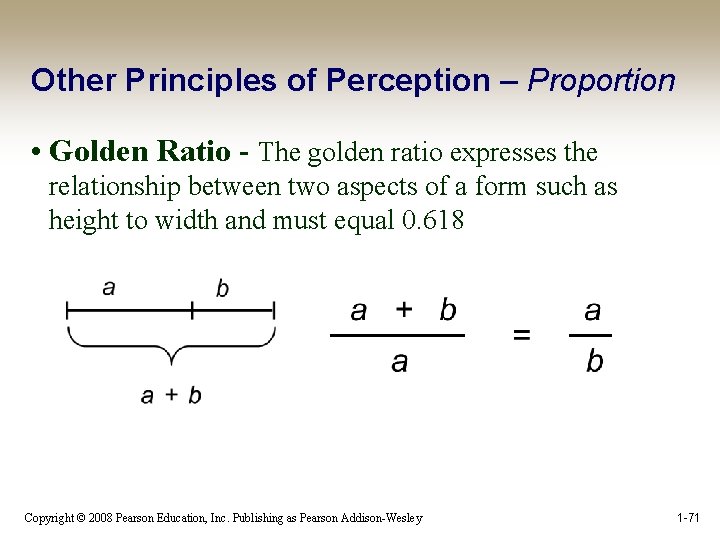
Other Principles of Perception – Proportion • Golden Ratio - The golden ratio expresses the relationship between two aspects of a form such as height to width and must equal 0. 618 Copyright © 2008 Pearson Education, Inc. Publishing as Pearson Addison-Wesley 1 -71
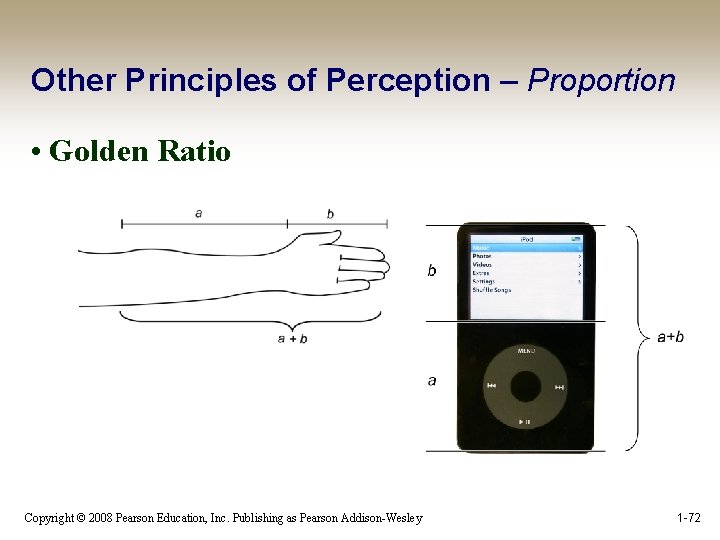
Other Principles of Perception – Proportion • Golden Ratio Copyright © 2008 Pearson Education, Inc. Publishing as Pearson Addison-Wesley 1 -72
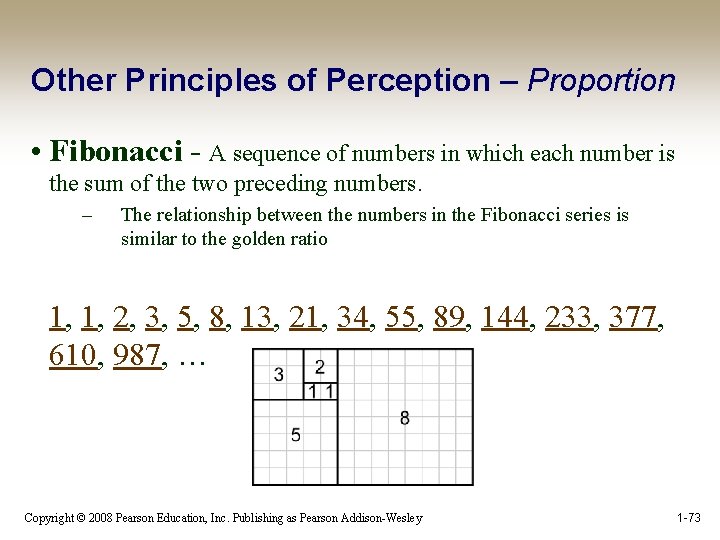
Other Principles of Perception – Proportion • Fibonacci - A sequence of numbers in which each number is the sum of the two preceding numbers. – The relationship between the numbers in the Fibonacci series is similar to the golden ratio 1, 1, 2, 3, 5, 8, 13, 21, 34, 55, 89, 144, 233, 377, 610, 987, … Copyright © 2008 Pearson Education, Inc. Publishing as Pearson Addison-Wesley 1 -73
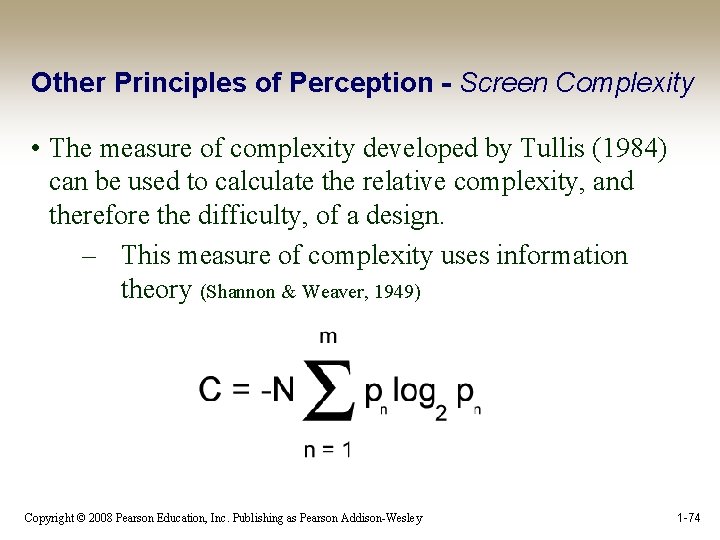
Other Principles of Perception - Screen Complexity • The measure of complexity developed by Tullis (1984) can be used to calculate the relative complexity, and therefore the difficulty, of a design. – This measure of complexity uses information theory (Shannon & Weaver, 1949) Copyright © 2008 Pearson Education, Inc. Publishing as Pearson Addison-Wesley 1 -74
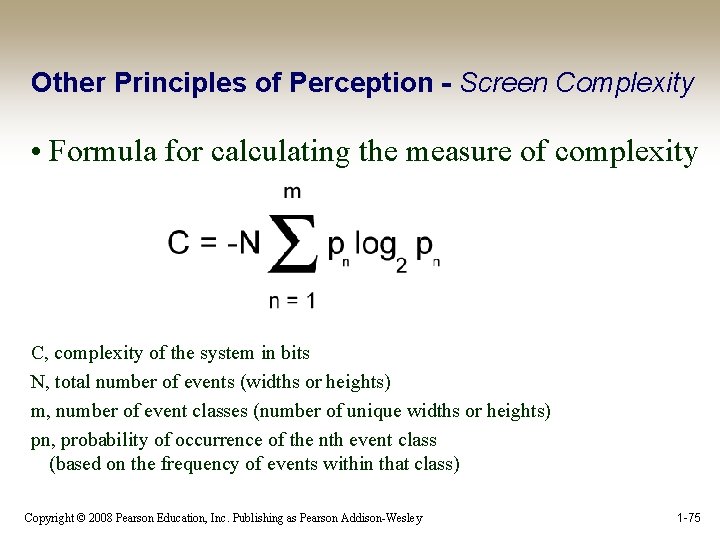
Other Principles of Perception - Screen Complexity • Formula for calculating the measure of complexity C, complexity of the system in bits N, total number of events (widths or heights) m, number of event classes (number of unique widths or heights) pn, probability of occurrence of the nth event class (based on the frequency of events within that class) Copyright © 2008 Pearson Education, Inc. Publishing as Pearson Addison-Wesley 1 -75
Other Principles of Perception - Screen Complexity • To calculate the measure of complexity for a particular screen, do the following: 1. Place a rectangle around every screen element 2. Count the number of elements and the number of columns (vertical alignment points) 3. Count the number of elements and the number of rows (horizontal alignment points) Copyright © 2008 Pearson Education, Inc. Publishing as Pearson Addison-Wesley 1 -76
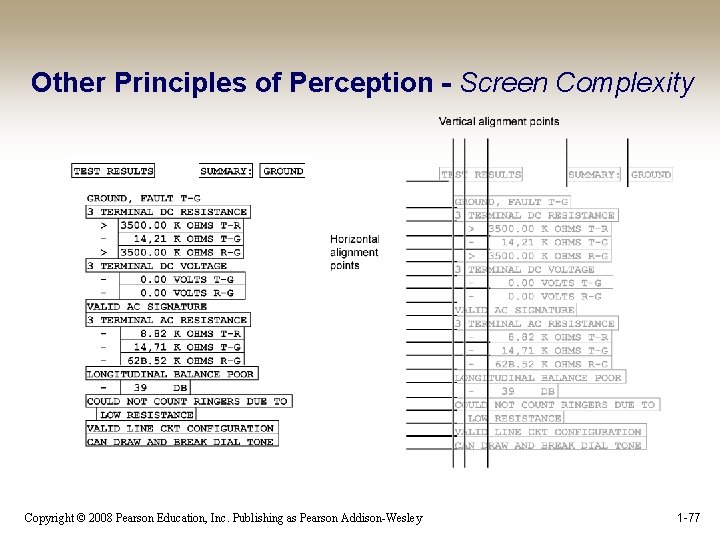
Other Principles of Perception - Screen Complexity Copyright © 2008 Pearson Education, Inc. Publishing as Pearson Addison-Wesley 1 -77
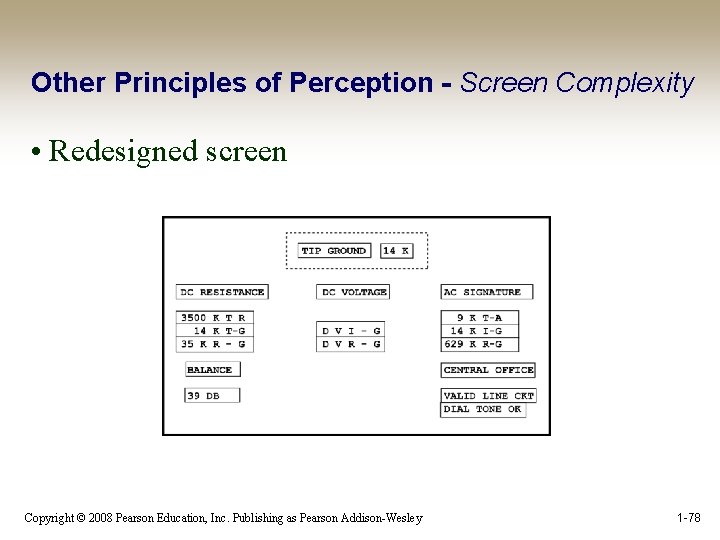
Other Principles of Perception - Screen Complexity • Redesigned screen Copyright © 2008 Pearson Education, Inc. Publishing as Pearson Addison-Wesley 1 -78
Other Principles of Perception - Resolution/Closure • Resolution/Closure - Relates to the perceived completion of a user’s tasks. – When the user’s objective is satisfied, he or she will consider the task complete and move on to the next goal Copyright © 2008 Pearson Education, Inc. Publishing as Pearson Addison-Wesley 1 -79
Usability Goals – Principles - Guidelines • Usability Goal—Easy to use – Most people are interested in completing their tasks and do not enjoy struggling with the tools they need to use. One of the most important goals of user-centered design is to make things easy to use. • Design Principle—Simplicity – Simple things require little effort and can often be accomplished without much thought. If interaction designs are guided by the principle of simplicity, they will be easier to use. Copyright © 2008 Pearson Education, Inc. Publishing as Pearson Addison-Wesley 1 -80
Usability Goals – Principles - Guidelines • Project Guideline—All dialogue boxes should present only the basic functions that are most often used and that other, less used functions can be accessed using an expandable dialogue with a link for “More Options. ” Copyright © 2008 Pearson Education, Inc. Publishing as Pearson Addison-Wesley 1 -81
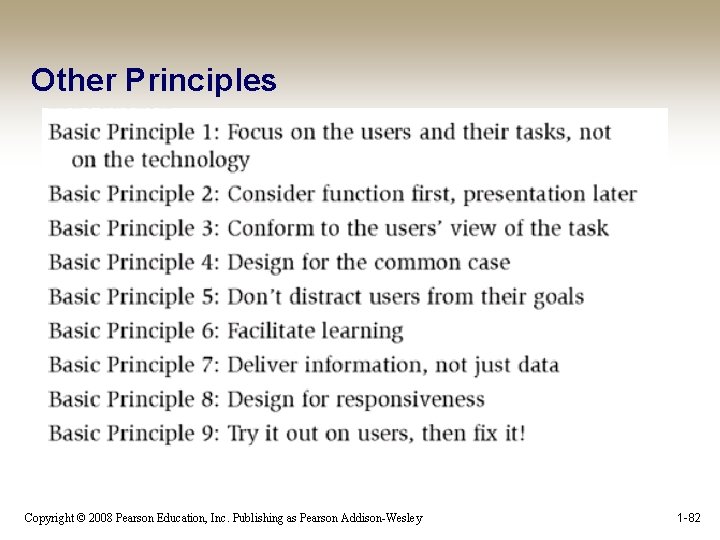
Other Principles Copyright © 2008 Pearson Education, Inc. Publishing as Pearson Addison-Wesley 1 -82

Other Bad Websites • See http: //www. webpagesthatsuck. com • http: //www. sutoer. com • http: //www. jkrowling. com/accessible/en/ Copyright © 2008 Pearson Education, Inc. Publishing as Pearson Addison-Wesley 1 -83
- Slides: 73