
Principles of Computer Science I Prof Nadeem Abdul
Principles of Computer Science I Prof. Nadeem Abdul Hamid CSC 120 – Fall 2005 Lecture Unit 1 - Introduction 1
Lecture Outline l l l What is a computer? What is computer science? Course mechanics Hardware & programming overview Compiling & running Java programs Binary numbers CSC 120 — Berry College — Fall 2005 Portions based on Python Programming: An Introduction to Computer Science by John Zelle 2
What is a ‘computer’? l What have you used a ‘computer’ for? l l Computers also used to… l l l Writing a paper… balancing checkbook… playing games… Predict the weather… design airplanes… make movies… run businesses… perform financial transactions… control factories… How can one device perform so many tasks? What exactly is a ‘computer’? 3
Modern Computers l l “A machine (? ) that stores and manipulates information under the control of a changeable program. ” Two key elements to definition: l Device for manipulating information l l Calculators, gas pumps also manipulate info… but these are built to only perform single, specific tasks Operate under control of a changeable program l l Can provide step-by-step instructions to a computer telling it what to do By changing the computer program, can get the computer to perform different tasks 4
A Universal Machine l l Every computer is a machine for executing (carrying out) programs Many different types of computers l l l Macintoshes, PCs… Thousands of other kinds of computers, real and theoretical Remarkable discovery of computer science: l l All different types of computers have same power With suitable programming, each computer can basically do all the things any other can 5
Programming l l Software (programs) control hardware (the physical machine) Building software = programming l Challenging l l l See the big picture while paying attention to small details, but… Anyone can learn to program Become a more intelligent user of computers Fun Career 6
Computer Science (CS) l Is NOT “the study of computers” l l Fundamental question of CS: What can be computed? l l l Dijkstra: computers are to CS as telescopes are to astronomy Computers can carry out any process we describe So, what processes can be described in order to solve problems? Algorithm: Step-by-step process to solve a problem 7

Role of Algorithms in CS 8
Algorithms in CS l Step-by-step process that solves a problem l l More precise than a recipe Eventually has to stop with an answer General description of a process rather than specific to a computer or programming language Areas of CS discipline span l l l Theory (mathematics) Experimentation (science) Design (engineering) 9
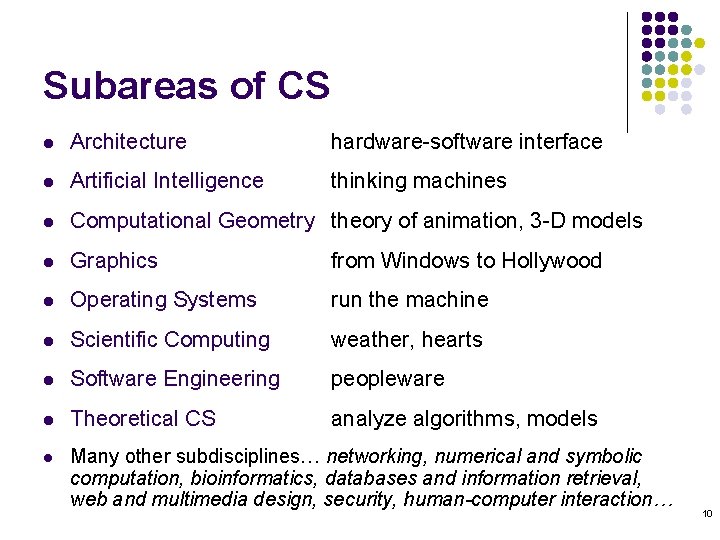
Subareas of CS l Architecture hardware-software interface l Artificial Intelligence thinking machines l Computational Geometry theory of animation, 3 -D models l Graphics from Windows to Hollywood l Operating Systems run the machine l Scientific Computing weather, hearts l Software Engineering peopleware l Theoretical CS analyze algorithms, models l Many other subdisciplines… networking, numerical and symbolic computation, bioinformatics, databases and information retrieval, web and multimedia design, security, human-computer interaction… 10
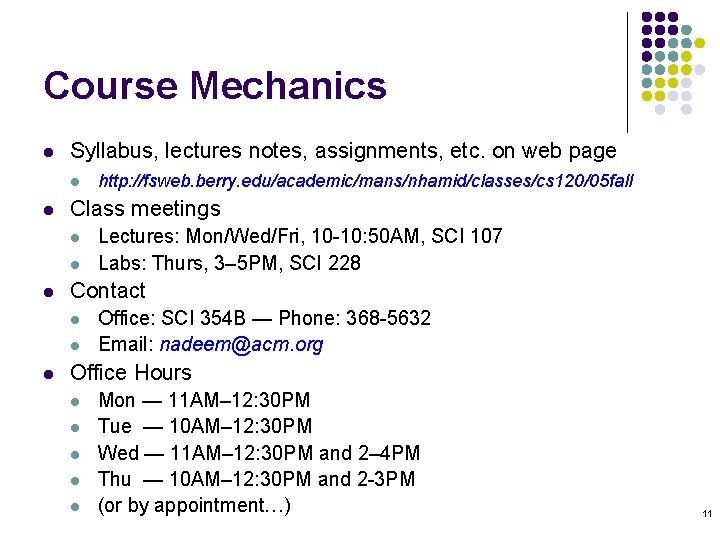
Course Mechanics l Syllabus, lectures notes, assignments, etc. on web page l l Class meetings l l l Lectures: Mon/Wed/Fri, 10 -10: 50 AM, SCI 107 Labs: Thurs, 3– 5 PM, SCI 228 Contact l l l http: //fsweb. berry. edu/academic/mans/nhamid/classes/cs 120/05 fall Office: SCI 354 B — Phone: 368 -5632 Email: nadeem@acm. org Office Hours l l l Mon — 11 AM– 12: 30 PM Tue — 10 AM– 12: 30 PM Wed — 11 AM– 12: 30 PM and 2– 4 PM Thu — 10 AM– 12: 30 PM and 2 -3 PM (or by appointment…) 11
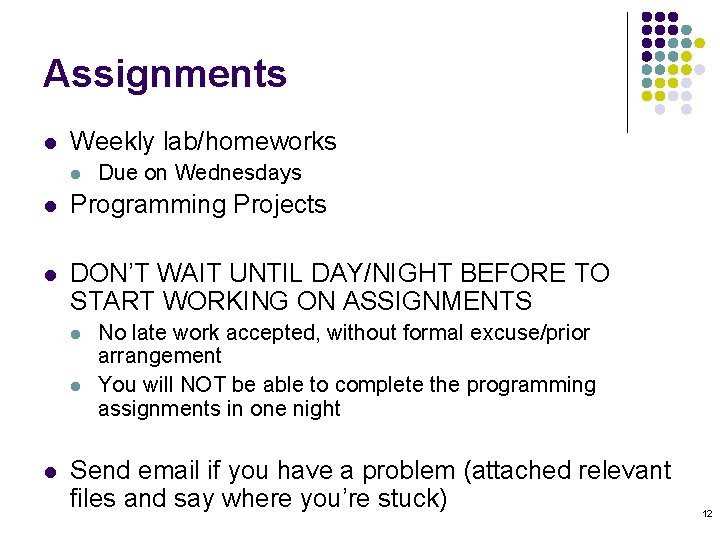
Assignments l Weekly lab/homeworks l Due on Wednesdays l Programming Projects l DON’T WAIT UNTIL DAY/NIGHT BEFORE TO START WORKING ON ASSIGNMENTS l l l No late work accepted, without formal excuse/prior arrangement You will NOT be able to complete the programming assignments in one night Send email if you have a problem (attached relevant files and say where you’re stuck) 12
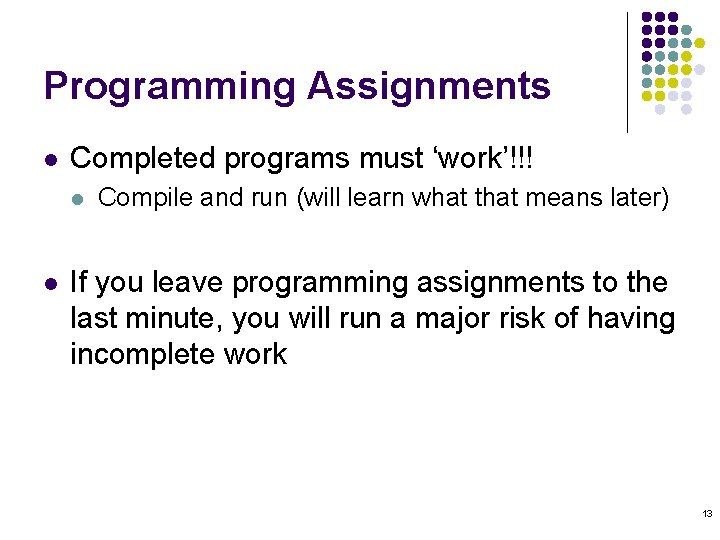
Programming Assignments l Completed programs must ‘work’!!! l l Compile and run (will learn what that means later) If you leave programming assignments to the last minute, you will run a major risk of having incomplete work 13
Materials and Resources l Textbook: l Java Concepts, 4 th Edition, Cay Horstmann l Online course website: Check regularly l Software (in computer lab SCI 228) l l Java 5. 0 (JDK): http: //java. sun. com/j 2 se/1. 5. 0/download. jsp l Compiler; runtime system Dr. Java: http: //www. drjava. org l Editor; development environment 14
Grading and Evaluation l l Class participation and attendance (10%) Lab participation and attendance (10%) Assignments/Projects (40%) Exams (40%) Tentative dates: l l First exam: Friday, September 23, 2005 Second exam: Friday, October 28, 2005 Final exam: ? ? ? Policies (see syllabus) l l Attendance Academic integrity Late work Disabilities 15
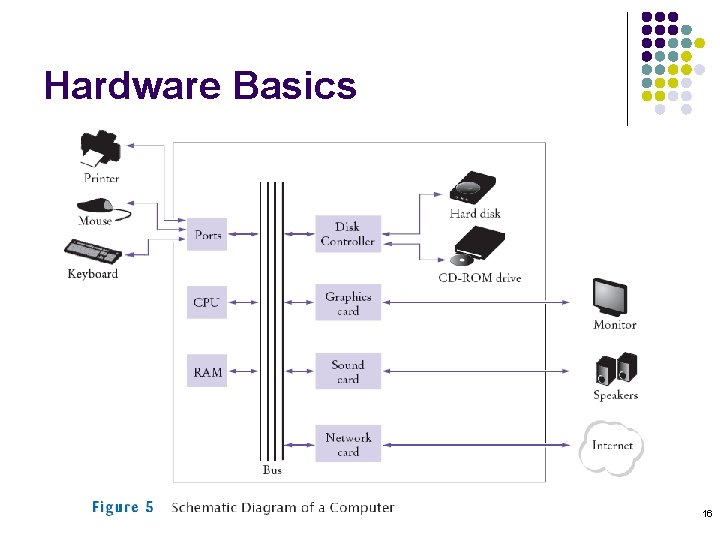
Hardware Basics 16
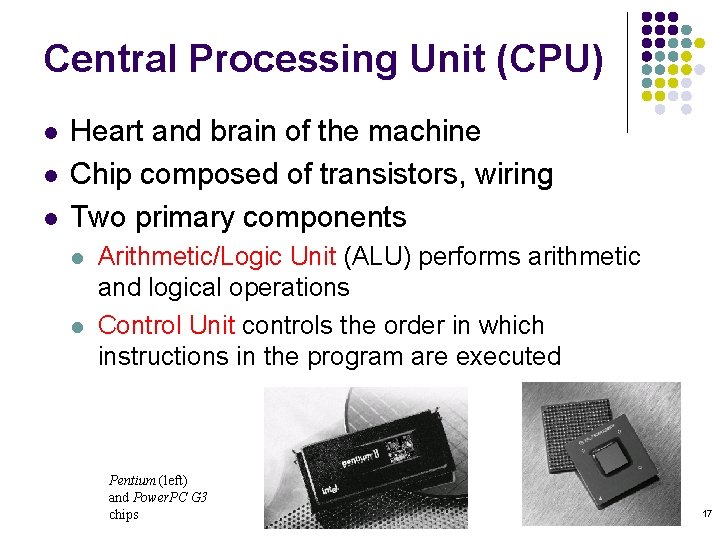
Central Processing Unit (CPU) l l l Heart and brain of the machine Chip composed of transistors, wiring Two primary components l l Arithmetic/Logic Unit (ALU) performs arithmetic and logical operations Control Unit controls the order in which instructions in the program are executed Pentium (left) and Power. PC G 3 chips 17
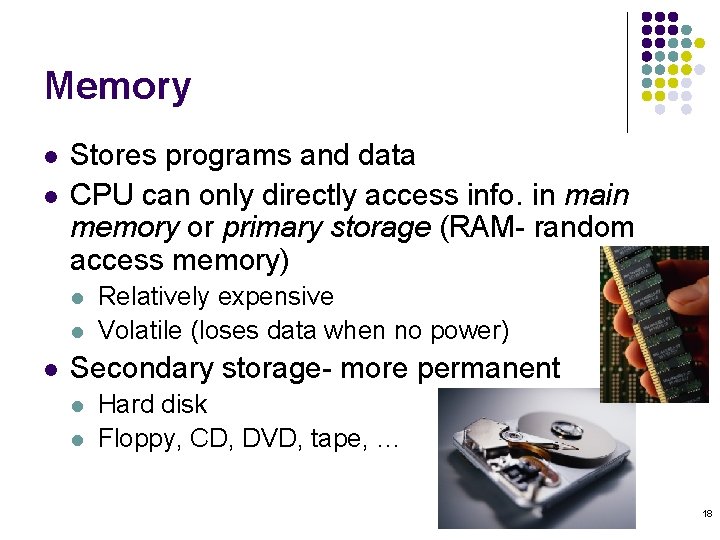
Memory l l Stores programs and data CPU can only directly access info. in main memory or primary storage (RAM- random access memory) l l l Relatively expensive Volatile (loses data when no power) Secondary storage- more permanent l l Hard disk Floppy, CD, DVD, tape, … 18
RAM - Main Memory l l l Ordered sequence of storage cells Each holds one piece (a ‘word’) of data ‘Data’ is a sequence of bits (on/off - 0/1) 8 bits = 1 byte Each memory cell has a unique address (integer number) 19
Peripheral Devices l Input Devices l l l Output Devices l l keyboard mouse printer video display LCD screen Auxiliary Storage l l l disk drive CD-ROM drive DVD-ROM drive 20
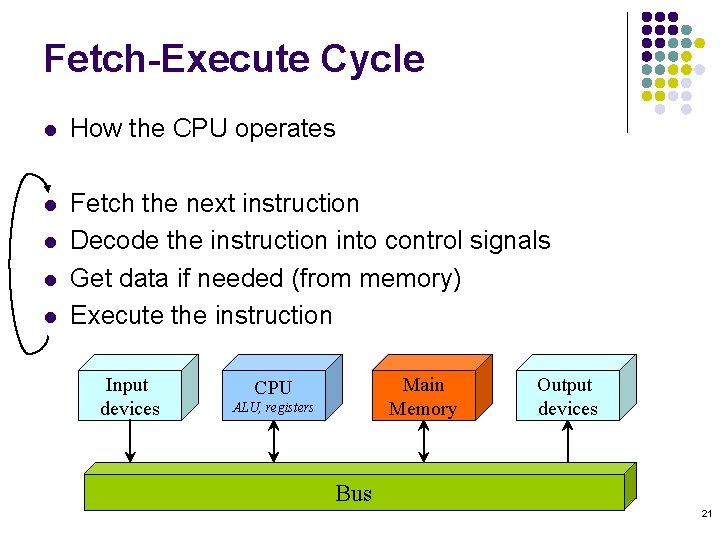
Fetch-Execute Cycle l How the CPU operates l Fetch the next instruction Decode the instruction into control signals Get data if needed (from memory) Execute the instruction l l l Input devices Main Memory CPU ALU, registers Output devices Bus 21
Machine Code l l Instructions/operations that CPU ‘understands’ Different vendors (Intel, Sun, IBM) use different sets of machine instructions Extremely primitive Encoded as (binary) numbers 22
Programming Languages l Could we use English to give instructions to a computer? l l “I saw the man in the park with the telescope. ” l Who had the telescope? Who was in the park? ‘Natural languages’ are full of ambiguity and imprecision l Made up for by lots of redundancy and shared human knowledge Computer scientists design precise notations for expressing instructions/statements: programming languages Programming languages have structures with l l Precise form (syntax) Precise meaning (semantics) 23
High-level Languages l Designed to be used and understood by humans l C, C++, Java, Perl, Scheme, BASIC, … l All have well-defined, unambiguous syntax and semantics l Problem: l l l Humans write code (programs) in high-level languages Computers only ‘understand’ machine language (0’s, 1’s) Compiler: Program that translates programs from high-level language to machine code 24
Java Programming Language l Benefits l l Simple (compared to C++) Safe (security features prevent many ‘bad’ things) Platform-independent (‘write once, run anywhere’) Rich library (packages) l l Lots of code already written for you to do lots of stuff Designed for Internet (applets) 25
Caveats l Programs we write in this course will not be fancy l l Java language l l Today’s sophisticated programs/games built by teams of highly skilled programmers, artists, other professionals Was designed for professionals, not students Evolving - features change with different versions (we’ll be using 5. 0) Cannot learn all Java in one semester l In fact, no one can hope to learn entire Java library in a lifetime… Goal of this course: Learn how to think about problem solving and expressing precise solutions using a programming language 26
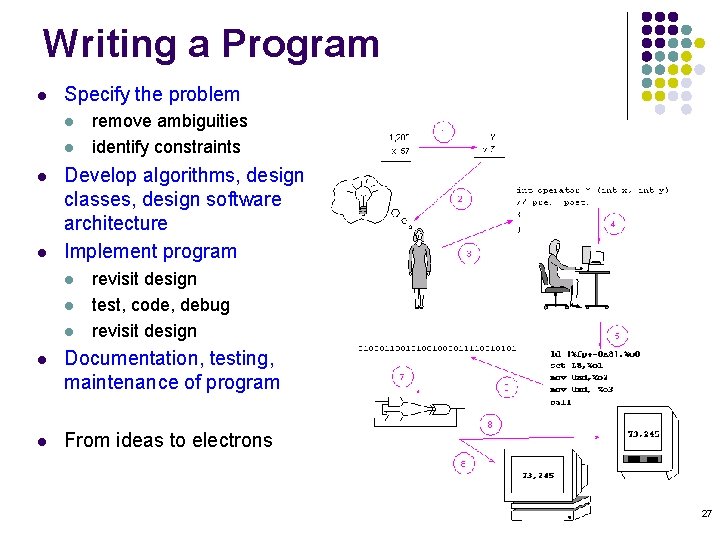
Writing a Program l Specify the problem l l remove ambiguities identify constraints Develop algorithms, design classes, design software architecture Implement program l l l revisit design test, code, debug revisit design l Documentation, testing, maintenance of program l From ideas to electrons 27
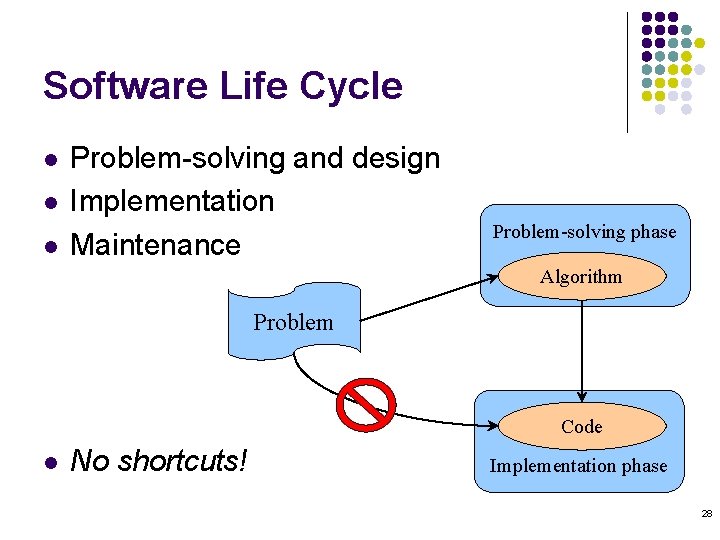
Software Life Cycle l l l Problem-solving and design Implementation Maintenance Problem-solving phase Algorithm Problem Code l No shortcuts! Implementation phase 28
Algorithms and Programs l Algorithm l l l instructions for solving a problem in a finite amount of time using a finite amount of data expressed in a precise, but general, way (using English? ), independent of type of computer Program l an algorithm written for a computer using a particular computer/programming language 29
Writing and Compiling a Java Program Using Dr. Java IDE = Integrated Development Environment 30
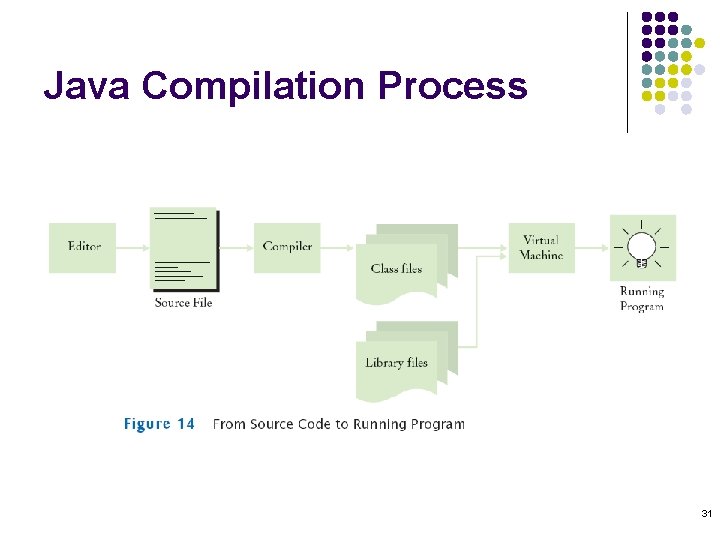
Java Compilation Process 31
![Hello. Tester Program public class Hello. Tester { public static void main( String[] args](http://slidetodoc.com/presentation_image_h2/5e5b41979a165ff11f53400b48863385/image-32.jpg "Hello. Tester Program public class Hello. Tester { public static void main( String[] args")
Hello. Tester Program public class Hello. Tester { public static void main( String[] args ) { // Display a greeting in the console window System. out. println( "Hello, World!" ); } } l Note: l l Java is case-sensitive (upper/lowercase matters!) Java doesn’t care about layout (spaces/new lines) l But we (human beings) need proper layout in order to easily read and understand programs 32
Basic Java Concepts l Classes l l l Fundamental building blocks of Java programs Every program made up of one or (usually) more classes Methods l l l Collection of programming instructions (statements) that describe how to carry out a particular task Every method has a name Every Java application needs at least a main method (i. e. a method named ‘main’) 33
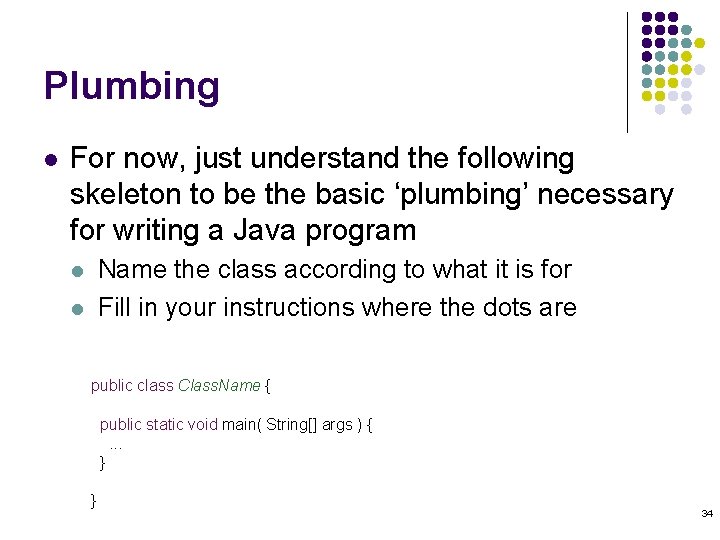
Plumbing l For now, just understand the following skeleton to be the basic ‘plumbing’ necessary for writing a Java program Name the class according to what it is for Fill in your instructions where the dots are l l public class Class. Name { public static void main( String[] args ) {. . . } } 34
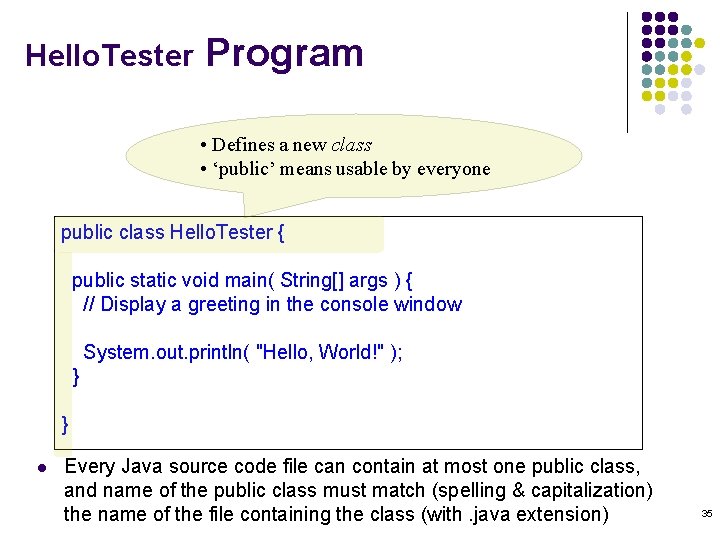
Hello. Tester Program • Defines a new class • ‘public’ means usable by everyone public class Hello. Tester { public static void main( String[] args ) { // Display a greeting in the console window System. out. println( "Hello, World!" ); } } l Every Java source code file can contain at most one public class, and name of the public class must match (spelling & capitalization) the name of the file containing the class (with. java extension) 35
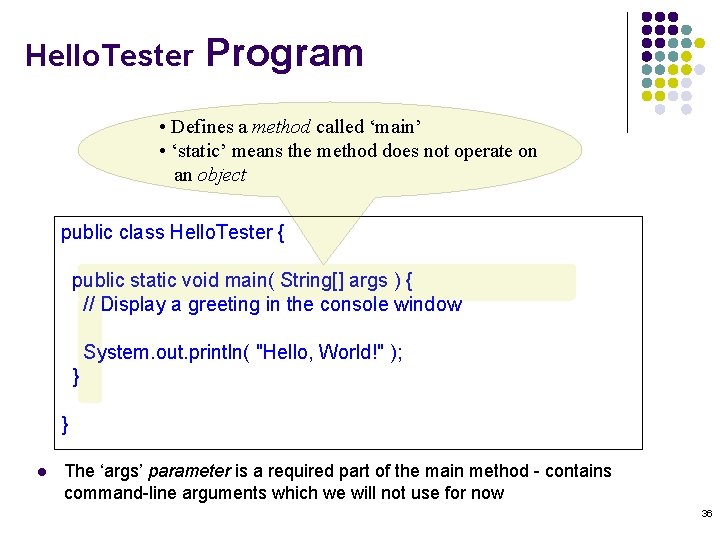
Hello. Tester Program • Defines a method called ‘main’ • ‘static’ means the method does not operate on an object public class Hello. Tester { public static void main( String[] args ) { // Display a greeting in the console window System. out. println( "Hello, World!" ); } } l The ‘args’ parameter is a required part of the main method - contains command-line arguments which we will not use for now 36
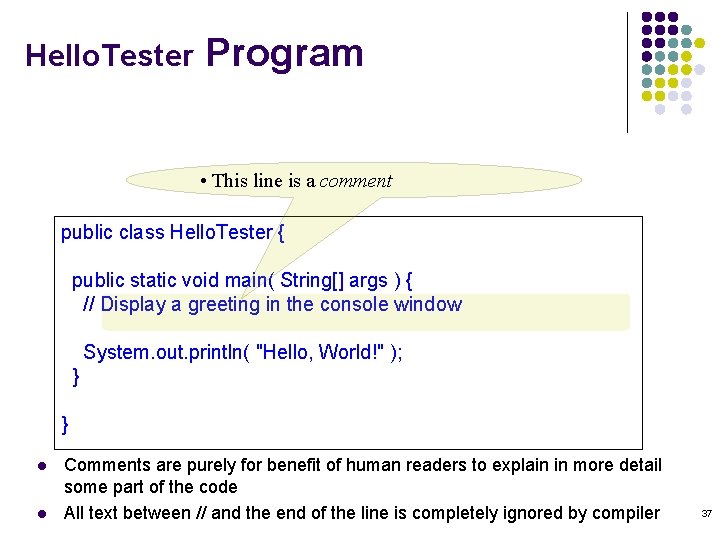
Hello. Tester Program • This line is a comment public class Hello. Tester { public static void main( String[] args ) { // Display a greeting in the console window System. out. println( "Hello, World!" ); } } l l Comments are purely for benefit of human readers to explain in more detail some part of the code All text between // and the end of the line is completely ignored by compiler 37
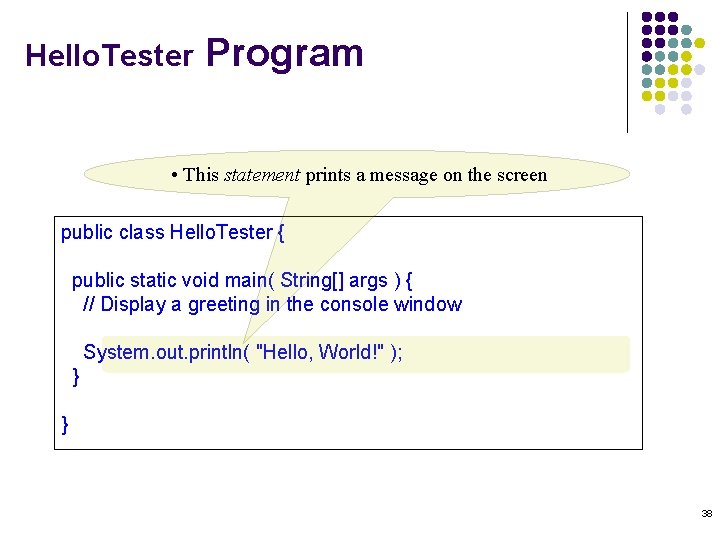
Hello. Tester Program • This statement prints a message on the screen public class Hello. Tester { public static void main( String[] args ) { // Display a greeting in the console window System. out. println( "Hello, World!" ); } } 38
Statements l Each statement ends with a semicolon l l l Forgetting ; is a very common error and will confuse the compiler Statements inside the body of a method (i. e. enclosed between braces { }) are executed one by one println is a method that prints a line of text l l Destination of the output could be a file, window, networked computer, printer, … We specify the console (terminal) window using the out object, contained in the System class 39
Invoking a Method l To do something with an object, you call (or, invoke) a method by specifying l Object you want to use Name of the method you want to use Pair of parentheses, containing additional information the method needs to operate l This additional information is called the parameter(s) l (Notice different meanings of the periods) l l 40
Strings l Sequence of characters enclosed in quotation marks l l l “Hello, World!” “main” Any text strings must be enclosed in quotation marks so compiler treats them as plain text and doesn’t try to interpret them as program instructions 41
Comments l Two forms of comments in Java l // … till end of line l /* … between … */ l l Use comments as you are writing your code l l This form of comments can span multiple lines Include header comment at the top of any source code files you work on Skeleton class file for all assignments l l Generic. Class. java Example: Hello. Problem. java 42
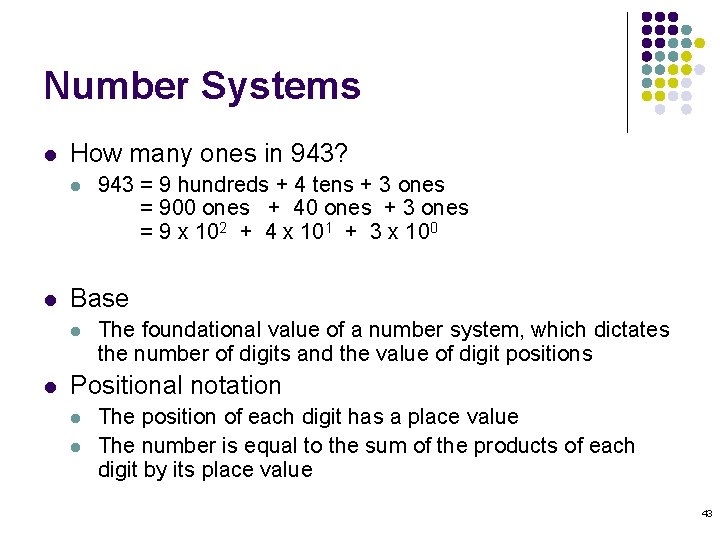
Number Systems l How many ones in 943? l l Base l l 943 = 9 hundreds + 4 tens + 3 ones = 900 ones + 40 ones + 3 ones = 9 x 10² + 4 x 101 + 3 x 100 The foundational value of a number system, which dictates the number of digits and the value of digit positions Positional notation l l The position of each digit has a place value The number is equal to the sum of the products of each digit by its place value 43
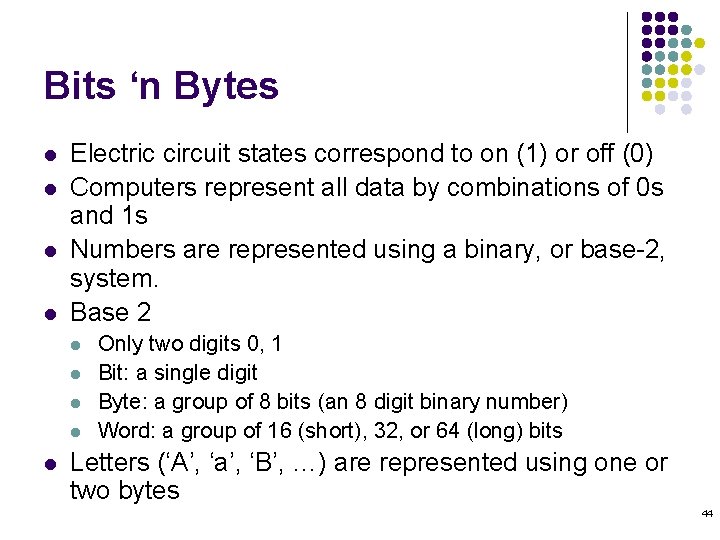
Bits ‘n Bytes l l Electric circuit states correspond to on (1) or off (0) Computers represent all data by combinations of 0 s and 1 s Numbers are represented using a binary, or base-2, system. Base 2 l l l Only two digits 0, 1 Bit: a single digit Byte: a group of 8 bits (an 8 digit binary number) Word: a group of 16 (short), 32, or 64 (long) bits Letters (‘A’, ‘a’, ‘B’, …) are represented using one or two bytes 44
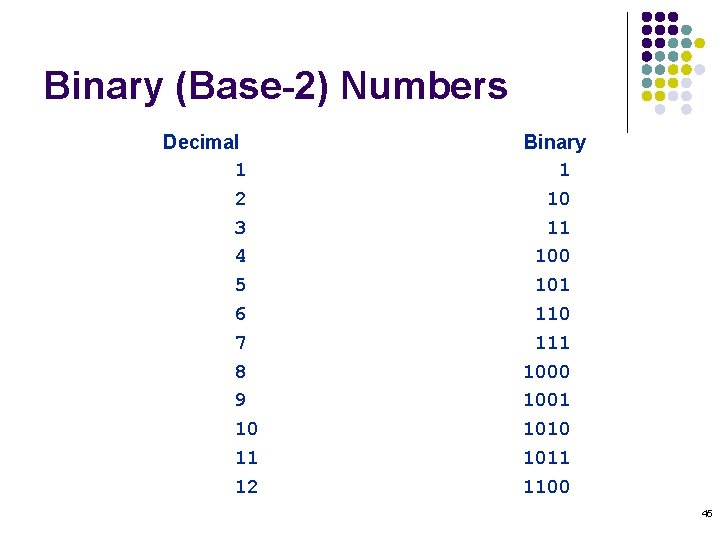
Binary (Base-2) Numbers Decimal 1 2 3 4 5 6 7 8 9 10 11 12 Binary 1 10 11 100 101 110 111 1000 1001 1010 1011 1100 45
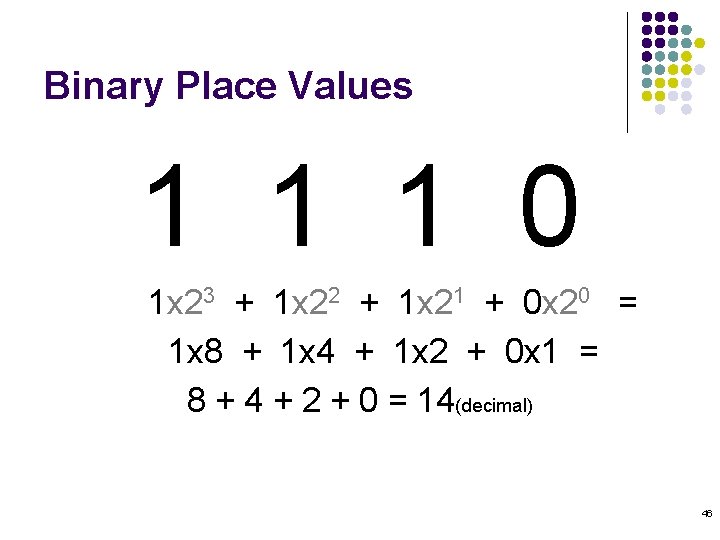
Binary Place Values 1 1 1 0 1 x 23 + 1 x 22 + 1 x 21 + 0 x 20 = 1 x 8 + 1 x 4 + 1 x 2 + 0 x 1 = 8 + 4 + 2 + 0 = 14(decimal) 46
Numbers on the Computer l Have limited size (number of bits) l l l Computers have a scheme for representing negative numbers l l The left-most bit can be used to tell the sign, but it’s not exactly just a sign bit Java thus works with numbers in a range of values l l l With four decimal digits, the biggest number we can write is 999910 (subscript indicates base-10) With four bits (binary digits), the biggest number we can write is 11112 = 1510 e. g. from – 32, 76810 to 32, 76710 If a number gets too big (or small) it “wraps around” Keep this in mind (it can be a source of errors) 47
Interesting Number Bases l l l Base-2 – Ancient Chinese world view (yin/yang) Base-5 – “Hand” (5 fingers on a hand) Base-10 – “Decimal” (10 fingers) 12 as a grouping system (Europe, China) Base-20 – Mayan culture (20 digits, fingers and toes) Base-60 – Sumerian culture, used as grouping number by many other cultures (has many factors) 48
Predictions that didn’t make it l l l “I think there is a world market for maybe five computers. ” – Thomas Watson, IBM chair, 1943 “Where … the ENIAC is equipped with 18, 000 vacuum tubes and weighs 30 tons, computers in the future may have only 1, 000 vacuum tubes and weigh only 1. 5 tons. ” – Popular Mechanics, 1949 “Folks, the Mac platform is through—totally. ” – John C. Dvorak, PC Magazine, 1998 “There is no reason anyone would want a computer in their home. ” – Ken Olsen, Digital Equipment Corp. president, chairman, and founder, 1977 “I predict the Internet. . will go spectacularly supernova and in 1996 catastrophically collapse. ” – Bob Metcalfe, 3 Com founder, 1995 L. Kappelman, “The Future is Ours, ” CACM 44: 3 (2001), p 46 49
- Slides: 49