
Primitive Data Types and Operations 1 Objectives To
Primitive Data Types and Operations 1
Objectives • • • • To write Java programs to perform simple calculations. To use identifiers to name variables, constants, methods, and classes. To use variables to store data. To program with assignment statements and assignment expressions. To use constants to store permanent data. To declare Java primitive data types: byte, short, int, long, float, double, char, and boolean. To use Java operators to write expressions. To know the rules governing operand evaluation order, operator precedence, and operator associativity. To represent a string using the String type. To obtain input using the JOption. Pane input dialog boxes. To obtain input from console. To format output using JDK 1. 5 printf. To become familiar with Java documentation, programming style, and naming conventions. To distinguish syntax errors, runtime errors, and logic errors. 2 To debug logic errors.
Introducing Programming Computing the Area of a Circle Compute. Area Run 3
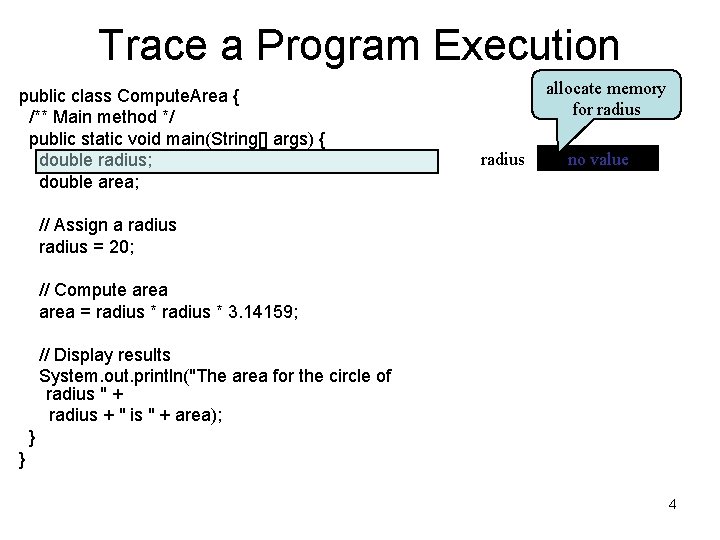
Trace a Program Execution public class Compute. Area { /** Main method */ public static void main(String[] args) { double radius; double area; allocate memory for radius no value // Assign a radius = 20; // Compute area = radius * 3. 14159; // Display results System. out. println("The area for the circle of radius " + radius + " is " + area); } } 4
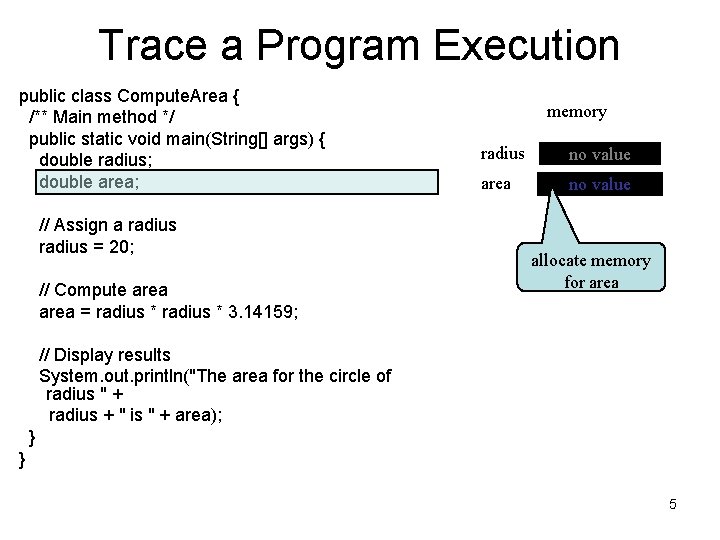
Trace a Program Execution public class Compute. Area { /** Main method */ public static void main(String[] args) { double radius; double area; // Assign a radius = 20; // Compute area = radius * 3. 14159; memory radius no value area no value allocate memory for area // Display results System. out. println("The area for the circle of radius " + radius + " is " + area); } } 5
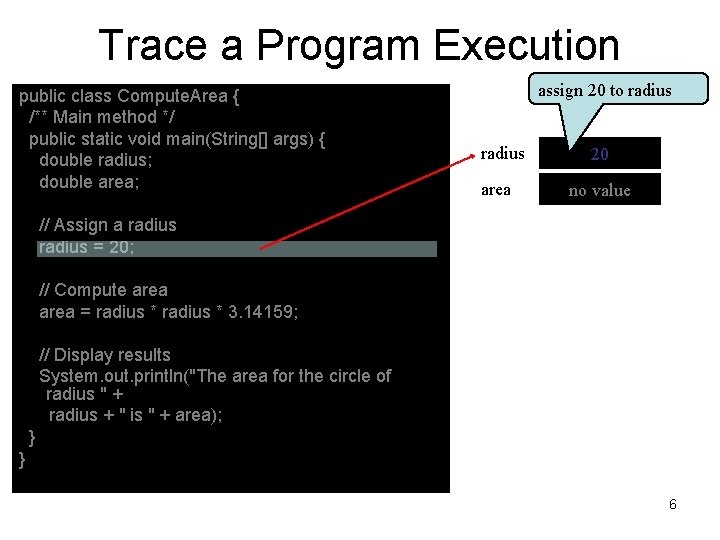
Trace a Program Execution public class Compute. Area { /** Main method */ public static void main(String[] args) { double radius; double area; assign 20 to radius area 20 no value // Assign a radius = 20; // Compute area = radius * 3. 14159; // Display results System. out. println("The area for the circle of radius " + radius + " is " + area); } } 6
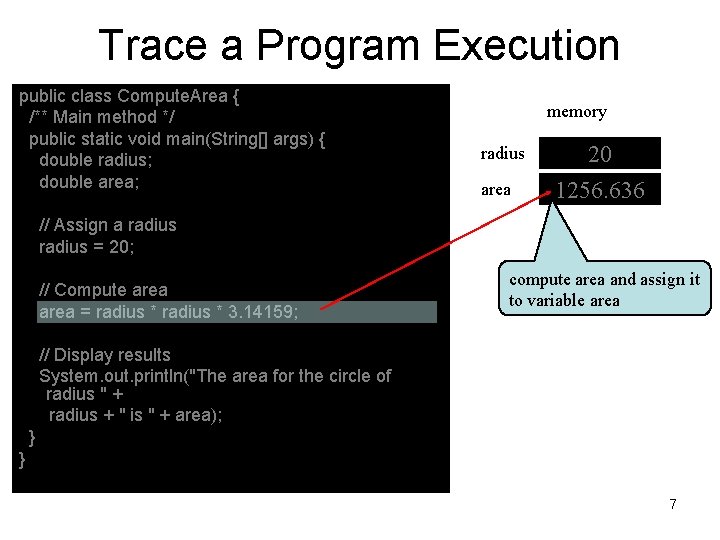
Trace a Program Execution public class Compute. Area { /** Main method */ public static void main(String[] args) { double radius; double area; memory radius area 20 1256. 636 // Assign a radius = 20; // Compute area = radius * 3. 14159; compute area and assign it to variable area // Display results System. out. println("The area for the circle of radius " + radius + " is " + area); } } 7
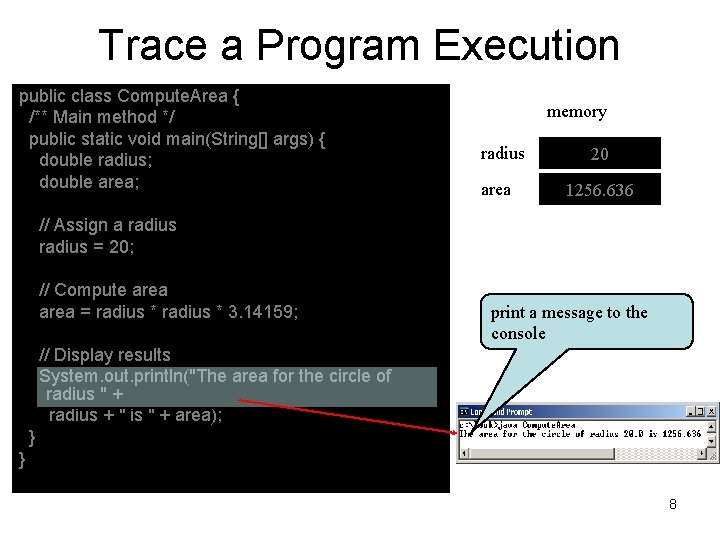
Trace a Program Execution public class Compute. Area { /** Main method */ public static void main(String[] args) { double radius; double area; memory radius area 20 1256. 636 // Assign a radius = 20; // Compute area = radius * 3. 14159; print a message to the console // Display results System. out. println("The area for the circle of radius " + radius + " is " + area); } } 8
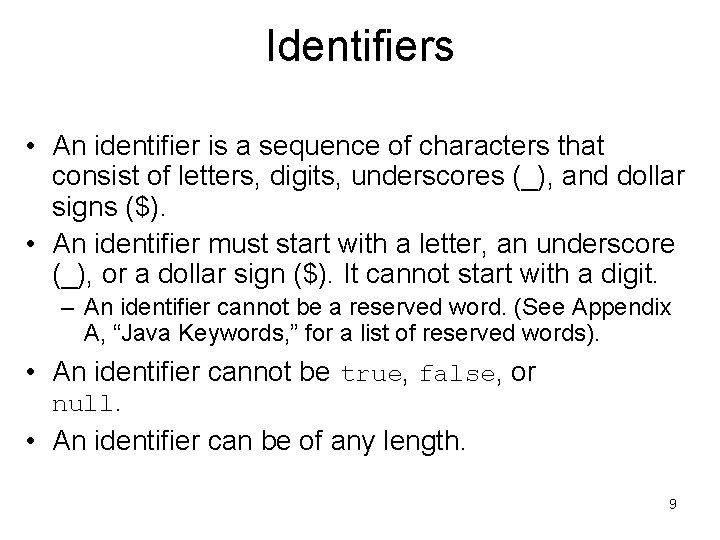
Identifiers • An identifier is a sequence of characters that consist of letters, digits, underscores (_), and dollar signs ($). • An identifier must start with a letter, an underscore (_), or a dollar sign ($). It cannot start with a digit. – An identifier cannot be a reserved word. (See Appendix A, “Java Keywords, ” for a list of reserved words). • An identifier cannot be true, false, or null. • An identifier can be of any length. 9
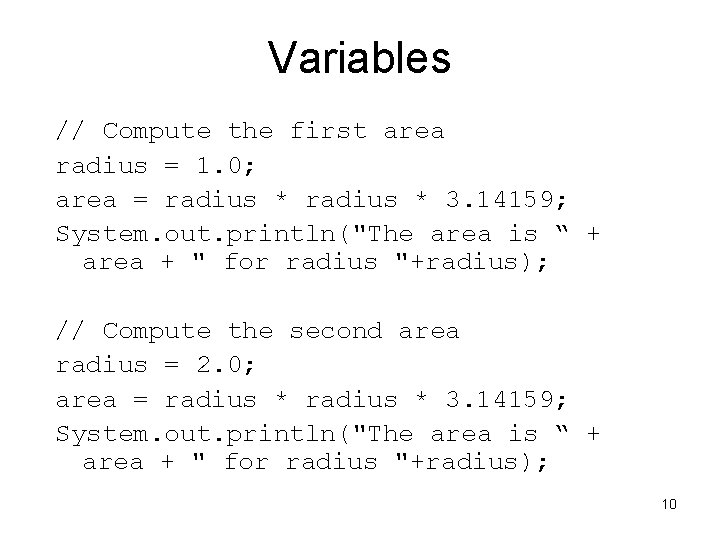
Variables // Compute the first area radius = 1. 0; area = radius * 3. 14159; System. out. println("The area is “ + area + " for radius "+radius); // Compute the second area radius = 2. 0; area = radius * 3. 14159; System. out. println("The area is “ + area + " for radius "+radius); 10
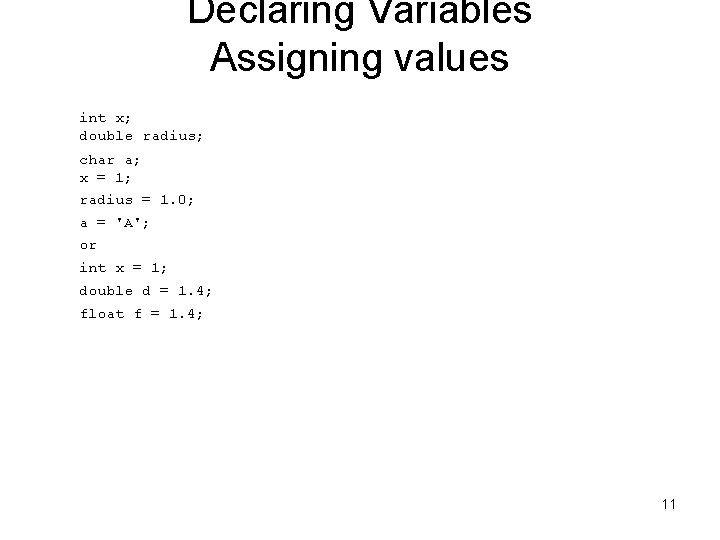
Declaring Variables Assigning values int x; double radius; char a; x = 1; radius = 1. 0; a = 'A'; or int x = 1; double d = 1. 4; float f = 1. 4; 11
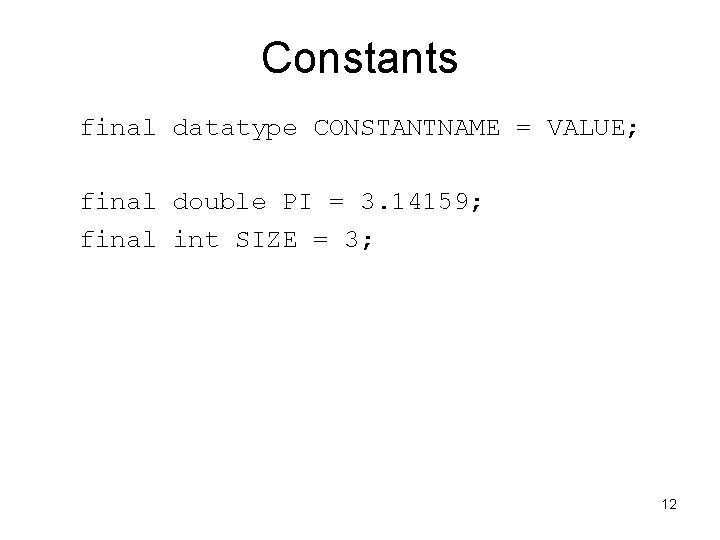
Constants final datatype CONSTANTNAME = VALUE; final double PI = 3. 14159; final int SIZE = 3; 12
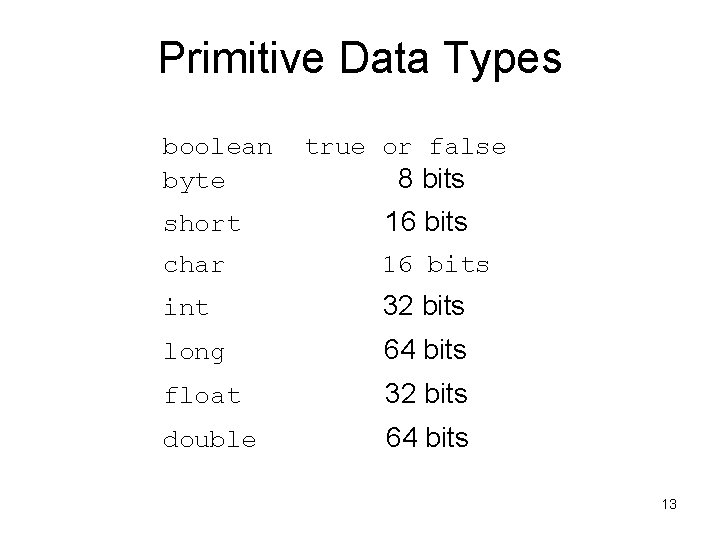
Primitive Data Types boolean byte true or false 8 bits short 16 bits char 16 bits int 32 bits long 64 bits float 32 bits double 64 bits 13
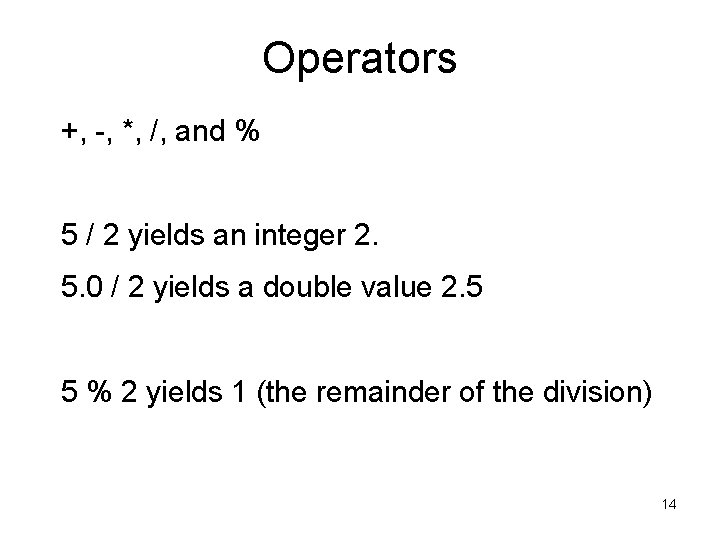
Operators +, -, *, /, and % 5 / 2 yields an integer 2. 5. 0 / 2 yields a double value 2. 5 5 % 2 yields 1 (the remainder of the division) 14
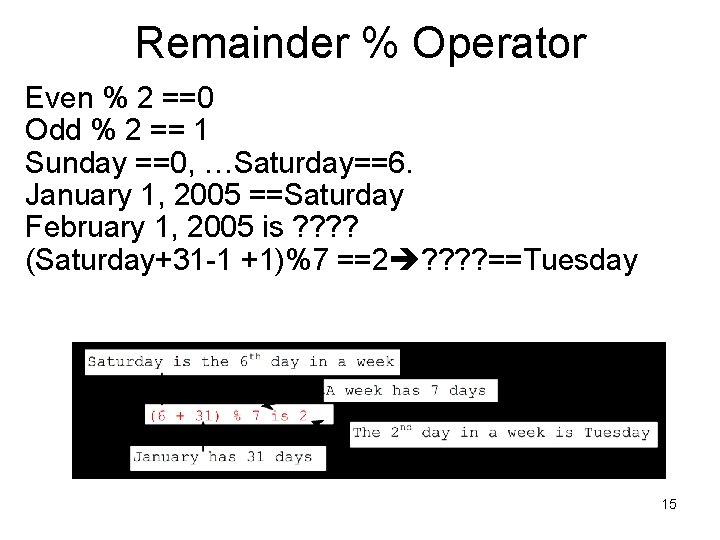
Remainder % Operator Even % 2 ==0 Odd % 2 == 1 Sunday ==0, …Saturday==6. January 1, 2005 ==Saturday February 1, 2005 is ? ? (Saturday+31 -1 +1)%7 ==2 ? ? ==Tuesday 15
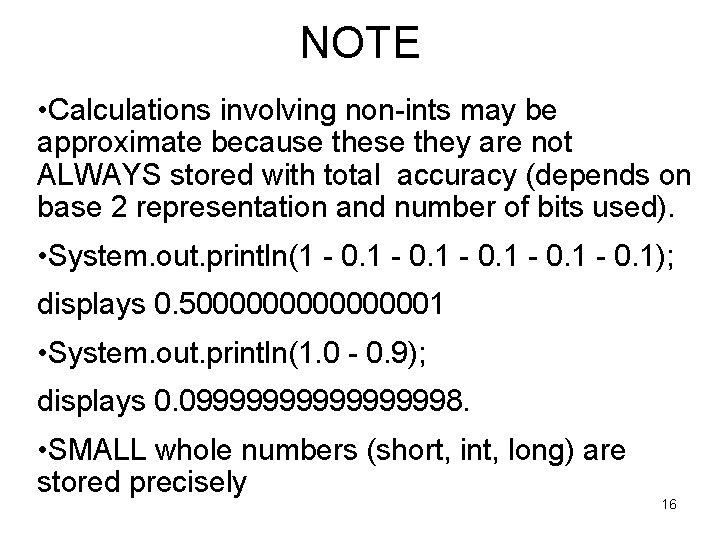
NOTE • Calculations involving non-ints may be approximate because they are not ALWAYS stored with total accuracy (depends on base 2 representation and number of bits used). • System. out. println(1 - 0. 1); displays 0. 500000001 • System. out. println(1. 0 - 0. 9); displays 0. 0999999998. • SMALL whole numbers (short, int, long) are stored precisely 16
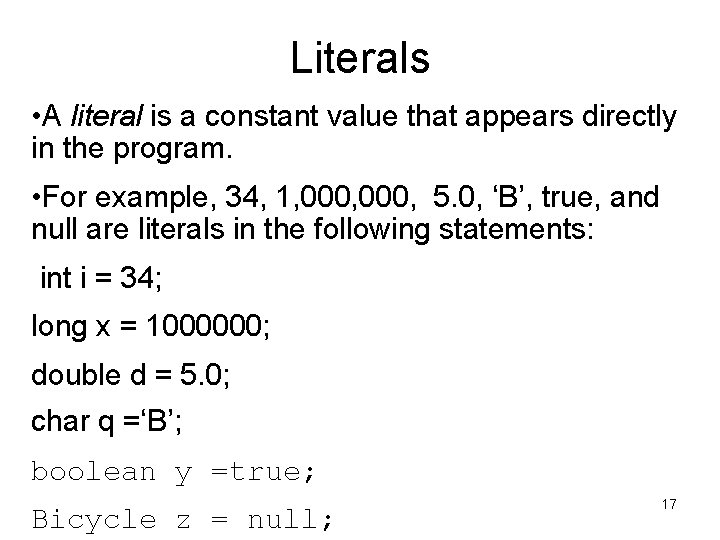
Literals • A literal is a constant value that appears directly in the program. • For example, 34, 1, 000, 5. 0, ‘B’, true, and null are literals in the following statements: int i = 34; long x = 1000000; double d = 5. 0; char q =‘B’; boolean y =true; Bicycle z = null; 17
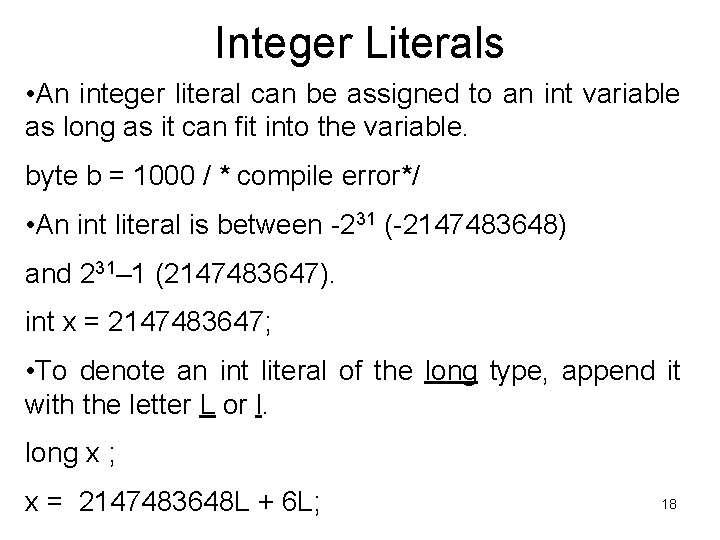
Integer Literals • An integer literal can be assigned to an int variable as long as it can fit into the variable. byte b = 1000 / * compile error*/ • An int literal is between -231 (-2147483648) and 231– 1 (2147483647). int x = 2147483647; • To denote an int literal of the long type, append it with the letter L or l. long x ; x = 2147483648 L + 6 L; 18
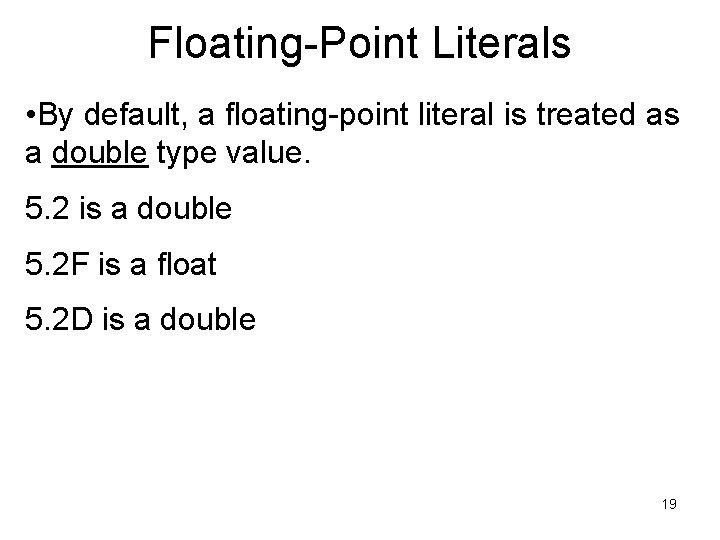
Floating-Point Literals • By default, a floating-point literal is treated as a double type value. 5. 2 is a double 5. 2 F is a float 5. 2 D is a double 19
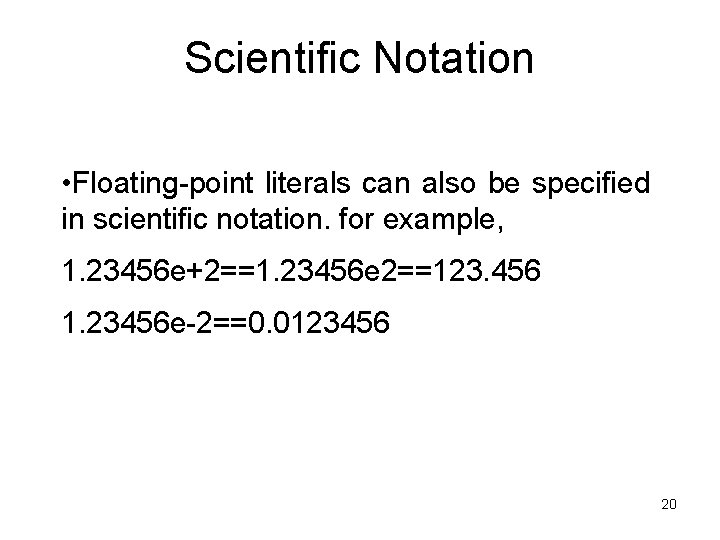
Scientific Notation • Floating-point literals can also be specified in scientific notation. for example, 1. 23456 e+2==1. 23456 e 2==123. 456 1. 23456 e-2==0. 0123456 20
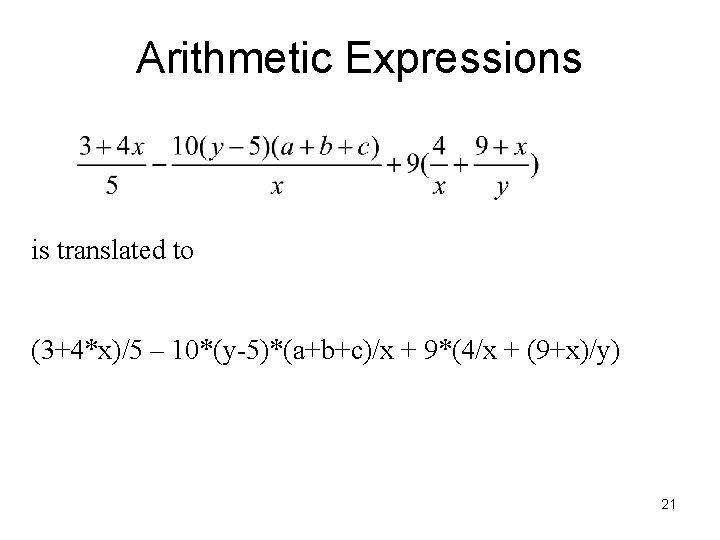
Arithmetic Expressions is translated to (3+4*x)/5 – 10*(y-5)*(a+b+c)/x + 9*(4/x + (9+x)/y) 21
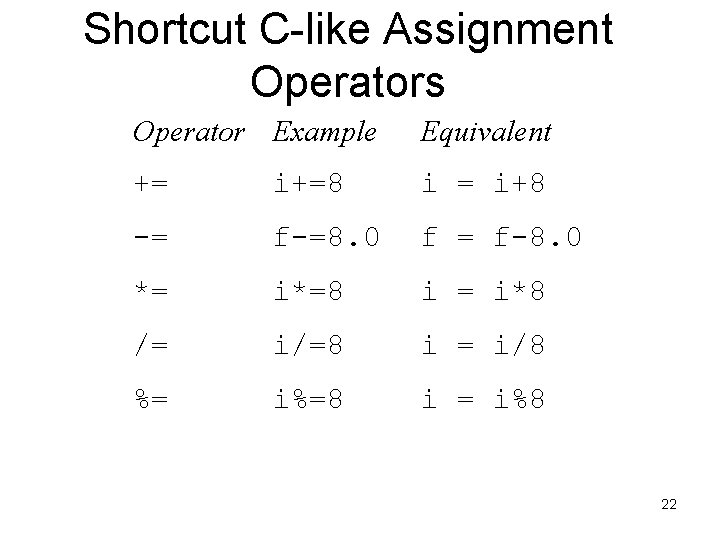
Shortcut C-like Assignment Operators Operator Example Equivalent += i+=8 i = i+8 -= f-=8. 0 f = f-8. 0 *= i*=8 i = i*8 /= i/=8 i = i/8 %= i%=8 i = i%8 22
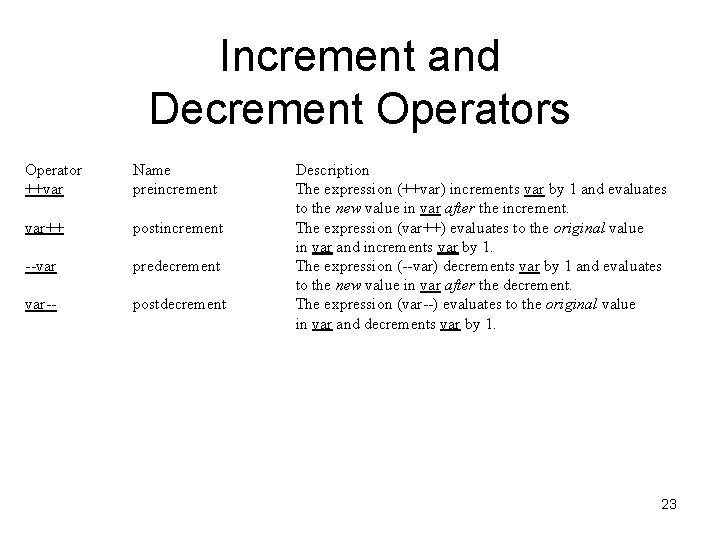
Increment and Decrement Operators Operator ++var Name preincrement var++ postincrement --var predecrement var-- postdecrement Description The expression (++var) increments var by 1 and evaluates to the new value in var after the increment. The expression (var++) evaluates to the original value in var and increments var by 1. The expression (--var) decrements var by 1 and evaluates to the new value in var after the decrement. The expression (var--) evaluates to the original value in var and decrements var by 1. 23
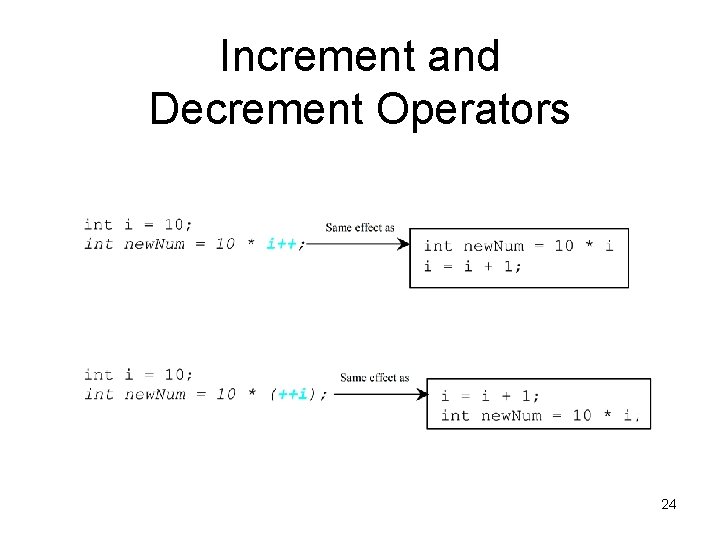
Increment and Decrement Operators 24
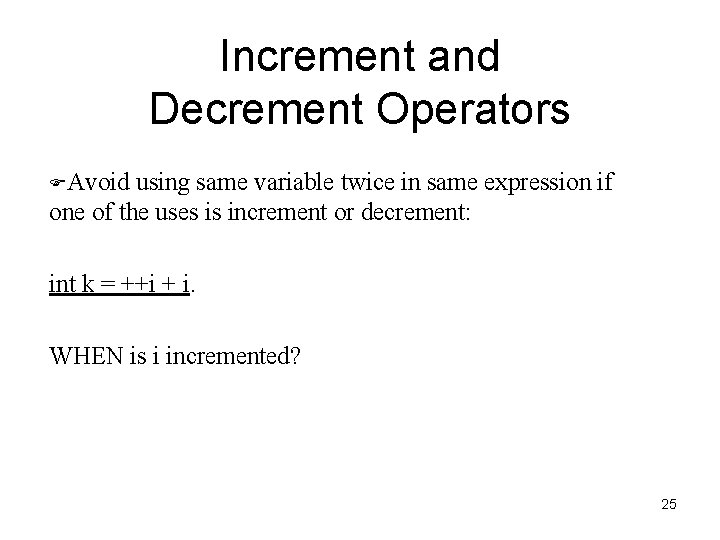
Increment and Decrement Operators FAvoid using same variable twice in same expression if one of the uses is increment or decrement: int k = ++i + i. WHEN is i incremented? 25
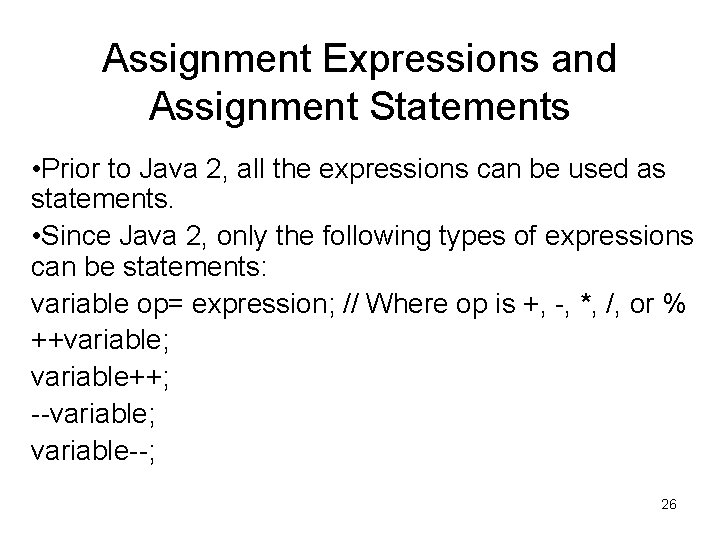
Assignment Expressions and Assignment Statements • Prior to Java 2, all the expressions can be used as statements. • Since Java 2, only the following types of expressions can be statements: variable op= expression; // Where op is +, -, *, /, or % ++variable; variable++; --variable; variable--; 26
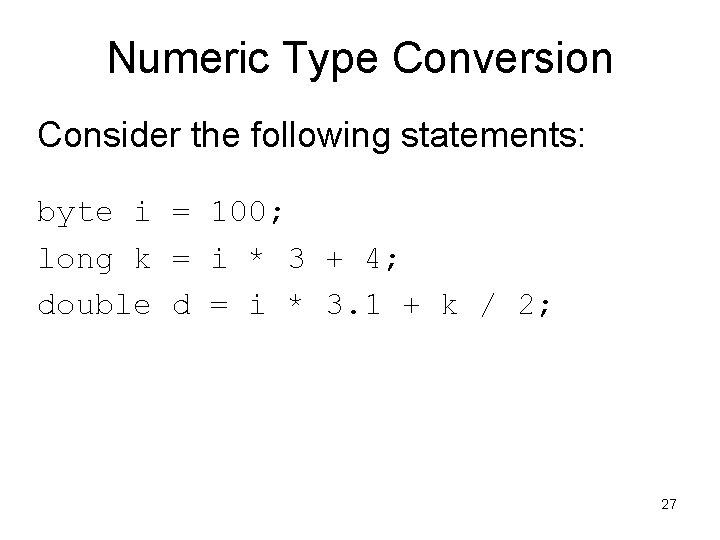
Numeric Type Conversion Consider the following statements: byte i = 100; long k = i * 3 + 4; double d = i * 3. 1 + k / 2; 27
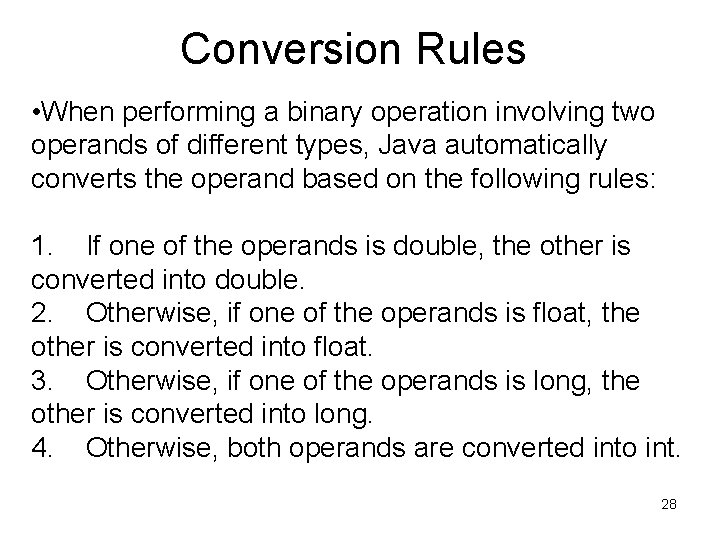
Conversion Rules • When performing a binary operation involving two operands of different types, Java automatically converts the operand based on the following rules: 1. If one of the operands is double, the other is converted into double. 2. Otherwise, if one of the operands is float, the other is converted into float. 3. Otherwise, if one of the operands is long, the other is converted into long. 4. Otherwise, both operands are converted into int. 28
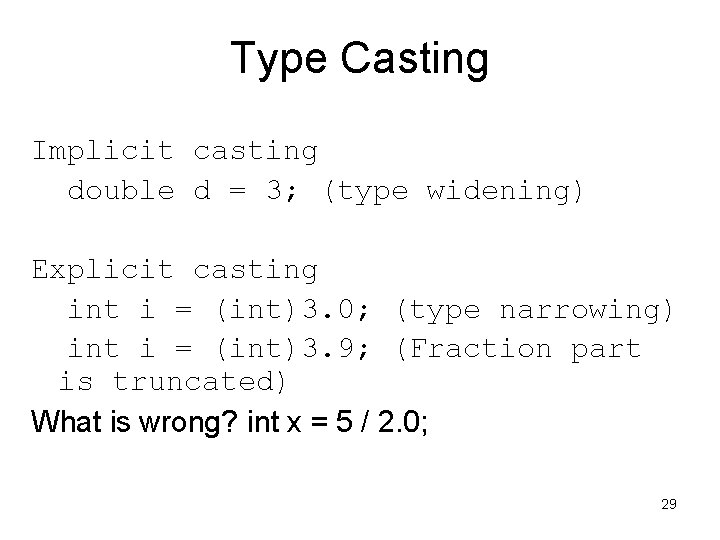
Type Casting Implicit casting double d = 3; (type widening) Explicit casting int i = (int)3. 0; (type narrowing) int i = (int)3. 9; (Fraction part is truncated) What is wrong? int x = 5 / 2. 0; 29
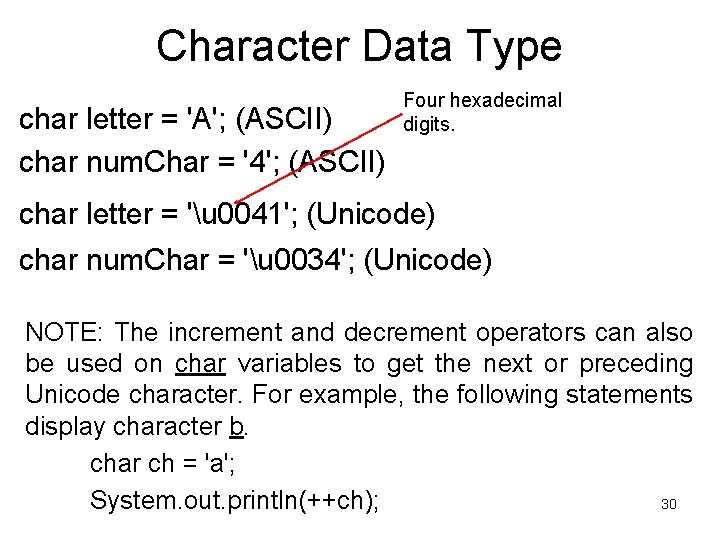
Character Data Type char letter = 'A'; (ASCII) char num. Char = '4'; (ASCII) Four hexadecimal digits. char letter = 'u 0041'; (Unicode) char num. Char = 'u 0034'; (Unicode) NOTE: The increment and decrement operators can also be used on char variables to get the next or preceding Unicode character. For example, the following statements display character b. char ch = 'a'; 30 System. out. println(++ch);
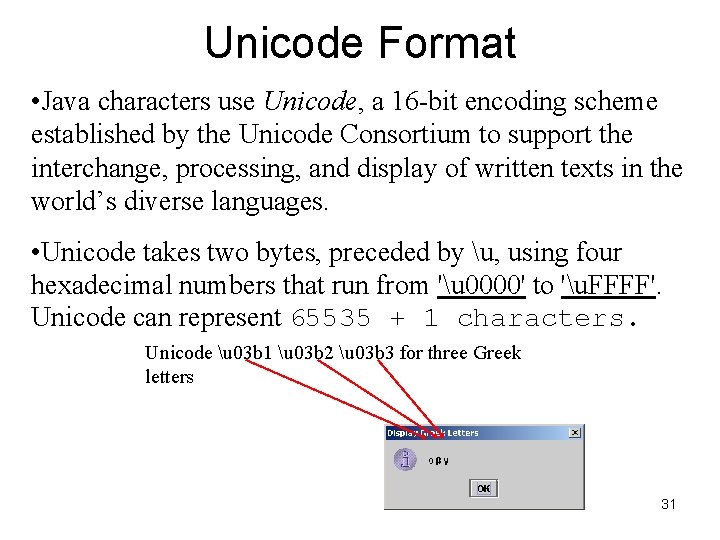
Unicode Format • Java characters use Unicode, a 16 -bit encoding scheme established by the Unicode Consortium to support the interchange, processing, and display of written texts in the world’s diverse languages. • Unicode takes two bytes, preceded by u, using four hexadecimal numbers that run from 'u 0000' to 'u. FFFF'. Unicode can represent 65535 + 1 characters. Unicode u 03 b 1 u 03 b 2 u 03 b 3 for three Greek letters 31
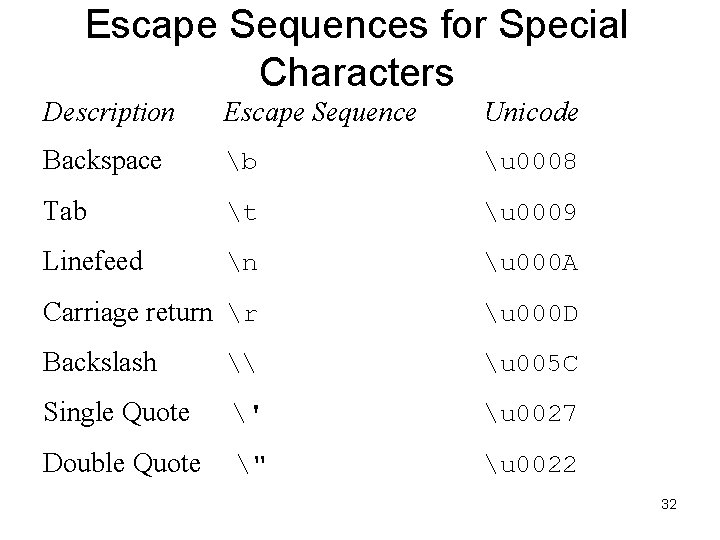
Escape Sequences for Special Characters Description Escape Sequence Unicode Backspace b u 0008 Tab t u 0009 Linefeed n u 000 A Carriage return r u 000 D Backslash \ u 005 C Single Quote ' u 0027 Double Quote " u 0022 32
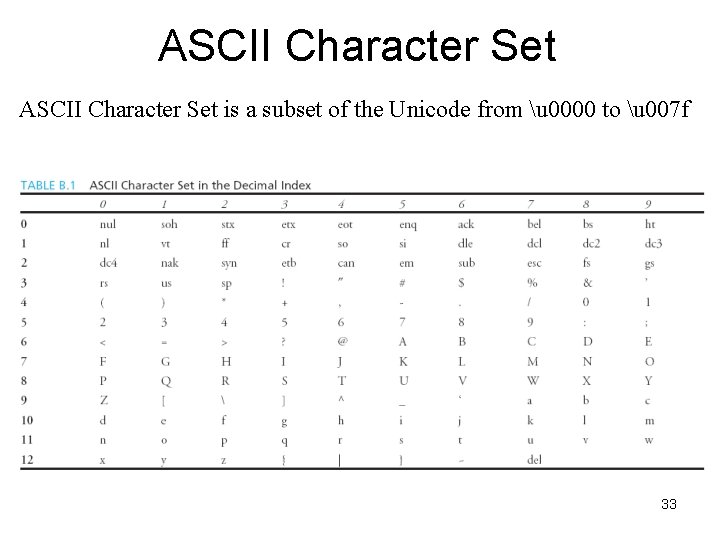
ASCII Character Set is a subset of the Unicode from u 0000 to u 007 f 33
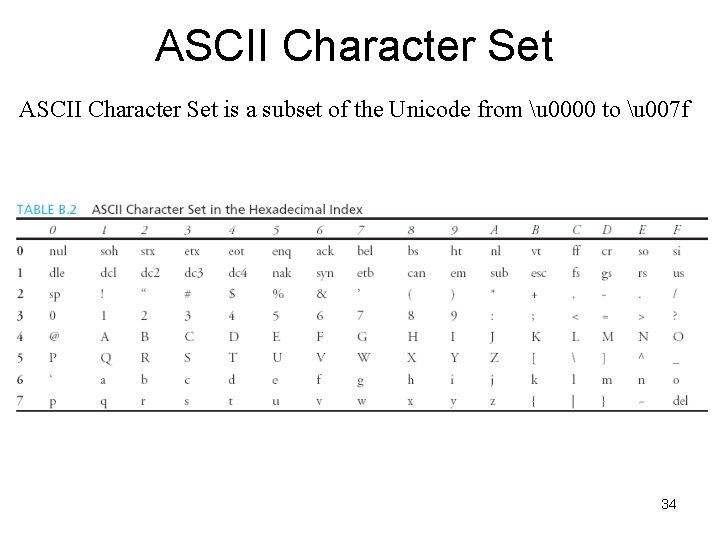
ASCII Character Set is a subset of the Unicode from u 0000 to u 007 f 34
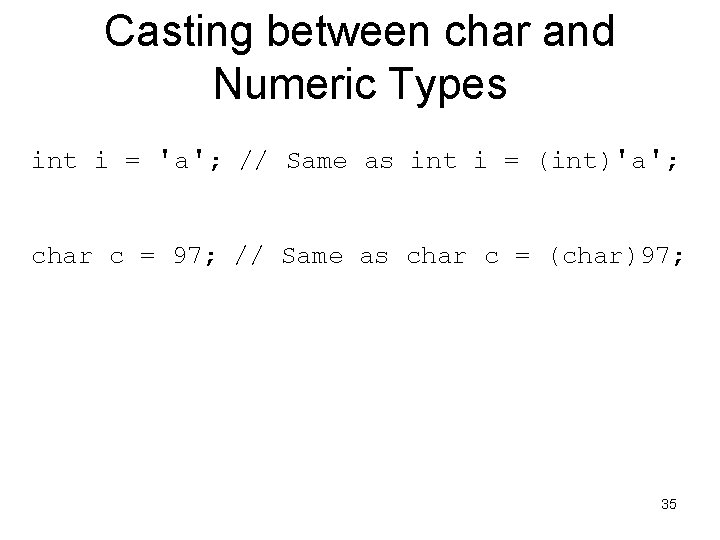
Casting between char and Numeric Types int i = 'a'; // Same as int i = (int)'a'; char c = 97; // Same as char c = (char)97; 35
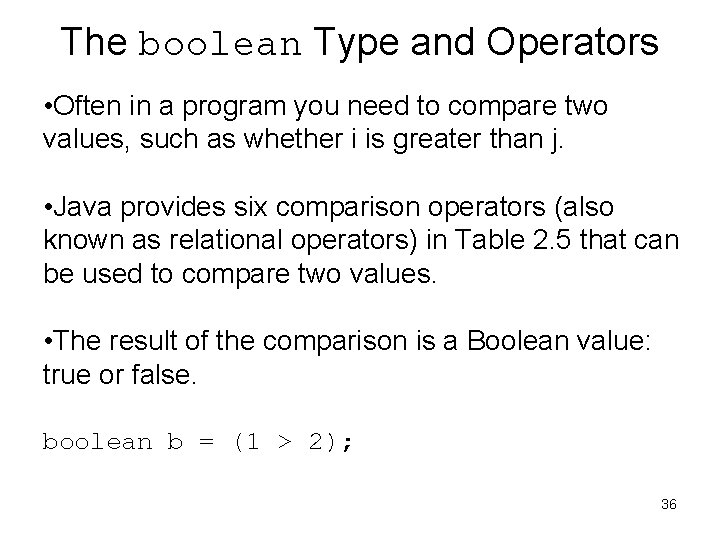
The boolean Type and Operators • Often in a program you need to compare two values, such as whether i is greater than j. • Java provides six comparison operators (also known as relational operators) in Table 2. 5 that can be used to compare two values. • The result of the comparison is a Boolean value: true or false. boolean b = (1 > 2); 36
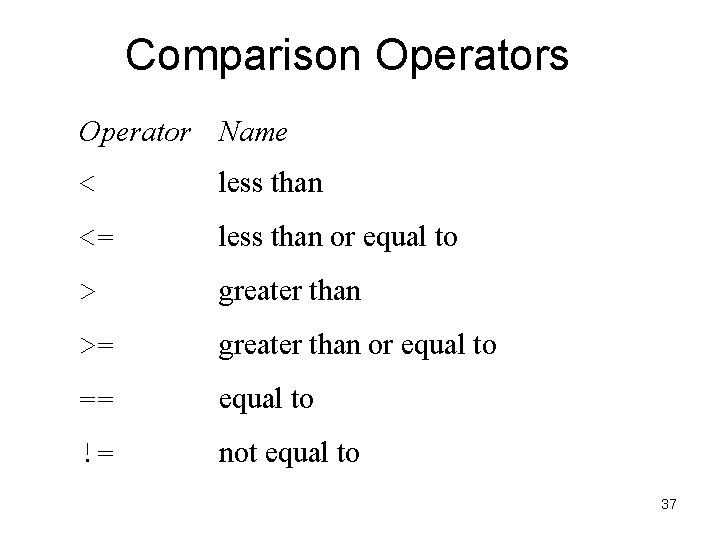
Comparison Operators Operator Name < less than <= less than or equal to > greater than >= greater than or equal to == equal to != not equal to 37
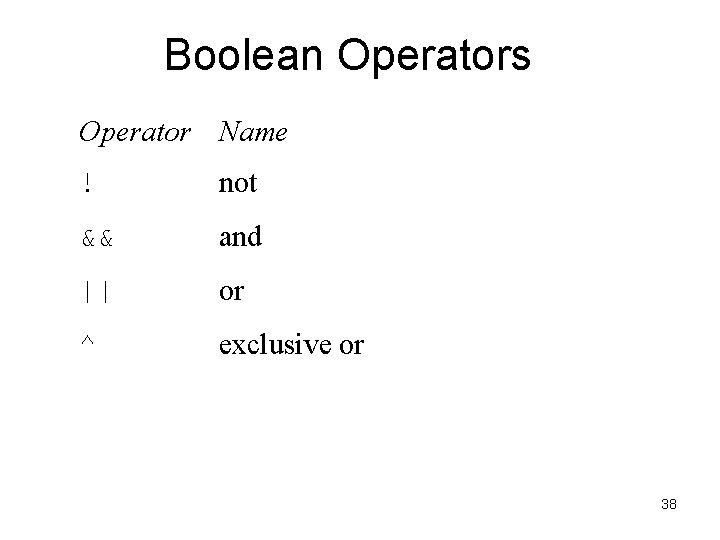
Boolean Operators Operator Name ! not && and || or ^ exclusive or 38
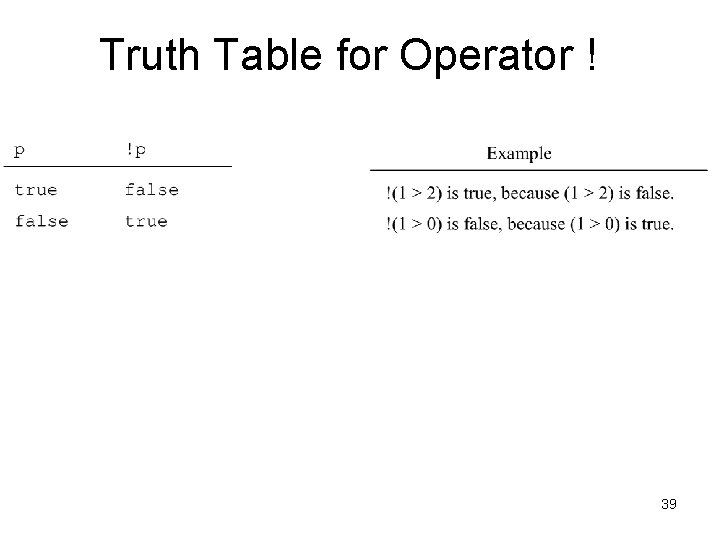
Truth Table for Operator ! 39
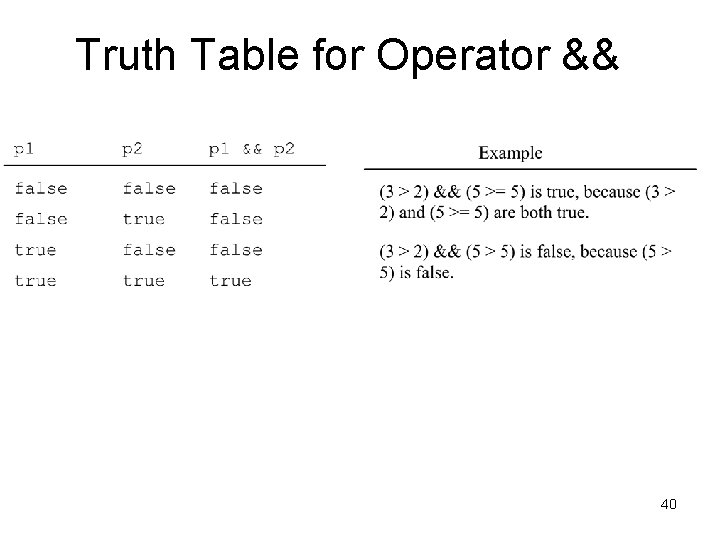
Truth Table for Operator && 40
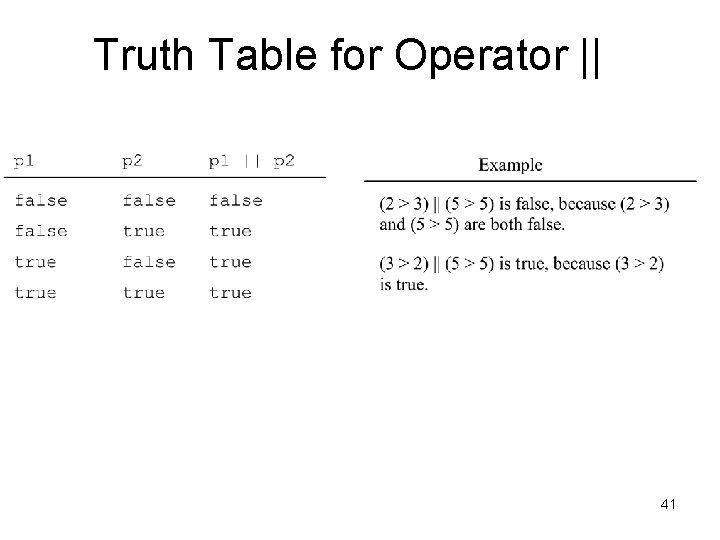
Truth Table for Operator || 41
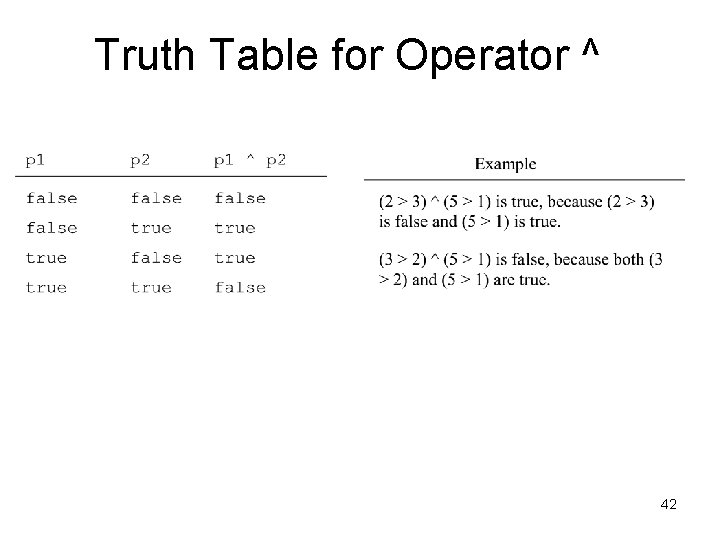
Truth Table for Operator ^ 42
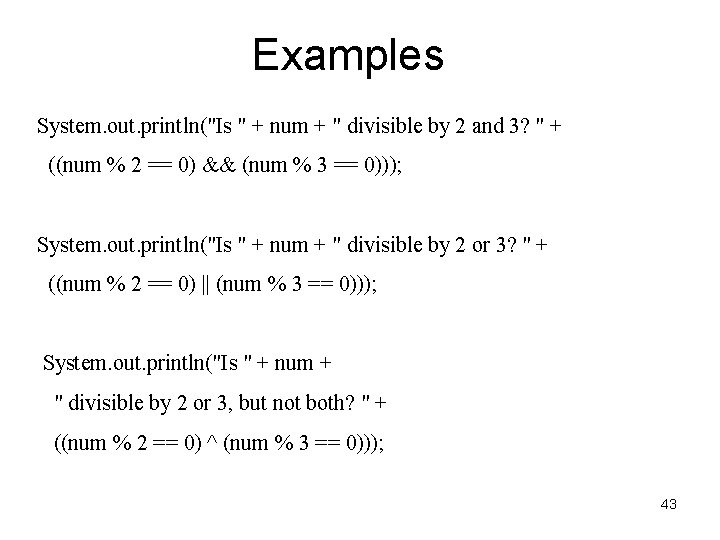
Examples System. out. println("Is " + num + " divisible by 2 and 3? " + ((num % 2 == 0) && (num % 3 == 0))); System. out. println("Is " + num + " divisible by 2 or 3? " + ((num % 2 == 0) || (num % 3 == 0))); System. out. println("Is " + num + " divisible by 2 or 3, but not both? " + ((num % 2 == 0) ^ (num % 3 == 0))); 43
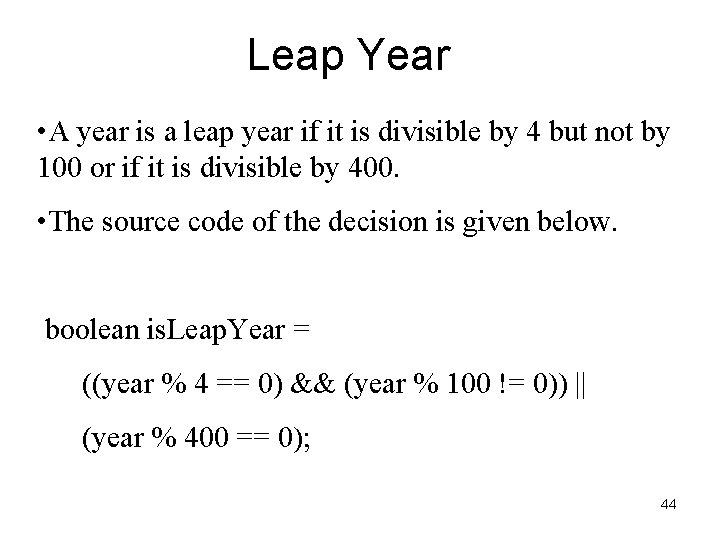
Leap Year • A year is a leap year if it is divisible by 4 but not by 100 or if it is divisible by 400. • The source code of the decision is given below. boolean is. Leap. Year = ((year % 4 == 0) && (year % 100 != 0)) || (year % 400 == 0); 44
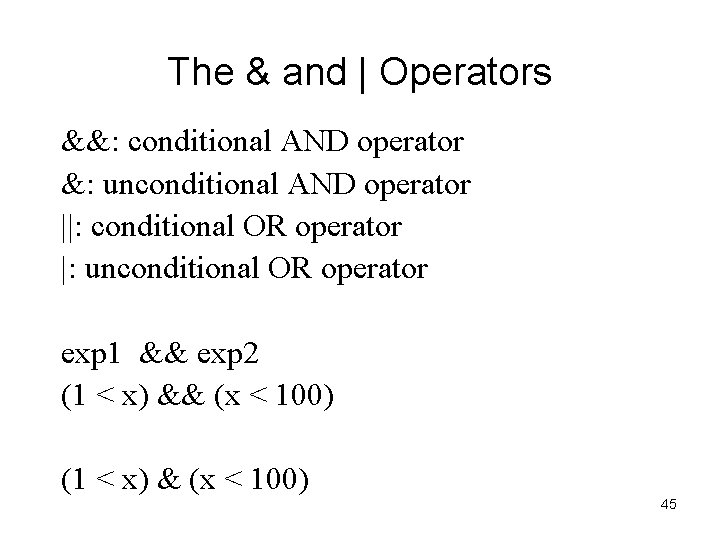
The & and | Operators &&: conditional AND operator &: unconditional AND operator ||: conditional OR operator |: unconditional OR operator exp 1 && exp 2 (1 < x) && (x < 100) (1 < x) & (x < 100) 45
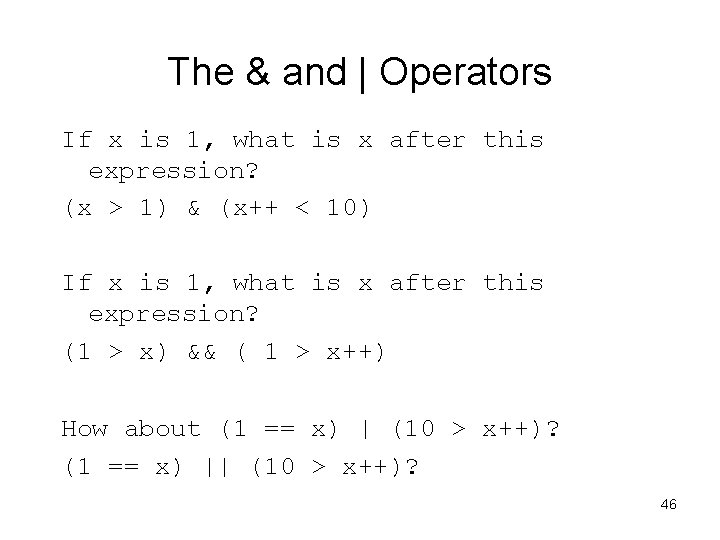
The & and | Operators If x is 1, what is x after this expression? (x > 1) & (x++ < 10) If x is 1, what is x after this expression? (1 > x) && ( 1 > x++) How about (1 == x) | (10 > x++)? (1 == x) || (10 > x++)? 46
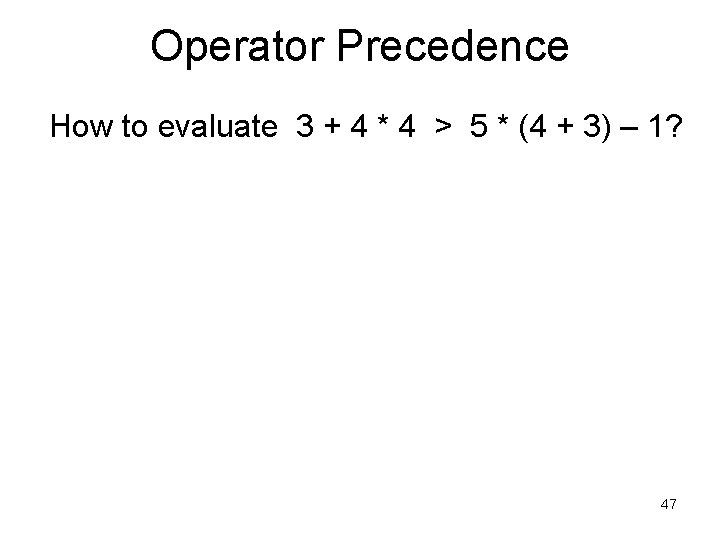
Operator Precedence How to evaluate 3 + 4 * 4 > 5 * (4 + 3) – 1? 47
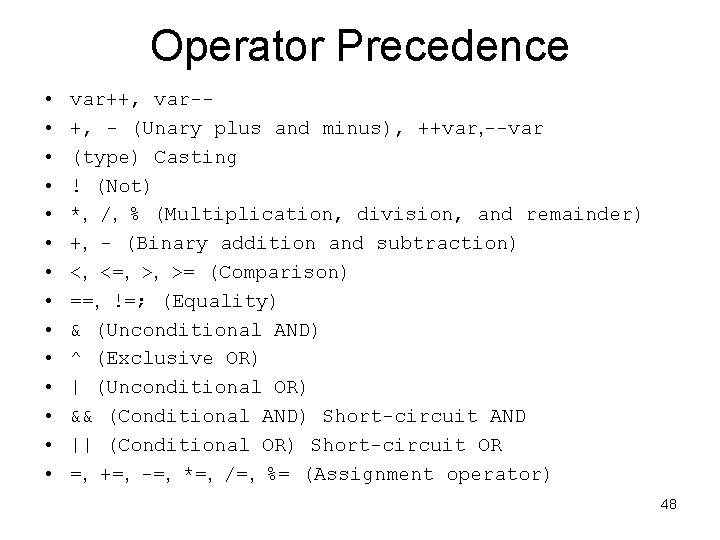
Operator Precedence • • • • var++, var-+, - (Unary plus and minus), ++var, --var (type) Casting ! (Not) *, /, % (Multiplication, division, and remainder) +, - (Binary addition and subtraction) <, <=, >, >= (Comparison) ==, !=; (Equality) & (Unconditional AND) ^ (Exclusive OR) | (Unconditional OR) && (Conditional AND) Short-circuit AND || (Conditional OR) Short-circuit OR =, +=, -=, *=, /=, %= (Assignment operator) 48
Operator Precedence and Associativity • The expression in the parentheses is evaluated first. (Parentheses can be nested, in which case the expression in the inner parentheses is executed first. ) • When evaluating an expression without parentheses, the operators are applied according to the precedence rule and the associativity rule. • If operators with the same precedence are next to each other, their associativity determines the order of evaluation. All binary operators except assignment operators are left-associative. 49
Operator Associativity • When two operators with the same precedence are evaluated, the associativity of the operators determines the order of evaluation. • All binary operators except assignment operators are left-associative. a – b + c – d is equivalent to ((a – b) + c) – d • Assignment operators are right-associative. Therefore, the expression a = b += c = 5 is equivalent to a = (b += (c = 5)) 50
Example Applying the operator precedence and associativity rule, the expression 3 + 4 * 4 > 5 * (4 + 3) - 1 is evaluated as follows: 51
Operand Evaluation Order • The precedence and associativity rules specify the order of the operators, but do not specify the order in which the operands of a binary operator are evaluated. • Operands are evaluated from left to right in Java. • The left-hand operand of a binary operator is evaluated before any part of the right-hand operand is evaluated. 52
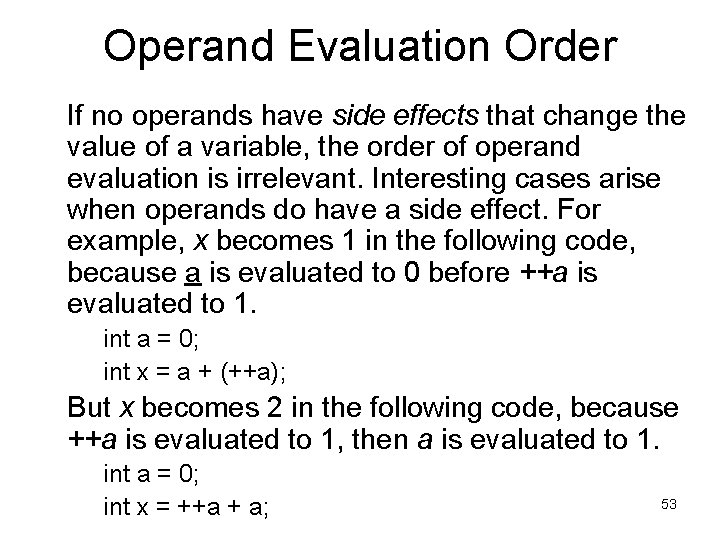
Operand Evaluation Order If no operands have side effects that change the value of a variable, the order of operand evaluation is irrelevant. Interesting cases arise when operands do have a side effect. For example, x becomes 1 in the following code, because a is evaluated to 0 before ++a is evaluated to 1. int a = 0; int x = a + (++a); But x becomes 2 in the following code, because ++a is evaluated to 1, then a is evaluated to 1. int a = 0; int x = ++a + a; 53
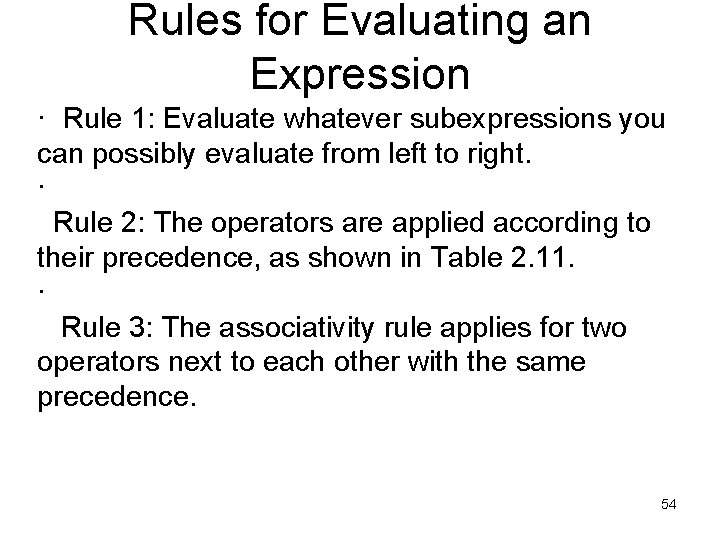
Rules for Evaluating an Expression · Rule 1: Evaluate whatever subexpressions you can possibly evaluate from left to right. · Rule 2: The operators are applied according to their precedence, as shown in Table 2. 11. · Rule 3: The associativity rule applies for two operators next to each other with the same precedence. 54
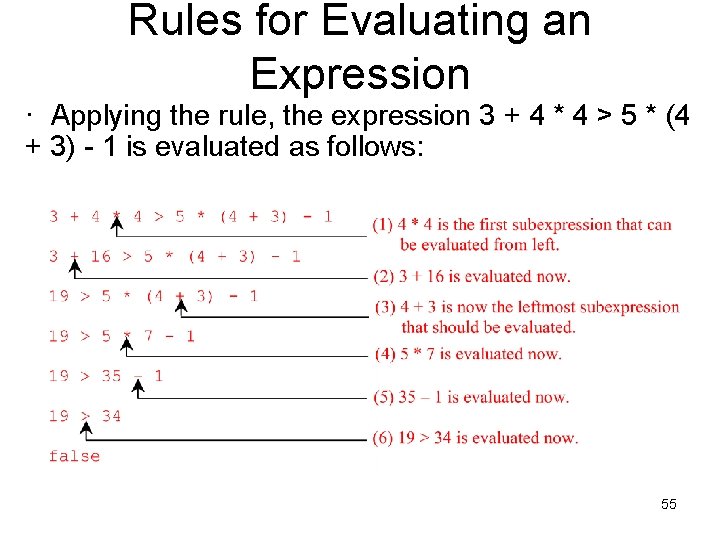
Rules for Evaluating an Expression · Applying the rule, the expression 3 + 4 * 4 > 5 * (4 + 3) - 1 is evaluated as follows: 55
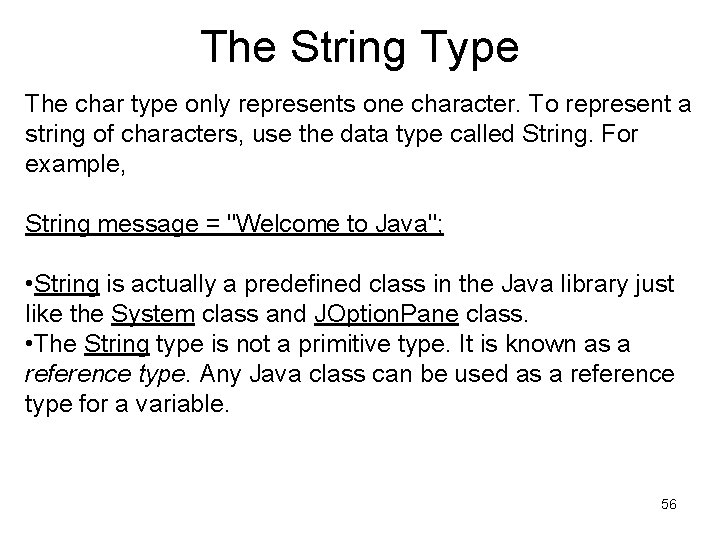
The String Type The char type only represents one character. To represent a string of characters, use the data type called String. For example, String message = "Welcome to Java"; • String is actually a predefined class in the Java library just like the System class and JOption. Pane class. • The String type is not a primitive type. It is known as a reference type. Any Java class can be used as a reference type for a variable. 56
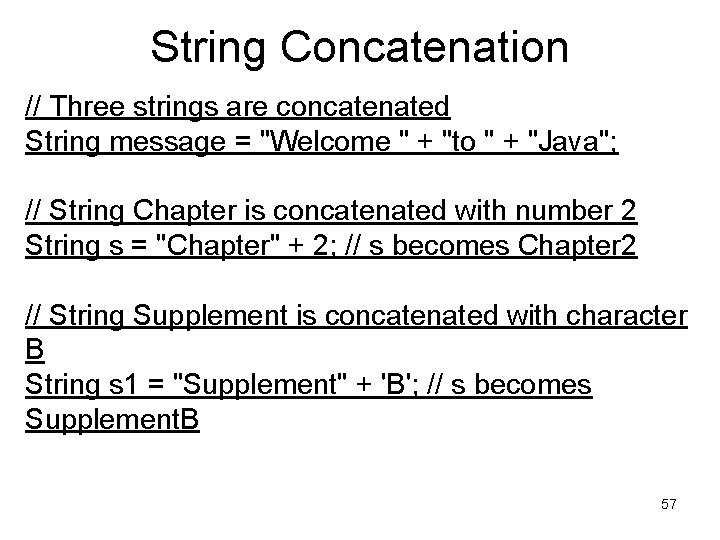
String Concatenation // Three strings are concatenated String message = "Welcome " + "to " + "Java"; // String Chapter is concatenated with number 2 String s = "Chapter" + 2; // s becomes Chapter 2 // String Supplement is concatenated with character B String s 1 = "Supplement" + 'B'; // s becomes Supplement. B 57
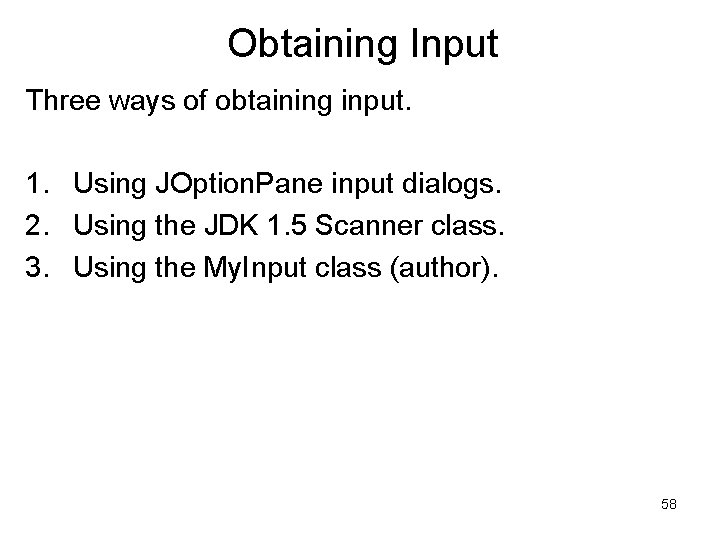
Obtaining Input Three ways of obtaining input. 1. Using JOption. Pane input dialogs. 2. Using the JDK 1. 5 Scanner class. 3. Using the My. Input class (author). 58
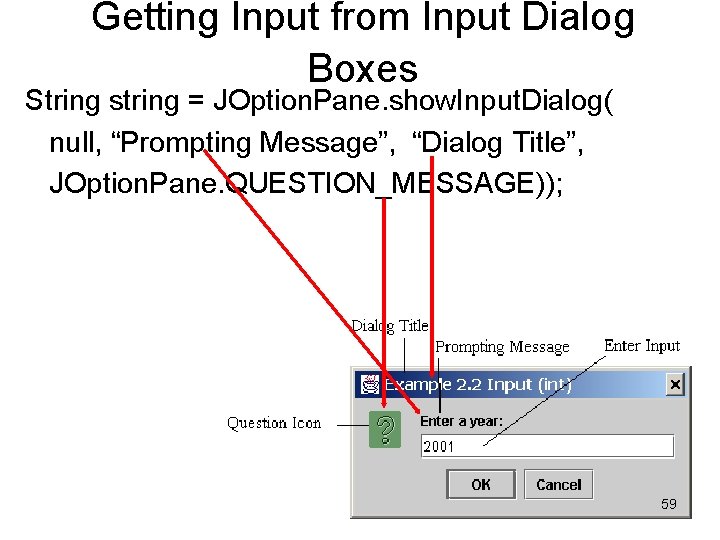
Getting Input from Input Dialog Boxes String string = JOption. Pane. show. Input. Dialog( null, “Prompting Message”, “Dialog Title”, JOption. Pane. QUESTION_MESSAGE)); 59
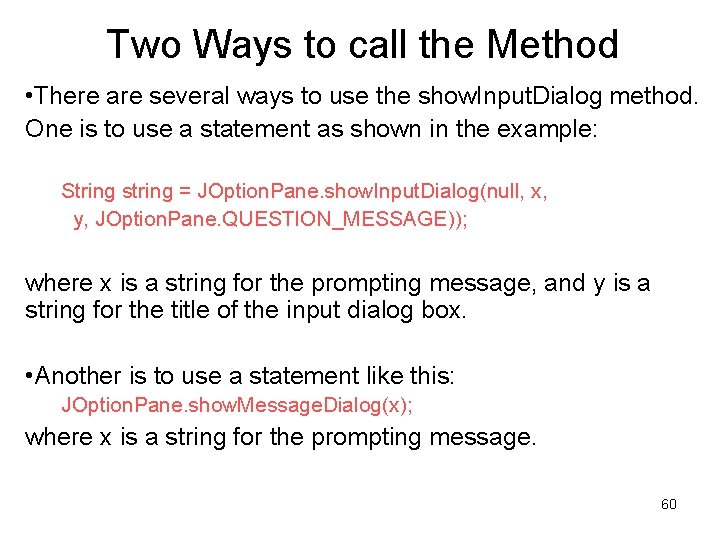
Two Ways to call the Method • There are several ways to use the show. Input. Dialog method. One is to use a statement as shown in the example: String string = JOption. Pane. show. Input. Dialog(null, x, y, JOption. Pane. QUESTION_MESSAGE)); where x is a string for the prompting message, and y is a string for the title of the input dialog box. • Another is to use a statement like this: JOption. Pane. show. Message. Dialog(x); where x is a string for the prompting message. 60
Converting Strings to Integers • The input returned from the input dialog box is a string. If you enter a numeric value such as 123, it returns “ 123”. To obtain the input as a number, convert a string into a number. • To convert a string into an int value, use the static parse. Int method in the Integer class as follows: int. Value = Integer. parse. Int(int. String); where int. String is a numeric string such as “ 123”. 61
Converting Strings to Doubles • To convert a string into a double value, use the static parse. Double method in the Double class as follows: double. Value =Double. parse. Double(double. String); where double. String is a numeric string such as “ 123. 45”. 62
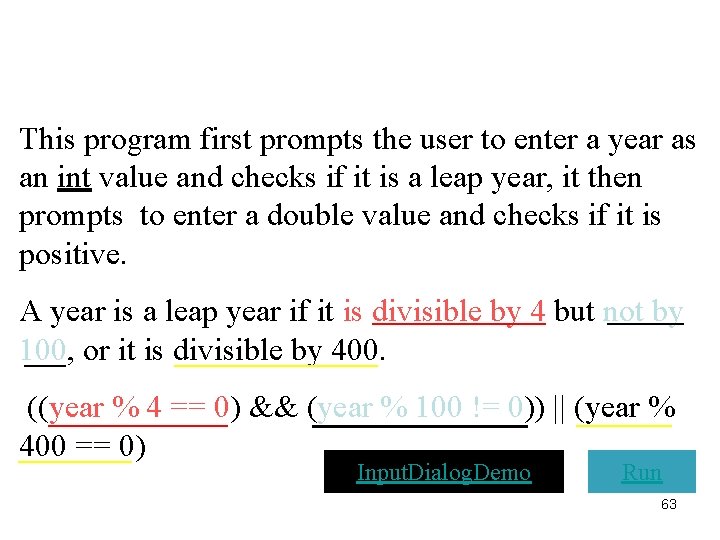
This program first prompts the user to enter a year as an int value and checks if it is a leap year, it then prompts to enter a double value and checks if it is positive. A year is a leap year if it is divisible by 4 but not by 100, or it is divisible by 400. ((year % 4 == 0) && (year % 100 != 0)) || (year % 400 == 0) Input. Dialog. Demo Run 63
Computing Loan Payments This program lets the user enter the interest rate, number of years, and loan amount and computes monthly payment and total payment. Compute. Loan Run 64
Monetary Units This program lets the user enter the amount in decimal representing dollars and cents and output a report listing the monetary equivalent in single dollars, quarters, dimes, nickels, and pennies. The program should report maximum number of dollars, then the maximum number of quarters, and so on, in this order. Compute. Change Run 65
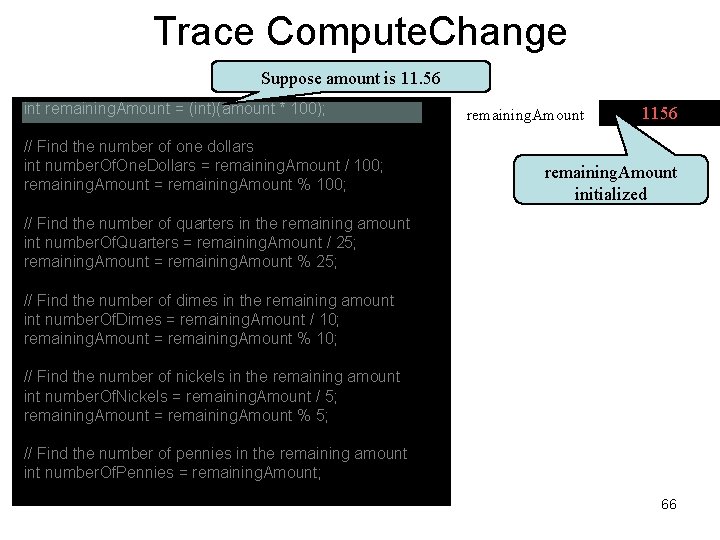
Trace Compute. Change Suppose amount is 11. 56 int remaining. Amount = (int)(amount * 100); // Find the number of one dollars int number. Of. One. Dollars = remaining. Amount / 100; remaining. Amount = remaining. Amount % 100; remaining. Amount 1156 remaining. Amount initialized // Find the number of quarters in the remaining amount int number. Of. Quarters = remaining. Amount / 25; remaining. Amount = remaining. Amount % 25; // Find the number of dimes in the remaining amount int number. Of. Dimes = remaining. Amount / 10; remaining. Amount = remaining. Amount % 10; // Find the number of nickels in the remaining amount int number. Of. Nickels = remaining. Amount / 5; remaining. Amount = remaining. Amount % 5; // Find the number of pennies in the remaining amount int number. Of. Pennies = remaining. Amount; 66
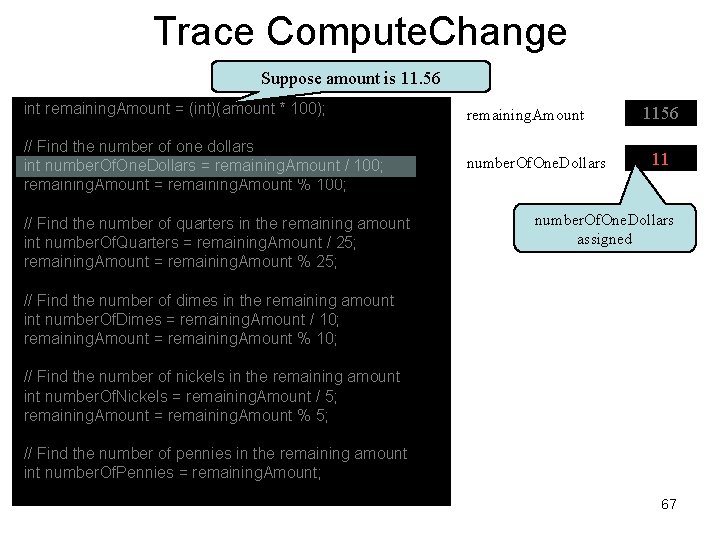
Trace Compute. Change Suppose amount is 11. 56 int remaining. Amount = (int)(amount * 100); remaining. Amount // Find the number of one dollars int number. Of. One. Dollars = remaining. Amount / 100; remaining. Amount = remaining. Amount % 100; number. Of. One. Dollars // Find the number of quarters in the remaining amount int number. Of. Quarters = remaining. Amount / 25; remaining. Amount = remaining. Amount % 25; 1156 11 number. Of. One. Dollars assigned // Find the number of dimes in the remaining amount int number. Of. Dimes = remaining. Amount / 10; remaining. Amount = remaining. Amount % 10; // Find the number of nickels in the remaining amount int number. Of. Nickels = remaining. Amount / 5; remaining. Amount = remaining. Amount % 5; // Find the number of pennies in the remaining amount int number. Of. Pennies = remaining. Amount; 67
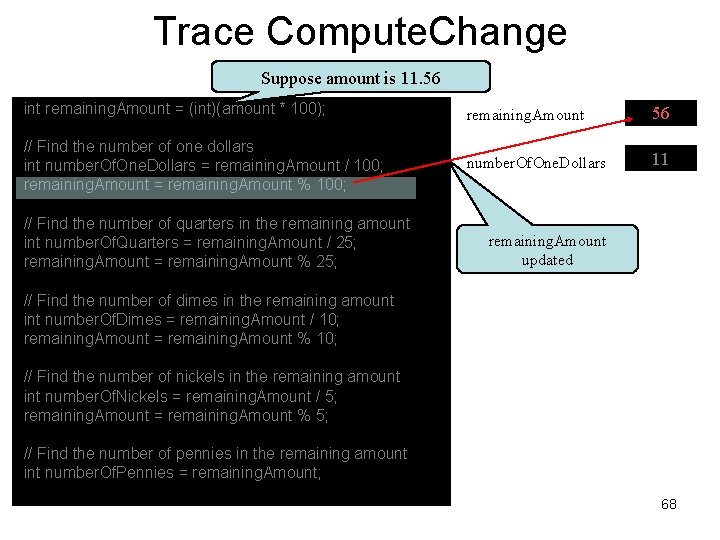
Trace Compute. Change Suppose amount is 11. 56 int remaining. Amount = (int)(amount * 100); remaining. Amount 56 // Find the number of one dollars int number. Of. One. Dollars = remaining. Amount / 100; remaining. Amount = remaining. Amount % 100; number. Of. One. Dollars 11 // Find the number of quarters in the remaining amount int number. Of. Quarters = remaining. Amount / 25; remaining. Amount = remaining. Amount % 25; remaining. Amount updated // Find the number of dimes in the remaining amount int number. Of. Dimes = remaining. Amount / 10; remaining. Amount = remaining. Amount % 10; // Find the number of nickels in the remaining amount int number. Of. Nickels = remaining. Amount / 5; remaining. Amount = remaining. Amount % 5; // Find the number of pennies in the remaining amount int number. Of. Pennies = remaining. Amount; 68
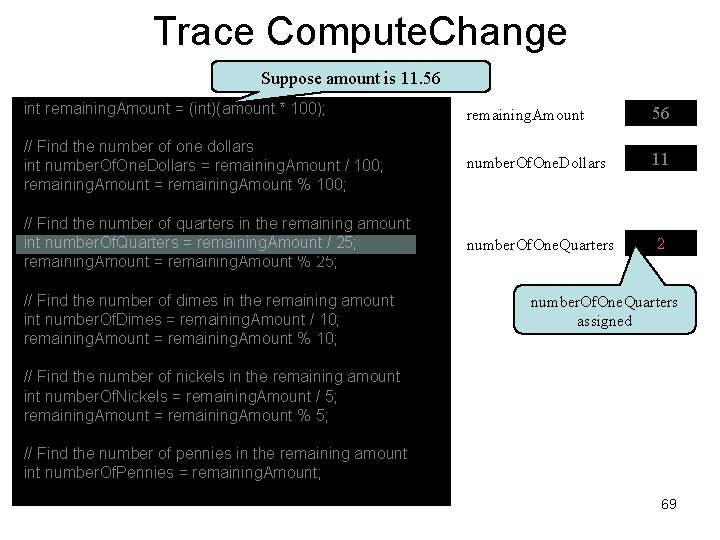
Trace Compute. Change Suppose amount is 11. 56 int remaining. Amount = (int)(amount * 100); remaining. Amount 56 // Find the number of one dollars int number. Of. One. Dollars = remaining. Amount / 100; remaining. Amount = remaining. Amount % 100; number. Of. One. Dollars 11 // Find the number of quarters in the remaining amount int number. Of. Quarters = remaining. Amount / 25; remaining. Amount = remaining. Amount % 25; number. Of. One. Quarters 2 // Find the number of dimes in the remaining amount int number. Of. Dimes = remaining. Amount / 10; remaining. Amount = remaining. Amount % 10; number. Of. One. Quarters assigned // Find the number of nickels in the remaining amount int number. Of. Nickels = remaining. Amount / 5; remaining. Amount = remaining. Amount % 5; // Find the number of pennies in the remaining amount int number. Of. Pennies = remaining. Amount; 69
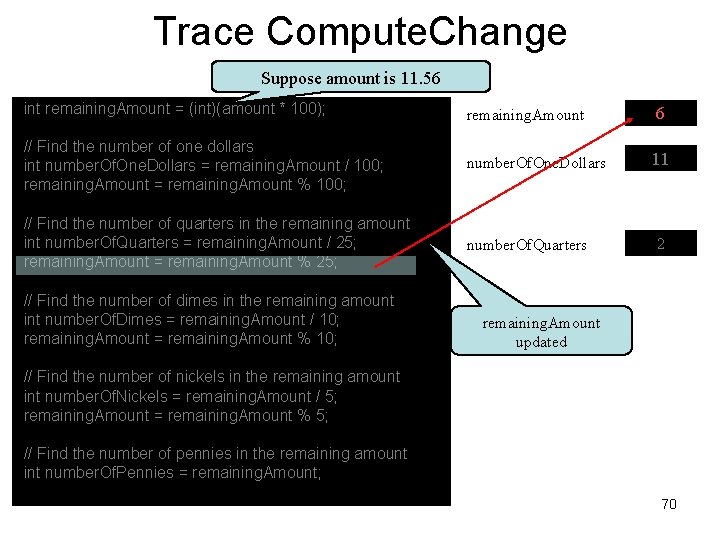
Trace Compute. Change Suppose amount is 11. 56 int remaining. Amount = (int)(amount * 100); remaining. Amount 6 // Find the number of one dollars int number. Of. One. Dollars = remaining. Amount / 100; remaining. Amount = remaining. Amount % 100; number. Of. One. Dollars 11 // Find the number of quarters in the remaining amount int number. Of. Quarters = remaining. Amount / 25; remaining. Amount = remaining. Amount % 25; number. Of. Quarters // Find the number of dimes in the remaining amount int number. Of. Dimes = remaining. Amount / 10; remaining. Amount = remaining. Amount % 10; 2 remaining. Amount updated // Find the number of nickels in the remaining amount int number. Of. Nickels = remaining. Amount / 5; remaining. Amount = remaining. Amount % 5; // Find the number of pennies in the remaining amount int number. Of. Pennies = remaining. Amount; 70
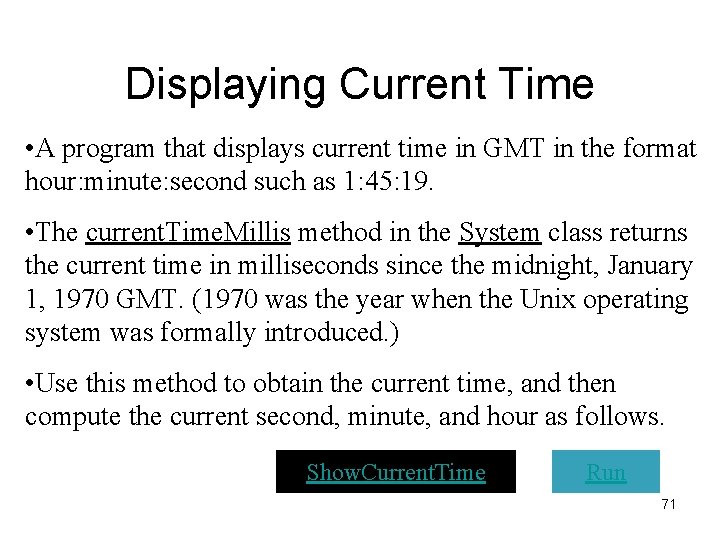
Displaying Current Time • A program that displays current time in GMT in the format hour: minute: second such as 1: 45: 19. • The current. Time. Millis method in the System class returns the current time in milliseconds since the midnight, January 1, 1970 GMT. (1970 was the year when the Unix operating system was formally introduced. ) • Use this method to obtain the current time, and then compute the current second, minute, and hour as follows. Show. Current. Time Run 71
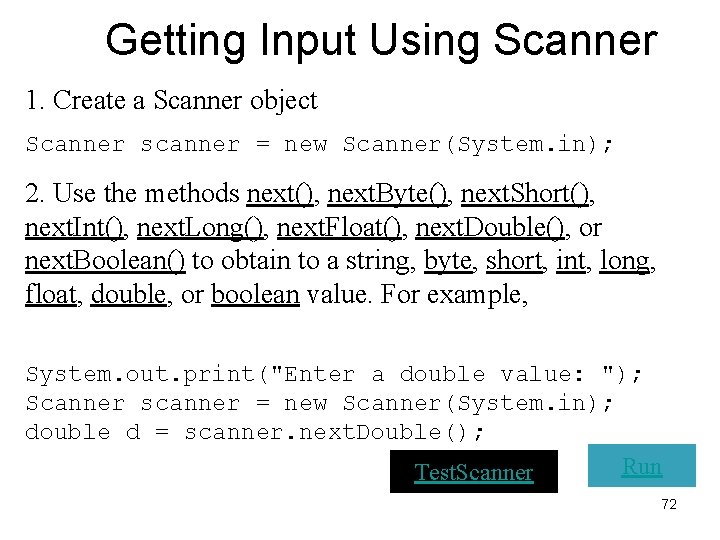
Getting Input Using Scanner 1. Create a Scanner object Scanner scanner = new Scanner(System. in); 2. Use the methods next(), next. Byte(), next. Short(), next. Int(), next. Long(), next. Float(), next. Double(), or next. Boolean() to obtain to a string, byte, short, int, long, float, double, or boolean value. For example, System. out. print("Enter a double value: "); Scanner scanner = new Scanner(System. in); double d = scanner. next. Double(); Run Test. Scanner 72
Getting Input Using My. Input • My. Input is like JOption. Pane is a class in the Java library, whereas My. Input was developed by me. • Use the methods in JOption. Pane without knowing how the class is implemented. Likewise, you can use the methods in My. Input without concerning about its implementation. • Copy My. Input. java from the CD-ROM to the directory that contains your program. Test. My. Input Run 73
Formatting Output Use the new JDK 1. 5 printf statement. System. out. printf(format, item); Where format is a string that may consist of substrings and format specifiers. A format specifier specifies how an item should be displayed. An item may be a numeric value, character, boolean value, or a string. Each specifier begins with a percent sign. 74
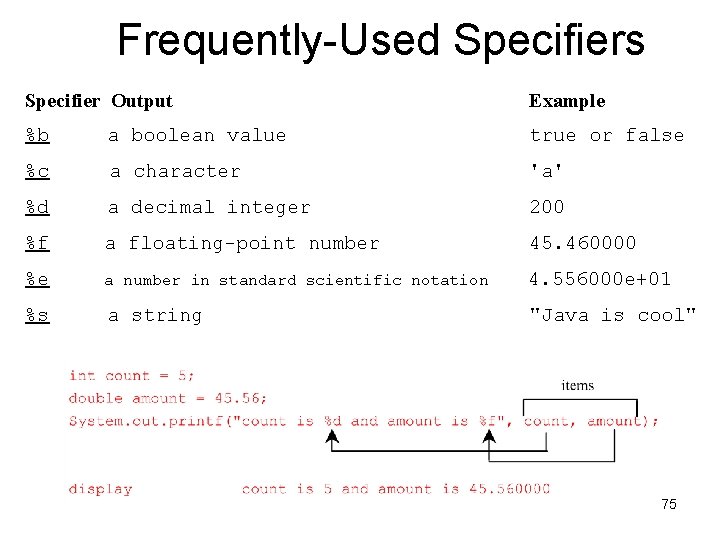
Frequently-Used Specifiers Specifier Output Example %b a boolean value true or false %c a character 'a' %d a decimal integer 200 %f a floating-point number 45. 460000 %e a number in standard scientific notation 4. 556000 e+01 %s a string "Java is cool" 75
Programming Style and Documentation • Appropriate Comments • Naming Conventions • Proper Indentation and Spacing Lines • Block Styles 76
Appropriate Comments • Include a summary at the beginning of the program to explain what the program does, its key features, its supporting data structures, and any unique techniques it uses. • Include your name, class section, instructor, date, and a brief description at the beginning of the program. 77
Naming Conventions • Choose meaningful and descriptive names. • Variables and method names: – Use lowercase. If the name consists of several words, concatenate all in one, use lowercase for the first word, and capitalize the first letter of each subsequent word in the name. For example, the variables radius and area, and the method compute. Area. 78
Naming Conventions • Class names: – Capitalize the first letter of each word in the name. For example, the class name Compute. Area. • Constants: – Capitalize all letters in constants, and use underscores to connect words. For example, the constant PI and MAX_VALUE 79
Proper Indentation and Spacing • Indentation – Indent two spaces. • Spacing – Use blank line to separate segments of the code. 80

Block Styles Use end-of-line style for braces. 81
Programming Errors • Syntax Errors – Detected by the compiler • Runtime Errors – Causes the program to abort • Logic Errors – Produces incorrect result 82
![Syntax Errors public class Show. Syntax. Errors { public static void main(String[] args) {](http://slidetodoc.com/presentation_image_h2/4505c9c0519e47405e29045530255835/image-83.jpg "Syntax Errors public class Show. Syntax. Errors { public static void main(String[] args) {")
Syntax Errors public class Show. Syntax. Errors { public static void main(String[] args) { i = 30; System. out. println(i + 4); } } 83
![Runtime Errors public class Show. Runtime. Errors { public static void main(String[] args) {](http://slidetodoc.com/presentation_image_h2/4505c9c0519e47405e29045530255835/image-84.jpg "Runtime Errors public class Show. Runtime. Errors { public static void main(String[] args) {")
Runtime Errors public class Show. Runtime. Errors { public static void main(String[] args) { int i = 1 / 0; } } 84
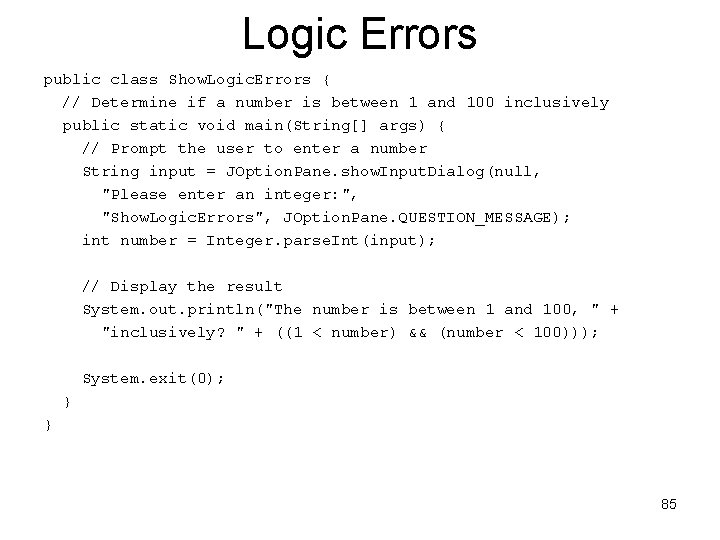
Logic Errors public class Show. Logic. Errors { // Determine if a number is between 1 and 100 inclusively public static void main(String[] args) { // Prompt the user to enter a number String input = JOption. Pane. show. Input. Dialog(null, "Please enter an integer: ", "Show. Logic. Errors", JOption. Pane. QUESTION_MESSAGE); int number = Integer. parse. Int(input); // Display the result System. out. println("The number is between 1 and 100, " + "inclusively? " + ((1 < number) && (number < 100))); System. exit(0); } } 85
Debugging • Logic errors are called bugs. The process of finding and correcting errors is called debugging. A common approach to debugging is to use a combination of methods to narrow down to the part of the program where the bug is located. • Hand-trace the program (i. e. , catch errors by reading the program), or insert print statements in order to show the values of the variables or the execution flow of the program. This approach might work for a short, simple program. But for a large, complex program, the most effective approach for debugging is to use a debugger utility. 86
Debugger • Debugger is a program that facilitates debugging. Use a debugger to • Execute a single statement at a time. • Trace into or stepping over a method. • Set breakpoints. • Display variables. • Display call stack. • Modify variables. 87
- Slides: 87