
PRIME LESSONS By the Makers of EV 3
PRIME LESSONS By the Makers of EV 3 Lessons REPEAT BLOCKS BY SANJAY AND ARVIND SESHAN
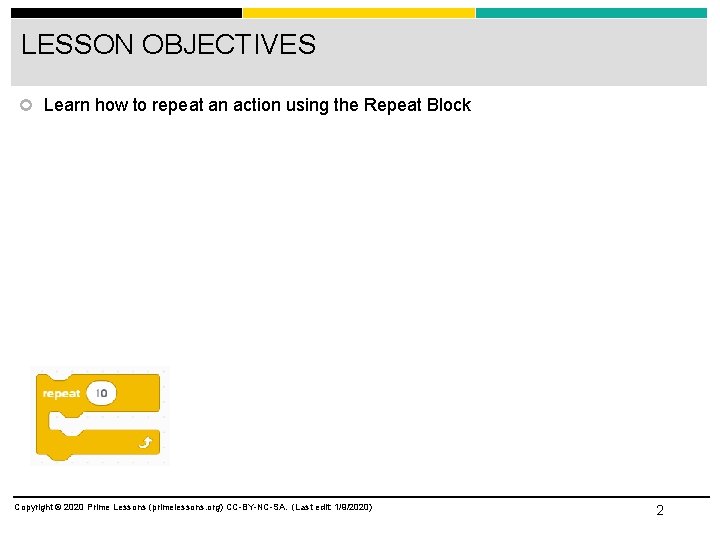
LESSON OBJECTIVES Learn how to repeat an action using the Repeat Block Copyright © 2020 Prime Lessons (primelessons. org) CC-BY-NC-SA. (Last edit: 1/9/2020) 2
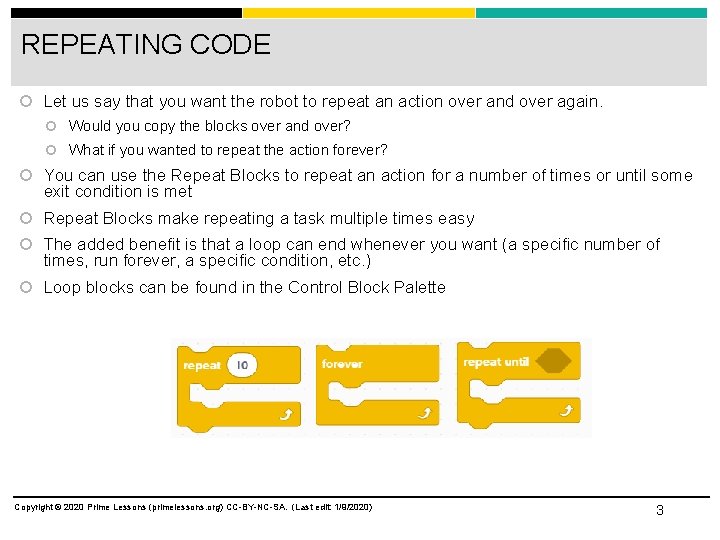
REPEATING CODE Let us say that you want the robot to repeat an action over and over again. Would you copy the blocks over and over? What if you wanted to repeat the action forever? You can use the Repeat Blocks to repeat an action for a number of times or until some exit condition is met Repeat Blocks make repeating a task multiple times easy The added benefit is that a loop can end whenever you want (a specific number of times, run forever, a specific condition, etc. ) Loop blocks can be found in the Control Block Palette Copyright © 2020 Prime Lessons (primelessons. org) CC-BY-NC-SA. (Last edit: 1/9/2020) 3
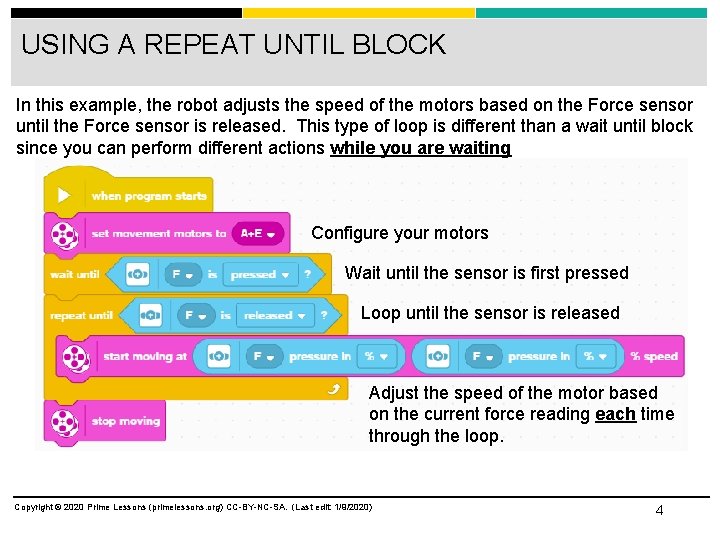
USING A REPEAT UNTIL BLOCK In this example, the robot adjusts the speed of the motors based on the Force sensor until the Force sensor is released. This type of loop is different than a wait until block since you can perform different actions while you are waiting Configure your motors Wait until the sensor is first pressed Loop until the sensor is released Adjust the speed of the motor based on the current force reading each time through the loop. Copyright © 2020 Prime Lessons (primelessons. org) CC-BY-NC-SA. (Last edit: 1/9/2020) 4
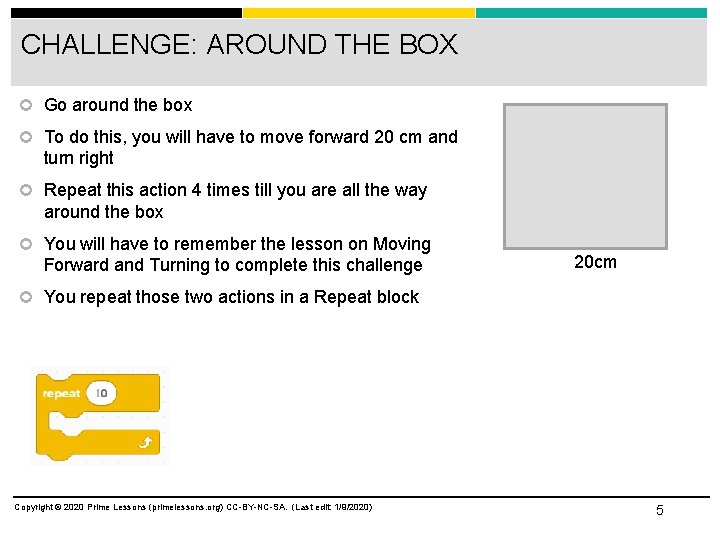
CHALLENGE: AROUND THE BOX Go around the box To do this, you will have to move forward 20 cm and turn right Repeat this action 4 times till you are all the way around the box You will have to remember the lesson on Moving Forward and Turning to complete this challenge 20 cm You repeat those two actions in a Repeat block Copyright © 2020 Prime Lessons (primelessons. org) CC-BY-NC-SA. (Last edit: 1/9/2020) 5
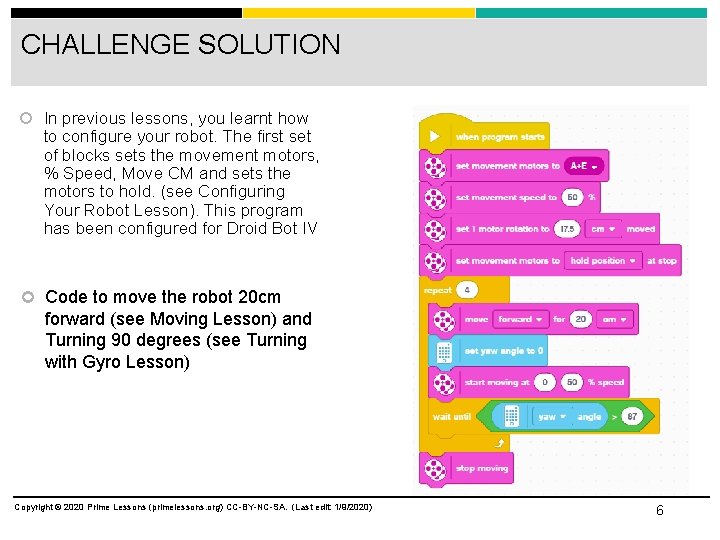
CHALLENGE SOLUTION In previous lessons, you learnt how to configure your robot. The first set of blocks sets the movement motors, % Speed, Move CM and sets the motors to hold. (see Configuring Your Robot Lesson). This program has been configured for Droid Bot IV Code to move the robot 20 cm forward (see Moving Lesson) and Turning 90 degrees (see Turning with Gyro Lesson) Copyright © 2020 Prime Lessons (primelessons. org) CC-BY-NC-SA. (Last edit: 1/9/2020) 6
CREDITS This lesson was created by Sanjay Seshan and Arvind Seshan for Prime Lessons More lessons are available at www. primelessons. org This work is licensed under a Creative Commons Attribution-Non. Commercial-Share. Alike 4. 0 International License. Copyright © 2020 Prime Lessons (primelessons. org) CC-BY-NC-SA. (Last edit: 1/9/2020) 7
- Slides: 7