
PRIME LESSONS By the Makers of EV 3
PRIME LESSONS By the Makers of EV 3 Lessons INSTALLING SOFTWARE & FIRMWARE ON SPIKE PRIME AND ROBOT INVENTOR BY SANJAY AND ARVIND SESHAN
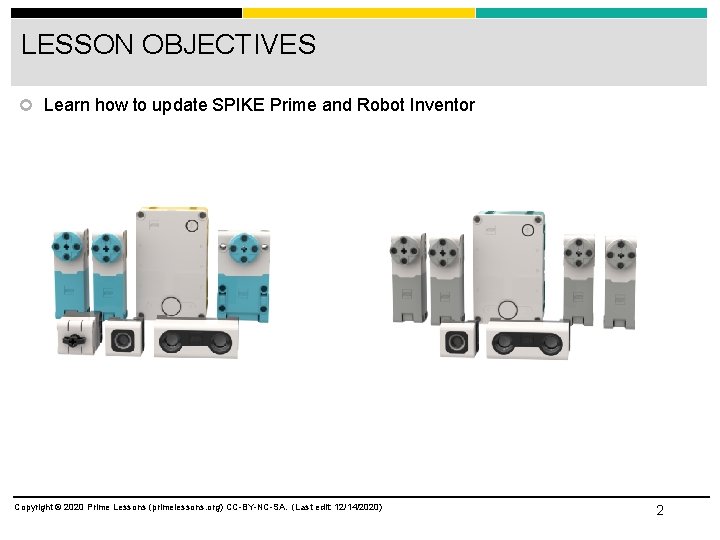
LESSON OBJECTIVES Learn how to update SPIKE Prime and Robot Inventor Copyright © 2020 Prime Lessons (primelessons. org) CC-BY-NC-SA. (Last edit: 12/14/2020) 2
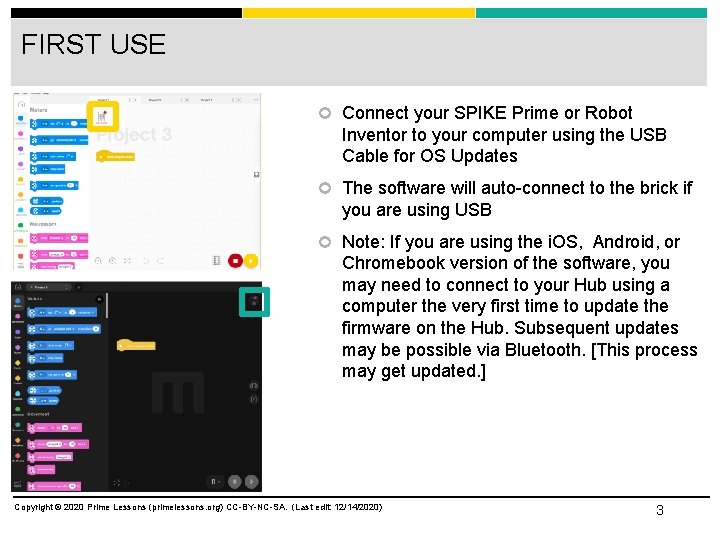
FIRST USE Connect your SPIKE Prime or Robot Inventor to your computer using the USB Cable for OS Updates The software will auto-connect to the brick if you are using USB Note: If you are using the i. OS, Android, or Chromebook version of the software, you may need to connect to your Hub using a computer the very first time to update the firmware on the Hub. Subsequent updates may be possible via Bluetooth. [This process may get updated. ] Copyright © 2020 Prime Lessons (primelessons. org) CC-BY-NC-SA. (Last edit: 12/14/2020) 3
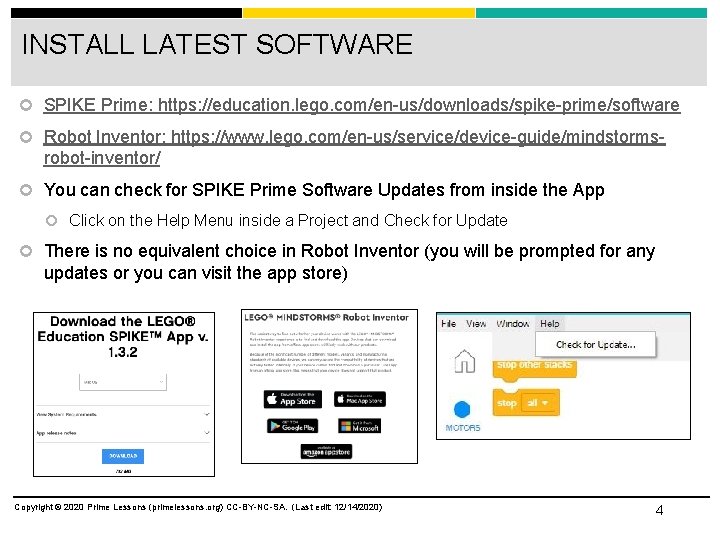
INSTALL LATEST SOFTWARE SPIKE Prime: https: //education. lego. com/en-us/downloads/spike-prime/software Robot Inventor: https: //www. lego. com/en-us/service/device-guide/mindstorms- robot-inventor/ You can check for SPIKE Prime Software Updates from inside the App Click on the Help Menu inside a Project and Check for Update There is no equivalent choice in Robot Inventor (you will be prompted for any updates or you can visit the app store) Copyright © 2020 Prime Lessons (primelessons. org) CC-BY-NC-SA. (Last edit: 12/14/2020) 4
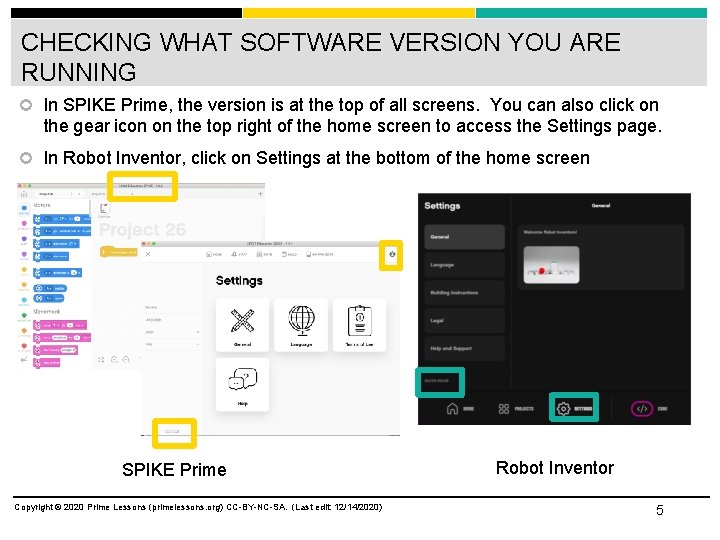
CHECKING WHAT SOFTWARE VERSION YOU ARE RUNNING In SPIKE Prime, the version is at the top of all screens. You can also click on the gear icon on the top right of the home screen to access the Settings page. In Robot Inventor, click on Settings at the bottom of the home screen SPIKE Prime Copyright © 2020 Prime Lessons (primelessons. org) CC-BY-NC-SA. (Last edit: 12/14/2020) Robot Inventor 5
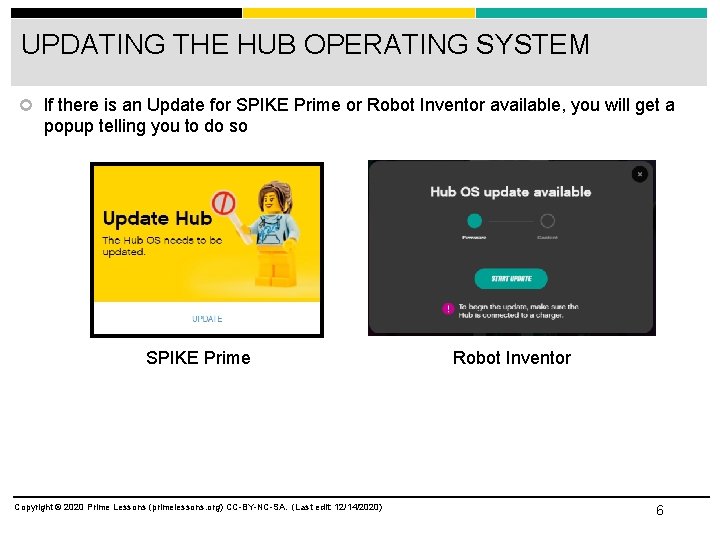
UPDATING THE HUB OPERATING SYSTEM If there is an Update for SPIKE Prime or Robot Inventor available, you will get a popup telling you to do so SPIKE Prime Copyright © 2020 Prime Lessons (primelessons. org) CC-BY-NC-SA. (Last edit: 12/14/2020) Robot Inventor 6
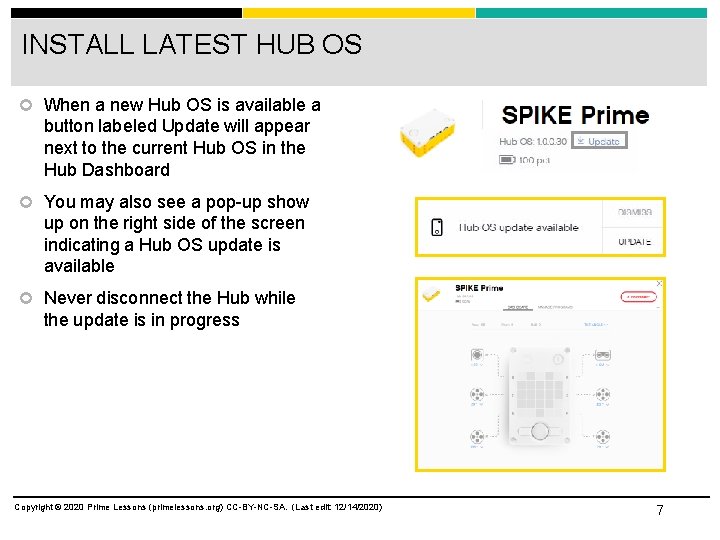
INSTALL LATEST HUB OS When a new Hub OS is available a button labeled Update will appear next to the current Hub OS in the Hub Dashboard You may also see a pop-up show up on the right side of the screen indicating a Hub OS update is available Never disconnect the Hub while the update is in progress Copyright © 2020 Prime Lessons (primelessons. org) CC-BY-NC-SA. (Last edit: 12/14/2020) 7
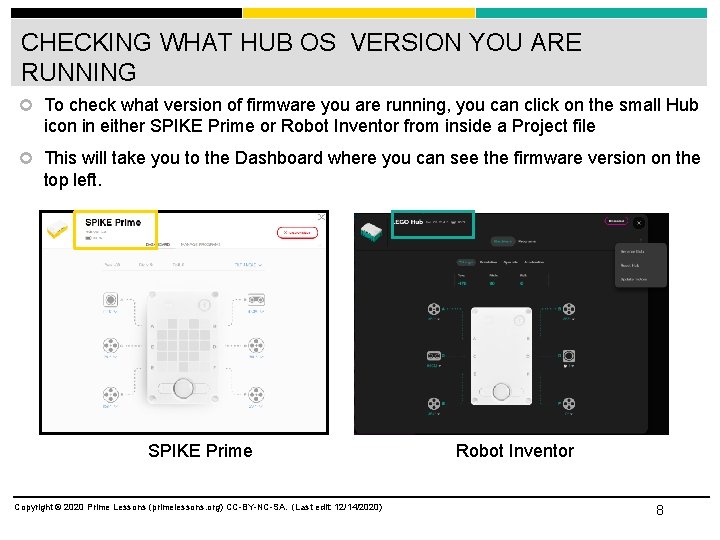
CHECKING WHAT HUB OS VERSION YOU ARE RUNNING To check what version of firmware you are running, you can click on the small Hub icon in either SPIKE Prime or Robot Inventor from inside a Project file This will take you to the Dashboard where you can see the firmware version on the top left. SPIKE Prime Copyright © 2020 Prime Lessons (primelessons. org) CC-BY-NC-SA. (Last edit: 12/14/2020) Robot Inventor 8
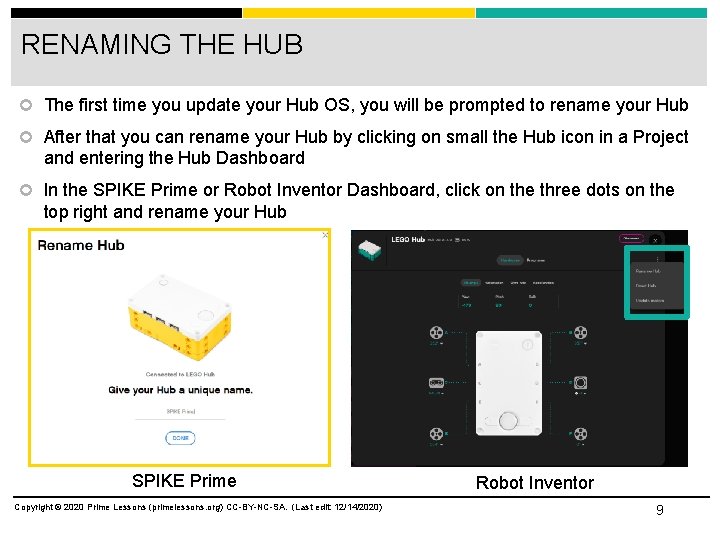
RENAMING THE HUB The first time you update your Hub OS, you will be prompted to rename your Hub After that you can rename your Hub by clicking on small the Hub icon in a Project and entering the Hub Dashboard In the SPIKE Prime or Robot Inventor Dashboard, click on the three dots on the top right and rename your Hub SPIKE Prime Copyright © 2020 Prime Lessons (primelessons. org) CC-BY-NC-SA. (Last edit: 12/14/2020) Robot Inventor 9
CREDITS This lesson was created by Sanjay Seshan and Arvind Seshan for Prime Lessons More lessons are available at www. primelessons. org This work is licensed under a Creative Commons Attribution-Non. Commercial-Share. Alike 4. 0 International License. Copyright © 2020 Prime Lessons (primelessons. org) CC-BY-NC-SA. (Last edit: 12/14/2020) 10
- Slides: 10