
Primary funding is provided by The SPE Foundation

Primary funding is provided by The SPE Foundation through member donations and a contribution from Offshore Europe The Society is grateful to those companies that allow their professionals to serve as lecturers Additional support provided by AIME Society of Petroleum Engineers Distinguished Lecturer Program www. spe. org/dl
Lessons Learned, How NOT to Do Drilling Automation Dr. William L. Koederitz, SPE, PE GK Plus Innovations, LLC Society of Petroleum Engineers Distinguished Lecturer Program www. spe. org/dl 2
Outline • What is drilling automation? – Examples – Pros and Cons – How to decide? • How NOT to do drilling automation – A positive side will be shown! • Conclusions 3
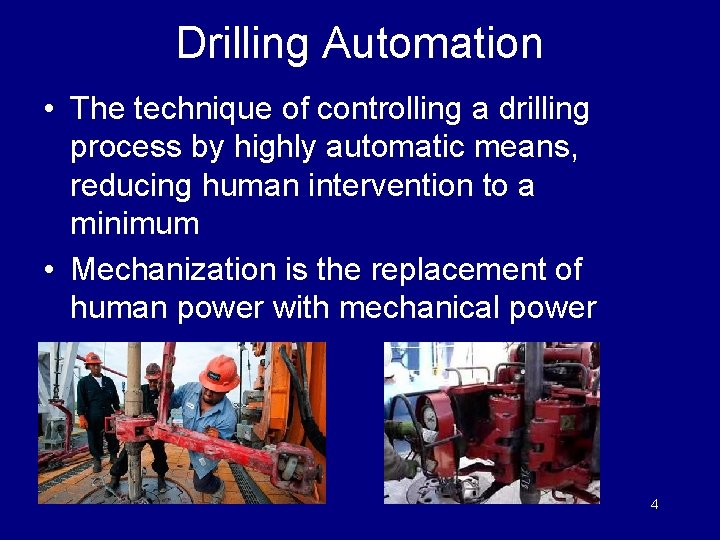
Drilling Automation • The technique of controlling a drilling process by highly automatic means, reducing human intervention to a minimum • Mechanization is the replacement of human power with mechanical power 4
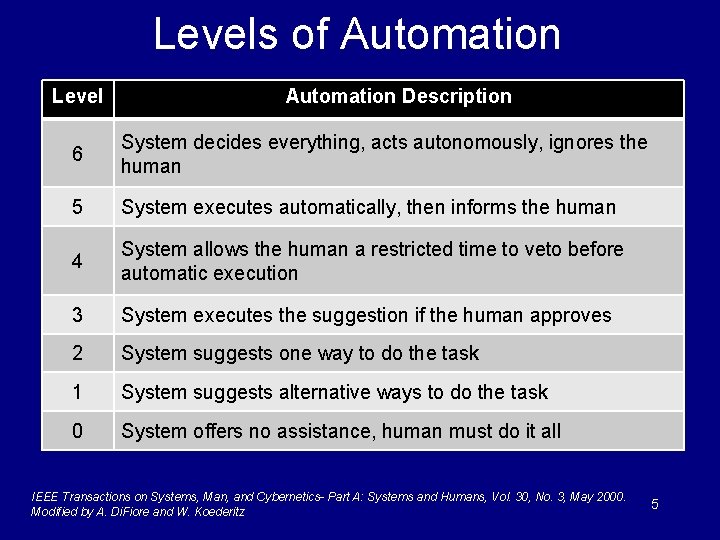
Levels of Automation Level Automation Description 6 System decides everything, acts autonomously, ignores the human 5 System executes automatically, then informs the human 4 System allows the human a restricted time to veto before automatic execution 3 System executes the suggestion if the human approves 2 System suggests one way to do the task 1 System suggests alternative ways to do the task 0 System offers no assistance, human must do it all IEEE Transactions on Systems, Man, and Cybernetics- Part A: Systems and Humans, Vol. 30, No. 3, May 2000. Modified by A. Di. Fiore and W. Koederitz 5
Why Automate? • Safety – Remove people from harm’s way – Free up rig crew for monitoring • Efficiency – Tasks that are repetitive and require continuous monitoring can be done more consistently with automation. – Free up rig crew for other tasks 6
Why Automate? • Enhance Crew Capability – Shortage of experienced individuals at the rig • Improved Performance – Do things that people can’t do (non-stop) • Reduce number of people at rig – ? ? ? – May move some off of rig 7
Automation Example Controlling Downhole Weight on Bit 8
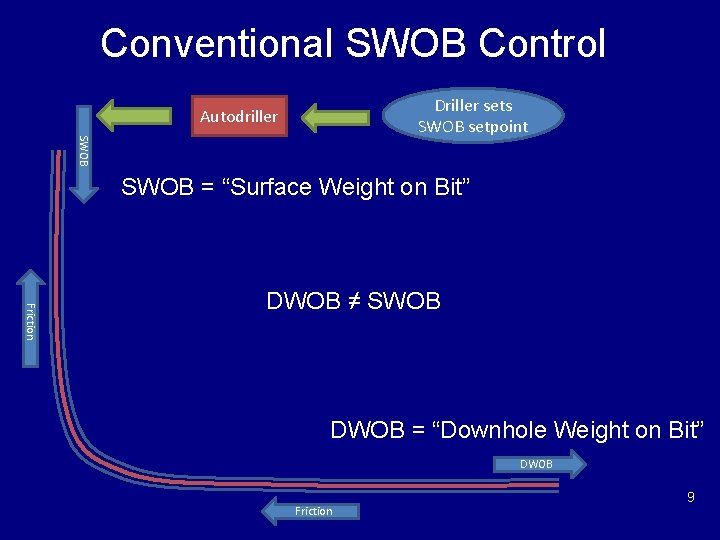
Conventional SWOB Control Driller sets SWOB setpoint Autodriller SWOB = “Surface Weight on Bit” Friction DWOB ≠ SWOB DWOB = “Downhole Weight on Bit” DWOB Friction 9
Why DWOB Control is Better • Constant DWOB provides better results – Higher Rate of Penetration – Better directional control 10
Manual DWOB Control • Control process by driller – Read slow-speed DWOB – Compare to desired DWOB – Adjust SWOB setpoint in autodriller • Holds DWOB “close” to desired • Requires constant monitoring, adjusting • If downhole conditions change, must react rapidly 11
Automated DWOB Control • Driller sets desired DWOB, SWOB range • Automated optimization process – Analyze high-speed surface and downhole drilling data – Computes change in SWOB – New SWOB sent direct to rig • Driller now only has to monitor • Holds DWOB very close to desired • Reacts quickly to changes downhole 12
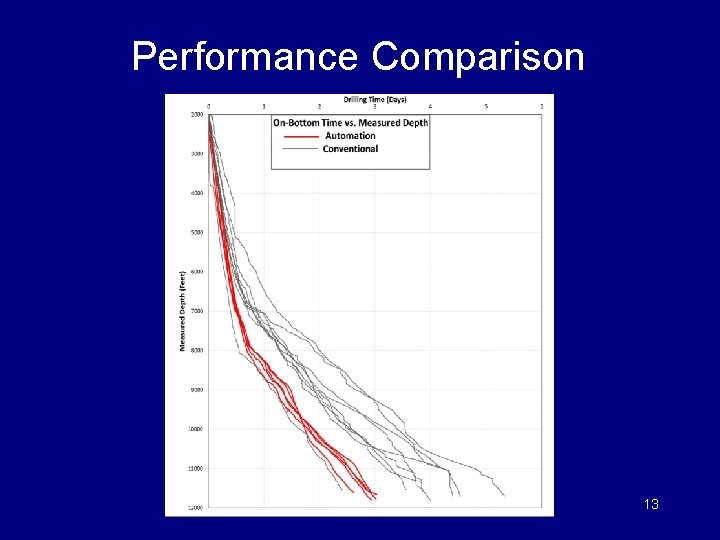
Performance Comparison 13
Automation Example Optimizing Drilling Performance 14
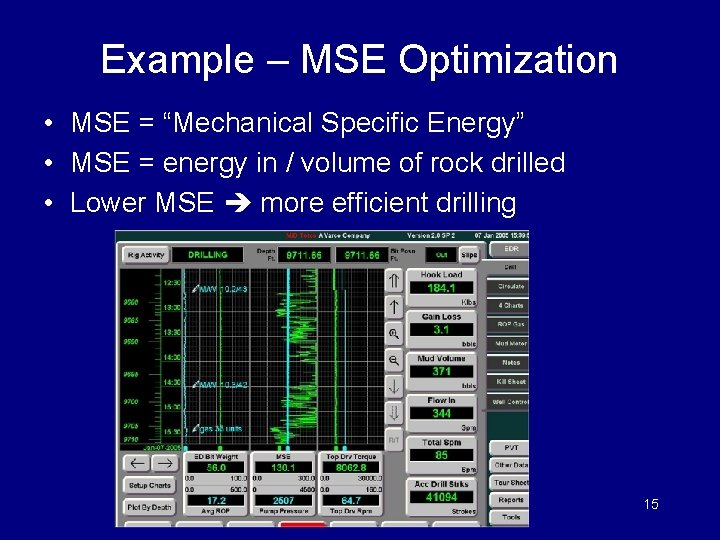
Example – MSE Optimization • MSE = “Mechanical Specific Energy” • MSE = energy in / volume of rock drilled • Lower MSE more efficient drilling 15

MSE vs ROP 16
Manual MSE Optimization • Optimization process by driller – Change Bit Weight and/or RPM – MSE response dictates next change • Performance improvement – More as driller gains experience • Requires constant monitoring, adjusting 17
Automated MSE Optimization • Driller sets bounds on Bit Weight, RPM • Automated optimization process – Analyze recent drilling & MSE data – Search technique selects Bit Weight, RPM – New Bit Weight, RPM sent direct to rig • Driller now only has to monitor • Performance improved in most cases – Can’t compete with dedicated expert driller 18
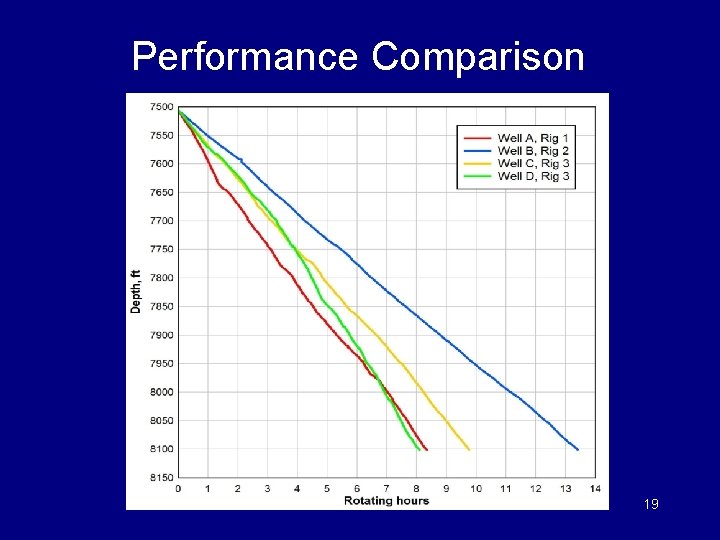
Performance Comparison 19
Risks of Automation • Complacency • Loss of ownership • Dependent on data & control quality • Maximum performance limited by “smartness” of automation logic – In the specific situation • Automation can not innovate – Only motivated people can do that 20
When & What to Automate • Selection Methods – Look for good automation applications – Look for performance improvement opportunities • Define automated and non-automated options • Decide based on your criteria – Safety – Return on Investment 21
How Not to … • Format – A statement about drilling automation – Why the statement is wrong – Solutions 22
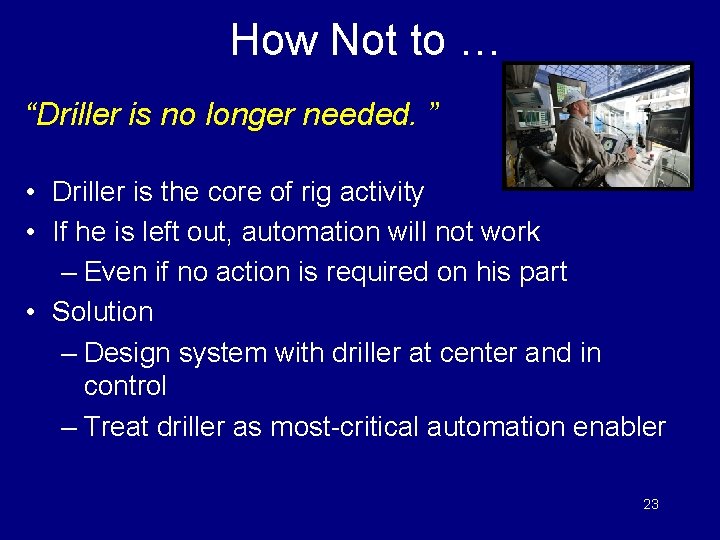
How Not to … “Driller is no longer needed. ” • Driller is the core of rig activity • If he is left out, automation will not work – Even if no action is required on his part • Solution ‒ Design system with driller at center and in control ‒ Treat driller as most-critical automation enabler 23
How Not to … “That rig’s data was good enough for drilling, so it’ll be fine for automation. ” • Typical rig data is never good enough – Often already insufficient (if you really look) • Reliable, high-quality data is a must-have • Solution – Investigate rig data quality, upgrade as needed – Continuous monitoring of data quality 24
How Not to … “That rig’s controls were good enough for drilling, so they’ll be fine for automation. ” • Reliable, sufficiently precise control of rig equipment is a must-have • Typical rig control is often not precise enough or is not readily accessible • Solution – Evaluate rig control capability, resolve issues – Continuous monitoring of control quality 25
How Not to … “Since it’s automated, driller only needs to turn it on, not understand how it works. ” • This reduces effective use (loss of value) – Worst case, destroys rigsite acceptance • Optimum use by rig maximum value • Solution – Design so driller is well informed of how it works – Enhance comfort level (simulator exercises a +) 26
How Not to … “Their only choice is on or off. ” “Let’s let them adjust everything. ” • There is an optimum level of interaction for each driller and situation • But too many levels are confusing • Solution – Analyze drillers, identify group(s) – Design for some variation in drillers ◦ Basic vs advanced 27
How Not to … “Let’s make the system do everything (we think) they need. They’ll sort it out. ” • The driller is over-loaded by this, resulting in misuse or non-use • Solution – Design the system as a suite of tools ◦ Driller picks the right tool for the right job – Key decision criteria are simplicity, modularity, benefit/cost ratio 28
How Not to … “The system will handle all possible conditions, without any ongoing adjustments. ” • Unlikely system can handle all possibilities • Changes in rig, sensors, drilling, … • Solution – Design with adaptive control to minimize rig-site adjustments – Implement automated diagnostics for quicker problem recognition 29
Conclusions • Automation is a tool to improve performance – Pros and cons, per application • Critical success factors – Deciding if and what to automate – Design and implementation ◦ People issues often > technical issues ◦ Do not leave the driller out! 30

Your Feedback is Important Enter your section in the DL Evaluation Contest by completing the evaluation form for this presentation Visit SPE. org/dl Society of Petroleum Engineers Distinguished Lecturer Program www. spe. org/dl 31
- Slides: 31